Team Sites
vs
Office 365 Groups
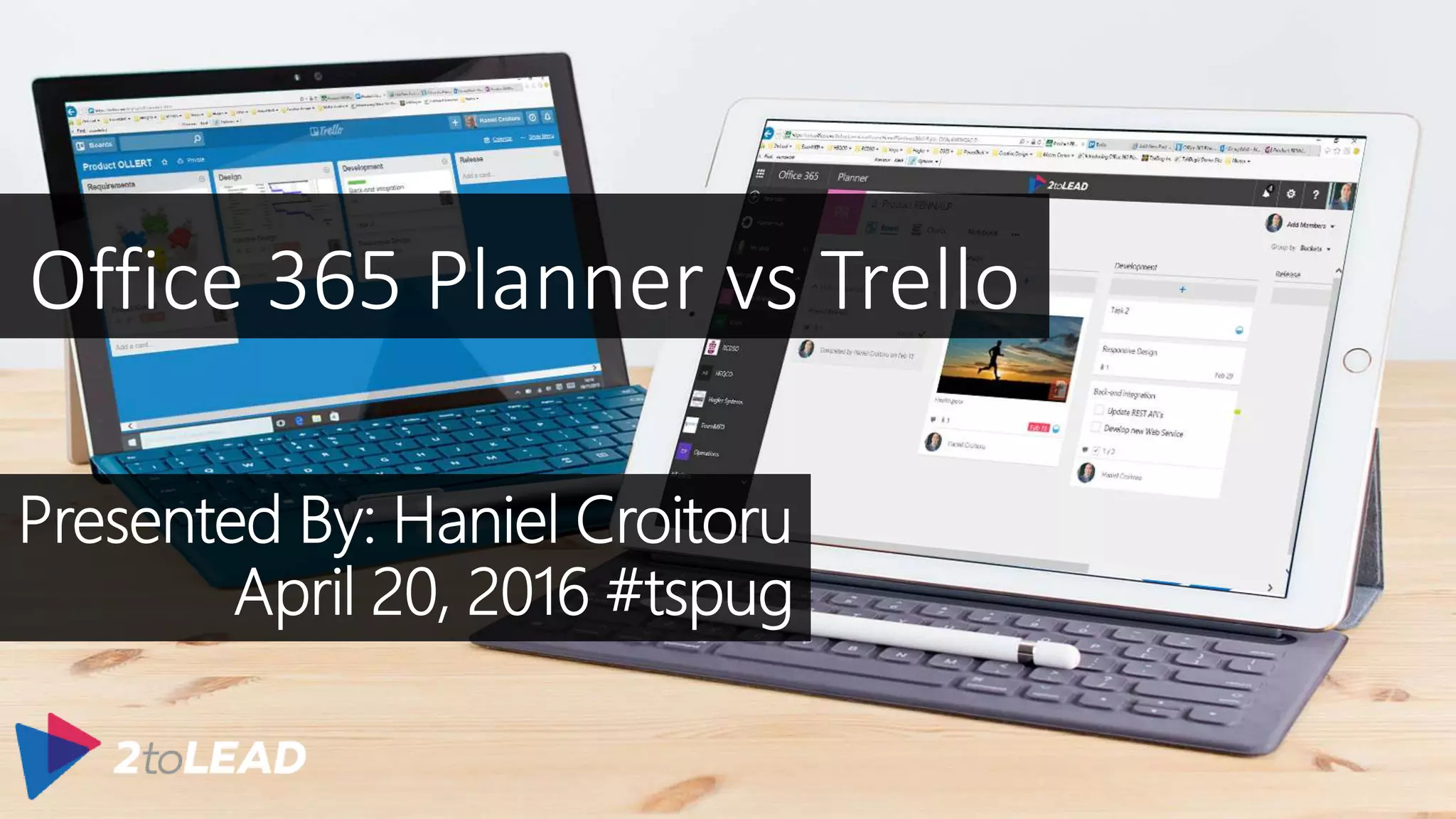
Office 365 Planner vs Trello
HANIEL
CROITORU
I’m passionate about technology, and I work at .
LEAD CONSULTANT | PMP, PMI-ACP | SPEAKER
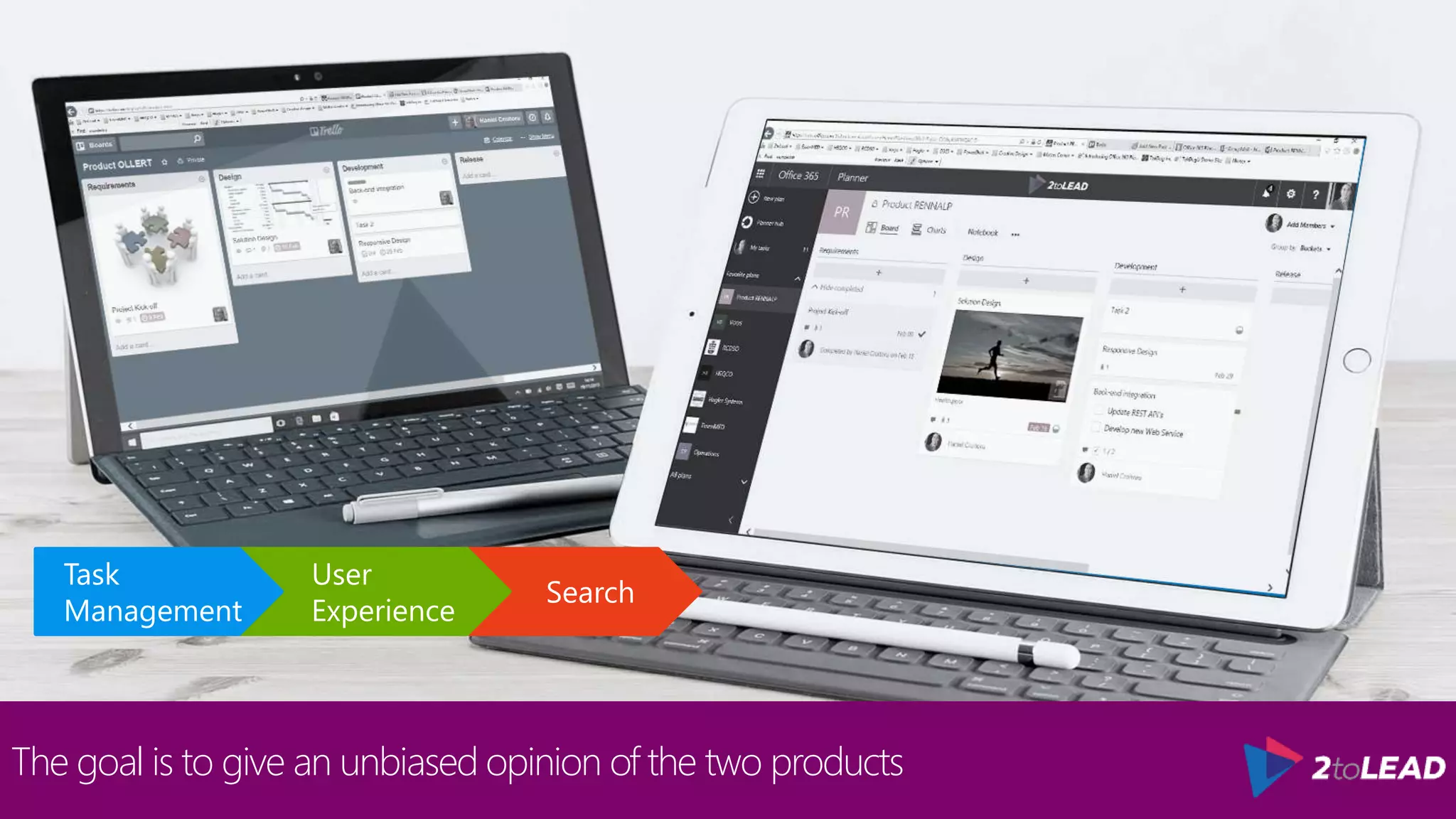
The goal is to give an unbiased opinion of the two products
Search
User
Experience
Task
Management
The goal is to give an unbiased opinion of the two products
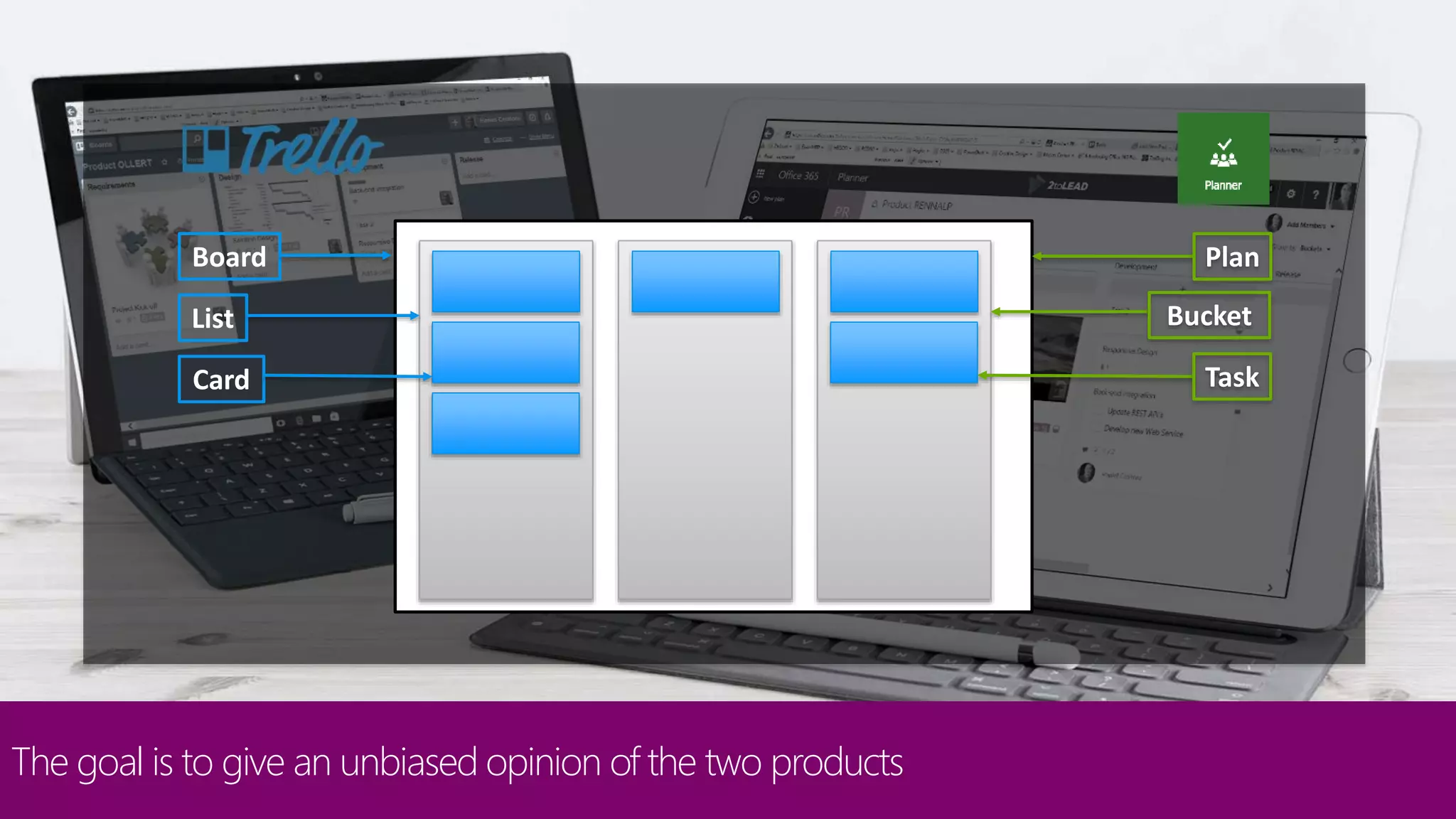
Board
List
Card
Plan
Bucket
Task
Kanban boards are good fore sharing tasks amongst peers
Participation
Trello
• Lets you invite any user to participate on a board.
Planner
• There has been a lot of discussions around the request to invite external users to Office 365 Plans and it
is currently on the roadmap.
Search
User
Experience
Task
Management
Assigning tasks helps users track their work and be notified of changes
Task Assignment
Trello
• Lets you assign multiple individuals to a card
• Great when several users are collaborating on the same card
Search
User
Experience
Task
Management
Assigning tasks helps users track their work and be notified of changes
Task Assignment
Planner
• Lets you assign one individual from your Office 365
network to a task
• Adds a level of overhead to keep track of everyone’s tasks
Search
User
Experience
Task
Management
Notifications keep you informed of any changes
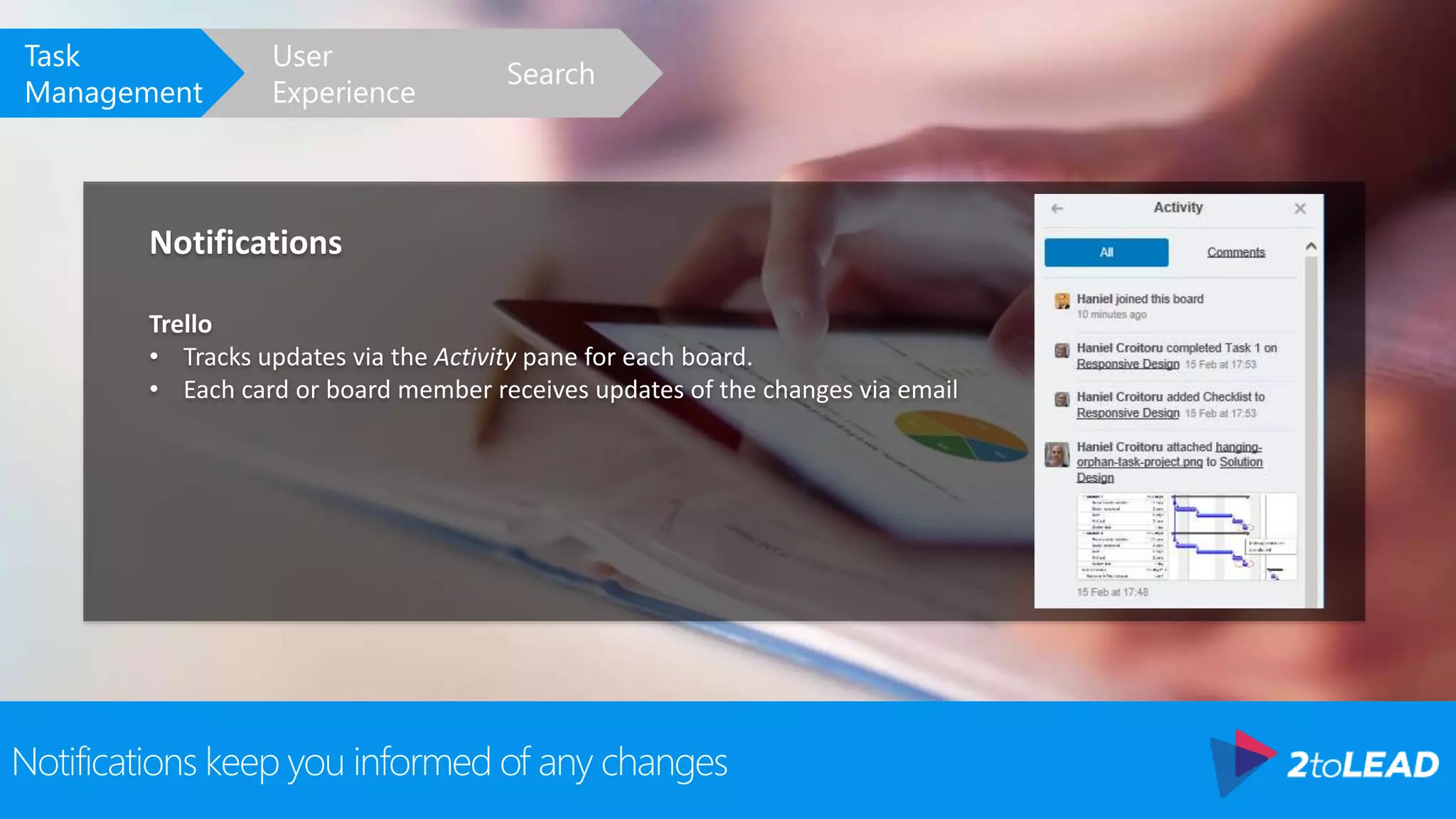
Notifications
Trello
• Tracks updates via the Activity pane for each board.
• Each card or board member receives updates of the changes via email
Search
User
Experience
Task
Management
Notifications keep you informed of any changes
Notifications
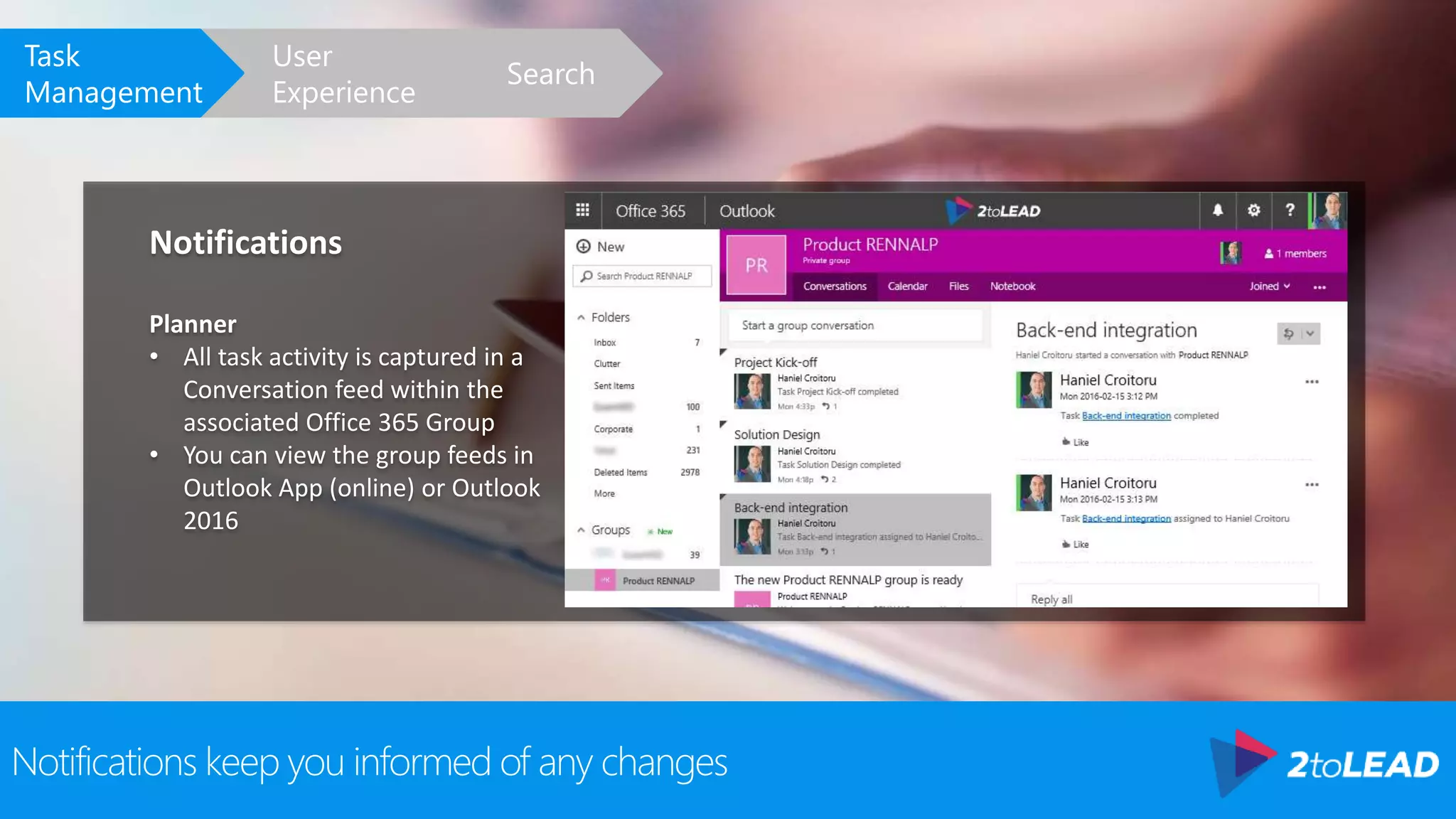
Planner
• All task activity is captured in a
Conversation feed within the
associated Office 365 Group
• You can view the group feeds in
Outlook App (online) or Outlook
2016
Search
User
Experience
Task
Management
Checklists help you break down tasks
Checklists
Trello
• Lets you copy a checklist from one card to another. This is
great when you need to generate the same checklists
multiple times
• Multiple checklists per card
Search
User
Experience
Task
Management
Checklists help you break down tasks
Checklists
Planner
• Single checklist per task
• Lets you preview and check-off items without opening the task
Search
User
Experience
Task
Management
Due dates let you know when
Due Dates
Trello
• Trello lets you set a due date
• Once due date is passed, due
date becomes red
• Calendar view allows you to see
all due dates for all cards
Search
User
Experience
Task
Management
Due dates let you know when
Due Dates
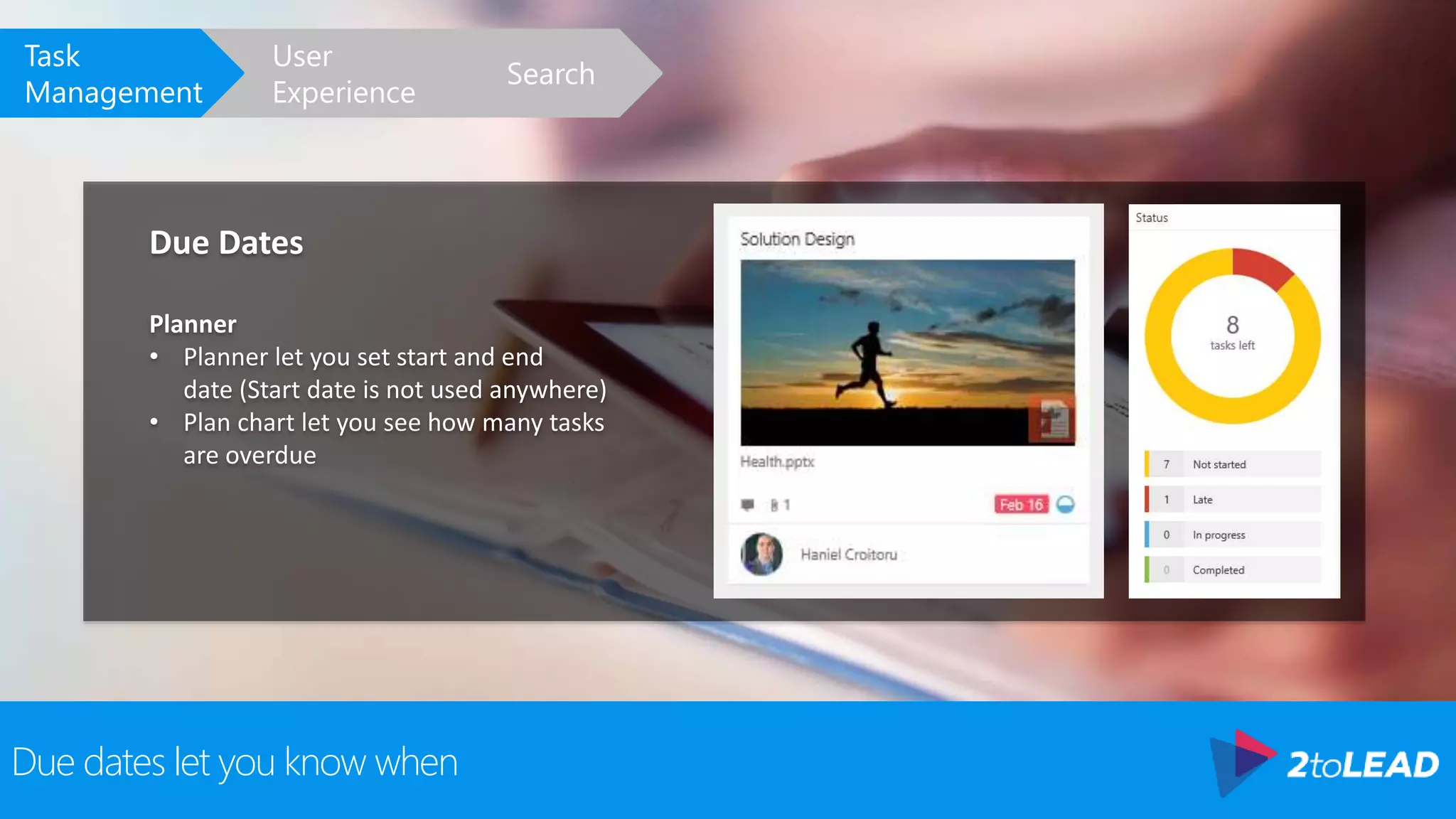
Planner
• Planner let you set start and end
date (Start date is not used anywhere)
• Plan chart let you see how many tasks
are overdue
Search
User
Experience
Task
Management
Find out how far along you are on a task
Progress
Trello
• There is no way to track progress
• Possible to use boards for progress (e.g. to do, in progress, done)
• No indication of how many tasks are in what state unless reviewing the board
Search
User
Experience
Task
Management
Find out how far along you are on a task
Progress
Planner
• Has a progress indicator (Not Started, In
Progress, Completed)
• Completed tasks are collapsed to take up
less space on the page
• Lets you group tasks by status
Search
User
Experience
Task
Management
Who does what, why, and how
Governance
• When it comes to governance, both Trello and Planner are lacking
• Once you add a person to a board or plan, they can manipulate all the content within it
• There also is no versioning, approvals, or undo capabilities to help in managing the content
• Up to the team to self-manage how they will use these boards/plans for everyone’s mutual benefit
Search
User
Experience
Task
Management
Looking at the big picture
Board Overview
• Both products group tasks/cards into buckets/lists
Search
User
Experience
Task
Management
Looking at the big picture
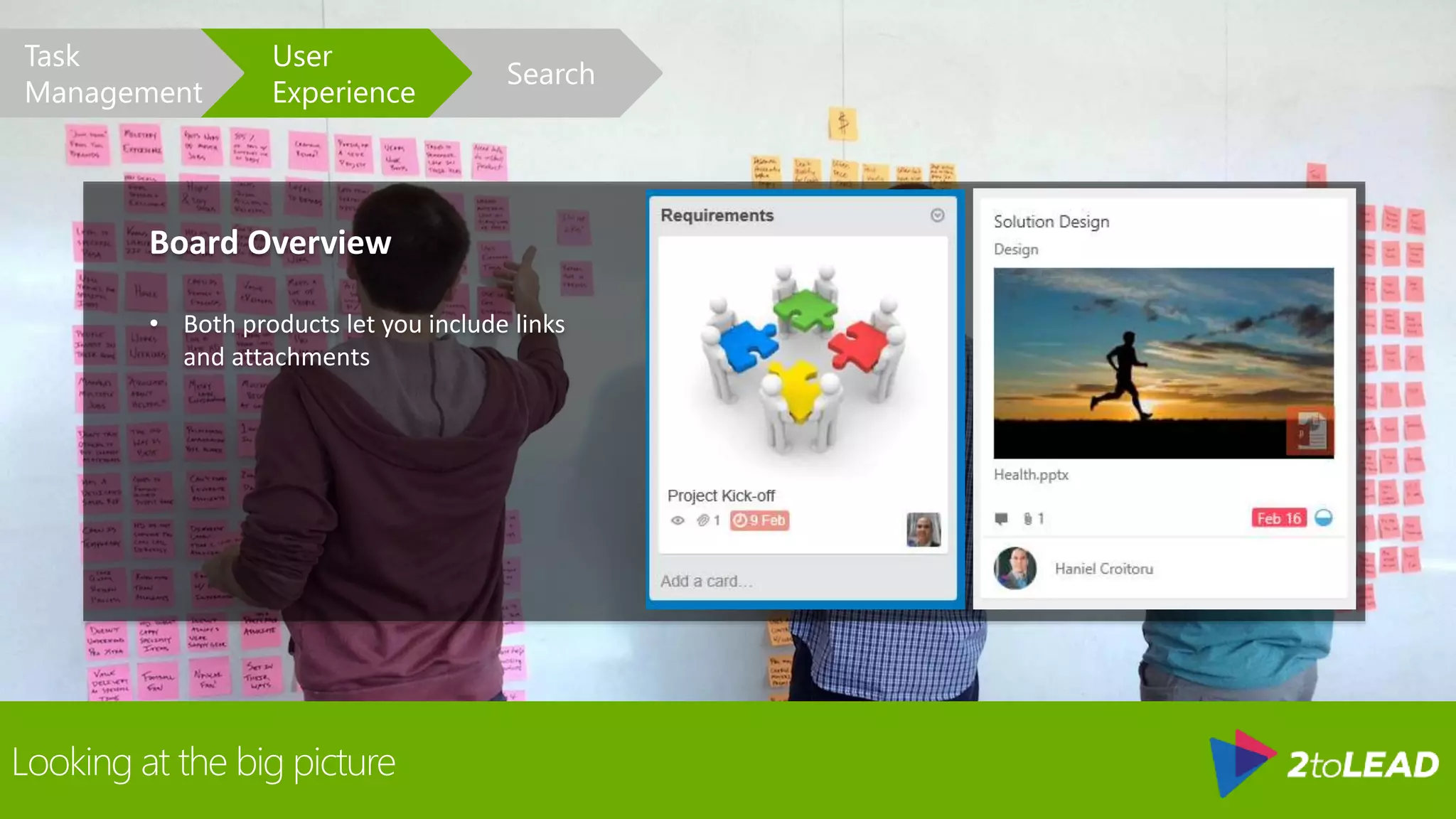
Board Overview
• Both products let you include links
and attachments
Search
User
Experience
Task
Management
See it all
Dashboards
Trello
• See favored boards and boards you are managing
Search
User
Experience
Task
Management
See it all
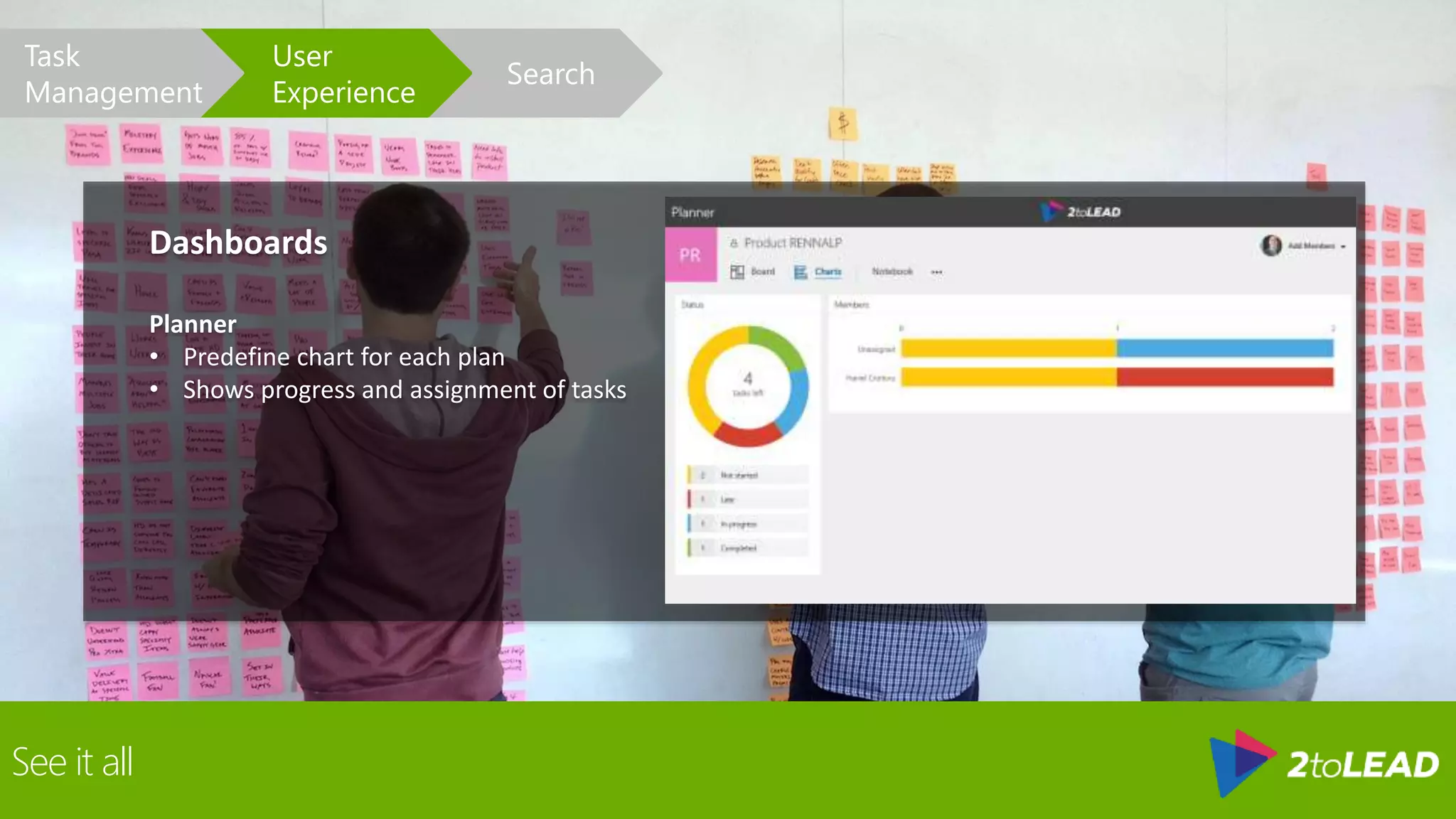
Dashboards
Planner
• Predefine chart for each plan
• Shows progress and assignment of tasks
Search
User
Experience
Task
Management
See it all
Dashboards
Planner
• Planner Hub shows favored plans
Search
User
Experience
Task
Management
Having access to your corporate data on mobile devices is almost a must
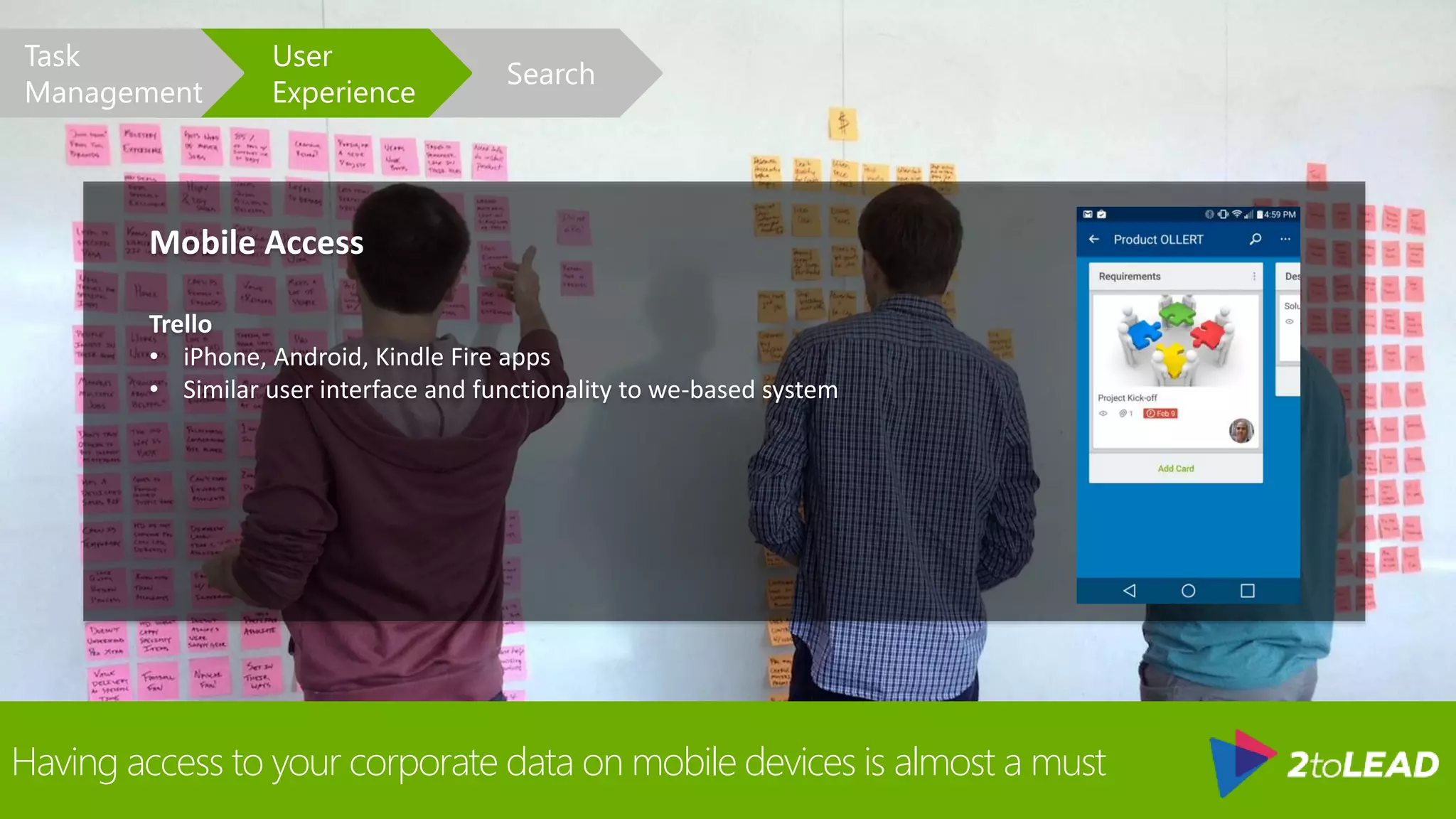
Mobile Access
Trello
• iPhone, Android, Kindle Fire apps
• Similar user interface and functionality to we-based system
Search
User
Experience
Task
Management
Having access to your corporate data on mobile devices is almost a must
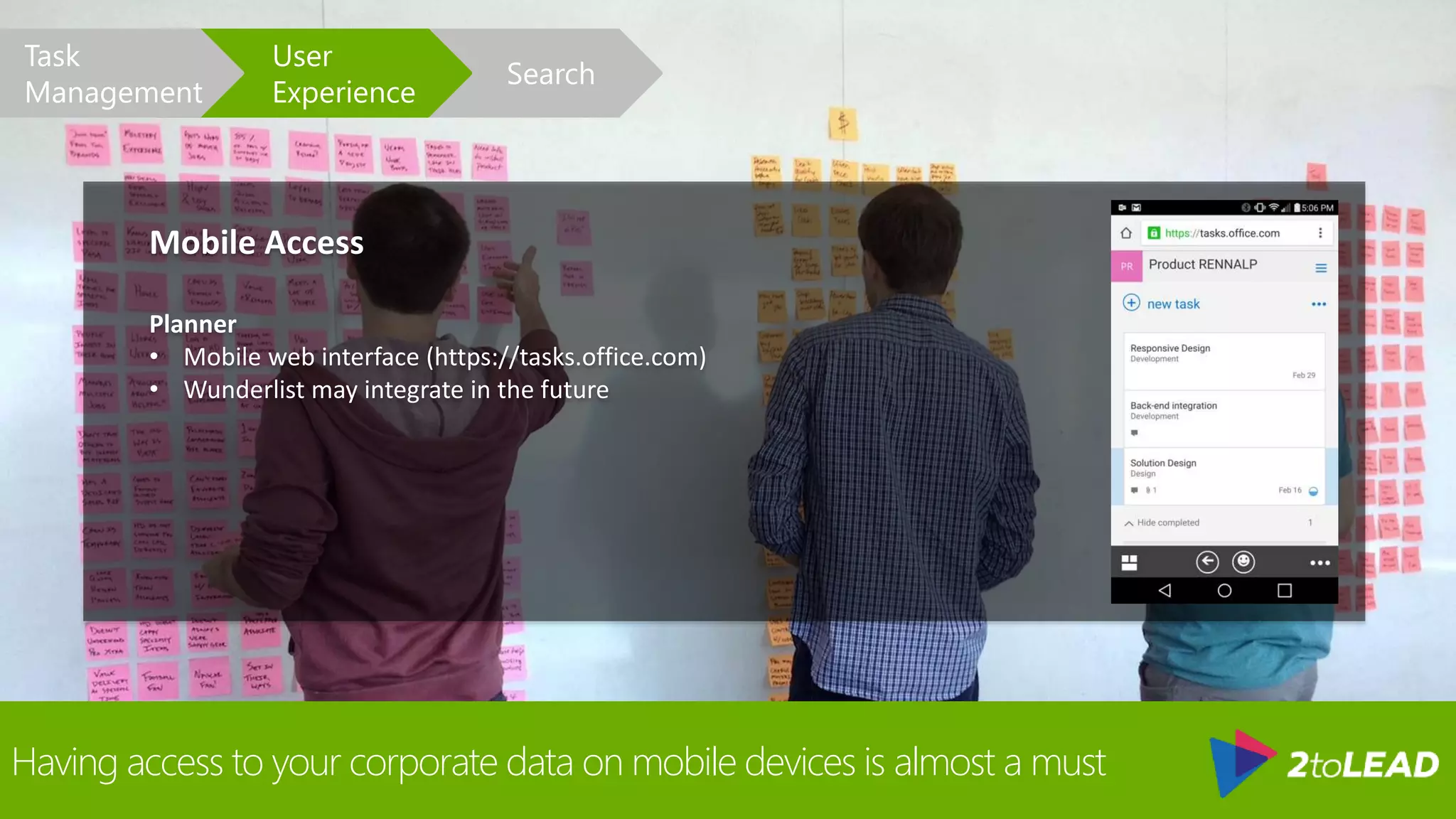
Mobile Access
Planner
• Mobile web interface (https://tasks.office.com)
• Wunderlist may integrate in the future
Search
User
Experience
Task
Management
As your use of the tool increases, so does the need to search for information
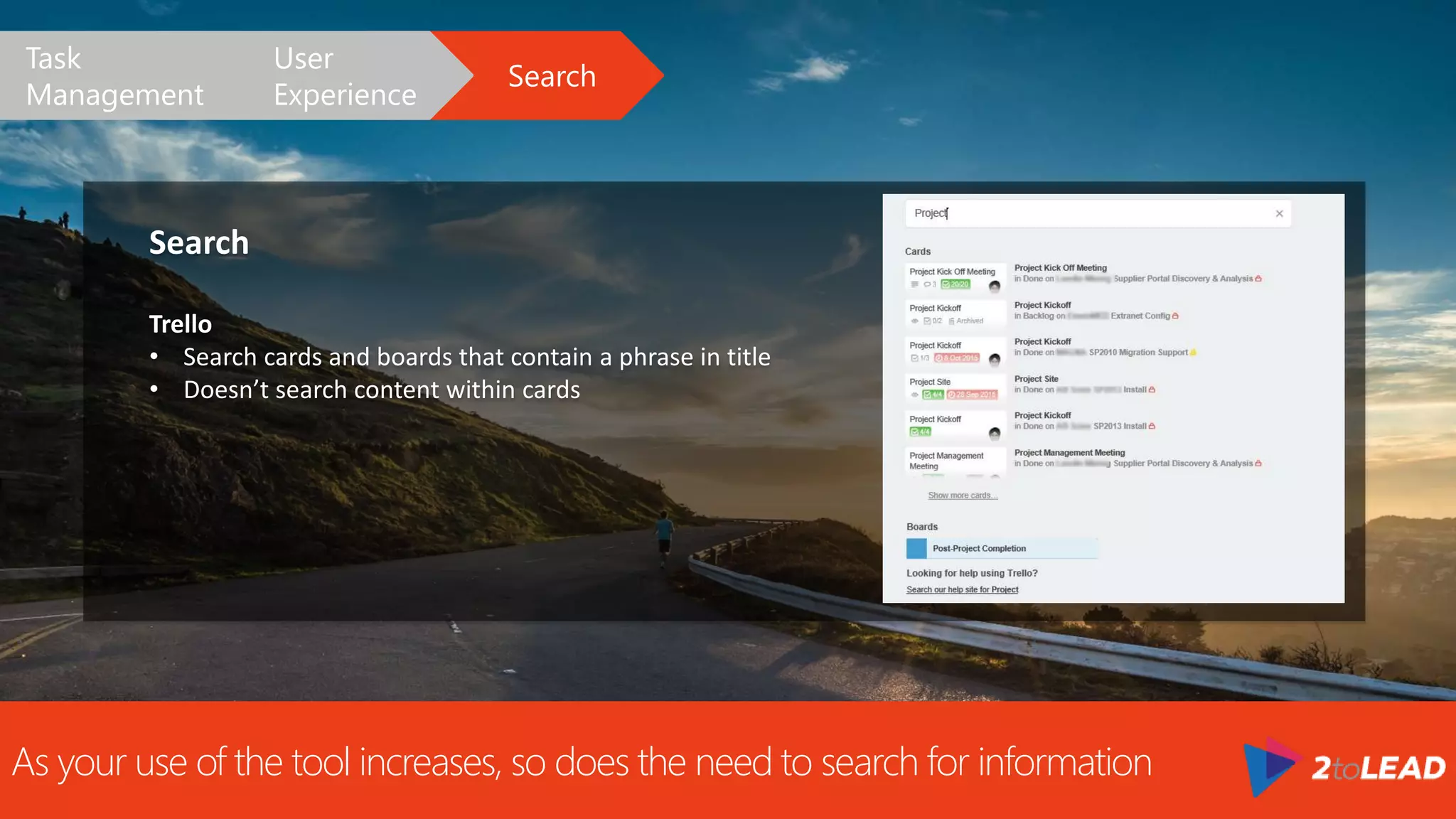
Search
Trello
• Search cards and boards that contain a phrase in title
• Doesn’t search content within cards
Search
User
Experience
Task
Management
As your use of the tool increases, so does the need to search for information
Search
Planner
• No direct search capabilities in plans
• Associated Office 365 groups can be searched for files,
conversations, and OneNote
Search
User
Experience
Task
Management
Summary
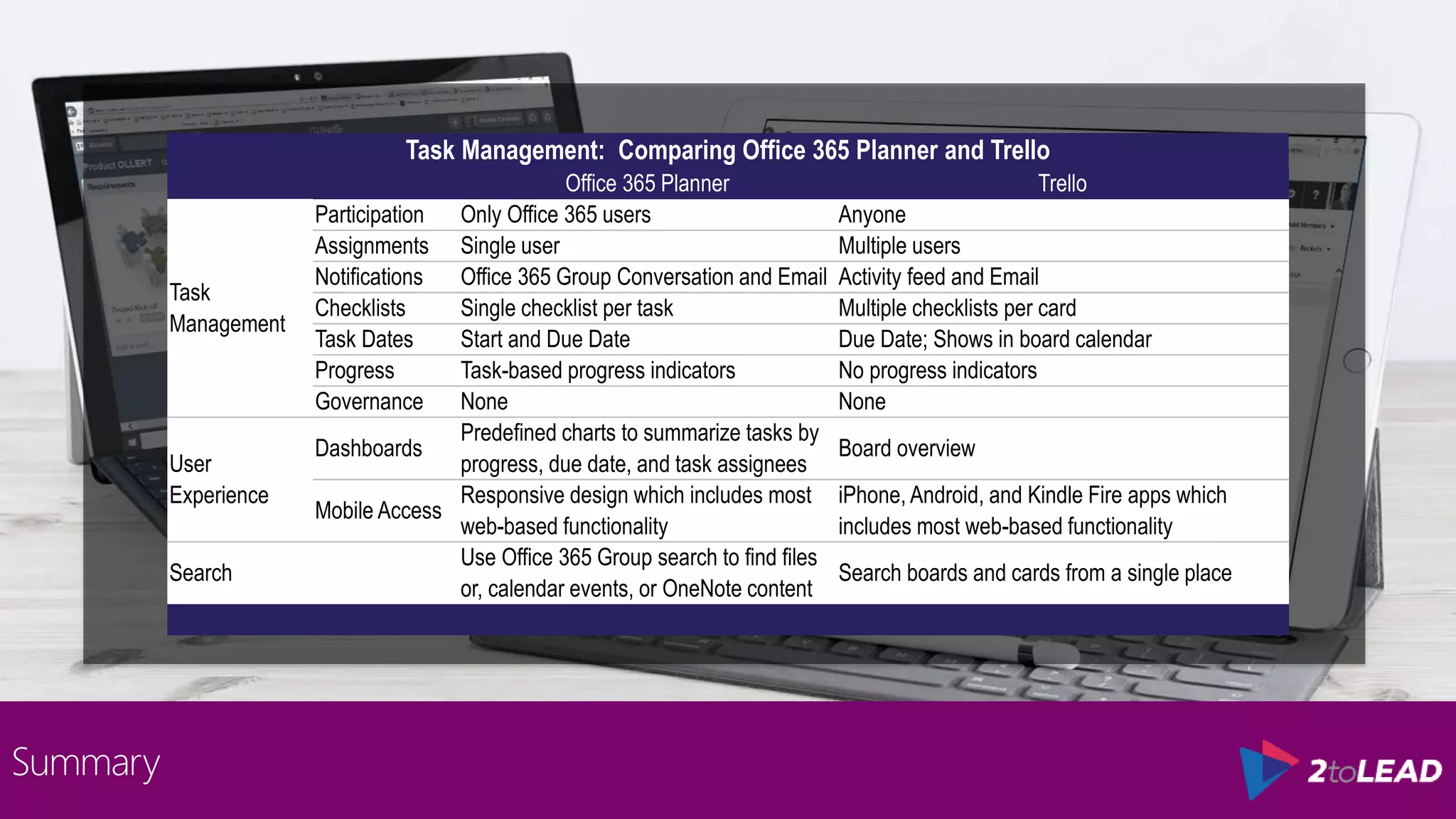
Task Management: Comparing Office 365 Planner and Trello
Office 365 Planner Trello
Task
Management
Participation Only Office 365 users Anyone
Assignments Single user Multiple users
Notifications Office 365 Group Conversation and Email Activity feed and Email
Checklists Single checklist per task Multiple checklists per card
Task Dates Start and Due Date Due Date; Shows in board calendar
Progress Task-based progress indicators No progress indicators
Governance None None
User
Experience
Dashboards
Predefined charts to summarize tasks by
progress, due date, and task assignees
Board overview
Mobile Access
Responsive design which includes most
web-based functionality
iPhone, Android, and Kindle Fire apps which
includes most web-based functionality
Search
Use Office 365 Group search to find files
or, calendar events, or OneNote content
Search boards and cards from a single place
• https://tasks.sharepoint.com
• http://www.2tolead.com/microsoft-cloud-solutions-and-strategy-insights/managing-tasks-office-planner-vs-
trello/
• https://blogs.office.com/planner
• https://products.office.com/en-us/business/office-365-planner
• http://fasttrack.microsoft.com/roadmap
• http://trello.com
Additional Resources
LEAD CONSULTANT | PMP, PMI-ACP | SPEAKER
Thank You!
Organizers, SponsorsandYouformaking
thispossible.
Message Me On LinkedIn or Email
haniel@2tolead.com

Managing Tasks: Planner vs Trello

  • 1.
    Team Sites vs Office 365Groups Office 365 Planner vs Trello
  • 2.
    HANIEL CROITORU I’m passionate abouttechnology, and I work at . LEAD CONSULTANT | PMP, PMI-ACP | SPEAKER
  • 3.
    The goal isto give an unbiased opinion of the two products Search User Experience Task Management
  • 4.
    The goal isto give an unbiased opinion of the two products Board List Card Plan Bucket Task
  • 5.
    Kanban boards aregood fore sharing tasks amongst peers Participation Trello • Lets you invite any user to participate on a board. Planner • There has been a lot of discussions around the request to invite external users to Office 365 Plans and it is currently on the roadmap. Search User Experience Task Management
  • 6.
    Assigning tasks helpsusers track their work and be notified of changes Task Assignment Trello • Lets you assign multiple individuals to a card • Great when several users are collaborating on the same card Search User Experience Task Management
  • 7.
    Assigning tasks helpsusers track their work and be notified of changes Task Assignment Planner • Lets you assign one individual from your Office 365 network to a task • Adds a level of overhead to keep track of everyone’s tasks Search User Experience Task Management
  • 8.
    Notifications keep youinformed of any changes Notifications Trello • Tracks updates via the Activity pane for each board. • Each card or board member receives updates of the changes via email Search User Experience Task Management
  • 9.
    Notifications keep youinformed of any changes Notifications Planner • All task activity is captured in a Conversation feed within the associated Office 365 Group • You can view the group feeds in Outlook App (online) or Outlook 2016 Search User Experience Task Management
  • 10.
    Checklists help youbreak down tasks Checklists Trello • Lets you copy a checklist from one card to another. This is great when you need to generate the same checklists multiple times • Multiple checklists per card Search User Experience Task Management
  • 11.
    Checklists help youbreak down tasks Checklists Planner • Single checklist per task • Lets you preview and check-off items without opening the task Search User Experience Task Management
  • 12.
    Due dates letyou know when Due Dates Trello • Trello lets you set a due date • Once due date is passed, due date becomes red • Calendar view allows you to see all due dates for all cards Search User Experience Task Management
  • 13.
    Due dates letyou know when Due Dates Planner • Planner let you set start and end date (Start date is not used anywhere) • Plan chart let you see how many tasks are overdue Search User Experience Task Management
  • 14.
    Find out howfar along you are on a task Progress Trello • There is no way to track progress • Possible to use boards for progress (e.g. to do, in progress, done) • No indication of how many tasks are in what state unless reviewing the board Search User Experience Task Management
  • 15.
    Find out howfar along you are on a task Progress Planner • Has a progress indicator (Not Started, In Progress, Completed) • Completed tasks are collapsed to take up less space on the page • Lets you group tasks by status Search User Experience Task Management
  • 16.
    Who does what,why, and how Governance • When it comes to governance, both Trello and Planner are lacking • Once you add a person to a board or plan, they can manipulate all the content within it • There also is no versioning, approvals, or undo capabilities to help in managing the content • Up to the team to self-manage how they will use these boards/plans for everyone’s mutual benefit Search User Experience Task Management
  • 17.
    Looking at thebig picture Board Overview • Both products group tasks/cards into buckets/lists Search User Experience Task Management
  • 18.
    Looking at thebig picture Board Overview • Both products let you include links and attachments Search User Experience Task Management
  • 19.
    See it all Dashboards Trello •See favored boards and boards you are managing Search User Experience Task Management
  • 20.
    See it all Dashboards Planner •Predefine chart for each plan • Shows progress and assignment of tasks Search User Experience Task Management
  • 21.
    See it all Dashboards Planner •Planner Hub shows favored plans Search User Experience Task Management
  • 22.
    Having access toyour corporate data on mobile devices is almost a must Mobile Access Trello • iPhone, Android, Kindle Fire apps • Similar user interface and functionality to we-based system Search User Experience Task Management
  • 23.
    Having access toyour corporate data on mobile devices is almost a must Mobile Access Planner • Mobile web interface (https://tasks.office.com) • Wunderlist may integrate in the future Search User Experience Task Management
  • 24.
    As your useof the tool increases, so does the need to search for information Search Trello • Search cards and boards that contain a phrase in title • Doesn’t search content within cards Search User Experience Task Management
  • 25.
    As your useof the tool increases, so does the need to search for information Search Planner • No direct search capabilities in plans • Associated Office 365 groups can be searched for files, conversations, and OneNote Search User Experience Task Management
  • 26.
    Summary Task Management: ComparingOffice 365 Planner and Trello Office 365 Planner Trello Task Management Participation Only Office 365 users Anyone Assignments Single user Multiple users Notifications Office 365 Group Conversation and Email Activity feed and Email Checklists Single checklist per task Multiple checklists per card Task Dates Start and Due Date Due Date; Shows in board calendar Progress Task-based progress indicators No progress indicators Governance None None User Experience Dashboards Predefined charts to summarize tasks by progress, due date, and task assignees Board overview Mobile Access Responsive design which includes most web-based functionality iPhone, Android, and Kindle Fire apps which includes most web-based functionality Search Use Office 365 Group search to find files or, calendar events, or OneNote content Search boards and cards from a single place
  • 27.
    • https://tasks.sharepoint.com • http://www.2tolead.com/microsoft-cloud-solutions-and-strategy-insights/managing-tasks-office-planner-vs- trello/ •https://blogs.office.com/planner • https://products.office.com/en-us/business/office-365-planner • http://fasttrack.microsoft.com/roadmap • http://trello.com Additional Resources
  • 28.
    LEAD CONSULTANT |PMP, PMI-ACP | SPEAKER Thank You! Organizers, SponsorsandYouformaking thispossible. Message Me On LinkedIn or Email haniel@2tolead.com

Editor's Notes

  • #15 Kanban boards typically have different groups to indicate progression. What you will find, however, is that things become more difficult when you group tasks based on other criteria (e.g. project phase) and you want to track the progress of tasks. What you would need is another piece of data to indicate either the phase or the progress state. Of course, you can be creative and use some sophisticated naming convention, but this now requires additional management of the tasks. What happens if you need to move a to another group? Will you rename a task? Duplicate it? You should consider these situations when using the lists or naming conventions.
  • #16 Kanban boards typically have different groups to indicate progression. What you will find, however, is that things become more difficult when you group tasks based on other criteria (e.g. project phase) and you want to track the progress of tasks. What you would need is another piece of data to indicate either the phase or the progress state. Of course, you can be creative and use some sophisticated naming convention, but this now requires additional management of the tasks. What happens if you need to move a to another group? Will you rename a task? Duplicate it? You should consider these situations when using the lists or naming conventions.