



Customizing the UI in
Modern SharePoint
Workspaces
Office 365 and SharePoint Connect
October 2019
ABOUT ME
ON THE AGENDA TODAY
 UI Customizations. Why?
 What has changed? From classic to modern design
 UI customizations and design in modern sites
 Modern Themes
 Hub Sites
 Site Designs
 List Formatting
 Useful tools and applications
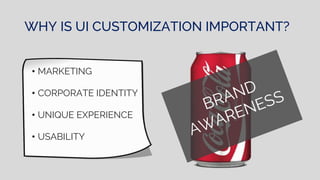
WHY IS UI CUSTOMIZATION IMPORTANT?
• MARKETING
• CORPORATE IDENTITY
• UNIQUE EXPERIENCE
• USABILITY
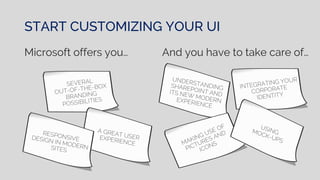
START CUSTOMIZING YOUR UI
Microsoft offers you… And you have to take care of…
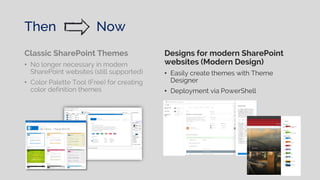
Then Now
Classic SharePoint Themes
• No longer necessary in modern
SharePoint websites (still supported)
• Color Palette Tool (Free) for creating
color definition themes
Designs for modern SharePoint
websites (Modern Design)
• Easily create themes with Theme
Designer
• Deployment via PowerShell
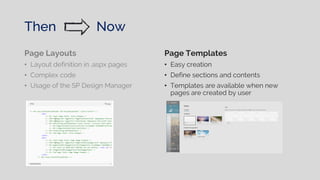
Page Layouts
• Layout definition in .aspx pages
• Complex code
• Usage of the SP Design Manager
Page Templates
• Easy creation
• Define sections and contents
• Templates are available when new
pages are created by user
Then Now
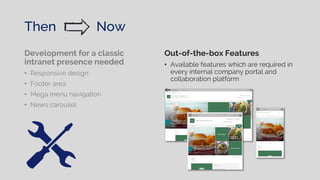
Development for a classic
intranet presence needed
• Responsive design
• Footer area
• Mega menu navigation
• News carousel
Out-of-the-box Features
• Available features which are required in
every internal company portal and
collaboration platform
Then Now
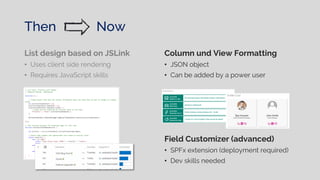
List design based on JSLink
• Uses client side rendering
• Requires JavaScript skills
Column und View Formatting
• JSON object
• Can be added by a power user
Field Customizer (advanced)
• SPFx extension (deployment required)
• Dev skills needed
Then Now
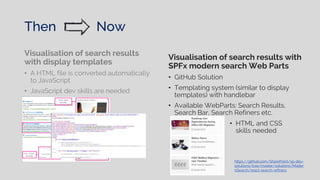
Visualisation of search results with
SPFx modern search Web Parts
• GitHub Solution
• Templating system (similar to display
templates) with handlebar
• Available WebParts: Search Results,
Search Bar, Search Refiners etc.
Visualisation of search results
with display templates
• A HTML file is converted automatically
to JavaScript
• JavaScript dev skills are needed
• HTML and CSS
skills needed
https://github.com/SharePoint/sp-dev-
solutions/tree/master/solutions/Moder
nSearch/react-search-refiners
Then Now
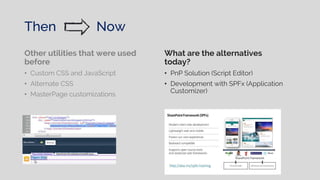
Other utilities that were used
before
• Custom CSS and JavaScript
• Alternate CSS
• MasterPage customizations
What are the alternatives
today?
• PnP Solution (Script Editor)
• Development with SPFx (Application
Customizer)
Then Now
PREVIOUS TECHNOLOGIES
AND TECHNIQUES ARE NO
LONGER UP TO DATE
BUT WHAT HAPPENED TO
MY CUSTOM SOLUTIONS?
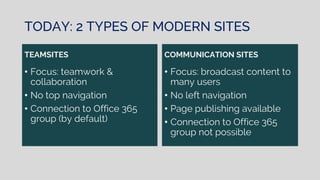
TODAY: 2 TYPES OF MODERN SITES
TEAMSITES
• Focus: teamwork &
collaboration
• No top navigation
• Connection to Office 365
group (by default)
COMMUNICATION SITES
• Focus: broadcast content to
many users
• No left navigation
• Page publishing available
• Connection to Office 365
group not possible
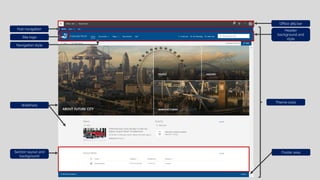
Header
background and
style
Office 365 bar
Hub navigation
Section layout and
background
Theme color
Navigation style
Footer area
Site logo
WebParts
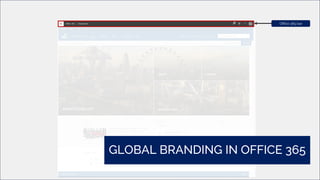
Office 365 bar
GLOBAL BRANDING IN OFFICE 365
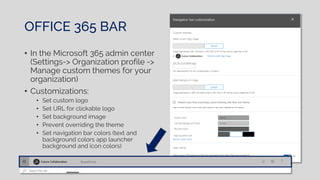
OFFICE 365 BAR
• In the Microsoft 365 admin center
(Settings-> Organization profile ->
Manage custom themes for your
organization)
• Customizations:
• Set custom logo
• Set URL for clickable logo
• Set background image
• Prevent overriding the theme
• Set navigation bar colors (text and
background colors app launcher
background and icon colors)
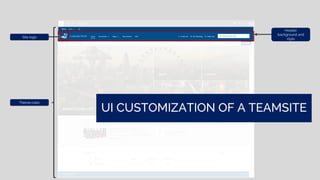
Header
background and
style
UI CUSTOMIZATION OF A TEAMSITE
Site logo
Theme color
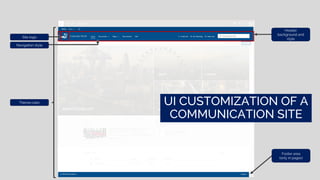
Header
background and
style
UI CUSTOMIZATION OF A
COMMUNICATION SITE
Footer area
(only in pages)
Site logo
Navigation style
Theme color
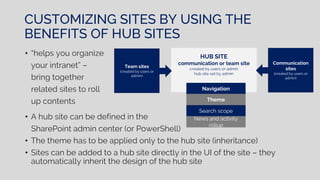
• A hub site can be defined in the
SharePoint admin center (or PowerShell)
• The theme has to be applied only to the hub site (inheritance)
• Sites can be added to a hub site directly in the UI of the site – they
automatically inherit the design of the hub site
CUSTOMIZING SITES BY USING THE
BENEFITS OF HUB SITES
• “helps you organize
your intranet” –
bring together
related sites to roll
up contents
HUB SITE
communication or team site
created by users or admin
hub site set by admin
Team sites
(created by users or
admin)
Communication
sites
(created by users or
admin)
Navigation
Theme
Search scope
News and activity
rollup
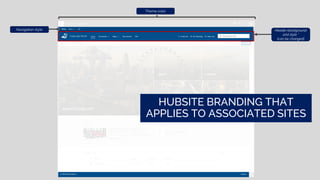
Header background
and style *
(can be changed)
Theme color
HUBSITE BRANDING THAT
APPLIES TO ASSOCIATED SITES
Navigation style
What to consider when using hub
navigation?
 No management via term store
 No security trimming
 All sites assigned to a hub site
will inherit its theme
Not available in SharePoint 2019
 Not multilingual
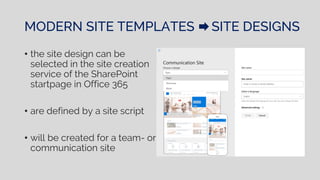
MODERN SITE TEMPLATES SITE DESIGNS
• the site design can be
selected in the site creation
service of the SharePoint
startpage in Office 365
• are defined by a site script
• will be created for a team- or
communication site
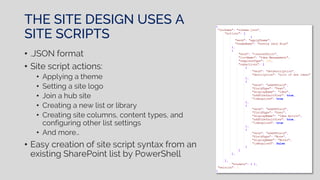
THE SITE DESIGN USES A
SITE SCRIPTS
• .JSON format
• Site script actions:
• Applying a theme
• Setting a site logo
• Join a hub site
• Creating a new list or library
• Creating site columns, content types, and
configuring other list settings
• And more…
• Easy creation of site script syntax from an
existing SharePoint list by PowerShell
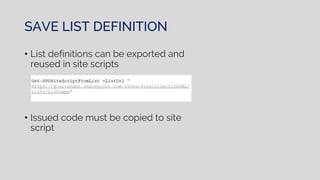
SAVE LIST DEFINITION
• List definitions can be exported and
reused in site scripts
• Issued code must be copied to site
script
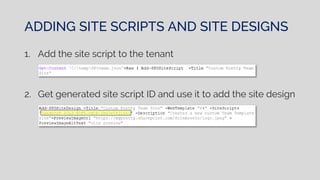
ADDING SITE SCRIPTS AND SITE DESIGNS
1. Add the site script to the tenant
2. Get generated site script ID and use it to add the site design
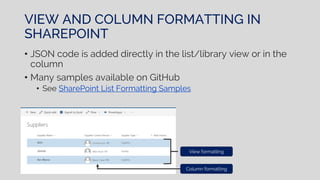
VIEW AND COLUMN FORMATTING IN
SHAREPOINT
• JSON code is added directly in the list/library view or in the
column
• Many samples available on GitHub
• See SharePoint List Formatting Samples
View formatting
Column formatting
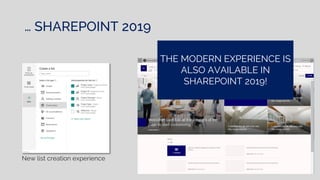
… SHAREPOINT 2019
New list creation experience
THE MODERN EXPERIENCE IS
ALSO AVAILABLE IN
SHAREPOINT 2019!
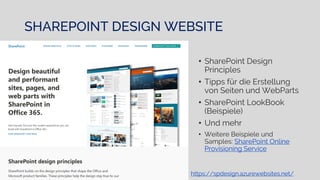
• SharePoint Design
Principles
• Tipps für die Erstellung
von Seiten und WebParts
• SharePoint LookBook
(Beispiele)
• Und mehr
• Weitere Beispiele und
Samples: SharePoint Online
Provisioning Service
SHAREPOINT DESIGN WEBSITE
https://spdesign.azurewebsites.net/
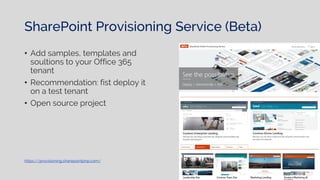
SharePoint Provisioning Service (Beta)
• Add samples, templates and
soultions to your Office 365
tenant
• Recommendation: fist deploy it
on a test tenant
• Open source project
https://provisioning.sharepointpnp.com/
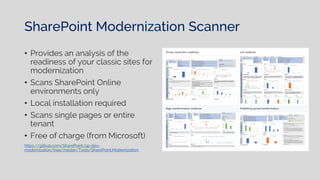
SharePoint Modernization Scanner
• Provides an analysis of the
readiness of your classic sites for
modernization
• Scans SharePoint Online
environments only
• Local installation required
• Scans single pages or entire
tenant
• Free of charge (from Microsoft)
https://github.com/SharePoint/sp-dev-
modernization/tree/master/Tools/SharePoint.Modernization
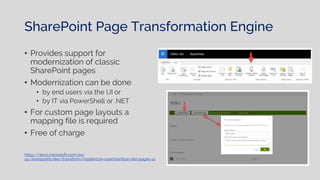
SharePoint Page Transformation Engine
• Provides support for
modernization of classic
SharePoint pages
• Modernization can be done
• by end users via the UI or
• by IT via PowerShell or .NET
• For custom page layouts a
mapping file is required
• Free of charge
https://docs.microsoft.com/en-
us/sharepoint/dev/transform/modernize-userinterface-site-pages-ui
Summarized…
RECAP
• Use custom themes and site designs to brand your sites
• Hub Sites bring together related sites and offer a consistent
design for associated sites
• Extend your customizations with SPFx solutions
• Microsoft offers a lot of support (code samples, solutions and
tools) Use them!
• Stay up to date (roadmap and news)
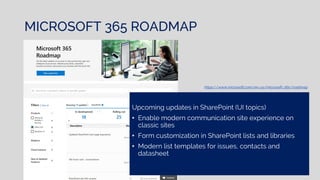
MICROSOFT 365 ROADMAP
Upcoming updates in SharePoint (UI topics)
• Enable modern communication site experience on
classic sites
• Form customization in SharePoint lists and libraries
• Modern list templates for issues, contacts and
datasheet
https://www.microsoft.com/en-us/microsoft-365/roadmap
AND THE JOURNEY
CONTINUES!
corinna_lins
corinna.lins@googlemail.com
corinnalins.com
Corinna Lins
USEFUL LINKS
• Microsoft 365 Roadmap
• SharePoint LookBook
• SharePoint site design: PowerShell cmdlets
• The ultimate guide to SharePoint site designs and site scripts
• Enrich your SharePoint Content with Intelligence and Automation
• Build your modern intranet with SharePoint in Office 365
• SharePoint Framework Client-Side Web Part Samples & Tutorial
Materials
• SharePoint List Formatting Samples
• SharePoint PnP Provisioning Service (Beta)
O365Con19 - Customise the UI in Modern SharePoint Workspaces - Corinna Lins

O365Con19 - Customise the UI in Modern SharePoint Workspaces - Corinna Lins

  • 1.
    Customizing the UIin Modern SharePoint Workspaces Office 365 and SharePoint Connect October 2019
  • 3.
  • 4.
    ON THE AGENDATODAY  UI Customizations. Why?  What has changed? From classic to modern design  UI customizations and design in modern sites  Modern Themes  Hub Sites  Site Designs  List Formatting  Useful tools and applications
  • 6.
    WHY IS UICUSTOMIZATION IMPORTANT? • MARKETING • CORPORATE IDENTITY • UNIQUE EXPERIENCE • USABILITY
  • 7.
    START CUSTOMIZING YOURUI Microsoft offers you… And you have to take care of…
  • 9.
    Then Now Classic SharePointThemes • No longer necessary in modern SharePoint websites (still supported) • Color Palette Tool (Free) for creating color definition themes Designs for modern SharePoint websites (Modern Design) • Easily create themes with Theme Designer • Deployment via PowerShell
  • 10.
    Page Layouts • Layoutdefinition in .aspx pages • Complex code • Usage of the SP Design Manager Page Templates • Easy creation • Define sections and contents • Templates are available when new pages are created by user Then Now
  • 11.
    Development for aclassic intranet presence needed • Responsive design • Footer area • Mega menu navigation • News carousel Out-of-the-box Features • Available features which are required in every internal company portal and collaboration platform Then Now
  • 12.
    List design basedon JSLink • Uses client side rendering • Requires JavaScript skills Column und View Formatting • JSON object • Can be added by a power user Field Customizer (advanced) • SPFx extension (deployment required) • Dev skills needed Then Now
  • 13.
    Visualisation of searchresults with SPFx modern search Web Parts • GitHub Solution • Templating system (similar to display templates) with handlebar • Available WebParts: Search Results, Search Bar, Search Refiners etc. Visualisation of search results with display templates • A HTML file is converted automatically to JavaScript • JavaScript dev skills are needed • HTML and CSS skills needed https://github.com/SharePoint/sp-dev- solutions/tree/master/solutions/Moder nSearch/react-search-refiners Then Now
  • 14.
    Other utilities thatwere used before • Custom CSS and JavaScript • Alternate CSS • MasterPage customizations What are the alternatives today? • PnP Solution (Script Editor) • Development with SPFx (Application Customizer) Then Now
  • 15.
    PREVIOUS TECHNOLOGIES AND TECHNIQUESARE NO LONGER UP TO DATE BUT WHAT HAPPENED TO MY CUSTOM SOLUTIONS?
  • 17.
    TODAY: 2 TYPESOF MODERN SITES TEAMSITES • Focus: teamwork & collaboration • No top navigation • Connection to Office 365 group (by default) COMMUNICATION SITES • Focus: broadcast content to many users • No left navigation • Page publishing available • Connection to Office 365 group not possible
  • 18.
    Header background and style Office 365bar Hub navigation Section layout and background Theme color Navigation style Footer area Site logo WebParts
  • 19.
    Office 365 bar GLOBALBRANDING IN OFFICE 365
  • 20.
    OFFICE 365 BAR •In the Microsoft 365 admin center (Settings-> Organization profile -> Manage custom themes for your organization) • Customizations: • Set custom logo • Set URL for clickable logo • Set background image • Prevent overriding the theme • Set navigation bar colors (text and background colors app launcher background and icon colors)
  • 21.
    Header background and style UI CUSTOMIZATIONOF A TEAMSITE Site logo Theme color
  • 22.
    Header background and style UI CUSTOMIZATIONOF A COMMUNICATION SITE Footer area (only in pages) Site logo Navigation style Theme color
  • 25.
    • A hubsite can be defined in the SharePoint admin center (or PowerShell) • The theme has to be applied only to the hub site (inheritance) • Sites can be added to a hub site directly in the UI of the site – they automatically inherit the design of the hub site CUSTOMIZING SITES BY USING THE BENEFITS OF HUB SITES • “helps you organize your intranet” – bring together related sites to roll up contents HUB SITE communication or team site created by users or admin hub site set by admin Team sites (created by users or admin) Communication sites (created by users or admin) Navigation Theme Search scope News and activity rollup
  • 26.
    Header background and style* (can be changed) Theme color HUBSITE BRANDING THAT APPLIES TO ASSOCIATED SITES Navigation style
  • 27.
    What to considerwhen using hub navigation?  No management via term store  No security trimming  All sites assigned to a hub site will inherit its theme Not available in SharePoint 2019  Not multilingual
  • 30.
    MODERN SITE TEMPLATESSITE DESIGNS • the site design can be selected in the site creation service of the SharePoint startpage in Office 365 • are defined by a site script • will be created for a team- or communication site
  • 31.
    THE SITE DESIGNUSES A SITE SCRIPTS • .JSON format • Site script actions: • Applying a theme • Setting a site logo • Join a hub site • Creating a new list or library • Creating site columns, content types, and configuring other list settings • And more… • Easy creation of site script syntax from an existing SharePoint list by PowerShell
  • 32.
    SAVE LIST DEFINITION •List definitions can be exported and reused in site scripts • Issued code must be copied to site script
  • 33.
    ADDING SITE SCRIPTSAND SITE DESIGNS 1. Add the site script to the tenant 2. Get generated site script ID and use it to add the site design
  • 35.
    VIEW AND COLUMNFORMATTING IN SHAREPOINT • JSON code is added directly in the list/library view or in the column • Many samples available on GitHub • See SharePoint List Formatting Samples View formatting Column formatting
  • 37.
    … SHAREPOINT 2019 Newlist creation experience THE MODERN EXPERIENCE IS ALSO AVAILABLE IN SHAREPOINT 2019!
  • 39.
    • SharePoint Design Principles •Tipps für die Erstellung von Seiten und WebParts • SharePoint LookBook (Beispiele) • Und mehr • Weitere Beispiele und Samples: SharePoint Online Provisioning Service SHAREPOINT DESIGN WEBSITE https://spdesign.azurewebsites.net/
  • 40.
    SharePoint Provisioning Service(Beta) • Add samples, templates and soultions to your Office 365 tenant • Recommendation: fist deploy it on a test tenant • Open source project https://provisioning.sharepointpnp.com/
  • 41.
    SharePoint Modernization Scanner •Provides an analysis of the readiness of your classic sites for modernization • Scans SharePoint Online environments only • Local installation required • Scans single pages or entire tenant • Free of charge (from Microsoft) https://github.com/SharePoint/sp-dev- modernization/tree/master/Tools/SharePoint.Modernization
  • 42.
    SharePoint Page TransformationEngine • Provides support for modernization of classic SharePoint pages • Modernization can be done • by end users via the UI or • by IT via PowerShell or .NET • For custom page layouts a mapping file is required • Free of charge https://docs.microsoft.com/en- us/sharepoint/dev/transform/modernize-userinterface-site-pages-ui
  • 43.
  • 44.
    RECAP • Use customthemes and site designs to brand your sites • Hub Sites bring together related sites and offer a consistent design for associated sites • Extend your customizations with SPFx solutions • Microsoft offers a lot of support (code samples, solutions and tools) Use them! • Stay up to date (roadmap and news)
  • 45.
    MICROSOFT 365 ROADMAP Upcomingupdates in SharePoint (UI topics) • Enable modern communication site experience on classic sites • Form customization in SharePoint lists and libraries • Modern list templates for issues, contacts and datasheet https://www.microsoft.com/en-us/microsoft-365/roadmap
  • 46.
  • 47.
    USEFUL LINKS • Microsoft365 Roadmap • SharePoint LookBook • SharePoint site design: PowerShell cmdlets • The ultimate guide to SharePoint site designs and site scripts • Enrich your SharePoint Content with Intelligence and Automation • Build your modern intranet with SharePoint in Office 365 • SharePoint Framework Client-Side Web Part Samples & Tutorial Materials • SharePoint List Formatting Samples • SharePoint PnP Provisioning Service (Beta)