
How to do better in


  Part 1: Optimizing Your WordPress Site
Part 2: Optimizing Your Web Content for Search
The best platform for SEO
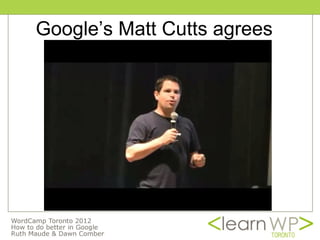
Google’s Matt Cutts agrees
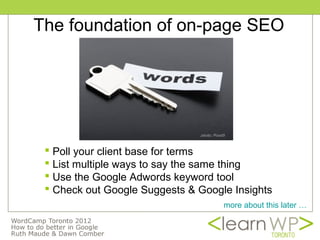
The foundation of on-page SEO


                               photo: Pond5


  Poll your client base for terms
  List multiple ways to say the same thing
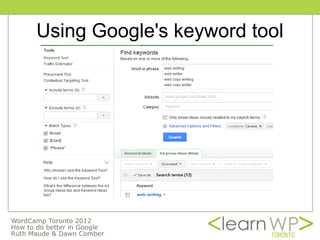
  Use the Google Adwords keyword tool
  Check out Google Suggests & Google Insights
                                          more about this later …
Use keywords in the naming
         structure of Web site
   Keyword-rich domain name
   People use your business name or your
    domain name as the anchor text of a link
Anchor text
   Anchor text is the visible, clickable text
    in a hyperlink
   Search engines give weight to the
    keywords used in link so don’t use “click
    here”
Use keywords in the naming
      structure of web site
 Keyword-rich domain name
   People use your business name or your
    domain name as the anchor text of a link
 Adjust Permalink settings to add
  keywords to site urls
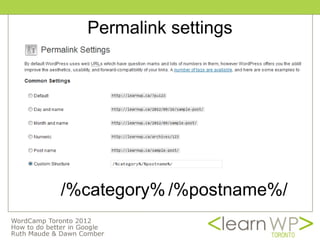
Permalink settings


/%category% /%postname%/
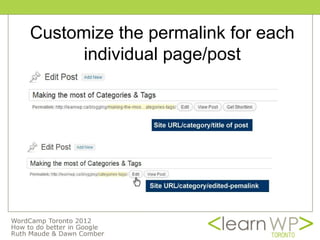
Customize the permalink for each
      individual page/post
If it's good for site visitors,
            Google likes it!

B
WordPress SEO by Yoast
          A powerful WordPress plugin
 Plugin incorporates best practices
 Wide variety of functions in one plugin
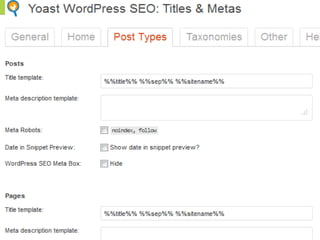
      Titles and meta descriptions
      Breadcrumb Trail
      Permalink clean up
      xml sitemaps
      Edit your robots.txt and .htaccess
      Clean up head section
      Author rel
 Easy to migrate from All In One SEO
What is a meta title and meta
        description?
 HTML code that search engines read
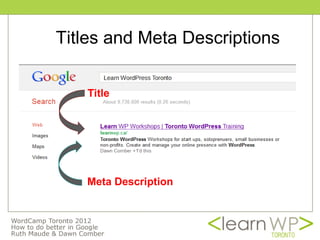
 Shows in search engines results
 Accurately summarize page content
 Important elements in search engines’
  algorithm and for searchers
 Should contain your keywords
Titles and Meta Descriptions

   Title


   Meta Description
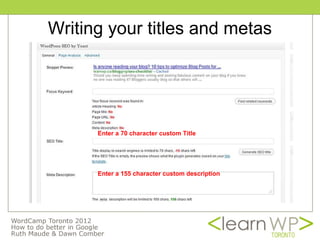
Writing your titles and metas


      Enter a 70 character custom Title


      Enter a 155 character custom description
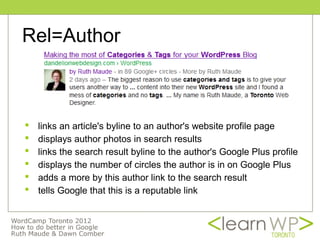
Rel=Author


   links an article's byline to an author's website profile page
   displays author photos in search results
   links the search result byline to the author's Google Plus profile
   displays the number of circles the author is in on Google Plus
   adds a more by this author link to the search result
   tells Google that this is a reputable link
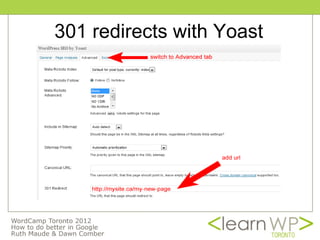
301 redirects with Yoast
301 redirects via .htaccess
# BEGIN WordPress
<IfModule mod_rewrite.c>
RewriteEngine On
RewriteBase /
RewriteRule ^index.php$ - [L]
RewriteCond %{REQUEST_FILENAME} !-f
RewriteCond %{REQUEST_FILENAME} !-d
RewriteRule . /index.php [L]
</IfModule>
# END WordPress
redirect 301 /oldurl.htm http://newurl.com/newpage
Changing the Permalink Structure
      on an Established Site

 for default post id ?p=123 WordPress will
  automatically forward to the new structure
 for date or numeric permalink structure you’ll
  need to redirect your old permalinks to your
  new ones at the top of the .htaccess file
   yoast.com/wp-content/permalink-helper.php
   learnwp.ca/wordpress-dashboard/changing-permalinks
Don't block search engines!!!


Settings -> Privacy ->
Allow search engines to index this site .
Q & Eh?


          image used by permission susybee.com
How to do better in


  Part 1: Optimizing Your WordPress Site
Part 2: Optimizing Your Web Content for Search
The foundation of on-page SEO


                               photo: Pond5


  Poll your client base for terms
  List multiple ways to say the same thing
  Use the Google Adwords keyword tool
  Check out Google Suggests & Google Insights
Using Google's keyword tool
Google Suggests; Google Insights

Google Suggests:
Begin typing some of your keyword terms in
search - Google will suggest endings for
your terms

Google Insights: For patterns
http://www.google.com/insights/search/
Getting ready to write web copy
You're writing for two audiences
   For the way people read on the web
   For search engines


 Humans trump
 search engines!
                                         photo: Pond5
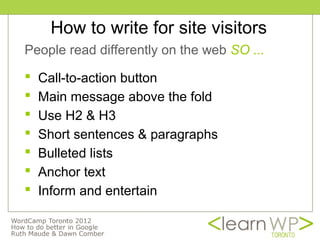
How to write for site visitors
People read differently on the web SO ...

   Call-to-action button
   Main message above the fold
   Use H2 & H3
   Short sentences & paragraphs
   Bulleted lists
   Anchor text
   Inform and entertain
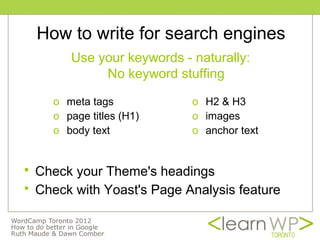
How to write for search engines
         Use your keywords - naturally:
              No keyword stuffing

      o meta tags            o H2 & H3
      o page titles (H1)     o images
      o body text            o anchor text


   Check your Theme's headings
   Check with Yoast's Page Analysis feature
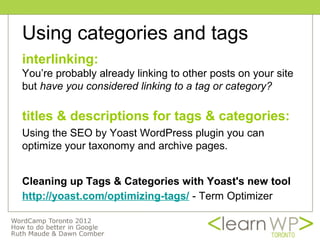
Using categories and tags
interlinking:
You’re probably already linking to other posts on your site
but have you considered linking to a tag or category?

titles & descriptions for tags & categories:
Using the SEO by Yoast WordPress plugin you can
optimize your taxonomy and archive pages.


Cleaning up Tags & Categories with Yoast's new tool
http://yoast.com/optimizing-tags/ - Term Optimizer
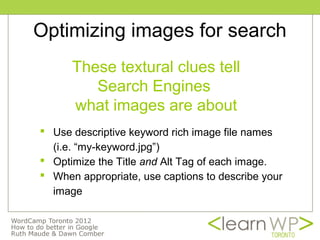
Optimizing images for search
      These textural clues tell
         Search Engines
      what images are about
 Use descriptive keyword rich image file names
  (i.e. “my-keyword.jpg”)
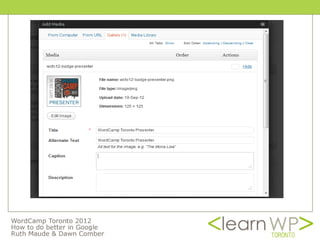
 Optimize the Title and Alt Tag of each image.
 When appropriate, use captions to describe your
  image
Optimizing images for search
           - page speed
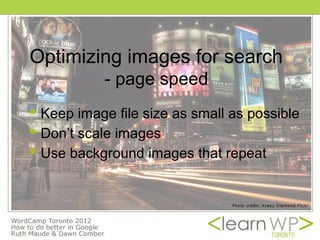
 Keep image file size as small as possible
 Don’t scale images
 Use background images that repeat
Going off page...

Link Building
 Number of inbound back links
 How reputable is the link
 Relevance of link
 Anchor text
Attract traffic
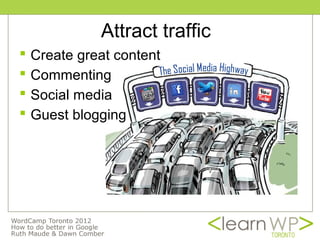
   Create great content
   Commenting
   Social media
   Guest blogging
Google Tools
 Google Webmaster Tools
 Google Analytics
 Google+
Q & Eh?


          image used by permission susybee.com
Thank You WordCamp Toronto


       Dawn Comber, digitaldialogues.ca
     Ruth Maude, dandelionwebdesign.com

     WordPress Workshops: LearnWP.ca

WordCamp 2012 WordPress SEO

  • 1.
    How to dobetter in Part 1: Optimizing Your WordPress Site Part 2: Optimizing Your Web Content for Search
  • 2.
  • 3.
  • 4.
    The foundation ofon-page SEO photo: Pond5  Poll your client base for terms  List multiple ways to say the same thing  Use the Google Adwords keyword tool  Check out Google Suggests & Google Insights more about this later …
  • 5.
    Use keywords inthe naming structure of Web site  Keyword-rich domain name  People use your business name or your domain name as the anchor text of a link
  • 6.
    Anchor text  Anchor text is the visible, clickable text in a hyperlink  Search engines give weight to the keywords used in link so don’t use “click here”
  • 7.
    Use keywords inthe naming structure of web site  Keyword-rich domain name  People use your business name or your domain name as the anchor text of a link  Adjust Permalink settings to add keywords to site urls
  • 8.
  • 9.
    Customize the permalinkfor each individual page/post
  • 10.
    If it's goodfor site visitors, Google likes it! B
  • 11.
    WordPress SEO byYoast A powerful WordPress plugin  Plugin incorporates best practices  Wide variety of functions in one plugin  Titles and meta descriptions  Breadcrumb Trail  Permalink clean up  xml sitemaps  Edit your robots.txt and .htaccess  Clean up head section  Author rel  Easy to migrate from All In One SEO
  • 12.
    What is ameta title and meta description?  HTML code that search engines read  Shows in search engines results  Accurately summarize page content  Important elements in search engines’ algorithm and for searchers  Should contain your keywords
  • 13.
    Titles and MetaDescriptions Title Meta Description
  • 14.
    Writing your titlesand metas Enter a 70 character custom Title Enter a 155 character custom description
  • 16.
    Rel=Author  links an article's byline to an author's website profile page  displays author photos in search results  links the search result byline to the author's Google Plus profile  displays the number of circles the author is in on Google Plus  adds a more by this author link to the search result  tells Google that this is a reputable link
  • 17.
  • 18.
    301 redirects via.htaccess # BEGIN WordPress <IfModule mod_rewrite.c> RewriteEngine On RewriteBase / RewriteRule ^index.php$ - [L] RewriteCond %{REQUEST_FILENAME} !-f RewriteCond %{REQUEST_FILENAME} !-d RewriteRule . /index.php [L] </IfModule> # END WordPress redirect 301 /oldurl.htm http://newurl.com/newpage
  • 19.
    Changing the PermalinkStructure on an Established Site  for default post id ?p=123 WordPress will automatically forward to the new structure  for date or numeric permalink structure you’ll need to redirect your old permalinks to your new ones at the top of the .htaccess file  yoast.com/wp-content/permalink-helper.php  learnwp.ca/wordpress-dashboard/changing-permalinks
  • 20.
    Don't block searchengines!!! Settings -> Privacy -> Allow search engines to index this site .
  • 21.
    Q & Eh? image used by permission susybee.com
  • 22.
    How to dobetter in Part 1: Optimizing Your WordPress Site Part 2: Optimizing Your Web Content for Search
  • 23.
    The foundation ofon-page SEO photo: Pond5  Poll your client base for terms  List multiple ways to say the same thing  Use the Google Adwords keyword tool  Check out Google Suggests & Google Insights
  • 24.
  • 25.
    Google Suggests; GoogleInsights Google Suggests: Begin typing some of your keyword terms in search - Google will suggest endings for your terms Google Insights: For patterns http://www.google.com/insights/search/
  • 26.
    Getting ready towrite web copy You're writing for two audiences  For the way people read on the web  For search engines Humans trump search engines! photo: Pond5
  • 27.
    How to writefor site visitors People read differently on the web SO ...  Call-to-action button  Main message above the fold  Use H2 & H3  Short sentences & paragraphs  Bulleted lists  Anchor text  Inform and entertain
  • 28.
    How to writefor search engines Use your keywords - naturally: No keyword stuffing o meta tags o H2 & H3 o page titles (H1) o images o body text o anchor text  Check your Theme's headings  Check with Yoast's Page Analysis feature
  • 29.
    Using categories andtags interlinking: You’re probably already linking to other posts on your site but have you considered linking to a tag or category? titles & descriptions for tags & categories: Using the SEO by Yoast WordPress plugin you can optimize your taxonomy and archive pages. Cleaning up Tags & Categories with Yoast's new tool http://yoast.com/optimizing-tags/ - Term Optimizer
  • 30.
    Optimizing images forsearch These textural clues tell Search Engines what images are about  Use descriptive keyword rich image file names (i.e. “my-keyword.jpg”)  Optimize the Title and Alt Tag of each image.  When appropriate, use captions to describe your image
  • 32.
    Optimizing images forsearch - page speed  Keep image file size as small as possible  Don’t scale images  Use background images that repeat
  • 33.
    Going off page... LinkBuilding  Number of inbound back links  How reputable is the link  Relevance of link  Anchor text
  • 34.
    Attract traffic  Create great content  Commenting  Social media  Guest blogging
  • 35.
    Google Tools  GoogleWebmaster Tools  Google Analytics  Google+
  • 36.
    Q & Eh? image used by permission susybee.com
  • 37.
    Thank You WordCampToronto Dawn Comber, digitaldialogues.ca Ruth Maude, dandelionwebdesign.com WordPress Workshops: LearnWP.ca