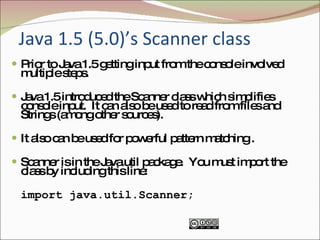
Java 1.5 (5.0)’s Scanner class   Prior to Java 1.5 getting input from the console involved multiple steps. Java 1.5 introduced the Scanner class which simplifies console input.  It can also be used to read from files and Strings (among other sources). It also can be used for powerful pattern matching . Scanner is in the Java.util package.  You must import the class by including this line: import java.util.Scanner;
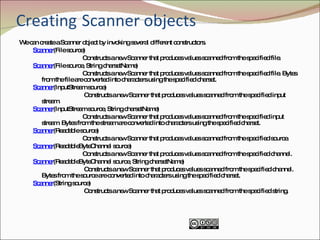
Creating   Scanner objects We can create a Scanner object by invoking several different constructors. Scanner (File source) Constructs a new Scanner that produces values scanned from the specified file. Scanner (File source, String charsetName) Constructs a new Scanner that produces values scanned from the specified file. Bytes from the file are converted into characters using the specified charset. Scanner (InputStream source) Constructs a new Scanner that produces values scanned from the specified input stream. Scanner (InputStream source, String charsetName) Constructs a new Scanner that produces values scanned from the specified input stream. Bytes from the stream are converted into characters using the specified charset.  Scanner (Readable source) Constructs a new Scanner that produces values scanned from the specified source. Scanner (ReadableByteChannel source) Constructs a new Scanner that produces values scanned from the specified channel. Scanner (ReadableByteChannel source, String charsetName) Constructs a new Scanner that produces values scanned from the specified channel. Bytes from the source are converted into characters using the specified charset.  Scanner (String source) Constructs a new Scanner that produces values scanned from the specified string.
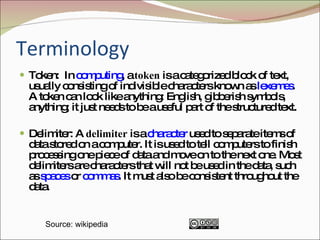
Terminology Token:  In  computing , a  token  is a categorized block of text, usually consisting of indivisible characters known as  lexemes . A token can look like anything: English, gibberish symbols, anything; it just needs to be a useful part of the structured text.  Delimiter: A  delimiter  is a  character  used to separate items of data stored on a computer. It is used to tell computers to finish processing one piece of data and move on to the next one. Most delimiters are characters that will not be used in the data, such as  spaces  or  commas . It must also be consistent throughout the data.  Source: wikipedia
Scanner class The Scanner class basically parses input from the source into tokens by using delimiters to identify the token boundaries. The default delimiter is whitespace: [ \t\n\x0B\f\r]
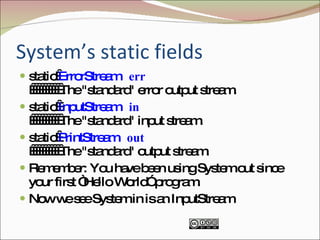
System’s static fields static  ErrorStream   err             The "standard" error output stream. static  InputStream   in             The "standard" input stream. static  PrintStream   out             The "standard" output stream. Remember: You have been using System.out since your first “Hello World” program. Now we see System.in is an InputStream
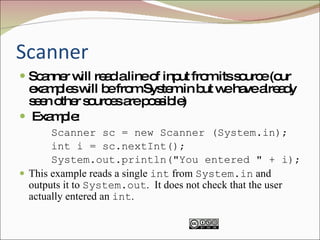
Scanner Scanner will read a line of input from its source (our examples will be from System.in but we have already seen other sources are possible) Example: Scanner sc = new Scanner (System.in); int i = sc.nextInt(); System.out.println("You entered " + i); This example reads a single  int  from  System.in  and outputs it to  System.out .  It does not check that the user actually entered an  int .
Next Methods String   next ()  Finds and returns the next complete token from this scanner.  boolean  nextBoolean ()  Scans the next token of the input into a Boolean value and returns that value.  byte  nextByte ()   Scans the next token of the input as a byte.  double  nextDouble ()   Scans the next token of the input as a double.  float  nextFloat ()  Scans the next token of the input as a float.  int  nextInt ()  Scans the next token of the input as an int.  String   nextLine ()  Advances this scanner past the current line and returns the input that was skipped.  long  nextLong ()  Scans the next token of the input as a long.  short  nextShort ()  Scans the next token of the input as a short. 
InputMismatchExceptions InputMismatchException: This exception can be thrown if you try to get the next token using a next method that does not match the type of the token
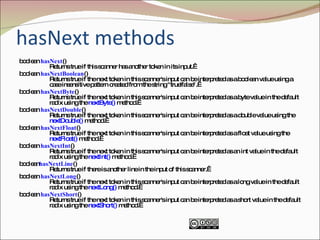
hasNext methods boolean  hasNext ()  Returns true if this scanner has another token in its input.  boolean  hasNextBoolean ()  Returns true if the next token in this scanner's input can be interpreted as a boolean value using a case insensitive pattern created from the string "true|false".  boolean  hasNextByte ()  Returns true if the next token in this scanner's input can be interpreted as a byte value in the default radix using the  nextByte()  method.  boolean  hasNextDouble ()  Returns true if the next token in this scanner's input can be interpreted as a double value using the  nextDouble()  method.  boolean  hasNextFloat ()  Returns true if the next token in this scanner's input can be interpreted as a float value using the  nextFloat()  method.  boolean  hasNextInt ()  Returns true if the next token in this scanner's input can be interpreted as an int value in the default radix using the  nextInt()  method.  boolean hasNextLine ()  Returns true if there is another line in the input of this scanner.  boolean  hasNextLong ()  Returns true if the next token in this scanner's input can be interpreted as a long value in the default radix using the  nextLong()  method.  boolean  hasNextShort ()  Returns true if the next token in this scanner's input can be interpreted as a short value in the default radix using the  nextShort()  method. 
Another example import java.util.Scanner; class Read { public static void main(String args[]) { Scanner sc = new Scanner (System.in); System.out.println ("Enter first int: "); System.out.println ("(Enter any digit to quit)"); while (sc.hasNextInt()) { int i = sc.nextInt(); System.out.println("You entered " + i); System.out.print ("Enter another int: "); } } }
Scanner The Scanner class has more powerful abilities.  For example, you can: Change the delimiters Use regular expressions Read input in different radixes (radices or bases)

ppt on scanner class

  • 1.
  • 2.
    Java 1.5 (5.0)’sScanner class Prior to Java 1.5 getting input from the console involved multiple steps. Java 1.5 introduced the Scanner class which simplifies console input. It can also be used to read from files and Strings (among other sources). It also can be used for powerful pattern matching . Scanner is in the Java.util package. You must import the class by including this line: import java.util.Scanner;
  • 3.
    Creating Scanner objects We can create a Scanner object by invoking several different constructors. Scanner (File source) Constructs a new Scanner that produces values scanned from the specified file. Scanner (File source, String charsetName) Constructs a new Scanner that produces values scanned from the specified file. Bytes from the file are converted into characters using the specified charset. Scanner (InputStream source) Constructs a new Scanner that produces values scanned from the specified input stream. Scanner (InputStream source, String charsetName) Constructs a new Scanner that produces values scanned from the specified input stream. Bytes from the stream are converted into characters using the specified charset. Scanner (Readable source) Constructs a new Scanner that produces values scanned from the specified source. Scanner (ReadableByteChannel source) Constructs a new Scanner that produces values scanned from the specified channel. Scanner (ReadableByteChannel source, String charsetName) Constructs a new Scanner that produces values scanned from the specified channel. Bytes from the source are converted into characters using the specified charset. Scanner (String source) Constructs a new Scanner that produces values scanned from the specified string.
  • 4.
    Terminology Token: In computing , a token is a categorized block of text, usually consisting of indivisible characters known as lexemes . A token can look like anything: English, gibberish symbols, anything; it just needs to be a useful part of the structured text. Delimiter: A delimiter is a character used to separate items of data stored on a computer. It is used to tell computers to finish processing one piece of data and move on to the next one. Most delimiters are characters that will not be used in the data, such as spaces or commas . It must also be consistent throughout the data. Source: wikipedia
  • 5.
    Scanner class TheScanner class basically parses input from the source into tokens by using delimiters to identify the token boundaries. The default delimiter is whitespace: [ \t\n\x0B\f\r]
  • 6.
    System’s static fieldsstatic  ErrorStream err           The "standard" error output stream. static  InputStream in           The "standard" input stream. static  PrintStream out           The "standard" output stream. Remember: You have been using System.out since your first “Hello World” program. Now we see System.in is an InputStream
  • 7.
    Scanner Scanner willread a line of input from its source (our examples will be from System.in but we have already seen other sources are possible) Example: Scanner sc = new Scanner (System.in); int i = sc.nextInt(); System.out.println("You entered " + i); This example reads a single int from System.in and outputs it to System.out . It does not check that the user actually entered an int .
  • 8.
    Next Methods String next () Finds and returns the next complete token from this scanner.  boolean nextBoolean () Scans the next token of the input into a Boolean value and returns that value.  byte nextByte ()  Scans the next token of the input as a byte.  double nextDouble ()  Scans the next token of the input as a double.  float nextFloat () Scans the next token of the input as a float.  int nextInt () Scans the next token of the input as an int.  String nextLine () Advances this scanner past the current line and returns the input that was skipped.  long nextLong () Scans the next token of the input as a long.  short nextShort () Scans the next token of the input as a short. 
  • 9.
    InputMismatchExceptions InputMismatchException: Thisexception can be thrown if you try to get the next token using a next method that does not match the type of the token
  • 10.
    hasNext methods boolean hasNext () Returns true if this scanner has another token in its input.  boolean hasNextBoolean () Returns true if the next token in this scanner's input can be interpreted as a boolean value using a case insensitive pattern created from the string "true|false".  boolean hasNextByte () Returns true if the next token in this scanner's input can be interpreted as a byte value in the default radix using the nextByte() method.  boolean hasNextDouble () Returns true if the next token in this scanner's input can be interpreted as a double value using the nextDouble() method.  boolean hasNextFloat () Returns true if the next token in this scanner's input can be interpreted as a float value using the nextFloat() method.  boolean hasNextInt () Returns true if the next token in this scanner's input can be interpreted as an int value in the default radix using the nextInt() method.  boolean hasNextLine () Returns true if there is another line in the input of this scanner.  boolean hasNextLong () Returns true if the next token in this scanner's input can be interpreted as a long value in the default radix using the nextLong() method.  boolean hasNextShort () Returns true if the next token in this scanner's input can be interpreted as a short value in the default radix using the nextShort() method. 
  • 11.
    Another example importjava.util.Scanner; class Read { public static void main(String args[]) { Scanner sc = new Scanner (System.in); System.out.println ("Enter first int: "); System.out.println ("(Enter any digit to quit)"); while (sc.hasNextInt()) { int i = sc.nextInt(); System.out.println("You entered " + i); System.out.print ("Enter another int: "); } } }
  • 12.
    Scanner The Scannerclass has more powerful abilities. For example, you can: Change the delimiters Use regular expressions Read input in different radixes (radices or bases)