File I/O
File Input and Output Operations:-
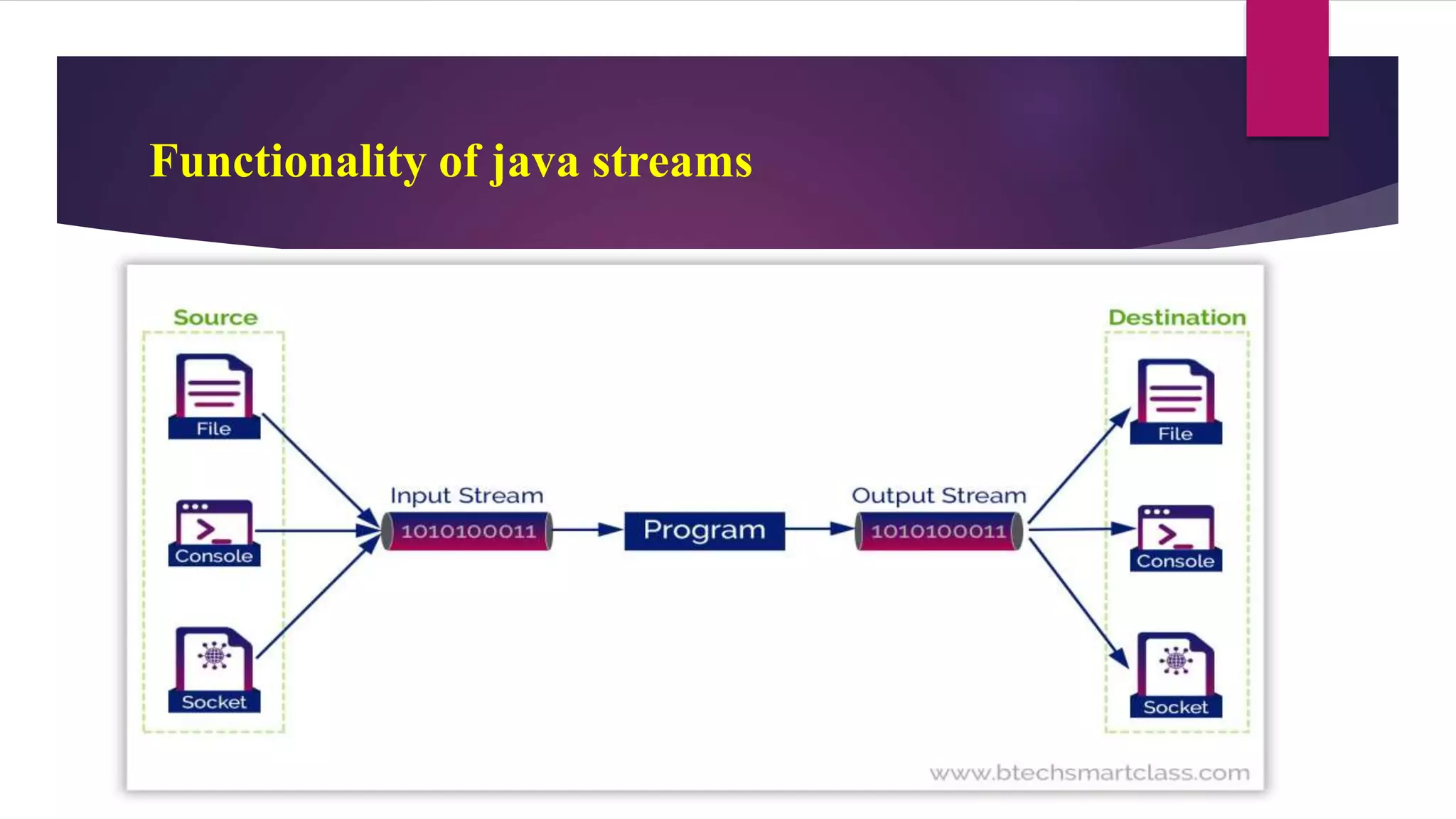
 File I/O operations are performed using the concept of streams.
 A stream means a continuous flow of data.
 A stream is a logical container of data that allows us to read from and
write to it.
 The stream-based IO operations are faster than normal IO operations
Functionality of java streams
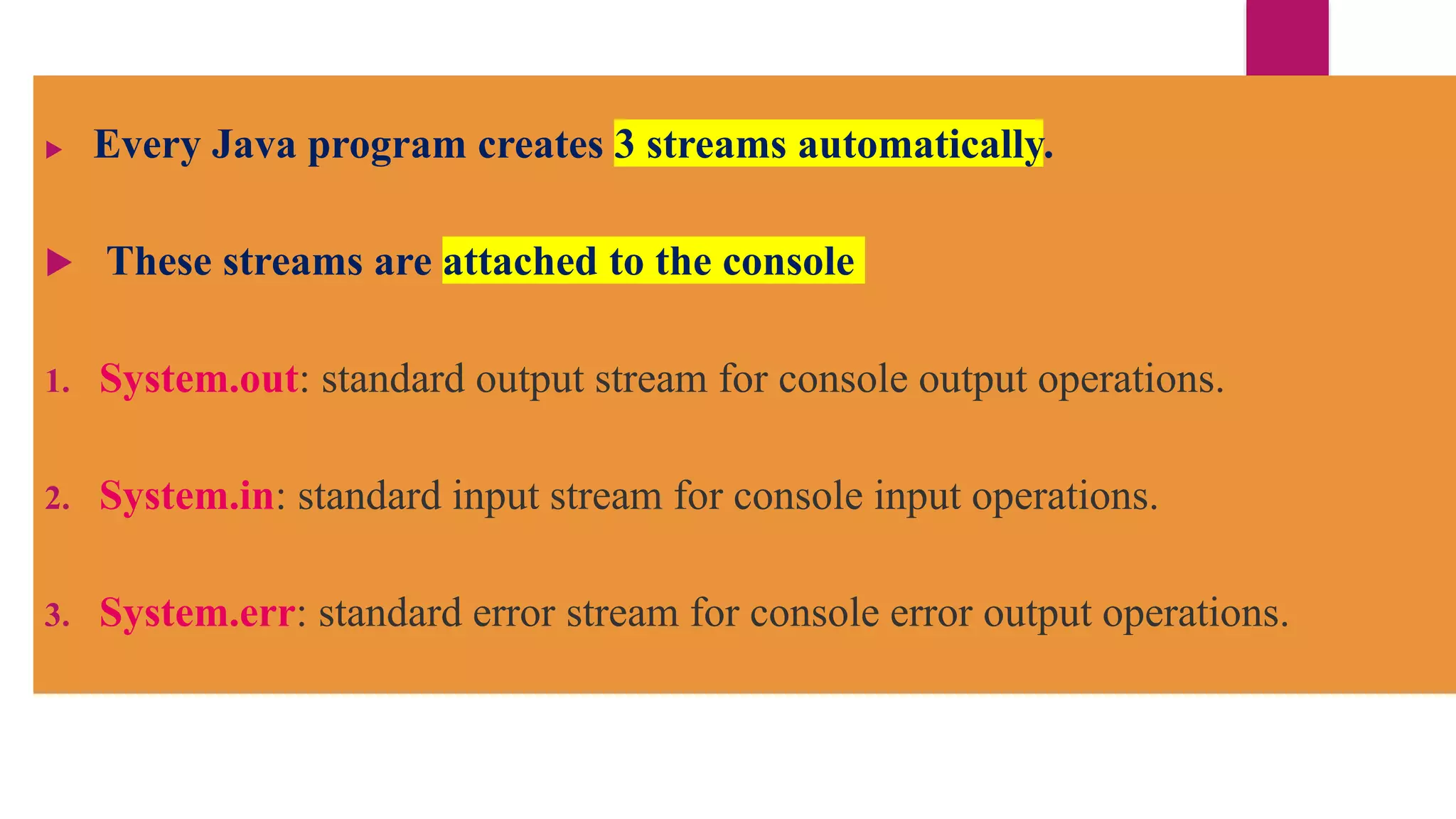
 Every Java program creates 3 streams automatically.
 These streams are attached to the console
1. System.out: standard output stream for console output operations.
2. System.in: standard input stream for console input operations.
3. System.err: standard error stream for console error output operations.
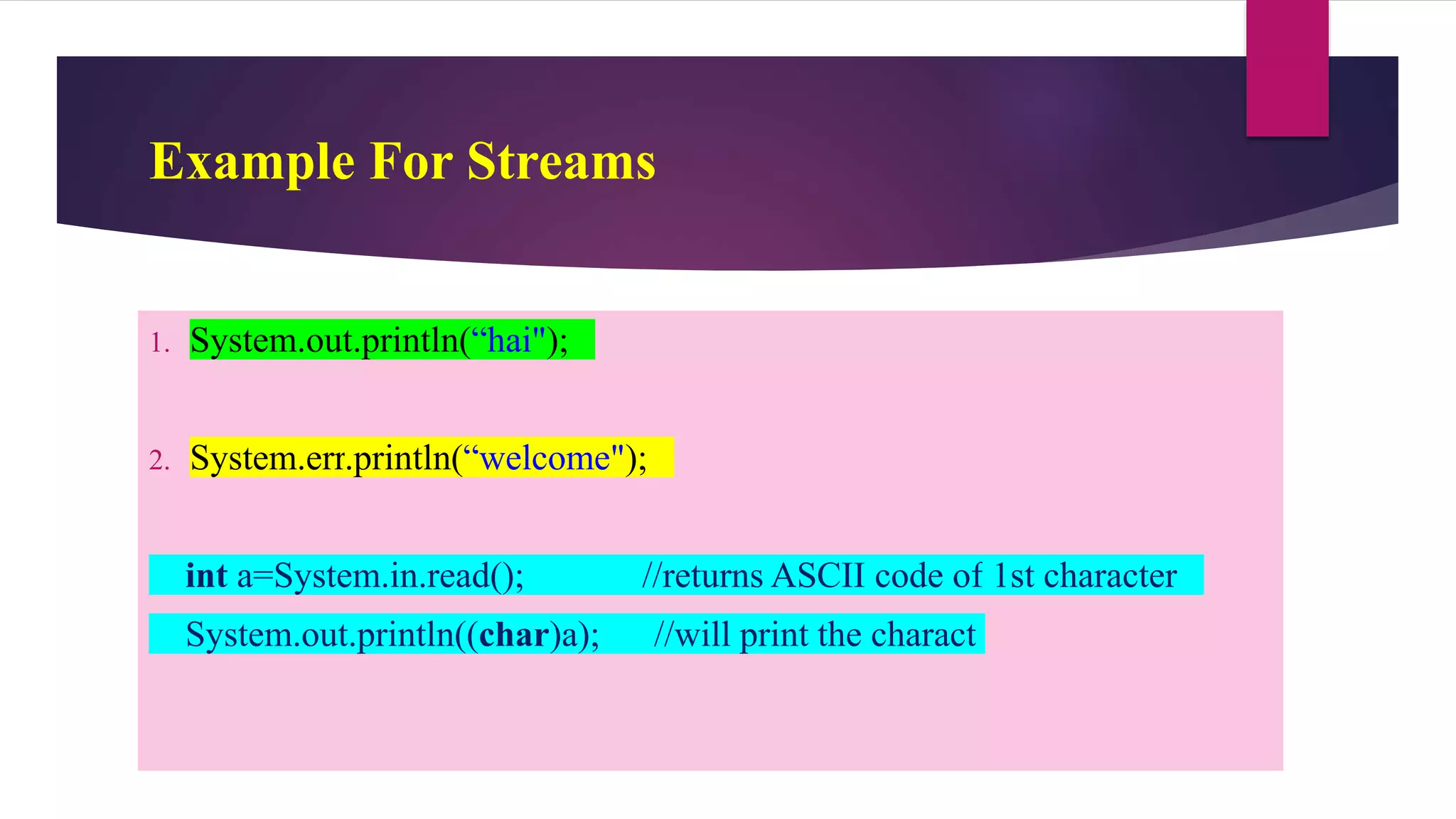
Example For Streams
1. System.out.println(“hai");
2. System.err.println(“welcome");
int a=System.in.read(); //returns ASCII code of 1st character
System.out.println((char)a); //will print the charact
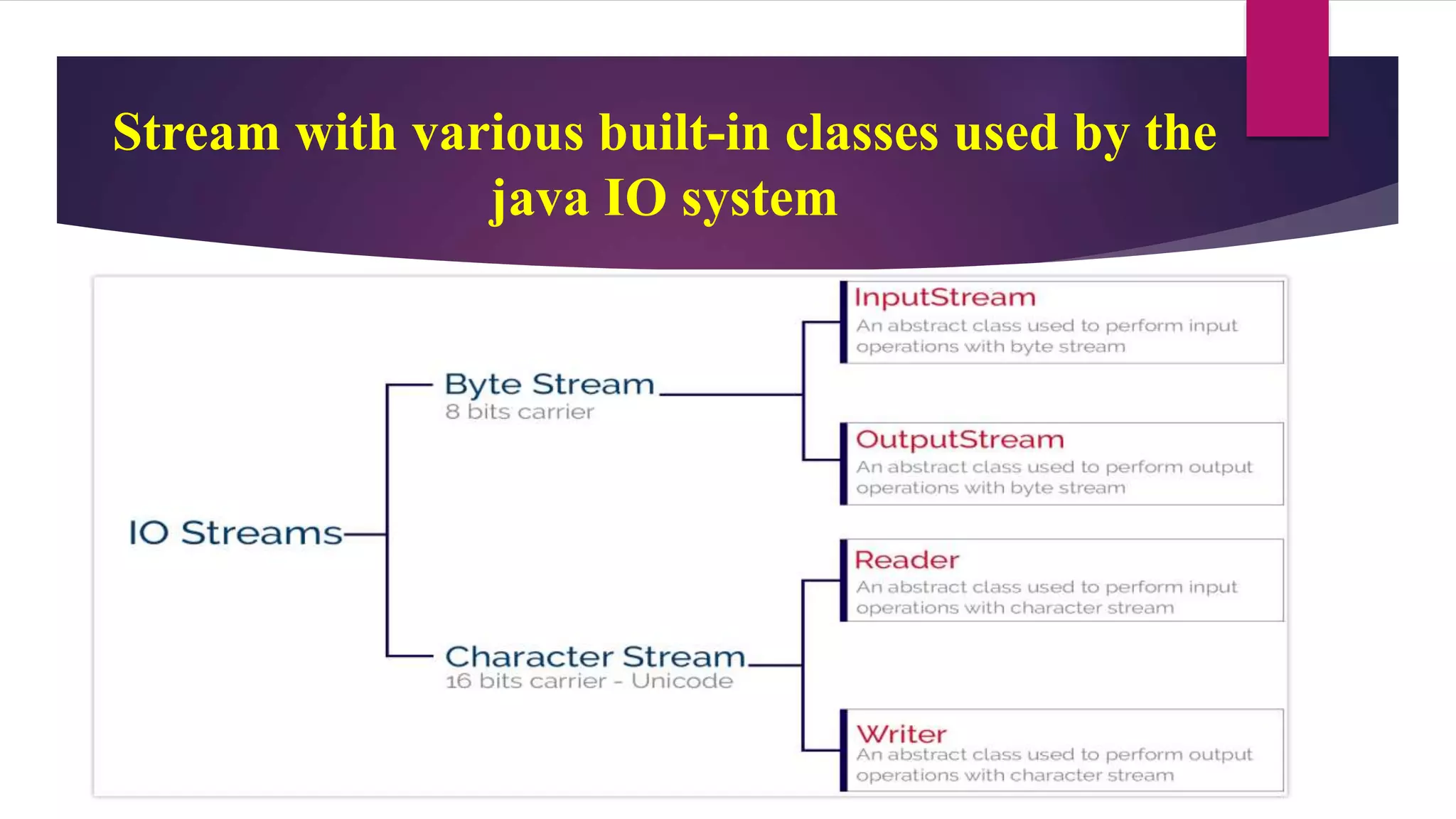
Java provides two types of streams
• 1.Byte Stream
• 2. Character Stream
Stream with various built-in classes used by the
java IO system
Java Byte Stream
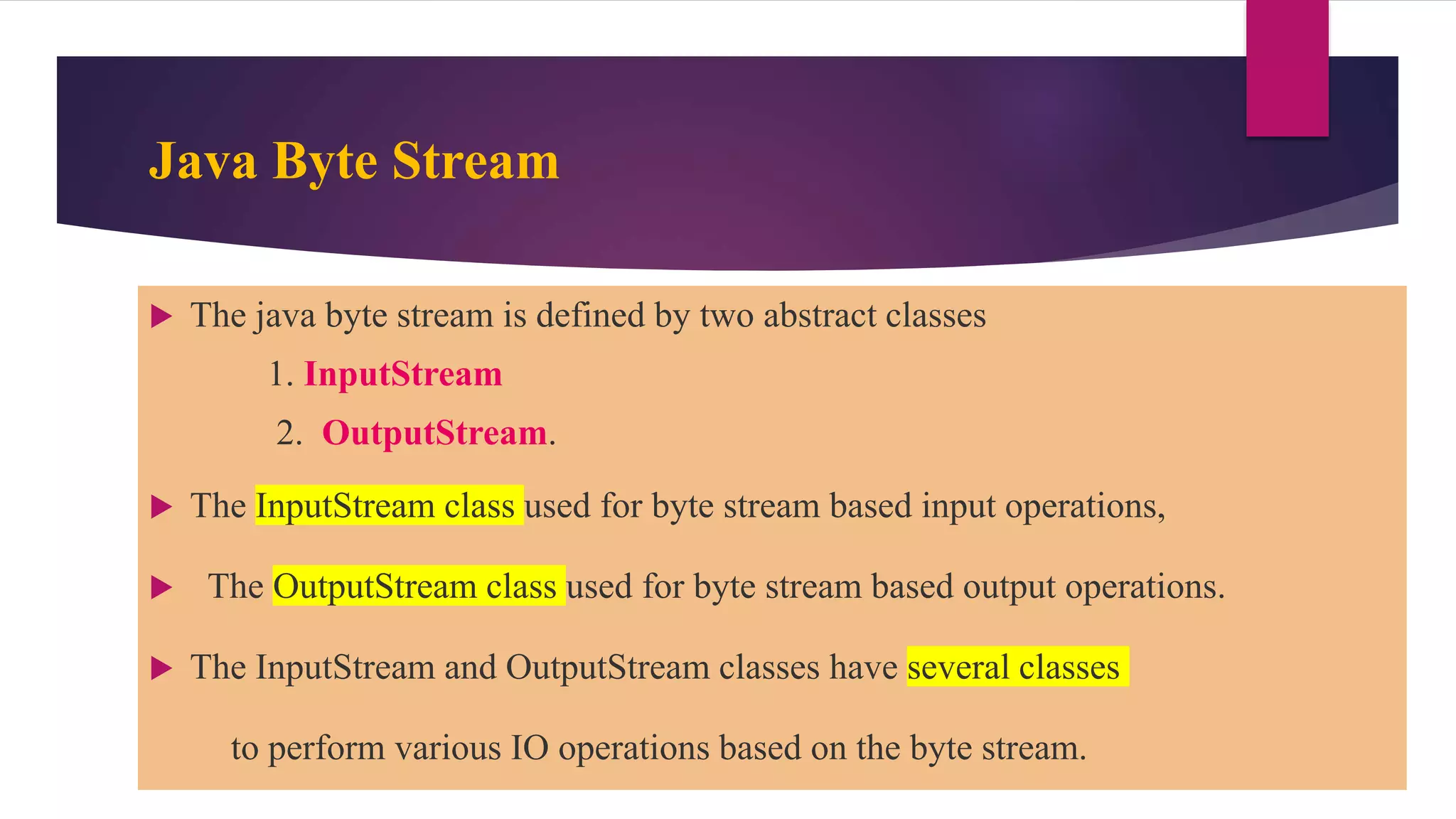
 The java byte stream is defined by two abstract classes
1. InputStream
2. OutputStream.
 The InputStream class used for byte stream based input operations,
 The OutputStream class used for byte stream based output operations.
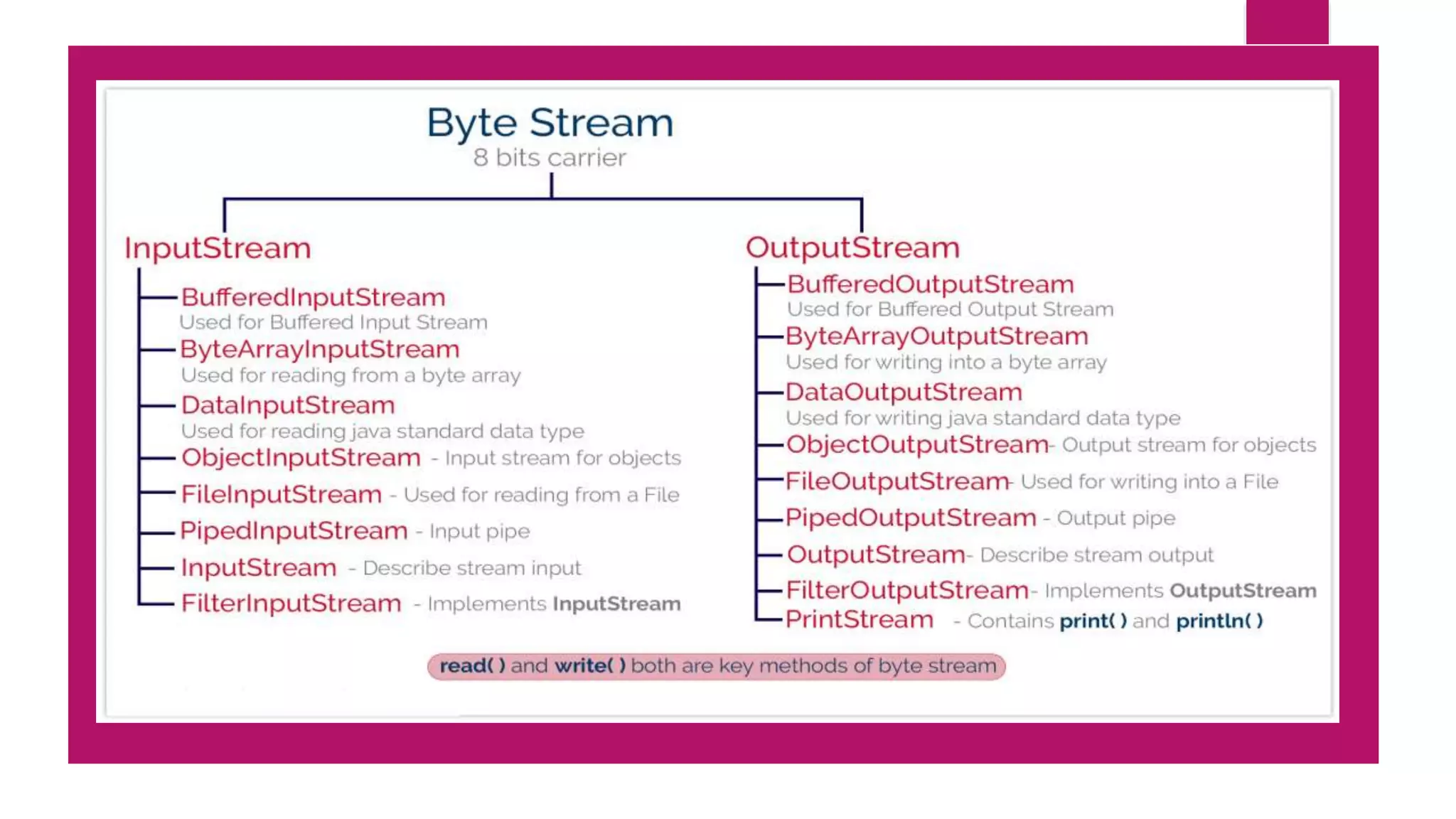
 The InputStream and OutputStream classes have several classes
to perform various IO operations based on the byte stream.
InputStream class
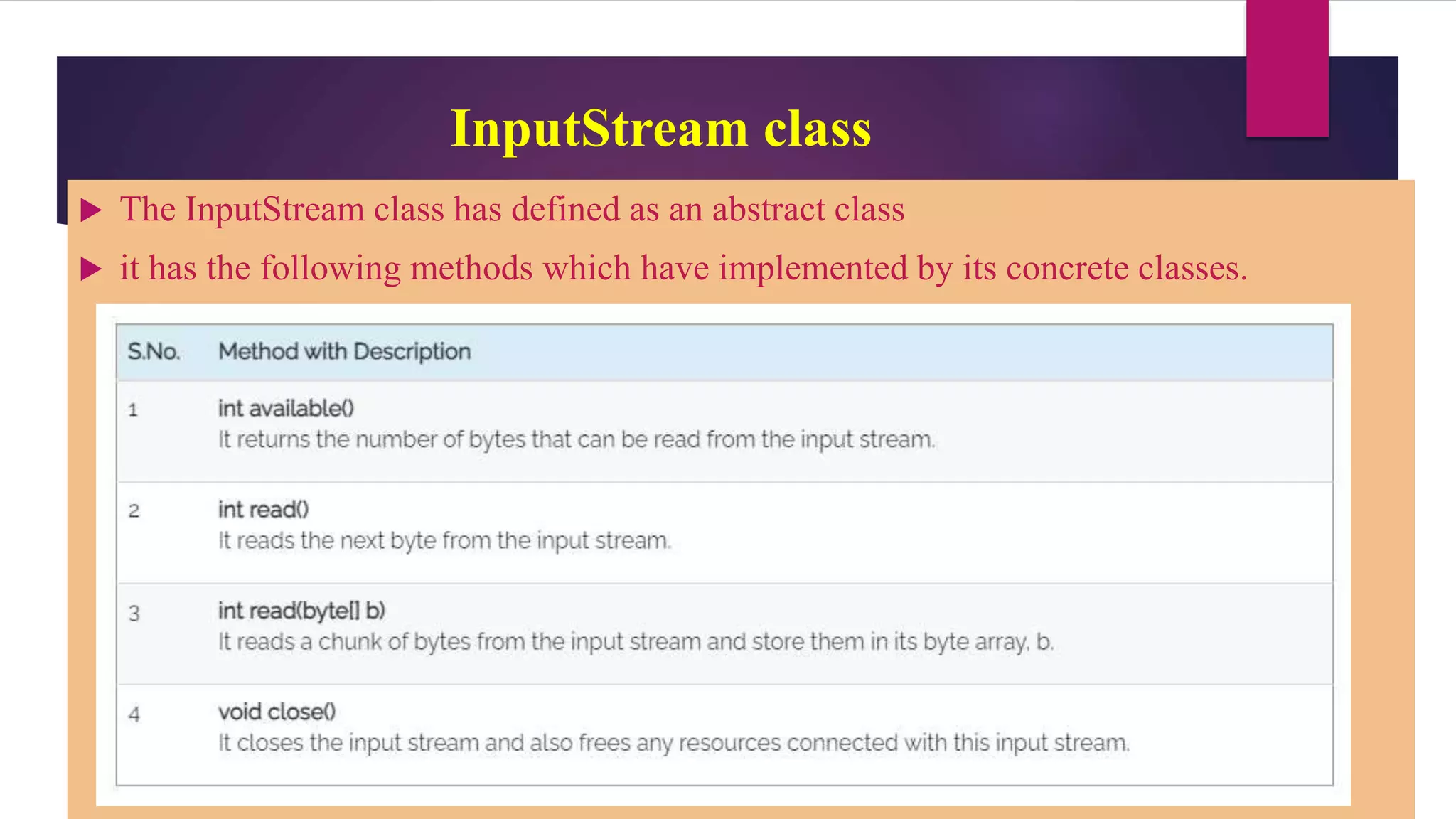
 The InputStream class has defined as an abstract class
 it has the following methods which have implemented by its concrete classes.
OutputStream class
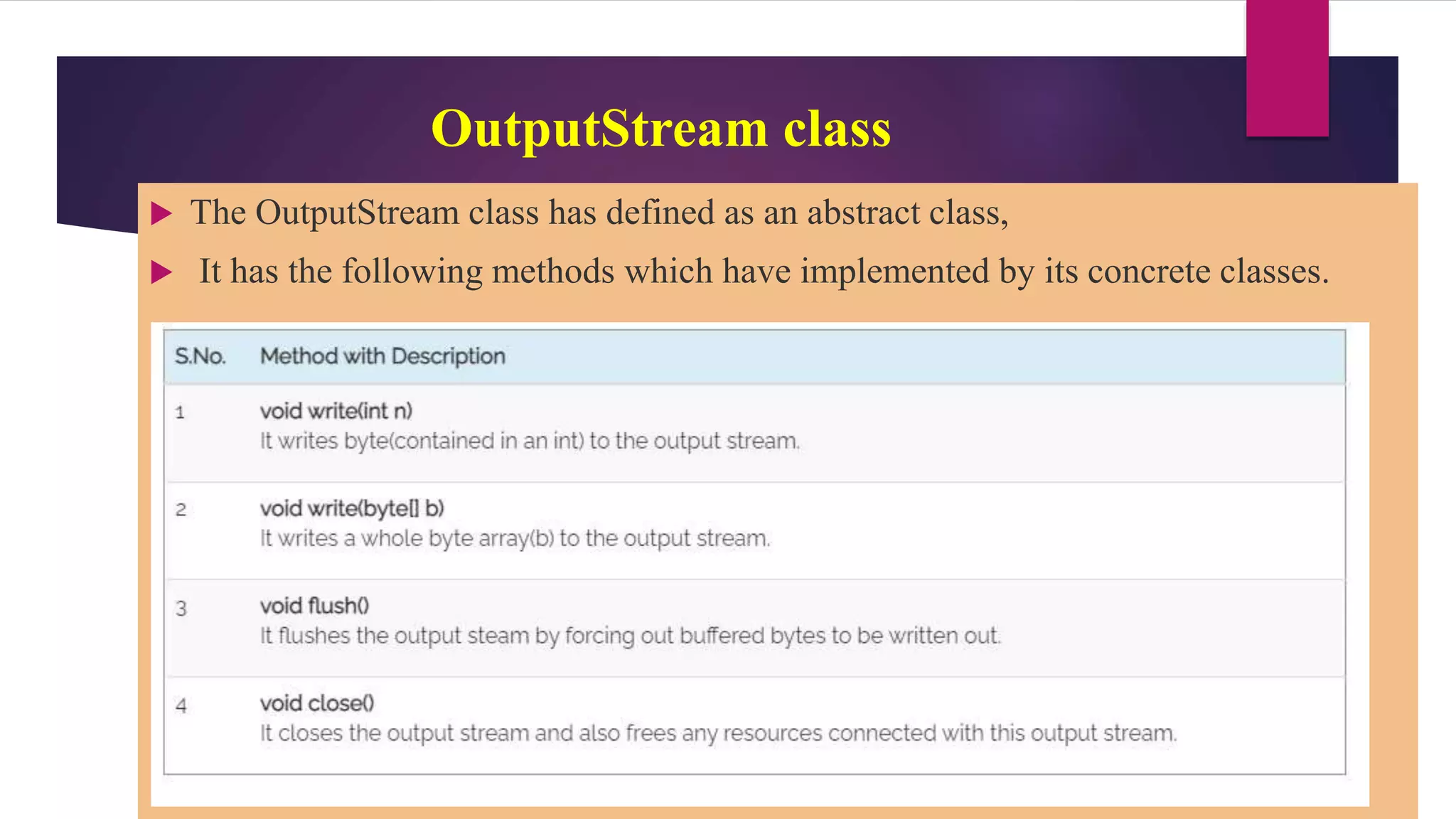
 The OutputStream class has defined as an abstract class,
 It has the following methods which have implemented by its concrete classes.
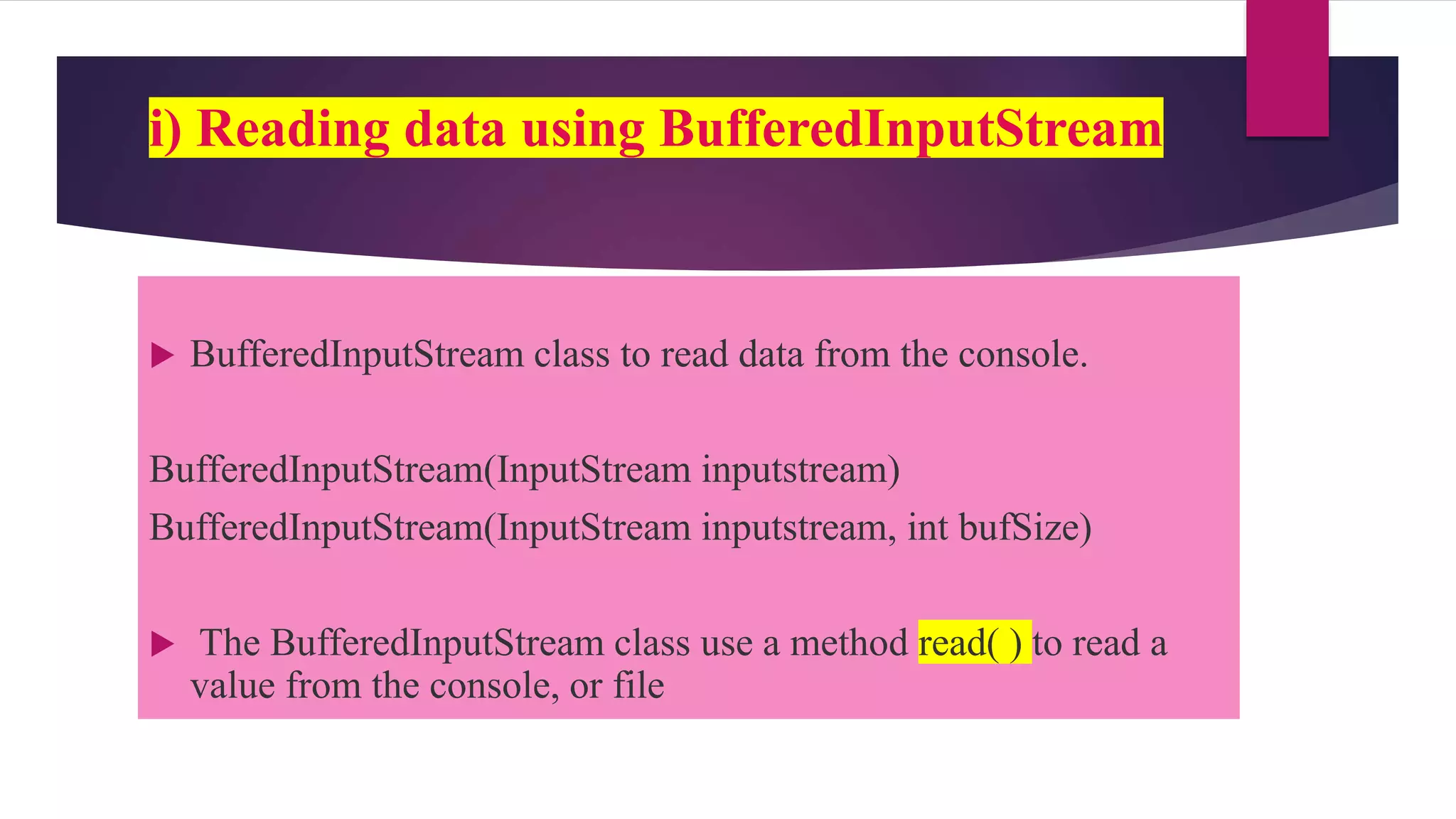
i) Reading data using BufferedInputStream
 BufferedInputStream class to read data from the console.
BufferedInputStream(InputStream inputstream)
BufferedInputStream(InputStream inputstream, int bufSize)
 The BufferedInputStream class use a method read( ) to read a
value from the console, or file
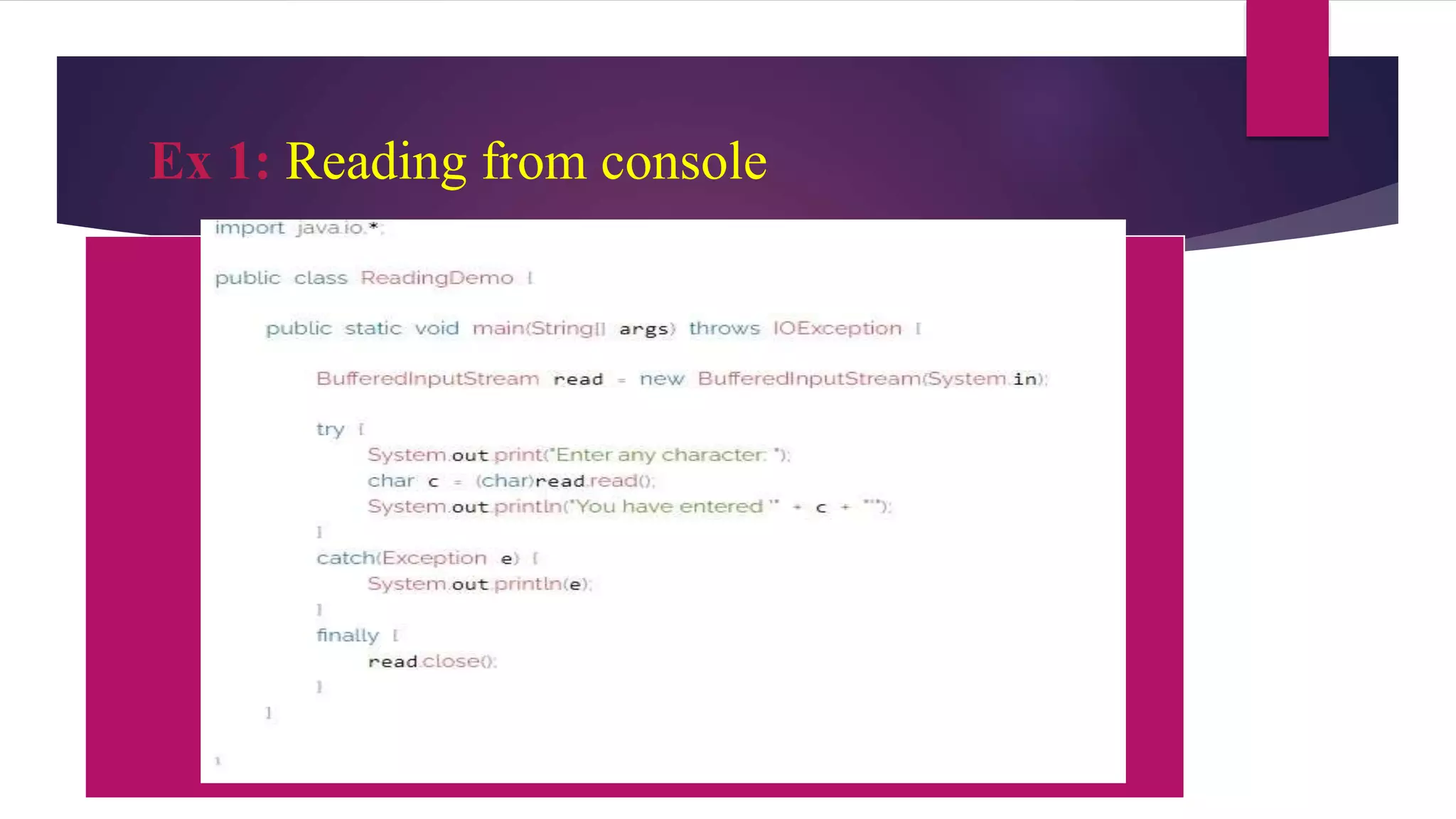
Ex 1: Reading from console
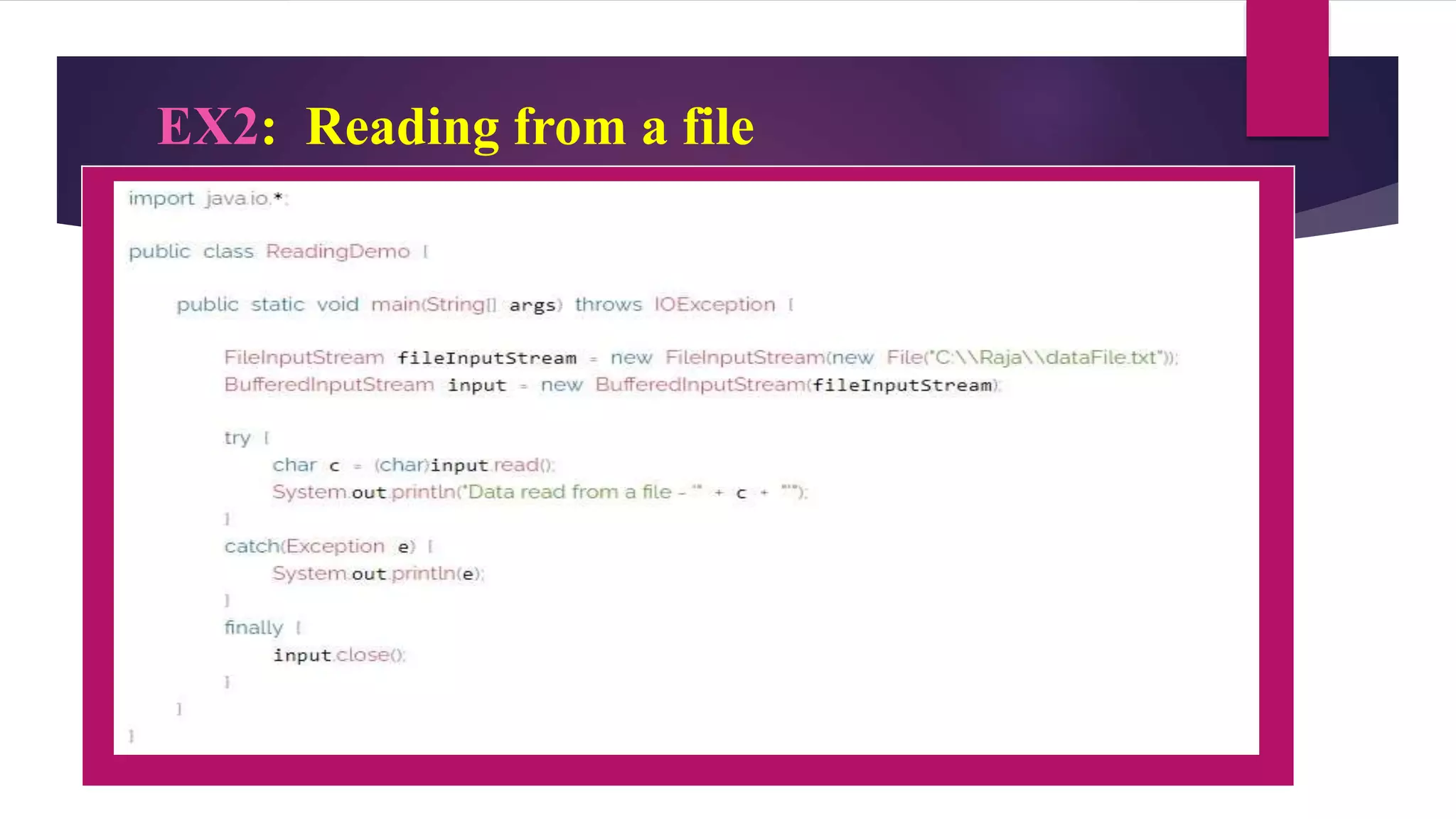
EX2: Reading from a file
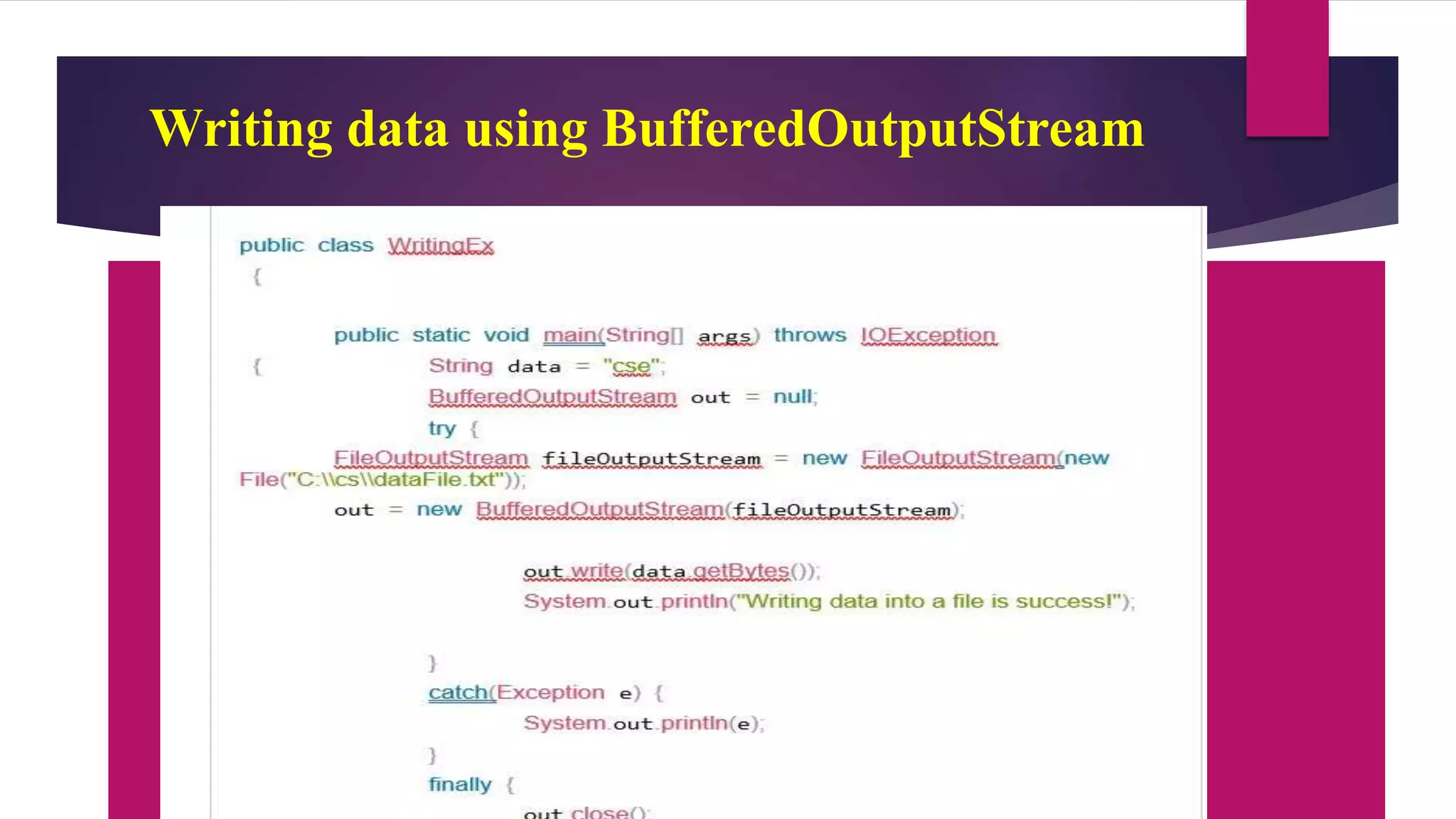
Writing data using BufferedOutputStream
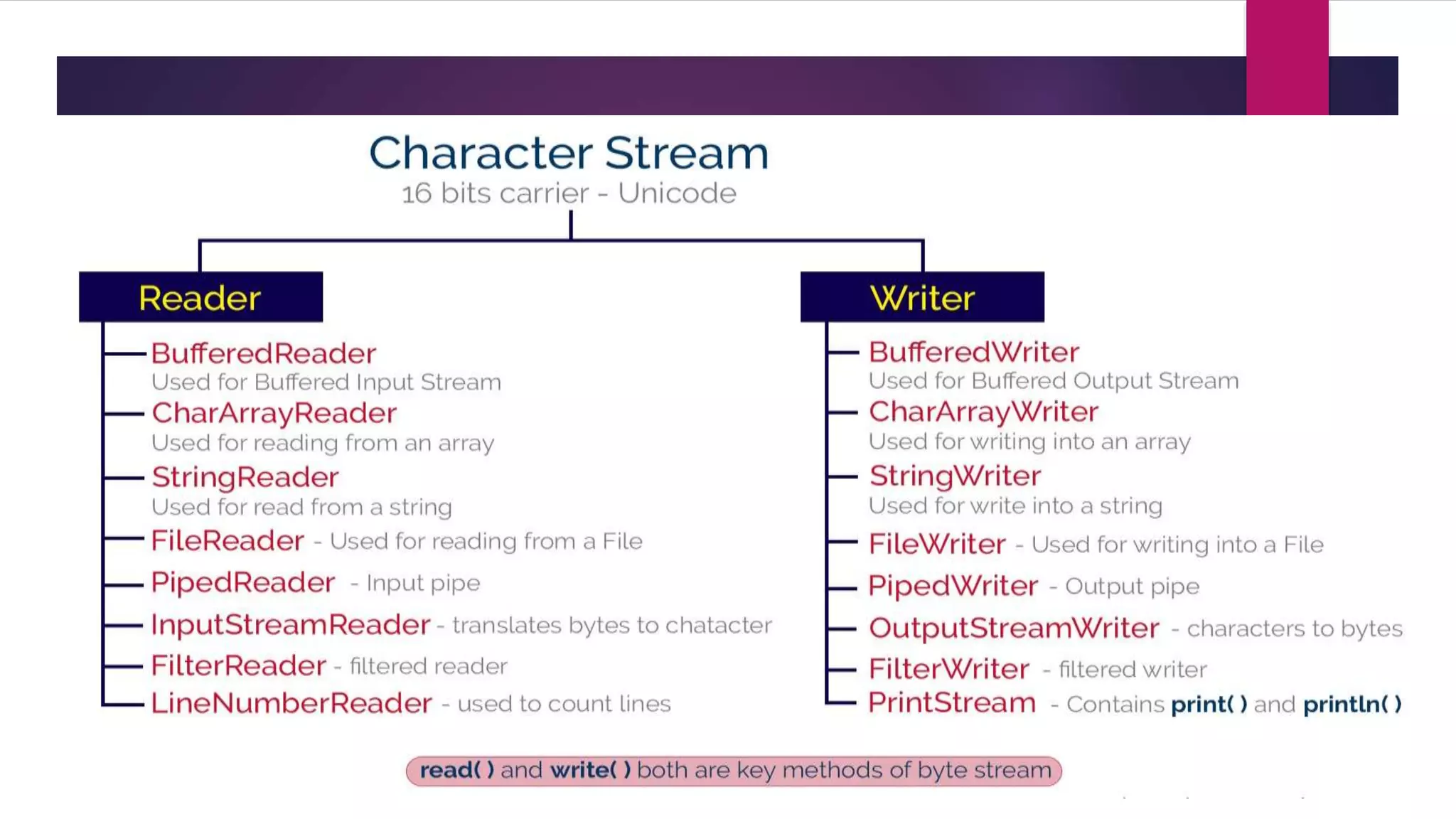
Character Stream in java
 IO stream manages 16-bit Unicode characters, it is called a character stream.
 The Unicode set is basically a type of character set where each character
corresponds to a specific numeric value within the given character set.
 character stream is defined by two abstract classes, Reader and Writer
 Reader class used for character stream based input operations
 Writer class used for character stream based output operations
 Reader and Writer classes have several concreate classes to perform
various IO operations based on the character stream.
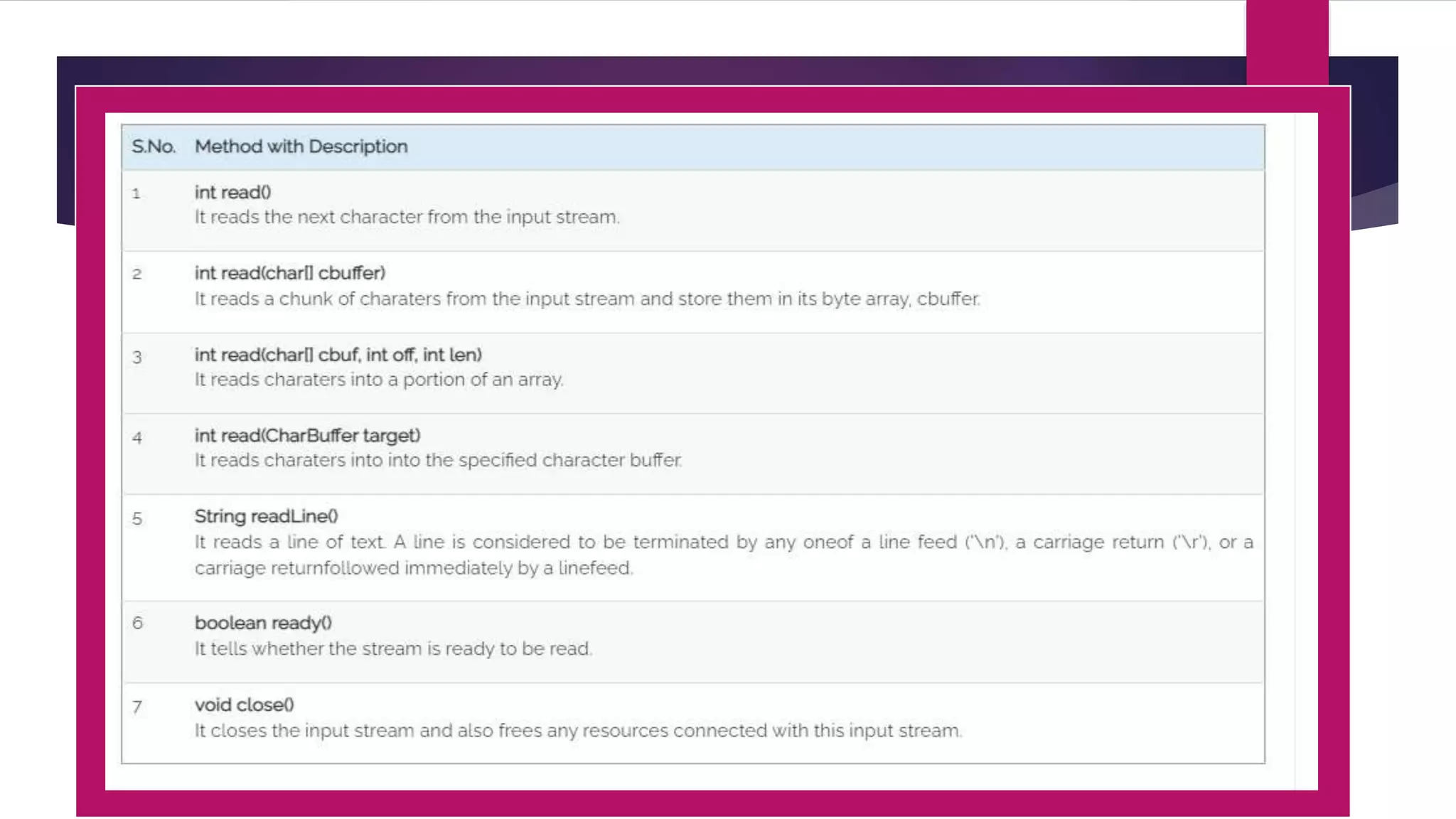
Reader class
 The Reader class has defined as an abstract class
 the following methods implemented by its concrete classes
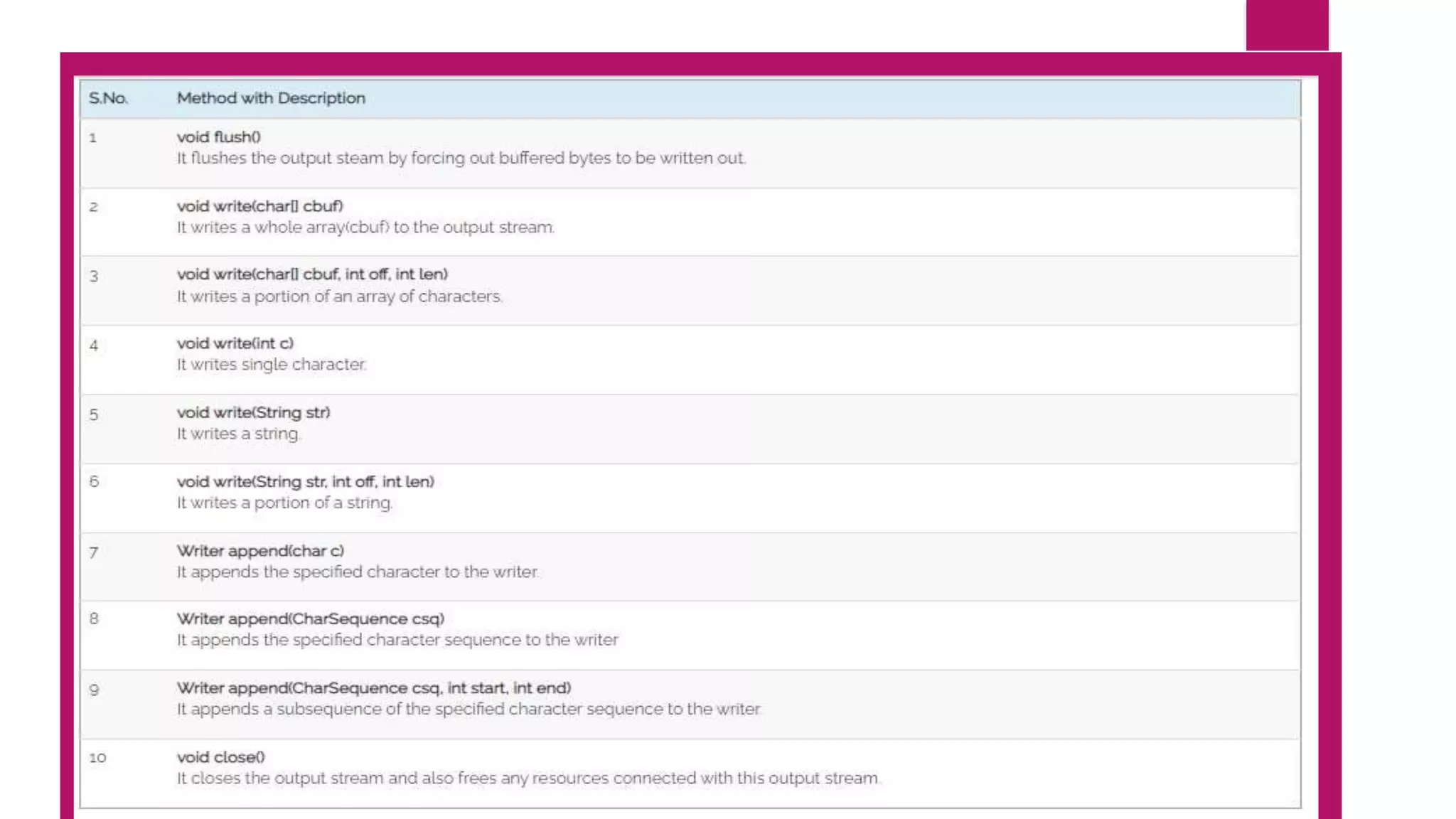
Writer class
 The Writer class has defined as an abstract class.
 It has the following methods implemented by its concrete classes.
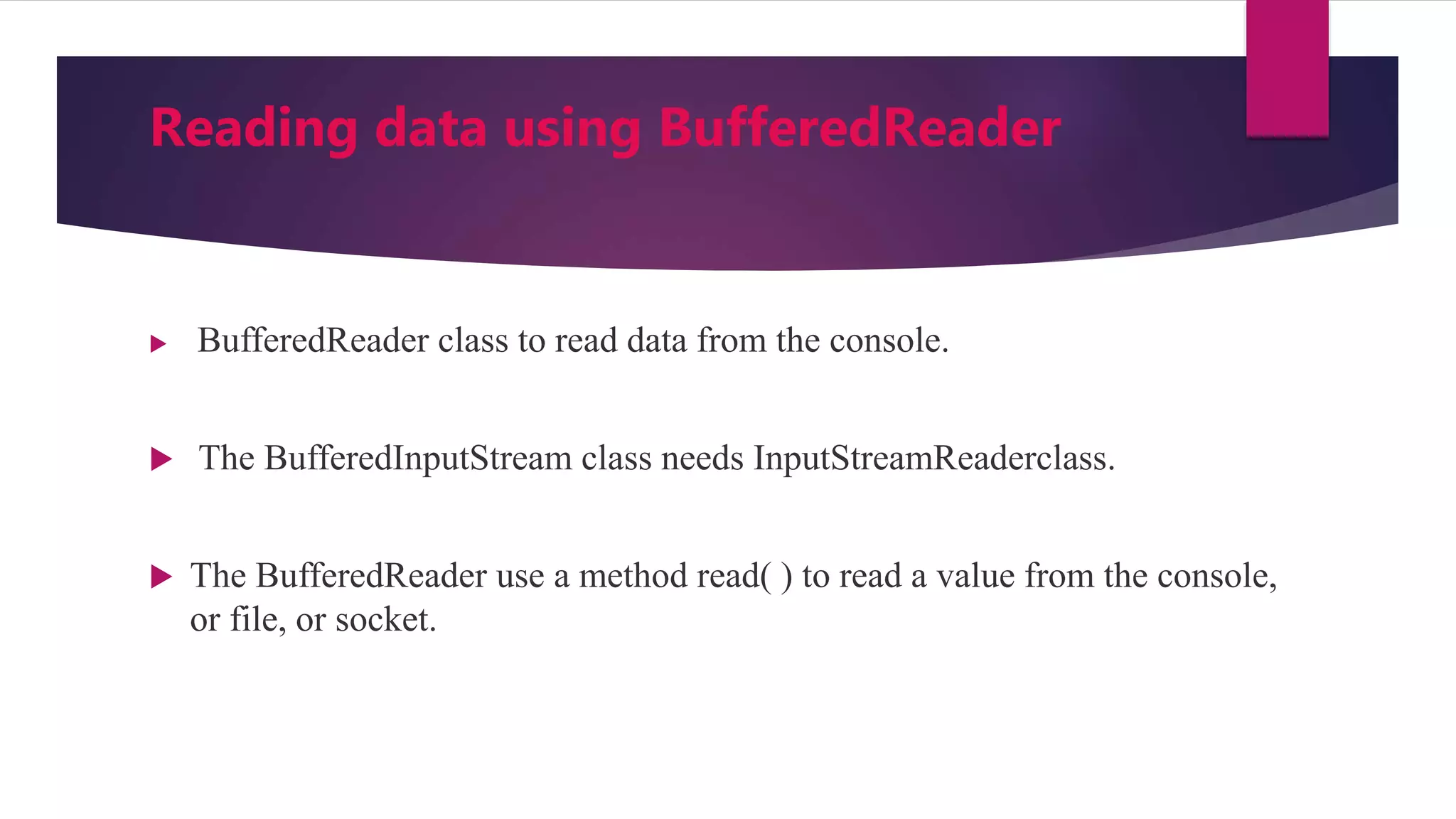
Reading data using BufferedReader
 BufferedReader class to read data from the console.
 The BufferedInputStream class needs InputStreamReaderclass.
 The BufferedReader use a method read( ) to read a value from the console,
or file, or socket.
Example 1 - Reading from console
import java.io.*;
public class ExReading
{
public static void main(String[] args) throws IOException
{
InputStreamReader isr = new InputStreamReader(System.in);
BufferedReader in = new BufferedReader(isr);
String name = "";
System.out.print("Please enter your name: ");
name = in.readLine();
System.out.println("Hello, " + name + "!");
Example 2 - Reading from a file
import java.io.*;
class ExReading
{
public static void main(String[] args) throws IOException
{
Reader in = new FileReader(“c/abc.txt”);
try
{
char c = (char)input.read();
System.out.println("Data read from a file - '" + c + "'");
}
catch(Exception e) {
System.out.println(e);
}
finally {
input.close();
Writing data using FileWriter
import java.io.*;
public class ExWriting
{
public static void main(String[] args) throws IOException
{ Writer out = new FileWriter("C:Desktopcse.txt");
msg = "cse";
try
{
out.write(msg);
System.out.println("Writing done!!!");
}
catch(Exception e)
{ System.out.println(e); }
finally
{ out.close(); }
}} }
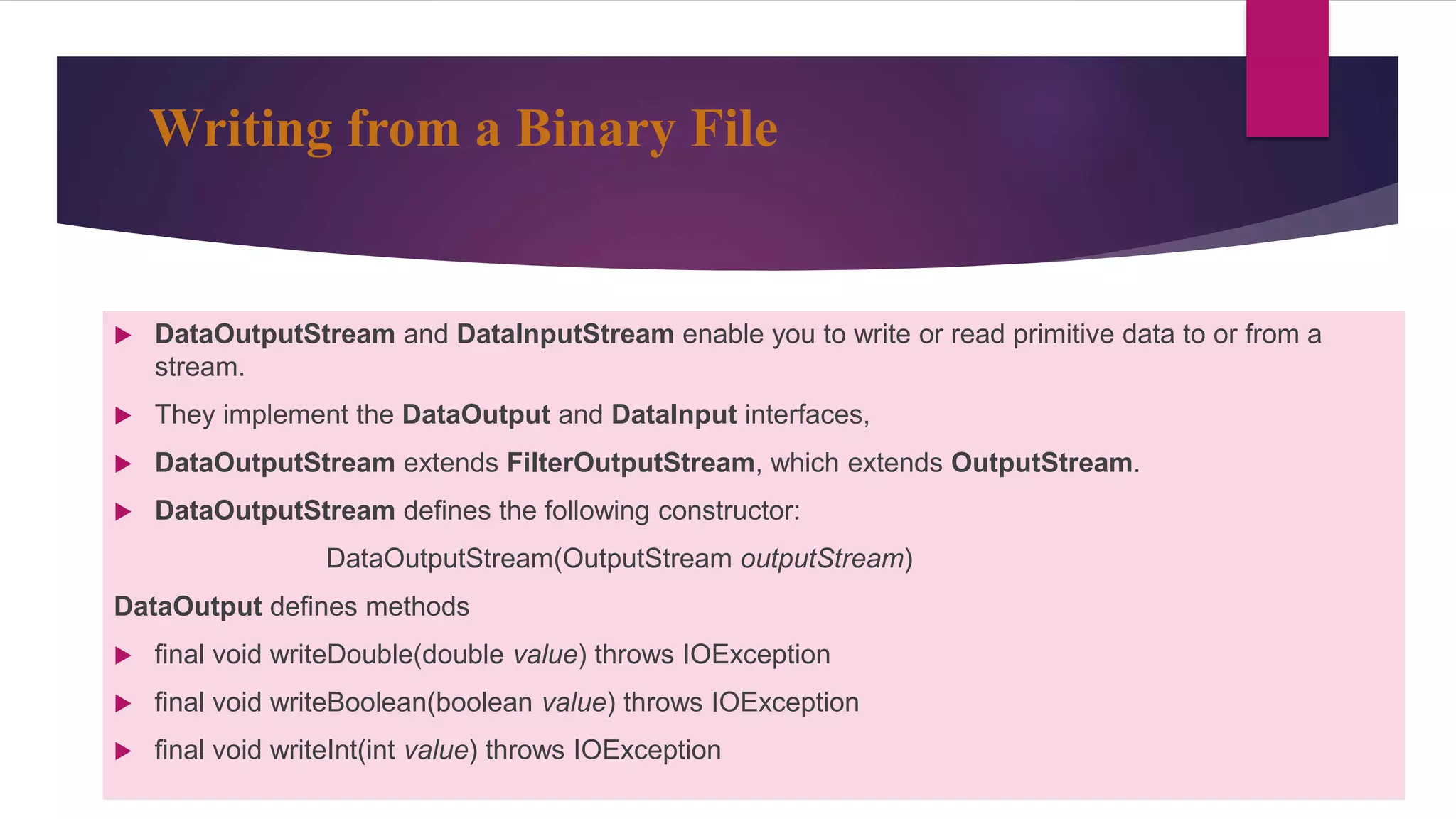
Writing from a Binary File
 DataOutputStream and DataInputStream enable you to write or read primitive data to or from a
stream.
 They implement the DataOutput and DataInput interfaces,
 DataOutputStream extends FilterOutputStream, which extends OutputStream.
 DataOutputStream defines the following constructor:
DataOutputStream(OutputStream outputStream)
DataOutput defines methods
 final void writeDouble(double value) throws IOException
 final void writeBoolean(boolean value) throws IOException
 final void writeInt(int value) throws IOException
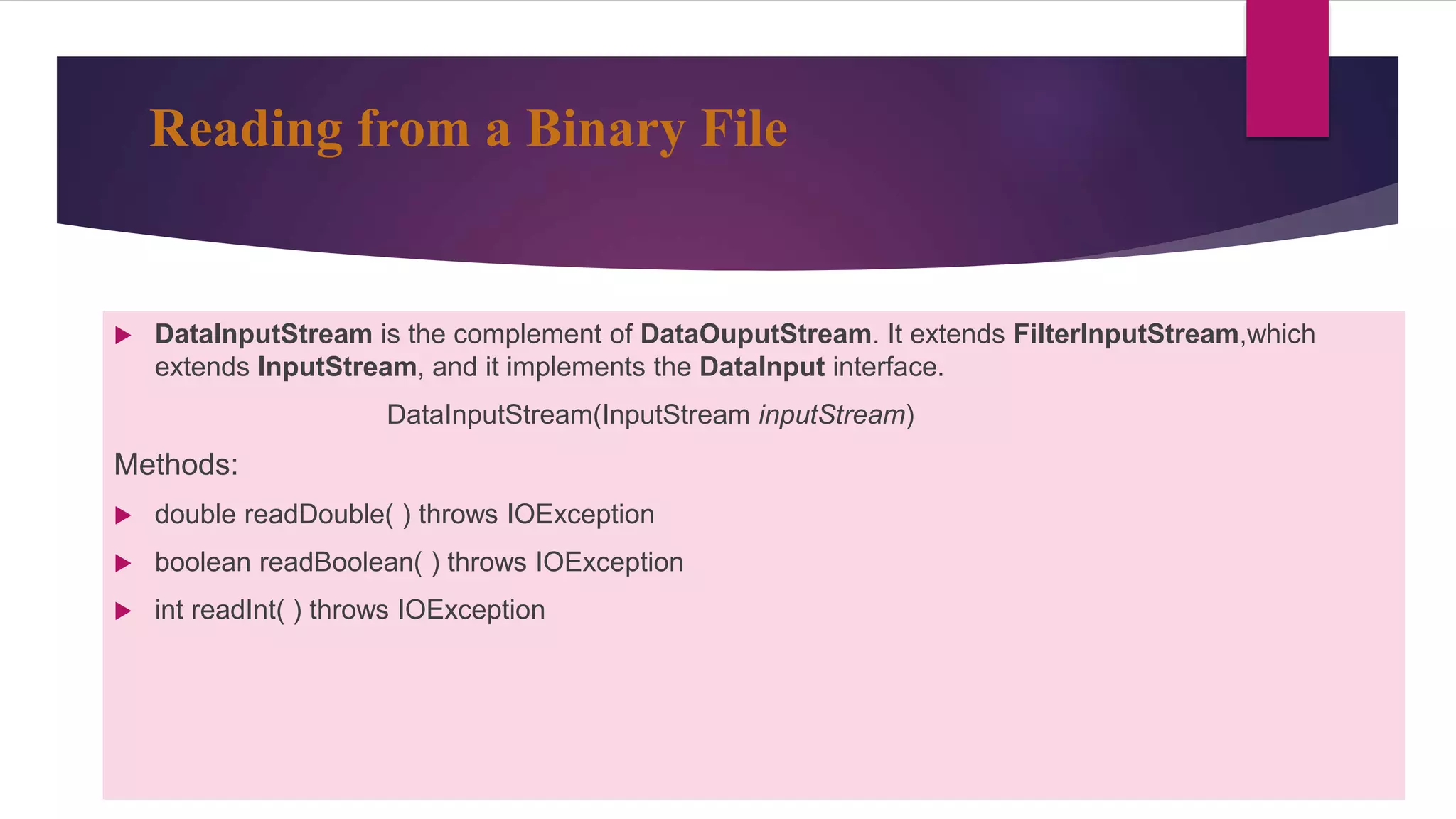
Reading from a Binary File
 DataInputStream is the complement of DataOuputStream. It extends FilterInputStream,which
extends InputStream, and it implements the DataInput interface.
DataInputStream(InputStream inputStream)
Methods:
 double readDouble( ) throws IOException
 boolean readBoolean( ) throws IOException
 int readInt( ) throws IOException
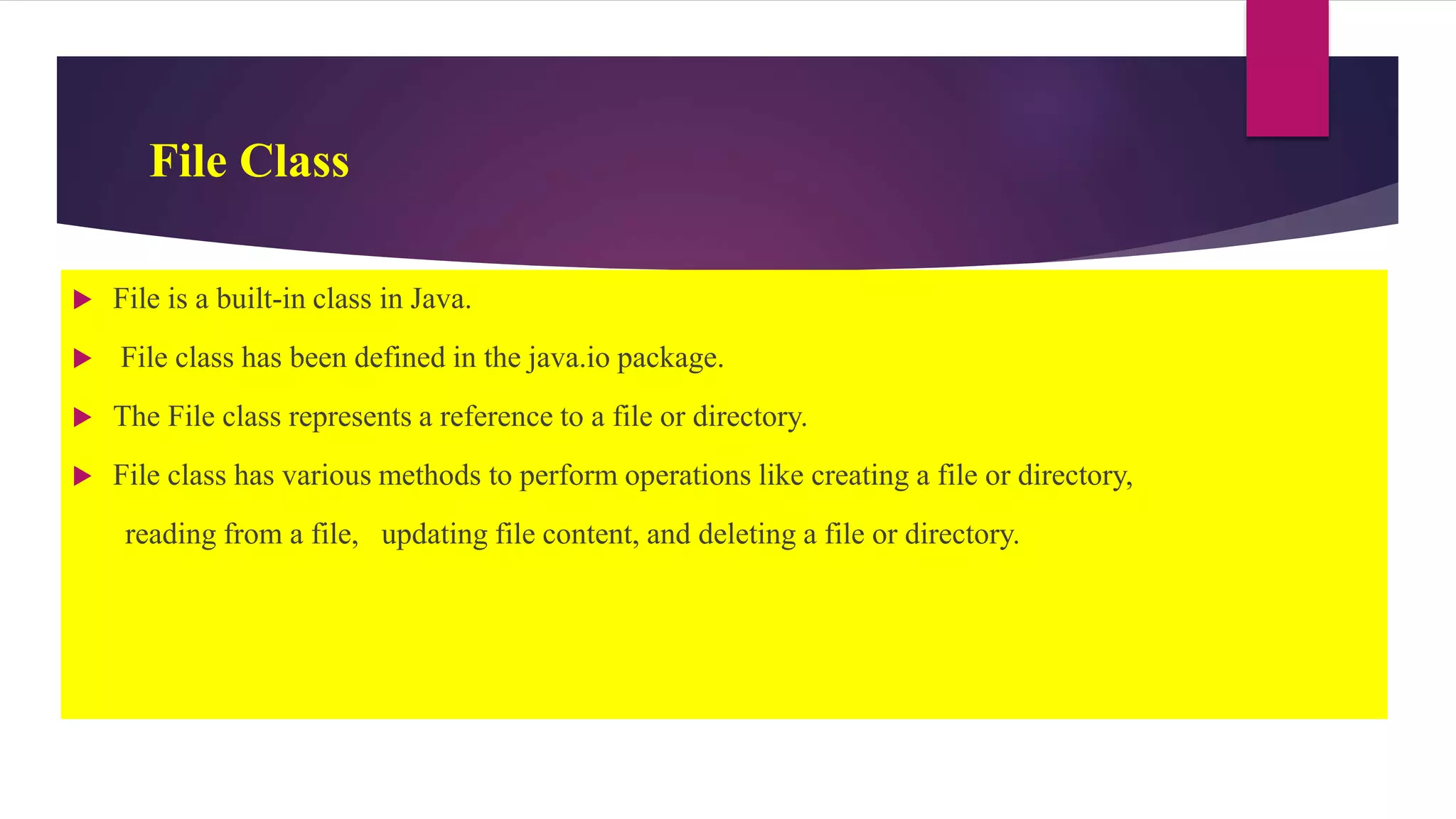
File Class
 File is a built-in class in Java.
 File class has been defined in the java.io package.
 The File class represents a reference to a file or directory.
 File class has various methods to perform operations like creating a file or directory,
reading from a file, updating file content, and deleting a file or directory.
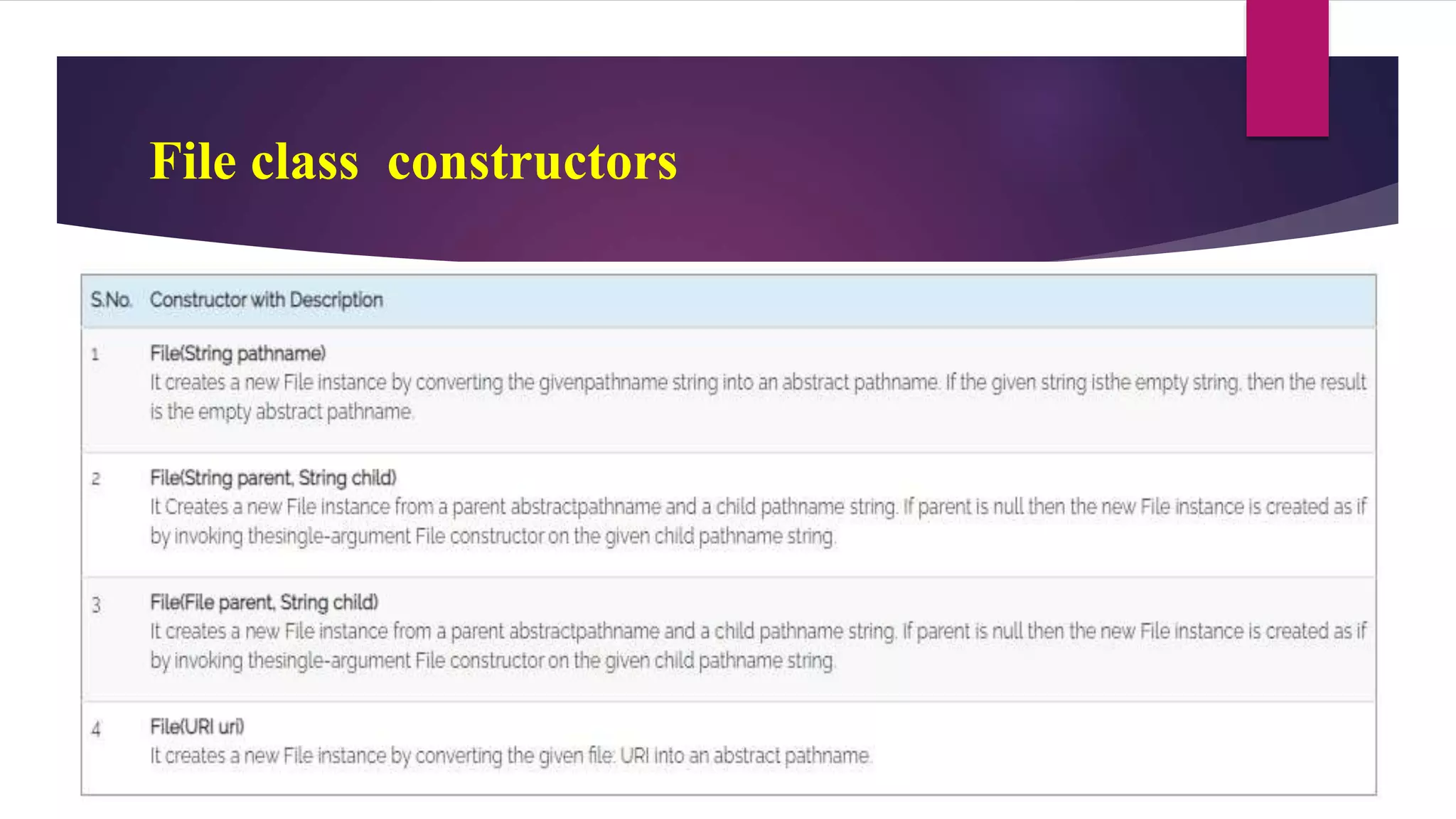
File class constructors
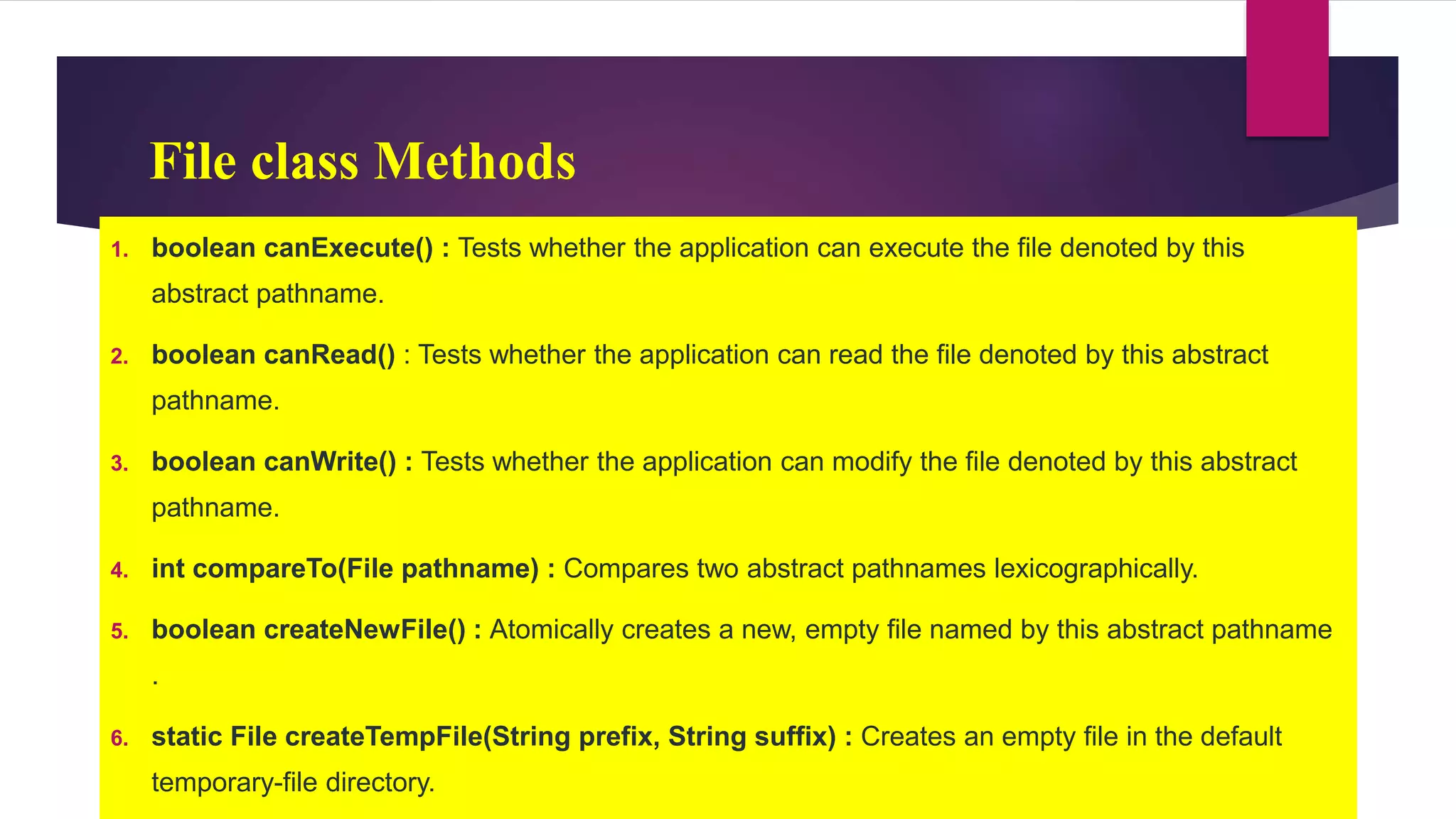
File class Methods
1. boolean canExecute() : Tests whether the application can execute the file denoted by this
abstract pathname.
2. boolean canRead() : Tests whether the application can read the file denoted by this abstract
pathname.
3. boolean canWrite() : Tests whether the application can modify the file denoted by this abstract
pathname.
4. int compareTo(File pathname) : Compares two abstract pathnames lexicographically.
5. boolean createNewFile() : Atomically creates a new, empty file named by this abstract pathname
.
6. static File createTempFile(String prefix, String suffix) : Creates an empty file in the default
temporary-file directory.
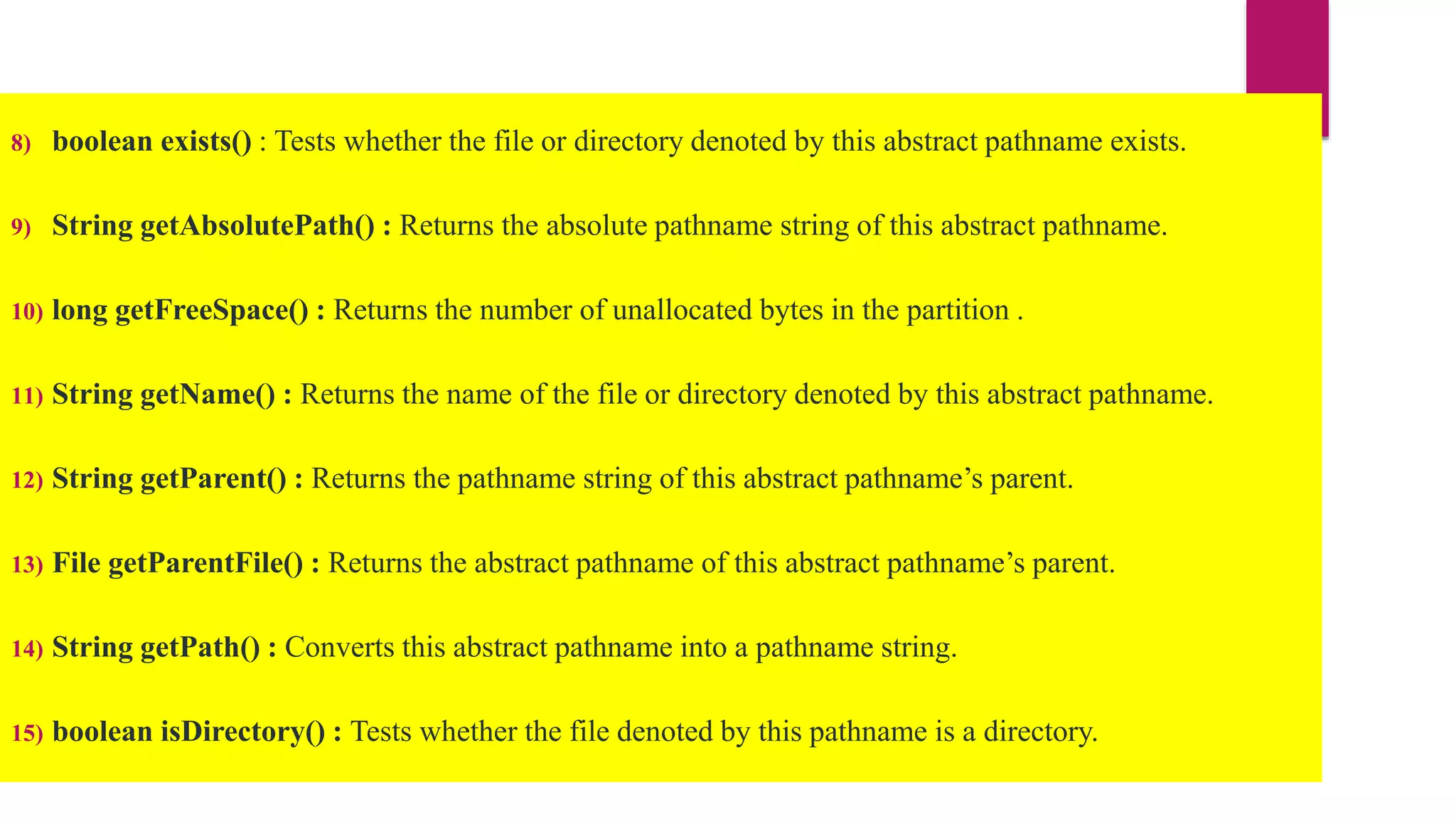
8) boolean exists() : Tests whether the file or directory denoted by this abstract pathname exists.
9) String getAbsolutePath() : Returns the absolute pathname string of this abstract pathname.
10) long getFreeSpace() : Returns the number of unallocated bytes in the partition .
11) String getName() : Returns the name of the file or directory denoted by this abstract pathname.
12) String getParent() : Returns the pathname string of this abstract pathname’s parent.
13) File getParentFile() : Returns the abstract pathname of this abstract pathname’s parent.
14) String getPath() : Converts this abstract pathname into a pathname string.
15) boolean isDirectory() : Tests whether the file denoted by this pathname is a directory.
File
import java.io.File;
class FileDemo {
static void p(String s) {
System.out.println(s);
}
public static void main(String args[]) {
File f1 = new File("/java/COPYRIGHT");
p("File Name: " + f1.getName());
p("Path: " + f1.getPath());
p("Abs Path: " + f1.getAbsolutePath());
p("Parent: " + f1.getParent());
p(f1.exists() ? "exists" : "does not exist");
p(f1.canWrite() ? "is writeable" : "is not writeable");
p(f1.canRead() ? "is readable" : "is not readable");
p("is " + (f1.isDirectory() ? "" : "not" + " a directory"));
p(f1.isFile() ? "is normal file" : "might be a named pipe");
p(f1.isAbsolute() ? "is absolute" : "is not absolute");
p("File last modified: " + f1.lastModified());
p("File size: " + f1.length() + " Bytes");
}
}
File
Output
File Name: COPYRIGHT
Path: /java/COPYRIGHT
Abs Path: /java/COPYRIGHT
Parent: /java
exists
is writeable
is readable
is not a directory
is normal file
is absolute
File last modified: 812465204000
File size: 695 Bytes
Creating File using File class
import java.io.*;
class ExFile
{
public static void main(String[] args)
{
try {
File file = new File(“c/abc.txt");
if (file.createNewFile())
{
System.out.println("New File is created!");
} else
{
System.out.println("File already exists.");
}
} catch (IOException e)
{
e.printStackTrace();
}
}
List out all files in a directory or path
import java.io.*;
class ExFileList
{
public static void main(String[] args)
{
File f=new File(“c:/abc/cse");
String filenames[]=f.list();
for(String filename:filenames)
{
System.out.println(filename);
}
}
}

File Input and output.pptx

  • 1.
  • 2.
    File Input andOutput Operations:-  File I/O operations are performed using the concept of streams.  A stream means a continuous flow of data.  A stream is a logical container of data that allows us to read from and write to it.  The stream-based IO operations are faster than normal IO operations
  • 3.
  • 4.
     Every Javaprogram creates 3 streams automatically.  These streams are attached to the console 1. System.out: standard output stream for console output operations. 2. System.in: standard input stream for console input operations. 3. System.err: standard error stream for console error output operations.
  • 5.
    Example For Streams 1.System.out.println(“hai"); 2. System.err.println(“welcome"); int a=System.in.read(); //returns ASCII code of 1st character System.out.println((char)a); //will print the charact
  • 6.
    Java provides twotypes of streams • 1.Byte Stream • 2. Character Stream
  • 7.
    Stream with variousbuilt-in classes used by the java IO system
  • 8.
    Java Byte Stream The java byte stream is defined by two abstract classes 1. InputStream 2. OutputStream.  The InputStream class used for byte stream based input operations,  The OutputStream class used for byte stream based output operations.  The InputStream and OutputStream classes have several classes to perform various IO operations based on the byte stream.
  • 10.
    InputStream class  TheInputStream class has defined as an abstract class  it has the following methods which have implemented by its concrete classes.
  • 11.
    OutputStream class  TheOutputStream class has defined as an abstract class,  It has the following methods which have implemented by its concrete classes.
  • 12.
    i) Reading datausing BufferedInputStream  BufferedInputStream class to read data from the console. BufferedInputStream(InputStream inputstream) BufferedInputStream(InputStream inputstream, int bufSize)  The BufferedInputStream class use a method read( ) to read a value from the console, or file
  • 13.
    Ex 1: Readingfrom console
  • 14.
  • 15.
    Writing data usingBufferedOutputStream
  • 16.
    Character Stream injava  IO stream manages 16-bit Unicode characters, it is called a character stream.  The Unicode set is basically a type of character set where each character corresponds to a specific numeric value within the given character set.  character stream is defined by two abstract classes, Reader and Writer
  • 17.
     Reader classused for character stream based input operations  Writer class used for character stream based output operations  Reader and Writer classes have several concreate classes to perform various IO operations based on the character stream.
  • 19.
    Reader class  TheReader class has defined as an abstract class  the following methods implemented by its concrete classes
  • 21.
    Writer class  TheWriter class has defined as an abstract class.  It has the following methods implemented by its concrete classes.
  • 23.
    Reading data usingBufferedReader  BufferedReader class to read data from the console.  The BufferedInputStream class needs InputStreamReaderclass.  The BufferedReader use a method read( ) to read a value from the console, or file, or socket.
  • 24.
    Example 1 -Reading from console import java.io.*; public class ExReading { public static void main(String[] args) throws IOException { InputStreamReader isr = new InputStreamReader(System.in); BufferedReader in = new BufferedReader(isr); String name = ""; System.out.print("Please enter your name: "); name = in.readLine(); System.out.println("Hello, " + name + "!");
  • 25.
    Example 2 -Reading from a file import java.io.*; class ExReading { public static void main(String[] args) throws IOException { Reader in = new FileReader(“c/abc.txt”); try { char c = (char)input.read(); System.out.println("Data read from a file - '" + c + "'"); } catch(Exception e) { System.out.println(e); } finally { input.close();
  • 26.
    Writing data usingFileWriter import java.io.*; public class ExWriting { public static void main(String[] args) throws IOException { Writer out = new FileWriter("C:Desktopcse.txt"); msg = "cse"; try { out.write(msg); System.out.println("Writing done!!!"); } catch(Exception e) { System.out.println(e); } finally { out.close(); } }} }
  • 27.
    Writing from aBinary File  DataOutputStream and DataInputStream enable you to write or read primitive data to or from a stream.  They implement the DataOutput and DataInput interfaces,  DataOutputStream extends FilterOutputStream, which extends OutputStream.  DataOutputStream defines the following constructor: DataOutputStream(OutputStream outputStream) DataOutput defines methods  final void writeDouble(double value) throws IOException  final void writeBoolean(boolean value) throws IOException  final void writeInt(int value) throws IOException
  • 28.
    Reading from aBinary File  DataInputStream is the complement of DataOuputStream. It extends FilterInputStream,which extends InputStream, and it implements the DataInput interface. DataInputStream(InputStream inputStream) Methods:  double readDouble( ) throws IOException  boolean readBoolean( ) throws IOException  int readInt( ) throws IOException
  • 29.
    File Class  Fileis a built-in class in Java.  File class has been defined in the java.io package.  The File class represents a reference to a file or directory.  File class has various methods to perform operations like creating a file or directory, reading from a file, updating file content, and deleting a file or directory.
  • 30.
  • 31.
    File class Methods 1.boolean canExecute() : Tests whether the application can execute the file denoted by this abstract pathname. 2. boolean canRead() : Tests whether the application can read the file denoted by this abstract pathname. 3. boolean canWrite() : Tests whether the application can modify the file denoted by this abstract pathname. 4. int compareTo(File pathname) : Compares two abstract pathnames lexicographically. 5. boolean createNewFile() : Atomically creates a new, empty file named by this abstract pathname . 6. static File createTempFile(String prefix, String suffix) : Creates an empty file in the default temporary-file directory.
  • 32.
    8) boolean exists(): Tests whether the file or directory denoted by this abstract pathname exists. 9) String getAbsolutePath() : Returns the absolute pathname string of this abstract pathname. 10) long getFreeSpace() : Returns the number of unallocated bytes in the partition . 11) String getName() : Returns the name of the file or directory denoted by this abstract pathname. 12) String getParent() : Returns the pathname string of this abstract pathname’s parent. 13) File getParentFile() : Returns the abstract pathname of this abstract pathname’s parent. 14) String getPath() : Converts this abstract pathname into a pathname string. 15) boolean isDirectory() : Tests whether the file denoted by this pathname is a directory.
  • 33.
    File import java.io.File; class FileDemo{ static void p(String s) { System.out.println(s); } public static void main(String args[]) { File f1 = new File("/java/COPYRIGHT"); p("File Name: " + f1.getName()); p("Path: " + f1.getPath()); p("Abs Path: " + f1.getAbsolutePath()); p("Parent: " + f1.getParent()); p(f1.exists() ? "exists" : "does not exist"); p(f1.canWrite() ? "is writeable" : "is not writeable"); p(f1.canRead() ? "is readable" : "is not readable"); p("is " + (f1.isDirectory() ? "" : "not" + " a directory")); p(f1.isFile() ? "is normal file" : "might be a named pipe"); p(f1.isAbsolute() ? "is absolute" : "is not absolute"); p("File last modified: " + f1.lastModified()); p("File size: " + f1.length() + " Bytes"); } }
  • 34.
    File Output File Name: COPYRIGHT Path:/java/COPYRIGHT Abs Path: /java/COPYRIGHT Parent: /java exists is writeable is readable is not a directory is normal file is absolute File last modified: 812465204000 File size: 695 Bytes
  • 35.
    Creating File usingFile class import java.io.*; class ExFile { public static void main(String[] args) { try { File file = new File(“c/abc.txt"); if (file.createNewFile()) { System.out.println("New File is created!"); } else { System.out.println("File already exists."); } } catch (IOException e) { e.printStackTrace(); } }
  • 36.
    List out allfiles in a directory or path import java.io.*; class ExFileList { public static void main(String[] args) { File f=new File(“c:/abc/cse"); String filenames[]=f.list(); for(String filename:filenames) { System.out.println(filename); } } }