Installation of drivers (I/O devices)
Input/output(I/O) portenables you to connect hardwaredevices such as the
keyboard flash drives, mouse, printer and scanners to the system. Itis the entry
and point for data from the system.
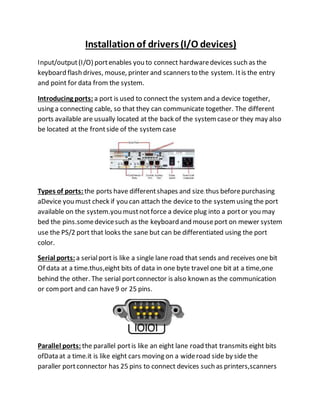
Introducing ports: a port is used to connect the systemand a device together,
using a connecting cable, so that they can communicate together. The different
ports available are usually located at the back of the systemcaseor they may also
be located at the frontside of the system case
Types of ports: the ports have differentshapes and size.thus beforepurchasing
aDevice you must check if you can attach the device to the systemusing the port
available on the system.you mustnotforce a device plug into a portor you may
bed the pins.somedevicesuch as the keyboard and mouseport on mewer system
use the PS/2 port that looks the sane but can be differentiated using the port
color.
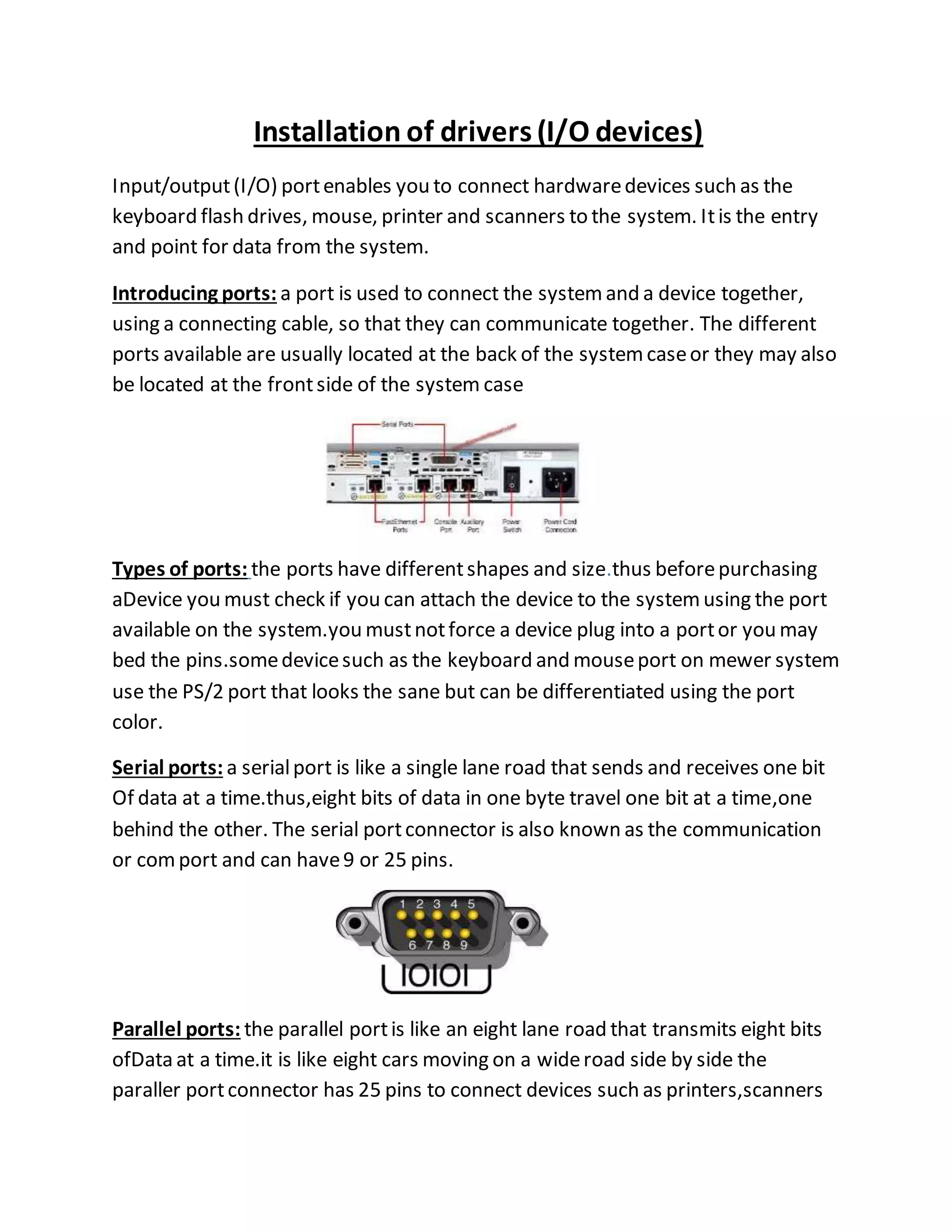
Serial ports: a serialport is like a single lane road that sends and receives one bit
Of data at a time.thus,eight bits of data in one byte travel one bit at a time,one
behind the other. The serial portconnector is also known as the communication
or comport and can have9 or 25 pins.
Parallel ports: the parallel portis like an eight lane road that transmits eight bits
ofData at a time.it is like eight cars moving on a wideroad side by side the
paraller portconnector has 25 pins to connect devices such as printers,scanners
external hard drives and tape drive backup devices computer’s motherboard
usually includes one parallel port.
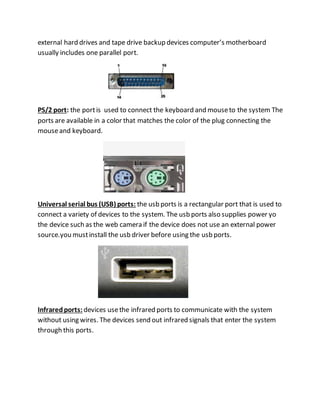
PS/2 port: the portis used to connect the keyboard and mouseto the system The
ports are available in a color that matches the color of the plug connecting the
mouseand keyboard.
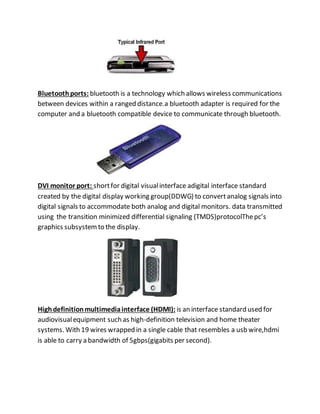
Universal serial bus (USB) ports: the usb ports is a rectangular port that is used to
connect a variety of devices to the system. The usb ports also supplies power yo
the device such as the web camera if the device does not use an external power
source.you mustinstall the usb driver before using the usb ports.
Infraredports: devices usethe infrared ports to communicate with the system
without using wires. The devices send out infrared signals that enter the system
through this ports.
Bluetoothports: bluetooth is a technology which allows wireless communications
between devices within a ranged distance.a bluetooth adapter is required for the
computer and a bluetooth compatible device to communicate through bluetooth.
DVI monitor port: shortfor digital visualinterface adigital interface standard
created by the digital display working group(DDWG) to convertanalog signals into
digital signals to accommodate both analog and digital monitors. data transmitted
using the transition minimized differential signaling (TMDS)protocolThepc’s
graphics subsystemto the display.
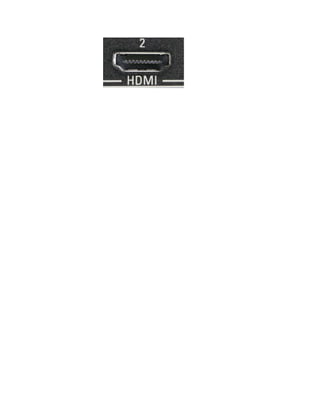
Highdefinitionmultimediainterface (HDMI): is an interface standard used for
audiovisualequipment such as high-definition television and home theater
systems. With 19 wires wrapped in a single cable that resembles a usb wire,hdmi
is able to carry a bandwidth of 5gbps(gigabits per second).
Installation of drivers

Installation of drivers

  • 1.
    Installation of drivers(I/O devices) Input/output(I/O) portenables you to connect hardwaredevices such as the keyboard flash drives, mouse, printer and scanners to the system. Itis the entry and point for data from the system. Introducing ports: a port is used to connect the systemand a device together, using a connecting cable, so that they can communicate together. The different ports available are usually located at the back of the systemcaseor they may also be located at the frontside of the system case Types of ports: the ports have differentshapes and size.thus beforepurchasing aDevice you must check if you can attach the device to the systemusing the port available on the system.you mustnotforce a device plug into a portor you may bed the pins.somedevicesuch as the keyboard and mouseport on mewer system use the PS/2 port that looks the sane but can be differentiated using the port color. Serial ports: a serialport is like a single lane road that sends and receives one bit Of data at a time.thus,eight bits of data in one byte travel one bit at a time,one behind the other. The serial portconnector is also known as the communication or comport and can have9 or 25 pins. Parallel ports: the parallel portis like an eight lane road that transmits eight bits ofData at a time.it is like eight cars moving on a wideroad side by side the paraller portconnector has 25 pins to connect devices such as printers,scanners
  • 2.
    external hard drivesand tape drive backup devices computer’s motherboard usually includes one parallel port. PS/2 port: the portis used to connect the keyboard and mouseto the system The ports are available in a color that matches the color of the plug connecting the mouseand keyboard. Universal serial bus (USB) ports: the usb ports is a rectangular port that is used to connect a variety of devices to the system. The usb ports also supplies power yo the device such as the web camera if the device does not use an external power source.you mustinstall the usb driver before using the usb ports. Infraredports: devices usethe infrared ports to communicate with the system without using wires. The devices send out infrared signals that enter the system through this ports.
  • 3.
    Bluetoothports: bluetooth isa technology which allows wireless communications between devices within a ranged distance.a bluetooth adapter is required for the computer and a bluetooth compatible device to communicate through bluetooth. DVI monitor port: shortfor digital visualinterface adigital interface standard created by the digital display working group(DDWG) to convertanalog signals into digital signals to accommodate both analog and digital monitors. data transmitted using the transition minimized differential signaling (TMDS)protocolThepc’s graphics subsystemto the display. Highdefinitionmultimediainterface (HDMI): is an interface standard used for audiovisualequipment such as high-definition television and home theater systems. With 19 wires wrapped in a single cable that resembles a usb wire,hdmi is able to carry a bandwidth of 5gbps(gigabits per second).