The Art of Powerpoint
        Lee Drake
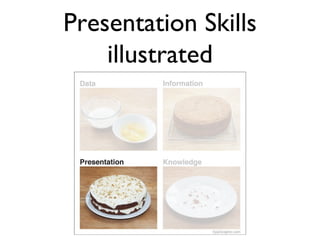
Presentation Skills
    illustrated
Presentation Skills

• Keep it clear
• Keep it simple
• Don’t overwhelm with technology; use it
  to accent, not dictate.
Focus on Research

• Powerpoints are about communicating
  ideas first and foremost
• But don’t overwhelm them with
  information
Focus on Research


• What are the key points that you need to
  get across?
• What constitutes “too much detail?”
Audience

• There is no “one-size fits all” approach to
  presentations - each should be tailored to
  your specific audience
• How much do they know about your field?
• What about your research is going to catch
  their attention?
Audience


• Why are they there? What do they want to
  learn from you?
Audience

• Try to anticipate their questions:
• “So what?”
• “Why is this worth my time right now - I
  have my own research to do!”*
• “Why should I listen to you?”
        *This is why I usually skip presentations
Key Points

• Try to reduce your research to a few easily
  understood bullet points
• The simpler the sentence, the more your
  audience will take away from the talk
Images


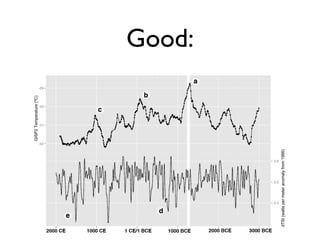
• Images should accent the topic, not
  dominate it (unless it is a chart directly
  related to research)
Good:
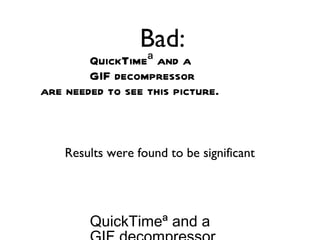
Bad:
        QuickTimeª and a
        GIF decompressor
are needed to see this picture.


    Results were found to be significant


        QuickTimeª and a
U in I a e
 s gm g s

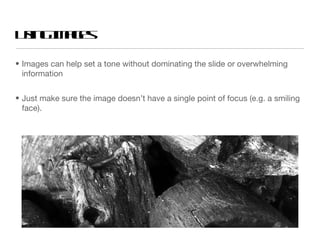
• Images can help set a tone without dominating the slide or overwhelming
  information


• Just make sure the image doesn’t have a single point of focus (e.g. a smiling
  face).
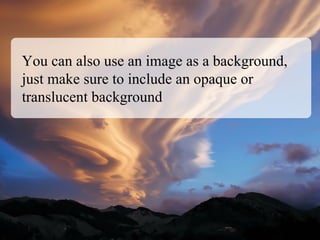
You can also use an image as a background,
just make sure to include an opaque or
translucent background
...because it is really hard to read if you don’t
include some kind of boundary to buffer the
image
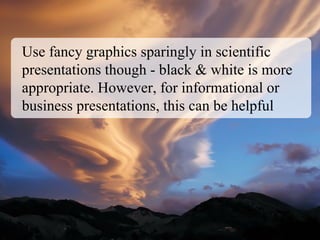
Use fancy graphics sparingly in scientific
presentations though - black & white is more
appropriate. However, for informational or
business presentations, this can be helpful
Clutter


• Every word you say should not be on the
  slide.

Powerpoint

  • 1.
    The Art ofPowerpoint Lee Drake
  • 2.
  • 3.
    Presentation Skills • Keepit clear • Keep it simple • Don’t overwhelm with technology; use it to accent, not dictate.
  • 4.
    Focus on Research •Powerpoints are about communicating ideas first and foremost • But don’t overwhelm them with information
  • 5.
    Focus on Research •What are the key points that you need to get across? • What constitutes “too much detail?”
  • 6.
    Audience • There isno “one-size fits all” approach to presentations - each should be tailored to your specific audience • How much do they know about your field? • What about your research is going to catch their attention?
  • 7.
    Audience • Why arethey there? What do they want to learn from you?
  • 8.
    Audience • Try toanticipate their questions: • “So what?” • “Why is this worth my time right now - I have my own research to do!”* • “Why should I listen to you?” *This is why I usually skip presentations
  • 9.
    Key Points • Tryto reduce your research to a few easily understood bullet points • The simpler the sentence, the more your audience will take away from the talk
  • 10.
    Images • Images shouldaccent the topic, not dominate it (unless it is a chart directly related to research)
  • 11.
  • 12.
    Bad: QuickTimeª and a GIF decompressor are needed to see this picture. Results were found to be significant QuickTimeª and a
  • 13.
    U in Ia e s gm g s • Images can help set a tone without dominating the slide or overwhelming information • Just make sure the image doesn’t have a single point of focus (e.g. a smiling face).
  • 14.
    You can alsouse an image as a background, just make sure to include an opaque or translucent background
  • 15.
    ...because it isreally hard to read if you don’t include some kind of boundary to buffer the image
  • 16.
    Use fancy graphicssparingly in scientific presentations though - black & white is more appropriate. However, for informational or business presentations, this can be helpful
  • 17.
    Clutter • Every wordyou say should not be on the slide.