
Power ful  Power Point
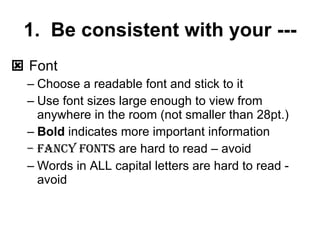
1.  Be consistent with your ---    Font Choose a readable font and stick to it Use font sizes large enough to view from anywhere in the room (not smaller than 28pt.) Bold  indicates more important information Fancy fonts  are hard to read – avoid  Words in ALL capital letters are hard to read - avoid
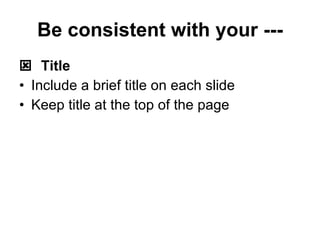
Be consistent with your ---    Title Include a brief title on each slide Keep title at the top of the page
Be consistent with your ---    Background Choose a consistent background and generally stay with it the entire presentation Make an image background a watermark (transparent)
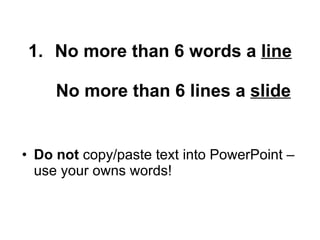
No more than 6 words a  line   No more than 6 lines a  slide Do not  copy/paste text into PowerPoint – use your owns words!
3.  Include a  bibliography    Makes you seem credible!
4.  Clip Art/Graphics/Video Use only to enhance your presentation    Don’t include a clucking chicken on your slide.    No more than two graphics on a slide.
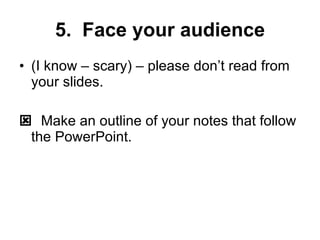
5.  Face your audience (I know – scary) – please don’t read from your slides.    Make an outline of your notes that follow the PowerPoint.
Examples of Good and Bad
Bad!
Good!
Good!
For more information, visit your library media specialist.

Powerful Powerpoint

  • 1.
    Power ful Power Point
  • 2.
    1. Beconsistent with your ---  Font Choose a readable font and stick to it Use font sizes large enough to view from anywhere in the room (not smaller than 28pt.) Bold indicates more important information Fancy fonts are hard to read – avoid Words in ALL capital letters are hard to read - avoid
  • 3.
    Be consistent withyour ---  Title Include a brief title on each slide Keep title at the top of the page
  • 4.
    Be consistent withyour ---  Background Choose a consistent background and generally stay with it the entire presentation Make an image background a watermark (transparent)
  • 5.
    No more than6 words a line No more than 6 lines a slide Do not copy/paste text into PowerPoint – use your owns words!
  • 6.
    3. Includea bibliography  Makes you seem credible!
  • 7.
    4. ClipArt/Graphics/Video Use only to enhance your presentation  Don’t include a clucking chicken on your slide.  No more than two graphics on a slide.
  • 8.
    5. Faceyour audience (I know – scary) – please don’t read from your slides.  Make an outline of your notes that follow the PowerPoint.
  • 9.
  • 10.
  • 11.
  • 12.
  • 13.
    For more information,visit your library media specialist.