Download to read offline

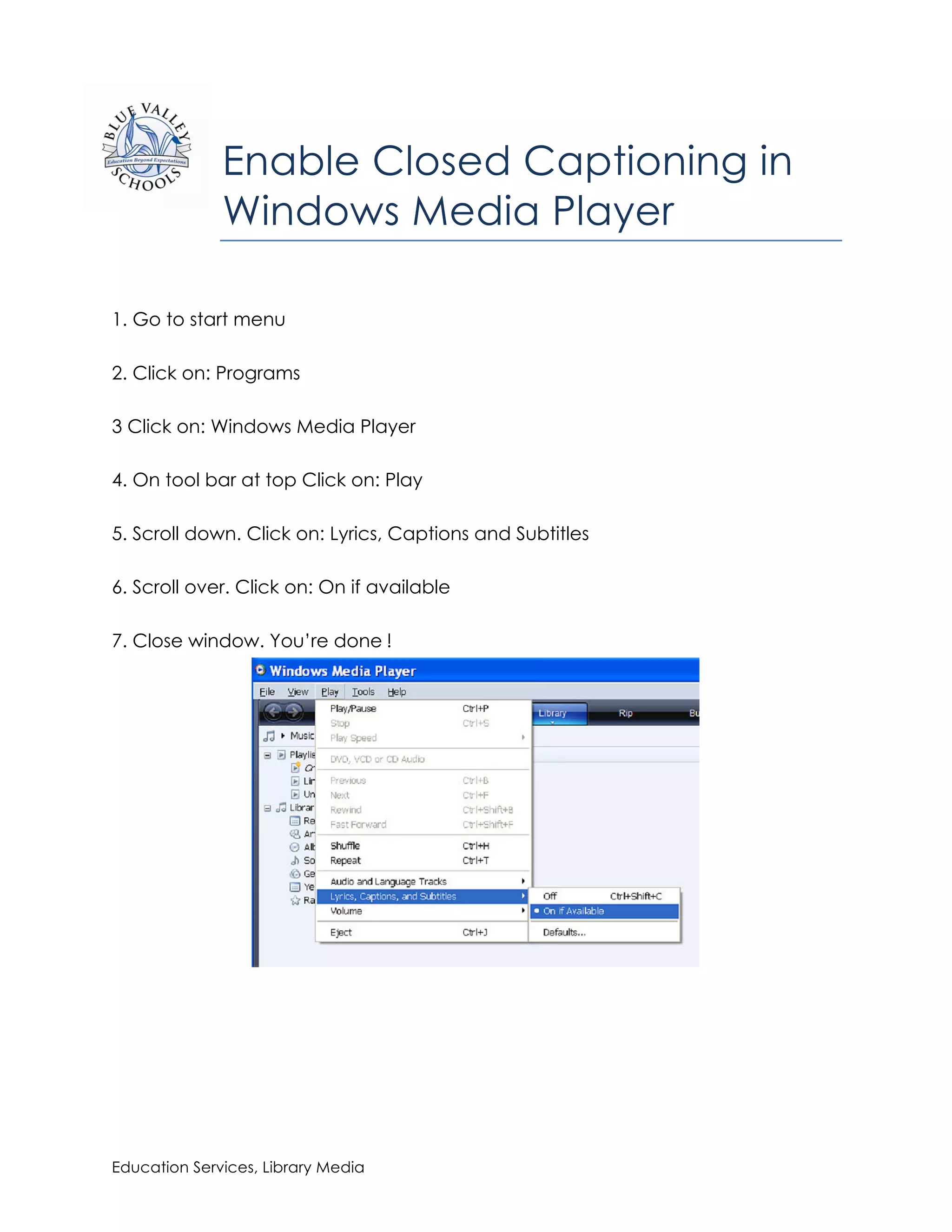

To enable closed captioning in Windows Media Player, open the program, click on "Play" on the toolbar, select "Lyrics, Captions and Subtitles" from the dropdown menu, and choose the "On if available" option. This will turn on closed captioning if it is available for any videos played through Windows Media Player.


