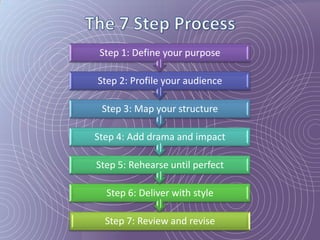
Step 1: Define your purpose

Step 2: Profile your audience

 Step 3: Map your structure

Step 4: Add drama and impact

Step 5: Rehearse until perfect

  Step 6: Deliver with style

  Step 7: Review and revise
Step 1: Define your purpose

• The purpose: what
  you want your
  audience to
  remember and do
  as a result of
  hearing you.

• It has to be specific.
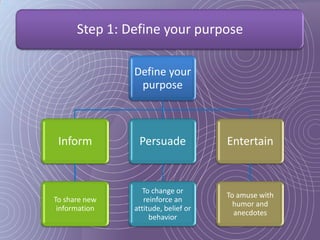
Step 1: Define your purpose

               Define your
                purpose


 Inform         Persuade             Entertain


                  To change or
                                     To amuse with
To share new      reinforce an
                                       humor and
 information   attitude, belief or
                                       anecdotes
                    behavior
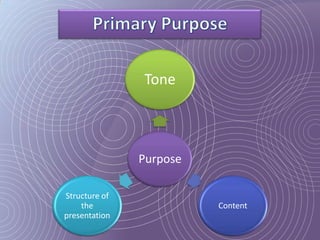
Tone


               Purpose

Structure of
    the                  Content
presentation
Step 1: Define your purpose

• Fresh, practical
  and relevant
• Strong, logical,
  clear sequence of
  ideas
• Present in small,
  digestible chunks
Step 2: Profile your audience


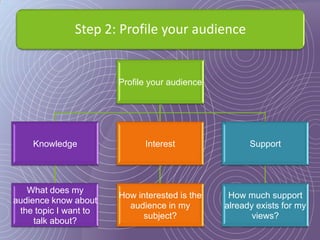
                       Profile your audience


    Knowledge                Interest                Support


   What does my
                       How interested is the    How much support
audience know about
                         audience in my        already exists for my
 the topic I want to
                             subject?                 views?
     talk about?
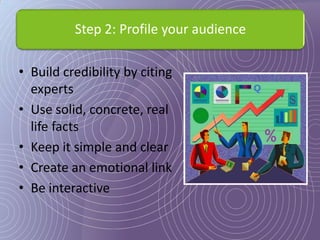
Step 2: Profile your audience

• Build credibility by citing
  experts
• Use solid, concrete, real
  life facts
• Keep it simple and clear
• Create an emotional link
• Be interactive
Step 3: Map your structure

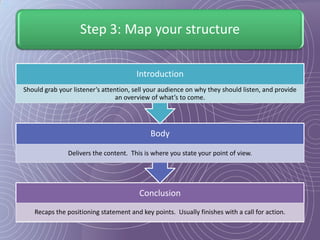
                                       Introduction
Should grab your listener’s attention, sell your audience on why they should listen, and provide
                                 an overview of what’s to come.


                                            Body

               Delivers the content. This is where you state your point of view.


                                        Conclusion
   Recaps the positioning statement and key points. Usually finishes with a call for action.
Functions of an Opening


1. Grab the audience’s
   attention

2. Provide reasons for
   listening

3. Describe what you
   will talk about
Functions of the Body


1. Support each point
   with evidence

2. Use the latest
   information
The Conclusion


• Parts of the conclusion:
  – Summarize your
    presentation

  – Provide closure

  – Motivate the audience
    to respond
Step 3: Map your structure

• Titles and headlines are used to
  create flow and direction
• Use transition words
     Provide mini internal summaries
     Help hold your audience’s attention
• Organizational patterns
  – Sequential
  – Topical order
  – Contrast and comparison
Step 4: Add drama and impact

•   Support to prove your points
•   Different types of evidence
•   Quotes must make a point
•   When using statistics and
    graphs:
    – Numbers must be
      understandable
    – Use comparisons
Step 4: Add drama and impact


• Make the last item your most
  important

• Determine your message first

• Think K.I.S.S.

• Organize your content around
  3-5 points
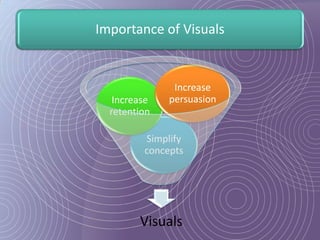
Importance of Visuals


               Increase
   Increase   persuasion
  retention

         Simplify
         concepts


        Visuals
Step 5: Rehearse until perfect

• Rehearse until perfect

• Time your presentations

• Always practice standing up

• Use key words and phrases

• Write statistics and quotes
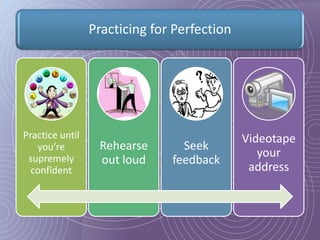
Practicing for Perfection


Practice until                               Videotape
   you’re         Rehearse       Seek
 supremely                                      your
                  out loud     feedback
  confident                                   address
Step 6: Deliver with style

• Speak to the audience

• Do not read your text

• Choose the right words

• Avoid fillers

• Vary your pace to
  generate interest
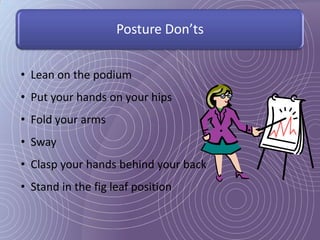
Posture Don’ts


• Lean on the podium
• Put your hands on your hips
• Fold your arms
• Sway
• Clasp your hands behind your back
• Stand in the fig leaf position
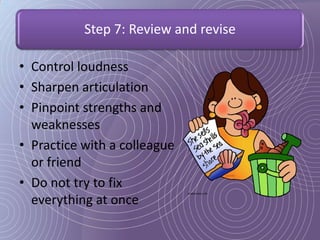
Step 7: Review and revise

• Control loudness
• Sharpen articulation
• Pinpoint strengths and
  weaknesses
• Practice with a colleague
  or friend
• Do not try to fix
  everything at once
How to Design Persuasive PowerPoints

      Align the PowerPoint with the
           way the brain works.


     Segment your story into visually
            digestible bites


      Signpost location and direction
          with graphic organizers
How to Design Persuasive PowerPoints

         Wherever possible,
        persuade with visuals

     Purge all but essential text
      and audiovisual effects

          Dice and sequence
           complex visuals
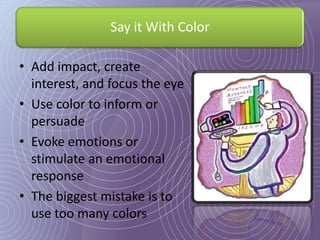
Say it With Color

• Add impact, create
  interest, and focus the eye
• Use color to inform or
  persuade
• Evoke emotions or
  stimulate an emotional
  response
• The biggest mistake is to
  use too many colors
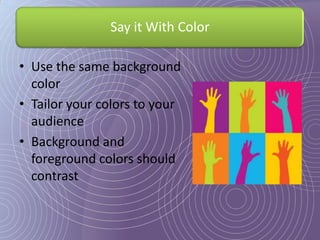
Say it With Color

• Use the same background
  color
• Tailor your colors to your
  audience
• Background and
  foreground colors should
  contrast
How to Write Compelling Text

• Avoid using multiple
  typefaces.
• Preferably, you should
  use:
  – Times New Roman
  – Arial
  – Tahoma
• Only use two typefaces to
  add variety and contrast.
How to Lay Out Compelling Text

• Font sizes:
  – Titles: 48 to 40 points
  – Subtitles: 24 to 36 points
  – Text: 18 to 24 points
• Sometimes, single line
  spacing could look
  cramped.
• Bold text is the most useful
  special effect.
How to Lay Out Compelling Text

• Make your bullets the same
  size as the text type
• Word lists should be written as
  short, punchy statements
• Place the most important
  points at the top
• Slash all unnecessary words
• Capitalize the first letter in a list
Bulleted Text Helps To:


Break-up blocks of information


Focus our attention


Organize our content into a logical order


Add structure to layout
Fundamentals For Bullet Use:


 Limit your list length to six or
 fewer points

 One list per slide

 Keep spacing at the “1 line”
 spacing option
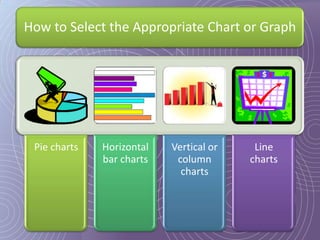
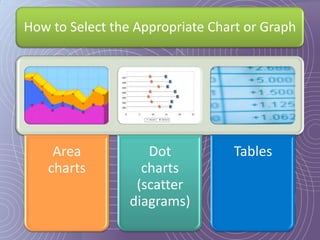
How to Select the Appropriate Chart or Graph


 Pie charts   Horizontal   Vertical or    Line
              bar charts    column       charts
                             charts
How to Select the Appropriate Chart or Graph


    Area            Dot          Tables
   charts          charts
                  (scatter
                 diagrams)
How to Inform With Impact

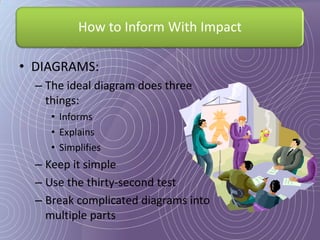
• DIAGRAMS:
  – The ideal diagram does three
    things:
     • Informs
     • Explains
     • Simplifies
  – Keep it simple
  – Use the thirty-second test
  – Break complicated diagrams into
    multiple parts
How to Inform With Impact

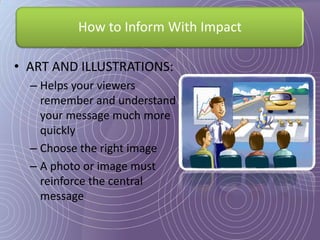
• ART AND ILLUSTRATIONS:
  – Helps your viewers
    remember and understand
    your message much more
    quickly
  – Choose the right image
  – A photo or image must
    reinforce the central
    message
Mills, H. (2007). Power Points!: how to design
 and deliver presentations that sizzle and sell.
 New York: AMACOM.

Image sources:
  http://www.google.com/imghp
  http://www.images.com
  http://office.microsoft.com/en-us/images/

Power point presentations

  • 2.
    Step 1: Defineyour purpose Step 2: Profile your audience Step 3: Map your structure Step 4: Add drama and impact Step 5: Rehearse until perfect Step 6: Deliver with style Step 7: Review and revise
  • 3.
    Step 1: Defineyour purpose
  • 4.
    Step 1: Defineyour purpose • The purpose: what you want your audience to remember and do as a result of hearing you. • It has to be specific.
  • 5.
    Step 1: Defineyour purpose Define your purpose Inform Persuade Entertain To change or To amuse with To share new reinforce an humor and information attitude, belief or anecdotes behavior
  • 6.
    Tone Purpose Structure of the Content presentation
  • 7.
    Step 1: Defineyour purpose • Fresh, practical and relevant • Strong, logical, clear sequence of ideas • Present in small, digestible chunks
  • 8.
    Step 2: Profileyour audience
  • 9.
    Step 2: Profileyour audience Profile your audience Knowledge Interest Support What does my How interested is the How much support audience know about audience in my already exists for my the topic I want to subject? views? talk about?
  • 10.
    Step 2: Profileyour audience • Build credibility by citing experts • Use solid, concrete, real life facts • Keep it simple and clear • Create an emotional link • Be interactive
  • 11.
    Step 3: Mapyour structure
  • 12.
    Step 3: Mapyour structure Introduction Should grab your listener’s attention, sell your audience on why they should listen, and provide an overview of what’s to come. Body Delivers the content. This is where you state your point of view. Conclusion Recaps the positioning statement and key points. Usually finishes with a call for action.
  • 13.
    Functions of anOpening 1. Grab the audience’s attention 2. Provide reasons for listening 3. Describe what you will talk about
  • 14.
    Functions of theBody 1. Support each point with evidence 2. Use the latest information
  • 15.
    The Conclusion • Partsof the conclusion: – Summarize your presentation – Provide closure – Motivate the audience to respond
  • 16.
    Step 3: Mapyour structure • Titles and headlines are used to create flow and direction • Use transition words Provide mini internal summaries Help hold your audience’s attention • Organizational patterns – Sequential – Topical order – Contrast and comparison
  • 17.
    Step 4: Adddrama and impact
  • 18.
    Step 4: Adddrama and impact • Support to prove your points • Different types of evidence • Quotes must make a point • When using statistics and graphs: – Numbers must be understandable – Use comparisons
  • 19.
    Step 4: Adddrama and impact • Make the last item your most important • Determine your message first • Think K.I.S.S. • Organize your content around 3-5 points
  • 20.
    Importance of Visuals Increase Increase persuasion retention Simplify concepts Visuals
  • 21.
    Step 5: Rehearseuntil perfect
  • 22.
    Step 5: Rehearseuntil perfect • Rehearse until perfect • Time your presentations • Always practice standing up • Use key words and phrases • Write statistics and quotes
  • 23.
    Practicing for Perfection Practiceuntil Videotape you’re Rehearse Seek supremely your out loud feedback confident address
  • 24.
    Step 6: Deliverwith style
  • 25.
    Step 6: Deliverwith style • Speak to the audience • Do not read your text • Choose the right words • Avoid fillers • Vary your pace to generate interest
  • 26.
    Posture Don’ts • Leanon the podium • Put your hands on your hips • Fold your arms • Sway • Clasp your hands behind your back • Stand in the fig leaf position
  • 27.
    Step 7: Reviewand revise
  • 28.
    Step 7: Reviewand revise • Control loudness • Sharpen articulation • Pinpoint strengths and weaknesses • Practice with a colleague or friend • Do not try to fix everything at once
  • 30.
    How to DesignPersuasive PowerPoints Align the PowerPoint with the way the brain works. Segment your story into visually digestible bites Signpost location and direction with graphic organizers
  • 31.
    How to DesignPersuasive PowerPoints Wherever possible, persuade with visuals Purge all but essential text and audiovisual effects Dice and sequence complex visuals
  • 32.
    Say it WithColor • Add impact, create interest, and focus the eye • Use color to inform or persuade • Evoke emotions or stimulate an emotional response • The biggest mistake is to use too many colors
  • 33.
    Say it WithColor • Use the same background color • Tailor your colors to your audience • Background and foreground colors should contrast
  • 34.
    How to WriteCompelling Text • Avoid using multiple typefaces. • Preferably, you should use: – Times New Roman – Arial – Tahoma • Only use two typefaces to add variety and contrast.
  • 35.
    How to LayOut Compelling Text • Font sizes: – Titles: 48 to 40 points – Subtitles: 24 to 36 points – Text: 18 to 24 points • Sometimes, single line spacing could look cramped. • Bold text is the most useful special effect.
  • 36.
    How to LayOut Compelling Text • Make your bullets the same size as the text type • Word lists should be written as short, punchy statements • Place the most important points at the top • Slash all unnecessary words • Capitalize the first letter in a list
  • 37.
    Bulleted Text HelpsTo: Break-up blocks of information Focus our attention Organize our content into a logical order Add structure to layout
  • 38.
    Fundamentals For BulletUse: Limit your list length to six or fewer points One list per slide Keep spacing at the “1 line” spacing option
  • 39.
    How to Selectthe Appropriate Chart or Graph Pie charts Horizontal Vertical or Line bar charts column charts charts
  • 40.
    How to Selectthe Appropriate Chart or Graph Area Dot Tables charts charts (scatter diagrams)
  • 41.
    How to InformWith Impact • DIAGRAMS: – The ideal diagram does three things: • Informs • Explains • Simplifies – Keep it simple – Use the thirty-second test – Break complicated diagrams into multiple parts
  • 42.
    How to InformWith Impact • ART AND ILLUSTRATIONS: – Helps your viewers remember and understand your message much more quickly – Choose the right image – A photo or image must reinforce the central message
  • 43.
    Mills, H. (2007).Power Points!: how to design and deliver presentations that sizzle and sell. New York: AMACOM. Image sources: http://www.google.com/imghp http://www.images.com http://office.microsoft.com/en-us/images/

Editor's Notes

  • #21 Visuals increase persuasion – 75% of what we learn comes to us visually. Great visuals are attention grabbers.Visuals increase retention. Listeners may forget a speaker’s words within minutes of leaving the presentation but they can remember a picture – in detail – weeks later.Simplify concepts – visuals make information easy to digest.
  • #24 1) Practice until you’re supremely confident. You can’t over-practice. Every time you practice you’ll find something to improve. (LAD)2) Rehearse out loud. Silent practice never works because when you rehearse in silence you never make a mistake. (LAD)3) Seek feedback. After two or three practice sessions alone, ask a friend or colleague for feedback. (LAD)4) Videotape your address. It’s the best way to observe your vocal and physical mannerisms and your use of technology. (LAD)