Integrating Web-Based
Technologies Training Module
         By Dan Gibson
         April 23, 2012
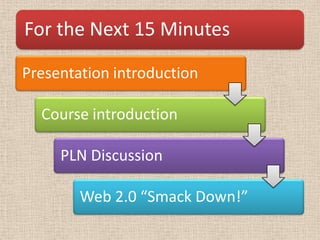
For the Next 15 Minutes

Presentation introduction

  Course introduction

     PLN Discussion

        Web 2.0 “Smack Down!”
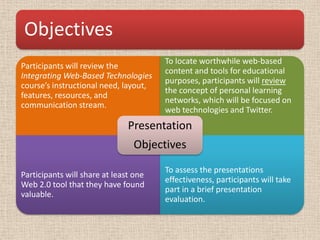
Objectives
                                       To locate worthwhile web-based
Participants will review the
                                       content and tools for educational
Integrating Web-Based Technologies
                                       purposes, participants will review
course’s instructional need, layout,
                                       the concept of personal learning
features, resources, and
                                       networks, which will be focused on
communication stream.
                                       web technologies and Twitter.
                               Presentation
                                Objectives
                                       To assess the presentations
Participants will share at least one
                                       effectiveness, participants will take
Web 2.0 tool that they have found
                                       part in a brief presentation
valuable.
                                       evaluation.
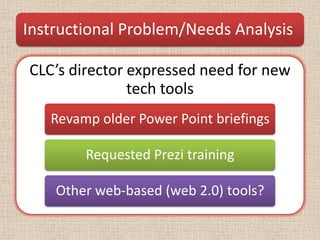
Instructional Problem/Needs Analysis

CLC’s director expressed need for new
               tech tools
   Revamp older Power Point briefings

        Requested Prezi training

    Other web-based (web 2.0) tools?
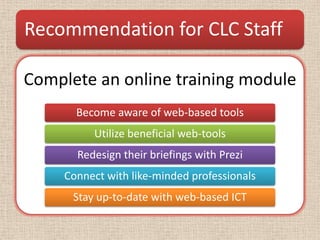
Recommendation for CLC Staff

Complete an online training module
       Become aware of web-based tools
          Utilize beneficial web-tools
       Redesign their briefings with Prezi
     Connect with like-minded professionals
      Stay up-to-date with web-based ICT
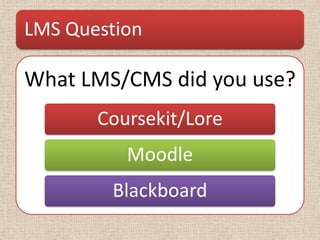
LMS Question

What LMS/CMS did you use?
       Coursekit/Lore
          Moodle
        Blackboard
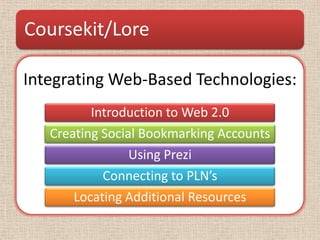
Coursekit/Lore

Integrating Web-Based Technologies:
          Introduction to Web 2.0
   Creating Social Bookmarking Accounts
                 Using Prezi
            Connecting to PLN’s
       Locating Additional Resources
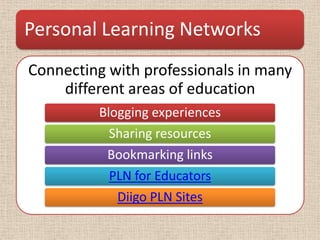
Personal Learning Networks
Connecting with professionals in many
    different areas of education
         Blogging experiences
           Sharing resources
          Bookmarking links
           PLN for Educators
            Diigo PLN Sites
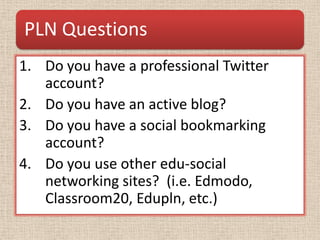
PLN Questions
1. Do you have a professional Twitter
   account?
2. Do you have an active blog?
3. Do you have a social bookmarking
   account?
4. Do you use other edu-social
   networking sites? (i.e. Edmodo,
   Classroom20, Edupln, etc.)
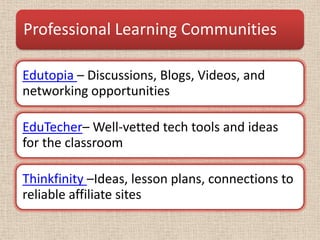
Professional Learning Communities

Edutopia – Discussions, Blogs, Videos, and
networking opportunities

EduTecher– Well-vetted tech tools and ideas
for the classroom

Thinkfinity –Ideas, lesson plans, connections to
reliable affiliate sites
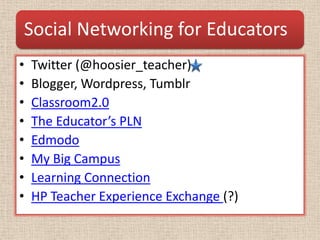
Social Networking for Educators
•   Twitter (@hoosier_teacher)
•   Blogger, Wordpress, Tumblr
•   Classroom2.0
•   The Educator’s PLN
•   Edmodo
•   My Big Campus
•   Learning Connection
•   HP Teacher Experience Exchange (?)
Twitter Hashtags to Follow

                 •#edchat
                 •#elemchat
What Hashtags
                 •#edtech
do you follow?
                 •#4thchat
                 •#evscnetwork
Web 2.0 “Smackdown”
• What kind of apps, software, web-tools,
  and/or web-services helps your students
  create and connect, improve their skills, or
  makes your life easier?
• What web-based technologies have you heard
  of or tried?
My Web 2.0 Helpers
•   www.classdojo.com –Classroom mgmt
•   www.wordle.net –Word clouds
•   www.littlebirdtales.com –Digital Storytelling
•   www.edublogs.org –Safe student blogging
•   Haven’t used but look cool…
     – http://tildee.com/
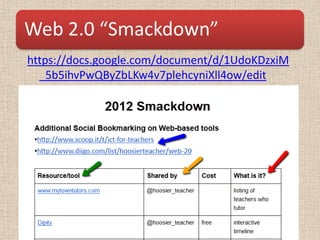
Web 2.0 “Smackdown”
https://docs.google.com/document/d/1UdoKDzxiM
  _5b5ihvPwQByZbLKw4v7plehcyniXll4ow/edit
Evaluation
• Adobe Connect Survey
• https://purdue.qualtrics.com/SE/?SID=SV_9tR
  eN4wtZojFngg
Thank you for your time

Integrating web-based technologies training module

  • 1.
    Integrating Web-Based Technologies TrainingModule By Dan Gibson April 23, 2012
  • 2.
    For the Next15 Minutes Presentation introduction Course introduction PLN Discussion Web 2.0 “Smack Down!”
  • 3.
    Objectives To locate worthwhile web-based Participants will review the content and tools for educational Integrating Web-Based Technologies purposes, participants will review course’s instructional need, layout, the concept of personal learning features, resources, and networks, which will be focused on communication stream. web technologies and Twitter. Presentation Objectives To assess the presentations Participants will share at least one effectiveness, participants will take Web 2.0 tool that they have found part in a brief presentation valuable. evaluation.
  • 4.
    Instructional Problem/Needs Analysis CLC’sdirector expressed need for new tech tools Revamp older Power Point briefings Requested Prezi training Other web-based (web 2.0) tools?
  • 5.
    Recommendation for CLCStaff Complete an online training module Become aware of web-based tools Utilize beneficial web-tools Redesign their briefings with Prezi Connect with like-minded professionals Stay up-to-date with web-based ICT
  • 6.
    LMS Question What LMS/CMSdid you use? Coursekit/Lore Moodle Blackboard
  • 7.
    Coursekit/Lore Integrating Web-Based Technologies: Introduction to Web 2.0 Creating Social Bookmarking Accounts Using Prezi Connecting to PLN’s Locating Additional Resources
  • 8.
    Personal Learning Networks Connectingwith professionals in many different areas of education Blogging experiences Sharing resources Bookmarking links PLN for Educators Diigo PLN Sites
  • 9.
    PLN Questions 1. Doyou have a professional Twitter account? 2. Do you have an active blog? 3. Do you have a social bookmarking account? 4. Do you use other edu-social networking sites? (i.e. Edmodo, Classroom20, Edupln, etc.)
  • 10.
    Professional Learning Communities Edutopia– Discussions, Blogs, Videos, and networking opportunities EduTecher– Well-vetted tech tools and ideas for the classroom Thinkfinity –Ideas, lesson plans, connections to reliable affiliate sites
  • 11.
    Social Networking forEducators • Twitter (@hoosier_teacher) • Blogger, Wordpress, Tumblr • Classroom2.0 • The Educator’s PLN • Edmodo • My Big Campus • Learning Connection • HP Teacher Experience Exchange (?)
  • 12.
    Twitter Hashtags toFollow •#edchat •#elemchat What Hashtags •#edtech do you follow? •#4thchat •#evscnetwork
  • 13.
    Web 2.0 “Smackdown” •What kind of apps, software, web-tools, and/or web-services helps your students create and connect, improve their skills, or makes your life easier? • What web-based technologies have you heard of or tried?
  • 14.
    My Web 2.0Helpers • www.classdojo.com –Classroom mgmt • www.wordle.net –Word clouds • www.littlebirdtales.com –Digital Storytelling • www.edublogs.org –Safe student blogging • Haven’t used but look cool… – http://tildee.com/
  • 15.
  • 16.
    Evaluation • Adobe ConnectSurvey • https://purdue.qualtrics.com/SE/?SID=SV_9tR eN4wtZojFngg
  • 17.
    Thank you foryour time