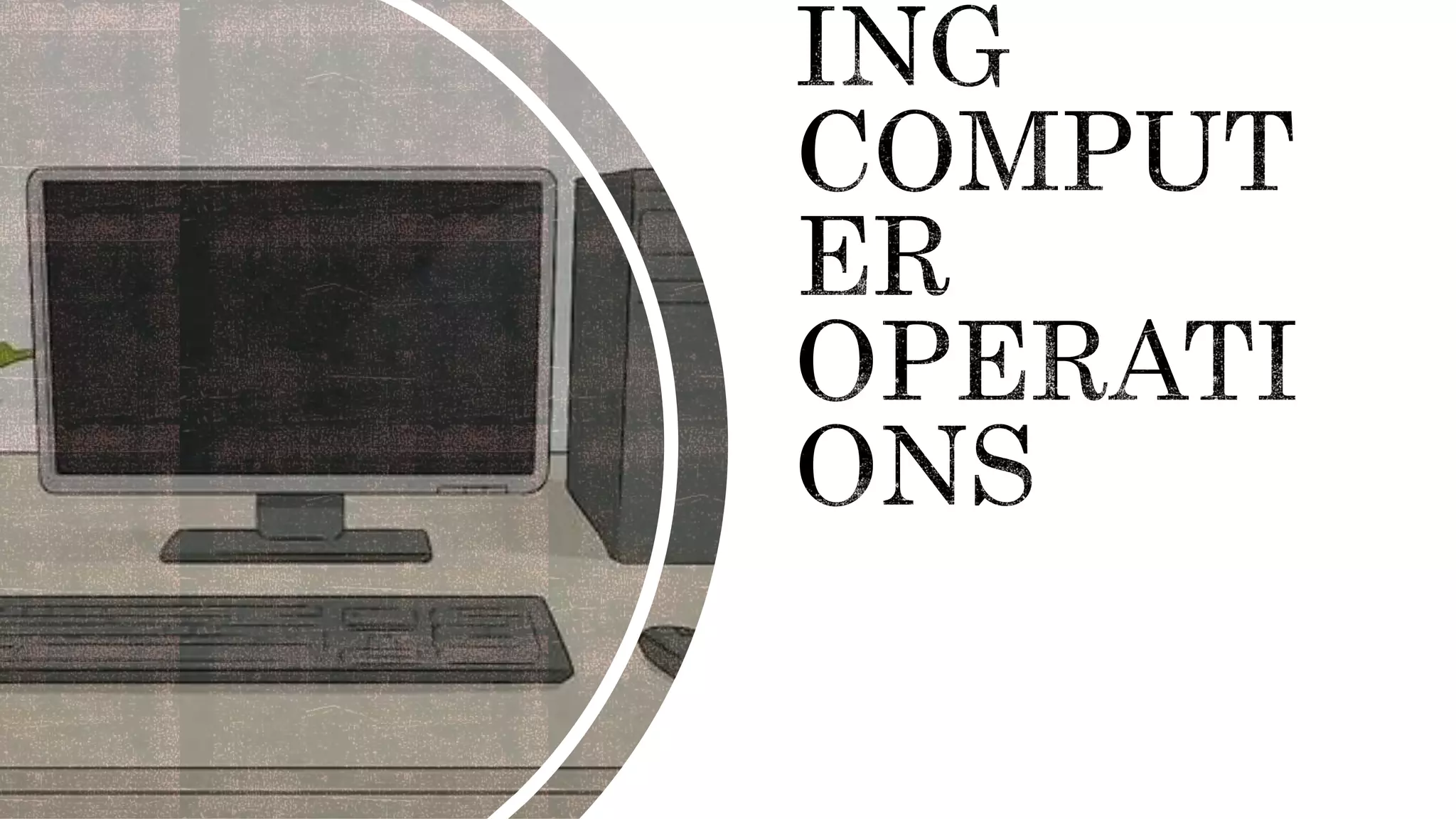
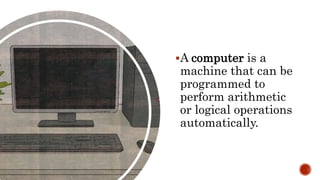
A computer is a
machine that can be
programmed to
perform arithmetic
or logical operations
automatically.
Modern computers
can perform sets of
operations known as
program. These
programs enable
computers to
perform a wide
range of tasks.
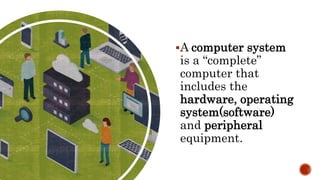
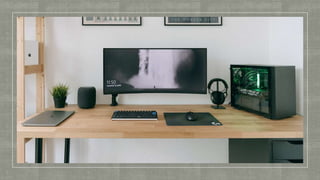
A computer system
is a “complete”
computer that
includes the
hardware, operating
system(software)
and peripheral
equipment.
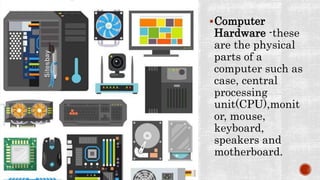
Computer
Hardware -these
are the physical
parts of a
computer such as
case, central
processing
unit(CPU),monit
or, mouse,
keyboard,
speakers and
motherboard.
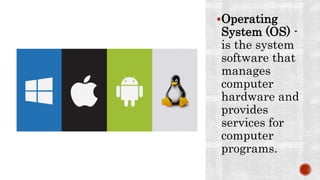
Operating
System (OS) -
is the system
software that
manages
computer
hardware and
provides
services for
computer
programs.
Computer
Programs -is a
collection of
instructions
that can be
executed by a
computer to
perform a
specific task.
This program is
usually written
by a computer
programmer.
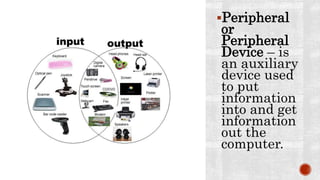
Peripheral
or
Peripheral
Device – is
an auxiliary
device used
to put
information
into and get
information
out the
computer.
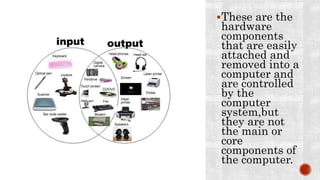
These are the
hardware
components
that are easily
attached and
removed into a
computer and
are controlled
by the
computer
system,but
they are not
the main or
core
components of
the computer.
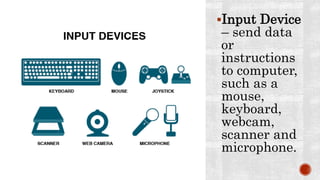
Input Device
– send data
or
instructions
to computer,
such as a
mouse,
keyboard,
webcam,
scanner and
microphone.
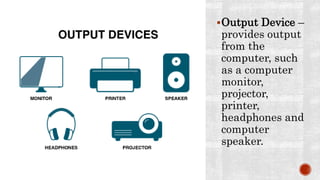
Output Device –
provides output
from the
computer, such
as a computer
monitor,
projector,
printer,
headphones and
computer
speaker.
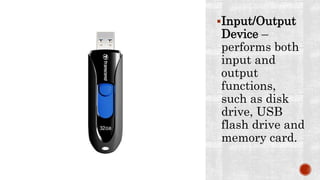
Input/Output
Device –
performs both
input and
output
functions,
such as disk
drive, USB
flash drive and
memory card.
ACTIVITY NO. 4.2
DIRECTIONS: IDENTIFY THE FOLLOWING. READ THE STATEMENT
CAREFULLY.
_______1. These are the physical parts of a computer such as
case, central processing unit(CPU), monitor, mouse,
keyboard, speakers and motherboard.
_______2. It is a machine that can be programmed to
perform arithmetic or logical operations automatically.
_______3. It performs both input and output functions, such
as disk drive, USB flash drive and memory card.
_______4. It is the system software that manages computer
hardware and provides services for computer programs.
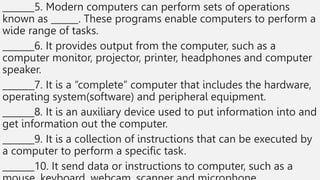
_______5. Modern computers can perform sets of operations
known as ______. These programs enable computers to perform a
wide range of tasks.
_______6. It provides output from the computer, such as a
computer monitor, projector, printer, headphones and computer
speaker.
_______7. It is a “complete” computer that includes the hardware,
operating system(software) and peripheral equipment.
_______8. It is an auxiliary device used to put information into and
get information out the computer.
_______9. It is a collection of instructions that can be executed by
a computer to perform a specific task.
_______10. It send data or instructions to computer, such as a
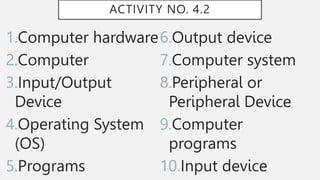
ACTIVITY NO. 4.2
1.Computer hardware
2.Computer
3.Input/Output
Device
4.Operating System
(OS)
5.Programs
6.Output device
7.Computer system
8.Peripheral or
Peripheral Device
9.Computer
programs
10.Input device
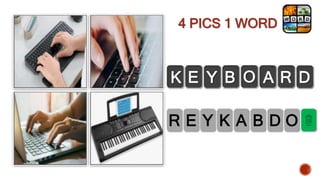
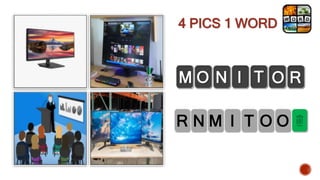
4 PICS 1 WORD
K A B D O
Y
E
R
K E Y B O A R D
4 PICS 1 WORD
M I T O O
N
R
M O N I T O R
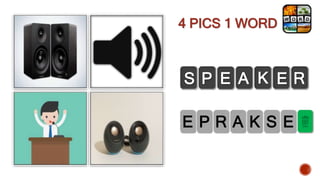
4 PICS 1 WORD
R A K S E
P
E
S P E A K E R
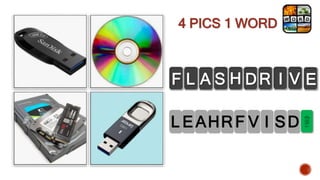
4 PICS 1 WORD
F L A S H D R I V E
F V I SD
R
H
L EA
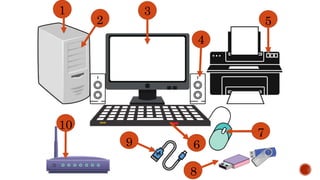
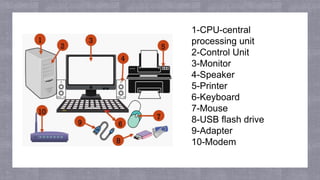
1
2
3
4
5
7
9 6
8
10
1-CPU-central
processing unit
2-Control Unit
3-Monitor
4-Speaker
5-Printer
6-Keyboard
7-Mouse
8-USB flash drive
9-Adapter
10-Modem
FUNCTIONS
OF YOUR
COMPUTER
PARTS
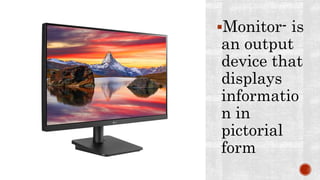
Monitor- is
an output
device that
displays
informatio
n in
pictorial
form
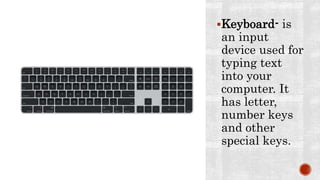
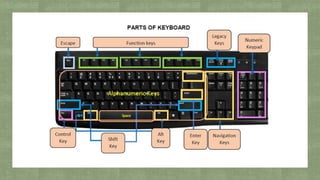
Keyboard- is
an input
device used for
typing text
into your
computer. It
has letter,
number keys
and other
special keys.
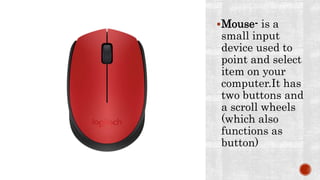
Mouse- is a
small input
device used to
point and select
item on your
computer.It has
two buttons and
a scroll wheels
(which also
functions as
button)
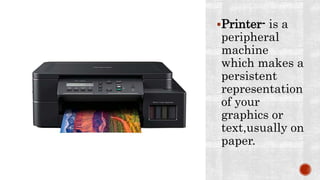
Printer- is a
peripheral
machine
which makes a
persistent
representation
of your
graphics or
text,usually on
paper.
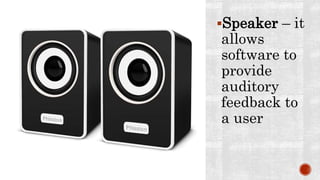
Speaker – it
allows
software to
provide
auditory
feedback to
a user
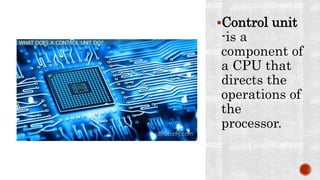
Control unit
-is a
component of
a CPU that
directs the
operations of
the
processor.
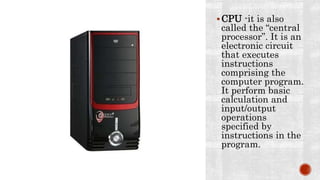
CPU -it is also
called the “central
processor”. It is an
electronic circuit
that executes
instructions
comprising the
computer program.
It perform basic
calculation and
input/output
operations
specified by
instructions in the
program.
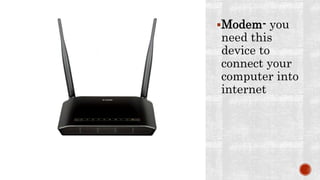
Modem- you
need this
device to
connect your
computer into
internet
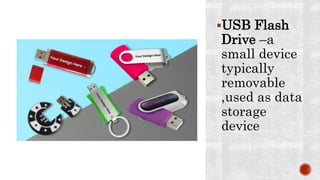
USB Flash
Drive –a
small device
typically
removable
,used as data
storage
device
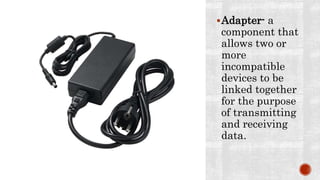
Adapter- a
component that
allows two or
more
incompatible
devices to be
linked together
for the purpose
of transmitting
and receiving
data.
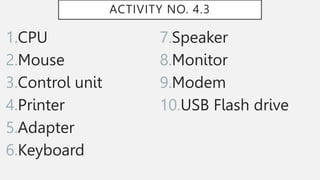
ACTIVITY NO. 4.3
DIRECTIONS: IDENTIFY THE FOLLOWING. READ THE STATEMENT
CAREFULLY.
_______1. It is also called the “central processor”. It is an electronic
circuit that executes instructions comprising the computer
program. It perform basic calculation and input/output
operations specified by instructions in the program.
_______2. It is a small input device used to point and select item
on your computer. It has two buttons, and a scroll wheels (which
also functions as button)
_______3. It is a component of a CPU that directs the operations
of the processor.
_______4. It is a peripheral machine which makes a persistent
representation of your graphics or text, usually on paper.
_______5. A component that allows two or more incompatible
devices to be linked together for the purpose of transmitting
and receiving data.
_______6. It is an input device used for typing text into your
computer. It has letter, number keys, and other special keys.
_______7. It allows software to provide auditory feedback to a
user.
_______8. It is an output device that displays information in
pictorial form.
_______9. You need this device to connect your computer into
internet.
_______10. A small device typically removable, used as data
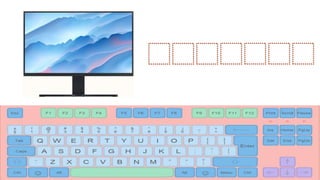
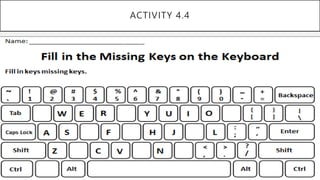
ACTIVITY NO. 4.4
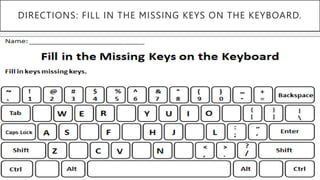
DIRECTIONS: FILL IN THE MISSING KEYS ON THE KEYBOARD.
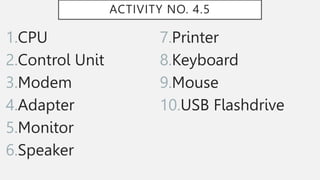
ACTIVITY NO. 4.5
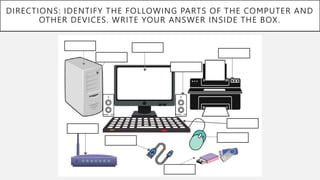
DIRECTIONS: IDENTIFY THE FOLLOWING PARTS OF THE COMPUTER AND
OTHER DEVICES. WRITE YOUR ANSWER INSIDE THE BOX.
ACTIVITY NO. 4.3
1.CPU
2.Mouse
3.Control unit
4.Printer
5.Adapter
6.Keyboard
7.Speaker
8.Monitor
9.Modem
10.USB Flash drive
ACTIVITY 4.4
ACTIVITY NO. 4.5
1.CPU
2.Control Unit
3.Modem
4.Adapter
5.Monitor
6.Speaker
7.Printer
8.Keyboard
9.Mouse
10.USB Flashdrive
“The biggest room in the world
is room for improvement.”

PERFORMING COMPUTER OPERATIONS.pptx

  • 4.
    A computer isa machine that can be programmed to perform arithmetic or logical operations automatically.
  • 5.
    Modern computers can performsets of operations known as program. These programs enable computers to perform a wide range of tasks.
  • 6.
    A computer system isa “complete” computer that includes the hardware, operating system(software) and peripheral equipment.
  • 8.
    Computer Hardware -these are thephysical parts of a computer such as case, central processing unit(CPU),monit or, mouse, keyboard, speakers and motherboard.
  • 9.
    Operating System (OS) - isthe system software that manages computer hardware and provides services for computer programs.
  • 10.
    Computer Programs -is a collectionof instructions that can be executed by a computer to perform a specific task. This program is usually written by a computer programmer.
  • 11.
    Peripheral or Peripheral Device – is anauxiliary device used to put information into and get information out the computer.
  • 12.
    These are the hardware components thatare easily attached and removed into a computer and are controlled by the computer system,but they are not the main or core components of the computer.
  • 13.
    Input Device – senddata or instructions to computer, such as a mouse, keyboard, webcam, scanner and microphone.
  • 14.
    Output Device – providesoutput from the computer, such as a computer monitor, projector, printer, headphones and computer speaker.
  • 15.
    Input/Output Device – performs both inputand output functions, such as disk drive, USB flash drive and memory card.
  • 16.
  • 17.
    DIRECTIONS: IDENTIFY THEFOLLOWING. READ THE STATEMENT CAREFULLY. _______1. These are the physical parts of a computer such as case, central processing unit(CPU), monitor, mouse, keyboard, speakers and motherboard. _______2. It is a machine that can be programmed to perform arithmetic or logical operations automatically. _______3. It performs both input and output functions, such as disk drive, USB flash drive and memory card. _______4. It is the system software that manages computer hardware and provides services for computer programs.
  • 18.
    _______5. Modern computerscan perform sets of operations known as ______. These programs enable computers to perform a wide range of tasks. _______6. It provides output from the computer, such as a computer monitor, projector, printer, headphones and computer speaker. _______7. It is a “complete” computer that includes the hardware, operating system(software) and peripheral equipment. _______8. It is an auxiliary device used to put information into and get information out the computer. _______9. It is a collection of instructions that can be executed by a computer to perform a specific task. _______10. It send data or instructions to computer, such as a
  • 20.
    ACTIVITY NO. 4.2 1.Computerhardware 2.Computer 3.Input/Output Device 4.Operating System (OS) 5.Programs 6.Output device 7.Computer system 8.Peripheral or Peripheral Device 9.Computer programs 10.Input device
  • 21.
    4 PICS 1WORD K A B D O Y E R K E Y B O A R D
  • 22.
    4 PICS 1WORD M I T O O N R M O N I T O R
  • 23.
    4 PICS 1WORD R A K S E P E S P E A K E R
  • 24.
    4 PICS 1WORD F L A S H D R I V E F V I SD R H L EA
  • 25.
  • 26.
  • 27.
  • 28.
    Monitor- is an output devicethat displays informatio n in pictorial form
  • 29.
    Keyboard- is an input deviceused for typing text into your computer. It has letter, number keys and other special keys.
  • 30.
    Mouse- is a smallinput device used to point and select item on your computer.It has two buttons and a scroll wheels (which also functions as button)
  • 31.
    Printer- is a peripheral machine whichmakes a persistent representation of your graphics or text,usually on paper.
  • 32.
    Speaker – it allows softwareto provide auditory feedback to a user
  • 33.
    Control unit -is a componentof a CPU that directs the operations of the processor.
  • 34.
    CPU -it isalso called the “central processor”. It is an electronic circuit that executes instructions comprising the computer program. It perform basic calculation and input/output operations specified by instructions in the program.
  • 35.
    Modem- you need this deviceto connect your computer into internet
  • 36.
    USB Flash Drive –a smalldevice typically removable ,used as data storage device
  • 37.
    Adapter- a component that allowstwo or more incompatible devices to be linked together for the purpose of transmitting and receiving data.
  • 41.
  • 42.
    DIRECTIONS: IDENTIFY THEFOLLOWING. READ THE STATEMENT CAREFULLY. _______1. It is also called the “central processor”. It is an electronic circuit that executes instructions comprising the computer program. It perform basic calculation and input/output operations specified by instructions in the program. _______2. It is a small input device used to point and select item on your computer. It has two buttons, and a scroll wheels (which also functions as button) _______3. It is a component of a CPU that directs the operations of the processor. _______4. It is a peripheral machine which makes a persistent representation of your graphics or text, usually on paper.
  • 43.
    _______5. A componentthat allows two or more incompatible devices to be linked together for the purpose of transmitting and receiving data. _______6. It is an input device used for typing text into your computer. It has letter, number keys, and other special keys. _______7. It allows software to provide auditory feedback to a user. _______8. It is an output device that displays information in pictorial form. _______9. You need this device to connect your computer into internet. _______10. A small device typically removable, used as data
  • 44.
  • 45.
    DIRECTIONS: FILL INTHE MISSING KEYS ON THE KEYBOARD.
  • 46.
  • 47.
    DIRECTIONS: IDENTIFY THEFOLLOWING PARTS OF THE COMPUTER AND OTHER DEVICES. WRITE YOUR ANSWER INSIDE THE BOX.
  • 49.
    ACTIVITY NO. 4.3 1.CPU 2.Mouse 3.Controlunit 4.Printer 5.Adapter 6.Keyboard 7.Speaker 8.Monitor 9.Modem 10.USB Flash drive
  • 50.
  • 51.
    ACTIVITY NO. 4.5 1.CPU 2.ControlUnit 3.Modem 4.Adapter 5.Monitor 6.Speaker 7.Printer 8.Keyboard 9.Mouse 10.USB Flashdrive
  • 52.
    “The biggest roomin the world is room for improvement.”