PROGRAMMING
.java
Presented by: Rachel Ann Q. Payumo
computer
What is computer?
A computer is an electronic
device that manipulates
information, or data.
RECAP
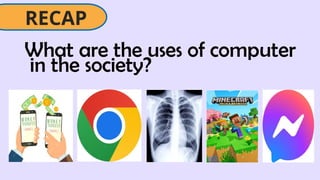
What are the uses of computer
in the society?
RECAP
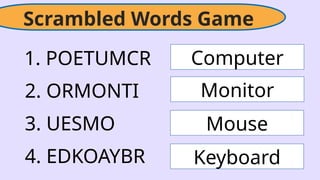
Scrambled Words Game
1. POETUMCR
2. ORMONTI
3. UESMO
4. EDKOAYBR
Computer
Monitor
Mouse
Keyboard
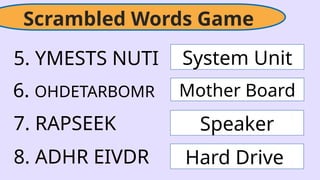
Scrambled Words Game
5. YMESTS NUTI
6. OHDETARBOMR
7. RAPSEEK
8. ADHR EIVDR
System Unit
Mother Board
Speaker
Hard Drive
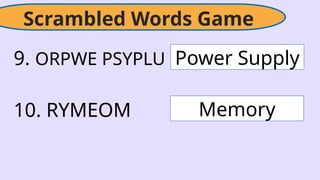
Scrambled Words Game
9. ORPWE PSYPLU
10. RYMEOM
Power Supply
Memory
BE HONEST
WHERE DO YOU USE YOUR COMPUTER
OR CELLPHONE MOST?
Games
Communication
Schoolwork
MAIN PARTS
OF
COMPUTER
The learner demonstrates understanding of
the principles and concepts in performing
computer operations.
CS
The learners independently perform
computer operations based on TESDA
Training Regulations.
PS
Plan and prepare for the task at hand
LC
Content Standard
Performance Standard
Learning Competencies
• Identify the main parts of a computer.
• Explain how the parts work together to perform tasks
• Understand the function of each part.
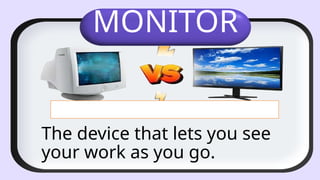
MONITOR
The device that lets you see
your work as you go.
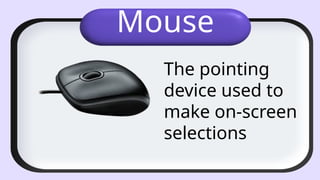
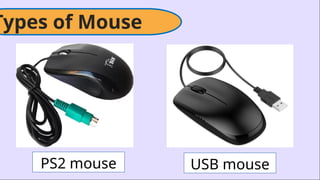
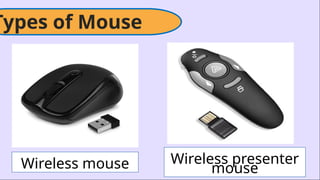
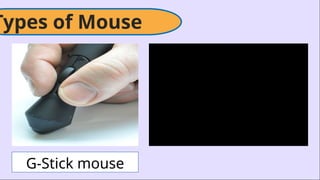
Mouse
The pointing
device used to
make on-screen
selections
Types of Mouse
PS2 mouse USB mouse
Types of Mouse
Wireless mouse Wireless presenter
mouse
Types of Mouse
G-Stick mouse
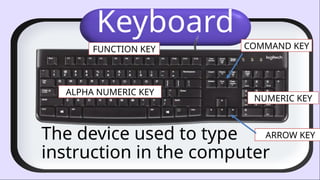
Keyboard
The device used to type
instruction in the computer
ALPHA NUMERIC KEY
NUMERIC KEY
FUNCTION KEY COMMAND KEY
ARROW KEY
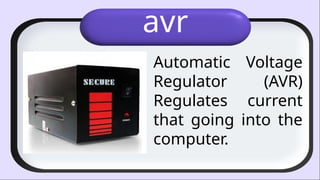
avr
Automatic Voltage
Regulator (AVR)
Regulates current
that going into the
computer.
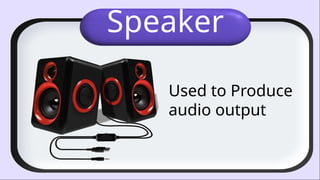
Speaker
Used to Produce
audio output
Web Camera
Take pictures
online and
record videos
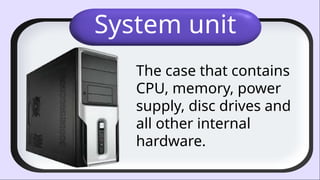
System unit
The case that contains
CPU, memory, power
supply, disc drives and
all other internal
hardware.
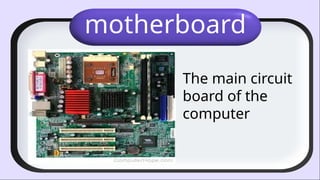
motherboard
The main circuit
board of the
computer
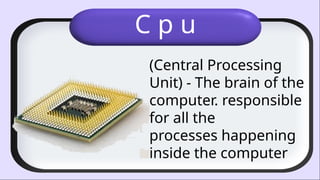
C p u
(Central Processing
Unit) - The brain of the
computer. responsible
for all the
processes happening
inside the computer
MAIN PARTS
OF
COMPUTER
recap
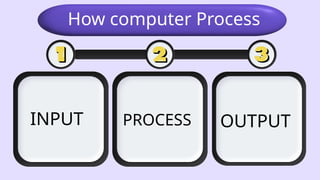
INPUT
How computer Process
PROCESS OUTPUT
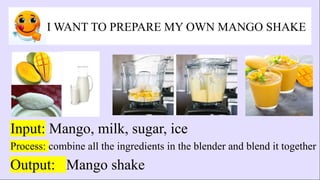
I WANT TO PREPARE MY OWN MANGO SHAKE
Input: Mango, milk, sugar, ice
Process: combine all the ingredients in the blender and blend it together
Output: Mango shake
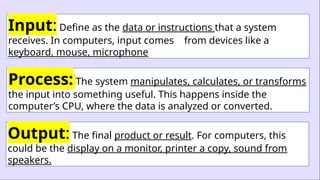
Input: Define as the data or instructions that a system
receives. In computers, input comes from devices like a
keyboard, mouse, microphone
Process: The system manipulates, calculates, or transforms
the input into something useful. This happens inside the
computer’s CPU, where the data is analyzed or converted.
Output: The final product or result. For computers, this
could be the display on a monitor, printer a copy, sound from
speakers.
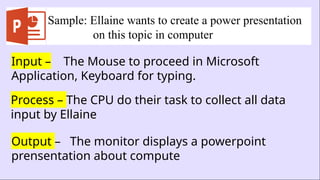
Sample: Ellaine wants to create a power presentation
on this topic in computer
Input – The Mouse to proceed in Microsoft
Application, Keyboard for typing.
Process – The CPU do their task to collect all data
input by Ellaine
Output – The monitor displays a powerpoint
prensentation about compute
Are you the last
human
standing
recap
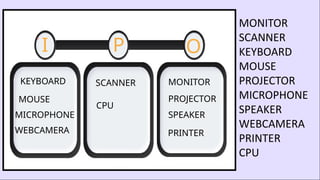
I P O
MONITOR
SCANNER
KEYBOARD
MOUSE
PROJECTOR
MICROPHONE
SPEAKER
WEBCAMERA
PRINTER
CPU
MONITOR
SCANNER
KEYBOARD
MOUSE PROJECTOR
MICROPHONE SPEAKER
WEBCAMERA PRINTER
CPU
generalization
A computer, regardless of
its size, type, or specific
configuration, is made up
of several fundamental
parts that work together
to input, process and
output information.
APPLICATION
Values Integration:
Teamwork and Collaboration
APPLICATION
Cooperative
Learning
Real life scenario where in
your going to apply the Input,
Process and Output.
APPLICATION
Presentation of
Outputs
EVALUATION
Answer the following questions
in a piece of paper.
I. Identify what parts of
computer being ask.
II. Identify whether the
computer part is an input,
process, or output device.
1. An output device that lets
you see your work as you go.
2. An input device used to
type instruction in the
computer
3. A pointing device used
to make on-screen
selections
4. Regulates current that
going into the computer.
5. The case that contains
CPU, memory, power
supply, disc drives and all
other internal
hardware.
INPUT, PROCESS, OUTPUT
6. Monitor
7. Mouse
8. Keyboard
9. Printer
10. Scanner
ASSIGNMENT
A. Follow-up Assignment: Create
an Input, Process, Output
scenario of PISO WIFI
B. Advance Assignment: List
down two samples of Storage
device
YOU
thank

MAIN PARTS OF COMPUTER- COMPUTER SYSTEM.pptx

Editor's Notes

  • #2 PRAYER ATTENDANCE SET ARRANGEMENT GREETINGS ( Good Morning)
  • #4 business, education, healthcare, entertainment, and communication
  • #5 ARE YOU FAMILIAR ON THIS GAME
  • #7 Are you familiar with the following words? - That all parts of computer
  • #8 RELATE – the computer and cellphone are very useful in our life In terms of Education, Communication or Entertainment.
  • #9 WHAT DO YOU THINK OUR TOPIC FOR TODAY? Today, we’re going to explore how computers do all the task input by use by understanding their main parts.”
  • #10 Content Standard
  • #12 WHAT IS MONITOR, what do you think the function of monitor - Monitor allow you see the image or text CRT MONITOR - cathode-ray tube ( KA-TOD REY TUBE) LCD Liquid Crystal Display. LED MONITOR
  • #14 ARE YOU FAMILIAR ON THAT ONE What is the difference?
  • #15 ARE YOU FAMILIAR ON THAT ONE
  • #16 ARE YOU FAMILIAR ON THAT ONE
  • #17 Parts control
  • #24 WHAT ARE THE MAIN PARTS OF COMPUTER
  • #25 To learn more about that I have here a real life scenario
  • #26 Begin by asking students how their going to prepare a Mango shake. Guide the conversation toward a common activity, such as making mango shake. Ask questions like, "What did you do first?" and "What did you end up with?"
  • #29 WHAT ARE THE MAIN PARTS OF COMPUTER I P O
  • #30 I – input P – process O –output WEBCAM IS INPUT DEVICE IT CAPTURE ONLY
  • #31 “I know you’ve learn a lot from this days discussion, so anyone who can summarize the Lesson? (Call 2 students to generalize the topic)