Week 6
Internet applications
Agenda
• Protocol stack
• Internet applications
• DNS
• Email
• Web
Protocol stack
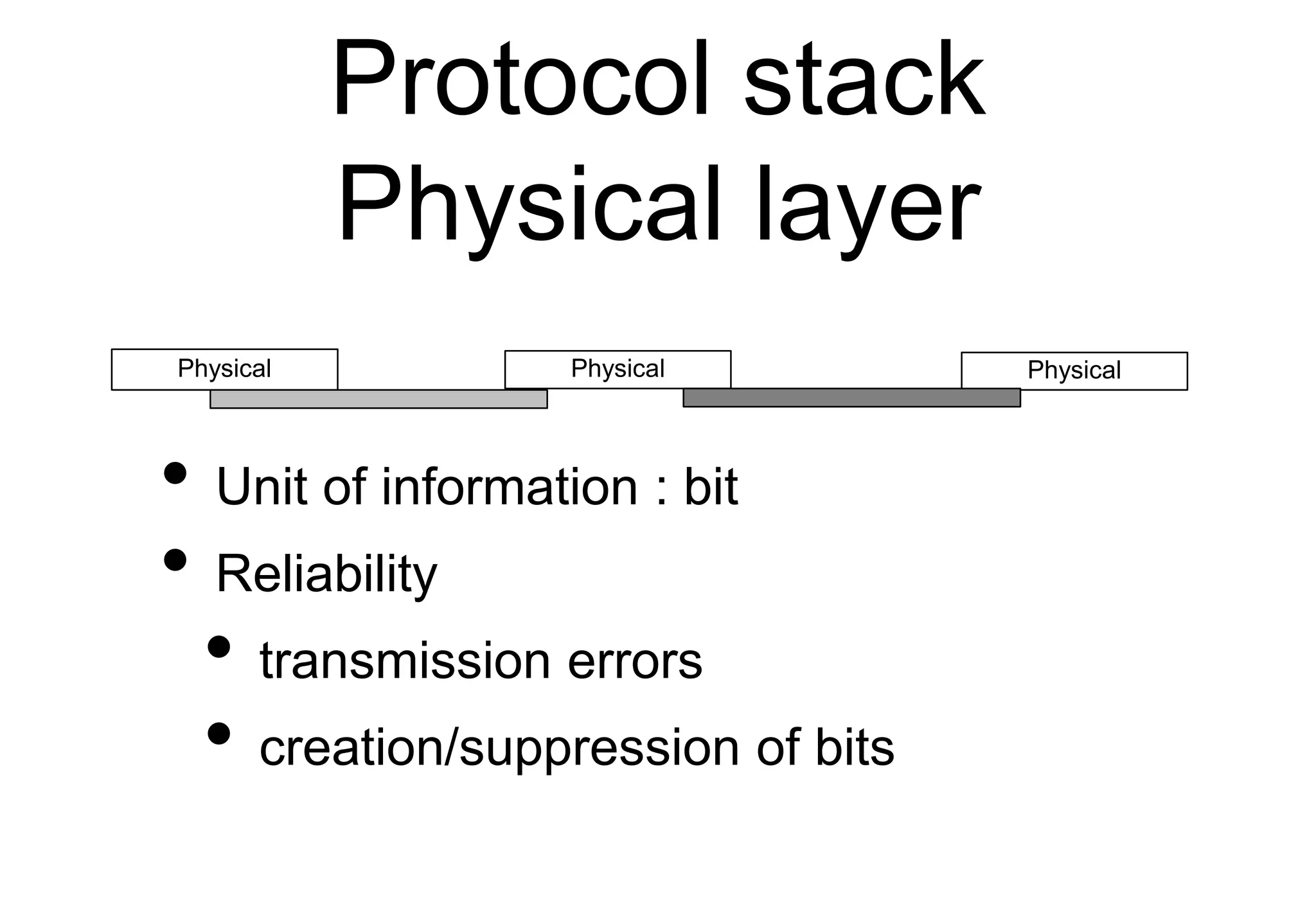
Physical layer
• Unit of information : bit
• Reliability
• transmission errors
• creation/suppression of bits
Physical Physical Physical
Protocol stack
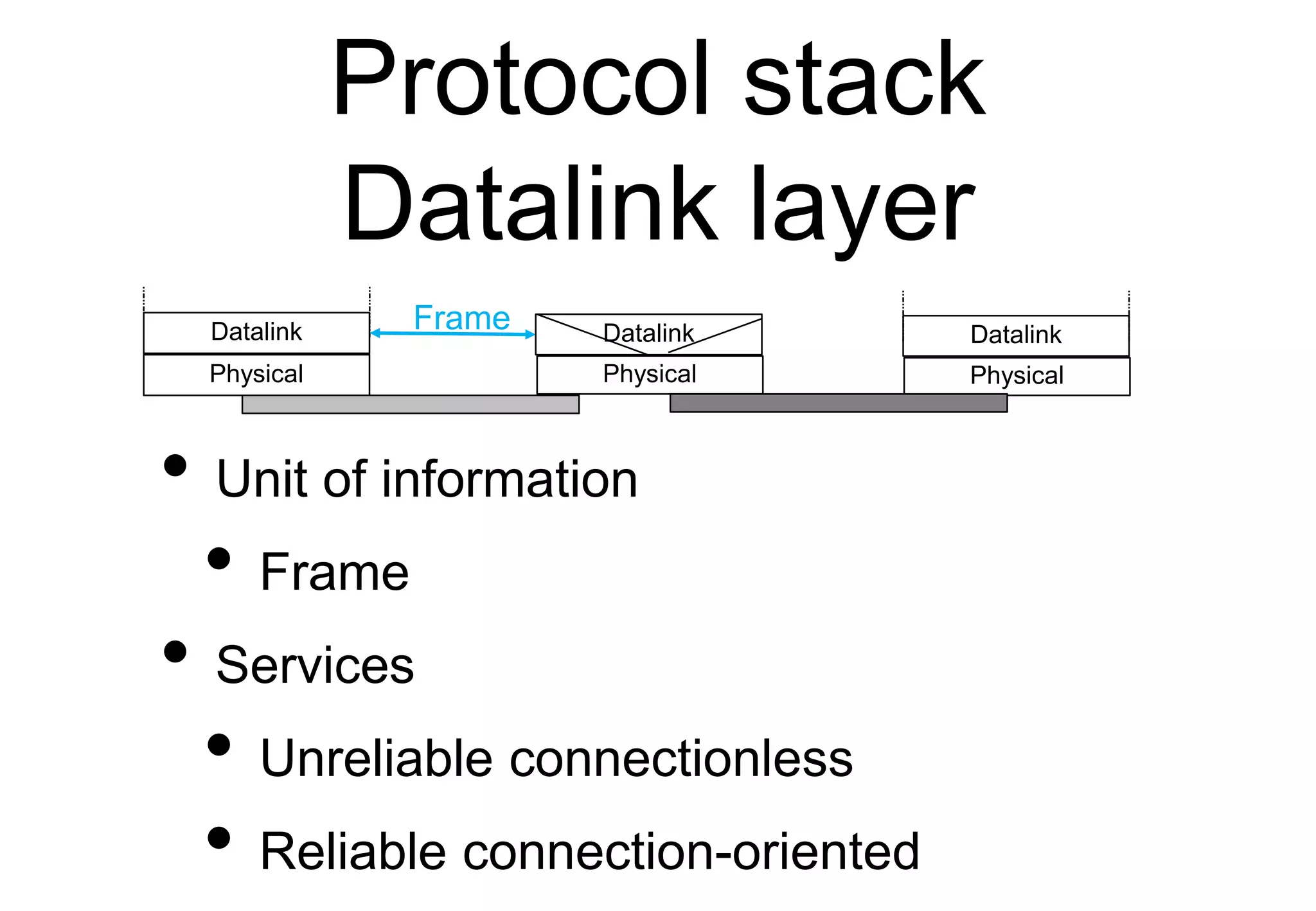
Datalink layer
• Unit of information
• Frame
• Services
• Unreliable connectionless
• Reliable connection-oriented
Physical Physical
Datalink Datalink
Physical
Datalink
Frame
Protocol stack
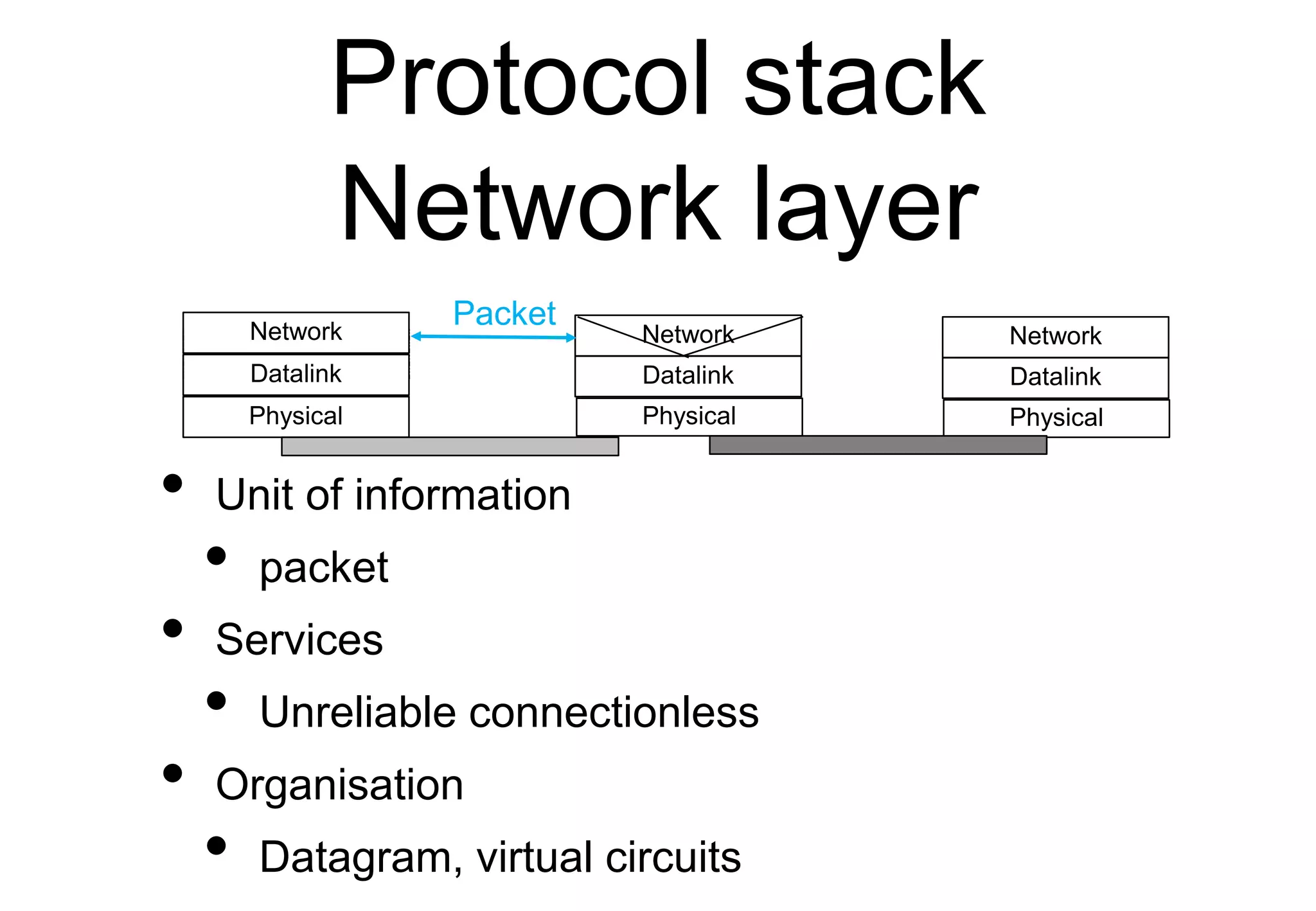
Network layer
• Unit of information
• packet
• Services
• Unreliable connectionless
• Organisation
• Datagram, virtual circuits
Physical Physical
Datalink Datalink
Network
Network
Physical
Datalink
Network
Packet
Protocol stack
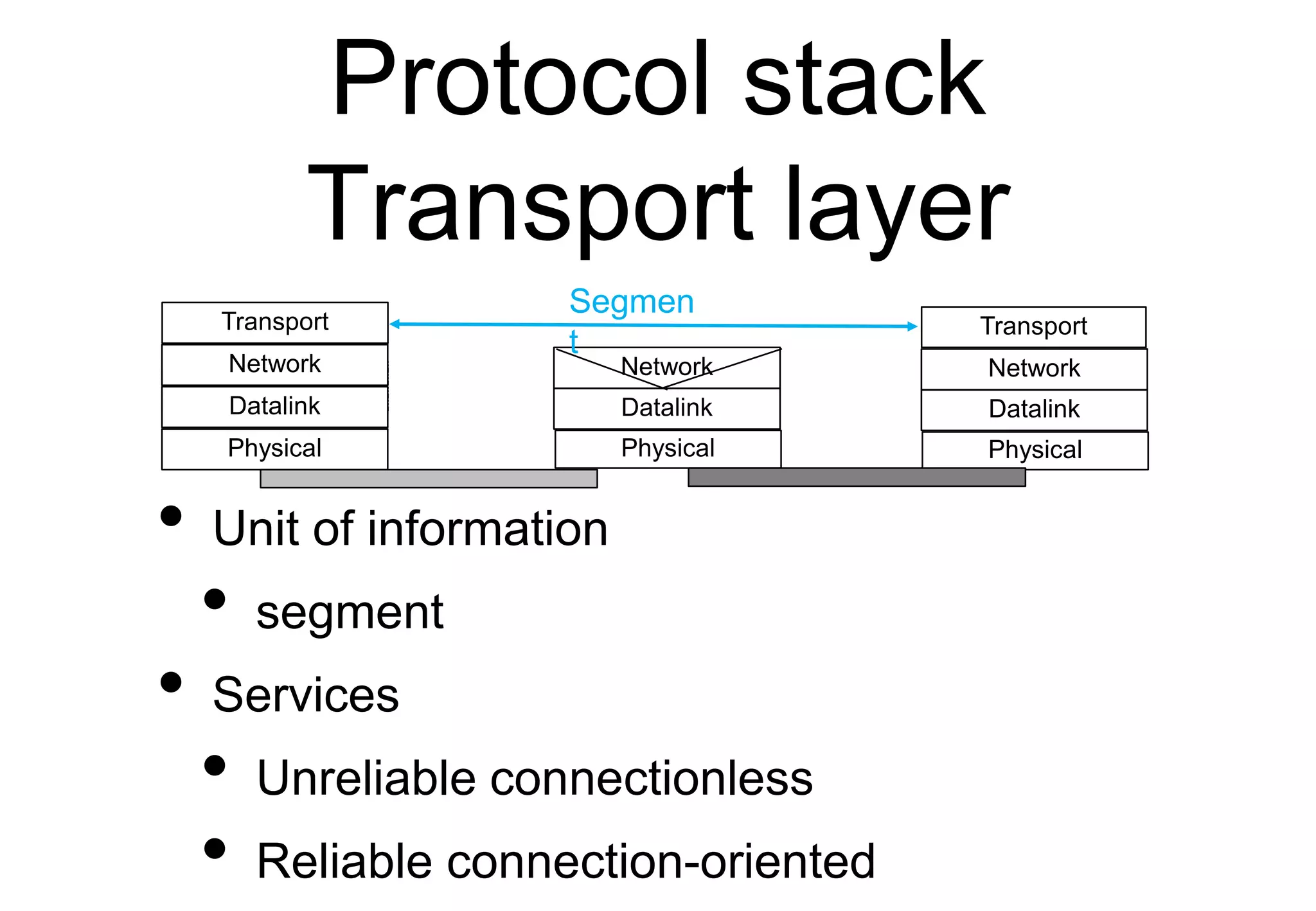
Transport layer
• Unit of information
• segment
• Services
• Unreliable connectionless
• Reliable connection-oriented
Physical Physical
Datalink Datalink
Network
Network
Physical
Datalink
Network
Transport Transport
Segmen
t
Protocol stack
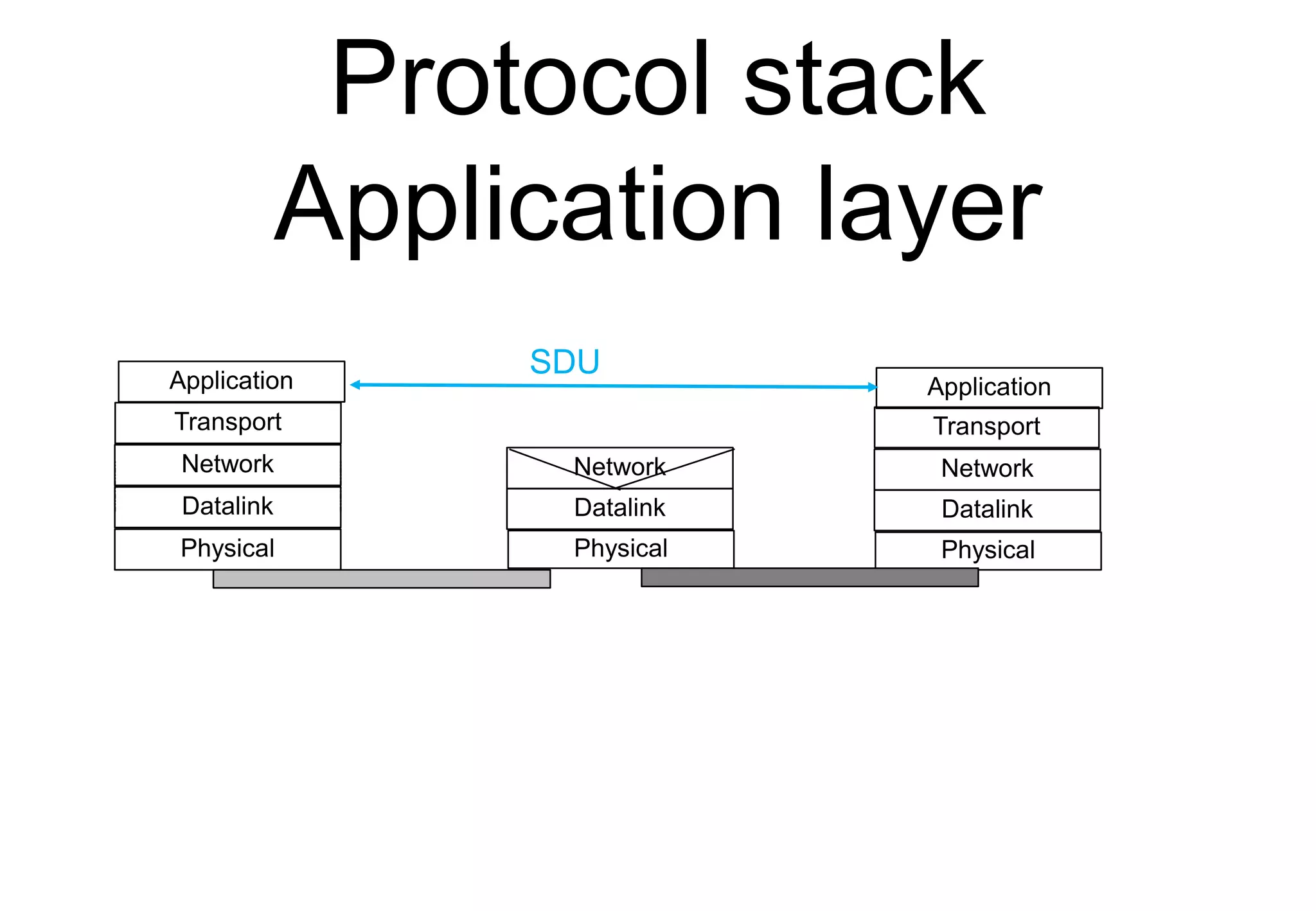
Application layer
Physical Physical
Datalink Datalink
Network
Network
Physical
Datalink
Network
Transport Transport
Application Application
SDU
Agenda
• Protocol stack
• Internet applications
• DNS
• Email
• Web
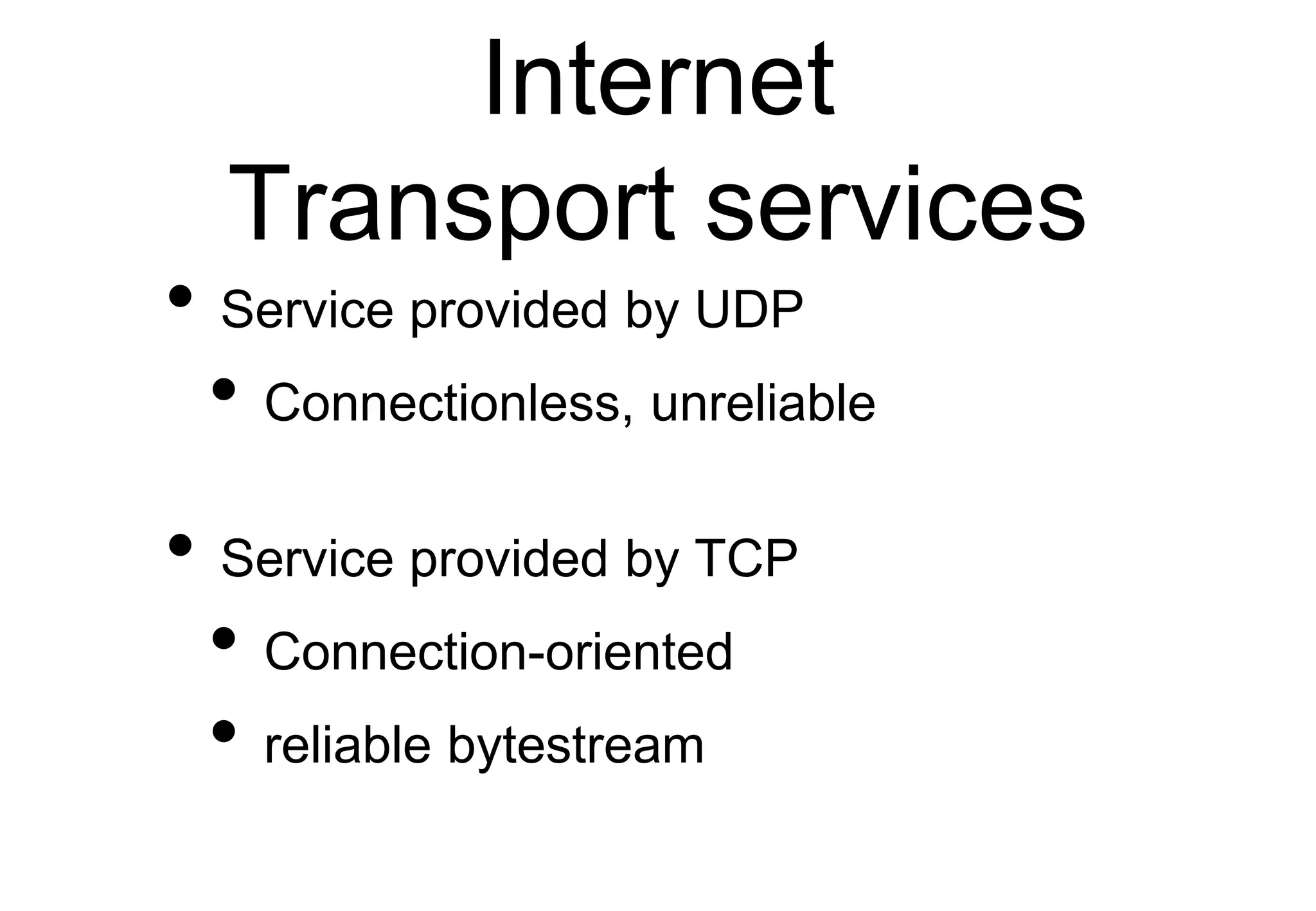
Internet
Transport services
• Service provided by UDP
• Connectionless, unreliable
• Service provided by TCP
• Connection-oriented
• reliable bytestream
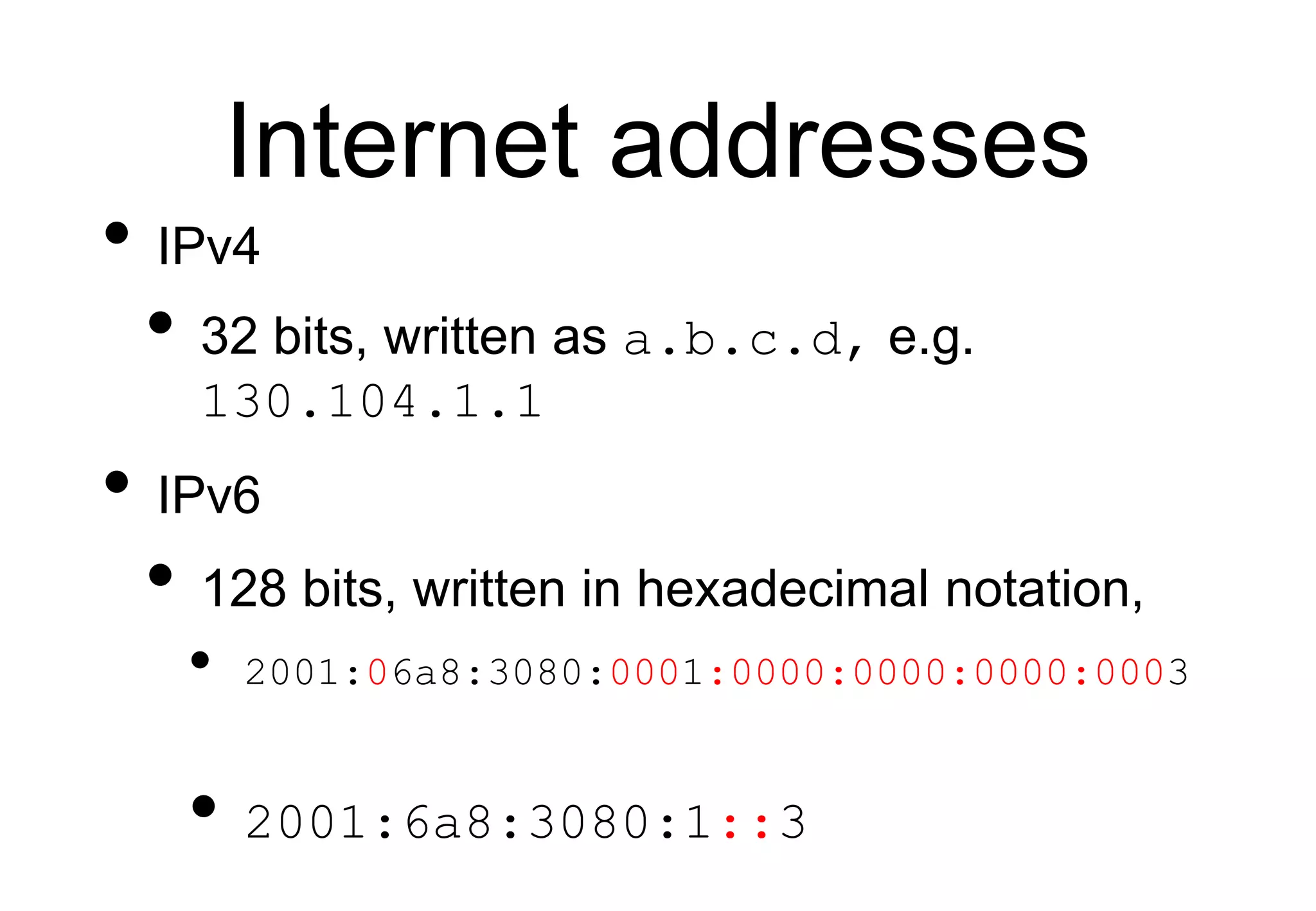
Internet addresses
• IPv4
• 32 bits, written as a.b.c.d, e.g.
130.104.1.1
• IPv6
• 128 bits, written in hexadecimal notation,
• 2001:06a8:3080:0001:0000:0000:0000:0003
• 2001:6a8:3080:1::3
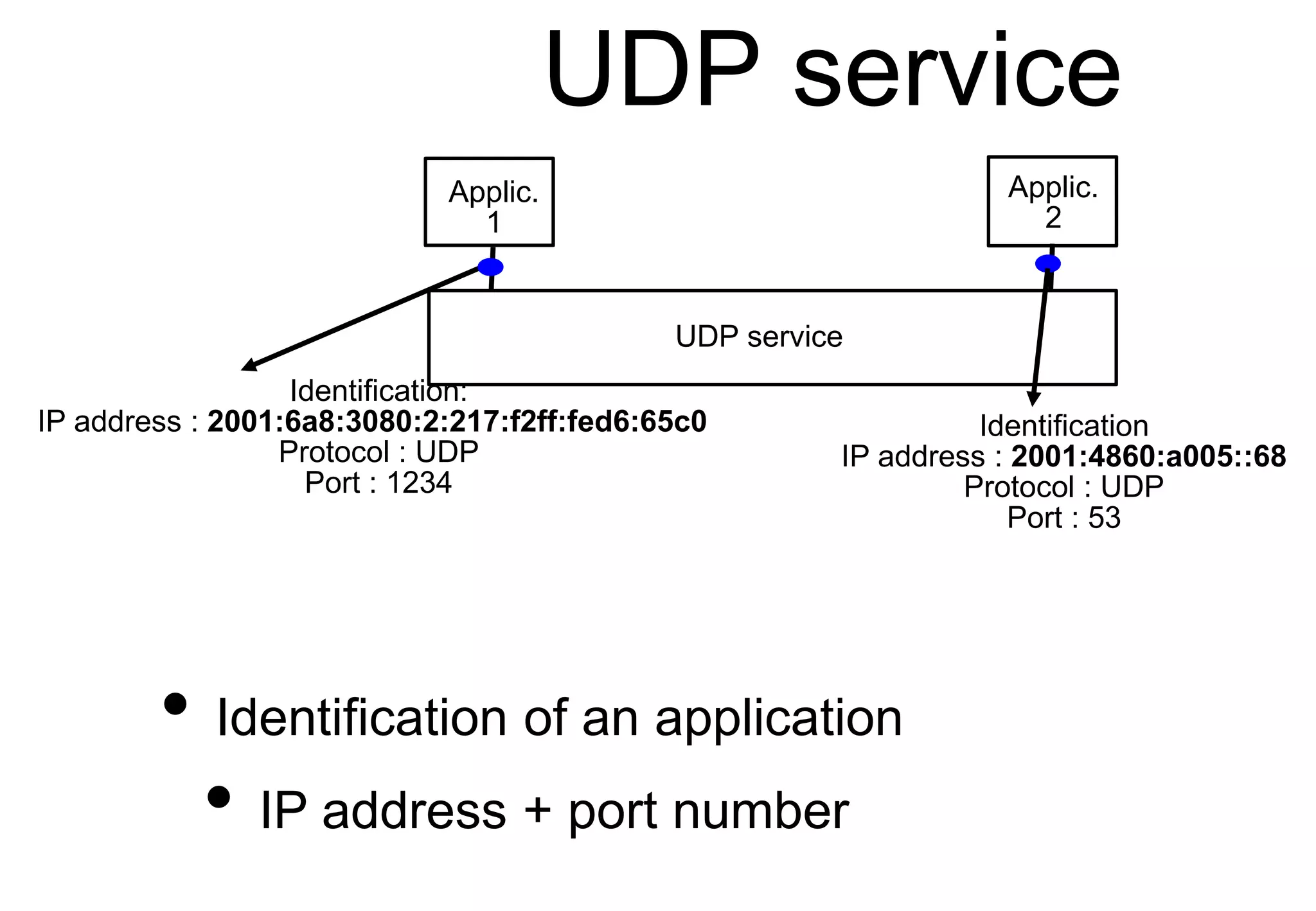
UDP service
UDP service
Applic.
2
Applic.
1
Identification
IP address : 2001:4860:a005::68
Protocol : UDP
Port : 53
Identification:
IP address : 2001:6a8:3080:2:217:f2ff:fed6:65c0
Protocol : UDP
Port : 1234
• Identification of an application
• IP address + port number
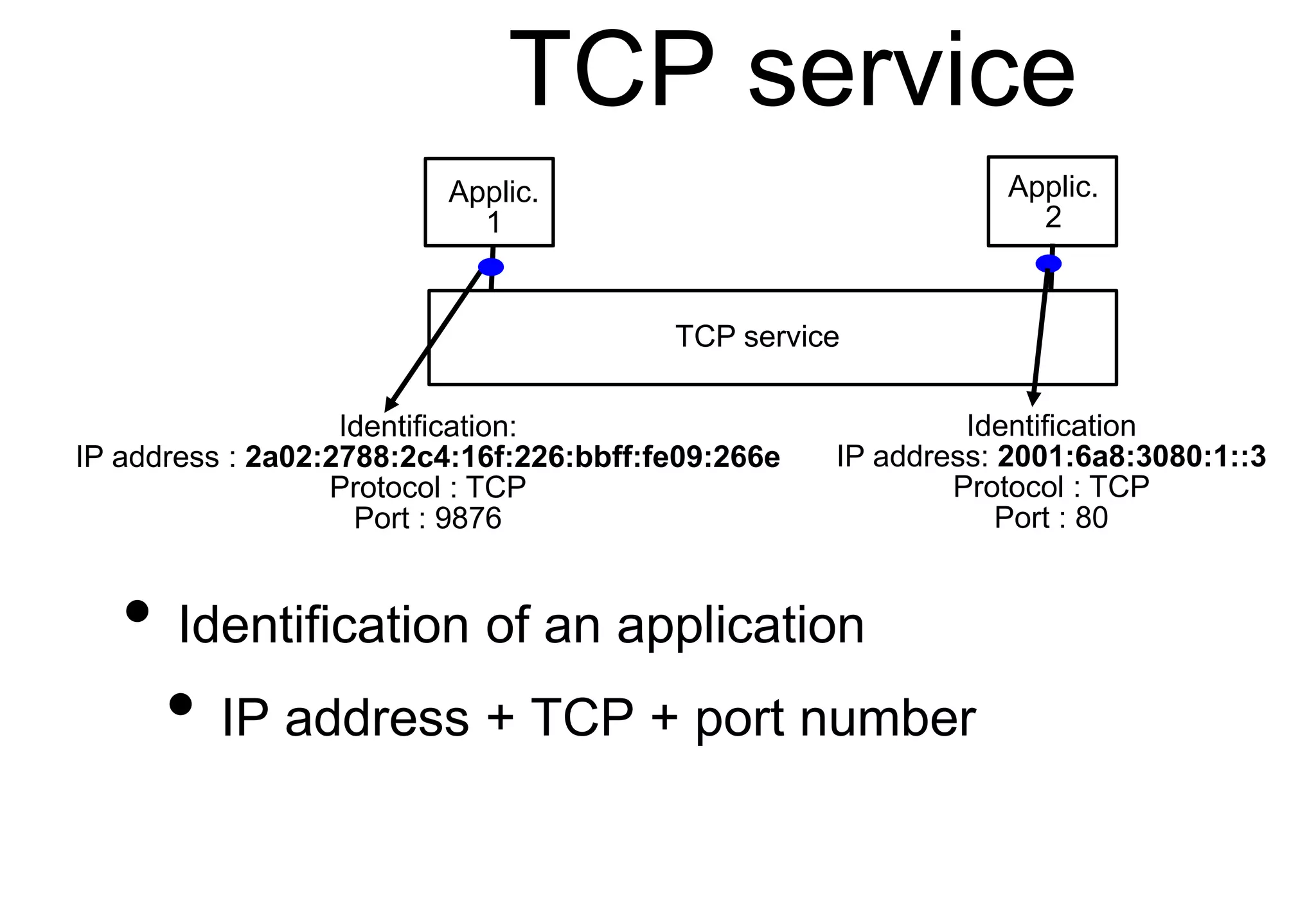
TCP service
• Identification of an application
• IP address + TCP + port number
TCP service
Applic.
2
Applic.
1
Identification
IP address: 2001:6a8:3080:1::3
Protocol : TCP
Port : 80
Identification:
IP address : 2a02:2788:2c4:16f:226:bbff:fe09:266e
Protocol : TCP
Port : 9876
Agenda
• Protocol stack
• Internet applications
• DNS
• Email
• Web
Naming and
addressing
• address
• A (usually) fixed-length bit string that
uniquely identifies a device (or an
interface) in a network
• name
• A human understandable name that
identifies a device in a network
Names and addresses
• Different types of relations between names and
addresses
• One-to-one
• A unique name corresponds to each unique
address
• One-to-many
• A name corresponds to several addresses (e.g.
popular server)
• Many-to-one
• Several names correspond to the same address
(e.g. a web server hosting many sites)
Names
• How can we assign unique and non-
ambiguous names to devices ?
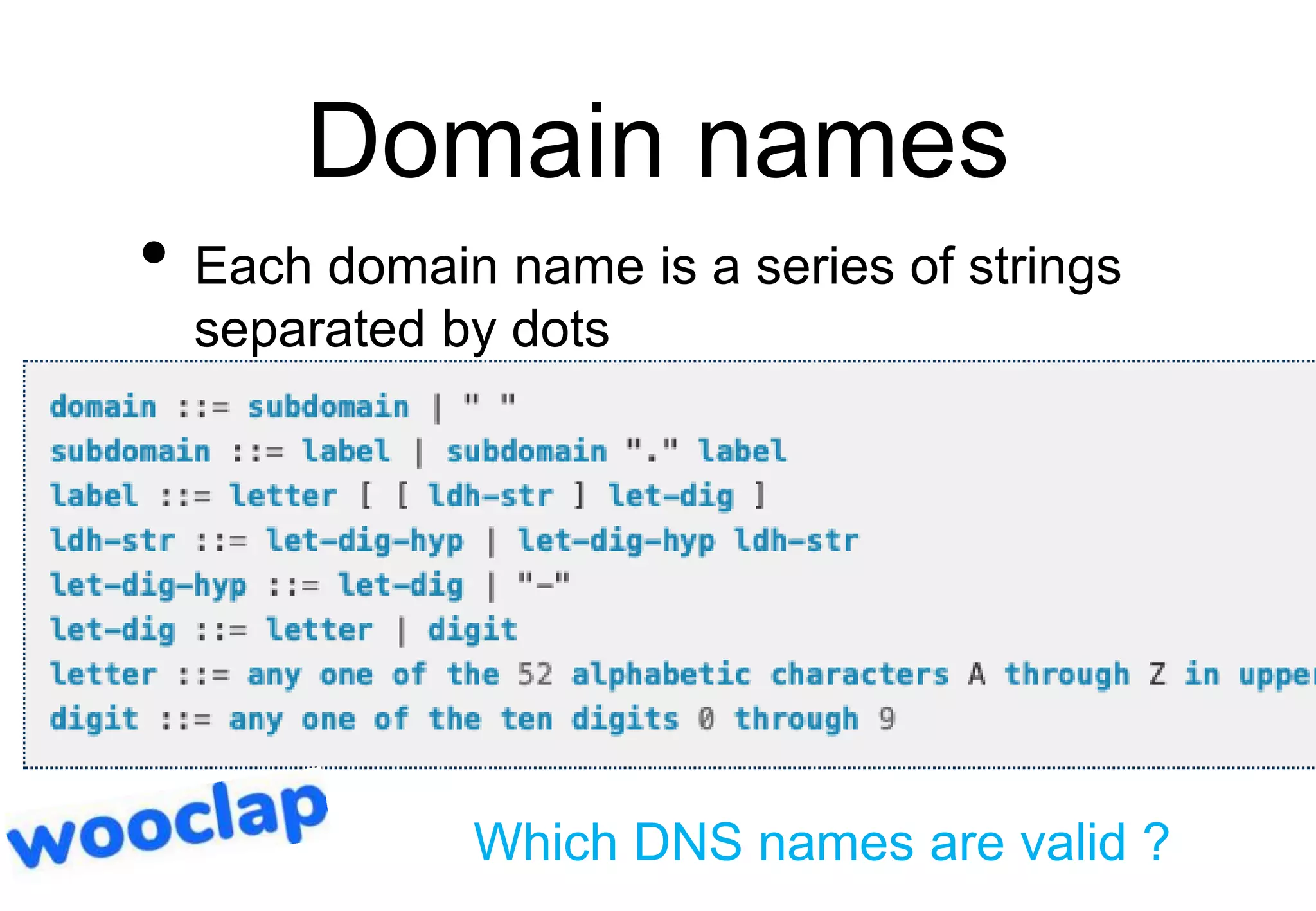
Domain names
• Each domain name is a series of strings
separated by dots
Which DNS names are valid ?
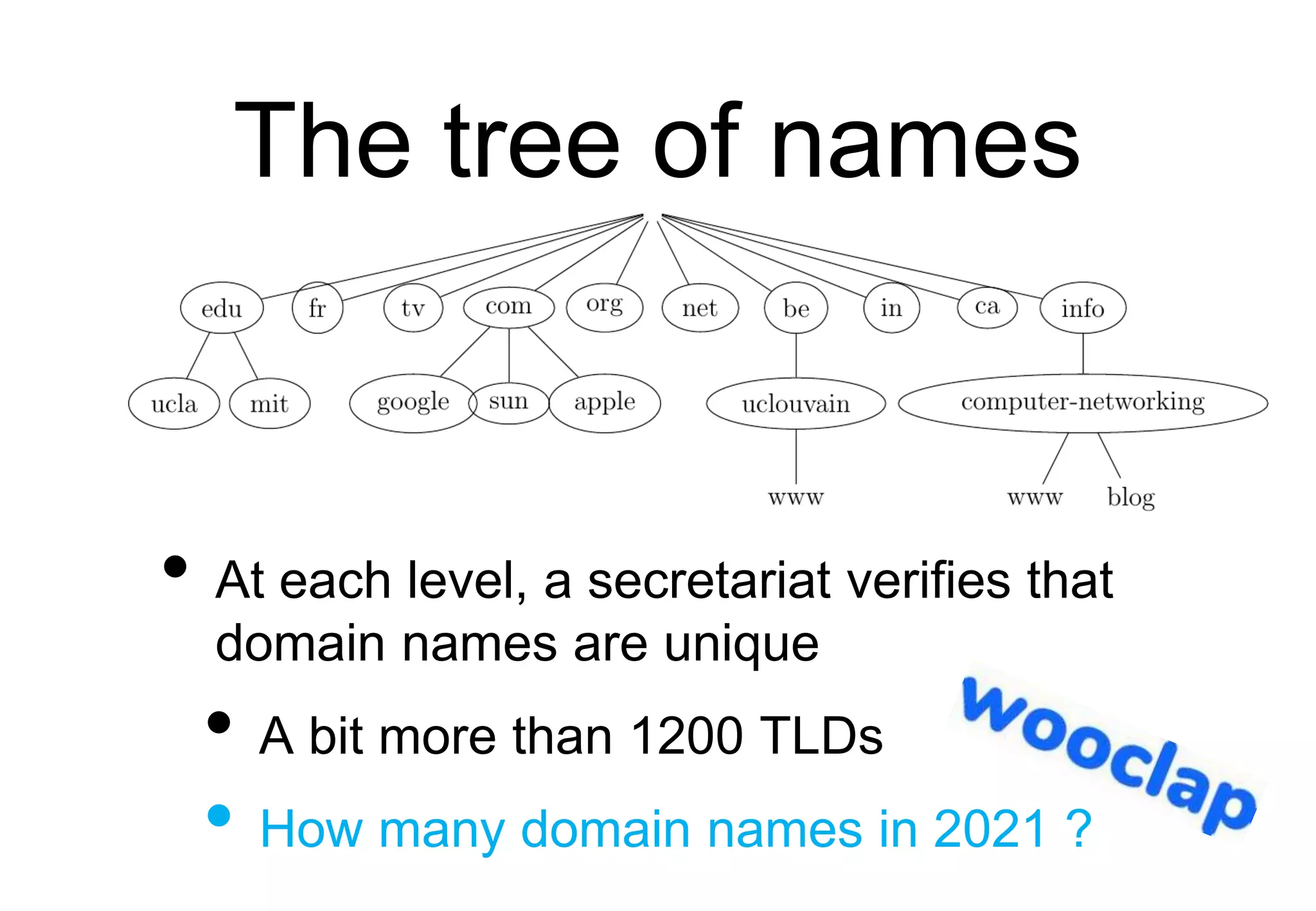
The tree of names
• At each level, a secretariat verifies that
domain names are unique
• A bit more than 1200 TLDs
• How many domain names in 2021 ?
Mapping names to
addresses
• How to map names to addresses ?
• First approach
• Distribute a file containing the mapping
to all hosts
https://en.wikipedia.org/wiki/Hosts_%28file%29
The Domain Name
System
A distributed database
• Each domain is managed by a name
server which can:
• resolve a local name in an address
• return the name of a name server that
is responsible for a domain
How to query a name
server ?
• Which service would you use to query a
name server ?
• Reliable connection oriented (TCP)
• Unreliable connectionless (UDP)
DNS Resource Records
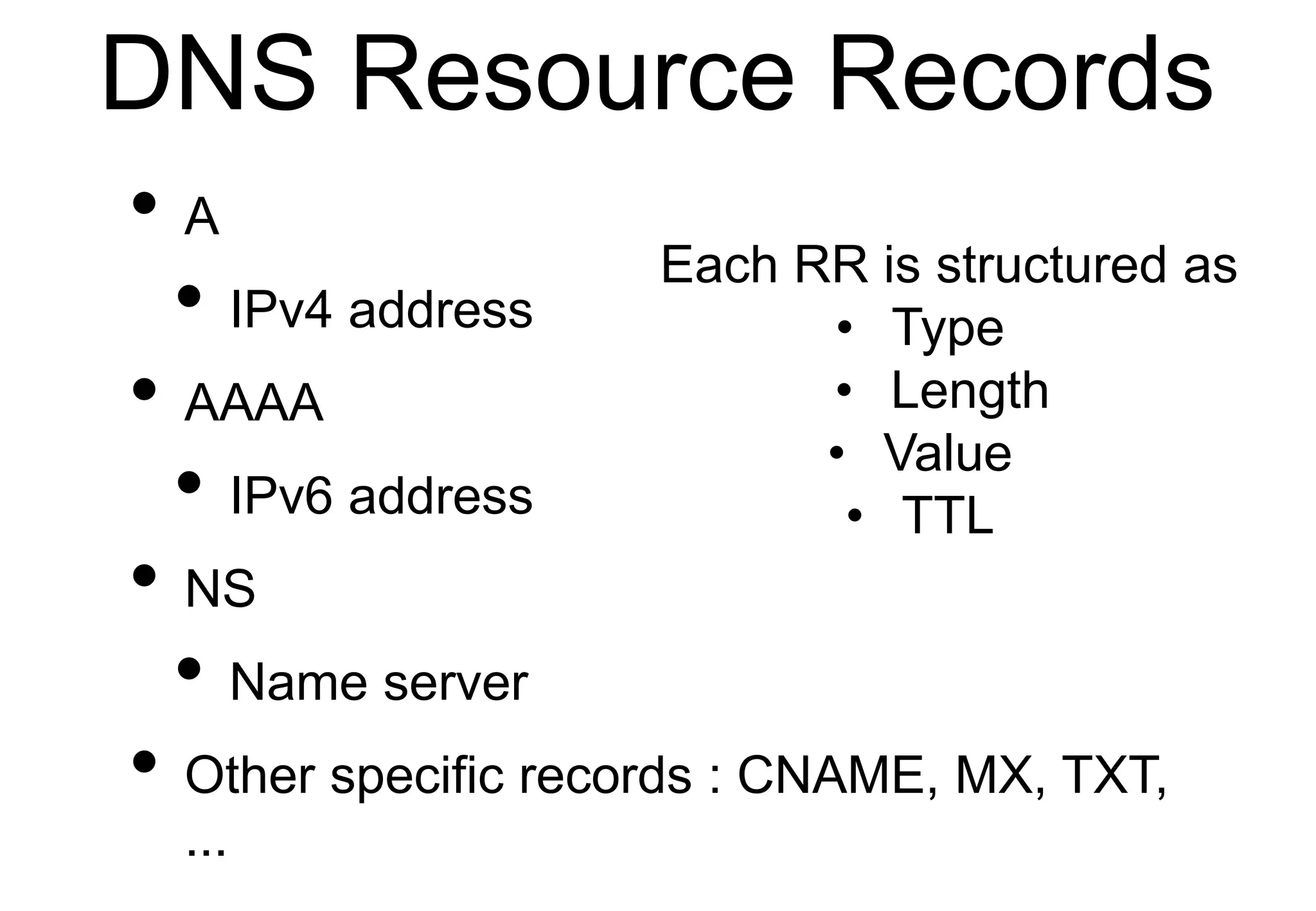
• A
• IPv4 address
• AAAA
• IPv6 address
• NS
• Name server
• Other specific records : CNAME, MX, TXT,
...
Each RR is structured as
• Type
• Length
• Value
• TTL
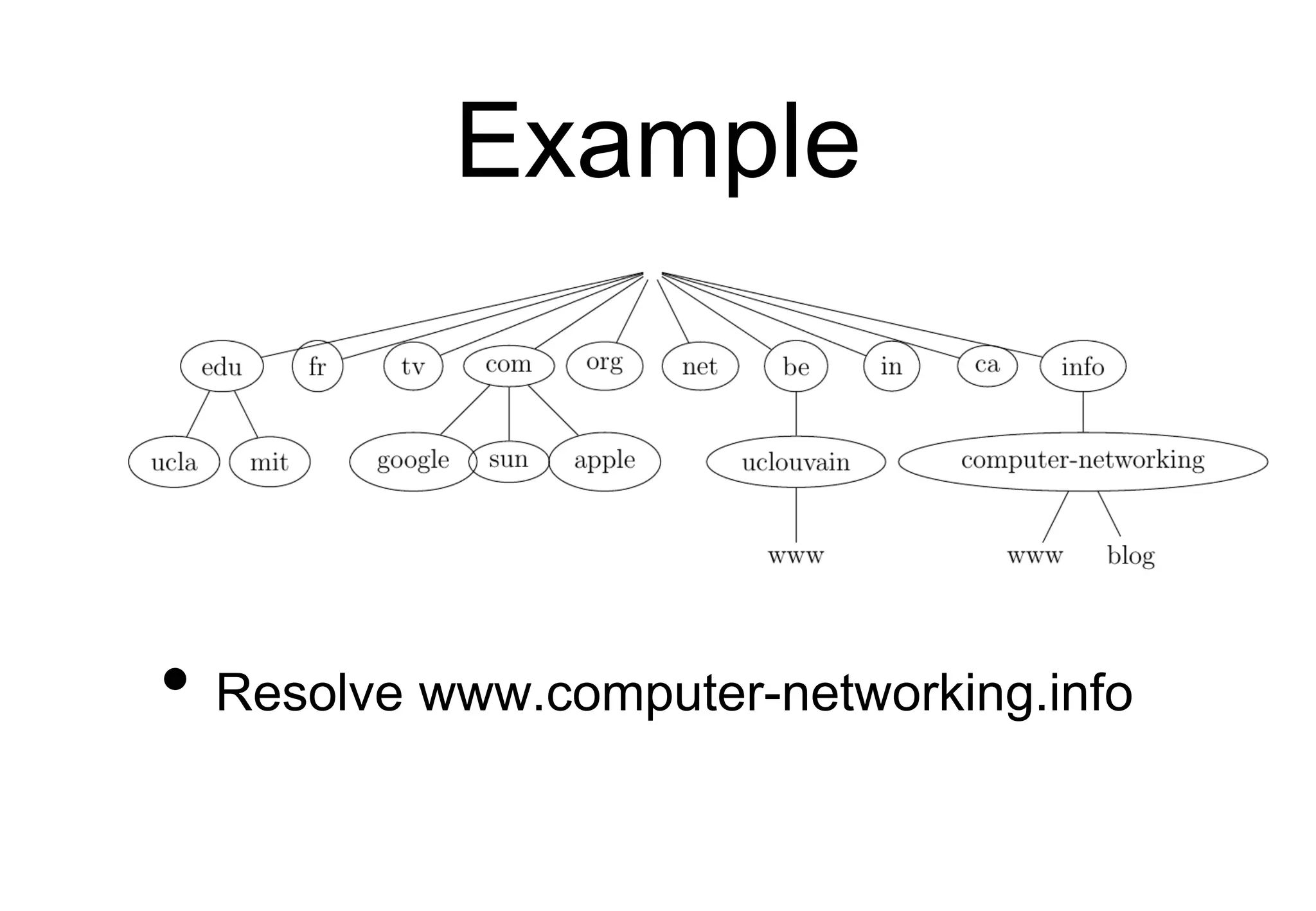
The root DNS servers
• A dozen of servers that know the name
servers that are responsible for the Top-
Level-Domain names
Example
• Resolve www.computer-networking.info
Example
• If you need to resolve the
transvol.sgsi.ucl.ac.be name, how many
DNS do you need to send in total ?
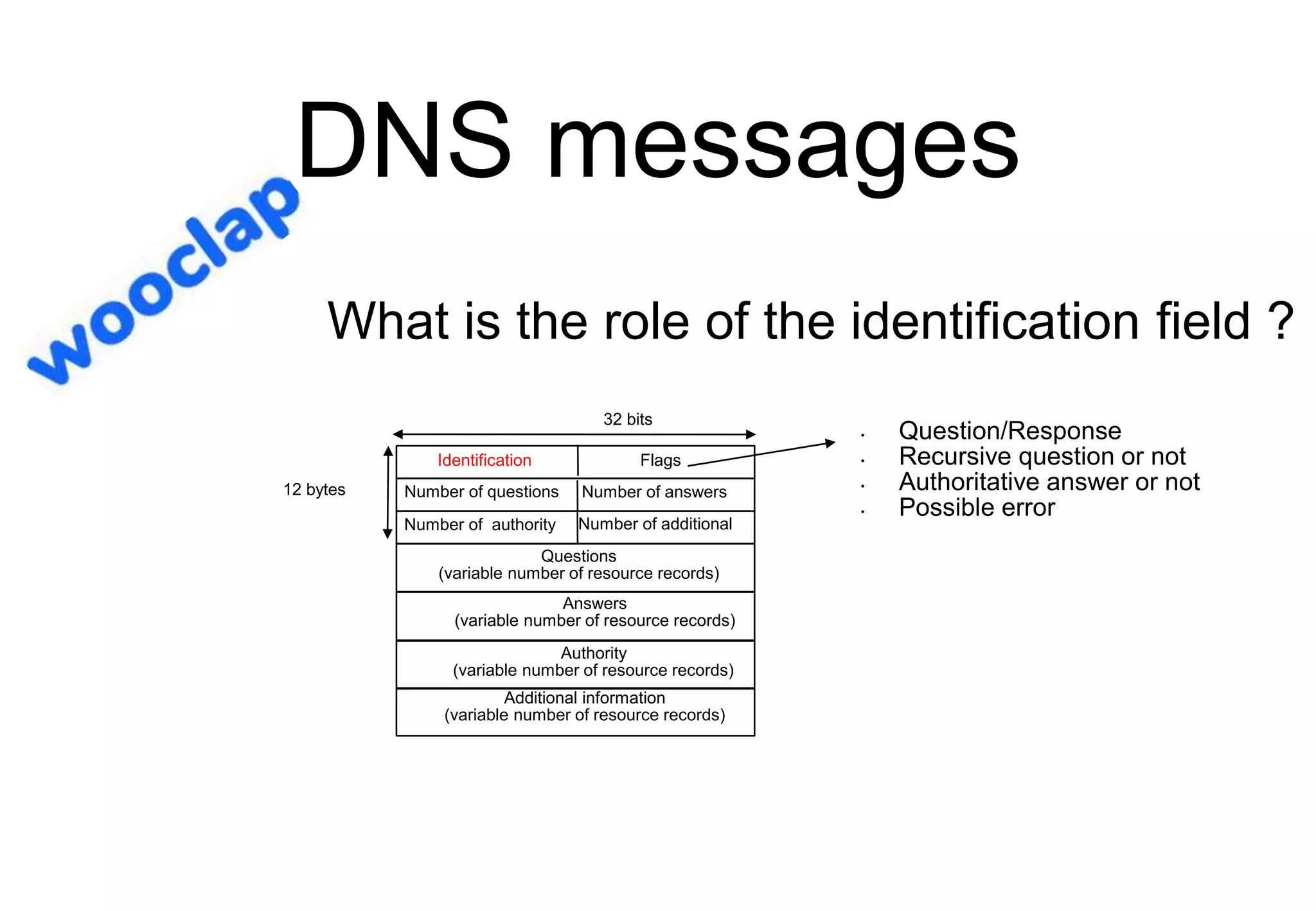
DNS messages
Identification Flags
32 bits
Number of additional
Number of authority
Number of answers
12 bytes
Questions
(variable number of resource records)
Number of questions
Answers
(variable number of resource records)
Authority
(variable number of resource records)
Additional information
(variable number of resource records)
• Question/Response
• Recursive question or not
• Authoritative answer or not
• Possible error
What is the role of the identification field ?
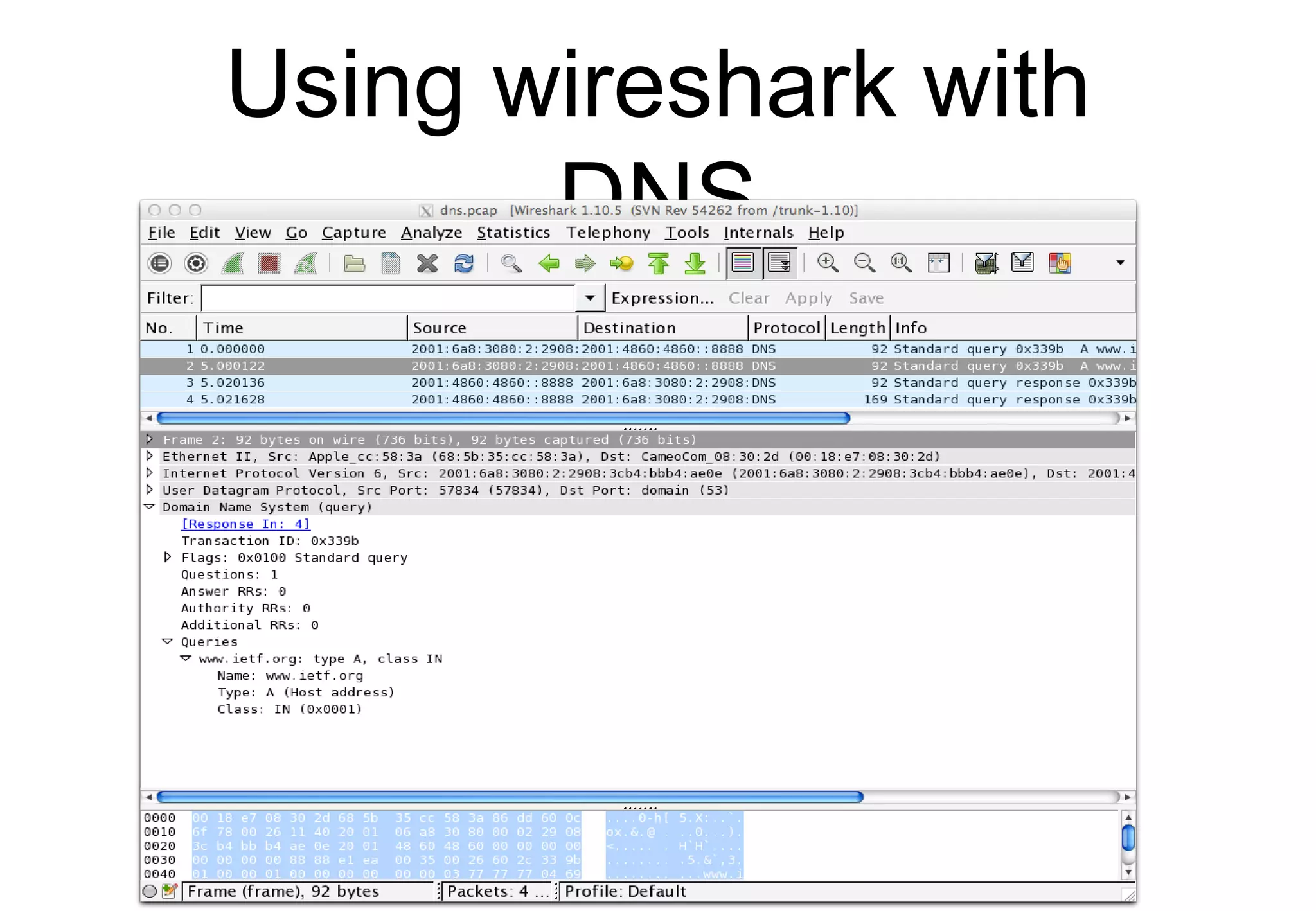
Using wireshark with
DNS
DNS Resolvers
• Local resolvers inside UCLouvain
• 130.104.230.68
• 130.104.1.1
• 130.104.1.2
• 2001:6a8:3081:1::53
• Open DNS resolvers
• 8.8.8.8, 1.1.1.1, 9.9.9.9
• 2001:4860:4860::8888, ...
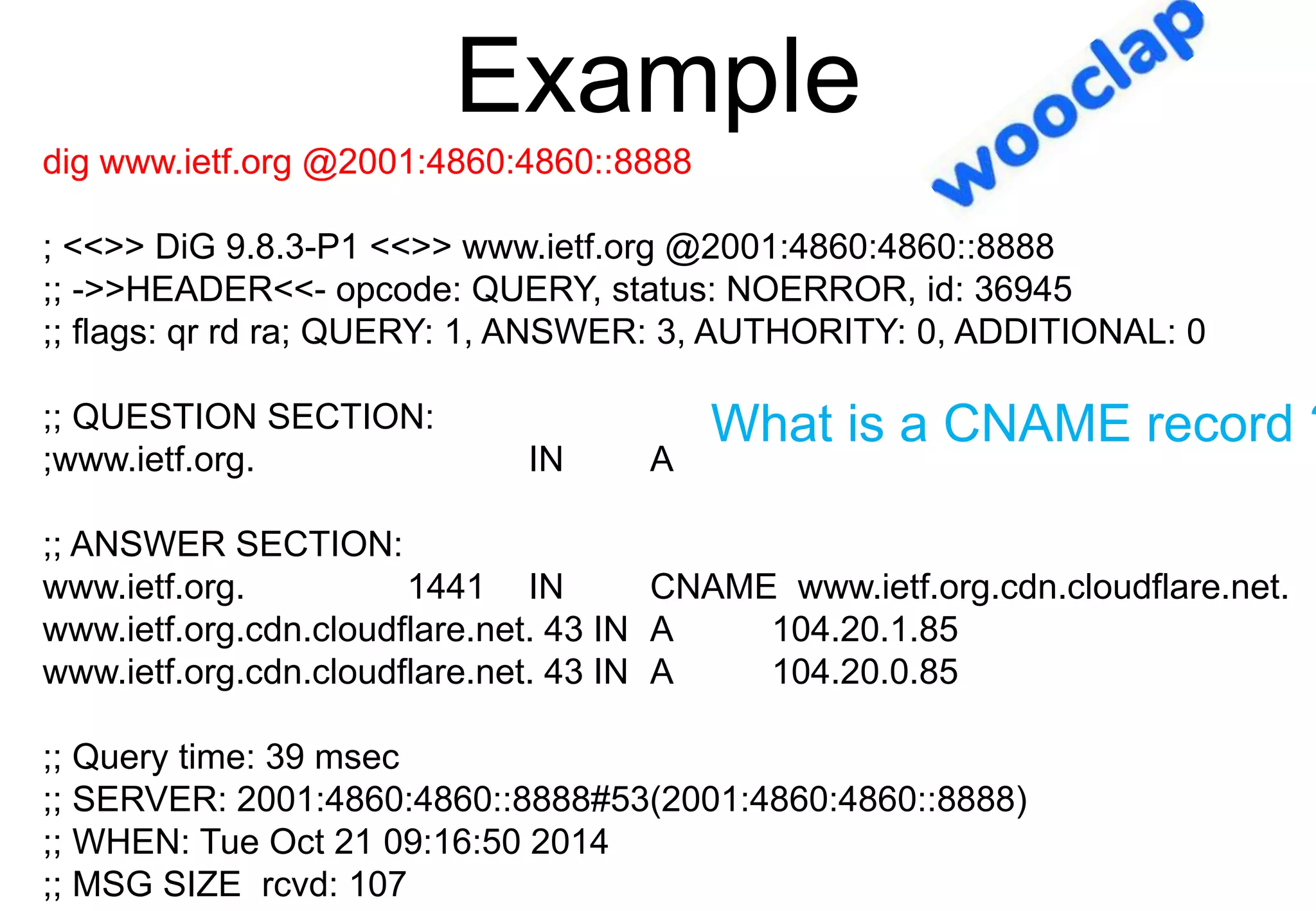
Example
dig www.ietf.org @2001:4860:4860::8888
; <<>> DiG 9.8.3-P1 <<>> www.ietf.org @2001:4860:4860::8888
;; ->>HEADER<<- opcode: QUERY, status: NOERROR, id: 36945
;; flags: qr rd ra; QUERY: 1, ANSWER: 3, AUTHORITY: 0, ADDITIONAL: 0
;; QUESTION SECTION:
;www.ietf.org. IN A
;; ANSWER SECTION:
www.ietf.org. 1441 IN CNAME www.ietf.org.cdn.cloudflare.net.
www.ietf.org.cdn.cloudflare.net. 43 IN A 104.20.1.85
www.ietf.org.cdn.cloudflare.net. 43 IN A 104.20.0.85
;; Query time: 39 msec
;; SERVER: 2001:4860:4860::8888#53(2001:4860:4860::8888)
;; WHEN: Tue Oct 21 09:16:50 2014
;; MSG SIZE rcvd: 107
What is a CNAME record ?
Example
dig -t AAAA www.ietf.org @2001:6a8:3081:1::53
; <<>> DiG 9.10.2-P1 <<>> -t AAAA www.ietf.org @2001:6a8:3081:1::53
;; ->>HEADER<<- opcode: QUERY, status: NOERROR, id: 33225
;; flags: qr rd ra ad; QUERY: 1, ANSWER: 3, AUTHORITY: 0, ADDITIONAL: 1
;; OPT PSEUDOSECTION:
; EDNS: version: 0, flags:; udp: 4096
;; QUESTION SECTION:
;www.ietf.org. IN AAAA
;; ANSWER SECTION:
www.ietf.org. 1215 IN CNAME www.ietf.org.cdn.cloudflare-
dnssec.net.
www.ietf.org.cdn.cloudflare-dnssec.net. 71 IN AAAA 2400:cb00:2048:1::6814:55
www.ietf.org.cdn.cloudflare-dnssec.net. 71 IN AAAA 2400:cb00:2048:1::6814:155
;; Query time: 1 msec
;; SERVER: 2001:6a8:3081:1::53#53(2001:6a8:3081:1::53)
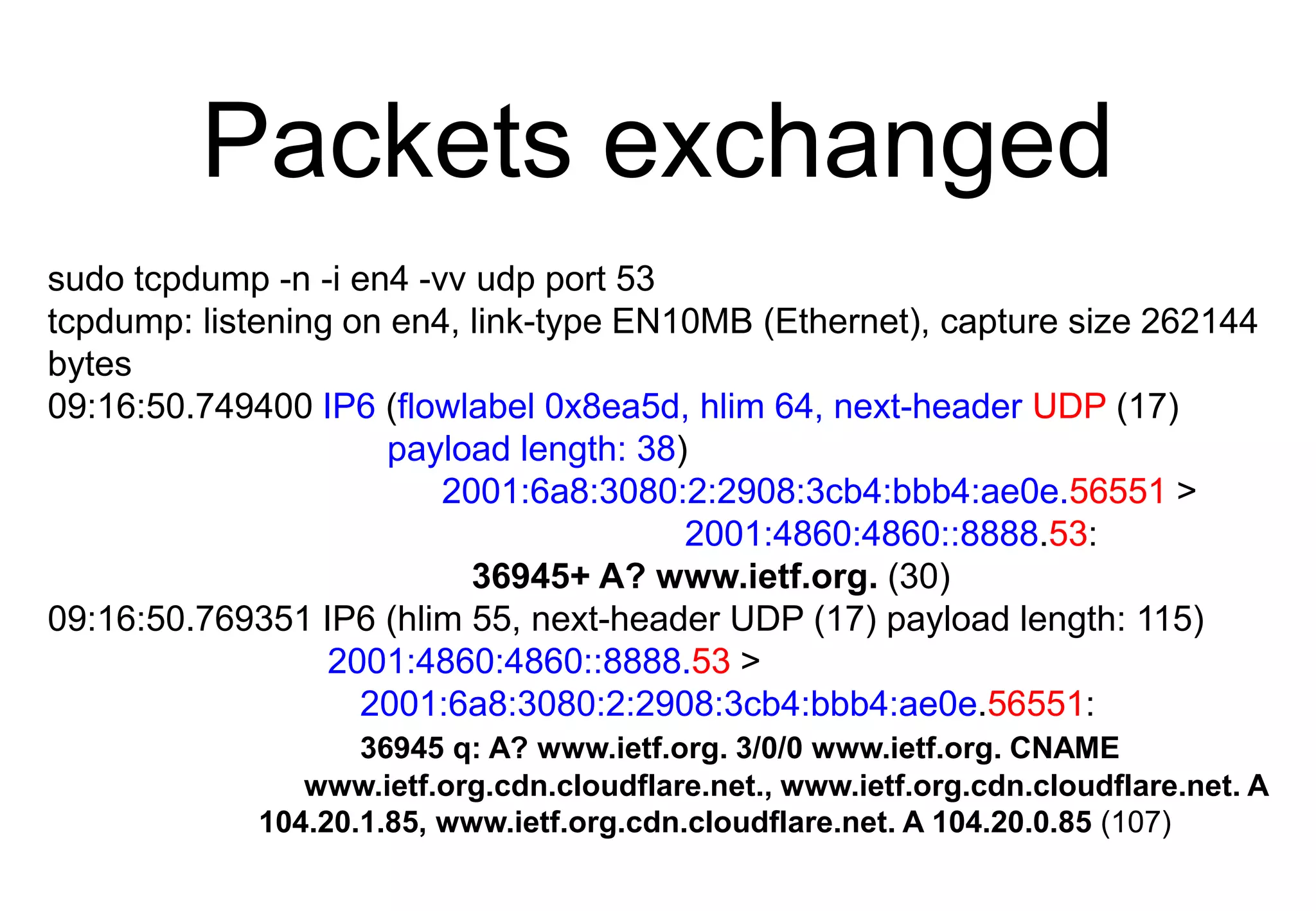
Packets exchanged
sudo tcpdump -n -i en4 -vv udp port 53
tcpdump: listening on en4, link-type EN10MB (Ethernet), capture size 262144
bytes
09:16:50.749400 IP6 (flowlabel 0x8ea5d, hlim 64, next-header UDP (17)
payload length: 38)
2001:6a8:3080:2:2908:3cb4:bbb4:ae0e.56551 >
2001:4860:4860::8888.53:
36945+ A? www.ietf.org. (30)
09:16:50.769351 IP6 (hlim 55, next-header UDP (17) payload length: 115)
2001:4860:4860::8888.53 >
2001:6a8:3080:2:2908:3cb4:bbb4:ae0e.56551:
36945 q: A? www.ietf.org. 3/0/0 www.ietf.org. CNAME
www.ietf.org.cdn.cloudflare.net., www.ietf.org.cdn.cloudflare.net. A
104.20.1.85, www.ietf.org.cdn.cloudflare.net. A 104.20.0.85 (107)
Agenda
• Protocol stack
• Internet applications
• DNS
• Email
• Web
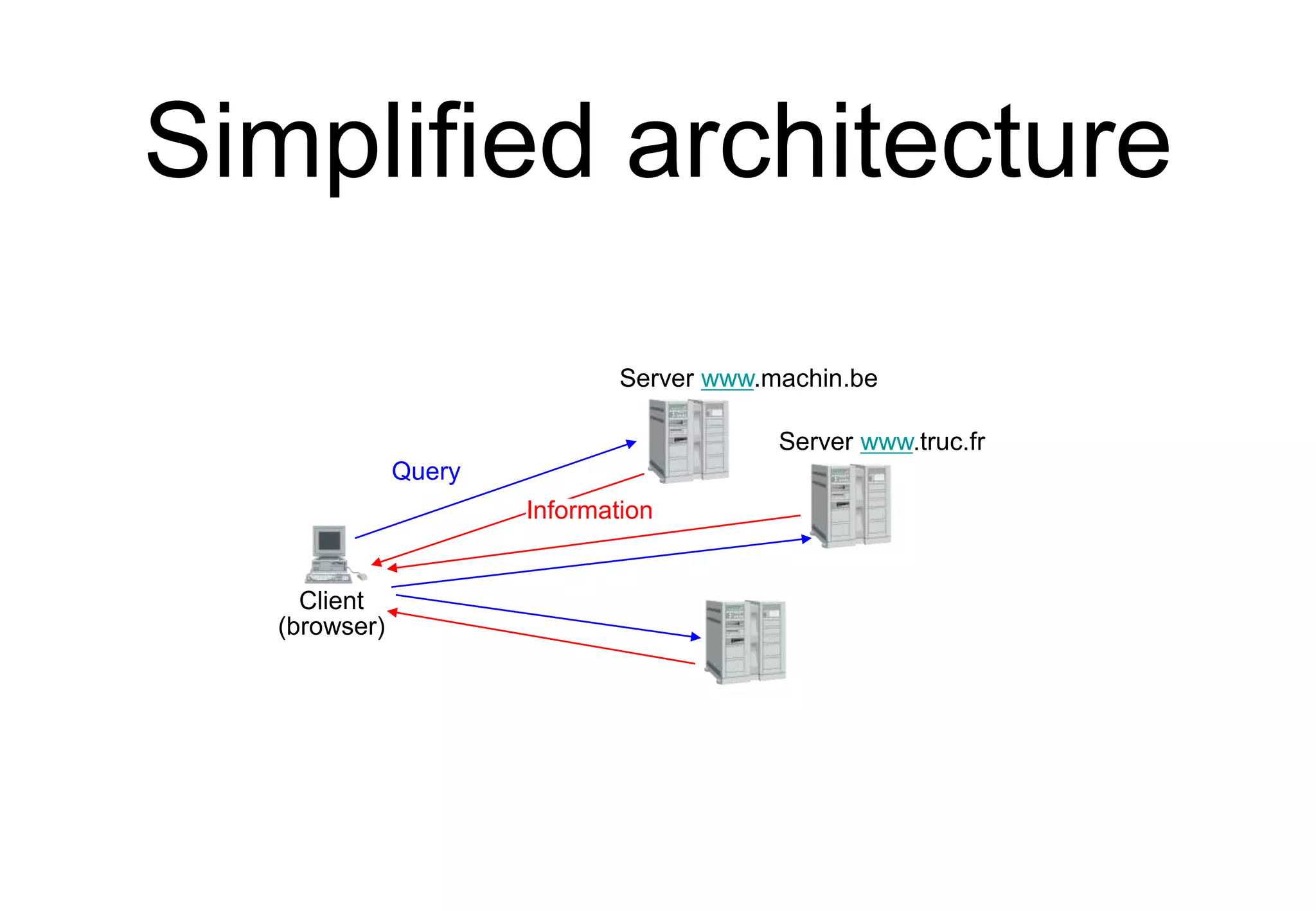
Simplified architecture
Bob@b.net
Alice@a.net
Alice’s
email server
b.net ‘s
email server
Alice sends her email
to local mail forwarder
Alice’s server sends email
to b.net’s MX
Bob retrieves message
from his server
Message format
Exp: ABC S.A.
Rue de Fer 10
5000 Namur
DEF Corp.
Steel street 9
WA78 AX London
Grande Bretagne
From: president@abc.be
To: ceo@def.com
Subject: Hello
Date : 27 Sept. 1999 0901
Dear Sir,
Bla Bla Bla...
Header
Message
body
Email message format
• An email message is a series of ASCII
lines
• The first lines are the header lines that
indicate control information, but which
fields MUST be present in the header
lines ?
Header format
• At least three lines that end with <CRLF>
• From: sender@domain
• To:recipient@domain
• Date: <creation date of message>
• Optional fields
• Subject: , cc: ,Message-ID:, Received: In-
Reply-To: , ...
• Header ends with empty line (<CRLF>)
MIME
• Multipurpose Internet Mail Extensions
• Constraints
• must remain compatible with old email servers
• short US-ASCII Lines
• must support non-English text
• must support various formats
• must allow to transmit audio, video, ..
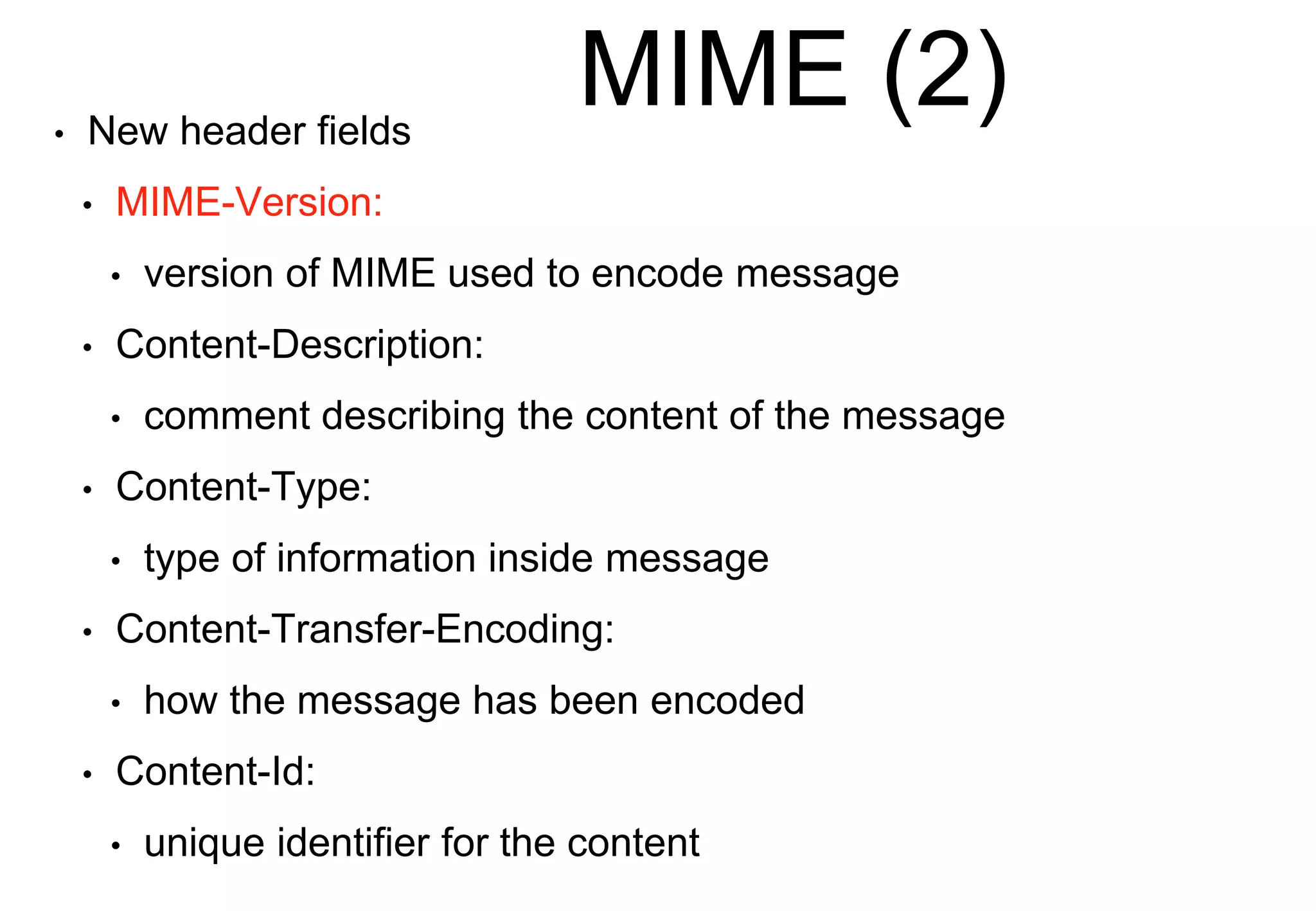
MIME (2)
• New header fields
• MIME-Version:
• version of MIME used to encode message
• Content-Description:
• comment describing the content of the message
• Content-Type:
• type of information inside message
• Content-Transfer-Encoding:
• how the message has been encoded
• Content-Id:
• unique identifier for the content
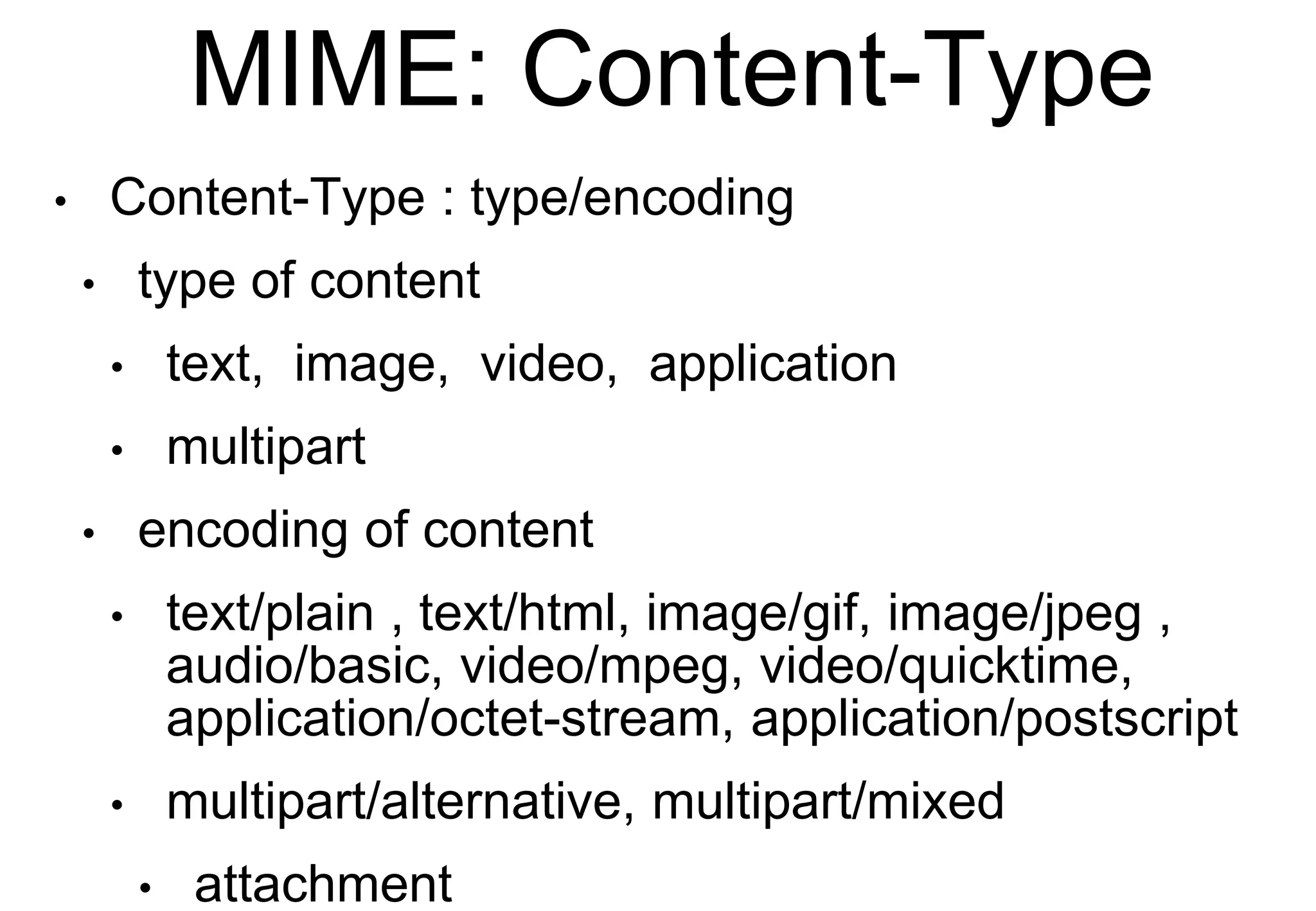
MIME: Content-Type
• Content-Type : type/encoding
• type of content
• text, image, video, application
• multipart
• encoding of content
• text/plain , text/html, image/gif, image/jpeg ,
audio/basic, video/mpeg, video/quicktime,
application/octet-stream, application/postscript
• multipart/alternative, multipart/mixed
• attachment
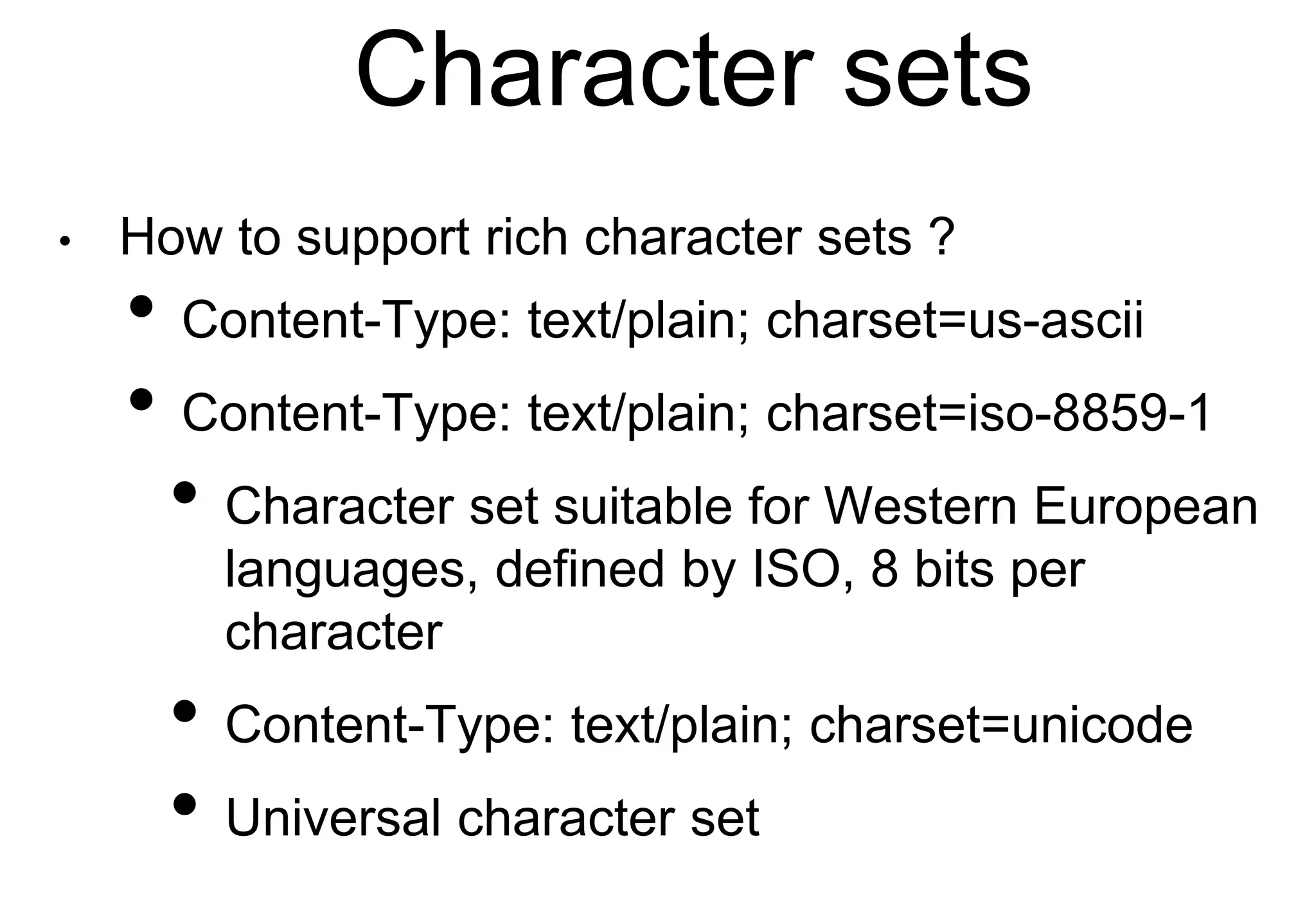
Character sets
• How to support rich character sets ?
• Content-Type: text/plain; charset=us-ascii
• Content-Type: text/plain; charset=iso-8859-1
• Character set suitable for Western European
languages, defined by ISO, 8 bits per
character
• Content-Type: text/plain; charset=unicode
• Universal character set
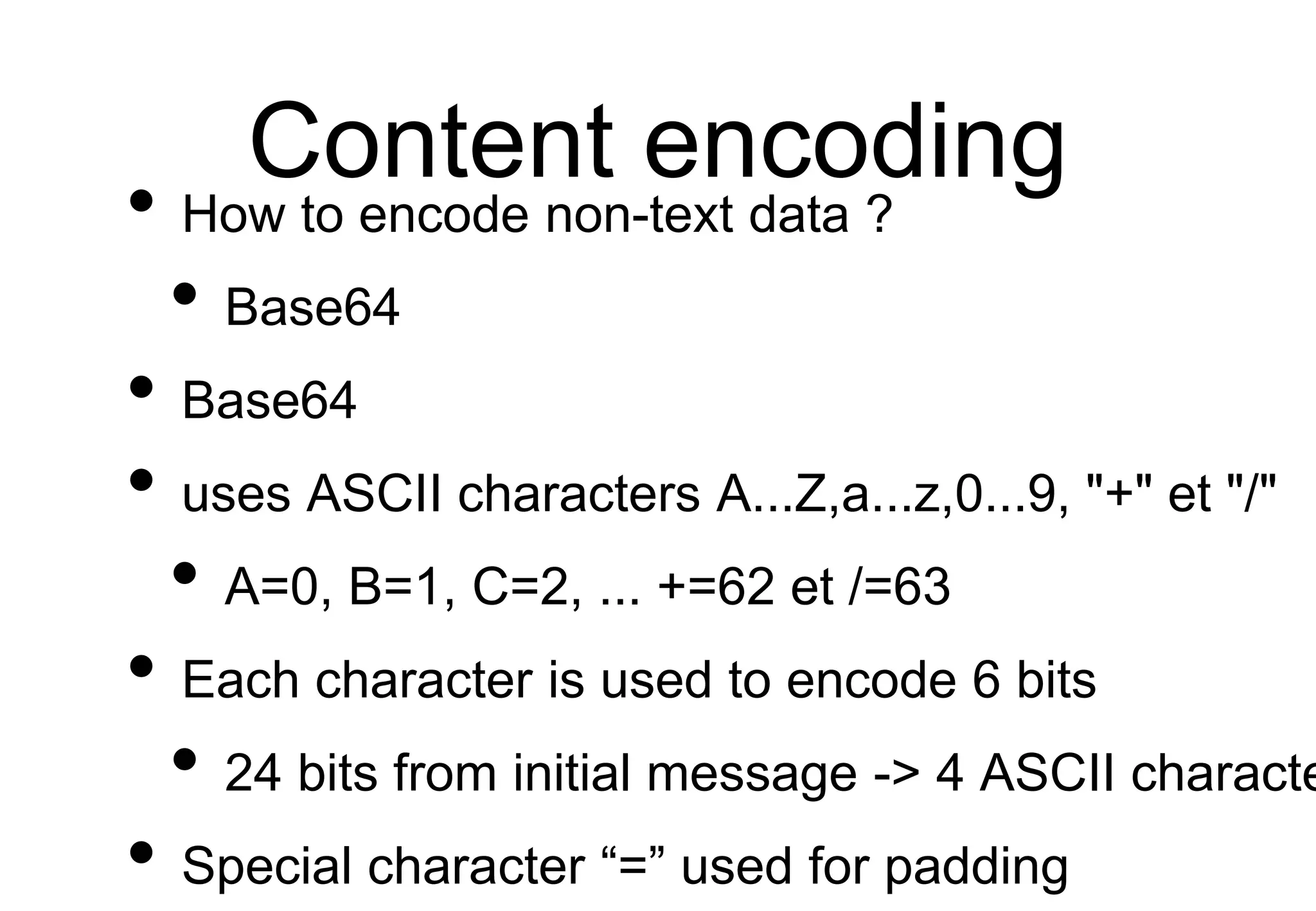
Content encoding
• How to encode non-text data ?
• Base64
• Base64
• uses ASCII characters A...Z,a...z,0...9, "+" et "/"
• A=0, B=1, C=2, ... +=62 et /=63
• Each character is used to encode 6 bits
• 24 bits from initial message -> 4 ASCII characte
• Special character “=” used for padding
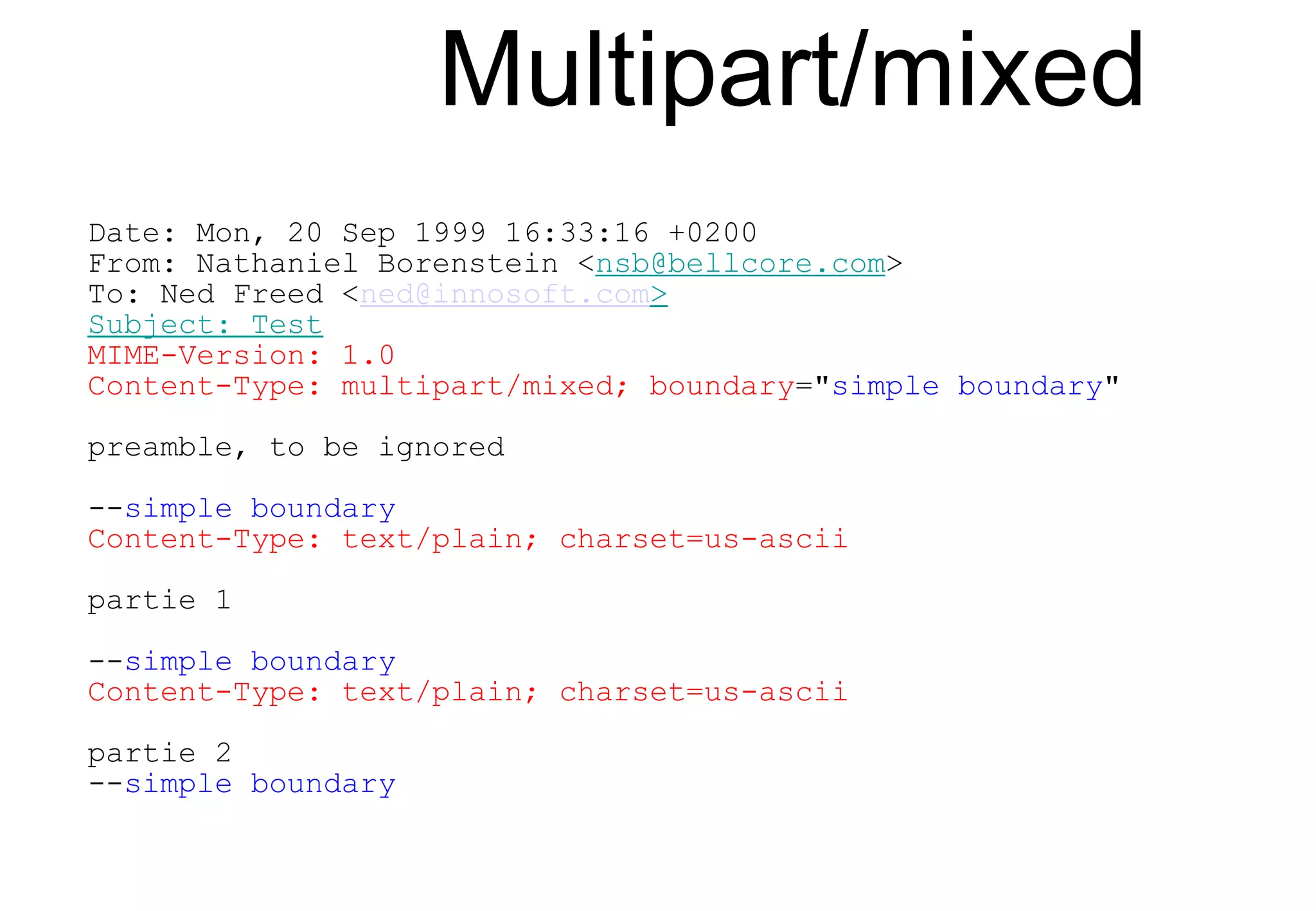
Multipart/mixed
Date: Mon, 20 Sep 1999 16:33:16 +0200
From: Nathaniel Borenstein <nsb@bellcore.com>
To: Ned Freed <ned@innosoft.com>
Subject: Test
MIME-Version: 1.0
Content-Type: multipart/mixed; boundary="simple boundary"
preamble, to be ignored
--simple boundary
Content-Type: text/plain; charset=us-ascii
partie 1
--simple boundary
Content-Type: text/plain; charset=us-ascii
partie 2
--simple boundary
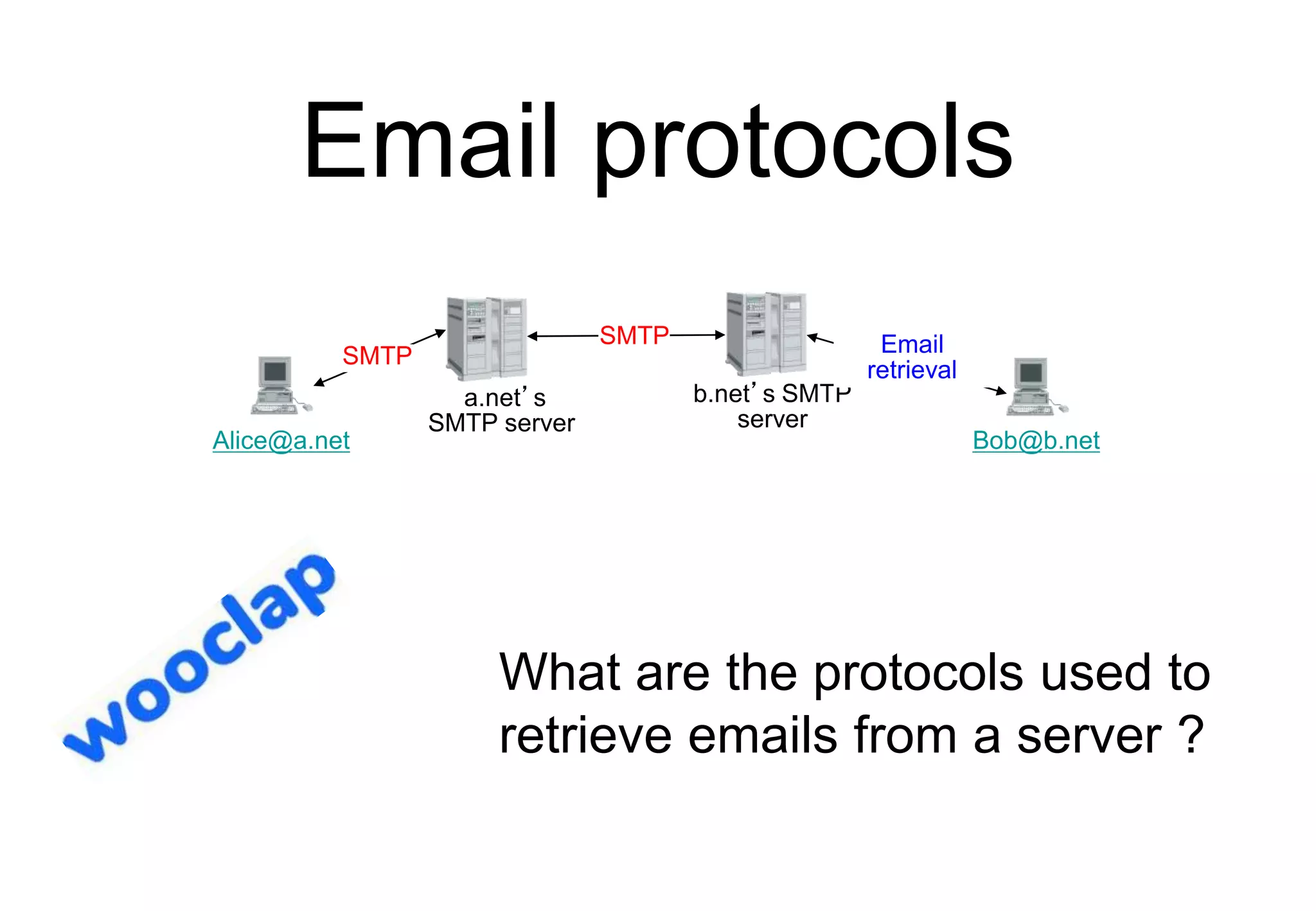
Email protocols
Bob@b.net
Alice@a.net
a.net’s
SMTP server
b.net’s SMTP
server
SMTP Email
retrieval
SMTP
What are the protocols used to
retrieve emails from a server ?
Agenda
• Protocol stack
• Internet applications
• DNS
• Email
• Web
Simplified architecture
Client
(browser)
Server www.machin.be
Server www.truc.fr
Query
Information
Key elements of the web
• URL : An addressing scheme that allows
to identify any document stored on a
server
• HTML : hypertext language to easily
write documents with hypertext links
• HTTP : An efficient and lightweight
protocol to exchange documents
• Servers
• Clients (browsers)
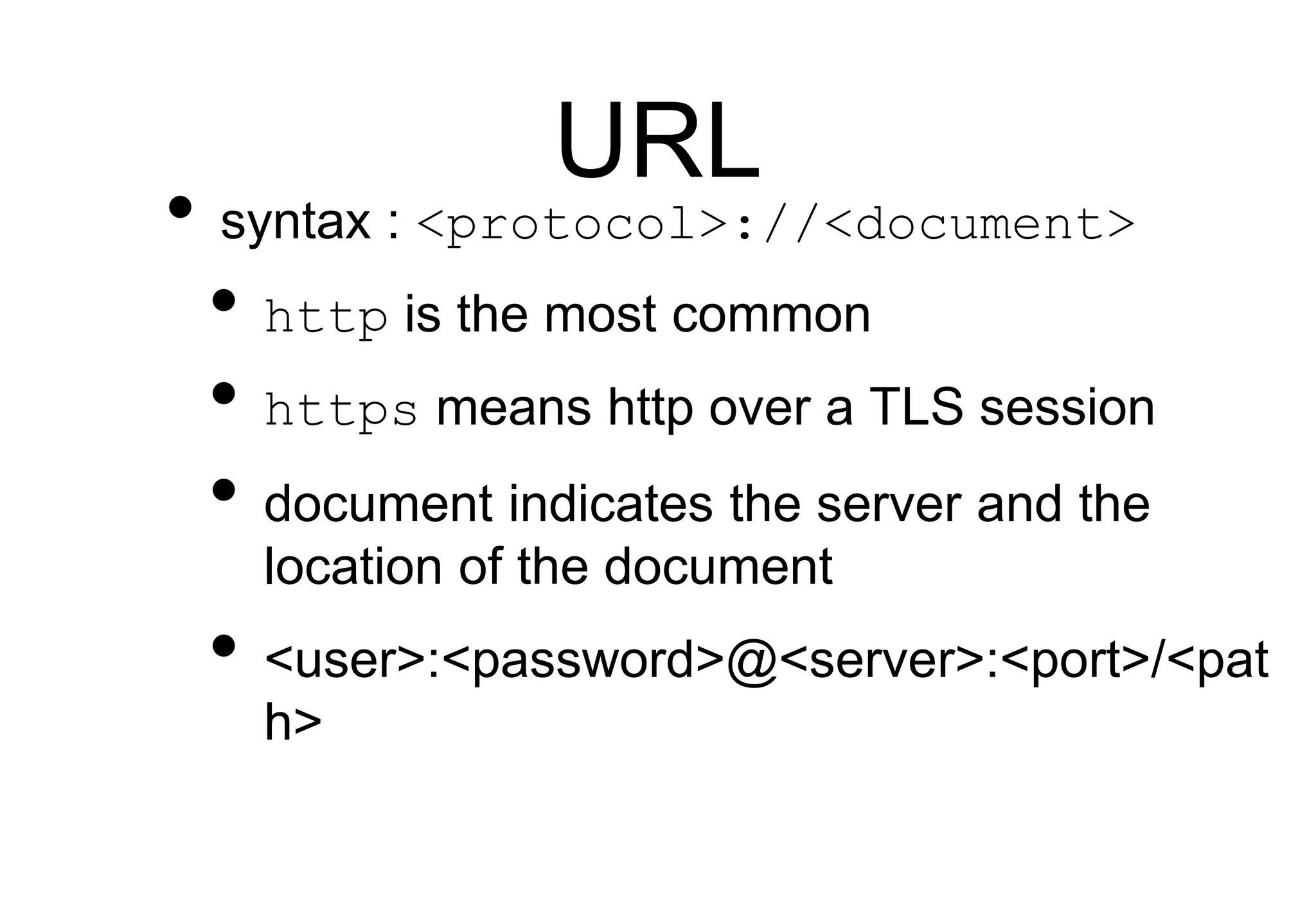
URL
• syntax : <protocol>://<document>
• http is the most common
• https means http over a TLS session
• document indicates the server and the
location of the document
• <user>:<password>@<server>:<port>/<pat
h>
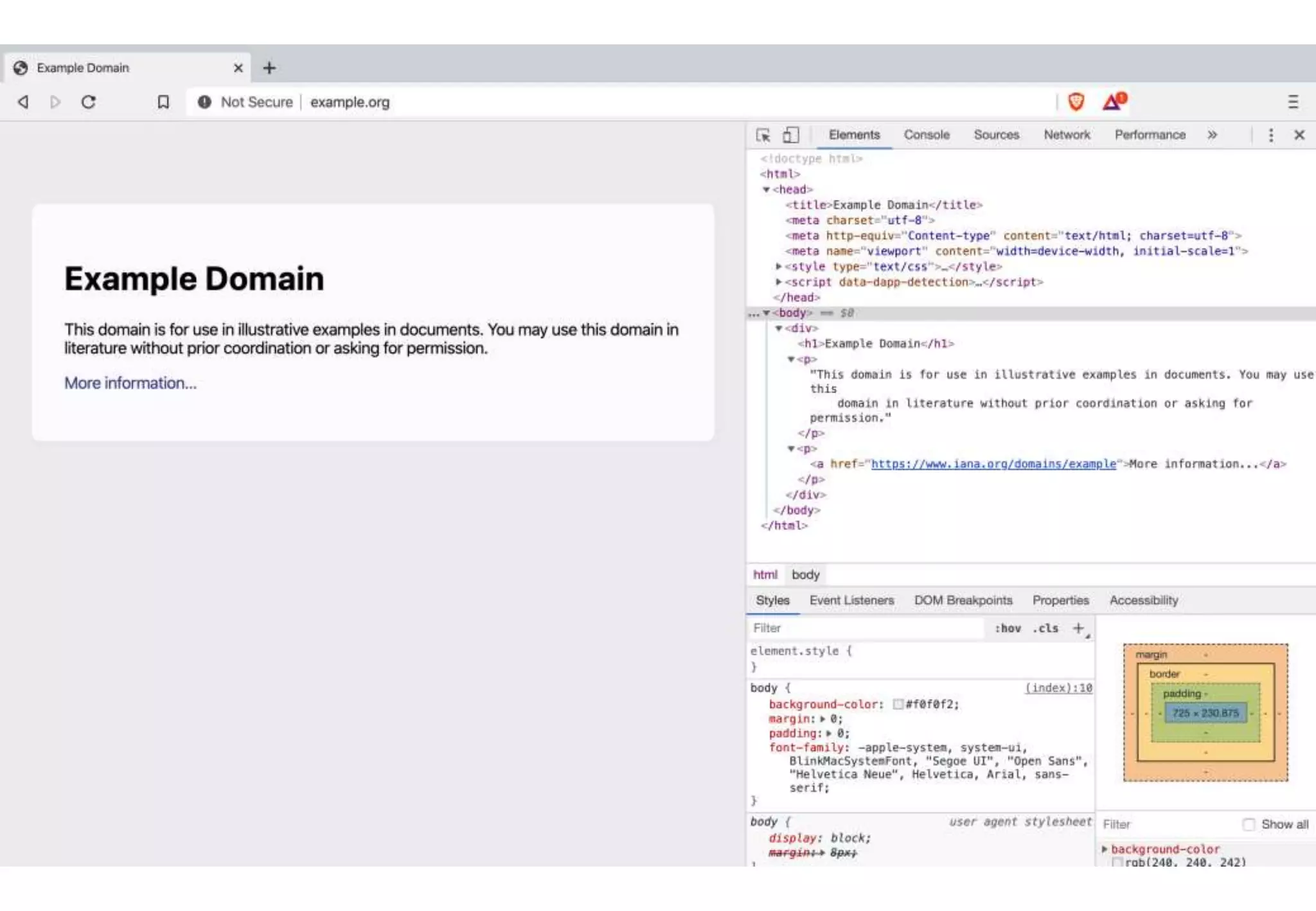
HTML
<HTML>
<HEAD>
<TITLE>HTML test page</TITLE>
</HEAD>
<BODY>
<IMG SRC="http://www.images.be/logo.gif">
<H1>Web servers from UCL UCL<P></H1>
<HR>
<UL>
<LI><A HREF="http://www.uclouvain.be">UCL</A>
<LI><A HREF="http://www.info.ucl.ac.be">CSE Dept.</A>
<LI><A HREF="http://www.math.ucl.ac.be">Math</A>
</UL>
</BODY>
</HTML>
Header
Body
Image on remote server
First level title
External hypertext link
HTTP
Client
Server
Method
Header
CRLF
MIME Document
Request
Method
GET
lPOST
l...
Header contains additional information
about request sent by client
Status line
Header
CRLF
MIME Document
Response
Header contains information about server
and optional parameters specific to response
Success or failure
HTTP is a stateless protocol, server does not maintain any state from
one request to another
HTTP
• Which transport service would you select
to support HTTP ?
• Unreliable connectionless service
(UDP)
• Reliable bytestream connection-
oriented (TCP)
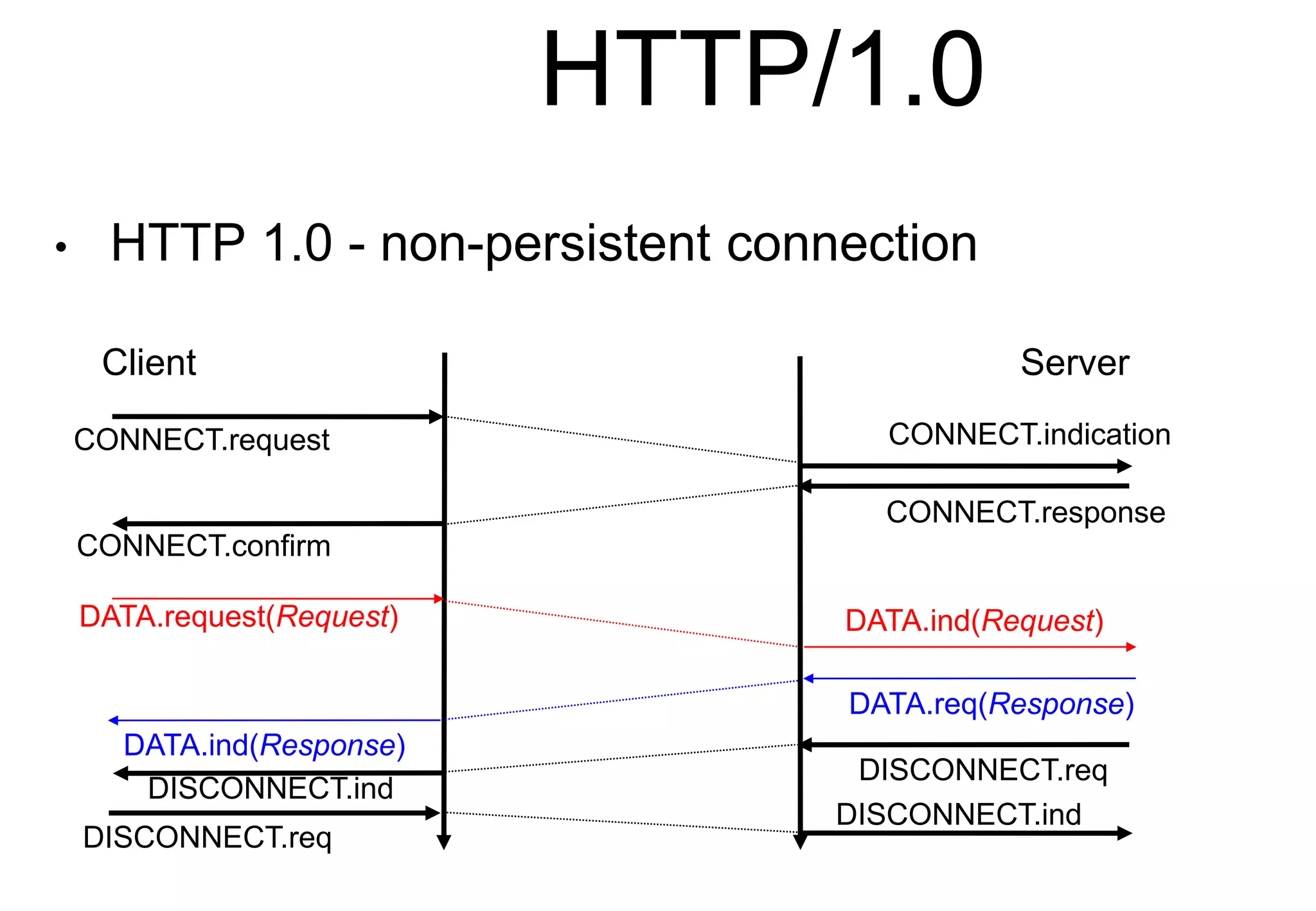
HTTP/1.0
• HTTP 1.0 - non-persistent connection
Client Server
CONNECT.request CONNECT.indication
CONNECT.confirm
CONNECT.response
DATA.request(Request)
DATA.req(Response)
DATA.ind(Request)
DATA.ind(Response)
DISCONNECT.ind
DISCONNECT.req
DISCONNECT.req
DISCONNECT.ind
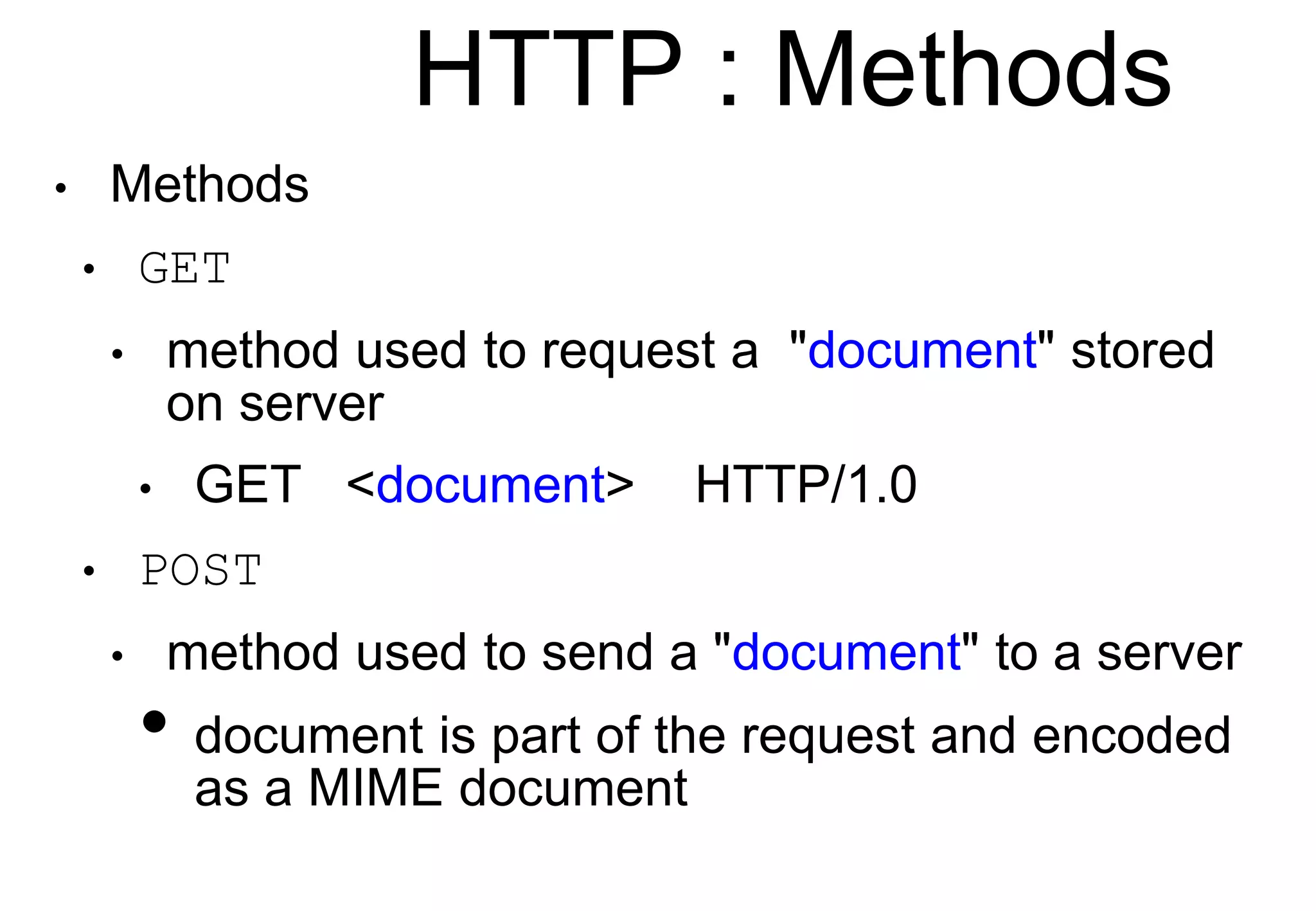
HTTP : Methods
• Methods
• GET
• method used to request a "document" stored
on server
• GET <document> HTTP/1.0
• POST
• method used to send a "document" to a server
• document is part of the request and encoded
as a MIME document
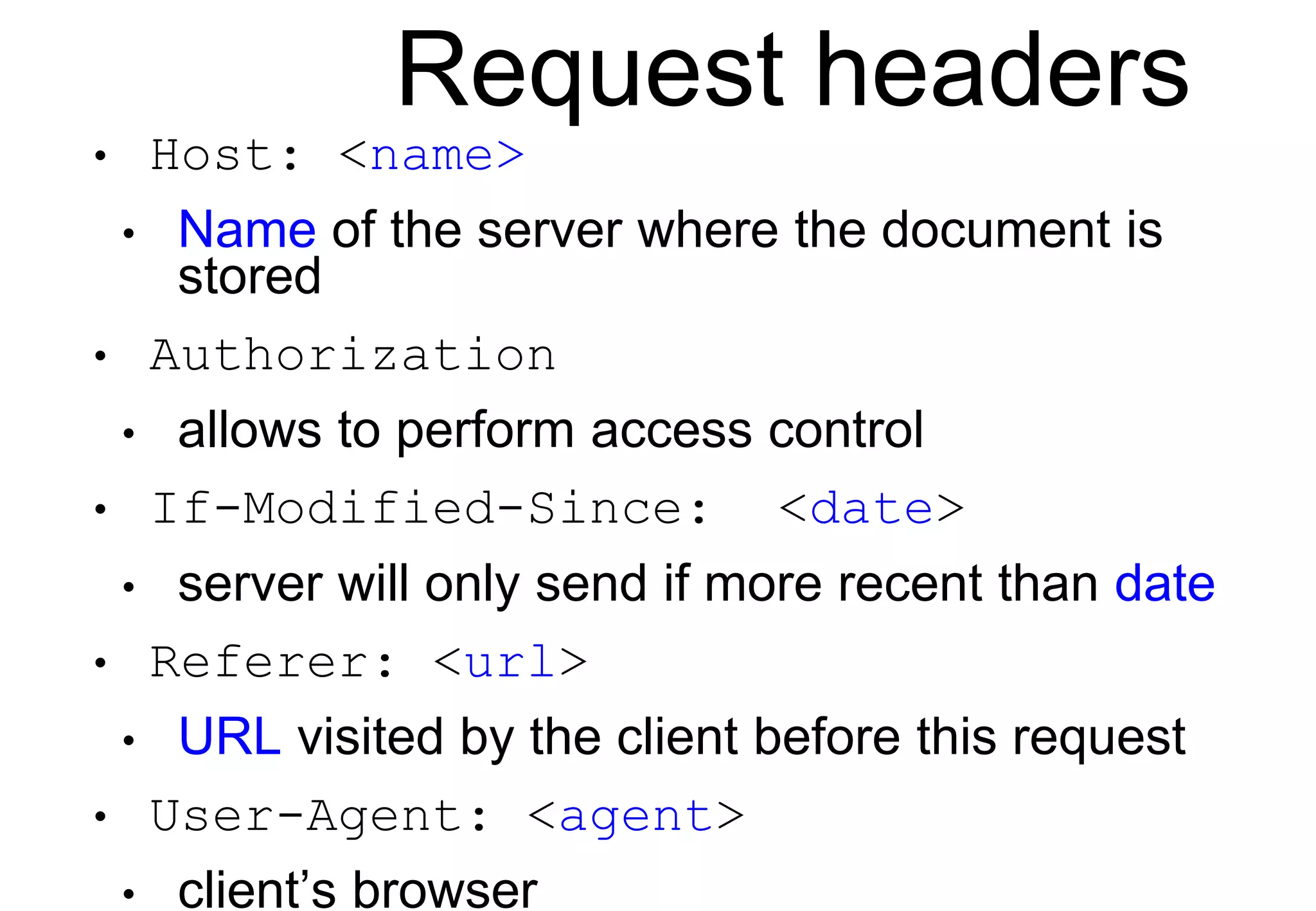
Request headers
• Host: <name>
• Name of the server where the document is
stored
• Authorization
• allows to perform access control
• If-Modified-Since: <date>
• server will only send if more recent than date
• Referer: <url>
• URL visited by the client before this request
• User-Agent: <agent>
• client’s browser
HTTP : Status line
• Format : Version_HTTP Code Comment
• Success/Failure
• 2xx : Success
• Example : HTTP/1.0 200 OK
• 3xx : Redirection
• 4xx : Client-side error
• 5xx : Server-side error
HTTP Response
• Date
• date of the document attached to response
• Server
• Name and version of http server used
• Content-*
• MIME header of the attached document
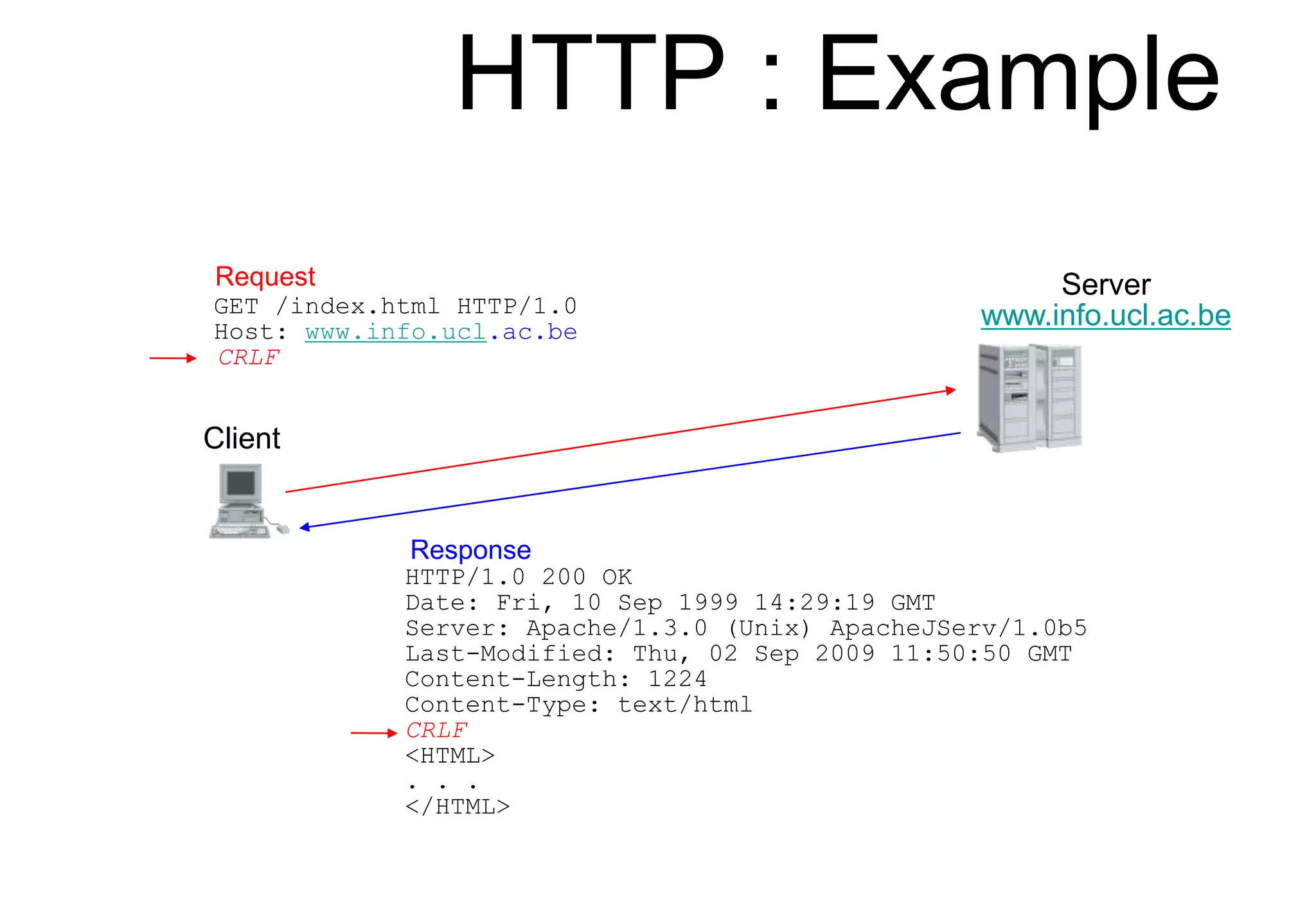
HTTP : Example
Client
Server
www.info.ucl.ac.be
GET /index.html HTTP/1.0
Host: www.info.ucl.ac.be
CRLF
Request
Response
HTTP/1.0 200 OK
Date: Fri, 10 Sep 1999 14:29:19 GMT
Server: Apache/1.3.0 (Unix) ApacheJServ/1.0b5
Last-Modified: Thu, 02 Sep 2009 11:50:50 GMT
Content-Length: 1224
Content-Type: text/html
CRLF
<HTML>
. . .
</HTML>
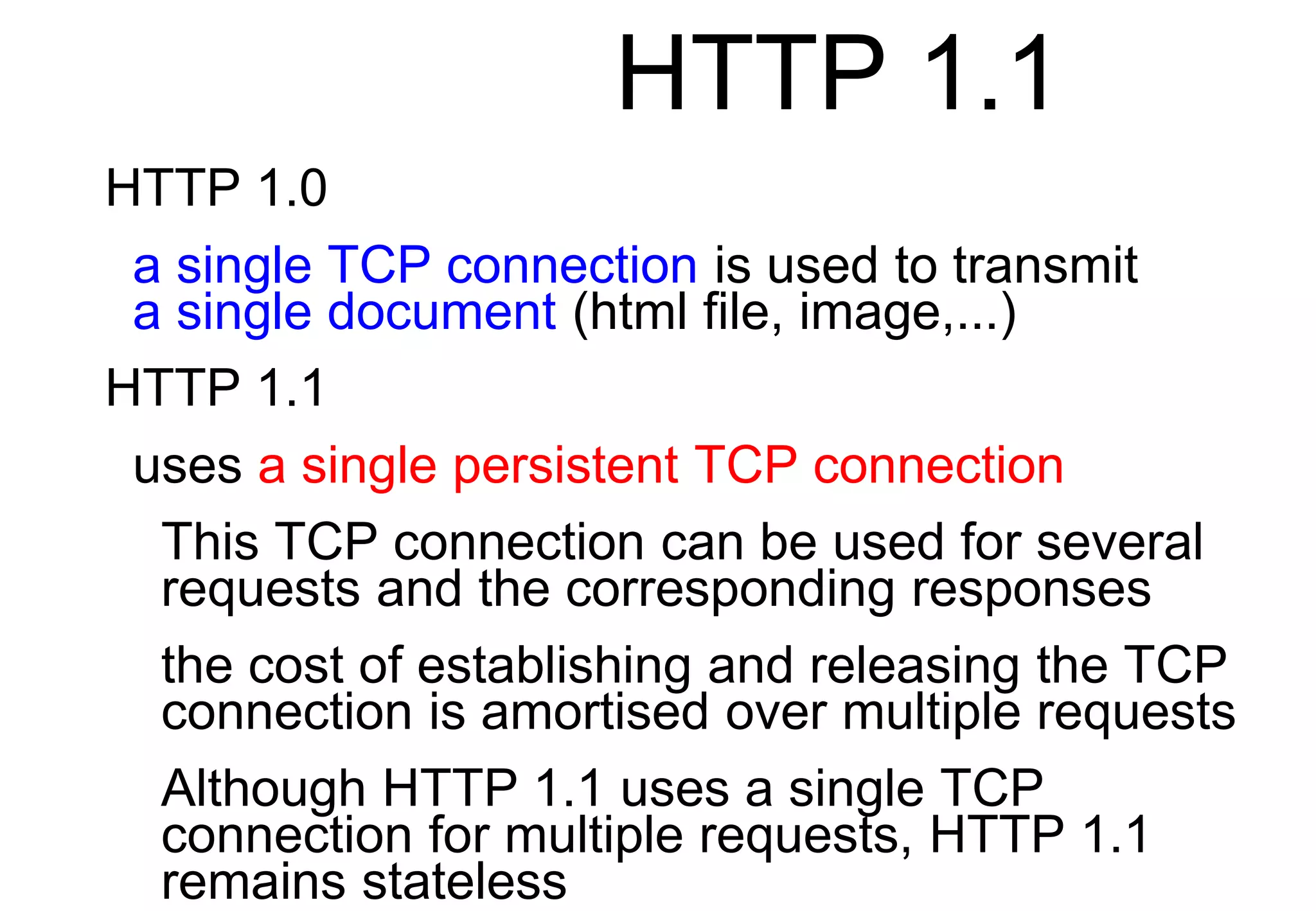
HTTP 1.1
HTTP 1.0
a single TCP connection is used to transmit
a single document (html file, image,...)
HTTP 1.1
uses a single persistent TCP connection
This TCP connection can be used for several
requests and the corresponding responses
the cost of establishing and releasing the TCP
connection is amortised over multiple requests
Although HTTP 1.1 uses a single TCP
connection for multiple requests, HTTP 1.1
remains stateless
HTTP 1.1
Client
Server
CONNECT.request CONNECT.indication
CONNECT.confirm CONNECT.response
DISCONNECT.ind
DISCONNECT.req
DISCONNECT.req
DISCONNECT.ind
HTTP/1.1 200 OK
Keep-Alive: timeout=15, max=99
Connection: Keep-Alive
...
GET / HTTP1.1
Connection: Keep-Alive
... HTTP/1.1 200 OK
Keep-Alive: timeout=15, max=100
Connection: Keep-Alive
...
GET /images/logo.gif HTTP1.1
Connection: Keep-Alive
...
HTTP Authentication
Client
Server
HTTP/1.0 401 Authorization req
WWW authenticate: machin
...
GET / HTTP1.1
...
Browser asks user/password to user
HTTP/1.1 200 OK
...
GET / HTTP1.1
Authorization: User-password
...
GET /images/t.gif HTTP1.1
Authorization: User-password
...
Browser sends user/password in each request
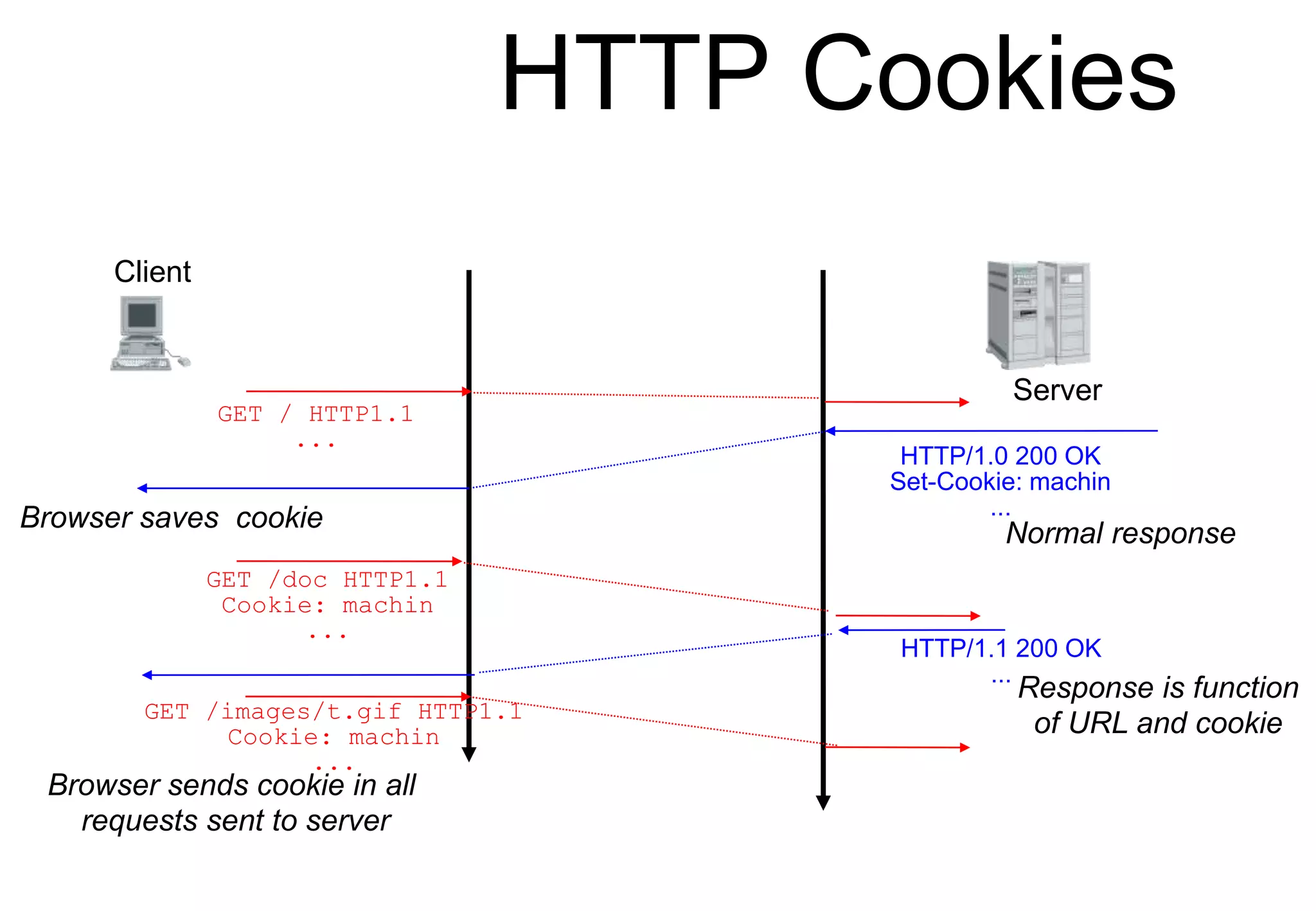
HTTP Cookies
Client
Server
HTTP/1.0 200 OK
Set-Cookie: machin
...
GET / HTTP1.1
...
Browser saves cookie
HTTP/1.1 200 OK
...
GET /doc HTTP1.1
Cookie: machin
...
GET /images/t.gif HTTP1.1
Cookie: machin
...
Browser sends cookie in all
requests sent to server
Response is function
of URL and cookie
Normal response
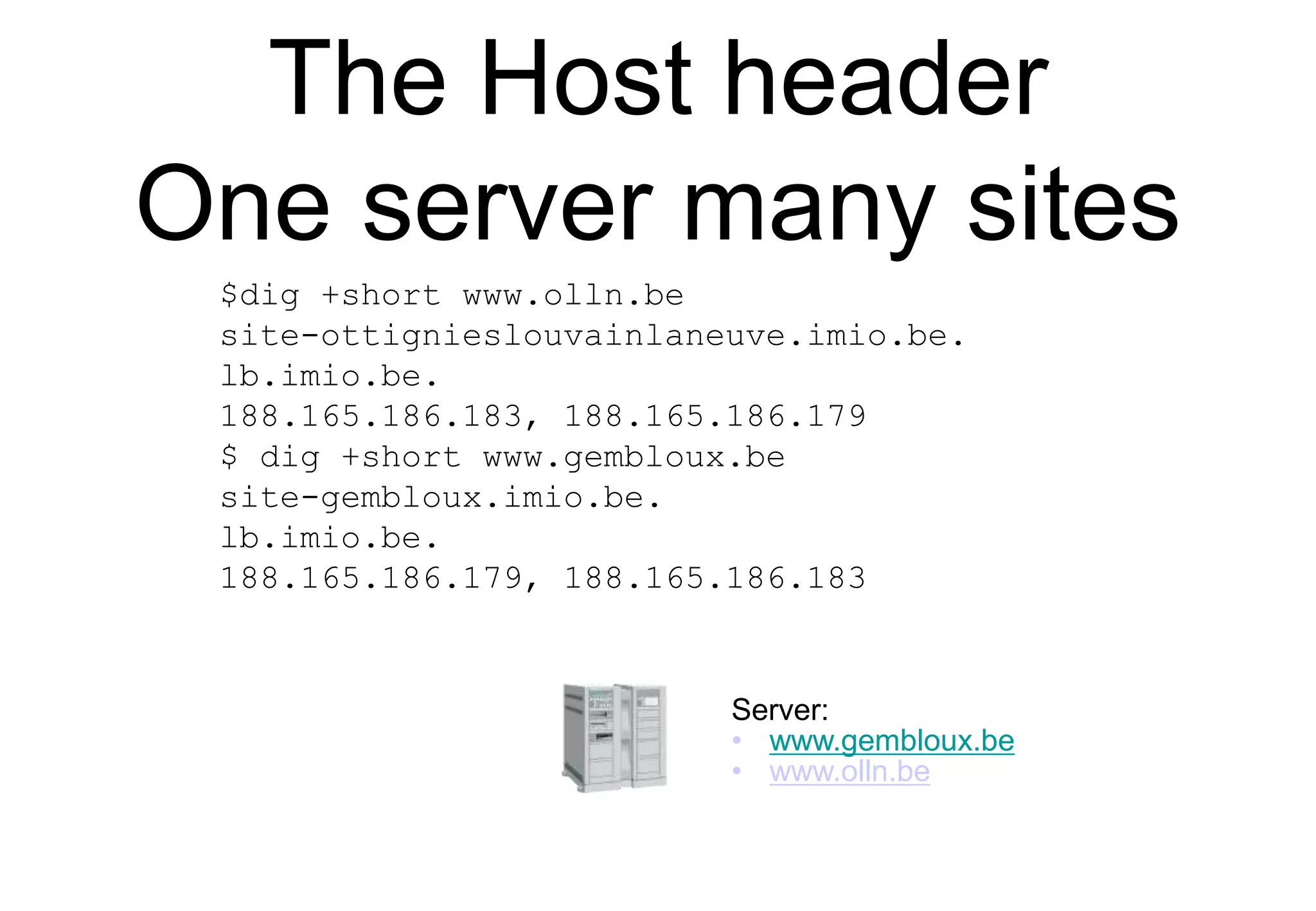
The Host header
One server many sites
Server:
• www.gembloux.be
• www.olln.be
$dig +short www.olln.be
site-ottignieslouvainlaneuve.imio.be.
lb.imio.be.
188.165.186.183, 188.165.186.179
$ dig +short www.gembloux.be
site-gembloux.imio.be.
lb.imio.be.
188.165.186.179, 188.165.186.183
A single physical server
for many TLS services
• Server Name Indication
Alice Bob
ClientHello (SNI=bob.be Ciphers,
RandomAlice)
ServerHello(Ciphers,RandomBob )
Certificate(PubBob , PrivC )
PubC, ,PubBob,,PrivBob
S(PubBob , PrivC )
PubC
,
E( PreMasterSecret , PubBob)
Alice chooses PreMaster Secret
Finished( H(handshake msgs,Key)
Finished( H(handshake msgs,Key))
Tom
PubC, ,PubTom,,PrivTom
S(PubTom , PrivC )
HTTPS versus HTTP
Today's web pages
Source: httparchive.org
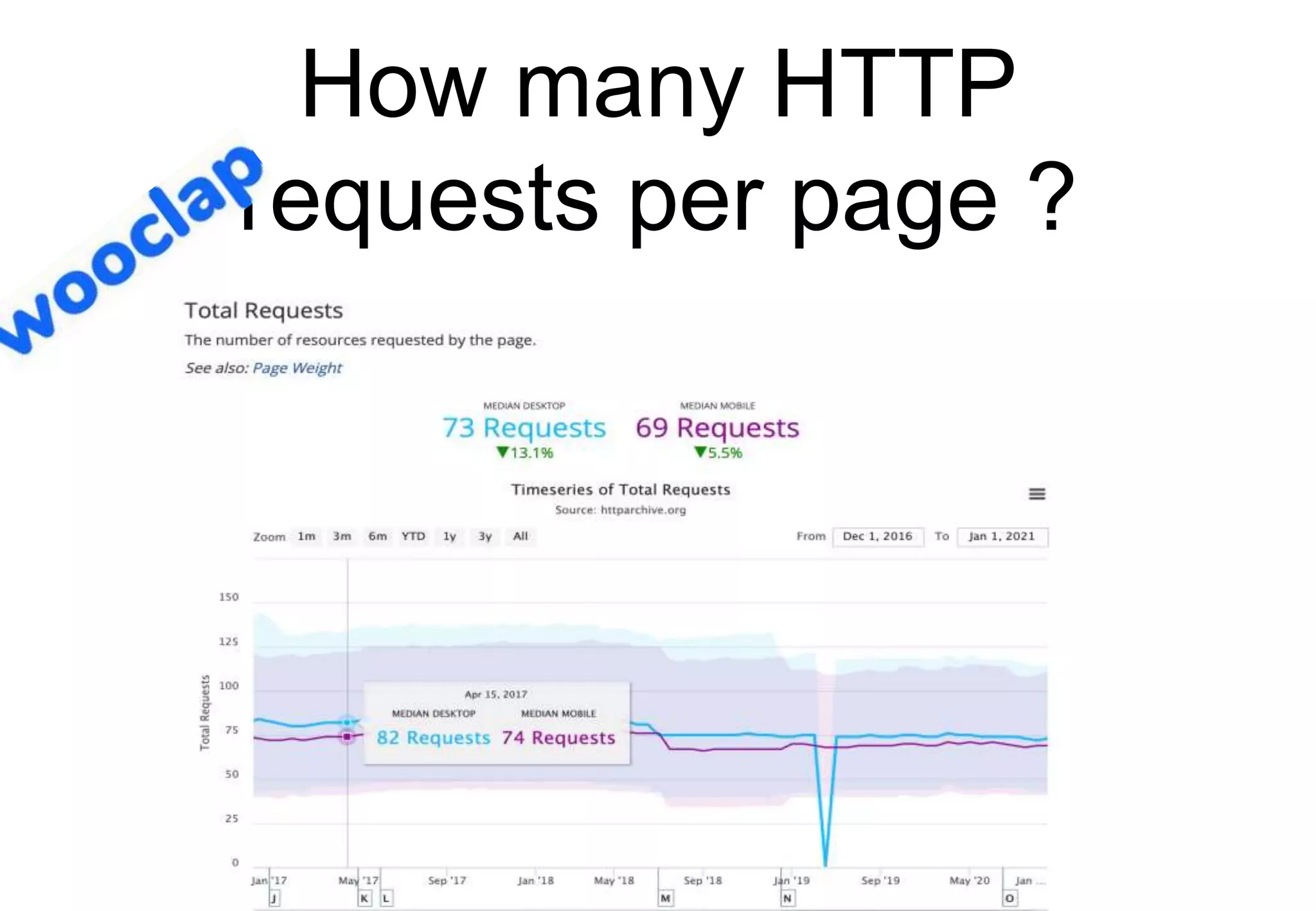
How many HTTP
requests per page ?
Source: httparchive.org
Today's web pages
Source: https://httparchive.org/reports/page-weight.org
• Can you order the different elements of web
pages in terms of importance ( highest average
volume first) ?
• CSS
• Font
• HTML
• Images
• Javascript
• Video
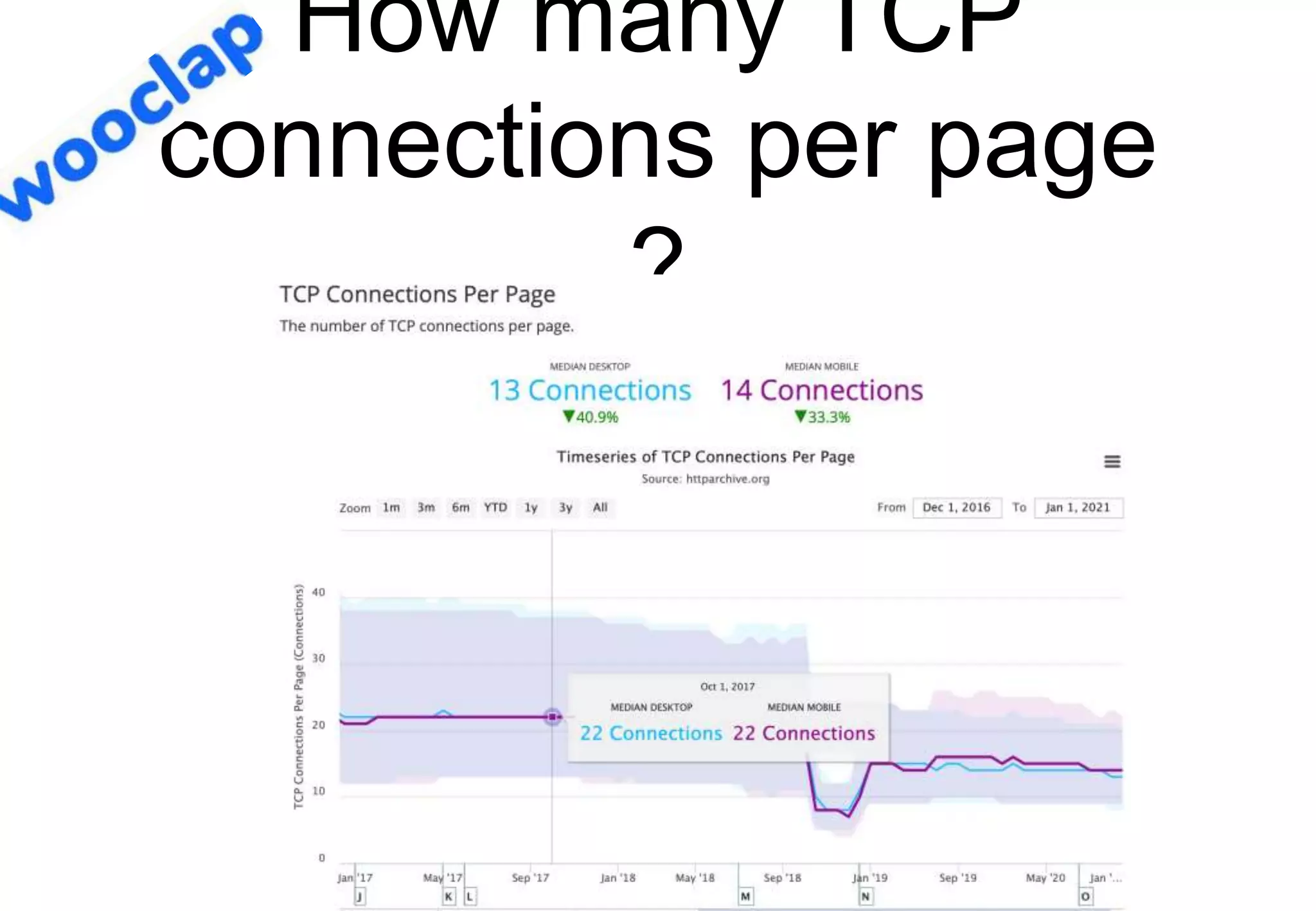
How many TCP
connections per page
?
Source: httparchive.org
A faster web
• How could we speed up the web ?
• What is our objective ?
How to improve web ?
• What can be done to improve web
performance ?
• Reduce unnecessary data transfers
• If-Modified-Since
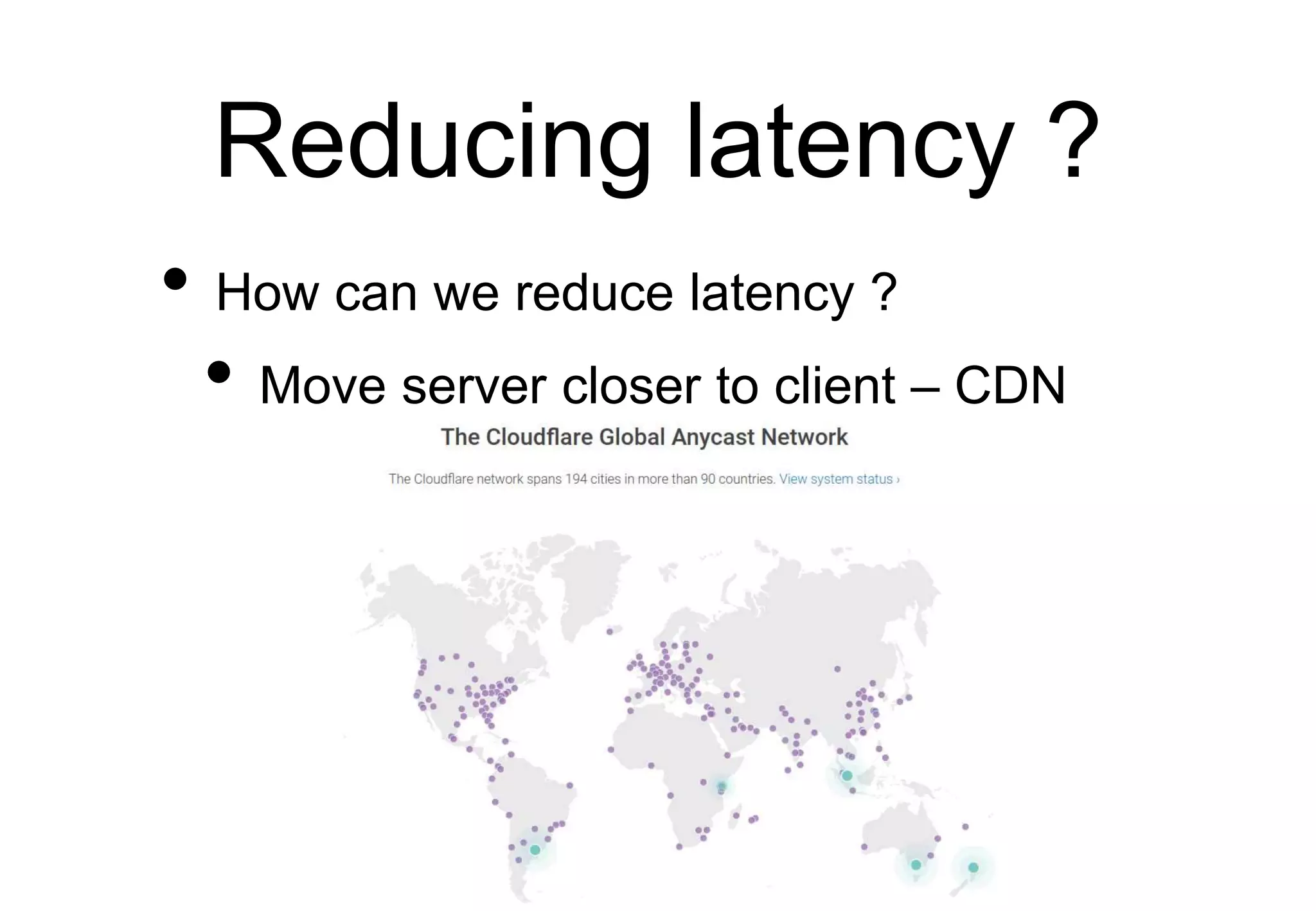
Reducing latency ?
• How can we reduce latency ?
• Move server closer to client – CDN
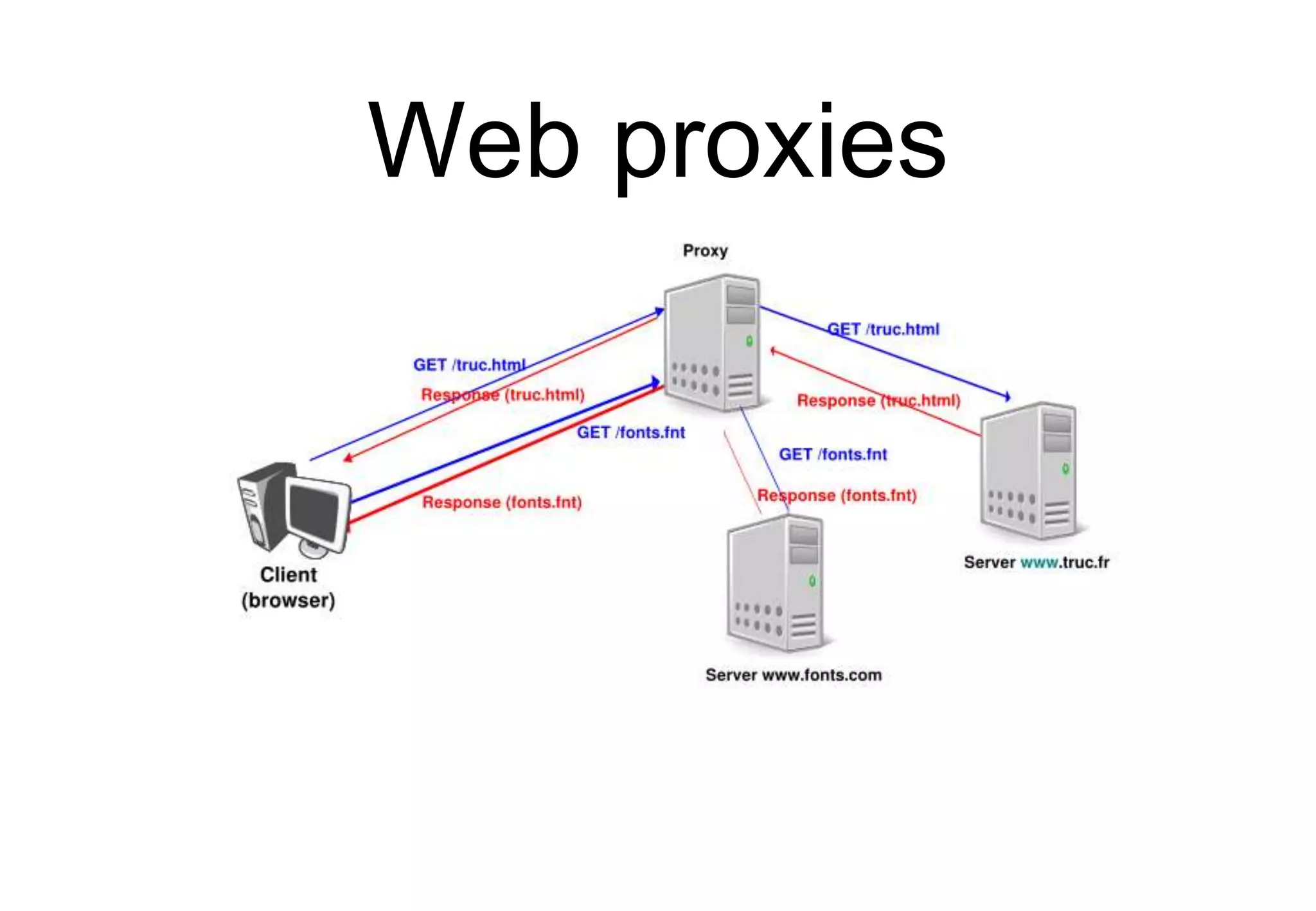
Web proxies
Improving HTTP
HTTP/2.0
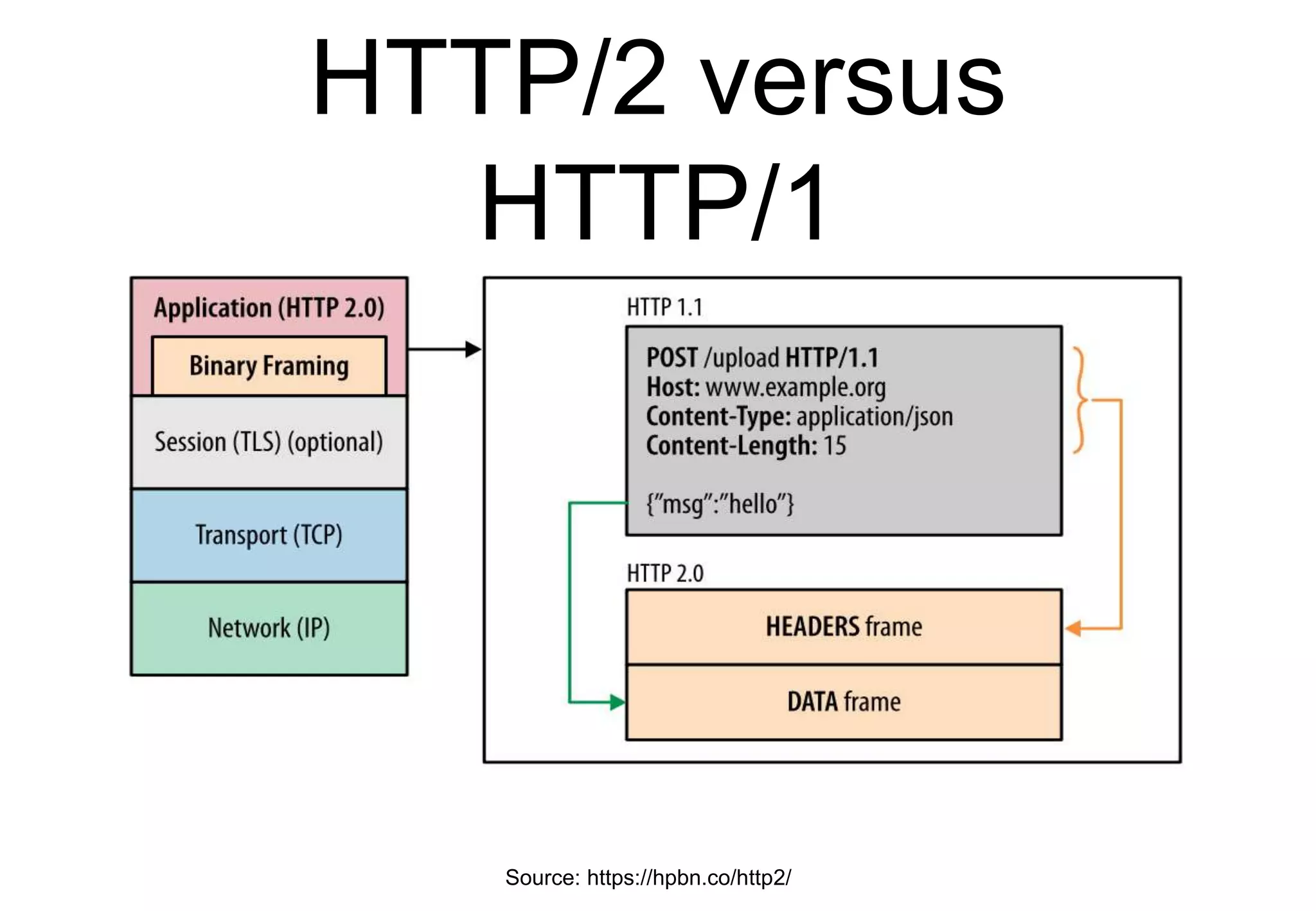
• Key changes from HTTP/1.x
• Binary protocol instead of ASCII
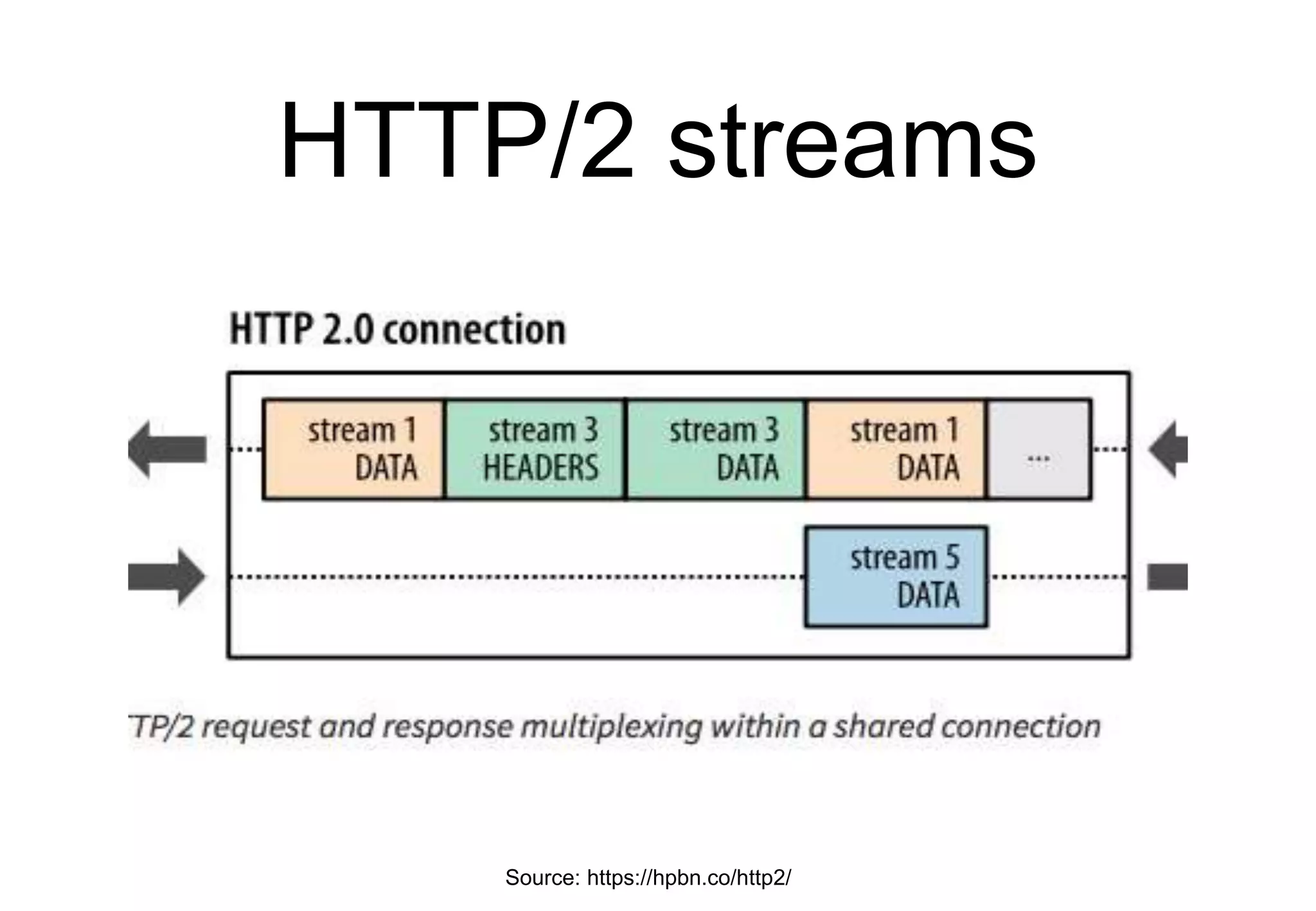
• Support multiple datastreams over the
underlying transport connection
HTTP/2.0
HTTP/2
• Why changing HTTP ?
• Reduce page load time
• Minimize data exchanged
• Reduce network load
• Fewer transport connections
• Reduce risks of attacks from ASCII
parsing
Basics of HTTP/2
• Main modifications compared to HTTP/1.1
• Binary framing protocol
• Will be used over TLS anyway
• One connection for several objects
• Several objects can be multiplexed
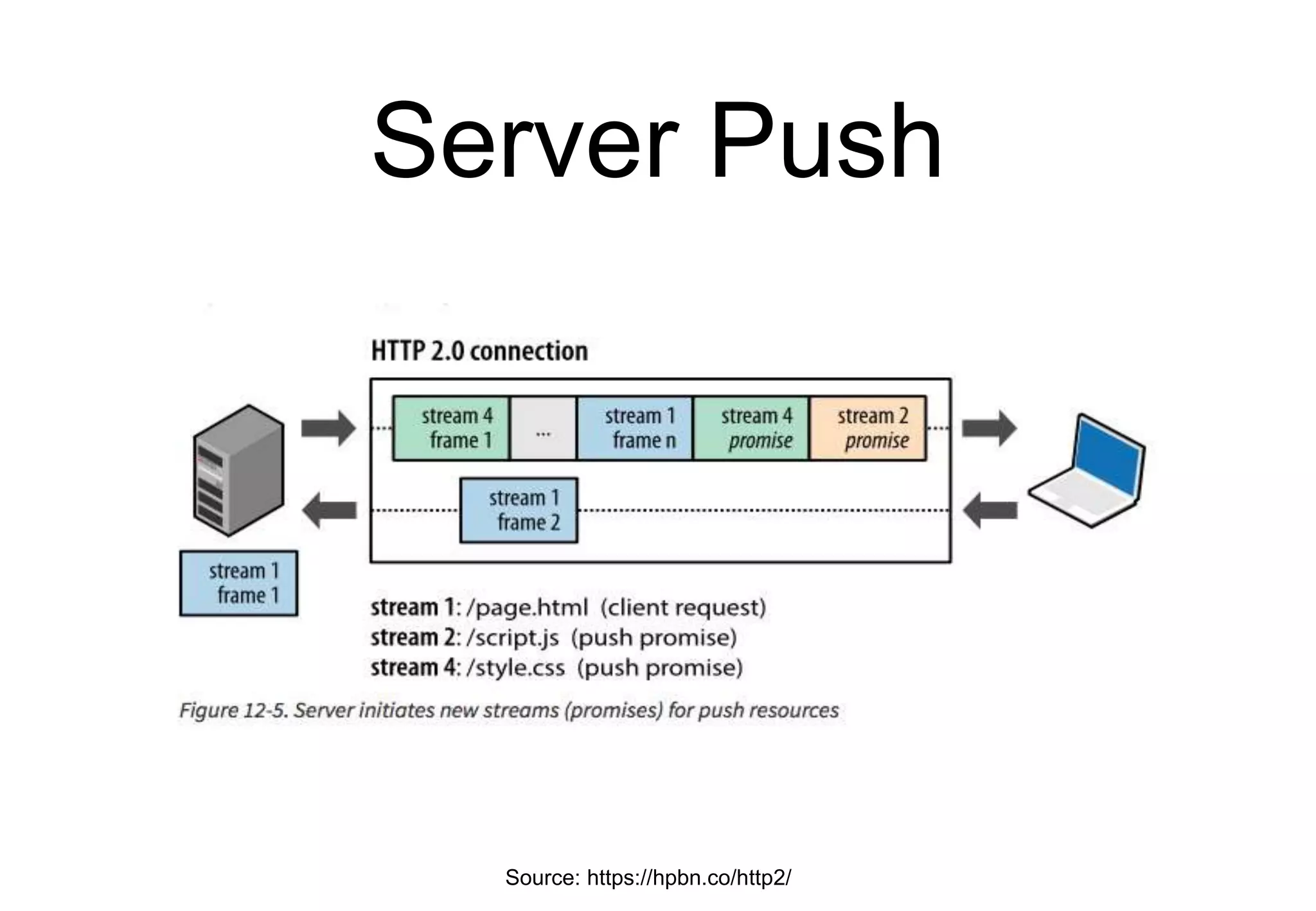
• Server push
• Data compression for requests and
responses
HTTP/2 versus
HTTP/1
Source: https://hpbn.co/http2/
A single TCP
connection
• One TCP connection for all objects for a
given client-server pair
• Minimize in-network and server
resources
• Beware of head-of-line blocking
• Can we do better than HTTP/1.1 ?
Issues with HTTP/1.1
• Can use a single connection per server
but
• Client decides the order of the requests
• Server sends objects in order
requested by client
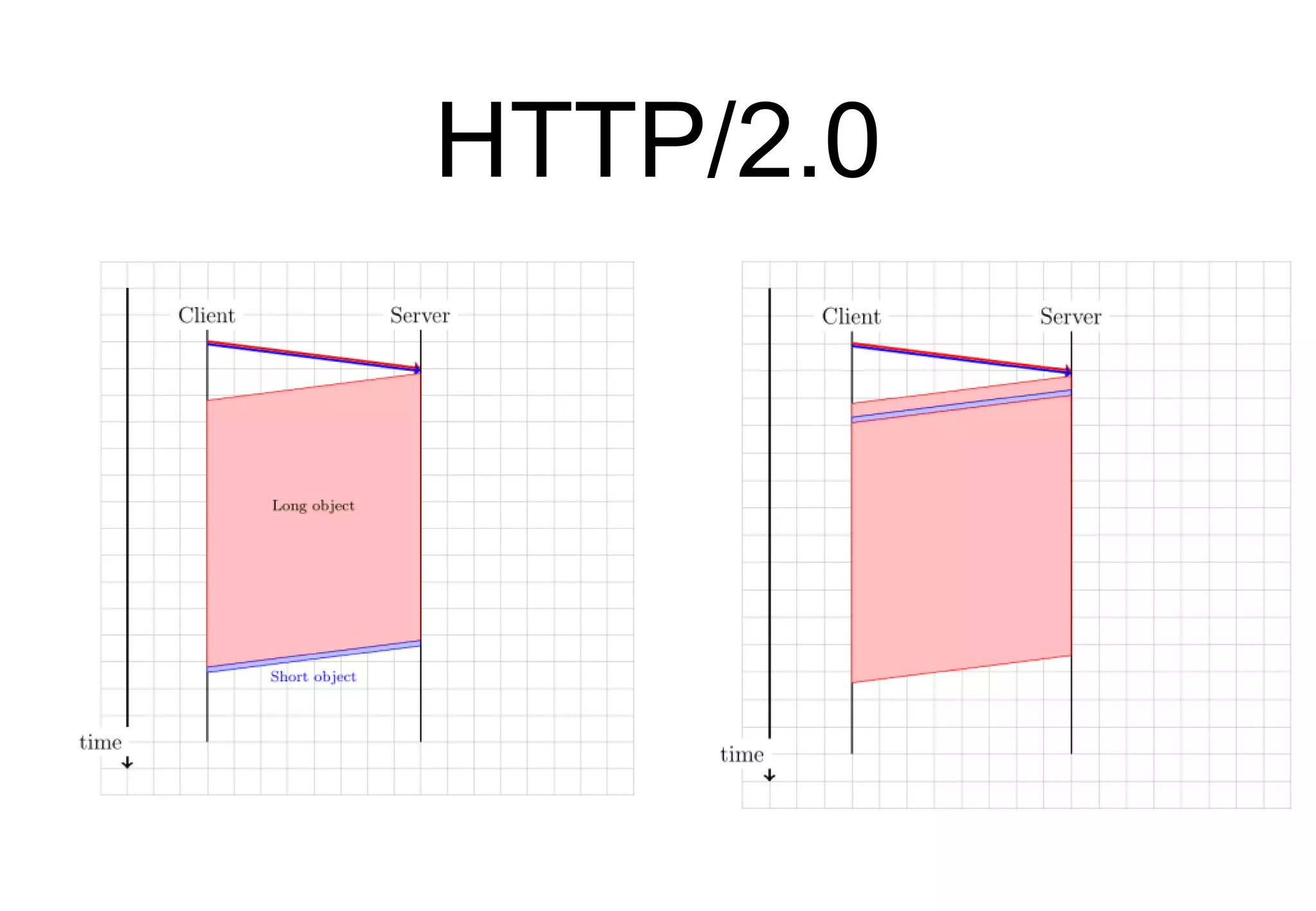
• A large object (e.g. image) may block
smaller but more important objects
(e.g. css/javascript)
HTTP/2 streams
Source: https://hpbn.co/http2/
HTTP/2 streams
• Benefits
• Client can send multiple requests in
parallel
• Server can decide the optimal delivery
order
• Server can interleave multiple objects
and prioritise them
Server Push
Source: https://hpbn.co/http2/

Part 6 : Internet applications

  • 1.
  • 2.
    Agenda • Protocol stack •Internet applications • DNS • Email • Web
  • 3.
    Protocol stack Physical layer •Unit of information : bit • Reliability • transmission errors • creation/suppression of bits Physical Physical Physical
  • 4.
    Protocol stack Datalink layer •Unit of information • Frame • Services • Unreliable connectionless • Reliable connection-oriented Physical Physical Datalink Datalink Physical Datalink Frame
  • 5.
    Protocol stack Network layer •Unit of information • packet • Services • Unreliable connectionless • Organisation • Datagram, virtual circuits Physical Physical Datalink Datalink Network Network Physical Datalink Network Packet
  • 6.
    Protocol stack Transport layer •Unit of information • segment • Services • Unreliable connectionless • Reliable connection-oriented Physical Physical Datalink Datalink Network Network Physical Datalink Network Transport Transport Segmen t
  • 7.
    Protocol stack Application layer PhysicalPhysical Datalink Datalink Network Network Physical Datalink Network Transport Transport Application Application SDU
  • 8.
    Agenda • Protocol stack •Internet applications • DNS • Email • Web
  • 9.
    Internet Transport services • Serviceprovided by UDP • Connectionless, unreliable • Service provided by TCP • Connection-oriented • reliable bytestream
  • 10.
    Internet addresses • IPv4 •32 bits, written as a.b.c.d, e.g. 130.104.1.1 • IPv6 • 128 bits, written in hexadecimal notation, • 2001:06a8:3080:0001:0000:0000:0000:0003 • 2001:6a8:3080:1::3
  • 11.
    UDP service UDP service Applic. 2 Applic. 1 Identification IPaddress : 2001:4860:a005::68 Protocol : UDP Port : 53 Identification: IP address : 2001:6a8:3080:2:217:f2ff:fed6:65c0 Protocol : UDP Port : 1234 • Identification of an application • IP address + port number
  • 12.
    TCP service • Identificationof an application • IP address + TCP + port number TCP service Applic. 2 Applic. 1 Identification IP address: 2001:6a8:3080:1::3 Protocol : TCP Port : 80 Identification: IP address : 2a02:2788:2c4:16f:226:bbff:fe09:266e Protocol : TCP Port : 9876
  • 13.
    Agenda • Protocol stack •Internet applications • DNS • Email • Web
  • 14.
    Naming and addressing • address •A (usually) fixed-length bit string that uniquely identifies a device (or an interface) in a network • name • A human understandable name that identifies a device in a network
  • 15.
    Names and addresses •Different types of relations between names and addresses • One-to-one • A unique name corresponds to each unique address • One-to-many • A name corresponds to several addresses (e.g. popular server) • Many-to-one • Several names correspond to the same address (e.g. a web server hosting many sites)
  • 16.
    Names • How canwe assign unique and non- ambiguous names to devices ?
  • 17.
    Domain names • Eachdomain name is a series of strings separated by dots Which DNS names are valid ?
  • 18.
    The tree ofnames • At each level, a secretariat verifies that domain names are unique • A bit more than 1200 TLDs • How many domain names in 2021 ?
  • 19.
    Mapping names to addresses •How to map names to addresses ? • First approach • Distribute a file containing the mapping to all hosts https://en.wikipedia.org/wiki/Hosts_%28file%29
  • 20.
    The Domain Name System Adistributed database • Each domain is managed by a name server which can: • resolve a local name in an address • return the name of a name server that is responsible for a domain
  • 21.
    How to querya name server ? • Which service would you use to query a name server ? • Reliable connection oriented (TCP) • Unreliable connectionless (UDP)
  • 22.
    DNS Resource Records •A • IPv4 address • AAAA • IPv6 address • NS • Name server • Other specific records : CNAME, MX, TXT, ... Each RR is structured as • Type • Length • Value • TTL
  • 23.
    The root DNSservers • A dozen of servers that know the name servers that are responsible for the Top- Level-Domain names
  • 24.
  • 25.
    Example • If youneed to resolve the transvol.sgsi.ucl.ac.be name, how many DNS do you need to send in total ?
  • 26.
    DNS messages Identification Flags 32bits Number of additional Number of authority Number of answers 12 bytes Questions (variable number of resource records) Number of questions Answers (variable number of resource records) Authority (variable number of resource records) Additional information (variable number of resource records) • Question/Response • Recursive question or not • Authoritative answer or not • Possible error What is the role of the identification field ?
  • 27.
  • 28.
    DNS Resolvers • Localresolvers inside UCLouvain • 130.104.230.68 • 130.104.1.1 • 130.104.1.2 • 2001:6a8:3081:1::53 • Open DNS resolvers • 8.8.8.8, 1.1.1.1, 9.9.9.9 • 2001:4860:4860::8888, ...
  • 29.
    Example dig www.ietf.org @2001:4860:4860::8888 ;<<>> DiG 9.8.3-P1 <<>> www.ietf.org @2001:4860:4860::8888 ;; ->>HEADER<<- opcode: QUERY, status: NOERROR, id: 36945 ;; flags: qr rd ra; QUERY: 1, ANSWER: 3, AUTHORITY: 0, ADDITIONAL: 0 ;; QUESTION SECTION: ;www.ietf.org. IN A ;; ANSWER SECTION: www.ietf.org. 1441 IN CNAME www.ietf.org.cdn.cloudflare.net. www.ietf.org.cdn.cloudflare.net. 43 IN A 104.20.1.85 www.ietf.org.cdn.cloudflare.net. 43 IN A 104.20.0.85 ;; Query time: 39 msec ;; SERVER: 2001:4860:4860::8888#53(2001:4860:4860::8888) ;; WHEN: Tue Oct 21 09:16:50 2014 ;; MSG SIZE rcvd: 107 What is a CNAME record ?
  • 30.
    Example dig -t AAAAwww.ietf.org @2001:6a8:3081:1::53 ; <<>> DiG 9.10.2-P1 <<>> -t AAAA www.ietf.org @2001:6a8:3081:1::53 ;; ->>HEADER<<- opcode: QUERY, status: NOERROR, id: 33225 ;; flags: qr rd ra ad; QUERY: 1, ANSWER: 3, AUTHORITY: 0, ADDITIONAL: 1 ;; OPT PSEUDOSECTION: ; EDNS: version: 0, flags:; udp: 4096 ;; QUESTION SECTION: ;www.ietf.org. IN AAAA ;; ANSWER SECTION: www.ietf.org. 1215 IN CNAME www.ietf.org.cdn.cloudflare- dnssec.net. www.ietf.org.cdn.cloudflare-dnssec.net. 71 IN AAAA 2400:cb00:2048:1::6814:55 www.ietf.org.cdn.cloudflare-dnssec.net. 71 IN AAAA 2400:cb00:2048:1::6814:155 ;; Query time: 1 msec ;; SERVER: 2001:6a8:3081:1::53#53(2001:6a8:3081:1::53)
  • 31.
    Packets exchanged sudo tcpdump-n -i en4 -vv udp port 53 tcpdump: listening on en4, link-type EN10MB (Ethernet), capture size 262144 bytes 09:16:50.749400 IP6 (flowlabel 0x8ea5d, hlim 64, next-header UDP (17) payload length: 38) 2001:6a8:3080:2:2908:3cb4:bbb4:ae0e.56551 > 2001:4860:4860::8888.53: 36945+ A? www.ietf.org. (30) 09:16:50.769351 IP6 (hlim 55, next-header UDP (17) payload length: 115) 2001:4860:4860::8888.53 > 2001:6a8:3080:2:2908:3cb4:bbb4:ae0e.56551: 36945 q: A? www.ietf.org. 3/0/0 www.ietf.org. CNAME www.ietf.org.cdn.cloudflare.net., www.ietf.org.cdn.cloudflare.net. A 104.20.1.85, www.ietf.org.cdn.cloudflare.net. A 104.20.0.85 (107)
  • 32.
    Agenda • Protocol stack •Internet applications • DNS • Email • Web
  • 33.
    Simplified architecture Bob@b.net Alice@a.net Alice’s email server b.net‘s email server Alice sends her email to local mail forwarder Alice’s server sends email to b.net’s MX Bob retrieves message from his server
  • 34.
    Message format Exp: ABCS.A. Rue de Fer 10 5000 Namur DEF Corp. Steel street 9 WA78 AX London Grande Bretagne From: president@abc.be To: ceo@def.com Subject: Hello Date : 27 Sept. 1999 0901 Dear Sir, Bla Bla Bla... Header Message body
  • 35.
    Email message format •An email message is a series of ASCII lines • The first lines are the header lines that indicate control information, but which fields MUST be present in the header lines ?
  • 36.
    Header format • Atleast three lines that end with <CRLF> • From: sender@domain • To:recipient@domain • Date: <creation date of message> • Optional fields • Subject: , cc: ,Message-ID:, Received: In- Reply-To: , ... • Header ends with empty line (<CRLF>)
  • 37.
    MIME • Multipurpose InternetMail Extensions • Constraints • must remain compatible with old email servers • short US-ASCII Lines • must support non-English text • must support various formats • must allow to transmit audio, video, ..
  • 38.
    MIME (2) • Newheader fields • MIME-Version: • version of MIME used to encode message • Content-Description: • comment describing the content of the message • Content-Type: • type of information inside message • Content-Transfer-Encoding: • how the message has been encoded • Content-Id: • unique identifier for the content
  • 39.
    MIME: Content-Type • Content-Type: type/encoding • type of content • text, image, video, application • multipart • encoding of content • text/plain , text/html, image/gif, image/jpeg , audio/basic, video/mpeg, video/quicktime, application/octet-stream, application/postscript • multipart/alternative, multipart/mixed • attachment
  • 40.
    Character sets • Howto support rich character sets ? • Content-Type: text/plain; charset=us-ascii • Content-Type: text/plain; charset=iso-8859-1 • Character set suitable for Western European languages, defined by ISO, 8 bits per character • Content-Type: text/plain; charset=unicode • Universal character set
  • 41.
    Content encoding • Howto encode non-text data ? • Base64 • Base64 • uses ASCII characters A...Z,a...z,0...9, "+" et "/" • A=0, B=1, C=2, ... +=62 et /=63 • Each character is used to encode 6 bits • 24 bits from initial message -> 4 ASCII characte • Special character “=” used for padding
  • 42.
    Multipart/mixed Date: Mon, 20Sep 1999 16:33:16 +0200 From: Nathaniel Borenstein <nsb@bellcore.com> To: Ned Freed <ned@innosoft.com> Subject: Test MIME-Version: 1.0 Content-Type: multipart/mixed; boundary="simple boundary" preamble, to be ignored --simple boundary Content-Type: text/plain; charset=us-ascii partie 1 --simple boundary Content-Type: text/plain; charset=us-ascii partie 2 --simple boundary
  • 43.
    Email protocols Bob@b.net Alice@a.net a.net’s SMTP server b.net’sSMTP server SMTP Email retrieval SMTP What are the protocols used to retrieve emails from a server ?
  • 44.
    Agenda • Protocol stack •Internet applications • DNS • Email • Web
  • 45.
  • 46.
    Key elements ofthe web • URL : An addressing scheme that allows to identify any document stored on a server • HTML : hypertext language to easily write documents with hypertext links • HTTP : An efficient and lightweight protocol to exchange documents • Servers • Clients (browsers)
  • 47.
    URL • syntax :<protocol>://<document> • http is the most common • https means http over a TLS session • document indicates the server and the location of the document • <user>:<password>@<server>:<port>/<pat h>
  • 49.
    HTML <HTML> <HEAD> <TITLE>HTML test page</TITLE> </HEAD> <BODY> <IMGSRC="http://www.images.be/logo.gif"> <H1>Web servers from UCL UCL<P></H1> <HR> <UL> <LI><A HREF="http://www.uclouvain.be">UCL</A> <LI><A HREF="http://www.info.ucl.ac.be">CSE Dept.</A> <LI><A HREF="http://www.math.ucl.ac.be">Math</A> </UL> </BODY> </HTML> Header Body Image on remote server First level title External hypertext link
  • 50.
    HTTP Client Server Method Header CRLF MIME Document Request Method GET lPOST l... Header containsadditional information about request sent by client Status line Header CRLF MIME Document Response Header contains information about server and optional parameters specific to response Success or failure HTTP is a stateless protocol, server does not maintain any state from one request to another
  • 51.
    HTTP • Which transportservice would you select to support HTTP ? • Unreliable connectionless service (UDP) • Reliable bytestream connection- oriented (TCP)
  • 52.
    HTTP/1.0 • HTTP 1.0- non-persistent connection Client Server CONNECT.request CONNECT.indication CONNECT.confirm CONNECT.response DATA.request(Request) DATA.req(Response) DATA.ind(Request) DATA.ind(Response) DISCONNECT.ind DISCONNECT.req DISCONNECT.req DISCONNECT.ind
  • 53.
    HTTP : Methods •Methods • GET • method used to request a "document" stored on server • GET <document> HTTP/1.0 • POST • method used to send a "document" to a server • document is part of the request and encoded as a MIME document
  • 54.
    Request headers • Host:<name> • Name of the server where the document is stored • Authorization • allows to perform access control • If-Modified-Since: <date> • server will only send if more recent than date • Referer: <url> • URL visited by the client before this request • User-Agent: <agent> • client’s browser
  • 55.
    HTTP : Statusline • Format : Version_HTTP Code Comment • Success/Failure • 2xx : Success • Example : HTTP/1.0 200 OK • 3xx : Redirection • 4xx : Client-side error • 5xx : Server-side error
  • 56.
    HTTP Response • Date •date of the document attached to response • Server • Name and version of http server used • Content-* • MIME header of the attached document
  • 57.
    HTTP : Example Client Server www.info.ucl.ac.be GET/index.html HTTP/1.0 Host: www.info.ucl.ac.be CRLF Request Response HTTP/1.0 200 OK Date: Fri, 10 Sep 1999 14:29:19 GMT Server: Apache/1.3.0 (Unix) ApacheJServ/1.0b5 Last-Modified: Thu, 02 Sep 2009 11:50:50 GMT Content-Length: 1224 Content-Type: text/html CRLF <HTML> . . . </HTML>
  • 58.
    HTTP 1.1 HTTP 1.0 asingle TCP connection is used to transmit a single document (html file, image,...) HTTP 1.1 uses a single persistent TCP connection This TCP connection can be used for several requests and the corresponding responses the cost of establishing and releasing the TCP connection is amortised over multiple requests Although HTTP 1.1 uses a single TCP connection for multiple requests, HTTP 1.1 remains stateless
  • 59.
    HTTP 1.1 Client Server CONNECT.request CONNECT.indication CONNECT.confirmCONNECT.response DISCONNECT.ind DISCONNECT.req DISCONNECT.req DISCONNECT.ind HTTP/1.1 200 OK Keep-Alive: timeout=15, max=99 Connection: Keep-Alive ... GET / HTTP1.1 Connection: Keep-Alive ... HTTP/1.1 200 OK Keep-Alive: timeout=15, max=100 Connection: Keep-Alive ... GET /images/logo.gif HTTP1.1 Connection: Keep-Alive ...
  • 60.
    HTTP Authentication Client Server HTTP/1.0 401Authorization req WWW authenticate: machin ... GET / HTTP1.1 ... Browser asks user/password to user HTTP/1.1 200 OK ... GET / HTTP1.1 Authorization: User-password ... GET /images/t.gif HTTP1.1 Authorization: User-password ... Browser sends user/password in each request
  • 61.
    HTTP Cookies Client Server HTTP/1.0 200OK Set-Cookie: machin ... GET / HTTP1.1 ... Browser saves cookie HTTP/1.1 200 OK ... GET /doc HTTP1.1 Cookie: machin ... GET /images/t.gif HTTP1.1 Cookie: machin ... Browser sends cookie in all requests sent to server Response is function of URL and cookie Normal response
  • 62.
    The Host header Oneserver many sites Server: • www.gembloux.be • www.olln.be $dig +short www.olln.be site-ottignieslouvainlaneuve.imio.be. lb.imio.be. 188.165.186.183, 188.165.186.179 $ dig +short www.gembloux.be site-gembloux.imio.be. lb.imio.be. 188.165.186.179, 188.165.186.183
  • 63.
    A single physicalserver for many TLS services • Server Name Indication Alice Bob ClientHello (SNI=bob.be Ciphers, RandomAlice) ServerHello(Ciphers,RandomBob ) Certificate(PubBob , PrivC ) PubC, ,PubBob,,PrivBob S(PubBob , PrivC ) PubC , E( PreMasterSecret , PubBob) Alice chooses PreMaster Secret Finished( H(handshake msgs,Key) Finished( H(handshake msgs,Key)) Tom PubC, ,PubTom,,PrivTom S(PubTom , PrivC )
  • 64.
  • 65.
  • 66.
    How many HTTP requestsper page ? Source: httparchive.org
  • 67.
    Today's web pages Source:https://httparchive.org/reports/page-weight.org • Can you order the different elements of web pages in terms of importance ( highest average volume first) ? • CSS • Font • HTML • Images • Javascript • Video
  • 68.
    How many TCP connectionsper page ? Source: httparchive.org
  • 69.
    A faster web •How could we speed up the web ? • What is our objective ?
  • 70.
    How to improveweb ? • What can be done to improve web performance ? • Reduce unnecessary data transfers • If-Modified-Since
  • 71.
    Reducing latency ? •How can we reduce latency ? • Move server closer to client – CDN
  • 72.
  • 73.
  • 74.
    HTTP/2.0 • Key changesfrom HTTP/1.x • Binary protocol instead of ASCII • Support multiple datastreams over the underlying transport connection
  • 75.
  • 76.
    HTTP/2 • Why changingHTTP ? • Reduce page load time • Minimize data exchanged • Reduce network load • Fewer transport connections • Reduce risks of attacks from ASCII parsing
  • 77.
    Basics of HTTP/2 •Main modifications compared to HTTP/1.1 • Binary framing protocol • Will be used over TLS anyway • One connection for several objects • Several objects can be multiplexed • Server push • Data compression for requests and responses
  • 78.
  • 79.
    A single TCP connection •One TCP connection for all objects for a given client-server pair • Minimize in-network and server resources • Beware of head-of-line blocking • Can we do better than HTTP/1.1 ?
  • 80.
    Issues with HTTP/1.1 •Can use a single connection per server but • Client decides the order of the requests • Server sends objects in order requested by client • A large object (e.g. image) may block smaller but more important objects (e.g. css/javascript)
  • 81.
  • 82.
    HTTP/2 streams • Benefits •Client can send multiple requests in parallel • Server can decide the optimal delivery order • Server can interleave multiple objects and prioritise them
  • 83.

Editor's Notes

  • #12 UDP is defined in J. Postel, User Datagram Protocol. RFC768, August 1980 It will be described in more details later
  • #13 TCP is defined in J. Postel, Transmission Control Protocol, RFC793, September 1981 It will be described in more details later
  • #23 The RR MX were proposed in C. Partridge. Mail routing and the domain system. Request for Comments 974, Internet Engineering Task Force, January 1986. A complete list of DNS RR may be found at http://www.its.uq.edu.au/tn-0011
  • #41 MIME was defined in N. Freed and N. Borenstein. Multipurpose internet mail extensions (MIME) part one: Format of internet message bodies. Request for Comments 2045, Internet Engineering Task Force, November 1996. N. Freed and N. Borenstein. Multipurpose internet mail extensions (MIME) part two: Media types. Request for Comments 2046, Internet Engineering Task Force, November 1996.
  • #46 Exemple de message MIME Received: from loriot.info.fundp.ac.be (loriot.info.fundp.ac.be [138.48.32.96]) by leibniz.info.fundp.ac.be (8.9.1/8.9.1) with SMTP id QAA19679; Mon, 20 Sep 1999 16:37:25 +0200 (MET DST) Message-Id: <3.0.5.32.19990920163316.00866340@info.fundp.ac.be> Date: Mon, 20 Sep 1999 16:33:16 +0200 To: pers-aca, pers-sci From: Gysele HENRARD <ghe@info.fundp.ac.be> Subject: listes Mime-Version: 1.0 Content-Type: multipart/mixed; boundary="=====================_937830796==_" --=====================_937830796==_ Content-Type: text/plain; charset="iso-8859-1" Content-Transfer-Encoding: quoted-printable Bonjour, Voici des listes de 1M-1L, 2M-2L et ERASMUS mises =E0 jour ce lundi 20 septembre. Gyselle --=====================_937830796==_ Content-Type: application/octet-stream; name="1M_99_00.xls"; x-mac-type="584C5334"; x-mac-creator="5843454C" ...
  • #56 HTTP 1.0 is defined in : T. Berners-Lee, R. Fielding, and H. Frystyk. Hypertext transfer protocol -- HTTP/1.0. Request for Comments 1945, Internet Engineering Task Force, May 1996.
  • #62 HTTP 1.1 is defined in : R. Fielding, J. Gettys, J. Mogul, H. Frystyk, L. Masinter, P. Leach, and T. Berners-Lee. Hypertext transfer protocol -- HTTP/1.1. Request for Comments 2616, Internet Engineering Task Force, June 1999.