
@packetjay
Fun and games until someone uses IPv6 or TCP
 PCAP = Packet CAPture
 binary log of network packets
 old format, being replaced by PCAPng
 Written by tcpdump, Wireshark (using
dumpcap), Snort, and other tools
 Similar to editing packets for packet replay
 Removing sensitive details
 User Credentials
 Network topology (IP addresses etc.)
 Device & software version information
 Vulnerable protocols
 Payloads
 Network analysts
 often require to keep packets only up to the
TCP layer
 look at packet loss, timings, TCP being
messed up by obscure middle boxes
 sometimes need details like FQDNs or URLs
 Security Analysts/Researchers
 usually don't care that much about Ethernet /
ARP / IPv4 / TCP / UDP headers
 Need to keep the malware / exploit delivery
process intact: FQDNs, URLs, binary
payloads
 Balance between removing details and
remaining usefulness
 One packet vs. many
 Protocol complexity
 Procotol dependencies
 Defensive Transformation
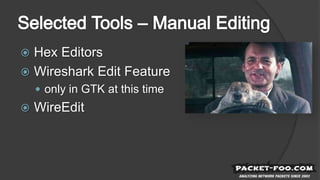
 Hex Editors
 Wireshark Edit Feature
 only in GTK at this time
 WireEdit
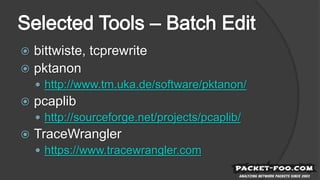
 bittwiste, tcprewrite
 pktanon
 http://www.tm.uka.de/software/pktanon/
 pcaplib
 http://sourceforge.net/projects/pcaplib/
 TraceWrangler
 https://www.tracewrangler.com
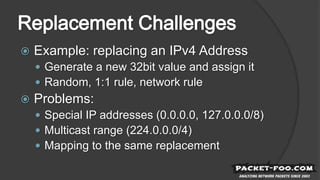
 Example: replacing an IPv4 Address
 Generate a new 32bit value and assign it
 Random, 1:1 rule, network rule
 Problems:
 Special IP addresses (0.0.0.0, 127.0.0.0/8)
 Multicast range (224.0.0.0/4)
 Mapping to the same replacement
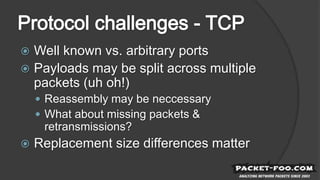
 Well known vs. arbitrary ports
 Payloads may be split across multiple
packets (uh oh!)
 Reassembly may be neccessary
 What about missing packets &
retransmissions?
 Replacement size differences matter
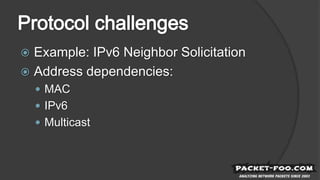
 Example: IPv6 Neighbor Solicitation
 Address dependencies:
 MAC
 IPv6
 Multicast
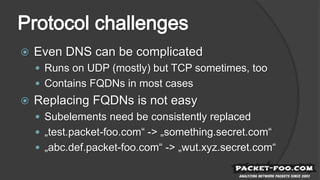
 Even DNS can be complicated
 Runs on UDP (mostly) but TCP sometimes, too
 Contains FQDNs in most cases
 Replacing FQDNs is not easy
 Subelements need be consistently replaced
 „test.packet-foo.com“ -> „something.secret.com“
 „abc.def.packet-foo.com“ -> „wut.xyz.secret.com“
 Mail: jasper@packet-foo.com
 Web: blog.packet-foo.com
 Twitter: @packetjay

Sanitizing PCAPs

  • 1.
    @packetjay Fun and gamesuntil someone uses IPv6 or TCP
  • 3.
     PCAP =Packet CAPture  binary log of network packets  old format, being replaced by PCAPng  Written by tcpdump, Wireshark (using dumpcap), Snort, and other tools
  • 4.
     Similar toediting packets for packet replay  Removing sensitive details  User Credentials  Network topology (IP addresses etc.)  Device & software version information  Vulnerable protocols  Payloads
  • 6.
     Network analysts often require to keep packets only up to the TCP layer  look at packet loss, timings, TCP being messed up by obscure middle boxes  sometimes need details like FQDNs or URLs
  • 7.
     Security Analysts/Researchers usually don't care that much about Ethernet / ARP / IPv4 / TCP / UDP headers  Need to keep the malware / exploit delivery process intact: FQDNs, URLs, binary payloads
  • 8.
     Balance betweenremoving details and remaining usefulness  One packet vs. many  Protocol complexity  Procotol dependencies  Defensive Transformation
  • 9.
     Hex Editors Wireshark Edit Feature  only in GTK at this time  WireEdit
  • 10.
     bittwiste, tcprewrite pktanon  http://www.tm.uka.de/software/pktanon/  pcaplib  http://sourceforge.net/projects/pcaplib/  TraceWrangler  https://www.tracewrangler.com
  • 11.
     Example: replacingan IPv4 Address  Generate a new 32bit value and assign it  Random, 1:1 rule, network rule  Problems:  Special IP addresses (0.0.0.0, 127.0.0.0/8)  Multicast range (224.0.0.0/4)  Mapping to the same replacement
  • 12.
     Well knownvs. arbitrary ports  Payloads may be split across multiple packets (uh oh!)  Reassembly may be neccessary  What about missing packets & retransmissions?  Replacement size differences matter
  • 13.
     Example: IPv6Neighbor Solicitation  Address dependencies:  MAC  IPv6  Multicast
  • 14.
     Even DNScan be complicated  Runs on UDP (mostly) but TCP sometimes, too  Contains FQDNs in most cases  Replacing FQDNs is not easy  Subelements need be consistently replaced  „test.packet-foo.com“ -> „something.secret.com“  „abc.def.packet-foo.com“ -> „wut.xyz.secret.com“
  • 16.
     Mail: jasper@packet-foo.com Web: blog.packet-foo.com  Twitter: @packetjay

Editor's Notes

  • #3 While there may not seem a direct relation to a computer game like X-Wing and a PCAP, they still require similar processing when trying to change something, e.g. the game language. Back in the days of X-Wing (releasd in 1993) and Eye of the Beholder II, game translators like me did not get any kind of access to the actual source code. LucasArts and Westwood simply didn't care how we did the translations, so I often ended up replacing the text in a hex editor. We will see that sanitizing PCAPs can be done the same way, but it is no fun to do it, as it is slow and error prone.
  • #4 PCAP is a simple packet capture format that only contains little additional meta information about the packet/frame itself: length on the wire, length that was captured (in case it was only capture partially), and a time stamp. PCAPng has a lot more features, e.g. allowing captures on multiple network cards, adding comments to packets/frames, storing name resolution information etc.
  • #5 Editing packets for replay purposes is a little different than editing them to remove sensitive information. Packet replay editors often do things to the edited packets that you may want to prevent, e.g. adjusting packet lengths of capture size to wire size (which means that you're losing the detail of the capture packet having been truncated at the time of the capture).
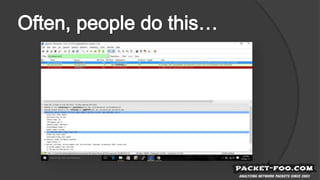
  • #6 The screen shot is taken from a question on the official Wireshark Q&A forum, which can be found at http://ask.wireshark.org. Usually, we recommend people to give us PCAP files instead, because helping them based on screen shots is complicated and often doesn't work. Of course, sanitization is often required before you can share a PCAP, so the common recommendation is to sanitize first, then use Cloudshark to allow access to the file: https://www.cloudshark.org
  • #7 Network analysts need the sanitized PCAP to stay as true as possible to the original capture, so they would prefer no sanitization at all if possible. So if sanitization is required, the process needs to make sure that significant attributes of the packets stay instact. Troubleshooting networks very often revolve around analyzing TCP behavior, which means that sanitization is not that hard to do. In most cases, it is enough to: replace MAC addresses replace IP addresses strip everyting following the TCP header, keeping the packet intact up to and including layer 4 If details like FQDNs or URLs are required, sanitization gets a lot more complicated.
  • #8 Malware analysts or people sharing PCAPs to distribute knowledge about Indicators of Compromise (IoC) or attack vectors often need to keep the information above layer 4 intact. E.g. if they want to share DGA DNS requests it doesn't make any sense to remove UDP payloads, but replacing MAC and IP addresses may still be of interest (to prevent identification of who had been infected/compromised in the original incident) IPv6 is not included in the "don't care" list on the slide on purpose, because IPv6 is still in a process of getting established, and there are many situations where the protocol may be relevant to malware analysts. For example, extension header chains can be quite interesting to look at.
  • #9 The sanitization process is a gamble of removing as much as required, but still as little as possible (as long as the remaining content is not considered sensitive). This requires some skill in looking at packet data to be able to tell what (and in which part of the packet) sensitive details need to be removed or replaced. Sanitizing a single packet is relatively easy, even when using a hex editor. It may be painful to mess with complex protocols like SMB, but as long as you only have to modify a single packet (or even a handful of packets) it's doable. For many packets, some sort of automated sanitization process is required. Protocol dependencies can make the sanitization process very complicated, e.g. when dealing with IPv6 Neighbor Discovery packets. Defensive Transformation is a term coined by the creators of pktanon. It means that when reading an original packet and sanitizing it, only known details may be written back into the sanitized frame ("if you don't know what it is, drop it"). See https://telematics.tm.kit.edu/english/projects_PktAnon.php
  • #10 The most basic way of editing a packet is using a hex editor. I recommend using one that can tell you where packets start and end, because otherwise you may get confused by the additional packet headers in the file (which are small for PCAP, but complex for PCAPng). I usually use the 010 Editor with the PCAP template: Editing packets with Wireshark is an experimental feature in the GTK version (since 2.0 it uses QT instead, so use the "Legacy" build for this). You need to enable it in the preferences on the "User Interface" settings page. WireEdit is another packet editor that may be useful (Windows only). Bill is on the slide because it takes a long time to do sanitization manually ;-)
  • #11 Bittwiste and tcprewrite are both command line tools that are distributed as part of a packet replay kit, so their primary focus is preparing packets for replays. Their usefulness for sanitization purposes are limited, as they often run into problems when protocols are tunneled or even simply when VLAN are present. pktanon is a tool developed by the Karlsruhe Institute of Technology. It uses XML configuration files and is capable of sanitizing packets on the fly when piping them from tcpdump. pcaplib is a tool developed as part of a research paper published here: http://speed.cis.nctu.edu.tw/~ydlin/pdf/pcaplib.pdf TraceWrangler is a Windows tool to process batches of pcap files. It is available at https://www.tracewrangler.com
  • #12 Replacing an IPv4 address seems like an easy task: just replace a 32 bit value with a random or manually selected 32 bit value. But unfortunately it isn't that simple. There are special IP addresses that should not be replaced, or should not be the new value. E.g. if you replace 192.168.0.1 with a random value, you could end up with a 127.0.0.1 address – this would look like someone managed to send packets to the network from a loopback address, which should never happen. This results in confusion, and requires verification using the original, unmodified PCAP. Another problem is that if you replace two differen IP addresses, you must make sure that the replacement address is not identical by mistake. E.g. 192.168.0.1 and 10.0.0.1 should not both be replaced by 172.20.0.1.
  • #13 TCP Ports are problematic since you can often assume which protocol is running by looking at the port number, but there are no guarantees. So knowing which protocol runs on a given port to detect the application protocol isn't easy. There are solutions to this using PIDI techniques (port indipendent protocol identification), but they still can be wrong. A major problem of TCP payloads is that they are often spilt across multiple packets. So if you want to replace a URL in an HTTP packet it could be that the URL is so long that it is spannning multiple TCP segments. Which means that reassembly is required before sanitization, and that again is a problem in itself. There may be packets missing, you may face retransmissions, and the packets may arrive out of order. When you sanitize the payload you need then to cut the replaced content back into the same segments, and write them back into the file in the same order. Another big problem is when the replacement data is shorter or longer than the original. All sequence numbers of the packets following the replacement need to be adjusted, otherwise Wireshark will complain about missing segments or overlaps.
  • #14 See https://blog.packet-foo.com/2015/05/sanitizing-ipv6-addresses/
  • #15 DNS usually uses UDP, so there are no packet dependencies and replacements can be performed per packet. But sometimes, DNS may also be using TCP, e.g. for zone transfers. In that case, all the TCP problems I already mentioned apply. Replacing FQDNs require to split them into their single parts, and keep replacements consistent for each part.
  • #16 See video at https://media.ccc.de/v/32c3-7294-sanitizing_pcaps#download The file has two audio tracks: the English original, plus the German translation