Packages and Classpath


Objective :

  On completion of this period, you would be
  able to learn
  • Packages
  • Concept of classpath


                                               1
Recap


Final class
• Classes that can not be inherited


                                      2
Packages

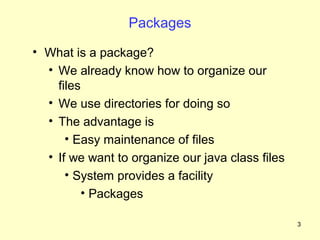
• What is a package?
  • We already know how to organize our
    files
  • We use directories for doing so
  • The advantage is
      • Easy maintenance of files
  • If we want to organize our java class files
      • System provides a facility
         • Packages

                                                  3
Packages    Contd..


• Package
  • Name provided to a group of classes
  • A collection of related classes and
    interfaces
  • A namespace management tool provided
    by Java


                                           4
Packages       Contd..
• Directory structures that organize classes and
  interfaces
• Mechanism for software reuse
• Can be compared to directories or folders


• Files : Directories :: Class files : Packages


                                                   5
                                                       5
Naming Convention

•   Follows standard Java naming rules
•   Case sensitive
•   Generally written in small case
•   Every name must be unique
•   Packages in the Java language itself begin with
    java


                                                  6
Naming Convention Contd..

• Prefix a domain name to the preferred package
  name
   • Avoids name conflict when used in Internet
   • for example, com.company.region.package
      • com.ibm.in.banking


                                                  7
Packages


Java packages are classified in to two types :
• Java API packages ( system defined packages)
• User defined packages


                                                 8
Packages       Contd..
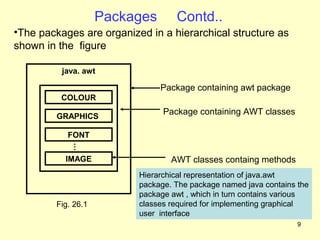
•The packages are organized in a hierarchical structure as
shown in the figure

          java. awt

                               Package containing awt package
          COLOUR

         GRAPHICS
                                Package containing AWT classes

           FONT
            …


          IMAGE                   AWT classes containg methods
                          Hierarchical representation of java.awt
                          package. The package named java contains the
                          package awt , which in turn contains various
        Fig. 26.1         classes required for implementing graphical
                          user interface
                                                                   9
System defined packages
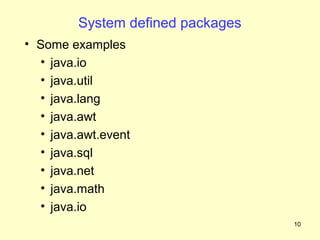
• Some examples
  • java.io
  • java.util
  • java.lang
  • java.awt
  • java.awt.event
  • java.sql
  • java.net
  • java.math
  • java.io
                                   10
Package Statement
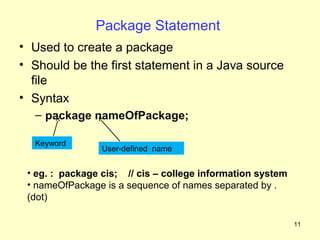
• Used to create a package
• Should be the first statement in a Java source
  file
• Syntax
  – package nameOfPackage;

  Keyword
                 User-defined name


 • eg. : package cis; // cis – college information system
 • nameOfPackage is a sequence of names separated by .
 (dot)

                                                            11
Package Statement Contd..
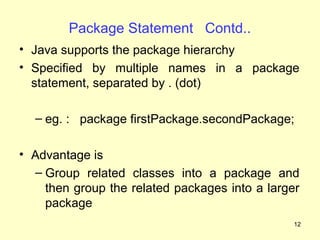
• Java supports the package hierarchy
• Specified by multiple names in a package
  statement, separated by . (dot)

  – eg. : package firstPackage.secondPackage;

• Advantage is
  – Group related classes into a package and
    then group the related packages into a larger
    package
                                                12
Packages
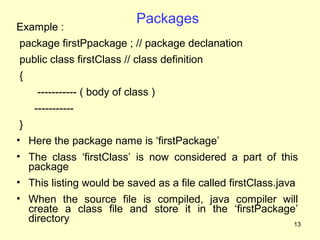
Example :
package firstPpackage ; // package declanation
public class firstClass // class definition
{
    ----------- ( body of class )
    -----------
 }
• Here the package name is ‘firstPackage’
• The class ‘firstClass’ is now considered a part of this
   package
• This listing would be saved as a file called firstClass.java
• When the source file is compiled, java compiler will
  create a class file and store it in the ‘firstPackage’
  directory                                            13
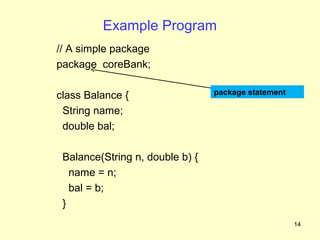
Example Program
// A simple package
package coreBank;

class Balance {                  package statement

 String name;
 double bal;

 Balance(String n, double b) {
   name = n;
   bal = b;
 }
                                                     14
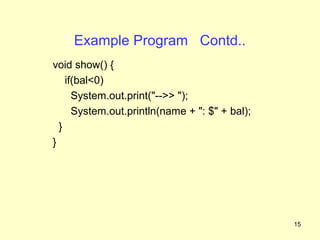
Example Program Contd..
void show() {
    if(bal<0)
      System.out.print("-->> ");
      System.out.println(name + ": $" + bal);
  }
}


                                                15
Example Program Contd..
 package coreBank;
 public class AccountBalance {
    public static void main(String args[]) {
      Balance current[] = new Balance[3];
      current[0] = new Balance("K. J. Fielding", 123.23);
      current[1] = new Balance("Will Tell", 157.02);
      current[2] = new Balance("Tom Jackson", -12.33);
      for(int i=0; i<3; i++) current[i].show();
  }
}


                                                      16
Compiling and Executing
• On compilation
  • The package statement creates
    directory(folder) with the name of the package
  • That is, folder named ‘coreBank’ is created
• While executing
  • Qualify the class name with its package name
  • That is, coreBank. AccountBalance


                                                17
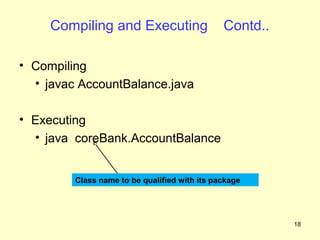
Compiling and Executing                   Contd..

• Compiling
  • javac AccountBalance.java

• Executing
  • java coreBank.AccountBalance


         Class name to be qualified with its package


                                                         18
Default Package

• System provides when you do not create one
• It is the current working directory


                                               19
Advantages of Packages


• Easily determine how classes and
  interfaces are related
• Avoids namespace conflict
• Implement       application-wise  access
  protection
• Provides a mechanism for class reuse


                                             20
Summary
• In this class we have discussed
   • Package
   • Naming convention
   • Creating a package
   • Concepts of classpath


                                    21
Frequently Asked Questions
1. What is a package ?

2. What are Java’s system defined packages ?

3. What are the advantages of packages ?

4. How to set classpath for your Java
   application ?


                                           22
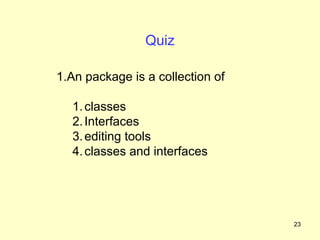
Quiz

1.An package is a collection of

  1. classes
  2. Interfaces
  3. editing tools
  4. classes and interfaces


                                  23
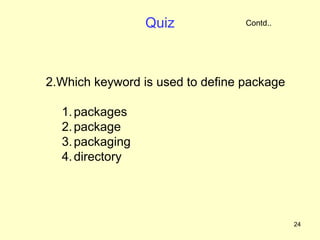
Quiz             Contd..


2.Which keyword is used to define package

  1. packages
  2. package
  3. packaging
  4. directory


                                            24
Quiz               Contd..


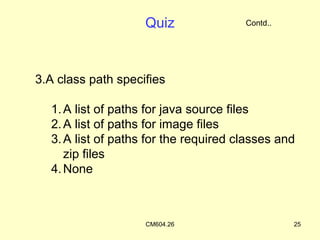
3.A class path specifies

  1. A list of paths for java source files
  2. A list of paths for image files
  3. A list of paths for the required classes and
     zip files
  4. None


                    CM604.26                     25
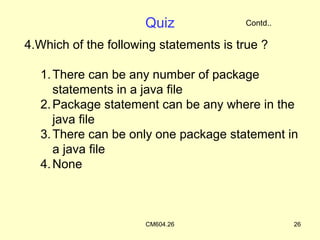
Quiz              Contd..

4.Which of the following statements is true ?

  1. There can be any number of package
     statements in a java file
  2. Package statement can be any where in the
     java file
  3. There can be only one package statement in
     a java file
  4. None


                      CM604.26                    26

Packages(9 cm604.26)

  • 1.
    Packages and Classpath Objective: On completion of this period, you would be able to learn • Packages • Concept of classpath 1
  • 2.
    Recap Final class • Classesthat can not be inherited 2
  • 3.
    Packages • What isa package? • We already know how to organize our files • We use directories for doing so • The advantage is • Easy maintenance of files • If we want to organize our java class files • System provides a facility • Packages 3
  • 4.
    Packages Contd.. • Package • Name provided to a group of classes • A collection of related classes and interfaces • A namespace management tool provided by Java 4
  • 5.
    Packages Contd.. • Directory structures that organize classes and interfaces • Mechanism for software reuse • Can be compared to directories or folders • Files : Directories :: Class files : Packages 5 5
  • 6.
    Naming Convention • Follows standard Java naming rules • Case sensitive • Generally written in small case • Every name must be unique • Packages in the Java language itself begin with java 6
  • 7.
    Naming Convention Contd.. •Prefix a domain name to the preferred package name • Avoids name conflict when used in Internet • for example, com.company.region.package • com.ibm.in.banking 7
  • 8.
    Packages Java packages areclassified in to two types : • Java API packages ( system defined packages) • User defined packages 8
  • 9.
    Packages Contd.. •The packages are organized in a hierarchical structure as shown in the figure java. awt Package containing awt package COLOUR GRAPHICS Package containing AWT classes FONT … IMAGE AWT classes containg methods Hierarchical representation of java.awt package. The package named java contains the package awt , which in turn contains various Fig. 26.1 classes required for implementing graphical user interface 9
  • 10.
    System defined packages •Some examples • java.io • java.util • java.lang • java.awt • java.awt.event • java.sql • java.net • java.math • java.io 10
  • 11.
    Package Statement • Usedto create a package • Should be the first statement in a Java source file • Syntax – package nameOfPackage; Keyword User-defined name • eg. : package cis; // cis – college information system • nameOfPackage is a sequence of names separated by . (dot) 11
  • 12.
    Package Statement Contd.. •Java supports the package hierarchy • Specified by multiple names in a package statement, separated by . (dot) – eg. : package firstPackage.secondPackage; • Advantage is – Group related classes into a package and then group the related packages into a larger package 12
  • 13.
    Packages Example : package firstPpackage; // package declanation public class firstClass // class definition { ----------- ( body of class ) ----------- } • Here the package name is ‘firstPackage’ • The class ‘firstClass’ is now considered a part of this package • This listing would be saved as a file called firstClass.java • When the source file is compiled, java compiler will create a class file and store it in the ‘firstPackage’ directory 13
  • 14.
    Example Program // Asimple package package coreBank; class Balance { package statement String name; double bal; Balance(String n, double b) { name = n; bal = b; } 14
  • 15.
    Example Program Contd.. voidshow() { if(bal<0) System.out.print("-->> "); System.out.println(name + ": $" + bal); } } 15
  • 16.
    Example Program Contd.. package coreBank; public class AccountBalance { public static void main(String args[]) { Balance current[] = new Balance[3]; current[0] = new Balance("K. J. Fielding", 123.23); current[1] = new Balance("Will Tell", 157.02); current[2] = new Balance("Tom Jackson", -12.33); for(int i=0; i<3; i++) current[i].show(); } } 16
  • 17.
    Compiling and Executing •On compilation • The package statement creates directory(folder) with the name of the package • That is, folder named ‘coreBank’ is created • While executing • Qualify the class name with its package name • That is, coreBank. AccountBalance 17
  • 18.
    Compiling and Executing Contd.. • Compiling • javac AccountBalance.java • Executing • java coreBank.AccountBalance Class name to be qualified with its package 18
  • 19.
    Default Package • Systemprovides when you do not create one • It is the current working directory 19
  • 20.
    Advantages of Packages •Easily determine how classes and interfaces are related • Avoids namespace conflict • Implement application-wise access protection • Provides a mechanism for class reuse 20
  • 21.
    Summary • In thisclass we have discussed • Package • Naming convention • Creating a package • Concepts of classpath 21
  • 22.
    Frequently Asked Questions 1.What is a package ? 2. What are Java’s system defined packages ? 3. What are the advantages of packages ? 4. How to set classpath for your Java application ? 22
  • 23.
    Quiz 1.An package isa collection of 1. classes 2. Interfaces 3. editing tools 4. classes and interfaces 23
  • 24.
    Quiz Contd.. 2.Which keyword is used to define package 1. packages 2. package 3. packaging 4. directory 24
  • 25.
    Quiz Contd.. 3.A class path specifies 1. A list of paths for java source files 2. A list of paths for image files 3. A list of paths for the required classes and zip files 4. None CM604.26 25
  • 26.
    Quiz Contd.. 4.Which of the following statements is true ? 1. There can be any number of package statements in a java file 2. Package statement can be any where in the java file 3. There can be only one package statement in a java file 4. None CM604.26 26