http://improvejava.blogspot.in
 HTML Elements
 An HTML element is everything from the start tag to the end tag:
 Start tag *Element content End tag *
<p>This is a paragraph</p>
<a href="default.htm">This is a link</a>
<br>
 The start tag is often called the opening tag. The end tag is often called
the closing tag.
 HTML Element Syntax
 An HTML element starts with a start tag / opening tag
 An HTML element ends with an end tag / closing tag
 The element content is everything between the start and the end tag
 Some HTML elements have empty content
 Empty elements are closed in the start tag
 Most HTML elements can have attributes

http://improvejava.blogspot.in
 Nested HTML Elements
 Most HTML elements can be nested (can contain other

HTML elements).
 HTML documents consist of nested HTML elements.
 HTML Document Example
 <!DOCTYPE html>
<html>
<body>
<p>This is my first paragraph.</p>
</body>
</html>
http://improvejava.blogspot.in











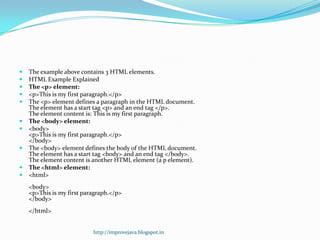
The example above contains 3 HTML elements.
HTML Example Explained
The <p> element:
<p>This is my first paragraph.</p>
The <p> element defines a paragraph in the HTML document.
The element has a start tag <p> and an end tag </p>.
The element content is: This is my first paragraph.
The <body> element:
<body>
<p>This is my first paragraph.</p>
</body>
The <body> element defines the body of the HTML document.
The element has a start tag <body> and an end tag </body>.
The element content is another HTML element (a p element).
The <html> element:
<html>
<body>
<p>This is my first paragraph.</p>
</body>
</html>
http://improvejava.blogspot.in
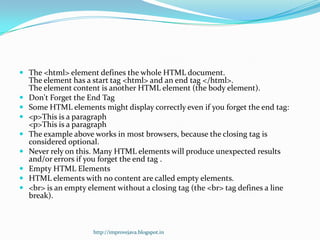
 The <html> element defines the whole HTML document.










The element has a start tag <html> and an end tag </html>.
The element content is another HTML element (the body element).
Don't Forget the End Tag
Some HTML elements might display correctly even if you forget the end tag:
<p>This is a paragraph
The example above works in most browsers, because the closing tag is
considered optional.
Never rely on this. Many HTML elements will produce unexpected results
and/or errors if you forget the end tag .
Empty HTML Elements
HTML elements with no content are called empty elements.
<br> is an empty element without a closing tag (the <br> tag defines a line
break).

http://improvejava.blogspot.in
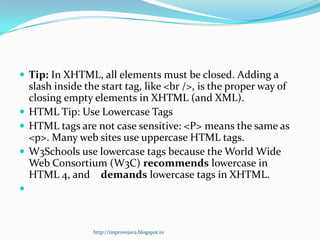
 Tip: In XHTML, all elements must be closed. Adding a

slash inside the start tag, like <br />, is the proper way of
closing empty elements in XHTML (and XML).
 HTML Tip: Use Lowercase Tags
 HTML tags are not case sensitive: <P> means the same as
<p>. Many web sites use uppercase HTML tags.
 W3Schools use lowercase tags because the World Wide
Web Consortium (W3C) recommends lowercase in
HTML 4, and demands lowercase tags in XHTML.


http://improvejava.blogspot.in

3. elements

  • 1.
  • 2.
     HTML Elements An HTML element is everything from the start tag to the end tag:  Start tag *Element content End tag * <p>This is a paragraph</p> <a href="default.htm">This is a link</a> <br>  The start tag is often called the opening tag. The end tag is often called the closing tag.  HTML Element Syntax  An HTML element starts with a start tag / opening tag  An HTML element ends with an end tag / closing tag  The element content is everything between the start and the end tag  Some HTML elements have empty content  Empty elements are closed in the start tag  Most HTML elements can have attributes http://improvejava.blogspot.in
  • 3.
     Nested HTMLElements  Most HTML elements can be nested (can contain other HTML elements).  HTML documents consist of nested HTML elements.  HTML Document Example  <!DOCTYPE html> <html> <body> <p>This is my first paragraph.</p> </body> </html> http://improvejava.blogspot.in
  • 4.
              The example abovecontains 3 HTML elements. HTML Example Explained The <p> element: <p>This is my first paragraph.</p> The <p> element defines a paragraph in the HTML document. The element has a start tag <p> and an end tag </p>. The element content is: This is my first paragraph. The <body> element: <body> <p>This is my first paragraph.</p> </body> The <body> element defines the body of the HTML document. The element has a start tag <body> and an end tag </body>. The element content is another HTML element (a p element). The <html> element: <html> <body> <p>This is my first paragraph.</p> </body> </html> http://improvejava.blogspot.in
  • 5.
     The <html>element defines the whole HTML document.         The element has a start tag <html> and an end tag </html>. The element content is another HTML element (the body element). Don't Forget the End Tag Some HTML elements might display correctly even if you forget the end tag: <p>This is a paragraph <p>This is a paragraph The example above works in most browsers, because the closing tag is considered optional. Never rely on this. Many HTML elements will produce unexpected results and/or errors if you forget the end tag . Empty HTML Elements HTML elements with no content are called empty elements. <br> is an empty element without a closing tag (the <br> tag defines a line break). http://improvejava.blogspot.in
  • 6.
     Tip: InXHTML, all elements must be closed. Adding a slash inside the start tag, like <br />, is the proper way of closing empty elements in XHTML (and XML).  HTML Tip: Use Lowercase Tags  HTML tags are not case sensitive: <P> means the same as <p>. Many web sites use uppercase HTML tags.  W3Schools use lowercase tags because the World Wide Web Consortium (W3C) recommends lowercase in HTML 4, and demands lowercase tags in XHTML.  http://improvejava.blogspot.in