Packages and Interfaces
1
Packages
• The mechanism provided by Java for partitioning the
class namespace into more manageable chunks. It is
both a naming and a visibility control mechanism.
• You can define classes inside a package not accessible
by code outside the package and class members that
are only exposed to other members of the same
package.
• To create package– include a package command as the
first statement in the Java source file.
• The package statement defines a name space in which
classes are stored.
• The standard Java library is distributed over a number
of packages – java.lang, util, net and so on 2
Packages – Java’s way of grouping a variety of classes and /
interfaces together. - containers for classes.
The benefits are –
• Classes in packages can be easily reused
• Two different packages can contain classes with same name
• Provide a way to ‘hide’ classes thus preventing other
programs or packages from accessing classes that are meant
for internal use only
• Packages also provide a way for separating “design” from
coding.
• If you omit the package statement, the class names are
put into the default package(no name). It is fine for short,
but inadequate for real applications.
• General form – package pkgname;
• Example - package MyPackage;
• Java uses file system directories to store packages.
• Directory name must match with package name.
• Package statement specifies to which package the classes
defined in a file belong. Most real-world packages are
spread across many files.
• You can create a hierarchy of packages by separating
them with a period.
package pkg1[.pkg2 [.pkg3] ]
4
• A package hierarchy must be reflected in the file
system of Java development system
• Example – package java . awt . Image ; needs to be
stored in “java  awt  image” in a Windows
environment.
• You can not rename a package without renaming the
directory in which the classes are stored.
5
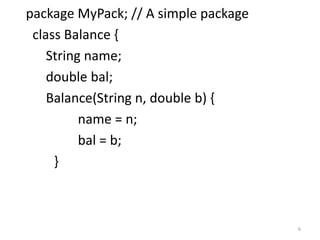
package MyPack; // A simple package
class Balance {
String name;
double bal;
Balance(String n, double b) {
name = n;
bal = b;
}
6
void show() {
if(bal<0)
System.out.print("-->> ");
System.out.println(name + ": $" + bal);
}
}
class AccountBalance {
public static void main(String args[]) {
Balance current[] = new Balance[3];
current[0] = new Balance("K. J. Fielding", 123.23);
current[1] = new Balance("Will Tell", 157.02);
current[2] = new Balance("Tom Jackson", -12.33);
for(int i=0; i<3; i++) current[i].show();
}
}
7
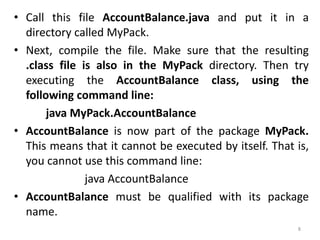
• Call this file AccountBalance.java and put it in a
directory called MyPack.
• Next, compile the file. Make sure that the resulting
.class file is also in the MyPack directory. Then try
executing the AccountBalance class, using the
following command line:
java MyPack.AccountBalance
• AccountBalance is now part of the package MyPack.
This means that it cannot be executed by itself. That is,
you cannot use this command line:
java AccountBalance
• AccountBalance must be qualified with its package
name.
8
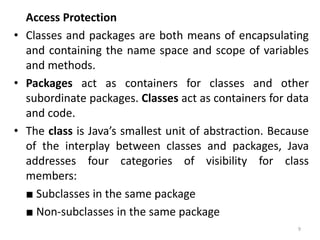
Access Protection
• Classes and packages are both means of encapsulating
and containing the name space and scope of variables
and methods.
• Packages act as containers for classes and other
subordinate packages. Classes act as containers for data
and code.
• The class is Java’s smallest unit of abstraction. Because
of the interplay between classes and packages, Java
addresses four categories of visibility for class
members:
■ Subclasses in the same package
■ Non-subclasses in the same package
9
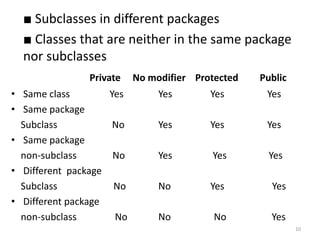
■ Subclasses in different packages
■ Classes that are neither in the same package
nor subclasses
Private No modifier Protected Public
• Same class Yes Yes Yes Yes
• Same package
Subclass No Yes Yes Yes
• Same package
non-subclass No Yes Yes Yes
• Different package
Subclass No No Yes Yes
• Different package
non-subclass No No No Yes
10
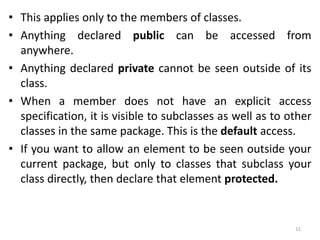
• This applies only to the members of classes.
• Anything declared public can be accessed from
anywhere.
• Anything declared private cannot be seen outside of its
class.
• When a member does not have an explicit access
specification, it is visible to subclasses as well as to other
classes in the same package. This is the default access.
• If you want to allow an element to be seen outside your
current package, but only to classes that subclass your
class directly, then declare that element protected.
11
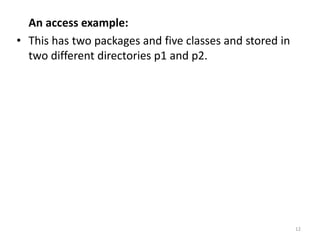
An access example:
• This has two packages and five classes and stored in
two different directories p1 and p2.
12
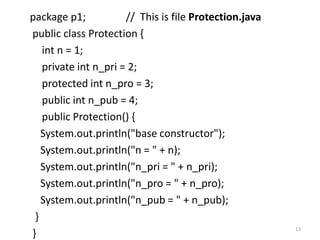
package p1; // This is file Protection.java
public class Protection {
int n = 1;
private int n_pri = 2;
protected int n_pro = 3;
public int n_pub = 4;
public Protection() {
System.out.println("base constructor");
System.out.println("n = " + n);
System.out.println("n_pri = " + n_pri);
System.out.println("n_pro = " + n_pro);
System.out.println("n_pub = " + n_pub);
}
}
13
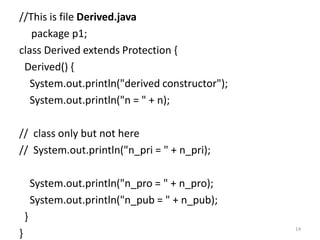
//This is file Derived.java
package p1;
class Derived extends Protection {
Derived() {
System.out.println("derived constructor");
System.out.println("n = " + n);
// class only but not here
// System.out.println("n_pri = " + n_pri);
System.out.println("n_pro = " + n_pro);
System.out.println("n_pub = " + n_pub);
}
}
14
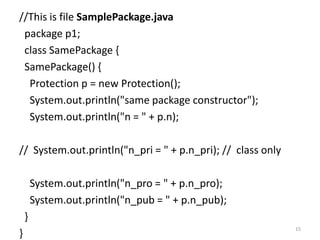
//This is file SamplePackage.java
package p1;
class SamePackage {
SamePackage() {
Protection p = new Protection();
System.out.println("same package constructor");
System.out.println("n = " + p.n);
// System.out.println("n_pri = " + p.n_pri); // class only
System.out.println("n_pro = " + p.n_pro);
System.out.println("n_pub = " + p.n_pub);
}
}
15
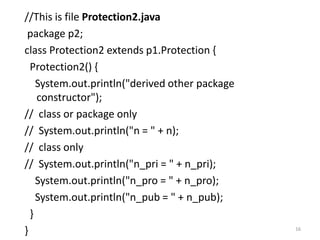
//This is file Protection2.java
package p2;
class Protection2 extends p1.Protection {
Protection2() {
System.out.println("derived other package
constructor");
// class or package only
// System.out.println("n = " + n);
// class only
// System.out.println("n_pri = " + n_pri);
System.out.println("n_pro = " + n_pro);
System.out.println("n_pub = " + n_pub);
}
} 16
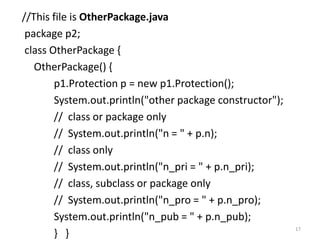
//This file is OtherPackage.java
package p2;
class OtherPackage {
OtherPackage() {
p1.Protection p = new p1.Protection();
System.out.println("other package constructor");
// class or package only
// System.out.println("n = " + p.n);
// class only
// System.out.println("n_pri = " + p.n_pri);
// class, subclass or package only
// System.out.println("n_pro = " + p.n_pro);
System.out.println("n_pub = " + p.n_pub);
} }
17
//Test files to use the above packages:
package p1; // Demo package p1.
public class Demo { // Instantiate the various classes in p1.
public static void main(String args[]) {
Protection ob1 = new Protection();
Derived ob2 = new Derived();
SamePackage ob3 = new SamePackage();
} }
package p2; // Demo package p2.
public class Demo {// Instantiate the various classes in p2.
public static void main(String args[]) {
Protection2 ob1 = new Protection2();
OtherPackage ob2 = new OtherPackage();
} }
18
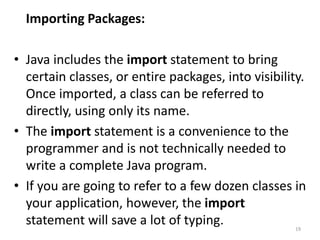
Importing Packages:
• Java includes the import statement to bring
certain classes, or entire packages, into visibility.
Once imported, a class can be referred to
directly, using only its name.
• The import statement is a convenience to the
programmer and is not technically needed to
write a complete Java program.
• If you are going to refer to a few dozen classes in
your application, however, the import
statement will save a lot of typing. 19
• In a Java source file, import statements occur
immediately following the package statement (if it
exists) and before any class definitions. This is the
general form of the import statement:
import pkg1[.pkg2].(classname|*);
import java.util.Date;
import java.io.*;
• The star form may increase compilation time —
especially if you import several large packages.
• However, the star form has absolutely no effect on the
run-time performance or size of your classes.
• All of the standard Java classes included with Java are
stored in a package called java.
20
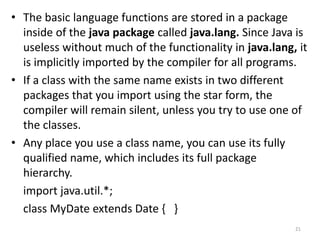
• The basic language functions are stored in a package
inside of the java package called java.lang. Since Java is
useless without much of the functionality in java.lang, it
is implicitly imported by the compiler for all programs.
• If a class with the same name exists in two different
packages that you import using the star form, the
compiler will remain silent, unless you try to use one of
the classes.
• Any place you use a class name, you can use its fully
qualified name, which includes its full package
hierarchy.
import java.util.*;
class MyDate extends Date { }
21
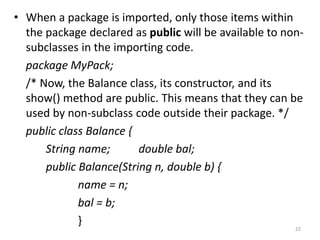
• When a package is imported, only those items within
the package declared as public will be available to non-
subclasses in the importing code.
package MyPack;
/* Now, the Balance class, its constructor, and its
show() method are public. This means that they can be
used by non-subclass code outside their package. */
public class Balance {
String name; double bal;
public Balance(String n, double b) {
name = n;
bal = b;
}
22
public void show() {
if(bal<0)
System.out.print("--> ");
System.out.println(name + ": $" + bal); } }
• Public means that they can be accessed by any type of
code outside the MyPack package.
import MyPack.*;
class TestBalance {
public static void main(String args[]) {
/* Because Balance is public, you may use Balance
class and call its constructor. */
Balance test = new Balance("J. J. Jaspers", 99.88);
23
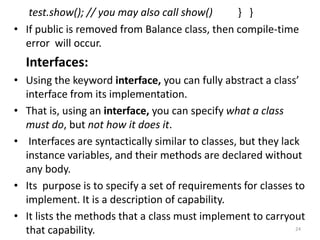
test.show(); // you may also call show() } }
• If public is removed from Balance class, then compile-time
error will occur.
Interfaces:
• Using the keyword interface, you can fully abstract a class’
interface from its implementation.
• That is, using an interface, you can specify what a class
must do, but not how it does it.
• Interfaces are syntactically similar to classes, but they lack
instance variables, and their methods are declared without
any body.
• Its purpose is to specify a set of requirements for classes to
implement. It is a description of capability.
• It lists the methods that a class must implement to carryout
that capability. 24
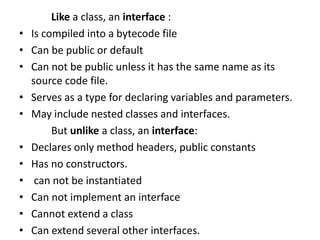
Like a class, an interface :
• Is compiled into a bytecode file
• Can be public or default
• Can not be public unless it has the same name as its
source code file.
• Serves as a type for declaring variables and parameters.
• May include nested classes and interfaces.
But unlike a class, an interface:
• Declares only method headers, public constants
• Has no constructors.
• can not be instantiated
• Can not implement an interface
• Cannot extend a class
• Can extend several other interfaces.
• Once it is defined, any number of classes can implement
an interface. Also, one class can implement any number
of interfaces.
• To implement an interface, a class must create the
complete set of methods defined by the interface.
• By providing the interface keyword, Java allows you to
fully utilize the “one interface, multiple methods” aspect
of polymorphism.
• Interfaces are designed to support dynamic method
resolution at run-time.
Defining an Interface
• An interface is defined much like a class. This is the
general form of an interface:
26
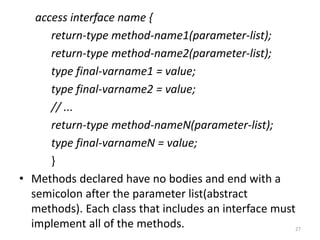
access interface name {
return-type method-name1(parameter-list);
return-type method-name2(parameter-list);
type final-varname1 = value;
type final-varname2 = value;
// ...
return-type method-nameN(parameter-list);
type final-varnameN = value;
}
• Methods declared have no bodies and end with a
semicolon after the parameter list(abstract
methods). Each class that includes an interface must
implement all of the methods. 27
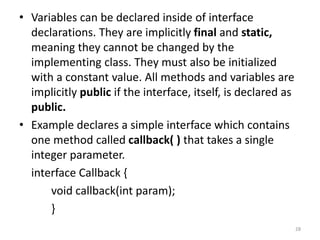
• Variables can be declared inside of interface
declarations. They are implicitly final and static,
meaning they cannot be changed by the
implementing class. They must also be initialized
with a constant value. All methods and variables are
implicitly public if the interface, itself, is declared as
public.
• Example declares a simple interface which contains
one method called callback( ) that takes a single
integer parameter.
interface Callback {
void callback(int param);
}
28
• To implement an interface, include the implements
clause in a class definition, and then create the methods
defined by the interface.
The general form of a class that includes the
implements clause looks like this:
access class classname [extends superclass]
[implements interface [,interface...]] {
// class-body }
• The methods that implement an interface must be
declared public.
• Type signature of the implementing method must
match exactly the type signature specified in the
interface definition. 29
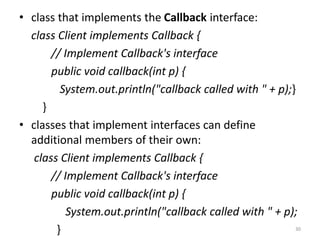
• class that implements the Callback interface:
class Client implements Callback {
// Implement Callback's interface
public void callback(int p) {
System.out.println("callback called with " + p);}
}
• classes that implement interfaces can define
additional members of their own:
class Client implements Callback {
// Implement Callback's interface
public void callback(int p) {
System.out.println("callback called with " + p);
} 30
void nonIfaceMeth() {
System.out.println("Classes that implement interfaces " +
"may also define other members, too.");
} }
• You can declare variables as object references that use an
interface and any instance of any class that implements the
declared interface can be referred to by such a variable.
This is similar to super-class reference accessing sub-class
object.
class TestIface {
public static void main(String args[]) {
Callback c = new Client();
c.callback(42);
} }
31
• To demonstrate the polymorphic power of such a
reference - create 2nd implementation of Callback.
class AnotherClient implements Callback {
// Implement Callback's interface
public void callback(int p) {
System.out.println("Another version of callback");
System.out.println("p squared is " + (p*p)); } }
class TestIface2 { //class using interface
public static void main(String args[]) {
Callback c = new Client();
AnotherClient ob = new AnotherClient();
c.callback(42);
32
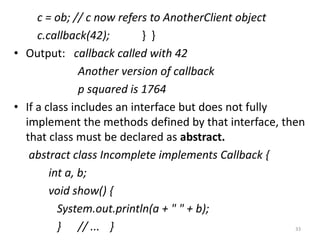
c = ob; // c now refers to AnotherClient object
c.callback(42); } }
• Output: callback called with 42
Another version of callback
p squared is 1764
• If a class includes an interface but does not fully
implement the methods defined by that interface, then
that class must be declared as abstract.
abstract class Incomplete implements Callback {
int a, b;
void show() {
System.out.println(a + " " + b);
} // ... } 33
• Applying Interfaces
// Define an integer stack interface.
interface IntStack {
void push(int item); // store an item
int pop(); // retrieve an item
}
// An implementation of IntStack that uses fixed storage.
class FixedStack implements IntStack {
private int stck[];
private int tos;
// allocate and initialize stack
FixedStack(int size) {
stck = new int[size];
tos = -1; }
34
// Push an item onto the stack
public void push(int item) {
if(tos==stck.length-1) // use length member
System.out.println("Stack is full.");
else
stck[++tos] = item;
}
// Pop an item from the stack
public int pop() {
if(tos < 0) {
System.out.println("Stack underflow.");
return 0; }
else
return stck[tos--]; } }
35
class IFTest {
public static void main(String args[]) {
FixedStack mystack1 = new FixedStack(5);
FixedStack mystack2 = new FixedStack(8);
// push some numbers onto the stack
for(int i=0; i<5; i++) mystack1.push(i);
for(int i=0; i<8; i++) mystack2.push(i);
// pop those numbers off the stack
System.out.println("Stack in mystack1:");
for(int i=0; i<5; i++)
System.out.println(mystack1.pop());
System.out.println("Stack in mystack2:");
for(int i=0; i<8; i++)
System.out.println(mystack2.pop());
} } 36
// Implement a "growable" stack.
class DynStack implements IntStack {
private int stck[];
private int tos;
// allocate and initialize stack
DynStack(int size) {
stck = new int[size];
tos = -1;
}
// Push an item onto the stack
public void push(int item) {
// if stack is full, allocate a larger stack
if(tos==stck.length-1) {
int temp[] = new int[stck.length * 2]; // double size
37
for(int i=0; i<stck.length; i++) temp[i] = stck[i];
stck = temp;
stck[++tos] = item; }
else
stck[++tos] = item;
}
// Pop an item from the stack
public int pop() {
if(tos < 0) {
System.out.println("Stack underflow.");
return 0;
}
else
return stck[tos--]; } //end of pop() }//end of class
38
class IFTest2 {
public static void main(String args[]) {
DynStack mystack1 = new DynStack(5);
DynStack mystack2 = new DynStack(8);
// these loops cause each stack to grow
for(int i=0; i<12; i++) mystack1.push(i);
for(int i=0; i<20; i++) mystack2.push(i);
System.out.println("Stack in mystack1:");
for(int i=0; i<12; i++)
System.out.println(mystack1.pop());
System.out.println("Stack in mystack2:");
for(int i=0; i<20; i++)
System.out.println(mystack2.pop());
}
39
/* Create an interface variable and access stacks through it.
*/
class IFTest3 {
public static void main(String args[]) {
IntStack mystack; // create an interface reference variable
DynStack ds = new DynStack(5);
FixedStack fs = new FixedStack(8);
mystack = ds; // load dynamic stack
// push some numbers onto the stack
for(int i=0; i<12; i++) mystack.push(i);
mystack = fs; // load fixed stack
for(int i=0; i<8; i++) mystack.push(i);
mystack = ds;
System.out.println("Values in dynamic stack:");
40
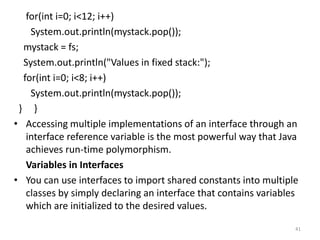
for(int i=0; i<12; i++)
System.out.println(mystack.pop());
mystack = fs;
System.out.println("Values in fixed stack:");
for(int i=0; i<8; i++)
System.out.println(mystack.pop());
} }
• Accessing multiple implementations of an interface through an
interface reference variable is the most powerful way that Java
achieves run-time polymorphism.
Variables in Interfaces
• You can use interfaces to import shared constants into multiple
classes by simply declaring an interface that contains variables
which are initialized to the desired values.
41
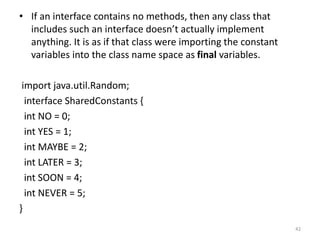
• If an interface contains no methods, then any class that
includes such an interface doesn’t actually implement
anything. It is as if that class were importing the constant
variables into the class name space as final variables.
import java.util.Random;
interface SharedConstants {
int NO = 0;
int YES = 1;
int MAYBE = 2;
int LATER = 3;
int SOON = 4;
int NEVER = 5;
}
42
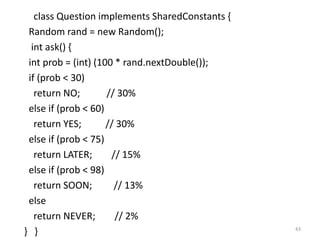
class Question implements SharedConstants {
Random rand = new Random();
int ask() {
int prob = (int) (100 * rand.nextDouble());
if (prob < 30)
return NO; // 30%
else if (prob < 60)
return YES; // 30%
else if (prob < 75)
return LATER; // 15%
else if (prob < 98)
return SOON; // 13%
else
return NEVER; // 2%
} } 43
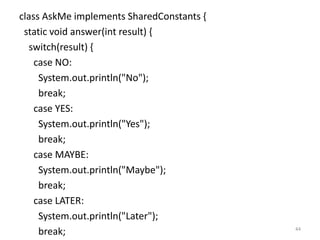
class AskMe implements SharedConstants {
static void answer(int result) {
switch(result) {
case NO:
System.out.println("No");
break;
case YES:
System.out.println("Yes");
break;
case MAYBE:
System.out.println("Maybe");
break;
case LATER:
System.out.println("Later");
break; 44
case SOON:
System.out.println("Soon");
break;
case NEVER:
System.out.println("Never");
break;
} }
public static void main(String args[]) {
Question q = new Question();
answer(q.ask());
answer(q.ask());
answer(q.ask());
answer(q.ask());
}
} 45
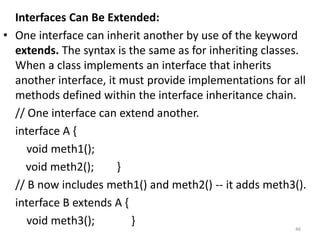
Interfaces Can Be Extended:
• One interface can inherit another by use of the keyword
extends. The syntax is the same as for inheriting classes.
When a class implements an interface that inherits
another interface, it must provide implementations for all
methods defined within the interface inheritance chain.
// One interface can extend another.
interface A {
void meth1();
void meth2(); }
// B now includes meth1() and meth2() -- it adds meth3().
interface B extends A {
void meth3(); }
46
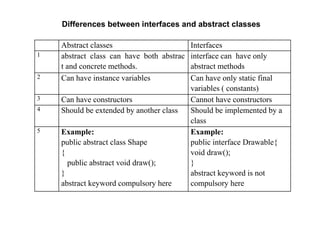
Abstract classes Interfaces
1 abstract class can have both abstrac
t and concrete methods.
interface can have only
abstract methods
2 Can have instance variables Can have only static final
variables ( constants)
3 Can have constructors Cannot have constructors
4 Should be extended by another class Should be implemented by a
class
5 Example:
public abstract class Shape
{
public abstract void draw();
}
abstract keyword compulsory here
Example:
public interface Drawable{
void draw();
}
abstract keyword is not
compulsory here
Differences between interfaces and abstract classes

7.Packages and Interfaces(MB).ppt .

  • 1.
  • 2.
    Packages • The mechanismprovided by Java for partitioning the class namespace into more manageable chunks. It is both a naming and a visibility control mechanism. • You can define classes inside a package not accessible by code outside the package and class members that are only exposed to other members of the same package. • To create package– include a package command as the first statement in the Java source file. • The package statement defines a name space in which classes are stored. • The standard Java library is distributed over a number of packages – java.lang, util, net and so on 2
  • 3.
    Packages – Java’sway of grouping a variety of classes and / interfaces together. - containers for classes. The benefits are – • Classes in packages can be easily reused • Two different packages can contain classes with same name • Provide a way to ‘hide’ classes thus preventing other programs or packages from accessing classes that are meant for internal use only • Packages also provide a way for separating “design” from coding.
  • 4.
    • If youomit the package statement, the class names are put into the default package(no name). It is fine for short, but inadequate for real applications. • General form – package pkgname; • Example - package MyPackage; • Java uses file system directories to store packages. • Directory name must match with package name. • Package statement specifies to which package the classes defined in a file belong. Most real-world packages are spread across many files. • You can create a hierarchy of packages by separating them with a period. package pkg1[.pkg2 [.pkg3] ] 4
  • 5.
    • A packagehierarchy must be reflected in the file system of Java development system • Example – package java . awt . Image ; needs to be stored in “java awt image” in a Windows environment. • You can not rename a package without renaming the directory in which the classes are stored. 5
  • 6.
    package MyPack; //A simple package class Balance { String name; double bal; Balance(String n, double b) { name = n; bal = b; } 6
  • 7.
    void show() { if(bal<0) System.out.print("-->>"); System.out.println(name + ": $" + bal); } } class AccountBalance { public static void main(String args[]) { Balance current[] = new Balance[3]; current[0] = new Balance("K. J. Fielding", 123.23); current[1] = new Balance("Will Tell", 157.02); current[2] = new Balance("Tom Jackson", -12.33); for(int i=0; i<3; i++) current[i].show(); } } 7
  • 8.
    • Call thisfile AccountBalance.java and put it in a directory called MyPack. • Next, compile the file. Make sure that the resulting .class file is also in the MyPack directory. Then try executing the AccountBalance class, using the following command line: java MyPack.AccountBalance • AccountBalance is now part of the package MyPack. This means that it cannot be executed by itself. That is, you cannot use this command line: java AccountBalance • AccountBalance must be qualified with its package name. 8
  • 9.
    Access Protection • Classesand packages are both means of encapsulating and containing the name space and scope of variables and methods. • Packages act as containers for classes and other subordinate packages. Classes act as containers for data and code. • The class is Java’s smallest unit of abstraction. Because of the interplay between classes and packages, Java addresses four categories of visibility for class members: ■ Subclasses in the same package ■ Non-subclasses in the same package 9
  • 10.
    ■ Subclasses indifferent packages ■ Classes that are neither in the same package nor subclasses Private No modifier Protected Public • Same class Yes Yes Yes Yes • Same package Subclass No Yes Yes Yes • Same package non-subclass No Yes Yes Yes • Different package Subclass No No Yes Yes • Different package non-subclass No No No Yes 10
  • 11.
    • This appliesonly to the members of classes. • Anything declared public can be accessed from anywhere. • Anything declared private cannot be seen outside of its class. • When a member does not have an explicit access specification, it is visible to subclasses as well as to other classes in the same package. This is the default access. • If you want to allow an element to be seen outside your current package, but only to classes that subclass your class directly, then declare that element protected. 11
  • 12.
    An access example: •This has two packages and five classes and stored in two different directories p1 and p2. 12
  • 13.
    package p1; //This is file Protection.java public class Protection { int n = 1; private int n_pri = 2; protected int n_pro = 3; public int n_pub = 4; public Protection() { System.out.println("base constructor"); System.out.println("n = " + n); System.out.println("n_pri = " + n_pri); System.out.println("n_pro = " + n_pro); System.out.println("n_pub = " + n_pub); } } 13
  • 14.
    //This is fileDerived.java package p1; class Derived extends Protection { Derived() { System.out.println("derived constructor"); System.out.println("n = " + n); // class only but not here // System.out.println("n_pri = " + n_pri); System.out.println("n_pro = " + n_pro); System.out.println("n_pub = " + n_pub); } } 14
  • 15.
    //This is fileSamplePackage.java package p1; class SamePackage { SamePackage() { Protection p = new Protection(); System.out.println("same package constructor"); System.out.println("n = " + p.n); // System.out.println("n_pri = " + p.n_pri); // class only System.out.println("n_pro = " + p.n_pro); System.out.println("n_pub = " + p.n_pub); } } 15
  • 16.
    //This is fileProtection2.java package p2; class Protection2 extends p1.Protection { Protection2() { System.out.println("derived other package constructor"); // class or package only // System.out.println("n = " + n); // class only // System.out.println("n_pri = " + n_pri); System.out.println("n_pro = " + n_pro); System.out.println("n_pub = " + n_pub); } } 16
  • 17.
    //This file isOtherPackage.java package p2; class OtherPackage { OtherPackage() { p1.Protection p = new p1.Protection(); System.out.println("other package constructor"); // class or package only // System.out.println("n = " + p.n); // class only // System.out.println("n_pri = " + p.n_pri); // class, subclass or package only // System.out.println("n_pro = " + p.n_pro); System.out.println("n_pub = " + p.n_pub); } } 17
  • 18.
    //Test files touse the above packages: package p1; // Demo package p1. public class Demo { // Instantiate the various classes in p1. public static void main(String args[]) { Protection ob1 = new Protection(); Derived ob2 = new Derived(); SamePackage ob3 = new SamePackage(); } } package p2; // Demo package p2. public class Demo {// Instantiate the various classes in p2. public static void main(String args[]) { Protection2 ob1 = new Protection2(); OtherPackage ob2 = new OtherPackage(); } } 18
  • 19.
    Importing Packages: • Javaincludes the import statement to bring certain classes, or entire packages, into visibility. Once imported, a class can be referred to directly, using only its name. • The import statement is a convenience to the programmer and is not technically needed to write a complete Java program. • If you are going to refer to a few dozen classes in your application, however, the import statement will save a lot of typing. 19
  • 20.
    • In aJava source file, import statements occur immediately following the package statement (if it exists) and before any class definitions. This is the general form of the import statement: import pkg1[.pkg2].(classname|*); import java.util.Date; import java.io.*; • The star form may increase compilation time — especially if you import several large packages. • However, the star form has absolutely no effect on the run-time performance or size of your classes. • All of the standard Java classes included with Java are stored in a package called java. 20
  • 21.
    • The basiclanguage functions are stored in a package inside of the java package called java.lang. Since Java is useless without much of the functionality in java.lang, it is implicitly imported by the compiler for all programs. • If a class with the same name exists in two different packages that you import using the star form, the compiler will remain silent, unless you try to use one of the classes. • Any place you use a class name, you can use its fully qualified name, which includes its full package hierarchy. import java.util.*; class MyDate extends Date { } 21
  • 22.
    • When apackage is imported, only those items within the package declared as public will be available to non- subclasses in the importing code. package MyPack; /* Now, the Balance class, its constructor, and its show() method are public. This means that they can be used by non-subclass code outside their package. */ public class Balance { String name; double bal; public Balance(String n, double b) { name = n; bal = b; } 22
  • 23.
    public void show(){ if(bal<0) System.out.print("--> "); System.out.println(name + ": $" + bal); } } • Public means that they can be accessed by any type of code outside the MyPack package. import MyPack.*; class TestBalance { public static void main(String args[]) { /* Because Balance is public, you may use Balance class and call its constructor. */ Balance test = new Balance("J. J. Jaspers", 99.88); 23
  • 24.
    test.show(); // youmay also call show() } } • If public is removed from Balance class, then compile-time error will occur. Interfaces: • Using the keyword interface, you can fully abstract a class’ interface from its implementation. • That is, using an interface, you can specify what a class must do, but not how it does it. • Interfaces are syntactically similar to classes, but they lack instance variables, and their methods are declared without any body. • Its purpose is to specify a set of requirements for classes to implement. It is a description of capability. • It lists the methods that a class must implement to carryout that capability. 24
  • 25.
    Like a class,an interface : • Is compiled into a bytecode file • Can be public or default • Can not be public unless it has the same name as its source code file. • Serves as a type for declaring variables and parameters. • May include nested classes and interfaces. But unlike a class, an interface: • Declares only method headers, public constants • Has no constructors. • can not be instantiated • Can not implement an interface • Cannot extend a class • Can extend several other interfaces.
  • 26.
    • Once itis defined, any number of classes can implement an interface. Also, one class can implement any number of interfaces. • To implement an interface, a class must create the complete set of methods defined by the interface. • By providing the interface keyword, Java allows you to fully utilize the “one interface, multiple methods” aspect of polymorphism. • Interfaces are designed to support dynamic method resolution at run-time. Defining an Interface • An interface is defined much like a class. This is the general form of an interface: 26
  • 27.
    access interface name{ return-type method-name1(parameter-list); return-type method-name2(parameter-list); type final-varname1 = value; type final-varname2 = value; // ... return-type method-nameN(parameter-list); type final-varnameN = value; } • Methods declared have no bodies and end with a semicolon after the parameter list(abstract methods). Each class that includes an interface must implement all of the methods. 27
  • 28.
    • Variables canbe declared inside of interface declarations. They are implicitly final and static, meaning they cannot be changed by the implementing class. They must also be initialized with a constant value. All methods and variables are implicitly public if the interface, itself, is declared as public. • Example declares a simple interface which contains one method called callback( ) that takes a single integer parameter. interface Callback { void callback(int param); } 28
  • 29.
    • To implementan interface, include the implements clause in a class definition, and then create the methods defined by the interface. The general form of a class that includes the implements clause looks like this: access class classname [extends superclass] [implements interface [,interface...]] { // class-body } • The methods that implement an interface must be declared public. • Type signature of the implementing method must match exactly the type signature specified in the interface definition. 29
  • 30.
    • class thatimplements the Callback interface: class Client implements Callback { // Implement Callback's interface public void callback(int p) { System.out.println("callback called with " + p);} } • classes that implement interfaces can define additional members of their own: class Client implements Callback { // Implement Callback's interface public void callback(int p) { System.out.println("callback called with " + p); } 30
  • 31.
    void nonIfaceMeth() { System.out.println("Classesthat implement interfaces " + "may also define other members, too."); } } • You can declare variables as object references that use an interface and any instance of any class that implements the declared interface can be referred to by such a variable. This is similar to super-class reference accessing sub-class object. class TestIface { public static void main(String args[]) { Callback c = new Client(); c.callback(42); } } 31
  • 32.
    • To demonstratethe polymorphic power of such a reference - create 2nd implementation of Callback. class AnotherClient implements Callback { // Implement Callback's interface public void callback(int p) { System.out.println("Another version of callback"); System.out.println("p squared is " + (p*p)); } } class TestIface2 { //class using interface public static void main(String args[]) { Callback c = new Client(); AnotherClient ob = new AnotherClient(); c.callback(42); 32
  • 33.
    c = ob;// c now refers to AnotherClient object c.callback(42); } } • Output: callback called with 42 Another version of callback p squared is 1764 • If a class includes an interface but does not fully implement the methods defined by that interface, then that class must be declared as abstract. abstract class Incomplete implements Callback { int a, b; void show() { System.out.println(a + " " + b); } // ... } 33
  • 34.
    • Applying Interfaces //Define an integer stack interface. interface IntStack { void push(int item); // store an item int pop(); // retrieve an item } // An implementation of IntStack that uses fixed storage. class FixedStack implements IntStack { private int stck[]; private int tos; // allocate and initialize stack FixedStack(int size) { stck = new int[size]; tos = -1; } 34
  • 35.
    // Push anitem onto the stack public void push(int item) { if(tos==stck.length-1) // use length member System.out.println("Stack is full."); else stck[++tos] = item; } // Pop an item from the stack public int pop() { if(tos < 0) { System.out.println("Stack underflow."); return 0; } else return stck[tos--]; } } 35
  • 36.
    class IFTest { publicstatic void main(String args[]) { FixedStack mystack1 = new FixedStack(5); FixedStack mystack2 = new FixedStack(8); // push some numbers onto the stack for(int i=0; i<5; i++) mystack1.push(i); for(int i=0; i<8; i++) mystack2.push(i); // pop those numbers off the stack System.out.println("Stack in mystack1:"); for(int i=0; i<5; i++) System.out.println(mystack1.pop()); System.out.println("Stack in mystack2:"); for(int i=0; i<8; i++) System.out.println(mystack2.pop()); } } 36
  • 37.
    // Implement a"growable" stack. class DynStack implements IntStack { private int stck[]; private int tos; // allocate and initialize stack DynStack(int size) { stck = new int[size]; tos = -1; } // Push an item onto the stack public void push(int item) { // if stack is full, allocate a larger stack if(tos==stck.length-1) { int temp[] = new int[stck.length * 2]; // double size 37
  • 38.
    for(int i=0; i<stck.length;i++) temp[i] = stck[i]; stck = temp; stck[++tos] = item; } else stck[++tos] = item; } // Pop an item from the stack public int pop() { if(tos < 0) { System.out.println("Stack underflow."); return 0; } else return stck[tos--]; } //end of pop() }//end of class 38
  • 39.
    class IFTest2 { publicstatic void main(String args[]) { DynStack mystack1 = new DynStack(5); DynStack mystack2 = new DynStack(8); // these loops cause each stack to grow for(int i=0; i<12; i++) mystack1.push(i); for(int i=0; i<20; i++) mystack2.push(i); System.out.println("Stack in mystack1:"); for(int i=0; i<12; i++) System.out.println(mystack1.pop()); System.out.println("Stack in mystack2:"); for(int i=0; i<20; i++) System.out.println(mystack2.pop()); } 39
  • 40.
    /* Create aninterface variable and access stacks through it. */ class IFTest3 { public static void main(String args[]) { IntStack mystack; // create an interface reference variable DynStack ds = new DynStack(5); FixedStack fs = new FixedStack(8); mystack = ds; // load dynamic stack // push some numbers onto the stack for(int i=0; i<12; i++) mystack.push(i); mystack = fs; // load fixed stack for(int i=0; i<8; i++) mystack.push(i); mystack = ds; System.out.println("Values in dynamic stack:"); 40
  • 41.
    for(int i=0; i<12;i++) System.out.println(mystack.pop()); mystack = fs; System.out.println("Values in fixed stack:"); for(int i=0; i<8; i++) System.out.println(mystack.pop()); } } • Accessing multiple implementations of an interface through an interface reference variable is the most powerful way that Java achieves run-time polymorphism. Variables in Interfaces • You can use interfaces to import shared constants into multiple classes by simply declaring an interface that contains variables which are initialized to the desired values. 41
  • 42.
    • If aninterface contains no methods, then any class that includes such an interface doesn’t actually implement anything. It is as if that class were importing the constant variables into the class name space as final variables. import java.util.Random; interface SharedConstants { int NO = 0; int YES = 1; int MAYBE = 2; int LATER = 3; int SOON = 4; int NEVER = 5; } 42
  • 43.
    class Question implementsSharedConstants { Random rand = new Random(); int ask() { int prob = (int) (100 * rand.nextDouble()); if (prob < 30) return NO; // 30% else if (prob < 60) return YES; // 30% else if (prob < 75) return LATER; // 15% else if (prob < 98) return SOON; // 13% else return NEVER; // 2% } } 43
  • 44.
    class AskMe implementsSharedConstants { static void answer(int result) { switch(result) { case NO: System.out.println("No"); break; case YES: System.out.println("Yes"); break; case MAYBE: System.out.println("Maybe"); break; case LATER: System.out.println("Later"); break; 44
  • 45.
    case SOON: System.out.println("Soon"); break; case NEVER: System.out.println("Never"); break; }} public static void main(String args[]) { Question q = new Question(); answer(q.ask()); answer(q.ask()); answer(q.ask()); answer(q.ask()); } } 45
  • 46.
    Interfaces Can BeExtended: • One interface can inherit another by use of the keyword extends. The syntax is the same as for inheriting classes. When a class implements an interface that inherits another interface, it must provide implementations for all methods defined within the interface inheritance chain. // One interface can extend another. interface A { void meth1(); void meth2(); } // B now includes meth1() and meth2() -- it adds meth3(). interface B extends A { void meth3(); } 46
  • 47.
    Abstract classes Interfaces 1abstract class can have both abstrac t and concrete methods. interface can have only abstract methods 2 Can have instance variables Can have only static final variables ( constants) 3 Can have constructors Cannot have constructors 4 Should be extended by another class Should be implemented by a class 5 Example: public abstract class Shape { public abstract void draw(); } abstract keyword compulsory here Example: public interface Drawable{ void draw(); } abstract keyword is not compulsory here Differences between interfaces and abstract classes