
FBW
17-10-2017
Wim Van Criekinge
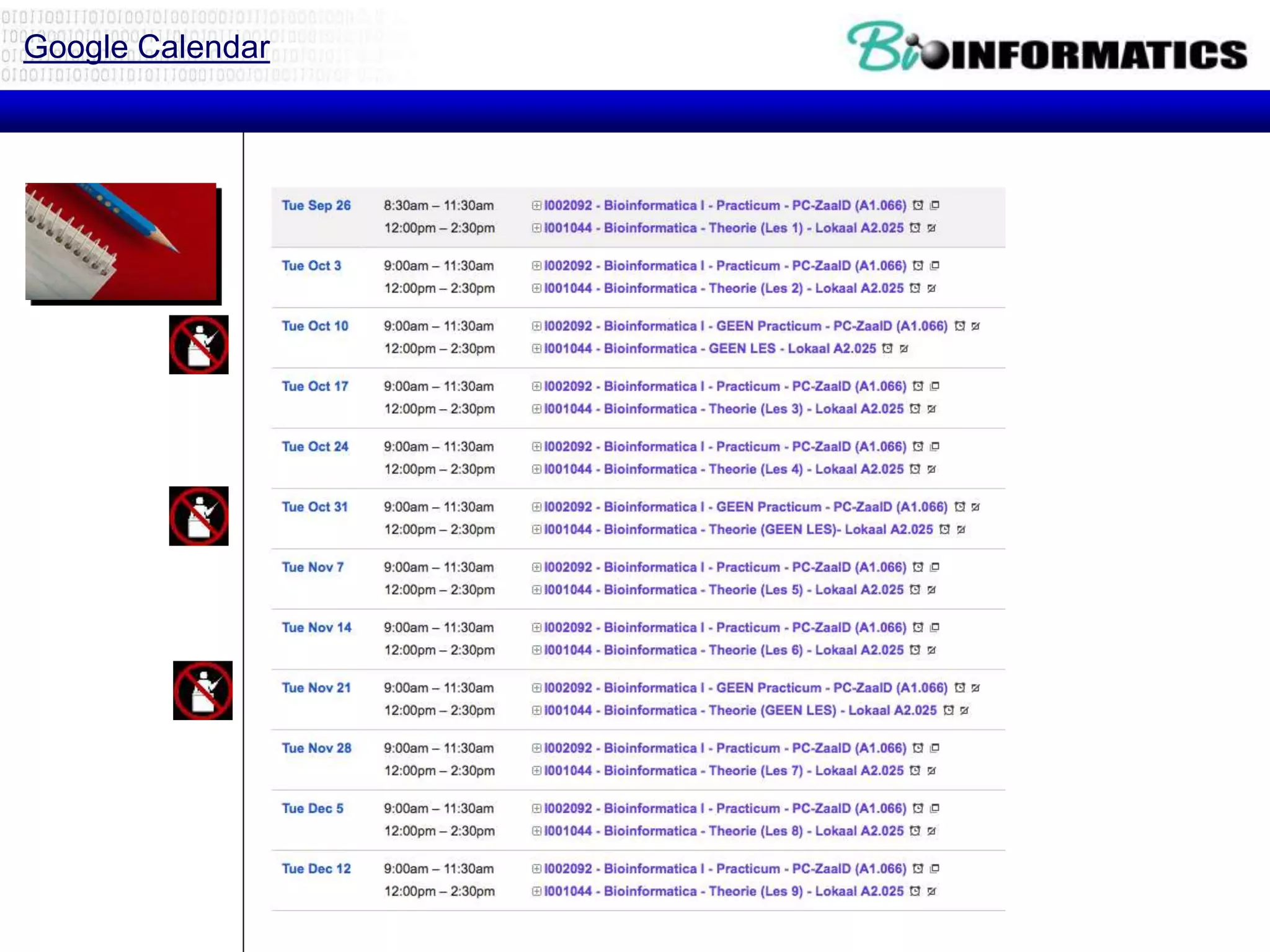
Google Calendar
Recap
if condition:
statements
[elif condition:
statements] ...
else:
statements
while condition:
statements
for var in sequence:
statements
break
continue
Strings
Lists
• Flexible arrays, not Lisp-like linked
lists
• a = [99, "bottles of beer", ["on", "the",
"wall"]]
• Same operators as for strings
• a+b, a*3, a[0], a[-1], a[1:], len(a)
• Item and slice assignment
• a[0] = 98
• a[1:2] = ["bottles", "of", "beer"]
-> [98, "bottles", "of", "beer", ["on", "the", "wall"]]
• del a[-1] # -> [98, "bottles", "of", "beer"]
Dictionaries
• Hash tables, "associative arrays"
• d = {"duck": "eend", "water": "water"}
• Lookup:
• d["duck"] -> "eend"
• d["back"] # raises KeyError exception
• Delete, insert, overwrite:
• del d["water"] # {"duck": "eend", "back": "rug"}
• d["back"] = "rug" # {"duck": "eend", "back":
"rug"}
• d["duck"] = "duik" # {"duck": "duik", "back":
"rug"}
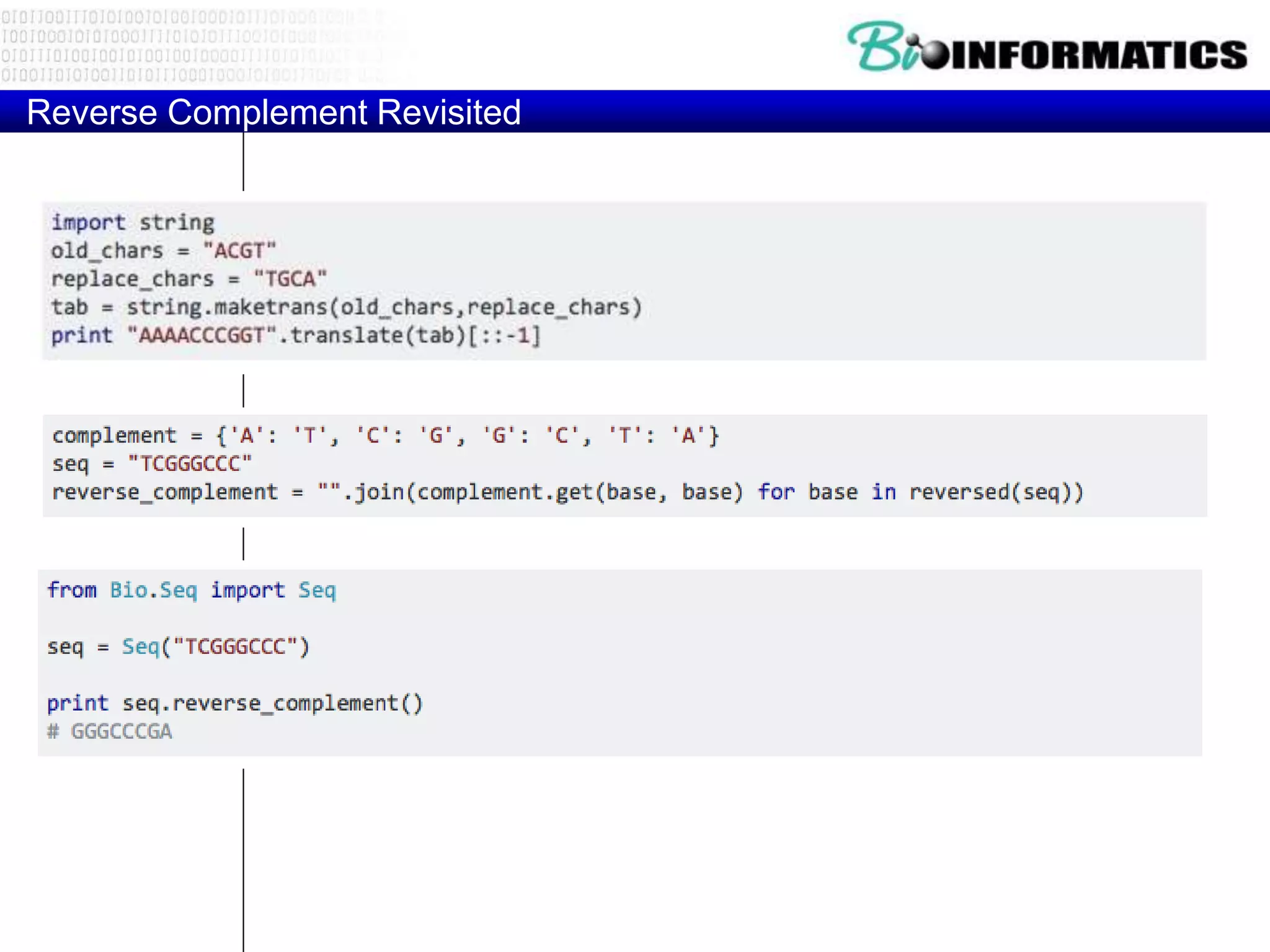
Reverse Complement Revisited
if condition:
statements
[elif condition:
statements] ...
else:
statements
while condition:
statements
for var in sequence:
statements
break
continue
Strings
REGULAR EXPRESSIONS
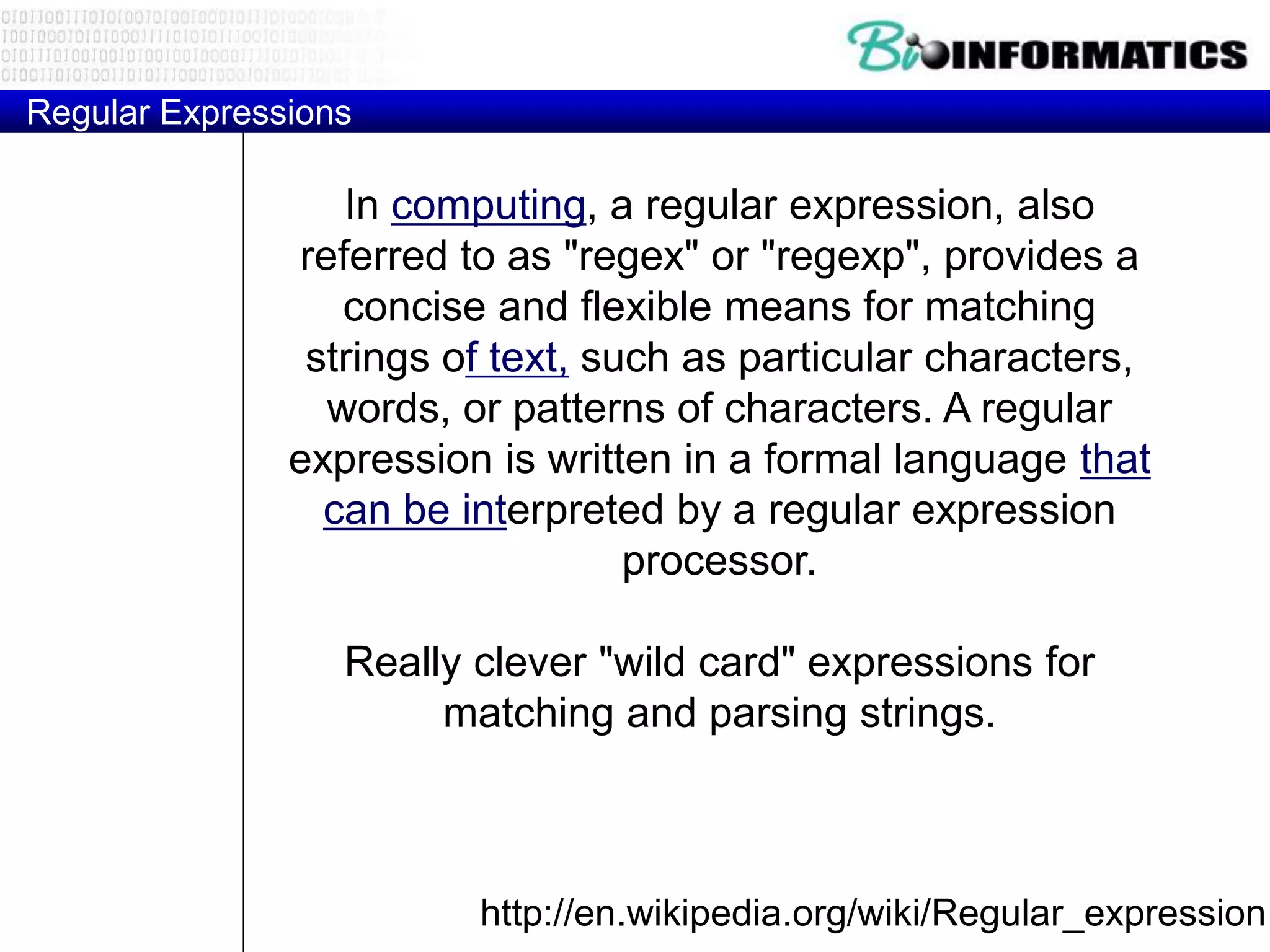
Regular Expressions
http://en.wikipedia.org/wiki/Regular_expression
In computing, a regular expression, also
referred to as "regex" or "regexp", provides a
concise and flexible means for matching
strings of text, such as particular characters,
words, or patterns of characters. A regular
expression is written in a formal language that
can be interpreted by a regular expression
processor.
Really clever "wild card" expressions for
matching and parsing strings.
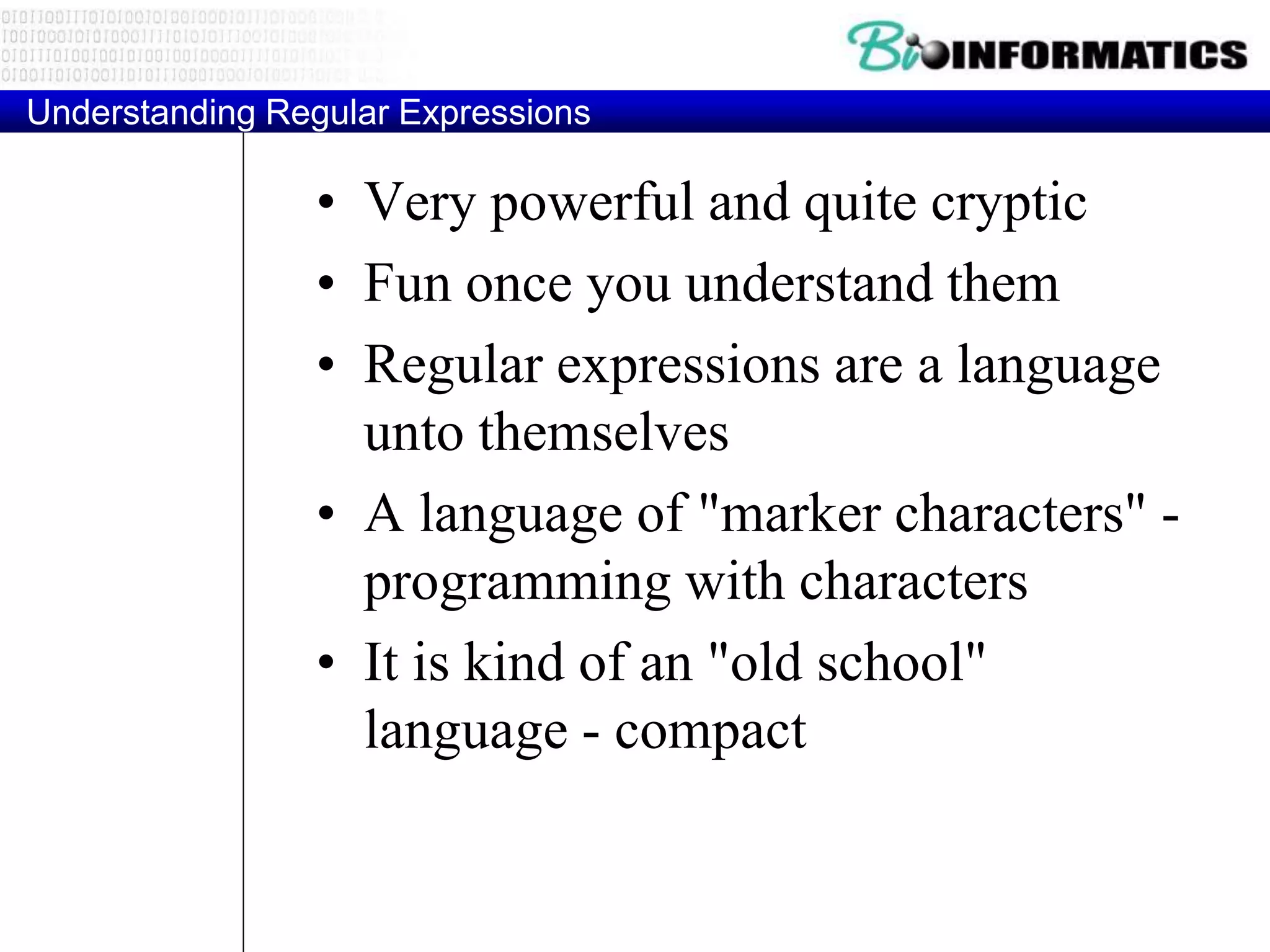
Understanding Regular Expressions
• Very powerful and quite cryptic
• Fun once you understand them
• Regular expressions are a language
unto themselves
• A language of "marker characters" -
programming with characters
• It is kind of an "old school"
language - compact
Regular Expression Quick Guide
^ Matches the beginning of a line
$ Matches the end of the line
. Matches any character
s Matches whitespace
S Matches any non-whitespace character
* Repeats a character zero or more times
*? Repeats a character zero or more times (non-greedy)
+ Repeats a chracter one or more times
+? Repeats a character one or more times (non-greedy)
[aeiou] Matches a single character in the listed set
[^XYZ] Matches a single character not in the listed set
[a-z0-9] The set of characters can include a range
( Indicates where string extraction is to start
) Indicates where string extraction is to end
The Regular Expression Module
• Before you can use regular expressions in
your program, you must import the library
using "import re"
• You can use re.search() to see if a string
matches a regular expression similar to
using the find() method for strings
• You can use re.findall() extract portions of
a string that match your regular expression
similar to a combination of find() and
slicing: var[5:10]
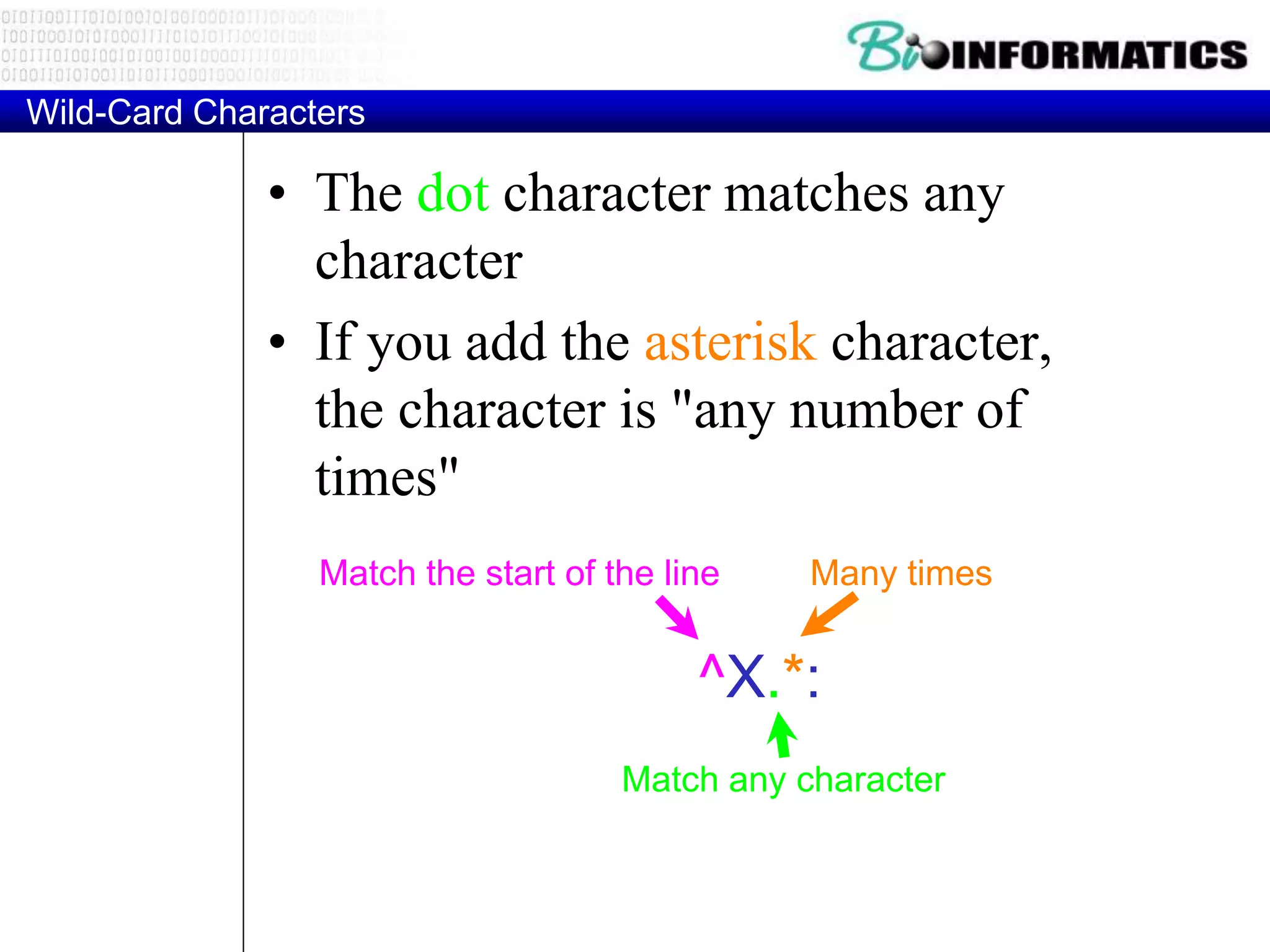
Wild-Card Characters
• The dot character matches any
character
• If you add the asterisk character,
the character is "any number of
times"
^X.*:
Match the start of the line
Match any character
Many times
Matching and Extracting Data
• The re.search() returns a True/False
depending on whether the string matches
the regular expression
• If we actually want the matching strings
to be extracted, we use re.findall()
>>> import re
>>> x = 'My 2 favorite numbers are 19 and 42'
>>> y = re.findall('[0-9]+',x)
>>> print y
['2', '19', '42']
Warning: Greedy Matching
• The repeat characters (* and +) push outward in both directions
(greedy) to match the largest possible string
>>> import re
>>> x = 'From: Using the : character'
>>> y = re.findall('^F.+:', x)
>>> print y
['From: Using the :']
^F.+:
One or more
characters
First character in the
match is an F
Last character in the
match is a :
Non-Greedy Matching
• Not all regular expression repeat codes are
greedy! If you add a ? character - the + and *
chill out a bit...
>>> import re
>>> x = 'From: Using the : character'
>>> y = re.findall('^F.+?:', x)
>>> print y
['From:']
^F.+?:
One or more
characters but
not greedily
First character in the
match is an F
Last character in the
match is a :
Fine Tuning String Extraction
• Parenthesis are not part of the match -
but they tell where to start and stop what
string to extract
From stephen.marquard@uct.ac.za Sat Jan 5 09:14:16
2008
>>> y = re.findall('S+@S+',x)
>>> print y
['stephen.marquard@uct.ac.za']
>>> y = re.findall('^From (S+@S+)',x)
>>> print y
['stephen.marquard@uct.ac.za']
^From (S+@S+)
The Double Split Version
• Sometimes we split a line one way and then grab
one of the pieces of the line and split that piece
again
From stephen.marquard@uct.ac.za Sat Jan 5 09:14:16
2008
words = line.split()
email = words[1]
pieces = email.split('@')
print pieces[1]
stephen.marquard@uct.ac.za
['stephen.marquard', 'uct.ac.za']
'uct.ac.za'
The Regex Version
From stephen.marquard@uct.ac.za Sat Jan 5 09:14:16
2008
import re
lin = 'From stephen.marquard@uct.ac.za Sat Jan 5 09:14:1
y = re.findall('@([^ ]*)',lin)
print y['uct.ac.za']
'@([^ ]*)'
Look through the string until you find an at-sign
Match non-blank character
Match many of them
Escape Character
• If you want a special regular expression
character to just behave normally (most
of the time) you prefix it with ''
>>> import re
>>> x = 'We just received $10.00 for cookies.'
>>> y = re.findall('$[0-9.]+',x)
>>> print y
['$10.00']
$[0-9.]+
A digit or periodA real dollar sign
At least one
or more
Real world problems
• Match IP Addresses, email addresses,
URLs
• Match balanced sets of parenthesis
• Substitute words
• Tokenize
• Validate
• Count
• Delete duplicates
• Natural Language processing
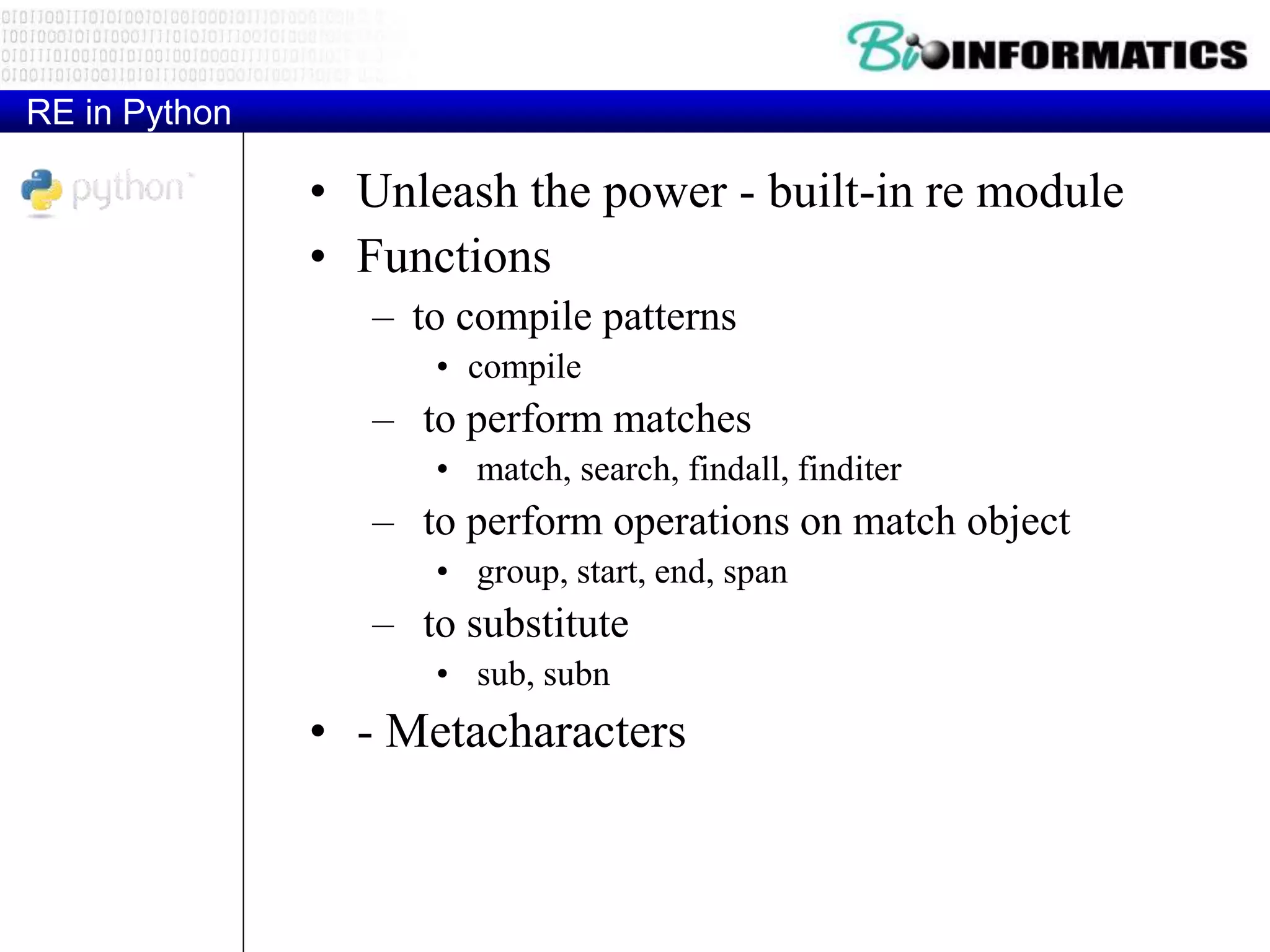
RE in Python
• Unleash the power - built-in re module
• Functions
– to compile patterns
• compile
– to perform matches
• match, search, findall, finditer
– to perform operations on match object
• group, start, end, span
– to substitute
• sub, subn
• - Metacharacters
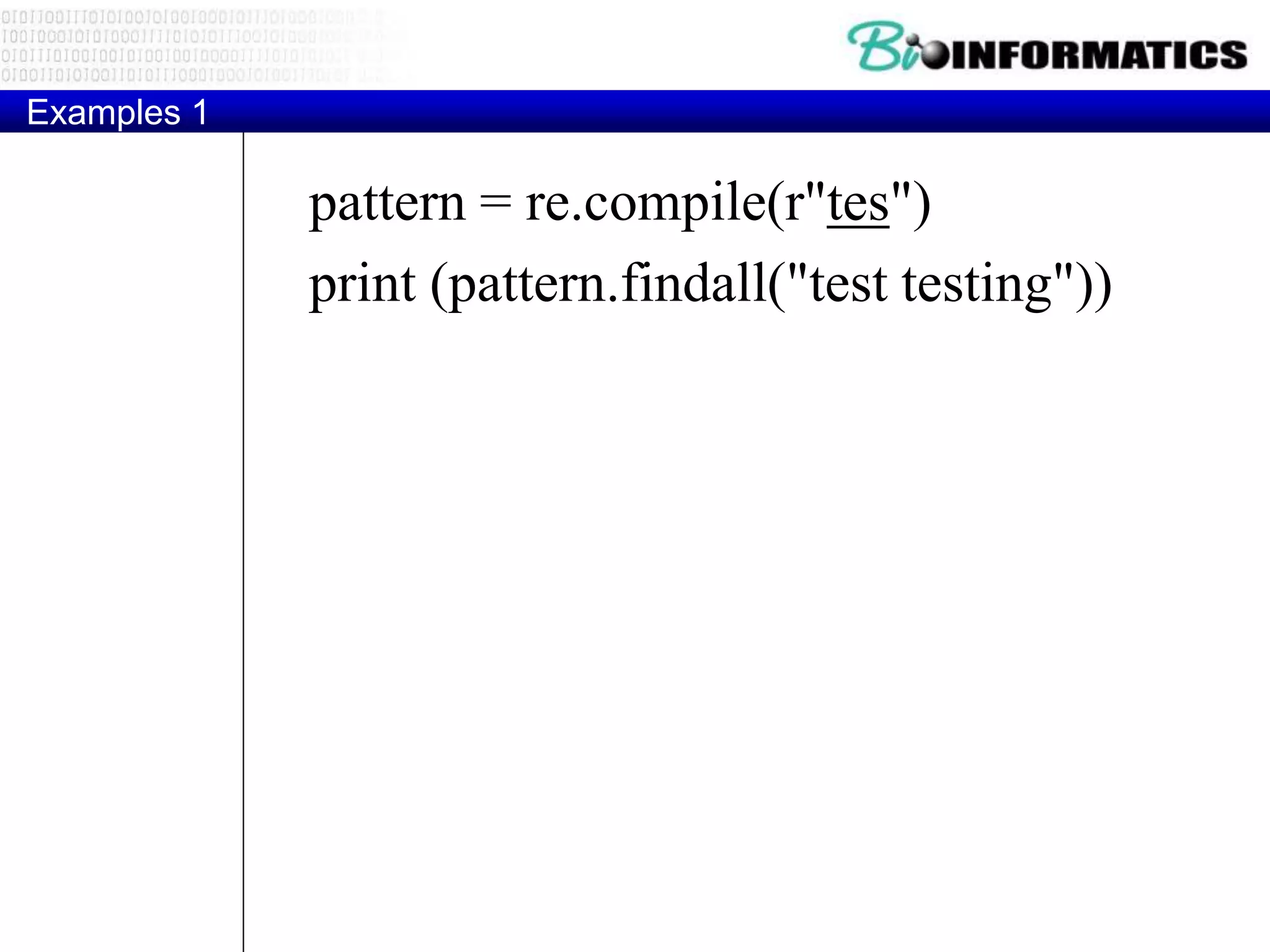
Examples 1
pattern = re.compile(r"tes")
print (pattern.findall("test testing"))
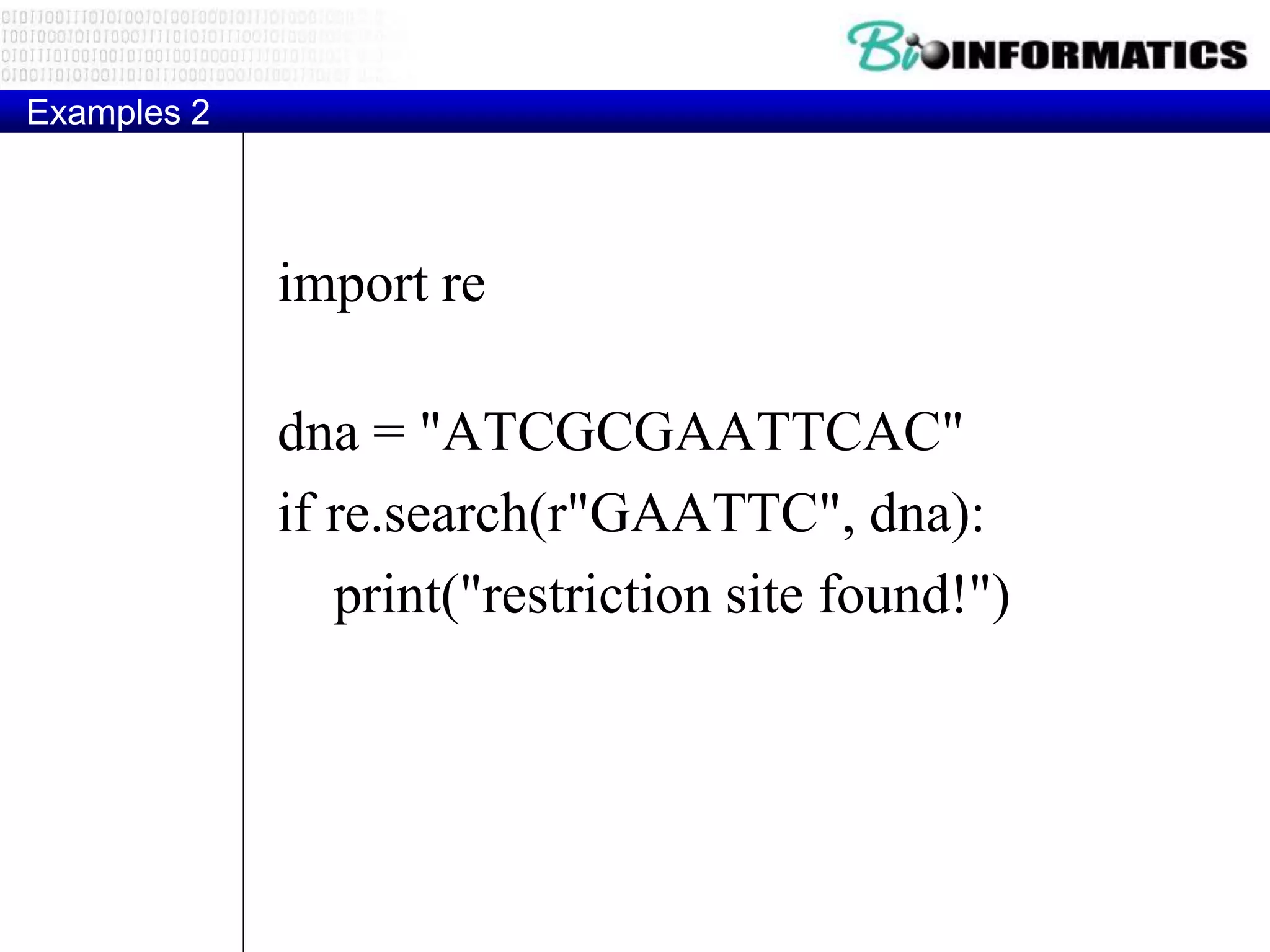
Examples 2
import re
dna = "ATCGCGAATTCAC"
if re.search(r"GAATTC", dna):
print("restriction site found!")
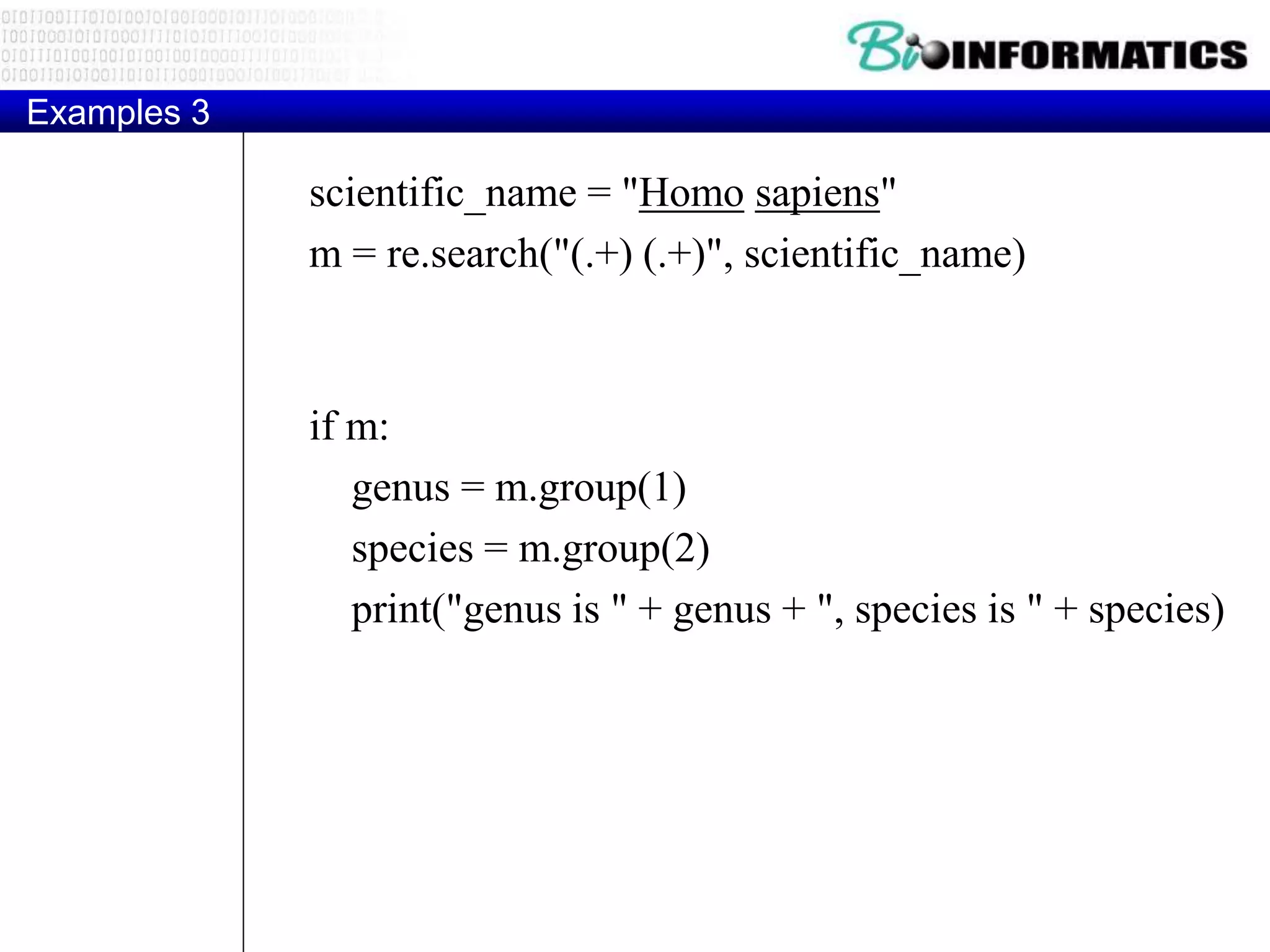
Examples 3
scientific_name = "Homo sapiens"
m = re.search("(.+) (.+)", scientific_name)
if m:
genus = m.group(1)
species = m.group(2)
print("genus is " + genus + ", species is " + species)
Examples 4
regex = r"([a-zA-Z]+) d+"
#finditer() returns an iterator that produces Match instances instead of the strings
returned by findall()
matches = re.finditer(regex, "June 24, August 9, Dec 12")
for match in matches:
print(match)
print ("Match at index:",match.group(0),match.group(1),match.start(), match.end())
Examples 5
text = 'abbaaabbbbaaaaa'
pattern = 'ab'
for match in re.finditer(pattern, text):
s = match.start()
e = match.end()
print ('Found "%s" at %d:%d' % (text[s:e], s, e))
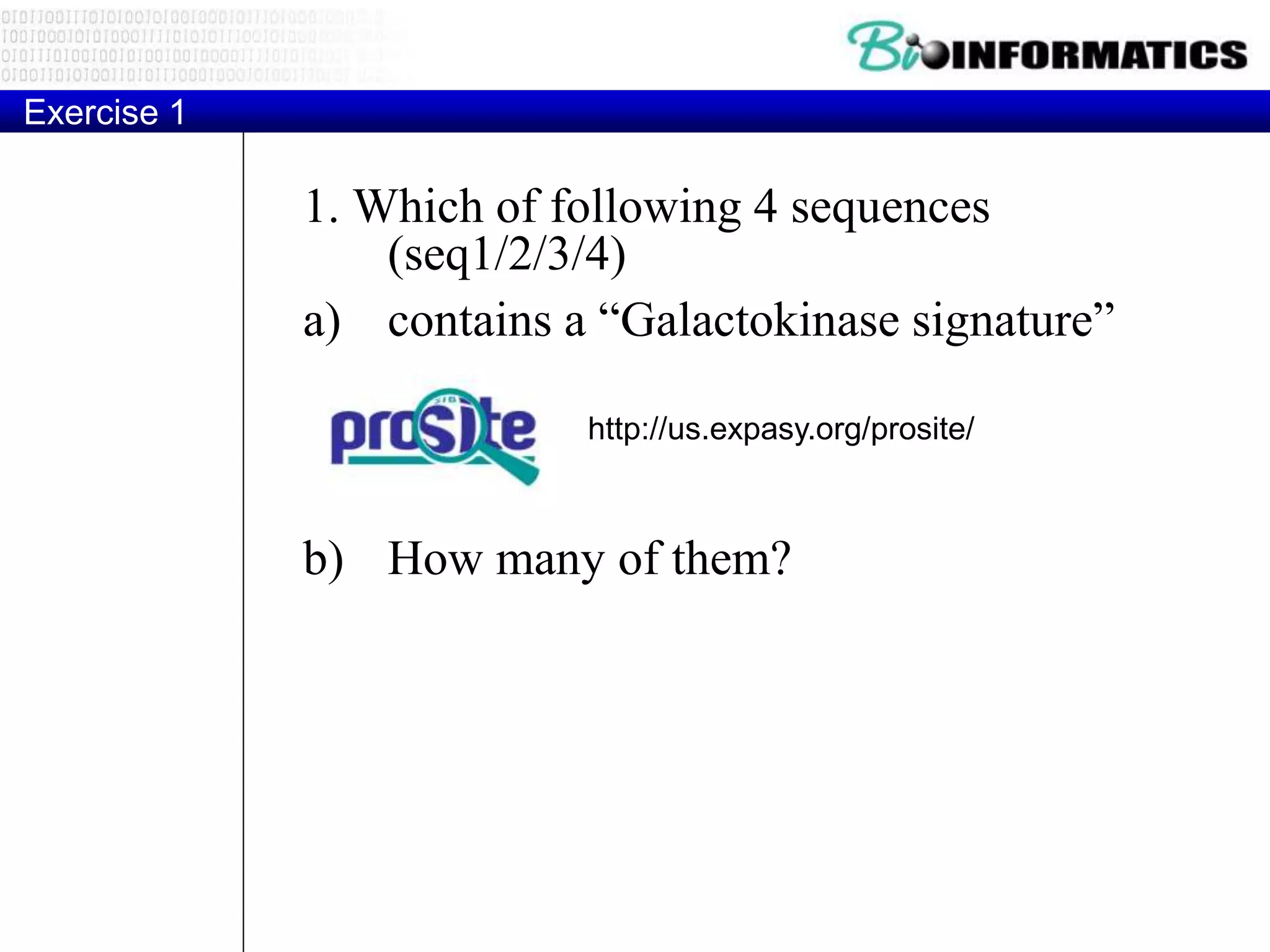
Exercise 1
1. Which of following 4 sequences
(seq1/2/3/4)
a) contains a “Galactokinase signature”
b) How many of them?
http://us.expasy.org/prosite/
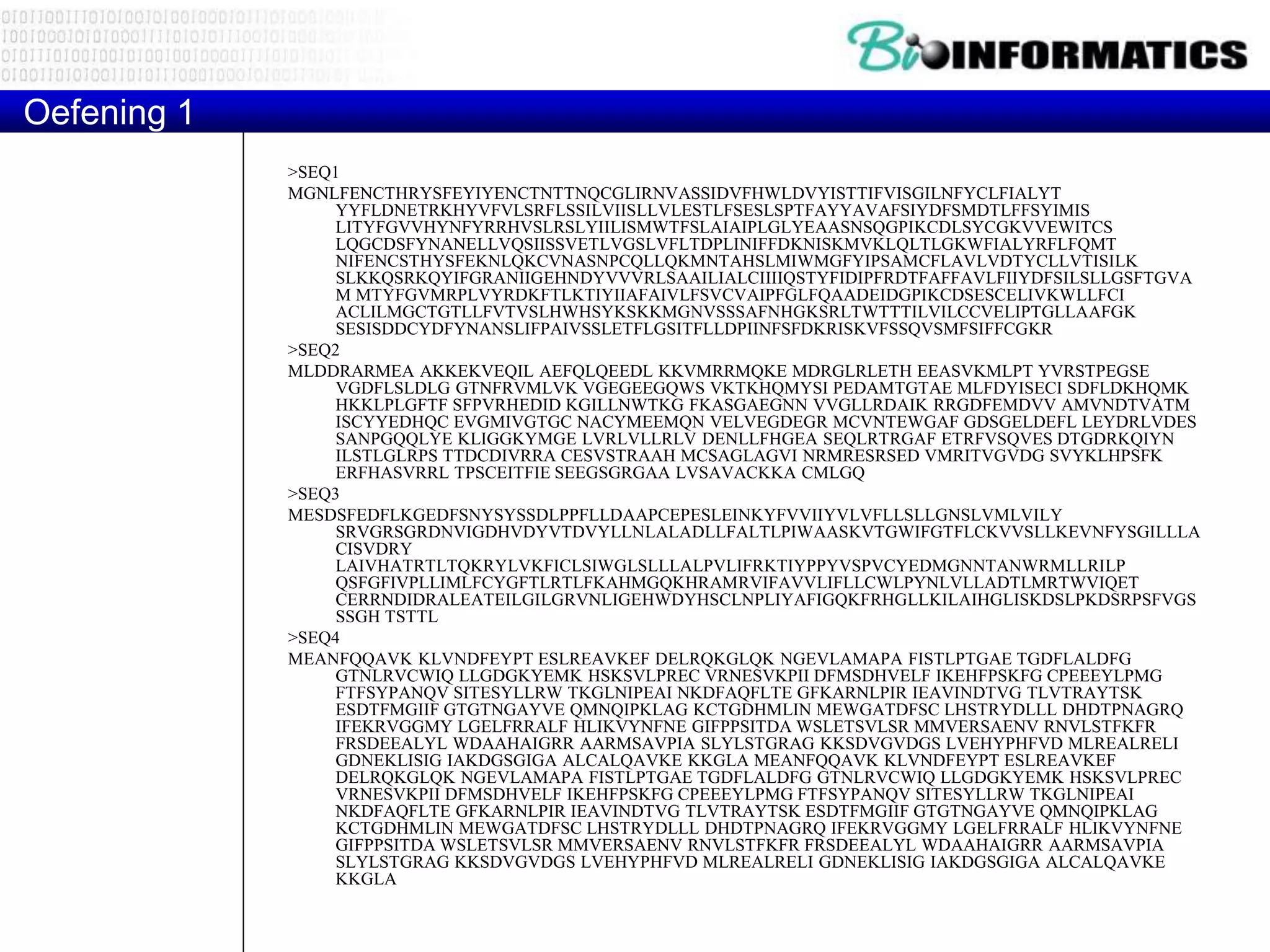
>SEQ1
MGNLFENCTHRYSFEYIYENCTNTTNQCGLIRNVASSIDVFHWLDVYISTTIFVISGILNFYCLFIALYT
YYFLDNETRKHYVFVLSRFLSSILVIISLLVLESTLFSESLSPTFAYYAVAFSIYDFSMDTLFFSYIMIS
LITYFGVVHYNFYRRHVSLRSLYIILISMWTFSLAIAIPLGLYEAASNSQGPIKCDLSYCGKVVEWITCS
LQGCDSFYNANELLVQSIISSVETLVGSLVFLTDPLINIFFDKNISKMVKLQLTLGKWFIALYRFLFQMT
NIFENCSTHYSFEKNLQKCVNASNPCQLLQKMNTAHSLMIWMGFYIPSAMCFLAVLVDTYCLLVTISILK
SLKKQSRKQYIFGRANIIGEHNDYVVVRLSAAILIALCIIIIQSTYFIDIPFRDTFAFFAVLFIIYDFSILSLLGSFTGVA
M MTYFGVMRPLVYRDKFTLKTIYIIAFAIVLFSVCVAIPFGLFQAADEIDGPIKCDSESCELIVKWLLFCI
ACLILMGCTGTLLFVTVSLHWHSYKSKKMGNVSSSAFNHGKSRLTWTTTILVILCCVELIPTGLLAAFGK
SESISDDCYDFYNANSLIFPAIVSSLETFLGSITFLLDPIINFSFDKRISKVFSSQVSMFSIFFCGKR
>SEQ2
MLDDRARMEA AKKEKVEQIL AEFQLQEEDL KKVMRRMQKE MDRGLRLETH EEASVKMLPT YVRSTPEGSE
VGDFLSLDLG GTNFRVMLVK VGEGEEGQWS VKTKHQMYSI PEDAMTGTAE MLFDYISECI SDFLDKHQMK
HKKLPLGFTF SFPVRHEDID KGILLNWTKG FKASGAEGNN VVGLLRDAIK RRGDFEMDVV AMVNDTVATM
ISCYYEDHQC EVGMIVGTGC NACYMEEMQN VELVEGDEGR MCVNTEWGAF GDSGELDEFL LEYDRLVDES
SANPGQQLYE KLIGGKYMGE LVRLVLLRLV DENLLFHGEA SEQLRTRGAF ETRFVSQVES DTGDRKQIYN
ILSTLGLRPS TTDCDIVRRA CESVSTRAAH MCSAGLAGVI NRMRESRSED VMRITVGVDG SVYKLHPSFK
ERFHASVRRL TPSCEITFIE SEEGSGRGAA LVSAVACKKA CMLGQ
>SEQ3
MESDSFEDFLKGEDFSNYSYSSDLPPFLLDAAPCEPESLEINKYFVVIIYVLVFLLSLLGNSLVMLVILY
SRVGRSGRDNVIGDHVDYVTDVYLLNLALADLLFALTLPIWAASKVTGWIFGTFLCKVVSLLKEVNFYSGILLLA
CISVDRY
LAIVHATRTLTQKRYLVKFICLSIWGLSLLLALPVLIFRKTIYPPYVSPVCYEDMGNNTANWRMLLRILP
QSFGFIVPLLIMLFCYGFTLRTLFKAHMGQKHRAMRVIFAVVLIFLLCWLPYNLVLLADTLMRTWVIQET
CERRNDIDRALEATEILGILGRVNLIGEHWDYHSCLNPLIYAFIGQKFRHGLLKILAIHGLISKDSLPKDSRPSFVGS
SSGH TSTTL
>SEQ4
MEANFQQAVK KLVNDFEYPT ESLREAVKEF DELRQKGLQK NGEVLAMAPA FISTLPTGAE TGDFLALDFG
GTNLRVCWIQ LLGDGKYEMK HSKSVLPREC VRNESVKPII DFMSDHVELF IKEHFPSKFG CPEEEYLPMG
FTFSYPANQV SITESYLLRW TKGLNIPEAI NKDFAQFLTE GFKARNLPIR IEAVINDTVG TLVTRAYTSK
ESDTFMGIIF GTGTNGAYVE QMNQIPKLAG KCTGDHMLIN MEWGATDFSC LHSTRYDLLL DHDTPNAGRQ
IFEKRVGGMY LGELFRRALF HLIKVYNFNE GIFPPSITDA WSLETSVLSR MMVERSAENV RNVLSTFKFR
FRSDEEALYL WDAAHAIGRR AARMSAVPIA SLYLSTGRAG KKSDVGVDGS LVEHYPHFVD MLREALRELI
GDNEKLISIG IAKDGSGIGA ALCALQAVKE KKGLA MEANFQQAVK KLVNDFEYPT ESLREAVKEF
DELRQKGLQK NGEVLAMAPA FISTLPTGAE TGDFLALDFG GTNLRVCWIQ LLGDGKYEMK HSKSVLPREC
VRNESVKPII DFMSDHVELF IKEHFPSKFG CPEEEYLPMG FTFSYPANQV SITESYLLRW TKGLNIPEAI
NKDFAQFLTE GFKARNLPIR IEAVINDTVG TLVTRAYTSK ESDTFMGIIF GTGTNGAYVE QMNQIPKLAG
KCTGDHMLIN MEWGATDFSC LHSTRYDLLL DHDTPNAGRQ IFEKRVGGMY LGELFRRALF HLIKVYNFNE
GIFPPSITDA WSLETSVLSR MMVERSAENV RNVLSTFKFR FRSDEEALYL WDAAHAIGRR AARMSAVPIA
SLYLSTGRAG KKSDVGVDGS LVEHYPHFVD MLREALRELI GDNEKLISIG IAKDGSGIGA ALCALQAVKE
KKGLA
Oefening 1
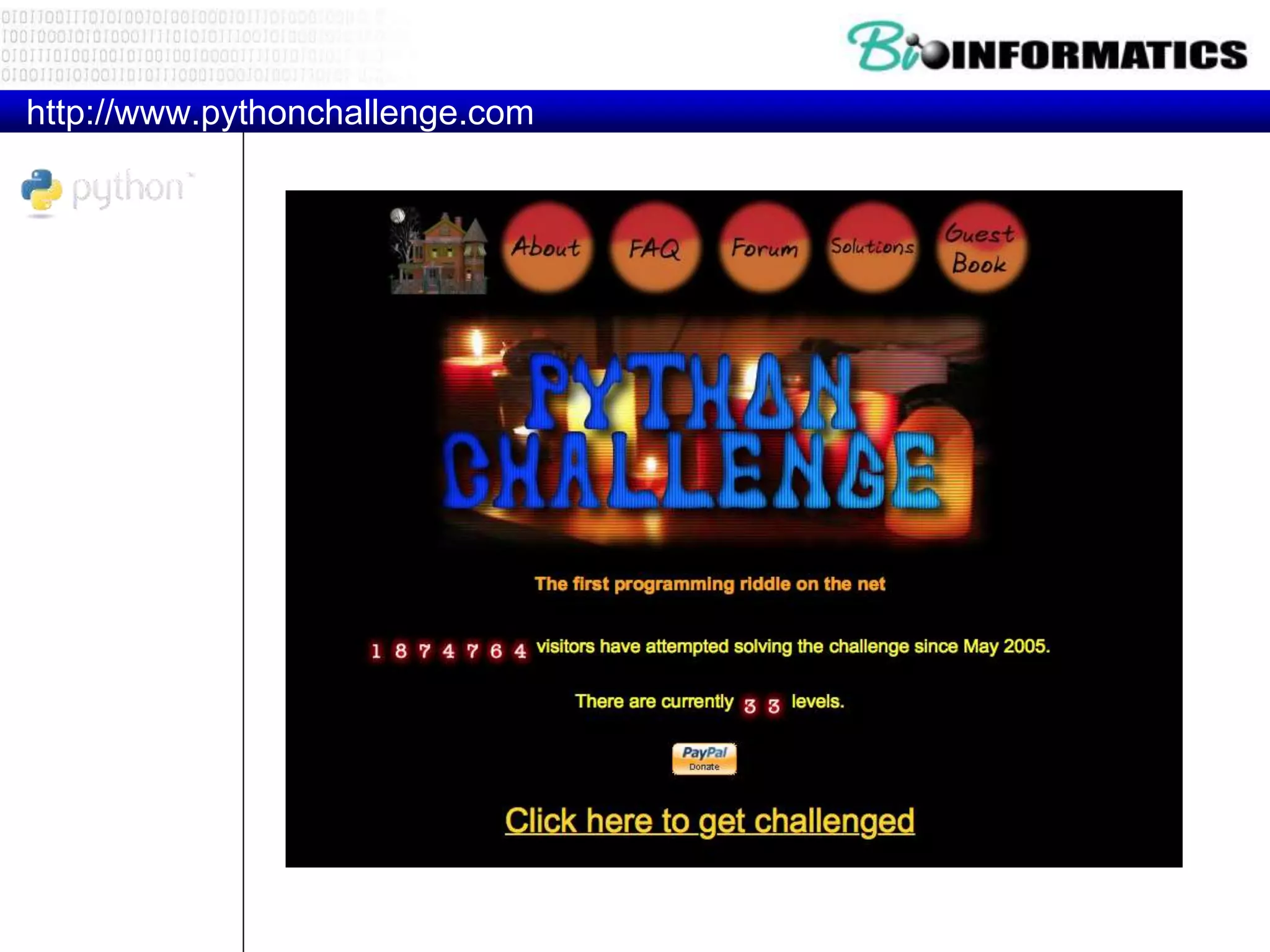
http://www.pythonchallenge.com

P3 2017 python_regexes

  • 2.
  • 3.
  • 4.
    Recap if condition: statements [elif condition: statements]... else: statements while condition: statements for var in sequence: statements break continue Strings
  • 5.
    Lists • Flexible arrays,not Lisp-like linked lists • a = [99, "bottles of beer", ["on", "the", "wall"]] • Same operators as for strings • a+b, a*3, a[0], a[-1], a[1:], len(a) • Item and slice assignment • a[0] = 98 • a[1:2] = ["bottles", "of", "beer"] -> [98, "bottles", "of", "beer", ["on", "the", "wall"]] • del a[-1] # -> [98, "bottles", "of", "beer"]
  • 6.
    Dictionaries • Hash tables,"associative arrays" • d = {"duck": "eend", "water": "water"} • Lookup: • d["duck"] -> "eend" • d["back"] # raises KeyError exception • Delete, insert, overwrite: • del d["water"] # {"duck": "eend", "back": "rug"} • d["back"] = "rug" # {"duck": "eend", "back": "rug"} • d["duck"] = "duik" # {"duck": "duik", "back": "rug"}
  • 7.
  • 8.
    if condition: statements [elif condition: statements]... else: statements while condition: statements for var in sequence: statements break continue Strings REGULAR EXPRESSIONS
  • 9.
    Regular Expressions http://en.wikipedia.org/wiki/Regular_expression In computing,a regular expression, also referred to as "regex" or "regexp", provides a concise and flexible means for matching strings of text, such as particular characters, words, or patterns of characters. A regular expression is written in a formal language that can be interpreted by a regular expression processor. Really clever "wild card" expressions for matching and parsing strings.
  • 10.
    Understanding Regular Expressions •Very powerful and quite cryptic • Fun once you understand them • Regular expressions are a language unto themselves • A language of "marker characters" - programming with characters • It is kind of an "old school" language - compact
  • 11.
    Regular Expression QuickGuide ^ Matches the beginning of a line $ Matches the end of the line . Matches any character s Matches whitespace S Matches any non-whitespace character * Repeats a character zero or more times *? Repeats a character zero or more times (non-greedy) + Repeats a chracter one or more times +? Repeats a character one or more times (non-greedy) [aeiou] Matches a single character in the listed set [^XYZ] Matches a single character not in the listed set [a-z0-9] The set of characters can include a range ( Indicates where string extraction is to start ) Indicates where string extraction is to end
  • 12.
    The Regular ExpressionModule • Before you can use regular expressions in your program, you must import the library using "import re" • You can use re.search() to see if a string matches a regular expression similar to using the find() method for strings • You can use re.findall() extract portions of a string that match your regular expression similar to a combination of find() and slicing: var[5:10]
  • 13.
    Wild-Card Characters • Thedot character matches any character • If you add the asterisk character, the character is "any number of times" ^X.*: Match the start of the line Match any character Many times
  • 14.
    Matching and ExtractingData • The re.search() returns a True/False depending on whether the string matches the regular expression • If we actually want the matching strings to be extracted, we use re.findall() >>> import re >>> x = 'My 2 favorite numbers are 19 and 42' >>> y = re.findall('[0-9]+',x) >>> print y ['2', '19', '42']
  • 15.
    Warning: Greedy Matching •The repeat characters (* and +) push outward in both directions (greedy) to match the largest possible string >>> import re >>> x = 'From: Using the : character' >>> y = re.findall('^F.+:', x) >>> print y ['From: Using the :'] ^F.+: One or more characters First character in the match is an F Last character in the match is a :
  • 16.
    Non-Greedy Matching • Notall regular expression repeat codes are greedy! If you add a ? character - the + and * chill out a bit... >>> import re >>> x = 'From: Using the : character' >>> y = re.findall('^F.+?:', x) >>> print y ['From:'] ^F.+?: One or more characters but not greedily First character in the match is an F Last character in the match is a :
  • 17.
    Fine Tuning StringExtraction • Parenthesis are not part of the match - but they tell where to start and stop what string to extract From stephen.marquard@uct.ac.za Sat Jan 5 09:14:16 2008 >>> y = re.findall('S+@S+',x) >>> print y ['stephen.marquard@uct.ac.za'] >>> y = re.findall('^From (S+@S+)',x) >>> print y ['stephen.marquard@uct.ac.za'] ^From (S+@S+)
  • 18.
    The Double SplitVersion • Sometimes we split a line one way and then grab one of the pieces of the line and split that piece again From stephen.marquard@uct.ac.za Sat Jan 5 09:14:16 2008 words = line.split() email = words[1] pieces = email.split('@') print pieces[1] stephen.marquard@uct.ac.za ['stephen.marquard', 'uct.ac.za'] 'uct.ac.za'
  • 19.
    The Regex Version Fromstephen.marquard@uct.ac.za Sat Jan 5 09:14:16 2008 import re lin = 'From stephen.marquard@uct.ac.za Sat Jan 5 09:14:1 y = re.findall('@([^ ]*)',lin) print y['uct.ac.za'] '@([^ ]*)' Look through the string until you find an at-sign Match non-blank character Match many of them
  • 20.
    Escape Character • Ifyou want a special regular expression character to just behave normally (most of the time) you prefix it with '' >>> import re >>> x = 'We just received $10.00 for cookies.' >>> y = re.findall('$[0-9.]+',x) >>> print y ['$10.00'] $[0-9.]+ A digit or periodA real dollar sign At least one or more
  • 21.
    Real world problems •Match IP Addresses, email addresses, URLs • Match balanced sets of parenthesis • Substitute words • Tokenize • Validate • Count • Delete duplicates • Natural Language processing
  • 24.
    RE in Python •Unleash the power - built-in re module • Functions – to compile patterns • compile – to perform matches • match, search, findall, finditer – to perform operations on match object • group, start, end, span – to substitute • sub, subn • - Metacharacters
  • 25.
    Examples 1 pattern =re.compile(r"tes") print (pattern.findall("test testing"))
  • 26.
    Examples 2 import re dna= "ATCGCGAATTCAC" if re.search(r"GAATTC", dna): print("restriction site found!")
  • 27.
    Examples 3 scientific_name ="Homo sapiens" m = re.search("(.+) (.+)", scientific_name) if m: genus = m.group(1) species = m.group(2) print("genus is " + genus + ", species is " + species)
  • 28.
    Examples 4 regex =r"([a-zA-Z]+) d+" #finditer() returns an iterator that produces Match instances instead of the strings returned by findall() matches = re.finditer(regex, "June 24, August 9, Dec 12") for match in matches: print(match) print ("Match at index:",match.group(0),match.group(1),match.start(), match.end())
  • 29.
    Examples 5 text ='abbaaabbbbaaaaa' pattern = 'ab' for match in re.finditer(pattern, text): s = match.start() e = match.end() print ('Found "%s" at %d:%d' % (text[s:e], s, e))
  • 30.
    Exercise 1 1. Whichof following 4 sequences (seq1/2/3/4) a) contains a “Galactokinase signature” b) How many of them? http://us.expasy.org/prosite/
  • 31.
    >SEQ1 MGNLFENCTHRYSFEYIYENCTNTTNQCGLIRNVASSIDVFHWLDVYISTTIFVISGILNFYCLFIALYT YYFLDNETRKHYVFVLSRFLSSILVIISLLVLESTLFSESLSPTFAYYAVAFSIYDFSMDTLFFSYIMIS LITYFGVVHYNFYRRHVSLRSLYIILISMWTFSLAIAIPLGLYEAASNSQGPIKCDLSYCGKVVEWITCS LQGCDSFYNANELLVQSIISSVETLVGSLVFLTDPLINIFFDKNISKMVKLQLTLGKWFIALYRFLFQMT NIFENCSTHYSFEKNLQKCVNASNPCQLLQKMNTAHSLMIWMGFYIPSAMCFLAVLVDTYCLLVTISILK SLKKQSRKQYIFGRANIIGEHNDYVVVRLSAAILIALCIIIIQSTYFIDIPFRDTFAFFAVLFIIYDFSILSLLGSFTGVA M MTYFGVMRPLVYRDKFTLKTIYIIAFAIVLFSVCVAIPFGLFQAADEIDGPIKCDSESCELIVKWLLFCI ACLILMGCTGTLLFVTVSLHWHSYKSKKMGNVSSSAFNHGKSRLTWTTTILVILCCVELIPTGLLAAFGK SESISDDCYDFYNANSLIFPAIVSSLETFLGSITFLLDPIINFSFDKRISKVFSSQVSMFSIFFCGKR >SEQ2 MLDDRARMEA AKKEKVEQILAEFQLQEEDL KKVMRRMQKE MDRGLRLETH EEASVKMLPT YVRSTPEGSE VGDFLSLDLG GTNFRVMLVK VGEGEEGQWS VKTKHQMYSI PEDAMTGTAE MLFDYISECI SDFLDKHQMK HKKLPLGFTF SFPVRHEDID KGILLNWTKG FKASGAEGNN VVGLLRDAIK RRGDFEMDVV AMVNDTVATM ISCYYEDHQC EVGMIVGTGC NACYMEEMQN VELVEGDEGR MCVNTEWGAF GDSGELDEFL LEYDRLVDES SANPGQQLYE KLIGGKYMGE LVRLVLLRLV DENLLFHGEA SEQLRTRGAF ETRFVSQVES DTGDRKQIYN ILSTLGLRPS TTDCDIVRRA CESVSTRAAH MCSAGLAGVI NRMRESRSED VMRITVGVDG SVYKLHPSFK ERFHASVRRL TPSCEITFIE SEEGSGRGAA LVSAVACKKA CMLGQ >SEQ3 MESDSFEDFLKGEDFSNYSYSSDLPPFLLDAAPCEPESLEINKYFVVIIYVLVFLLSLLGNSLVMLVILY SRVGRSGRDNVIGDHVDYVTDVYLLNLALADLLFALTLPIWAASKVTGWIFGTFLCKVVSLLKEVNFYSGILLLA CISVDRY LAIVHATRTLTQKRYLVKFICLSIWGLSLLLALPVLIFRKTIYPPYVSPVCYEDMGNNTANWRMLLRILP QSFGFIVPLLIMLFCYGFTLRTLFKAHMGQKHRAMRVIFAVVLIFLLCWLPYNLVLLADTLMRTWVIQET CERRNDIDRALEATEILGILGRVNLIGEHWDYHSCLNPLIYAFIGQKFRHGLLKILAIHGLISKDSLPKDSRPSFVGS SSGH TSTTL >SEQ4 MEANFQQAVK KLVNDFEYPT ESLREAVKEF DELRQKGLQK NGEVLAMAPA FISTLPTGAE TGDFLALDFG GTNLRVCWIQ LLGDGKYEMK HSKSVLPREC VRNESVKPII DFMSDHVELF IKEHFPSKFG CPEEEYLPMG FTFSYPANQV SITESYLLRW TKGLNIPEAI NKDFAQFLTE GFKARNLPIR IEAVINDTVG TLVTRAYTSK ESDTFMGIIF GTGTNGAYVE QMNQIPKLAG KCTGDHMLIN MEWGATDFSC LHSTRYDLLL DHDTPNAGRQ IFEKRVGGMY LGELFRRALF HLIKVYNFNE GIFPPSITDA WSLETSVLSR MMVERSAENV RNVLSTFKFR FRSDEEALYL WDAAHAIGRR AARMSAVPIA SLYLSTGRAG KKSDVGVDGS LVEHYPHFVD MLREALRELI GDNEKLISIG IAKDGSGIGA ALCALQAVKE KKGLA MEANFQQAVK KLVNDFEYPT ESLREAVKEF DELRQKGLQK NGEVLAMAPA FISTLPTGAE TGDFLALDFG GTNLRVCWIQ LLGDGKYEMK HSKSVLPREC VRNESVKPII DFMSDHVELF IKEHFPSKFG CPEEEYLPMG FTFSYPANQV SITESYLLRW TKGLNIPEAI NKDFAQFLTE GFKARNLPIR IEAVINDTVG TLVTRAYTSK ESDTFMGIIF GTGTNGAYVE QMNQIPKLAG KCTGDHMLIN MEWGATDFSC LHSTRYDLLL DHDTPNAGRQ IFEKRVGGMY LGELFRRALF HLIKVYNFNE GIFPPSITDA WSLETSVLSR MMVERSAENV RNVLSTFKFR FRSDEEALYL WDAAHAIGRR AARMSAVPIA SLYLSTGRAG KKSDVGVDGS LVEHYPHFVD MLREALRELI GDNEKLISIG IAKDGSGIGA ALCALQAVKE KKGLA Oefening 1
  • 32.