
/Regular Expressions/

        In Java
Credits
• The Java Tutorials: Regular Expressions
• docs.oracle.com/javase/tutorial
  /essential/regex/
Regex
• Regular expressions are a way to describe a
  set of strings based on common
  characteristics shared by each string in the set.
• They can be used to search, edit, or
  manipulate text and data.
• They are created with a specific syntax.
Regex in Java
• Regex in Java is similar to Perl
• The java.util.regex package primarily consists
  of three classes: Pattern, Matcher,
  and PatternSyntaxException.
Pattern & PatternSyntaxException
• You can think of this as the regular expression
  wrapper object.
• You get a Pattern by calling:
  – Pattern.compile(“RegularExpressionString”);
• If your “RegularExpressionString” is invalid,
  you will get the PatternSyntaxException.
Matcher
• You can think of this as the search result
  object.
• You can get a matcher object by calling:
  – myPattern.matcher(“StringToBeSearched”);
• You use it by calling:
  – myMatcher.find()
• Then call any number of methods on
  myMatcher to see attributes of the result.
Regex Test Harness
• The tutorials give a test harness that uses the
  Console class. It doesn’t work in any IDE.
• So I rewrote it to use Basic I/O
It’s time for…

CODE DEMO
Regex
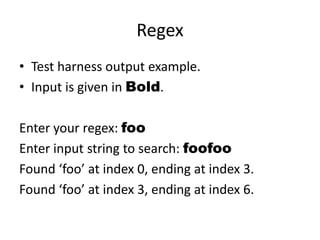
• Test harness output example.
• Input is given in Bold.

Enter your regex: foo
Enter input string to search: foofoo
Found ‘foo’ at index 0, ending at index 3.
Found ‘foo’ at index 3, ending at index 6.
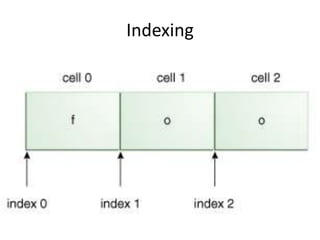
Indexing
Metacharacters
• <([{^-=$!|]})?*+.>
• Precede a metacharacter with a ‘’ to treat it
  as a ordinary character.
• Or use Q and E to begin and end a literal
  quote.
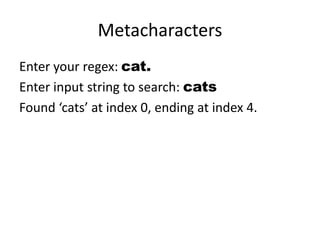
Metacharacters
Enter your regex: cat.
Enter input string to search: cats
Found ‘cats’ at index 0, ending at index 4.
Character Classes
Construct               Description
[abc]                   a, b, or c (simple class)
                        Any character except a, b, or c
[^abc]
                        (negation)
                        a through z, or A through Z, inclusive
[a-zA-Z]
                        (range)
                        a through d, OR m through p: [a-dm-p]
[a-d[m-p]]
                        (union)
[a-z&&[def]]            d, e, f (intersection)
                        a through z, except for b and c: [ad-z]
[a-z&&[^bc]]
                        (subtraction)
                        a through z, and not m through p: [a-lq-
[a-z&&[^m-p]]
                        z] (subtraction)
Character Class
Enter your regex: [bcr]at
Enter input string to search: rat
I found the text "rat" starting at index 0 and
ending at index 3.

Enter input string to search: cat
Found "cat" at index 0, ending at index 3.
Character Class: Negation
Enter your regex: [^bcr]at
Enter input string to search: rat
No match found.

Enter input string to search: hat
Found "hat" at index 0, ending at index 3.
Character Class: Range
Enter your regex: foo[1-5]
Enter input string to search: foo5
Found "foo5" at index 0, ending at index 4.

Enter input string to search: foo6
No match found.
Character Class: Union
Enter your regex: [0-4[6-8]]
Enter input string to search: 0
Found "0" at index 0, ending at index 1.

Enter input string to search: 5
No match found.

Enter input string to search: 6
Found "6" starting at index 0, ending at index 1.
Character Class: Intersection
Enter your regex: [0-9&&[345]]
Enter input string to search: 5
Found "5" at index 0, ending at index 1.

Enter input string to search: 2
No match found.
Character Class: Subtraction
Enter your regex: [0-9&&[^345]]
Enter input string to search: 5
No match found.
Predefined Character Classes
Construct           Description
                    Any character (may or may not match line
.
                    terminators)
d                  A digit: [0-9]
D                  A non-digit: [^0-9]
s                  A whitespace character: [ tnx0Bfr]
S                  A non-whitespace character: [^s]
w                  A word character: [a-zA-Z_0-9]
W                  A non-word character: [^w]
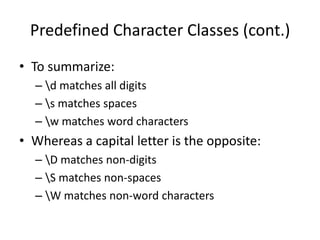
Predefined Character Classes (cont.)
• To summarize:
  – d matches all digits
  – s matches spaces
  – w matches word characters
• Whereas a capital letter is the opposite:
  – D matches non-digits
  – S matches non-spaces
  – W matches non-word characters
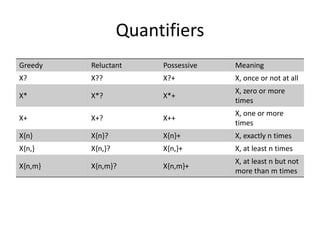
Quantifiers
Greedy   Reluctant     Possessive   Meaning
X?       X??           X?+          X, once or not at all
                                    X, zero or more
X*       X*?           X*+
                                    times
                                    X, one or more
X+       X+?           X++
                                    times
X{n}     X{n}?         X{n}+        X, exactly n times
X{n,}    X{n,}?        X{n,}+       X, at least n times
                                    X, at least n but not
X{n,m}   X{n,m}?       X{n,m}+
                                    more than m times
Ignore Greedy, Reluctant, and
         Possessive
           For now.
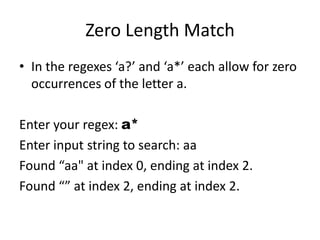
Zero Length Match
• In the regexes ‘a?’ and ‘a*’ each allow for zero
  occurrences of the letter a.

Enter your regex: a*
Enter input string to search: aa
Found “aa" at index 0, ending at index 2.
Found “” at index 2, ending at index 2.
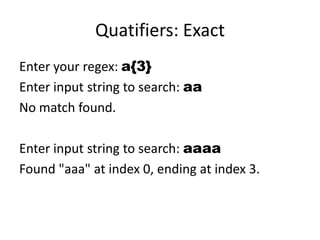
Quatifiers: Exact
Enter your regex: a{3}
Enter input string to search: aa
No match found.

Enter input string to search: aaaa
Found "aaa" at index 0, ending at index 3.
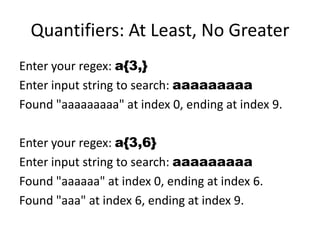
Quantifiers: At Least, No Greater
Enter your regex: a{3,}
Enter input string to search: aaaaaaaaa
Found "aaaaaaaaa" at index 0, ending at index 9.

Enter your regex: a{3,6}
Enter input string to search: aaaaaaaaa
Found "aaaaaa" at index 0, ending at index 6.
Found "aaa" at index 6, ending at index 9.
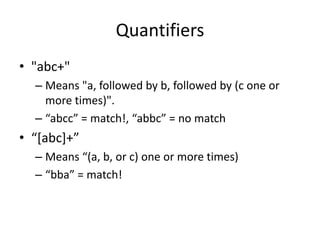
Quantifiers
• "abc+"
  – Means "a, followed by b, followed by (c one or
    more times)".
  – “abcc” = match!, “abbc” = no match
• “*abc++”
  – Means “(a, b, or c) one or more times)
  – “bba” = match!
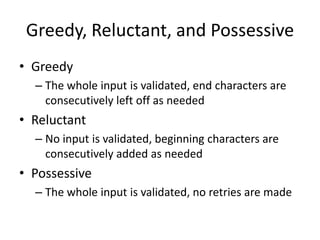
Greedy, Reluctant, and Possessive
• Greedy
  – The whole input is validated, end characters are
    consecutively left off as needed
• Reluctant
  – No input is validated, beginning characters are
    consecutively added as needed
• Possessive
  – The whole input is validated, no retries are made
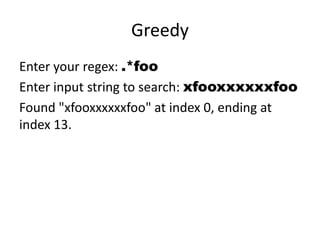
Greedy
Enter your regex: .*foo
Enter input string to search: xfooxxxxxxfoo
Found "xfooxxxxxxfoo" at index 0, ending at
index 13.
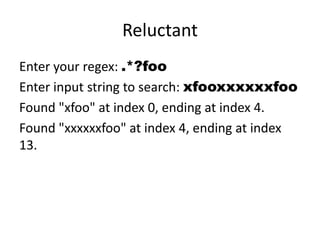
Reluctant
Enter your regex: .*?foo
Enter input string to search: xfooxxxxxxfoo
Found "xfoo" at index 0, ending at index 4.
Found "xxxxxxfoo" at index 4, ending at index
13.
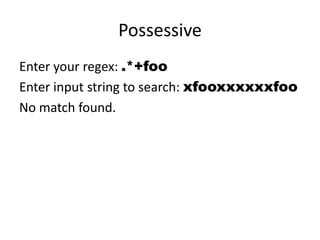
Possessive
Enter your regex: .*+foo
Enter input string to search: xfooxxxxxxfoo
No match found.
Capturing Group
• Capturing groups are a way to treat multiple
  characters as a single unit.
• They are created by placing the characters to
  be grouped inside a set of parentheses.
• “(dog)”
  – Means a single group containing the letters "d"
    "o" and "g".
Capturing Group w/ Quantifiers
• (abc)+
  – Means "abc" one or more times
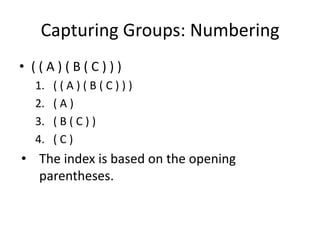
Capturing Groups: Numbering
• ((A)(B(C)))
  1.   ((A)(B(C)))
  2.   (A)
  3.   (B(C))
  4.   (C)
• The index is based on the opening
  parentheses.
Capturing Groups: Numbering Usage
• Some Matcher methods accept a group
  number as a parameter:
• int start(int group)
• int end (int group)
• String group (int group)
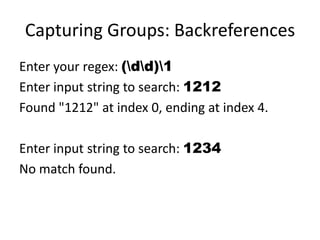
Capturing Groups: Backreferences
• The section of input matching the capturing
  group is saved for recall via backreference.
• Specify a backreference with ‘’ followed by
  the group number.
• ’(dd)’
  – Can be recalled with the expression ‘1’.
Capturing Groups: Backreferences
Enter your regex: (dd)1
Enter input string to search: 1212
Found "1212" at index 0, ending at index 4.

Enter input string to search: 1234
No match found.
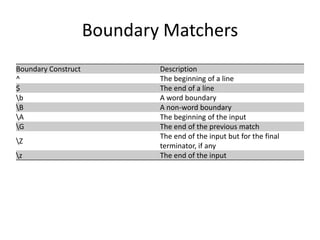
Boundary Matchers
Boundary Construct           Description
^                            The beginning of a line
$                            The end of a line
b                           A word boundary
B                           A non-word boundary
A                           The beginning of the input
G                           The end of the previous match
                             The end of the input but for the final
Z
                             terminator, if any
z                           The end of the input
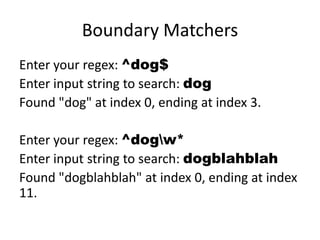
Boundary Matchers
Enter your regex: ^dog$
Enter input string to search: dog
Found "dog" at index 0, ending at index 3.

Enter your regex: ^dogw*
Enter input string to search: dogblahblah
Found "dogblahblah" at index 0, ending at index
11.
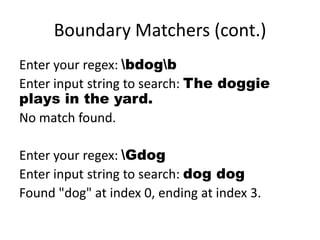
Boundary Matchers (cont.)
Enter your regex: bdogb
Enter input string to search: The doggie
plays in the yard.
No match found.

Enter your regex: Gdog
Enter input string to search: dog dog
Found "dog" at index 0, ending at index 3.
Pattern Class (cont.)
• There are a number of flags that can be
  passed to the ‘compile’ method.
• Embeddable flag expressions are Java-specific
  regex that duplicates these compile flags.
• Check out ‘matches’, ‘split’, and ‘quote’
  methods as well.
Matcher Class (cont.)
• The Matcher class can slice input a multitude
  of ways:
  – Index methods give the position of matches
  – Study methods give boolean results to queries
  – Replacement methods let you edit input
PatternSyntaxException (cont.)
• You get a little more than just an error
  message from the PatternSyntaxException.
• Check out the following methods:
  – public String getDescription()
  – public int getIndex()
  – public String getPattern()
  – public String getMessage()
The End$

Regular expressions

  • 1.
  • 2.
    Credits • The JavaTutorials: Regular Expressions • docs.oracle.com/javase/tutorial /essential/regex/
  • 3.
    Regex • Regular expressionsare a way to describe a set of strings based on common characteristics shared by each string in the set. • They can be used to search, edit, or manipulate text and data. • They are created with a specific syntax.
  • 4.
    Regex in Java •Regex in Java is similar to Perl • The java.util.regex package primarily consists of three classes: Pattern, Matcher, and PatternSyntaxException.
  • 5.
    Pattern & PatternSyntaxException •You can think of this as the regular expression wrapper object. • You get a Pattern by calling: – Pattern.compile(“RegularExpressionString”); • If your “RegularExpressionString” is invalid, you will get the PatternSyntaxException.
  • 6.
    Matcher • You canthink of this as the search result object. • You can get a matcher object by calling: – myPattern.matcher(“StringToBeSearched”); • You use it by calling: – myMatcher.find() • Then call any number of methods on myMatcher to see attributes of the result.
  • 7.
    Regex Test Harness •The tutorials give a test harness that uses the Console class. It doesn’t work in any IDE. • So I rewrote it to use Basic I/O
  • 8.
  • 9.
    Regex • Test harnessoutput example. • Input is given in Bold. Enter your regex: foo Enter input string to search: foofoo Found ‘foo’ at index 0, ending at index 3. Found ‘foo’ at index 3, ending at index 6.
  • 10.
  • 11.
    Metacharacters • <([{^-=$!|]})?*+.> • Precedea metacharacter with a ‘’ to treat it as a ordinary character. • Or use Q and E to begin and end a literal quote.
  • 12.
    Metacharacters Enter your regex:cat. Enter input string to search: cats Found ‘cats’ at index 0, ending at index 4.
  • 13.
    Character Classes Construct Description [abc] a, b, or c (simple class) Any character except a, b, or c [^abc] (negation) a through z, or A through Z, inclusive [a-zA-Z] (range) a through d, OR m through p: [a-dm-p] [a-d[m-p]] (union) [a-z&&[def]] d, e, f (intersection) a through z, except for b and c: [ad-z] [a-z&&[^bc]] (subtraction) a through z, and not m through p: [a-lq- [a-z&&[^m-p]] z] (subtraction)
  • 14.
    Character Class Enter yourregex: [bcr]at Enter input string to search: rat I found the text "rat" starting at index 0 and ending at index 3. Enter input string to search: cat Found "cat" at index 0, ending at index 3.
  • 15.
    Character Class: Negation Enteryour regex: [^bcr]at Enter input string to search: rat No match found. Enter input string to search: hat Found "hat" at index 0, ending at index 3.
  • 16.
    Character Class: Range Enteryour regex: foo[1-5] Enter input string to search: foo5 Found "foo5" at index 0, ending at index 4. Enter input string to search: foo6 No match found.
  • 17.
    Character Class: Union Enteryour regex: [0-4[6-8]] Enter input string to search: 0 Found "0" at index 0, ending at index 1. Enter input string to search: 5 No match found. Enter input string to search: 6 Found "6" starting at index 0, ending at index 1.
  • 18.
    Character Class: Intersection Enteryour regex: [0-9&&[345]] Enter input string to search: 5 Found "5" at index 0, ending at index 1. Enter input string to search: 2 No match found.
  • 19.
    Character Class: Subtraction Enteryour regex: [0-9&&[^345]] Enter input string to search: 5 No match found.
  • 20.
    Predefined Character Classes Construct Description Any character (may or may not match line . terminators) d A digit: [0-9] D A non-digit: [^0-9] s A whitespace character: [ tnx0Bfr] S A non-whitespace character: [^s] w A word character: [a-zA-Z_0-9] W A non-word character: [^w]
  • 21.
    Predefined Character Classes(cont.) • To summarize: – d matches all digits – s matches spaces – w matches word characters • Whereas a capital letter is the opposite: – D matches non-digits – S matches non-spaces – W matches non-word characters
  • 22.
    Quantifiers Greedy Reluctant Possessive Meaning X? X?? X?+ X, once or not at all X, zero or more X* X*? X*+ times X, one or more X+ X+? X++ times X{n} X{n}? X{n}+ X, exactly n times X{n,} X{n,}? X{n,}+ X, at least n times X, at least n but not X{n,m} X{n,m}? X{n,m}+ more than m times
  • 23.
    Ignore Greedy, Reluctant,and Possessive For now.
  • 24.
    Zero Length Match •In the regexes ‘a?’ and ‘a*’ each allow for zero occurrences of the letter a. Enter your regex: a* Enter input string to search: aa Found “aa" at index 0, ending at index 2. Found “” at index 2, ending at index 2.
  • 25.
    Quatifiers: Exact Enter yourregex: a{3} Enter input string to search: aa No match found. Enter input string to search: aaaa Found "aaa" at index 0, ending at index 3.
  • 26.
    Quantifiers: At Least,No Greater Enter your regex: a{3,} Enter input string to search: aaaaaaaaa Found "aaaaaaaaa" at index 0, ending at index 9. Enter your regex: a{3,6} Enter input string to search: aaaaaaaaa Found "aaaaaa" at index 0, ending at index 6. Found "aaa" at index 6, ending at index 9.
  • 27.
    Quantifiers • "abc+" – Means "a, followed by b, followed by (c one or more times)". – “abcc” = match!, “abbc” = no match • “*abc++” – Means “(a, b, or c) one or more times) – “bba” = match!
  • 28.
    Greedy, Reluctant, andPossessive • Greedy – The whole input is validated, end characters are consecutively left off as needed • Reluctant – No input is validated, beginning characters are consecutively added as needed • Possessive – The whole input is validated, no retries are made
  • 29.
    Greedy Enter your regex:.*foo Enter input string to search: xfooxxxxxxfoo Found "xfooxxxxxxfoo" at index 0, ending at index 13.
  • 30.
    Reluctant Enter your regex:.*?foo Enter input string to search: xfooxxxxxxfoo Found "xfoo" at index 0, ending at index 4. Found "xxxxxxfoo" at index 4, ending at index 13.
  • 31.
    Possessive Enter your regex:.*+foo Enter input string to search: xfooxxxxxxfoo No match found.
  • 32.
    Capturing Group • Capturinggroups are a way to treat multiple characters as a single unit. • They are created by placing the characters to be grouped inside a set of parentheses. • “(dog)” – Means a single group containing the letters "d" "o" and "g".
  • 33.
    Capturing Group w/Quantifiers • (abc)+ – Means "abc" one or more times
  • 34.
    Capturing Groups: Numbering •((A)(B(C))) 1. ((A)(B(C))) 2. (A) 3. (B(C)) 4. (C) • The index is based on the opening parentheses.
  • 35.
    Capturing Groups: NumberingUsage • Some Matcher methods accept a group number as a parameter: • int start(int group) • int end (int group) • String group (int group)
  • 36.
    Capturing Groups: Backreferences •The section of input matching the capturing group is saved for recall via backreference. • Specify a backreference with ‘’ followed by the group number. • ’(dd)’ – Can be recalled with the expression ‘1’.
  • 37.
    Capturing Groups: Backreferences Enteryour regex: (dd)1 Enter input string to search: 1212 Found "1212" at index 0, ending at index 4. Enter input string to search: 1234 No match found.
  • 38.
    Boundary Matchers Boundary Construct Description ^ The beginning of a line $ The end of a line b A word boundary B A non-word boundary A The beginning of the input G The end of the previous match The end of the input but for the final Z terminator, if any z The end of the input
  • 39.
    Boundary Matchers Enter yourregex: ^dog$ Enter input string to search: dog Found "dog" at index 0, ending at index 3. Enter your regex: ^dogw* Enter input string to search: dogblahblah Found "dogblahblah" at index 0, ending at index 11.
  • 40.
    Boundary Matchers (cont.) Enteryour regex: bdogb Enter input string to search: The doggie plays in the yard. No match found. Enter your regex: Gdog Enter input string to search: dog dog Found "dog" at index 0, ending at index 3.
  • 41.
    Pattern Class (cont.) •There are a number of flags that can be passed to the ‘compile’ method. • Embeddable flag expressions are Java-specific regex that duplicates these compile flags. • Check out ‘matches’, ‘split’, and ‘quote’ methods as well.
  • 42.
    Matcher Class (cont.) •The Matcher class can slice input a multitude of ways: – Index methods give the position of matches – Study methods give boolean results to queries – Replacement methods let you edit input
  • 43.
    PatternSyntaxException (cont.) • Youget a little more than just an error message from the PatternSyntaxException. • Check out the following methods: – public String getDescription() – public int getIndex() – public String getPattern() – public String getMessage()
  • 45.