Owning Windows 8
         with
Human Interface Devices
  Nikhil “SamratAshok” Mittal


                                1
About Me
• SamratAshok
• Twitter - @nikhil_mitt
• Blog – http://labofapenetrationtester.blogspot.com
• Creator of Kautilya and Nishang
• Interested in Offensive Information Security, new
  attack vectors and methodologies to pwn systems.
• Previous Talks
    – Clubhack’10, Hackfest’11, Clubhack’11, Black hat Abu
      Dhabi’11, Black Hat Europe’12, Troopers’12, PHDays’12,
      Black Hat USA’12, RSA China’12


                                                               2
Overview
•   A typical Penetration Test
•   Using HIDs in Penetration Tests
•   HID of choice – Teensy++
•   Kautilya
•   Windows 8
•   Attacks Demo
•   Comparison
•   Limitation
•   Defence
•   Conclusion
                                      3
A typical Penetration Test
• A client engagement comes our way with
  some details.
• We need to complete the assignment in very
  restrictive time frame.
• Pressure is on us to deliver a “good” report
  with some high severity findings. (That “High”
  return inside a red colored box)


                                                   4
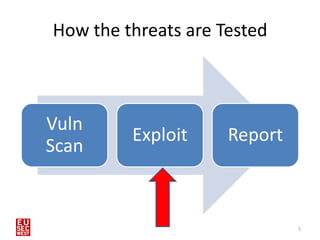
How the threats are Tested


Vuln
         Exploit     Report
Scan


                              5
Best Scenario
• Previous one was a best case scenario.
• Only lucky ones find that.
• Generally legacy Enterprise Applications or
  Business Critical applications are not upgraded
  and are the first and easy targets.
• There is almost no fun doing it that way.


                                                6
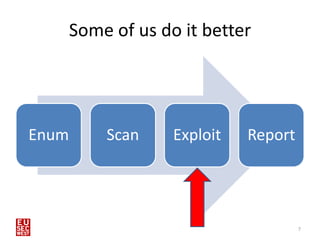
Some of us do it better


Enum       Scan     Exploit   Report


                                       7
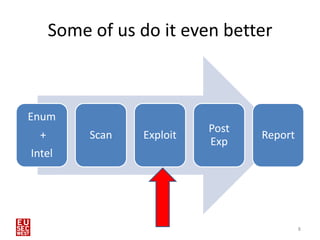
Some of us do it even better


Enum
                            Post
  +        Scan   Exploit          Report
                            Exp
Intel


                                            8
Why do we need to exploit?
• To gain access to the systems.
• This shows the real threat to clients that we
  can actually make an impact on their business.
  No more “so-what” 
• We can create reports with “High” Severity
  findings which bring $$$


                                               9
What do we exploit?
• Memory Corruption bugs.
    – Server side
    – Client Side
•   Mis-configurations
•   Open file shares.
•   Sticky slips.
•   Man In The Middle (many types)
•   Unsecured Dumpsters
•   Humans
•   <Audience>
                                     10
Worse Scenario
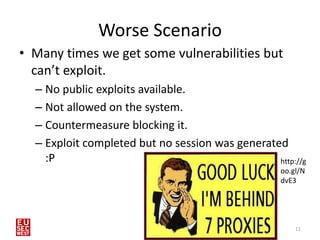
• Many times we get some vulnerabilities but
  can’t exploit.
  – No public exploits available.
  – Not allowed on the system.
  – Countermeasure blocking it.
  – Exploit completed but no session was generated
    :P                                           http://g
                                                   oo.gl/N
                                                   dvE3


                                                       11
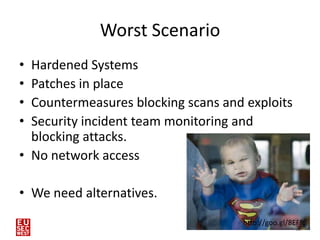
Worst Scenario
• Hardened Systems
• Patches in place
• Countermeasures blocking scans and exploits
• Security incident team monitoring and
  blocking attacks.
• No network access

• We need alternatives.
                                    http://goo.gl/8EFfc
                                                   12
Need for new methods to break into
              systems
• Breaking into systems is not as easy as done in
  the movies.
• Those defending the systems have become
  smarter (at many places :P) and it is getting
  harder to break into “secured” environments.
• Everyone is breaking into systems using the
  older ways, you need new ways to do it better.


                                                13
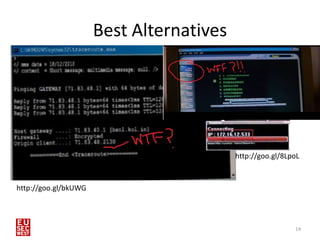
Best Alternatives


                                          http://goo.gl/8LpoL


http://goo.gl/bkUWG


                                                           14
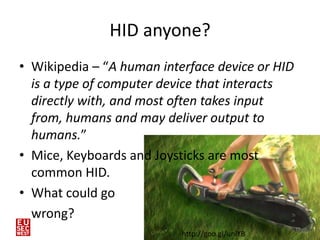
HID anyone?
• Wikipedia – “A human interface device or HID
  is a type of computer device that interacts
  directly with, and most often takes input
  from, humans and may deliver output to
  humans.”
• Mice, Keyboards and Joysticks are most
  common HID.
• What could go
  wrong?
                                                 15
                           http://goo.gl/uniYB
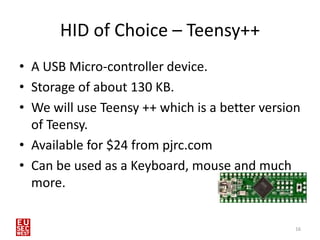
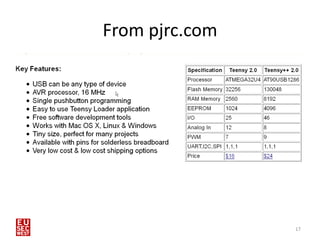
HID of Choice – Teensy++
• A USB Micro-controller device.
• Storage of about 130 KB.
• We will use Teensy ++ which is a better version
  of Teensy.
• Available for $24 from pjrc.com
• Can be used as a Keyboard, mouse and much
  more.


                                                16
From pjrc.com


                17
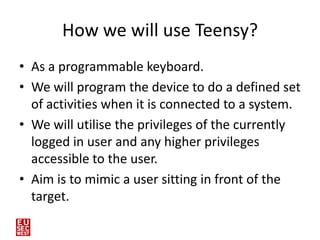
How we will use Teensy?
• As a programmable keyboard.
• We will program the device to do a defined set
  of activities when it is connected to a system.
• We will utilise the privileges of the currently
  logged in user and any higher privileges
  accessible to the user.
• Aim is to mimic a user sitting in front of the
  target.

18
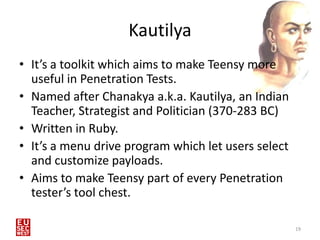
Kautilya
• It’s a toolkit which aims to make Teensy more
  useful in Penetration Tests.
• Named after Chanakya a.k.a. Kautilya, an Indian
  Teacher, Strategist and Politician (370-283 BC)
• Written in Ruby.
• It’s a menu drive program which let users select
  and customize payloads.
• Aims to make Teensy part of every Penetration
  tester’s tool chest.

                                                     19
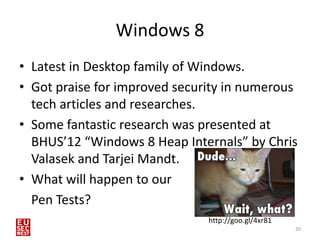
Windows 8
• Latest in Desktop family of Windows.
• Got praise for improved security in numerous
  tech articles and researches.
• Some fantastic research was presented at
  BHUS’12 “Windows 8 Heap Internals” by Chris
  Valasek and Tarjei Mandt.
• What will happen to our
  Pen Tests?
                               http://goo.gl/4xr81
                                                     20
Windows 8
• What about HIDs?
• Are there any improvements how Windows 8
  handle HID input?
• Doesn’t seem so :)


                                             21
Payloads and Demo
• Payloads are written for teensy without SD
  Card.
• Pastebin is extensively used. Both for uploads
  and downloads.
• Payloads are commands, powershell scripts or
  combination of both.
• Payload execution of course depends on
  privilege of user logged in when Teensy is
  plugged in.

                                            22
Limitations with Teensy
• Limited storage in Teensy. Resolved if you
  attach a SD card with Teensy.
• Inability to “read” from the system. You have
  to assume the responses of victim OS and
  there is only one way traffic.
• Target system should be unlocked.


                                                  23
Limitations with Kautilya
•   Many payloads need Administrative privilege.
•   Lots of traffic to and from pastebin.
•   Inability to clear itself after a single run.
•   For payloads which use executables you
    manually need to convert and host them.


                                                    24
Defence
• Use the Group Policy to “Prevent Installation
  of Removable Devices”.
• Physically lock the USB ports.


25
Thank You

• Questions?
• Insults?
• Feedback?
• Kautilya is available at
  http://code.google.com/p/kautilya/
• Follow me @nikhil_mitt
• http://labofapenetrationtester.blogspot.com/

                                                 26

Owning windows 8 with human interface devices

  • 1.
    Owning Windows 8 with Human Interface Devices Nikhil “SamratAshok” Mittal 1
  • 2.
    About Me • SamratAshok •Twitter - @nikhil_mitt • Blog – http://labofapenetrationtester.blogspot.com • Creator of Kautilya and Nishang • Interested in Offensive Information Security, new attack vectors and methodologies to pwn systems. • Previous Talks – Clubhack’10, Hackfest’11, Clubhack’11, Black hat Abu Dhabi’11, Black Hat Europe’12, Troopers’12, PHDays’12, Black Hat USA’12, RSA China’12 2
  • 3.
    Overview • A typical Penetration Test • Using HIDs in Penetration Tests • HID of choice – Teensy++ • Kautilya • Windows 8 • Attacks Demo • Comparison • Limitation • Defence • Conclusion 3
  • 4.
    A typical PenetrationTest • A client engagement comes our way with some details. • We need to complete the assignment in very restrictive time frame. • Pressure is on us to deliver a “good” report with some high severity findings. (That “High” return inside a red colored box) 4
  • 5.
    How the threatsare Tested Vuln Exploit Report Scan 5
  • 6.
    Best Scenario • Previousone was a best case scenario. • Only lucky ones find that. • Generally legacy Enterprise Applications or Business Critical applications are not upgraded and are the first and easy targets. • There is almost no fun doing it that way. 6
  • 7.
    Some of usdo it better Enum Scan Exploit Report 7
  • 8.
    Some of usdo it even better Enum Post + Scan Exploit Report Exp Intel 8
  • 9.
    Why do weneed to exploit? • To gain access to the systems. • This shows the real threat to clients that we can actually make an impact on their business. No more “so-what”  • We can create reports with “High” Severity findings which bring $$$ 9
  • 10.
    What do weexploit? • Memory Corruption bugs. – Server side – Client Side • Mis-configurations • Open file shares. • Sticky slips. • Man In The Middle (many types) • Unsecured Dumpsters • Humans • <Audience> 10
  • 11.
    Worse Scenario • Manytimes we get some vulnerabilities but can’t exploit. – No public exploits available. – Not allowed on the system. – Countermeasure blocking it. – Exploit completed but no session was generated :P http://g oo.gl/N dvE3 11
  • 12.
    Worst Scenario • HardenedSystems • Patches in place • Countermeasures blocking scans and exploits • Security incident team monitoring and blocking attacks. • No network access • We need alternatives. http://goo.gl/8EFfc 12
  • 13.
    Need for newmethods to break into systems • Breaking into systems is not as easy as done in the movies. • Those defending the systems have become smarter (at many places :P) and it is getting harder to break into “secured” environments. • Everyone is breaking into systems using the older ways, you need new ways to do it better. 13
  • 14.
    Best Alternatives http://goo.gl/8LpoL http://goo.gl/bkUWG 14
  • 15.
    HID anyone? • Wikipedia– “A human interface device or HID is a type of computer device that interacts directly with, and most often takes input from, humans and may deliver output to humans.” • Mice, Keyboards and Joysticks are most common HID. • What could go wrong? 15 http://goo.gl/uniYB
  • 16.
    HID of Choice– Teensy++ • A USB Micro-controller device. • Storage of about 130 KB. • We will use Teensy ++ which is a better version of Teensy. • Available for $24 from pjrc.com • Can be used as a Keyboard, mouse and much more. 16
  • 17.
  • 18.
    How we willuse Teensy? • As a programmable keyboard. • We will program the device to do a defined set of activities when it is connected to a system. • We will utilise the privileges of the currently logged in user and any higher privileges accessible to the user. • Aim is to mimic a user sitting in front of the target. 18
  • 19.
    Kautilya • It’s atoolkit which aims to make Teensy more useful in Penetration Tests. • Named after Chanakya a.k.a. Kautilya, an Indian Teacher, Strategist and Politician (370-283 BC) • Written in Ruby. • It’s a menu drive program which let users select and customize payloads. • Aims to make Teensy part of every Penetration tester’s tool chest. 19
  • 20.
    Windows 8 • Latestin Desktop family of Windows. • Got praise for improved security in numerous tech articles and researches. • Some fantastic research was presented at BHUS’12 “Windows 8 Heap Internals” by Chris Valasek and Tarjei Mandt. • What will happen to our Pen Tests? http://goo.gl/4xr81 20
  • 21.
    Windows 8 • Whatabout HIDs? • Are there any improvements how Windows 8 handle HID input? • Doesn’t seem so :) 21
  • 22.
    Payloads and Demo •Payloads are written for teensy without SD Card. • Pastebin is extensively used. Both for uploads and downloads. • Payloads are commands, powershell scripts or combination of both. • Payload execution of course depends on privilege of user logged in when Teensy is plugged in. 22
  • 23.
    Limitations with Teensy •Limited storage in Teensy. Resolved if you attach a SD card with Teensy. • Inability to “read” from the system. You have to assume the responses of victim OS and there is only one way traffic. • Target system should be unlocked. 23
  • 24.
    Limitations with Kautilya • Many payloads need Administrative privilege. • Lots of traffic to and from pastebin. • Inability to clear itself after a single run. • For payloads which use executables you manually need to convert and host them. 24
  • 25.
    Defence • Use theGroup Policy to “Prevent Installation of Removable Devices”. • Physically lock the USB ports. 25
  • 26.
    Thank You • Questions? •Insults? • Feedback? • Kautilya is available at http://code.google.com/p/kautilya/ • Follow me @nikhil_mitt • http://labofapenetrationtester.blogspot.com/ 26