This document provides information about key features of the Windows 8 operating system. It discusses the redesigned interface with tiles and apps, the new Start screen, how to open and switch apps, customize the interface with groups, use the desktop, navigate with hot corners and gestures, control power options with the charms bar, search functionality, access files with File Explorer, connect remotely and use the cloud for syncing settings across devices. It also gives definitions for important Windows 8 terms and summarizes new features introduced in Windows 8.1 like additional tile sizes, easier customization of the Start screen, and enhancements to the touch keyboard.









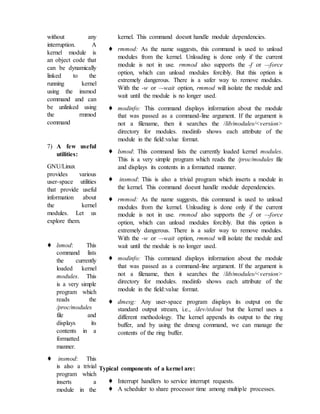




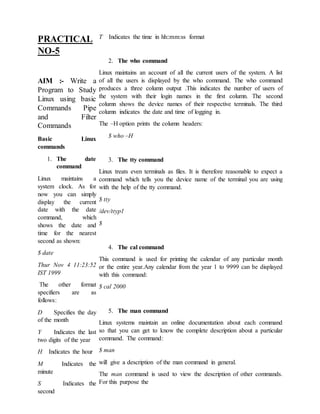
![man command is
followed by the
commandname. It has
the following format:
$ man commandname
6. The finger
utility
This utility is used to
display the status of all
the users currently
logged on to the Linux
system.
The finger utility
without any parameter,
displays a single line
output for each user
currently logged on . It
displays the
information like the
user’s login name, full
name, terminal name,
write status, idle time,
login time, the
machine’s address
where the user is
currently logged in and
the office number. The
write permission is
displayed along with
the terminal name as
an asterisk(*). If the
asterisk appears after
the terminal name, it
means that the write
permission is denied.
The syntax of the
finger command is as
follows:
finger [options] [user
name]
7. The chfn utility
The chfn (change your finger information) utility is used to change the
user’s finger
information. The chfn utility checks for the user’s information from the
/etc/passwd file and
allows the user to chane information. The syntax for this utility is as
follows:
chfn [options] [username]
The chfn asks for the password of the user to authenticate the user for
changing the
fingerinformation. If you do not want to change any particular
information, you can press Enter
at the corresponding prompt and proceed with the remaining parameters.
8. command The head
The head command is used to display the top few records of the file. The
syntax of the
command is as follows:
$ head [option] file
The option is as follows:
count Display the first count lines of file
The easiest way to use this command is to specify a filename without
specifying the
number of lines to be displayed. If this is the case, the first ten records of
the file are
displayed.
$ head tmp.lst
will display the first ten records of the file tmp.lst.
9. The tail command
The tail command displays the end few records of the file. If no line
count is given, the tail
command displays the last ten lines of the file. We also have an option to
specify a count and](https://image.slidesharecdn.com/os1-200316131538/85/Os-1-32-320.jpg)
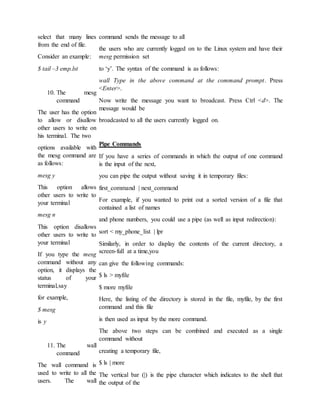
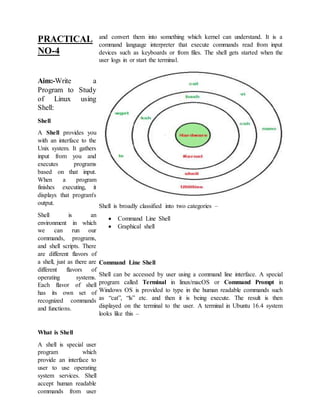
![command before the
‘|’ is the input to the
command after the ‘|’.
Filters Command
A filter is a program
that takes its input
from the standard
input file, processes (
or filters)it and
sends its output to the
standard output file.
Linux has a rich set of
filters that can be used
to
work on data in an
efficient way. Some
examples of filters are:
• cat
• grep
• tr
• sort
• uniq
• sed
• awk
Some of the filters are
discussed as follows:
The grep command
The grep command searches a file for a specified pattern and displays it
on the screen. The syntax of this command is as follows:
grep [options] regular expression filename[s]
The tr command
The tr command transliterates characters i.e. it copies the standard input
to the standard output with substitution or deletion of specific characters.
The command has the following syntax:
tr [options] [string1] < file1
The following is the list of options:
c Complements the set of characters in string1 with respect to the
universe of characters whose
ASCII codes are 001 through 377 octal
d Deletes characters specified in string1
s Squeezes all repeated occurrences of a character to one character
The sort command
The sort command sorts lines of all the specified files together and
writes the result on the
standard output.
The general syntax of the command is as follows:
sort [options][+pos1] [-pos2] filename[s]
Say for example the command
$sort myfile
will sort the file considering each record of a file as one single field.
The uniq command
There is often a problem of duplicate entries due to faulty data entry.
The sort command
suppresses them with the –u option. In addition to this there is a special
tool to handle these
records called the uniq command. The command is most useful when
placed in pipelines.](https://image.slidesharecdn.com/os1-200316131538/85/Os-1-34-320.jpg)
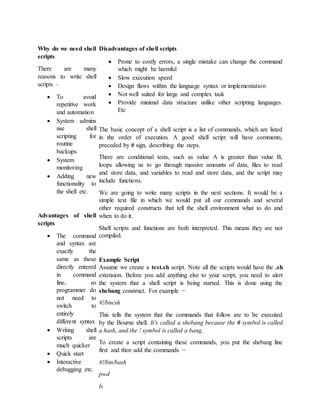
![ The sed
Command
The sed command
provides a stream
editor.
The syntax of the
command is as
follows:
sed [ -n ] Script [ File
... ]
sed [ -n ] [ -e Script ]
... [ -f ScriptFile ] ... [
File ... ]
The sed command
modifies lines from the
specified File
parameter according to
an edit script
and writes them to
standard output. The
sed command includes
many features for
selecting
lines to be modified
and making changes
only to the selected
lines.
Alphabetical LINUX
Command List:
1. addbib - create
or extend a
bibliographic
database
2. apropos -
locate
commands by
keyword
lookup
3. ar - create library archives, and add or extract files
4. at - execute a command or script at a specified time
5. awk - pattern scanning and processing language
6. banner - display a string in large letters
7. basename - display portions of path names and filenames
8. batch - runs jobs when the system load level permits
9. biff - give notice of incoming mail messages
10. cal - display a calendar
11. calendar - a simple reminder service
12. cancel - cancel requests to a printer
13. cat - concatenate and display
14. cb - a simple C program beautifier
15. cc - C compiler
16. cd - change working directory
17. checknr - check nroff and troff input files; report possible errors
18. checkeq - checks documents formatted with memoranda macros
19. chgrp - change the group ownership of a file
20. chmod - change the permissions mode of a file
21. clear - clear the terminal screen
22. cmp - perform a byte-by-byte comparison of two files
23. colcrt - filter nroff output for a terminal without overstrike
capability
24. comm - selects or rejects lines common to two sorted files
25. compress - compress files (see uncompress also)
26. cp - copy files
27. cpio - copy file archives in and out
28. cpp - the C language preprocessor
29. csh - a shell with a C-like syntax and advanced interactive
features
30. ctags - create a tags file for use with ex and vi](https://image.slidesharecdn.com/os1-200316131538/85/Os-1-35-320.jpg)


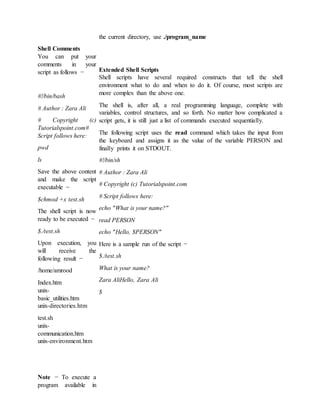
![If LILO is set to allow
a given time before it
boots into Linux, you
can use the CtrlAlt-
Shift sequence to
interrupt the boot
process before the
timer expires and
Linux starts loading.
Finally, if LILO is set
to not autoboot into
Linux, but to wait for
explicit instructions,
you must press Enter
to boot Linux or type
the name of the other
operating system.
Some Linux
distributions have a
configuration file in
the directory /etc/lilo
that can be edited to
provide boot
information, while
other versions of
Linux configure LILO
during the installation
process. If the latter is
the case, you can
change the settings
with the setup utility.
Some versions of
Linux use the
configuration file
/etc/lilo.conf instead of
/etc/lilo.
Shutting Down
Linux
You can't just turn off
the power switch! This
can cause damage to
the file system,
sometimes
irreversibly. Because
Linux keeps many files open at once, as well as several processes, they
must all be closed down properly before you cycle the power to the unit.
There are a few ways to shut the Linux system down, but the formal
method is to use the shutdown command. The syntax for shutdown is
shutdown [minutes] [warning]
where minutes is the number of minutes to wait before shutting the
system down and warning is an optional message displayed for all users
currently logged in. Some versions of shutdown allow the word now
instead of a time, while others require either no argument or the number
0 to shut the system down immediately without waiting. You can have
shutdown reboot the system after the shutdown by adding the argument -
r (for reboot).
Using shutdown is best if you have other users on your system, because
it gives them a warning that they should log out, and it prevents loss of
information. It can also be used to automate a shut-down much later
(such as at midnight), with messages just before that time warning any
users still logged in.
If you can't wait and want to shut the system down immediately, use the
halt command or the "three-finger salute" of Ctrl-Alt-Delete. This
immediately shuts down all the processes and halts the system as quickly
as possible. Then the power can be shut off.
Some Linux distributions don't support Ctrl-Alt-Delete, and a couple of
older distributions use it to halt the system immediately without
terminating processes properly. This can cause damage. Check the
documentation or man pages for information.
Creating a New File System
To create a file system on a floppy (so it can be mounted), you should
use the utility mke2fs or the command mkdev fs, depending on the
version of Linux. To use mke2fs, for example, issue the command
mke2fs /dev/fd0 1440
to create a floppy file system on a 1.44MB 3.5-inch diskette.
Unmounting File Systems
To detach a mounted file system from your Linux file system, use the
umount command with the name of the device. For example, to unmount
a floppy in /dev/fd0, issue the command](https://image.slidesharecdn.com/os1-200316131538/85/Os-1-39-320.jpg)


![$ bash bar
$ sh bar
$ ./bar
NOTE In the last
syntax ./ means
current directory,
But only . (dot)
means execute
given command
file in current
shell without
starting the new
copy of shell, The
syntax for . (dot)
command is as
follows
Syntax:
. command-name
Example:
$ . foo
Variables in Shell
To process our
data/information,
data must be kept in
computers RAM
memory. RAM
memory is divided
into small locations,
and each location
had unique number
called memory
location/address,
which is used to
hold our data.
Programmer can
give a unique name
to this memory
location/address
called memory
variable or variable
(Its a named storage
location that may take different values, but only one at a time).
In Linux (Shell), there are two types of variable:
(1) System variables - Created and maintained by Linux
itself. This type of variable
defined in CAPITAL LETTERS.
(2) User defined variables (UDV) - Created and maintained
by user. This type of variable defined in lower letters. You can
see system variables by giving command like $ set, some of the
important System variables are:
System Variable Meaning
BASH=/bin/bash Our shell name
BASH_VERSION=1.14.7(1) Our shell version name
COLUMNS=80 No. of columns for our screen
HOME=/home/vivek Our home directory
LINES=25 No. of columns for our screen
LOGNAME=students students Our logging name
OSTYPE=Linux Our Os type
PATH=/usr/bin:/sbin:/bin:/usr/sbin Our path settings
PS1=[u@h W]$ Our prompt settings
PWD=/home/students/Common Our current working directory
SHELL=/bin/bash Our shell name
USERNAME=vivek
User name who is currently
login to this PC
NOTE that Some of the above settings can be different in
your PC/Linux environment. You can print any of the
above variables contains as follows:
$ echo $USERNAME
$ echo $HOME](https://image.slidesharecdn.com/os1-200316131538/85/Os-1-44-320.jpg)
![echo [options]
[string, variables...]
Displays text or
variables value on
screen.
Options
-n Do not output
the trailing new
line.
-e Enable
interpretati
on of the
following
backslash
escaped
characters
in the
strings:
a alert (bell)
b backspace
c suppress trailing
new line
n new line
r carriage return
t horizontal tab
backslash
For e.g. $ echo -e
"An apple a day
keeps away
attdoctorn"
Shell Arithmetic
Use to perform
arithmetic
operations.
Syntax:
expr op1 math-operator op2
Examples:
$ expr 1 + 3
$ expr 2 - 1
$ expr 10 / 2
$ expr 20 % 3
$ expr 10 * 3
$ echo `expr 6 + 3`
Note:
expr 20 %3 - Remainder read as 20 mod 3 and remainder is 2.
expr 10 * 3 - Multiplication use * and not * since its wild card.
For the last statement not the following points
(1) First, before expr keyword we used ` (back quote) sign
not the (single quote i.e. ') sign. Back quote is generally found on
the key under tilde (~) on PC keyboard OR to the above of TAB
key.
(2) Second, expr is also end with ` i.e. back quote.
(3) Here expr 6 + 3 is evaluated to 9, then echo command
prints 9 as sum
(4) Here if you use double quote or single quote, it will NOT
work
For e.g.
$ echo "expr 6 + 3" # It
will print expr 6 + 3 $
echo 'expr 6 + 3' # It will
print expr 6 + 3](https://image.slidesharecdn.com/os1-200316131538/85/Os-1-47-320.jpg)

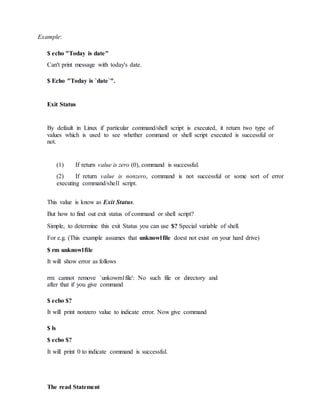
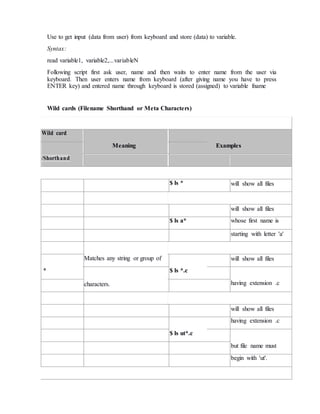
![will show all files
$ ls ? whose names are 1
character long
? Matches any single character. will show all files
$ ls fo?
whose names are 3
character long and file
name begin with fo
Matches any one of the
will show all files
[...] $ ls [abc]* beginning with letters
enclosed characters
a,b,c
Note:
[..-..] A pair of characters separated by a minus sign denotes a range.
Example:
$ ls /bin/[a-c]*
More command on one command line
Syntax:
command1;command2
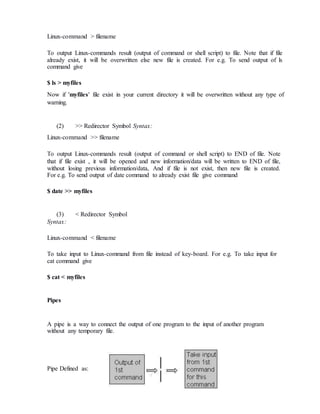
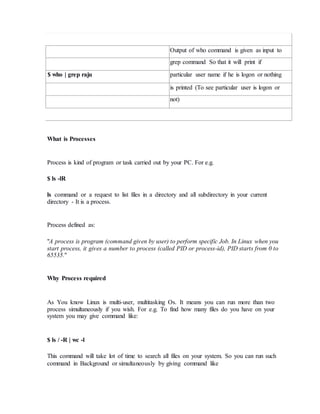
To run two command with one command line.](https://image.slidesharecdn.com/os1-200316131538/85/Os-1-51-320.jpg)






![Condition is defined as:
"Condition is nothing but comparison between two values."
For compression you can use test or [ expr ] statements or even exist status can be also
used.
Expreession is defined as:
"An expression is nothing but combination of values, relational operator (such as >,<, <>
etc) and mathematical operators (such as +, -, / etc )."
Following are all examples of expression:
5 > 2
3 + 6
3 * 65
a < b
c > 5
c > 5 + 30 -1
Type following commands (assumes you have file called foo)
$ cat foo
$ echo $?
The cat command return zero(0) i.e. exit status, on successful, this can be used, in if
condition as follows, Write shell script as
$ cat > showfile
#!/bin/sh](https://image.slidesharecdn.com/os1-200316131538/85/Os-1-64-320.jpg)
![#
#Script to print file
#
if cat $1
then
echo -e "nnFile $1, found and successfully echoed"
fi
test command or [ expr ]
test command or [ expr ] is used to see if an expression is true, and if it is true it return
zero(0), otherwise returns nonzero for false.
Syntax:
test expression OR [ expression ]
Example:
Following script determine whether given argument number is positive.
$ cat > ispostive
#!/bin/sh
#
Script to see whether argument is positive
if test $1 -
gt 0 then
echo "$1 number is
positive" fi
Run it as follows](https://image.slidesharecdn.com/os1-200316131538/85/Os-1-65-320.jpg)
![$ chmod 755 ispostive
$ ispostive 5
5 number is positive
$ispostive -45
Nothing is printed
$ispostive
./ispostive: test: -gt: unary operator expected
Detailed explanation
The line, if test $1 -gt 0 , test to see if first command line argument($1) is greater than 0. If
it is true(0) then test will return 0 and output will printed as 5 number is positive but for -45
argument there is no output because our condition is not true(0) (no -45 is not greater than
0) hence echo statement is skipped. And for last statement we have not supplied any
argument hence error ./ispostive: test: -gt: unary operator expected, is generated by shell , to
avoid such error we can test whether command line argument is supplied or not.
test or [ expr ] works with
1.Integer ( Number without decimal point)
2.File types
3.Character strings For Mathematics, use following operator in Shell Script
Mathematical
Normal
Arithmetical/
Operator in Shell Meaning But in Shell
Mathematical
Script Statements](https://image.slidesharecdn.com/os1-200316131538/85/Os-1-66-320.jpg)
![For test For [ expr ]
statement with statement with
if command if command
-eq is equal to 5 == 6 if test 5 -eq 6 if [ 5 -eq 6 ]
-ne
is not equal
5 != 6 if test 5 -ne 6 if [ 5 -ne 6 ]
to
-lt is less than 5 < 6 if test 5 -lt 6 if [ 5 -lt 6 ]
-le
is less than
5 <= 6 if test 5 -le 6 if [ 5 -le 6 ]
or equal to
-gt
is greater
5 > 6 if test 5 -gt 6 if [ 5 -gt 6 ]
than
is greater
-ge than or 5 >= 6 if test 5 -ge 6 if [ 5 -ge 6 ]
equal to
For string Comparisons use
Operator Meaning
string1 = string2 string1 is equal to string2
string1 != string2 string1 is NOT equal to string2
string1 string1 is NOT NULL or not defined](https://image.slidesharecdn.com/os1-200316131538/85/Os-1-67-320.jpg)


![fi
For e.g. Write Script as follows:
$ vi isnump_n
#!/bin/sh
#
Script to see whether argument is positive or negative
if [ $# -eq
0 ] then
echo "$0 : You must give/supply one
integers" exit 1
fi
if test $1 -gt 0
then
echo "$1 number is positive"
else
echo "$1 number is negative"
fi
Try it as follows:
$ chmod 755 isnump_n
$ isnump_n 5](https://image.slidesharecdn.com/os1-200316131538/85/Os-1-70-320.jpg)
![You can write the entire if-else construct within either the body of the if statement of the
body of an else statement. This is called the nesting of ifs.
$ vi nestedif.sh
osch=0
echo "1. Unix (Sun Os)"
echo "2. Linux (Red Hat)"
echo -n "Select your os choice [1 or 2]? "
read osch](https://image.slidesharecdn.com/os1-200316131538/85/Os-1-72-320.jpg)
![if [ $osch -eq 1 ] ; then
echo "You Pick up Unix (Sun Os)"
else #### nested if i.e. if within if ######
if [ $osch -eq 2 ] ; then
echo "You Pick up Linux (Red Hat)"
else
echo "What you don't like Unix/Linux OS."
fi
fi
Run the above shell script as follows:
$ chmod +x nestedif.sh
$ ./nestedif.sh
1. Unix (Sun Os)
2. Linux (Red Hat)
Select you os choice [1 or 2]? 1
You Pick up Unix (Sun Os)
$ ./nestedif.sh
1. Unix (Sun Os)
2. Linux (Red Hat)
Select you os choice [1 or 2]? 2
You Pick up Linux (Red Hat)
$ ./nestedif.sh
1. Unix (Sun Os)
2. Linux (Red Hat)
Select you os choice [1 or 2]? 3](https://image.slidesharecdn.com/os1-200316131538/85/Os-1-73-320.jpg)

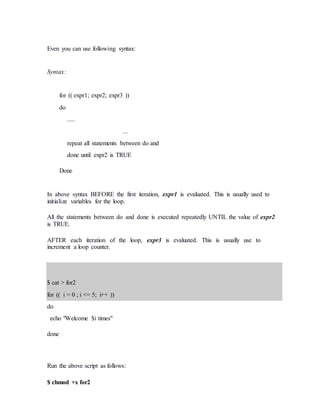
![Before try to understand above syntax try the following script:
$ cat > testfor
for i in 1 2 3 4 5
do
echo "Welcome $i times"
done
Run it above script as follows:
$ chmod +x testfor
$ ./testfor
The for loop first creates i variable and assigned a number to i from the list of number from
1 to 5, The shell execute echo statement for each assignment of i. (This is usually know as
iteration) This process will continue until all the items in the list were not finished, because
of this it will repeat 5 echo statements. To make you idea more clear try following script:
$ cat > mtable
#!/bin/sh
#
#Script to test for loop
#
#
if [ $# -eq 0 ]
then
echo "Error - Number missing form command line argument"
echo "Syntax : $0 number"
echo "Use to print multiplication table for given number"
exit 1](https://image.slidesharecdn.com/os1-200316131538/85/Os-1-77-320.jpg)



![2 2 2 2 2
3 3 3 3 3
4 4 4 4 4
5 5 5 5 5
Here, for each value of i the inner loop is cycled through 5 times, with the varible j taking
values from 1 to 5. The inner for loop terminates when the value of j exceeds 5, and the
outer loop terminets when the value of i exceeds 5.
while loop
Syntax:
while [ condition ]
do
command1
command2
command3
..
....
done
Loop is executed as long as given condition is true. For e.g.. Above for loop program
(shown in last section of for loop) can be written using while loop as:
$cat > nt1
#!/bin/sh
#](https://image.slidesharecdn.com/os1-200316131538/85/Os-1-82-320.jpg)
![#Script to test while statement
#
#
if [ $# -eq 0 ]
then
echo "Error - Number missing form command line argument"
echo "Syntax : $0 number"
echo " Use to print multiplication table for given number"
exit 1
fi
n=$1
i=1
while [ $i -le 10 ]
do
echo "$n * $i = `expr $i * $n`"
i=`expr $i + 1`
done
The case Statement
The case statement is good alternative to multilevel if-then-else-fi statement. It enable
you to match several values against one variable. It’s easier to read and write.
Syntax:
case $variable-name in
pattern1) command
...
..
command;;](https://image.slidesharecdn.com/os1-200316131538/85/Os-1-83-320.jpg)

![The $variable-name is compared against the patterns until a match is found. The shell then
executes all the statements up to the two semicolons that are next to each other. The default
is *) and its executed if no match is found. For e.g. write script as follows:
$ cat > car
#
if no vehicle name is given
i.e. -z $1 is defined and it is NULL
if no command line arg
if [ -z $1 ]
then
rental="*** Unknown vehicle ***"
elif [ -n $1 ]
then
otherwise make first arg as rental rental=$1
fi
case $rental in
"car") echo "For $rental Rs.20 per k/m";;
"van") echo "For $rental Rs.10 per k/m";;
"jeep") echo "For $rental Rs.5 per k/m";;
"bicycle") echo "For $rental 20 paisa per k/m";;
*) echo "Sorry, I can not gat a $rental for you";;
esac
AIM :-To study about the Unix Shell Programming Commands.
INTRODUCTION :](https://image.slidesharecdn.com/os1-200316131538/85/Os-1-85-320.jpg)

![# thistextis not
# interpretedbythe shell
Wildcards
There are some charactersthat are evaluatedbythe shell inaspecial way.They
are
calledshell metacharactersor"wildcards."These charactersare neithernumbers
nor letters.Forexample,the *,?, and [ ] are usedforfilename expansion.The <,>,
2>, >>, and | symbolsare usedforstandard I/Oredirectionandpipes.Toprevent
these charactersfrombeinginterpretedbythe shell theymustbe
quoted.
EXAMPLE](https://image.slidesharecdn.com/os1-200316131538/85/Os-1-87-320.jpg)
![Filename expansion:
rm *; ls??; cat file[1-3];
Quotesprotectmetacharacter:
echo"How are you?"
03. SHELL VARIABLES :
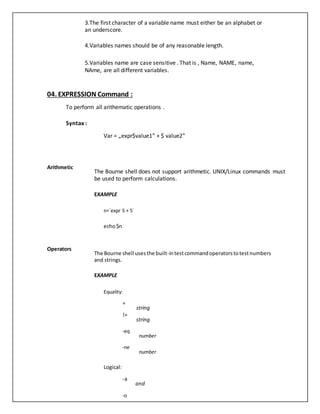
Shell variables change during the execution of the program .The C Shell offers
a command "Set" to assign a value to a variable.
For example:
% set myname= Fred
% set myname = "Fred Bloggs"
% set age=20
% echo $myname will display Fred Bloggs on the screen A @ sign can
be used to assign the integer constant values.
For example:
%@myage=20
%@age1=10
%@age2=20
%@age=$age1+$age2
%echo $age
List variables
% set programming_languages= (C LISP)
% echo $programming _languages
C LISP
% set files=*.*](https://image.slidesharecdn.com/os1-200316131538/85/Os-1-88-320.jpg)
![% set colors=(red blue green)
% echo $colors[2]
blue
% set colors=($colors yellow)/add to list
Local variables Local variables are in scope for the current shell. When a script ends, they
are no longer available; i.e., they go out of scope. Local variables are set
and assigned values.
EXAMPLE
variable_name=value
name="JohnDoe"
x=5
Global variables Global variablesare calledenvironmentvariables.Theyare setforthe currently
runningshell andanyprocessspawnedfromthatshell.Theygooutof scope
whenthe scriptends.
EXAMPLE
VARIABLE_NAME=value
exportVARIABLE_NAME
PATH=/bin:/usr/bin:.
exportPATH
Extracting values from variables Toextractthe value fromvariables,adollarsignisused.
EXAMPLE
echo$variable_name
echo$name
echo$PATH
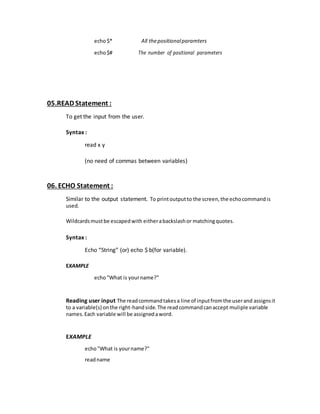
Rules : -
1.A variable name is any combination of alphabets, digits and
an underscore („-„);
2.No commas or blanks are allowed within a variable name.](https://image.slidesharecdn.com/os1-200316131538/85/Os-1-89-320.jpg)



![command
if condition
then
command
else
command
fi
fi
4.case ….. esac
This construct helps in execution of the shell script based
on Choice.
EXAMPLE
The ifconstruct is: The case command construct is:
if command case variable_name in
then pattern1)
blockof statements statements
fi ;;
-------------------------------------- pattern2)
if [ expression] statements
then ;;
blockof statements pattern3)
fi ;;
-------------------------------------- *) defaultvalue
The if/else/elseifconstruct is: ;;
if command esac
then case "$color"in](https://image.slidesharecdn.com/os1-200316131538/85/Os-1-95-320.jpg)


