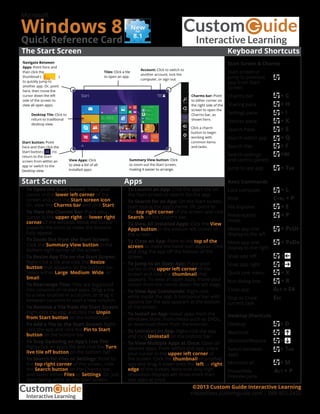
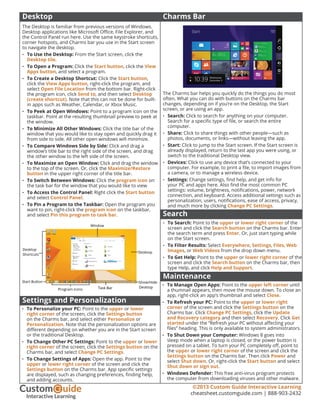
The document provides a quick reference guide for keyboard shortcuts, commands, and features in Microsoft Windows 8. It summarizes how to navigate the Start screen, use the charms bar, launch and manage apps, search for files and settings, customize the desktop, and access computer settings and maintenance options. Keyboard shortcuts and gestures are listed to open programs, switch between apps, control volume and display settings, lock the computer, and shut down.