Ordered
&
Unordered List
Prepared by:
Mrs. R. S. Endaya
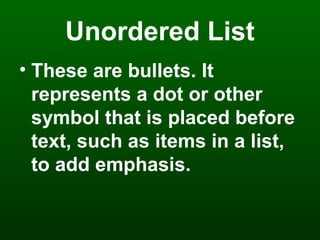
Unordered List
• These are bullets. It
represents a dot or other
symbol that is placed before
text, such as items in a list,
to add emphasis.
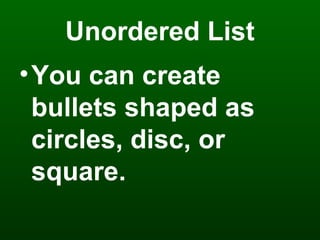
Unordered List
•You can create
bullets shaped as
circles, disc, or
square.
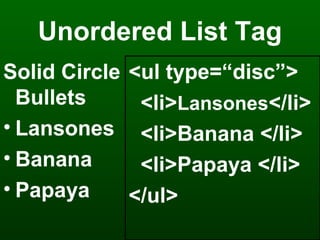
Unordered List Tag
Solid Circle
Bullets
• Lansones
• Banana
• Papaya
<ul type=“disc”>
<li>Lansones</li>
<li>Banana </li>
<li>Papaya </li>
</ul>
Unordered List Tag
Solid Circle
Bullets
oLansones
oBanana
oPapaya
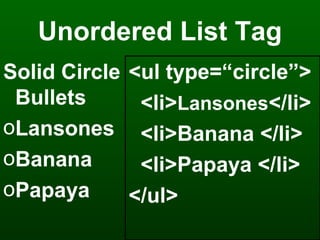
<ul type=“circle”>
<li>Lansones</li>
<li>Banana </li>
<li>Papaya </li>
</ul>
Unordered List Tag
Solid Circle
Bullets
Lansones
Banana
Papaya
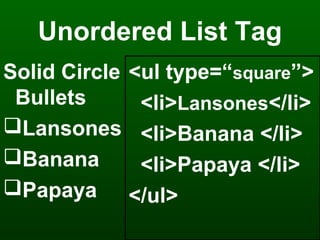
<ul type=“square”>
<li>Lansones</li>
<li>Banana </li>
<li>Papaya </li>
</ul>
Ordered List
•If you need to list items
in a specific sequence,
ordered list can get the
job done.
Ordered List Tag
• Within the <ol> or ordered
list tag, you can itemize your
list with:
–Number
–Upper / Lowercase Roman
Numerals
–Upper / Lowercase Letters
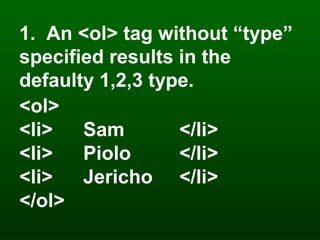
1. An <ol> tag without “type”
specified results in the
defaulty 1,2,3 type.
<ol>
<li> Sam </li>
<li> Piolo </li>
<li> Jericho </li>
</ol>
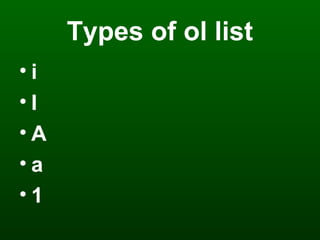
Types of ol list
• i
• I
• A
• a
• 1

Ordered & unordered list in MS Frontpage 2003

  • 1.
  • 2.
    Unordered List • Theseare bullets. It represents a dot or other symbol that is placed before text, such as items in a list, to add emphasis.
  • 3.
    Unordered List •You cancreate bullets shaped as circles, disc, or square.
  • 4.
    Unordered List Tag SolidCircle Bullets • Lansones • Banana • Papaya <ul type=“disc”> <li>Lansones</li> <li>Banana </li> <li>Papaya </li> </ul>
  • 5.
    Unordered List Tag SolidCircle Bullets oLansones oBanana oPapaya <ul type=“circle”> <li>Lansones</li> <li>Banana </li> <li>Papaya </li> </ul>
  • 6.
    Unordered List Tag SolidCircle Bullets Lansones Banana Papaya <ul type=“square”> <li>Lansones</li> <li>Banana </li> <li>Papaya </li> </ul>
  • 7.
    Ordered List •If youneed to list items in a specific sequence, ordered list can get the job done.
  • 8.
    Ordered List Tag •Within the <ol> or ordered list tag, you can itemize your list with: –Number –Upper / Lowercase Roman Numerals –Upper / Lowercase Letters
  • 9.
    1. An <ol>tag without “type” specified results in the defaulty 1,2,3 type. <ol> <li> Sam </li> <li> Piolo </li> <li> Jericho </li> </ol>
  • 10.
    Types of ollist • i • I • A • a • 1