ORAL AND
AUDIO
VISUAL
PRESENTATIONS
MYCA JICEL CUETO
JENNIFER DE CASTRO
LOVELY JOY VALENCIA
ORAL
PRESENTATIONS
WHAT IS AN
ORAL PRESENTATION?
  Is delivering an address to a public audience
  The act or process of making speeches in public
  “The art of effective oral communication with an
   audience.”
  It could be also a short talk on a set topic given
   to a tutorial or seminar group.
ADVANTAGES
OF ORAL PRESENTATION

   Confidence
    • It helps you develop the confidence you need to speak in front
      of others. This self-confidence can help you in many other areas
      of your life, from your career to your personal relationships.
   Extroversion
    • it can help make you more extroverted and more comfortable
      with strangers. Extroversion makes it easier for you to handle
      other interactions, from talking to clients to meeting your
      potential spouse.
ADVANTAGES
OF ORAL PRESENTATION (CONT.)

   Career
     When making business deals with other companies, being able to speak clearly
      and confidently comes in handy. And strong speaking skills can help you make
      your case that you deserve a promotion or a raise.

   Social Events
     No matter how reluctant you are, you almost certainly eventually will have to
      speak in public. Perhaps you will need to congratulate your friend at his
      wedding or thank your family members for giving you a going-away party.
      Having good public speaking skills is important in such situations.
TIPS ON MAKING
ORAL PRESENTATIONS
 Use relevant images and graphics to maintain audience
  interest. If you use PowerPoint for your presentations, you
  can download free PowerPoint graphics and
  backgrounds from the Internet.
 Try to avoid overloading slides with excess of information
  and numbers.
 Be cautious while choosing the color of text and background.
  It is also advisable to avoid using distractive background
  which can divert the focus of your audience.
 Practice is the key to succeed. ‘Practice makes a man perfect’,
  therefore it is essential to rehearse the topic well prior to its
  presentation.
TIPS ON MAKING
ORAL PRESENTATIONS (cont.)
 Adequate font size should be used. 24 point for text and
  40 point for the headings.
 A trick to highlight important text with prominent
  colors has always proven to be of great success. This not
  only attracts quick user attention, but also helps in
  better retention of your text.
 Add simple and easily understandable figures rather
  than using complicated ones.
 Try to maintain a proper sequence of slides so that your
  audience can easily grab the matter which is being
  discussed.
AUDIO
VISUAL
PRESENTATIONS
WHAT IS AN AUDIO VISUAL
PRESENTATION?
  Is delivering an address to a public audience
  The act or process of making speeches in public
  “The art of effective oral communication with an
   audience.”
  It could be also a short talk on a set topic given
   to a tutorial or seminar group.
ADVANTAGES
OF AUDIO VISUAL PRESENTATION

   Best Motivators
     They are the best motivators. Students work with more interest and zeal. They
      are more attentive.

   Fundamental to Verbal Instructions
     They help to reduce verbalism which is a major weakness of our schools. They
      convey the same meaning as words mean. They give clear concepts and thus
      help to bring accuracy in learning.

   Clear Images
     Clear images are formed when we see, hear, touch, taste and smell as our
      experiences are direct, concrete and more or less permanent. Learning through
      the senses becomes the most natural and consequently the easiest.
ADVANTAGES
OF AUDIO VISUAL PRESENTATION (CONT.)

   Freedom
     The use of audio-visual aids provide various occasions for the pupil to move
      about, talk, laugh and comment upon. Under such an atmosphere the students
      work because they want to work and not because the teacher wants them to
      work.

   Opportunities to Handle and Manipulate
     The use of audio-visual aids provides immense opportunities to the pupils to
      see, handle and manipulate things.

   Variety
     Audio-Visual aids provide variety and provide different tool s in the hands of
      the teacher.
DISADVANTAGES
OF AUDIO VISUAL PRESENTATION

   Apathy of the Teacher
      It has not yet been possible to convince the teacher that teaching with words
       alone is quite tedious, wasteful and ineffective.

   Indifference of Students
      The judicious use of teaching aids arouses interest but when used without a
       definite purpose they lose their significance and purpose.

   Ineffectiveness of the Aids
      Because of lack of proper planning and lethargy of teacher as also without
       proper preparation, correct presentation, appropriate application and essential
       follow up work, the aids have not proved their usefulness. A film like a good
       lesson has various steps-preparation, presentation, application and discussion.
DISADVANTAGES
OF AUDIO VISUAL PRESENTATION (CONT.)

   Financial Hurdles
      The Boards of audio-visual aids have been set up by central and state
       governments for chalking out interesting programs for the popularization of
       teaching aids but the lack of finances is not enabling them to do their best.

   Absence of Electricity
      Most of the projectors cannot work without electric current and so the non-
       availability of electricity is creating a hurdle in the proper use of audio-visual
       aids.

   Lack of Facilities for Training
      More and more training colleges or specialized agencies should be opened to
       train teachers and workers in the use of audio-visual aids.
DO’s on AUDIO VISUAL
                                             PRESENTATIONS
 Discuss, plan, test, budget and brief.
    Discuss the objective, audience, message and required outcomes with
     colleagues before preparing a budget and brief.
 Attention span.
    Most people cannot take in a full 30-minute promo. Consider 10 to 20
     minutes as the maximum attention span. Keep key points to the early
     part of the presentation as attention falls rapidly after the first 15
     minutes.
 Multimedia usage.
    To expose the message to the largest audience consider multimedia
     usage such as video, video clips within PowerPoint, web usage,
     business TV applications and so on.
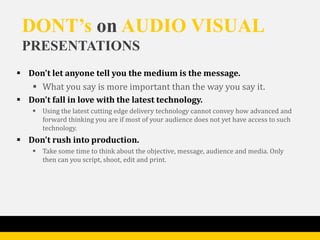
DONT’s on AUDIO VISUAL
 PRESENTATIONS
 Don't let anyone tell you the medium is the message.
    What you say is more important than the way you say it.
 Don't fall in love with the latest technology.
    Using the latest cutting edge delivery technology cannot convey how advanced and
     forward thinking you are if most of your audience does not yet have access to such
     technology.
 Don't rush into production.
    Take some time to think about the objective, message, audience and media. Only
     then can you script, shoot, edit and print.
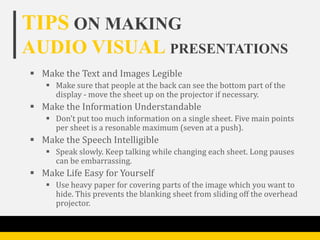
TIPS ON MAKING
AUDIO VISUAL PRESENTATIONS
 Make the Text and Images Legible
    Make sure that people at the back can see the bottom part of the
     display - move the sheet up on the projector if necessary.
 Make the Information Understandable
    Don't put too much information on a single sheet. Five main points
     per sheet is a resonable maximum (seven at a push).
 Make the Speech Intelligible
    Speak slowly. Keep talking while changing each sheet. Long pauses
     can be embarrassing.
 Make Life Easy for Yourself
    Use heavy paper for covering parts of the image which you want to
     hide. This prevents the blanking sheet from sliding off the overhead
     projector.
Thank You

Oral and Audio-Visual Presentation

  • 1.
    ORAL AND AUDIO VISUAL PRESENTATIONS MYCA JICELCUETO JENNIFER DE CASTRO LOVELY JOY VALENCIA
  • 2.
  • 3.
    WHAT IS AN ORALPRESENTATION?  Is delivering an address to a public audience  The act or process of making speeches in public  “The art of effective oral communication with an audience.”  It could be also a short talk on a set topic given to a tutorial or seminar group.
  • 4.
    ADVANTAGES OF ORAL PRESENTATION  Confidence • It helps you develop the confidence you need to speak in front of others. This self-confidence can help you in many other areas of your life, from your career to your personal relationships.  Extroversion • it can help make you more extroverted and more comfortable with strangers. Extroversion makes it easier for you to handle other interactions, from talking to clients to meeting your potential spouse.
  • 5.
    ADVANTAGES OF ORAL PRESENTATION(CONT.)  Career  When making business deals with other companies, being able to speak clearly and confidently comes in handy. And strong speaking skills can help you make your case that you deserve a promotion or a raise.  Social Events  No matter how reluctant you are, you almost certainly eventually will have to speak in public. Perhaps you will need to congratulate your friend at his wedding or thank your family members for giving you a going-away party. Having good public speaking skills is important in such situations.
  • 6.
    TIPS ON MAKING ORALPRESENTATIONS  Use relevant images and graphics to maintain audience interest. If you use PowerPoint for your presentations, you can download free PowerPoint graphics and backgrounds from the Internet.  Try to avoid overloading slides with excess of information and numbers.  Be cautious while choosing the color of text and background. It is also advisable to avoid using distractive background which can divert the focus of your audience.  Practice is the key to succeed. ‘Practice makes a man perfect’, therefore it is essential to rehearse the topic well prior to its presentation.
  • 7.
    TIPS ON MAKING ORALPRESENTATIONS (cont.)  Adequate font size should be used. 24 point for text and 40 point for the headings.  A trick to highlight important text with prominent colors has always proven to be of great success. This not only attracts quick user attention, but also helps in better retention of your text.  Add simple and easily understandable figures rather than using complicated ones.  Try to maintain a proper sequence of slides so that your audience can easily grab the matter which is being discussed.
  • 8.
  • 9.
    WHAT IS ANAUDIO VISUAL PRESENTATION?  Is delivering an address to a public audience  The act or process of making speeches in public  “The art of effective oral communication with an audience.”  It could be also a short talk on a set topic given to a tutorial or seminar group.
  • 10.
    ADVANTAGES OF AUDIO VISUALPRESENTATION  Best Motivators  They are the best motivators. Students work with more interest and zeal. They are more attentive.  Fundamental to Verbal Instructions  They help to reduce verbalism which is a major weakness of our schools. They convey the same meaning as words mean. They give clear concepts and thus help to bring accuracy in learning.  Clear Images  Clear images are formed when we see, hear, touch, taste and smell as our experiences are direct, concrete and more or less permanent. Learning through the senses becomes the most natural and consequently the easiest.
  • 11.
    ADVANTAGES OF AUDIO VISUALPRESENTATION (CONT.)  Freedom  The use of audio-visual aids provide various occasions for the pupil to move about, talk, laugh and comment upon. Under such an atmosphere the students work because they want to work and not because the teacher wants them to work.  Opportunities to Handle and Manipulate  The use of audio-visual aids provides immense opportunities to the pupils to see, handle and manipulate things.  Variety  Audio-Visual aids provide variety and provide different tool s in the hands of the teacher.
  • 12.
    DISADVANTAGES OF AUDIO VISUALPRESENTATION  Apathy of the Teacher  It has not yet been possible to convince the teacher that teaching with words alone is quite tedious, wasteful and ineffective.  Indifference of Students  The judicious use of teaching aids arouses interest but when used without a definite purpose they lose their significance and purpose.  Ineffectiveness of the Aids  Because of lack of proper planning and lethargy of teacher as also without proper preparation, correct presentation, appropriate application and essential follow up work, the aids have not proved their usefulness. A film like a good lesson has various steps-preparation, presentation, application and discussion.
  • 13.
    DISADVANTAGES OF AUDIO VISUALPRESENTATION (CONT.)  Financial Hurdles  The Boards of audio-visual aids have been set up by central and state governments for chalking out interesting programs for the popularization of teaching aids but the lack of finances is not enabling them to do their best.  Absence of Electricity  Most of the projectors cannot work without electric current and so the non- availability of electricity is creating a hurdle in the proper use of audio-visual aids.  Lack of Facilities for Training  More and more training colleges or specialized agencies should be opened to train teachers and workers in the use of audio-visual aids.
  • 14.
    DO’s on AUDIOVISUAL PRESENTATIONS  Discuss, plan, test, budget and brief.  Discuss the objective, audience, message and required outcomes with colleagues before preparing a budget and brief.  Attention span.  Most people cannot take in a full 30-minute promo. Consider 10 to 20 minutes as the maximum attention span. Keep key points to the early part of the presentation as attention falls rapidly after the first 15 minutes.  Multimedia usage.  To expose the message to the largest audience consider multimedia usage such as video, video clips within PowerPoint, web usage, business TV applications and so on.
  • 15.
    DONT’s on AUDIOVISUAL PRESENTATIONS  Don't let anyone tell you the medium is the message.  What you say is more important than the way you say it.  Don't fall in love with the latest technology.  Using the latest cutting edge delivery technology cannot convey how advanced and forward thinking you are if most of your audience does not yet have access to such technology.  Don't rush into production.  Take some time to think about the objective, message, audience and media. Only then can you script, shoot, edit and print.
  • 16.
    TIPS ON MAKING AUDIOVISUAL PRESENTATIONS  Make the Text and Images Legible  Make sure that people at the back can see the bottom part of the display - move the sheet up on the projector if necessary.  Make the Information Understandable  Don't put too much information on a single sheet. Five main points per sheet is a resonable maximum (seven at a push).  Make the Speech Intelligible  Speak slowly. Keep talking while changing each sheet. Long pauses can be embarrassing.  Make Life Easy for Yourself  Use heavy paper for covering parts of the image which you want to hide. This prevents the blanking sheet from sliding off the overhead projector.
  • 17.