Mr Satyendra Mohan Srivastava JIT Barabanki
Mr Satyendra Mohan Srivastava, JIT Barabanki
Chapter 1: Introduction
 What is Operating System
 Computer System Structure
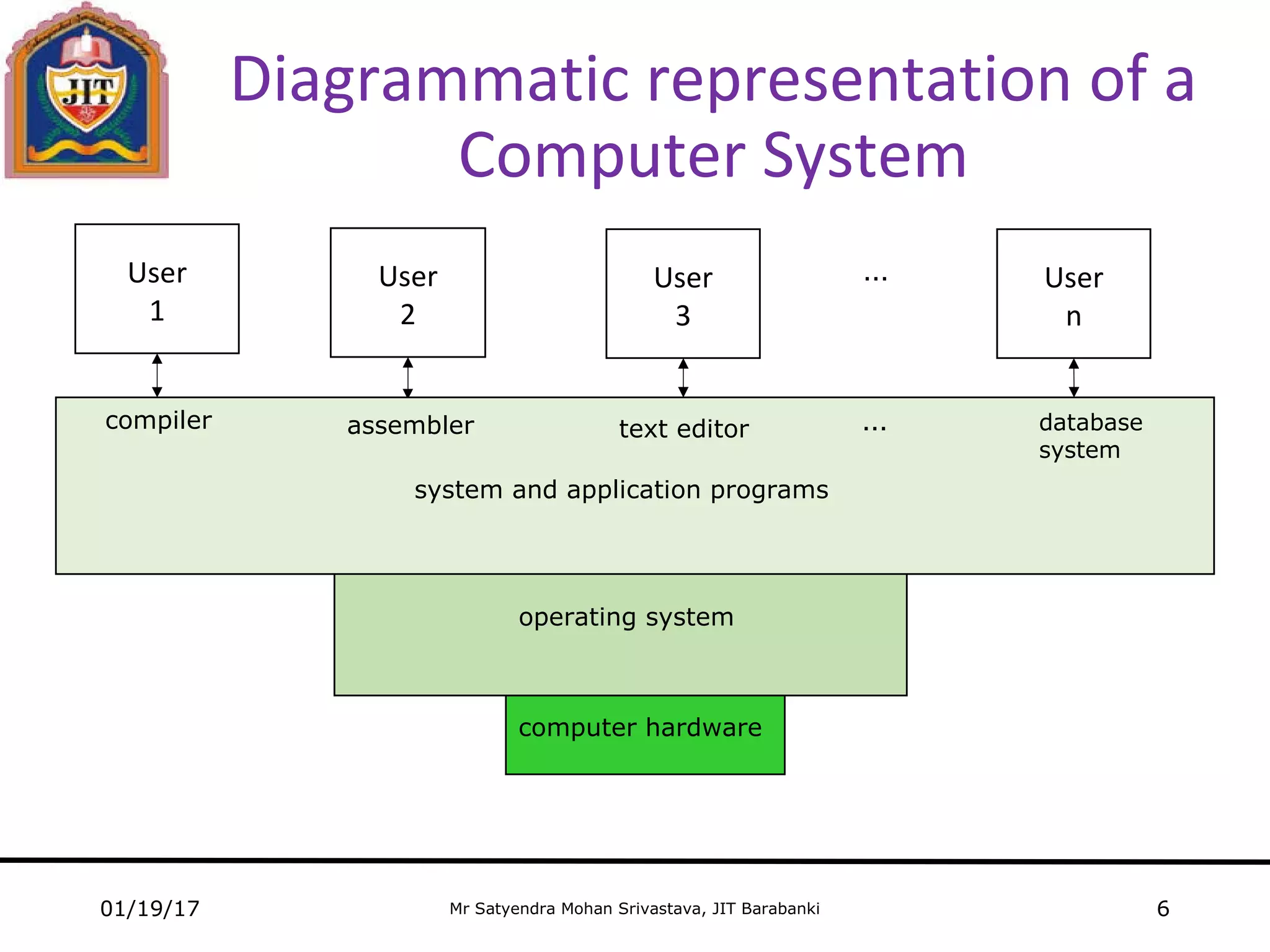
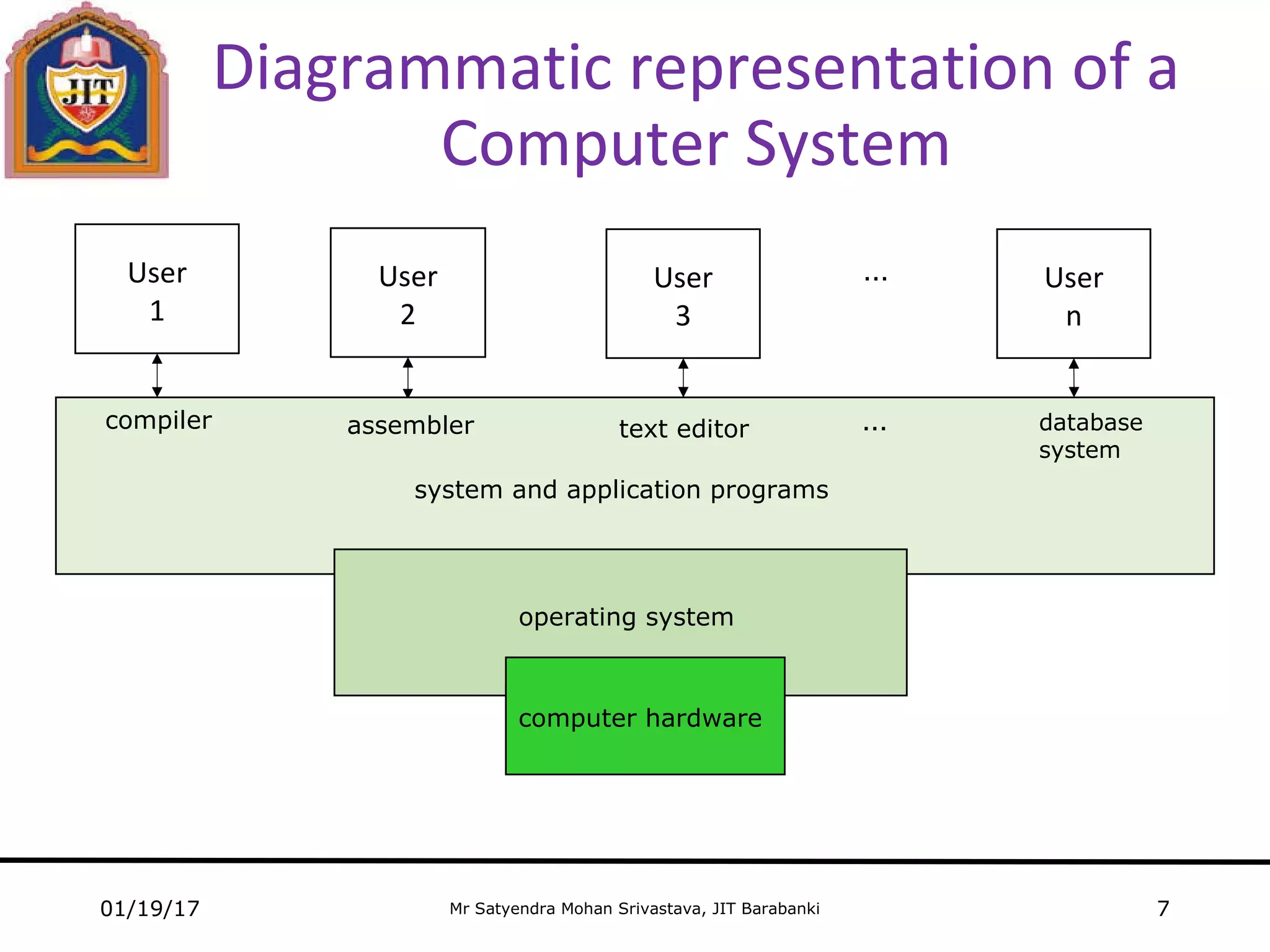
 Diagrammatic representation of a Computer System
 Operating System: Viewpoints
 Few important points
 Classification of OS
 Computer startup
 OS Layered approach
 System component
 OS services
01/19/17 2
Mr Satyendra Mohan Srivastava, JIT Barabanki
Operating
System
 An Operating System is a program that acts as an
intermediate b/w the computer hardware and the user of a
computer
 An Operating System is a program that manages the
computer hardware
 Operating system goals
Convenience for the user
Efficiency
01/19/17 3
Mr Satyendra Mohan Srivastava, JIT Barabanki
Computer System Structure
Computer system is mainly divided into four
components:
• Hardware
Memory, CPU and I/O devices
• Operating system
Coordinates and controls the use of hardware
• Application programs
Word processors, web browsers, compilers, database
systems and video games
• Users
Machines, people and other computers
01/19/17 4
Mr Satyendra Mohan Srivastava, JIT Barabanki
Operating System:
Viewpoints
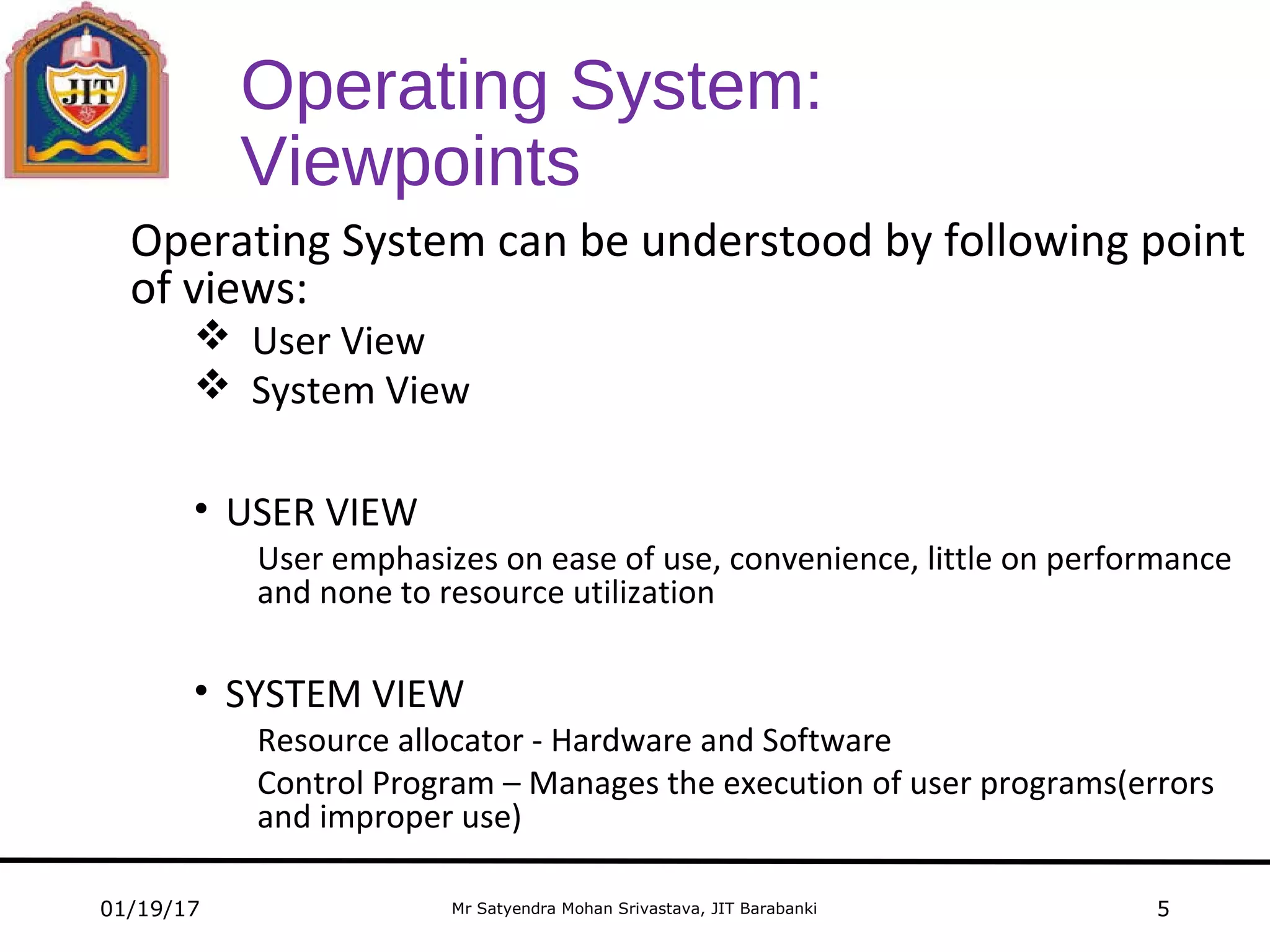
Operating System can be understood by following point
of views:
 User View
 System View
• USER VIEW
User emphasizes on ease of use, convenience, little on performance
and none to resource utilization
• SYSTEM VIEW
Resource allocator - Hardware and Software
Control Program – Manages the execution of user programs(errors
and improper use)
01/19/17 5
computer hardware
Mr Satyendra Mohan Srivastava, JIT Barabanki
Diagrammatic representation of a
Computer System
User
3
… User
n
User
1
User
2
operating system
01/19/17 6
compiler assembler text editor … database
system
system and application programs
Mr Satyendra Mohan Srivastava, JIT Barabanki
Diagrammatic representation of a
Computer System
User
3
… User
n
User
1
User
2
01/19/17 7
compiler assembler text editor … database
system
system and application programs
operating system
computer hardware
Mr Satyendra Mohan Srivastava, JIT Barabanki
Few Important Points
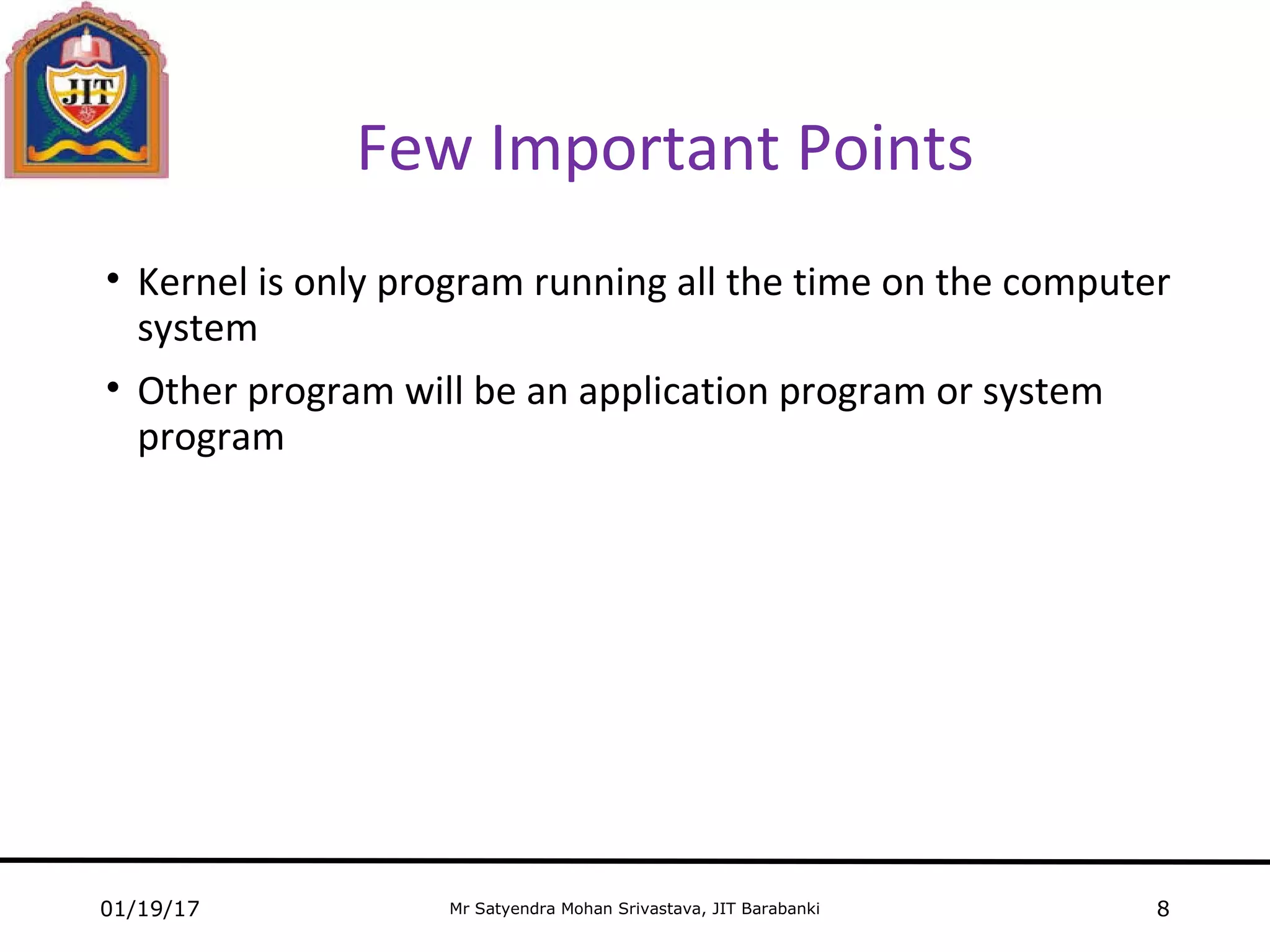
• Kernel is only program running all the time on the computer
system
• Other program will be an application program or system
program
01/19/17 8
Mr Satyendra Mohan Srivastava, JIT Barabanki
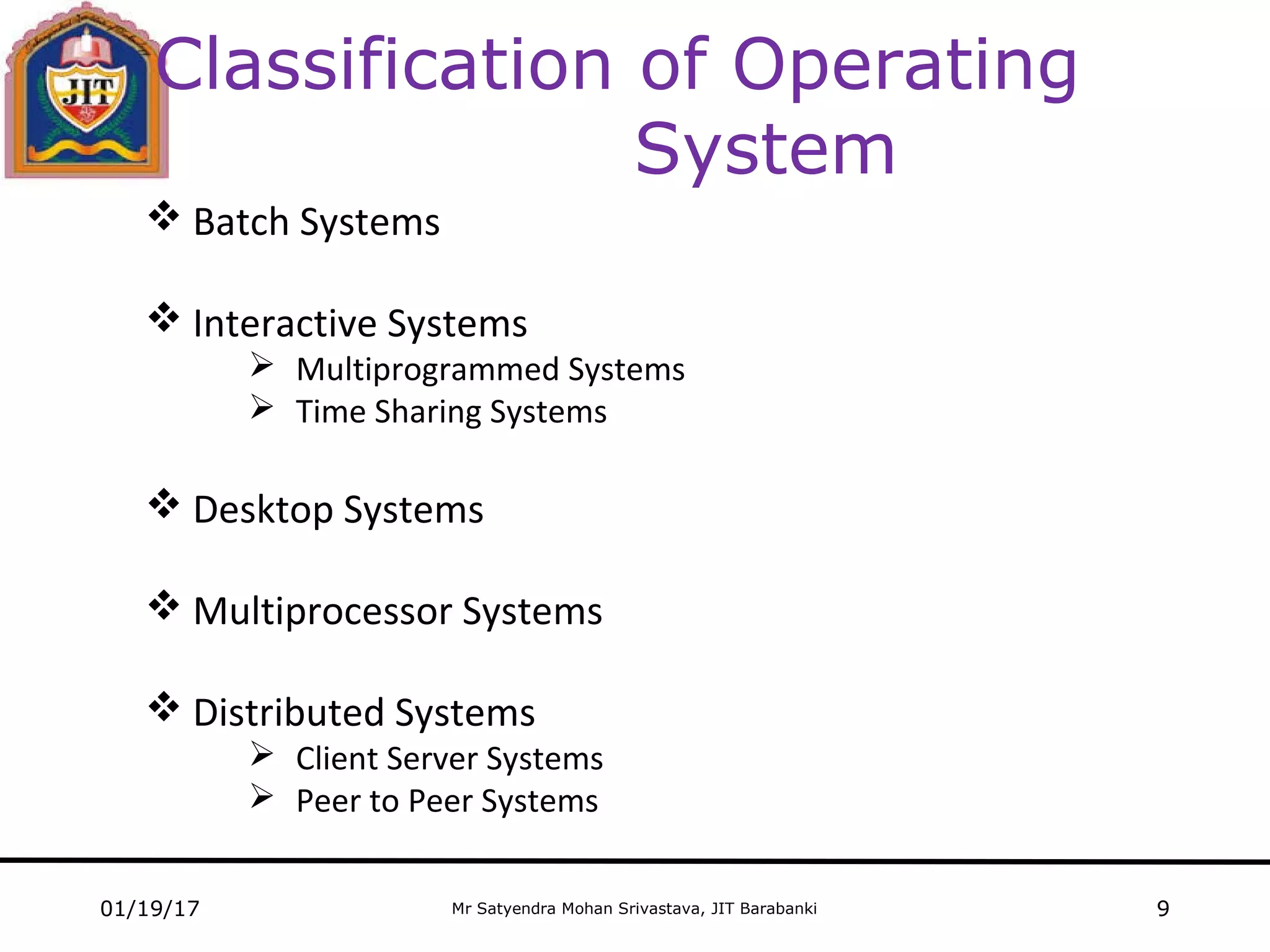
Classification of Operating
System
 Batch Systems
 Interactive Systems
 Multiprogrammed Systems
 Time Sharing Systems
 Desktop Systems
 Multiprocessor Systems
 Distributed Systems
 Client Server Systems
 Peer to Peer Systems
01/19/17 9
Mr Satyendra Mohan Srivastava, JIT Barabanki
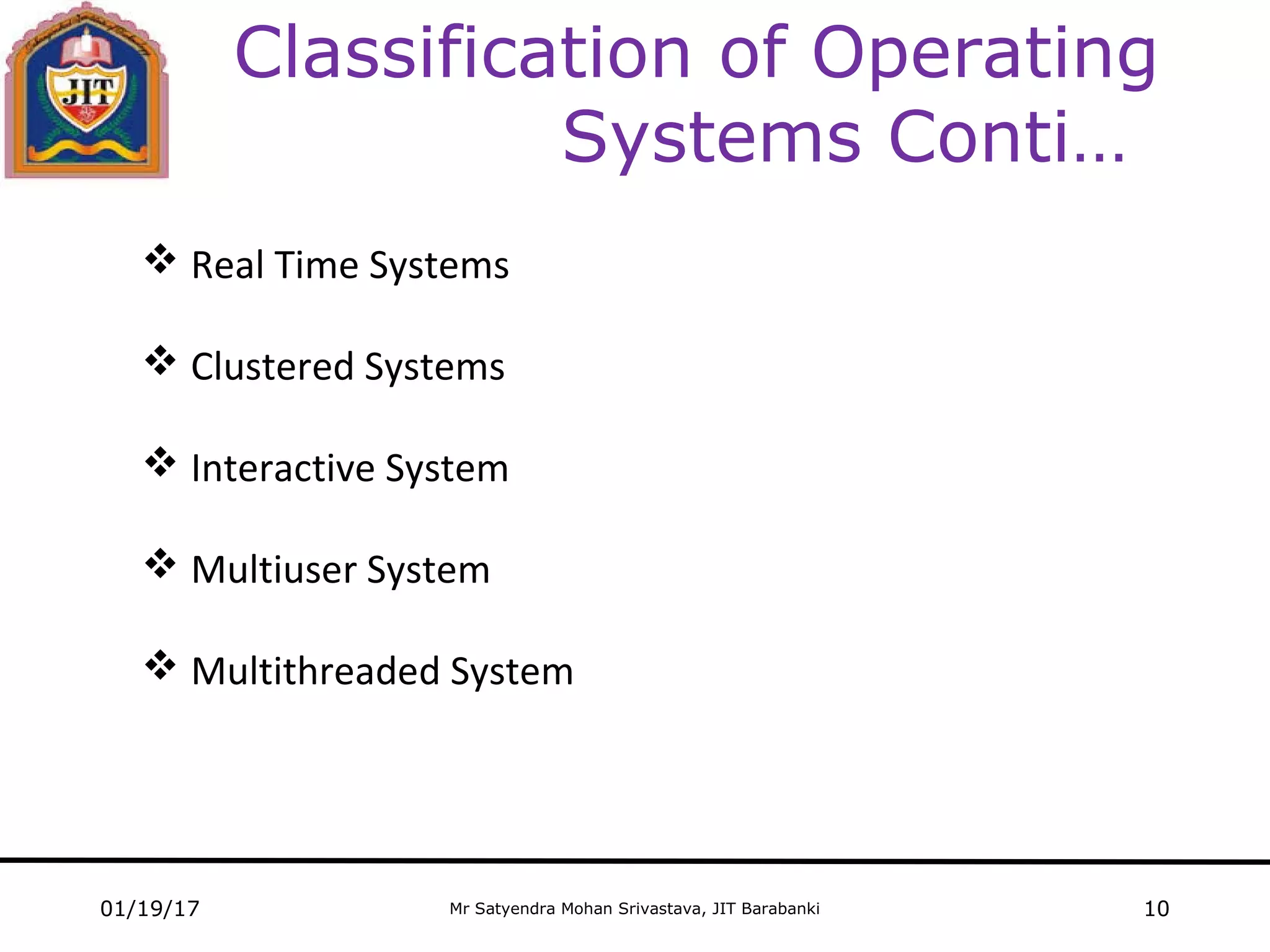
Classification of Operating
Systems Conti…
 Real Time Systems
 Clustered Systems
 Interactive System
 Multiuser System
 Multithreaded System
01/19/17 10
Mr Satyendra Mohan Srivastava, JIT Barabanki
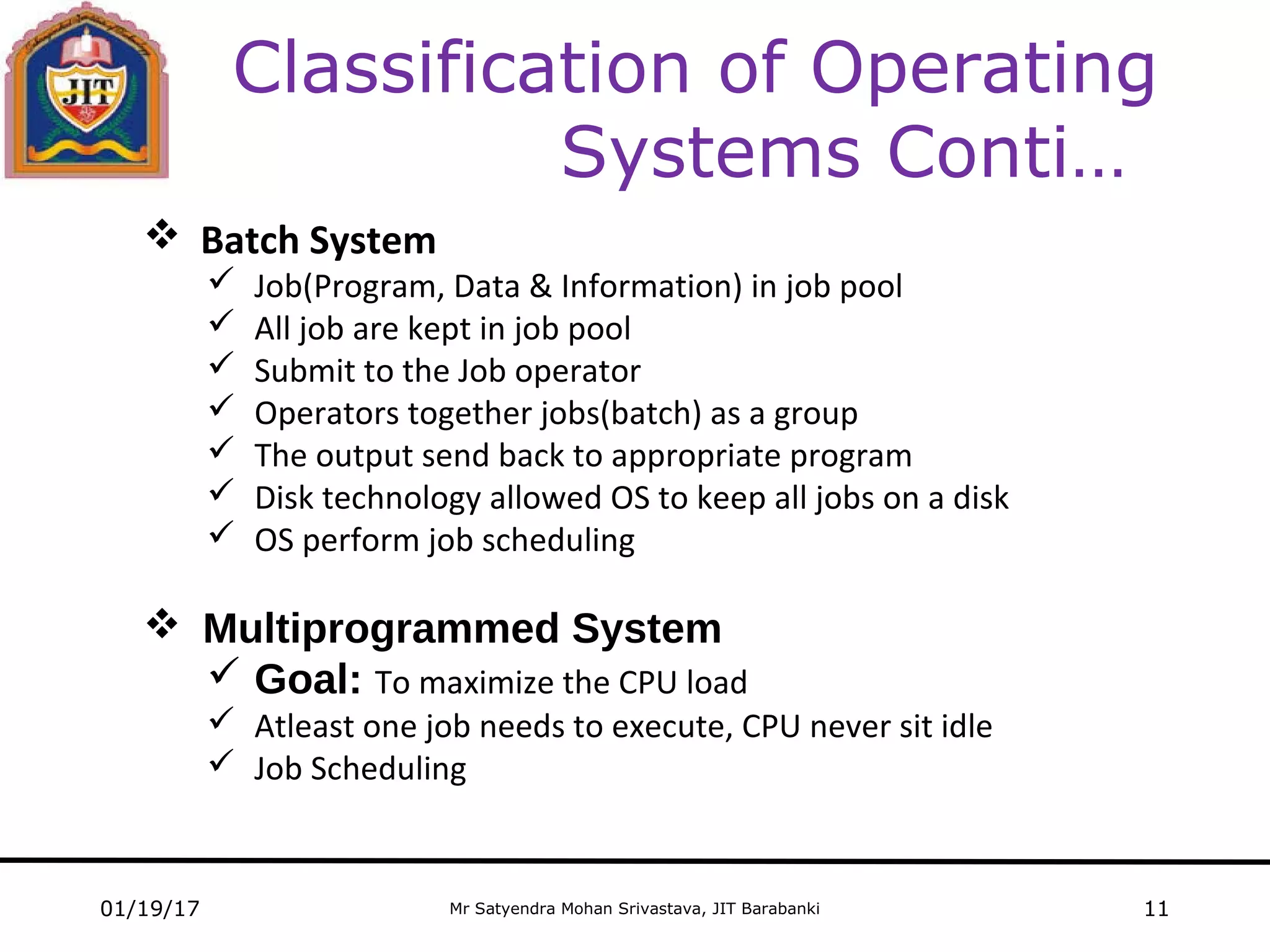
Classification of Operating
Systems Conti…
01/19/17 11
 Batch System
 Job(Program, Data & Information) in job pool
 All job are kept in job pool
 Submit to the Job operator
 Operators together jobs(batch) as a group
 The output send back to appropriate program
 Disk technology allowed OS to keep all jobs on a disk
 OS perform job scheduling
 Multiprogrammed System
 Goal: To maximize the CPU load
 Atleast one job needs to execute, CPU never sit idle
 Job Scheduling
Mr Satyendra Mohan Srivastava, JIT Barabanki
Classification of Operating
Systems Conti…
01/19/17 12
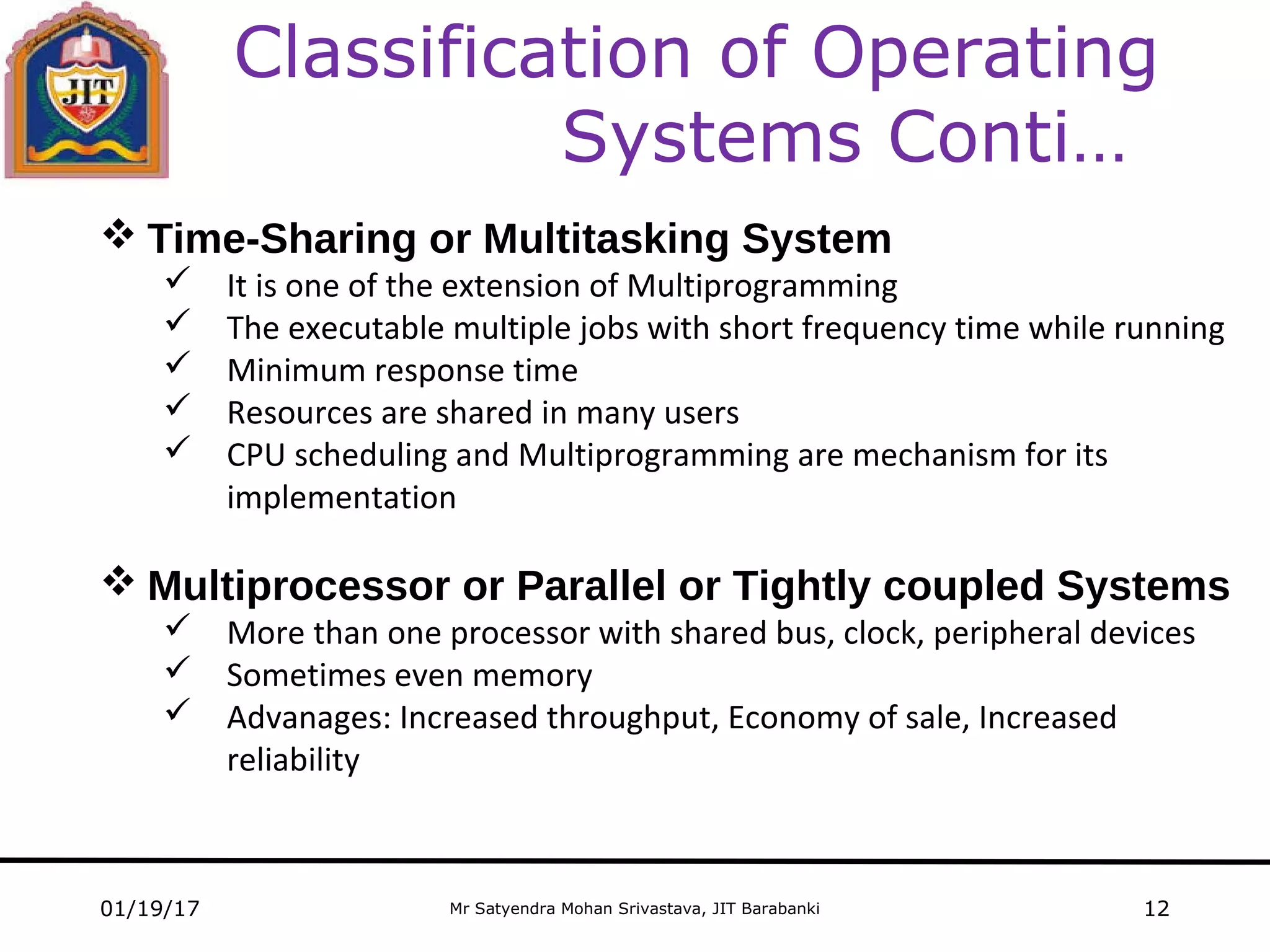
 Time-Sharing or Multitasking System
 It is one of the extension of Multiprogramming
 The executable multiple jobs with short frequency time while running
 Minimum response time
 Resources are shared in many users
 CPU scheduling and Multiprogramming are mechanism for its
implementation
 Multiprocessor or Parallel or Tightly coupled Systems
 More than one processor with shared bus, clock, peripheral devices
 Sometimes even memory
 Advanages: Increased throughput, Economy of sale, Increased
reliability
Mr Satyendra Mohan Srivastava, JIT Barabanki
Classification of Operating
Systems Conti…
01/19/17 13
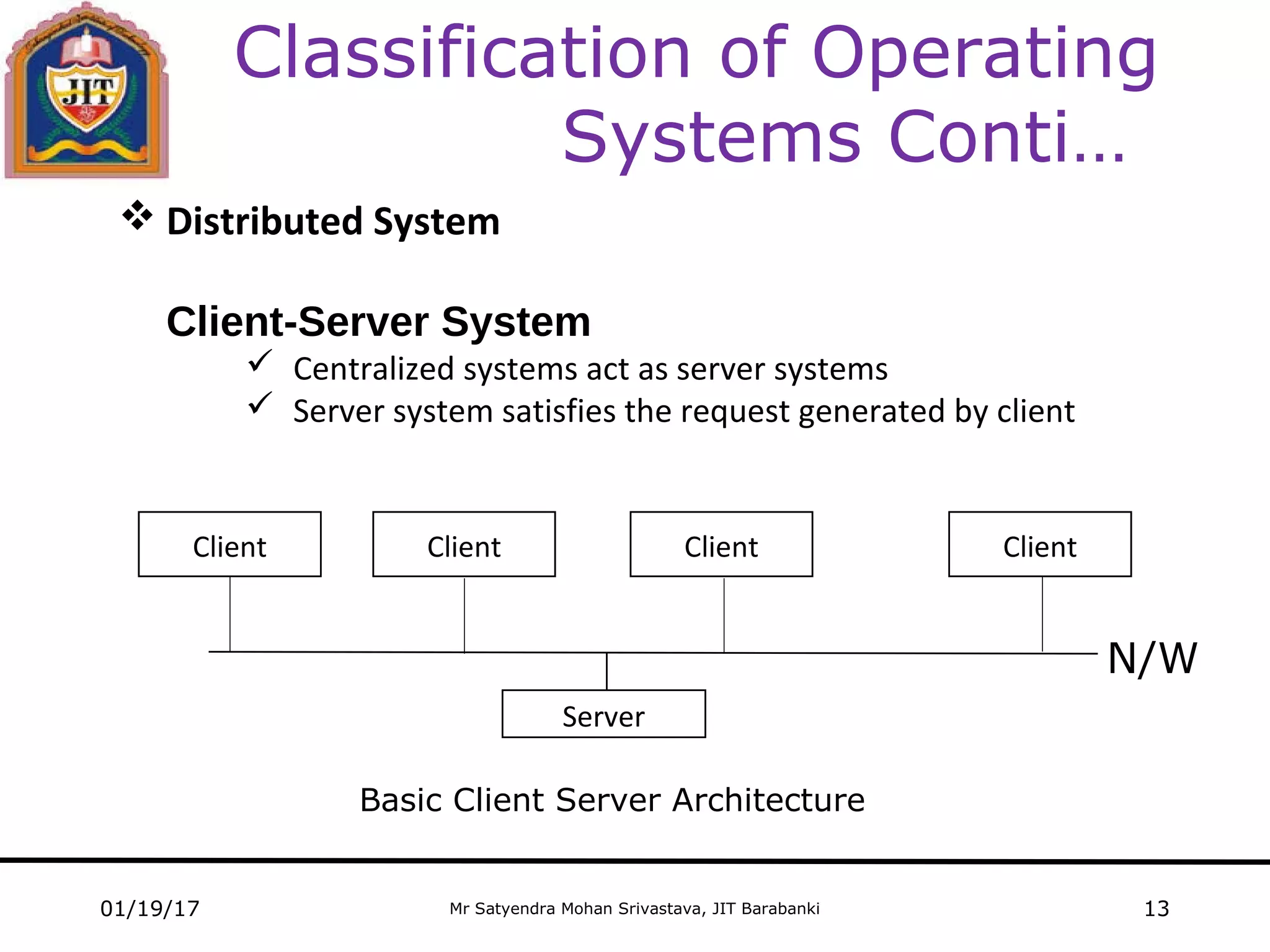
 Distributed System
Client-Server System
 Centralized systems act as server systems
 Server system satisfies the request generated by client
N/W
ClientClient Client Client
Server
Basic Client Server Architecture
Mr Satyendra Mohan Srivastava, JIT Barabanki01/19/17 14
Classification of Operating
Systems Conti…
 Peer-to-Peer Systems
 Clustered System
 Grouping of requirement
 Real-Time System
 Rigid time requirement
 Type: Hard and Soft real-time system
 Interactive System
 Provide interaction between Human and Computer system
Mr Satyendra Mohan Srivastava, JIT Barabanki
Classification of Operating
Systems Conti…
01/19/17 15
 Multiuser System
 Concurrent access by multiple users
 Multithreaded System
 A thread is a lightweight process
 A thread is a flow of execution
 Goal: Parallelism
Mr Satyendra Mohan Srivastava, JIT Barabanki
Computer Startup
 Booting
The procedure or mechanism of starting a computer by loading Kernel
 Bootstrap program
 loaded at reboot or power-up
 stored in ROM or EPROM
01/19/17 16
Mr Satyendra Mohan Srivastava, JIT Barabanki
Operating System Structure
Layered Approach
01/19/17 17
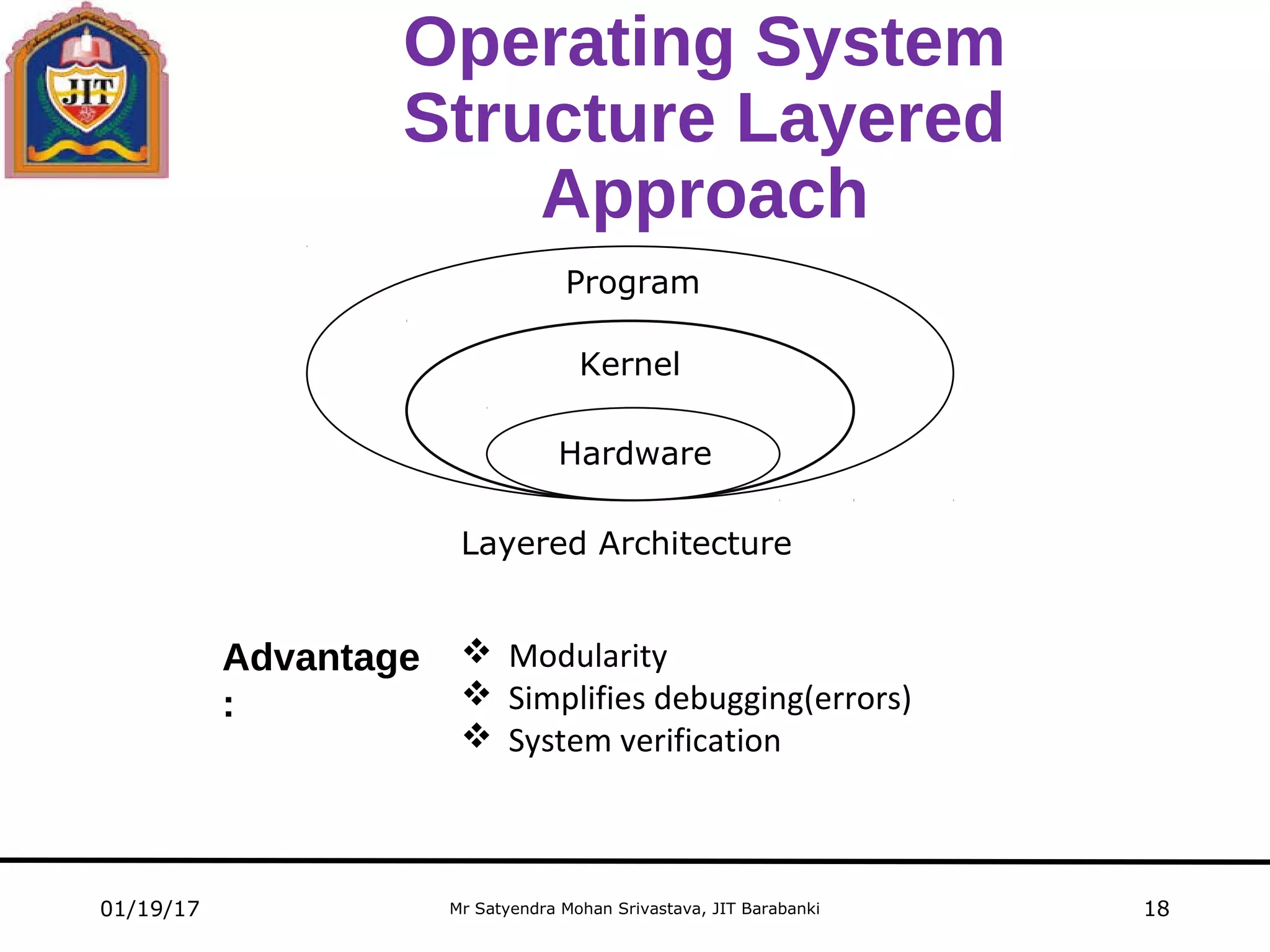
 Operating System is divided or broken down into levels (layers)
 Built on top of lower layer
 The bottom layer (lower layer 0) is hardware and the highest layer is the
user interferences
 The Data Structures and a set of routines at the top layer can invoke
operations on lower layer
 Each layer hides some operations, certain data structures and hardware
from higher level layers
Mr Satyendra Mohan Srivastava, JIT Barabanki
Operating System
Structure Layered
Approach
01/19/17 18
Hardware
Kernel
Program
Layered Architecture
 Modularity
 Simplifies debugging(errors)
 System verification
Advantage
:
Mr Satyendra Mohan Srivastava, JIT Barabanki
System Component
01/19/17 19
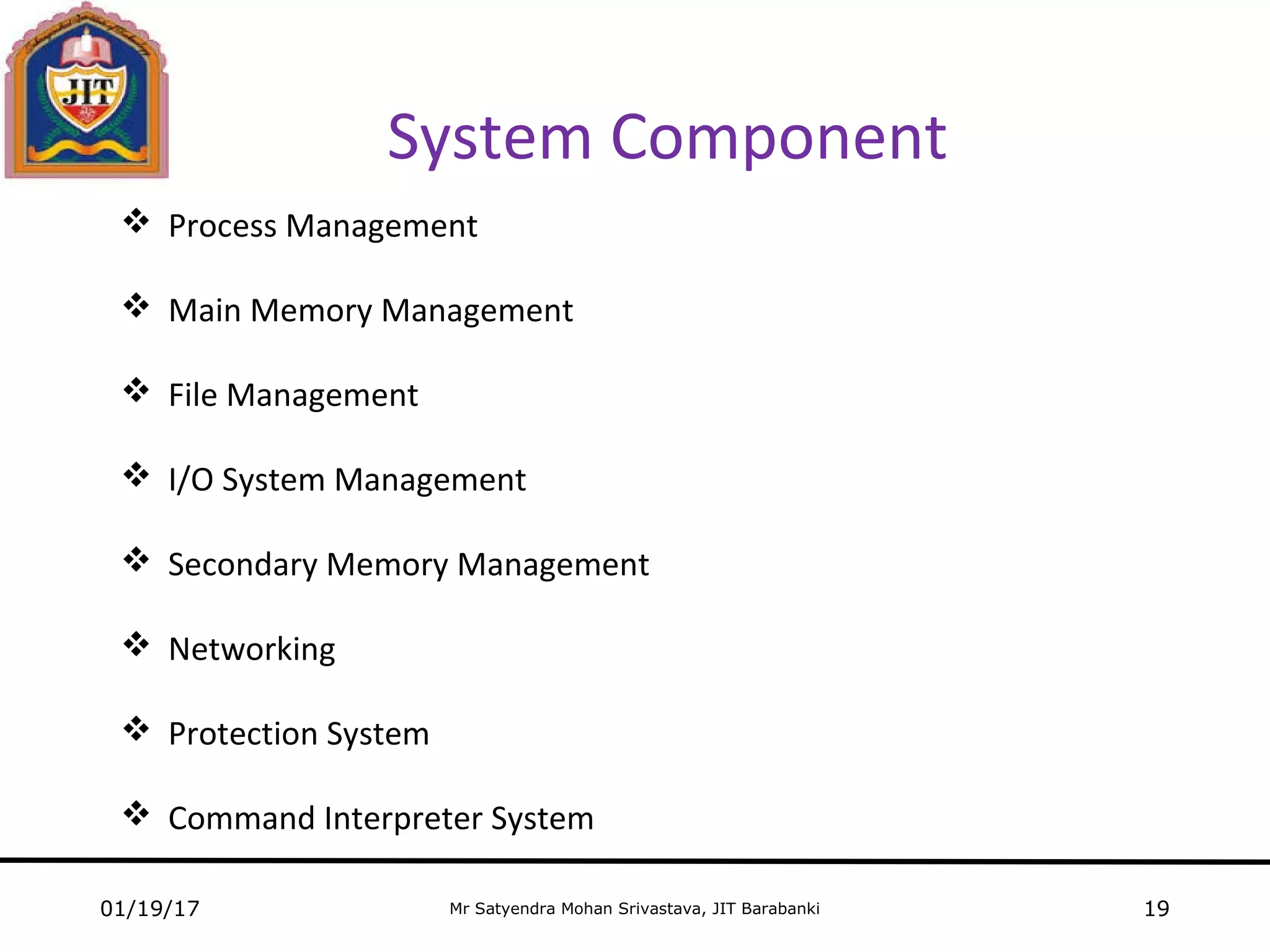
 Process Management
 Main Memory Management
 File Management
 I/O System Management
 Secondary Memory Management
 Networking
 Protection System
 Command Interpreter System
Mr Satyendra Mohan Srivastava, JIT Barabanki
Operating System Services
01/19/17 20
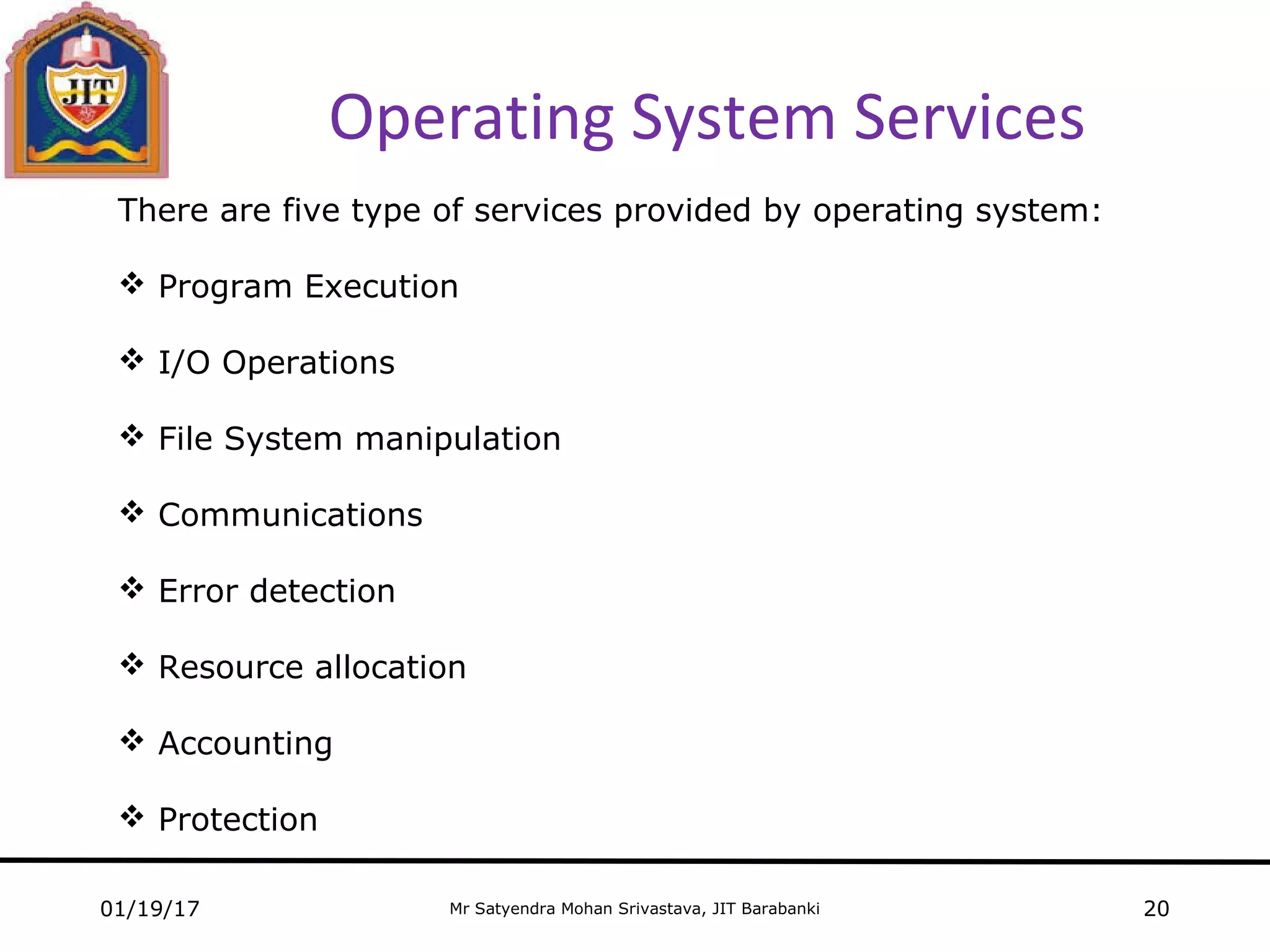
There are five type of services provided by operating system:
 Program Execution
 I/O Operations
 File System manipulation
 Communications
 Error detection
 Resource allocation
 Accounting
 Protection
Mr Satyendra Mohan Srivastava, JIT Barabanki
Any Question….
01/19/17 21

Operating system

  • 1.
    Mr Satyendra MohanSrivastava JIT Barabanki
  • 2.
    Mr Satyendra MohanSrivastava, JIT Barabanki Chapter 1: Introduction  What is Operating System  Computer System Structure  Diagrammatic representation of a Computer System  Operating System: Viewpoints  Few important points  Classification of OS  Computer startup  OS Layered approach  System component  OS services 01/19/17 2
  • 3.
    Mr Satyendra MohanSrivastava, JIT Barabanki Operating System  An Operating System is a program that acts as an intermediate b/w the computer hardware and the user of a computer  An Operating System is a program that manages the computer hardware  Operating system goals Convenience for the user Efficiency 01/19/17 3
  • 4.
    Mr Satyendra MohanSrivastava, JIT Barabanki Computer System Structure Computer system is mainly divided into four components: • Hardware Memory, CPU and I/O devices • Operating system Coordinates and controls the use of hardware • Application programs Word processors, web browsers, compilers, database systems and video games • Users Machines, people and other computers 01/19/17 4
  • 5.
    Mr Satyendra MohanSrivastava, JIT Barabanki Operating System: Viewpoints Operating System can be understood by following point of views:  User View  System View • USER VIEW User emphasizes on ease of use, convenience, little on performance and none to resource utilization • SYSTEM VIEW Resource allocator - Hardware and Software Control Program – Manages the execution of user programs(errors and improper use) 01/19/17 5
  • 6.
    computer hardware Mr SatyendraMohan Srivastava, JIT Barabanki Diagrammatic representation of a Computer System User 3 … User n User 1 User 2 operating system 01/19/17 6 compiler assembler text editor … database system system and application programs
  • 7.
    Mr Satyendra MohanSrivastava, JIT Barabanki Diagrammatic representation of a Computer System User 3 … User n User 1 User 2 01/19/17 7 compiler assembler text editor … database system system and application programs operating system computer hardware
  • 8.
    Mr Satyendra MohanSrivastava, JIT Barabanki Few Important Points • Kernel is only program running all the time on the computer system • Other program will be an application program or system program 01/19/17 8
  • 9.
    Mr Satyendra MohanSrivastava, JIT Barabanki Classification of Operating System  Batch Systems  Interactive Systems  Multiprogrammed Systems  Time Sharing Systems  Desktop Systems  Multiprocessor Systems  Distributed Systems  Client Server Systems  Peer to Peer Systems 01/19/17 9
  • 10.
    Mr Satyendra MohanSrivastava, JIT Barabanki Classification of Operating Systems Conti…  Real Time Systems  Clustered Systems  Interactive System  Multiuser System  Multithreaded System 01/19/17 10
  • 11.
    Mr Satyendra MohanSrivastava, JIT Barabanki Classification of Operating Systems Conti… 01/19/17 11  Batch System  Job(Program, Data & Information) in job pool  All job are kept in job pool  Submit to the Job operator  Operators together jobs(batch) as a group  The output send back to appropriate program  Disk technology allowed OS to keep all jobs on a disk  OS perform job scheduling  Multiprogrammed System  Goal: To maximize the CPU load  Atleast one job needs to execute, CPU never sit idle  Job Scheduling
  • 12.
    Mr Satyendra MohanSrivastava, JIT Barabanki Classification of Operating Systems Conti… 01/19/17 12  Time-Sharing or Multitasking System  It is one of the extension of Multiprogramming  The executable multiple jobs with short frequency time while running  Minimum response time  Resources are shared in many users  CPU scheduling and Multiprogramming are mechanism for its implementation  Multiprocessor or Parallel or Tightly coupled Systems  More than one processor with shared bus, clock, peripheral devices  Sometimes even memory  Advanages: Increased throughput, Economy of sale, Increased reliability
  • 13.
    Mr Satyendra MohanSrivastava, JIT Barabanki Classification of Operating Systems Conti… 01/19/17 13  Distributed System Client-Server System  Centralized systems act as server systems  Server system satisfies the request generated by client N/W ClientClient Client Client Server Basic Client Server Architecture
  • 14.
    Mr Satyendra MohanSrivastava, JIT Barabanki01/19/17 14 Classification of Operating Systems Conti…  Peer-to-Peer Systems  Clustered System  Grouping of requirement  Real-Time System  Rigid time requirement  Type: Hard and Soft real-time system  Interactive System  Provide interaction between Human and Computer system
  • 15.
    Mr Satyendra MohanSrivastava, JIT Barabanki Classification of Operating Systems Conti… 01/19/17 15  Multiuser System  Concurrent access by multiple users  Multithreaded System  A thread is a lightweight process  A thread is a flow of execution  Goal: Parallelism
  • 16.
    Mr Satyendra MohanSrivastava, JIT Barabanki Computer Startup  Booting The procedure or mechanism of starting a computer by loading Kernel  Bootstrap program  loaded at reboot or power-up  stored in ROM or EPROM 01/19/17 16
  • 17.
    Mr Satyendra MohanSrivastava, JIT Barabanki Operating System Structure Layered Approach 01/19/17 17  Operating System is divided or broken down into levels (layers)  Built on top of lower layer  The bottom layer (lower layer 0) is hardware and the highest layer is the user interferences  The Data Structures and a set of routines at the top layer can invoke operations on lower layer  Each layer hides some operations, certain data structures and hardware from higher level layers
  • 18.
    Mr Satyendra MohanSrivastava, JIT Barabanki Operating System Structure Layered Approach 01/19/17 18 Hardware Kernel Program Layered Architecture  Modularity  Simplifies debugging(errors)  System verification Advantage :
  • 19.
    Mr Satyendra MohanSrivastava, JIT Barabanki System Component 01/19/17 19  Process Management  Main Memory Management  File Management  I/O System Management  Secondary Memory Management  Networking  Protection System  Command Interpreter System
  • 20.
    Mr Satyendra MohanSrivastava, JIT Barabanki Operating System Services 01/19/17 20 There are five type of services provided by operating system:  Program Execution  I/O Operations  File System manipulation  Communications  Error detection  Resource allocation  Accounting  Protection
  • 21.
    Mr Satyendra MohanSrivastava, JIT Barabanki Any Question…. 01/19/17 21