

CH#1


       1
CH#1


       1
CH#1   computer system


Computer System
Definition:

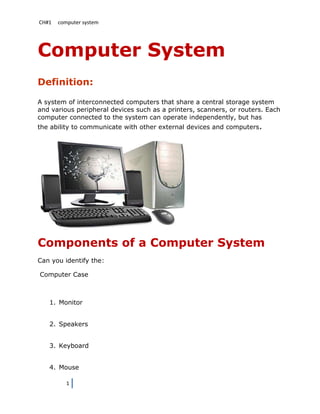
A system of interconnected computers that share a central storage system
and various peripheral devices such as a printers, scanners, or routers. Each
computer connected to the system can operate independently, but has
the ability to communicate with other external devices and computers.


Components of a Computer System
Can you identify the:

Computer Case


   1. Monitor


   2. Speakers


   3. Keyboard


   4. Mouse

          1
CH#1   computer system


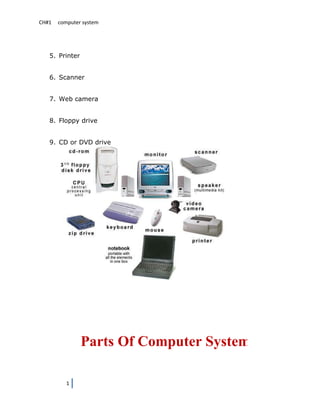
   5. Printer


   6. Scanner


   7. Web camera


   8. Floppy drive


   9. CD or DVD drive


                Parts Of Computer System

          1
CH#1      computer system


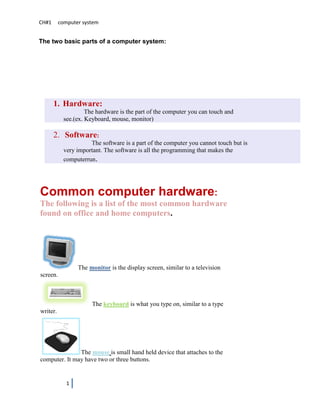
The two basic parts of a computer system:


       1. Hardware:
                     The hardware is the part of the computer you can touch and
            see.(ex. Keyboard, mouse, monitor)

       2. Software:
                      The software is a part of the computer you cannot touch but is
            very important. The software is all the programming that makes the
            computerrun.


Common computer hardware:
The following is a list of the most common hardware
found on office and home computers.


                 The monitor is the display screen, similar to a television
screen.


                       The keyboard is what you type on, similar to a type
writer.


               The mouse is small hand held device that attaches to the
computer. It may have two or three buttons.


             1
CH#1   computer system


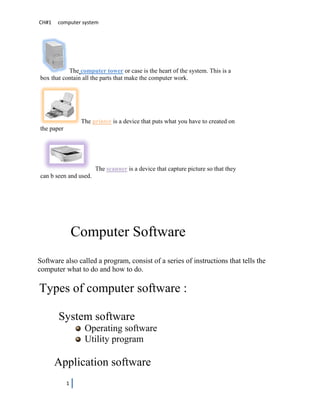
           The computer tower or case is the heart of the system. This is a
box that contain all the parts that make the computer work.


                 The printer is a device that puts what you have to created on
the paper


                       The scanner is a device that capture picture so that they
can b seen and used.


                Computer Software
Software also called a program, consist of a series of instructions that tells the
computer what to do and how to do.

Types of computer software :

       System software
                  Operating software
                  Utility program

       Application software
            1
CH#1   computer system


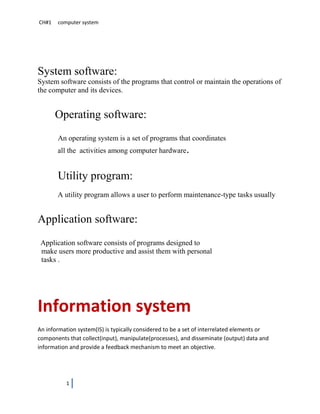
System software:
System software consists of the programs that control or maintain the operations of
the computer and its devices.


       Operating software:
       An operating system is a set of programs that coordinates
       all the activities among computer hardware.


       Utility program:
       A utility program allows a user to perform maintenance-type tasks usually


Application software:
 Application software consists of programs designed to
 make users more productive and assist them with personal
 tasks .


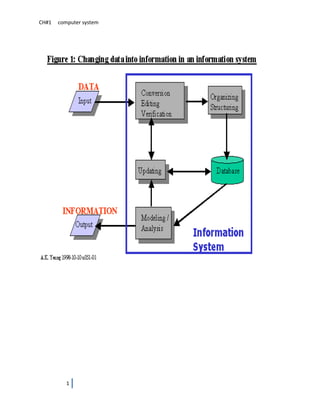
Information system
An information system(IS) is typically considered to be a set of interrelated elements or
components that collect(input), manipulate(processes), and disseminate (output) data and
information and provide a feedback mechanism to meet an objective.


           1
CH#1   computer system


          1
Ch#2 computer categories

Computer categories
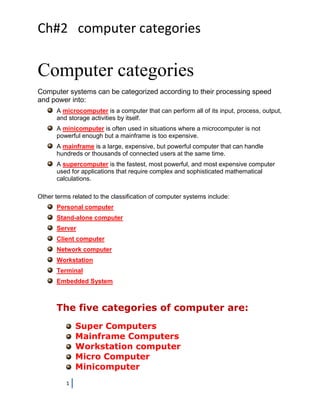
Computer systems can be categorized according to their processing speed
and power into:
      A microcomputer is a computer that can perform all of its input, process, output,
      and storage activities by itself.
      A minicomputer is often used in situations where a microcomputer is not
      powerful enough but a mainframe is too expensive.
      A mainframe is a large, expensive, but powerful computer that can handle
      hundreds or thousands of connected users at the same time.
      A supercomputer is the fastest, most powerful, and most expensive computer
      used for applications that require complex and sophisticated mathematical
      calculations.

Other terms related to the classification of computer systems include:
      Personal computer
      Stand-alone computer
      Server
      Client computer
      Network computer
      Workstation
      Terminal
      Embedded System


      The five categories of computer are:
              Super Computers
              Mainframe Computers
              Workstation computer
              Micro Computer
              Minicomputer
          1
Ch#2 computer categories


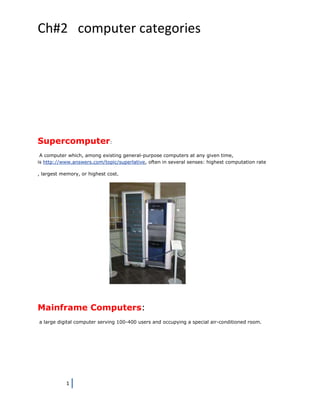
Supercomputer:
 A computer which, among existing general-purpose computers at any given time,
is http://www.answers.com/topic/superlative, often in several senses: highest computation rate

, largest memory, or highest cost.


Mainframe Computers:
a large digital computer serving 100-400 users and occupying a special air-conditioned room.


            1
Ch#2 computer categories


         Workstation computers:

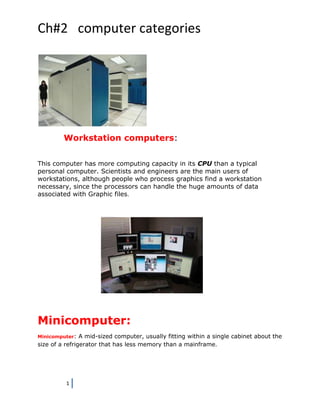
This computer has more computing capacity in its CPU than a typical
personal computer. Scientists and engineers are the main users of
workstations, although people who process graphics find a workstation
necessary, since the processors can handle the huge amounts of data
associated with Graphic files.


Minicomputer:
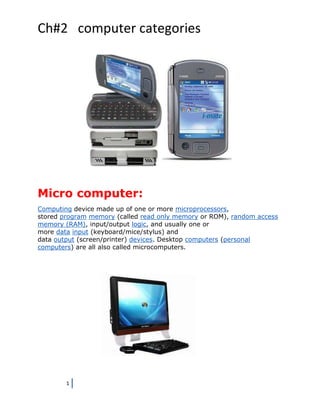
Minicomputer:   A mid-sized computer, usually fitting within a single cabinet about the
size of a refrigerator that has less memory than a mainframe.


          1
Ch#2 computer categories


Micro computer:
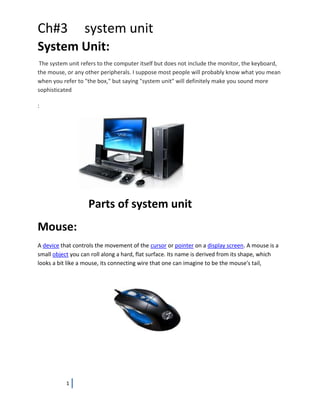
Computing device made up of one or more microprocessors,
stored program memory (called read only memory or ROM), random access
memory (RAM), input/output logic, and usually one or
more data input (keyboard/mice/stylus) and
data output (screen/printer) devices. Desktop computers (personal
computers) are all also called microcomputers.


        1
Ch#3              system unit
System Unit:
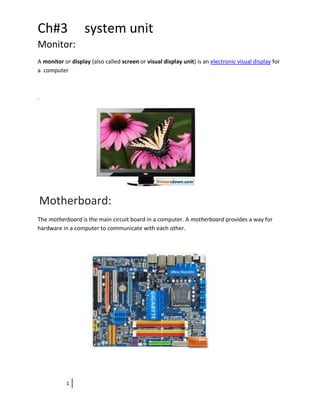
 The system unit refers to the computer itself but does not include the monitor, the keyboard,
the mouse, or any other peripherals. I suppose most people will probably know what you mean
when you refer to "the box," but saying "system unit" will definitely make you sound more
sophisticated

:


                    Parts of system unit
Mouse:
A device that controls the movement of the cursor or pointer on a display screen. A mouse is a
small object you can roll along a hard, flat surface. Its name is derived from its shape, which
looks a bit like a mouse, its connecting wire that one can imagine to be the mouse's tail,


           1
Ch#3               system unit
Monitor:
A monitor or display (also called screen or visual display unit) is an electronic visual display for
a computer


.


Motherboard:
The motherboard is the main circuit board in a computer. A motherboard provides a way for
hardware in a computer to communicate with each other.


           1
Ch#3              system unit

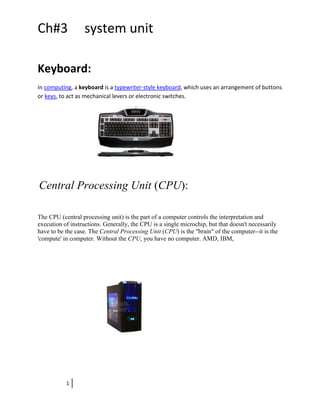
Keyboard:
In computing, a keyboard is a typewriter-style keyboard, which uses an arrangement of buttons
or keys, to act as mechanical levers or electronic switches.


Central Processing Unit (CPU):

The CPU (central processing unit) is the part of a computer controls the interpretation and
execution of instructions. Generally, the CPU is a single microchip, but that doesn't necessarily
have to be the case. The Central Processing Unit (CPU) is the "brain" of the computer--it is the
'compute' in computer. Without the CPU, you have no computer. AMD, IBM,


           1

Assignment

  • 1.
  • 2.
  • 3.
    CH#1 computer system Computer System Definition: A system of interconnected computers that share a central storage system and various peripheral devices such as a printers, scanners, or routers. Each computer connected to the system can operate independently, but has the ability to communicate with other external devices and computers. Components of a Computer System Can you identify the: Computer Case 1. Monitor 2. Speakers 3. Keyboard 4. Mouse 1
  • 4.
    CH#1 computer system 5. Printer 6. Scanner 7. Web camera 8. Floppy drive 9. CD or DVD drive Parts Of Computer System 1
  • 5.
    CH#1 computer system The two basic parts of a computer system: 1. Hardware: The hardware is the part of the computer you can touch and see.(ex. Keyboard, mouse, monitor) 2. Software: The software is a part of the computer you cannot touch but is very important. The software is all the programming that makes the computerrun. Common computer hardware: The following is a list of the most common hardware found on office and home computers. The monitor is the display screen, similar to a television screen. The keyboard is what you type on, similar to a type writer. The mouse is small hand held device that attaches to the computer. It may have two or three buttons. 1
  • 6.
    CH#1 computer system The computer tower or case is the heart of the system. This is a box that contain all the parts that make the computer work. The printer is a device that puts what you have to created on the paper The scanner is a device that capture picture so that they can b seen and used. Computer Software Software also called a program, consist of a series of instructions that tells the computer what to do and how to do. Types of computer software : System software Operating software Utility program Application software 1
  • 7.
    CH#1 computer system System software: System software consists of the programs that control or maintain the operations of the computer and its devices. Operating software: An operating system is a set of programs that coordinates all the activities among computer hardware. Utility program: A utility program allows a user to perform maintenance-type tasks usually Application software: Application software consists of programs designed to make users more productive and assist them with personal tasks . Information system An information system(IS) is typically considered to be a set of interrelated elements or components that collect(input), manipulate(processes), and disseminate (output) data and information and provide a feedback mechanism to meet an objective. 1
  • 8.
    CH#1 computer system 1
  • 9.
    Ch#2 computer categories Computercategories Computer systems can be categorized according to their processing speed and power into: A microcomputer is a computer that can perform all of its input, process, output, and storage activities by itself. A minicomputer is often used in situations where a microcomputer is not powerful enough but a mainframe is too expensive. A mainframe is a large, expensive, but powerful computer that can handle hundreds or thousands of connected users at the same time. A supercomputer is the fastest, most powerful, and most expensive computer used for applications that require complex and sophisticated mathematical calculations. Other terms related to the classification of computer systems include: Personal computer Stand-alone computer Server Client computer Network computer Workstation Terminal Embedded System The five categories of computer are: Super Computers Mainframe Computers Workstation computer Micro Computer Minicomputer 1
  • 10.
    Ch#2 computer categories Supercomputer: A computer which, among existing general-purpose computers at any given time, is http://www.answers.com/topic/superlative, often in several senses: highest computation rate , largest memory, or highest cost. Mainframe Computers: a large digital computer serving 100-400 users and occupying a special air-conditioned room. 1
  • 11.
    Ch#2 computer categories Workstation computers: This computer has more computing capacity in its CPU than a typical personal computer. Scientists and engineers are the main users of workstations, although people who process graphics find a workstation necessary, since the processors can handle the huge amounts of data associated with Graphic files. Minicomputer: Minicomputer: A mid-sized computer, usually fitting within a single cabinet about the size of a refrigerator that has less memory than a mainframe. 1
  • 12.
    Ch#2 computer categories Microcomputer: Computing device made up of one or more microprocessors, stored program memory (called read only memory or ROM), random access memory (RAM), input/output logic, and usually one or more data input (keyboard/mice/stylus) and data output (screen/printer) devices. Desktop computers (personal computers) are all also called microcomputers. 1
  • 13.
    Ch#3 system unit System Unit: The system unit refers to the computer itself but does not include the monitor, the keyboard, the mouse, or any other peripherals. I suppose most people will probably know what you mean when you refer to "the box," but saying "system unit" will definitely make you sound more sophisticated : Parts of system unit Mouse: A device that controls the movement of the cursor or pointer on a display screen. A mouse is a small object you can roll along a hard, flat surface. Its name is derived from its shape, which looks a bit like a mouse, its connecting wire that one can imagine to be the mouse's tail, 1
  • 14.
    Ch#3 system unit Monitor: A monitor or display (also called screen or visual display unit) is an electronic visual display for a computer . Motherboard: The motherboard is the main circuit board in a computer. A motherboard provides a way for hardware in a computer to communicate with each other. 1
  • 15.
    Ch#3 system unit Keyboard: In computing, a keyboard is a typewriter-style keyboard, which uses an arrangement of buttons or keys, to act as mechanical levers or electronic switches. Central Processing Unit (CPU): The CPU (central processing unit) is the part of a computer controls the interpretation and execution of instructions. Generally, the CPU is a single microchip, but that doesn't necessarily have to be the case. The Central Processing Unit (CPU) is the "brain" of the computer--it is the 'compute' in computer. Without the CPU, you have no computer. AMD, IBM, 1