OpenStack Block Storage
Cinder – Implementations for Today and Trends
for Tomorrow
Ed Balduf, Cloud Solutions Architect - OpenStack, ed.balduf@solidfire.com @madskier5
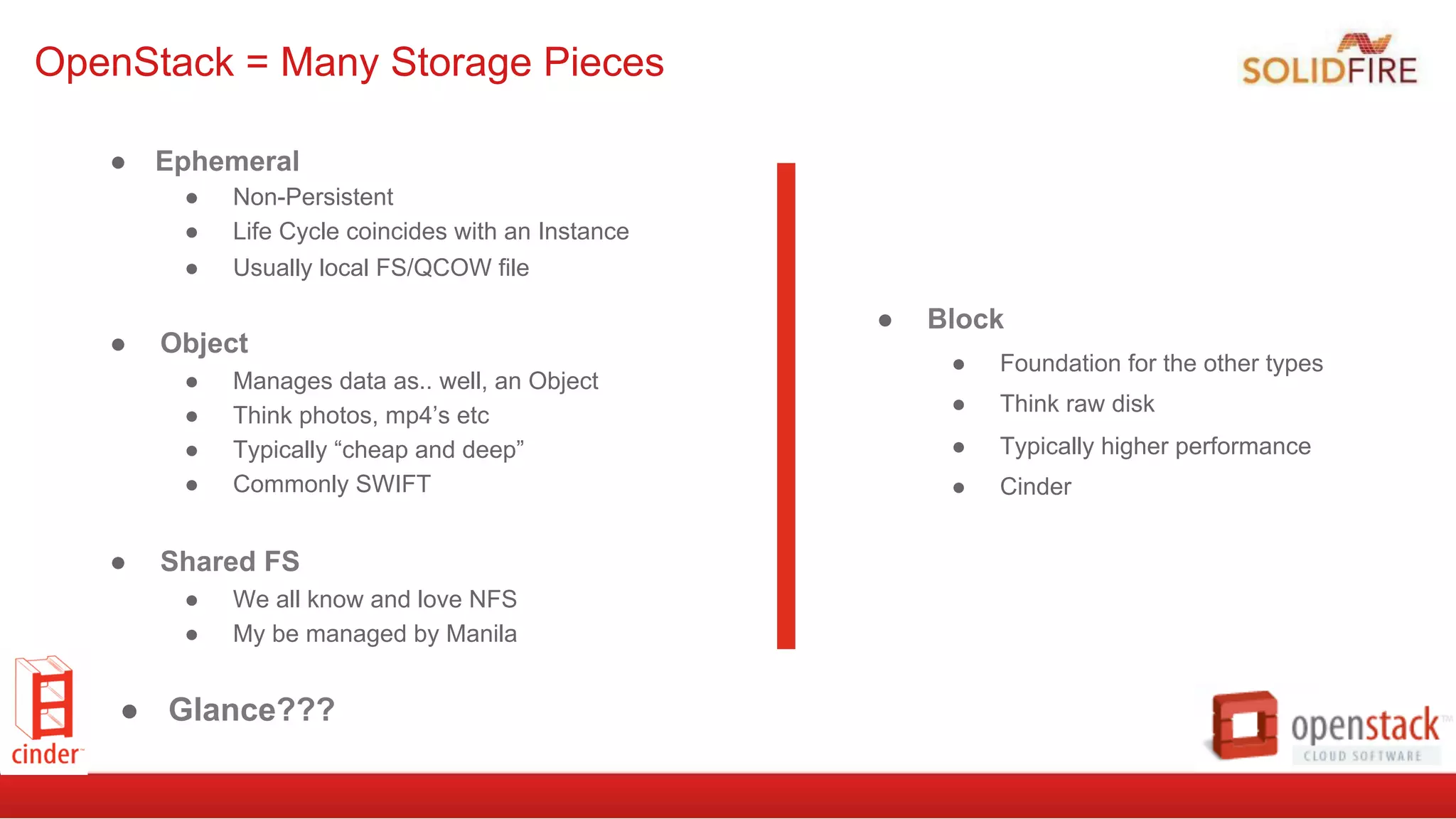
●  Ephemeral
●  Non-Persistent
●  Life Cycle coincides with an Instance
●  Usually local FS/QCOW file
●  Object
●  Manages data as.. well, an Object
●  Think photos, mp4’s etc
●  Typically “cheap and deep”
●  Commonly SWIFT
●  Shared FS
●  We all know and love NFS
●  My be managed by Manila
●  Glance???
OpenStack = Many Storage Pieces
●  Block
●  Foundation for the other types
●  Think raw disk
●  Typically higher performance
●  Cinder
Let’s talk Cinder!
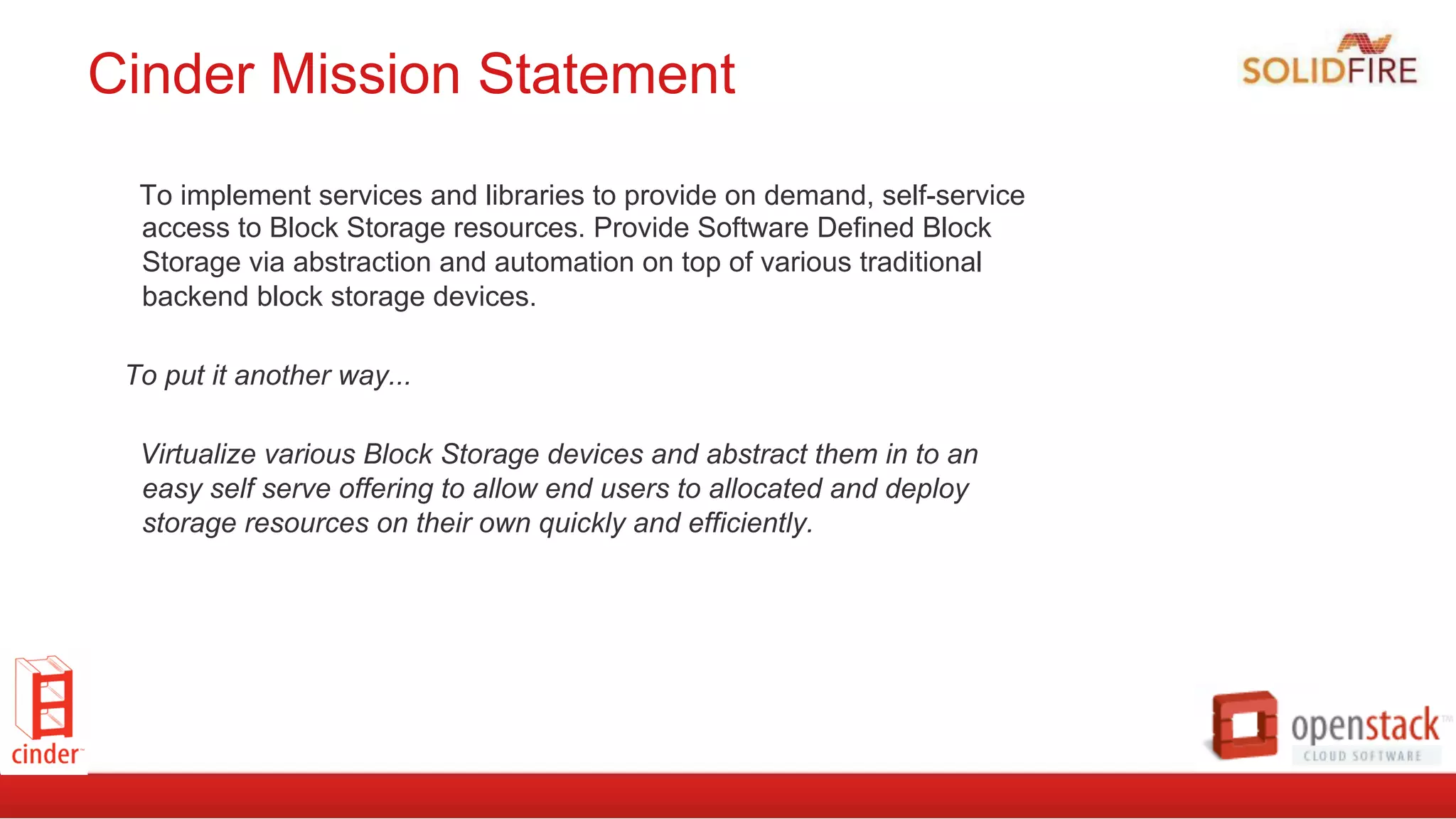
Cinder Mission Statement
To implement services and libraries to provide on demand, self-service
access to Block Storage resources. Provide Software Defined Block
Storage via abstraction and automation on top of various traditional
backend block storage devices.
To put it another way...
Virtualize various Block Storage devices and abstract them in to an
easy self serve offering to allow end users to allocated and deploy
storage resources on their own quickly and efficiently.
How it works
●  Plugin architecture, use your own vendors
backend(s) or use the default
●  Backend devices invisible to end-user
●  Consistent API regardless of backend
●  Filter Scheduler let’s you get get fancy
●  expose differentiating features via custom
volume-types and extra-specs
Storage Services
● Extend Volume
● Snapshot/Clone
● Change Volume type
● Backup/Restore
● Create Image/upload Image
● Manage/Unmanage
● Migrate
● Replication?
● Consistency Groups?
Reference Implementation Included
●  Includes code to provide a base implementation using LVM
●  Just add disks
●  Great for POC and getting started
●  Sometimes good enough
●  Might be lacking for your performance, H/A and Scaling needs (it all depends)
●  Can Scale by adding Nodes
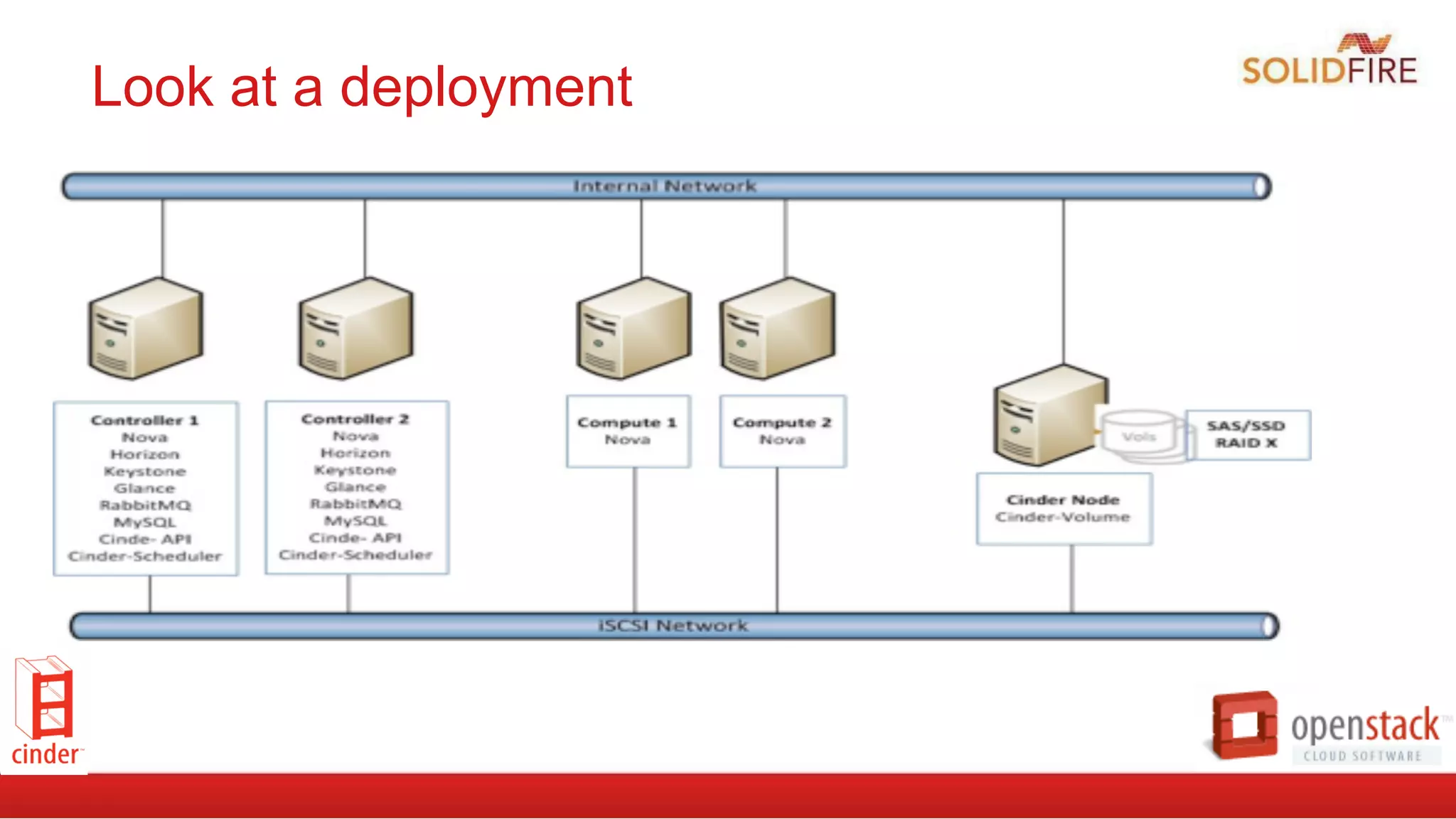
●  Cinder-Volume Node utilizes it’s local disks (allocate by creating an LVM VG)
●  Cinder Volumes are LVM Logical Volumes, with an iSCSI target created for each
➔  Typical max size recommendations per VG/Cinder-Volume backend ~ 5 TB
➔  No Redundancy (yet)
Look at a deployment
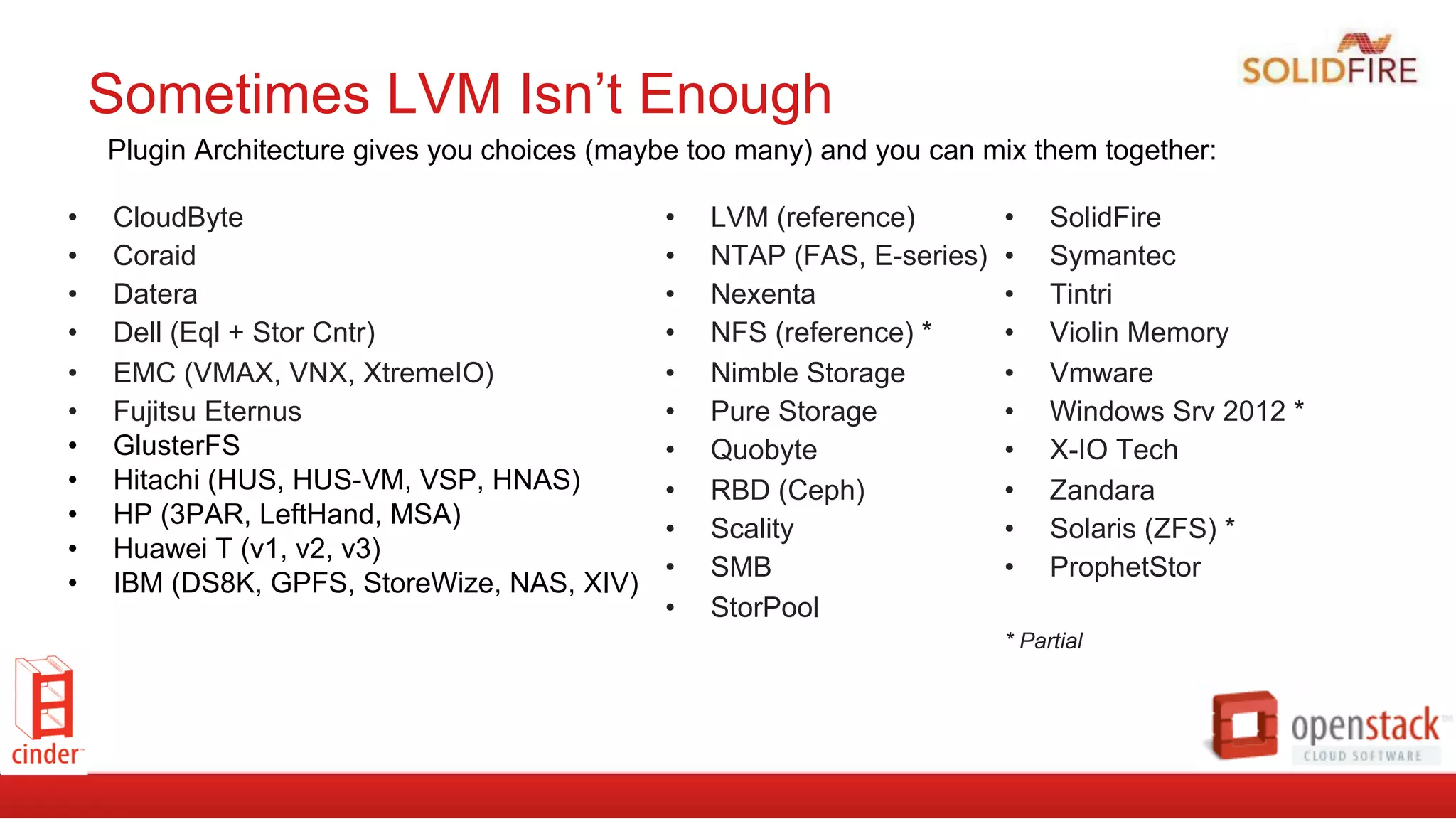
Sometimes LVM Isn’t Enough
•  CloudByte
•  Coraid
•  Datera
•  Dell (Eql + Stor Cntr)
•  EMC (VMAX, VNX, XtremeIO)
•  Fujitsu Eternus
•  GlusterFS
•  Hitachi (HUS, HUS-VM, VSP, HNAS)
•  HP (3PAR, LeftHand, MSA)
•  Huawei T (v1, v2, v3)
•  IBM (DS8K, GPFS, StoreWize, NAS, XIV)
•  LVM (reference)
•  NTAP (FAS, E-series)
•  Nexenta
•  NFS (reference) *
•  Nimble Storage
•  Pure Storage
•  Quobyte
•  RBD (Ceph)
•  Scality
•  SMB
•  StorPool
•  SolidFire
•  Symantec
•  Tintri
•  Violin Memory
•  Vmware
•  Windows Srv 2012 *
•  X-IO Tech
•  Zandara
•  Solaris (ZFS) *
•  ProphetStor
* Partial
Plugin Architecture gives you choices (maybe too many) and you can mix them together:
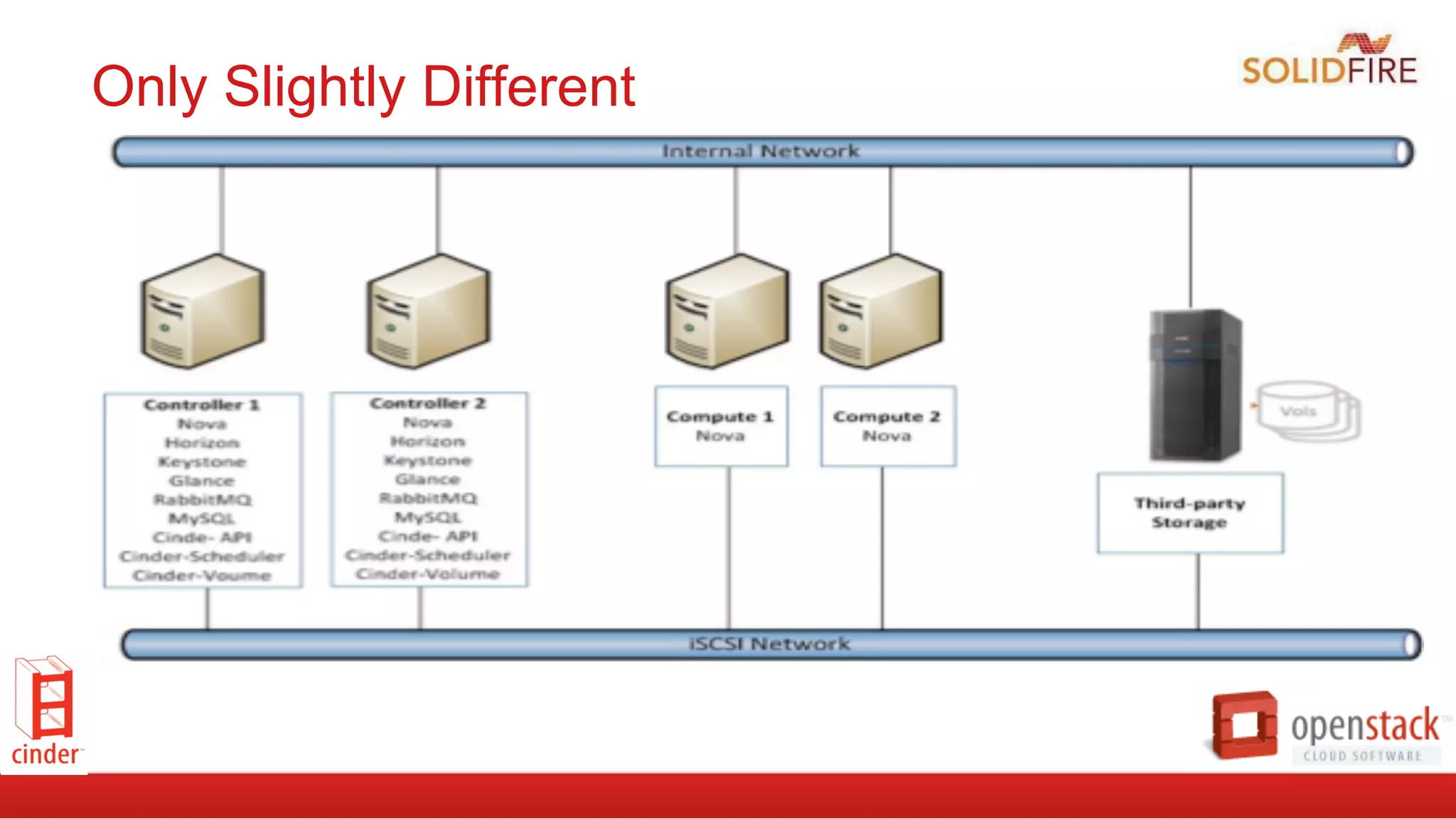
Only Slightly Different
cinder.conf file entries
#Append	
  to	
  /etc/cinder.conf	
  
enabled_backends=lvm,solidfire	
  
default_volume_type=SolidFire	
  
[lvm]	
  
volume_group=cinder_volumes	
  
volume_driver=cinder.volume.drivers.lvm.LVMISCSIDriver	
  
volume_backend_name=LVM_iSCSI	
  
[solidfire]	
  
volume_driver=cinder.volume.drivers.solidfire.SolidFire	
  
san_ip=192.168.138.180	
  
san_login=admin	
  
san_password=solidfire	
  
volume_backend_name=SolidFire	
  
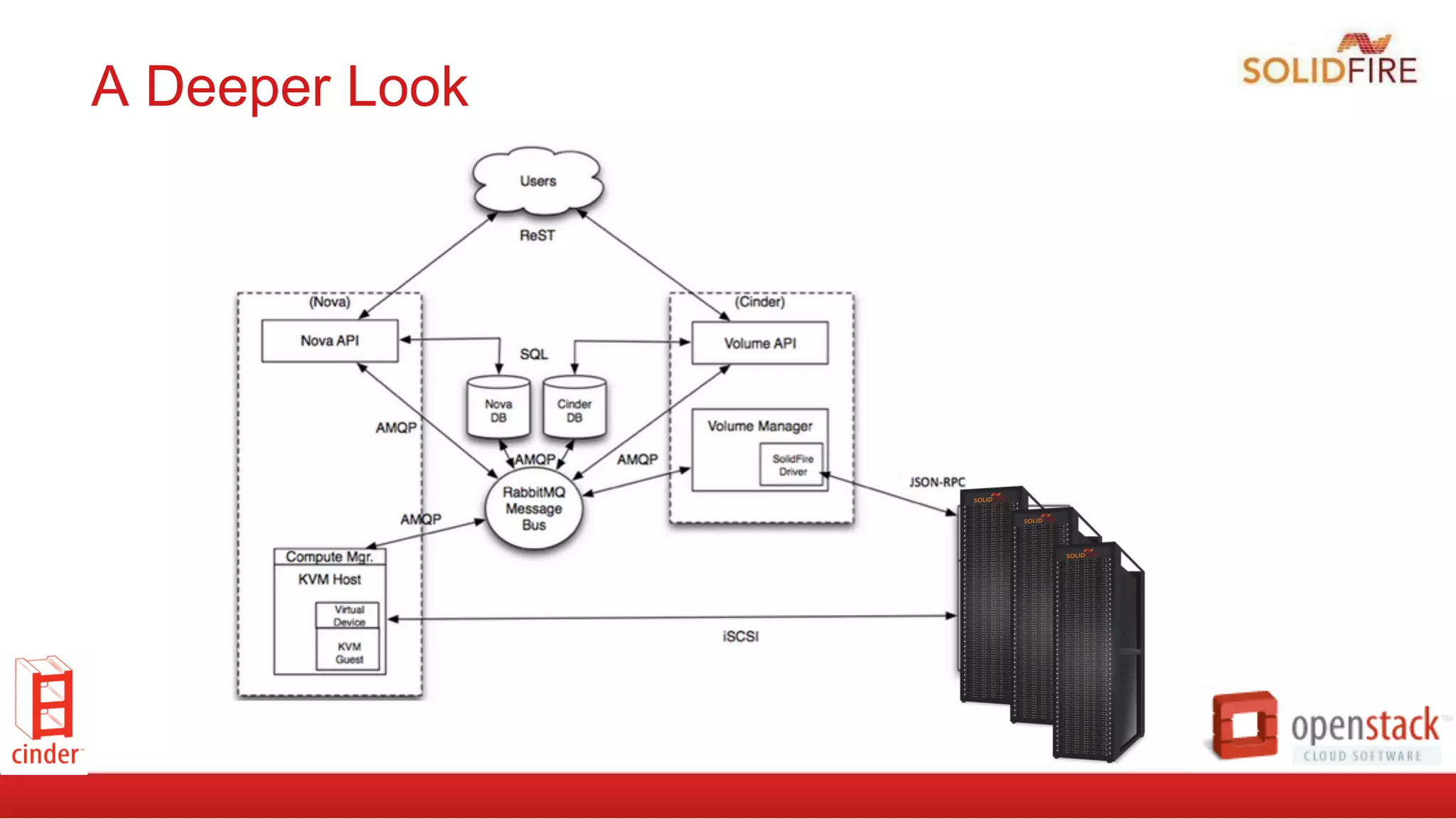
A Deeper Look
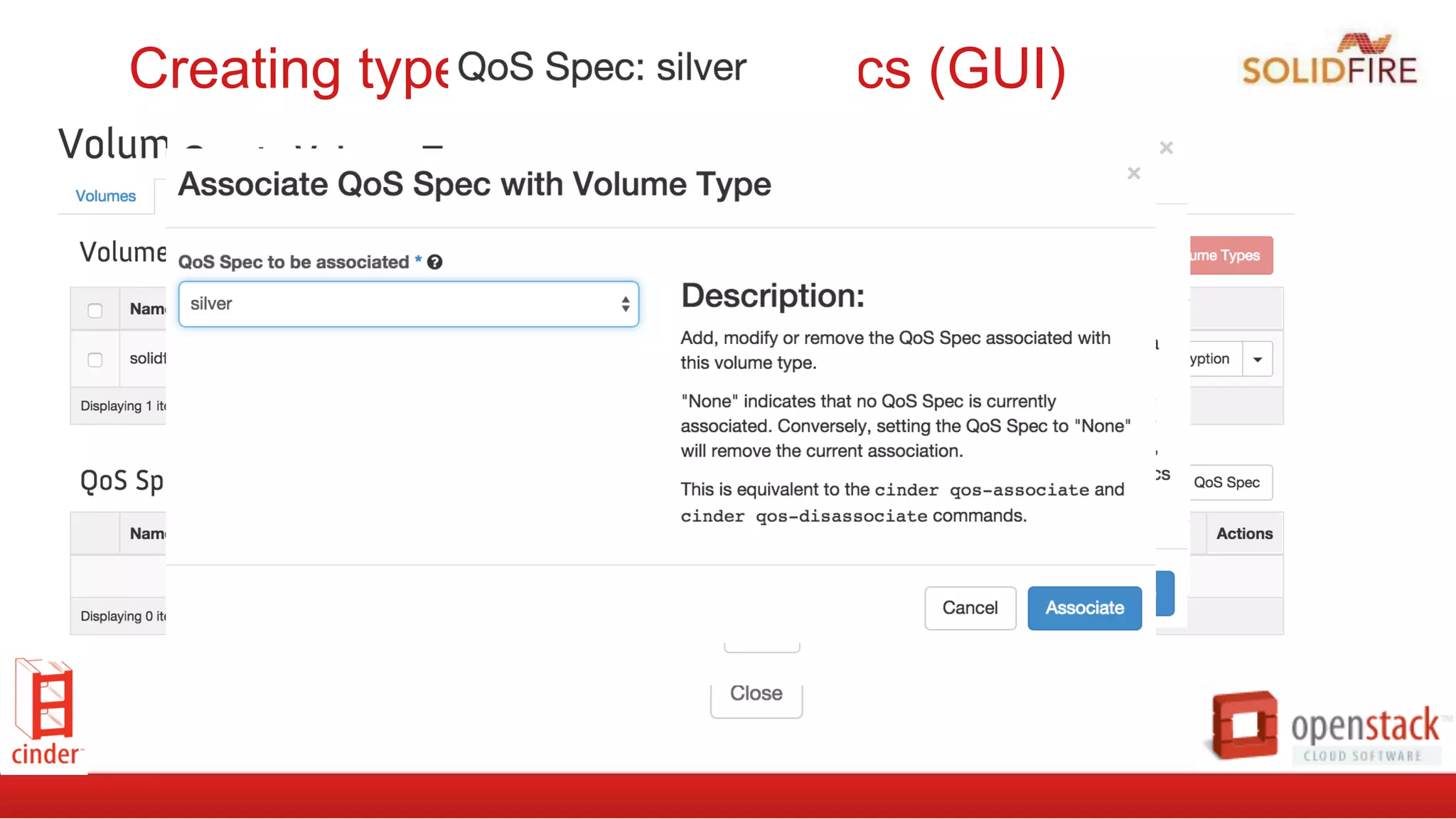
Creating types and extra-specs (GUI)
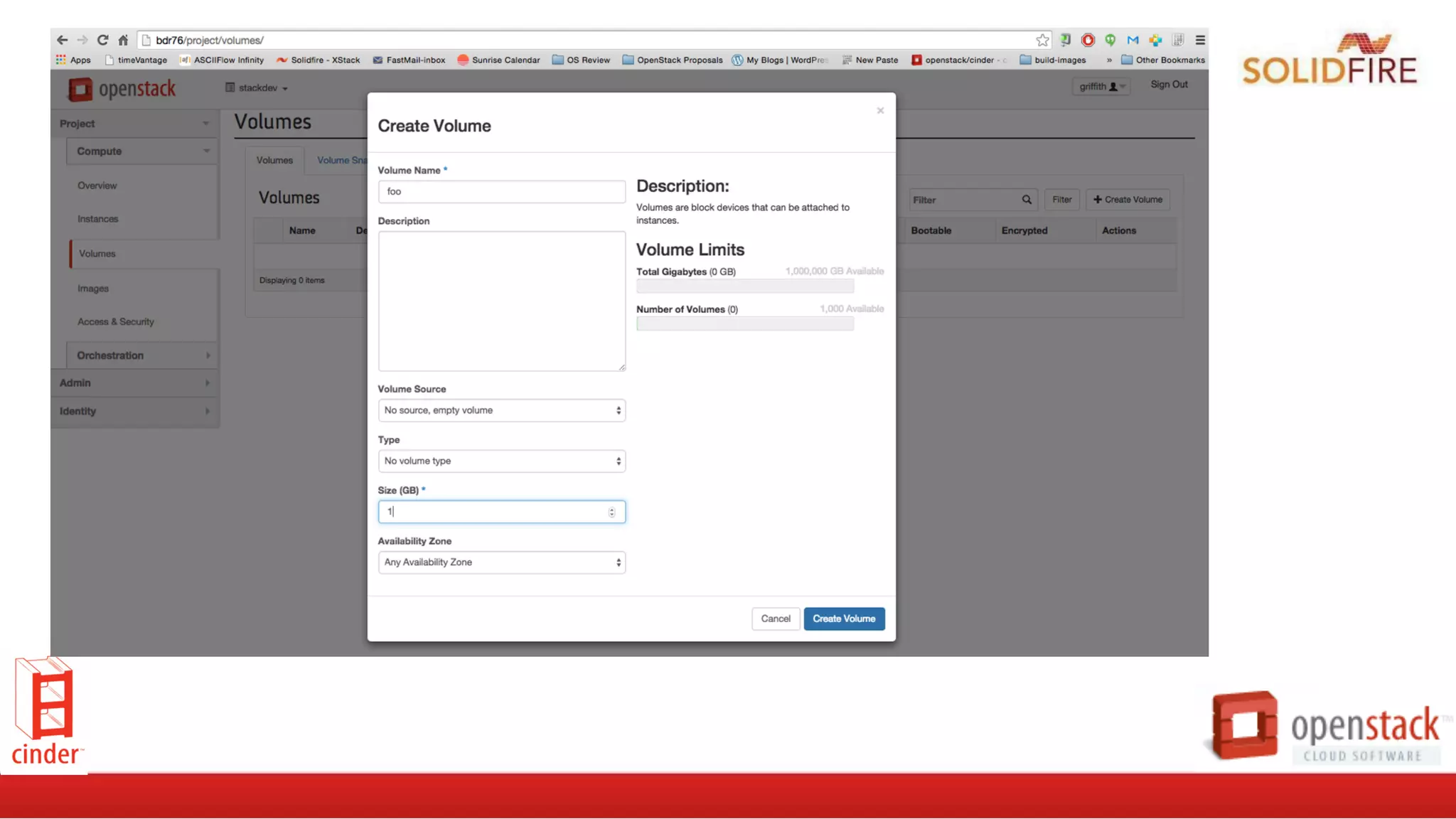
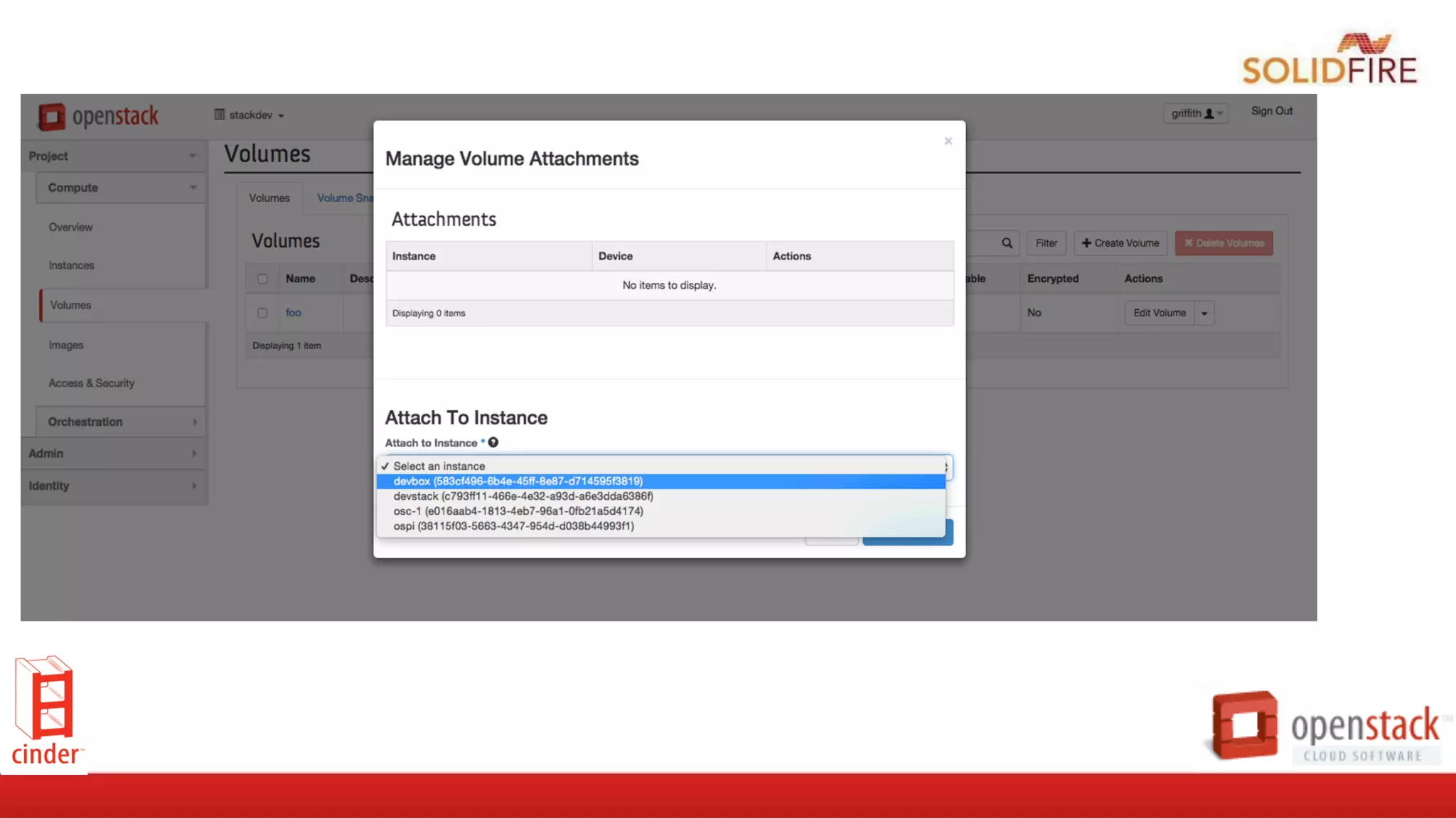
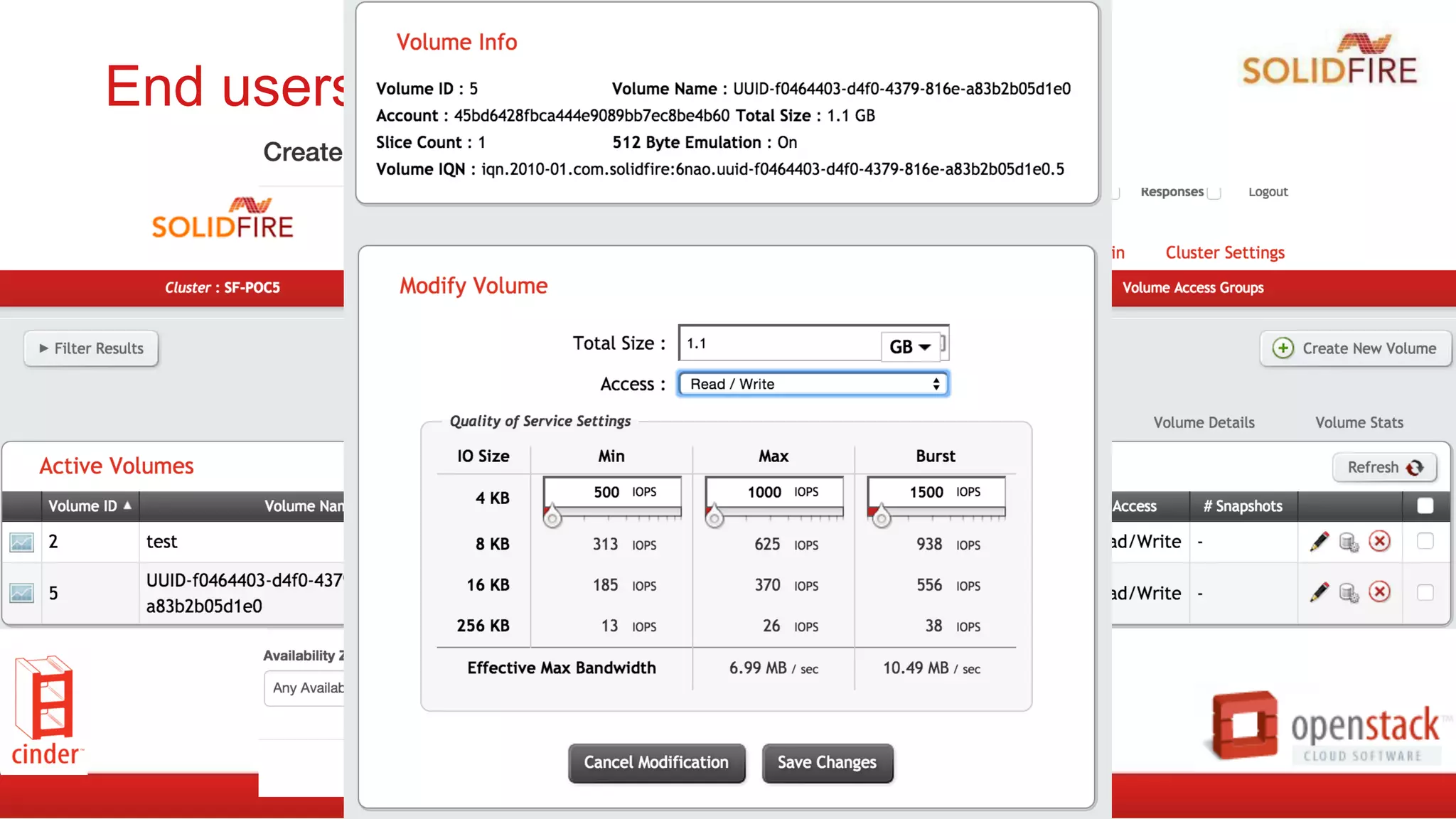
End users perspective (GUI)
Web UI’s are neat, but automation rules!
	
  
ebalduf@bdr76	
  ~	
  $	
  cinder	
  create	
  -­‐-­‐volume-­‐type	
  SF-­‐Silver	
  –-­‐display-­‐name	
  MyVolume	
  100	
  
or in code:
>>>	
  from	
  cinderclient.v2	
  import	
  client	
  
>>>	
  cc	
  =	
  client.Client(USER,	
  PASS,	
  TENANT,	
  AUTH_URL,	
  service_type="volume")	
  
>>>	
  cc.volumes.create(100,	
  volume_type=f76f2fbf-­‐f5cf-­‐474f-­‐9863-­‐31f170a29b74)	
  
[...]	
  
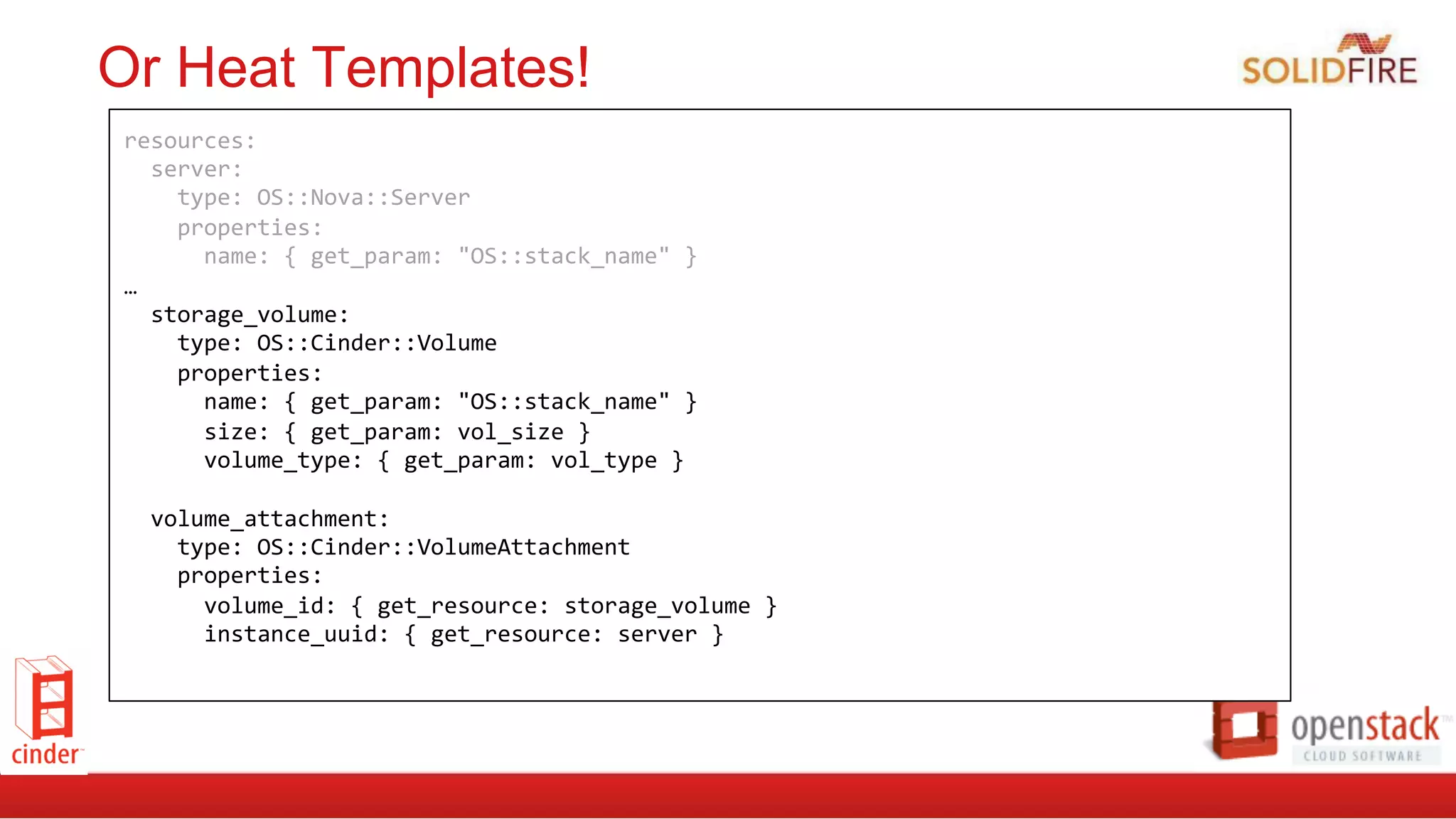
Or Heat Templates!
resources:	


  server:	


  type:	
  OS::Nova::Server	


  properties:	


  name:	
  {	
  get_param:	
  "OS::stack_name"	
  }	


…	


  storage_volume:	


  type:	
  OS::Cinder::Volume	


  properties:	


  name:	
  {	
  get_param:	
  "OS::stack_name"	
  }	


  size:	
  {	
  get_param:	
  vol_size	
  }	


  volume_type:	
  {	
  get_param:	
  vol_type	
  }	


  volume_attachment:	


  type:	
  OS::Cinder::VolumeAttachment	


  properties:	


  volume_id:	
  {	
  get_resource:	
  storage_volume	
  }	


  instance_uuid:	
  {	
  get_resource:	
  server	
  }
Where is Cinder headed next?
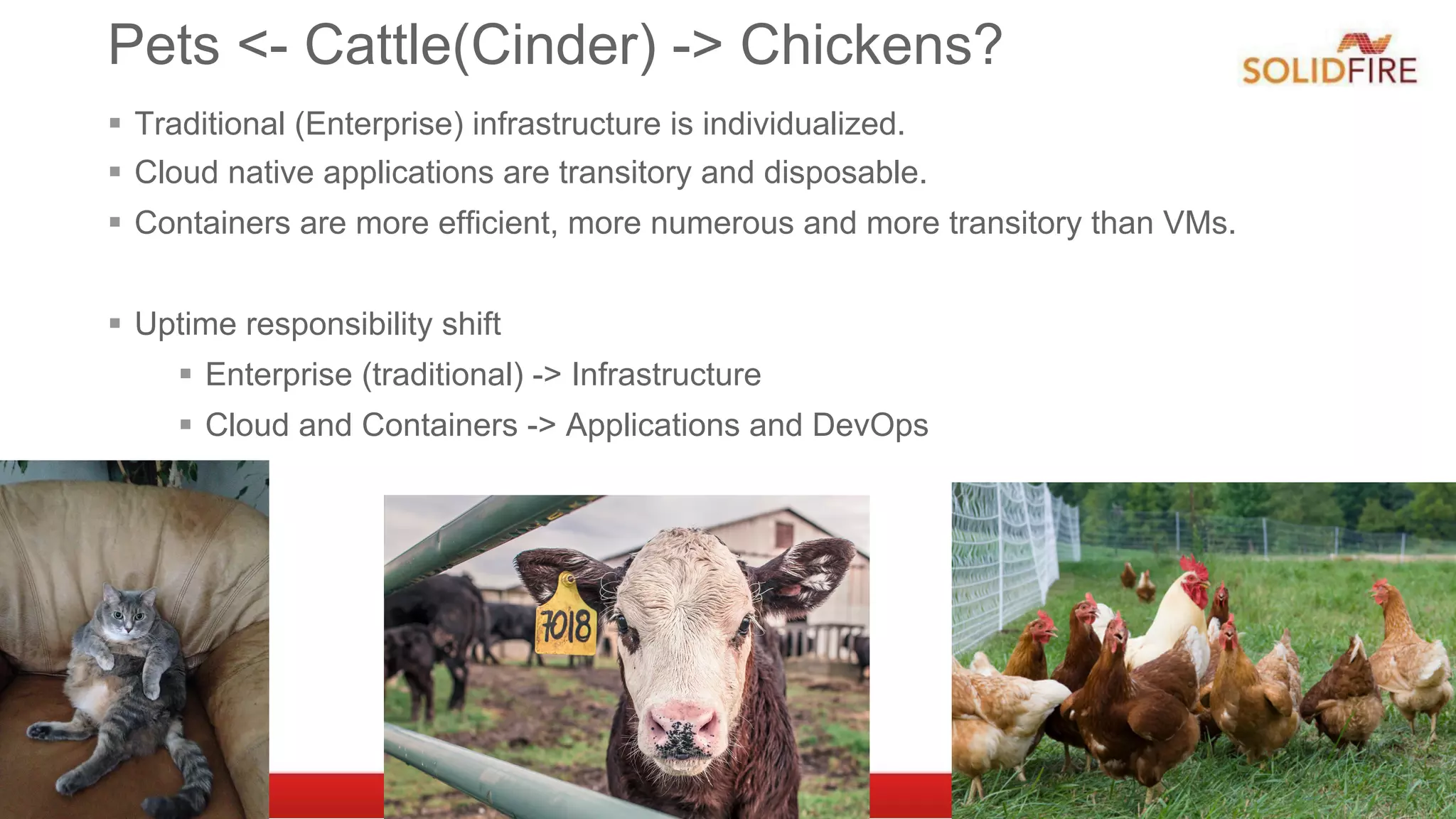
Pets <- Cattle(Cinder) -> Chickens?
§  Traditional (Enterprise) infrastructure is individualized.
§  Cloud native applications are transitory and disposable.
§  Containers are more efficient, more numerous and more transitory than VMs.
§  Uptime responsibility shift
§  Enterprise (traditional) -> Infrastructure
§  Cloud and Containers -> Applications and DevOps
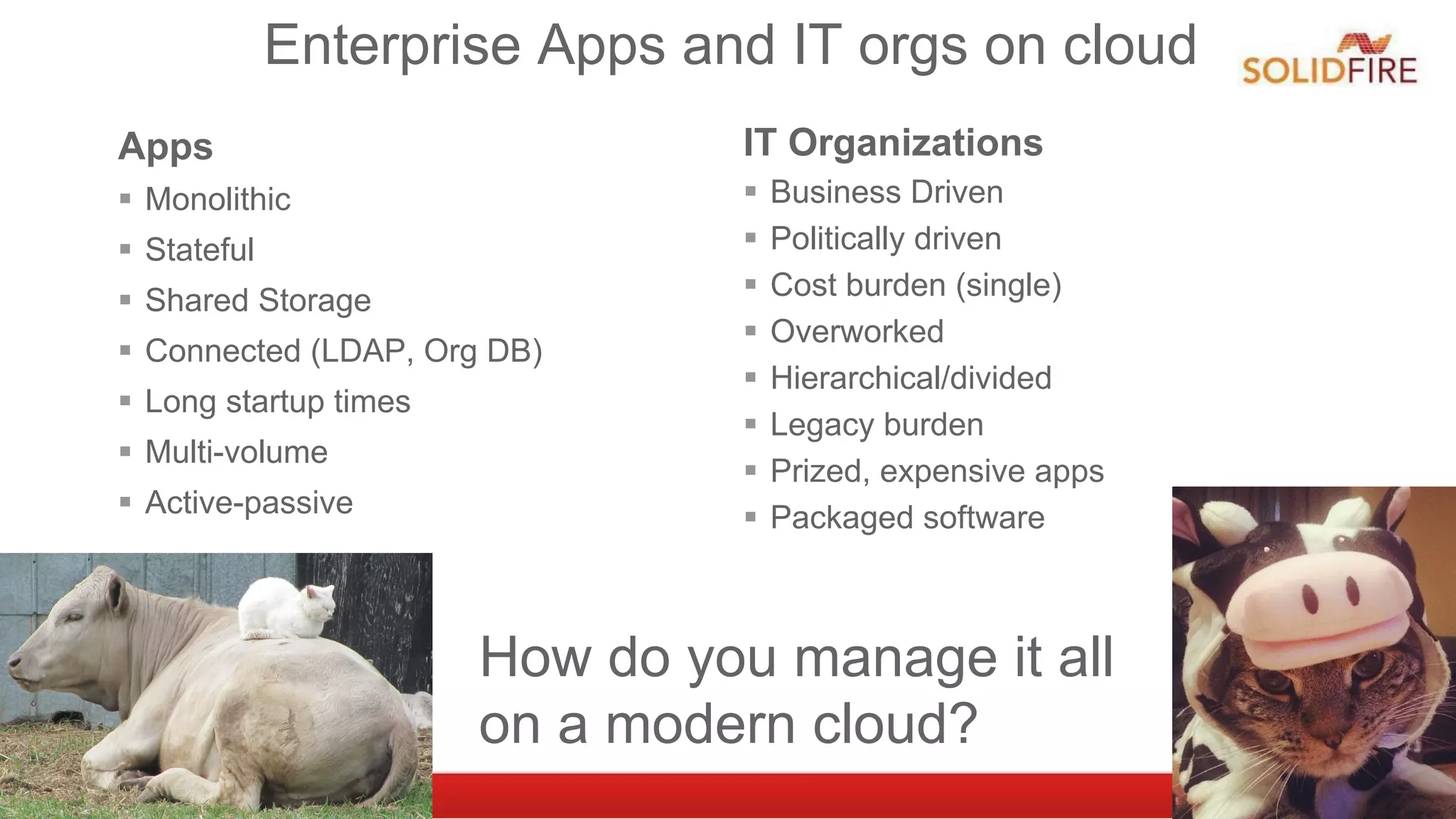
Enterprise Apps and IT orgs on cloud
Apps
§  Monolithic
§  Stateful
§  Shared Storage
§  Connected (LDAP, Org DB)
§  Long startup times
§  Multi-volume
§  Active-passive
IT Organizations
§  Business Driven
§  Politically driven
§  Cost burden (single)
§  Overworked
§  Hierarchical/divided
§  Legacy burden
§  Prized, expensive apps
§  Packaged software
How do you manage it all
on a modern cloud?
Protecting Legacy Apps in the Cloud
§  Live Migration
§  Available in OpenStack today on both shared storage and block storage.
§  Some drivers are broke.
§  Replication
§  V1 in Kilo, V2 in work for Liberty.
§  Fibre Channel
§  Available in OpenStack today. 24 drivers of 37 block drivers as of 8/19
§  HA connections and Multi-Attach
§  HA: in process, maybe for Liberty.
§  Multi-attach: Cinder -> Liberty, Nova -> Mitaka (maybe)
§  Consistency Groups
§  In Juno. Only 6 drivers as of Kilo
§  Backup
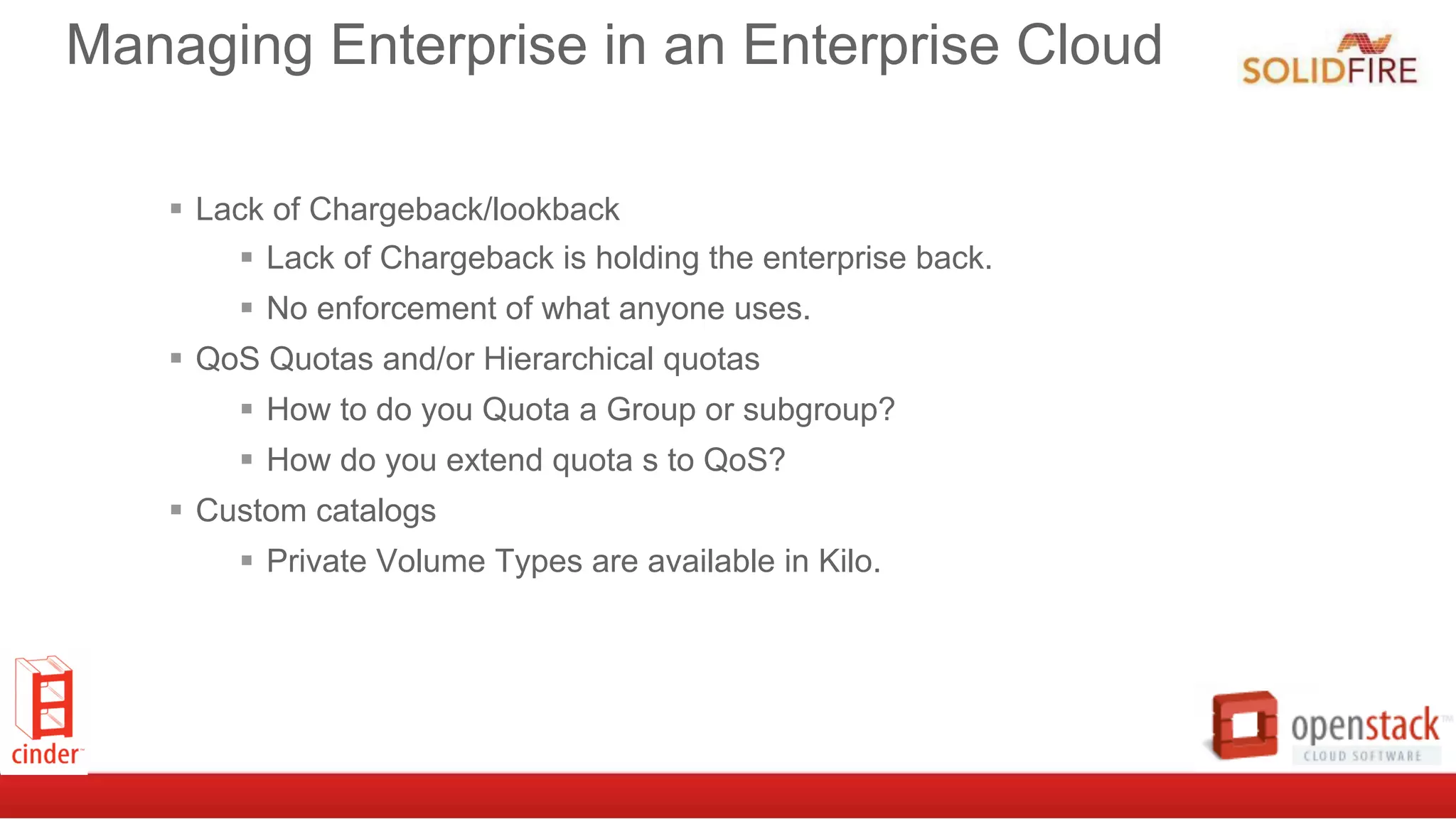
Managing Enterprise in an Enterprise Cloud
§  Lack of Chargeback/lookback
§  Lack of Chargeback is holding the enterprise back.
§  No enforcement of what anyone uses.
§  QoS Quotas and/or Hierarchical quotas
§  How to do you Quota a Group or subgroup?
§  How do you extend quota s to QoS?
§  Custom catalogs
§  Private Volume Types are available in Kilo.
“No matter how much we try to change the
expectation of users to align with ‘cloud,’ they
still complain when I reboot things.
So I gotta have live migration.”
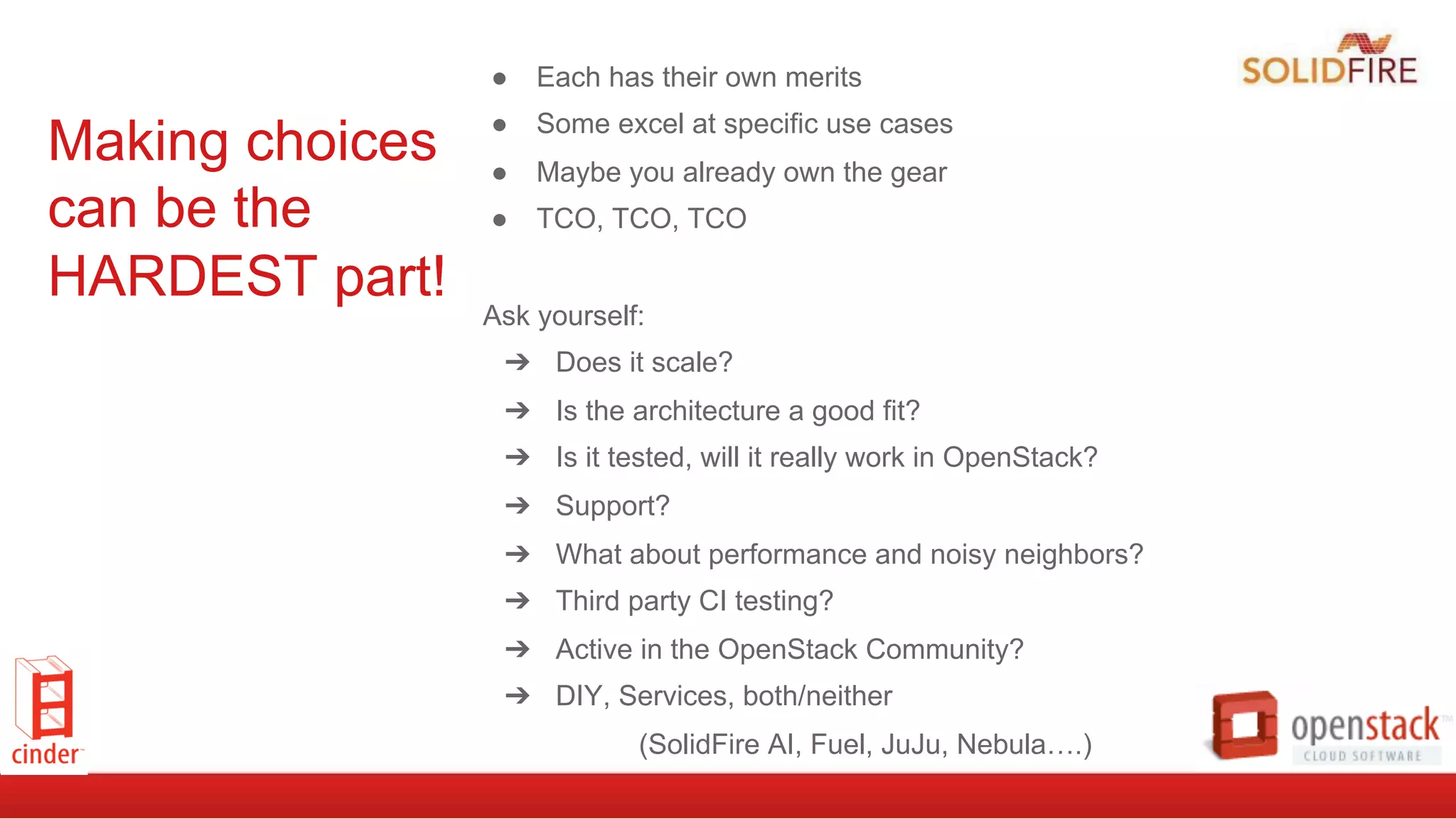
Making choices
can be the
HARDEST part!
●  Each has their own merits
●  Some excel at specific use cases
●  Maybe you already own the gear
●  TCO, TCO, TCO
Ask yourself:
➔  Does it scale?
➔  Is the architecture a good fit?
➔  Is it tested, will it really work in OpenStack?
➔  Support?
➔  What about performance and noisy neighbors?
➔  Third party CI testing?
➔  Active in the OpenStack Community?
➔  DIY, Services, both/neither
(SolidFire AI, Fuel, JuJu, Nebula….)
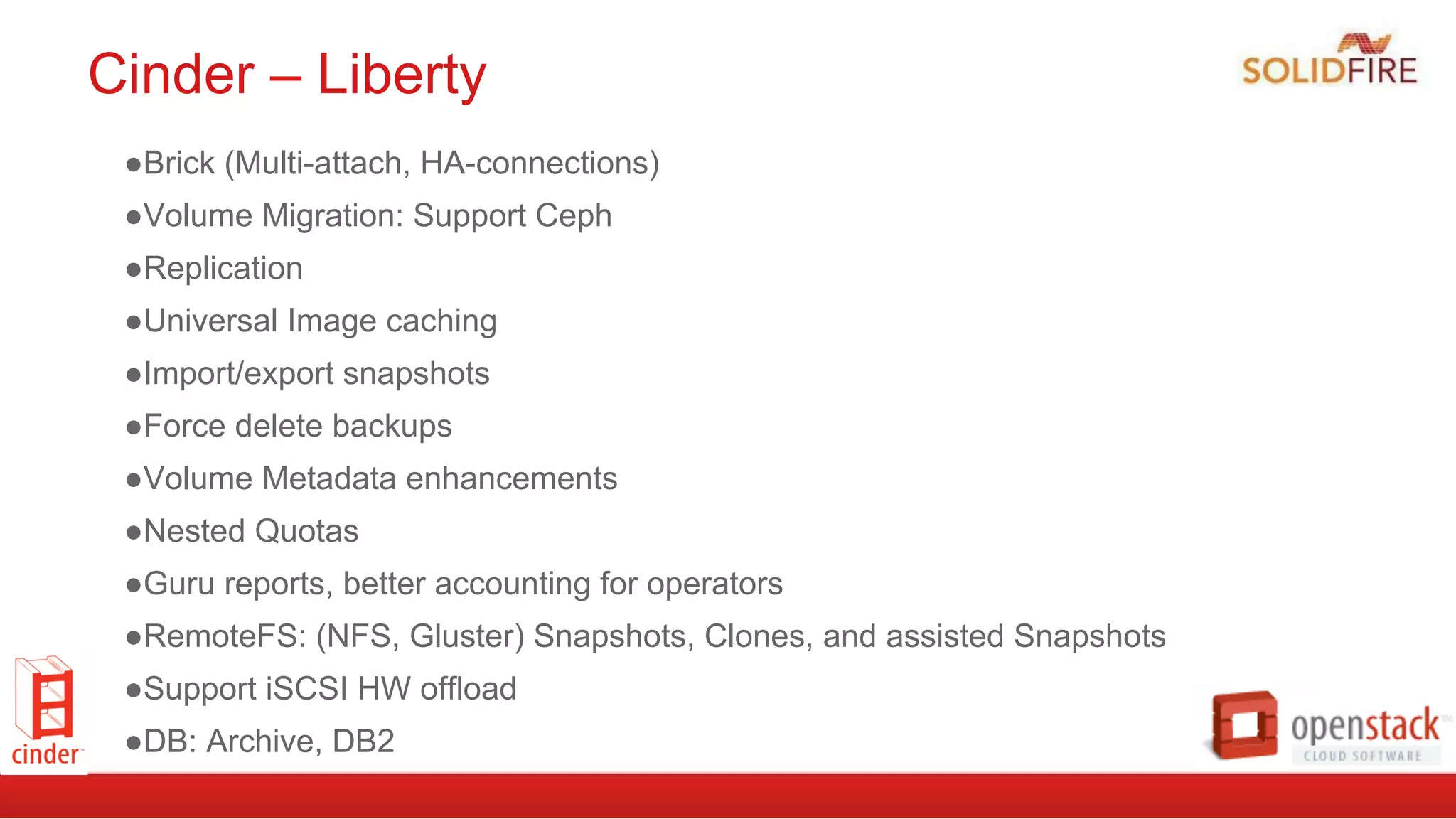
Cinder – Liberty
● Brick (Multi-attach, HA-connections)
● Volume Migration: Support Ceph
● Replication
● Universal Image caching
● Import/export snapshots
● Force delete backups
● Volume Metadata enhancements
● Nested Quotas
● Guru reports, better accounting for operators
● RemoteFS: (NFS, Gluster) Snapshots, Clones, and assisted Snapshots
● Support iSCSI HW offload
● DB: Archive, DB2
The All-Flash Array for the
Next Generation Data Center
A few words from our sponsor...
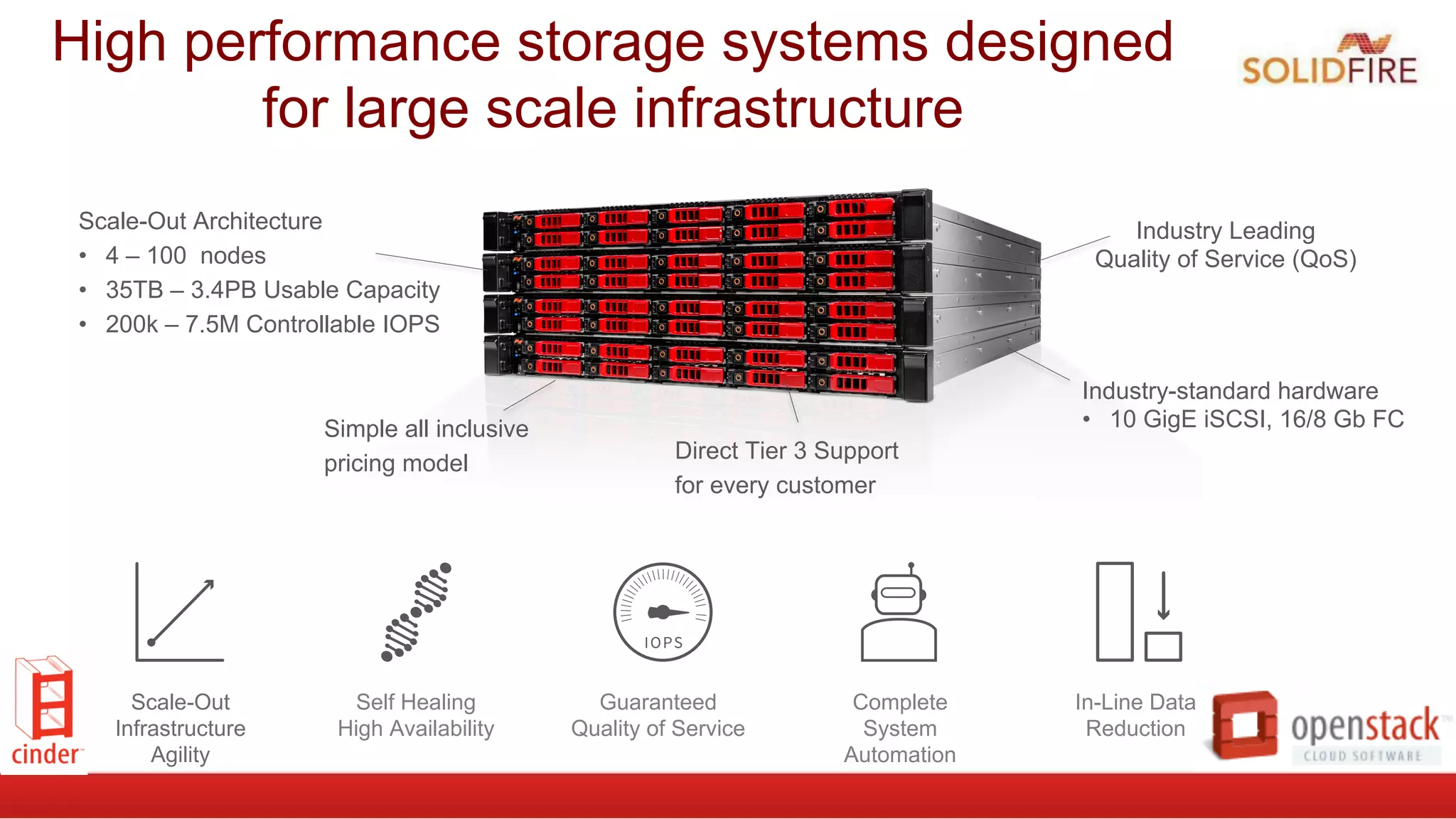
High performance storage systems designed
for large scale infrastructure
Industry Leading
Quality of Service (QoS)
Scale-Out Architecture
•  4 – 100 nodes
•  35TB – 3.4PB Usable Capacity
•  200k – 7.5M Controllable IOPS
Simple all inclusive
pricing model
Direct Tier 3 Support
for every customer
Industry-standard hardware
•  10 GigE iSCSI, 16/8 Gb FC
Scale-Out
Infrastructure
Agility
Guaranteed
Quality of Service
Complete
System
Automation
In-Line Data
Reduction
Self Healing
High Availability
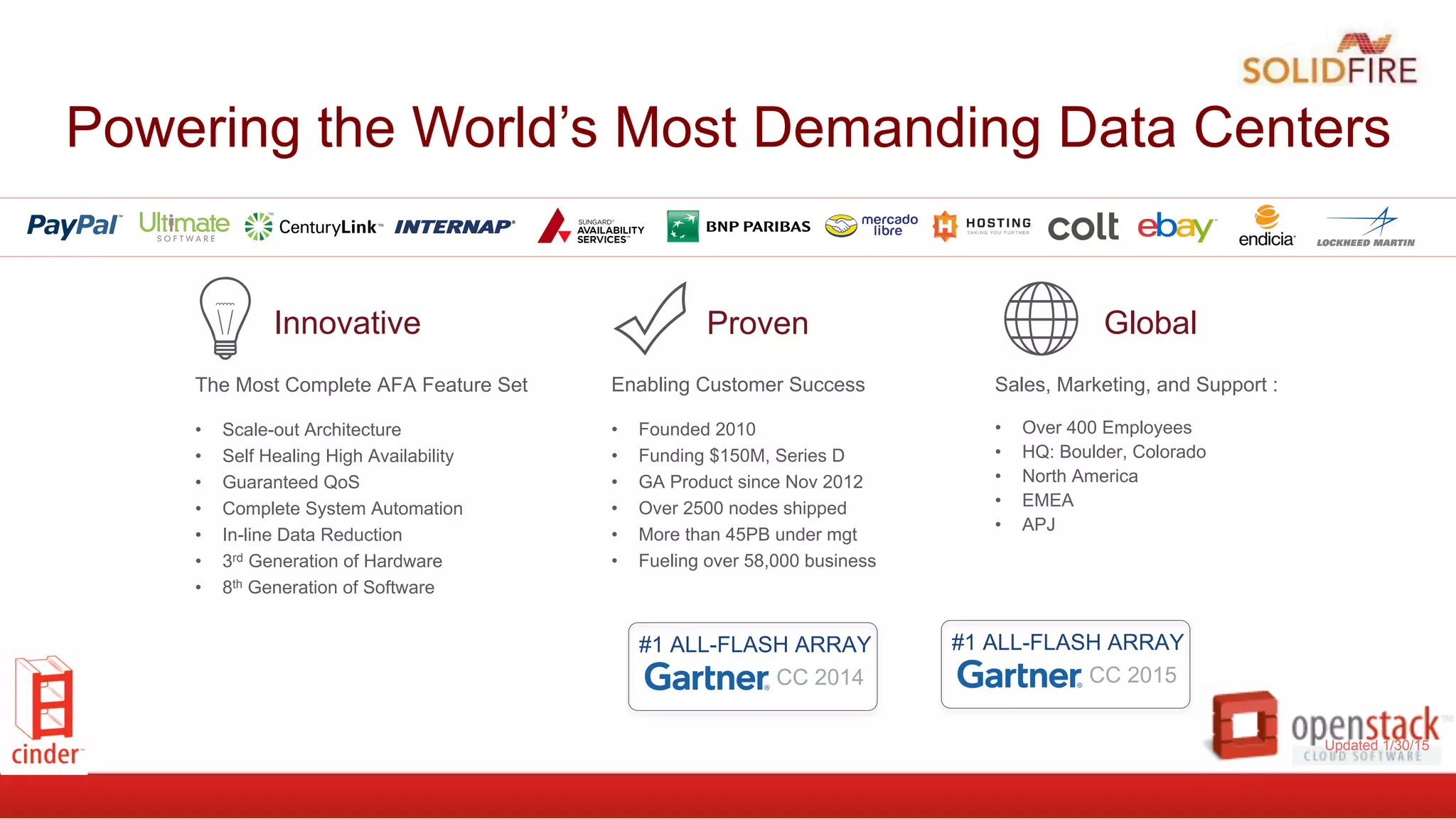
Powering the World’s Most Demanding Data Centers
The Most Complete AFA Feature Set
•  Scale-out Architecture
•  Self Healing High Availability
•  Guaranteed QoS
•  Complete System Automation
•  In-line Data Reduction
•  3rd Generation of Hardware
•  8th Generation of Software
Innovative
Sales, Marketing, and Support :
•  Over 400 Employees
•  HQ: Boulder, Colorado
•  North America
•  EMEA
•  APJ
Global
Enabling Customer Success
•  Founded 2010
•  Funding $150M, Series D
•  GA Product since Nov 2012
•  Over 2500 nodes shipped
•  More than 45PB under mgt
•  Fueling over 58,000 business
Proven
#1 ALL-FLASH ARRAY
CC 2014
Updated 1/30/15
#1 ALL-FLASH ARRAY
CC 2015
Related
Resources
●  OpenStack Solution Page
●  OpenStack Solution Brief
●  SolidFire/Cinder Reference Architecture
●  OpenStack Configuration Guide
●  SolidFire/Rackspace Private Cloud
Implementation Guide
●  Video: Configuring OpenStack Block Storage w/
SolidFire
●  Blogs
●  OpenStack Summit Recap: Mindshare
Achieved, Market Share Must Follow
●  Separating from the Pack
●  Why OpenStack Matters
How to get
involved?
●  It’s Easy, Start Here
●  https://wiki.openstack.org/wiki/
How_To_Contribute
●  Any questions?
●  Technical
●  ed.balduf@solidfire.com
●  Partnership
●  mcclain.buggle@solidfire.com
●  Sales
●  sales@solidfire.com
1620 Pearl Street,
Boulder, Colorado 80302
Phone: 720.523.3278
Email: info@solidfire.com
www.solidfire.com

OpenStack Cinder, Implementation Today and New Trends for Tomorrow

  • 1.
    OpenStack Block Storage Cinder– Implementations for Today and Trends for Tomorrow Ed Balduf, Cloud Solutions Architect - OpenStack, ed.balduf@solidfire.com @madskier5
  • 2.
    ●  Ephemeral ●  Non-Persistent ● Life Cycle coincides with an Instance ●  Usually local FS/QCOW file ●  Object ●  Manages data as.. well, an Object ●  Think photos, mp4’s etc ●  Typically “cheap and deep” ●  Commonly SWIFT ●  Shared FS ●  We all know and love NFS ●  My be managed by Manila ●  Glance??? OpenStack = Many Storage Pieces ●  Block ●  Foundation for the other types ●  Think raw disk ●  Typically higher performance ●  Cinder
  • 3.
  • 4.
    Cinder Mission Statement Toimplement services and libraries to provide on demand, self-service access to Block Storage resources. Provide Software Defined Block Storage via abstraction and automation on top of various traditional backend block storage devices. To put it another way... Virtualize various Block Storage devices and abstract them in to an easy self serve offering to allow end users to allocated and deploy storage resources on their own quickly and efficiently.
  • 5.
    How it works ● Plugin architecture, use your own vendors backend(s) or use the default ●  Backend devices invisible to end-user ●  Consistent API regardless of backend ●  Filter Scheduler let’s you get get fancy ●  expose differentiating features via custom volume-types and extra-specs
  • 8.
    Storage Services ● Extend Volume ● Snapshot/Clone ● ChangeVolume type ● Backup/Restore ● Create Image/upload Image ● Manage/Unmanage ● Migrate ● Replication? ● Consistency Groups?
  • 9.
    Reference Implementation Included ● Includes code to provide a base implementation using LVM ●  Just add disks ●  Great for POC and getting started ●  Sometimes good enough ●  Might be lacking for your performance, H/A and Scaling needs (it all depends) ●  Can Scale by adding Nodes ●  Cinder-Volume Node utilizes it’s local disks (allocate by creating an LVM VG) ●  Cinder Volumes are LVM Logical Volumes, with an iSCSI target created for each ➔  Typical max size recommendations per VG/Cinder-Volume backend ~ 5 TB ➔  No Redundancy (yet)
  • 10.
    Look at adeployment
  • 11.
    Sometimes LVM Isn’tEnough •  CloudByte •  Coraid •  Datera •  Dell (Eql + Stor Cntr) •  EMC (VMAX, VNX, XtremeIO) •  Fujitsu Eternus •  GlusterFS •  Hitachi (HUS, HUS-VM, VSP, HNAS) •  HP (3PAR, LeftHand, MSA) •  Huawei T (v1, v2, v3) •  IBM (DS8K, GPFS, StoreWize, NAS, XIV) •  LVM (reference) •  NTAP (FAS, E-series) •  Nexenta •  NFS (reference) * •  Nimble Storage •  Pure Storage •  Quobyte •  RBD (Ceph) •  Scality •  SMB •  StorPool •  SolidFire •  Symantec •  Tintri •  Violin Memory •  Vmware •  Windows Srv 2012 * •  X-IO Tech •  Zandara •  Solaris (ZFS) * •  ProphetStor * Partial Plugin Architecture gives you choices (maybe too many) and you can mix them together:
  • 12.
  • 13.
    cinder.conf file entries #Append  to  /etc/cinder.conf   enabled_backends=lvm,solidfire   default_volume_type=SolidFire   [lvm]   volume_group=cinder_volumes   volume_driver=cinder.volume.drivers.lvm.LVMISCSIDriver   volume_backend_name=LVM_iSCSI   [solidfire]   volume_driver=cinder.volume.drivers.solidfire.SolidFire   san_ip=192.168.138.180   san_login=admin   san_password=solidfire   volume_backend_name=SolidFire  
  • 14.
  • 15.
    Creating types andextra-specs (GUI)
  • 16.
  • 17.
    Web UI’s areneat, but automation rules!   ebalduf@bdr76  ~  $  cinder  create  -­‐-­‐volume-­‐type  SF-­‐Silver  –-­‐display-­‐name  MyVolume  100   or in code: >>>  from  cinderclient.v2  import  client   >>>  cc  =  client.Client(USER,  PASS,  TENANT,  AUTH_URL,  service_type="volume")   >>>  cc.volumes.create(100,  volume_type=f76f2fbf-­‐f5cf-­‐474f-­‐9863-­‐31f170a29b74)   [...]  
  • 18.
    Or Heat Templates! resources:      server:          type:  OS::Nova::Server          properties:              name:  {  get_param:  "OS::stack_name"  }             …      storage_volume:          type:  OS::Cinder::Volume          properties:              name:  {  get_param:  "OS::stack_name"  }              size:  {  get_param:  vol_size  }              volume_type:  {  get_param:  vol_type  }        volume_attachment:          type:  OS::Cinder::VolumeAttachment          properties:              volume_id:  {  get_resource:  storage_volume  }              instance_uuid:  {  get_resource:  server  }
  • 19.
    Where is Cinderheaded next?
  • 20.
    Pets <- Cattle(Cinder)-> Chickens? §  Traditional (Enterprise) infrastructure is individualized. §  Cloud native applications are transitory and disposable. §  Containers are more efficient, more numerous and more transitory than VMs. §  Uptime responsibility shift §  Enterprise (traditional) -> Infrastructure §  Cloud and Containers -> Applications and DevOps
  • 21.
    Enterprise Apps andIT orgs on cloud Apps §  Monolithic §  Stateful §  Shared Storage §  Connected (LDAP, Org DB) §  Long startup times §  Multi-volume §  Active-passive IT Organizations §  Business Driven §  Politically driven §  Cost burden (single) §  Overworked §  Hierarchical/divided §  Legacy burden §  Prized, expensive apps §  Packaged software How do you manage it all on a modern cloud?
  • 22.
    Protecting Legacy Appsin the Cloud §  Live Migration §  Available in OpenStack today on both shared storage and block storage. §  Some drivers are broke. §  Replication §  V1 in Kilo, V2 in work for Liberty. §  Fibre Channel §  Available in OpenStack today. 24 drivers of 37 block drivers as of 8/19 §  HA connections and Multi-Attach §  HA: in process, maybe for Liberty. §  Multi-attach: Cinder -> Liberty, Nova -> Mitaka (maybe) §  Consistency Groups §  In Juno. Only 6 drivers as of Kilo §  Backup
  • 23.
    Managing Enterprise inan Enterprise Cloud §  Lack of Chargeback/lookback §  Lack of Chargeback is holding the enterprise back. §  No enforcement of what anyone uses. §  QoS Quotas and/or Hierarchical quotas §  How to do you Quota a Group or subgroup? §  How do you extend quota s to QoS? §  Custom catalogs §  Private Volume Types are available in Kilo.
  • 24.
    “No matter howmuch we try to change the expectation of users to align with ‘cloud,’ they still complain when I reboot things. So I gotta have live migration.”
  • 25.
    Making choices can bethe HARDEST part! ●  Each has their own merits ●  Some excel at specific use cases ●  Maybe you already own the gear ●  TCO, TCO, TCO Ask yourself: ➔  Does it scale? ➔  Is the architecture a good fit? ➔  Is it tested, will it really work in OpenStack? ➔  Support? ➔  What about performance and noisy neighbors? ➔  Third party CI testing? ➔  Active in the OpenStack Community? ➔  DIY, Services, both/neither (SolidFire AI, Fuel, JuJu, Nebula….)
  • 26.
    Cinder – Liberty ● Brick(Multi-attach, HA-connections) ● Volume Migration: Support Ceph ● Replication ● Universal Image caching ● Import/export snapshots ● Force delete backups ● Volume Metadata enhancements ● Nested Quotas ● Guru reports, better accounting for operators ● RemoteFS: (NFS, Gluster) Snapshots, Clones, and assisted Snapshots ● Support iSCSI HW offload ● DB: Archive, DB2
  • 27.
    The All-Flash Arrayfor the Next Generation Data Center A few words from our sponsor...
  • 28.
    High performance storagesystems designed for large scale infrastructure Industry Leading Quality of Service (QoS) Scale-Out Architecture •  4 – 100 nodes •  35TB – 3.4PB Usable Capacity •  200k – 7.5M Controllable IOPS Simple all inclusive pricing model Direct Tier 3 Support for every customer Industry-standard hardware •  10 GigE iSCSI, 16/8 Gb FC Scale-Out Infrastructure Agility Guaranteed Quality of Service Complete System Automation In-Line Data Reduction Self Healing High Availability
  • 29.
    Powering the World’sMost Demanding Data Centers The Most Complete AFA Feature Set •  Scale-out Architecture •  Self Healing High Availability •  Guaranteed QoS •  Complete System Automation •  In-line Data Reduction •  3rd Generation of Hardware •  8th Generation of Software Innovative Sales, Marketing, and Support : •  Over 400 Employees •  HQ: Boulder, Colorado •  North America •  EMEA •  APJ Global Enabling Customer Success •  Founded 2010 •  Funding $150M, Series D •  GA Product since Nov 2012 •  Over 2500 nodes shipped •  More than 45PB under mgt •  Fueling over 58,000 business Proven #1 ALL-FLASH ARRAY CC 2014 Updated 1/30/15 #1 ALL-FLASH ARRAY CC 2015
  • 30.
    Related Resources ●  OpenStack SolutionPage ●  OpenStack Solution Brief ●  SolidFire/Cinder Reference Architecture ●  OpenStack Configuration Guide ●  SolidFire/Rackspace Private Cloud Implementation Guide ●  Video: Configuring OpenStack Block Storage w/ SolidFire ●  Blogs ●  OpenStack Summit Recap: Mindshare Achieved, Market Share Must Follow ●  Separating from the Pack ●  Why OpenStack Matters
  • 31.
    How to get involved? ● It’s Easy, Start Here ●  https://wiki.openstack.org/wiki/ How_To_Contribute ●  Any questions? ●  Technical ●  ed.balduf@solidfire.com ●  Partnership ●  mcclain.buggle@solidfire.com ●  Sales ●  sales@solidfire.com
  • 32.
    1620 Pearl Street, Boulder,Colorado 80302 Phone: 720.523.3278 Email: info@solidfire.com www.solidfire.com