Solving problems, the cloud way!
Peeyush Gupta
What is it?
● OpenStack is a cloud operating system that
controls large pools of compute, storage, and
networking resources throughout a datacenter,
all managed through a dashboard that gives
administrators control while empowering their
users to provision resources through a web
interface.(Got it!)
● Provides an Infrastructure as a Service (IaaS)
- Elasticity
- Virtualization
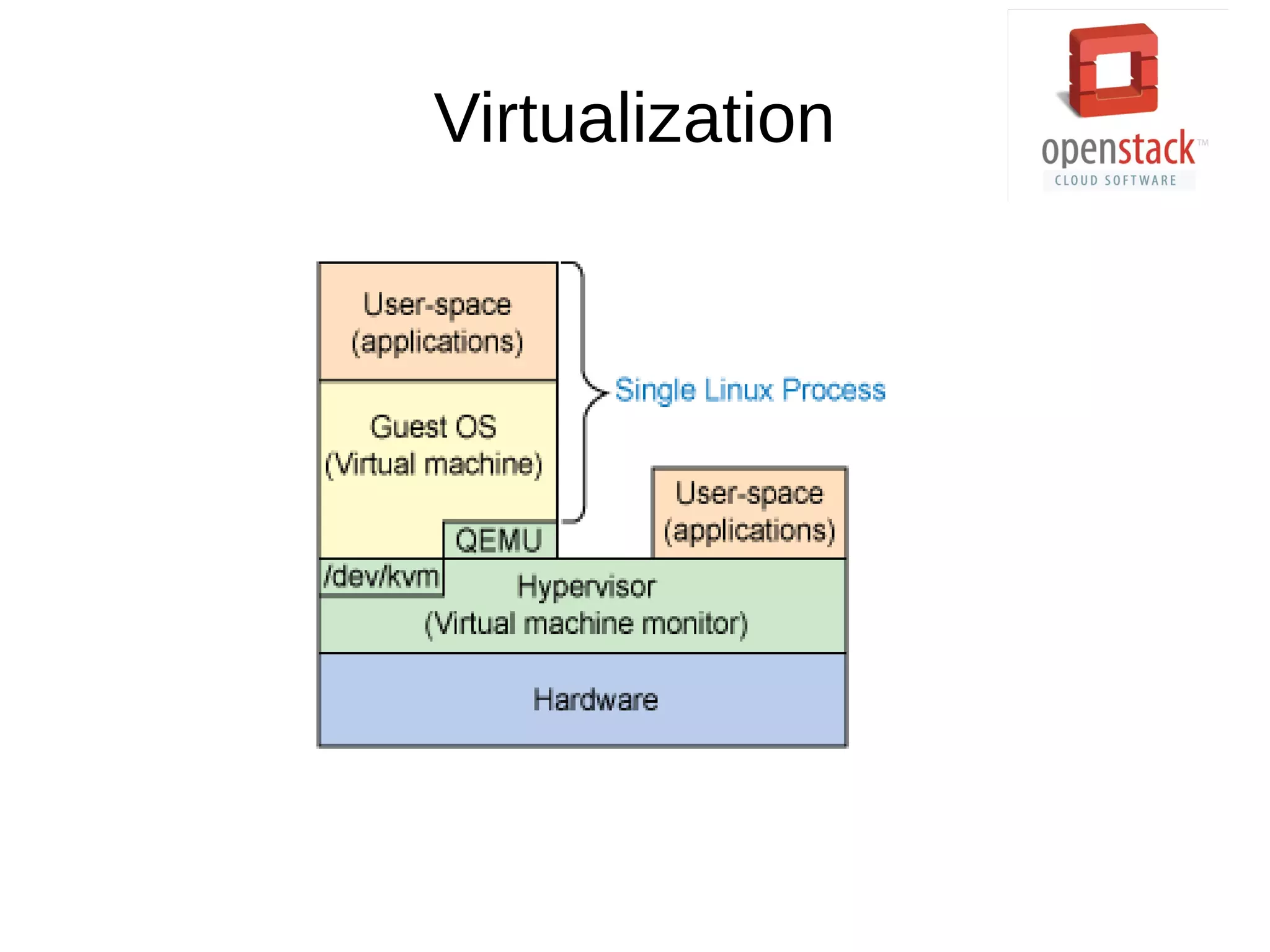
Virtualization
● Why?
- Efficiency
● How?
-Hypervisor
- KVM/QEMU/libvirt
Virtualization
7 Components
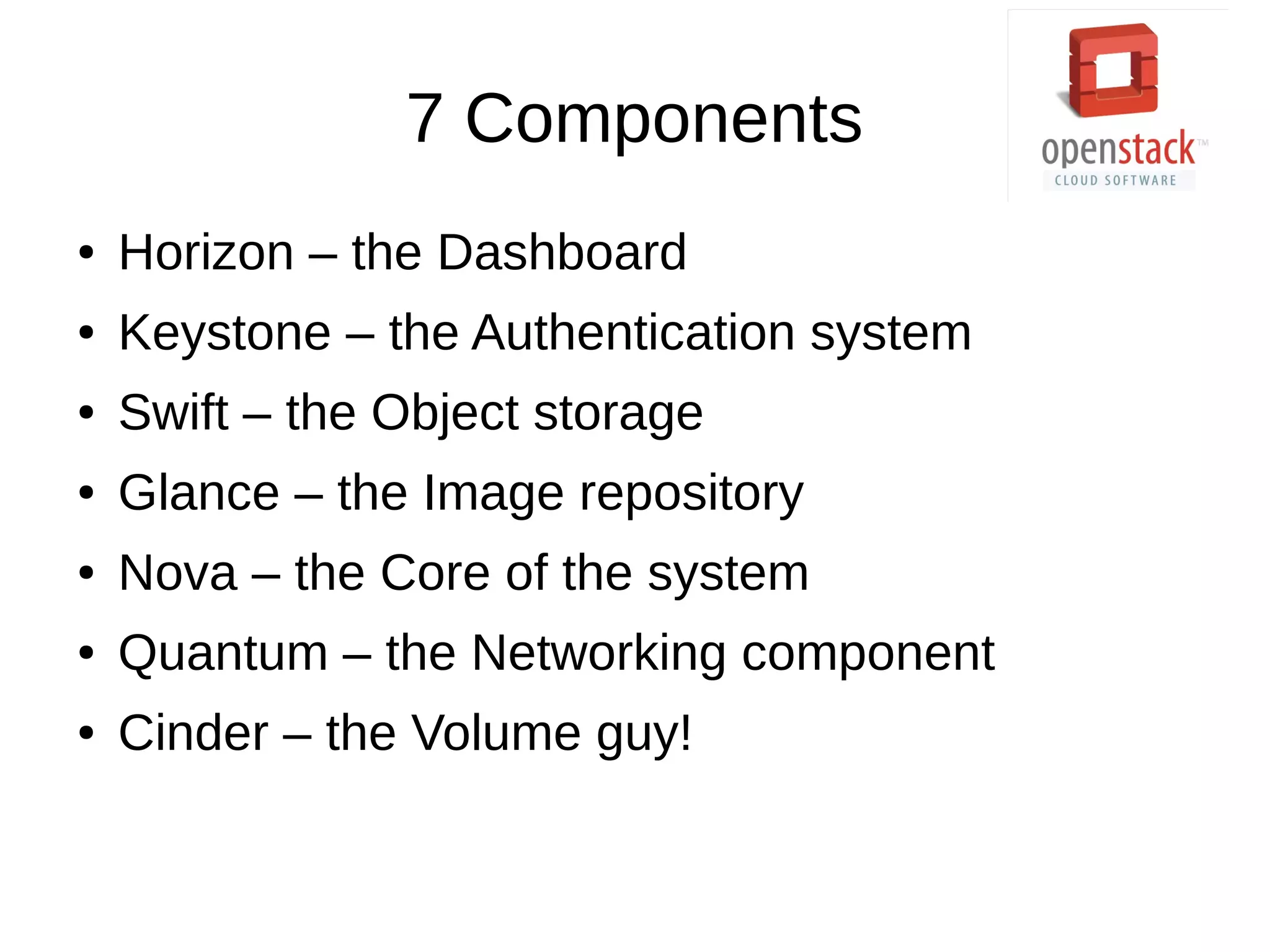
● Horizon – the Dashboard
● Keystone – the Authentication system
● Swift – the Object storage
● Glance – the Image repository
● Nova – the Core of the system
● Quantum – the Networking component
● Cinder – the Volume guy!
Communication
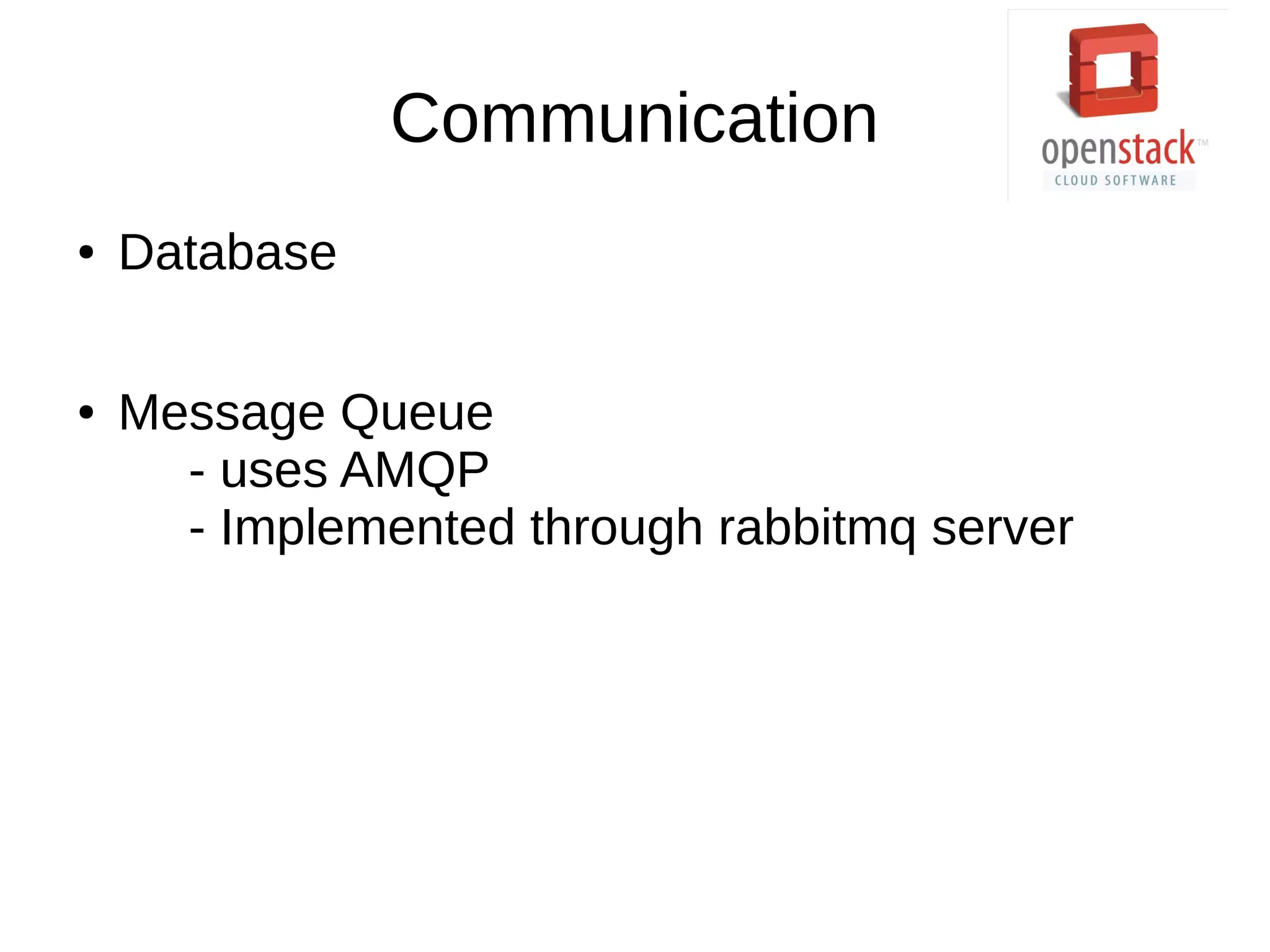
● Database
● Message Queue
- uses AMQP
- Implemented through rabbitmq server
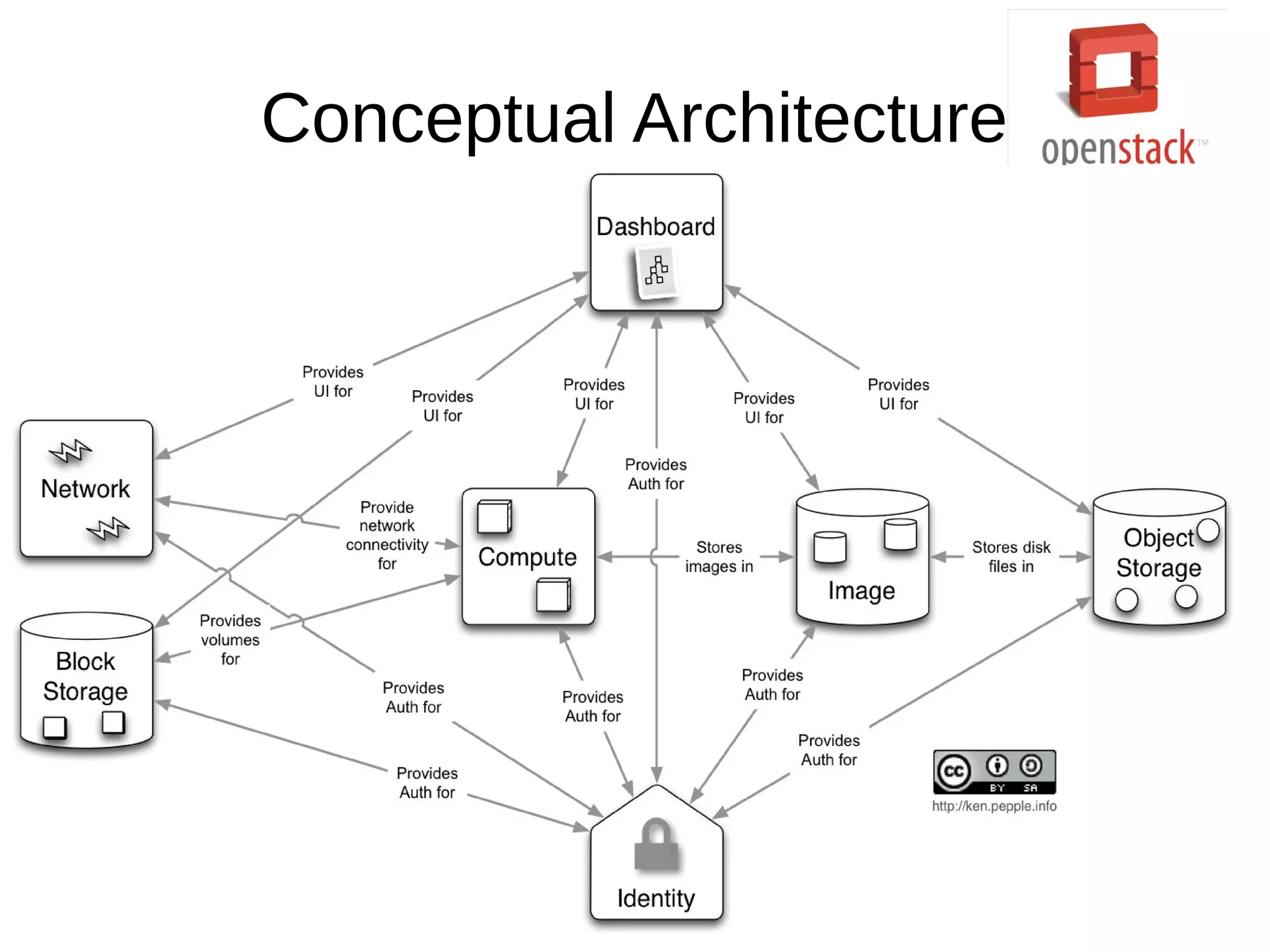
Conceptual Architecture
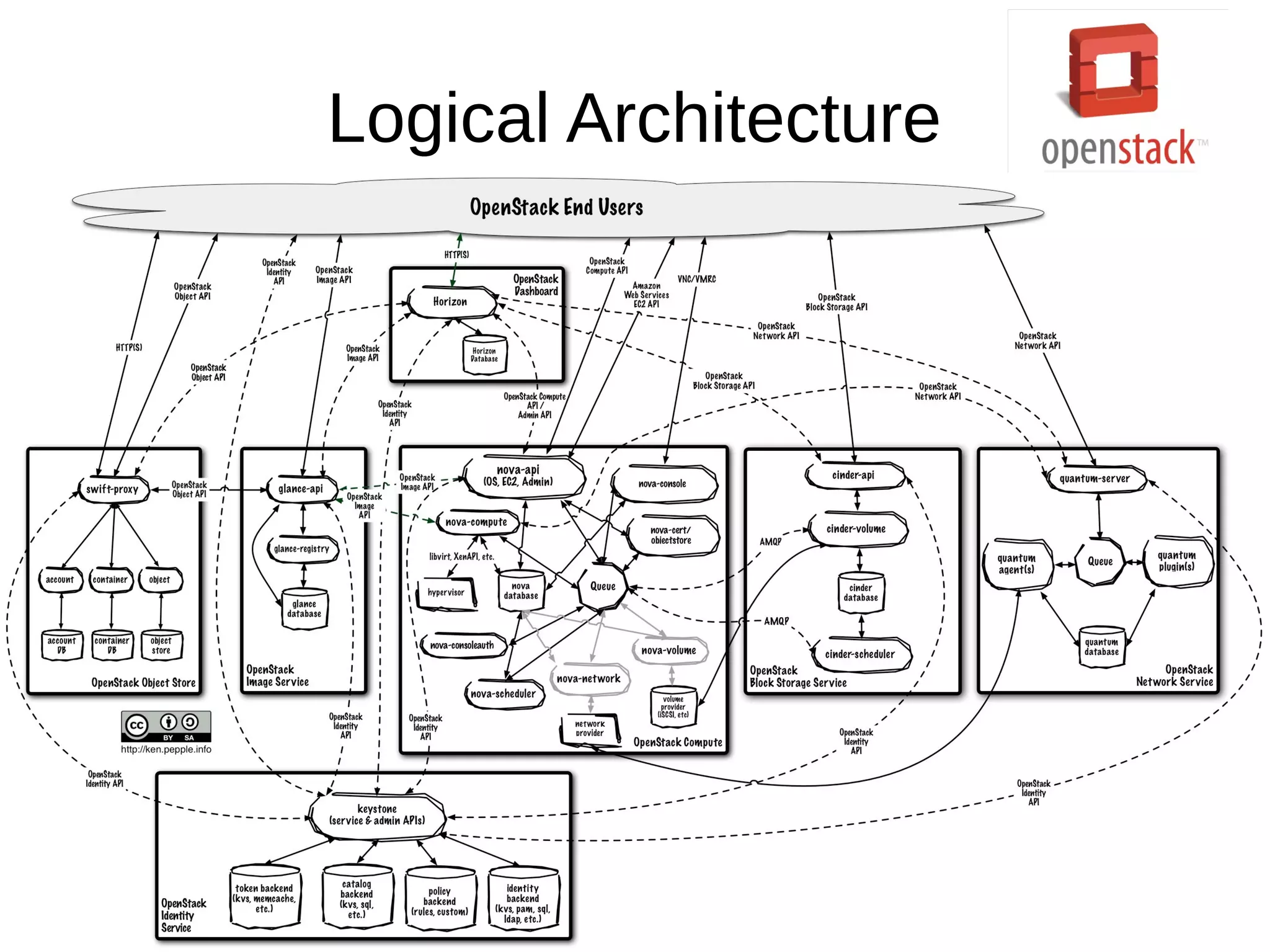
Logical Architecture
Nova
● The big daddy!
●
Responsible for storing, retrieving images from
Glance and running the instances.
● Provides virtual instances on demand.
Nova – the Components
● Nova-api : Talks to the user
● Nova-compute : creates/terminates VM
instances.
● Nova-volume : Volume guy, again!
● Nova-network : Performs networking tasks.
● Nova-scheduler : Determines on which host a
particular instance should run.
● Console Services
Nova – the Components
● Nova-network
- Floating and Fixed IPs
- Supports three kind of networking
- Flat
- Flat DHCP
- VLAN
● Nova-volume
- Used to add more storage to the running
instances.
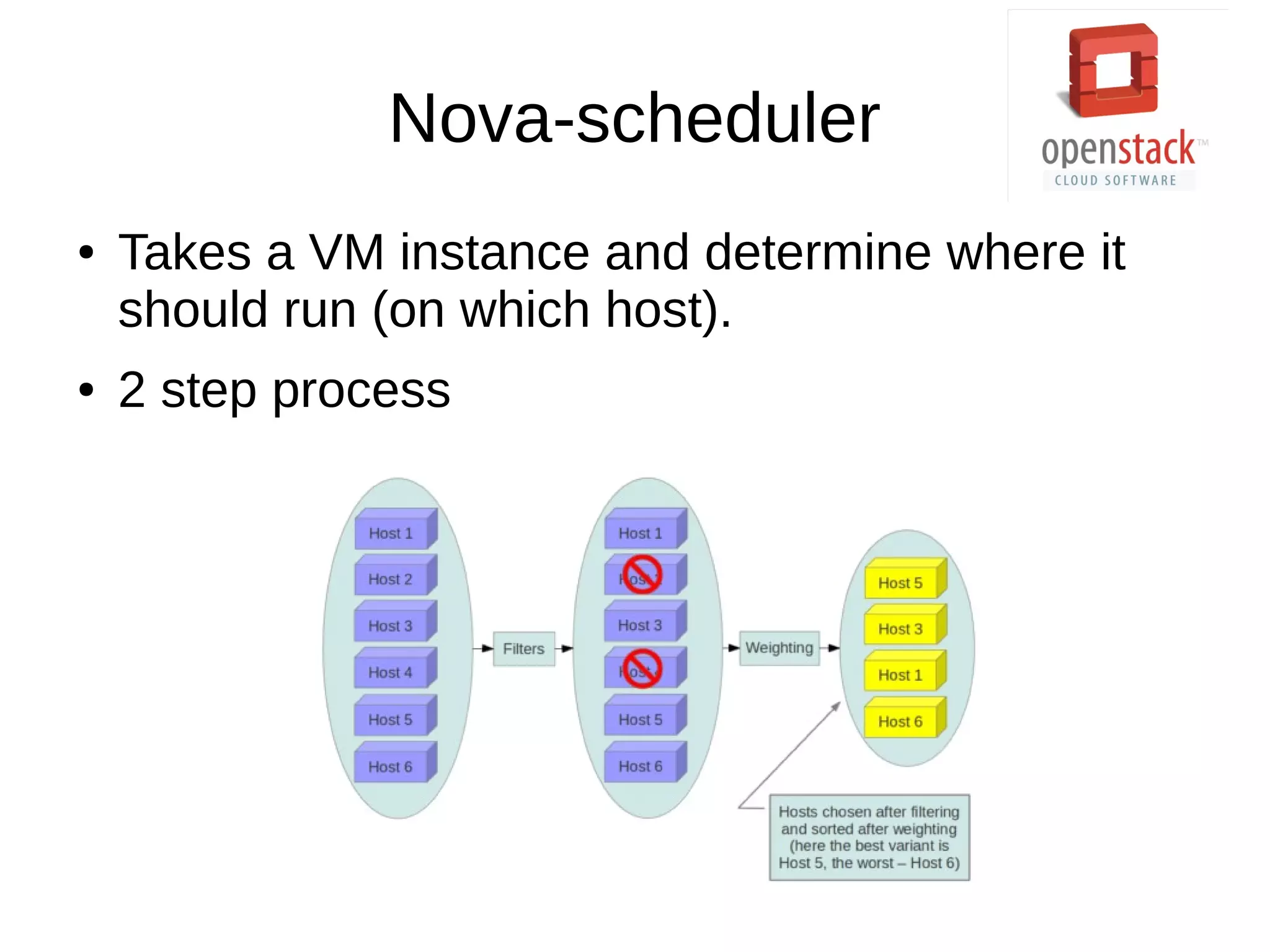
Nova-scheduler
● Takes a VM instance and determine where it
should run (on which host).
● 2 step process
Filtering
● 3 choices
- Simple : Finds the least loaded host.
- Random : Selects a random available host.
- Zone : Selects a random host within an
availability zone.
● Defaults
- Volume Scheduler – Chance (Random)
- Compute Scheduler – Filter (Availability
Zone, RAM and capability)
● Need more?
- Try hints!
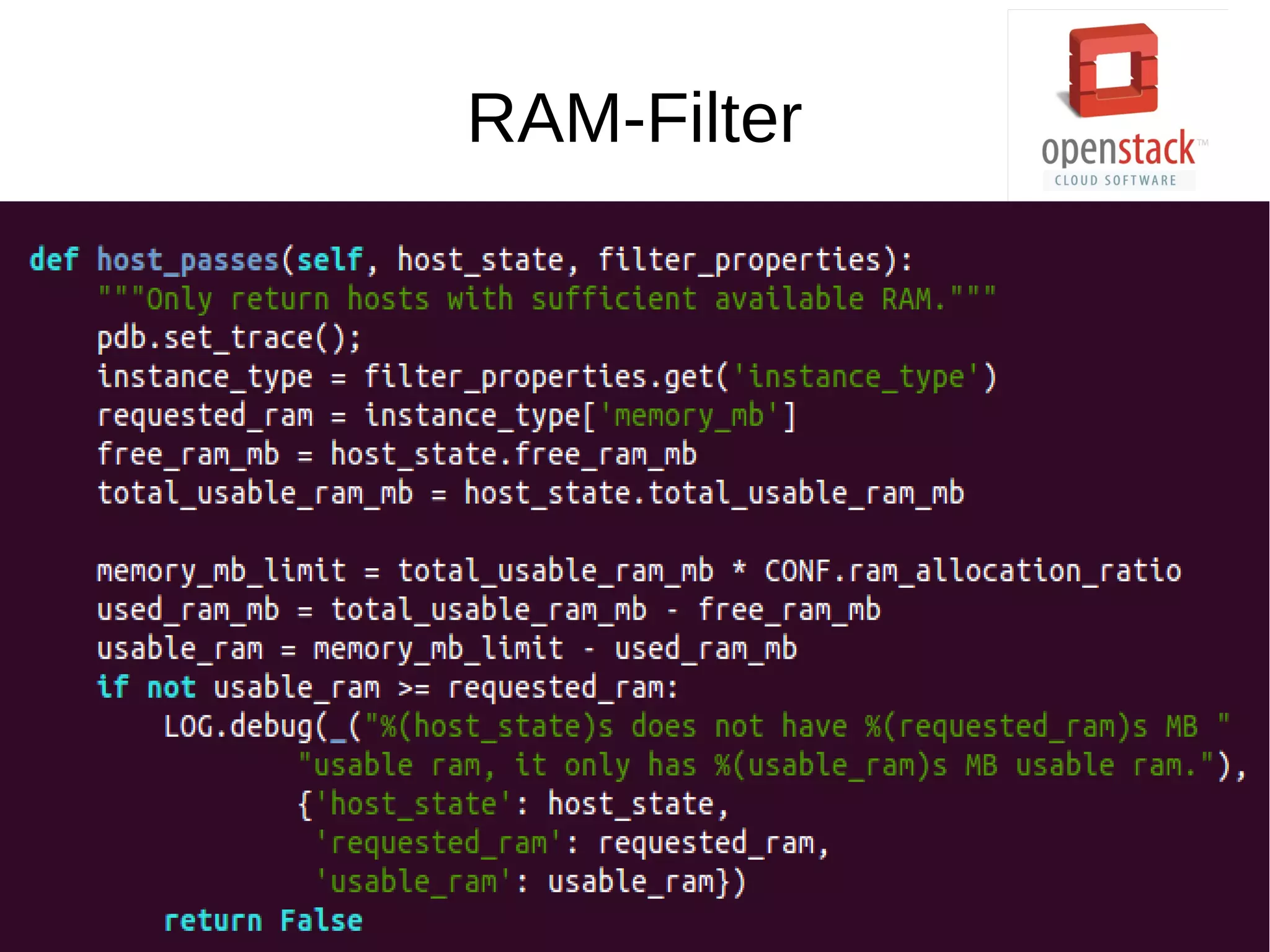
RAM-Filter
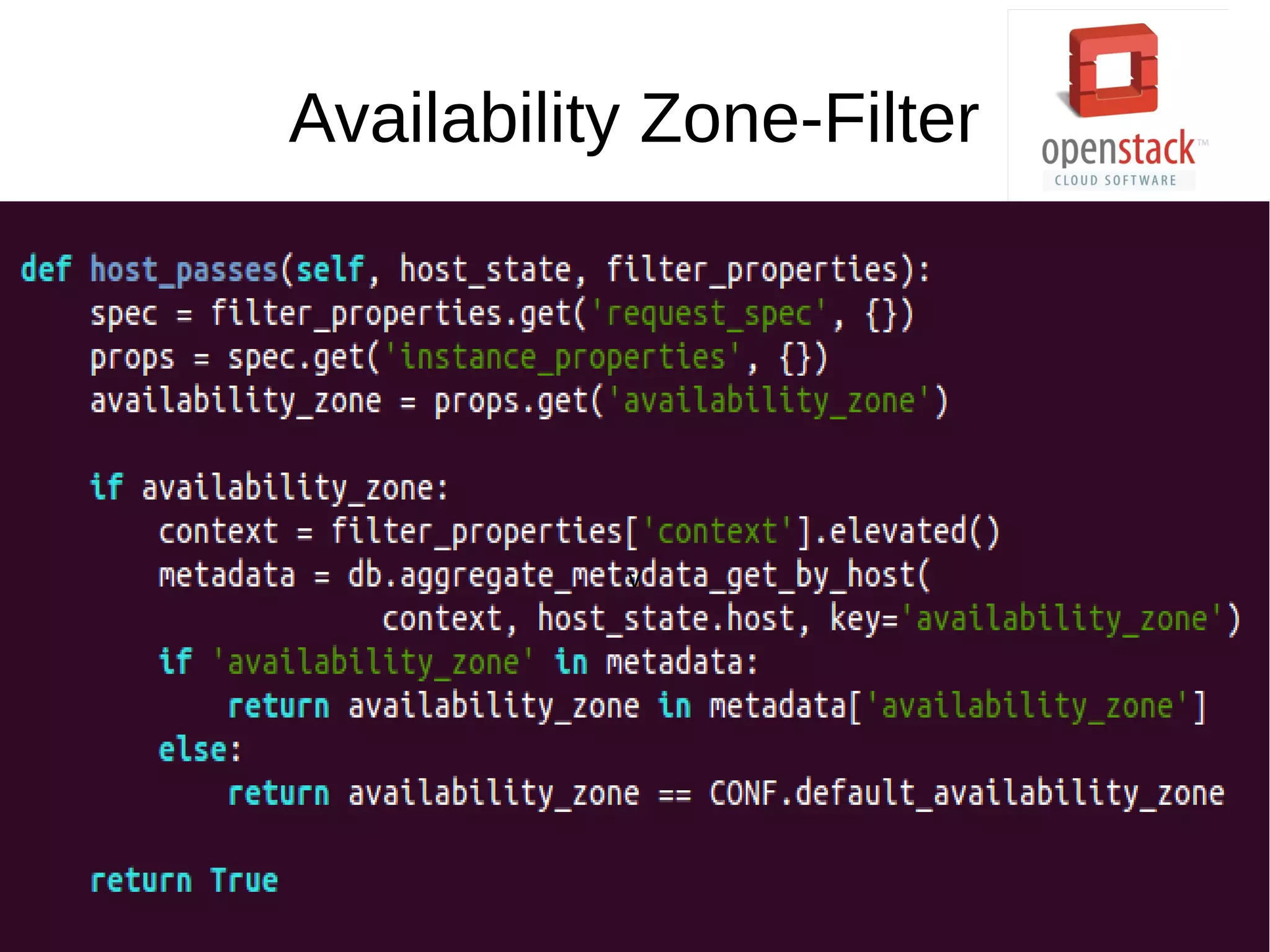
Availability Zone-Filter
v
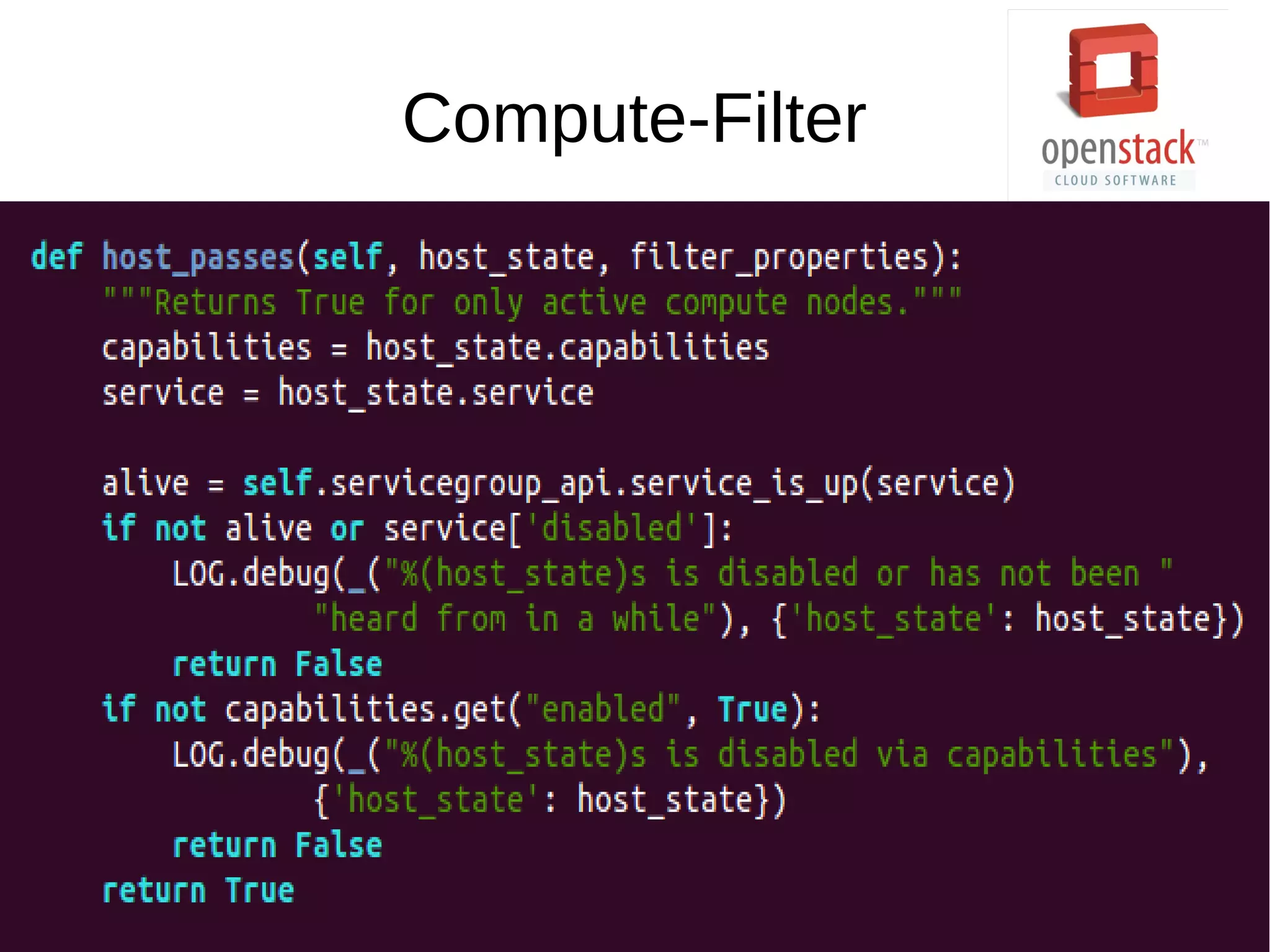
Compute-Filter
Other Options
● Core Filter : Filters on the basis of available
CPU cores.
● Isolated Hosts Filter : Allows to generate
isolated sets of images and hosts.
● Disk Filter : Schedule instances if there are
sufficient disk available for ephemeral storage.
● And so on...
Host Aggregates
● Partition the availability zone further.
● Only visible to admin, not to users.
● Each node can have multiple aggregates, each
aggregate can have multiple key-value pairs,
and the same key-value pair can be assigned
to multiple aggregate.
● Uses aggregate_instance_extra_specs filter.
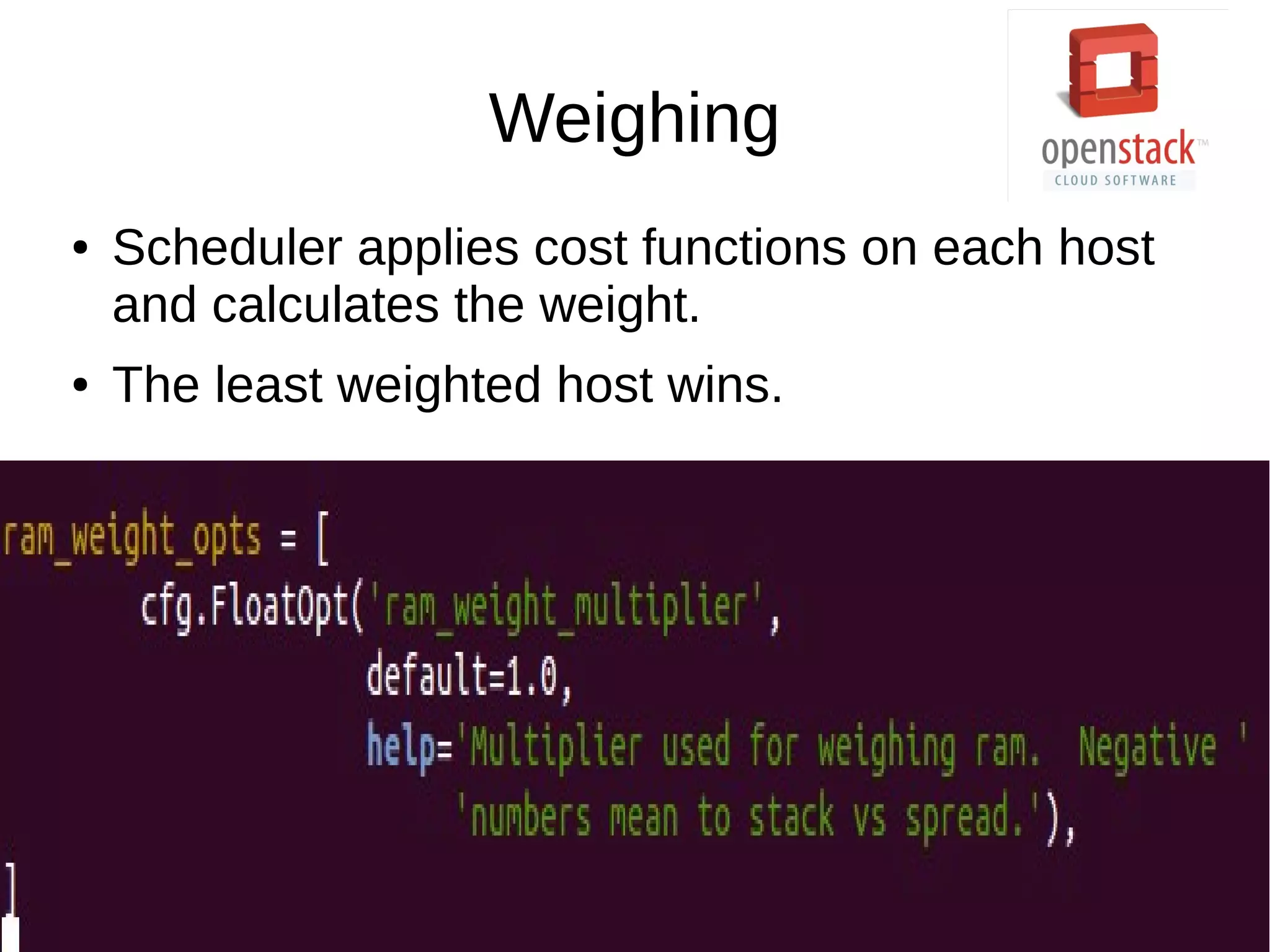
Weighing
● Scheduler applies cost functions on each host
and calculates the weight.
● The least weighted host wins.
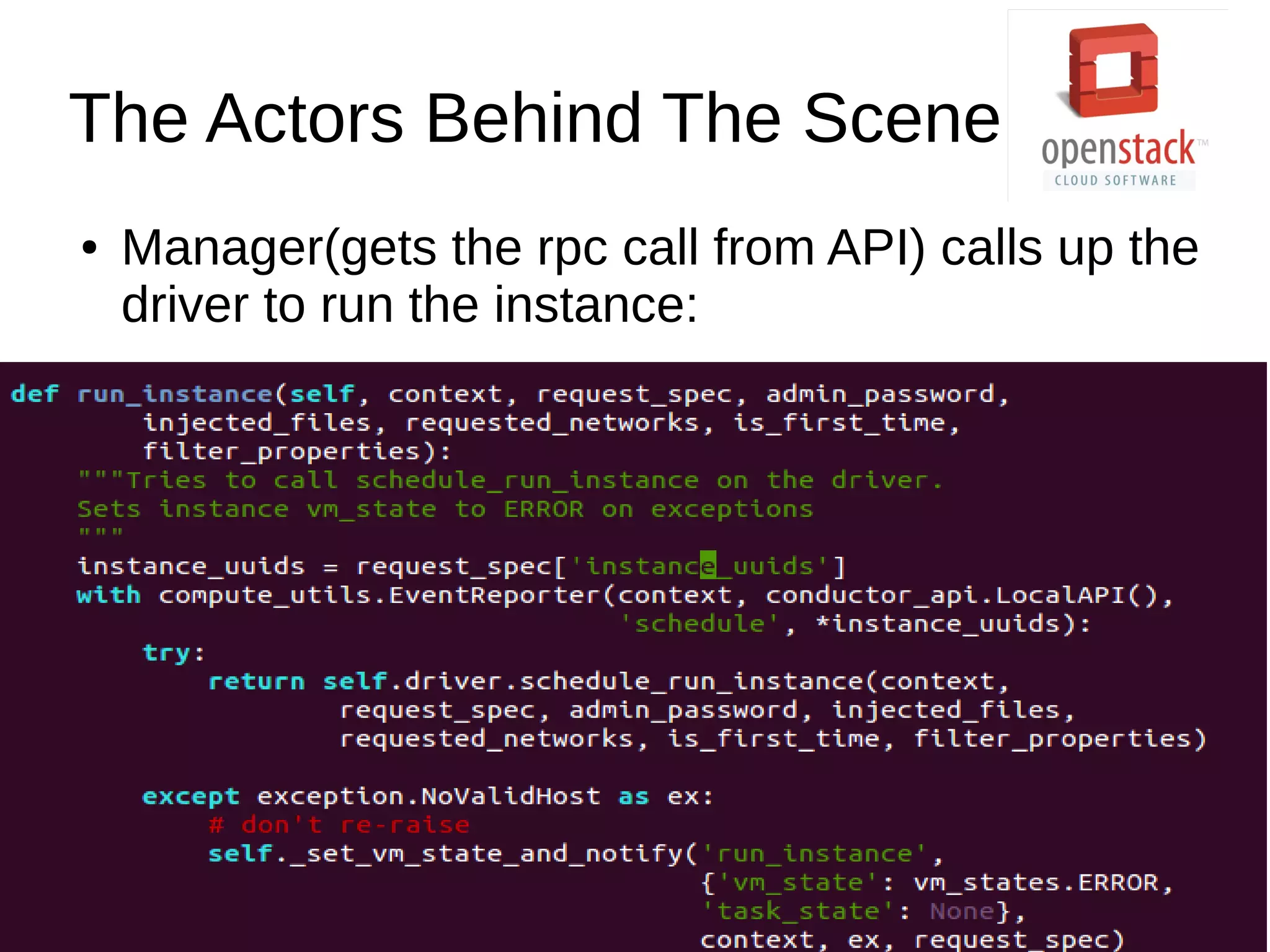
The Actors Behind The Scene
● Manager(gets the rpc call from API) calls up the
driver to run the instance:
The Actors Behind The Scene
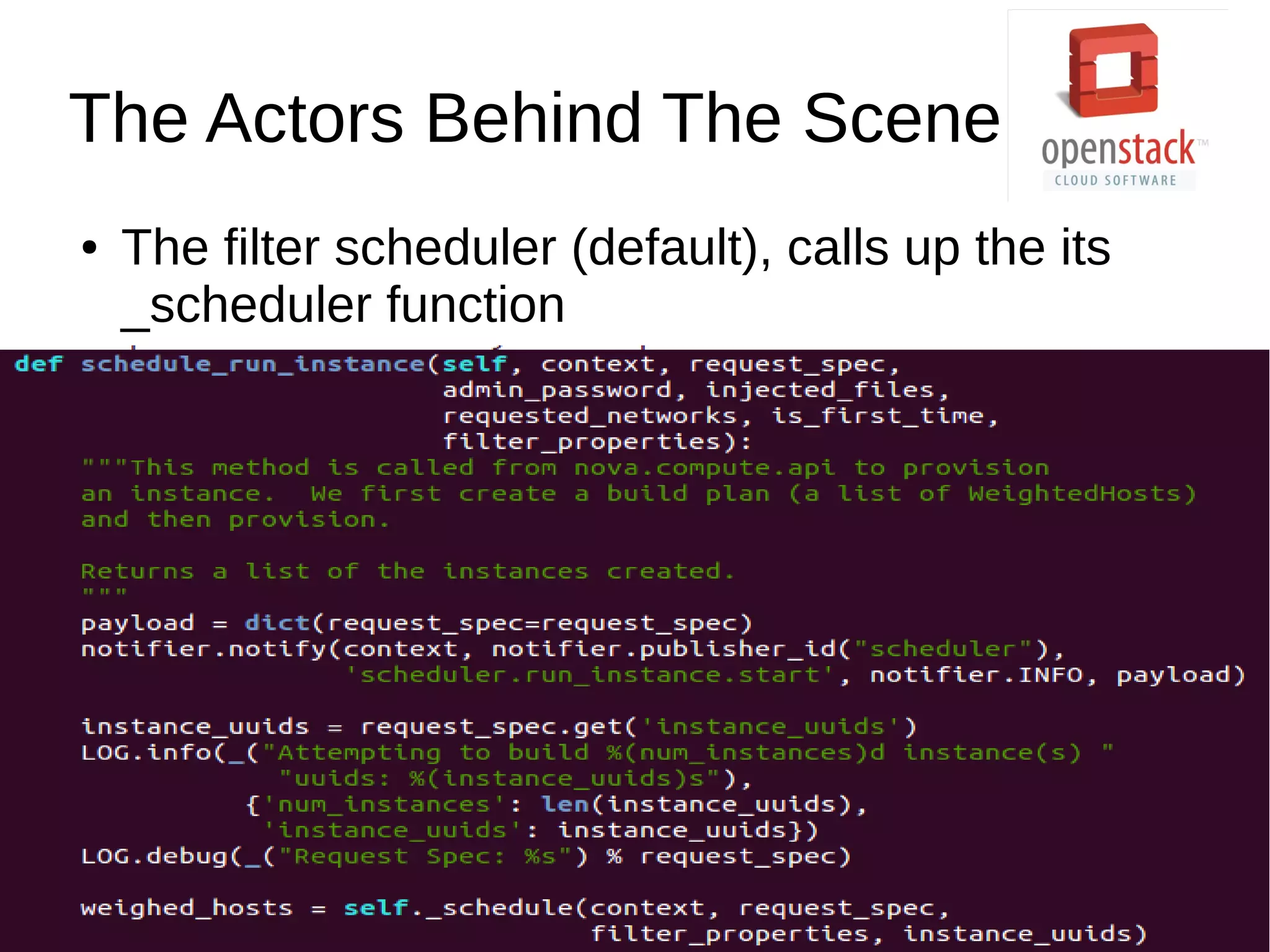
● The filter scheduler (default), calls up the its
_scheduler function
The Actors Behind The Scene
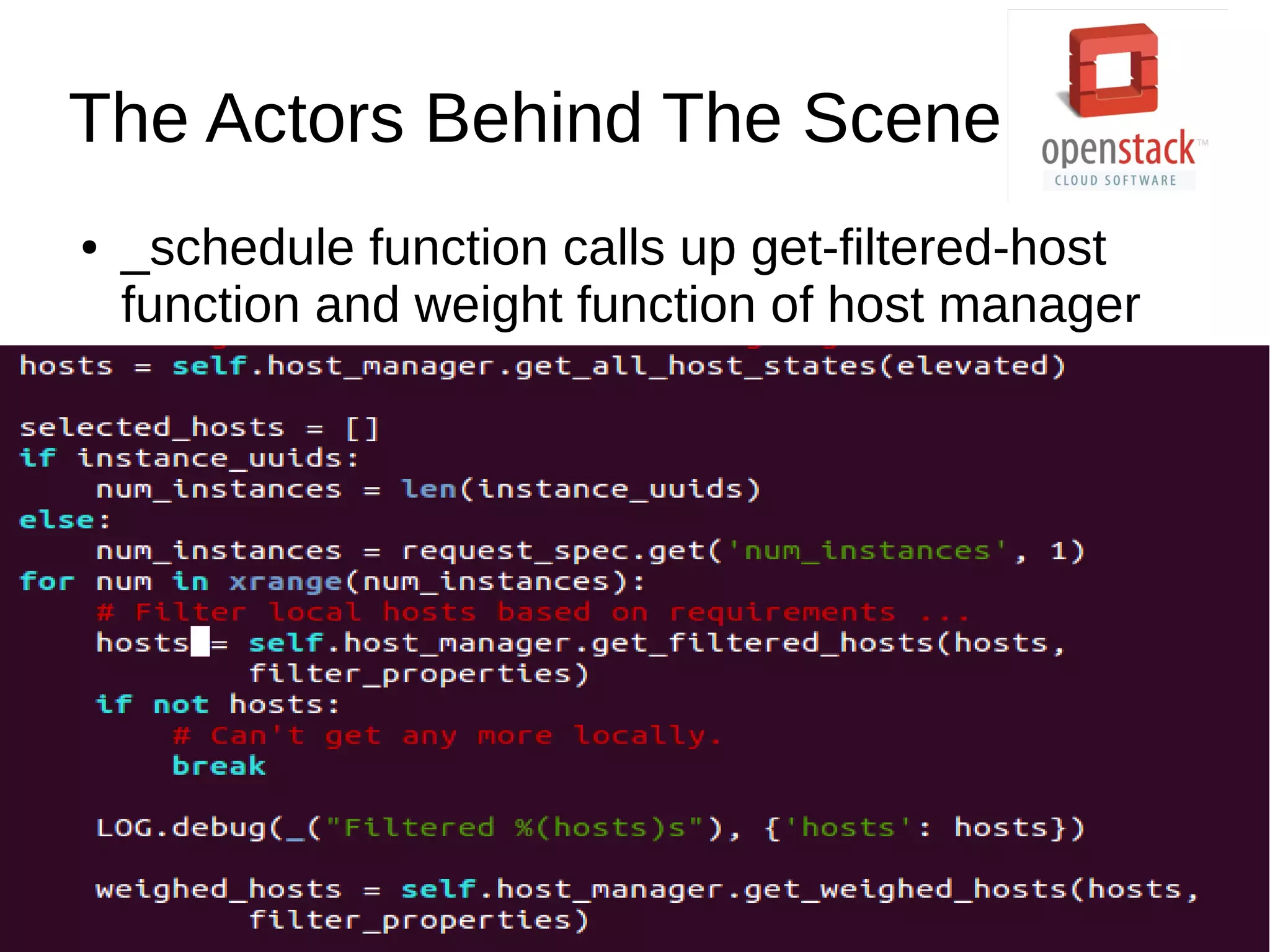
● _schedule function calls up get-filtered-host
function and weight function of host manager
The Actors Behind The Scene
● Filtering happens here, finally!
● get_filtered_hosts() function of
host_manager.py filters hosts and returns only
rthe ones passing all filters.
● get_weighed_host() weigh the filtered hosts,
according to the weighs set by weigh handler.
In the end...
● The scheduler manager sends an rpc call to the
compute manager of selected hosts.
● The compute manager receives it from the
queue and runs its create_instance method and
we get a running VM instance.
Thank You

OpenStack Nova Scheduler

  • 1.
    Solving problems, thecloud way! Peeyush Gupta
  • 2.
    What is it? ●OpenStack is a cloud operating system that controls large pools of compute, storage, and networking resources throughout a datacenter, all managed through a dashboard that gives administrators control while empowering their users to provision resources through a web interface.(Got it!) ● Provides an Infrastructure as a Service (IaaS) - Elasticity - Virtualization
  • 3.
    Virtualization ● Why? - Efficiency ●How? -Hypervisor - KVM/QEMU/libvirt
  • 4.
  • 5.
    7 Components ● Horizon– the Dashboard ● Keystone – the Authentication system ● Swift – the Object storage ● Glance – the Image repository ● Nova – the Core of the system ● Quantum – the Networking component ● Cinder – the Volume guy!
  • 6.
    Communication ● Database ● MessageQueue - uses AMQP - Implemented through rabbitmq server
  • 7.
  • 8.
  • 9.
    Nova ● The bigdaddy! ● Responsible for storing, retrieving images from Glance and running the instances. ● Provides virtual instances on demand.
  • 10.
    Nova – theComponents ● Nova-api : Talks to the user ● Nova-compute : creates/terminates VM instances. ● Nova-volume : Volume guy, again! ● Nova-network : Performs networking tasks. ● Nova-scheduler : Determines on which host a particular instance should run. ● Console Services
  • 11.
    Nova – theComponents ● Nova-network - Floating and Fixed IPs - Supports three kind of networking - Flat - Flat DHCP - VLAN ● Nova-volume - Used to add more storage to the running instances.
  • 12.
    Nova-scheduler ● Takes aVM instance and determine where it should run (on which host). ● 2 step process
  • 13.
    Filtering ● 3 choices -Simple : Finds the least loaded host. - Random : Selects a random available host. - Zone : Selects a random host within an availability zone. ● Defaults - Volume Scheduler – Chance (Random) - Compute Scheduler – Filter (Availability Zone, RAM and capability) ● Need more? - Try hints!
  • 14.
  • 15.
  • 16.
  • 17.
    Other Options ● CoreFilter : Filters on the basis of available CPU cores. ● Isolated Hosts Filter : Allows to generate isolated sets of images and hosts. ● Disk Filter : Schedule instances if there are sufficient disk available for ephemeral storage. ● And so on...
  • 18.
    Host Aggregates ● Partitionthe availability zone further. ● Only visible to admin, not to users. ● Each node can have multiple aggregates, each aggregate can have multiple key-value pairs, and the same key-value pair can be assigned to multiple aggregate. ● Uses aggregate_instance_extra_specs filter.
  • 19.
    Weighing ● Scheduler appliescost functions on each host and calculates the weight. ● The least weighted host wins.
  • 20.
    The Actors BehindThe Scene ● Manager(gets the rpc call from API) calls up the driver to run the instance:
  • 21.
    The Actors BehindThe Scene ● The filter scheduler (default), calls up the its _scheduler function
  • 22.
    The Actors BehindThe Scene ● _schedule function calls up get-filtered-host function and weight function of host manager
  • 23.
    The Actors BehindThe Scene ● Filtering happens here, finally! ● get_filtered_hosts() function of host_manager.py filters hosts and returns only rthe ones passing all filters. ● get_weighed_host() weigh the filtered hosts, according to the weighs set by weigh handler.
  • 24.
    In the end... ●The scheduler manager sends an rpc call to the compute manager of selected hosts. ● The compute manager receives it from the queue and runs its create_instance method and we get a running VM instance.
  • 25.