OPEN DESK TEACHER’S TOOLKIT FOR E-CLASSROOM
John J. Macasio

The classroom teacher, who lives and works
in today's interactive and connected world,
is always challenged to embrace the
“experience of understanding” facilitated
through the use of interactive gadgets,
creativity application, and collaborative
technologies.”

Relevance and effectivity of any teacher
begin by “being in the digital space” meant
                                                 Most classroom teachers will agree on the
for 21st century citizen. They have to realize
                                                 need to be relevant, meaningful, effective
the value of teaching and learning within the
                                                 and enjoying in the 21st century classroom
“e” condition of today’s society.
                                                 of interactivity, creativity and connectivity.
“e” condition is where learners get oriented
                                                 However, the motivation is enabled by
in using computer, Internet, mobile and
                                                 building the resource and capacity of all
social media to fulfill their needs to be
                                                 teachers to initiate, learn and sustain the
entertained, informed, connected and
                                                 practice of teaching with interactive
recognized. To become active, creative and
                                                 technologies.
productive.
                                                 The enablement speaks of education ready
The importance of remembered lesson;
                                                 and open to use F-framework, T=technology,
performance in examination; and observed
                                                 and C=content that will guide all teachers to
roles for students are getting better with
                                                 create, maintain and improve the 21st
“technology enriched experiences” that
                                                 century classroom of interactivity, creativity
build the essential skills of collaboration,
                                                 and connectivity.
communication, critical thinking, creative
problem solving, and self directed learning.
                                                 F = framework speaks of definitive
                                                 principles, methods and results that supports
The “technology-mediated presentation,
                                                 effective teaching and learning with
activity, references and assessment” make
                                                 interactive learning technologies to take a
better the capability of the classroom
                                                 shape inside the classroom
teachers to bring attentive interest, real-
word situation, time extension, delivery
                                                 T = technology speaks of technology
enrichment, lesson remediation and
                                                 solution standards, configuration and
interactive engagement in the way learners
                                                 infrastructure to compose the hardware,
acquire, create, remember, share and apply
                                                 software, network and skills to compose the
knowledge.
                                                 environment or platform of technology
                                                 enabled interactive learning.
The emerging Internet based communication
and collaboration platforms make better the
                                                 C = content speaks of knowledge and
means of the classroom teachers to engage
                                                 medium to acquire, create, manipulate,
in the social dialogue that educates the
                                                 share, re-use to construct and apply
senses, and bring the positive habits
                                                 understanding.
supportive of community building.
OPEN DESK TEACHER’S TOOLKIT FOR E-CLASSROOM
John J. Macasio


 OPENDESK TOOLKIT is no locked-in
 aggregation of framework, technology
 and content to build capabilities of
 teachers to align the use of interactive
 learning technologies in teaching and
 learning.

 The Open Digital Education Solution
 Toolkit for Teachers (OPENDESK
 TOOLKIT) has began in 2004 to attract
 teachers and administrators attention to
 the availability of free to install education   The shared framework, technology and
 software and re-usable digital content in       content are not meant to be prescriptive,
 basic education.                                but facilitative in placing into the hand of
                                                 every teachers the ready-to-use and
 The aggregated framework, technology            open tools to design, plan, implement
 and content is offered as start-up              and evaluate learning with interactive
 resource to build competencies and              technologies.
 content to realize and sustain purposive
 improvement of teaching and learning            The OPENDESK TOOLKIT project
 through the use of open standards and           searches, reviews and promotes digital
 global benchmark on digital content.            application and content that placed
                                                 among its condition of use the terms –
 It gives attention to education-ready           free, open, sharable, distributable, fully
 software and multimedia content that            functional, and agree on global standards
 match the understanding and                     of user experience.
 performance defined in the learning
 competency published by the                     The Open Digital Education Solution
 Department of Education.                        Toolkit for Teachers version 2 contains
                                                 the following digital tools:
 The version 1 of OPENDESK is shared
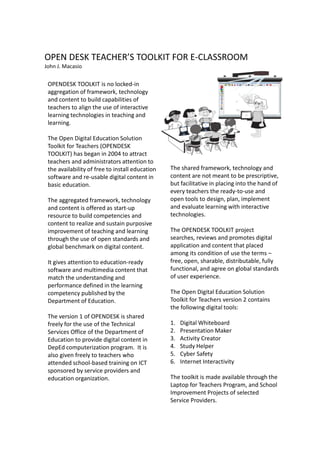
 freely for the use of the Technical             1.   Digital Whiteboard
 Services Office of the Department of            2.   Presentation Maker
 Education to provide digital content in         3.   Activity Creator
 DepEd computerization program. It is            4.   Study Helper
 also given freely to teachers who               5.   Cyber Safety
 attended school-based training on ICT           6.   Internet Interactivity
 sponsored by service providers and
 education organization.                         The toolkit is made available through the
                                                 Laptop for Teachers Program, and School
                                                 Improvement Projects of selected
                                                 Service Providers.
OPEN DESK TEACHER’S TOOLKIT FOR E-CLASSROOM
John J. Macasio


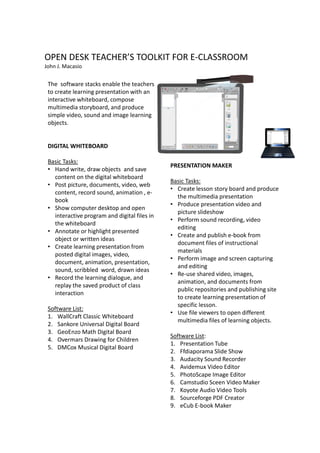
 The software stacks enable the teachers
 to create learning presentation with an
 interactive whiteboard, compose
 multimedia storyboard, and produce
 simple video, sound and image learning
 objects.


 DIGITAL WHITEBOARD

 Basic Tasks:
                                              PRESENTATION MAKER
 • Hand write, draw objects and save
   content on the digital whiteboard
                                              Basic Tasks:
 • Post picture, documents, video, web
                                              • Create lesson story board and produce
   content, record sound, animation , e-
                                                the multimedia presentation
   book
                                              • Produce presentation video and
 • Show computer desktop and open
                                                picture slideshow
   interactive program and digital files in
                                              • Perform sound recording, video
   the whiteboard
                                                editing
 • Annotate or highlight presented
                                              • Create and publish e-book from
   object or written ideas
                                                document files of instructional
 • Create learning presentation from
                                                materials
   posted digital images, video,
                                              • Perform image and screen capturing
   document, animation, presentation,
                                                and editing
   sound, scribbled word, drawn ideas
                                              • Re-use shared video, images,
 • Record the learning dialogue, and
                                                animation, and documents from
   replay the saved product of class
                                                public repositories and publishing site
   interaction
                                                to create learning presentation of
                                                specific lesson.
 Software List:
                                              • Use file viewers to open different
 1. WallCraft Classic Whiteboard
                                                multimedia files of learning objects.
 2. Sankore Universal Digital Board
 3. GeoEnzo Math Digital Board
                                              Software List:
 4. Overmars Drawing for Children
                                              1. Presentation Tube
 5. DMCox Musical Digital Board
                                              2. Ffdiaporama Slide Show
                                              3. Audacity Sound Recorder
                                              4. Avidemux Video Editor
                                              5. PhotoScape Image Editor
                                              6. Camstudio Sceen Video Maker
                                              7. Koyote Audio Video Tools
                                              8. Sourceforge PDF Creator
                                              9. eCub E-book Maker
OPEN DESK TEACHER’S TOOLKIT FOR E-CLASSROOM
John J. Macasio


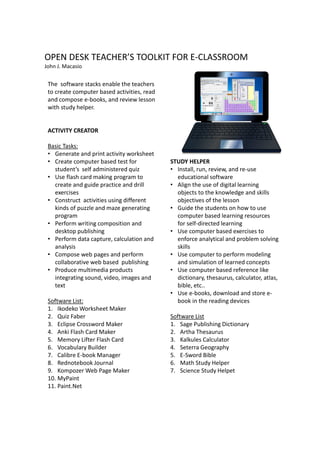
 The software stacks enable the teachers
 to create computer based activities, read
 and compose e-books, and review lesson
 with study helper.


 ACTIVITY CREATOR

 Basic Tasks:
 • Generate and print activity worksheet
 • Create computer based test for            STUDY HELPER
   student’s self administered quiz          • Install, run, review, and re-use
 • Use flash card making program to            educational software
   create and guide practice and drill       • Align the use of digital learning
   exercises                                   objects to the knowledge and skills
 • Construct activities using different        objectives of the lesson
   kinds of puzzle and maze generating       • Guide the students on how to use
   program                                     computer based learning resources
 • Perform writing composition and             for self-directed learning
   desktop publishing                        • Use computer based exercises to
 • Perform data capture, calculation and       enforce analytical and problem solving
   analysis                                    skills
 • Compose web pages and perform             • Use computer to perform modeling
   collaborative web based publishing          and simulation of learned concepts
 • Produce multimedia products               • Use computer based reference like
   integrating sound, video, images and        dictionary, thesaurus, calculator, atlas,
   text                                        bible, etc..
                                             • Use e-books, download and store e-
 Software List:                                book in the reading devices
 1. Ikodeko Worksheet Maker
 2. Quiz Faber                               Software List
 3. Eclipse Crossword Maker                  1. Sage Publishing Dictionary
 4. Anki Flash Card Maker                    2. Artha Thesaurus
 5. Memory Lifter Flash Card                 3. Kalkules Calculator
 6. Vocabulary Builder                       4. Seterra Geography
 7. Calibre E-book Manager                   5. E-Sword Bible
 8. Rednotebook Journal                      6. Math Study Helper
 9. Kompozer Web Page Maker                  7. Science Study Helpet
 10. MyPaint
 11. Paint.Net

 REDNOTEBOOK JOURN
OPEN DESK TEACHER’S TOOLKIT FOR E-CLASSROOM
John J. Macasio


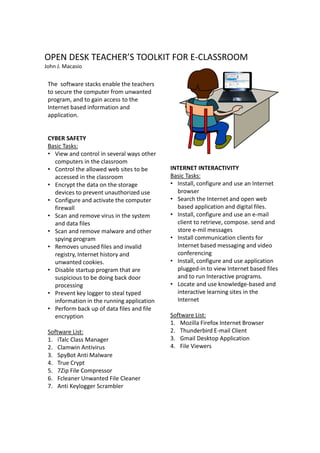
 The software stacks enable the teachers
 to secure the computer from unwanted
 program, and to gain access to the
 Internet based information and
 application.


 CYBER SAFETY
 Basic Tasks:
 • View and control in several ways other
   computers in the classroom
 • Control the allowed web sites to be      INTERNET INTERACTIVITY
   accessed in the classroom                Basic Tasks:
 • Encrypt the data on the storage          • Install, configure and use an Internet
   devices to prevent unauthorized use        browser
 • Configure and activate the computer      • Search the Internet and open web
   firewall                                   based application and digital files.
 • Scan and remove virus in the system      • Install, configure and use an e-mail
   and data files                             client to retrieve, compose. send and
 • Scan and remove malware and other          store e-mil messages
   spying program                           • Install communication clients for
 • Removes unused files and invalid           Internet based messaging and video
   registry, Internet history and             conferencing
   unwanted cookies.                        • Install, configure and use application
 • Disable startup program that are           plugged-in to view Internet based files
   suspicious to be doing back door           and to run Interactive programs.
   processing                               • Locate and use knowledge-based and
 • Prevent key logger to steal typed          interactive learning sites in the
   information in the running application     Internet
 • Perform back up of data files and file
   encryption                               Software List:
                                            1. Mozilla Firefox Internet Browser
 Software List:                             2. Thunderbird E-mail Client
 1. iTalc Class Manager                     3. Gmail Desktop Application
 2. Clamwin Antivirus                       4. File Viewers
 3. SpyBot Anti Malware
 4. True Crypt
 5. 7Zip File Compressor
 6. Fcleaner Unwanted File Cleaner
 7. Anti Keylogger Scrambler
OPEN DESK TEACHER’S TOOLKIT FOR E-CLASSROOM


 For project information and school-based training
 requirement contact:

 JOHN J. MACASIO
 johnmacasio@onecitizen.net
 +63-917-329-7993
 www.aralanetdesk.com

OPENDESK TOOLKIT FOR TEACHERS

  • 1.
    OPEN DESK TEACHER’STOOLKIT FOR E-CLASSROOM John J. Macasio The classroom teacher, who lives and works in today's interactive and connected world, is always challenged to embrace the “experience of understanding” facilitated through the use of interactive gadgets, creativity application, and collaborative technologies.” Relevance and effectivity of any teacher begin by “being in the digital space” meant Most classroom teachers will agree on the for 21st century citizen. They have to realize need to be relevant, meaningful, effective the value of teaching and learning within the and enjoying in the 21st century classroom “e” condition of today’s society. of interactivity, creativity and connectivity. “e” condition is where learners get oriented However, the motivation is enabled by in using computer, Internet, mobile and building the resource and capacity of all social media to fulfill their needs to be teachers to initiate, learn and sustain the entertained, informed, connected and practice of teaching with interactive recognized. To become active, creative and technologies. productive. The enablement speaks of education ready The importance of remembered lesson; and open to use F-framework, T=technology, performance in examination; and observed and C=content that will guide all teachers to roles for students are getting better with create, maintain and improve the 21st “technology enriched experiences” that century classroom of interactivity, creativity build the essential skills of collaboration, and connectivity. communication, critical thinking, creative problem solving, and self directed learning. F = framework speaks of definitive principles, methods and results that supports The “technology-mediated presentation, effective teaching and learning with activity, references and assessment” make interactive learning technologies to take a better the capability of the classroom shape inside the classroom teachers to bring attentive interest, real- word situation, time extension, delivery T = technology speaks of technology enrichment, lesson remediation and solution standards, configuration and interactive engagement in the way learners infrastructure to compose the hardware, acquire, create, remember, share and apply software, network and skills to compose the knowledge. environment or platform of technology enabled interactive learning. The emerging Internet based communication and collaboration platforms make better the C = content speaks of knowledge and means of the classroom teachers to engage medium to acquire, create, manipulate, in the social dialogue that educates the share, re-use to construct and apply senses, and bring the positive habits understanding. supportive of community building.
  • 2.
    OPEN DESK TEACHER’STOOLKIT FOR E-CLASSROOM John J. Macasio OPENDESK TOOLKIT is no locked-in aggregation of framework, technology and content to build capabilities of teachers to align the use of interactive learning technologies in teaching and learning. The Open Digital Education Solution Toolkit for Teachers (OPENDESK TOOLKIT) has began in 2004 to attract teachers and administrators attention to the availability of free to install education The shared framework, technology and software and re-usable digital content in content are not meant to be prescriptive, basic education. but facilitative in placing into the hand of every teachers the ready-to-use and The aggregated framework, technology open tools to design, plan, implement and content is offered as start-up and evaluate learning with interactive resource to build competencies and technologies. content to realize and sustain purposive improvement of teaching and learning The OPENDESK TOOLKIT project through the use of open standards and searches, reviews and promotes digital global benchmark on digital content. application and content that placed among its condition of use the terms – It gives attention to education-ready free, open, sharable, distributable, fully software and multimedia content that functional, and agree on global standards match the understanding and of user experience. performance defined in the learning competency published by the The Open Digital Education Solution Department of Education. Toolkit for Teachers version 2 contains the following digital tools: The version 1 of OPENDESK is shared freely for the use of the Technical 1. Digital Whiteboard Services Office of the Department of 2. Presentation Maker Education to provide digital content in 3. Activity Creator DepEd computerization program. It is 4. Study Helper also given freely to teachers who 5. Cyber Safety attended school-based training on ICT 6. Internet Interactivity sponsored by service providers and education organization. The toolkit is made available through the Laptop for Teachers Program, and School Improvement Projects of selected Service Providers.
  • 3.
    OPEN DESK TEACHER’STOOLKIT FOR E-CLASSROOM John J. Macasio The software stacks enable the teachers to create learning presentation with an interactive whiteboard, compose multimedia storyboard, and produce simple video, sound and image learning objects. DIGITAL WHITEBOARD Basic Tasks: PRESENTATION MAKER • Hand write, draw objects and save content on the digital whiteboard Basic Tasks: • Post picture, documents, video, web • Create lesson story board and produce content, record sound, animation , e- the multimedia presentation book • Produce presentation video and • Show computer desktop and open picture slideshow interactive program and digital files in • Perform sound recording, video the whiteboard editing • Annotate or highlight presented • Create and publish e-book from object or written ideas document files of instructional • Create learning presentation from materials posted digital images, video, • Perform image and screen capturing document, animation, presentation, and editing sound, scribbled word, drawn ideas • Re-use shared video, images, • Record the learning dialogue, and animation, and documents from replay the saved product of class public repositories and publishing site interaction to create learning presentation of specific lesson. Software List: • Use file viewers to open different 1. WallCraft Classic Whiteboard multimedia files of learning objects. 2. Sankore Universal Digital Board 3. GeoEnzo Math Digital Board Software List: 4. Overmars Drawing for Children 1. Presentation Tube 5. DMCox Musical Digital Board 2. Ffdiaporama Slide Show 3. Audacity Sound Recorder 4. Avidemux Video Editor 5. PhotoScape Image Editor 6. Camstudio Sceen Video Maker 7. Koyote Audio Video Tools 8. Sourceforge PDF Creator 9. eCub E-book Maker
  • 4.
    OPEN DESK TEACHER’STOOLKIT FOR E-CLASSROOM John J. Macasio The software stacks enable the teachers to create computer based activities, read and compose e-books, and review lesson with study helper. ACTIVITY CREATOR Basic Tasks: • Generate and print activity worksheet • Create computer based test for STUDY HELPER student’s self administered quiz • Install, run, review, and re-use • Use flash card making program to educational software create and guide practice and drill • Align the use of digital learning exercises objects to the knowledge and skills • Construct activities using different objectives of the lesson kinds of puzzle and maze generating • Guide the students on how to use program computer based learning resources • Perform writing composition and for self-directed learning desktop publishing • Use computer based exercises to • Perform data capture, calculation and enforce analytical and problem solving analysis skills • Compose web pages and perform • Use computer to perform modeling collaborative web based publishing and simulation of learned concepts • Produce multimedia products • Use computer based reference like integrating sound, video, images and dictionary, thesaurus, calculator, atlas, text bible, etc.. • Use e-books, download and store e- Software List: book in the reading devices 1. Ikodeko Worksheet Maker 2. Quiz Faber Software List 3. Eclipse Crossword Maker 1. Sage Publishing Dictionary 4. Anki Flash Card Maker 2. Artha Thesaurus 5. Memory Lifter Flash Card 3. Kalkules Calculator 6. Vocabulary Builder 4. Seterra Geography 7. Calibre E-book Manager 5. E-Sword Bible 8. Rednotebook Journal 6. Math Study Helper 9. Kompozer Web Page Maker 7. Science Study Helpet 10. MyPaint 11. Paint.Net REDNOTEBOOK JOURN
  • 5.
    OPEN DESK TEACHER’STOOLKIT FOR E-CLASSROOM John J. Macasio The software stacks enable the teachers to secure the computer from unwanted program, and to gain access to the Internet based information and application. CYBER SAFETY Basic Tasks: • View and control in several ways other computers in the classroom • Control the allowed web sites to be INTERNET INTERACTIVITY accessed in the classroom Basic Tasks: • Encrypt the data on the storage • Install, configure and use an Internet devices to prevent unauthorized use browser • Configure and activate the computer • Search the Internet and open web firewall based application and digital files. • Scan and remove virus in the system • Install, configure and use an e-mail and data files client to retrieve, compose. send and • Scan and remove malware and other store e-mil messages spying program • Install communication clients for • Removes unused files and invalid Internet based messaging and video registry, Internet history and conferencing unwanted cookies. • Install, configure and use application • Disable startup program that are plugged-in to view Internet based files suspicious to be doing back door and to run Interactive programs. processing • Locate and use knowledge-based and • Prevent key logger to steal typed interactive learning sites in the information in the running application Internet • Perform back up of data files and file encryption Software List: 1. Mozilla Firefox Internet Browser Software List: 2. Thunderbird E-mail Client 1. iTalc Class Manager 3. Gmail Desktop Application 2. Clamwin Antivirus 4. File Viewers 3. SpyBot Anti Malware 4. True Crypt 5. 7Zip File Compressor 6. Fcleaner Unwanted File Cleaner 7. Anti Keylogger Scrambler
  • 6.
    OPEN DESK TEACHER’STOOLKIT FOR E-CLASSROOM For project information and school-based training requirement contact: JOHN J. MACASIO johnmacasio@onecitizen.net +63-917-329-7993 www.aralanetdesk.com