
UI Testing Automation
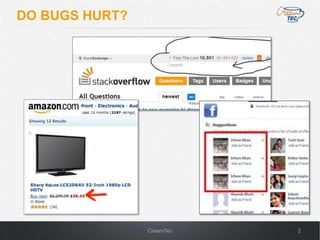
DO BUGS HURT?


                CreamTec   2
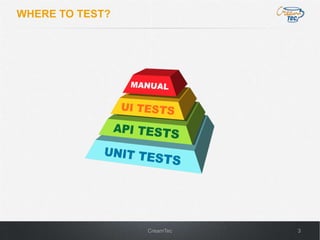
WHERE TO TEST?


                 CreamTec   3
TEST UI IN A REAL BROWSER

 •   Execute JavaScript and see ALL errors
 •   Load all resources (images, CSS)
 •   Test layouts and CSS properties
 •   Check colors and fonts
 •   Verify quirks of each browser type and version
 •   Is the ONLY way to be sure UI looks and works right


                                        CreamTec           4
UI TESTING TOOLS


Frameworks                                 Test Case Example
                                           public class Example {
•   Selenium browser automation
    through WebDriver API                      public static void main(String[] args) {
                                                 // Create a new instance of the html unit driver
                                                 WebDriver driver = new HtmlUnitDriver();
•   QUnit unit testing JavaScript                  // And now use this to visit Google
    inside and outside the browser                 driver.get("http://www.google.com");
                                                   // Find the text input element by its name
•   CasperJS unit testing JavaScript               WebElement element = driver.findElement(By.name("q"));

    inside a headless browser                      // Enter something to search for
                                                   element.sendKeys("Cheese!");

•   GWTTestCase uses invisible                     // Now submit the form
                                                   element.submit();
    browser to run Java tests                      // Verify result
                                                   assertTrue(selenium.isTextPresent(“Welcome"));

                                               }
                                           }


                                       CreamTec                                                             5
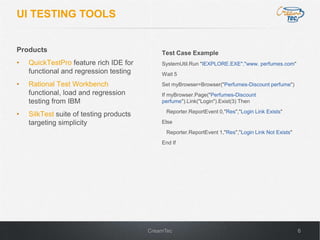
UI TESTING TOOLS


Products                                     Test Case Example
•   QuickTestPro feature rich IDE for        SystemUtil.Run "IEXPLORE.EXE","www. perfumes.com"
    functional and regression testing        Wait 5
•   Rational Test Workbench                  Set myBrowser=Browser("Perfumes-Discount perfume")
    functional, load and regression          If myBrowser.Page("Perfumes-Discount
    testing from IBM                         perfume").Link("Login").Exist(3) Then
                                               Reporter.ReportEvent 0,"Res","Login Link Exists"
•   SilkTest suite of testing products
    targeting simplicity                     Else
                                               Reporter.ReportEvent 1,"Res","Login Link Not Exists"
                                             End If


                                         CreamTec                                                     6
HOW ABOUT THE REAL WORLD?


                   CreamTec   7
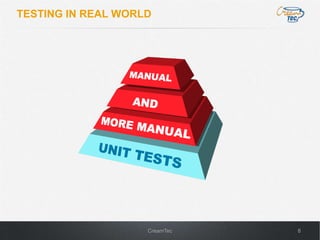
TESTING IN REAL WORLD


                    CreamTec   8
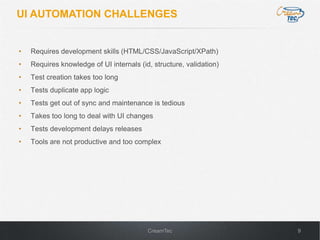
UI AUTOMATION CHALLENGES


•   Requires development skills (HTML/CSS/JavaScript/XPath)
•   Requires knowledge of UI internals (id, structure, validation)
•   Test creation takes too long
•   Tests duplicate app logic
•   Tests get out of sync and maintenance is tedious
•   Takes too long to deal with UI changes
•   Tests development delays releases
•   Tools are not productive and too complex


                                          CreamTec                   9
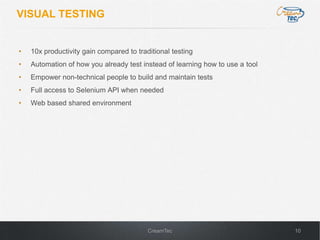
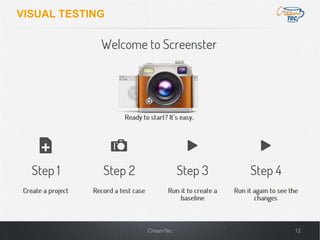
VISUAL TESTING


•   10x productivity gain compared to traditional testing
•   Automation of how you already test instead of learning how to use a tool
•   Empower non-technical people to build and maintain tests
•   Full access to Selenium API when needed
•   Web based shared environment


                                          CreamTec                             10
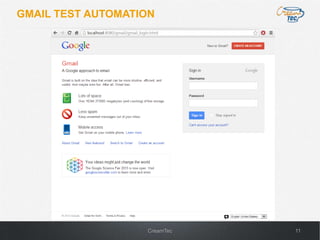
GMAIL TEST AUTOMATION


                   CreamTec   11
VISUAL TESTING


                 CreamTec   12
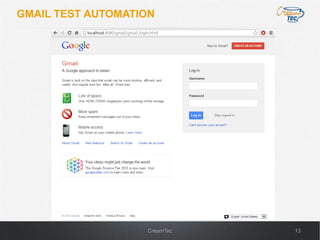
GMAIL TEST AUTOMATION


                   CreamTec   13
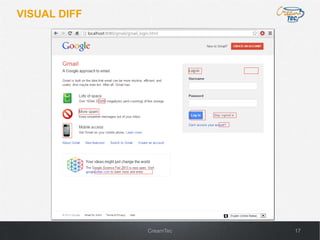
WHAT CHANGED?


                CreamTec   14
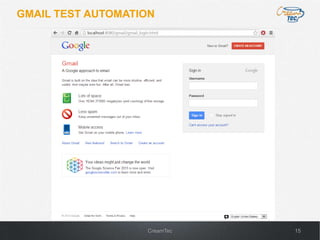
GMAIL TEST AUTOMATION


                   CreamTec   15
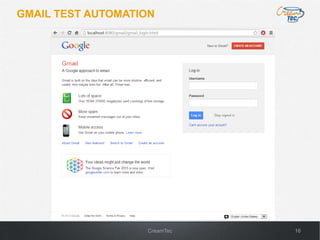
GMAIL TEST AUTOMATION


                   CreamTec   16
VISUAL DIFF


              CreamTec   17
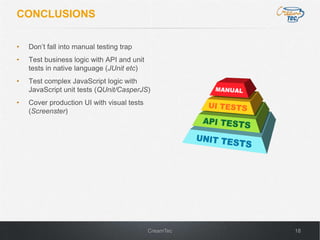
CONCLUSIONS

•   Don’t fall into manual testing trap
•   Test business logic with API and unit
    tests in native language (JUnit etc)
•   Test complex JavaScript logic with
    JavaScript unit tests (QUnit/CasperJS)
•   Cover production UI with visual tests
    (Screenster)


                                            CreamTec   18

UI Testing Automation - Alex Kalinovsky - CreamTec LLC

  • 1.
  • 2.
    DO BUGS HURT? CreamTec 2
  • 3.
    WHERE TO TEST? CreamTec 3
  • 4.
    TEST UI INA REAL BROWSER • Execute JavaScript and see ALL errors • Load all resources (images, CSS) • Test layouts and CSS properties • Check colors and fonts • Verify quirks of each browser type and version • Is the ONLY way to be sure UI looks and works right CreamTec 4
  • 5.
    UI TESTING TOOLS Frameworks Test Case Example public class Example { • Selenium browser automation through WebDriver API public static void main(String[] args) { // Create a new instance of the html unit driver WebDriver driver = new HtmlUnitDriver(); • QUnit unit testing JavaScript // And now use this to visit Google inside and outside the browser driver.get("http://www.google.com"); // Find the text input element by its name • CasperJS unit testing JavaScript WebElement element = driver.findElement(By.name("q")); inside a headless browser // Enter something to search for element.sendKeys("Cheese!"); • GWTTestCase uses invisible // Now submit the form element.submit(); browser to run Java tests // Verify result assertTrue(selenium.isTextPresent(“Welcome")); } } CreamTec 5
  • 6.
    UI TESTING TOOLS Products Test Case Example • QuickTestPro feature rich IDE for SystemUtil.Run "IEXPLORE.EXE","www. perfumes.com" functional and regression testing Wait 5 • Rational Test Workbench Set myBrowser=Browser("Perfumes-Discount perfume") functional, load and regression If myBrowser.Page("Perfumes-Discount testing from IBM perfume").Link("Login").Exist(3) Then Reporter.ReportEvent 0,"Res","Login Link Exists" • SilkTest suite of testing products targeting simplicity Else Reporter.ReportEvent 1,"Res","Login Link Not Exists" End If CreamTec 6
  • 7.
    HOW ABOUT THEREAL WORLD? CreamTec 7
  • 8.
    TESTING IN REALWORLD CreamTec 8
  • 9.
    UI AUTOMATION CHALLENGES • Requires development skills (HTML/CSS/JavaScript/XPath) • Requires knowledge of UI internals (id, structure, validation) • Test creation takes too long • Tests duplicate app logic • Tests get out of sync and maintenance is tedious • Takes too long to deal with UI changes • Tests development delays releases • Tools are not productive and too complex CreamTec 9
  • 10.
    VISUAL TESTING • 10x productivity gain compared to traditional testing • Automation of how you already test instead of learning how to use a tool • Empower non-technical people to build and maintain tests • Full access to Selenium API when needed • Web based shared environment CreamTec 10
  • 11.
  • 12.
    VISUAL TESTING CreamTec 12
  • 13.
  • 14.
    WHAT CHANGED? CreamTec 14
  • 15.
  • 16.
  • 17.
    VISUAL DIFF CreamTec 17
  • 18.
    CONCLUSIONS • Don’t fall into manual testing trap • Test business logic with API and unit tests in native language (JUnit etc) • Test complex JavaScript logic with JavaScript unit tests (QUnit/CasperJS) • Cover production UI with visual tests (Screenster) CreamTec 18