NJAET 2013 Fall Conference

Setting up BYOD in your School

Presented by: Sandra Paul
Director of Technology
Sayreville Public Schools
October 26, 2013
Today's Agenda
●

Federal initiatives

●

What is BYOD?

●

Pros and Cons

●

Devices

●

Affect in the classroom

●

BYOD in the classroom

●

Policy

●

Sayreville Process
Federal Communication
Commission (FCC)
●

The recently released National Broadband
ACT 2008 made recommendations to the
FCC to improve education in the US by
supporting and promoting online learning
through the expansion of broadband
technology.
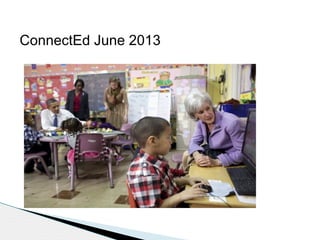
ConnectEd June 2013
ConnectedEd Initiative
The goal of the President’s ConnectED initiative is to bring
high-speed Internet connections to 99 percent of America’s
students – which he is calling on the FCC to do within five
years.

This is not connectivity for connectivity’s sake. It is laying the
foundation for a vision of classrooms where students are
engaged in individualized digital learning and where teachers
can assess progress lesson by lesson and day by day. It’s
about creating learning environments where students can both
succeed and struggle without embarrassment, where barriers
for children with disabilities are removed, and where we can
bring the most modern, innovative, and up-to-date content
into the classroom.
Connected generation
●
●
●

●

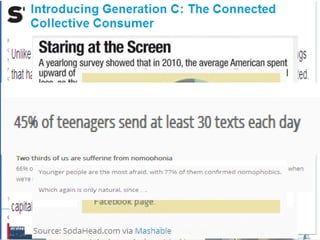
4,000,000 children are posting content to the Web everyday
15,000,000 youth use internet messaging
Twitter - Twitter is now processing 50 million Tweets a day, which
comes to about 1.5 billion Tweets a month. Royal Pingdom recently
reported that Twitter passed one billion Tweets a month last
December and measured about 1.2 billion in January. On a daily
basis, Royal Pindom was measuring 27 million Tweets a day back in
November, 2009. But the latest data comes from Twitter itself.
(2/2010)
Facebook -With over 500 million users, Facebook is now used by 1 in
every 13 people on earth, with over 250 million of them (over 50%)
who log in every day. (2/2010)
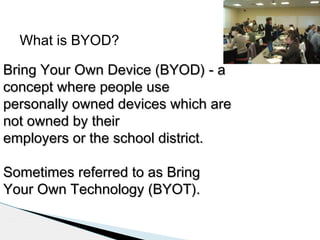
What is BYOD?
Bring Your Own Device (BYOD) - a
concept where people use
personally owned devices which are
not owned by their
employers or the school district.
Sometimes referred to as Bring
Your Own Technology (BYOT).
Consumerization of IT
●

Communication

●

Contacts

●

Information access

●

Pictures

●

Scheduling

●

Documentation

●

Learning Synchronous/Asynchronous
Can’t beat them, join them

●

Blended learning experiences both

inside and outside of the classroom.
●

Ubiquitous Technology/Computing
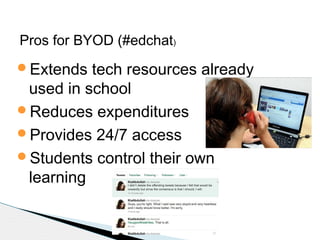
Pros for BYOD (#edchat)
Extends

tech resources already
used in school
Reduces expenditures
Provides 24/7 access
Students control their own
learning
Pro for BYOD (#edchat)
Ubiquitous

technology
Student stay on task
Decrease in student theft and
disruptive behavior
Delivery of e-books and etextbooks
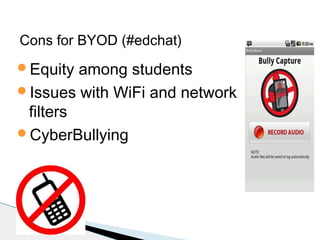
Cons for BYOD (#edchat)
Equity

among students
Issues with WiFi and network
filters
CyberBullying
Cons for BYOD (#edchat)
Applications/Tools

are not
common on all platforms
Student forgets to bring device
to school
PD for teachers on using
BYOD in the classroom.
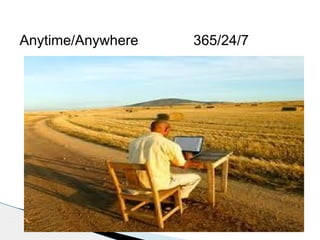
Anytime/Anywhere

365/24/7
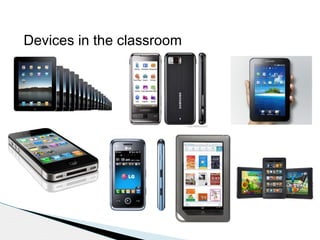
Devices in the classroom
How will you be affected by BYOD?
 Teachable

moments
 No longer the sage on the stage
 Classroom management
 Student code of conduct
 Changes in Instruction
 Changes in Learning
Classroom Application


Class resources
◦

Students would be able to download all class
materials needed on a chapter-by-chapter basis
 Edmodo
 Teacher web



Research resources
◦

Students would be asked throughout the course of a
class period to research questions, information, or
activities (content based or researched based)
 Definitions
 Primary source document searches
 Current events
Change in Pedagogy


Not only does BYOD affect the students, the
teacher can greatly benefit as well



Leads to a change in pedagogy for the teacher



It will allow teachers to better instruct their
students in an ever-changing, technologically
advancing environment



Teacher -> student based lessons
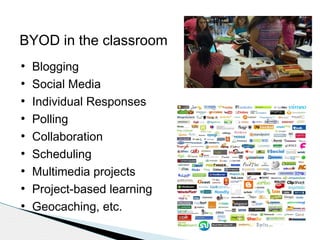
BYOD in the classroom
●
●
●
●
●
●
●
●
●

Blogging
Social Media
Individual Responses
Polling
Collaboration
Scheduling
Multimedia projects
Project-based learning
Geocaching, etc.
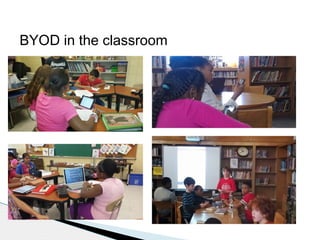
BYOD in the classroom
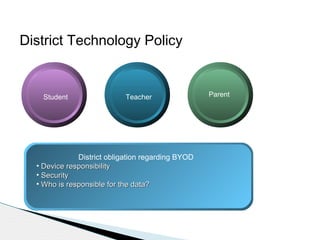
District Technology Policy

Student

Teacher

District obligation regarding BYOD
• Device responsibility
• Security
• Who is responsible for the data?

Parent
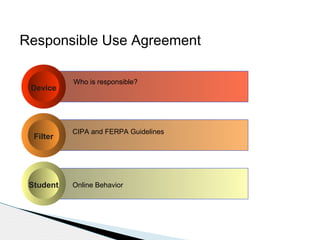
Responsible Use Agreement
Device

Filter

Student

Who is responsible?

CIPA and FERPA Guidelines

Online Behavior
Sayreville Process
●
●
●
●
●

Technology policy and AUPs
Program in High and Middle Schools
Changes in instructional process
Investigation of hybrid cloud
Infrastructure upgrades
– Switches
– WAPs
– IP Addresses
BYOD Schools/Districts
●
●
●
●
●
●
●

New Milford High School
Bridgewater Raritan School District
Monroe Township High School
Forsyth County Schools in Georgia
St. Charles Place, New Orleans, La.
Allen Independent School District
Hanover Public Schools
Examples of BYOD responsible agreements
 Meigs

Magnet School
 Bridgewater Raritan, NJ
 Logan City School District
 CoSN – examples on website
 ISTE – examples on website
 Hanover Public School
 Wolf

Creek Public Schools
 Allen Independent School District
Quick review
●

Federal initiatives

●

What is BYOD?

●

Pros and Cons

●

Devices

●

Affect in the classroom

●

BYOD in the classroom

●

Policy

●

Sayreville Process
Thank You for listening

Contact Information:
Email: sandra.paul@sayrevillek12.net
Twitter: @spaul6414
Website: http://sspaul.blogspot.com
Cell: 908-433-7076
LinkedIn: Sandra Paul
Resources
●

●

http://www.proconlists.com/list/education/
byod-in-schools/863
“Bring your own device” catching on in
schools.
http://www.eschoolnews.com/2011/04/29/
bring-your-own-device-catching-on-inschools/

NJAET Fall 2013 Conference BYOD

  • 1.
    NJAET 2013 FallConference Setting up BYOD in your School Presented by: Sandra Paul Director of Technology Sayreville Public Schools October 26, 2013
  • 2.
    Today's Agenda ● Federal initiatives ● Whatis BYOD? ● Pros and Cons ● Devices ● Affect in the classroom ● BYOD in the classroom ● Policy ● Sayreville Process
  • 3.
    Federal Communication Commission (FCC) ● Therecently released National Broadband ACT 2008 made recommendations to the FCC to improve education in the US by supporting and promoting online learning through the expansion of broadband technology.
  • 5.
  • 6.
    ConnectedEd Initiative The goalof the President’s ConnectED initiative is to bring high-speed Internet connections to 99 percent of America’s students – which he is calling on the FCC to do within five years. This is not connectivity for connectivity’s sake. It is laying the foundation for a vision of classrooms where students are engaged in individualized digital learning and where teachers can assess progress lesson by lesson and day by day. It’s about creating learning environments where students can both succeed and struggle without embarrassment, where barriers for children with disabilities are removed, and where we can bring the most modern, innovative, and up-to-date content into the classroom.
  • 7.
    Connected generation ● ● ● ● 4,000,000 childrenare posting content to the Web everyday 15,000,000 youth use internet messaging Twitter - Twitter is now processing 50 million Tweets a day, which comes to about 1.5 billion Tweets a month. Royal Pingdom recently reported that Twitter passed one billion Tweets a month last December and measured about 1.2 billion in January. On a daily basis, Royal Pindom was measuring 27 million Tweets a day back in November, 2009. But the latest data comes from Twitter itself. (2/2010) Facebook -With over 500 million users, Facebook is now used by 1 in every 13 people on earth, with over 250 million of them (over 50%) who log in every day. (2/2010)
  • 9.
    What is BYOD? BringYour Own Device (BYOD) - a concept where people use personally owned devices which are not owned by their employers or the school district. Sometimes referred to as Bring Your Own Technology (BYOT).
  • 10.
    Consumerization of IT ● Communication ● Contacts ● Informationaccess ● Pictures ● Scheduling ● Documentation ● Learning Synchronous/Asynchronous
  • 11.
    Can’t beat them,join them ● Blended learning experiences both inside and outside of the classroom. ● Ubiquitous Technology/Computing
  • 12.
    Pros for BYOD(#edchat) Extends tech resources already used in school Reduces expenditures Provides 24/7 access Students control their own learning
  • 13.
    Pro for BYOD(#edchat) Ubiquitous technology Student stay on task Decrease in student theft and disruptive behavior Delivery of e-books and etextbooks
  • 14.
    Cons for BYOD(#edchat) Equity among students Issues with WiFi and network filters CyberBullying
  • 15.
    Cons for BYOD(#edchat) Applications/Tools are not common on all platforms Student forgets to bring device to school PD for teachers on using BYOD in the classroom.
  • 16.
  • 17.
    Devices in theclassroom
  • 19.
    How will yoube affected by BYOD?  Teachable moments  No longer the sage on the stage  Classroom management  Student code of conduct  Changes in Instruction  Changes in Learning
  • 20.
    Classroom Application  Class resources ◦ Studentswould be able to download all class materials needed on a chapter-by-chapter basis  Edmodo  Teacher web  Research resources ◦ Students would be asked throughout the course of a class period to research questions, information, or activities (content based or researched based)  Definitions  Primary source document searches  Current events
  • 21.
    Change in Pedagogy  Notonly does BYOD affect the students, the teacher can greatly benefit as well  Leads to a change in pedagogy for the teacher  It will allow teachers to better instruct their students in an ever-changing, technologically advancing environment  Teacher -> student based lessons
  • 22.
    BYOD in theclassroom ● ● ● ● ● ● ● ● ● Blogging Social Media Individual Responses Polling Collaboration Scheduling Multimedia projects Project-based learning Geocaching, etc.
  • 23.
    BYOD in theclassroom
  • 24.
    District Technology Policy Student Teacher Districtobligation regarding BYOD • Device responsibility • Security • Who is responsible for the data? Parent
  • 25.
    Responsible Use Agreement Device Filter Student Whois responsible? CIPA and FERPA Guidelines Online Behavior
  • 26.
    Sayreville Process ● ● ● ● ● Technology policyand AUPs Program in High and Middle Schools Changes in instructional process Investigation of hybrid cloud Infrastructure upgrades – Switches – WAPs – IP Addresses
  • 27.
    BYOD Schools/Districts ● ● ● ● ● ● ● New MilfordHigh School Bridgewater Raritan School District Monroe Township High School Forsyth County Schools in Georgia St. Charles Place, New Orleans, La. Allen Independent School District Hanover Public Schools
  • 28.
    Examples of BYODresponsible agreements  Meigs Magnet School  Bridgewater Raritan, NJ  Logan City School District  CoSN – examples on website  ISTE – examples on website  Hanover Public School  Wolf Creek Public Schools  Allen Independent School District
  • 29.
    Quick review ● Federal initiatives ● Whatis BYOD? ● Pros and Cons ● Devices ● Affect in the classroom ● BYOD in the classroom ● Policy ● Sayreville Process
  • 30.
    Thank You forlistening Contact Information: Email: sandra.paul@sayrevillek12.net Twitter: @spaul6414 Website: http://sspaul.blogspot.com Cell: 908-433-7076 LinkedIn: Sandra Paul
  • 31.
    Resources ● ● http://www.proconlists.com/list/education/ byod-in-schools/863 “Bring your owndevice” catching on in schools. http://www.eschoolnews.com/2011/04/29/ bring-your-own-device-catching-on-inschools/

Editor's Notes

  • #6 That’s why President Obama is unveiling a bold, new initiative called ConnectED, which will connect 99 percent of America’s students to the internet through high-speed broadband and high-speed wireless within 5 years. The President also directed the federal government to make better use of existing funds to get Internet connectivity and educational technology into classrooms, and into the hands of teachers trained on its advantages. And he called on businesses, states, districts, schools and communities to support this vision, which requires no congressional action.
  • #9 <number>
  • #12 http://www.youtube.com/watch?v=obdf5UosbR0&feature=related –Soloway Http://www.youtube.com/watch?v=tRTNnpV_79Y&feature=related – george engel While districts try to find additional funding for technology integration in the classroom, students are walking into the room with devices that are capable of providing a technology rich experience that is guided by the curriculum in the district. Ubiquitous computing (ubicomp) is a post-desktop model of human-computer interaction in which information processing has been thoroughly integrated into everyday objects and activities. In the course of ordinary activities, someone "using" ubiquitous computing engages many computational devices and systems simultaneously, and may not necessarily even be aware that they are doing so.