BYOD:
The Good, The Bad, & The Connected

Sandra Paul, Director of Technology
Sayreville Public Schools

Jay Eitner, Superintendent
The Lower Alloways Creek School District

2014 Techspo- Atlantic City, NJ
Agenda
I. The Idea
II. The Vision
III. Acceptable Use Policy (A.U.P.)
IV. Policy Creation
V. Buy-In
VI. Infrastructure
VII. Training
VIII. Push-back
IX. Questions/Comments/Concerns
National Broadband Plan (NBP)
● Released by FCC
● Support and Promote online learning
● Expand Technology
The Idea: A Connected Generation
● Social Media = main communication
● Current Policy does not account for schools
● What do we do?
○ BYOD- Bring Your Own Device
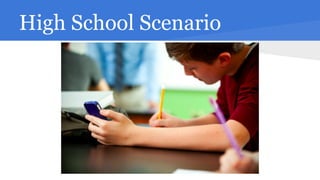
High School Scenario
The Vision
● Students bring their own devices
● Blended learning experience inside and
outside the classroom
● Ubiquitous Technology/Computing
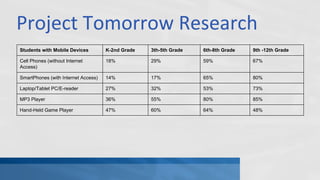
Project Tomorrow Research
Students with Mobile Devices

K-2nd Grade

3th-5th Grade

6th-8th Grade

9th -12th Grade

Cell Phones (without Internet
Access)

18%

29%

59%

67%

SmartPhones (with Internet Access)

14%

17%

65%

80%

Laptop/Tablet PC/E-reader

27%

32%

53%

73%

MP3 Player

36%

55%

80%

85%

Hand-Held Game Player

47%

60%

64%

48%
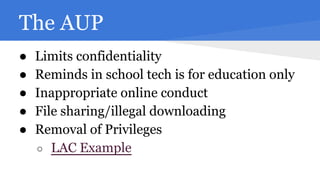
The AUP
●
●
●
●
●

Limits confidentiality
Reminds in school tech is for education only
Inappropriate online conduct
File sharing/illegal downloading
Removal of Privileges
○ LAC Example
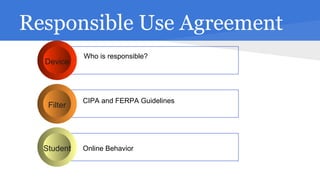
Responsible Use Agreement
Device

Filter

Student

Who is responsible?

CIPA and FERPA Guidelines

Online Behavior
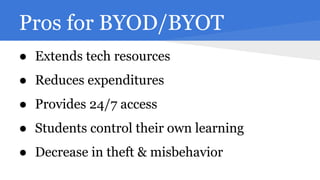
Pros for BYOD/BYOT
● Extends tech resources
● Reduces expenditures
● Provides 24/7 access
● Students control their own learning
● Decrease in theft & misbehavior
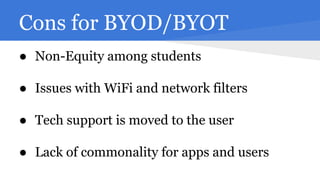
Cons for BYOD/BYOT
● Non-Equity among students
● Issues with WiFi and network filters
● Tech support is moved to the user
● Lack of commonality for apps and users
Buy-In for Stakeholders
● Board of Education
● Administration
● I-T
Approaching the School Board
●
●
●
●
●
●
●

Access time
e-Texbooks
Invitations to Tech Conferences
BYOD Articles
STEM or STEAM
One-to-One Projects
Online testing and courses
Approaching I-T
●
●
●
●
●
●

Data security
Applications as software or service
Devices
Bandwidth issues
Approach to desktops
Research and articles
Infrastructure Concerns
●
●
●
●
●
●
●

Operating Systems
Access
Filtering
Bandwidth of wireless
IP addresses
Virtualization
Cloud Computing

● Conduct a thorough survey before implementing
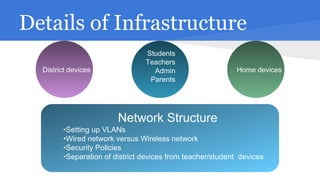
Details of Infrastructure
District devices

Students
Teachers
Admin
Parents

Home devices

Network Structure
Network Structure
•Setting up VLANs
•Setting up VLANs
•Wired network versus Wireless network
•Wired
•Security Policies network versus Wireless network
•Security Policies
•Separation of district devices from teacher/student devices
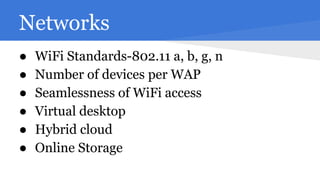
Networks
●
●
●
●
●
●

WiFi Standards-802.11 a, b, g, n
Number of devices per WAP
Seamlessness of WiFi access
Virtual desktop
Hybrid cloud
Online Storage
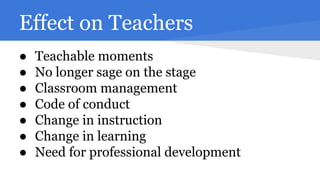
Effect on Teachers
●
●
●
●
●
●
●

Teachable moments
No longer sage on the stage
Classroom management
Code of conduct
Change in instruction
Change in learning
Need for professional development
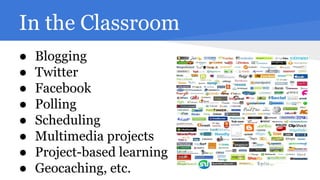
In the Classroom
●
●
●
●
●
●
●
●

Blogging
Twitter
Facebook
Polling
Scheduling
Multimedia projects
Project-based learning
Geocaching, etc.
The Process: Sayreville & LAC
● Technology policy and AUPs
● Pilot program in HS
● Changes in instructional process
● Investigation of hybrid cloud
● Infrastructure upgrades
Contact Information

Jay Eitner

Sandra Paul

@iSuperEit

@spaul6414

jeitner@lacschool.org

http://sspaul.blogspot.com

www.jayeitner.com

(w) 732.316.2819

(w) 856.935.2707 x210

(c) 908.433.7076

(c) 732.921.4554

BYOD: The Good, The Bad and The Connected