❝Ninja Build” Beginner’s Guide
Chang W. Doh 
<hi> </hi> 
GDG Korea WebTech Organizer 
HTML5Rocks/KO Contributor/Coordinator
Ninja? 
● Designed only for speed 
● File Interdependencies 
● Orchestrate buildings, quickly 
● Minified load & evaluations
Philosophy 
● Aimed to assembler, not high-level system. 
● ‘Edit-compile cycle’ as fast as possible 
● Barest functionality to describe dependency graph 
− Cons. : impossible to complex decisions 
− Instead, use ninja file Generator! 
● e.g. GYP, GN or Cmake 2.8.8+
Design Goals 
● Very fast incremental builds 
● Very little policy about how code is built 
● Get dependencies correctly 
● Convenience or Speed in conflict 
− Always “SPEEEEEEED!!!”
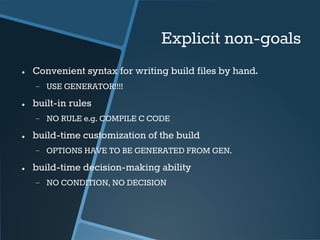
Explicit non-goals 
● Convenient syntax for writing build files by hand. 
− USE GENERATOR!!!! 
● built-in rules 
− NO RULE e.g. COMPILE C CODE 
● build-time customization of the build 
− OPTIONS HAVE TO BE GENERATED FROM GEN. 
● build-time decision-making ability 
− NO CONDITION, NO DECISION
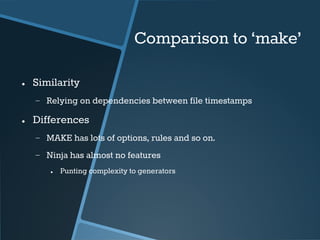
Comparison to ‘make’ 
● Similarity 
− Relying on dependencies between file timestamps 
● Differences 
− MAKE has lots of options, rules and so on. 
− Ninja has almost no features 
● Punting complexity to generators
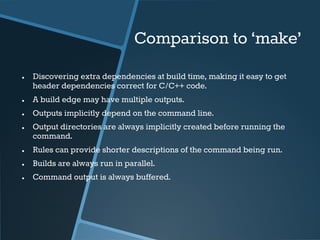
Comparison to ‘make’ 
● Discovering extra dependencies at build time, making it easy to get 
header dependencies correct for C/C++ code. 
● A build edge may have multiple outputs. 
● Outputs implicitly depend on the command line. 
● Output directories are always implicitly created before running the 
command. 
● Rules can provide shorter descriptions of the command being run. 
● Builds are always run in parallel. 
● Command output is always buffered.
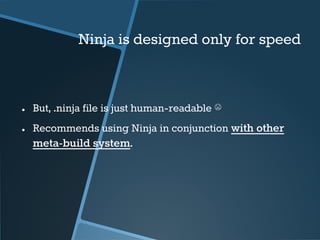
Ninja is designed only for speed 
● But, .ninja file is just human-readable ☹ 
● Recommends using Ninja in conjunction with other 
meta-build system.
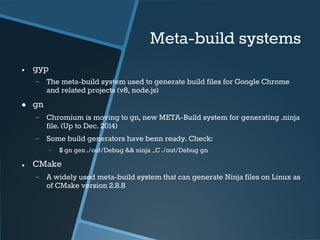
Meta-build systems 
● gyp 
− The meta-build system used to generate build files for Google Chrome 
and related projects (v8, node.js) 
● gn 
− Chromium is moving to gn, new META-Build system for generating .ninja 
file. (Up to Dec. 2014) 
− Some build generators have benn ready. Check: 
− $ gn gen ./out/Debug && ninja –C ./out/Debug gn 
● CMake 
− A widely used meta-build system that can generate Ninja files on Linux as 
of CMake version 2.8.8
TL;DR; 
● Ninja is FAST! 
− No option, No decision, No built-ins to avoid slow edit-build 
cycle. 
− Only focused at ‘dependencies’ on your project 
− But, you should GENERATE your .ninja file!
Usage
Running Ninja build 
● Simply, run ‘ninja’ 
$ ninja 
− By default, it looks for ‘build.ninja’ in the current directory 
● Build specified target 
$ ninja [options] TARGETs
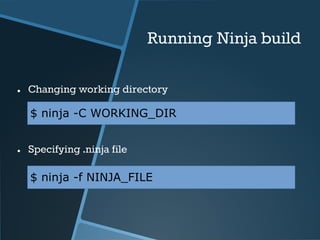
Running Ninja build 
● Changing working directory 
$ ninja -C WORKING_DIR 
● Specifying .ninja file 
$ ninja -f NINJA_FILE
Options 
● Command-line options 
Option Argument Description 
-C WORKING_DIR Setting working directory 
-f NINJA_FILE Specifying .ninja file 
-j Integer Limitations of jobs in parallel 
-l Integer Limitations of load average 
-v Show all commands while building 
-n Dryrun, but act like build succeeded 
-d MODE Debug mode: 
● ‘stat’ - Operation count/timing 
● ‘explain’ - Print what cause command 
● ‘keeprsp’ - Keep response files 
-t TOOL Run a subtool: 
•Mostly, $ ninja -t clean -r RULES
Misc. 
● Environment variables [link] 
− export NINJA_STATUS = “STRING” 
● Extra Tools [link] 
− Mostly, we may use: 
● ninja -t clean
Writing .ninja file
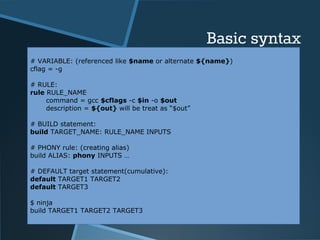
Basic syntax 
# VARIABLE: (referenced like $name or alternate ${name}) 
cflag = -g 
# RULE: 
rule RULE_NAME 
command = gcc $cflags -c $in -o $out 
description = ${out} will be treat as “$out” 
# BUILD statement: 
build TARGET_NAME: RULE_NAME INPUTS 
# PHONY rule: (creating alias) 
build ALIAS: phony INPUTS … 
# DEFAULT target statement(cumulative): 
default TARGET1 TARGET2 
default TARGET3 
$ ninja 
build TARGET1 TARGET2 TARGET3
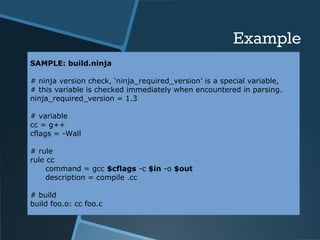
Example 
SAMPLE: build.ninja 
# ninja version check, ‘ninja_required_version’ is a special variable, 
# this variable is checked immediately when encountered in parsing. 
ninja_required_version = 1.3 
# variable 
cc = g++ 
cflags = -Wall 
# rule 
rule cc 
command = gcc $cflags -c $in -o $out 
description = compile .cc 
# build 
build foo.o: cc foo.c
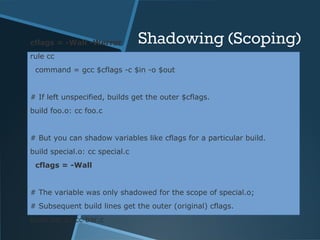
cflags = -Wall -Werror Shadowing (Scoping) 
rule cc 
command = gcc $cflags -c $in -o $out 
# If left unspecified, builds get the outer $cflags. 
build foo.o: cc foo.c 
# But you can shadow variables like cflags for a particular build. 
build special.o: cc special.c 
cflags = -Wall 
# The variable was only shadowed for the scope of special.o; 
# Subsequent build lines get the outer (original) cflags. 
build bar.o: cc bar.c
miscellaneous
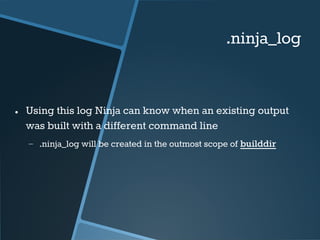
.ninja_log 
● Using this log Ninja can know when an existing output 
was built with a different command line 
− .ninja_log will be created in the outmost scope of builddir
C/C++ header dependencies 
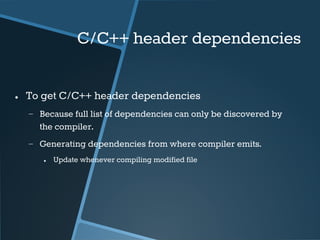
● To get C/C++ header dependencies 
− Because full list of dependencies can only be discovered by 
the compiler. 
− Generating dependencies from where compiler emits. 
● Update whenever compiling modified file
C/C++ header dependencies 
● ‘depfile’ attribute 
− On the Ninja side, the ‘depfile’ attribute on the build must 
point to a path where this data is written. 
● Ninja only supports the limited subset of the Makefile syntax emitted 
by compilers. 
rule cc 
depfile = $out.d 
command = gcc -MMD -MF $out.d [other gcc flags here]
C/C++ header dependencies 
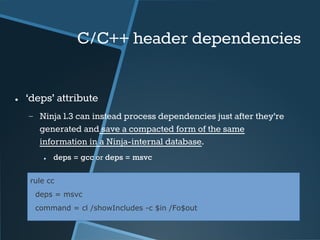
● ‘deps’ attribute 
− Ninja 1.3 can instead process dependencies just after they’re 
generated and save a compacted form of the same 
information in a Ninja-internal database. 
● deps = gcc or deps = msvc 
rule cc 
deps = msvc 
command = cl /showIncludes -c $in /Fo$out
pool 
● To get C/C++ header dependencies 
− Because full list of dependencies can only be discovered by 
the compiler. 
− Generating dependencies from where compiler emits. 
● Update whenever compiling modified file
pool 
● To get C/C++ header dependencies 
− Because full list of dependencies can only be discovered by 
the compiler. 
− Generating dependencies from where compiler emits. 
● Update whenever compiling modified file
pool 
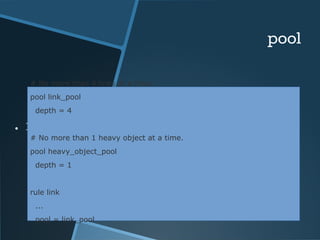
# No more than 4 links at a time. 
pool link_pool 
depth = 4 
● Declaring ‘pool’ 
# No more than 1 heavy object at a time. 
pool heavy_object_pool 
depth = 1 
rule link 
... 
pool = link_pool
pool 
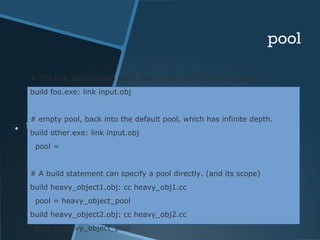
# The link_pool is used here. Only 4 links will run concurrently. 
build foo.exe: link input.obj 
# empty pool, back into the default pool, which has infinite depth. 
build other.exe: link input.obj 
pool = 
● Using ‘pool’ 
# A build statement can specify a pool directly. (and its scope) 
build heavy_object1.obj: cc heavy_obj1.cc 
pool = heavy_object_pool 
build heavy_object2.obj: cc heavy_obj2.cc 
pool = heavy_object_pool
submodules 
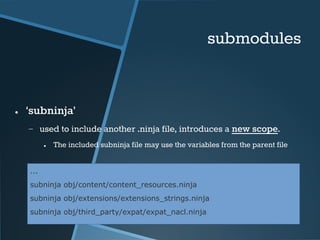
● ‘subninja’ 
− used to include another .ninja file, introduces a new scope. 
● The included subninja file may use the variables from the parent file 
... 
subninja obj/content/content_resources.ninja 
subninja obj/extensions/extensions_strings.ninja 
subninja obj/third_party/expat/expat_nacl.ninja
submodules 
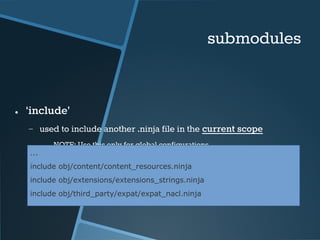
● ‘include’ 
− used to include another .ninja file in the current scope 
● NOTE: Use this only for global configurations 
... 
include obj/content/content_resources.ninja 
include obj/extensions/extensions_strings.ninja 
include obj/third_party/expat/expat_nacl.ninja
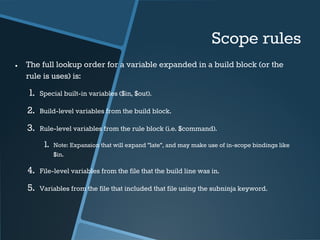
Scope rules 
● The full lookup order for a variable expanded in a build block (or the 
rule is uses) is: 
1. Special built-in variables ($in, $out). 
2. Build-level variables from the build block. 
3. Rule-level variables from the rule block (i.e. $command). 
1. Note: Expansion that will expand "late", and may make use of in-scope bindings like 
$in. 
4. File-level variables from the file that the build line was in. 
5. Variables from the file that included that file using the subninja keyword.
Only one Reference :) 
● [1] http://martine.github.io/ninja/manual.html

Ninja Build: Simple Guide for Beginners

  • 1.
  • 2.
    Chang W. Doh <hi> </hi> GDG Korea WebTech Organizer HTML5Rocks/KO Contributor/Coordinator
  • 3.
    Ninja? ● Designedonly for speed ● File Interdependencies ● Orchestrate buildings, quickly ● Minified load & evaluations
  • 4.
    Philosophy ● Aimedto assembler, not high-level system. ● ‘Edit-compile cycle’ as fast as possible ● Barest functionality to describe dependency graph − Cons. : impossible to complex decisions − Instead, use ninja file Generator! ● e.g. GYP, GN or Cmake 2.8.8+
  • 5.
    Design Goals ●Very fast incremental builds ● Very little policy about how code is built ● Get dependencies correctly ● Convenience or Speed in conflict − Always “SPEEEEEEED!!!”
  • 6.
    Explicit non-goals ●Convenient syntax for writing build files by hand. − USE GENERATOR!!!! ● built-in rules − NO RULE e.g. COMPILE C CODE ● build-time customization of the build − OPTIONS HAVE TO BE GENERATED FROM GEN. ● build-time decision-making ability − NO CONDITION, NO DECISION
  • 7.
    Comparison to ‘make’ ● Similarity − Relying on dependencies between file timestamps ● Differences − MAKE has lots of options, rules and so on. − Ninja has almost no features ● Punting complexity to generators
  • 8.
    Comparison to ‘make’ ● Discovering extra dependencies at build time, making it easy to get header dependencies correct for C/C++ code. ● A build edge may have multiple outputs. ● Outputs implicitly depend on the command line. ● Output directories are always implicitly created before running the command. ● Rules can provide shorter descriptions of the command being run. ● Builds are always run in parallel. ● Command output is always buffered.
  • 9.
    Ninja is designedonly for speed ● But, .ninja file is just human-readable ☹ ● Recommends using Ninja in conjunction with other meta-build system.
  • 10.
    Meta-build systems ●gyp − The meta-build system used to generate build files for Google Chrome and related projects (v8, node.js) ● gn − Chromium is moving to gn, new META-Build system for generating .ninja file. (Up to Dec. 2014) − Some build generators have benn ready. Check: − $ gn gen ./out/Debug && ninja –C ./out/Debug gn ● CMake − A widely used meta-build system that can generate Ninja files on Linux as of CMake version 2.8.8
  • 11.
    TL;DR; ● Ninjais FAST! − No option, No decision, No built-ins to avoid slow edit-build cycle. − Only focused at ‘dependencies’ on your project − But, you should GENERATE your .ninja file!
  • 12.
  • 13.
    Running Ninja build ● Simply, run ‘ninja’ $ ninja − By default, it looks for ‘build.ninja’ in the current directory ● Build specified target $ ninja [options] TARGETs
  • 14.
    Running Ninja build ● Changing working directory $ ninja -C WORKING_DIR ● Specifying .ninja file $ ninja -f NINJA_FILE
  • 15.
    Options ● Command-lineoptions Option Argument Description -C WORKING_DIR Setting working directory -f NINJA_FILE Specifying .ninja file -j Integer Limitations of jobs in parallel -l Integer Limitations of load average -v Show all commands while building -n Dryrun, but act like build succeeded -d MODE Debug mode: ● ‘stat’ - Operation count/timing ● ‘explain’ - Print what cause command ● ‘keeprsp’ - Keep response files -t TOOL Run a subtool: •Mostly, $ ninja -t clean -r RULES
  • 16.
    Misc. ● Environmentvariables [link] − export NINJA_STATUS = “STRING” ● Extra Tools [link] − Mostly, we may use: ● ninja -t clean
  • 17.
  • 18.
    Basic syntax #VARIABLE: (referenced like $name or alternate ${name}) cflag = -g # RULE: rule RULE_NAME command = gcc $cflags -c $in -o $out description = ${out} will be treat as “$out” # BUILD statement: build TARGET_NAME: RULE_NAME INPUTS # PHONY rule: (creating alias) build ALIAS: phony INPUTS … # DEFAULT target statement(cumulative): default TARGET1 TARGET2 default TARGET3 $ ninja build TARGET1 TARGET2 TARGET3
  • 19.
    Example SAMPLE: build.ninja # ninja version check, ‘ninja_required_version’ is a special variable, # this variable is checked immediately when encountered in parsing. ninja_required_version = 1.3 # variable cc = g++ cflags = -Wall # rule rule cc command = gcc $cflags -c $in -o $out description = compile .cc # build build foo.o: cc foo.c
  • 20.
    cflags = -Wall-Werror Shadowing (Scoping) rule cc command = gcc $cflags -c $in -o $out # If left unspecified, builds get the outer $cflags. build foo.o: cc foo.c # But you can shadow variables like cflags for a particular build. build special.o: cc special.c cflags = -Wall # The variable was only shadowed for the scope of special.o; # Subsequent build lines get the outer (original) cflags. build bar.o: cc bar.c
  • 21.
  • 22.
    .ninja_log ● Usingthis log Ninja can know when an existing output was built with a different command line − .ninja_log will be created in the outmost scope of builddir
  • 23.
    C/C++ header dependencies ● To get C/C++ header dependencies − Because full list of dependencies can only be discovered by the compiler. − Generating dependencies from where compiler emits. ● Update whenever compiling modified file
  • 24.
    C/C++ header dependencies ● ‘depfile’ attribute − On the Ninja side, the ‘depfile’ attribute on the build must point to a path where this data is written. ● Ninja only supports the limited subset of the Makefile syntax emitted by compilers. rule cc depfile = $out.d command = gcc -MMD -MF $out.d [other gcc flags here]
  • 25.
    C/C++ header dependencies ● ‘deps’ attribute − Ninja 1.3 can instead process dependencies just after they’re generated and save a compacted form of the same information in a Ninja-internal database. ● deps = gcc or deps = msvc rule cc deps = msvc command = cl /showIncludes -c $in /Fo$out
  • 26.
    pool ● Toget C/C++ header dependencies − Because full list of dependencies can only be discovered by the compiler. − Generating dependencies from where compiler emits. ● Update whenever compiling modified file
  • 27.
    pool ● Toget C/C++ header dependencies − Because full list of dependencies can only be discovered by the compiler. − Generating dependencies from where compiler emits. ● Update whenever compiling modified file
  • 28.
    pool # Nomore than 4 links at a time. pool link_pool depth = 4 ● Declaring ‘pool’ # No more than 1 heavy object at a time. pool heavy_object_pool depth = 1 rule link ... pool = link_pool
  • 29.
    pool # Thelink_pool is used here. Only 4 links will run concurrently. build foo.exe: link input.obj # empty pool, back into the default pool, which has infinite depth. build other.exe: link input.obj pool = ● Using ‘pool’ # A build statement can specify a pool directly. (and its scope) build heavy_object1.obj: cc heavy_obj1.cc pool = heavy_object_pool build heavy_object2.obj: cc heavy_obj2.cc pool = heavy_object_pool
  • 30.
    submodules ● ‘subninja’ − used to include another .ninja file, introduces a new scope. ● The included subninja file may use the variables from the parent file ... subninja obj/content/content_resources.ninja subninja obj/extensions/extensions_strings.ninja subninja obj/third_party/expat/expat_nacl.ninja
  • 31.
    submodules ● ‘include’ − used to include another .ninja file in the current scope ● NOTE: Use this only for global configurations ... include obj/content/content_resources.ninja include obj/extensions/extensions_strings.ninja include obj/third_party/expat/expat_nacl.ninja
  • 32.
    Scope rules ●The full lookup order for a variable expanded in a build block (or the rule is uses) is: 1. Special built-in variables ($in, $out). 2. Build-level variables from the build block. 3. Rule-level variables from the rule block (i.e. $command). 1. Note: Expansion that will expand "late", and may make use of in-scope bindings like $in. 4. File-level variables from the file that the build line was in. 5. Variables from the file that included that file using the subninja keyword.
  • 33.
    Only one Reference:) ● [1] http://martine.github.io/ninja/manual.html