Done by : Athra AlYazeedi Fatma AlNaabi
Definition Features Limitations DE Support
A product developed by Microsoft Corporation that enables groups to teleconference using the Internet as the transmission medium. NetMeeting has been called “the king of the hill for client-side collaborative computing on IP networks”.
NetMeeting enables us to: Conduct conversations via text in real-time with one or more people. Use graphic information during NetMeeting .
Share applications during a conference with one or more NetMeeting users. Conduct real video and audio conferencing. very easy to use and cheap.
many features that can be used at the same time. less expensive than holding a phone conversation with somebody abroad. one-on-one conversations with friends and family who are living abroad
Computer has to meet many hardware requirements to work properly. The connection may gets lost in the middle of a conference. There are often temporal delays in the audio, especially when other features are used at the same time.
Users must trade-off between faster video performance and better image quality. Very limited for a large virtual classroom lecture or group meeting. Cannot work in different systems operators.
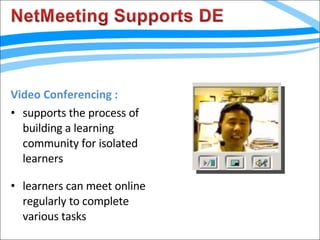
Video Conferencing : supports the process of building a learning community for isolated learners learners can meet online regularly to complete various tasks
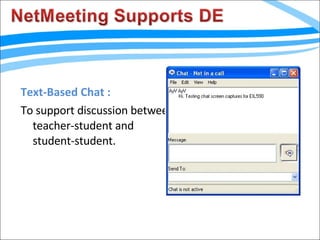
Text-Based Chat :  To support discussion between teacher-student and student-student.
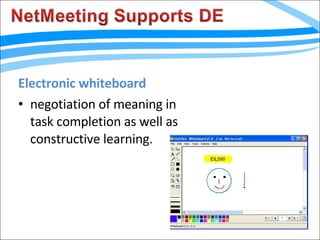
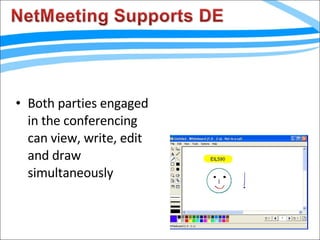
Electronic whiteboard  negotiation of meaning in task completion as well as constructive learning.
Both parties engaged in the conferencing can view, write, edit and draw simultaneously
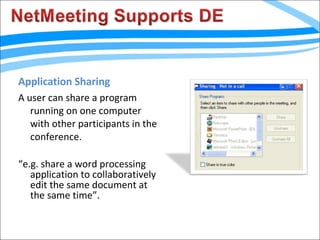
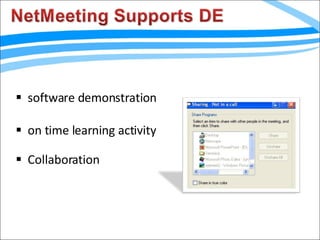
Application Sharing A user can share a program running on one computer with other participants in the conference. “ e.g. share a word processing application to collaboratively edit the same document at the same time”.
software demonstration on time learning activity Collaboration
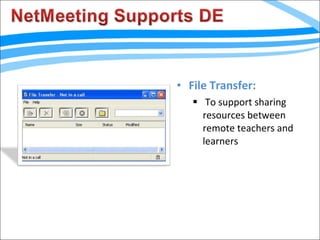
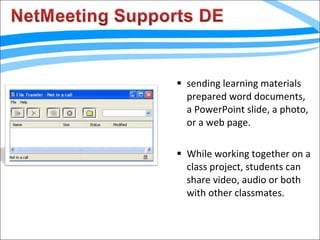
File Transfer: To support sharing resources between remote teachers and learners
sending learning materials prepared word documents, a PowerPoint slide, a photo, or a web page. While working together on a class project, students can share video, audio or both with other classmates.
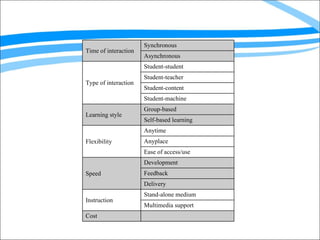
Time of interaction Synchronous Asynchronous Type of interaction Student-student Student-teacher Student-content Student-machine Learning style Group-based Self-based learning Flexibility Anytime Anyplace Ease of access/use Speed Development Feedback Delivery Instruction Stand-alone medium Multimedia support Cost

Netmeeting

  • 1.
    Done by :Athra AlYazeedi Fatma AlNaabi
  • 2.
  • 3.
    A product developedby Microsoft Corporation that enables groups to teleconference using the Internet as the transmission medium. NetMeeting has been called “the king of the hill for client-side collaborative computing on IP networks”.
  • 4.
    NetMeeting enables usto: Conduct conversations via text in real-time with one or more people. Use graphic information during NetMeeting .
  • 5.
    Share applications duringa conference with one or more NetMeeting users. Conduct real video and audio conferencing. very easy to use and cheap.
  • 6.
    many features thatcan be used at the same time. less expensive than holding a phone conversation with somebody abroad. one-on-one conversations with friends and family who are living abroad
  • 7.
    Computer has tomeet many hardware requirements to work properly. The connection may gets lost in the middle of a conference. There are often temporal delays in the audio, especially when other features are used at the same time.
  • 8.
    Users must trade-offbetween faster video performance and better image quality. Very limited for a large virtual classroom lecture or group meeting. Cannot work in different systems operators.
  • 9.
    Video Conferencing :supports the process of building a learning community for isolated learners learners can meet online regularly to complete various tasks
  • 10.
    Text-Based Chat : To support discussion between teacher-student and student-student.
  • 11.
    Electronic whiteboard negotiation of meaning in task completion as well as constructive learning.
  • 12.
    Both parties engagedin the conferencing can view, write, edit and draw simultaneously
  • 13.
    Application Sharing Auser can share a program running on one computer with other participants in the conference. “ e.g. share a word processing application to collaboratively edit the same document at the same time”.
  • 14.
    software demonstration ontime learning activity Collaboration
  • 15.
    File Transfer: Tosupport sharing resources between remote teachers and learners
  • 16.
    sending learning materialsprepared word documents, a PowerPoint slide, a photo, or a web page. While working together on a class project, students can share video, audio or both with other classmates.
  • 17.
    Time of interactionSynchronous Asynchronous Type of interaction Student-student Student-teacher Student-content Student-machine Learning style Group-based Self-based learning Flexibility Anytime Anyplace Ease of access/use Speed Development Feedback Delivery Instruction Stand-alone medium Multimedia support Cost