
MYCHARITYCONNECTS ON THE ROAD
Brought to you by
CanadaHelps.org
What is CanadaHelps?
   A public charitable foundation that provides accessible and affordable online
   technology to both donors and charities.


For Charities
   A cost-effective way to raise funds online.


For Donors
   A one-stop-shop for giving.


        CanadaHelps is a charity helping charities.
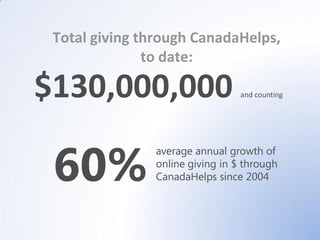
Total giving through CanadaHelps,
               to date:

$130,000,000                     and counting


 60%
               average annual growth of
               online giving in $ through
               CanadaHelps since 2004
Philanthropy 2.0
What We’ll Cover
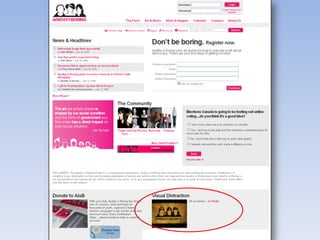
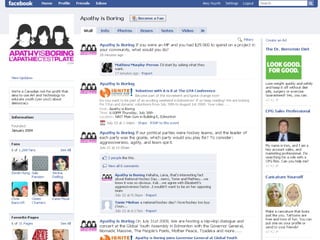
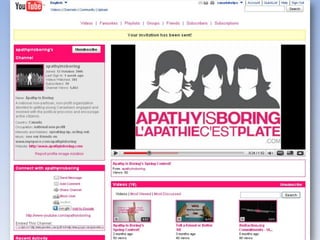
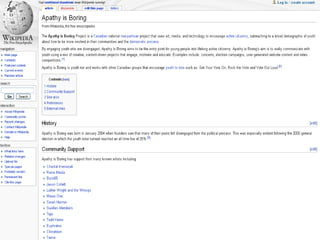
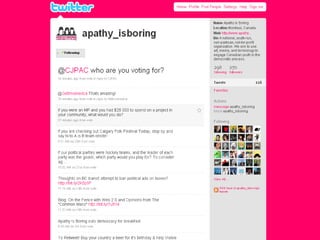
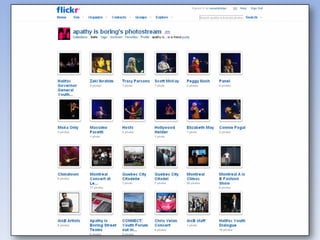
•   Web 1.0 & Web 2.0      •   Case Study: Apathy is Boring
•   Web 2.0 Tools          •   Debunking Web 2.0 Myths
      o   Facebook         •   Keep in Mind
      o   Twitter
      o   Blogs
      o   YouTube
      o   Flickr
      o   Giving Pages
Web 1.0 and Web 2.0
Web 1.0
• The ability to disseminate information
  electronically: to display and promote an
  organization, person, or idea on the
  internet
• To be good at Web 1.0, your website has to
  have good design and content
• Web 1.0 facilitates one-way transactions
• Examples:
  • traditional websites, Donate Now buttons,
    email newsletters, banner ads, etc.
Web 1.0 Tips

• Solid and intuitive website design
• Website usability
• Short and simple messaging
• Compelling stories and e-
  newsletters
• Fresh and up-to-date information
Web 2.0

• Richer user experience
  • interaction, engagement,
    conversation, collaboration,
    connections
• Encourages & allows for two-way
  communication
  • users now being talked WITH
    instead of AT
• User-generated content
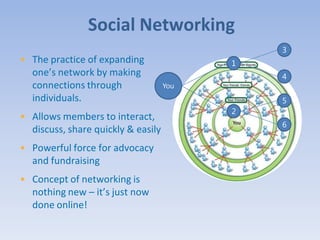
Social Networking
                                              3
• The practice of expanding               1
  one’s network by making                     4
  connections through               You
  individuals.                                5
                                          2
• Allows members to interact,
                                              6
  discuss, share quickly & easily
• Powerful force for advocacy
  and fundraising
• Concept of networking is
  nothing new – it’s just now
  done online!
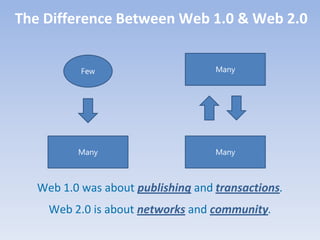
The Difference Between Web 1.0 & Web 2.0


           Few                      Many


          Many                      Many


   Web 1.0 was about publishing and transactions.
     Web 2.0 is about networks and community.
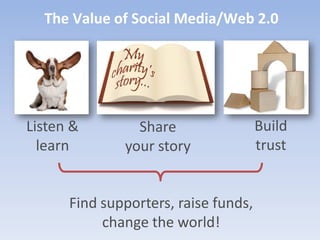
The Value of Social Media/Web 2.0


Listen &        Share                 Build
  learn       your story              trust


      Find supporters, raise funds,
           change the world!
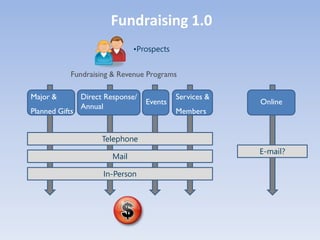
Fundraising 1.0
                                •Prospects


            Fundraising & Revenue Programs

Major &         Direct Response/             Services &
                                   Events                 Online
                Annual
Planned Gifts                                Members


                      Telephone
                                                          E-mail?
                         Mail

                      In-Person
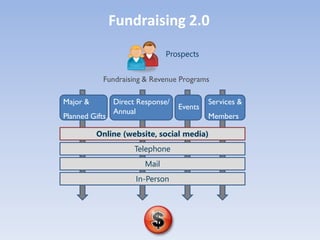
Fundraising 2.0
                                Prospects


            Fundraising & Revenue Programs

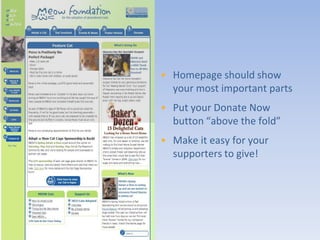
Major &         Direct Response/            Services &
                                   Events
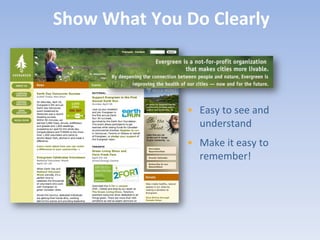
                Annual
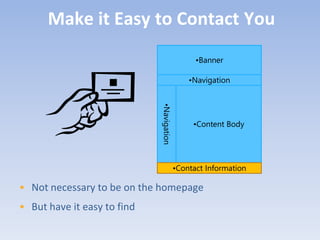
Planned Gifts                               Members

          Online (website, social media)
                      Telephone
                         Mail
                      In-Person
Some Web 2.0 Tools
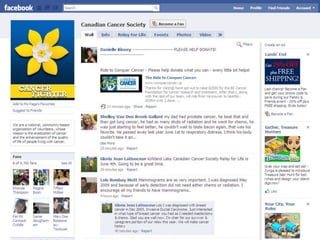
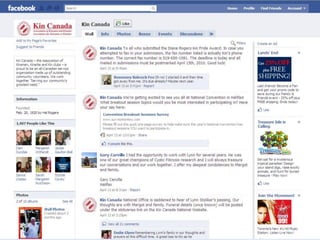
• A free, online social networking website
• Connect with people through online communities
• Facebook Page is your organization’s home base on
  Facebook
Features of Facebook


• Large network of users (over 400 million)
  – 12.6 million users in Canada!

• Designed to connect people
• Facebook is free & easy to use
• A new online presence for your organization
• New tools are always being added
Cautions


• Information is shared
• Limited control over other users’ opinions
• Maintenance required
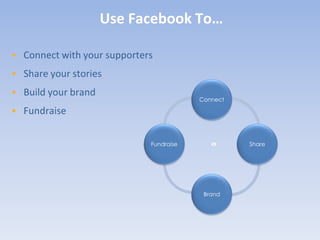
Use Facebook To…

• Connect with your supporters
• Share your stories
• Build your brand
                                         Connect

• Fundraise


                             Fundraise             Share


                                          Brand
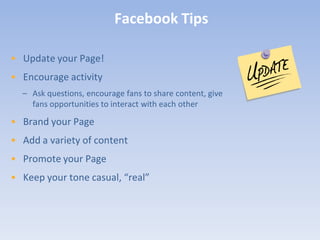
Facebook Tips

• Update your Page!
• Encourage activity
  – Ask questions, encourage fans to share content, give
    fans opportunities to interact with each other

• Brand your Page
• Add a variety of content
• Promote your Page
• Keep your tone casual, “real”
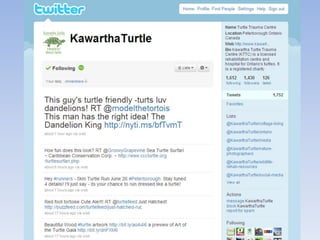
Twitter


• Free micro-blogging tool that lets you share short (up to
  140 characters) updates with people
• Similar to instant messaging, but opens up conversations
  to a wider audience

   Twitter = Instant Messaging + Blogging
                   •Source: www.johnhaydon.com
Features of Twitter


• It’s built for speed
• It’s simple to use
• It’s public
• It’s highly viral
• Messages can be searched
• It has private messaging
  capability
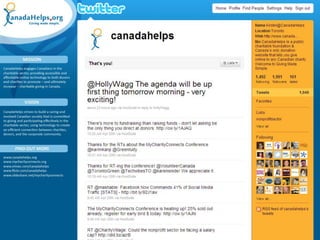
Use Twitter To…

• Make connections
• Gather support
• Educate followers
• Add personality to your
  organization
• Ask/answer questions
• Communicate quickly
• Show appreciation
Twitter Tips
• Balance promotion &
  conversation
• Follow people
• Be real
• Use Twitter to monitor
  conversations
• Be generous: reply & retweet
• Use a Twitter tool like HootSuite
  or TweetDeck to manage tweets
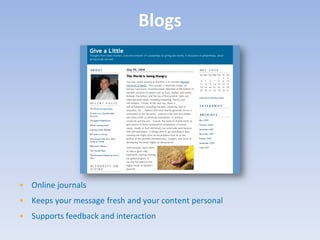
Blogs


• Online journals
• Keeps your message fresh and your content personal
• Supports feedback and interaction
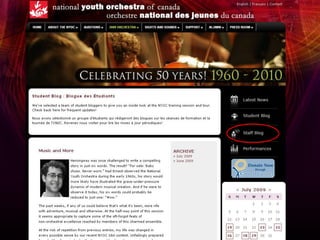
Blogging Tips
• The best blogs create a sense of
  community and commitment to
  a cause
• Use your blog to tell your
  charity’s story
• Make it personal
• Reply to comments you receive
  – listen and learn!
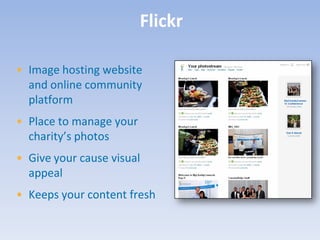
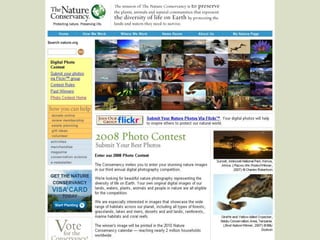
Flickr

• Image hosting website
  and online community
  platform
• Place to manage your
  charity’s photos
• Give your cause visual
  appeal
• Keeps your content fresh
Flickr Tips

  • Encourage people to take
    photos
  • Tag and title strategically
  • Interact with users
  • Make use of the tools on Flickr
  • Create a group for your specific
    event or contest
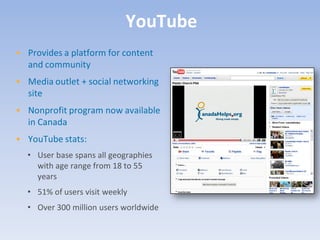
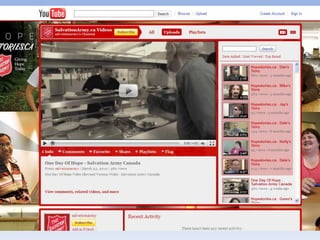
YouTube
• Provides a platform for content
  and community
• Media outlet + social networking
  site
• Nonprofit program now available
  in Canada
• YouTube stats:
  • User base spans all geographies
    with age range from 18 to 55
    years
  • 51% of users visit weekly
  • Over 300 million users worldwide
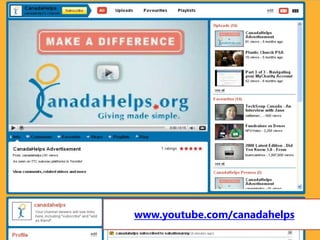
www.youtube.com/canadahelps
YouTube Tips
• You don’t have to be Martin Scorsese
  • Check out www.animoto.com to
    create compelling video quickly and
    easily!
• Keep it short and sweet
• Share your video: embed into your
  website/blog, email the unique URL to
  supporters and friends
• Connect with your viewers. Ask for
  feedback!
GivingPages

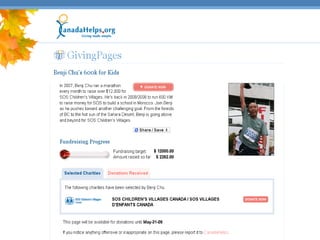
• Micro-giving sites
• Allows individuals to raise funds
  for their charity or charities of
  choice
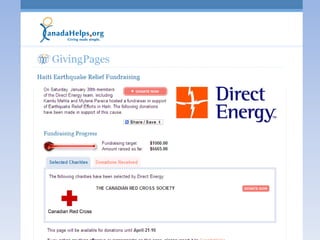
• Allows charities to create a
  unique space to highlight specific
  fundraising campaigns (i.e.
  pledge events)
• Anyone can create and manage
  one
GivingPages Tips

• Give your donors specific ideas, i.e.
  wedding registry, birthdays,
  host/hostess gifts, in memoriam
• Highlight a specific project or campaign
  your charity is running
• Share the unique URL
Social Networking Tips

• Start with one tool at a time
• Be find-able!
• Remember it’s a conversation
  – listening is just as important
  as talking
• Engage, encourage, empower
• Present opportunities to take
  action
Case Study:
Debunking Web 2.0 Myths
“It’s time consuming.”


• The initial time investment will pay off
• Social media tools make communicating quick and
  easy
“It’s only for young people.”


• “Young” is a relative term
• Almost everyone can get online!
“It’s hard to do.”


• It’s just a matter of time and practice.
• These tools are designed to be user-friendly!
“It’s only a fad.”


• Some tools may be a fad, but the concept behind Web 2.0 is not
• Social networking and engaging your donor base will never go out
  of style!
“I need to do it because
          everyone else is.”


• Focus on Web 1.0 first
• Walk before you run
“I will lose all control.”


• Be prepared to give up some control
• Create solid messaging and trust it!
Keep in Mind…
It’s not as complicated
          as it looks.


• Learning new things is always daunting at first
There are lots of people who
            can help you.


• Get creative when asking for help
• Treat it as a staff learning opportunity
Go at your own pace.


• Do what works for you
• You don’t have to do it all
You’re still building
           relationship and communities.


• Still building relationships with people
• Blend your offline and online communications
You don’t have to be good at
            the technology.


• Just be good at telling your charity’s story
Your
turn
STRETCH BREAK
Websites 101
What makes a great website is focus and clarity of
   purpose. A great website is unpretentious. It
   doesn’t pretend to be what it is not. It never
  wastes your time because it always gets to the
      point. A great website helps you to act.
                ~Gerry McGovern
What We’ll Cover
•   What is Web Usability and Why is it Important?
•   Principles of Web Usability
•   Usability Testing
•   Website Critique
•   Web Stats
What is Web Usability and
Why is it Important?
Web Usability


• Web usability refers to ease of use and visual design of your
  website
• The focus is on your users
Why is it Important?

• Good websites…
  • Are liked
  • Won’t drive people away
  • Won’t be distracting
  • Convey more information
  • Will be more compelling
  • Make contributing easier
  • Will be visited again
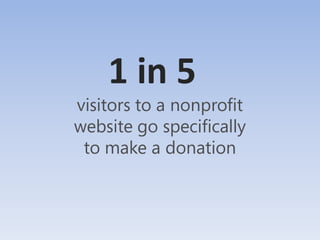
1 in 5
visitors to a nonprofit
website go specifically
 to make a donation
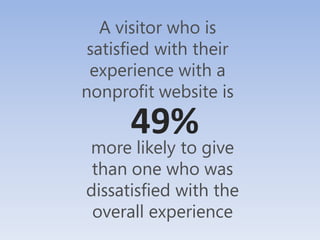
A visitor who is
 satisfied with their
 experience with a
nonprofit website is

      49%
more likely to give
 than one who was
dissatisfied with the
 overall experience
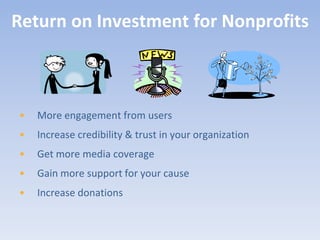
Return on Investment for Nonprofits


•   More engagement from users
•   Increase credibility & trust in your organization
•   Get more media coverage
•   Gain more support for your cause
•   Increase donations
Principles of Web Usability
Present Your Information
        in a Clear and Concise Way


•   Appearance
•   Functionality
•   Content
Make Text Easy to Read
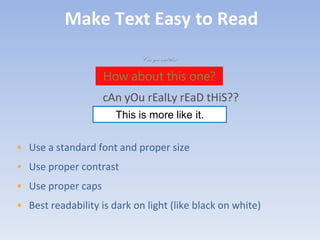
                             Can you read this?

                    How about this one?
                    cAn yOu rEalLy rEaD tHiS??
                       This is more like it.


• Use a standard font and proper size
• Use proper contrast
• Use proper caps
• Best readability is dark on light (like black on white)
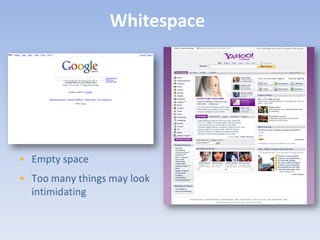
Whitespace


• Empty space
• Too many things may look
  intimidating
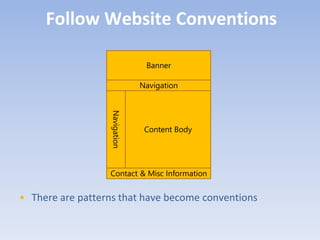
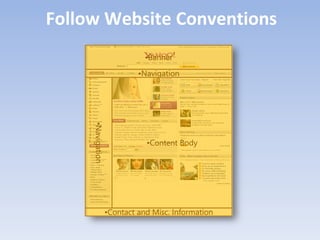
Follow Website Conventions

                                Banner

                               Navigation


                  Navigation

                                Content Body


                  Contact & Misc Information


• There are patterns that have become conventions
Follow Website Conventions
                          •Banner

                        •Navigation

     •Navigation


                          •Content Body


               •Contact and Misc. Information
Speed


• Make your pages load quickly
• Limit use of large pictures
• Interactive media can slow connection
Content


• Web writing is concise
• Keep paragraphs short and use bullet points
• Bold important points, but sparingly
Make navigating easy
               for users


•   Give the correct choices to the
    users (make section names self-
    explanatory)
•   Avoid too much scrolling
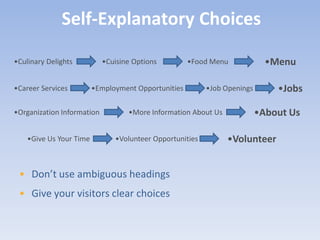
Self-Explanatory Choices

•Culinary Delights          •Cuisine Options         •Food Menu             •Menu

•Career Services         •Employment Opportunities        •Job Openings       •Jobs

•Organization Information          •More Information About Us             •About Us

    •Give Us Your Time         •Volunteer Opportunities         •Volunteer


 • Don’t use ambiguous headings
 • Give your visitors clear choices
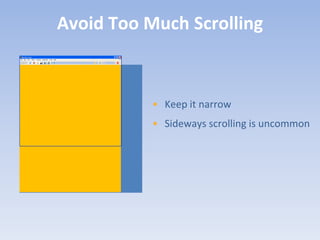
Avoid Too Much Scrolling


           • Keep it narrow
           • Sideways scrolling is uncommon
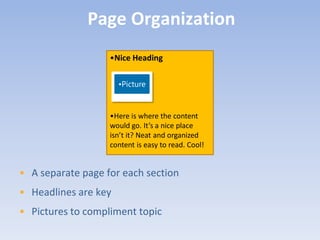
Page Organization
                   •Nice Heading

                      •Picture


                   •Here is where the content
                   would go. It’s a nice place
                   isn’t it? Neat and organized
                   content is easy to read. Cool!


• A separate page for each section
• Headlines are key
• Pictures to compliment topic
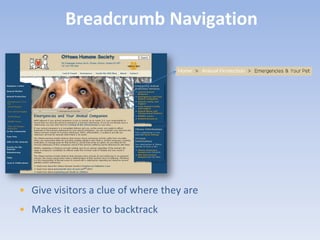
Breadcrumb Navigation


• Give visitors a clue of where they are
• Makes it easier to backtrack
Remove Ambiguity Regarding the
           Consequences of an Action


•   Make it easy to go back to
    the home page
•   Make mistakes easy to
    recover from
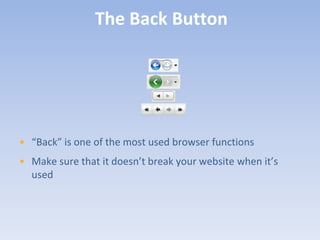
The Back Button


• “Back” is one of the most used browser functions
• Make sure that it doesn’t break your website when it’s
  used
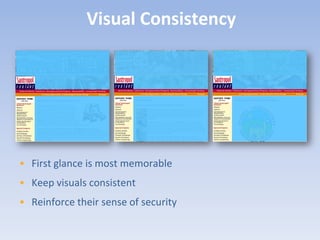
Visual Consistency


• First glance is most memorable
• Keep visuals consistent
• Reinforce their sense of security
Put the most important
            things in the right places

•   Have a clear description of
    what you do
•   Show your Donate Now
    button prominently
•   Complete contact
    information
• Homepage should show
  your most important parts
• Put your Donate Now
  button “above the fold”
• Make it easy for your
  supporters to give!
Show What You Do Clearly


              • Easy to see and
                understand
              • Make it easy to
                remember!
Make it Easy to Contact You
                                                 •Banner

                                               •Navigation


                             •Navigation
                                                •Content Body


                                           •Contact Information

• Not necessary to be on the homepage
• But have it easy to find
Show How People Can Get Involved


• Donate to your cause
• Volunteer their time or skills
• Share your story with their network
• Make your calls to action very prominent
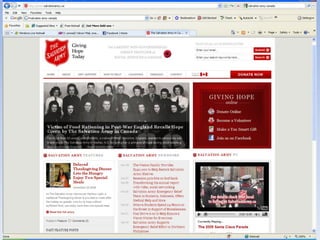
Salvation army example
Usability Testing
Testing Questions


1. Is it obvious what this site is about?
2. Is it easy to find what I need?
3. Are the most important things visible when I arrive?
DIY Usability Testing
                  Step 1: Find Testers


• Find 3-5 people who have some time to have a look at your
  website
• Testers should not already be familiar with your site or
  your organization
• Testers should be representative of your usual website
  users
DIY Usability Testing
                   Step 2: Using your site

• Ask testers to comment as they navigate your site
  (to give you insight about their choices)
• Ask testers to accomplish your main calls of action
       Sign up for your newsletter
       Click your Donate Now! Button
       Find and apply for volunteer opportunities
       Other ways they can get involved (buy tickets,
        buy products, join a group etc…)
       Find general information about your
        organization’s mission and mandate, financials
       Contact your organization
DIY Usability Testing
                     Step 3: Observe
• Take note of:
  • How long each step takes to complete
  • Tester confusion at any point
  • Frustration
  • Ease of use
• Work with your web team to have the main
  issues and frustrations address
• … repeat your usability testing whenever you
  make major changes to your site
Survey Your Users


• Make a checklist that rates your website
• Free online surveys (www.surveymonkey.com)
• Put a link on your site
• Put it in your newsletter
• Try to get everyone to do it
Check Out Other Charity Websites


• See what they are doing right (or wrong)
• May give some insight and inspiration
Website Critique
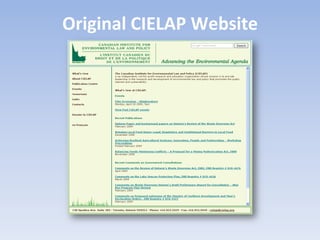
Original CIELAP Website
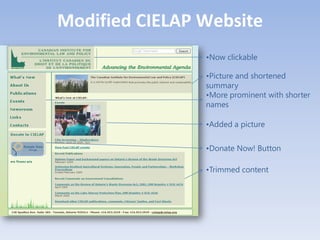
Modified CIELAP Website
                •Now clickable

                •Picture and shortened
                summary
                •More prominent with shorter
                names

                •Added a picture

                •Donate Now! Button

                •Trimmed content
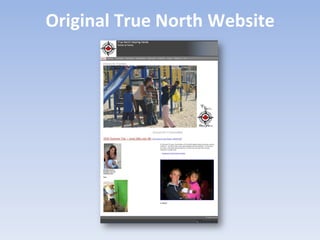
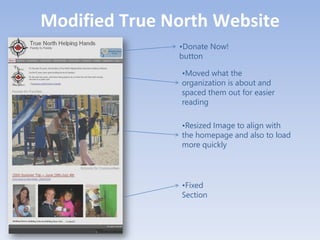
Original True North Website
Modified True North Website
               •Donate Now!
               button

               •Moved what the
               organization is about and
               spaced them out for easier
               reading

               •Resized Image to align with
               the homepage and also to load
               more quickly


               •Fixed
               Section
Web Stats
Why Are Web Stats Important?


1. Understand your users
2. Know what people do on your site
3. Provides tangible feedback about your site
4. Leaves the guessing out of what works
Looking At Web Stats


•   Web stats can be confusing
•   Knowing where and what to look for helps
•   Here’s what you can take a look at now
Visitors


•    Gain insights about the visitors of your website
    1.   Unique visitors
    2.   First time vs. repeat visitors
    3.   Visitor loyalty
    4.   Length of visit
    5.   Browsers
    6.   Geographic profile & language
Content


•   Top content
•   Top landing pages
•   Top exit pages
Traffic Sources


•       Direct traffic: typed your address in a browser
•       Referring sites:
    •      Know your top referring sites
    •      Are your ads working?
•       Search Engines
    •      Keywords
Google Analytics


• Free service
• Comprehensive feature set
• Go to http://www.google.com/analytics/
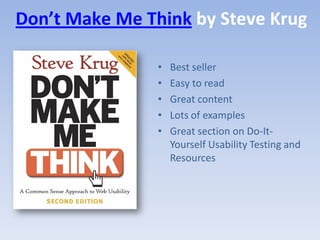
Don’t Make Me Think by Steve Krug

                •   Best seller
                •   Easy to read
                •   Great content
                •   Lots of examples
                •   Great section on Do-It-
                    Yourself Usability Testing and
                    Resources
Your
turn
• Free resources
• Demos
• Webinars
• Conference!
• Workshops

     www.MyCharityConnects.org
CONFERENCE 2.010
            JUNE 7 – 8 | MaRS CENTRE, TORONTO

• Two days packed with great information about all that the
  online world has to offer charities and non-profits
• Learn all about using the internet to fulfill your mission
• Get familiar with the stuff you don’t know, moving on the stuff
  you do, and correctly evaluate the stuff you’ve done
• Part of Net Change Week, and in collaboration with SiG@MaRS

                  Register Today!
Free Webinar Series
• May 5: Monthly Giving: A Tool for Sustainable
  Fundraising
• May 19: When Communities Come Together to Give:
  What Haiti Taught Us About Online Fundraising
• June 16: Measuring the Impact of Social Media
Follow us on Twitter: @canadahelps
     kirstin@canadahelps.org
&
The Kitchener and Waterloo
  Community Foundation
Credits & Sources
• CanadaHelps
• Network for Good, October 2009
• Blackbaud Index of National Fundraising Performance, April 2009
• ForeSee Results - Nonprofit Website Survey, Spring 2009
• Chronicle of Philanthropy, May 2009
• DonorTrends, 2005
• "The State of Online Fundraising", Blackbaud, September 2009

Kitchener-Waterloo 2010 - MyCharityConnects On the Road

  • 1.
    MYCHARITYCONNECTS ON THEROAD Brought to you by
  • 2.
    CanadaHelps.org What is CanadaHelps? A public charitable foundation that provides accessible and affordable online technology to both donors and charities. For Charities A cost-effective way to raise funds online. For Donors A one-stop-shop for giving. CanadaHelps is a charity helping charities.
  • 3.
    Total giving throughCanadaHelps, to date: $130,000,000 and counting 60% average annual growth of online giving in $ through CanadaHelps since 2004
  • 4.
  • 5.
    What We’ll Cover • Web 1.0 & Web 2.0 • Case Study: Apathy is Boring • Web 2.0 Tools • Debunking Web 2.0 Myths o Facebook • Keep in Mind o Twitter o Blogs o YouTube o Flickr o Giving Pages
  • 6.
    Web 1.0 andWeb 2.0
  • 7.
    Web 1.0 • Theability to disseminate information electronically: to display and promote an organization, person, or idea on the internet • To be good at Web 1.0, your website has to have good design and content • Web 1.0 facilitates one-way transactions • Examples: • traditional websites, Donate Now buttons, email newsletters, banner ads, etc.
  • 12.
    Web 1.0 Tips •Solid and intuitive website design • Website usability • Short and simple messaging • Compelling stories and e- newsletters • Fresh and up-to-date information
  • 13.
    Web 2.0 • Richeruser experience • interaction, engagement, conversation, collaboration, connections • Encourages & allows for two-way communication • users now being talked WITH instead of AT • User-generated content
  • 14.
    Social Networking 3 • The practice of expanding 1 one’s network by making 4 connections through You individuals. 5 2 • Allows members to interact, 6 discuss, share quickly & easily • Powerful force for advocacy and fundraising • Concept of networking is nothing new – it’s just now done online!
  • 15.
    The Difference BetweenWeb 1.0 & Web 2.0 Few Many Many Many Web 1.0 was about publishing and transactions. Web 2.0 is about networks and community.
  • 16.
    The Value ofSocial Media/Web 2.0 Listen & Share Build learn your story trust Find supporters, raise funds, change the world!
  • 17.
    Fundraising 1.0 •Prospects Fundraising & Revenue Programs Major & Direct Response/ Services & Events Online Annual Planned Gifts Members Telephone E-mail? Mail In-Person
  • 18.
    Fundraising 2.0 Prospects Fundraising & Revenue Programs Major & Direct Response/ Services & Events Annual Planned Gifts Members Online (website, social media) Telephone Mail In-Person
  • 20.
  • 21.
    • A free,online social networking website • Connect with people through online communities • Facebook Page is your organization’s home base on Facebook
  • 22.
    Features of Facebook •Large network of users (over 400 million) – 12.6 million users in Canada! • Designed to connect people • Facebook is free & easy to use • A new online presence for your organization • New tools are always being added
  • 23.
    Cautions • Information isshared • Limited control over other users’ opinions • Maintenance required
  • 24.
    Use Facebook To… •Connect with your supporters • Share your stories • Build your brand Connect • Fundraise Fundraise Share Brand
  • 27.
    Facebook Tips • Updateyour Page! • Encourage activity – Ask questions, encourage fans to share content, give fans opportunities to interact with each other • Brand your Page • Add a variety of content • Promote your Page • Keep your tone casual, “real”
  • 28.
    Twitter • Free micro-bloggingtool that lets you share short (up to 140 characters) updates with people • Similar to instant messaging, but opens up conversations to a wider audience Twitter = Instant Messaging + Blogging •Source: www.johnhaydon.com
  • 29.
    Features of Twitter •It’s built for speed • It’s simple to use • It’s public • It’s highly viral • Messages can be searched • It has private messaging capability
  • 30.
    Use Twitter To… •Make connections • Gather support • Educate followers • Add personality to your organization • Ask/answer questions • Communicate quickly • Show appreciation
  • 33.
    Twitter Tips • Balancepromotion & conversation • Follow people • Be real • Use Twitter to monitor conversations • Be generous: reply & retweet • Use a Twitter tool like HootSuite or TweetDeck to manage tweets
  • 34.
    Blogs • Online journals •Keeps your message fresh and your content personal • Supports feedback and interaction
  • 36.
    Blogging Tips • Thebest blogs create a sense of community and commitment to a cause • Use your blog to tell your charity’s story • Make it personal • Reply to comments you receive – listen and learn!
  • 37.
    Flickr • Image hostingwebsite and online community platform • Place to manage your charity’s photos • Give your cause visual appeal • Keeps your content fresh
  • 39.
    Flickr Tips • Encourage people to take photos • Tag and title strategically • Interact with users • Make use of the tools on Flickr • Create a group for your specific event or contest
  • 40.
    YouTube • Provides aplatform for content and community • Media outlet + social networking site • Nonprofit program now available in Canada • YouTube stats: • User base spans all geographies with age range from 18 to 55 years • 51% of users visit weekly • Over 300 million users worldwide
  • 42.
  • 43.
    YouTube Tips • Youdon’t have to be Martin Scorsese • Check out www.animoto.com to create compelling video quickly and easily! • Keep it short and sweet • Share your video: embed into your website/blog, email the unique URL to supporters and friends • Connect with your viewers. Ask for feedback!
  • 44.
    GivingPages • Micro-giving sites •Allows individuals to raise funds for their charity or charities of choice • Allows charities to create a unique space to highlight specific fundraising campaigns (i.e. pledge events) • Anyone can create and manage one
  • 47.
    GivingPages Tips • Giveyour donors specific ideas, i.e. wedding registry, birthdays, host/hostess gifts, in memoriam • Highlight a specific project or campaign your charity is running • Share the unique URL
  • 48.
    Social Networking Tips •Start with one tool at a time • Be find-able! • Remember it’s a conversation – listening is just as important as talking • Engage, encourage, empower • Present opportunities to take action
  • 49.
  • 56.
  • 57.
    “It’s time consuming.” •The initial time investment will pay off • Social media tools make communicating quick and easy
  • 58.
    “It’s only foryoung people.” • “Young” is a relative term • Almost everyone can get online!
  • 59.
    “It’s hard todo.” • It’s just a matter of time and practice. • These tools are designed to be user-friendly!
  • 60.
    “It’s only afad.” • Some tools may be a fad, but the concept behind Web 2.0 is not • Social networking and engaging your donor base will never go out of style!
  • 61.
    “I need todo it because everyone else is.” • Focus on Web 1.0 first • Walk before you run
  • 62.
    “I will loseall control.” • Be prepared to give up some control • Create solid messaging and trust it!
  • 63.
  • 64.
    It’s not ascomplicated as it looks. • Learning new things is always daunting at first
  • 65.
    There are lotsof people who can help you. • Get creative when asking for help • Treat it as a staff learning opportunity
  • 66.
    Go at yourown pace. • Do what works for you • You don’t have to do it all
  • 67.
    You’re still building relationship and communities. • Still building relationships with people • Blend your offline and online communications
  • 68.
    You don’t haveto be good at the technology. • Just be good at telling your charity’s story
  • 69.
  • 70.
  • 71.
  • 72.
    What makes agreat website is focus and clarity of purpose. A great website is unpretentious. It doesn’t pretend to be what it is not. It never wastes your time because it always gets to the point. A great website helps you to act. ~Gerry McGovern
  • 73.
    What We’ll Cover • What is Web Usability and Why is it Important? • Principles of Web Usability • Usability Testing • Website Critique • Web Stats
  • 74.
    What is WebUsability and Why is it Important?
  • 75.
    Web Usability • Webusability refers to ease of use and visual design of your website • The focus is on your users
  • 76.
    Why is itImportant? • Good websites… • Are liked • Won’t drive people away • Won’t be distracting • Convey more information • Will be more compelling • Make contributing easier • Will be visited again
  • 77.
    1 in 5 visitorsto a nonprofit website go specifically to make a donation
  • 78.
    A visitor whois satisfied with their experience with a nonprofit website is 49% more likely to give than one who was dissatisfied with the overall experience
  • 79.
    Return on Investmentfor Nonprofits • More engagement from users • Increase credibility & trust in your organization • Get more media coverage • Gain more support for your cause • Increase donations
  • 80.
  • 81.
    Present Your Information in a Clear and Concise Way • Appearance • Functionality • Content
  • 82.
    Make Text Easyto Read Can you read this? How about this one? cAn yOu rEalLy rEaD tHiS?? This is more like it. • Use a standard font and proper size • Use proper contrast • Use proper caps • Best readability is dark on light (like black on white)
  • 83.
    Whitespace • Empty space •Too many things may look intimidating
  • 84.
    Follow Website Conventions Banner Navigation Navigation Content Body Contact & Misc Information • There are patterns that have become conventions
  • 85.
    Follow Website Conventions •Banner •Navigation •Navigation •Content Body •Contact and Misc. Information
  • 86.
    Speed • Make yourpages load quickly • Limit use of large pictures • Interactive media can slow connection
  • 87.
    Content • Web writingis concise • Keep paragraphs short and use bullet points • Bold important points, but sparingly
  • 88.
    Make navigating easy for users • Give the correct choices to the users (make section names self- explanatory) • Avoid too much scrolling
  • 89.
    Self-Explanatory Choices •Culinary Delights •Cuisine Options •Food Menu •Menu •Career Services •Employment Opportunities •Job Openings •Jobs •Organization Information •More Information About Us •About Us •Give Us Your Time •Volunteer Opportunities •Volunteer • Don’t use ambiguous headings • Give your visitors clear choices
  • 90.
    Avoid Too MuchScrolling • Keep it narrow • Sideways scrolling is uncommon
  • 91.
    Page Organization •Nice Heading •Picture •Here is where the content would go. It’s a nice place isn’t it? Neat and organized content is easy to read. Cool! • A separate page for each section • Headlines are key • Pictures to compliment topic
  • 92.
    Breadcrumb Navigation • Givevisitors a clue of where they are • Makes it easier to backtrack
  • 93.
    Remove Ambiguity Regardingthe Consequences of an Action • Make it easy to go back to the home page • Make mistakes easy to recover from
  • 94.
    The Back Button •“Back” is one of the most used browser functions • Make sure that it doesn’t break your website when it’s used
  • 95.
    Visual Consistency • Firstglance is most memorable • Keep visuals consistent • Reinforce their sense of security
  • 96.
    Put the mostimportant things in the right places • Have a clear description of what you do • Show your Donate Now button prominently • Complete contact information
  • 97.
    • Homepage shouldshow your most important parts • Put your Donate Now button “above the fold” • Make it easy for your supporters to give!
  • 98.
    Show What YouDo Clearly • Easy to see and understand • Make it easy to remember!
  • 99.
    Make it Easyto Contact You •Banner •Navigation •Navigation •Content Body •Contact Information • Not necessary to be on the homepage • But have it easy to find
  • 100.
    Show How PeopleCan Get Involved • Donate to your cause • Volunteer their time or skills • Share your story with their network • Make your calls to action very prominent
  • 101.
  • 102.
  • 103.
    Testing Questions 1. Isit obvious what this site is about? 2. Is it easy to find what I need? 3. Are the most important things visible when I arrive?
  • 104.
    DIY Usability Testing Step 1: Find Testers • Find 3-5 people who have some time to have a look at your website • Testers should not already be familiar with your site or your organization • Testers should be representative of your usual website users
  • 105.
    DIY Usability Testing Step 2: Using your site • Ask testers to comment as they navigate your site (to give you insight about their choices) • Ask testers to accomplish your main calls of action  Sign up for your newsletter  Click your Donate Now! Button  Find and apply for volunteer opportunities  Other ways they can get involved (buy tickets, buy products, join a group etc…)  Find general information about your organization’s mission and mandate, financials  Contact your organization
  • 106.
    DIY Usability Testing Step 3: Observe • Take note of: • How long each step takes to complete • Tester confusion at any point • Frustration • Ease of use • Work with your web team to have the main issues and frustrations address • … repeat your usability testing whenever you make major changes to your site
  • 107.
    Survey Your Users •Make a checklist that rates your website • Free online surveys (www.surveymonkey.com) • Put a link on your site • Put it in your newsletter • Try to get everyone to do it
  • 108.
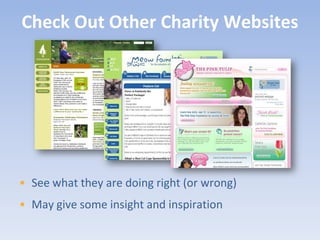
    Check Out OtherCharity Websites • See what they are doing right (or wrong) • May give some insight and inspiration
  • 109.
  • 110.
  • 111.
    Modified CIELAP Website •Now clickable •Picture and shortened summary •More prominent with shorter names •Added a picture •Donate Now! Button •Trimmed content
  • 112.
  • 113.
    Modified True NorthWebsite •Donate Now! button •Moved what the organization is about and spaced them out for easier reading •Resized Image to align with the homepage and also to load more quickly •Fixed Section
  • 114.
  • 115.
    Why Are WebStats Important? 1. Understand your users 2. Know what people do on your site 3. Provides tangible feedback about your site 4. Leaves the guessing out of what works
  • 116.
    Looking At WebStats • Web stats can be confusing • Knowing where and what to look for helps • Here’s what you can take a look at now
  • 117.
    Visitors • Gain insights about the visitors of your website 1. Unique visitors 2. First time vs. repeat visitors 3. Visitor loyalty 4. Length of visit 5. Browsers 6. Geographic profile & language
  • 118.
    Content • Top content • Top landing pages • Top exit pages
  • 119.
    Traffic Sources • Direct traffic: typed your address in a browser • Referring sites: • Know your top referring sites • Are your ads working? • Search Engines • Keywords
  • 120.
    Google Analytics • Freeservice • Comprehensive feature set • Go to http://www.google.com/analytics/
  • 121.
    Don’t Make MeThink by Steve Krug • Best seller • Easy to read • Great content • Lots of examples • Great section on Do-It- Yourself Usability Testing and Resources
  • 122.
  • 123.
    • Free resources •Demos • Webinars • Conference! • Workshops www.MyCharityConnects.org
  • 124.
    CONFERENCE 2.010 JUNE 7 – 8 | MaRS CENTRE, TORONTO • Two days packed with great information about all that the online world has to offer charities and non-profits • Learn all about using the internet to fulfill your mission • Get familiar with the stuff you don’t know, moving on the stuff you do, and correctly evaluate the stuff you’ve done • Part of Net Change Week, and in collaboration with SiG@MaRS Register Today!
  • 125.
    Free Webinar Series •May 5: Monthly Giving: A Tool for Sustainable Fundraising • May 19: When Communities Come Together to Give: What Haiti Taught Us About Online Fundraising • June 16: Measuring the Impact of Social Media
  • 126.
    Follow us onTwitter: @canadahelps kirstin@canadahelps.org
  • 127.
    & The Kitchener andWaterloo Community Foundation
  • 128.
    Credits & Sources •CanadaHelps • Network for Good, October 2009 • Blackbaud Index of National Fundraising Performance, April 2009 • ForeSee Results - Nonprofit Website Survey, Spring 2009 • Chronicle of Philanthropy, May 2009 • DonorTrends, 2005 • "The State of Online Fundraising", Blackbaud, September 2009