I started by adding a black
background so there would be a
strong contrast from the images
and text
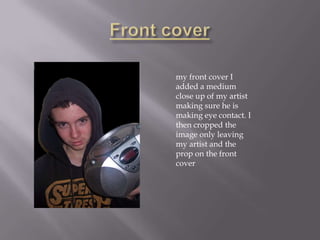
my front cover I
added a medium
close up of my artist
making sure he is
making eye contact. I
then cropped the
image only leaving
my artist and the
prop on the front
cover
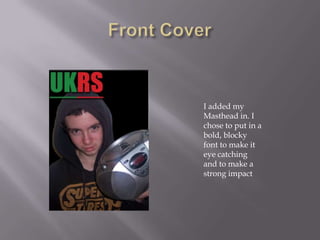
I added my
Masthead in. I
chose to put in a
bold, blocky
font to make it
eye catching
and to make a
strong impact
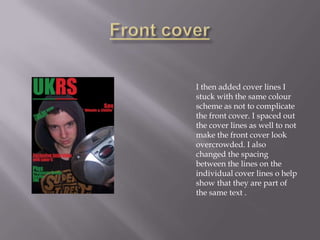
I then added cover lines I
stuck with the same colour
scheme as not to complicate
the front cover. I spaced out
the cover lines as well to not
make the front cover look
overcrowded. I also
changed the spacing
between the lines on the
individual cover lines o help
show that they are part of
the same text .
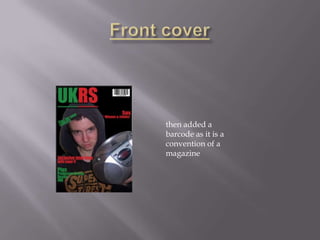
then added a
barcode as it is a
convention of a
magazine
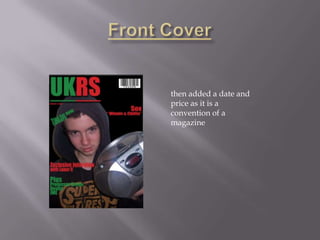
then added a date and
price as it is a
convention of a
magazine
I started by adding a black background so
there would be a strong contrast from the
images and text
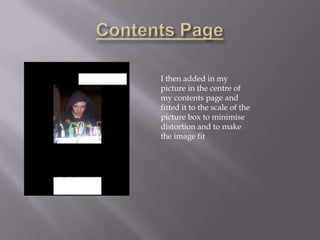
I then added in my
picture in the centre of
my contents page and
fitted it to the scale of the
picture box to minimise
distortion and to make
the image fit
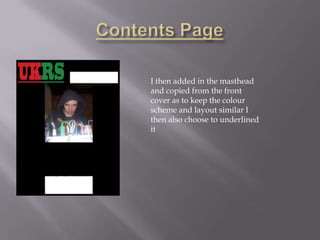
I then added in the masthead
and copied from the front
cover as to keep the colour
scheme and layout similar I
then also choose to underlined
it
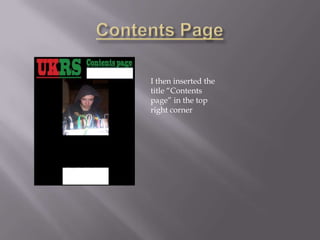
I then inserted the
title “Contents
page” in the top
right corner
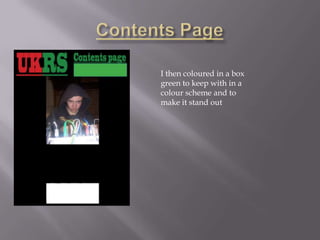
I then coloured in a box
green to keep with in a
colour scheme and to
make it stand out
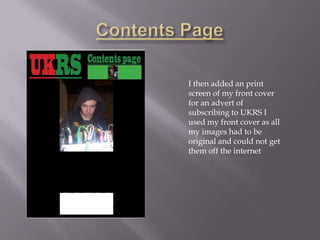
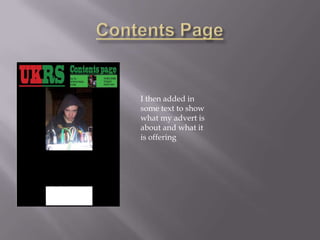
I then added an print
screen of my front cover
for an advert of
subscribing to UKRS I
used my front cover as all
my images had to be
original and could not get
them off the internet
I then added in
some text to show
what my advert is
about and what it
is offering
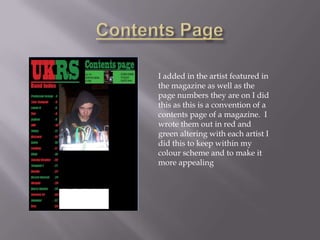
I added in the artist featured in
the magazine as well as the
page numbers they are on I did
this as this is a convention of a
contents page of a magazine. I
wrote them out in red and
green altering with each artist I
did this to keep within my
colour scheme and to make it
more appealing
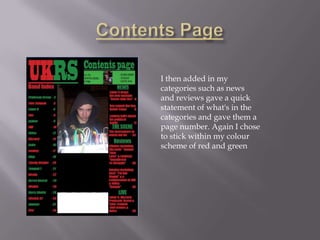
I then added in my
categories such as news
and reviews gave a quick
statement of what's in the
categories and gave them a
page number. Again I chose
to stick within my colour
scheme of red and green
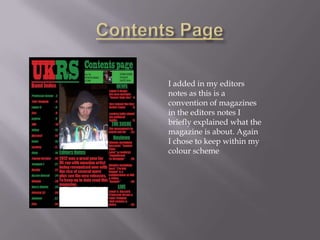
I added in my editors
notes as this is a
convention of magazines
in the editors notes I
briefly explained what the
magazine is about. Again
I chose to keep within my
colour scheme
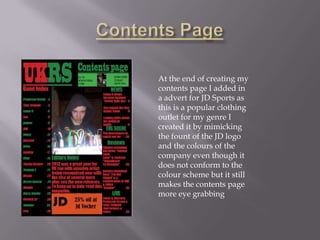
At the end of creating my
contents page I added in
a advert for JD Sports as
this is a popular clothing
outlet for my genre I
created it by mimicking
the fount of the JD logo
and the colours of the
company even though it
does not conform to the
colour scheme but it still
makes the contents page
more eye grabbing
I started by adding a
black background so
there would be a
strong contrast from
the images and text
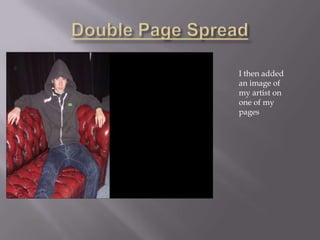
I then added
an image of
my artist on
one of my
pages
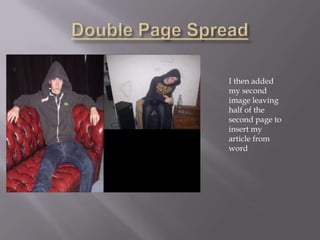
I then added
my second
image leaving
half of the
second page to
insert my
article from
word
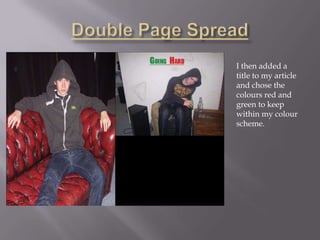
I then added a
title to my article
and chose the
colours red and
green to keep
within my colour
scheme.
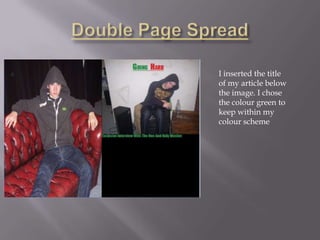
I inserted the title
of my article below
the image. I chose
the colour green to
keep within my
colour scheme
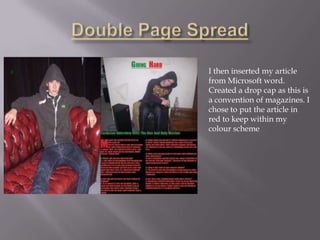
I then inserted my article
from Microsoft word.
Created a drop cap as this is
a convention of magazines. I
chose to put the article in
red to keep within my
colour scheme
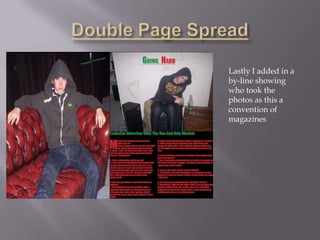
Lastly I added in a
by-line showing
who took the
photos as this a
convention of
magazines

Music magazine evaluation

  • 2.
    I started byadding a black background so there would be a strong contrast from the images and text
  • 3.
    my front coverI added a medium close up of my artist making sure he is making eye contact. I then cropped the image only leaving my artist and the prop on the front cover
  • 4.
    I added my Mastheadin. I chose to put in a bold, blocky font to make it eye catching and to make a strong impact
  • 5.
    I then addedcover lines I stuck with the same colour scheme as not to complicate the front cover. I spaced out the cover lines as well to not make the front cover look overcrowded. I also changed the spacing between the lines on the individual cover lines o help show that they are part of the same text .
  • 6.
    then added a barcodeas it is a convention of a magazine
  • 7.
    then added adate and price as it is a convention of a magazine
  • 8.
    I started byadding a black background so there would be a strong contrast from the images and text
  • 9.
    I then addedin my picture in the centre of my contents page and fitted it to the scale of the picture box to minimise distortion and to make the image fit
  • 10.
    I then addedin the masthead and copied from the front cover as to keep the colour scheme and layout similar I then also choose to underlined it
  • 11.
    I then insertedthe title “Contents page” in the top right corner
  • 12.
    I then colouredin a box green to keep with in a colour scheme and to make it stand out
  • 13.
    I then addedan print screen of my front cover for an advert of subscribing to UKRS I used my front cover as all my images had to be original and could not get them off the internet
  • 14.
    I then addedin some text to show what my advert is about and what it is offering
  • 15.
    I added inthe artist featured in the magazine as well as the page numbers they are on I did this as this is a convention of a contents page of a magazine. I wrote them out in red and green altering with each artist I did this to keep within my colour scheme and to make it more appealing
  • 16.
    I then addedin my categories such as news and reviews gave a quick statement of what's in the categories and gave them a page number. Again I chose to stick within my colour scheme of red and green
  • 17.
    I added inmy editors notes as this is a convention of magazines in the editors notes I briefly explained what the magazine is about. Again I chose to keep within my colour scheme
  • 18.
    At the endof creating my contents page I added in a advert for JD Sports as this is a popular clothing outlet for my genre I created it by mimicking the fount of the JD logo and the colours of the company even though it does not conform to the colour scheme but it still makes the contents page more eye grabbing
  • 19.
    I started byadding a black background so there would be a strong contrast from the images and text
  • 20.
    I then added animage of my artist on one of my pages
  • 21.
    I then added mysecond image leaving half of the second page to insert my article from word
  • 22.
    I then addeda title to my article and chose the colours red and green to keep within my colour scheme.
  • 23.
    I inserted thetitle of my article below the image. I chose the colour green to keep within my colour scheme
  • 24.
    I then insertedmy article from Microsoft word. Created a drop cap as this is a convention of magazines. I chose to put the article in red to keep within my colour scheme
  • 25.
    Lastly I addedin a by-line showing who took the photos as this a convention of magazines