OBJECTIVES:
1.Define the terms MS Excel,
spreadsheet, and worksheet;
2.Identify the parts of a worksheet;
and
3.Start Excel and save a workbook.
- What application is used
in computing your grades?
- Listing your name to be
alphabetized?
Definition of terms:
Microsoft Excel
– a spreadsheet program included
in the Microsoft Office suite of
applications that allows users to
organize, format and calculate data
with formulas using a spreadsheet
system.
Spreadsheet
- an electronic document in
which data is arranged in the rows
and columns of a grid and can be
manipulated and used in
calculations.
Worksheet
– consists of rows and columns on
which you could enter information
or perform calculations.
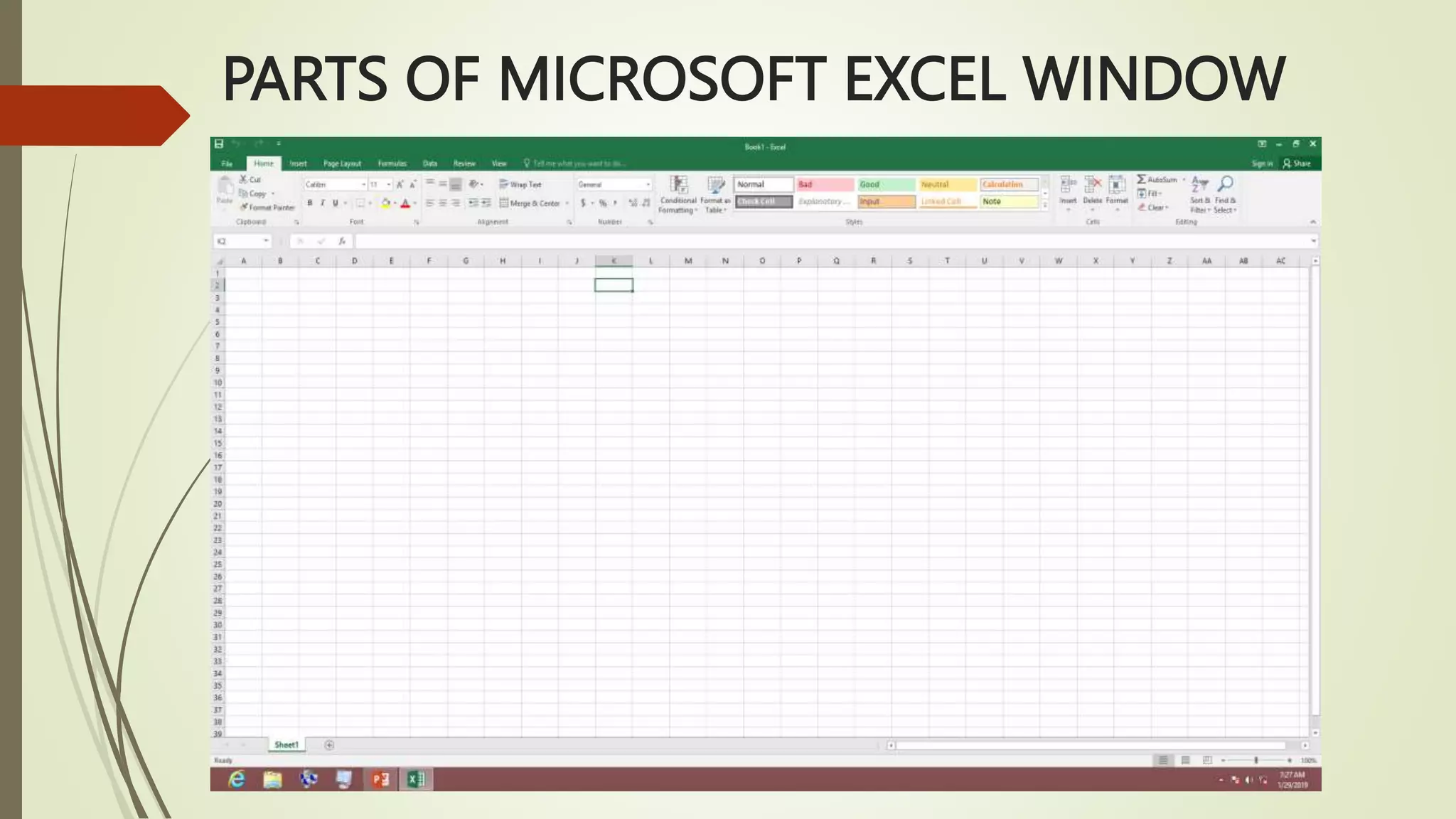
PARTS OF MICROSOFT EXCEL WINDOW
Title bar
– displays both the name of
the application and the name of
the spreadsheet.
Menu bar
– displays all of the menus
available for use in Excel.
Toolbar
– some commands in the
menus have pictures or icons
associated with them.
Column headings
– each excel spreadsheet
contains 256 columns and each
column is named by a letter or
combination of letters.
Row headings
- each spreadsheet contains 65,
536 rows and each row is named
by a number.
Name box
- this shows the address of
the current selection or
active cell.
Formula bar
- it displays the information
entered or being entered as you
type in the current or active cell.
Cell
- an intersection of a column
and row.
Other parts:
1. Sheet tab
2. Horizontal and vertical scroll bar
3. Ribbon
RUBRICS:
5 4 3 2
Effort
Student puts a
great deal of effort
towards all
activities.
Student puts a
good amount of
effort towards all
activities.
Student puts effort
toward some
activities.
Student shows
little/no effort
toward activities.
Following
Directions
Student follows
teacher’s directions
all of the time.
Student follows
teacher’s directions
most of the time.
Student follows
teacher’s directions
some of the time.
Student follows
teacher’s directions
none of the time.
Task Behavior
Student is on task
the entire period.
Student is on task
most of the period.
Student is on task
some of the period.
Student is on task
little/none of the
period.
Daily Work
Completion
Student is diligent
about completing
class work with
little/no errors.
Student is diligent
about completing
work, but has a few
errors.
Student completes
some work with
multiple errors.
Student completes
little no work with
numerous errors.
Activity:
Direction. Perform the given task.
1. Open MS Excel.
2. Enter data, see example below.
3. Save your workbook in your existing folder.
Filename: Activity 1
Evaluation:
1
2
3
4
5
Assignment

MS EXCEL LESSON.pptx

  • 1.
    OBJECTIVES: 1.Define the termsMS Excel, spreadsheet, and worksheet; 2.Identify the parts of a worksheet; and 3.Start Excel and save a workbook.
  • 2.
    - What applicationis used in computing your grades? - Listing your name to be alphabetized?
  • 3.
    Definition of terms: MicrosoftExcel – a spreadsheet program included in the Microsoft Office suite of applications that allows users to organize, format and calculate data with formulas using a spreadsheet system.
  • 4.
    Spreadsheet - an electronicdocument in which data is arranged in the rows and columns of a grid and can be manipulated and used in calculations.
  • 5.
    Worksheet – consists ofrows and columns on which you could enter information or perform calculations.
  • 6.
    PARTS OF MICROSOFTEXCEL WINDOW
  • 7.
    Title bar – displaysboth the name of the application and the name of the spreadsheet.
  • 8.
    Menu bar – displaysall of the menus available for use in Excel.
  • 9.
    Toolbar – some commandsin the menus have pictures or icons associated with them.
  • 10.
    Column headings – eachexcel spreadsheet contains 256 columns and each column is named by a letter or combination of letters.
  • 11.
    Row headings - eachspreadsheet contains 65, 536 rows and each row is named by a number.
  • 12.
    Name box - thisshows the address of the current selection or active cell.
  • 13.
    Formula bar - itdisplays the information entered or being entered as you type in the current or active cell.
  • 14.
    Cell - an intersectionof a column and row.
  • 15.
    Other parts: 1. Sheettab 2. Horizontal and vertical scroll bar 3. Ribbon
  • 16.
    RUBRICS: 5 4 32 Effort Student puts a great deal of effort towards all activities. Student puts a good amount of effort towards all activities. Student puts effort toward some activities. Student shows little/no effort toward activities. Following Directions Student follows teacher’s directions all of the time. Student follows teacher’s directions most of the time. Student follows teacher’s directions some of the time. Student follows teacher’s directions none of the time. Task Behavior Student is on task the entire period. Student is on task most of the period. Student is on task some of the period. Student is on task little/none of the period. Daily Work Completion Student is diligent about completing class work with little/no errors. Student is diligent about completing work, but has a few errors. Student completes some work with multiple errors. Student completes little no work with numerous errors.
  • 17.
    Activity: Direction. Perform thegiven task. 1. Open MS Excel. 2. Enter data, see example below. 3. Save your workbook in your existing folder. Filename: Activity 1
  • 18.
  • 19.