Welcome
Lesley Hamilton
H818 Conference
2016
Motivating Learners:
Using video for learning and teaching
Innovation | Multimedia/Demonstration
Needs analysis
Top 5 wish list:
1.Advanced Moodle activities (Quizzes, content creation, desktop
conferencing, co-creation tools)
2.Social media (Twitter, Facebook, Yammer)
3.Video recording – i.e. how to use the institutional tools for
recording video
4.Xerte Online Toolkits
5.Classroom based learning technologies, i.e. technologies used
for group based activities, e.g. Displaynote
(UWS Staff survey, 2014 - unpublished)
BBC, SKY, ESPN
Khan Academy
MOOC Platforms
Social media
TedEd
YouTube
Vimeo
Who uses video?
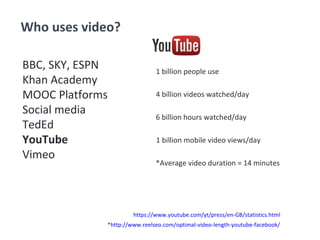
1 billion people use
4 billion videos watched/day
6 billion hours watched/day
1 billion mobile video views/day
*Average video duration = 14 minutes
https://www.youtube.com/yt/press/en-GB/statistics.html
*http://www.reelseo.com/optimal-video-length-youtube-facebook/
BBC, SKY, ESPN
Khan Academy
MOOC Platforms
Social media
TedEd
YouTube
Vimeo
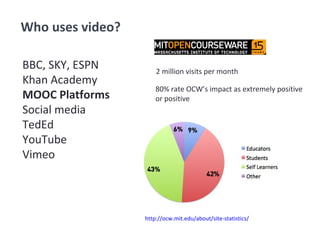
Who uses video?
2 million visits per month
http://ocw.mit.edu/about/site-statistics/
BBC, SKY, ESPN
Khan Academy
MOOC Platforms
Social media
TedEd
YouTube
Vimeo
Who uses video?
80% rate OCW’s impact as extremely positive
or positive
Pedagogical benefits
• Increased student motivation
• Enhanced learning experience
• Higher marks
• Potential for deeper learning
• Development of learner autonomy
• Enhanced team working and communication skills
• Source of evidencing skills
• Learning resources for future cohorts
• Opportunities for staff development
n.d. (2015) Pedagogical benefits. The University of Queensland, Australia [Online] Available:
http://www.uq.edu.au/teach/video-teach-learn/ped-benefits.html
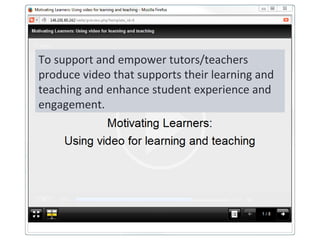
To support and empower tutors/teachers
produce video that supports their learning and
teaching and enhance student experience and
engagement.
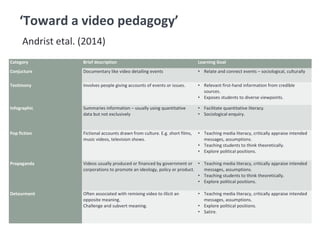
Category Brief description Learning Goal
Conjucture Documentary like video detailing events • Relate and connect events – sociological, culturally
Testimony Involves people giving accounts of events or issues. • Relevant first-hand information from credible
sources.
• Exposes students to diverse viewpoints.
Infographic Summaries information – usually using quantitative
data but not exclusively
• Facilitate quantitative literacy.
• Sociological enquiry.
Pop fiction Fictional accounts drawn from culture. E.g. short films,
music videos, television shows.
• Teaching media literacy, critically appraise intended
messages, assumptions.
• Teaching students to think theoretically.
• Explore political positions.
Propaganda Videos usually produced or financed by government or
corporations to promote an ideology, policy or product.
• Teaching media literacy, critically appraise intended
messages, assumptions.
• Teaching students to think theoretically.
• Explore political positions.
Detourment Often associated with remixing video to illicit an
opposite meaning.
Challenge and subvert meaning.
• Teaching media literacy, critically appraise intended
messages, assumptions.
• Explore political positions.
• Satire.
‘Toward a video pedagogy’
Andrist etal. (2014)
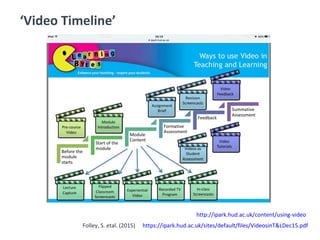
‘Video Timeline’
http://ipark.hud.ac.uk/content/using-video
https://ipark.hud.ac.uk/sites/default/files/VideosinT&LDec15.pdfFolley, S. etal. (2015)
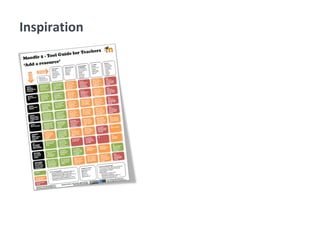
Inspiration
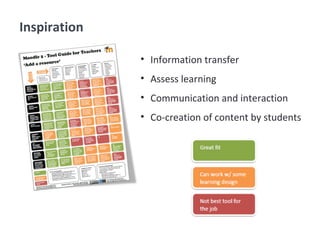
• Information transfer
• Assess learning
• Communication and interaction
• Co-creation of content by students
Inspiration
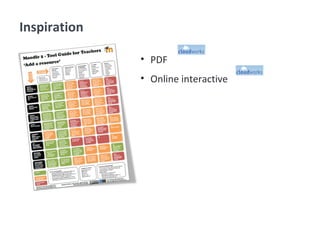
• PDF
• Online interactive
Inspiration
Software
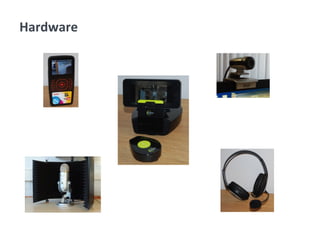
Hardware
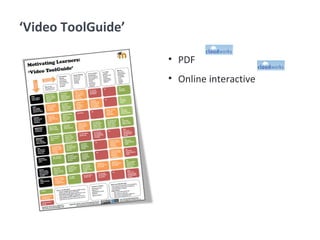
‘Video ToolGuide’
• PDF
• Online interactive
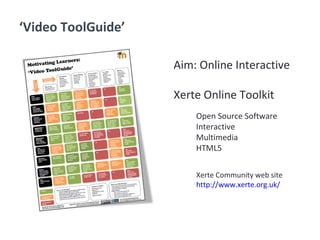
‘Video ToolGuide’
Aim: Online Interactive
Xerte Online Toolkit
Open Source Software
Interactive
Multimedia
HTML5
Xerte Community web site
http://www.xerte.org.uk/
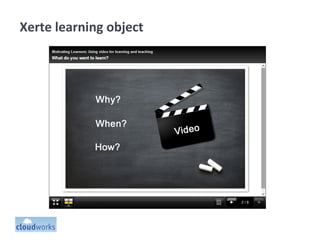
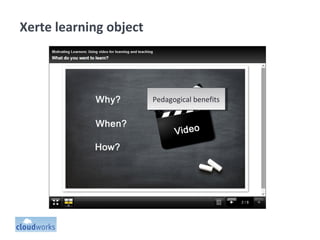
Xerte learning object
Pedagogical benefitsPedagogical benefits
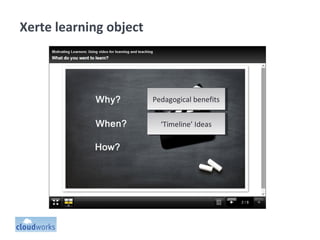
Xerte learning object
Pedagogical benefitsPedagogical benefits
‘Timeline’ Ideas‘Timeline’ Ideas
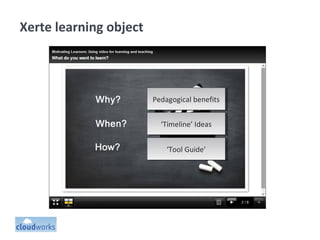
Xerte learning object
Pedagogical benefitsPedagogical benefits
‘Tool Guide’‘Tool Guide’
‘Timeline’ Ideas‘Timeline’ Ideas
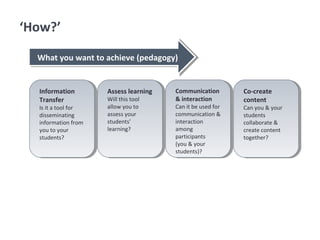
‘How?’
Information
Transfer
Is it a tool for
disseminating
information from
you to your
students?
Information
Transfer
Is it a tool for
disseminating
information from
you to your
students?
Assess learning
Will this tool
allow you to
assess your
students’
learning?
Assess learning
Will this tool
allow you to
assess your
students’
learning?
Communication
& interaction
Can it be used for
communication &
interaction
among
participants
(you & your
students)?
Communication
& interaction
Can it be used for
communication &
interaction
among
participants
(you & your
students)?
Co-create
content
Can you & your
students
collaborate &
create content
together?
Co-create
content
Can you & your
students
collaborate &
create content
together?
What you want to achieve (pedagogy)What you want to achieve (pedagogy)
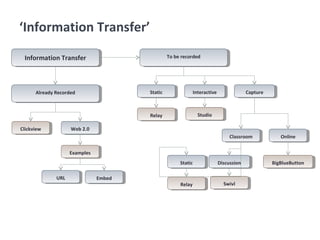
‘Information Transfer’
Information TransferInformation Transfer
Already RecordedAlready Recorded
ClickviewClickview Web 2.0Web 2.0
ExamplesExamples
URLURL EmbedEmbed
To be recordedTo be recorded
StaticStatic InteractiveInteractive CaptureCapture
RelayRelay StudioStudio
ClassroomClassroom OnlineOnline
BigBlueButtonBigBlueButtonStaticStatic DiscussionDiscussion
RelayRelay SwivlSwivl
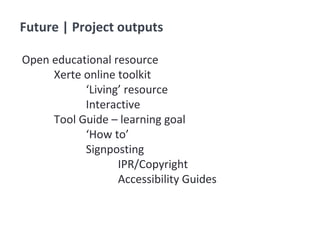
Future | Project outputs
Open educational resource
Xerte online toolkit
‘Living’ resource
Interactive
Tool Guide – learning goal
‘How to’
Signposting
IPR/Copyright
Accessibility Guides
References
Andrist, L., Chepp, V., Dean, P. and Miller, M.V. (2014) Toward a Video Pedagogy
A Teaching Typology with Learning Goals. Teaching Sociology. Vol. 42(3), pp. 196-
206 [Online] Available at http://tso.sagepub.com/content/42/3/196
Folley, S. Raistrick, A. Dagg, P., Powell, J., Williams, S. and Gibbs, G. (2015)
Innovative Uses of Video in Teaching and Learning. Learning Bytes Session.
University of Huddersfield [Online] Available at
https://ipark.hud.ac.uk/sites/default/files/VideosinT&LDec15.pdf
https://www.techsmith.com/
http://www.realnetworks.com/products-services/helix
http://www.clickview.co.uk/
Image Credits
Questions
Lesley Hamilton
H818 Conference
2016
Motivating Learners:
Using video for learning and teaching
Innovation | Multimedia/Demonstration

Motivating Learners: Using video for learning and teaching

  • 1.
    Welcome Lesley Hamilton H818 Conference 2016 MotivatingLearners: Using video for learning and teaching Innovation | Multimedia/Demonstration
  • 2.
    Needs analysis Top 5wish list: 1.Advanced Moodle activities (Quizzes, content creation, desktop conferencing, co-creation tools) 2.Social media (Twitter, Facebook, Yammer) 3.Video recording – i.e. how to use the institutional tools for recording video 4.Xerte Online Toolkits 5.Classroom based learning technologies, i.e. technologies used for group based activities, e.g. Displaynote (UWS Staff survey, 2014 - unpublished)
  • 3.
    BBC, SKY, ESPN KhanAcademy MOOC Platforms Social media TedEd YouTube Vimeo Who uses video?
  • 4.
    1 billion peopleuse 4 billion videos watched/day 6 billion hours watched/day 1 billion mobile video views/day *Average video duration = 14 minutes https://www.youtube.com/yt/press/en-GB/statistics.html *http://www.reelseo.com/optimal-video-length-youtube-facebook/ BBC, SKY, ESPN Khan Academy MOOC Platforms Social media TedEd YouTube Vimeo Who uses video?
  • 5.
    2 million visitsper month http://ocw.mit.edu/about/site-statistics/ BBC, SKY, ESPN Khan Academy MOOC Platforms Social media TedEd YouTube Vimeo Who uses video? 80% rate OCW’s impact as extremely positive or positive
  • 6.
    Pedagogical benefits • Increasedstudent motivation • Enhanced learning experience • Higher marks • Potential for deeper learning • Development of learner autonomy • Enhanced team working and communication skills • Source of evidencing skills • Learning resources for future cohorts • Opportunities for staff development n.d. (2015) Pedagogical benefits. The University of Queensland, Australia [Online] Available: http://www.uq.edu.au/teach/video-teach-learn/ped-benefits.html
  • 8.
    To support andempower tutors/teachers produce video that supports their learning and teaching and enhance student experience and engagement.
  • 9.
    Category Brief descriptionLearning Goal Conjucture Documentary like video detailing events • Relate and connect events – sociological, culturally Testimony Involves people giving accounts of events or issues. • Relevant first-hand information from credible sources. • Exposes students to diverse viewpoints. Infographic Summaries information – usually using quantitative data but not exclusively • Facilitate quantitative literacy. • Sociological enquiry. Pop fiction Fictional accounts drawn from culture. E.g. short films, music videos, television shows. • Teaching media literacy, critically appraise intended messages, assumptions. • Teaching students to think theoretically. • Explore political positions. Propaganda Videos usually produced or financed by government or corporations to promote an ideology, policy or product. • Teaching media literacy, critically appraise intended messages, assumptions. • Teaching students to think theoretically. • Explore political positions. Detourment Often associated with remixing video to illicit an opposite meaning. Challenge and subvert meaning. • Teaching media literacy, critically appraise intended messages, assumptions. • Explore political positions. • Satire. ‘Toward a video pedagogy’ Andrist etal. (2014)
  • 10.
  • 11.
  • 12.
    • Information transfer •Assess learning • Communication and interaction • Co-creation of content by students Inspiration
  • 13.
    • PDF • Onlineinteractive Inspiration
  • 14.
  • 15.
  • 16.
  • 17.
    ‘Video ToolGuide’ Aim: OnlineInteractive Xerte Online Toolkit Open Source Software Interactive Multimedia HTML5 Xerte Community web site http://www.xerte.org.uk/
  • 18.
  • 19.
    Xerte learning object PedagogicalbenefitsPedagogical benefits
  • 20.
    Xerte learning object PedagogicalbenefitsPedagogical benefits ‘Timeline’ Ideas‘Timeline’ Ideas
  • 21.
    Xerte learning object PedagogicalbenefitsPedagogical benefits ‘Tool Guide’‘Tool Guide’ ‘Timeline’ Ideas‘Timeline’ Ideas
  • 22.
    ‘How?’ Information Transfer Is it atool for disseminating information from you to your students? Information Transfer Is it a tool for disseminating information from you to your students? Assess learning Will this tool allow you to assess your students’ learning? Assess learning Will this tool allow you to assess your students’ learning? Communication & interaction Can it be used for communication & interaction among participants (you & your students)? Communication & interaction Can it be used for communication & interaction among participants (you & your students)? Co-create content Can you & your students collaborate & create content together? Co-create content Can you & your students collaborate & create content together? What you want to achieve (pedagogy)What you want to achieve (pedagogy)
  • 23.
    ‘Information Transfer’ Information TransferInformationTransfer Already RecordedAlready Recorded ClickviewClickview Web 2.0Web 2.0 ExamplesExamples URLURL EmbedEmbed To be recordedTo be recorded StaticStatic InteractiveInteractive CaptureCapture RelayRelay StudioStudio ClassroomClassroom OnlineOnline BigBlueButtonBigBlueButtonStaticStatic DiscussionDiscussion RelayRelay SwivlSwivl
  • 24.
    Future | Projectoutputs Open educational resource Xerte online toolkit ‘Living’ resource Interactive Tool Guide – learning goal ‘How to’ Signposting IPR/Copyright Accessibility Guides
  • 25.
    References Andrist, L., Chepp,V., Dean, P. and Miller, M.V. (2014) Toward a Video Pedagogy A Teaching Typology with Learning Goals. Teaching Sociology. Vol. 42(3), pp. 196- 206 [Online] Available at http://tso.sagepub.com/content/42/3/196 Folley, S. Raistrick, A. Dagg, P., Powell, J., Williams, S. and Gibbs, G. (2015) Innovative Uses of Video in Teaching and Learning. Learning Bytes Session. University of Huddersfield [Online] Available at https://ipark.hud.ac.uk/sites/default/files/VideosinT&LDec15.pdf
  • 26.
  • 27.
    Questions Lesley Hamilton H818 Conference 2016 MotivatingLearners: Using video for learning and teaching Innovation | Multimedia/Demonstration