© eG Innovations, Inc | www.eginnovations.com
Monitoring Citrix User Experience
From the Network? Server? Client?
Choosing the Best Approach
© eG Innovations, Inc | www.eginnovations.com
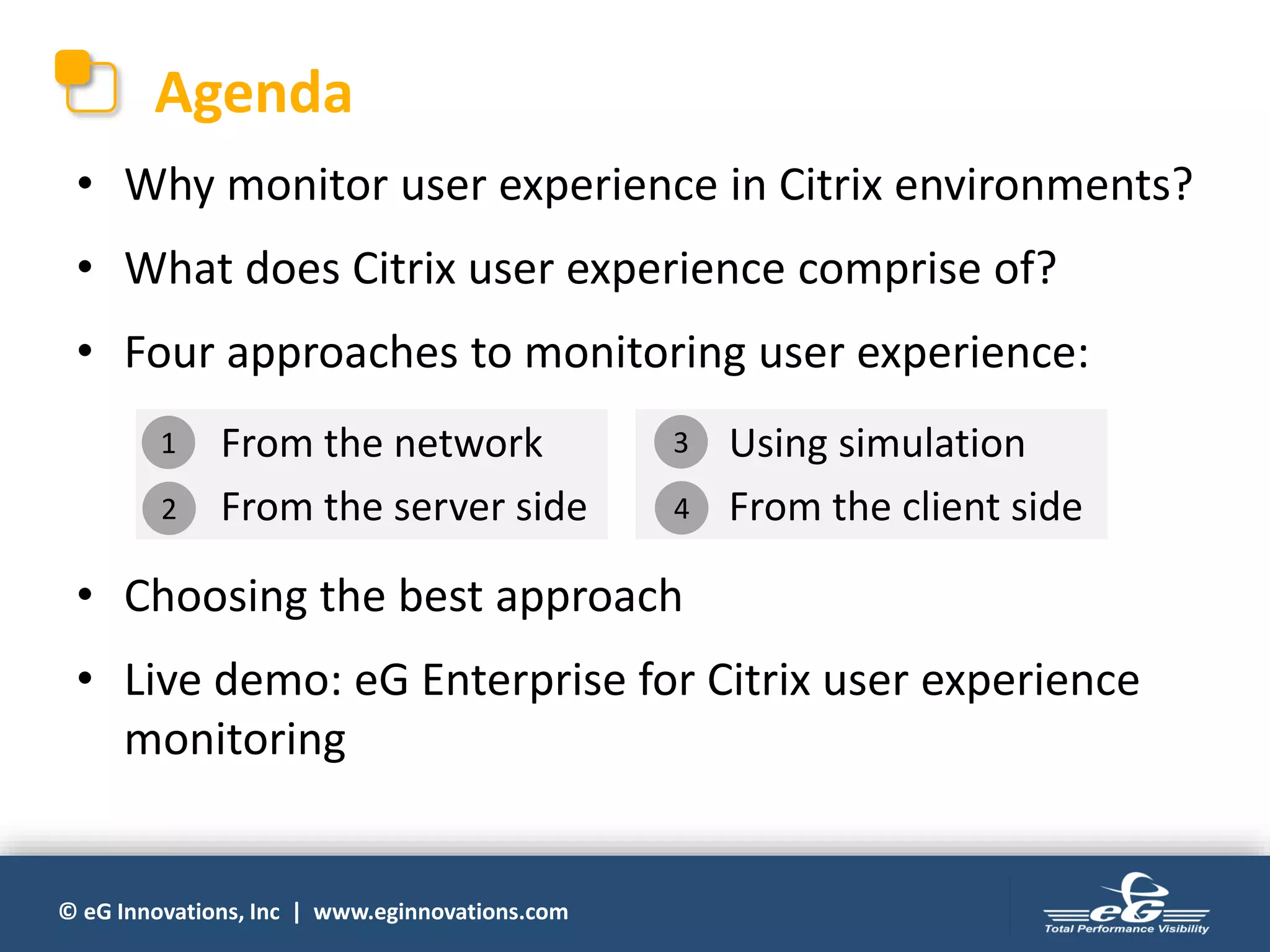
Agenda
• Why monitor user experience in Citrix environments?
• What does Citrix user experience comprise of?
• Four approaches to monitoring user experience:
• Choosing the best approach
• Live demo: eG Enterprise for Citrix user experience
monitoring
1. From the network
2. From the server side
3. Using simulation
4. From the client side
1
2
3
4
© eG Innovations, Inc | www.eginnovations.com
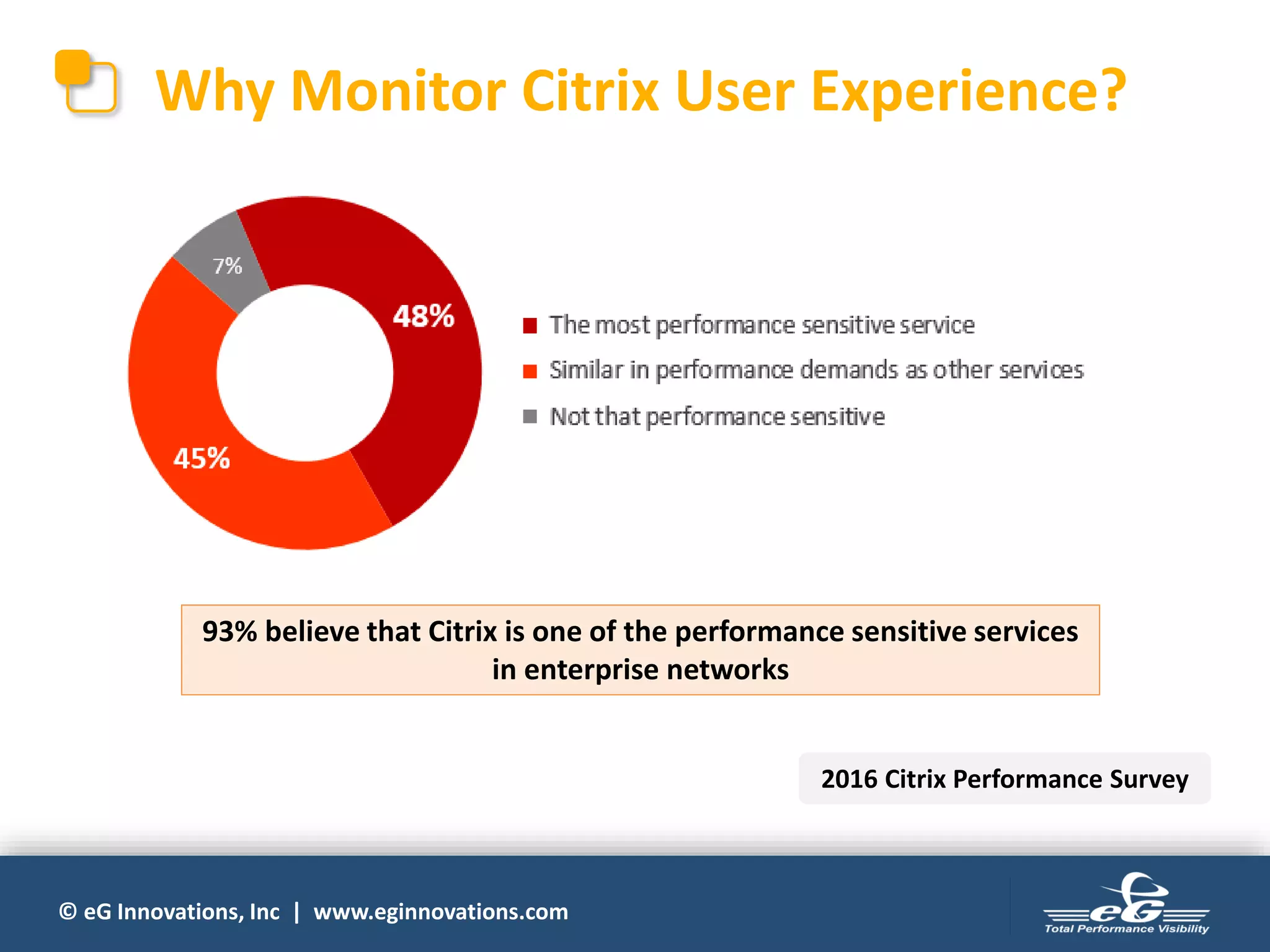
Why Monitor Citrix User Experience?
93% believe that Citrix is one of the performance sensitive services
in enterprise networks
2016 Citrix Performance Survey
© eG Innovations, Inc | www.eginnovations.com
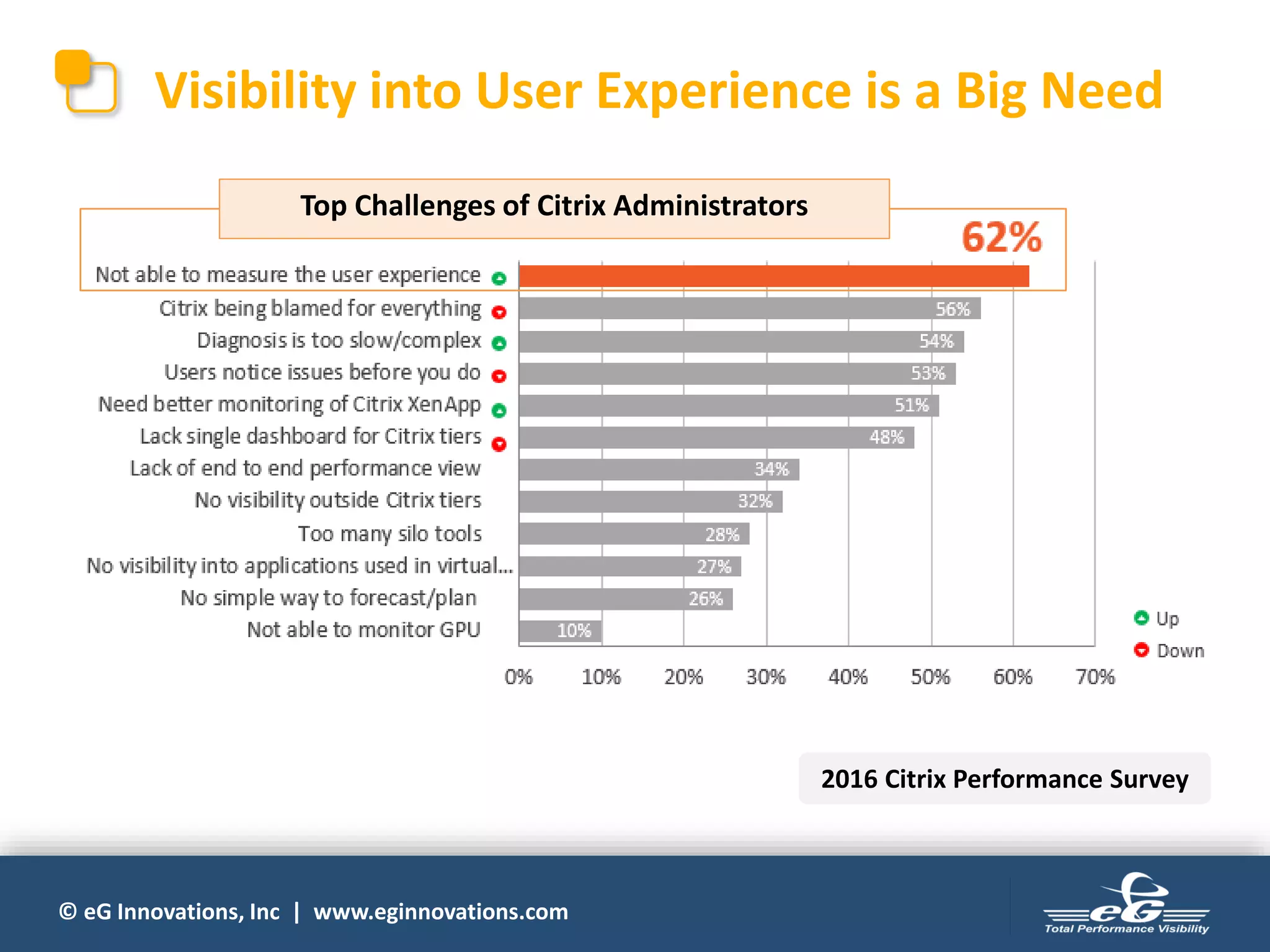
Visibility into User Experience is a Big Need
Top Challenges of Citrix Administrators
2016 Citrix Performance Survey
© eG Innovations, Inc | www.eginnovations.com
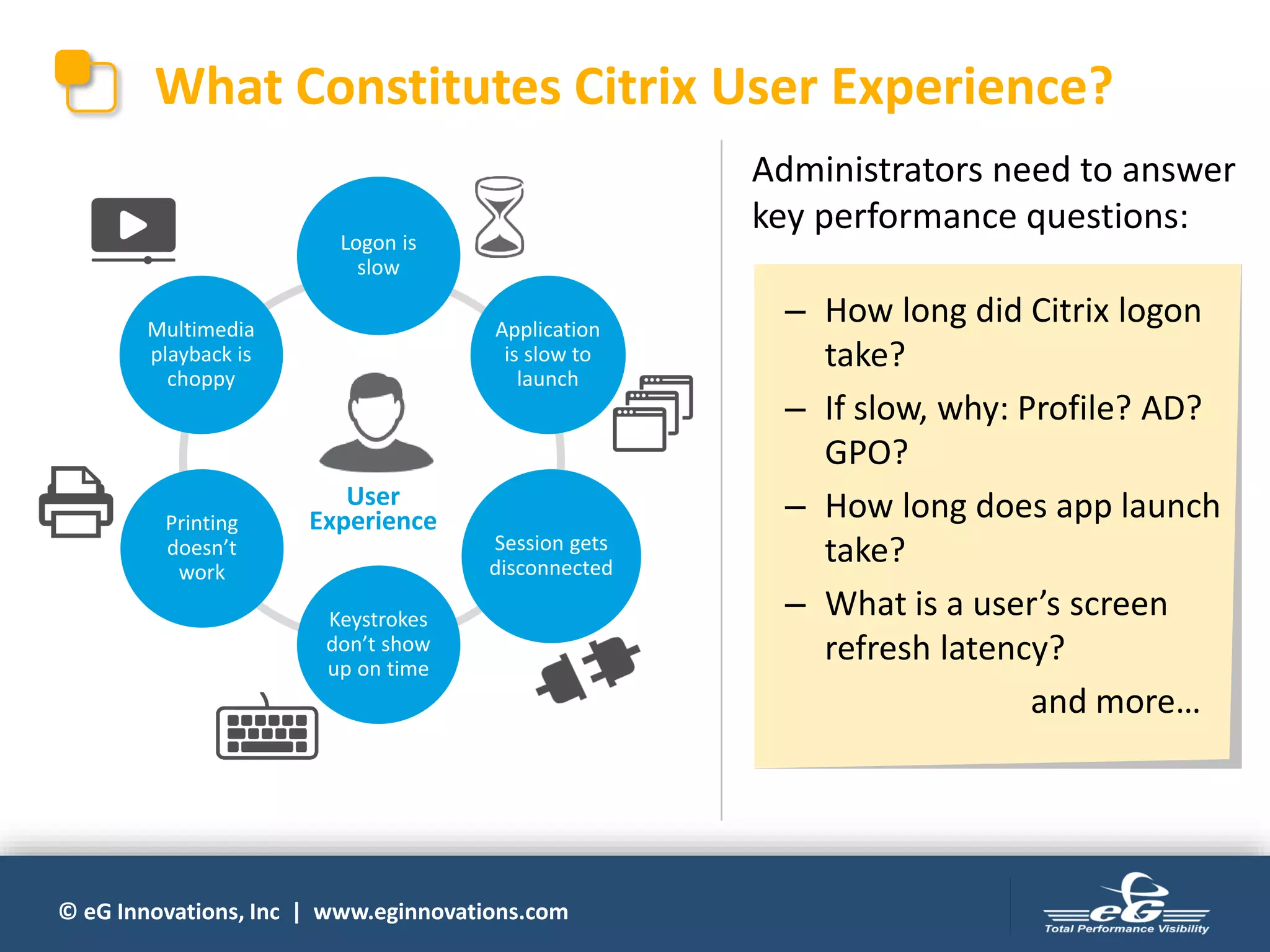
What Constitutes Citrix User Experience?
Logon is
slow
Application
is slow to
launch
Session gets
disconnected
Keystrokes
don’t show
up on time
Multimedia
playback is
choppy
User
ExperiencePrinting
doesn’t
work
Administrators need to answer
key performance questions:
– How long did Citrix logon
take?
– If slow, why: Profile? AD?
GPO?
– How long does app launch
take?
– What is a user’s screen
refresh latency?
and more…
© eG Innovations, Inc | www.eginnovations.com
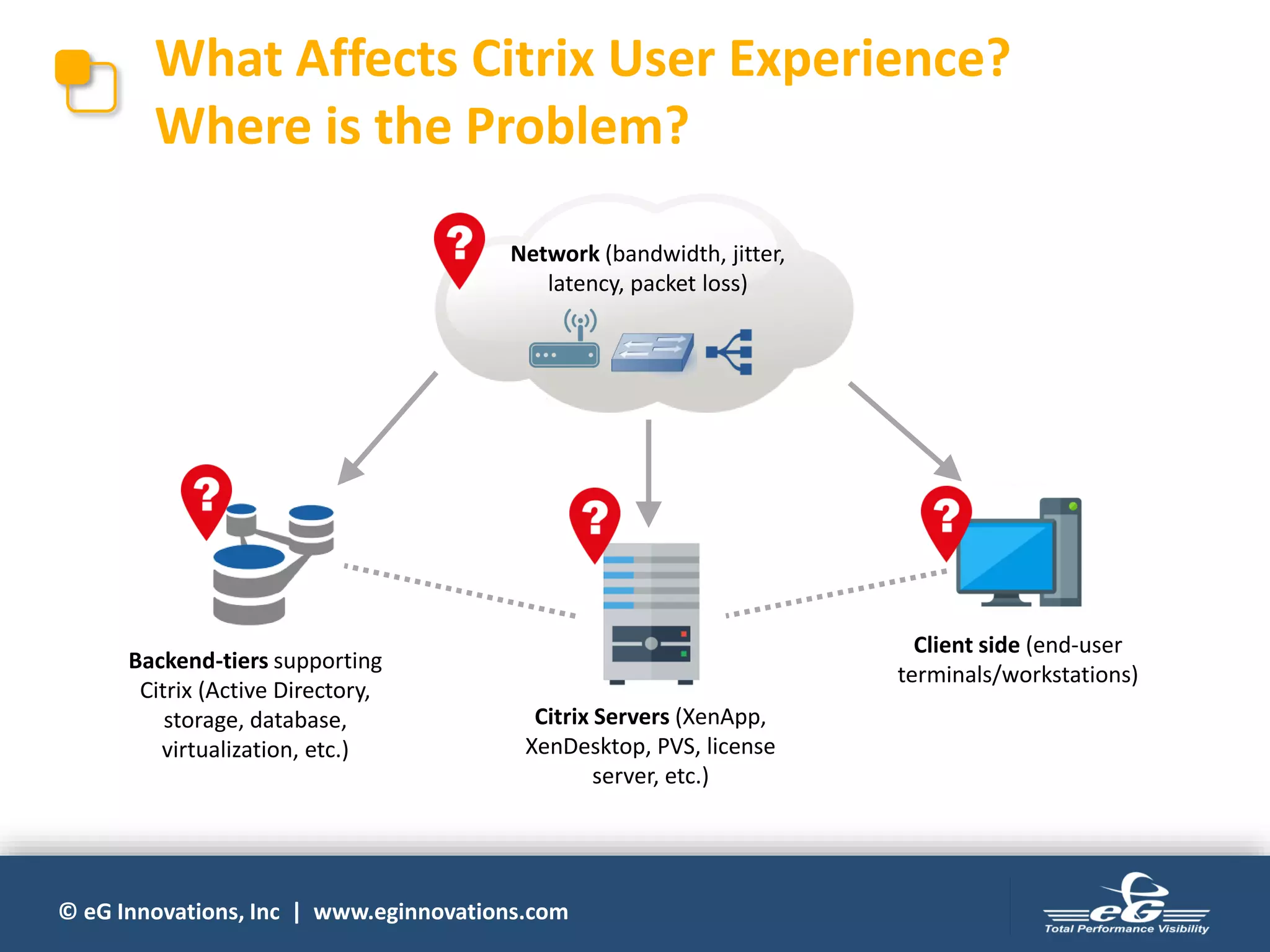
What Affects Citrix User Experience?
Where is the Problem?
Backend-tiers supporting
Citrix (Active Directory,
storage, database,
virtualization, etc.)
Citrix Servers (XenApp,
XenDesktop, PVS, license
server, etc.)
Client side (end-user
terminals/workstations)
Network (bandwidth, jitter,
latency, packet loss)
© eG Innovations, Inc | www.eginnovations.com
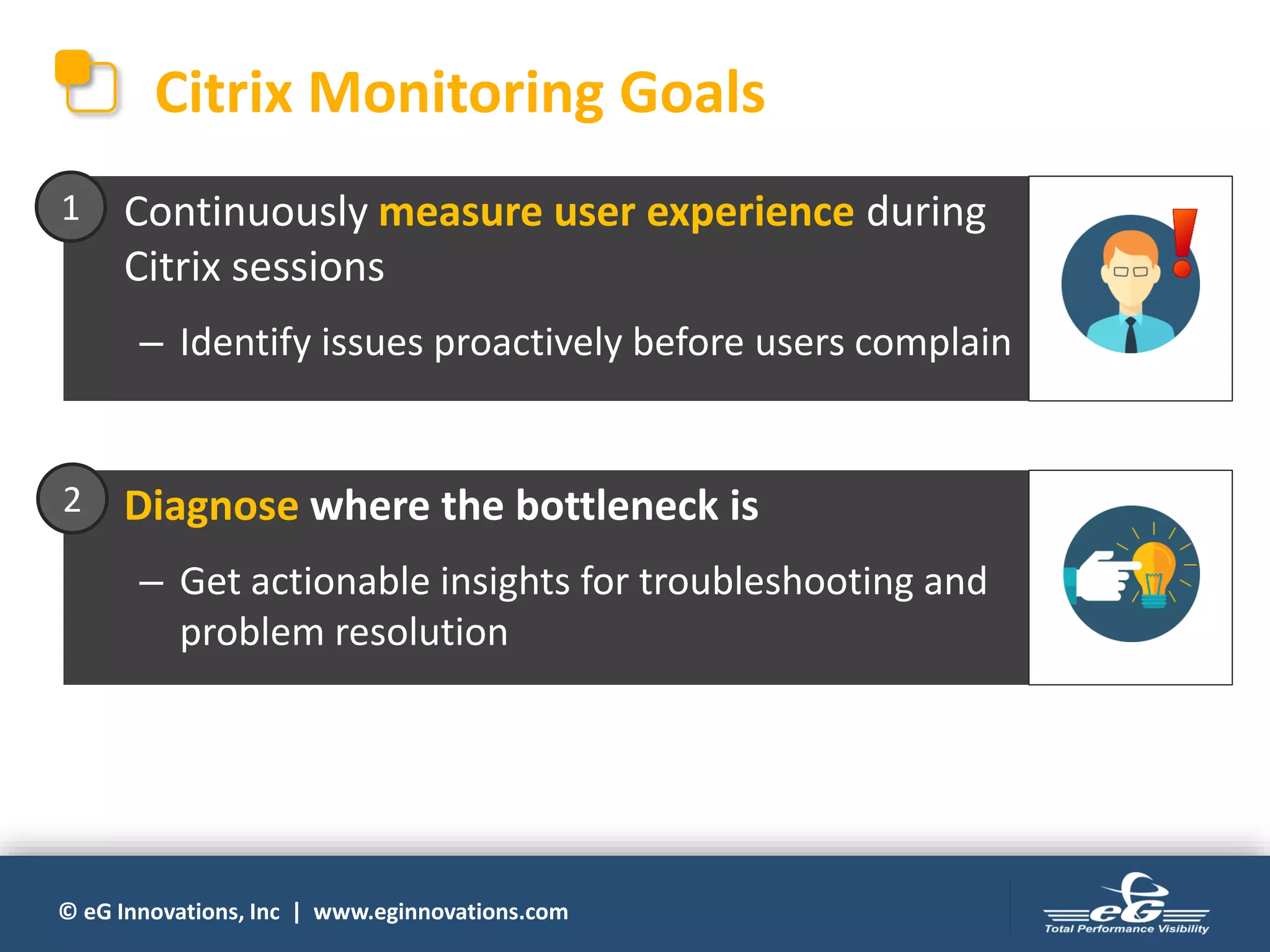
Citrix Monitoring Goals
• Continuously measure user experience during
Citrix sessions
– Identify issues proactively before users complain
1
• Diagnose where the bottleneck is
– Get actionable insights for troubleshooting and
problem resolution
2
© eG Innovations, Inc | www.eginnovations.com
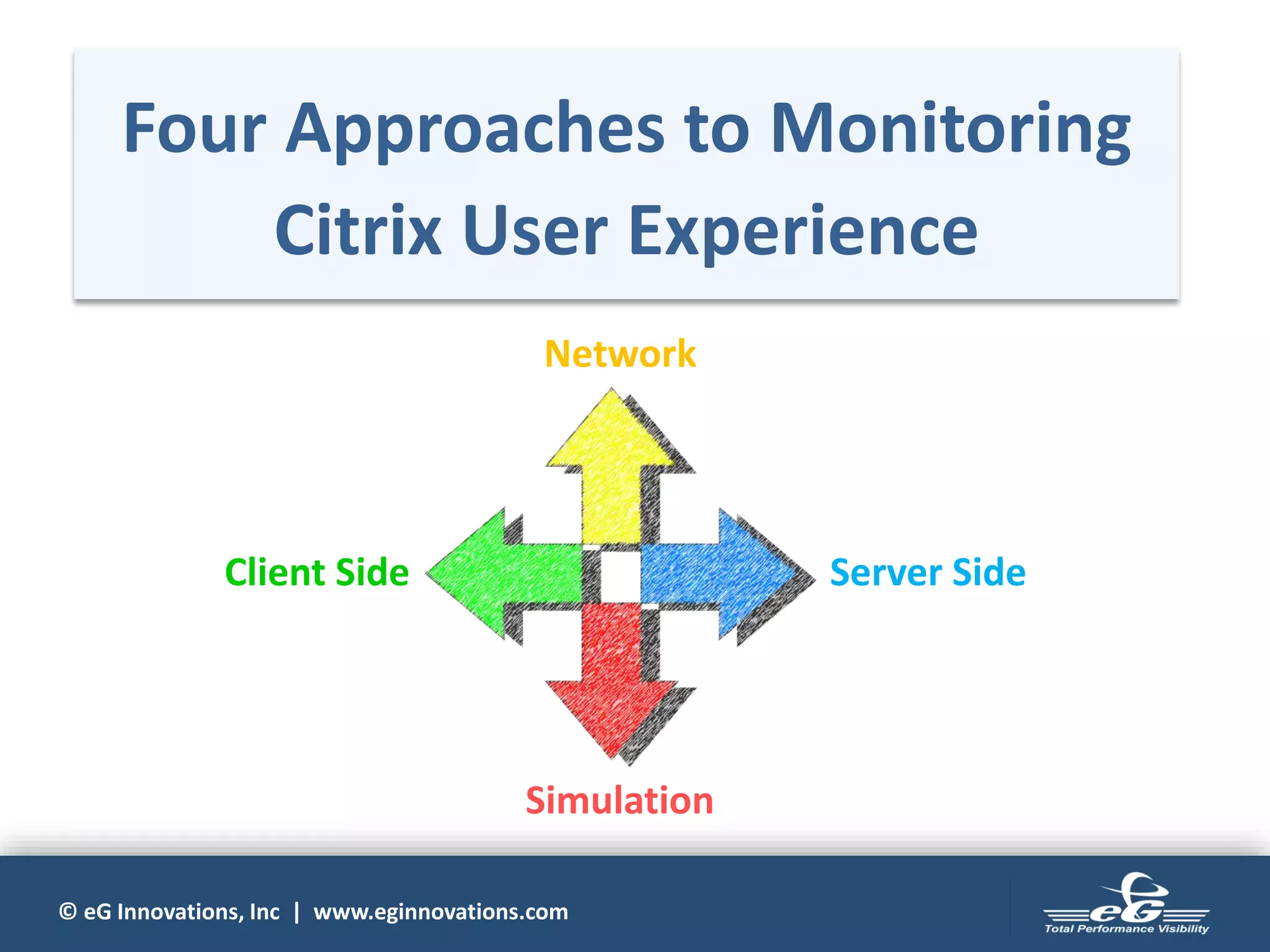
Four Approaches to Monitoring
Citrix User Experience
Network
Server SideClient Side
Simulation
© eG Innovations, Inc | www.eginnovations.com
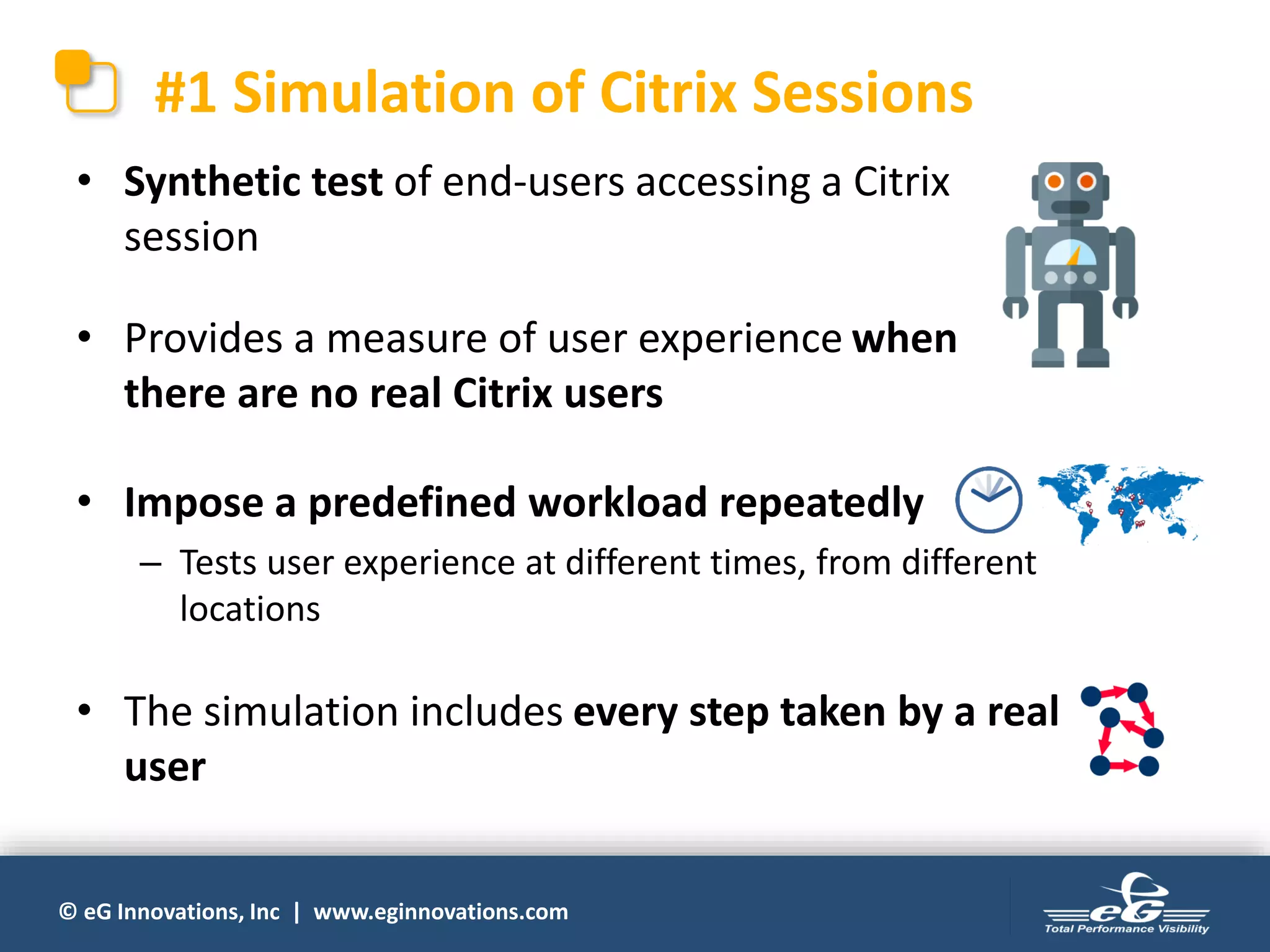
#1 Simulation of Citrix Sessions
• Synthetic test of end-users accessing a Citrix
session
• Provides a measure of user experience when
there are no real Citrix users
• Impose a predefined workload repeatedly
– Tests user experience at different times, from different
locations
• The simulation includes every step taken by a real
user
© eG Innovations, Inc | www.eginnovations.com
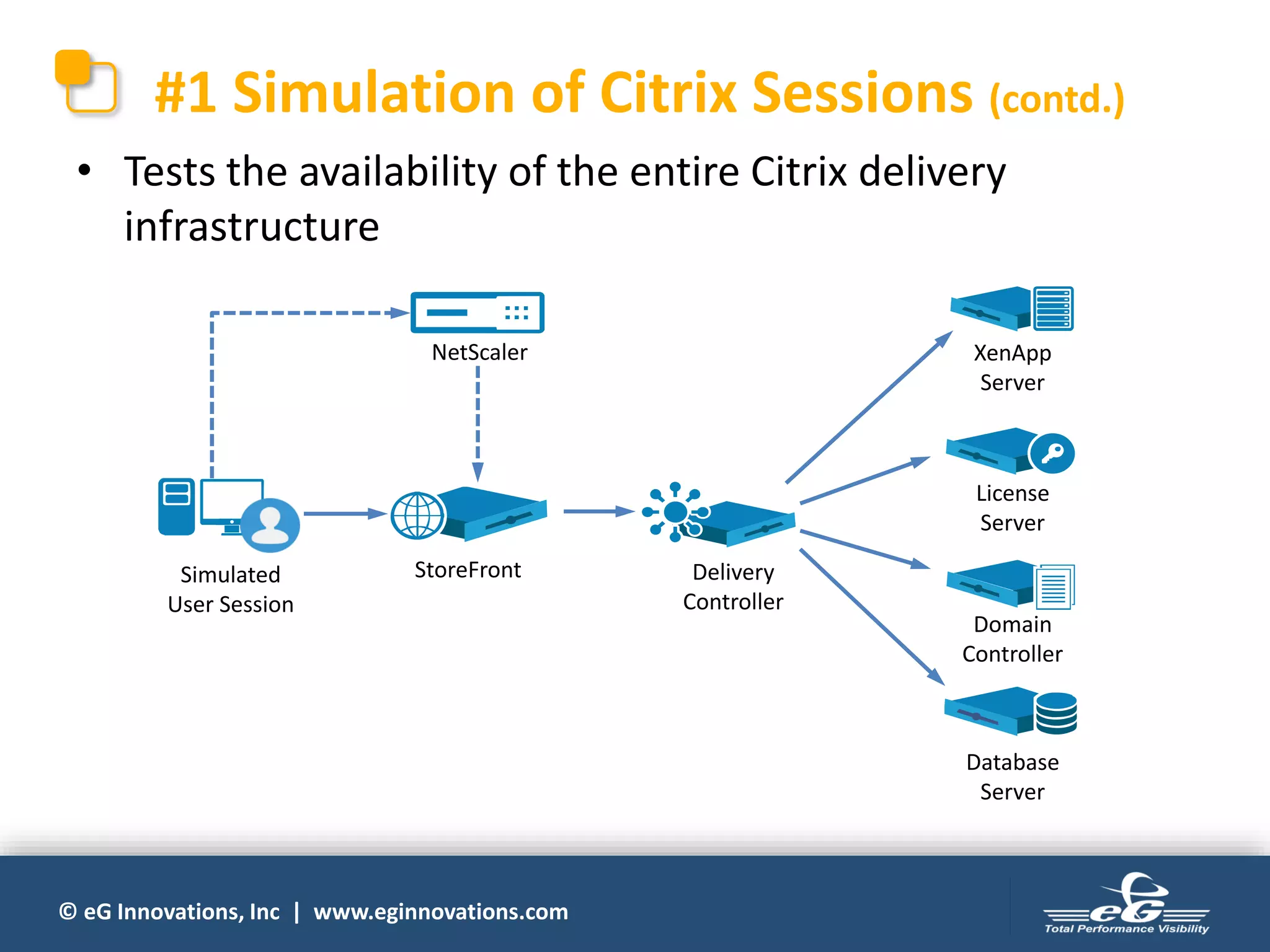
#1 Simulation of Citrix Sessions (contd.)
• Tests the availability of the entire Citrix delivery
infrastructure
Delivery
Controller
NetScaler
StoreFront
XenApp
Server
Database
Server
License
Server
Domain
Controller
Simulated
User Session
© eG Innovations, Inc | www.eginnovations.com
#1 Simulation of Citrix Sessions (contd.)
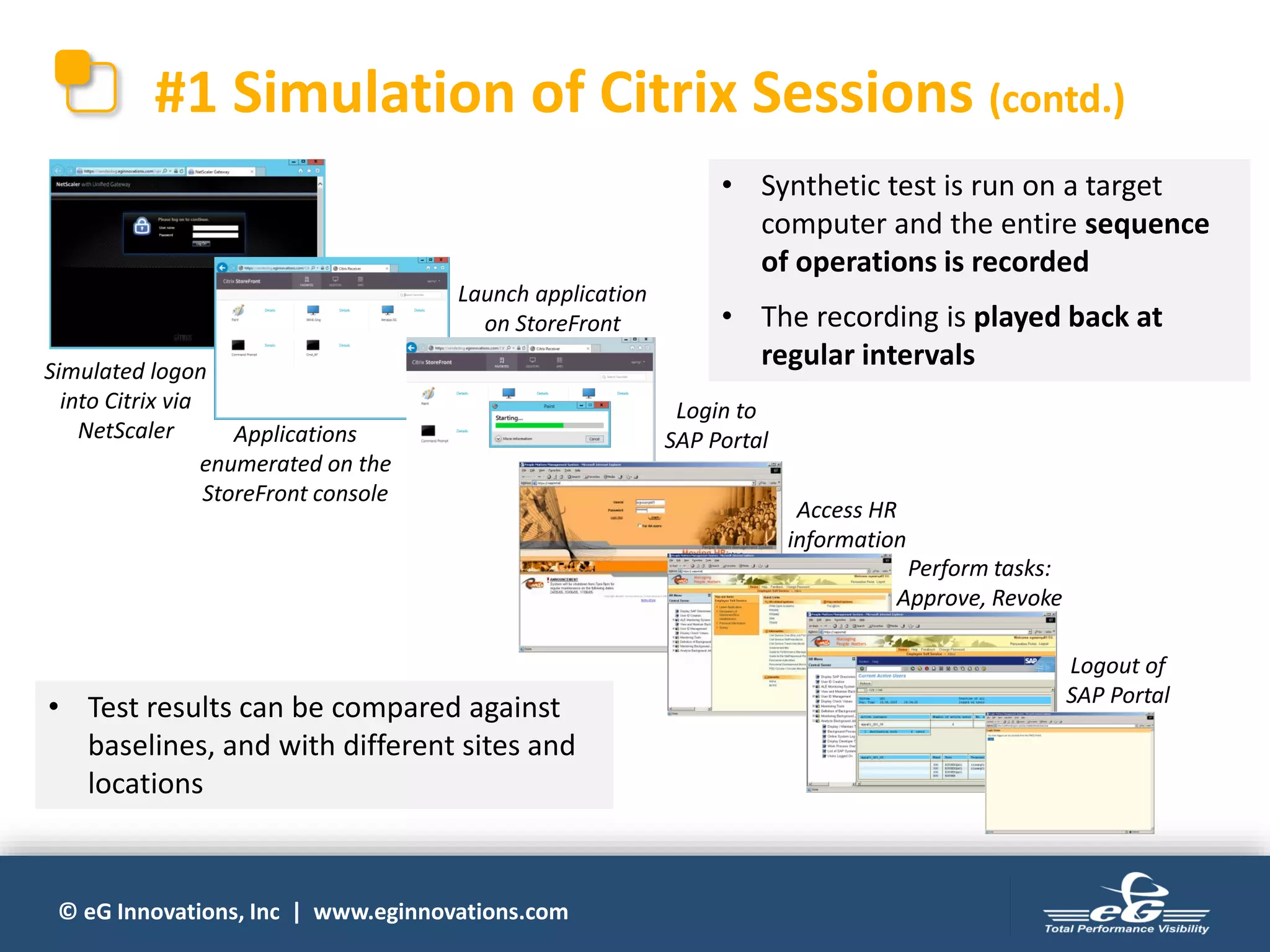
Simulated logon
into Citrix via
NetScaler Applications
enumerated on the
StoreFront console
Launch application
on StoreFront
Login to
SAP Portal
Access HR
information
Perform tasks:
Approve, Revoke
Logout of
SAP Portal
• Test results can be compared against
baselines, and with different sites and
locations
• Synthetic test is run on a target
computer and the entire sequence
of operations is recorded
• The recording is played back at
regular intervals
© eG Innovations, Inc | www.eginnovations.com
#1 Simulation of Citrix Session (contd.)
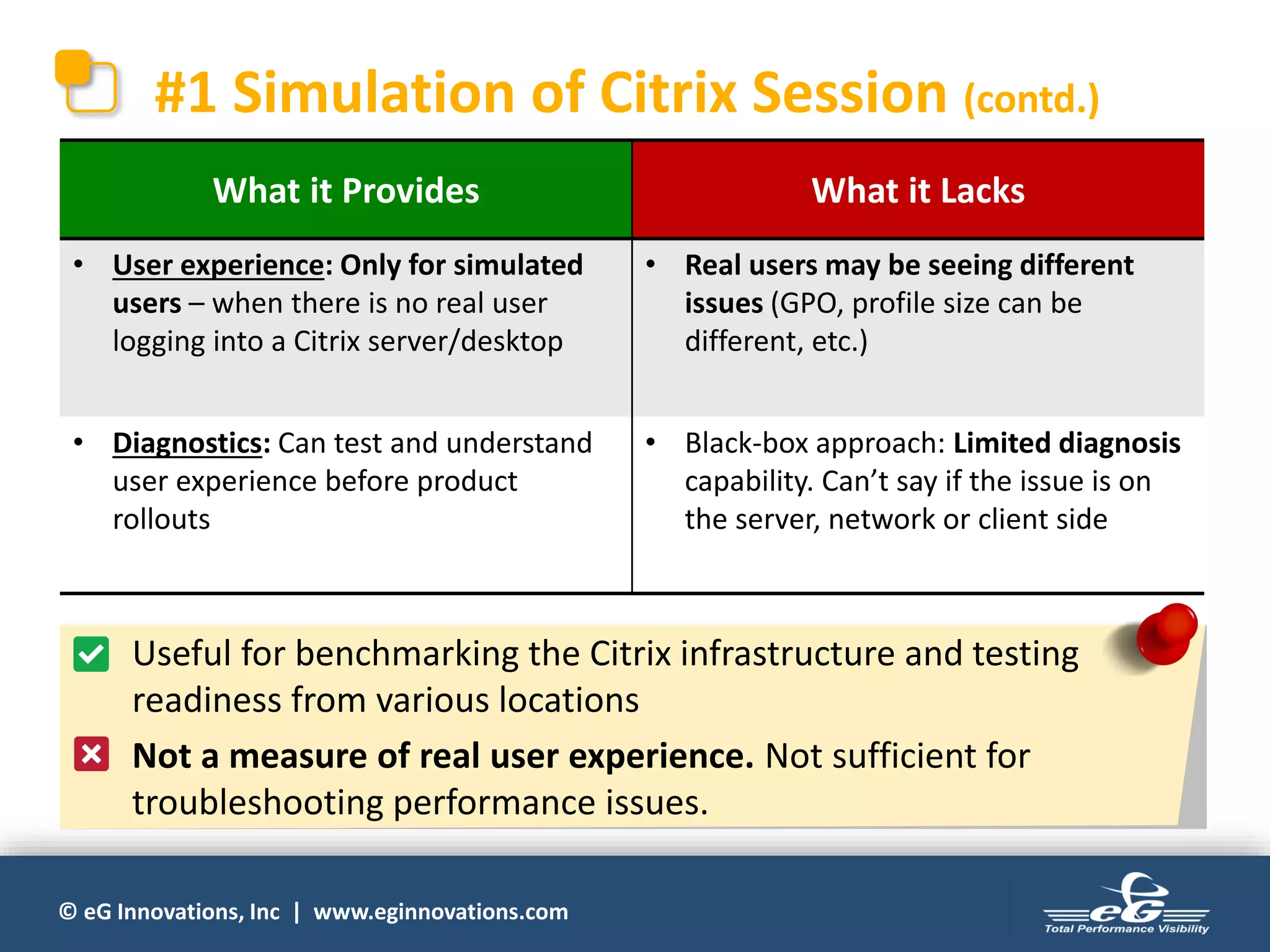
What it Provides What it Lacks
• User experience: Only for simulated
users – when there is no real user
logging into a Citrix server/desktop
• Real users may be seeing different
issues (GPO, profile size can be
different, etc.)
• Diagnostics: Can test and understand
user experience before product
rollouts
• Black-box approach: Limited diagnosis
capability. Can’t say if the issue is on
the server, network or client side
• Useful for benchmarking the Citrix infrastructure and testing
readiness from various locations
• Not a measure of real user experience. Not sufficient for
troubleshooting performance issues.
© eG Innovations, Inc | www.eginnovations.com
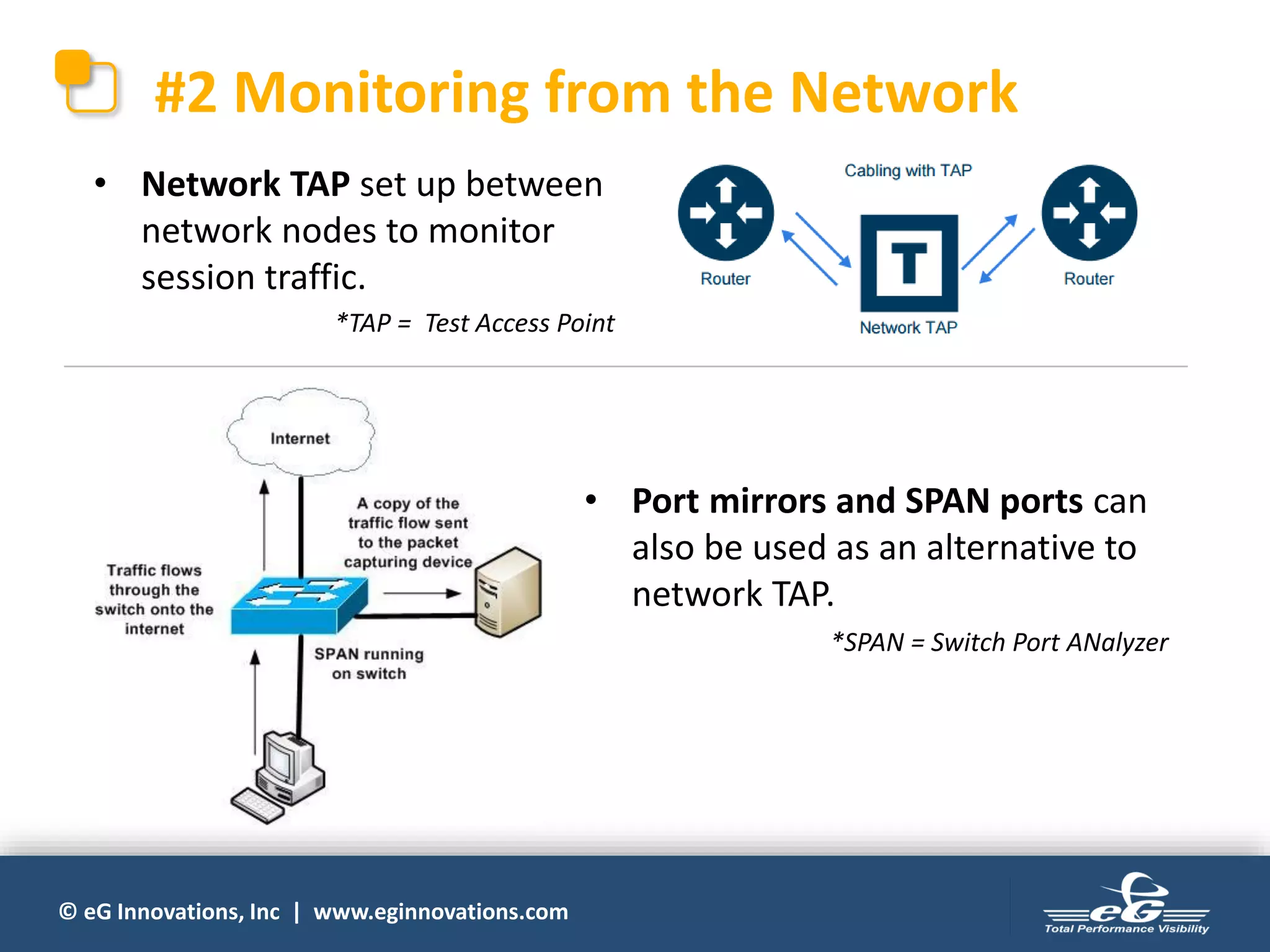
#2 Monitoring from the Network
• Network TAP set up between
network nodes to monitor
session traffic.
• Port mirrors and SPAN ports can
also be used as an alternative to
network TAP.
*SPAN = Switch Port ANalyzer
*TAP = Test Access Point
© eG Innovations, Inc | www.eginnovations.com
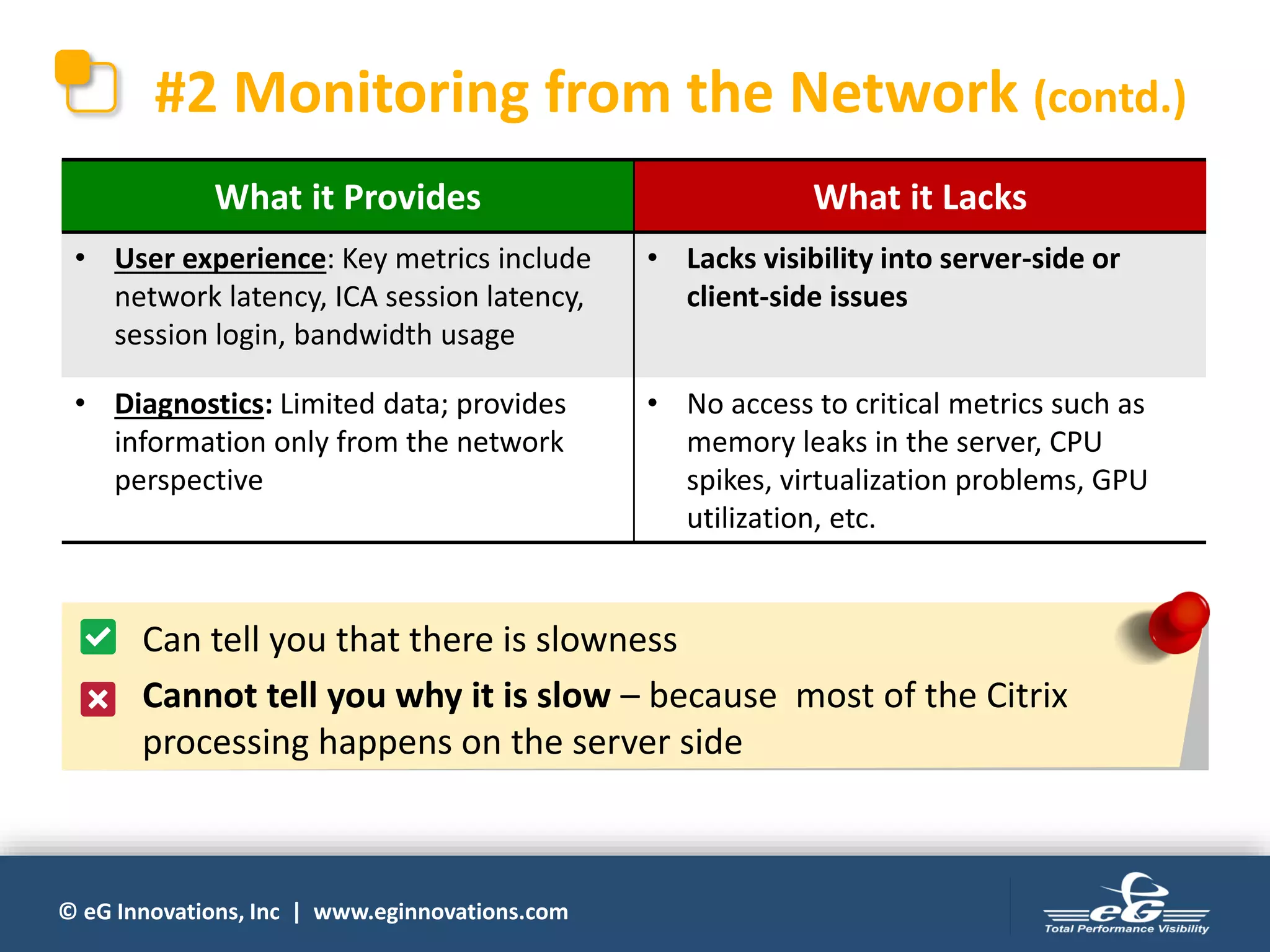
#2 Monitoring from the Network (contd.)
What it Provides What it Lacks
• User experience: Key metrics include
network latency, ICA session latency,
session login, bandwidth usage
• Lacks visibility into server-side or
client-side issues
• Diagnostics: Limited data; provides
information only from the network
perspective
• No access to critical metrics such as
memory leaks in the server, CPU
spikes, virtualization problems, GPU
utilization, etc.
• Can tell you that there is slowness
• Cannot tell you why it is slow – because most of the Citrix
processing happens on the server side
© eG Innovations, Inc | www.eginnovations.com
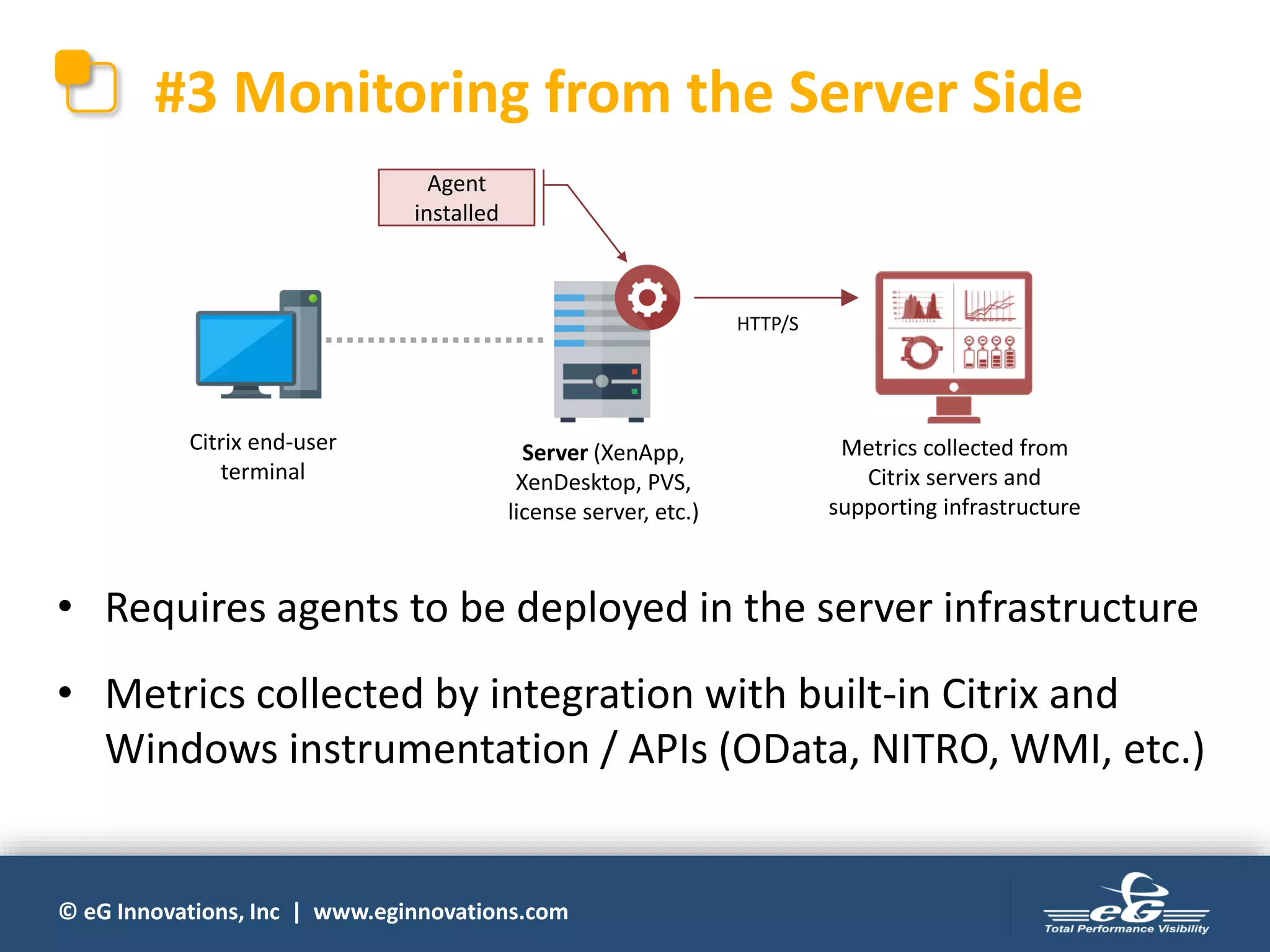
#3 Monitoring from the Server Side
Server (XenApp,
XenDesktop, PVS,
license server, etc.)
Citrix end-user
terminal
HTTP/S
Metrics collected from
Citrix servers and
supporting infrastructure
Agent
installed
• Requires agents to be deployed in the server infrastructure
• Metrics collected by integration with built-in Citrix and
Windows instrumentation / APIs (OData, NITRO, WMI, etc.)
© eG Innovations, Inc | www.eginnovations.com
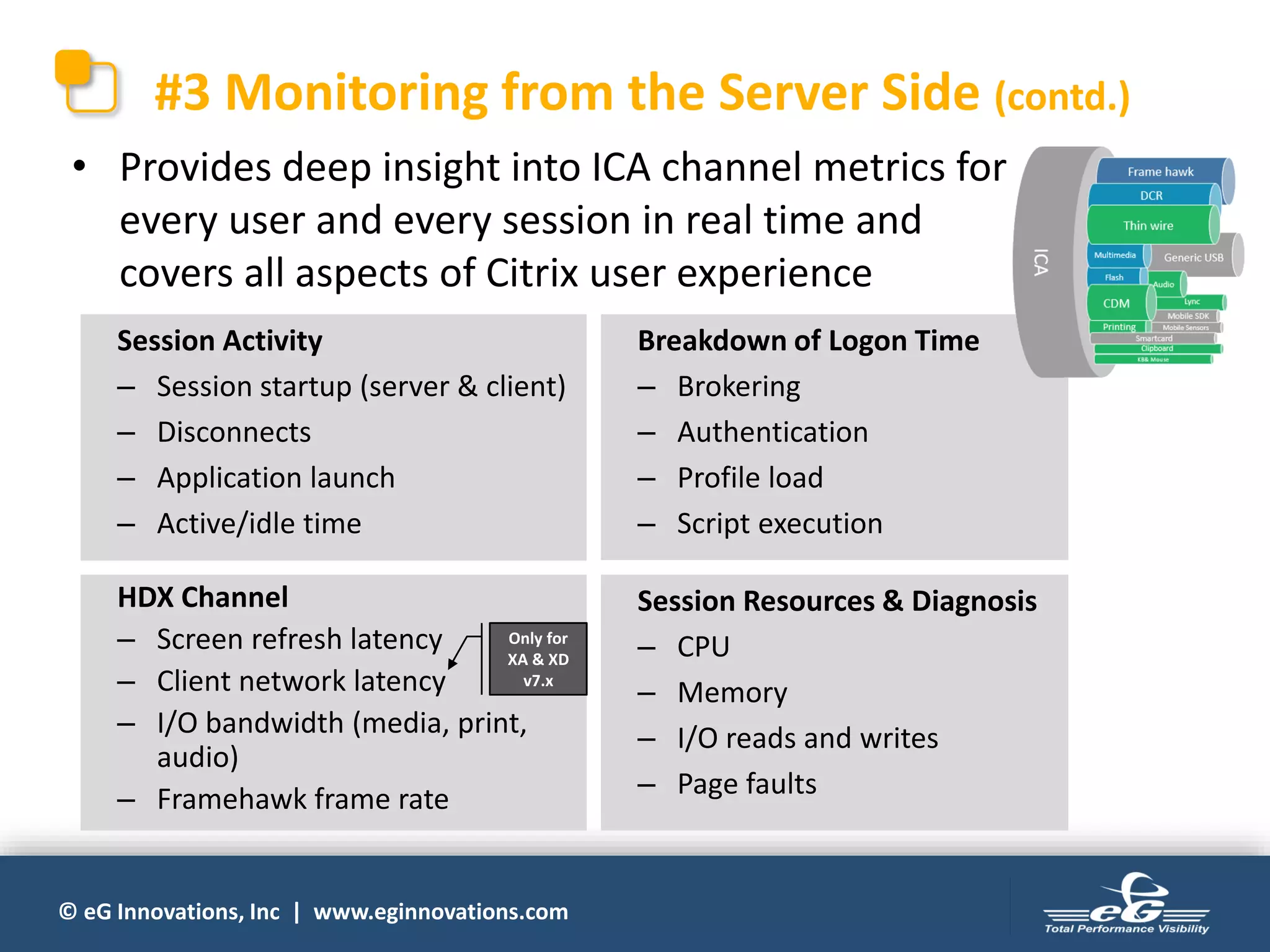
#3 Monitoring from the Server Side (contd.)
• Provides deep insight into ICA channel metrics for
every user and every session in real time and
covers all aspects of Citrix user experience
Session Resources & Diagnosis
– CPU
– Memory
– I/O reads and writes
– Page faults
Session Activity
– Session startup (server & client)
– Disconnects
– Application launch
– Active/idle time
HDX Channel
– Screen refresh latency
– Client network latency
– I/O bandwidth (media, print,
audio)
– Framehawk frame rate
Breakdown of Logon Time
– Brokering
– Authentication
– Profile load
– Script execution
Only for
XA & XD
v7.x
© eG Innovations, Inc | www.eginnovations.com
#3 Monitoring from the Server Side (contd.)
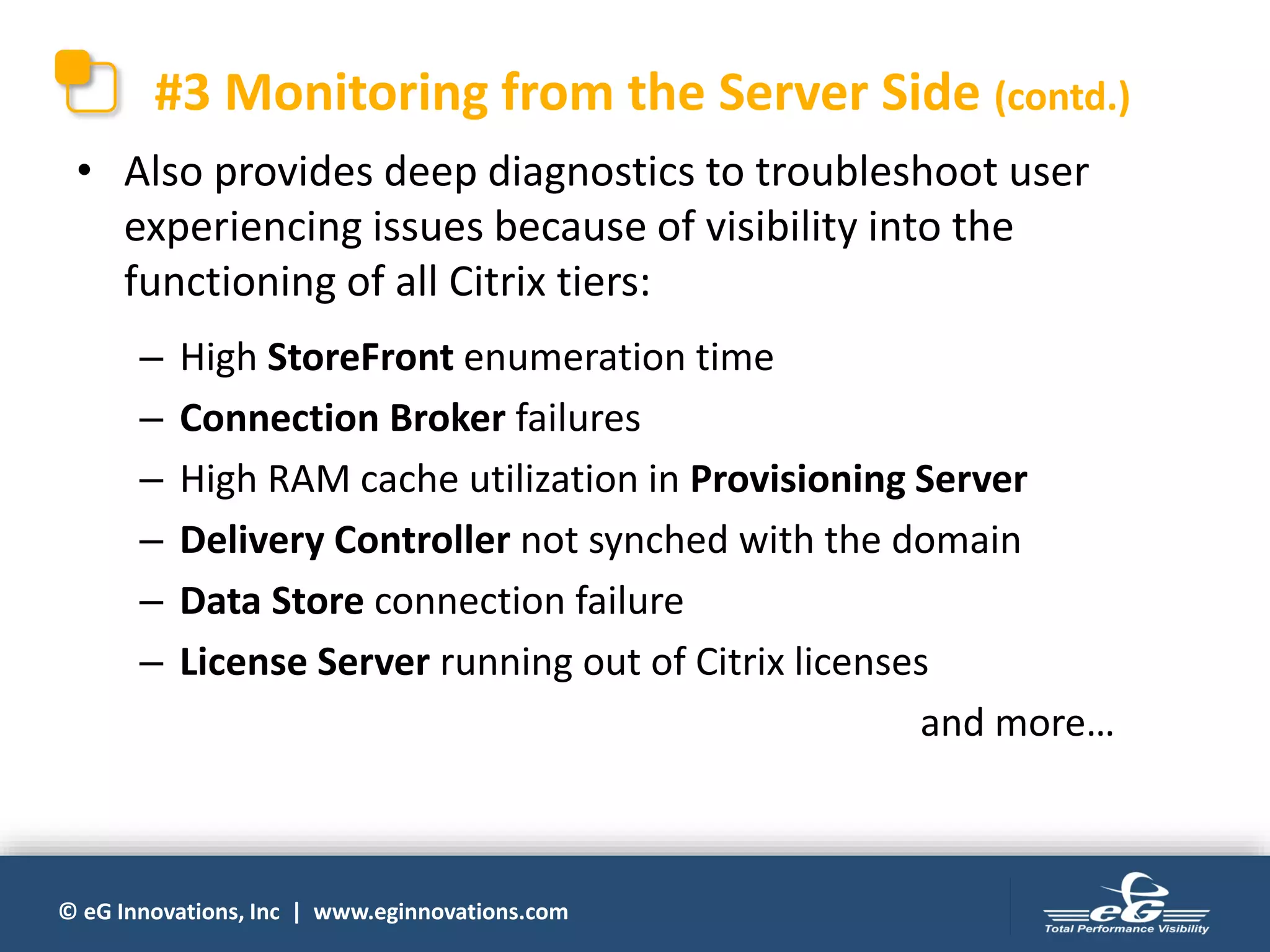
• Also provides deep diagnostics to troubleshoot user
experiencing issues because of visibility into the
functioning of all Citrix tiers:
– High StoreFront enumeration time
– Connection Broker failures
– High RAM cache utilization in Provisioning Server
– Delivery Controller not synched with the domain
– Data Store connection failure
– License Server running out of Citrix licenses
and more…
© eG Innovations, Inc | www.eginnovations.com
#3 Monitoring from the Server Side (contd.)
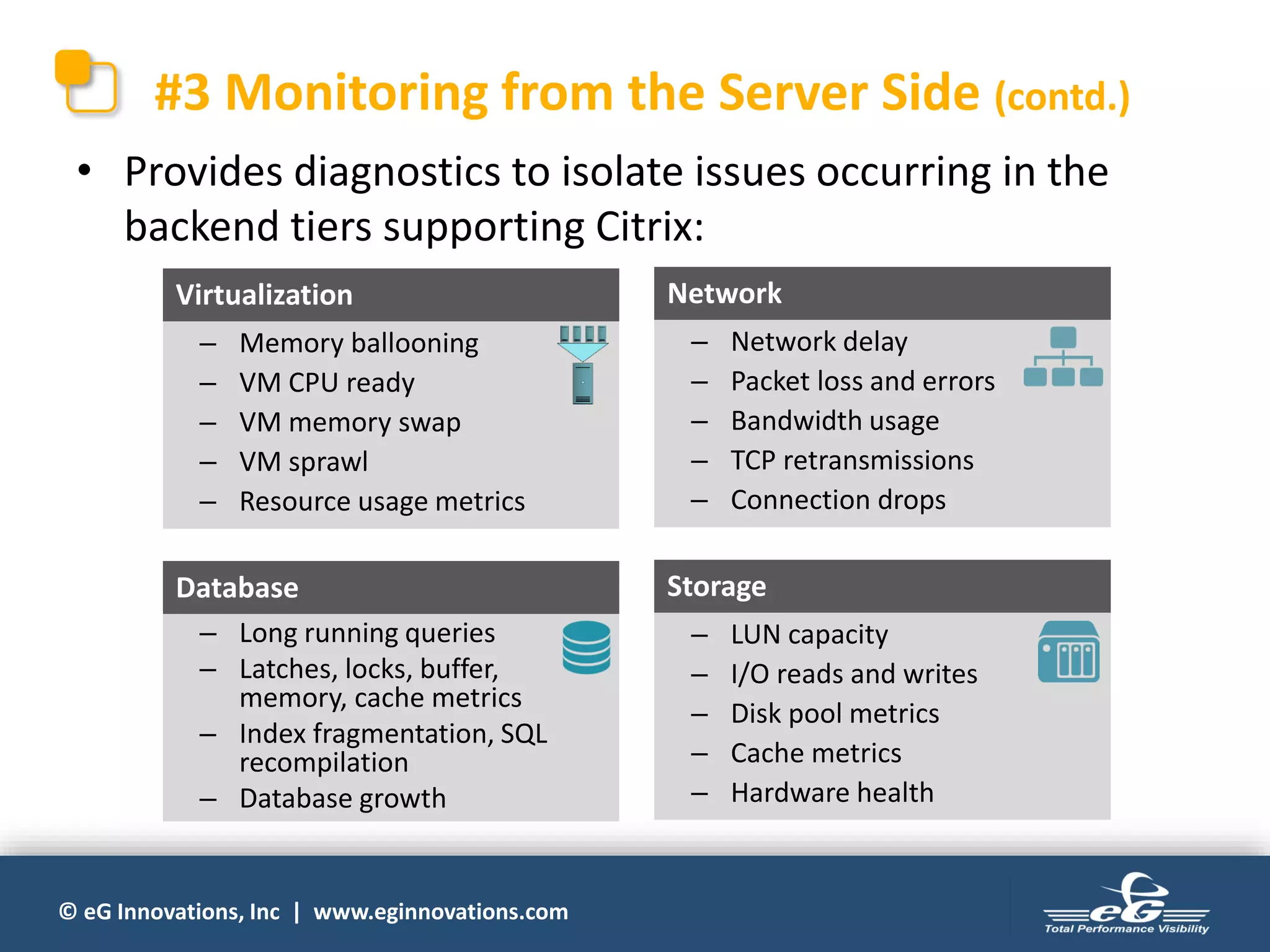
• Provides diagnostics to isolate issues occurring in the
backend tiers supporting Citrix:
– Long running queries
– Latches, locks, buffer,
memory, cache metrics
– Index fragmentation, SQL
recompilation
– Database growth
Database
– Memory ballooning
– VM CPU ready
– VM memory swap
– VM sprawl
– Resource usage metrics
Virtualization
– LUN capacity
– I/O reads and writes
– Disk pool metrics
– Cache metrics
– Hardware health
Storage
– Network delay
– Packet loss and errors
– Bandwidth usage
– TCP retransmissions
– Connection drops
Network
© eG Innovations, Inc | www.eginnovations.com
#3 Monitoring from the Server Side (contd.)
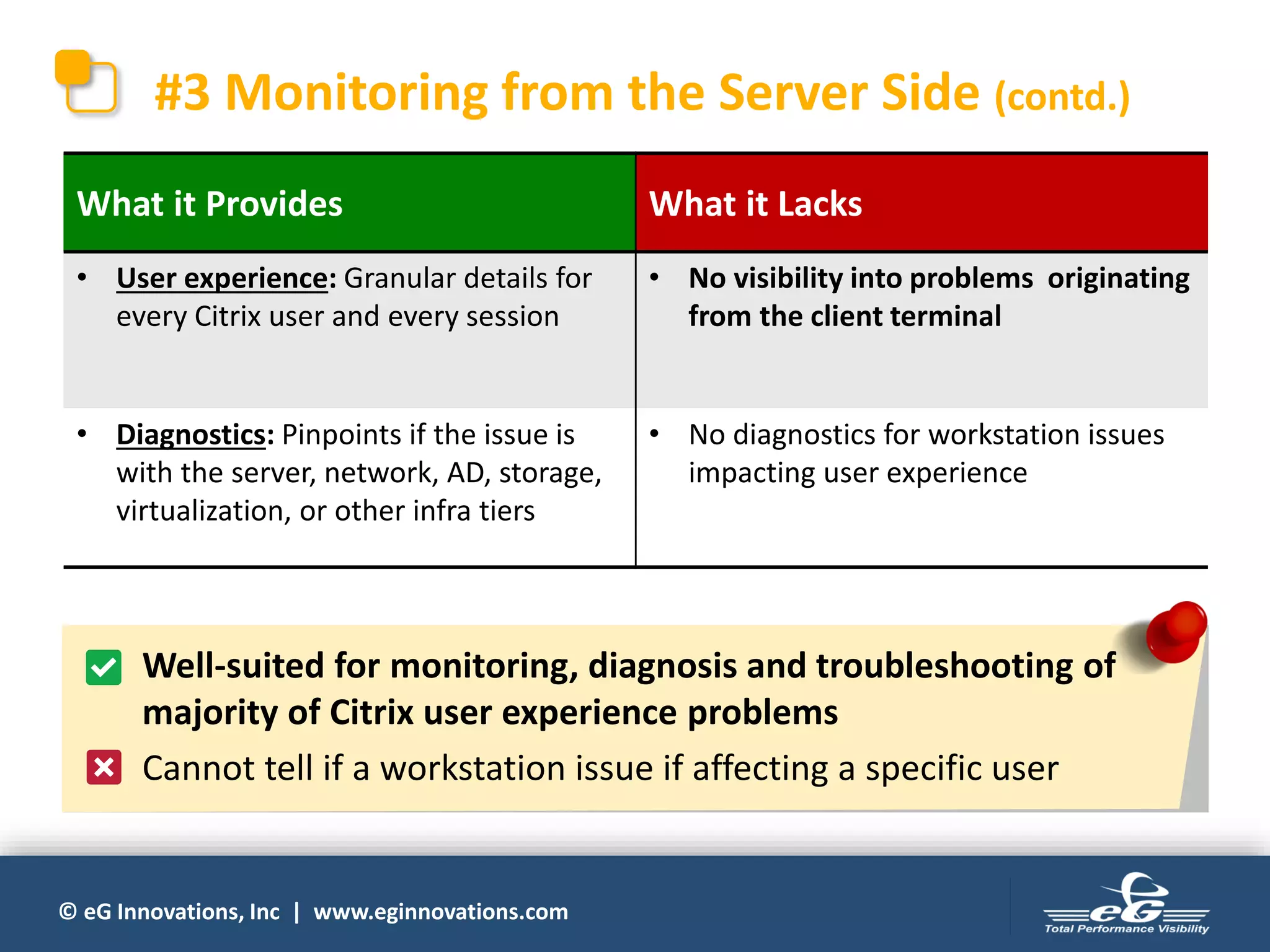
What it Provides What it Lacks
• User experience: Granular details for
every Citrix user and every session
• No visibility into problems originating
from the client terminal
• Diagnostics: Pinpoints if the issue is
with the server, network, AD, storage,
virtualization, or other infra tiers
• No diagnostics for workstation issues
impacting user experience
• Well-suited for monitoring, diagnosis and troubleshooting of
majority of Citrix user experience problems
• Cannot tell if a workstation issue if affecting a specific user
© eG Innovations, Inc | www.eginnovations.com
#4 Monitoring from the Client Side
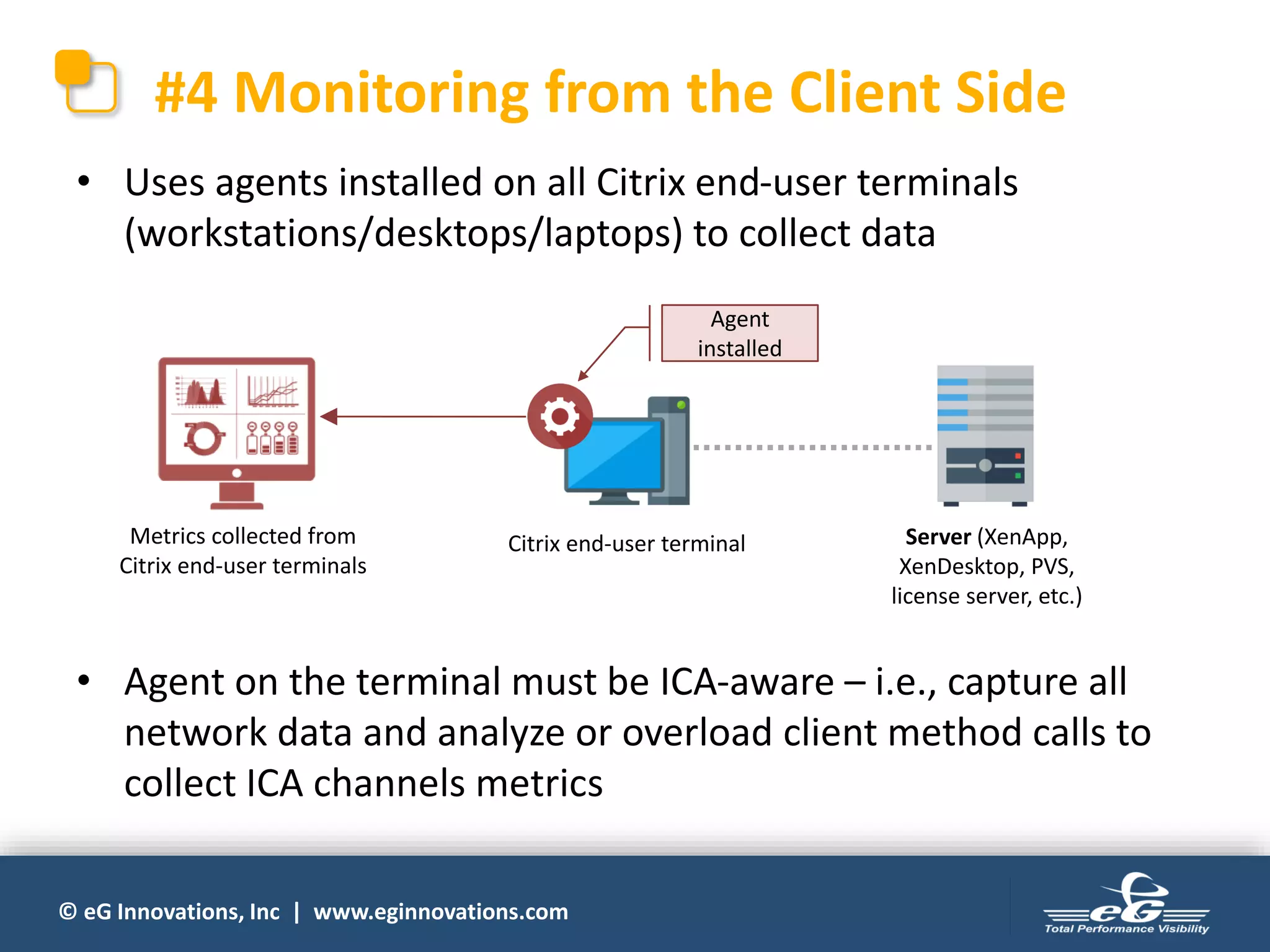
• Uses agents installed on all Citrix end-user terminals
(workstations/desktops/laptops) to collect data
Citrix end-user terminal
Agent
installed
• Agent on the terminal must be ICA-aware – i.e., capture all
network data and analyze or overload client method calls to
collect ICA channels metrics
Metrics collected from
Citrix end-user terminals
Server (XenApp,
XenDesktop, PVS,
license server, etc.)
© eG Innovations, Inc | www.eginnovations.com
#4 Monitoring from the Client Side (contd.)
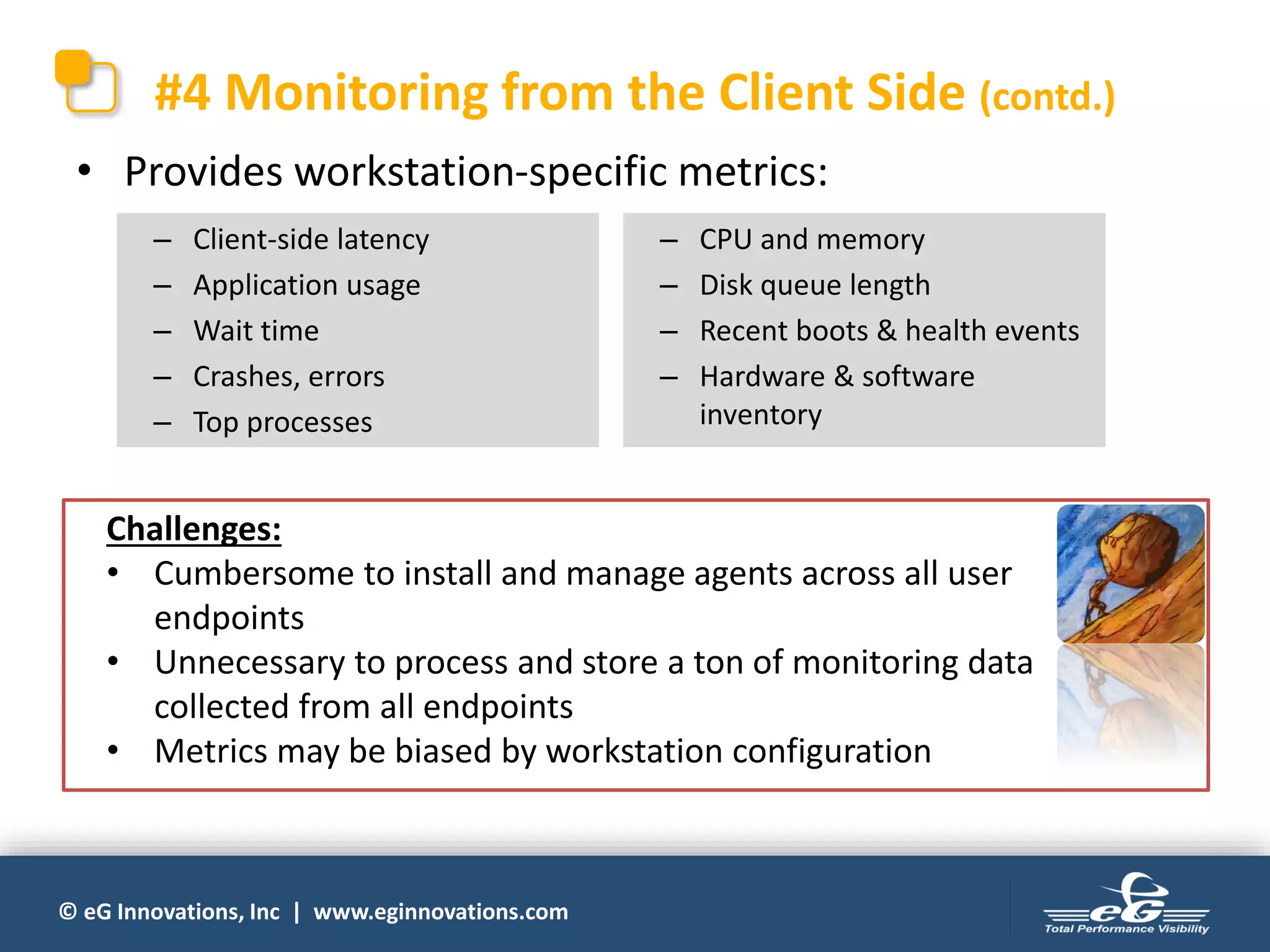
• Provides workstation-specific metrics:
– Client-side latency
– Application usage
– Wait time
– Crashes, errors
– Top processes
– CPU and memory
– Disk queue length
– Recent boots & health events
– Hardware & software
inventory
Challenges:
• Cumbersome to install and manage agents across all user
endpoints
• Unnecessary to process and store a ton of monitoring data
collected from all endpoints
• Metrics may be biased by workstation configuration
© eG Innovations, Inc | www.eginnovations.com
#4 Monitoring from the Client Side (contd.)
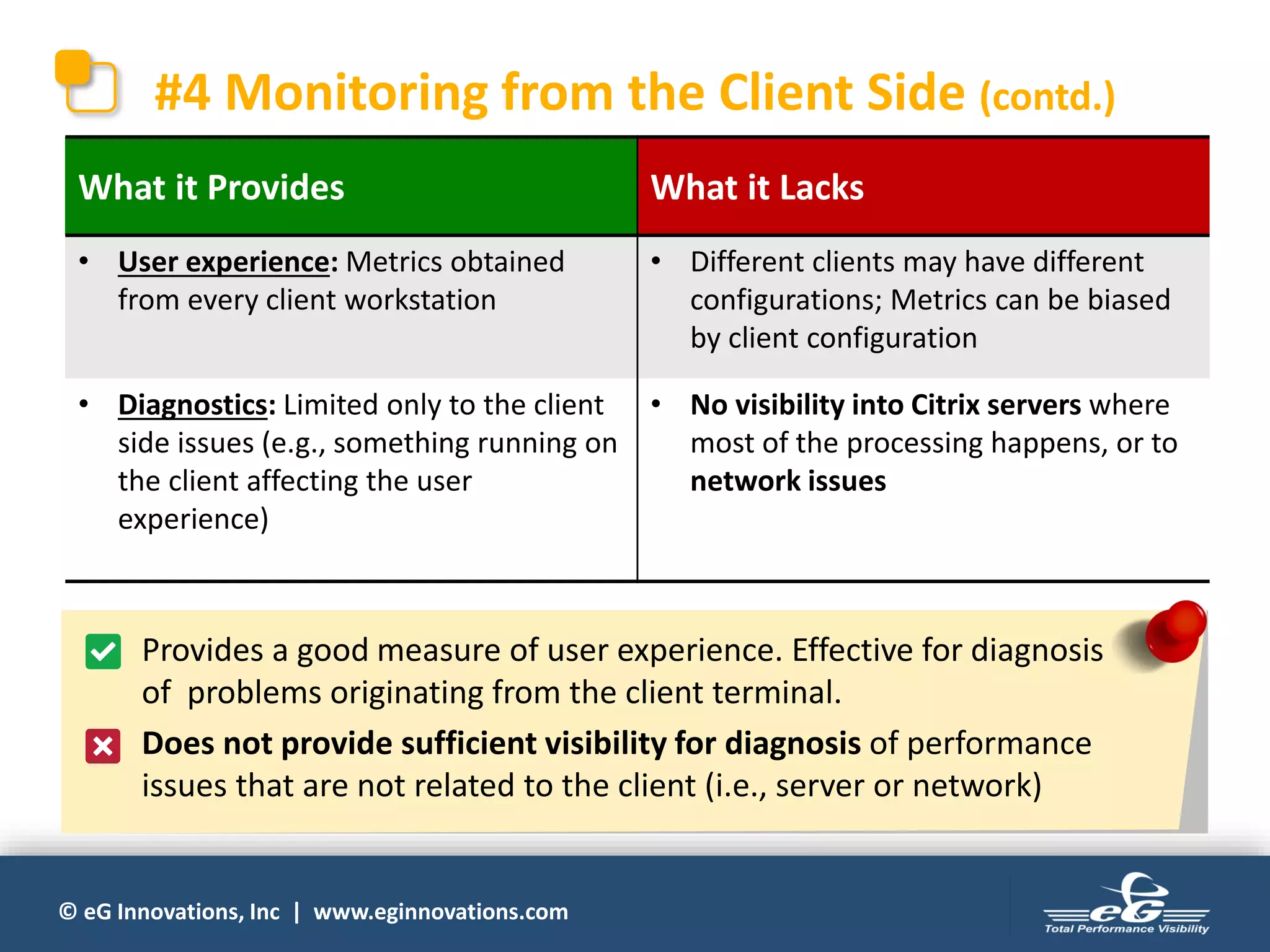
What it Provides What it Lacks
• User experience: Metrics obtained
from every client workstation
• Different clients may have different
configurations; Metrics can be biased
by client configuration
• Diagnostics: Limited only to the client
side issues (e.g., something running on
the client affecting the user
experience)
• No visibility into Citrix servers where
most of the processing happens, or to
network issues
• Provides a good measure of user experience. Effective for diagnosis
of problems originating from the client terminal.
• Does not provide sufficient visibility for diagnosis of performance
issues that are not related to the client (i.e., server or network)
© eG Innovations, Inc | www.eginnovations.com
Evaluating the Different
Approaches
© eG Innovations, Inc | www.eginnovations.com
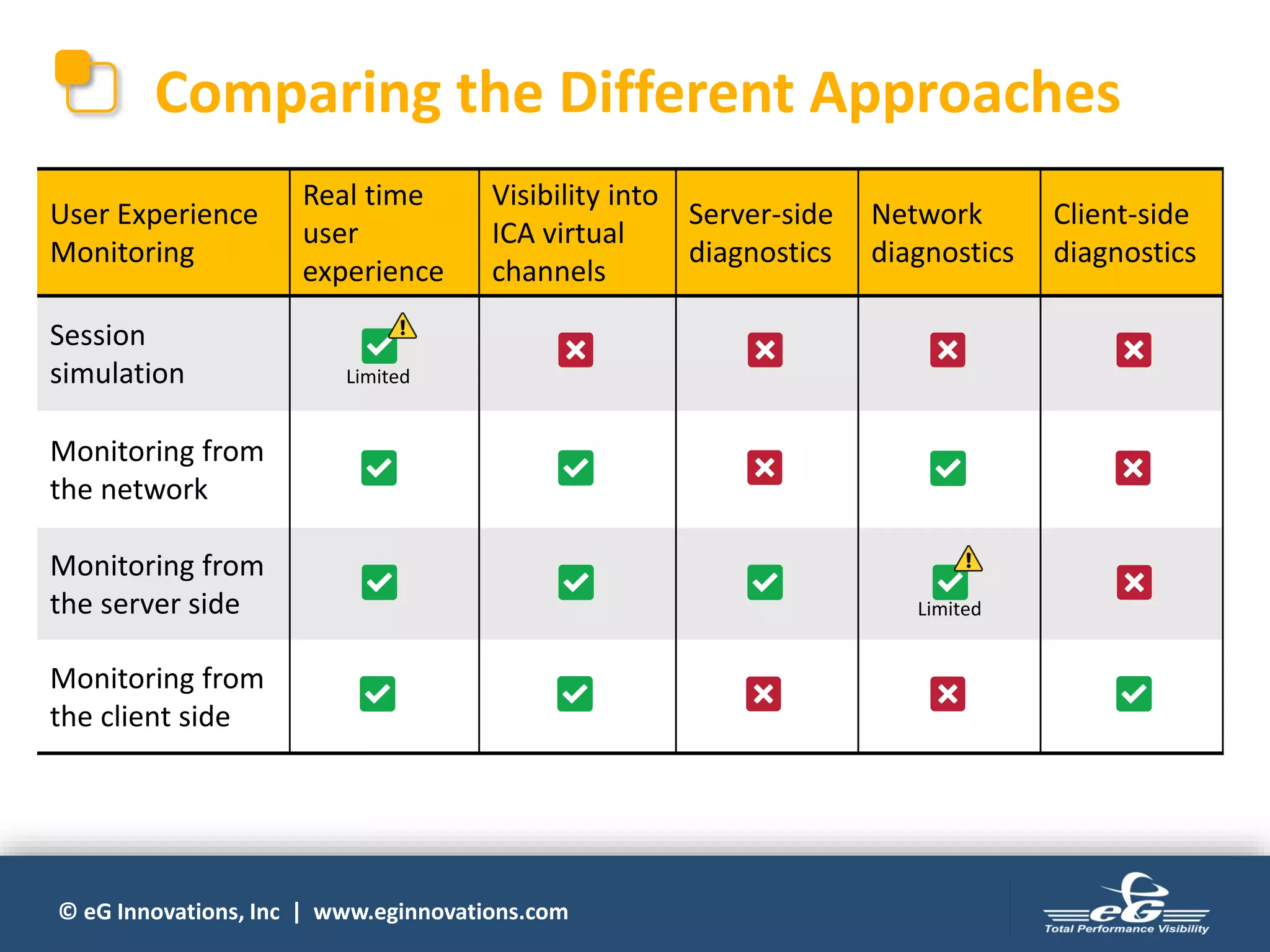
Comparing the Different Approaches
User Experience
Monitoring
Real time
user
experience
Visibility into
ICA virtual
channels
Server-side
diagnostics
Network
diagnostics
Client-side
diagnostics
Session
simulation
Monitoring from
the network
Monitoring from
the server side
Monitoring from
the client side
Limited
Limited
© eG Innovations, Inc | www.eginnovations.com
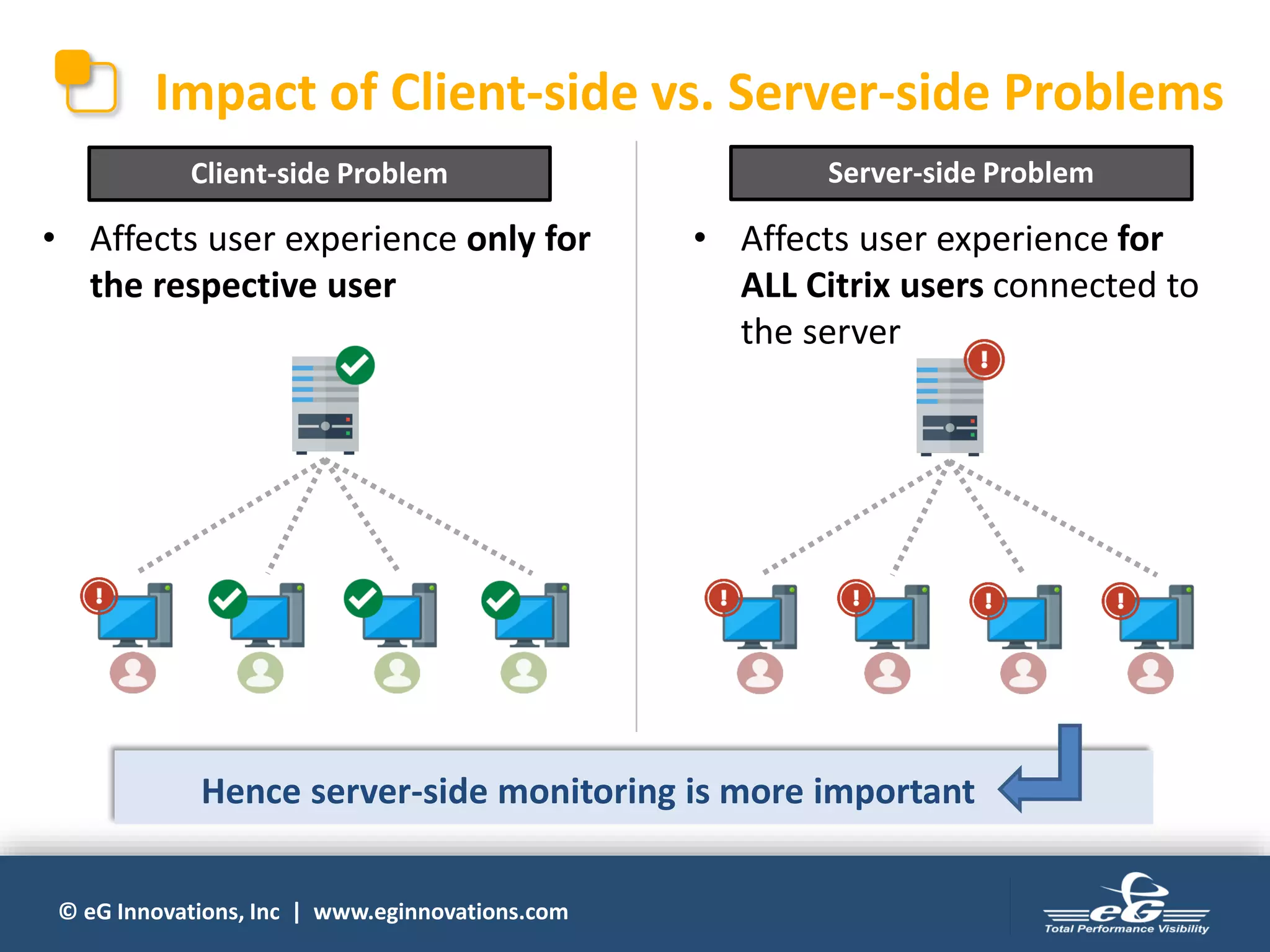
Impact of Client-side vs. Server-side Problems
• Affects user experience for
ALL Citrix users connected to
the server
• Affects user experience only for
the respective user
Client-side Problem Server-side Problem
Hence server-side monitoring is more important
© eG Innovations, Inc | www.eginnovations.com
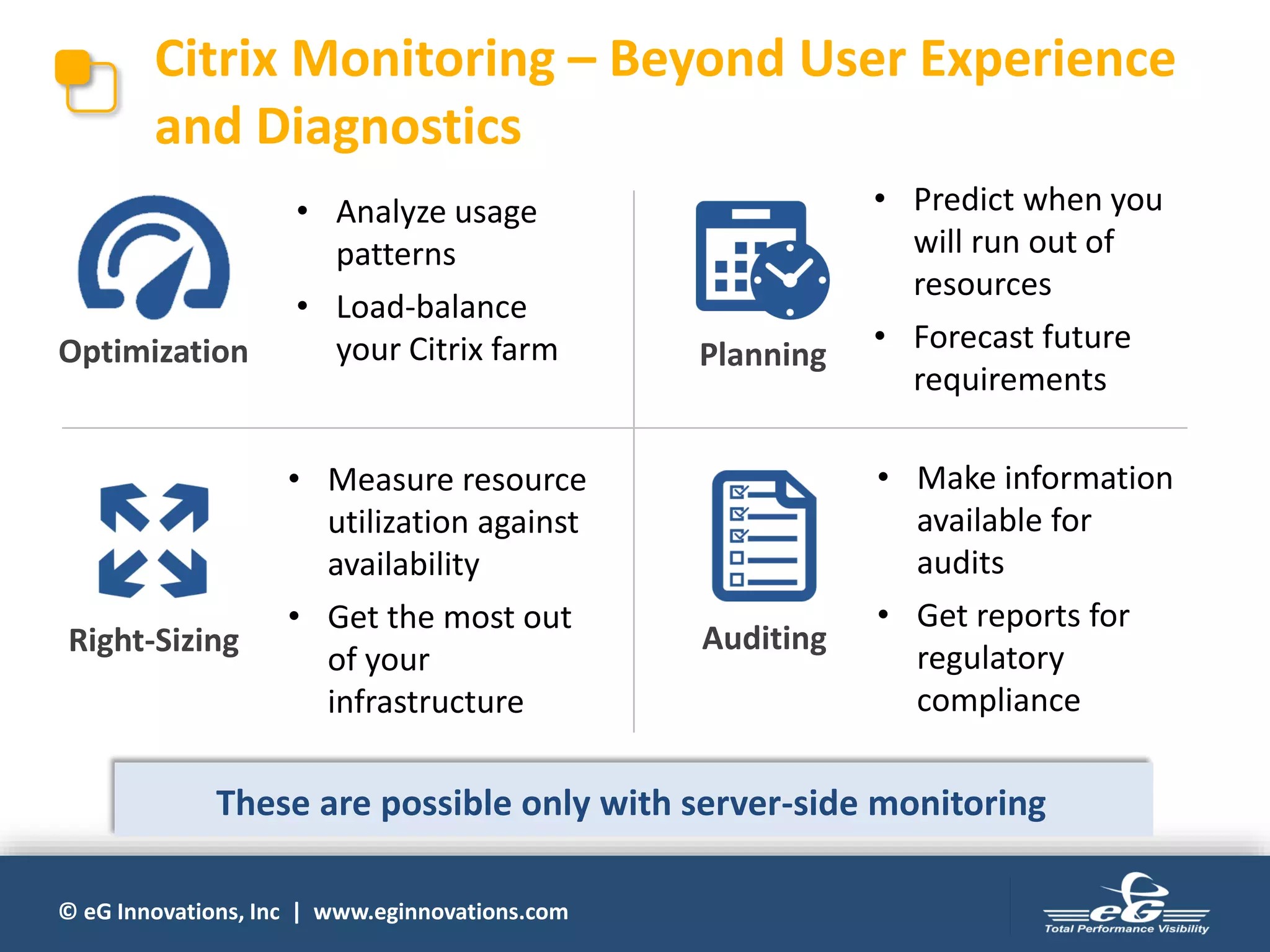
Citrix Monitoring – Beyond User Experience
and Diagnostics
Right-Sizing
Planning
Auditing
Optimization
• Analyze usage
patterns
• Load-balance
your Citrix farm
• Measure resource
utilization against
availability
• Get the most out
of your
infrastructure
• Predict when you
will run out of
resources
• Forecast future
requirements
• Make information
available for
audits
• Get reports for
regulatory
compliance
These are possible only with server-side monitoring
© eG Innovations, Inc | www.eginnovations.com
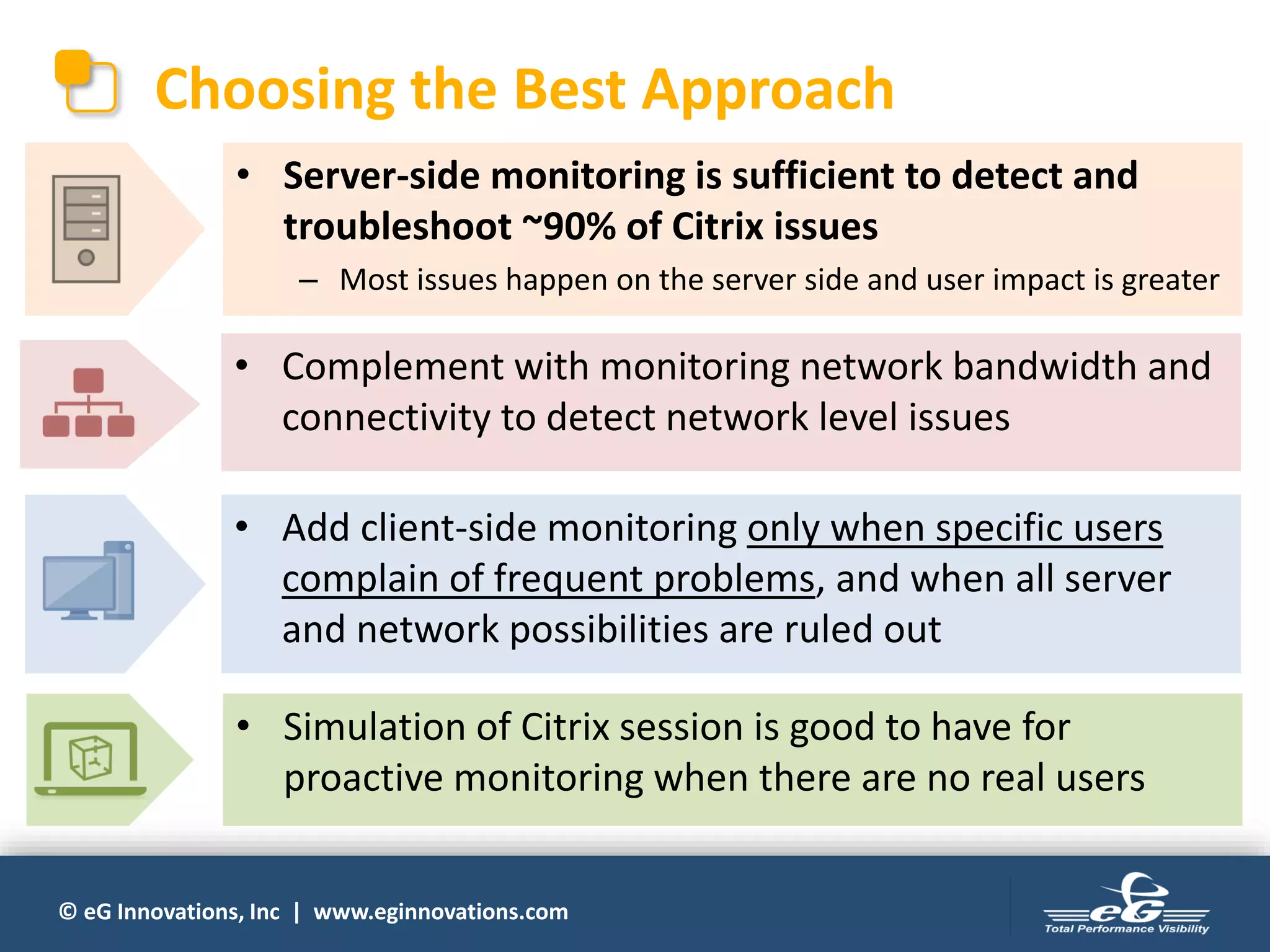
Choosing the Best Approach
• Server-side monitoring is sufficient to detect and
troubleshoot ~90% of Citrix issues
– Most issues happen on the server side and user impact is greater
• Complement with monitoring network bandwidth and
connectivity to detect network level issues
• Add client-side monitoring only when specific users
complain of frequent problems, and when all server
and network possibilities are ruled out
• Simulation of Citrix session is good to have for
proactive monitoring when there are no real users
© eG Innovations, Inc | www.eginnovations.com
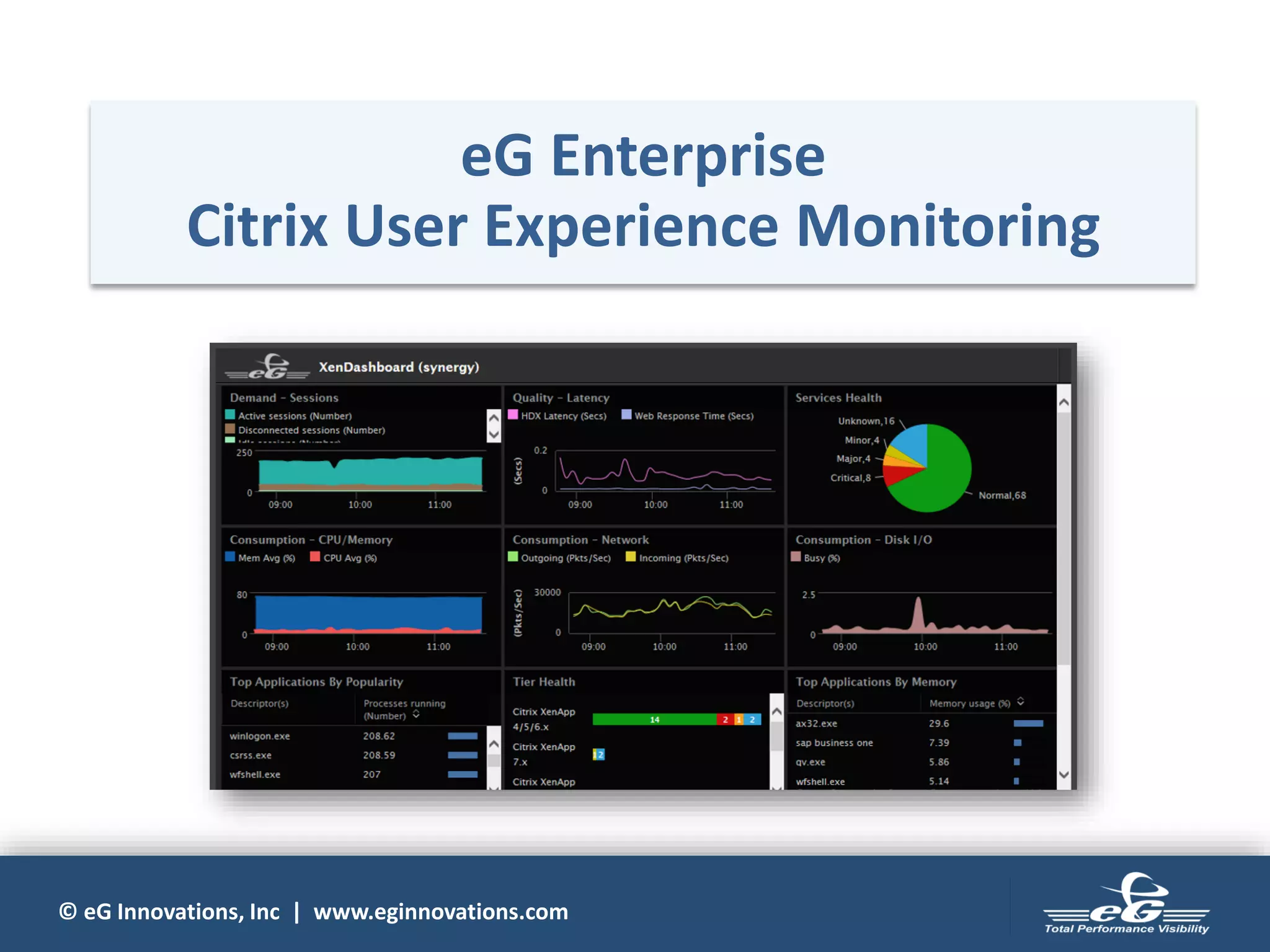
eG Enterprise
Citrix User Experience Monitoring
© eG Innovations, Inc | www.eginnovations.com
eG Enterprise for Citrix Monitoring
• Total performance monitoring solution purpose-
built for Citrix environments
• Embeds years of domain expertise acquired from
addressing monitoring needs of some of the
largest Citrix deployments in the world
Selected by Citrix as the exclusive Citrix monitoring solution for
Citrix Synergy ’15 & ’16 and Citrix Summit ’16 & ’17
 Citrix Ready certified for all products in
the Citrix stack
© eG Innovations, Inc | www.eginnovations.com
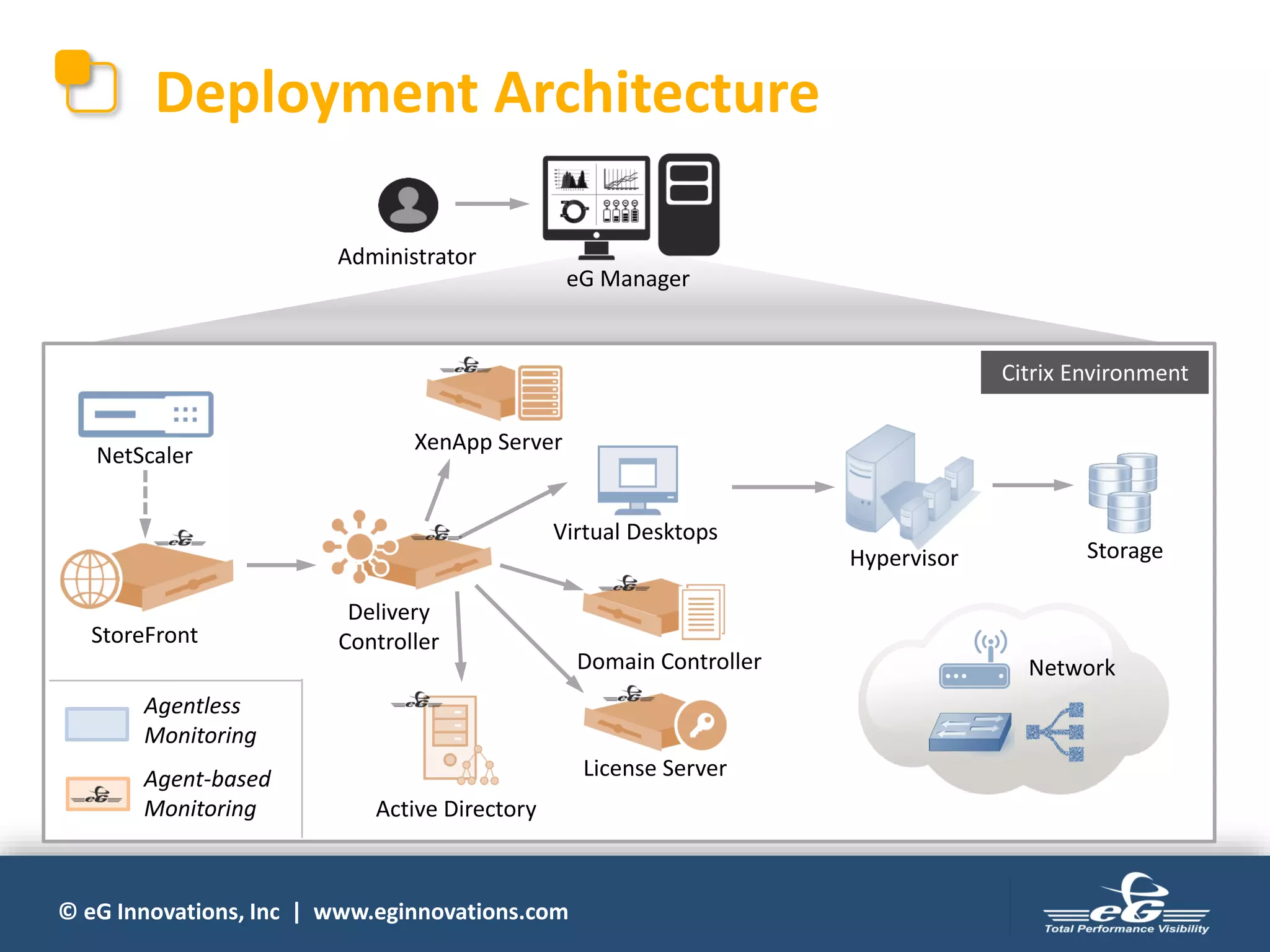
Deployment Architecture
Delivery
ControllerStoreFront
XenApp Server
License Server
Domain Controller
NetScaler
Active Directory
StorageHypervisor
Network
Virtual Desktops
eG Manager
Administrator
Citrix Environment
Agentless
Monitoring
Agent-based
Monitoring
© eG Innovations, Inc | www.eginnovations.com
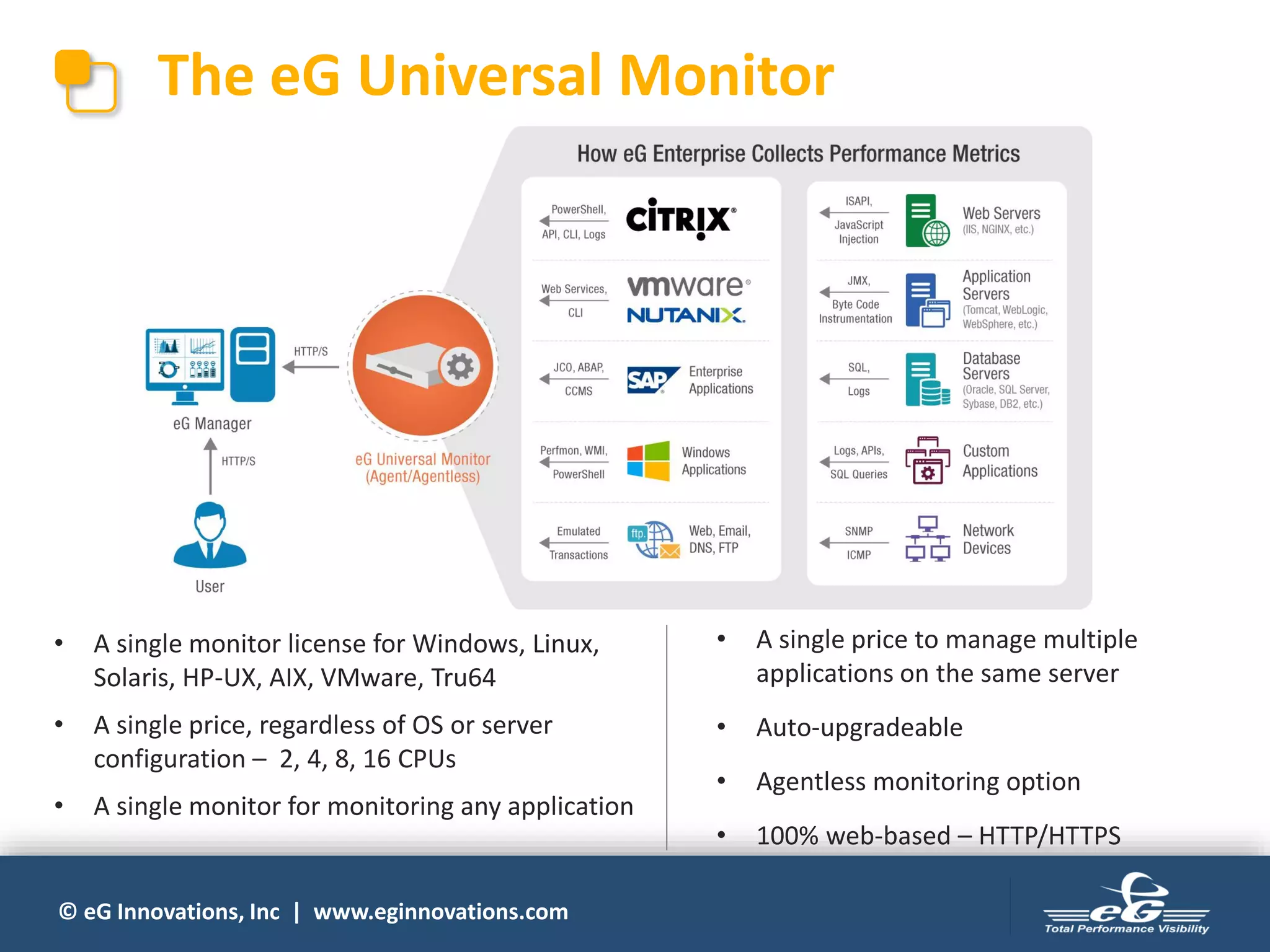
The eG Universal Monitor
• A single monitor license for Windows, Linux,
Solaris, HP-UX, AIX, VMware, Tru64
• A single price, regardless of OS or server
configuration – 2, 4, 8, 16 CPUs
• A single monitor for monitoring any application
• A single price to manage multiple
applications on the same server
• Auto-upgradeable
• Agentless monitoring option
• 100% web-based – HTTP/HTTPS
© eG Innovations, Inc | www.eginnovations.com
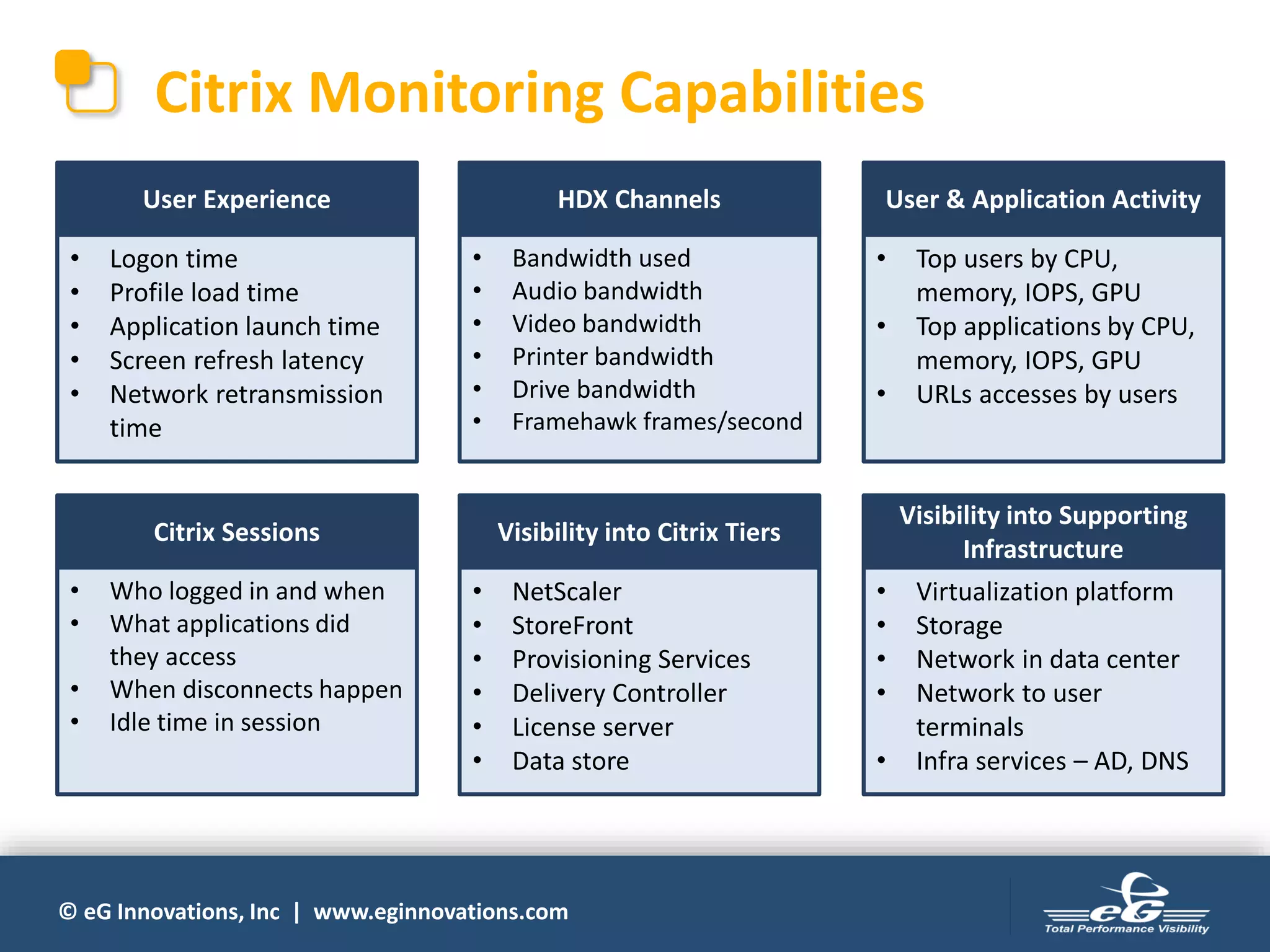
Citrix Monitoring Capabilities
• Logon time
• Profile load time
• Application launch time
• Screen refresh latency
• Network retransmission
time
User Experience
• Bandwidth used
• Audio bandwidth
• Video bandwidth
• Printer bandwidth
• Drive bandwidth
• Framehawk frames/second
HDX Channels
• Top users by CPU,
memory, IOPS, GPU
• Top applications by CPU,
memory, IOPS, GPU
• URLs accesses by users
User & Application Activity
• Who logged in and when
• What applications did
they access
• When disconnects happen
• Idle time in session
Citrix Sessions
• NetScaler
• StoreFront
• Provisioning Services
• Delivery Controller
• License server
• Data store
Visibility into Citrix Tiers
• Virtualization platform
• Storage
• Network in data center
• Network to user
terminals
• Infra services – AD, DNS
Visibility into Supporting
Infrastructure
© eG Innovations, Inc | www.eginnovations.com
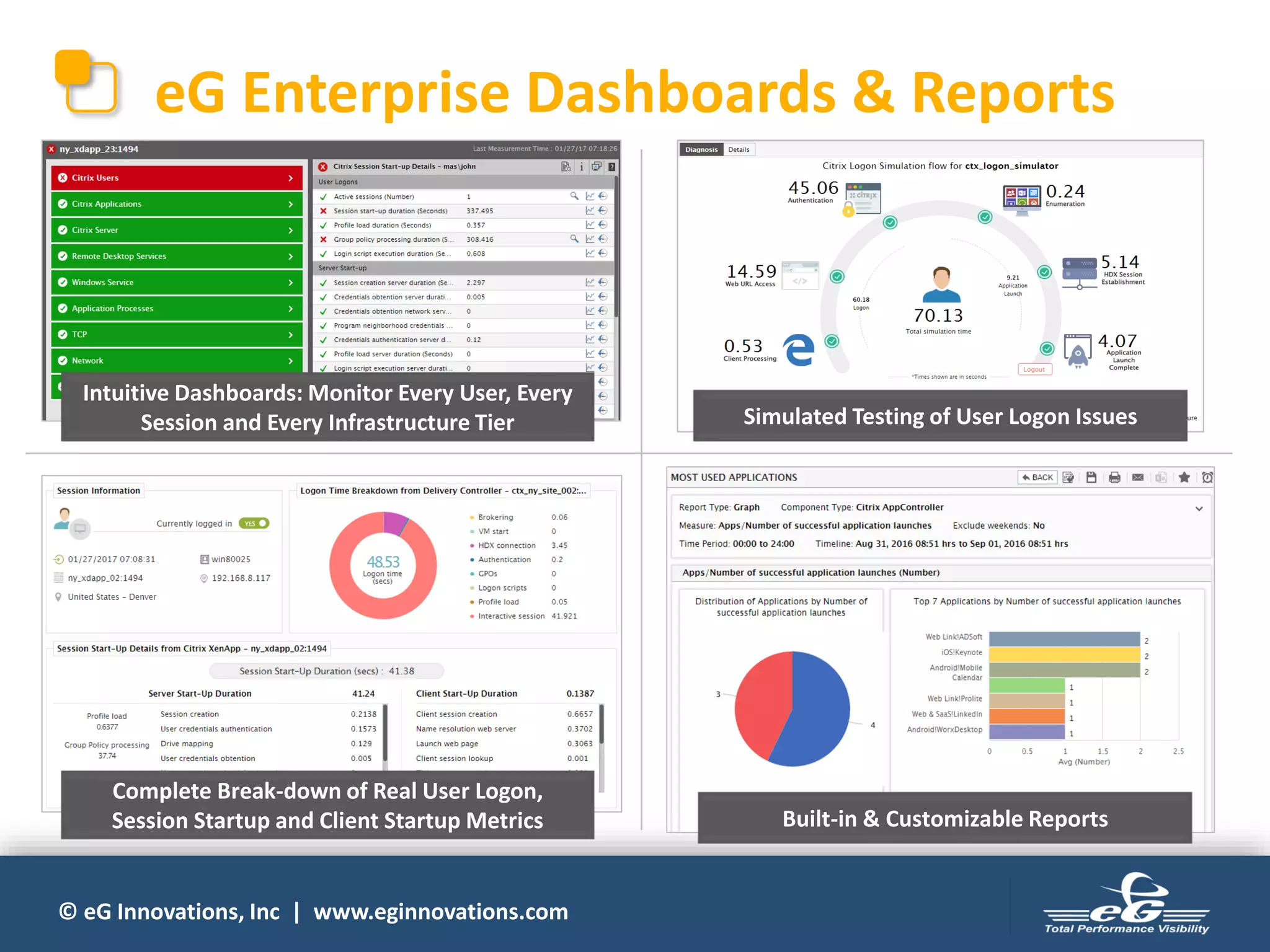
eG Enterprise Dashboards & Reports
Intuitive Dashboards: Monitor Every User, Every
Session and Every Infrastructure Tier Simulated Testing of User Logon Issues
Complete Break-down of Real User Logon,
Session Startup and Client Startup Metrics Built-in & Customizable Reports
© eG Innovations, Inc | www.eginnovations.com
Going Beyond Server-Side Metrics
• Provides network connectivity metrics that help isolate
network issues affecting user experience
– Monitoring of NetScalers
– Integration with NetScaler Insight
– Simulation from multiple locations
• Allows installing agents on end-user workstations on
demand
– When there are persisting user experience issues on specific
terminals
– When server and network issues are ruled out
© eG Innovations, Inc | www.eginnovations.com
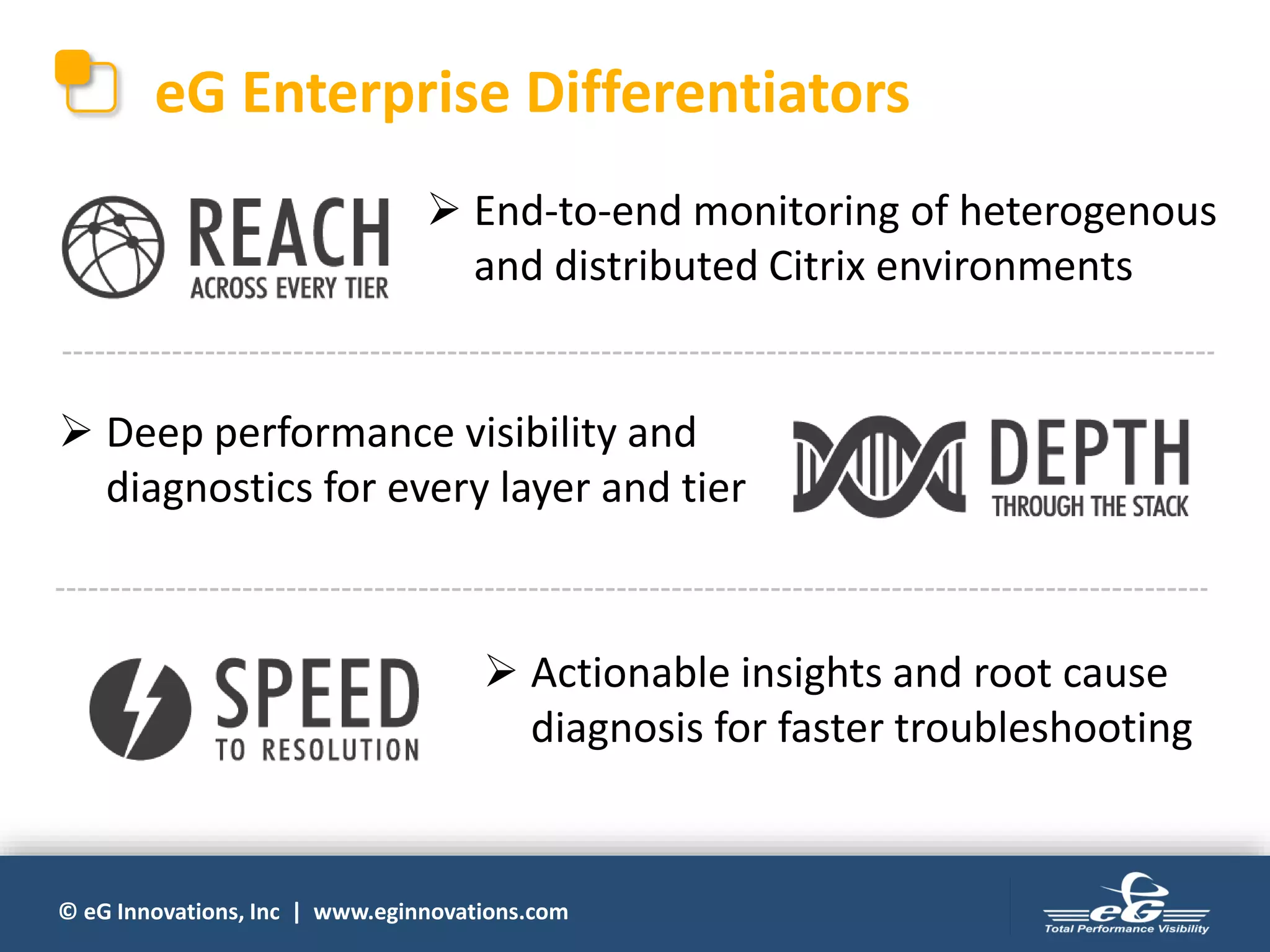
eG Enterprise Differentiators
 End-to-end monitoring of heterogenous
and distributed Citrix environments
 Deep performance visibility and
diagnostics for every layer and tier
 Actionable insights and root cause
diagnosis for faster troubleshooting
© eG Innovations, Inc | www.eginnovations.com
For More Information
 More details
http://www.eginnovations.com/freetrial
 Send an Email
info@eginnovations.com
 Call Us
UK: +44 (0)20 7935 6721
NL: +31 (0)70-2055210
USA: 866 526 6700 x1
© eG Innovations, Inc | www.eginnovations.com
www.eginnovations.com

Choosing the Best Approach for Monitoring Citrix User Experience: Should You Monitor from the Network, Server or Client?

  • 1.
    © eG Innovations,Inc | www.eginnovations.com Monitoring Citrix User Experience From the Network? Server? Client? Choosing the Best Approach
  • 2.
    © eG Innovations,Inc | www.eginnovations.com Agenda • Why monitor user experience in Citrix environments? • What does Citrix user experience comprise of? • Four approaches to monitoring user experience: • Choosing the best approach • Live demo: eG Enterprise for Citrix user experience monitoring 1. From the network 2. From the server side 3. Using simulation 4. From the client side 1 2 3 4
  • 3.
    © eG Innovations,Inc | www.eginnovations.com Why Monitor Citrix User Experience? 93% believe that Citrix is one of the performance sensitive services in enterprise networks 2016 Citrix Performance Survey
  • 4.
    © eG Innovations,Inc | www.eginnovations.com Visibility into User Experience is a Big Need Top Challenges of Citrix Administrators 2016 Citrix Performance Survey
  • 5.
    © eG Innovations,Inc | www.eginnovations.com What Constitutes Citrix User Experience? Logon is slow Application is slow to launch Session gets disconnected Keystrokes don’t show up on time Multimedia playback is choppy User ExperiencePrinting doesn’t work Administrators need to answer key performance questions: – How long did Citrix logon take? – If slow, why: Profile? AD? GPO? – How long does app launch take? – What is a user’s screen refresh latency? and more…
  • 6.
    © eG Innovations,Inc | www.eginnovations.com What Affects Citrix User Experience? Where is the Problem? Backend-tiers supporting Citrix (Active Directory, storage, database, virtualization, etc.) Citrix Servers (XenApp, XenDesktop, PVS, license server, etc.) Client side (end-user terminals/workstations) Network (bandwidth, jitter, latency, packet loss)
  • 7.
    © eG Innovations,Inc | www.eginnovations.com Citrix Monitoring Goals • Continuously measure user experience during Citrix sessions – Identify issues proactively before users complain 1 • Diagnose where the bottleneck is – Get actionable insights for troubleshooting and problem resolution 2
  • 8.
    © eG Innovations,Inc | www.eginnovations.com Four Approaches to Monitoring Citrix User Experience Network Server SideClient Side Simulation
  • 9.
    © eG Innovations,Inc | www.eginnovations.com #1 Simulation of Citrix Sessions • Synthetic test of end-users accessing a Citrix session • Provides a measure of user experience when there are no real Citrix users • Impose a predefined workload repeatedly – Tests user experience at different times, from different locations • The simulation includes every step taken by a real user
  • 10.
    © eG Innovations,Inc | www.eginnovations.com #1 Simulation of Citrix Sessions (contd.) • Tests the availability of the entire Citrix delivery infrastructure Delivery Controller NetScaler StoreFront XenApp Server Database Server License Server Domain Controller Simulated User Session
  • 11.
    © eG Innovations,Inc | www.eginnovations.com #1 Simulation of Citrix Sessions (contd.) Simulated logon into Citrix via NetScaler Applications enumerated on the StoreFront console Launch application on StoreFront Login to SAP Portal Access HR information Perform tasks: Approve, Revoke Logout of SAP Portal • Test results can be compared against baselines, and with different sites and locations • Synthetic test is run on a target computer and the entire sequence of operations is recorded • The recording is played back at regular intervals
  • 12.
    © eG Innovations,Inc | www.eginnovations.com #1 Simulation of Citrix Session (contd.) What it Provides What it Lacks • User experience: Only for simulated users – when there is no real user logging into a Citrix server/desktop • Real users may be seeing different issues (GPO, profile size can be different, etc.) • Diagnostics: Can test and understand user experience before product rollouts • Black-box approach: Limited diagnosis capability. Can’t say if the issue is on the server, network or client side • Useful for benchmarking the Citrix infrastructure and testing readiness from various locations • Not a measure of real user experience. Not sufficient for troubleshooting performance issues.
  • 13.
    © eG Innovations,Inc | www.eginnovations.com #2 Monitoring from the Network • Network TAP set up between network nodes to monitor session traffic. • Port mirrors and SPAN ports can also be used as an alternative to network TAP. *SPAN = Switch Port ANalyzer *TAP = Test Access Point
  • 14.
    © eG Innovations,Inc | www.eginnovations.com #2 Monitoring from the Network (contd.) What it Provides What it Lacks • User experience: Key metrics include network latency, ICA session latency, session login, bandwidth usage • Lacks visibility into server-side or client-side issues • Diagnostics: Limited data; provides information only from the network perspective • No access to critical metrics such as memory leaks in the server, CPU spikes, virtualization problems, GPU utilization, etc. • Can tell you that there is slowness • Cannot tell you why it is slow – because most of the Citrix processing happens on the server side
  • 15.
    © eG Innovations,Inc | www.eginnovations.com #3 Monitoring from the Server Side Server (XenApp, XenDesktop, PVS, license server, etc.) Citrix end-user terminal HTTP/S Metrics collected from Citrix servers and supporting infrastructure Agent installed • Requires agents to be deployed in the server infrastructure • Metrics collected by integration with built-in Citrix and Windows instrumentation / APIs (OData, NITRO, WMI, etc.)
  • 16.
    © eG Innovations,Inc | www.eginnovations.com #3 Monitoring from the Server Side (contd.) • Provides deep insight into ICA channel metrics for every user and every session in real time and covers all aspects of Citrix user experience Session Resources & Diagnosis – CPU – Memory – I/O reads and writes – Page faults Session Activity – Session startup (server & client) – Disconnects – Application launch – Active/idle time HDX Channel – Screen refresh latency – Client network latency – I/O bandwidth (media, print, audio) – Framehawk frame rate Breakdown of Logon Time – Brokering – Authentication – Profile load – Script execution Only for XA & XD v7.x
  • 17.
    © eG Innovations,Inc | www.eginnovations.com #3 Monitoring from the Server Side (contd.) • Also provides deep diagnostics to troubleshoot user experiencing issues because of visibility into the functioning of all Citrix tiers: – High StoreFront enumeration time – Connection Broker failures – High RAM cache utilization in Provisioning Server – Delivery Controller not synched with the domain – Data Store connection failure – License Server running out of Citrix licenses and more…
  • 18.
    © eG Innovations,Inc | www.eginnovations.com #3 Monitoring from the Server Side (contd.) • Provides diagnostics to isolate issues occurring in the backend tiers supporting Citrix: – Long running queries – Latches, locks, buffer, memory, cache metrics – Index fragmentation, SQL recompilation – Database growth Database – Memory ballooning – VM CPU ready – VM memory swap – VM sprawl – Resource usage metrics Virtualization – LUN capacity – I/O reads and writes – Disk pool metrics – Cache metrics – Hardware health Storage – Network delay – Packet loss and errors – Bandwidth usage – TCP retransmissions – Connection drops Network
  • 19.
    © eG Innovations,Inc | www.eginnovations.com #3 Monitoring from the Server Side (contd.) What it Provides What it Lacks • User experience: Granular details for every Citrix user and every session • No visibility into problems originating from the client terminal • Diagnostics: Pinpoints if the issue is with the server, network, AD, storage, virtualization, or other infra tiers • No diagnostics for workstation issues impacting user experience • Well-suited for monitoring, diagnosis and troubleshooting of majority of Citrix user experience problems • Cannot tell if a workstation issue if affecting a specific user
  • 20.
    © eG Innovations,Inc | www.eginnovations.com #4 Monitoring from the Client Side • Uses agents installed on all Citrix end-user terminals (workstations/desktops/laptops) to collect data Citrix end-user terminal Agent installed • Agent on the terminal must be ICA-aware – i.e., capture all network data and analyze or overload client method calls to collect ICA channels metrics Metrics collected from Citrix end-user terminals Server (XenApp, XenDesktop, PVS, license server, etc.)
  • 21.
    © eG Innovations,Inc | www.eginnovations.com #4 Monitoring from the Client Side (contd.) • Provides workstation-specific metrics: – Client-side latency – Application usage – Wait time – Crashes, errors – Top processes – CPU and memory – Disk queue length – Recent boots & health events – Hardware & software inventory Challenges: • Cumbersome to install and manage agents across all user endpoints • Unnecessary to process and store a ton of monitoring data collected from all endpoints • Metrics may be biased by workstation configuration
  • 22.
    © eG Innovations,Inc | www.eginnovations.com #4 Monitoring from the Client Side (contd.) What it Provides What it Lacks • User experience: Metrics obtained from every client workstation • Different clients may have different configurations; Metrics can be biased by client configuration • Diagnostics: Limited only to the client side issues (e.g., something running on the client affecting the user experience) • No visibility into Citrix servers where most of the processing happens, or to network issues • Provides a good measure of user experience. Effective for diagnosis of problems originating from the client terminal. • Does not provide sufficient visibility for diagnosis of performance issues that are not related to the client (i.e., server or network)
  • 23.
    © eG Innovations,Inc | www.eginnovations.com Evaluating the Different Approaches
  • 24.
    © eG Innovations,Inc | www.eginnovations.com Comparing the Different Approaches User Experience Monitoring Real time user experience Visibility into ICA virtual channels Server-side diagnostics Network diagnostics Client-side diagnostics Session simulation Monitoring from the network Monitoring from the server side Monitoring from the client side Limited Limited
  • 25.
    © eG Innovations,Inc | www.eginnovations.com Impact of Client-side vs. Server-side Problems • Affects user experience for ALL Citrix users connected to the server • Affects user experience only for the respective user Client-side Problem Server-side Problem Hence server-side monitoring is more important
  • 26.
    © eG Innovations,Inc | www.eginnovations.com Citrix Monitoring – Beyond User Experience and Diagnostics Right-Sizing Planning Auditing Optimization • Analyze usage patterns • Load-balance your Citrix farm • Measure resource utilization against availability • Get the most out of your infrastructure • Predict when you will run out of resources • Forecast future requirements • Make information available for audits • Get reports for regulatory compliance These are possible only with server-side monitoring
  • 27.
    © eG Innovations,Inc | www.eginnovations.com Choosing the Best Approach • Server-side monitoring is sufficient to detect and troubleshoot ~90% of Citrix issues – Most issues happen on the server side and user impact is greater • Complement with monitoring network bandwidth and connectivity to detect network level issues • Add client-side monitoring only when specific users complain of frequent problems, and when all server and network possibilities are ruled out • Simulation of Citrix session is good to have for proactive monitoring when there are no real users
  • 28.
    © eG Innovations,Inc | www.eginnovations.com eG Enterprise Citrix User Experience Monitoring
  • 29.
    © eG Innovations,Inc | www.eginnovations.com eG Enterprise for Citrix Monitoring • Total performance monitoring solution purpose- built for Citrix environments • Embeds years of domain expertise acquired from addressing monitoring needs of some of the largest Citrix deployments in the world Selected by Citrix as the exclusive Citrix monitoring solution for Citrix Synergy ’15 & ’16 and Citrix Summit ’16 & ’17  Citrix Ready certified for all products in the Citrix stack
  • 30.
    © eG Innovations,Inc | www.eginnovations.com Deployment Architecture Delivery ControllerStoreFront XenApp Server License Server Domain Controller NetScaler Active Directory StorageHypervisor Network Virtual Desktops eG Manager Administrator Citrix Environment Agentless Monitoring Agent-based Monitoring
  • 31.
    © eG Innovations,Inc | www.eginnovations.com The eG Universal Monitor • A single monitor license for Windows, Linux, Solaris, HP-UX, AIX, VMware, Tru64 • A single price, regardless of OS or server configuration – 2, 4, 8, 16 CPUs • A single monitor for monitoring any application • A single price to manage multiple applications on the same server • Auto-upgradeable • Agentless monitoring option • 100% web-based – HTTP/HTTPS
  • 32.
    © eG Innovations,Inc | www.eginnovations.com Citrix Monitoring Capabilities • Logon time • Profile load time • Application launch time • Screen refresh latency • Network retransmission time User Experience • Bandwidth used • Audio bandwidth • Video bandwidth • Printer bandwidth • Drive bandwidth • Framehawk frames/second HDX Channels • Top users by CPU, memory, IOPS, GPU • Top applications by CPU, memory, IOPS, GPU • URLs accesses by users User & Application Activity • Who logged in and when • What applications did they access • When disconnects happen • Idle time in session Citrix Sessions • NetScaler • StoreFront • Provisioning Services • Delivery Controller • License server • Data store Visibility into Citrix Tiers • Virtualization platform • Storage • Network in data center • Network to user terminals • Infra services – AD, DNS Visibility into Supporting Infrastructure
  • 33.
    © eG Innovations,Inc | www.eginnovations.com eG Enterprise Dashboards & Reports Intuitive Dashboards: Monitor Every User, Every Session and Every Infrastructure Tier Simulated Testing of User Logon Issues Complete Break-down of Real User Logon, Session Startup and Client Startup Metrics Built-in & Customizable Reports
  • 34.
    © eG Innovations,Inc | www.eginnovations.com Going Beyond Server-Side Metrics • Provides network connectivity metrics that help isolate network issues affecting user experience – Monitoring of NetScalers – Integration with NetScaler Insight – Simulation from multiple locations • Allows installing agents on end-user workstations on demand – When there are persisting user experience issues on specific terminals – When server and network issues are ruled out
  • 35.
    © eG Innovations,Inc | www.eginnovations.com eG Enterprise Differentiators  End-to-end monitoring of heterogenous and distributed Citrix environments  Deep performance visibility and diagnostics for every layer and tier  Actionable insights and root cause diagnosis for faster troubleshooting
  • 36.
    © eG Innovations,Inc | www.eginnovations.com For More Information  More details http://www.eginnovations.com/freetrial  Send an Email info@eginnovations.com  Call Us UK: +44 (0)20 7935 6721 NL: +31 (0)70-2055210 USA: 866 526 6700 x1
  • 37.
    © eG Innovations,Inc | www.eginnovations.com www.eginnovations.com