Citrix XenApp 6.5
Performance
How To Ensure a Great End User
Experience Before, During and
After Your Upgrade

Presenters
Val King (WhiteHat Virtual Technologies)
Bala Vaidhinathan (eG Innovations)
Migration Considerations


                  Val King
                  CEO
                  WhiteHat Virtual Technologies
                  Val.King@Whitehatvirtual.com
Poll: What Are Your Biggest Performance
Management Challenges?
   User experience issues
   Lack of visibility across silos
   Complex and/or slow issue identification
   Proactive problem solving
   Chasing issues that originate in other IT domains
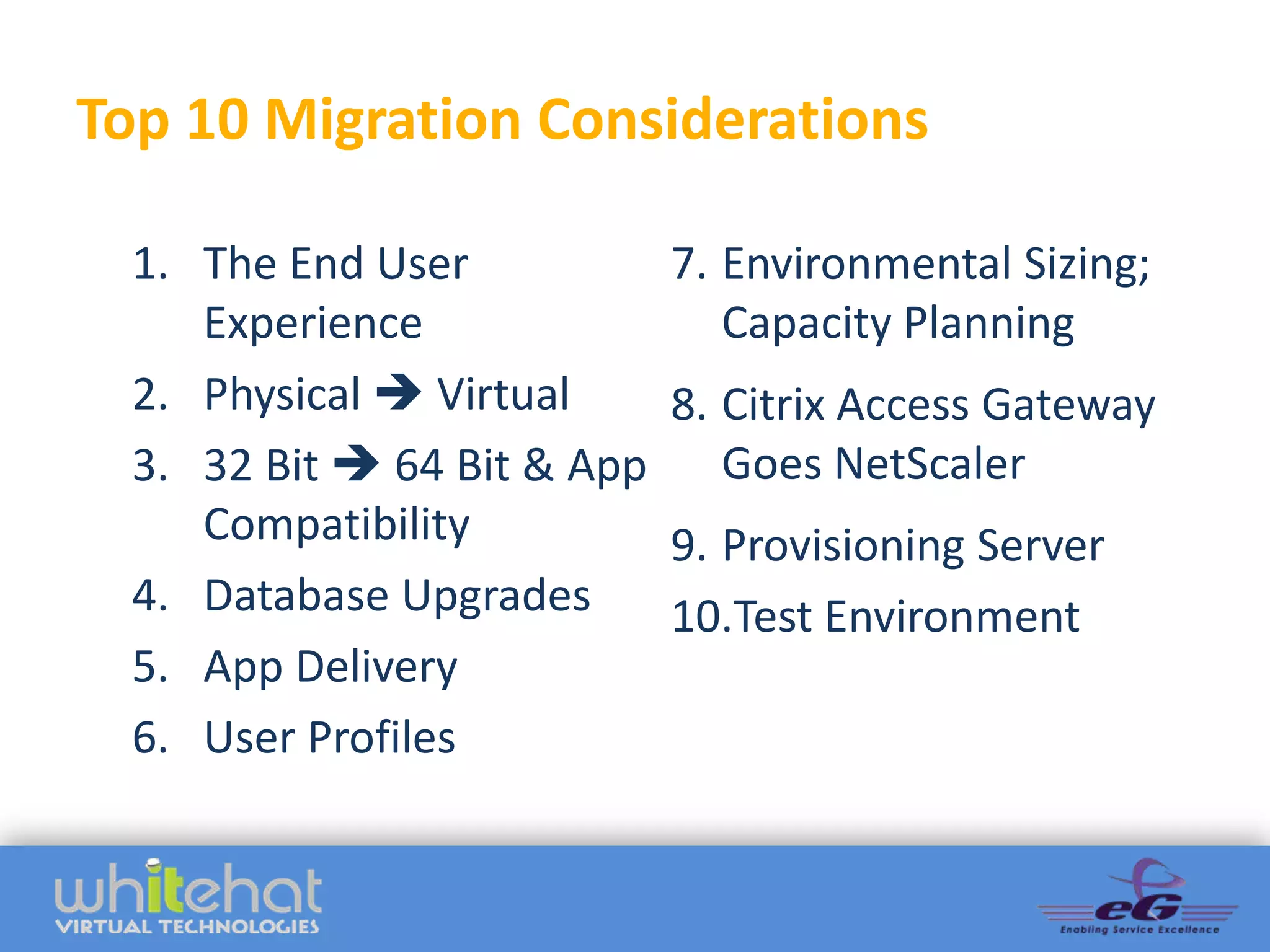
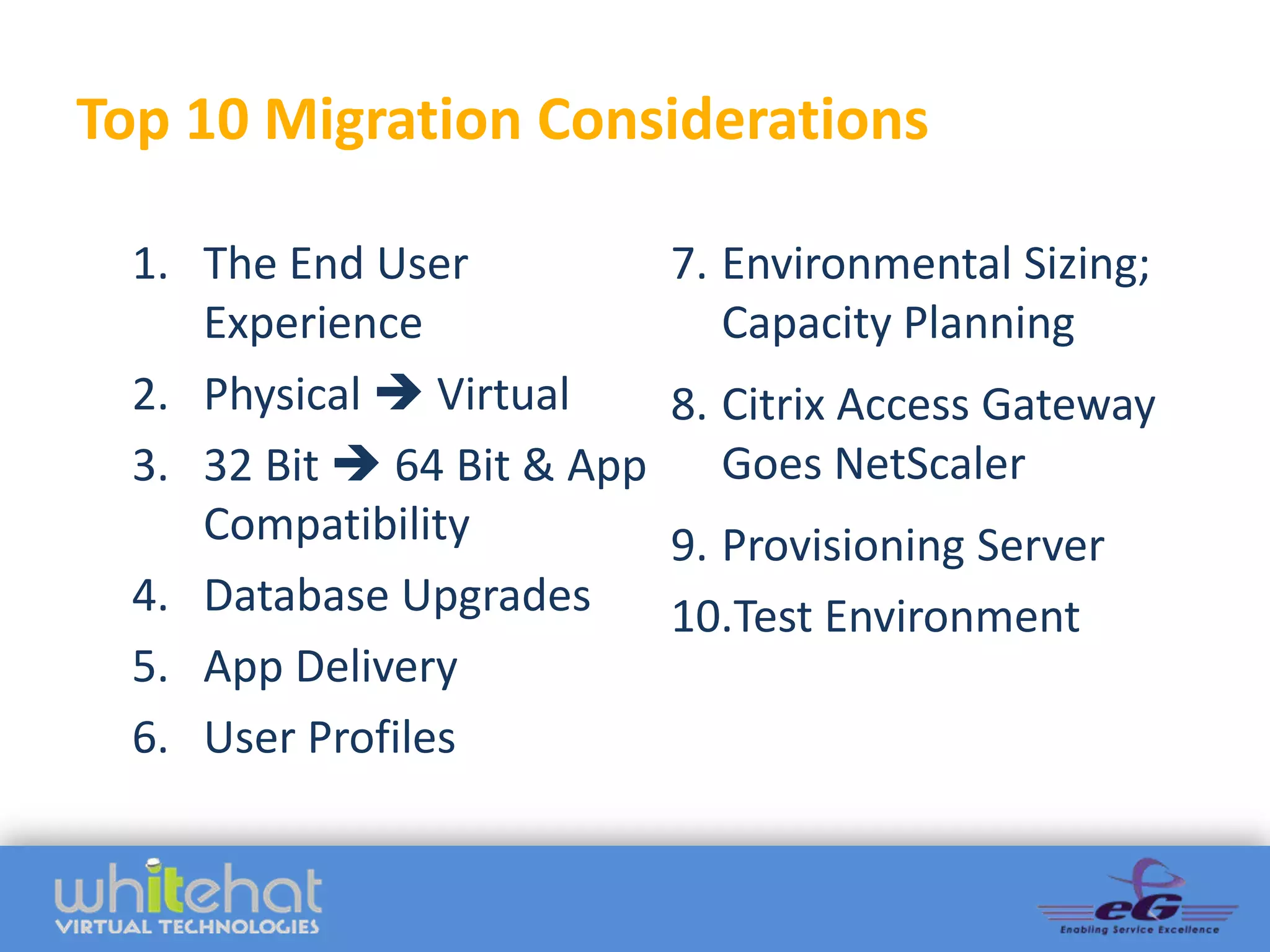
Top 10 Migration Considerations

  1. The End User            7. Environmental Sizing;
     Experience                 Capacity Planning
  2. Physical  Virtual      8. Citrix Access Gateway
  3. 32 Bit  64 Bit & App      Goes NetScaler
     Compatibility           9. Provisioning Server
  4. Database Upgrades       10.Test Environment
  5. App Delivery
  6. User Profiles
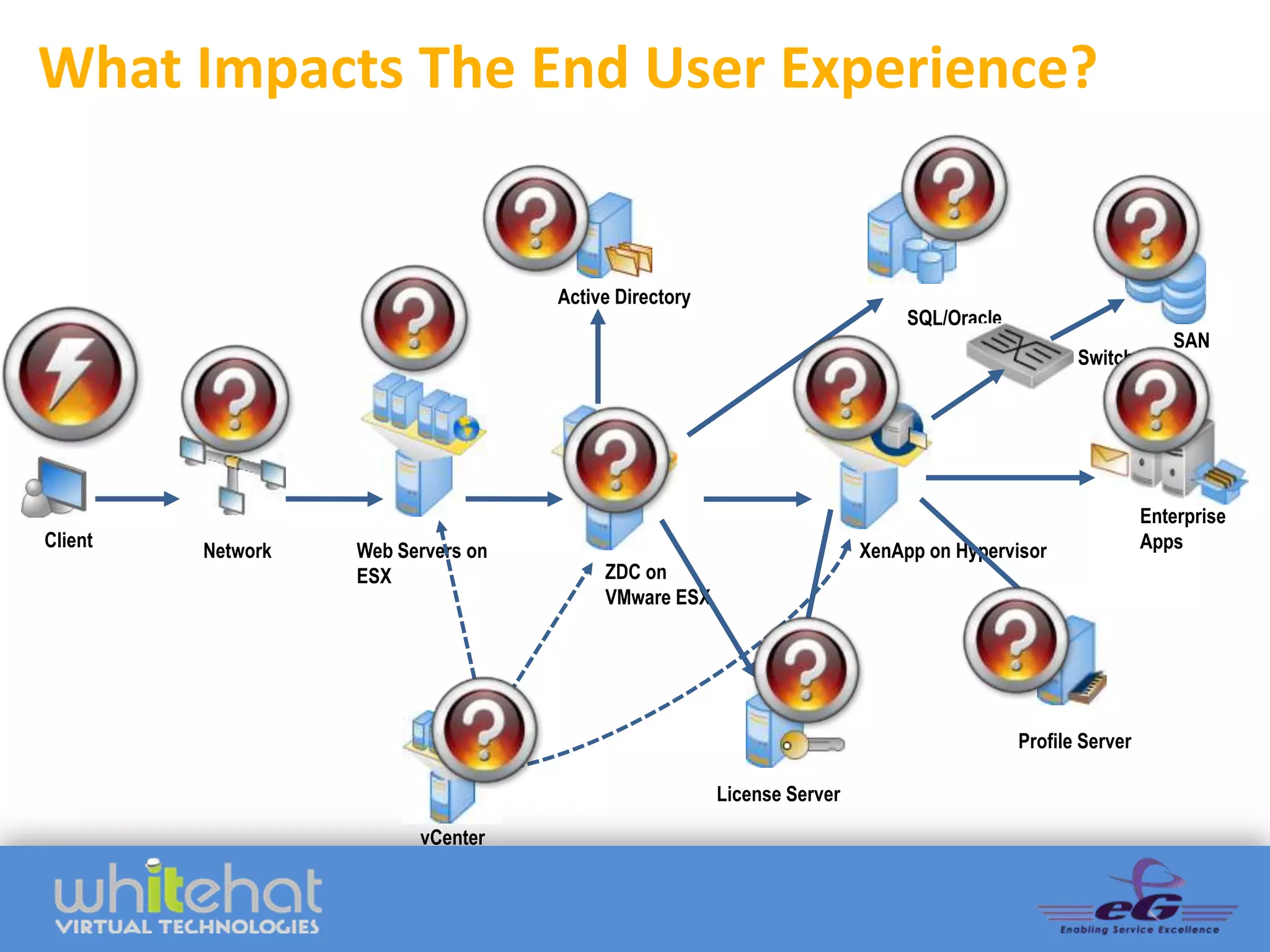
What Impacts The End User Experience?


                                    Active Directory
                                                                             SQL/Oracle
                                                                                                              SAN
                                                                                                 Switch


                                                                                                           Enterprise
Client                                                                                                     Apps
         Network   Web Servers on                                       XenApp on Hypervisor
                   ESX                   ZDC on
                                         VMware ESX


                                                                                          Profile Server

                                                       License Server

                         vCenter
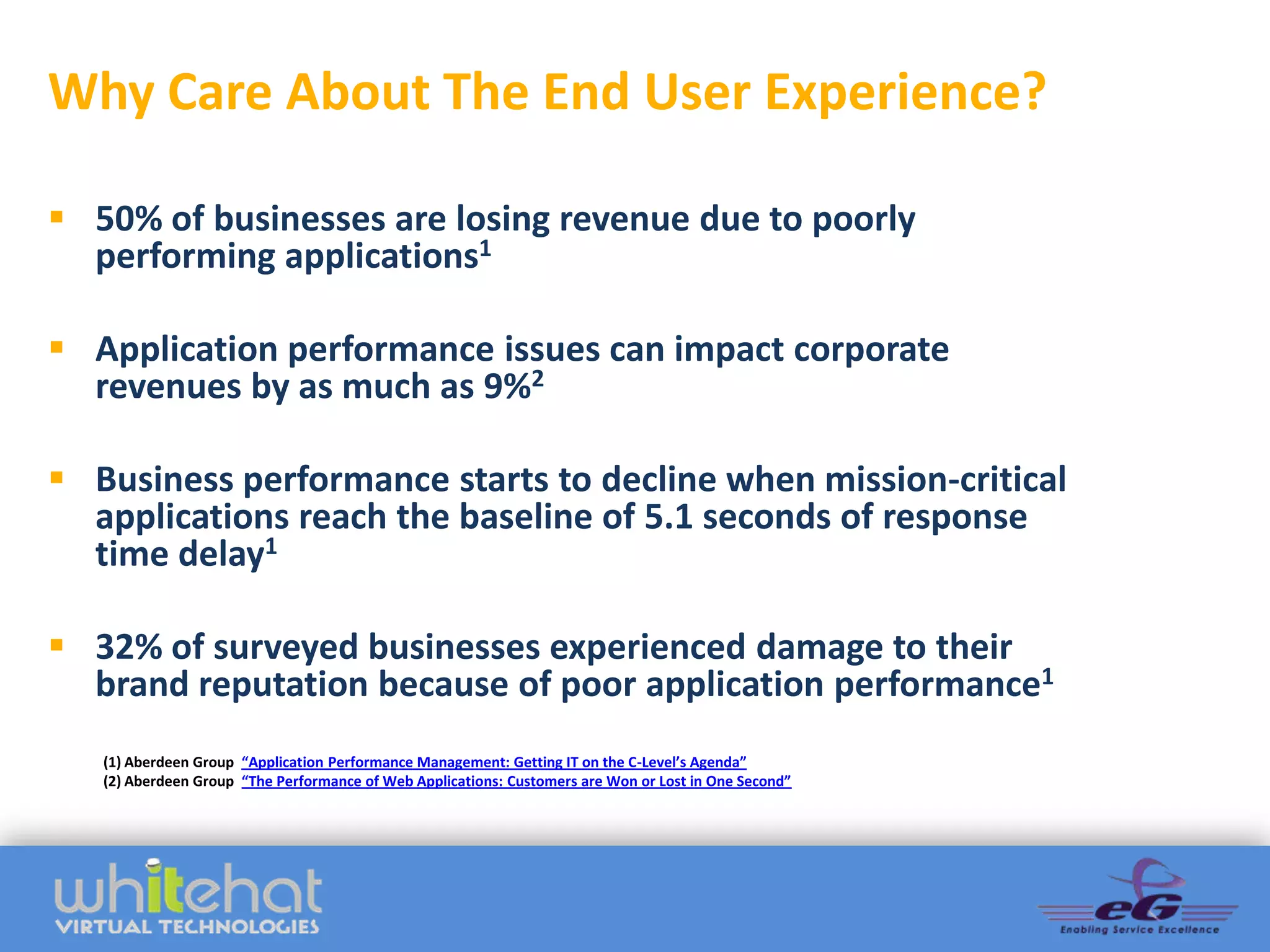
Why Care About The End User Experience?

 50% of businesses are losing revenue due to poorly
  performing applications1

 Application performance issues can impact corporate
  revenues by as much as 9%2

 Business performance starts to decline when mission-critical
  applications reach the baseline of 5.1 seconds of response
  time delay1

 32% of surveyed businesses experienced damage to their
  brand reputation because of poor application performance1
   (1) Aberdeen Group “Application Performance Management: Getting IT on the C-Level’s Agenda”
   (2) Aberdeen Group “The Performance of Web Applications: Customers are Won or Lost in One Second”
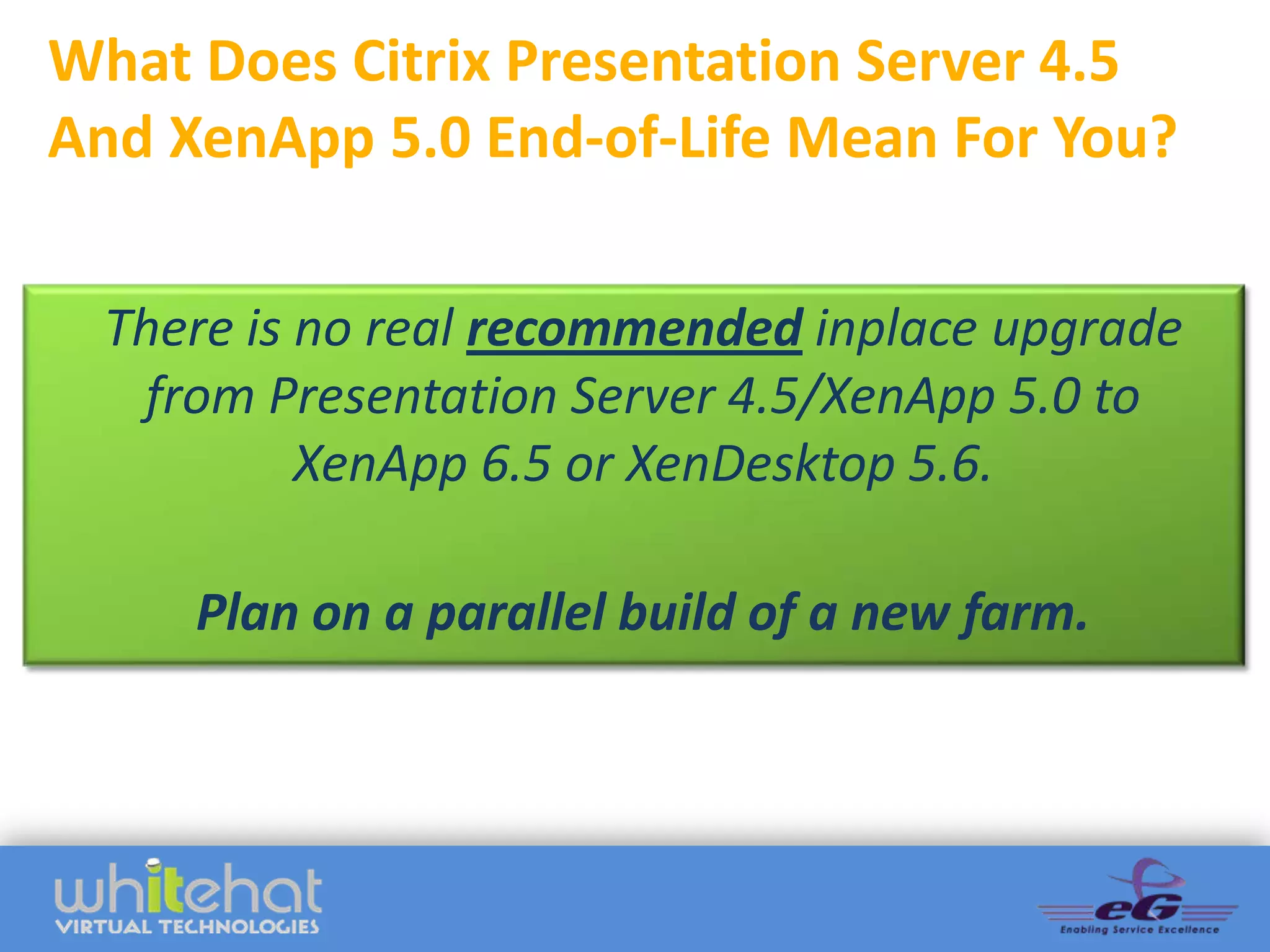
What Does Citrix Presentation Server 4.5
And XenApp 5.0 End-of-Life Mean For You?

 There is no real recommended inplace upgrade
  from Presentation Server 4.5/XenApp 5.0 to
          XenApp 6.5 or XenDesktop 5.6.

     Plan on a parallel build of a new farm.
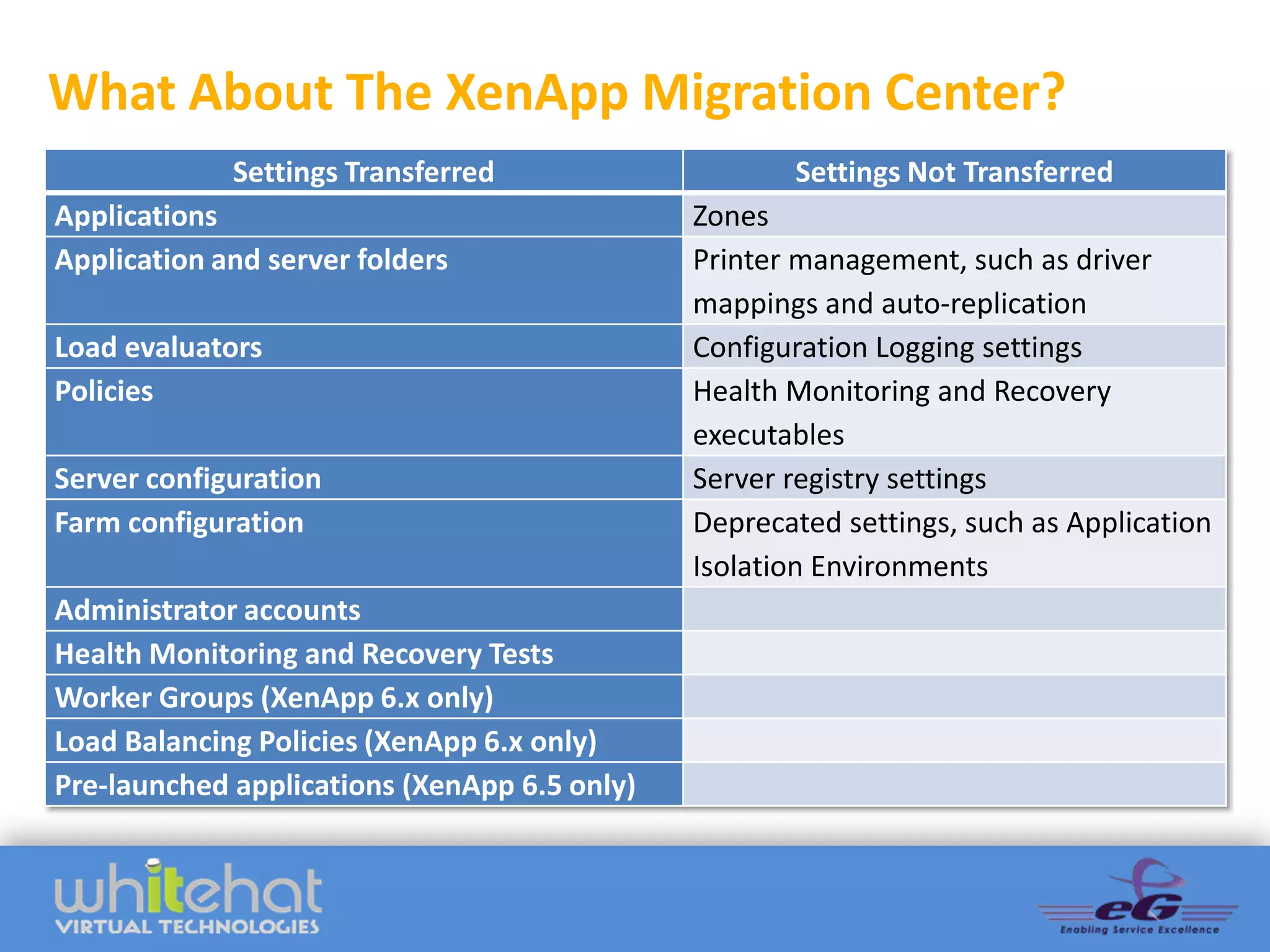
What About The XenApp Migration Center?
             Settings Transferred                    Settings Not Transferred
Applications                                  Zones
Application and server folders                Printer management, such as driver
                                              mappings and auto-replication
Load evaluators                               Configuration Logging settings
Policies                                      Health Monitoring and Recovery
                                              executables
Server configuration                          Server registry settings
Farm configuration                            Deprecated settings, such as Application
                                              Isolation Environments
Administrator accounts
Health Monitoring and Recovery Tests
Worker Groups (XenApp 6.x only)
Load Balancing Policies (XenApp 6.x only)
Pre-launched applications (XenApp 6.5 only)
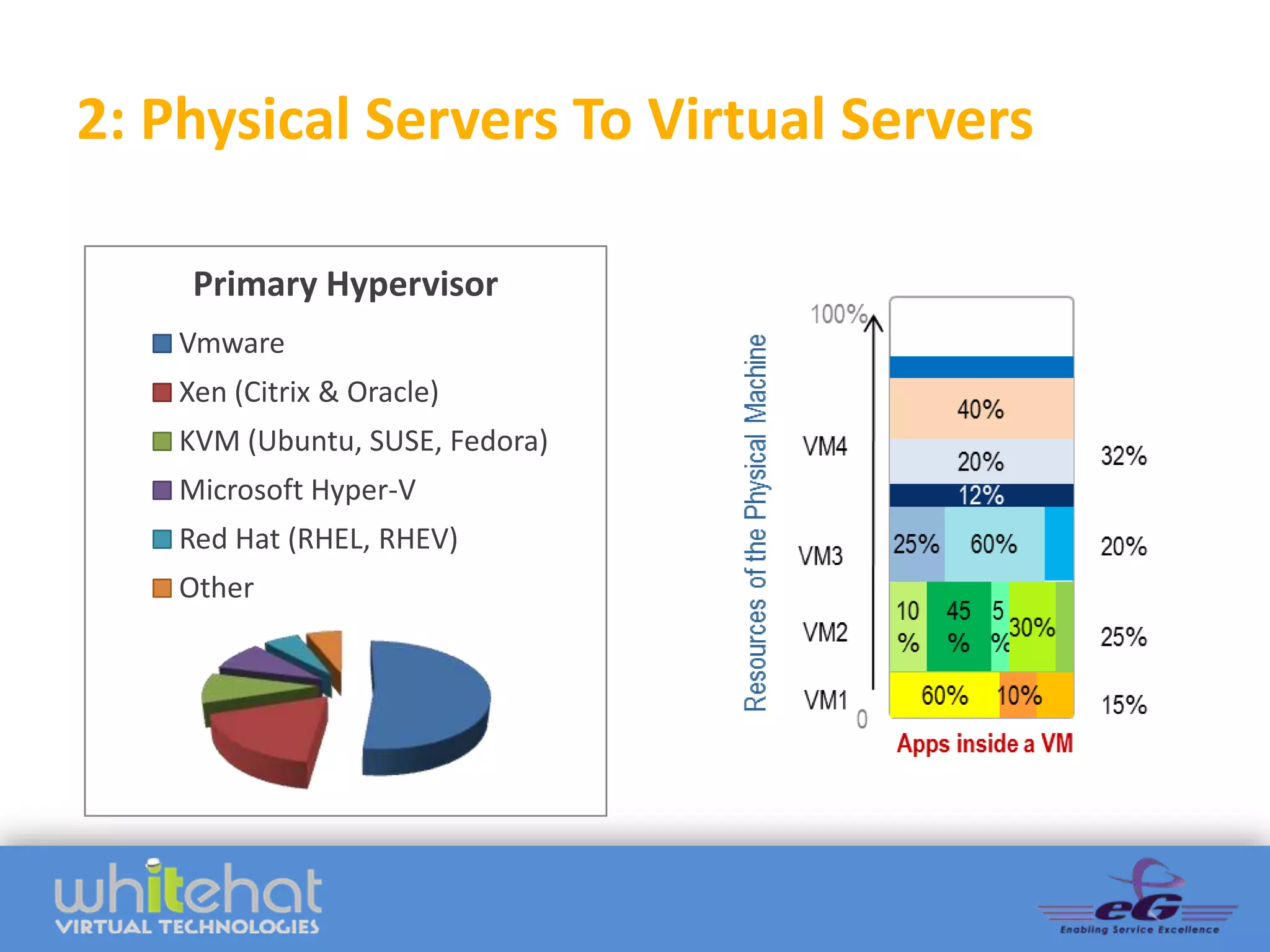
2: Physical Servers To Virtual Servers

     Primary Hypervisor
    Vmware
    Xen (Citrix & Oracle)
    KVM (Ubuntu, SUSE, Fedora)
    Microsoft Hyper-V
    Red Hat (RHEL, RHEV)
    Other
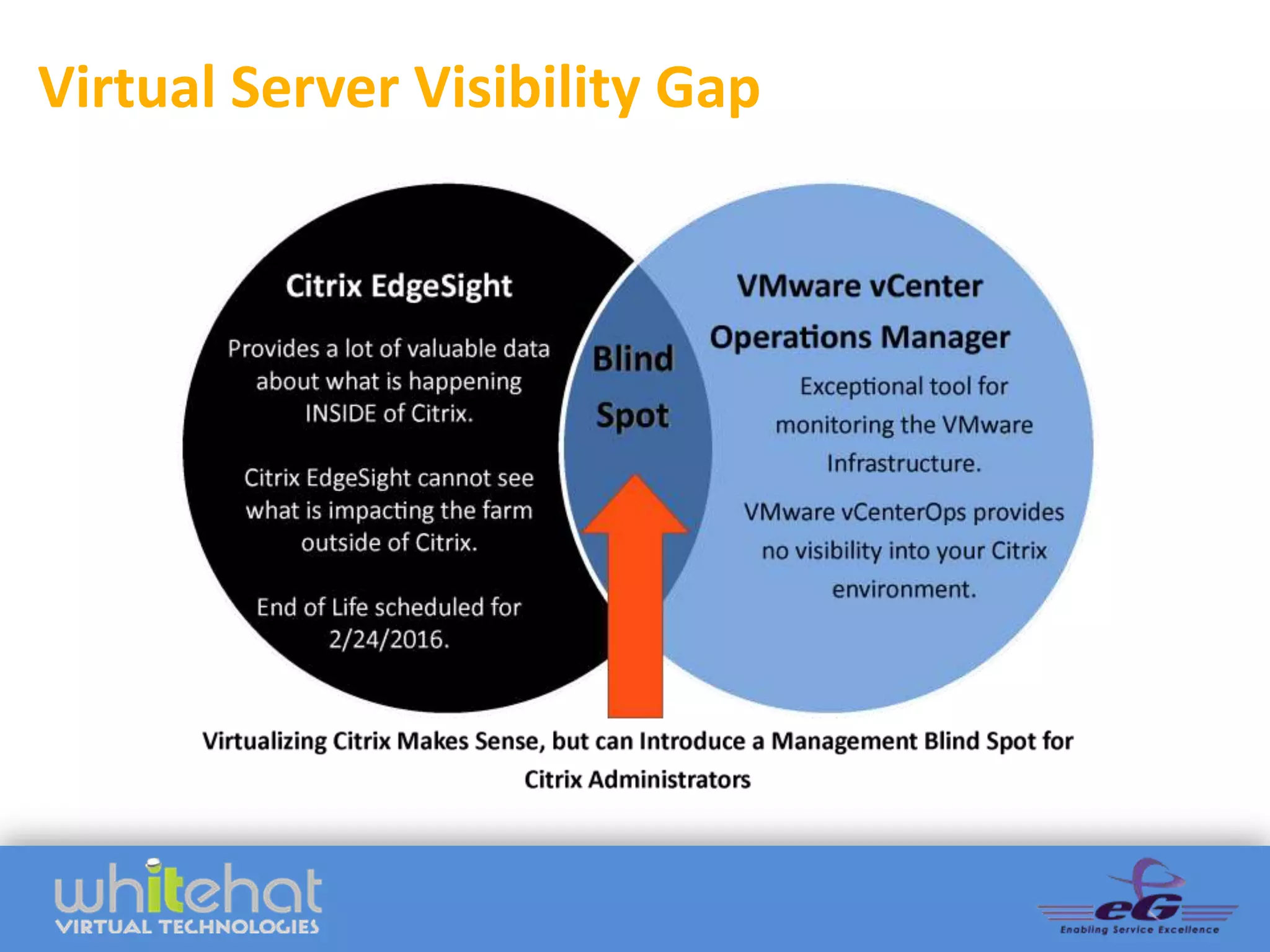
Virtual Server Visibility Gap
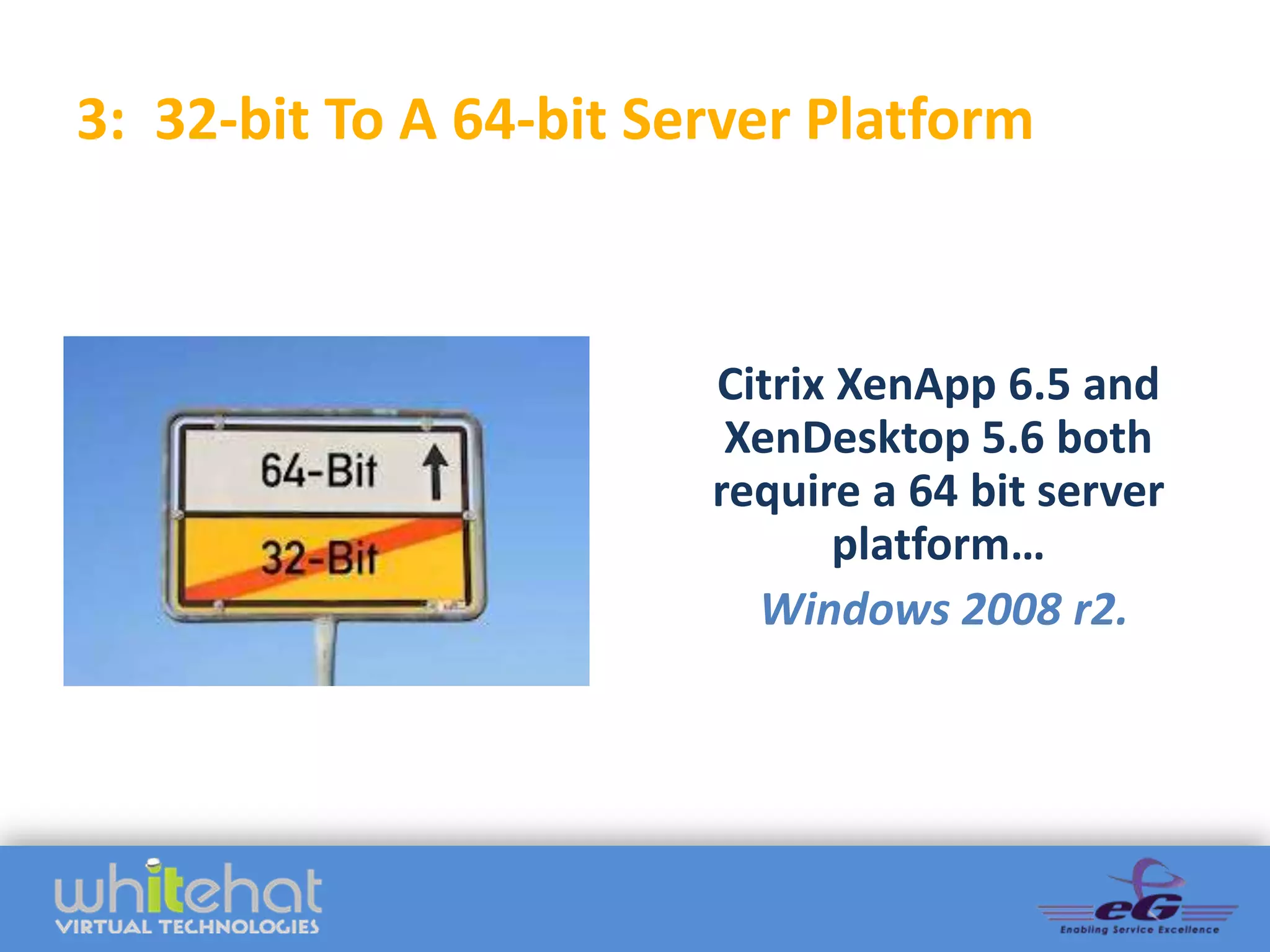
3: 32-bit To A 64-bit Server Platform


                        Citrix XenApp 6.5 and
                         XenDesktop 5.6 both
                        require a 64 bit server
                               platform…
                          Windows 2008 r2.
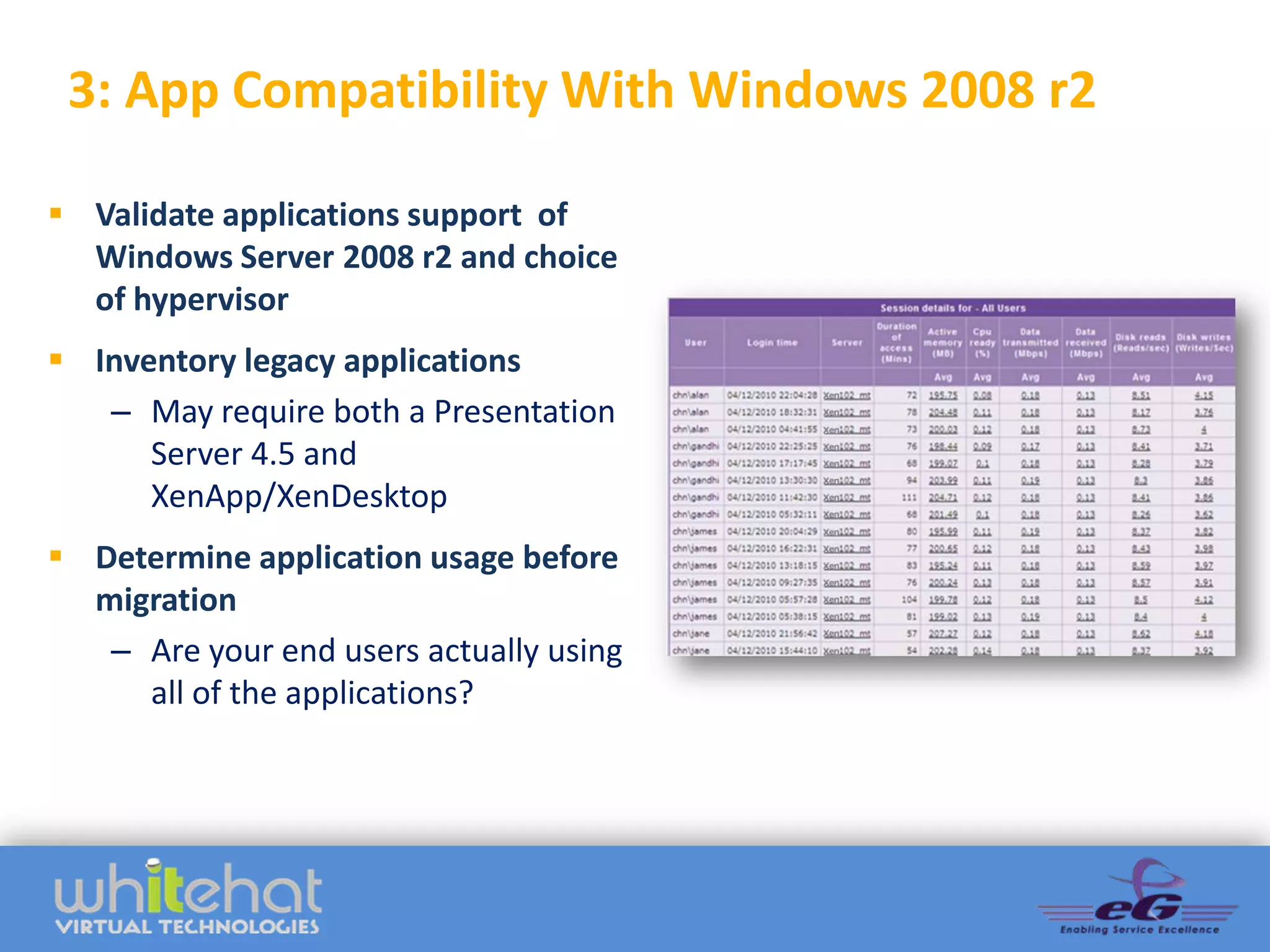
3: App Compatibility With Windows 2008 r2

 Validate applications support of
  Windows Server 2008 r2 and choice
  of hypervisor
 Inventory legacy applications
   – May require both a Presentation
      Server 4.5 and
      XenApp/XenDesktop
 Determine application usage before
  migration
   – Are your end users actually using
     all of the applications?
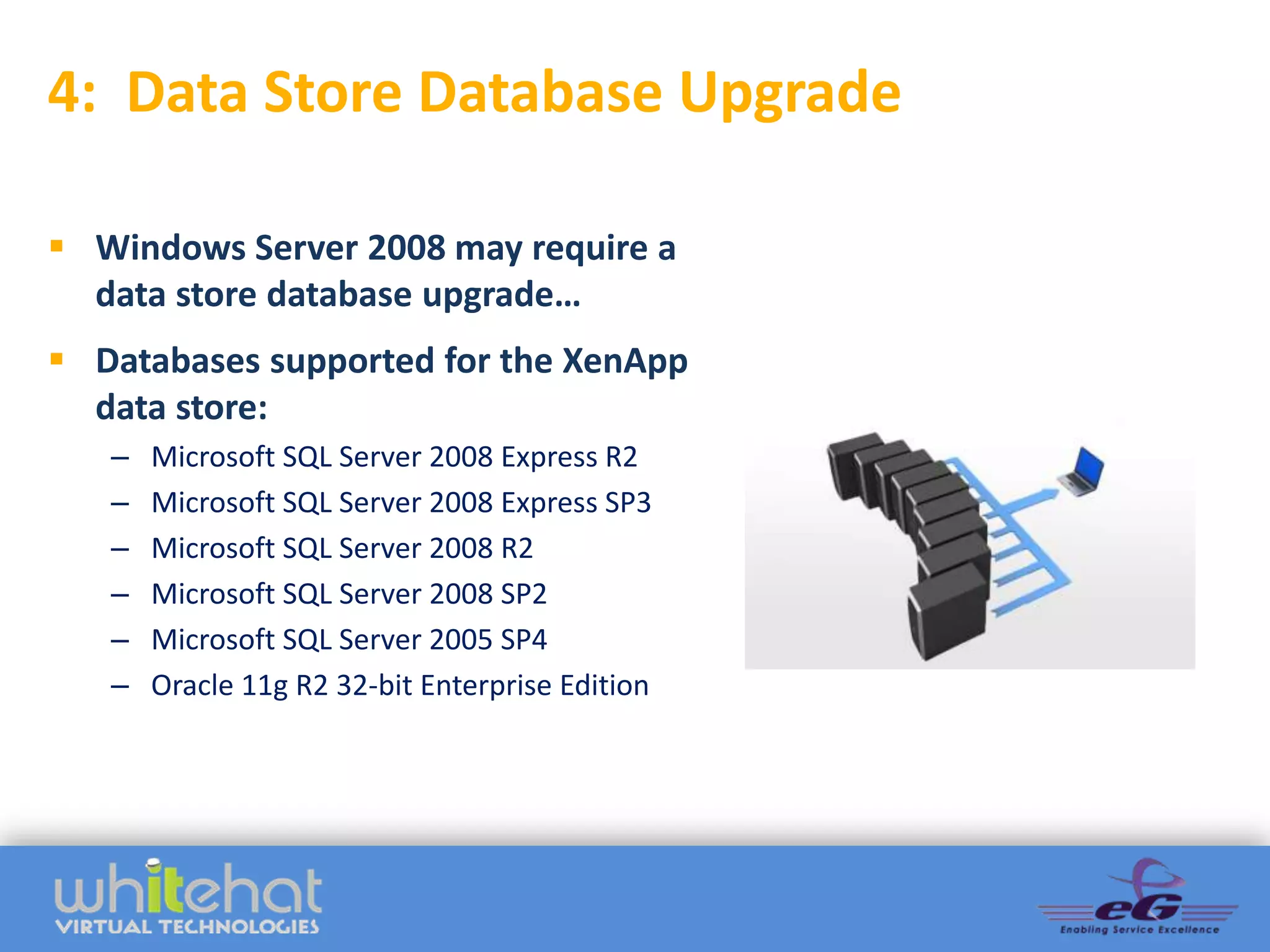
4: Data Store Database Upgrade

 Windows Server 2008 may require a
  data store database upgrade…
 Databases supported for the XenApp
  data store:
   –   Microsoft SQL Server 2008 Express R2
   –   Microsoft SQL Server 2008 Express SP3     ADD GRAPHIC
   –   Microsoft SQL Server 2008 R2
   –   Microsoft SQL Server 2008 SP2
   –   Microsoft SQL Server 2005 SP4
   –   Oracle 11g R2 32-bit Enterprise Edition
5: Application Delivery Method Selection

                             Delivery methods available via Citrix
It is a “best practice” to
                                 FlexCast for XenApp 6.5 and
      do a complete                    XenDesktop 5.6:
assessment of your end
                             •   Local VM
   users and how they
                             •   Streamed Virtual Hosted Desktops
 work to determine the       •   Hosted VDI
 optimal way to deliver      •   Hosted Shared
       applications.         •   On-Demand Applications
6: Managing User Profiles


 Migrate user profile data
 Consider Citrix Profile
  Management, or a more all-
  encompassing tool by third
  party vendors.
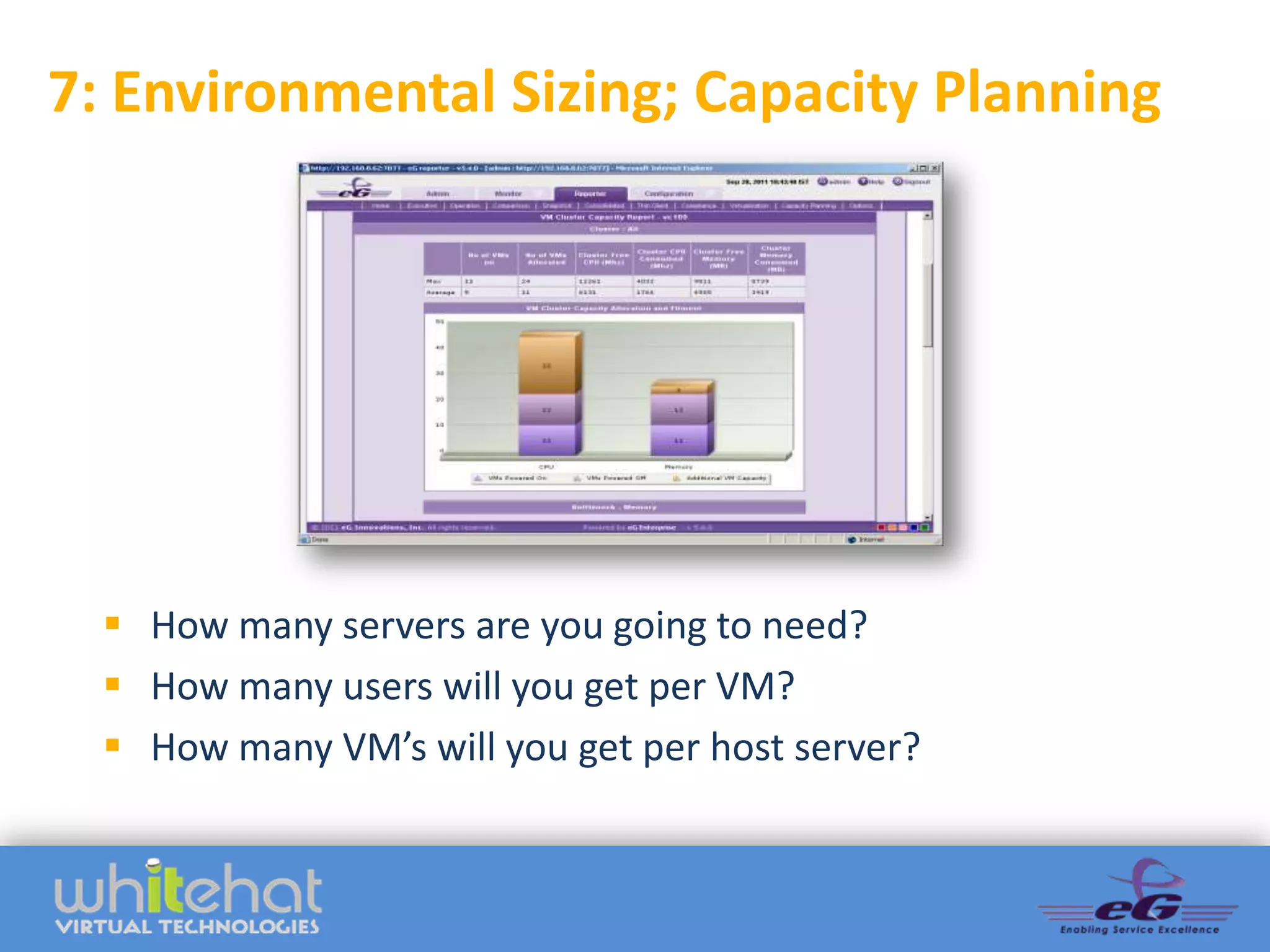
7: Environmental Sizing; Capacity Planning


   How many servers are you going to need?
   How many users will you get per VM?
   How many VM’s will you get per host server?
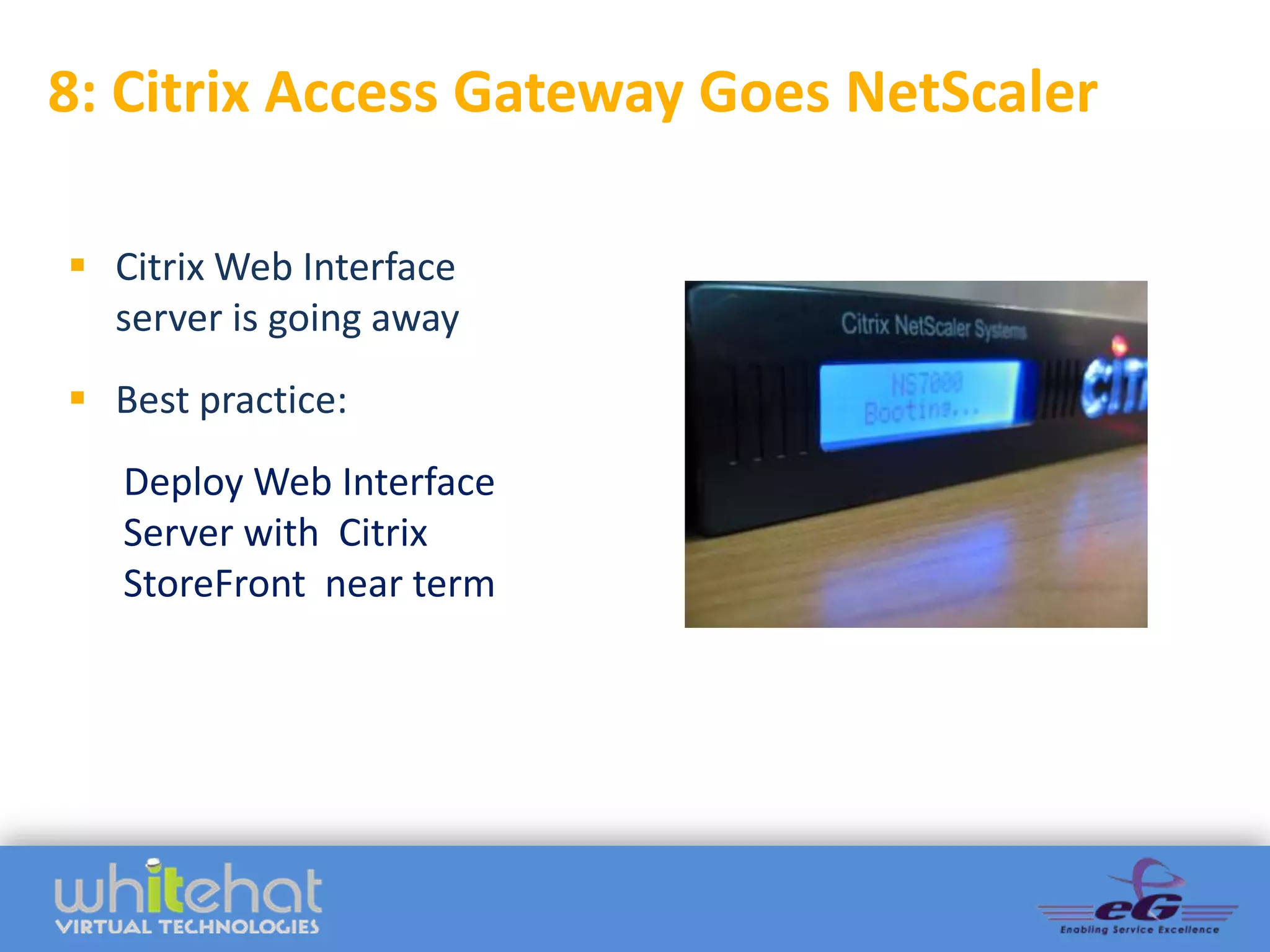
8: Citrix Access Gateway Goes NetScaler

 Citrix Web Interface
  server is going away
 Best practice:
   Deploy Web Interface
   Server with Citrix
   StoreFront near term
9: Plan For And Utilize Provisioning Server


   Citrix has changed how the server image gets created, patched and
  delivered to the XenApp servers (and potentially your edge devices if
                you are planning on using XenDesktop VDI).
Step 10. Build A Test Environment

  Create a standalone test environment, or sandbox, to test your 6.5
           environment in parallel to your 4.5 environment.
Top 10 Migration Considerations

  1. The End User            7. Environmental Sizing;
     Experience                 Capacity Planning
  2. Physical  Virtual      8. Citrix Access Gateway
  3. 32 Bit  64 Bit & App      Goes NetScaler
     Compatibility           9. Provisioning Server
  4. Database Upgrades       10.Test Environment
  5. App Delivery
  6. User Profiles
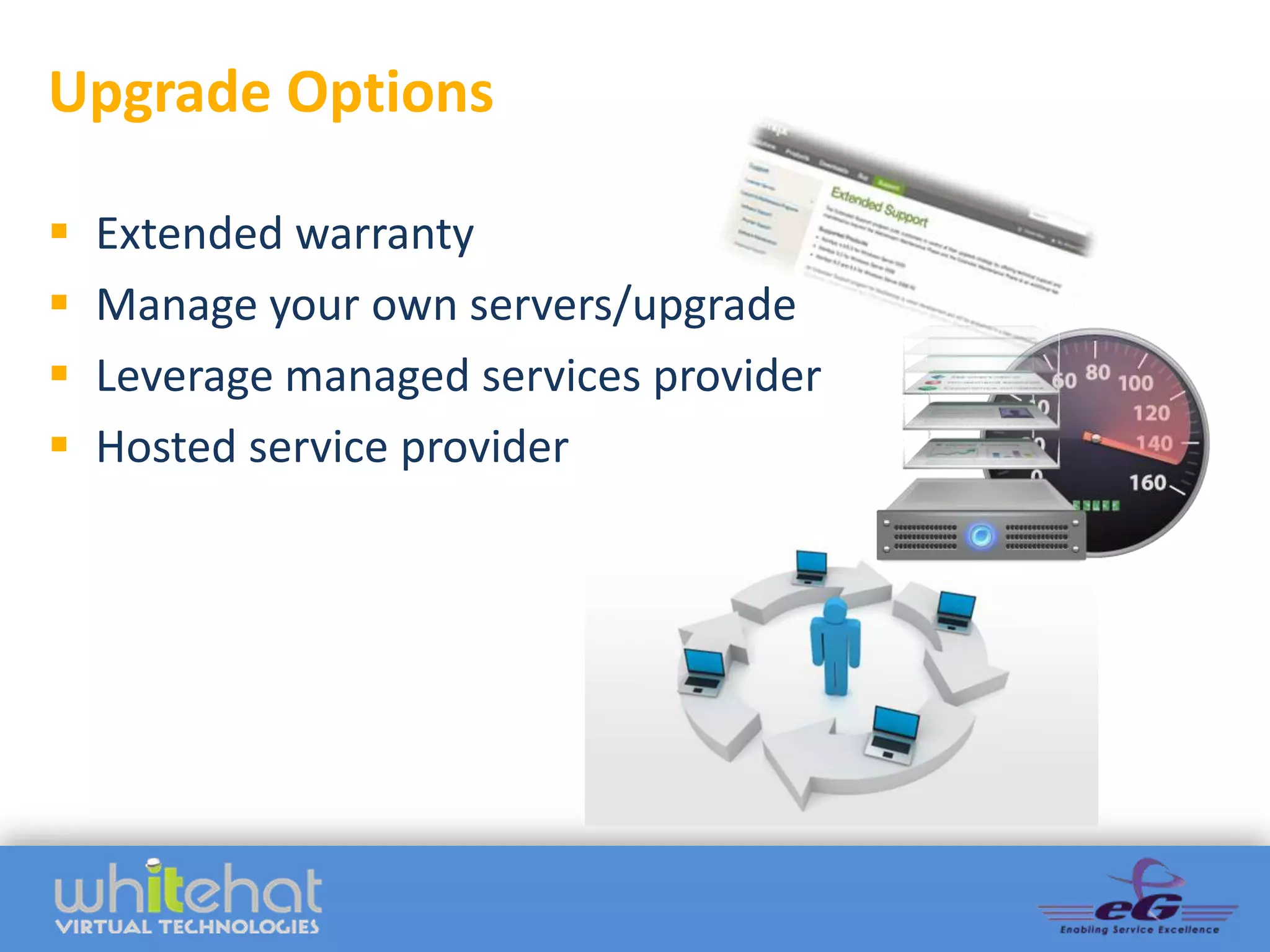
Upgrade Options

   Extended warranty
   Manage your own servers/upgrade
   Leverage managed services provider
   Hosted service provider
Proactive System Management


 Healthier systems          Monitoring and management
                                tools are entering a new
 Greater IT efficiency    generation where everything can
 Increased productivity     be monitored with one system
                             and correlation can be used to
 Better IT coverage        automatically identify, and many
                                 times rectify, problems
                                     automatically.
Poll: What Performance Management
Solutions Do You Currently Use?
   Citrix Resource Manager or Citrix EdgeSight
   VMware vCenter Ops
   Microsoft Perfmon, NS Lookup, PING, etc
   Other 3rd party tools
   None
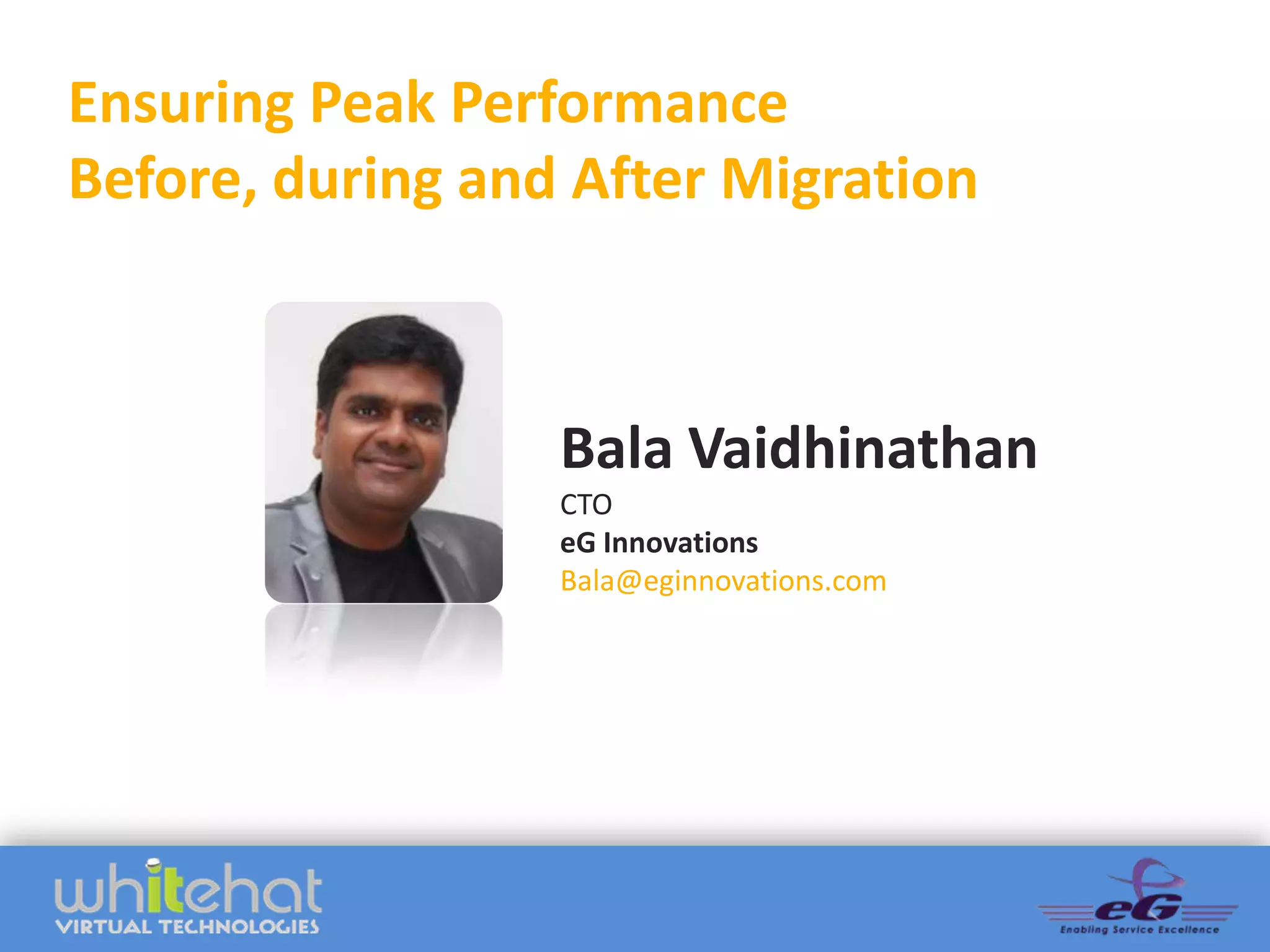
Ensuring Peak Performance
Before, during and After Migration


                  Bala Vaidhinathan
                  CTO
                  eG Innovations
                  Bala@eginnovations.com
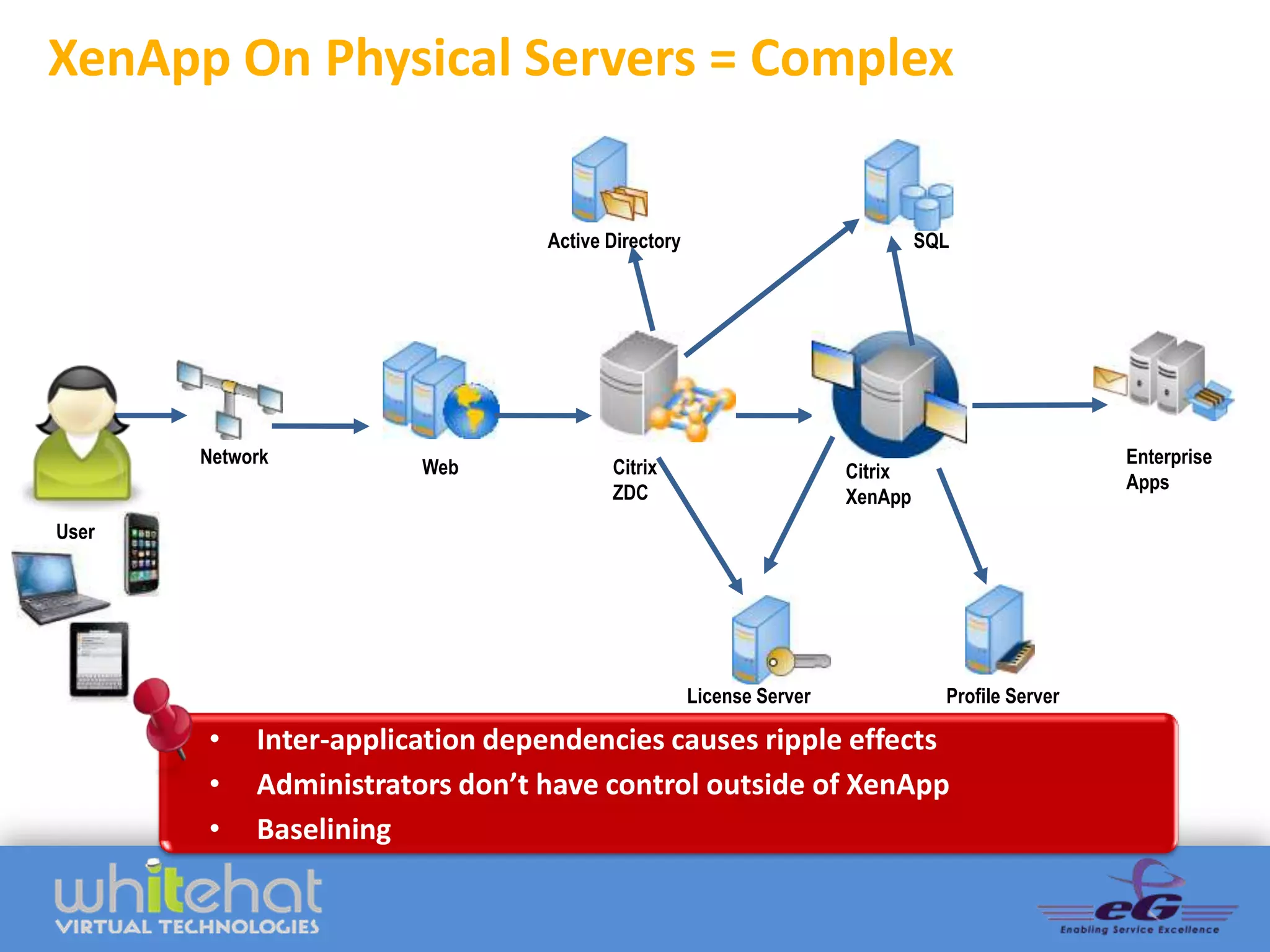
XenApp On Physical Servers = Complex


                                   Active Directory                             SQL


Client   Network                                                                                   Enterprise
                          Web             Citrix                       Citrix
                                                                                                   Apps
                                          ZDC                          XenApp
User


                                                      License Server              Profile Server

         •    Inter-application dependencies causes ripple effects
         •    Administrators don’t have control outside of XenApp
         •    Baselining
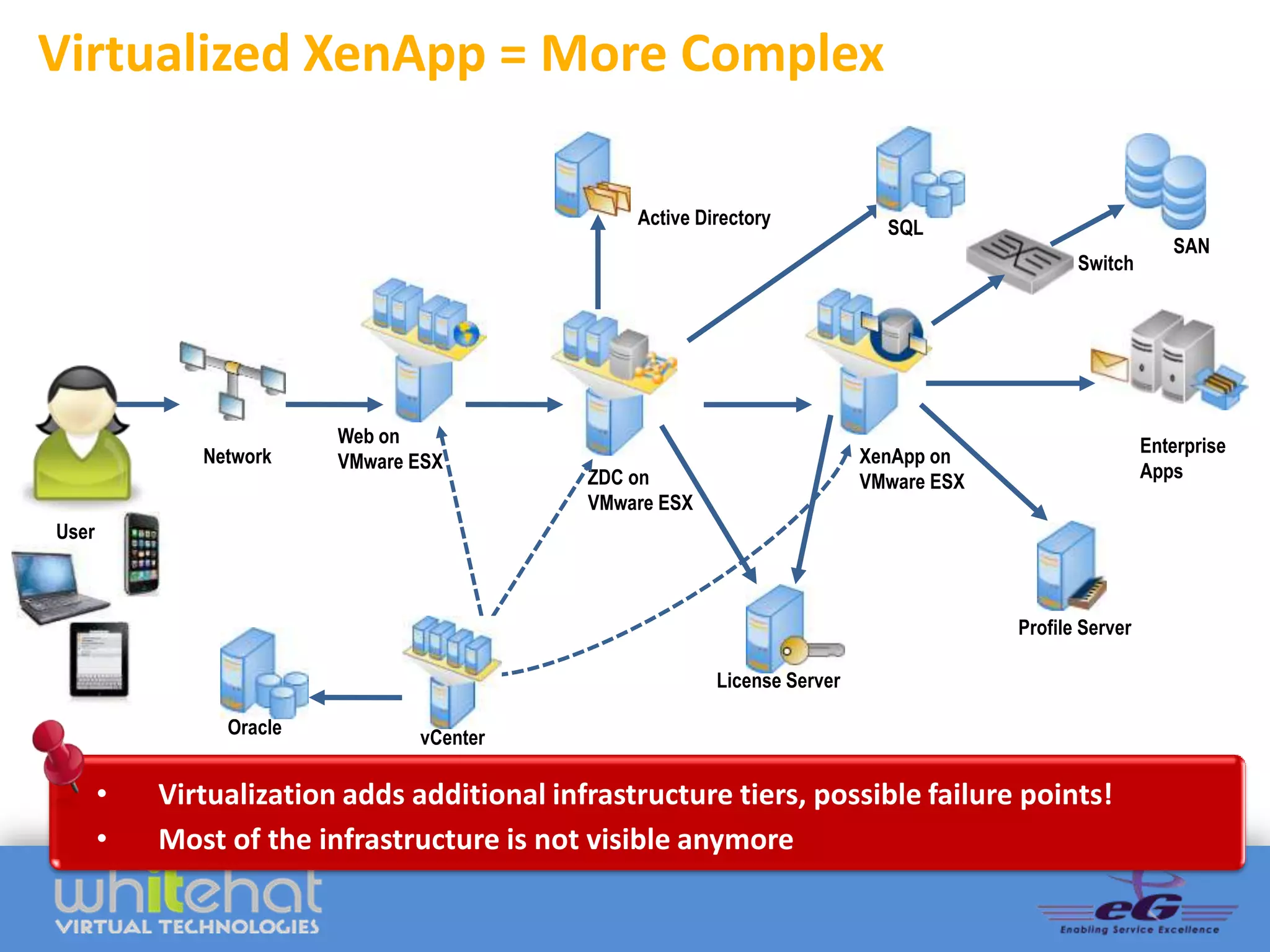
Virtualized XenApp = More Complex

                                                   Active Directory            SQL
                                                                                                              SAN
                                                                                                 Switch


Client                     Web on                                                                          Enterprise
                Network    VMware ESX                                        XenApp on
                                               ZDC on                                                      Apps
                                                                             VMware ESX
                                               VMware ESX
 User


                                                                                          Profile Server

                                                            License Server

                  Oracle          vCenter

         •   Virtualization adds additional infrastructure tiers, possible failure points!
         •   Most of the infrastructure is not visible anymore
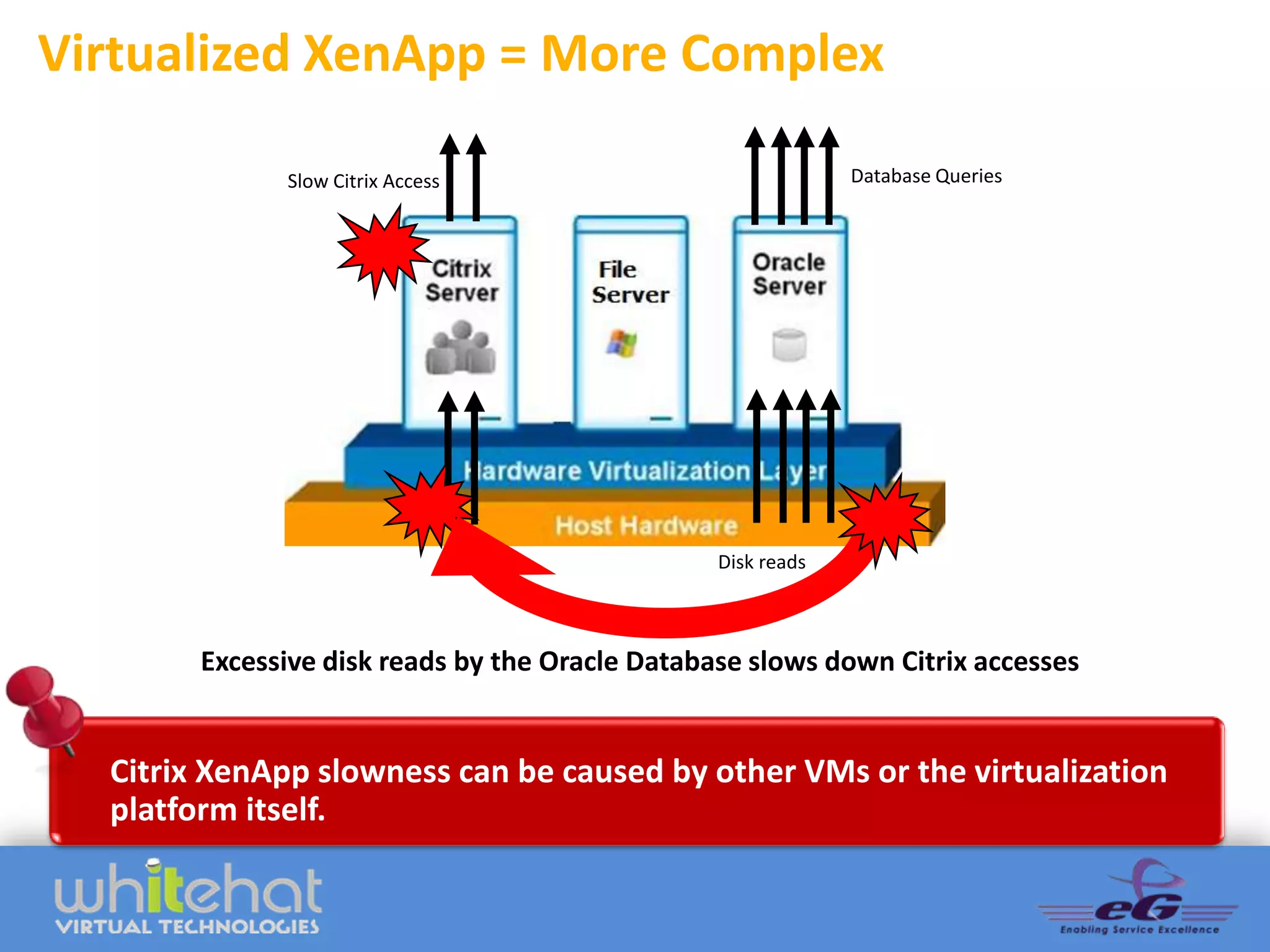
Virtualized XenApp = More Complex

              Slow Citrix Access                              Database Queries


                                                 Disk reads


        Excessive disk reads by the Oracle Database slows down Citrix accesses


  Citrix XenApp slowness can be caused by other VMs or the virtualization
  platform itself.
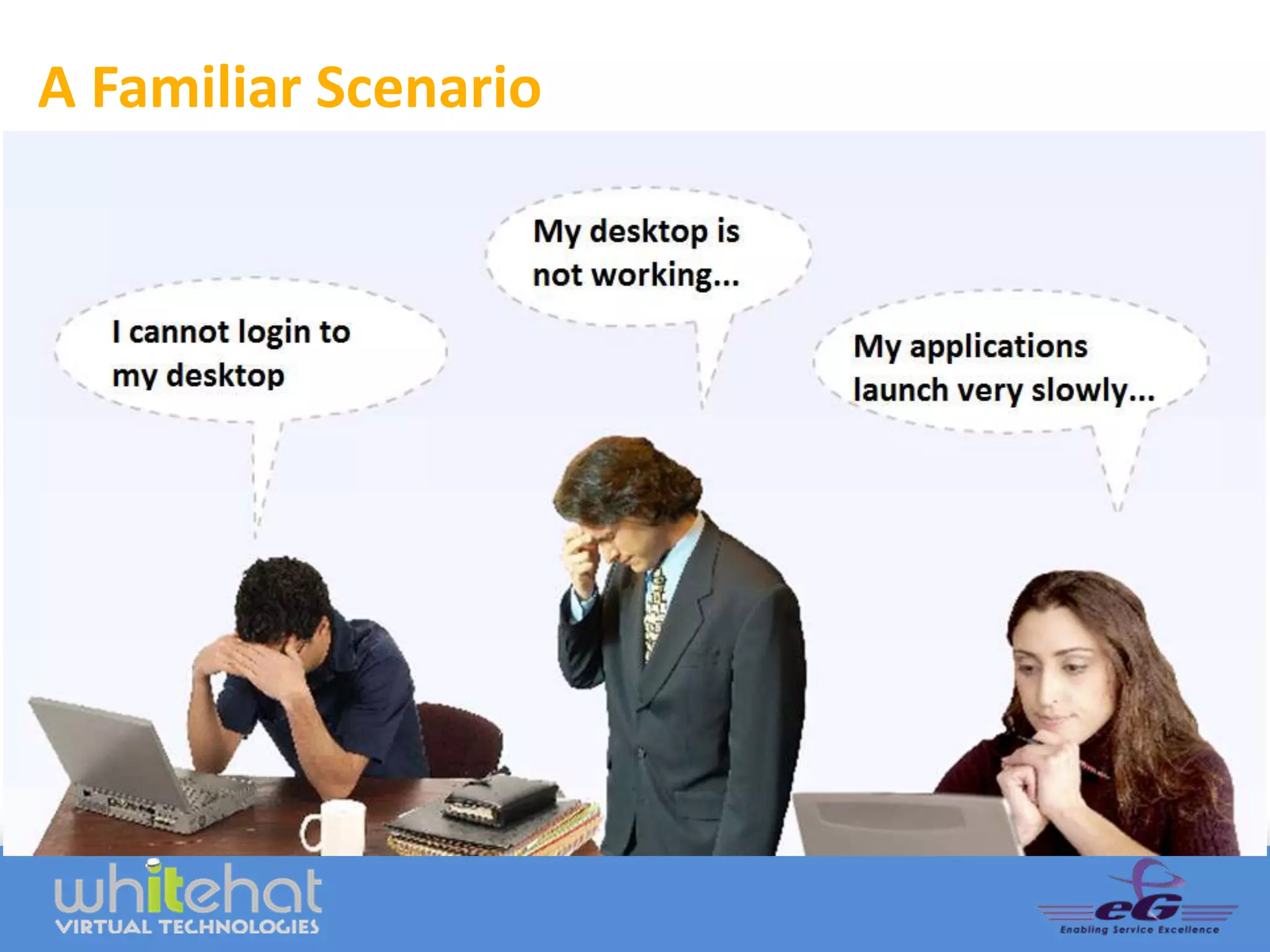
A Familiar Scenario
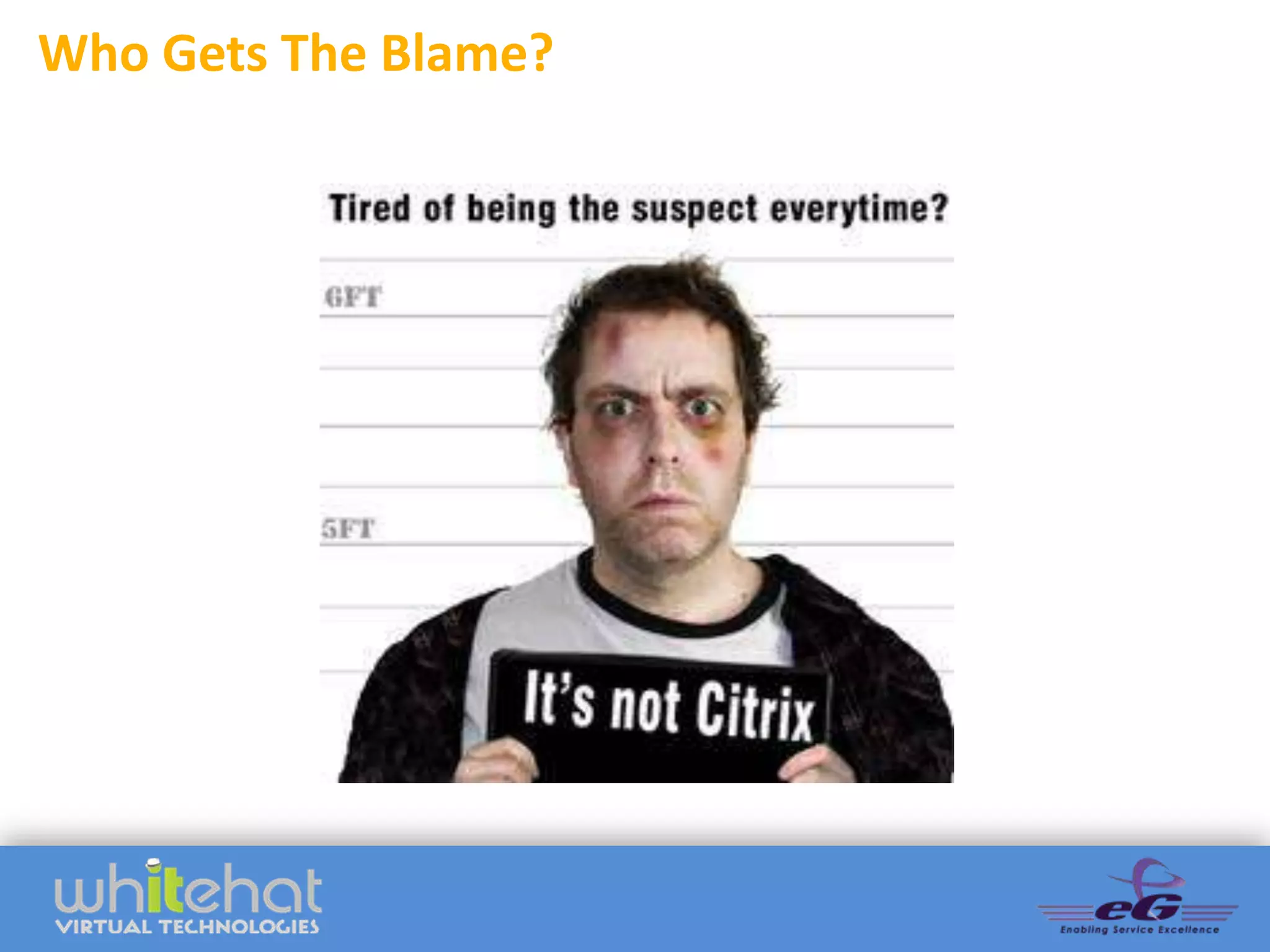
Who Gets The Blame?
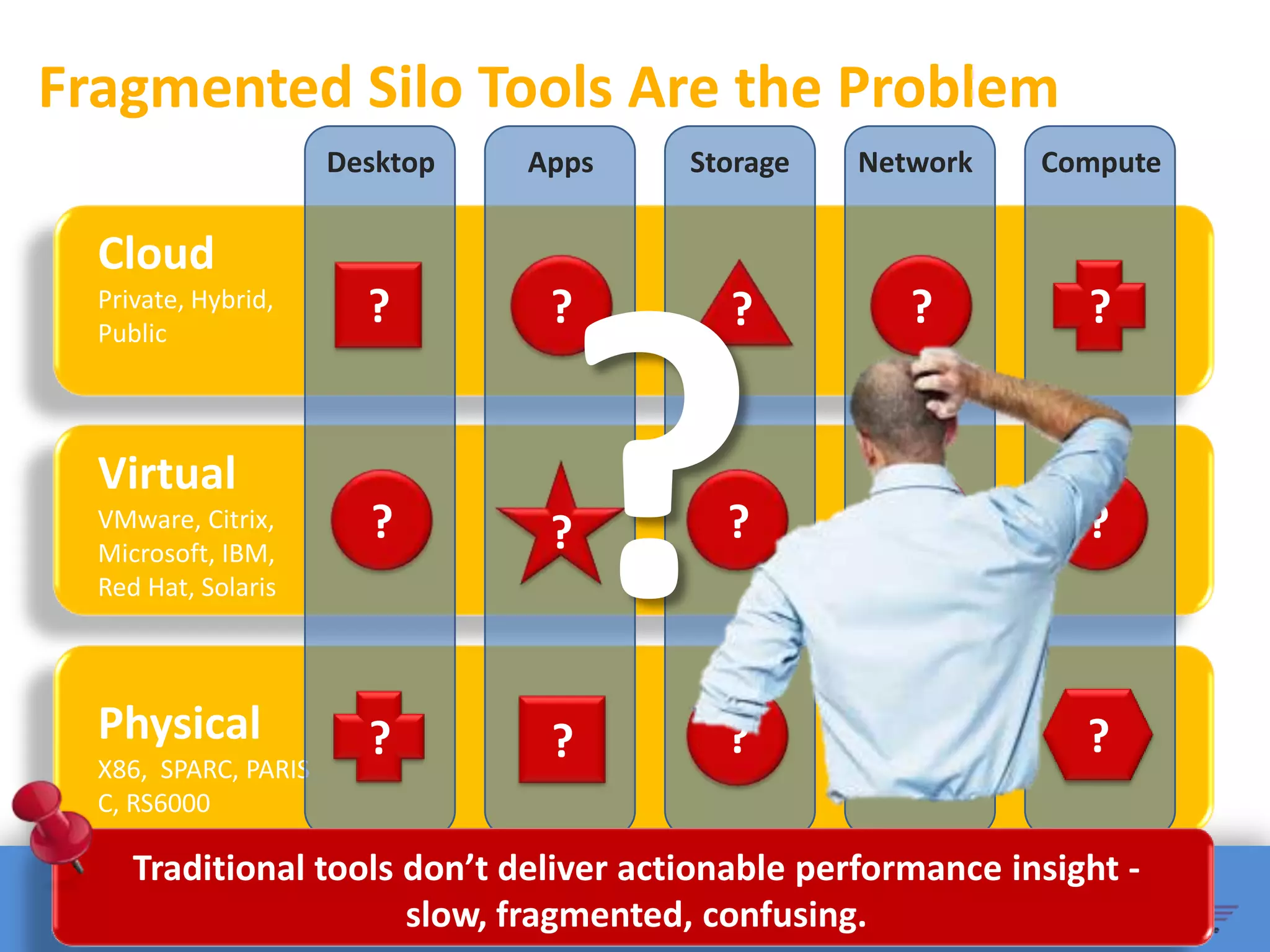
Fragmented Silo Tools Are the Problem
                      Desktop   Apps    Storage    Network    Compute


  Cloud
  Private, Hybrid,
  Public
                        ?        ?        ?           ?          ?


  Virtual
  VMware, Citrix,
  Microsoft, IBM,
                        ?        ?        ?           ?          ?
  Red Hat, Solaris


  Physical              ?        ?        ?           ?          ?
  X86, SPARC, PARIS
  C, RS6000

     Traditional tools don’t deliver actionable performance insight -
                       slow, fragmented, confusing.
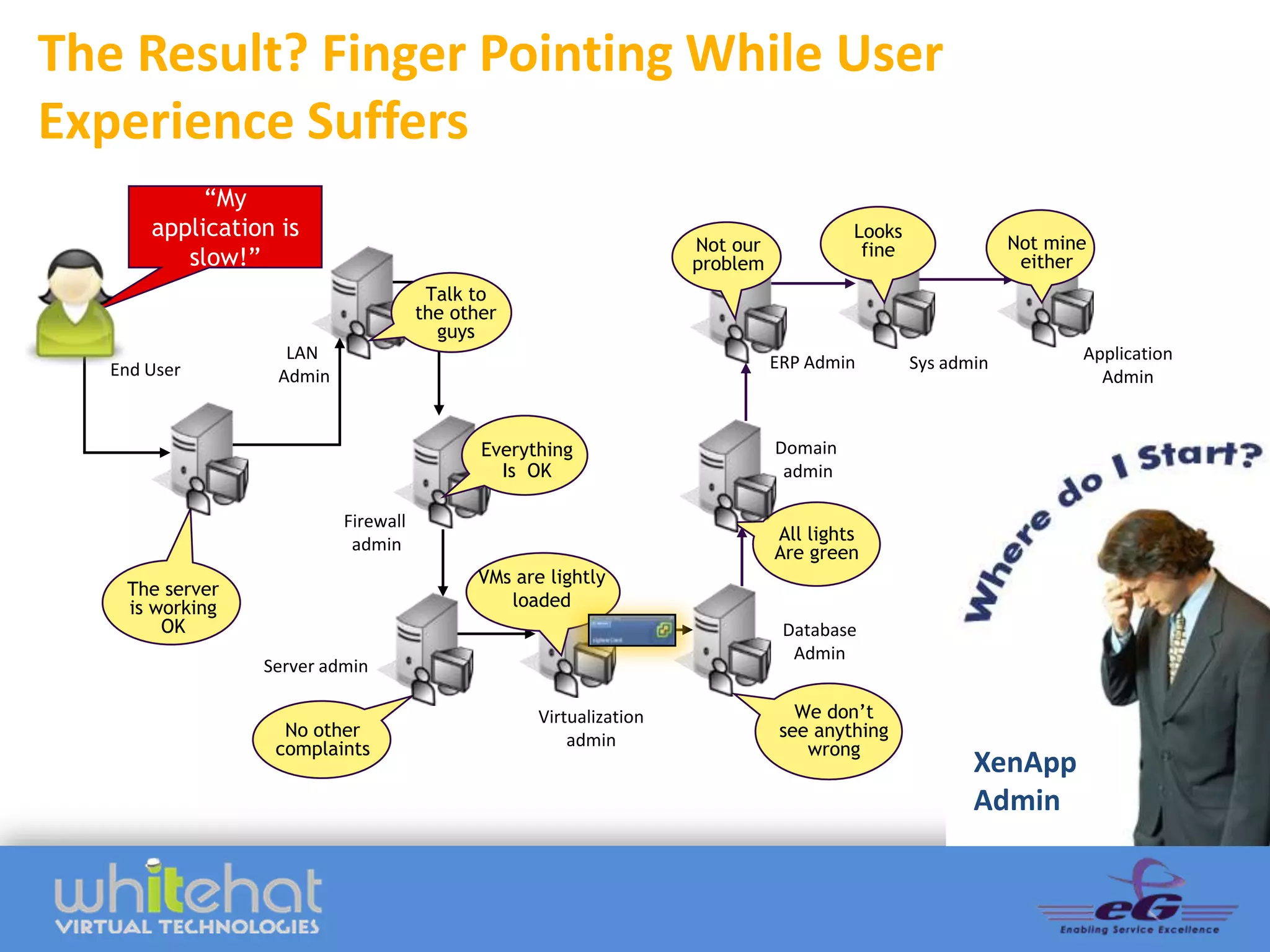
The Result? Finger Pointing While User
Experience Suffers
            “My
       application is                                                                  Looks
                                                                    Not our             fine               Not mine
          slow!”                                                    problem                                 either
                                       Talk to
                                      the other
                                        guys
                    LAN                                                       ERP Admin                           Application
   End User                                                                                    Sys admin
                   Admin                                                                                            Admin


                                             Everything                       Domain
                                               Is OK                           admin

                           Firewall
                                                                              All lights
                            admin                                             Are green
                                            VMs are lightly
    The server
    is working                                 loaded
        OK                                                                     Database
                                                                                Admin
                 Server admin

                                                   Virtualization                We don’t
                   No other                            admin                   see anything
                  complaints                                                      wrong
                                                                                                      XenApp
                                                                                                      Admin
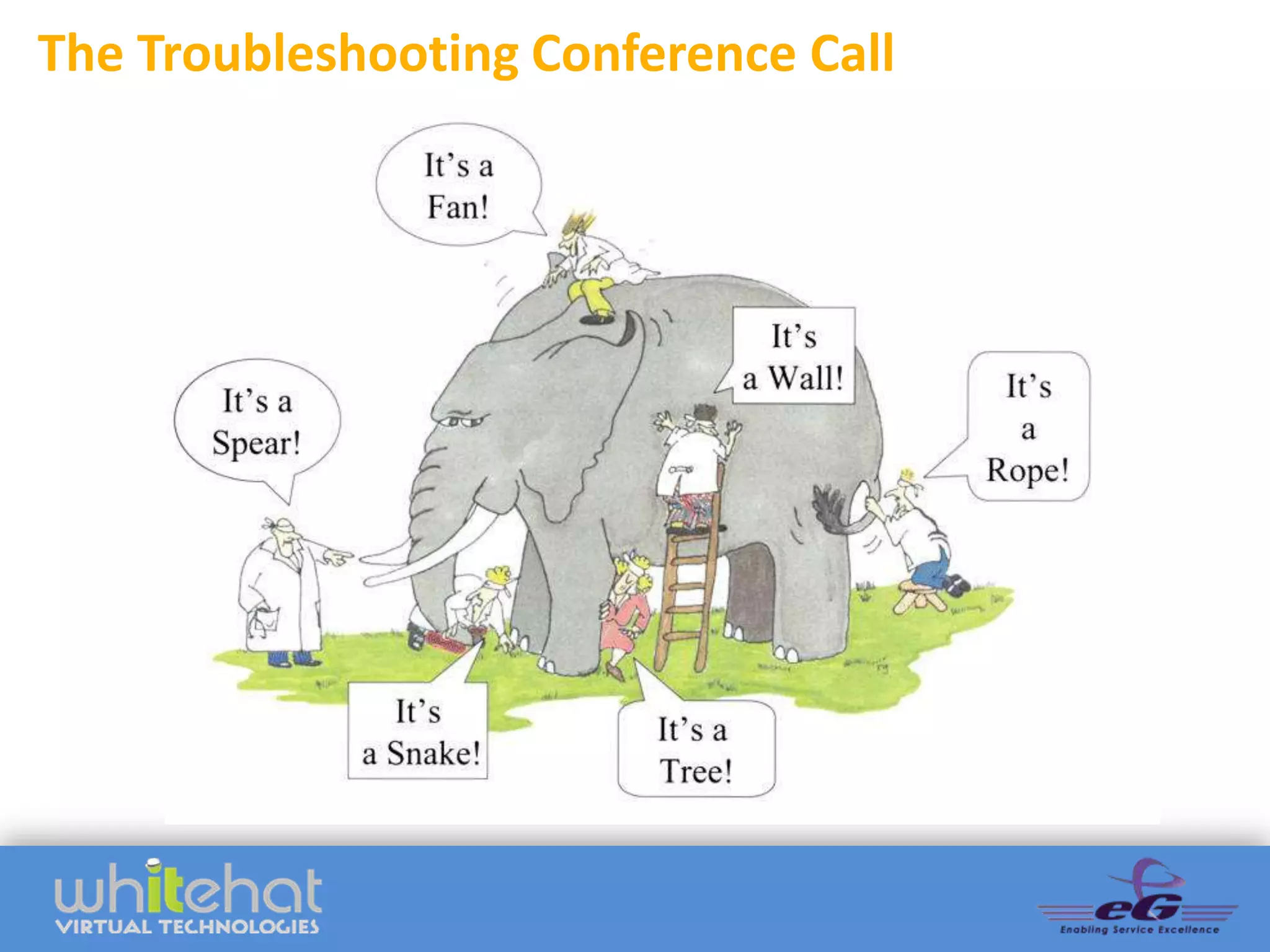
The Troubleshooting Conference Call
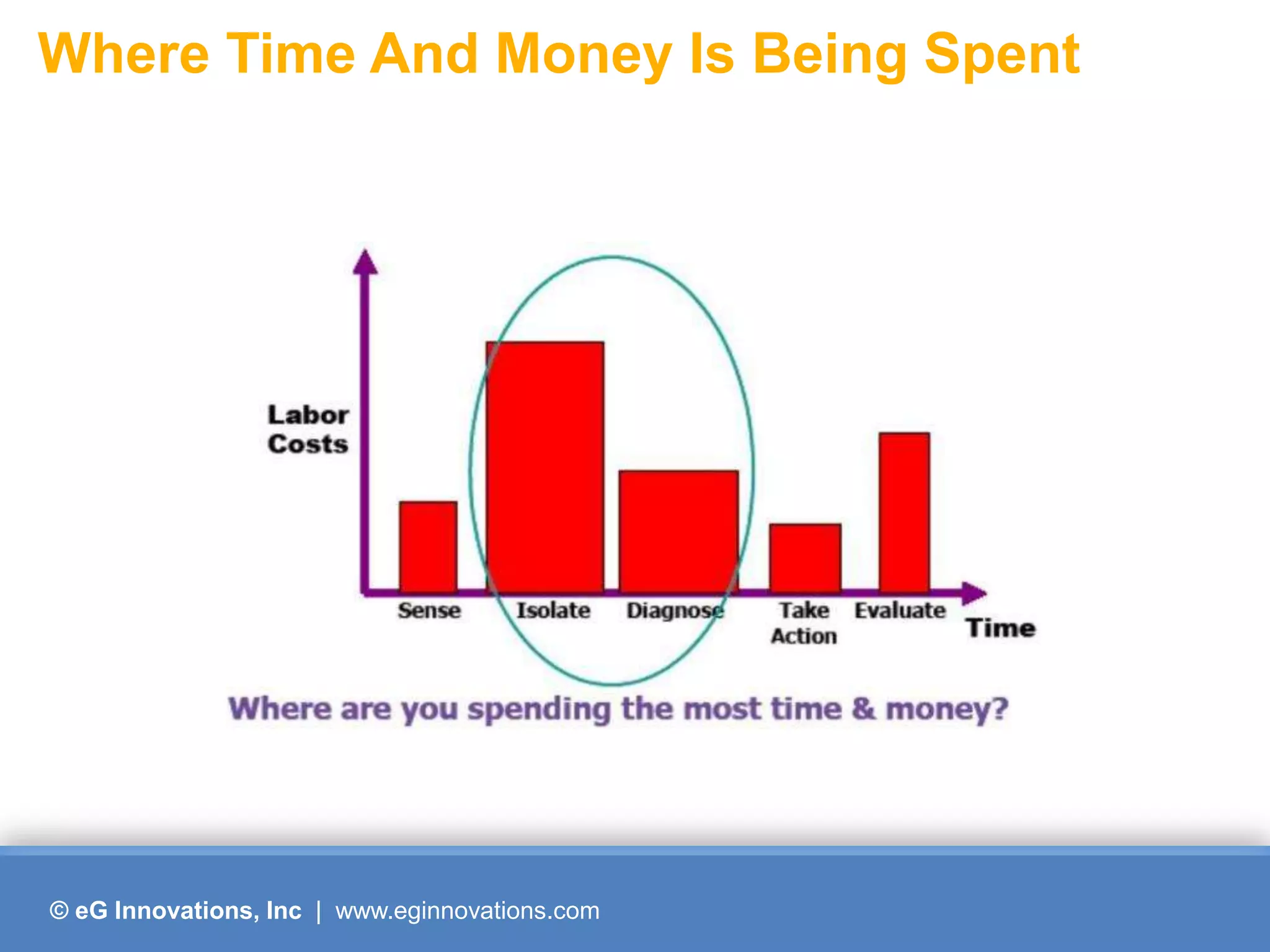
Where Time And Money Is Being Spent


© eG Innovations, Inc | www.eginnovations.com
Performance Assurance During Migration


           How to avoid these pitfalls and
           ensure optimal user experience
            before, during and after your
                XenApp Migration ?


© eG Innovations, Inc | www.eginnovations.com
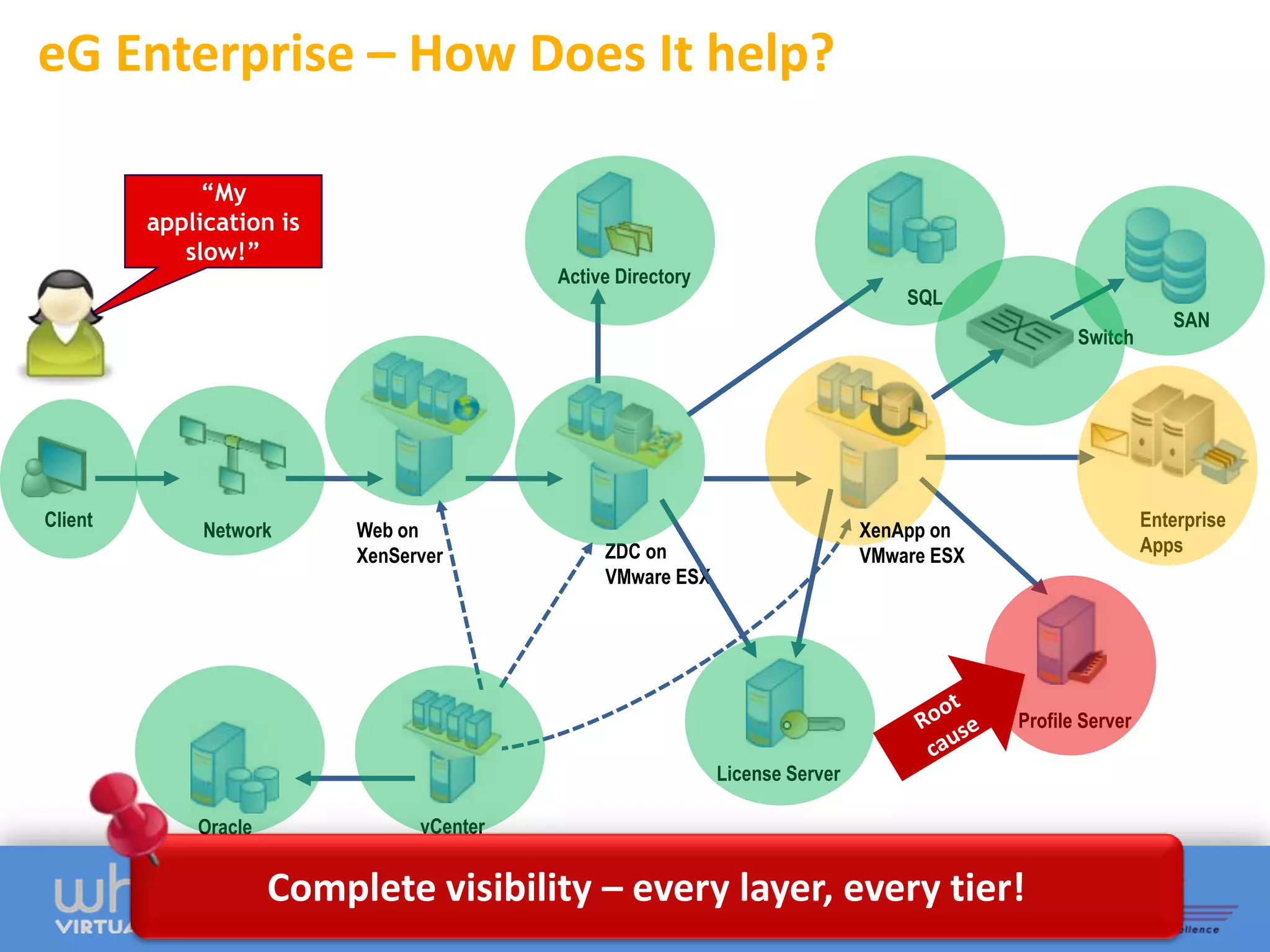
eG Enterprise – How Does It help?

              “My
         application is
            slow!”
                                           Active Directory
                                                                                   SQL
                                                                                                                SAN
                                                                                                   Switch


Client                                                                                                       Enterprise
              Network      Web on                                              XenApp on
                                                ZDC on                                                       Apps
                           XenServer                                           VMware ESX
                                                VMware ESX


                                                                                            Profile Server

                                                              License Server

             Oracle              vCenter


                      Complete visibility – every layer, every tier!
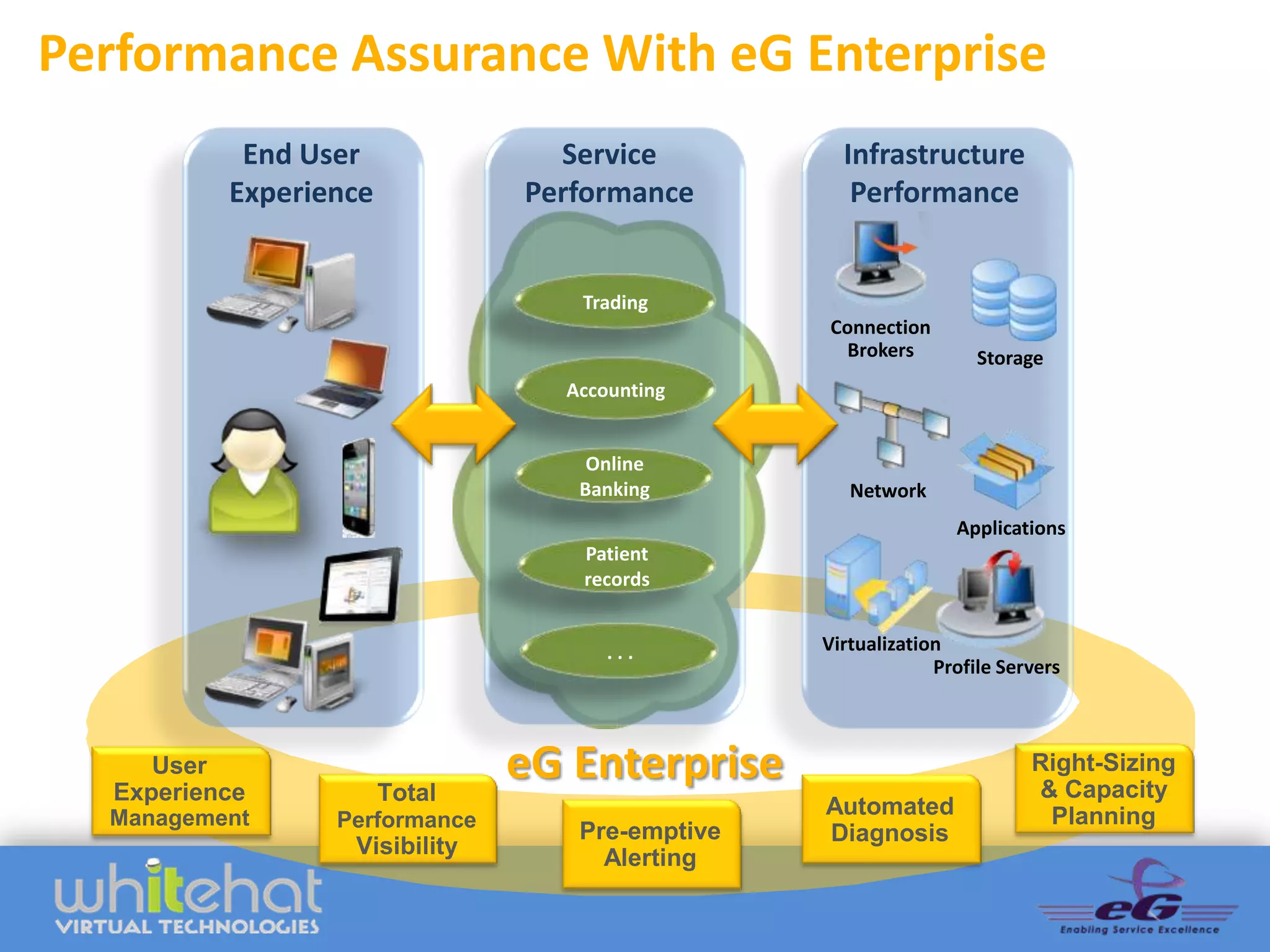
Performance Assurance With eG Enterprise
            End User              Service          Infrastructure
           Experience           Performance         Performance


                                   Trading
                                                 Connection
                                                   Brokers         Storage
                                  Accounting


                                    Online
                                   Banking          Network
                                                                Applications
                                   Patient
                                   records


                                      ...        Virtualization
                                                              Profile Servers


      User
   Experience           Total
                                eG Enterprise                            Right-Sizing
                                                                         & Capacity
  Management                                     Automated                Planning
                  Performance
                                   Pre-emptive   Diagnosis
                   Visibility        Alerting
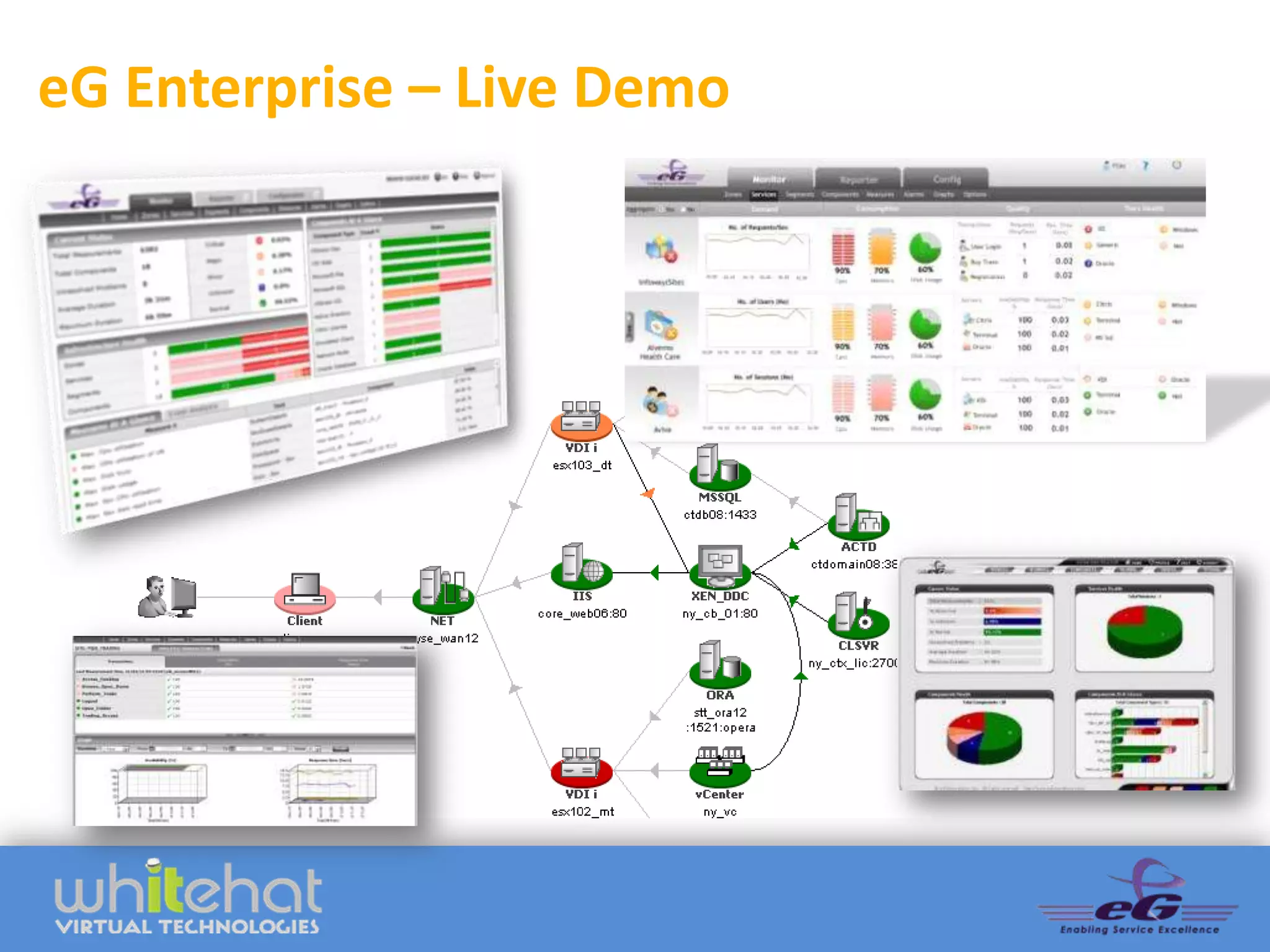
eG Enterprise – Live Demo
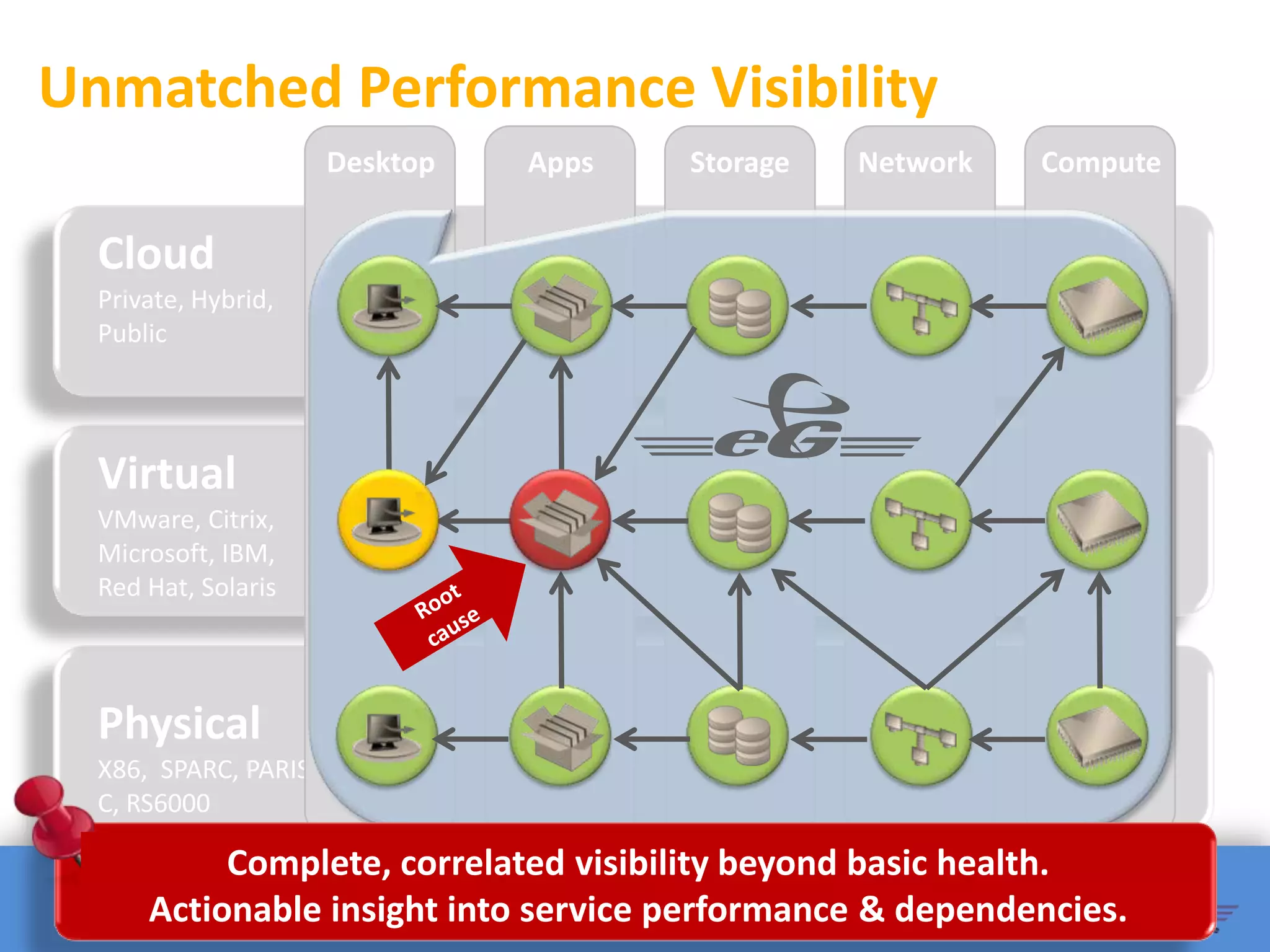
Unmatched Performance Visibility
                      Desktop   Apps   Storage   Network   Compute


  Cloud
  Private, Hybrid,
  Public


  Virtual
  VMware, Citrix,
  Microsoft, IBM,
                                 !
  Red Hat, Solaris


  Physical
  X86, SPARC, PARIS
  C, RS6000

           Complete, correlated visibility beyond basic health.
      Actionable insight into service performance & dependencies.
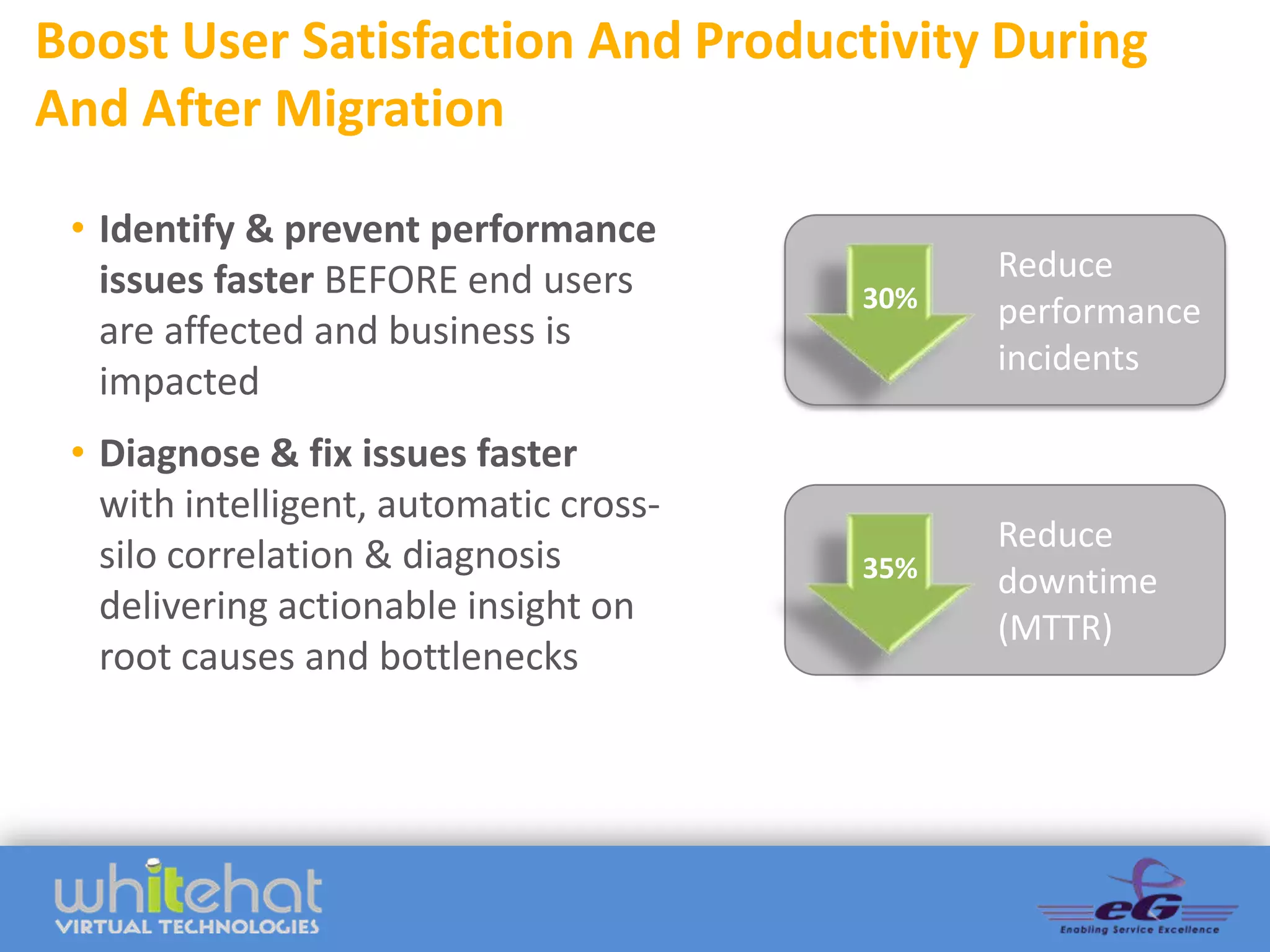
Boost User Satisfaction And Productivity During
And After Migration

 • Identify & prevent performance
   issues faster BEFORE end users             Reduce
                                        30%   performance
   are affected and business is
                                              incidents
   impacted
 • Diagnose & fix issues faster
   with intelligent, automatic cross-
                                              Reduce
   silo correlation & diagnosis         35%   downtime
   delivering actionable insight on           (MTTR)
   root causes and bottlenecks
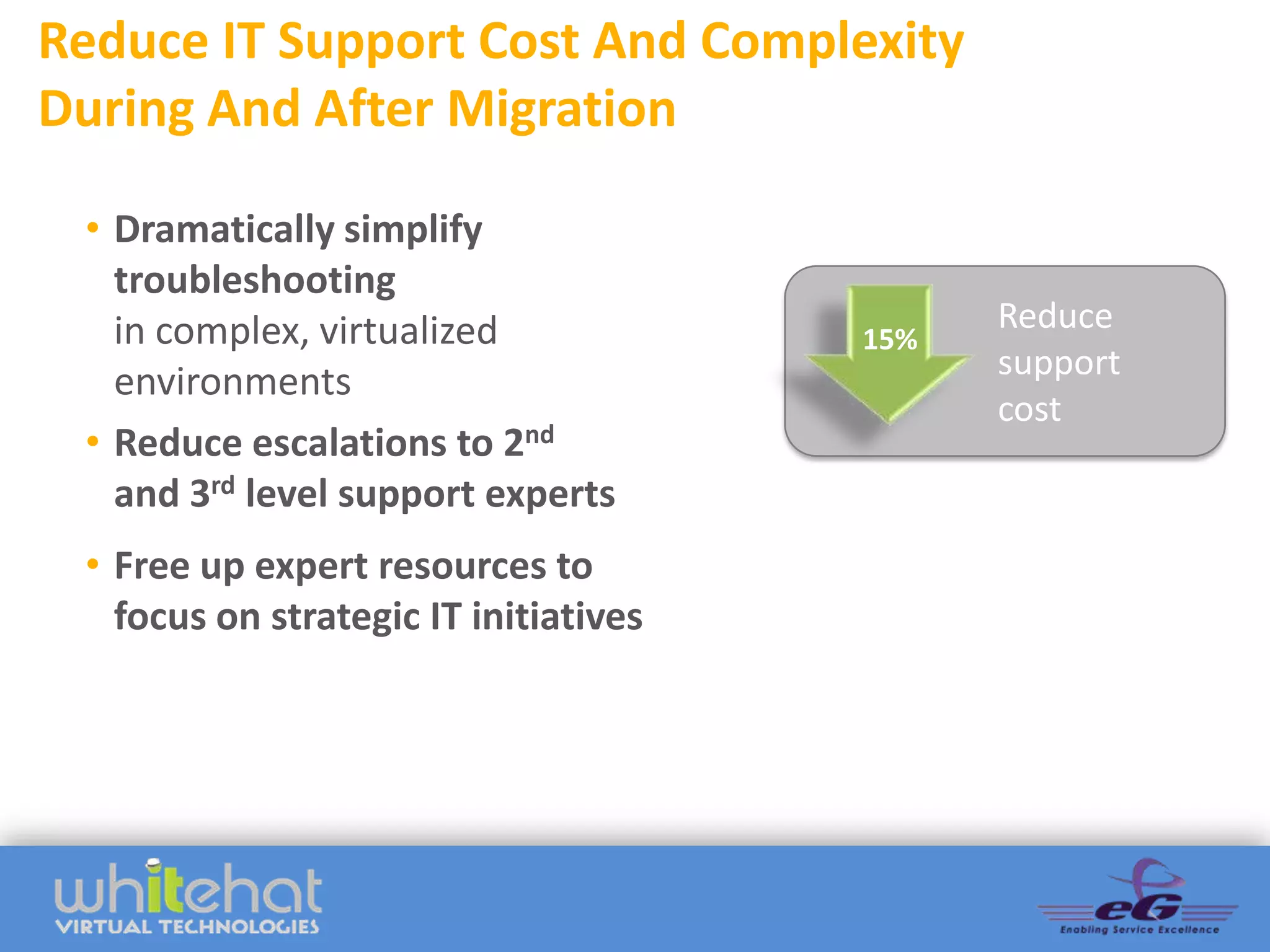
Reduce IT Support Cost And Complexity
During And After Migration

 • Dramatically simplify
   troubleshooting
   in complex, virtualized                   Reduce
                                       15%
                                             support
   environments
                                             cost
 • Reduce escalations to 2nd
   and 3rd level support experts
 • Free up expert resources to
   focus on strategic IT initiatives
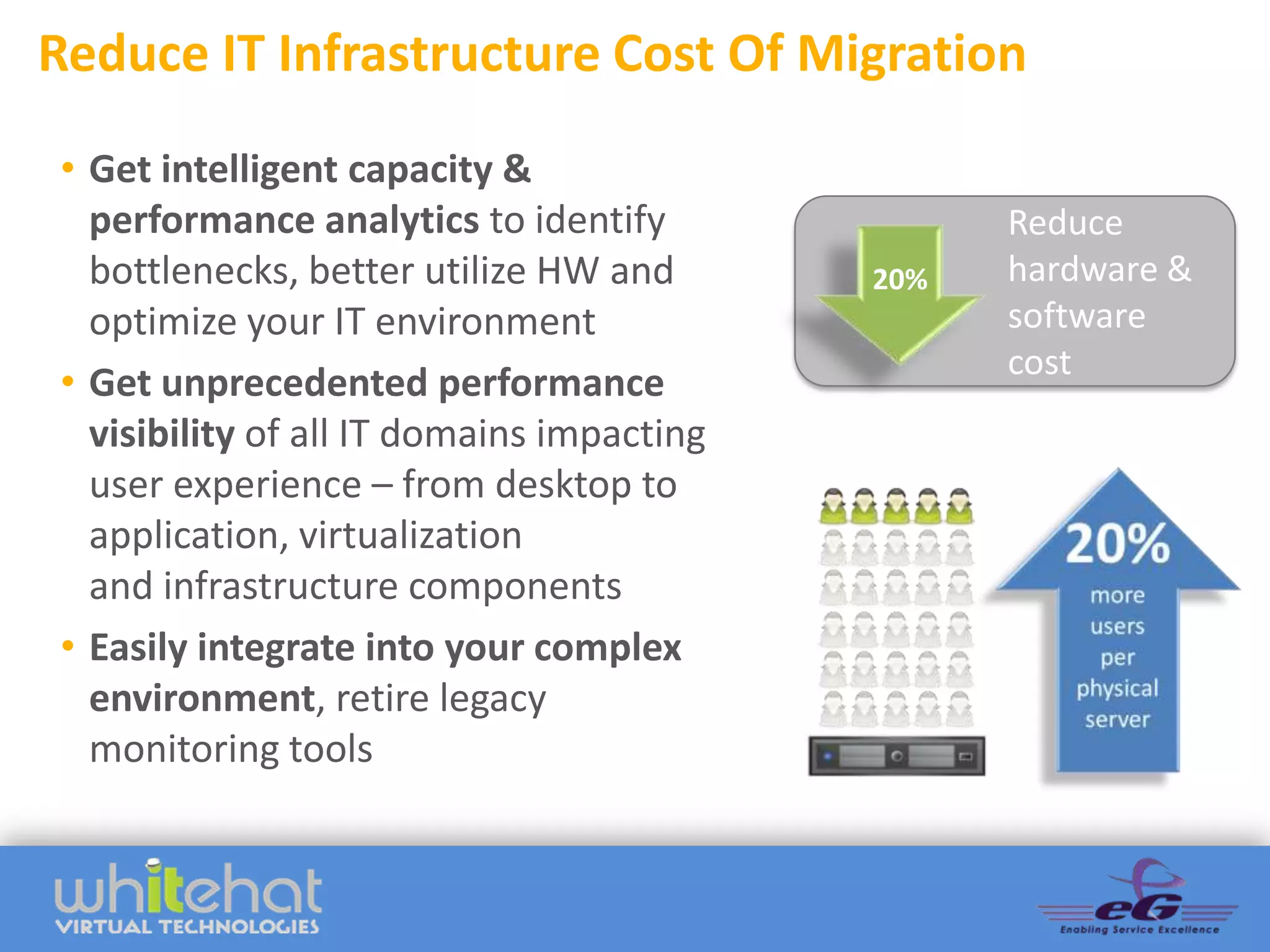
Reduce IT Infrastructure Cost Of Migration
• Get intelligent capacity &
  performance analytics to identify              Reduce
  bottlenecks, better utilize HW and       20%   hardware &
  optimize your IT environment                   software
                                                 cost
• Get unprecedented performance
  visibility of all IT domains impacting
  user experience – from desktop to
  application, virtualization
  and infrastructure components
• Easily integrate into your complex
  environment, retire legacy
  monitoring tools
&
Become a
    Citrix
Performance         Performance
                        Hero
    Hero
     Visit
eG Innovations
  Booth 417


                 Visit eG Innovations
                       Booth 417
Next Steps
More Details
www.whitehatvirtual.com
www.eginnovations.com

Contact Us
WhiteHat Virtual Technologies
+1.888.406.8719
webinar@whitehatvirtual.com

eG Innovations (US)
+1.732.794.1259
webinar@eginnovations.com

Citrix XenApp 6.5 Performance - How To Ensure a Great End User Experience Before, During and After Your Upgrade

  • 1.
    Citrix XenApp 6.5 Performance HowTo Ensure a Great End User Experience Before, During and After Your Upgrade Presenters Val King (WhiteHat Virtual Technologies) Bala Vaidhinathan (eG Innovations)
  • 2.
    Migration Considerations Val King CEO WhiteHat Virtual Technologies Val.King@Whitehatvirtual.com
  • 3.
    Poll: What AreYour Biggest Performance Management Challenges?  User experience issues  Lack of visibility across silos  Complex and/or slow issue identification  Proactive problem solving  Chasing issues that originate in other IT domains
  • 4.
    Top 10 MigrationConsiderations 1. The End User 7. Environmental Sizing; Experience Capacity Planning 2. Physical  Virtual 8. Citrix Access Gateway 3. 32 Bit  64 Bit & App Goes NetScaler Compatibility 9. Provisioning Server 4. Database Upgrades 10.Test Environment 5. App Delivery 6. User Profiles
  • 5.
    What Impacts TheEnd User Experience? Active Directory SQL/Oracle SAN Switch Enterprise Client Apps Network Web Servers on XenApp on Hypervisor ESX ZDC on VMware ESX Profile Server License Server vCenter
  • 6.
    Why Care AboutThe End User Experience?  50% of businesses are losing revenue due to poorly performing applications1  Application performance issues can impact corporate revenues by as much as 9%2  Business performance starts to decline when mission-critical applications reach the baseline of 5.1 seconds of response time delay1  32% of surveyed businesses experienced damage to their brand reputation because of poor application performance1 (1) Aberdeen Group “Application Performance Management: Getting IT on the C-Level’s Agenda” (2) Aberdeen Group “The Performance of Web Applications: Customers are Won or Lost in One Second”
  • 7.
    What Does CitrixPresentation Server 4.5 And XenApp 5.0 End-of-Life Mean For You? There is no real recommended inplace upgrade from Presentation Server 4.5/XenApp 5.0 to XenApp 6.5 or XenDesktop 5.6. Plan on a parallel build of a new farm.
  • 8.
    What About TheXenApp Migration Center? Settings Transferred Settings Not Transferred Applications Zones Application and server folders Printer management, such as driver mappings and auto-replication Load evaluators Configuration Logging settings Policies Health Monitoring and Recovery executables Server configuration Server registry settings Farm configuration Deprecated settings, such as Application Isolation Environments Administrator accounts Health Monitoring and Recovery Tests Worker Groups (XenApp 6.x only) Load Balancing Policies (XenApp 6.x only) Pre-launched applications (XenApp 6.5 only)
  • 9.
    2: Physical ServersTo Virtual Servers Primary Hypervisor Vmware Xen (Citrix & Oracle) KVM (Ubuntu, SUSE, Fedora) Microsoft Hyper-V Red Hat (RHEL, RHEV) Other
  • 10.
  • 11.
    3: 32-bit ToA 64-bit Server Platform Citrix XenApp 6.5 and XenDesktop 5.6 both require a 64 bit server platform… Windows 2008 r2.
  • 12.
    3: App CompatibilityWith Windows 2008 r2  Validate applications support of Windows Server 2008 r2 and choice of hypervisor  Inventory legacy applications – May require both a Presentation Server 4.5 and XenApp/XenDesktop  Determine application usage before migration – Are your end users actually using all of the applications?
  • 13.
    4: Data StoreDatabase Upgrade  Windows Server 2008 may require a data store database upgrade…  Databases supported for the XenApp data store: – Microsoft SQL Server 2008 Express R2 – Microsoft SQL Server 2008 Express SP3 ADD GRAPHIC – Microsoft SQL Server 2008 R2 – Microsoft SQL Server 2008 SP2 – Microsoft SQL Server 2005 SP4 – Oracle 11g R2 32-bit Enterprise Edition
  • 14.
    5: Application DeliveryMethod Selection Delivery methods available via Citrix It is a “best practice” to FlexCast for XenApp 6.5 and do a complete XenDesktop 5.6: assessment of your end • Local VM users and how they • Streamed Virtual Hosted Desktops work to determine the • Hosted VDI optimal way to deliver • Hosted Shared applications. • On-Demand Applications
  • 15.
    6: Managing UserProfiles  Migrate user profile data  Consider Citrix Profile Management, or a more all- encompassing tool by third party vendors.
  • 16.
    7: Environmental Sizing;Capacity Planning  How many servers are you going to need?  How many users will you get per VM?  How many VM’s will you get per host server?
  • 17.
    8: Citrix AccessGateway Goes NetScaler  Citrix Web Interface server is going away  Best practice: Deploy Web Interface Server with Citrix StoreFront near term
  • 18.
    9: Plan ForAnd Utilize Provisioning Server Citrix has changed how the server image gets created, patched and delivered to the XenApp servers (and potentially your edge devices if you are planning on using XenDesktop VDI).
  • 19.
    Step 10. BuildA Test Environment Create a standalone test environment, or sandbox, to test your 6.5 environment in parallel to your 4.5 environment.
  • 20.
    Top 10 MigrationConsiderations 1. The End User 7. Environmental Sizing; Experience Capacity Planning 2. Physical  Virtual 8. Citrix Access Gateway 3. 32 Bit  64 Bit & App Goes NetScaler Compatibility 9. Provisioning Server 4. Database Upgrades 10.Test Environment 5. App Delivery 6. User Profiles
  • 21.
    Upgrade Options  Extended warranty  Manage your own servers/upgrade  Leverage managed services provider  Hosted service provider
  • 22.
    Proactive System Management Healthier systems Monitoring and management tools are entering a new  Greater IT efficiency generation where everything can  Increased productivity be monitored with one system and correlation can be used to  Better IT coverage automatically identify, and many times rectify, problems automatically.
  • 23.
    Poll: What PerformanceManagement Solutions Do You Currently Use?  Citrix Resource Manager or Citrix EdgeSight  VMware vCenter Ops  Microsoft Perfmon, NS Lookup, PING, etc  Other 3rd party tools  None
  • 24.
    Ensuring Peak Performance Before,during and After Migration Bala Vaidhinathan CTO eG Innovations Bala@eginnovations.com
  • 25.
    XenApp On PhysicalServers = Complex Active Directory SQL Client Network Enterprise Web Citrix Citrix Apps ZDC XenApp User License Server Profile Server • Inter-application dependencies causes ripple effects • Administrators don’t have control outside of XenApp • Baselining
  • 26.
    Virtualized XenApp =More Complex Active Directory SQL SAN Switch Client Web on Enterprise Network VMware ESX XenApp on ZDC on Apps VMware ESX VMware ESX User Profile Server License Server Oracle vCenter • Virtualization adds additional infrastructure tiers, possible failure points! • Most of the infrastructure is not visible anymore
  • 27.
    Virtualized XenApp =More Complex Slow Citrix Access Database Queries Disk reads Excessive disk reads by the Oracle Database slows down Citrix accesses Citrix XenApp slowness can be caused by other VMs or the virtualization platform itself.
  • 28.
  • 29.
  • 30.
    Fragmented Silo ToolsAre the Problem Desktop Apps Storage Network Compute Cloud Private, Hybrid, Public ? ? ? ? ? Virtual VMware, Citrix, Microsoft, IBM, ? ? ? ? ? Red Hat, Solaris Physical ? ? ? ? ? X86, SPARC, PARIS C, RS6000 Traditional tools don’t deliver actionable performance insight - slow, fragmented, confusing.
  • 31.
    The Result? FingerPointing While User Experience Suffers “My application is Looks Not our fine Not mine slow!” problem either Talk to the other guys LAN ERP Admin Application End User Sys admin Admin Admin Everything Domain Is OK admin Firewall All lights admin Are green VMs are lightly The server is working loaded OK Database Admin Server admin Virtualization We don’t No other admin see anything complaints wrong XenApp Admin
  • 32.
  • 33.
    Where Time AndMoney Is Being Spent © eG Innovations, Inc | www.eginnovations.com
  • 34.
    Performance Assurance DuringMigration How to avoid these pitfalls and ensure optimal user experience before, during and after your XenApp Migration ? © eG Innovations, Inc | www.eginnovations.com
  • 35.
    eG Enterprise –How Does It help? “My application is slow!” Active Directory SQL SAN Switch Client Enterprise Network Web on XenApp on ZDC on Apps XenServer VMware ESX VMware ESX Profile Server License Server Oracle vCenter Complete visibility – every layer, every tier!
  • 36.
    Performance Assurance WitheG Enterprise End User Service Infrastructure Experience Performance Performance Trading Connection Brokers Storage Accounting Online Banking Network Applications Patient records ... Virtualization Profile Servers User Experience Total eG Enterprise Right-Sizing & Capacity Management Automated Planning Performance Pre-emptive Diagnosis Visibility Alerting
  • 37.
  • 38.
    Unmatched Performance Visibility Desktop Apps Storage Network Compute Cloud Private, Hybrid, Public Virtual VMware, Citrix, Microsoft, IBM, ! Red Hat, Solaris Physical X86, SPARC, PARIS C, RS6000 Complete, correlated visibility beyond basic health. Actionable insight into service performance & dependencies.
  • 39.
    Boost User SatisfactionAnd Productivity During And After Migration • Identify & prevent performance issues faster BEFORE end users Reduce 30% performance are affected and business is incidents impacted • Diagnose & fix issues faster with intelligent, automatic cross- Reduce silo correlation & diagnosis 35% downtime delivering actionable insight on (MTTR) root causes and bottlenecks
  • 40.
    Reduce IT SupportCost And Complexity During And After Migration • Dramatically simplify troubleshooting in complex, virtualized Reduce 15% support environments cost • Reduce escalations to 2nd and 3rd level support experts • Free up expert resources to focus on strategic IT initiatives
  • 41.
    Reduce IT InfrastructureCost Of Migration • Get intelligent capacity & performance analytics to identify Reduce bottlenecks, better utilize HW and 20% hardware & optimize your IT environment software cost • Get unprecedented performance visibility of all IT domains impacting user experience – from desktop to application, virtualization and infrastructure components • Easily integrate into your complex environment, retire legacy monitoring tools
  • 42.
  • 43.
    Become a Citrix Performance Performance Hero Hero Visit eG Innovations Booth 417 Visit eG Innovations Booth 417
  • 44.
    Next Steps More Details www.whitehatvirtual.com www.eginnovations.com ContactUs WhiteHat Virtual Technologies +1.888.406.8719 webinar@whitehatvirtual.com eG Innovations (US) +1.732.794.1259 webinar@eginnovations.com