Developing Meaningful Usability and
             User Experience Measurements for
              Mobile (Healthcare) Applications


Featuring:


www.xbosoft.com
Speaker Introduction
• Philip Lew - XBOSoft
• Duke Yetter – CEO,
  – Long term and mobile
  – Healthcare solutions


                                2
Agenda
• What is usability and UX and why important?
• Usability and UX Specifics for MobileApps
• How to set up measurements
• What does Mobile MedSoft want to achieve
  with their app from a usability and UX
  viewpoint
• How to set up usability measurements for
  Mobile Medsoft
What is Usability-UX and Why is
         it Important
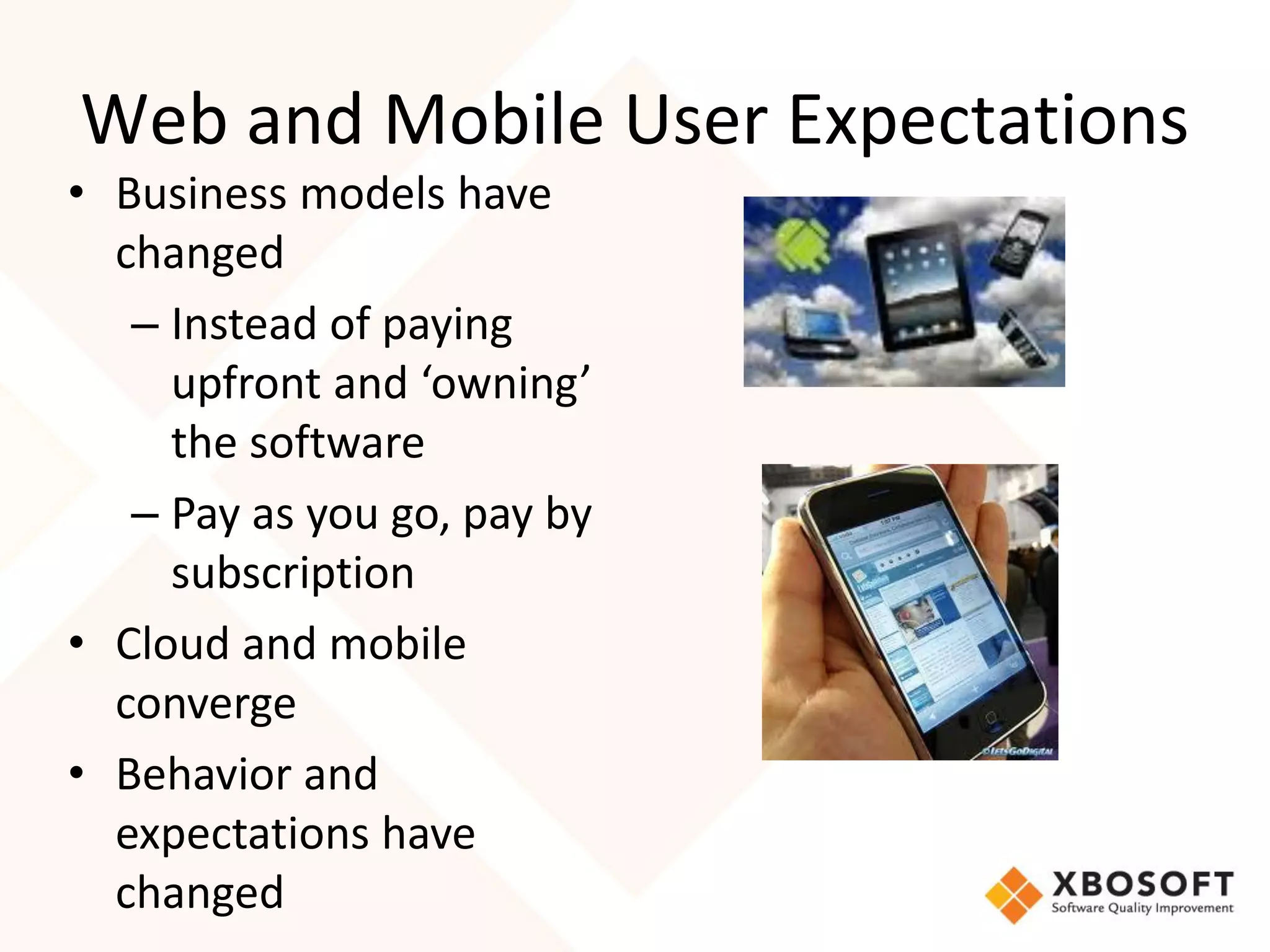
Web and Mobile User Expectations
• Business models have
  changed
   – Instead of paying
     upfront and ‘owning’
     the software
   – Pay as you go, pay by
     subscription
• Cloud and mobile
  converge
• Behavior and
  expectations have
  changed
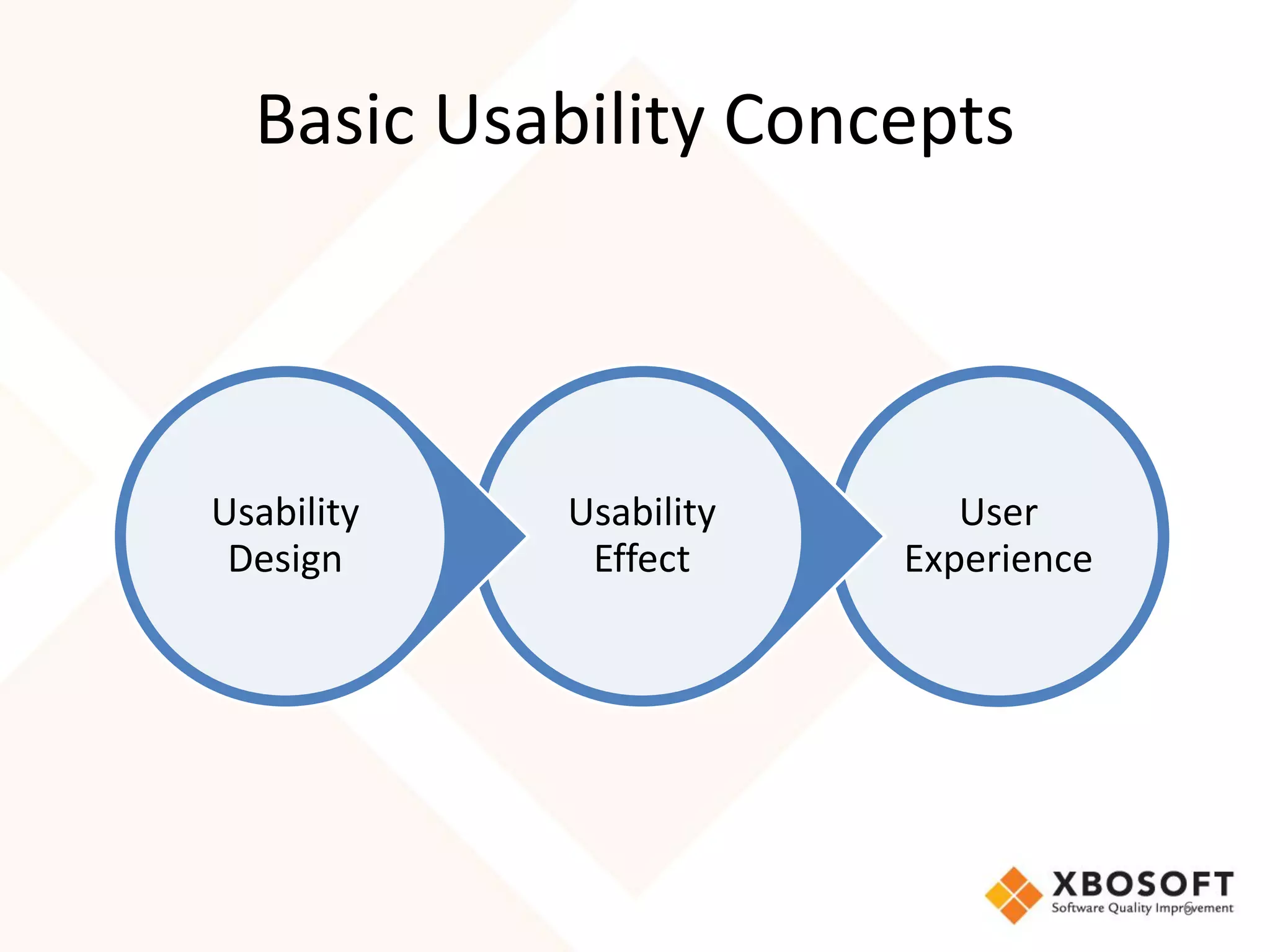
Basic Usability Concepts


Usability   Usability      User
 Design      Effect     Experience


                                     6
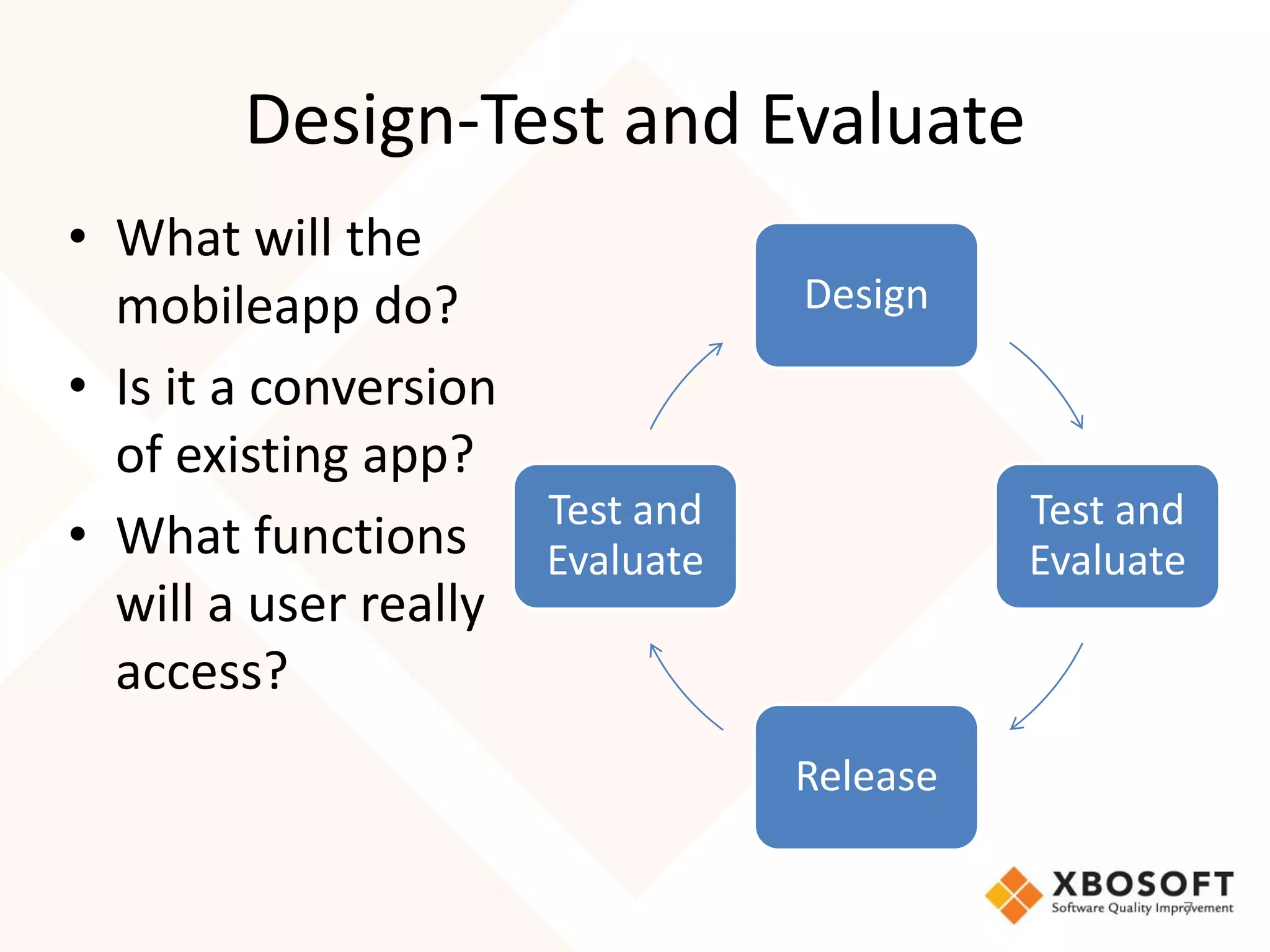
Design-Test and Evaluate
• What will the
  mobileapp do?                 Design

• Is it a conversion
  of existing app?
                     Test and             Test and
• What functions Evaluate                 Evaluate
  will a user really
  access?
                                Release

                                                 7
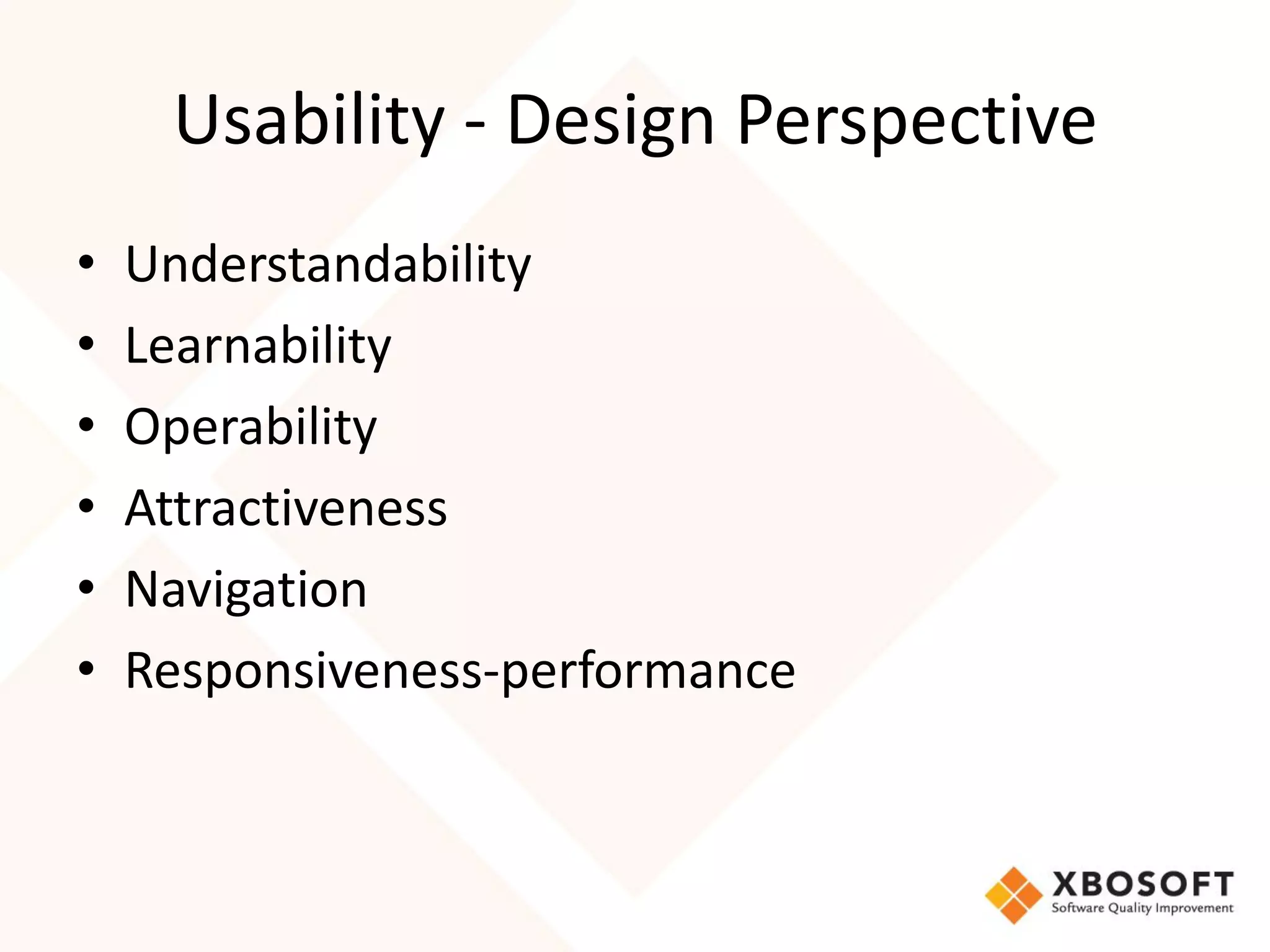
Usability - Design Perspective
•   Understandability
•   Learnability
•   Operability
•   Attractiveness
•   Navigation
•   Responsiveness-performance
Usability-Effect


Degree to which specified
users can achieve specified
goals with effectiveness,
efficiency and satisfaction in a
specified context of use.

             Source: ISO 25010
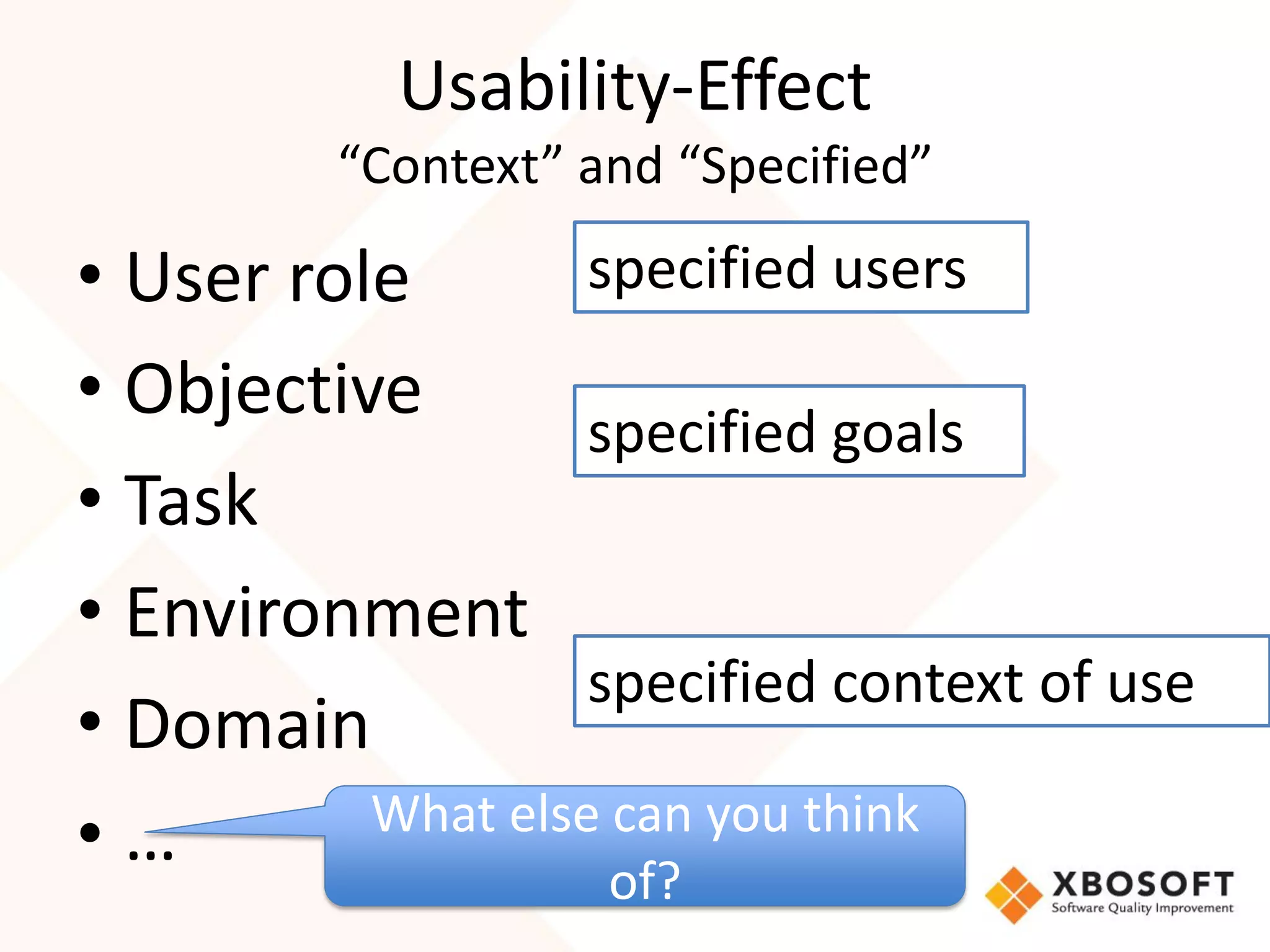
Usability-Effect
          “Context” and “Specified”

• User role        specified users
• Objective
                   specified goals
• Task
• Environment
                   specified context of use
• Domain
          What else can you think
•…
                     of?
Usability-Effect
              User Experience
• Satisfaction Source: ISO 25010
   – The degree to which users are satisfied in a
     specified context of use. Satisfaction is further
     subdivided into sub-characteristics:
      • Likability (cognitive satisfaction)
      • Pleasure (emotional satisfaction)
      • Comfort (physical satisfaction)
      • Trust
• Including many other factors experienced over time
  and other channels
Task Ease
      (effectiveness and efficiency)
• Buttons are a key tool in the user experience designer’s box of
  tricks.
• Prioritize tasks - Some tasks more important than others.
• Understand the objectives of the application and understand
  which tasks are really important.
• Paths to complete these tasks should be given priority
• Majority of your app’s value is provided by a small number of
  tasks.
• With these priority tasks, remove any friction that slows the
  user’s progress.
• Choosing your words carefully to make it clear what the
  buttons or functions do
                                                                12
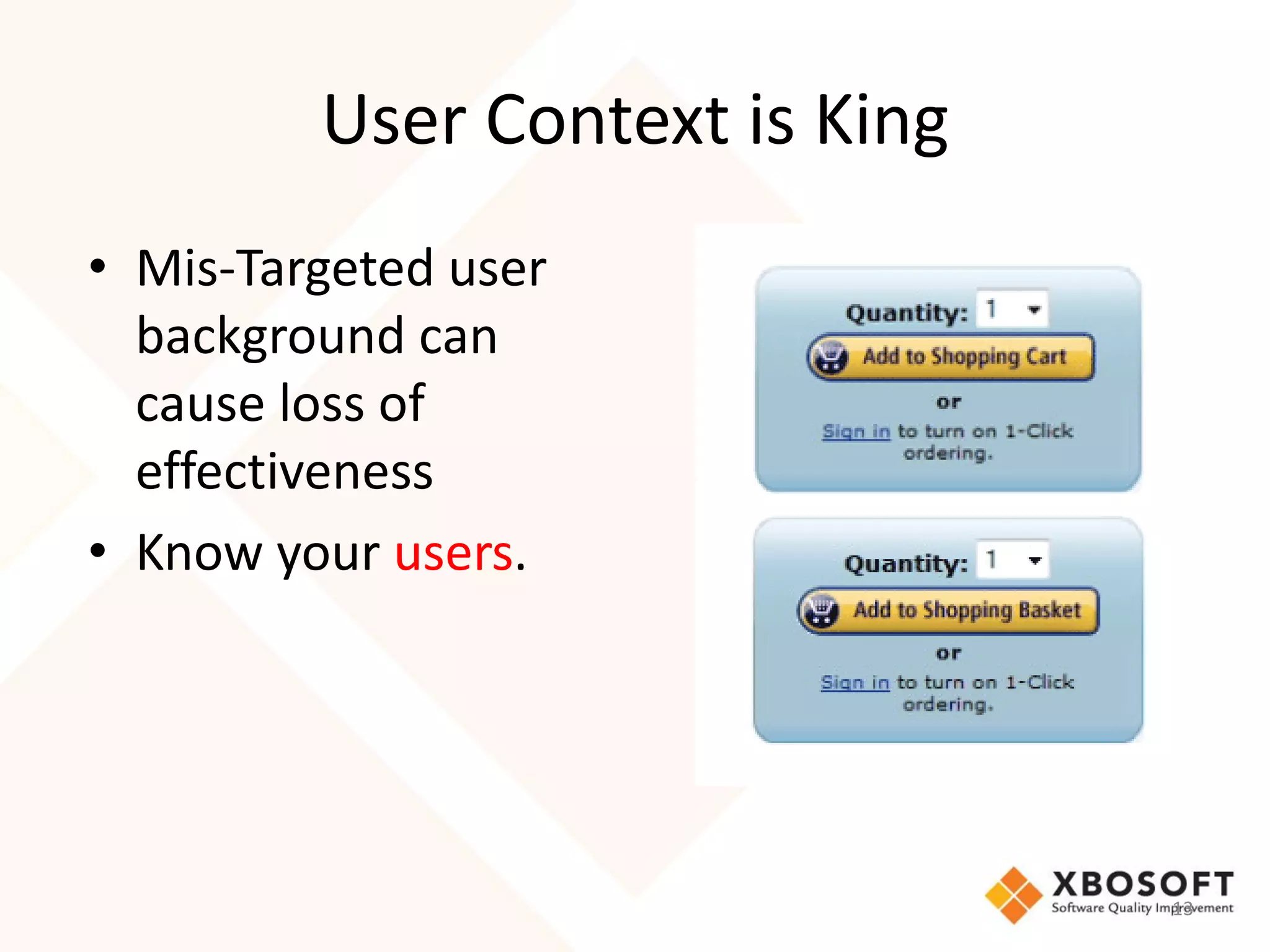
User Context is King
• Mis-Targeted user
  background can
  cause loss of
  effectiveness
• Know your users.


                                13
Usability

Right and Wrong


                  14
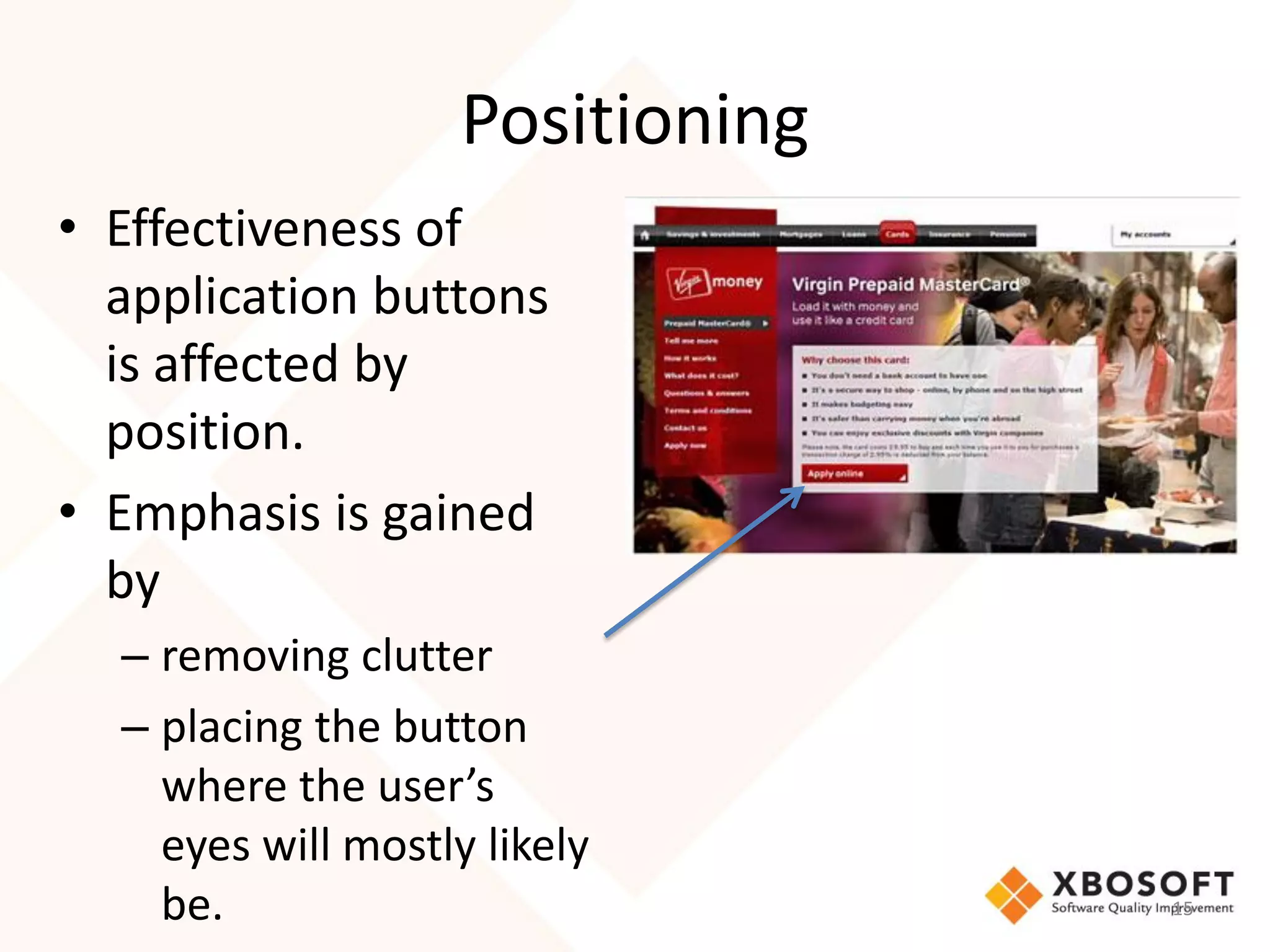
Positioning
• Effectiveness of
  application buttons
  is affected by
  position.
• Emphasis is gained
  by
  – removing clutter
  – placing the button
    where the user’s
    eyes will mostly likely
    be.                           15
Using Color
• Color creates emphasis.
• Dependent on the importance of the
  application’s function.
• Make easy to for user to see the most
  important stuff.
• Color can affect usefulness.


                                          16
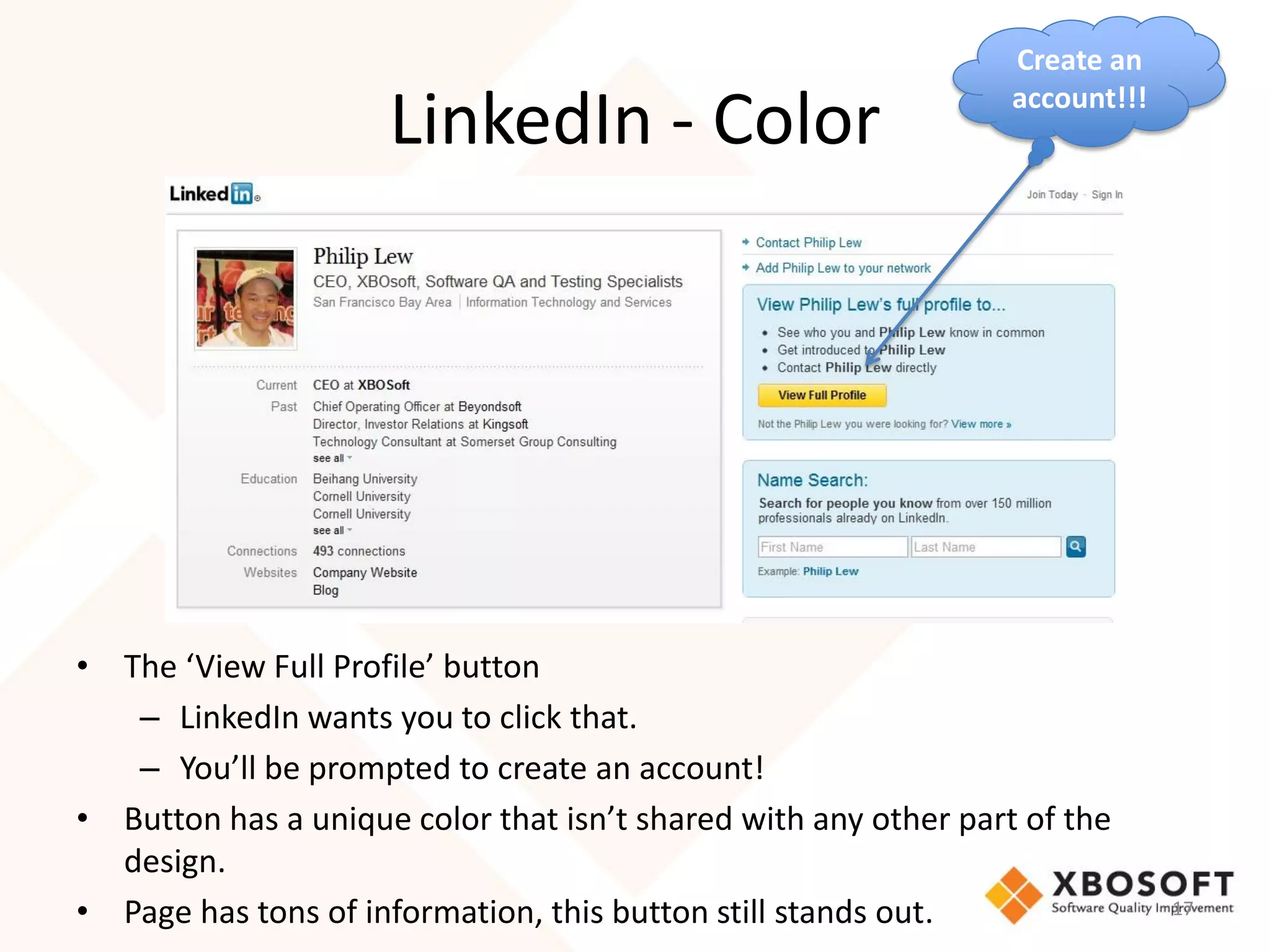
Create an
                                                                 account!!!
                     LinkedIn - Color


• The ‘View Full Profile’ button
   – LinkedIn wants you to click that.
   – You’ll be prompted to create an account!
• Button has a unique color that isn’t shared with any other part of the
  design.
• Page has tons of information, this button still stands out.                 17
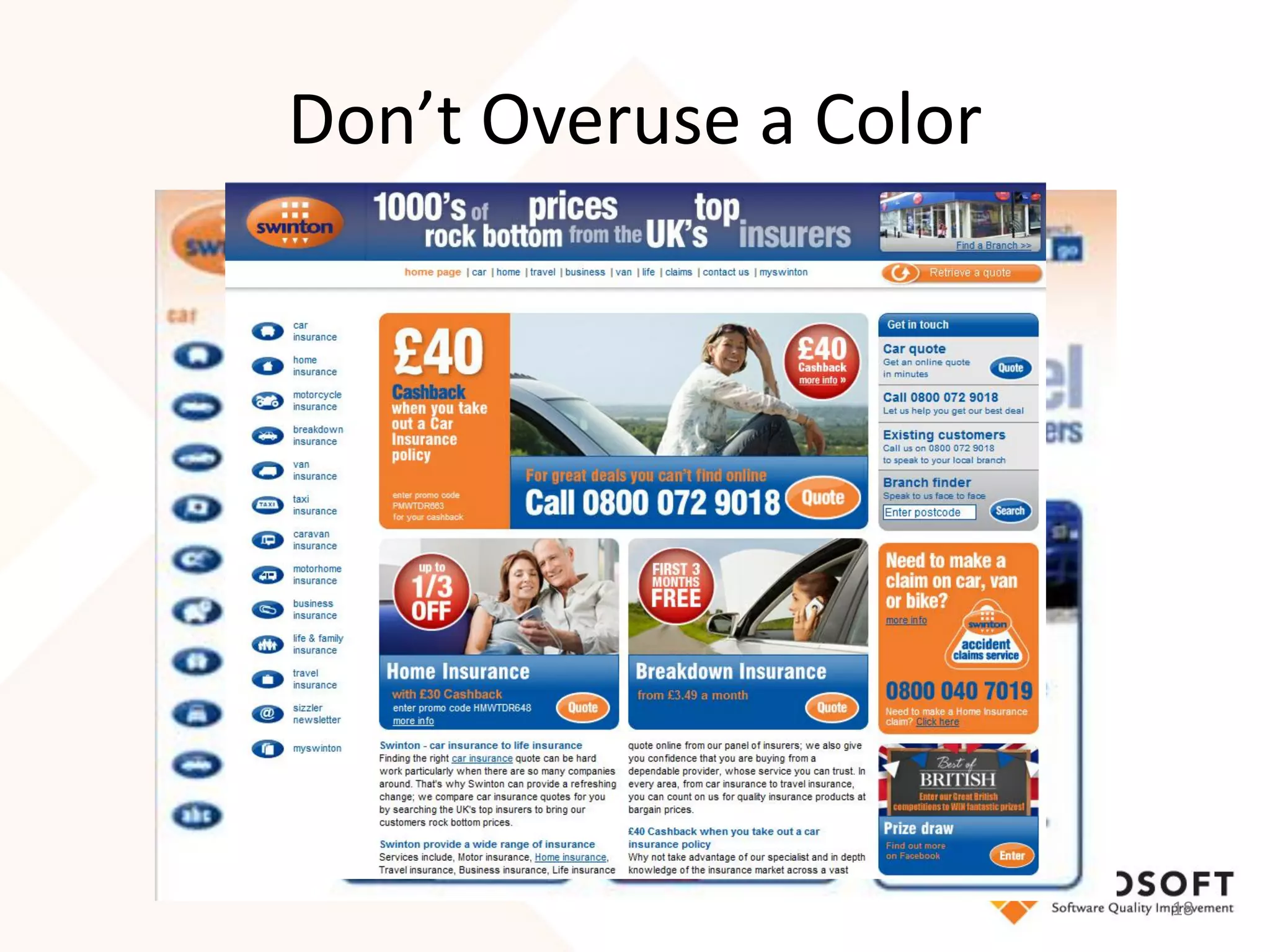
Don’t Overuse a Color


                        18
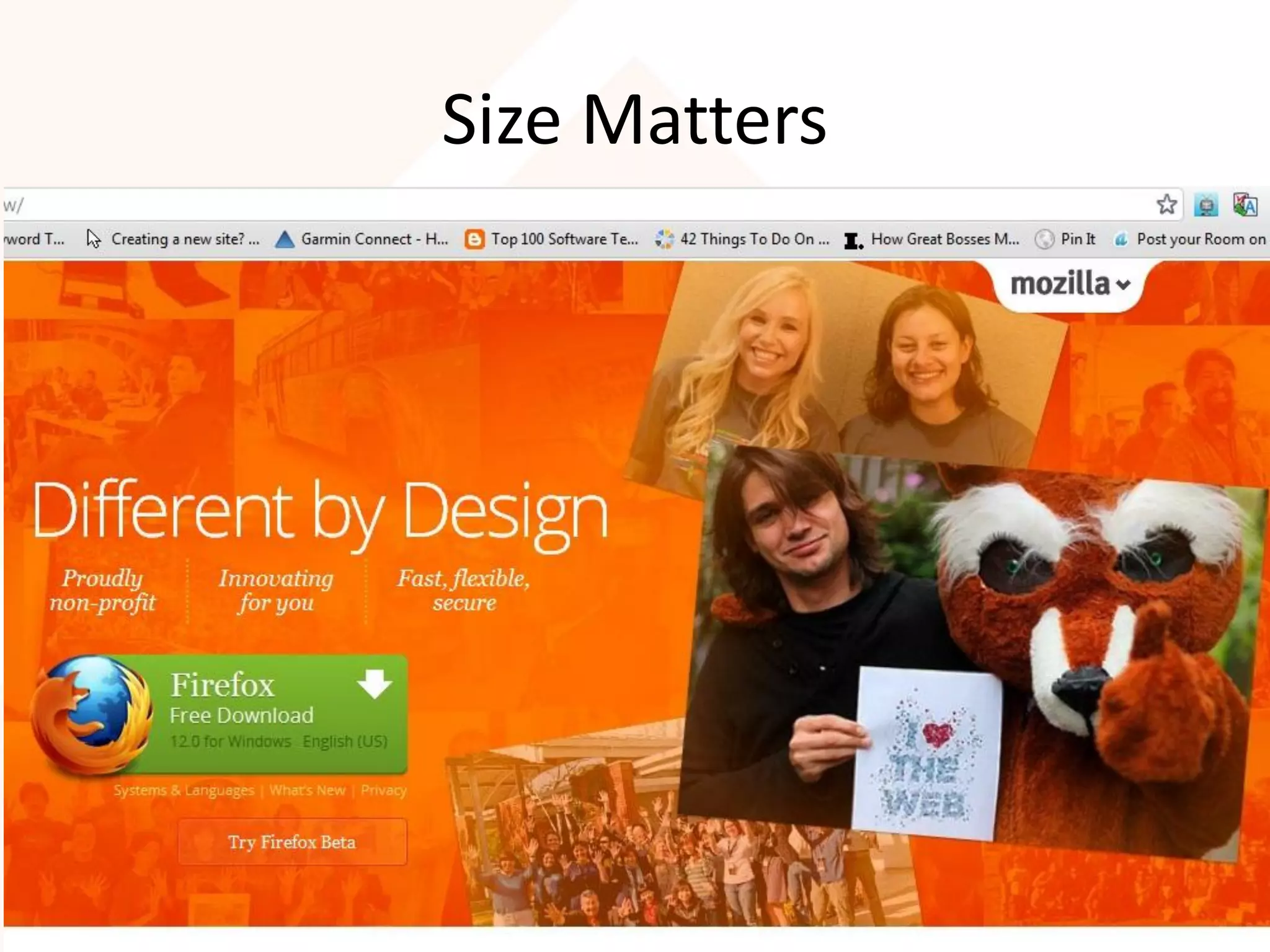
Size Matters
• Time taken to point at an object is directly influenced by
  the size of that object.
• Big is beautiful depending on function-what you want the
  user to do.
• Size can dictate the button’s importance over everything
  else on the page.
• Take the Firefox page for example, Mozilla don’t mess
  around with subtlety here.
• Good design communicates priority.
• With one massive button on the page, that priority is
  obvious.

                                                               19
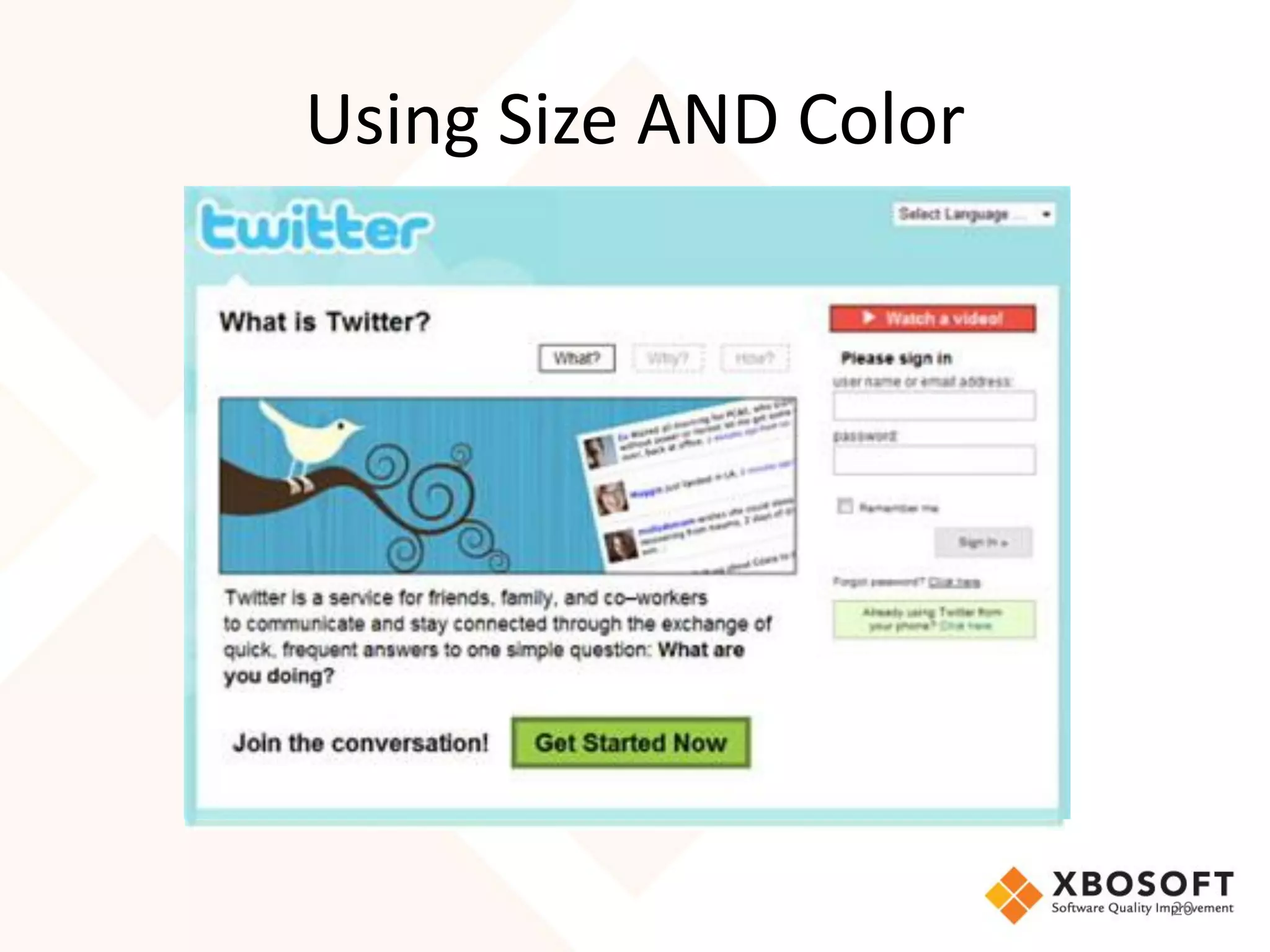
Using Size AND Color


                       20
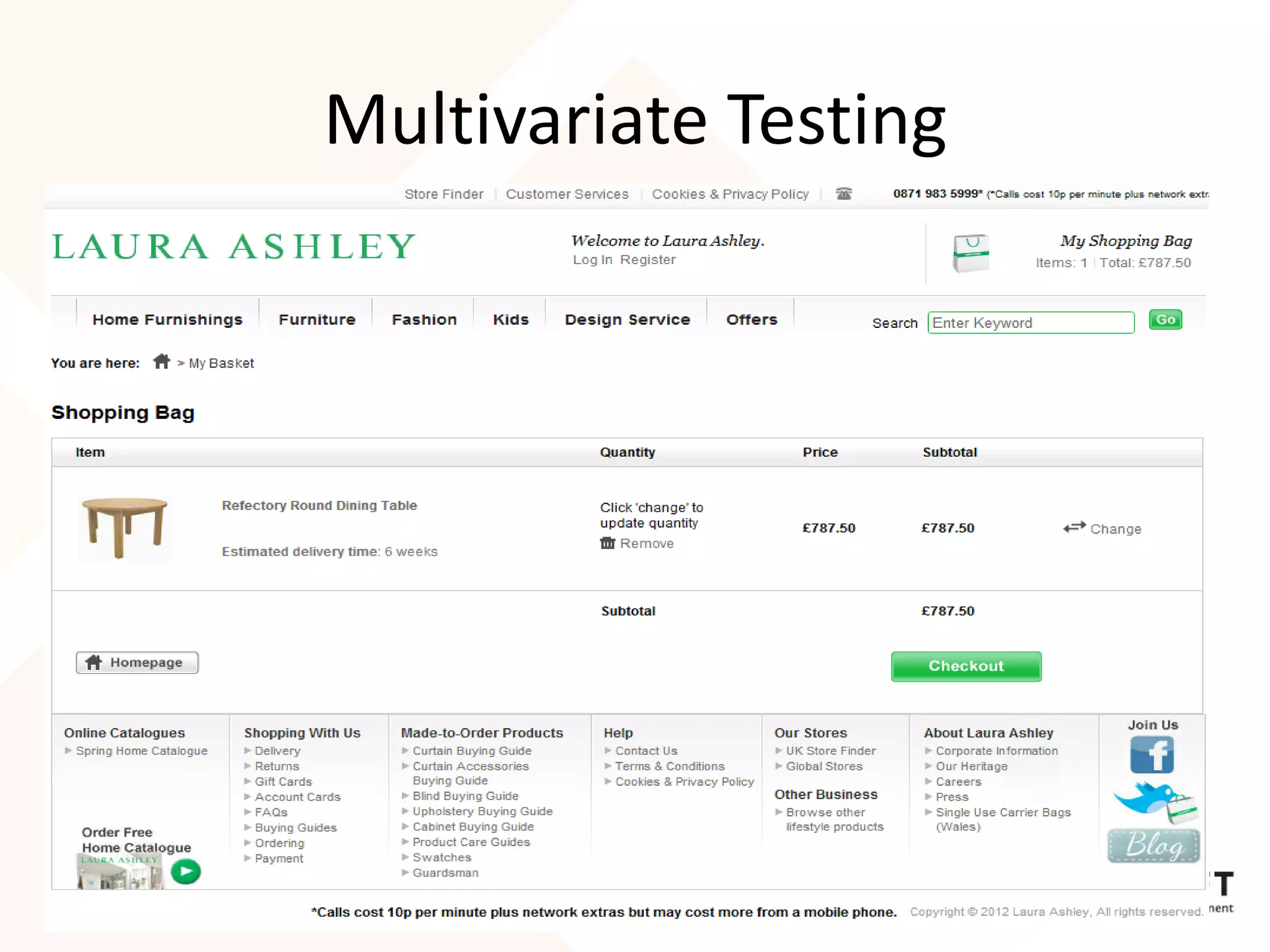
Multivariate Testing
• Small changes can make a big difference.
• Laura Ashley arrived at this design following
  multi-variate testing of 5 different options
• Differences in the testing included:
   – Link colors and locations
      • The "Go to checkout" button was dark
        gray instead of green
• Achieved 11% increase in checkouts

                                                  21
Let’s Go Mobile

Usability and UX For Mobile


                              22
Usability - Desktop to Mobile
• You have a good website made for desktop
  and users can access it from their mobile
  phones also.
  – Just loading websites on the phone is not enough
• What matters for users
  – Time to load the website
  – User interface
  – Accessibility of various functions available
• Usability design needs to change, otherwise
  usability effect and UX will suffer                  23
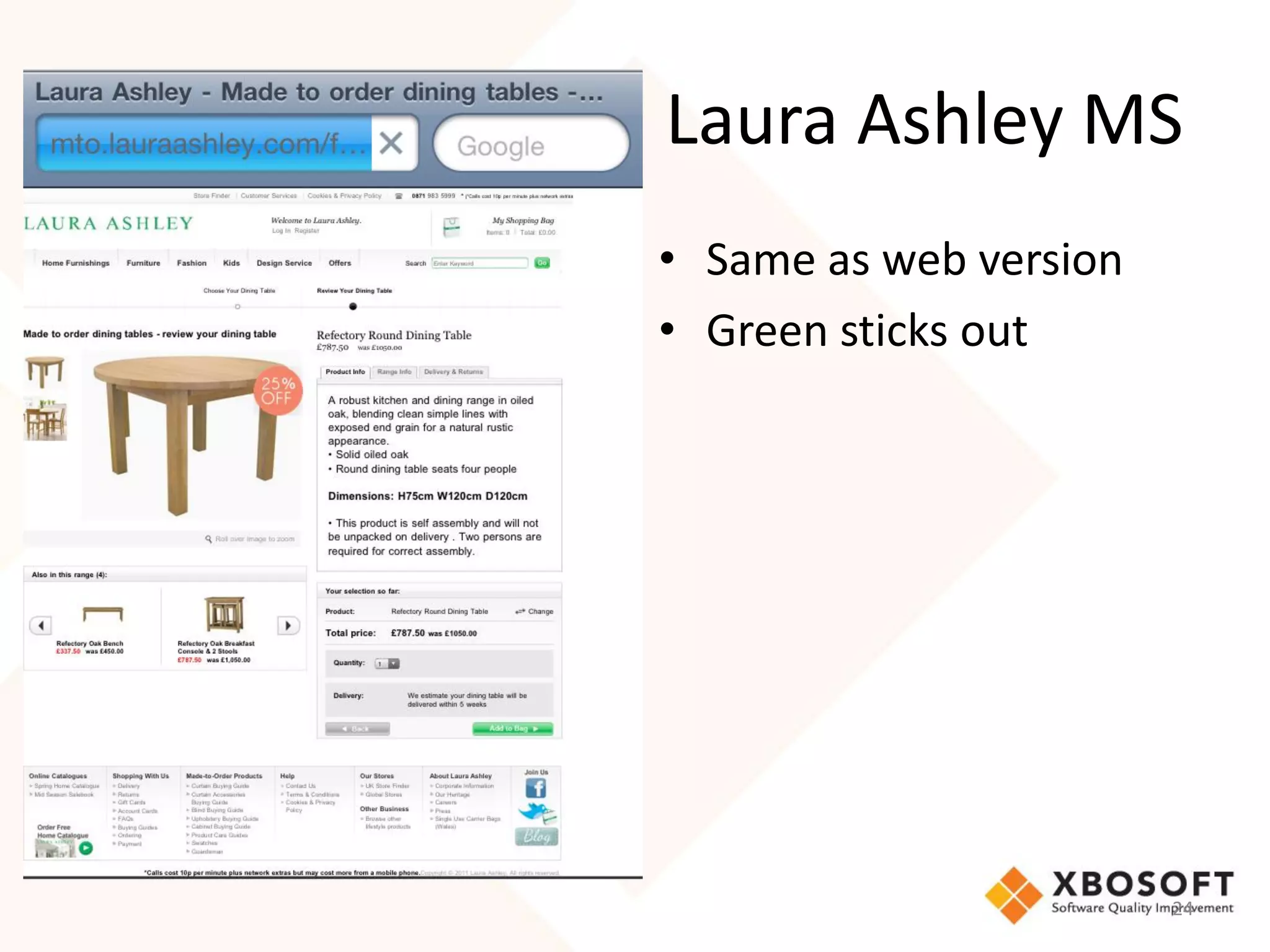
Laura Ashley MS
• Same as web version
• Green sticks out


                        24
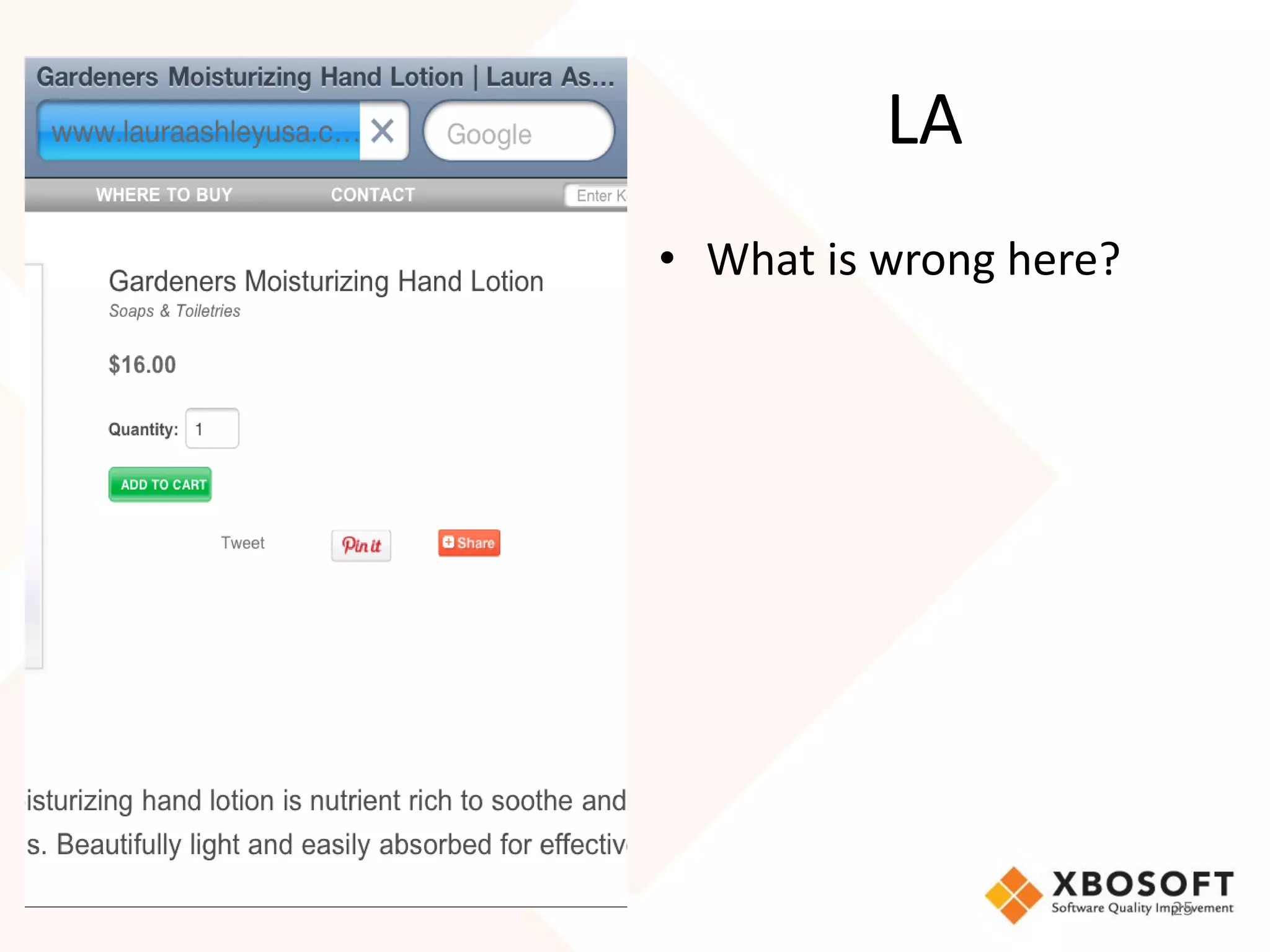
LA
• What is wrong here?


                        25
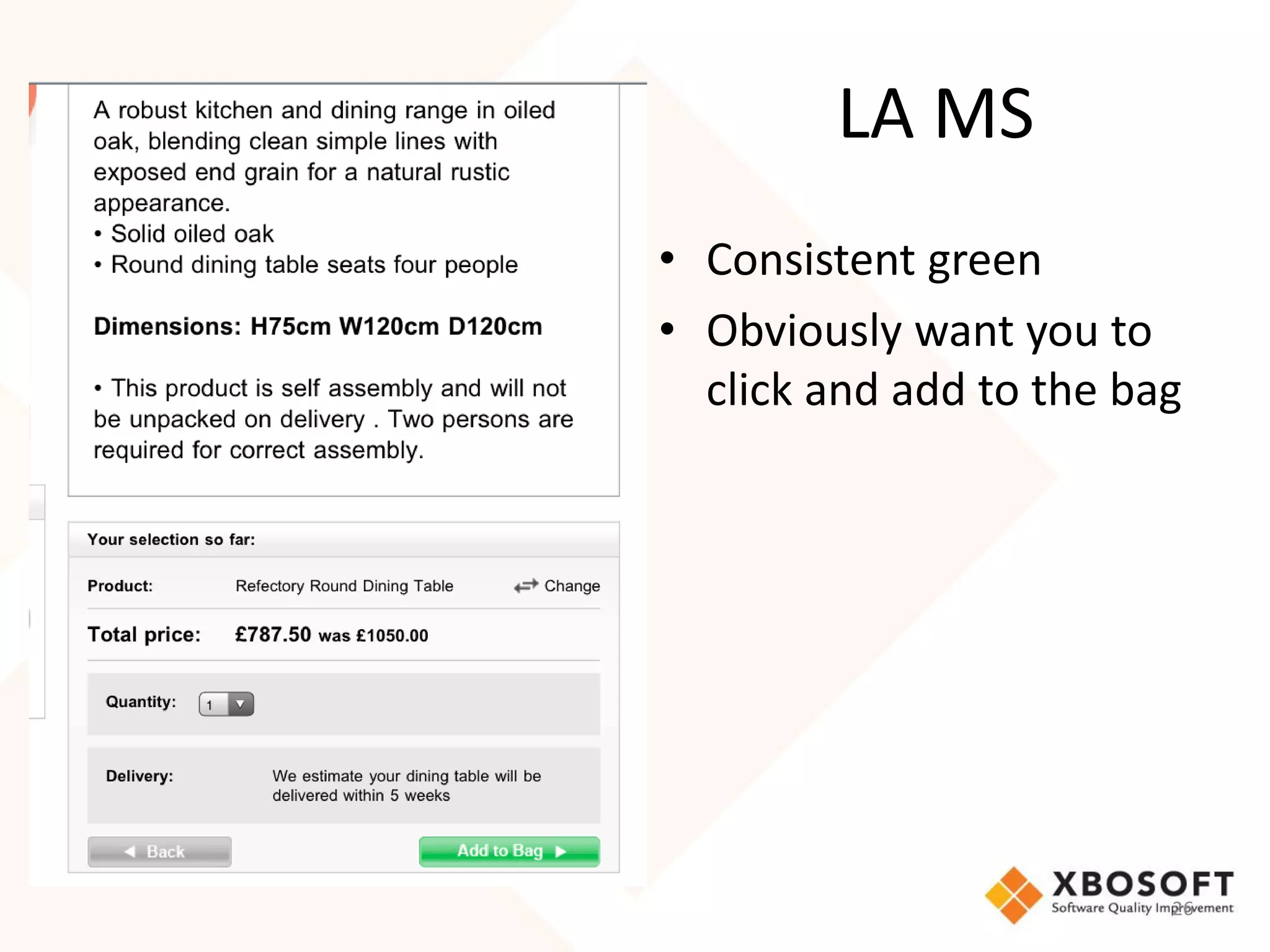
LA MS
• Consistent green
• Obviously want you to
  click and add to the bag


                         26
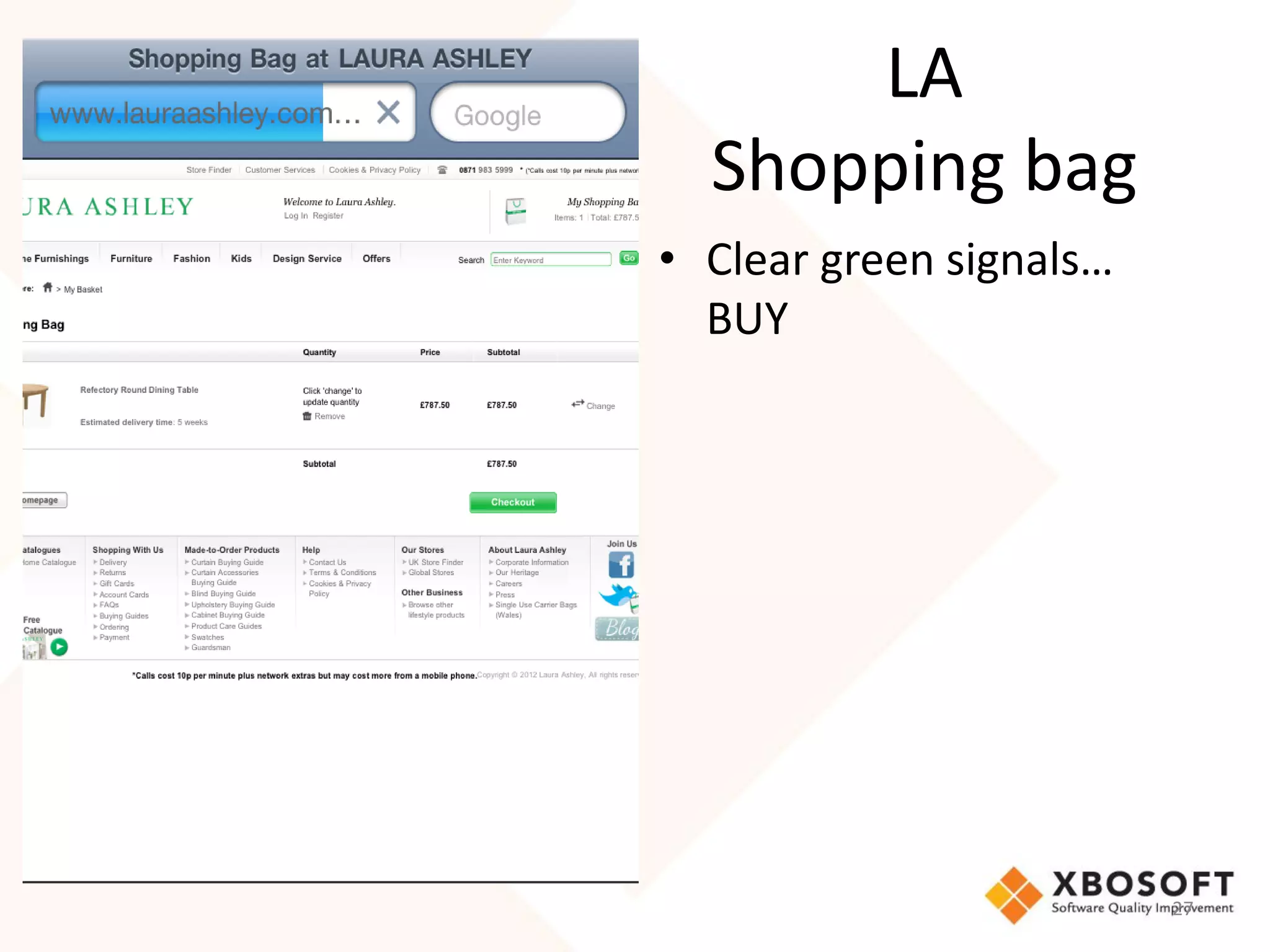
LA
  Shopping bag
• Clear green signals…
  BUY


                         27
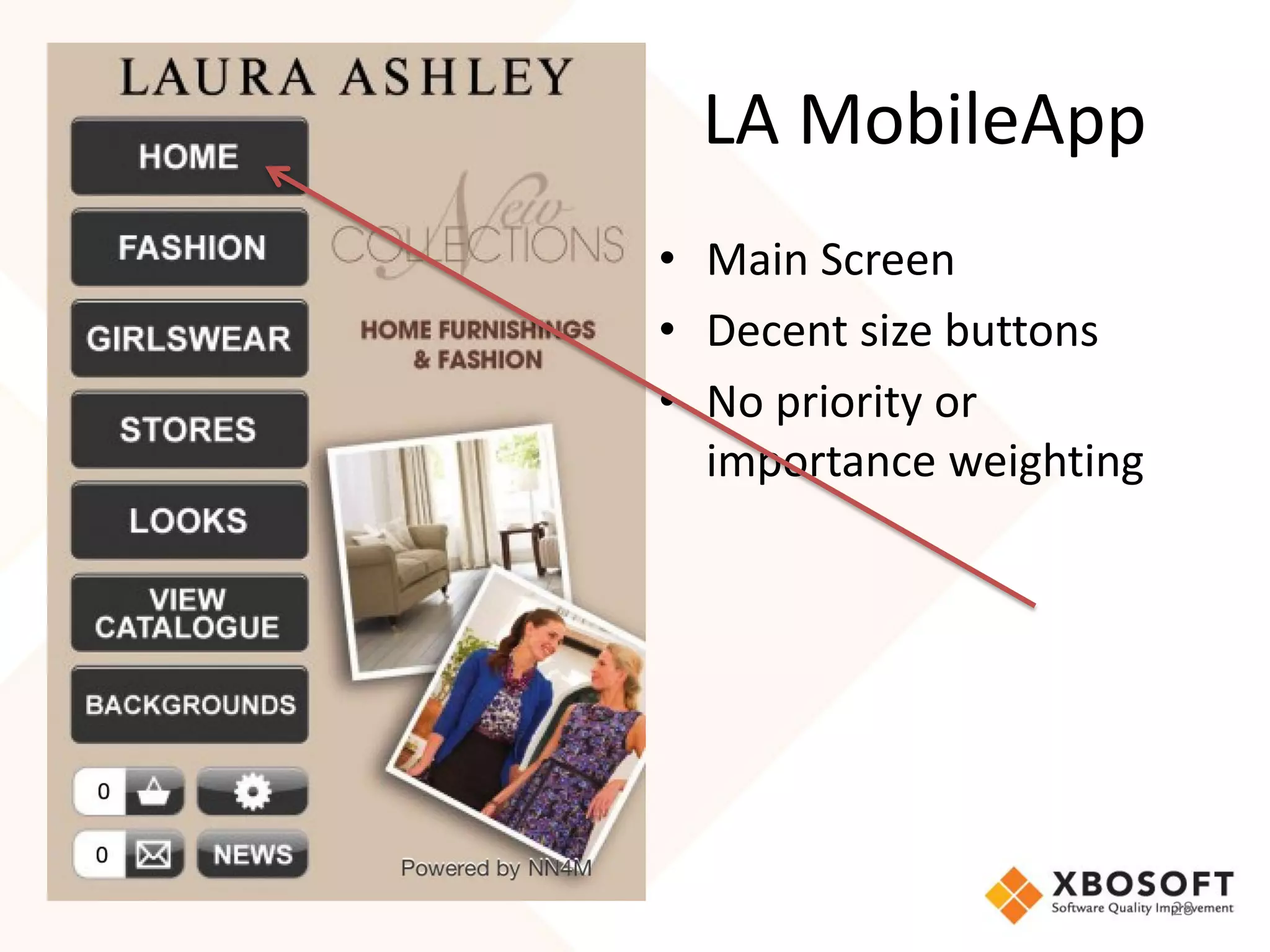
LA MobileApp
• Main Screen
• Decent size buttons
• No priority or
  importance weighting


                         28
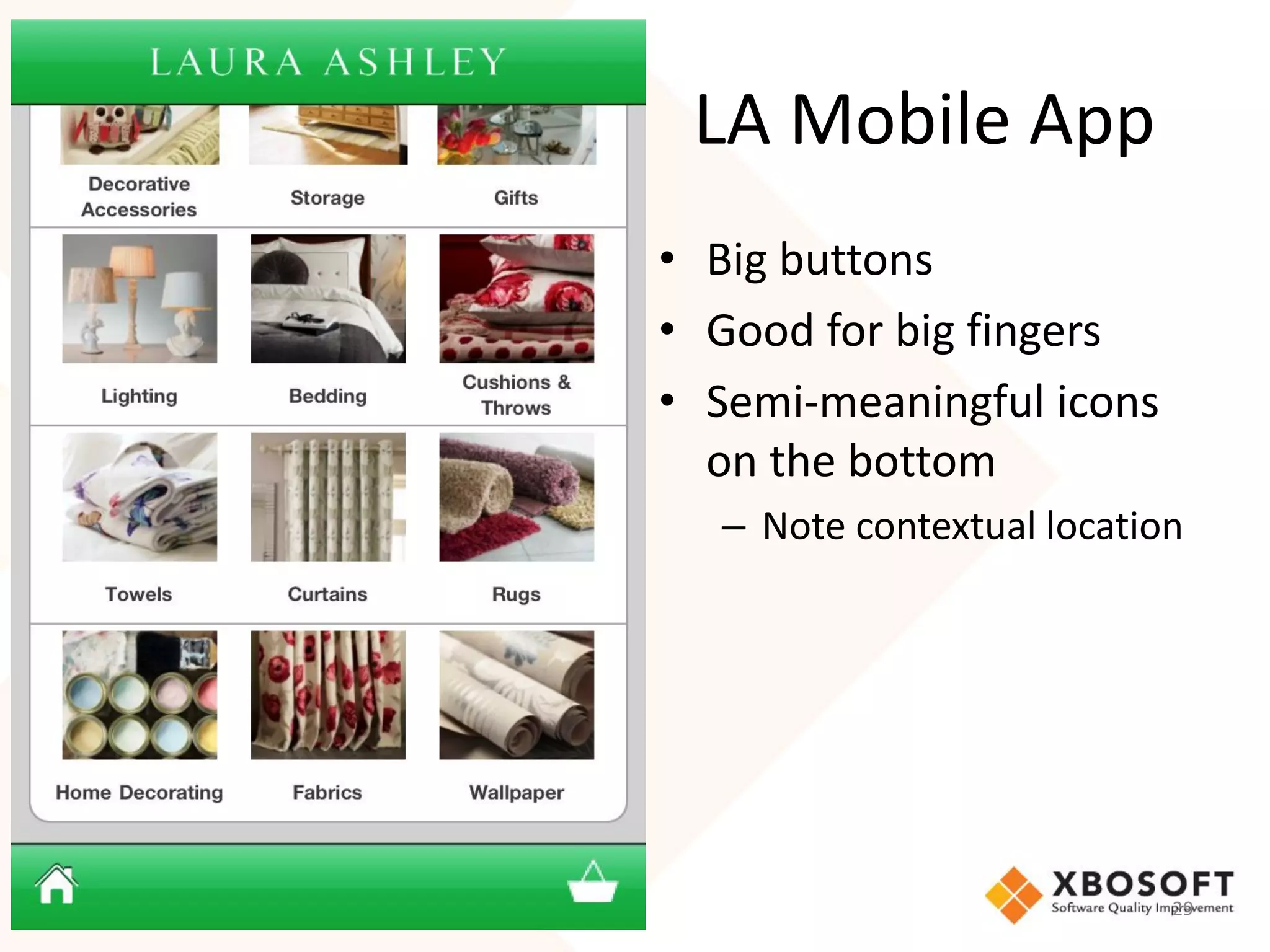
LA Mobile App
• Big buttons
• Good for big fingers
• Semi-meaningful icons
  on the bottom
  – Note contextual location


                           29
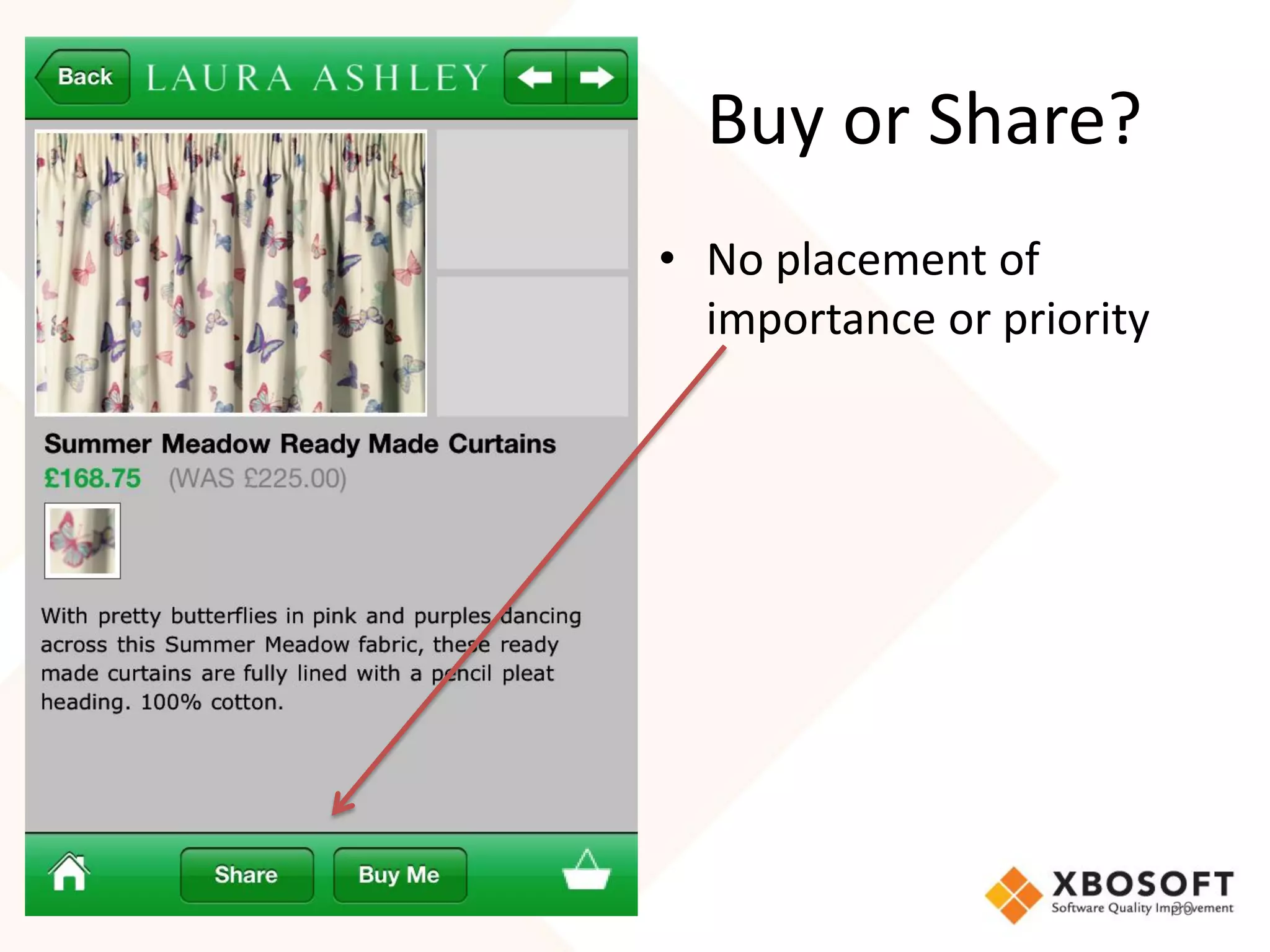
Buy or Share?
• No placement of
  importance or priority


                           30
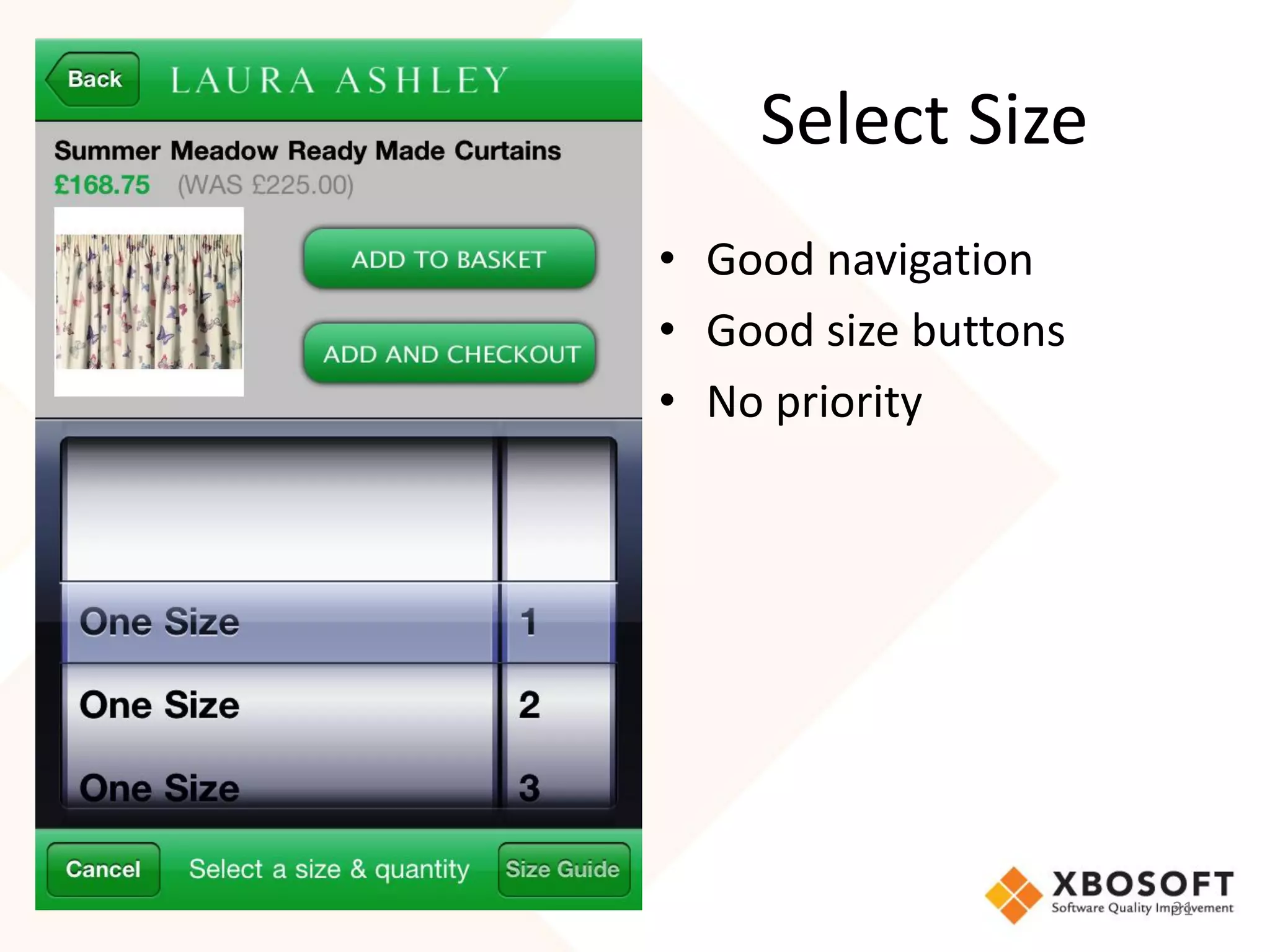
Select Size
• Good navigation
• Good size buttons
• No priority


                      31
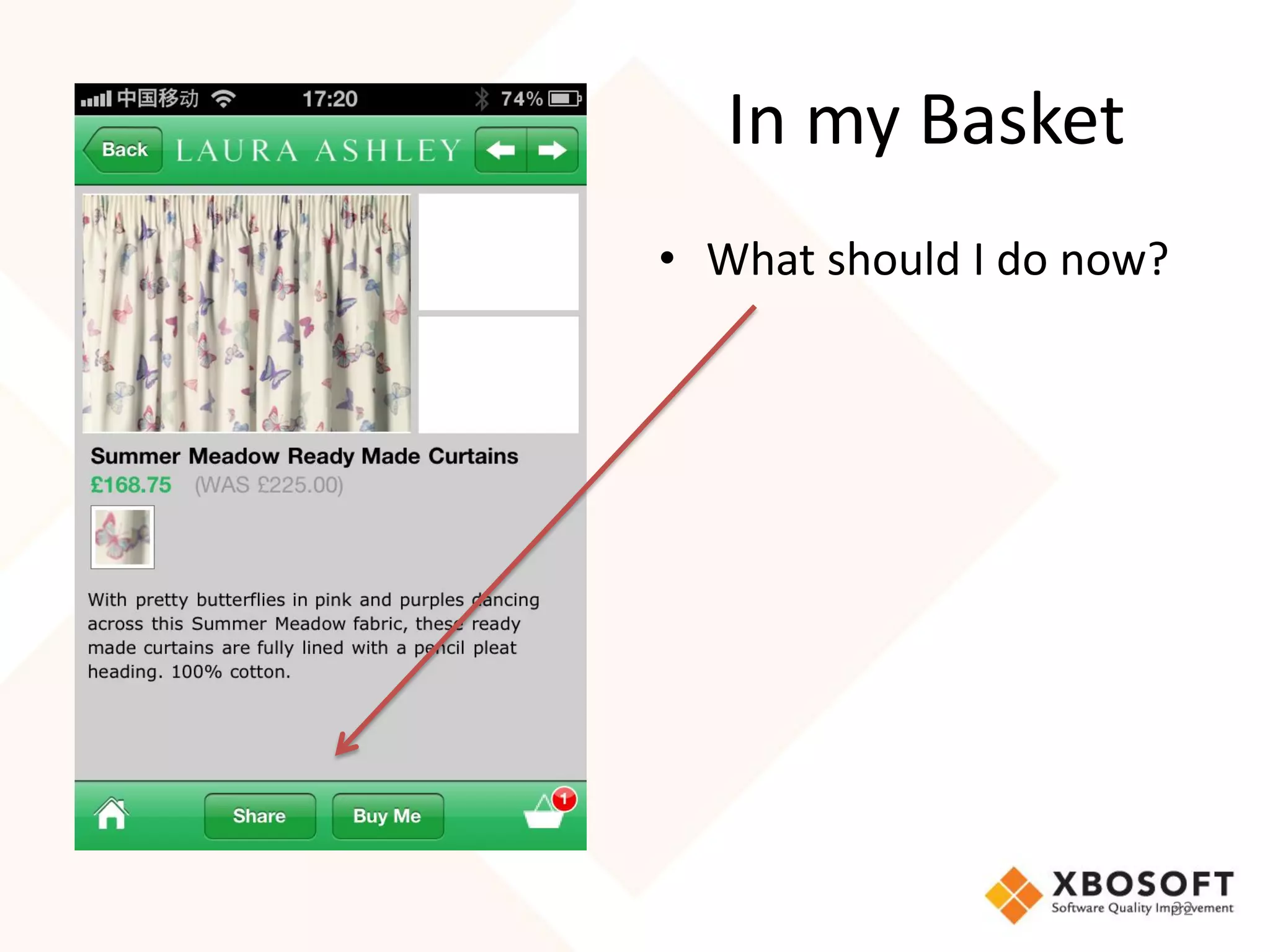
In my Basket
• What should I do now?


                          32
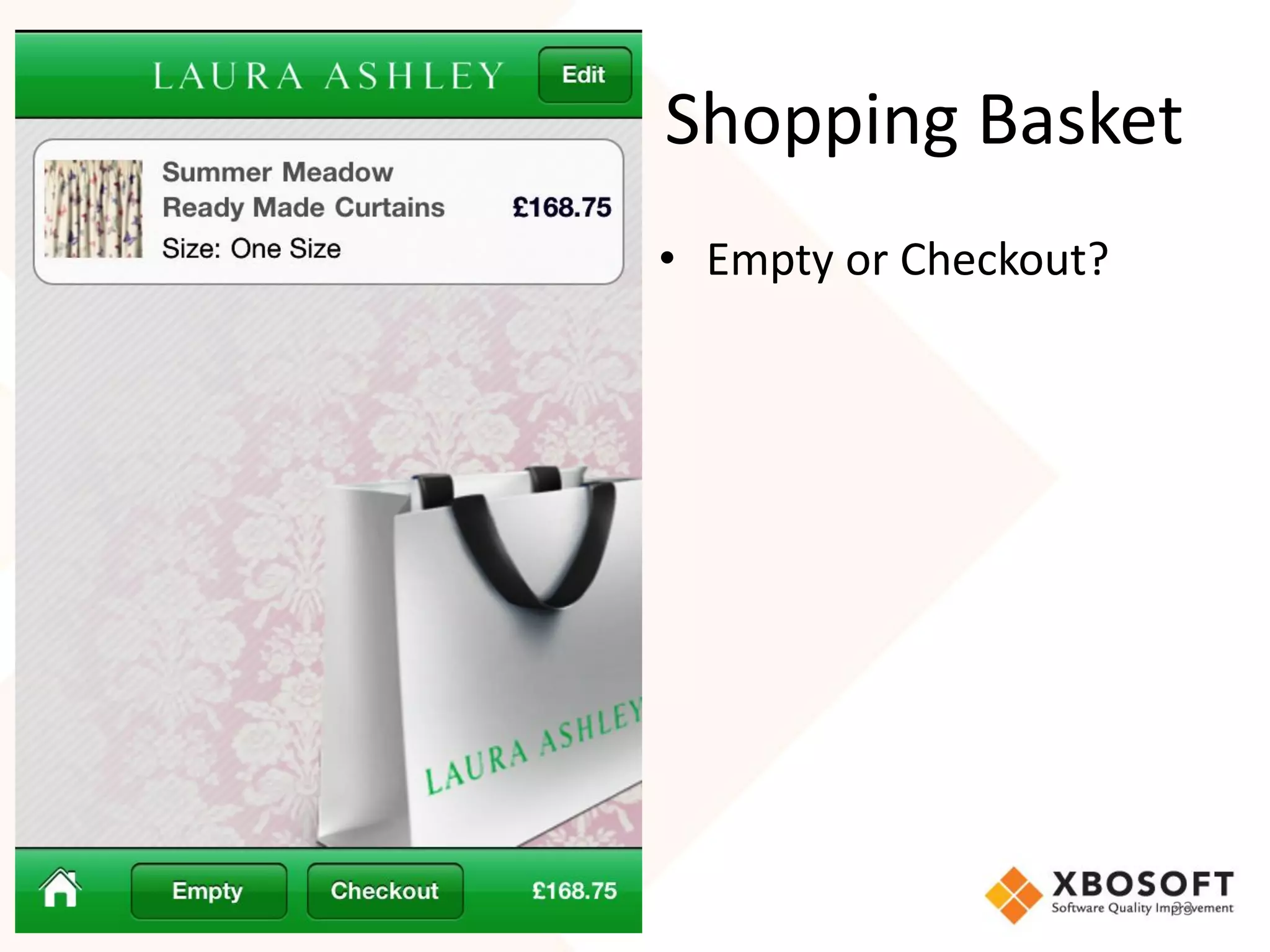
Shopping Basket
• Empty or Checkout?


                       33
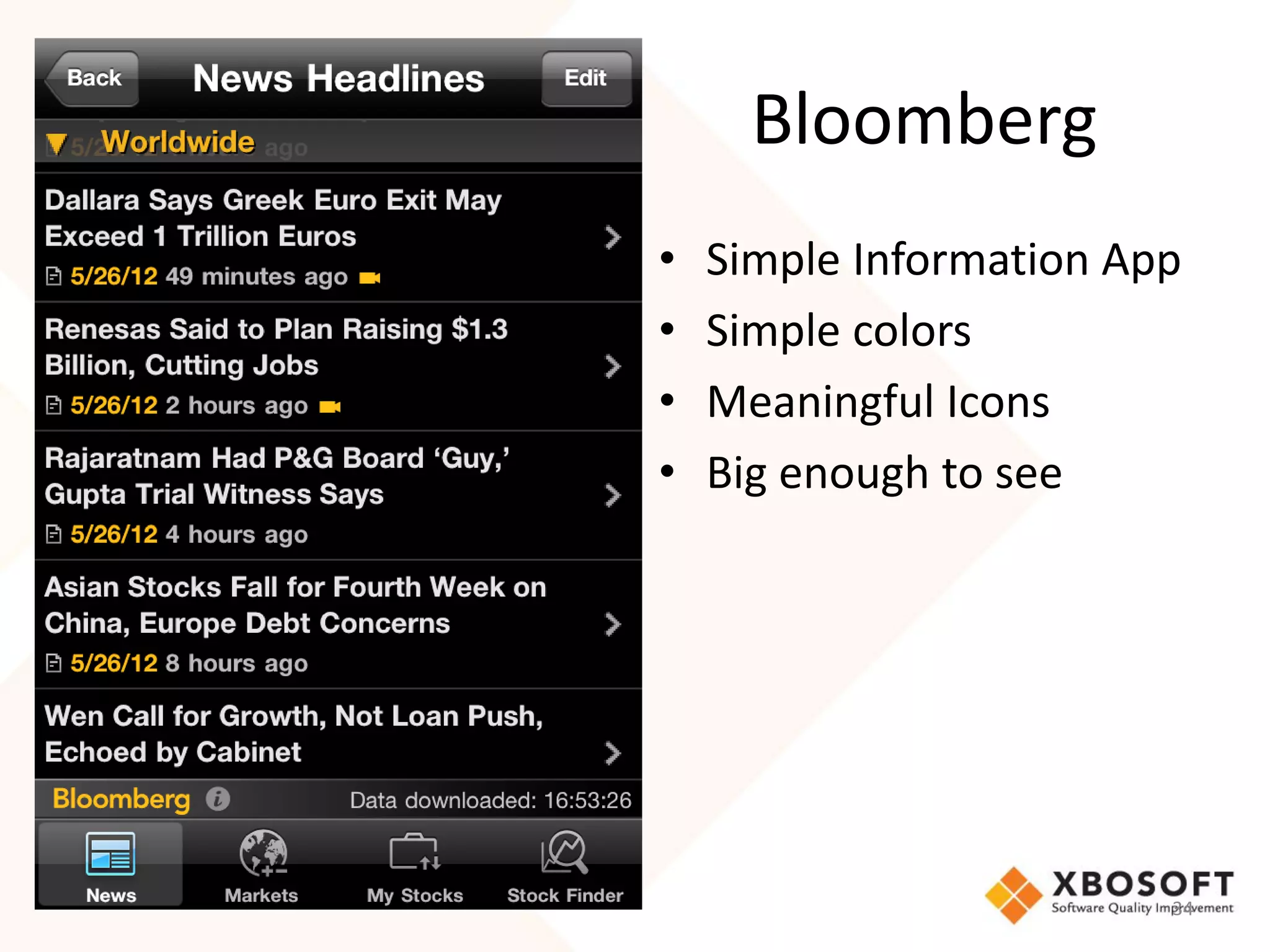
Bloomberg
•   Simple Information App
•   Simple colors
•   Meaningful Icons
•   Big enough to see


                         34
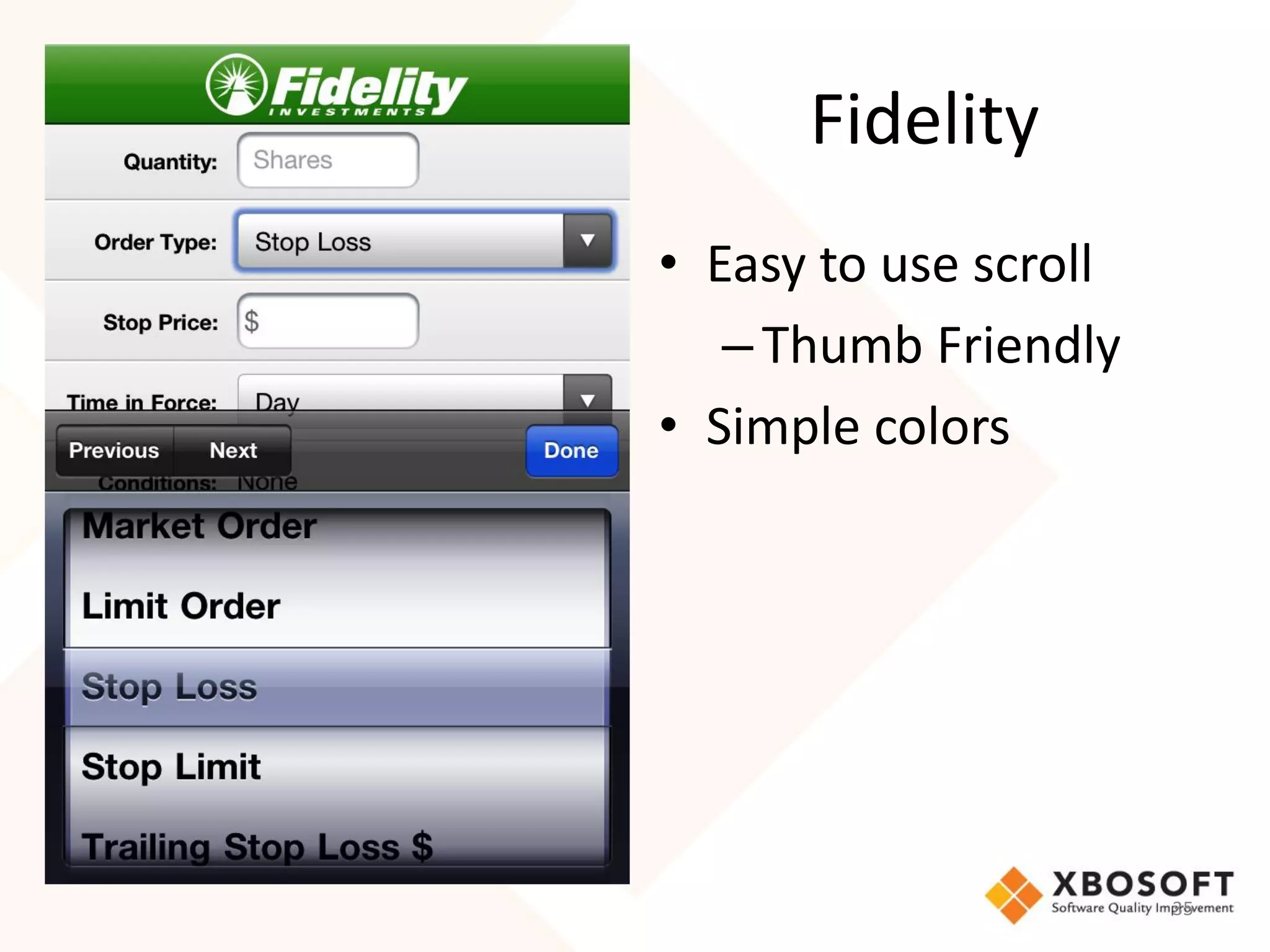
Fidelity
• Easy to use scroll
   – Thumb Friendly
• Simple colors


                       35
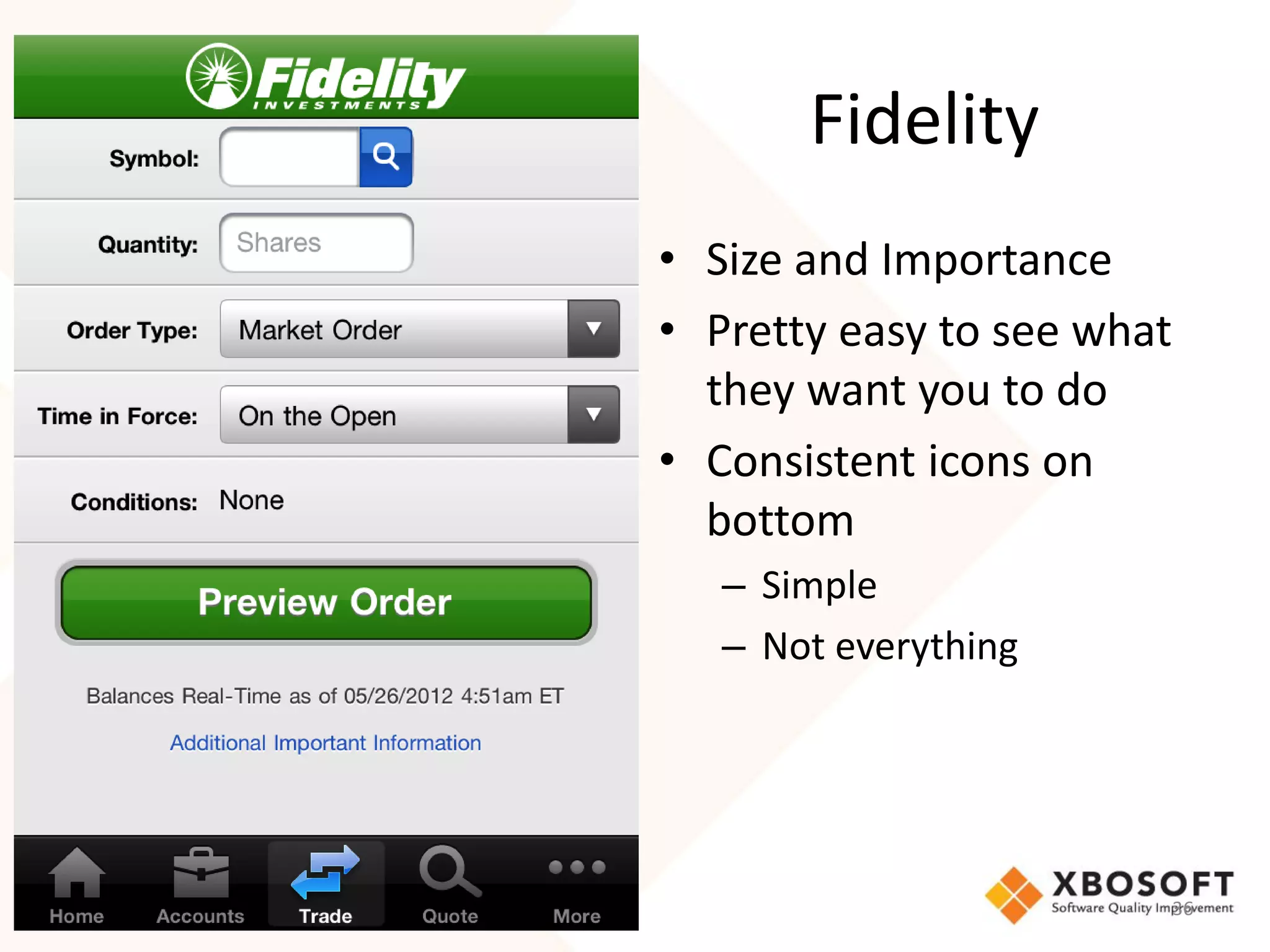
Fidelity
• Size and Importance
• Pretty easy to see what
  they want you to do
• Consistent icons on
  bottom
   – Simple
   – Not everything


                            36
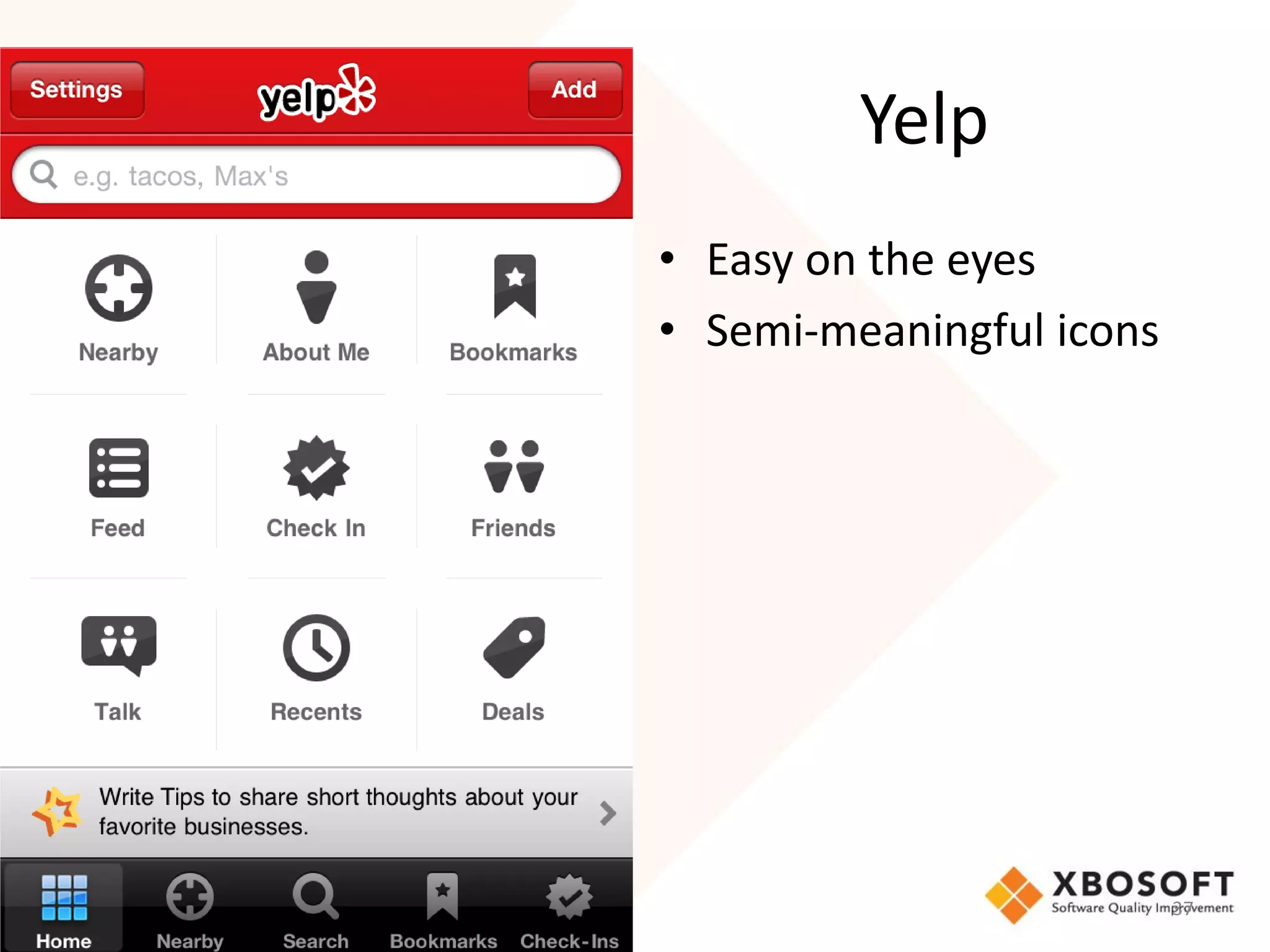
Yelp
• Easy on the eyes
• Semi-meaningful icons


                          37
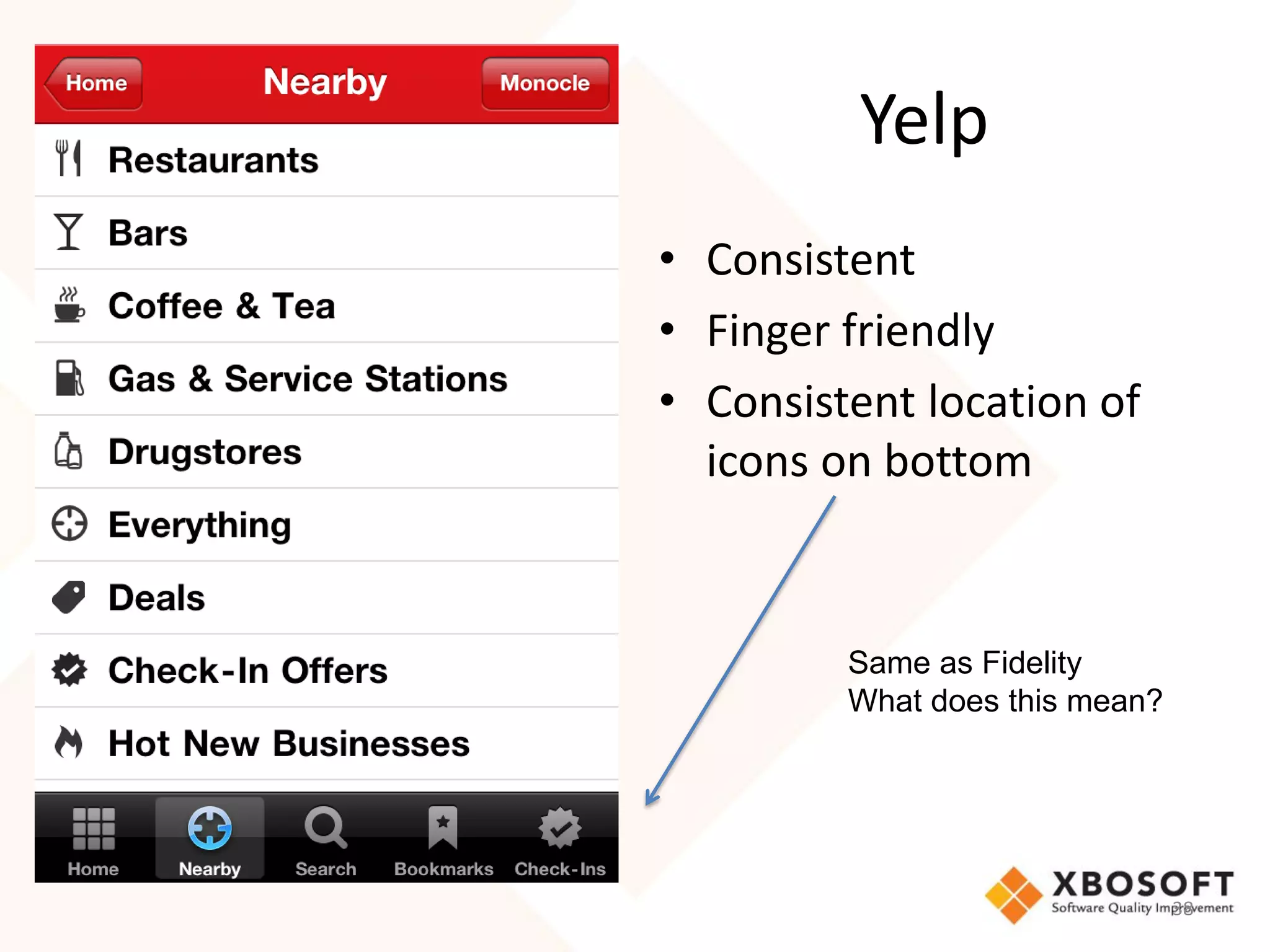
Yelp
• Consistent
• Finger friendly
• Consistent location of
  icons on bottom


         Same as Fidelity
         What does this mean?


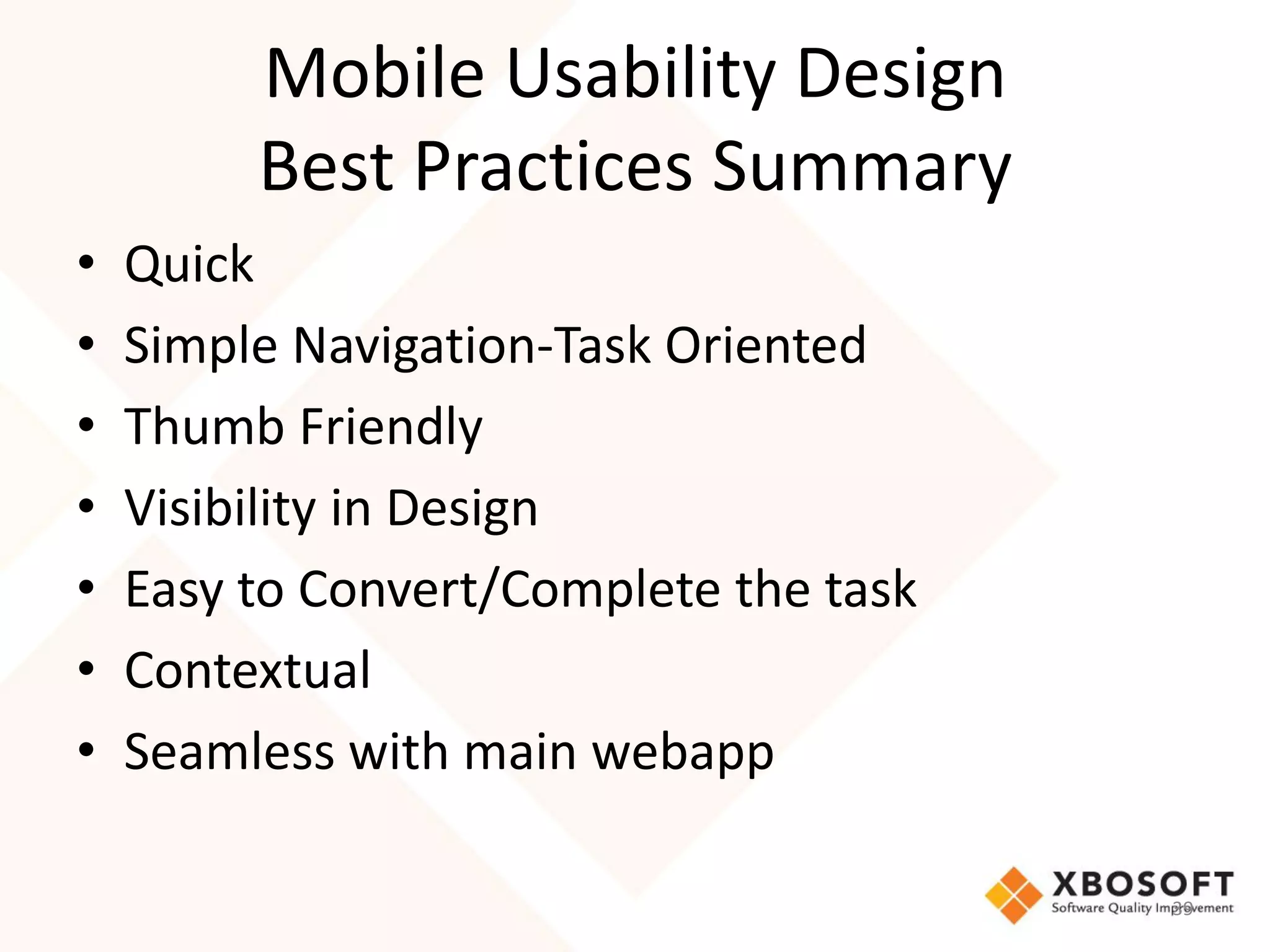
                                38
Mobile Usability Design
         Best Practices Summary
•   Quick
•   Simple Navigation-Task Oriented
•   Thumb Friendly
•   Visibility in Design
•   Easy to Convert/Complete the task
•   Contextual
•   Seamless with main webapp

                                        39
What does          want to
achieve in the Usability UX
      Standpoint?


                              40
Introduction to
• iMedTablet is our latest patent pending pending technology being
  developed for patient care coordination for all types of long-term care
  providers.
• Allows the user to securely access and document patient care information
  in real-time utilizing Cloud technology, GPS technology and intra-facility
  communications.
• With data stored on the cloud and not on a local server, expandability is
  unlimited. Plus electronic storage versus paper is a great savings.
• Designed to seamlessly integrate with many pharmacy and long-term care
  software systems.
• iMedTablet is mobile, affordable, reliable, secure, easy to deploy and
  simple to use. Will be available in a multiple languages and HL7
  Compatible


                                                                           41
• Usability Design
  – Easy to use
  – Very contextual and domain oriented application
• UX Assessment, Measurement and
  Improvement


                                                      42
Setting Up Usability
  Measurements
 Measure and Improve


                       43
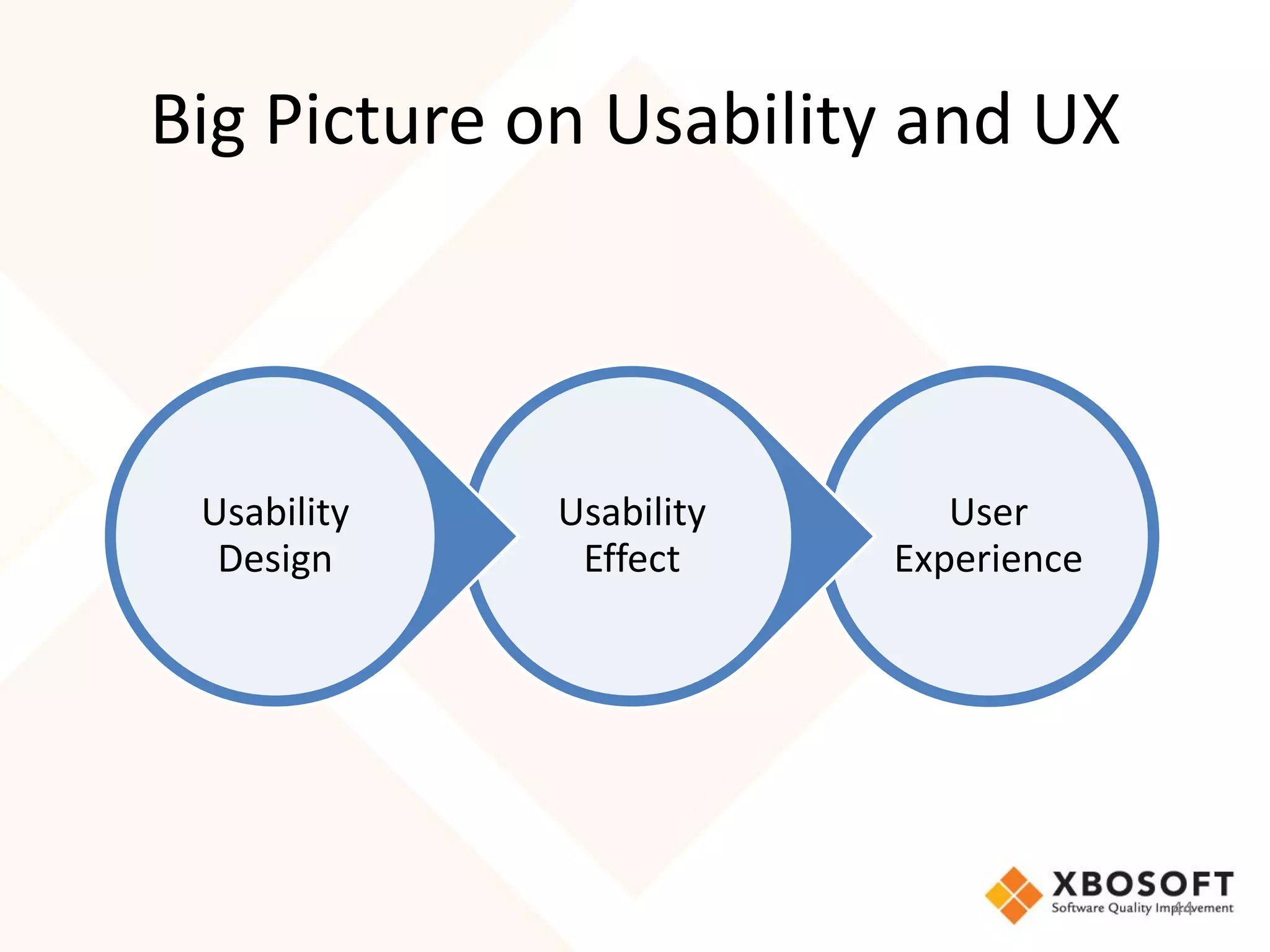
Big Picture on Usability and UX


 Usability   Usability      User
  Design      Effect     Experience


                                      44
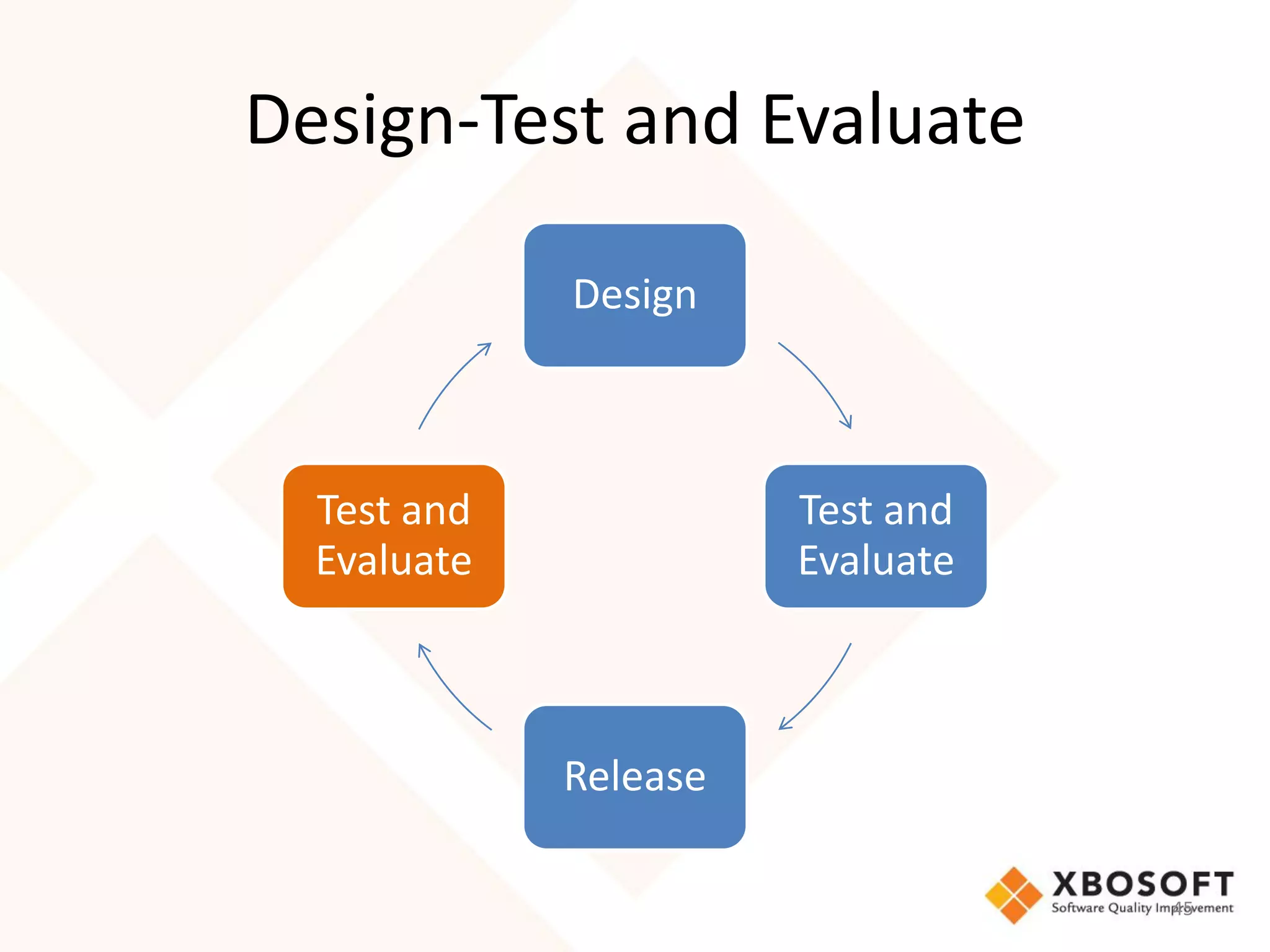
Design-Test and Evaluate

             Design


  Test and             Test and
  Evaluate             Evaluate


             Release

                                  45
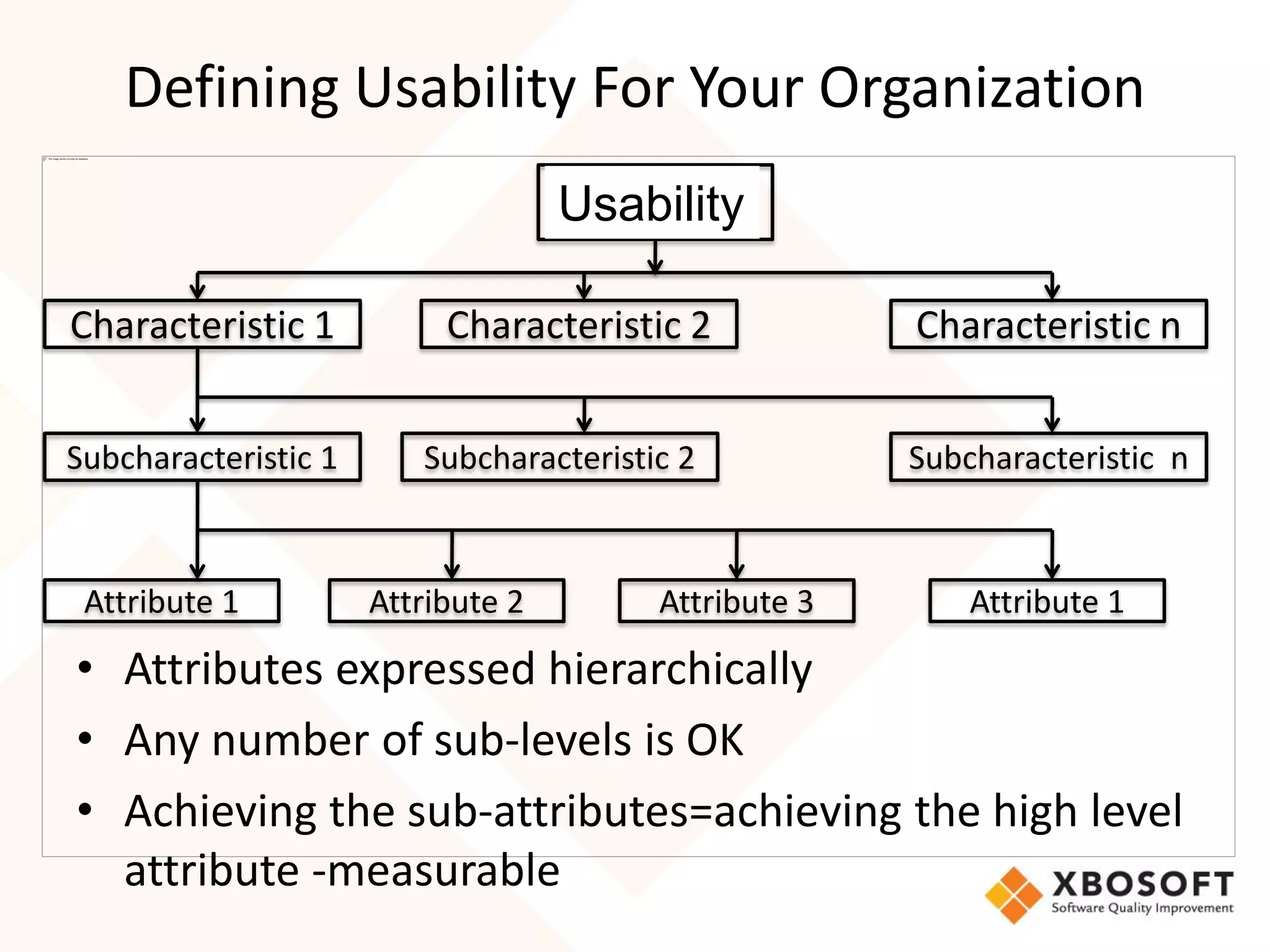
Defining Usability For Your Organization
                                     Quality
                                    Usability

Characteristic 1           Characteristic 2            Characteristic n


Subcharacteristic 1      Subcharacteristic 2           Subcharacteristic n


 Attribute 1          Attribute 2        Attribute 3       Attribute 1

• Attributes expressed hierarchically
• Any number of sub-levels is OK
• Achieving the sub-attributes=achieving the high level
  attribute -measurable
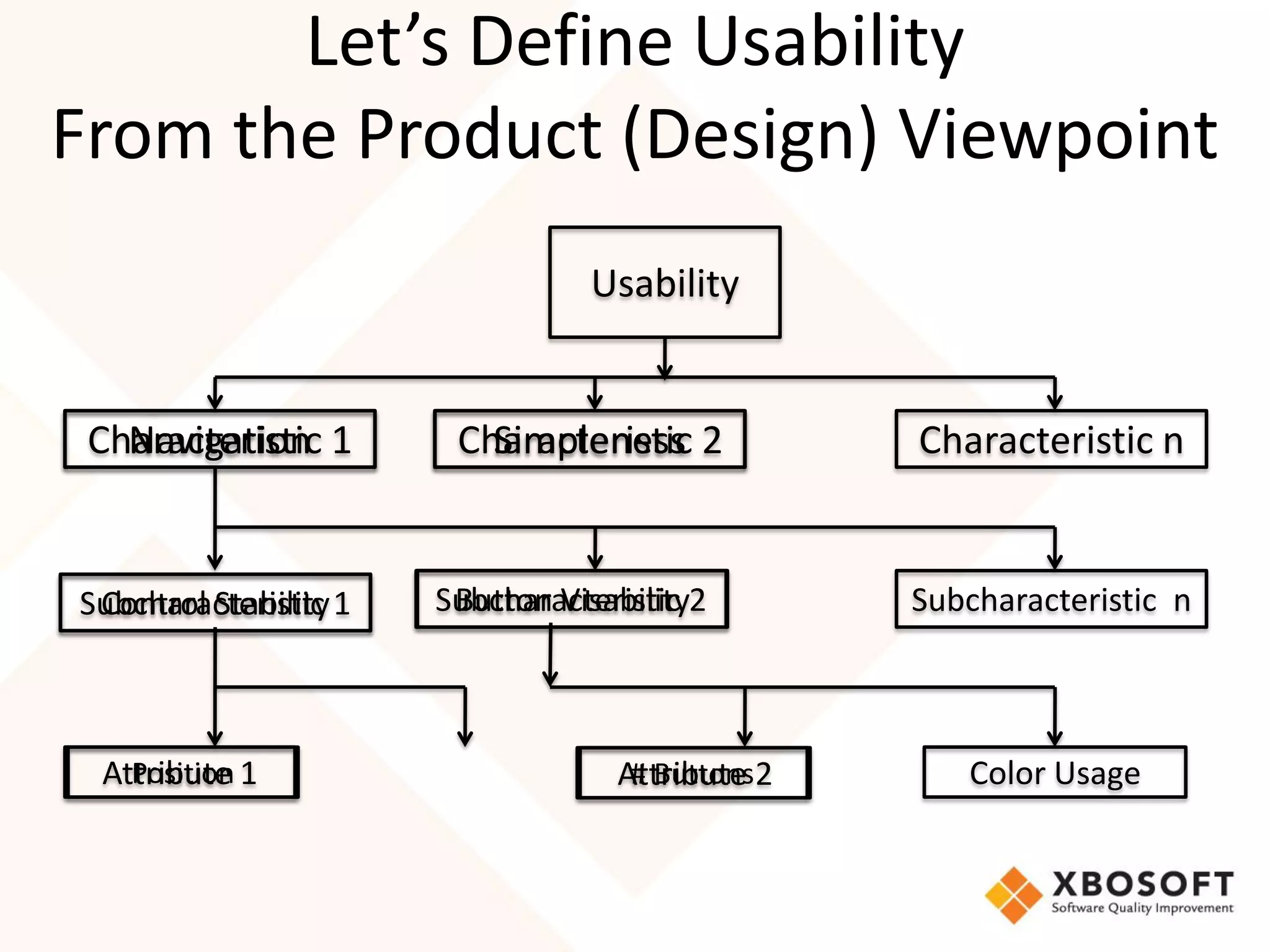
Let’s Define Usability
From the Product (Design) Viewpoint
                                Usability


 Characteristic 1
   Navigation          Characteristic 2
                         Simpleness             Characteristic n


Subcharacteristic 1
 Control Stability    Subcharacteristic 2
                       Button Visability        Subcharacteristic n


 Attribute 1
   Position                       Attribute 2
                                   # Buttons       Color Usage
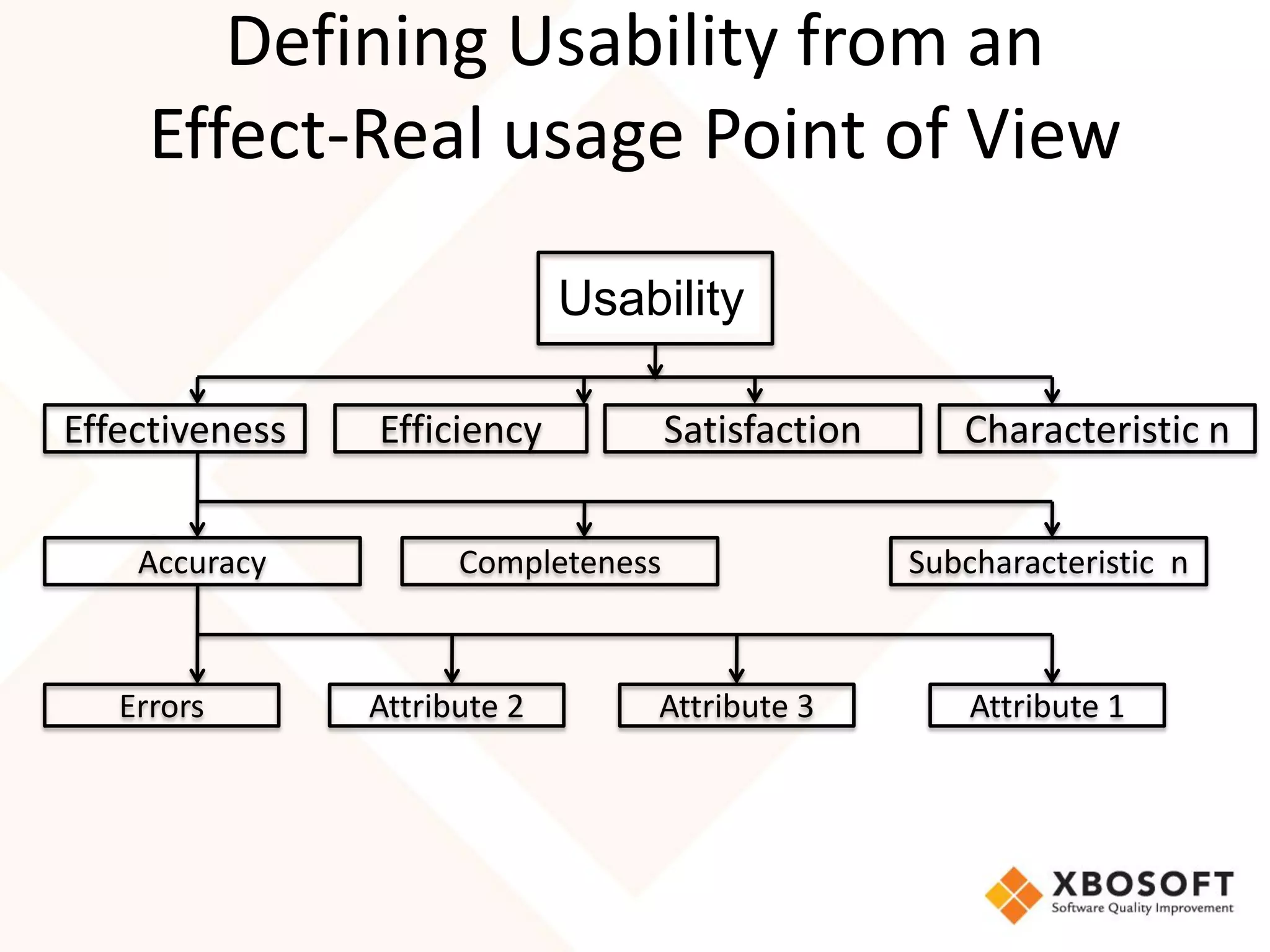
Defining Usability from an
     Effect-Real usage Point of View

                              Usability
                               Quality


Effectiveness   Efficiency           Satisfaction      Characteristic n


    Accuracy          Completeness                  Subcharacteristic n


   Errors       Attribute 2       Attribute 3           Attribute 1
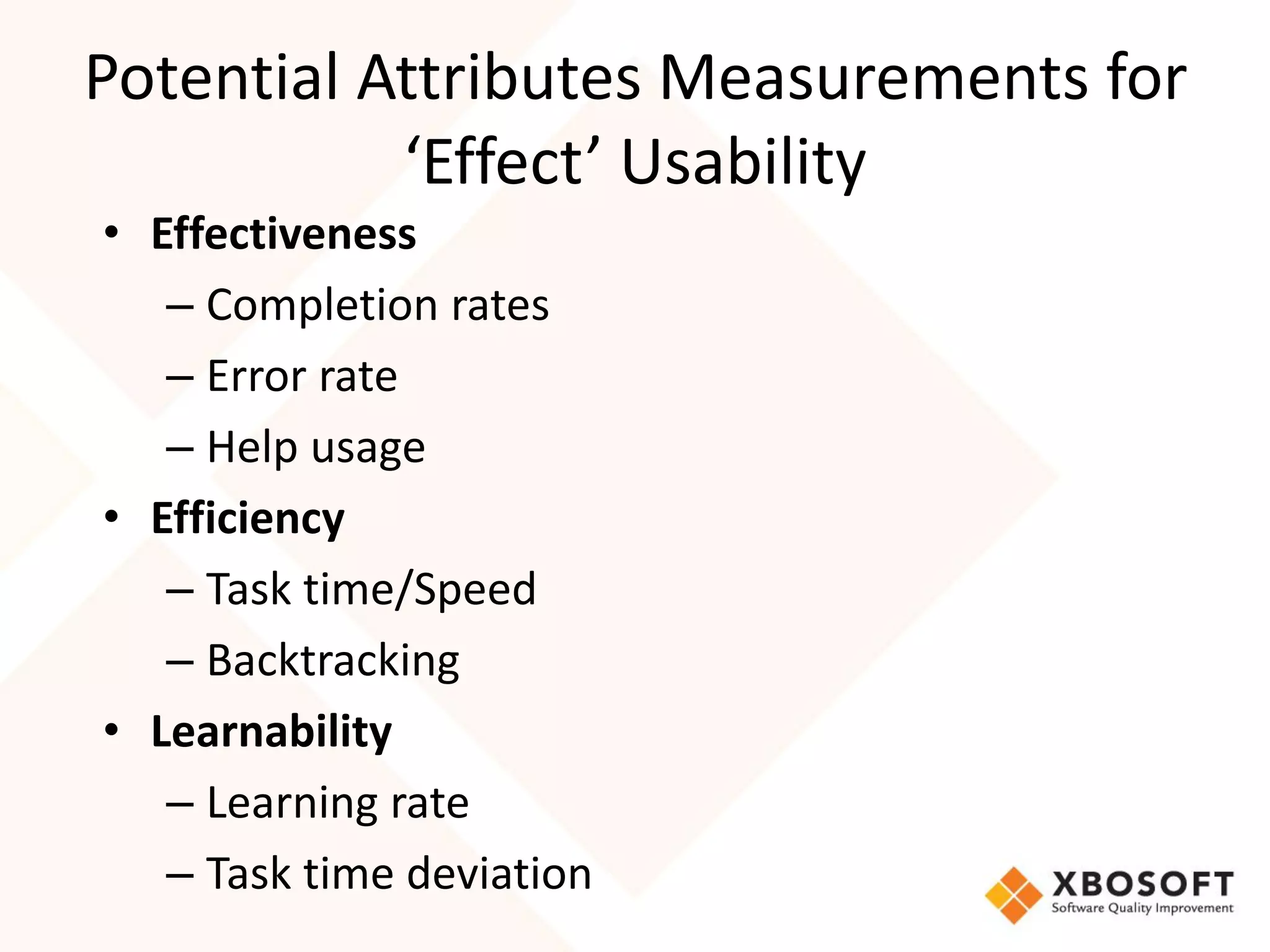
Potential Attributes Measurements for
           ‘Effect’ Usability
• Effectiveness
   – Completion rates
   – Error rate
   – Help usage
• Efficiency
   – Task time/Speed
   – Backtracking
• Learnability
   – Learning rate
   – Task time deviation
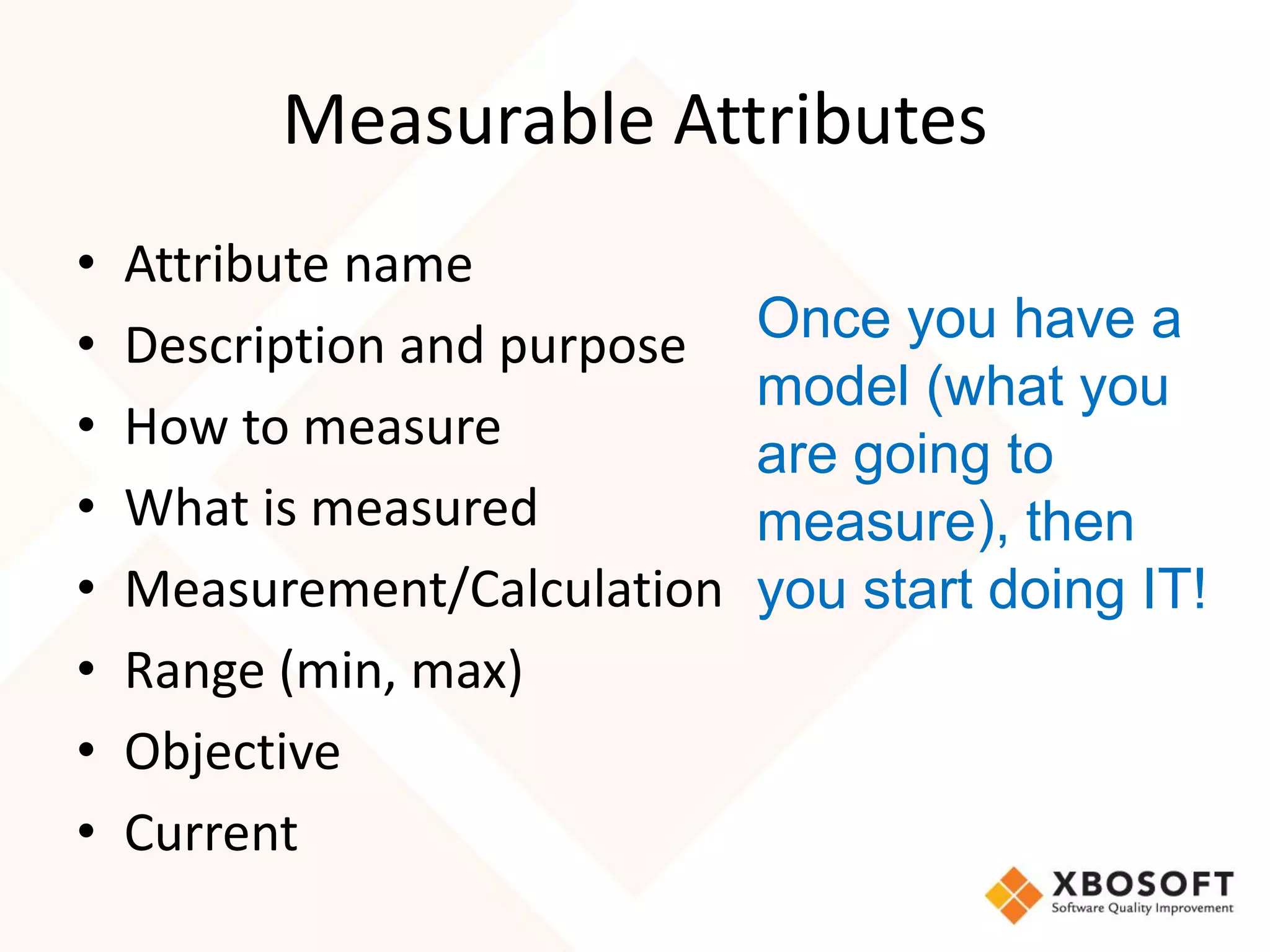
Measurable Attributes
•   Attribute name
•   Description and purpose   Once you have a
                              model (what you
•   How to measure
                              are going to
•   What is measured          measure), then
•   Measurement/Calculation   you start doing IT!
•   Range (min, max)
•   Objective
•   Current
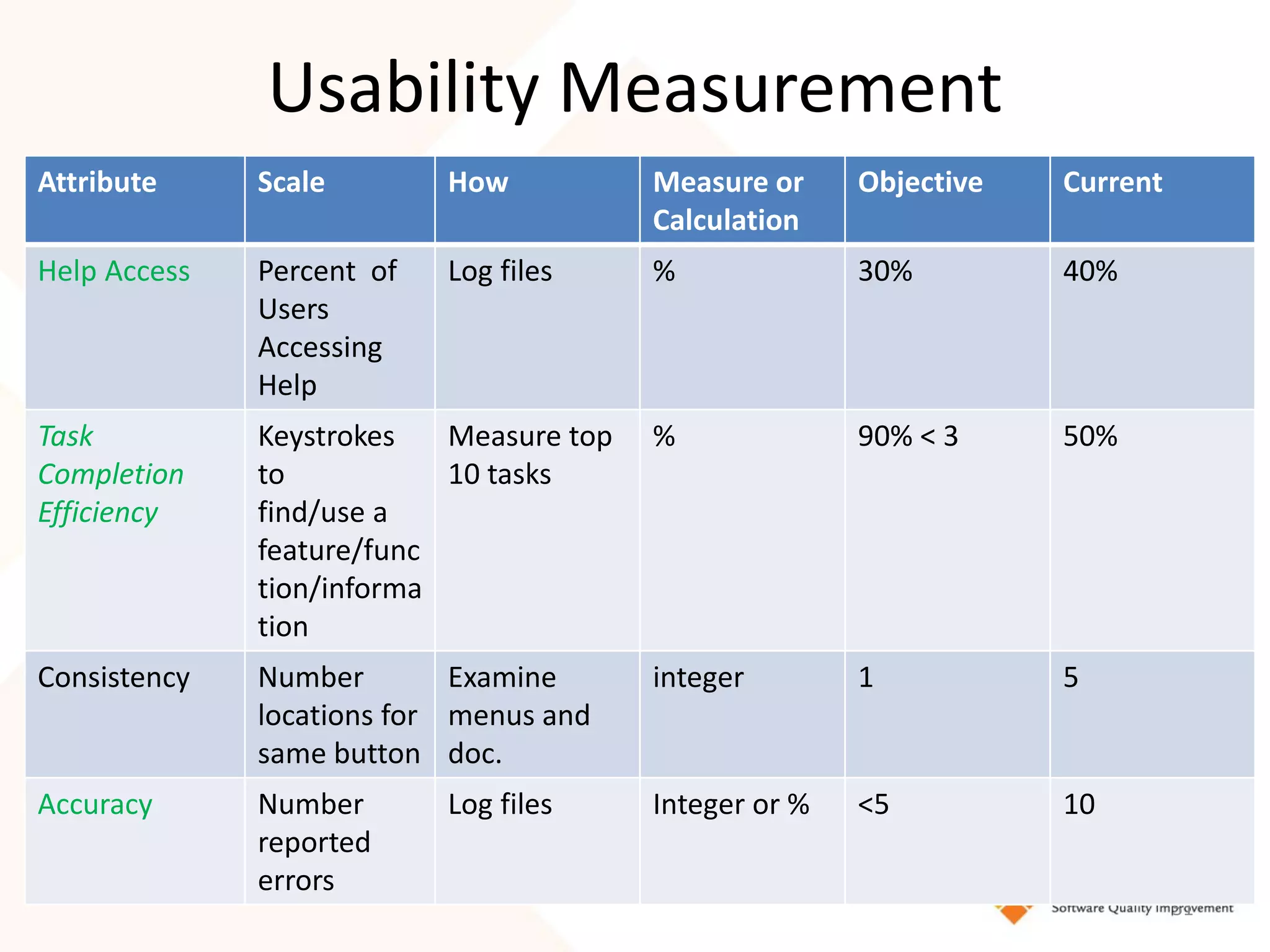
Usability Measurement
Attribute     Scale        How           Measure or     Objective   Current
                                         Calculation
Help Access   Percent of   Log files     %              30%         40%
              Users
              Accessing
              Help
Task          Keystrokes   Measure top   %              90% < 3     50%
Completion    to           10 tasks
Efficiency    find/use a
              feature/func
              tion/informa
              tion
Consistency   Number        Examine      integer        1           5
              locations for menus and
              same button doc.
Accuracy      Number       Log files     Integer or %   <5          10
              reported
              errors
                                                                              51
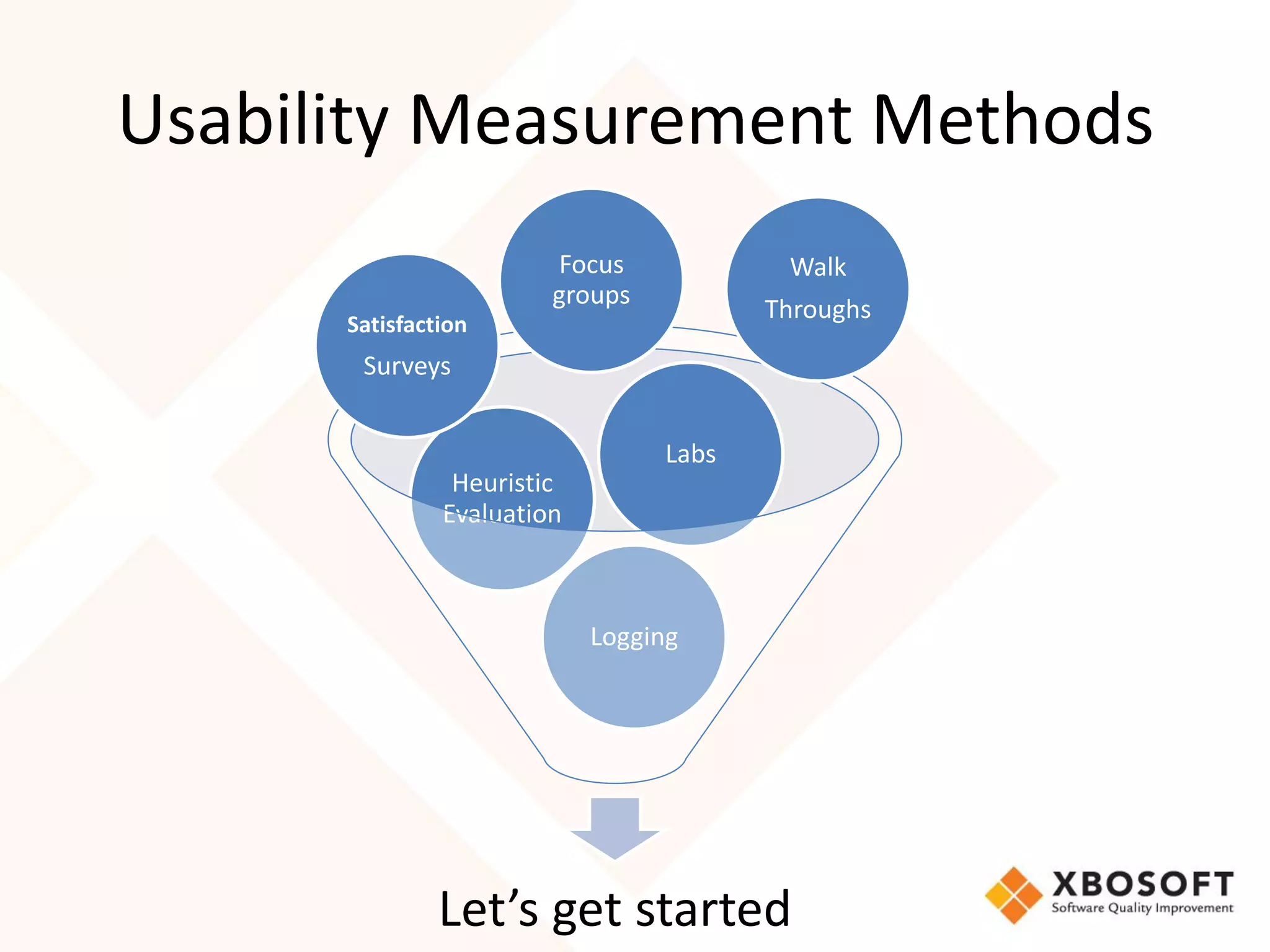
Usability Measurement Methods
                        Focus            Walk
                        groups
                                        Throughs
      Satisfaction
       Surveys


                                 Labs
                Heuristic
               Evaluation


                            Logging


               Let’s get started
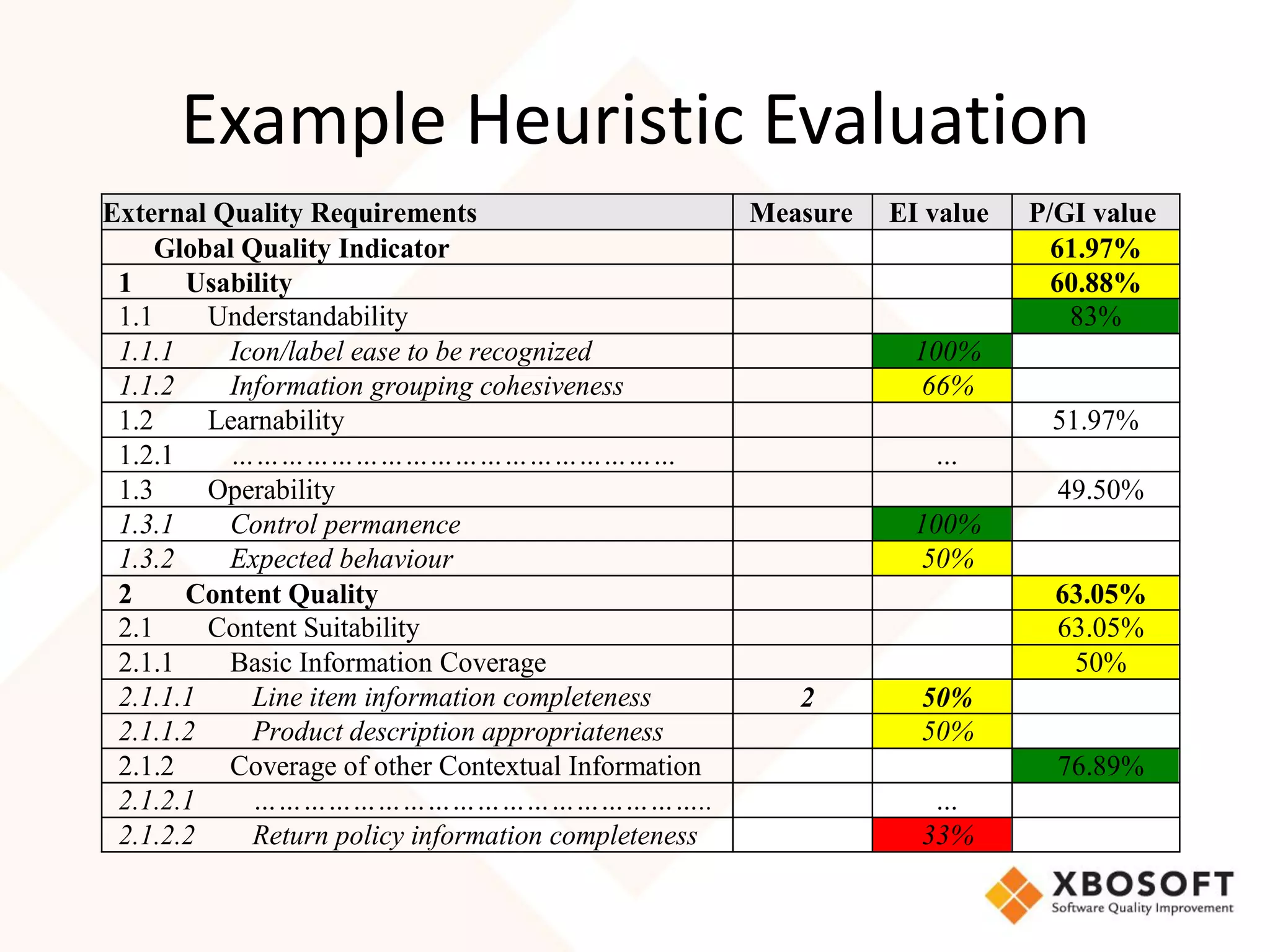
Example Heuristic Evaluation
External Quality Requirements                         Measure   EI value   P/GI value
     Global Quality Indicator                                                61.97%
 1     Usability                                                             60.88%
 1.1     Understandability                                                    83%
 1.1.1    Icon/label ease to be recognized                        100%
 1.1.2    Information grouping cohesiveness                        66%
 1.2     Learnability                                                       51.97%
 1.2.1    ………………………………………………                                       …
 1.3     Operability                                                         49.50%
 1.3.1    Control permanence                                      100%
 1.3.2    Expected behaviour                                       50%
 2     Content Quality                                                       63.05%
 2.1     Content Suitability                                                 63.05%
 2.1.1    Basic Information Coverage                                          50%
 2.1.1.1     Line item information completeness          2        50%
 2.1.1.2     Product description appropriateness                  50%
 2.1.2    Coverage of other Contextual Information                           76.89%
 2.1.2.1     ………………………………………………..                                  …
 2.1.2.2     Return policy information completeness               33%
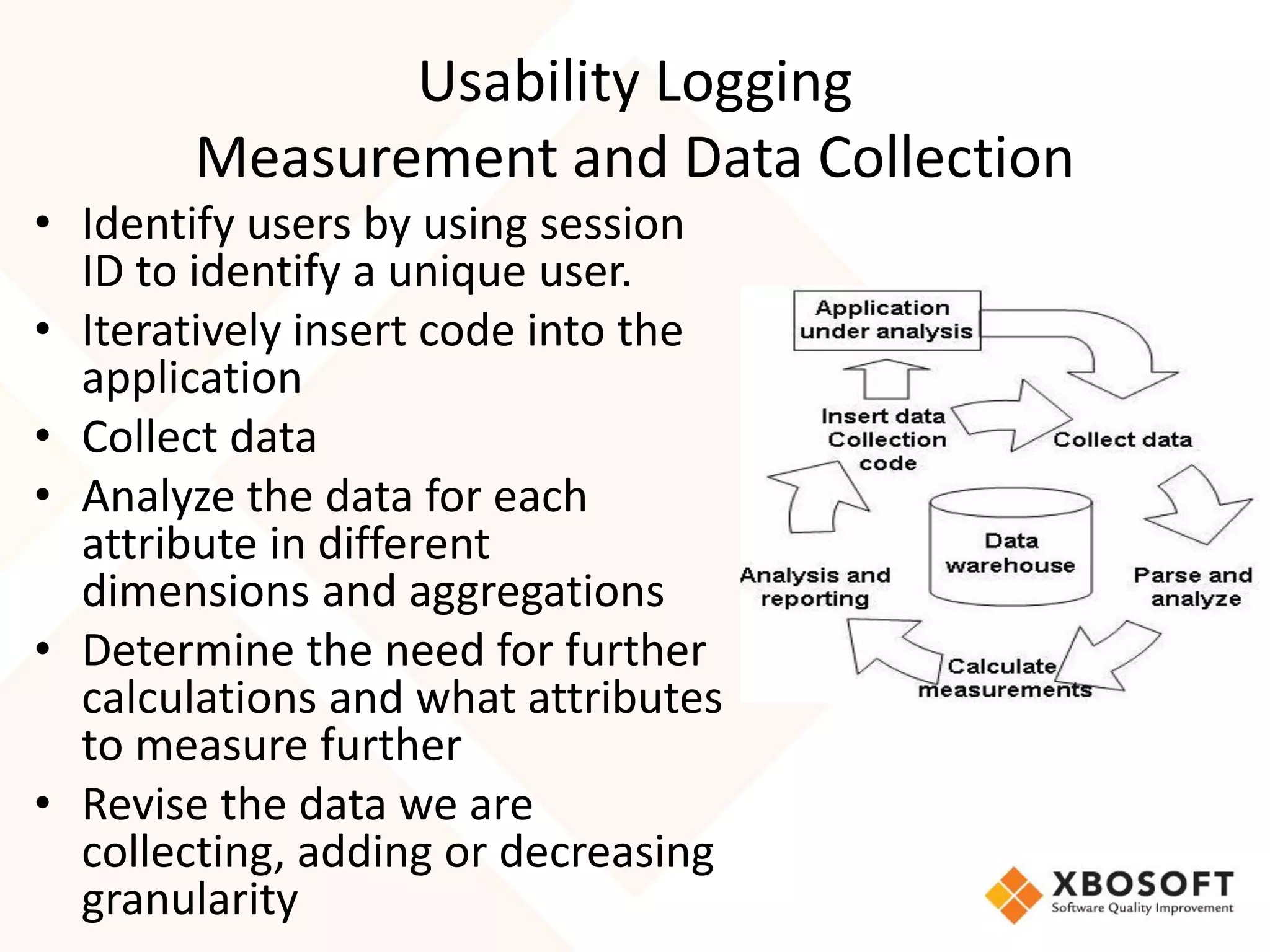
Usability Logging
       Measurement and Data Collection
• Identify users by using session
  ID to identify a unique user.
• Iteratively insert code into the
  application
• Collect data
• Analyze the data for each
  attribute in different
  dimensions and aggregations
• Determine the need for further
  calculations and what attributes
  to measure further
• Revise the data we are
  collecting, adding or decreasing
  granularity
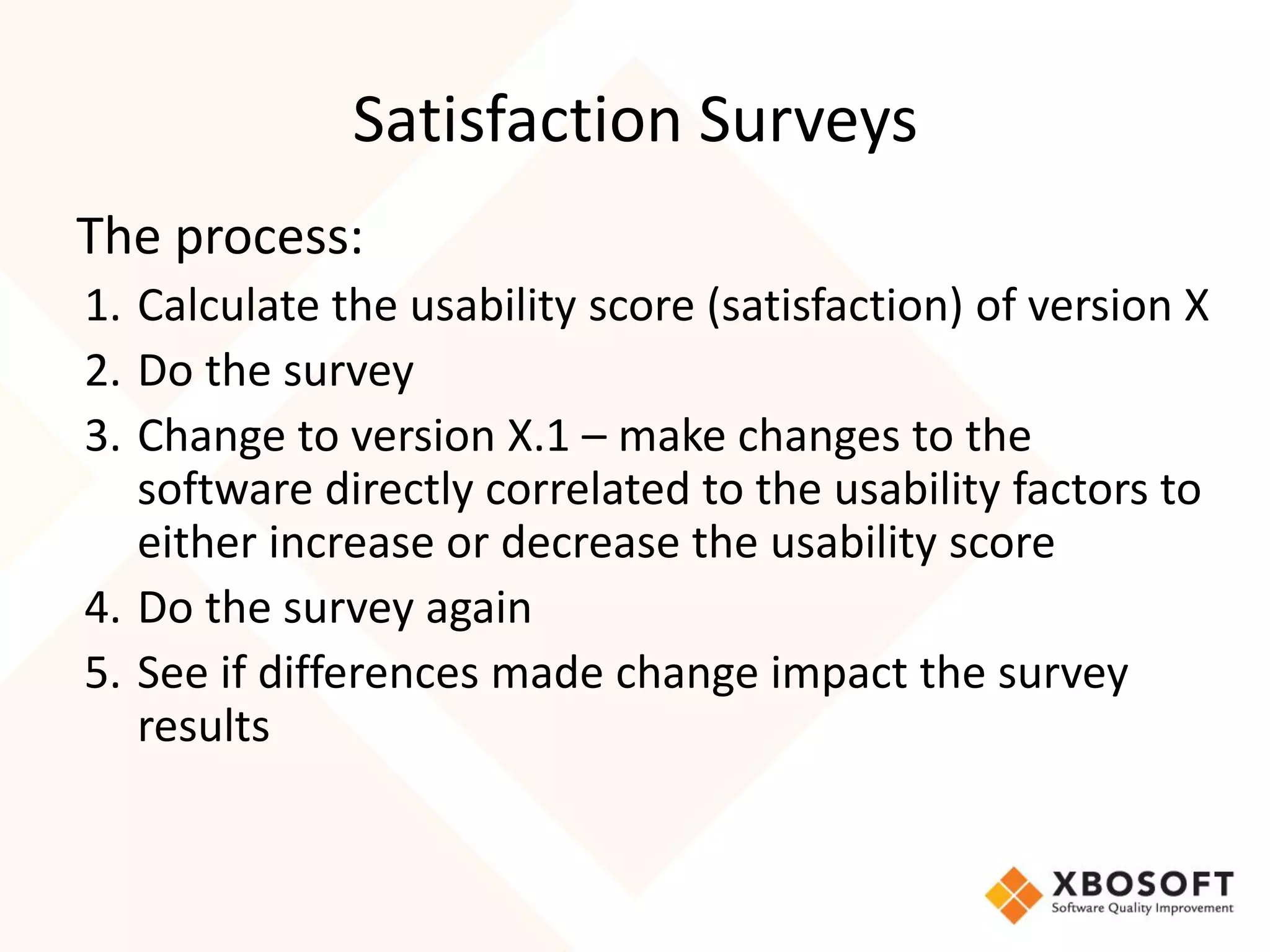
Satisfaction Surveys
The process:
1. Calculate the usability score (satisfaction) of version X
2. Do the survey
3. Change to version X.1 – make changes to the
   software directly correlated to the usability factors to
   either increase or decrease the usability score
4. Do the survey again
5. See if differences made change impact the survey
   results
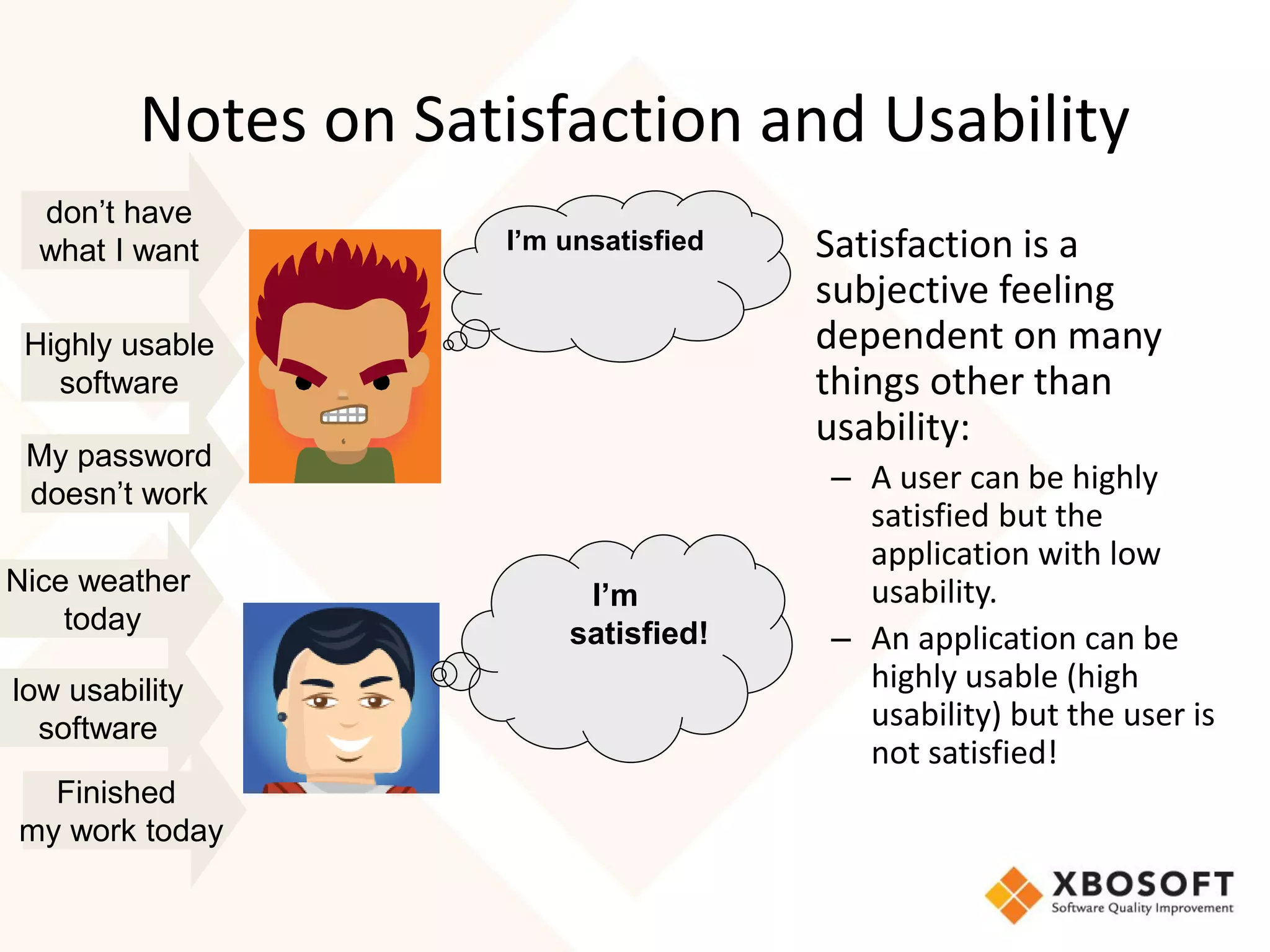
Notes on Satisfaction and Usability
  don’t have
  what I want        I’m unsatisfied   • Satisfaction is a
                                         subjective feeling
 Highly usable                           dependent on many
   software                              things other than
                                         usability:
 My password
 doesn’t work
                                          – A user can be highly
                                            satisfied but the
                                            application with low
Nice weather              I’m               usability.
    today                satisfied!       – An application can be
low usability                               highly usable (high
  software                                  usability) but the user is
                                            not satisfied!
  Finished
my work today
Getting Started with Measurement
• Produce an action plan
  – What usability attributes are important to your
    organization?
     • Develop a model
  – What data can you collect/Which technique can
    you use
     • Maybe some elements of the model drop out-can’t be
       measured that easily
  – Start collecting and developing benchmark
Setting up Usability and UX
Measurements for


                              58
Conclusion
• Usability and UX
   – Abstract concepts
   – Paramount for mobileapps
• Defining is different for each organization
• Need a model for your organization
   – What is most important to you depends on your
     users and their behavior and expectations
• The model is the foundation of what to measure
• Once you can measure, then you can evaluate and
  improve
Thanks

                  Questions and Answers

www.xbosoft.com
408-350-0508

Mobile ux and usability measurement webinar-ppt-xbo soft

  • 1.
    Developing Meaningful Usabilityand User Experience Measurements for Mobile (Healthcare) Applications Featuring: www.xbosoft.com
  • 2.
    Speaker Introduction • PhilipLew - XBOSoft • Duke Yetter – CEO, – Long term and mobile – Healthcare solutions 2
  • 3.
    Agenda • What isusability and UX and why important? • Usability and UX Specifics for MobileApps • How to set up measurements • What does Mobile MedSoft want to achieve with their app from a usability and UX viewpoint • How to set up usability measurements for Mobile Medsoft
  • 4.
    What is Usability-UXand Why is it Important
  • 5.
    Web and MobileUser Expectations • Business models have changed – Instead of paying upfront and ‘owning’ the software – Pay as you go, pay by subscription • Cloud and mobile converge • Behavior and expectations have changed
  • 6.
    Basic Usability Concepts Usability Usability User Design Effect Experience 6
  • 7.
    Design-Test and Evaluate •What will the mobileapp do? Design • Is it a conversion of existing app? Test and Test and • What functions Evaluate Evaluate will a user really access? Release 7
  • 8.
    Usability - DesignPerspective • Understandability • Learnability • Operability • Attractiveness • Navigation • Responsiveness-performance
  • 9.
    Usability-Effect Degree to whichspecified users can achieve specified goals with effectiveness, efficiency and satisfaction in a specified context of use. Source: ISO 25010
  • 10.
    Usability-Effect “Context” and “Specified” • User role specified users • Objective specified goals • Task • Environment specified context of use • Domain What else can you think •… of?
  • 11.
    Usability-Effect User Experience • Satisfaction Source: ISO 25010 – The degree to which users are satisfied in a specified context of use. Satisfaction is further subdivided into sub-characteristics: • Likability (cognitive satisfaction) • Pleasure (emotional satisfaction) • Comfort (physical satisfaction) • Trust • Including many other factors experienced over time and other channels
  • 12.
    Task Ease (effectiveness and efficiency) • Buttons are a key tool in the user experience designer’s box of tricks. • Prioritize tasks - Some tasks more important than others. • Understand the objectives of the application and understand which tasks are really important. • Paths to complete these tasks should be given priority • Majority of your app’s value is provided by a small number of tasks. • With these priority tasks, remove any friction that slows the user’s progress. • Choosing your words carefully to make it clear what the buttons or functions do 12
  • 13.
    User Context isKing • Mis-Targeted user background can cause loss of effectiveness • Know your users. 13
  • 14.
  • 15.
    Positioning • Effectiveness of application buttons is affected by position. • Emphasis is gained by – removing clutter – placing the button where the user’s eyes will mostly likely be. 15
  • 16.
    Using Color • Colorcreates emphasis. • Dependent on the importance of the application’s function. • Make easy to for user to see the most important stuff. • Color can affect usefulness. 16
  • 17.
    Create an account!!! LinkedIn - Color • The ‘View Full Profile’ button – LinkedIn wants you to click that. – You’ll be prompted to create an account! • Button has a unique color that isn’t shared with any other part of the design. • Page has tons of information, this button still stands out. 17
  • 18.
  • 19.
    Size Matters • Timetaken to point at an object is directly influenced by the size of that object. • Big is beautiful depending on function-what you want the user to do. • Size can dictate the button’s importance over everything else on the page. • Take the Firefox page for example, Mozilla don’t mess around with subtlety here. • Good design communicates priority. • With one massive button on the page, that priority is obvious. 19
  • 20.
  • 21.
    Multivariate Testing • Smallchanges can make a big difference. • Laura Ashley arrived at this design following multi-variate testing of 5 different options • Differences in the testing included: – Link colors and locations • The "Go to checkout" button was dark gray instead of green • Achieved 11% increase in checkouts 21
  • 22.
    Let’s Go Mobile Usabilityand UX For Mobile 22
  • 23.
    Usability - Desktopto Mobile • You have a good website made for desktop and users can access it from their mobile phones also. – Just loading websites on the phone is not enough • What matters for users – Time to load the website – User interface – Accessibility of various functions available • Usability design needs to change, otherwise usability effect and UX will suffer 23
  • 24.
    Laura Ashley MS •Same as web version • Green sticks out 24
  • 25.
    LA • What iswrong here? 25
  • 26.
    LA MS • Consistentgreen • Obviously want you to click and add to the bag 26
  • 27.
    LA Shoppingbag • Clear green signals… BUY 27
  • 28.
    LA MobileApp • MainScreen • Decent size buttons • No priority or importance weighting 28
  • 29.
    LA Mobile App •Big buttons • Good for big fingers • Semi-meaningful icons on the bottom – Note contextual location 29
  • 30.
    Buy or Share? •No placement of importance or priority 30
  • 31.
    Select Size • Goodnavigation • Good size buttons • No priority 31
  • 32.
    In my Basket •What should I do now? 32
  • 33.
  • 34.
    Bloomberg • Simple Information App • Simple colors • Meaningful Icons • Big enough to see 34
  • 35.
    Fidelity • Easy touse scroll – Thumb Friendly • Simple colors 35
  • 36.
    Fidelity • Size andImportance • Pretty easy to see what they want you to do • Consistent icons on bottom – Simple – Not everything 36
  • 37.
    Yelp • Easy onthe eyes • Semi-meaningful icons 37
  • 38.
    Yelp • Consistent • Fingerfriendly • Consistent location of icons on bottom Same as Fidelity What does this mean? 38
  • 39.
    Mobile Usability Design Best Practices Summary • Quick • Simple Navigation-Task Oriented • Thumb Friendly • Visibility in Design • Easy to Convert/Complete the task • Contextual • Seamless with main webapp 39
  • 40.
    What does want to achieve in the Usability UX Standpoint? 40
  • 41.
    Introduction to • iMedTabletis our latest patent pending pending technology being developed for patient care coordination for all types of long-term care providers. • Allows the user to securely access and document patient care information in real-time utilizing Cloud technology, GPS technology and intra-facility communications. • With data stored on the cloud and not on a local server, expandability is unlimited. Plus electronic storage versus paper is a great savings. • Designed to seamlessly integrate with many pharmacy and long-term care software systems. • iMedTablet is mobile, affordable, reliable, secure, easy to deploy and simple to use. Will be available in a multiple languages and HL7 Compatible 41
  • 42.
    • Usability Design – Easy to use – Very contextual and domain oriented application • UX Assessment, Measurement and Improvement 42
  • 43.
    Setting Up Usability Measurements Measure and Improve 43
  • 44.
    Big Picture onUsability and UX Usability Usability User Design Effect Experience 44
  • 45.
    Design-Test and Evaluate Design Test and Test and Evaluate Evaluate Release 45
  • 46.
    Defining Usability ForYour Organization Quality Usability Characteristic 1 Characteristic 2 Characteristic n Subcharacteristic 1 Subcharacteristic 2 Subcharacteristic n Attribute 1 Attribute 2 Attribute 3 Attribute 1 • Attributes expressed hierarchically • Any number of sub-levels is OK • Achieving the sub-attributes=achieving the high level attribute -measurable
  • 47.
    Let’s Define Usability Fromthe Product (Design) Viewpoint Usability Characteristic 1 Navigation Characteristic 2 Simpleness Characteristic n Subcharacteristic 1 Control Stability Subcharacteristic 2 Button Visability Subcharacteristic n Attribute 1 Position Attribute 2 # Buttons Color Usage
  • 48.
    Defining Usability froman Effect-Real usage Point of View Usability Quality Effectiveness Efficiency Satisfaction Characteristic n Accuracy Completeness Subcharacteristic n Errors Attribute 2 Attribute 3 Attribute 1
  • 49.
    Potential Attributes Measurementsfor ‘Effect’ Usability • Effectiveness – Completion rates – Error rate – Help usage • Efficiency – Task time/Speed – Backtracking • Learnability – Learning rate – Task time deviation
  • 50.
    Measurable Attributes • Attribute name • Description and purpose Once you have a model (what you • How to measure are going to • What is measured measure), then • Measurement/Calculation you start doing IT! • Range (min, max) • Objective • Current
  • 51.
    Usability Measurement Attribute Scale How Measure or Objective Current Calculation Help Access Percent of Log files % 30% 40% Users Accessing Help Task Keystrokes Measure top % 90% < 3 50% Completion to 10 tasks Efficiency find/use a feature/func tion/informa tion Consistency Number Examine integer 1 5 locations for menus and same button doc. Accuracy Number Log files Integer or % <5 10 reported errors 51
  • 52.
    Usability Measurement Methods Focus Walk groups Throughs Satisfaction Surveys Labs Heuristic Evaluation Logging Let’s get started
  • 53.
    Example Heuristic Evaluation ExternalQuality Requirements Measure EI value P/GI value Global Quality Indicator 61.97% 1 Usability 60.88% 1.1 Understandability 83% 1.1.1 Icon/label ease to be recognized 100% 1.1.2 Information grouping cohesiveness 66% 1.2 Learnability 51.97% 1.2.1 ……………………………………………… … 1.3 Operability 49.50% 1.3.1 Control permanence 100% 1.3.2 Expected behaviour 50% 2 Content Quality 63.05% 2.1 Content Suitability 63.05% 2.1.1 Basic Information Coverage 50% 2.1.1.1 Line item information completeness 2 50% 2.1.1.2 Product description appropriateness 50% 2.1.2 Coverage of other Contextual Information 76.89% 2.1.2.1 ……………………………………………….. … 2.1.2.2 Return policy information completeness 33%
  • 54.
    Usability Logging Measurement and Data Collection • Identify users by using session ID to identify a unique user. • Iteratively insert code into the application • Collect data • Analyze the data for each attribute in different dimensions and aggregations • Determine the need for further calculations and what attributes to measure further • Revise the data we are collecting, adding or decreasing granularity
  • 55.
    Satisfaction Surveys The process: 1.Calculate the usability score (satisfaction) of version X 2. Do the survey 3. Change to version X.1 – make changes to the software directly correlated to the usability factors to either increase or decrease the usability score 4. Do the survey again 5. See if differences made change impact the survey results
  • 56.
    Notes on Satisfactionand Usability don’t have what I want I’m unsatisfied • Satisfaction is a subjective feeling Highly usable dependent on many software things other than usability: My password doesn’t work – A user can be highly satisfied but the application with low Nice weather I’m usability. today satisfied! – An application can be low usability highly usable (high software usability) but the user is not satisfied! Finished my work today
  • 57.
    Getting Started withMeasurement • Produce an action plan – What usability attributes are important to your organization? • Develop a model – What data can you collect/Which technique can you use • Maybe some elements of the model drop out-can’t be measured that easily – Start collecting and developing benchmark
  • 58.
    Setting up Usabilityand UX Measurements for 58
  • 59.
    Conclusion • Usability andUX – Abstract concepts – Paramount for mobileapps • Defining is different for each organization • Need a model for your organization – What is most important to you depends on your users and their behavior and expectations • The model is the foundation of what to measure • Once you can measure, then you can evaluate and improve
  • 60.
    Thanks Questions and Answers www.xbosoft.com 408-350-0508