Mobile Security for
Banking and Finance
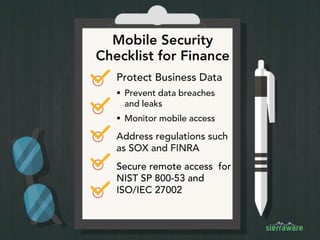
Mobile Security
Checklist for Finance
Protect Business Data
 Prevent data breaches
and leaks
 Monitor mobile access
Address regulations such
as SOX and FINRA
Secure remote access for
NIST SP 800-53 and
ISO/IEC 27002
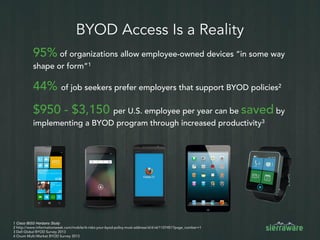
BYOD Access Is a Reality
95% of organizations allow employee-owned devices “in some way
shape or form”1
44% of job seekers prefer employers that support BYOD policies2
$950 - $3,150 per U.S. employee per year can be saved by
implementing a BYOD program through increased productivity3
1 Cisco IBSG Horizons Study
2 http://www.informationweek.com/mobile/6-risks-your-byod-policy-must-address/d/d-id/1107451?page_number=1
3 Dell Global BYOD Survey 2013
4 Ovum Multi-Market BYOD Survey 2013
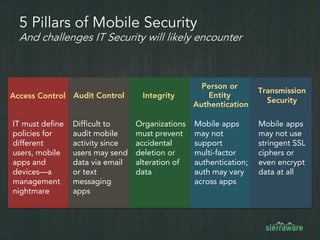
5 Pillars of Mobile Security
And challenges IT Security will likely encounter
Transmission
Security
Person or
Entity
Authentication
Audit ControlAccess Control Integrity
Difficult to
audit mobile
activity since
users may send
data via email
or text
messaging
apps
Mobile apps
may not
support
multi-factor
authentication;
auth may vary
across apps
Mobile apps
may not use
stringent SSL
ciphers or
even encrypt
data at all
IT must define
policies for
different
users, mobile
apps and
devices—a
management
nightmare
Organizations
must prevent
accidental
deletion or
alteration of
data
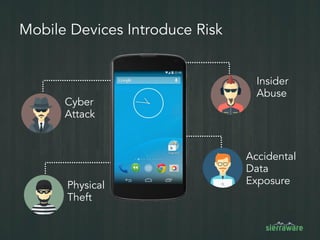
Mobile Devices Introduce Risk
Insider
Abuse
Accidental
Data
Exposure
Cyber
Attack
Physical
Theft
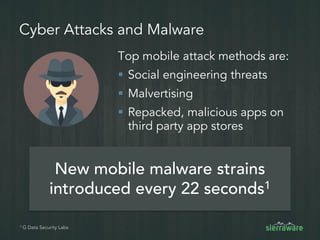
Cyber Attacks and Malware
Top mobile attack methods are:
 Social engineering threats
 Malvertising
 Repacked, malicious apps on
third party app stores
New mobile malware strains
introduced every 22 seconds1
1 G Data Security Labs
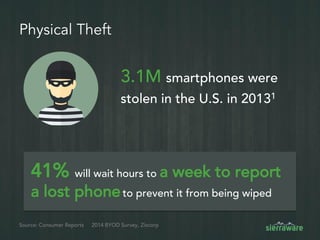
Physical Theft
3.1M smartphones were
stolen in the U.S. in 20131
Source: Consumer Reports
41% will wait hours to a week to report
a lost phoneto prevent it from being wiped
2014 BYOD Survey, Zixcorp
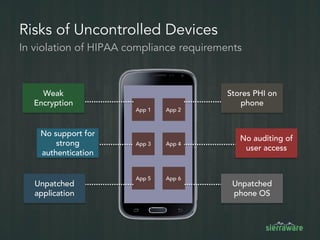
Risks of Uncontrolled Devices
Weak
Encryption
No support for
strong
authentication
Unpatched
application
Stores PHI on
phone
No auditing of
user access
Unpatched
phone OS
In violation of HIPAA compliance requirements
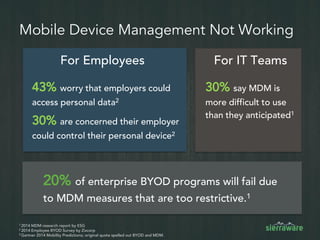
Mobile Device Management Not Working
20% of enterprise BYOD programs will fail due
to MDM measures that are too restrictive.1
1 2014 MDM research report by ESG
2 2014 Employee BYOD Survey by Zixcorp
3 Gartner 2014 Mobility Predictions; original quote spelled out BYOD and MDM.
For IT TeamsFor Employees
43% worry that employers could
access personal data2
30% are concerned their employer
could control their personal device2
30% say MDM is
more difficult to use
than they anticipated1
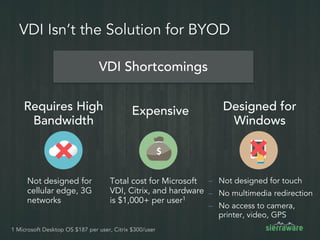
VDI Isn’t the Solution for BYOD
Expensive
VDI Shortcomings
– Not designed for touch
– No multimedia redirection
– No access to camera,
printer, video, GPS
Total cost for Microsoft
VDI, Citrix, and hardware
is $1,000+ per user1
Not designed for
cellular edge, 3G
networks
1 Microsoft Desktop OS $187 per user, Citrix $300/user
Requires High
Bandwidth
Designed for
Windows
Virtual Mobile
Infrastructure
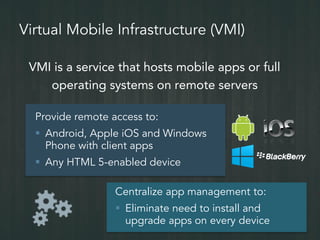
Virtual Mobile Infrastructure (VMI)
VMI is a service that hosts mobile apps or full
operating systems on remote servers
Provide remote access to:
 Android, Apple iOS and Windows
Phone with client apps
 Any HTML 5-enabled device
Centralize app management to:
 Eliminate need to install and
upgrade apps on every device
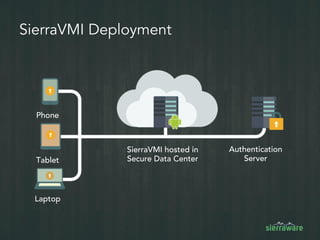
SierraVMI Deployment
SierraVMI hosted in
Secure Data Center
Authentication
Server
Laptop
Tablet
Phone
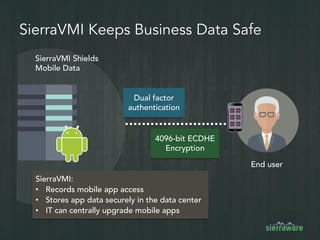
SierraVMI Keeps Business Data Safe
SierraVMI Shields
Mobile Data
4096-bit ECDHE
Encryption
Dual factor
authentication
SierraVMI:
• Records mobile app access
• Stores app data securely in the data center
• IT can centrally upgrade mobile apps
End user
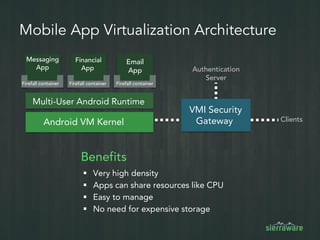
Mobile App Virtualization Architecture
Android VM Kernel
Multi-User Android Runtime
VMI Security
Gateway
Email
App
Messaging
App
Financial
App
Clients
Authentication
Server
Benefits
 Very high density
 Apps can share resources like CPU
 Easy to manage
 No need for expensive storage
Firefall containerFirefall containerFirefall container
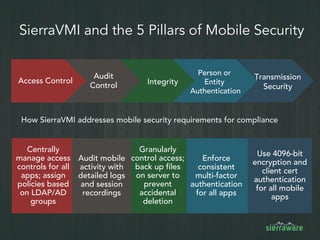
Access Control
Audit
Control
SierraVMI and the 5 Pillars of Mobile Security
How SierraVMI addresses mobile security requirements for compliance
Transmission
Security
Integrity
Person or
Entity
Authentication
Enforce
consistent
multi-factor
authentication
for all apps
Granularly
control access;
back up files
on server to
prevent
accidental
deletion
Centrally
manage access
controls for all
apps; assign
policies based
on LDAP/AD
groups
Audit mobile
activity with
detailed logs
and session
recordings
Use 4096-bit
encryption and
client cert
authentication
for all mobile
apps
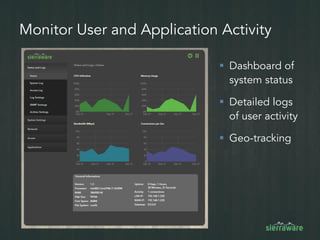
Monitor User and Application Activity
 Dashboard of
system status
 Detailed logs
of user activity
 Geo-tracking
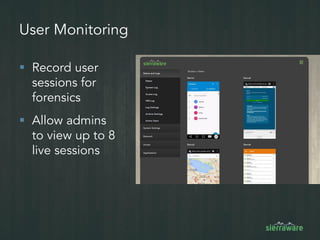
User Monitoring
 Record user
sessions for
forensics
 Allow admins
to view up to 8
live sessions
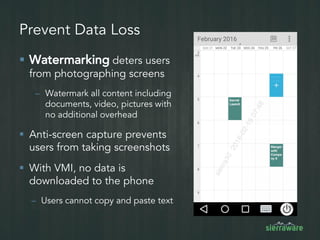
Prevent Data Loss
 Watermarking deters users
from photographing screens
– Watermark all content including
documents, video, pictures with
no additional overhead
 Anti-screen capture prevents
users from taking screenshots
 With VMI, no data is
downloaded to the phone
– Users cannot copy and paste text
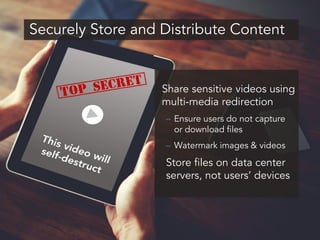
Securely Store and Distribute Content
Share sensitive videos using
multi-media redirection
– Ensure users do not capture
or download files
– Watermark images & videos
Store files on data center
servers, not users’ devices
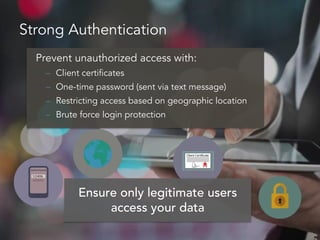
Strong Authentication
Prevent unauthorized access with:
– Client certificates
– One-time password (sent via text message)
– Restricting access based on geographic location
– Brute force login protection
Ensure only legitimate users
access your data
Single Sign-on to Ease Management
 Integrate with LDAP, Active
Directory or SAML
 Access email, calendar,
contacts, and business apps
without needing to re-
authenticate
 Automate app provisioning
 Reduce IT helpdesk calls due
to forgotten passwords
 Improve user experience by
eliminating extra login steps
IT Cost ReductionDirectory Services Integration
 Centralized data storage
 Prevent data loss from device theft
 Centralized patch management
 Eliminate concerns of devices with vulnerable or unpatched software
 Regularly scan Android server for viruses and vulnerabilities
Simplify and Secure Mobile App Management
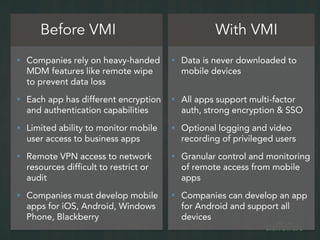
Before VMI With VMI
 Companies rely on heavy-handed
MDM features like remote wipe
to prevent data loss
 Each app has different encryption
and authentication capabilities
 Limited ability to monitor mobile
user access to business apps
 Remote VPN access to network
resources difficult to restrict or
audit
 Companies must develop mobile
apps for iOS, Android, Windows
Phone, Blackberry
 Data is never downloaded to
mobile devices
 All apps support multi-factor
auth, strong encryption & SSO
 Optional logging and video
recording of privileged users
 Granular control and monitoring
of remote access from mobile
apps
 Companies can develop an app
for Android and support all
devices
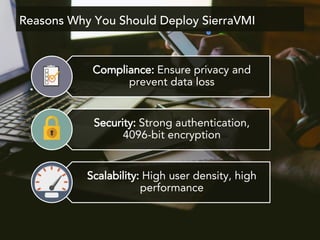
Compliance: Ensure privacy and
prevent data loss
Security: Strong authentication,
4096-bit encryption
Scalability: High user density, high
performance
Reasons Why You Should Deploy SierraVMI
www.sierraware.com
Click now to
view SierraVMI

Mobile Security for Banking and Finance

  • 1.
  • 2.
    Mobile Security Checklist forFinance Protect Business Data  Prevent data breaches and leaks  Monitor mobile access Address regulations such as SOX and FINRA Secure remote access for NIST SP 800-53 and ISO/IEC 27002
  • 3.
    BYOD Access Isa Reality 95% of organizations allow employee-owned devices “in some way shape or form”1 44% of job seekers prefer employers that support BYOD policies2 $950 - $3,150 per U.S. employee per year can be saved by implementing a BYOD program through increased productivity3 1 Cisco IBSG Horizons Study 2 http://www.informationweek.com/mobile/6-risks-your-byod-policy-must-address/d/d-id/1107451?page_number=1 3 Dell Global BYOD Survey 2013 4 Ovum Multi-Market BYOD Survey 2013
  • 4.
    5 Pillars ofMobile Security And challenges IT Security will likely encounter Transmission Security Person or Entity Authentication Audit ControlAccess Control Integrity Difficult to audit mobile activity since users may send data via email or text messaging apps Mobile apps may not support multi-factor authentication; auth may vary across apps Mobile apps may not use stringent SSL ciphers or even encrypt data at all IT must define policies for different users, mobile apps and devices—a management nightmare Organizations must prevent accidental deletion or alteration of data
  • 5.
    Mobile Devices IntroduceRisk Insider Abuse Accidental Data Exposure Cyber Attack Physical Theft
  • 6.
    Cyber Attacks andMalware Top mobile attack methods are:  Social engineering threats  Malvertising  Repacked, malicious apps on third party app stores New mobile malware strains introduced every 22 seconds1 1 G Data Security Labs
  • 7.
    Physical Theft 3.1M smartphoneswere stolen in the U.S. in 20131 Source: Consumer Reports 41% will wait hours to a week to report a lost phoneto prevent it from being wiped 2014 BYOD Survey, Zixcorp
  • 8.
    Risks of UncontrolledDevices Weak Encryption No support for strong authentication Unpatched application Stores PHI on phone No auditing of user access Unpatched phone OS In violation of HIPAA compliance requirements
  • 9.
    Mobile Device ManagementNot Working 20% of enterprise BYOD programs will fail due to MDM measures that are too restrictive.1 1 2014 MDM research report by ESG 2 2014 Employee BYOD Survey by Zixcorp 3 Gartner 2014 Mobility Predictions; original quote spelled out BYOD and MDM. For IT TeamsFor Employees 43% worry that employers could access personal data2 30% are concerned their employer could control their personal device2 30% say MDM is more difficult to use than they anticipated1
  • 10.
    VDI Isn’t theSolution for BYOD Expensive VDI Shortcomings – Not designed for touch – No multimedia redirection – No access to camera, printer, video, GPS Total cost for Microsoft VDI, Citrix, and hardware is $1,000+ per user1 Not designed for cellular edge, 3G networks 1 Microsoft Desktop OS $187 per user, Citrix $300/user Requires High Bandwidth Designed for Windows
  • 11.
  • 12.
    Virtual Mobile Infrastructure(VMI) VMI is a service that hosts mobile apps or full operating systems on remote servers Provide remote access to:  Android, Apple iOS and Windows Phone with client apps  Any HTML 5-enabled device Centralize app management to:  Eliminate need to install and upgrade apps on every device
  • 13.
    SierraVMI Deployment SierraVMI hostedin Secure Data Center Authentication Server Laptop Tablet Phone
  • 14.
    SierraVMI Keeps BusinessData Safe SierraVMI Shields Mobile Data 4096-bit ECDHE Encryption Dual factor authentication SierraVMI: • Records mobile app access • Stores app data securely in the data center • IT can centrally upgrade mobile apps End user
  • 15.
    Mobile App VirtualizationArchitecture Android VM Kernel Multi-User Android Runtime VMI Security Gateway Email App Messaging App Financial App Clients Authentication Server Benefits  Very high density  Apps can share resources like CPU  Easy to manage  No need for expensive storage Firefall containerFirefall containerFirefall container
  • 16.
    Access Control Audit Control SierraVMI andthe 5 Pillars of Mobile Security How SierraVMI addresses mobile security requirements for compliance Transmission Security Integrity Person or Entity Authentication Enforce consistent multi-factor authentication for all apps Granularly control access; back up files on server to prevent accidental deletion Centrally manage access controls for all apps; assign policies based on LDAP/AD groups Audit mobile activity with detailed logs and session recordings Use 4096-bit encryption and client cert authentication for all mobile apps
  • 17.
    Monitor User andApplication Activity  Dashboard of system status  Detailed logs of user activity  Geo-tracking
  • 18.
    User Monitoring  Recorduser sessions for forensics  Allow admins to view up to 8 live sessions
  • 19.
    Prevent Data Loss Watermarking deters users from photographing screens – Watermark all content including documents, video, pictures with no additional overhead  Anti-screen capture prevents users from taking screenshots  With VMI, no data is downloaded to the phone – Users cannot copy and paste text
  • 20.
    Securely Store andDistribute Content Share sensitive videos using multi-media redirection – Ensure users do not capture or download files – Watermark images & videos Store files on data center servers, not users’ devices
  • 21.
    Strong Authentication Prevent unauthorizedaccess with: – Client certificates – One-time password (sent via text message) – Restricting access based on geographic location – Brute force login protection Ensure only legitimate users access your data
  • 22.
    Single Sign-on toEase Management  Integrate with LDAP, Active Directory or SAML  Access email, calendar, contacts, and business apps without needing to re- authenticate  Automate app provisioning  Reduce IT helpdesk calls due to forgotten passwords  Improve user experience by eliminating extra login steps IT Cost ReductionDirectory Services Integration
  • 23.
     Centralized datastorage  Prevent data loss from device theft  Centralized patch management  Eliminate concerns of devices with vulnerable or unpatched software  Regularly scan Android server for viruses and vulnerabilities Simplify and Secure Mobile App Management
  • 24.
    Before VMI WithVMI  Companies rely on heavy-handed MDM features like remote wipe to prevent data loss  Each app has different encryption and authentication capabilities  Limited ability to monitor mobile user access to business apps  Remote VPN access to network resources difficult to restrict or audit  Companies must develop mobile apps for iOS, Android, Windows Phone, Blackberry  Data is never downloaded to mobile devices  All apps support multi-factor auth, strong encryption & SSO  Optional logging and video recording of privileged users  Granular control and monitoring of remote access from mobile apps  Companies can develop an app for Android and support all devices
  • 25.
    Compliance: Ensure privacyand prevent data loss Security: Strong authentication, 4096-bit encryption Scalability: High user density, high performance Reasons Why You Should Deploy SierraVMI
  • 26.