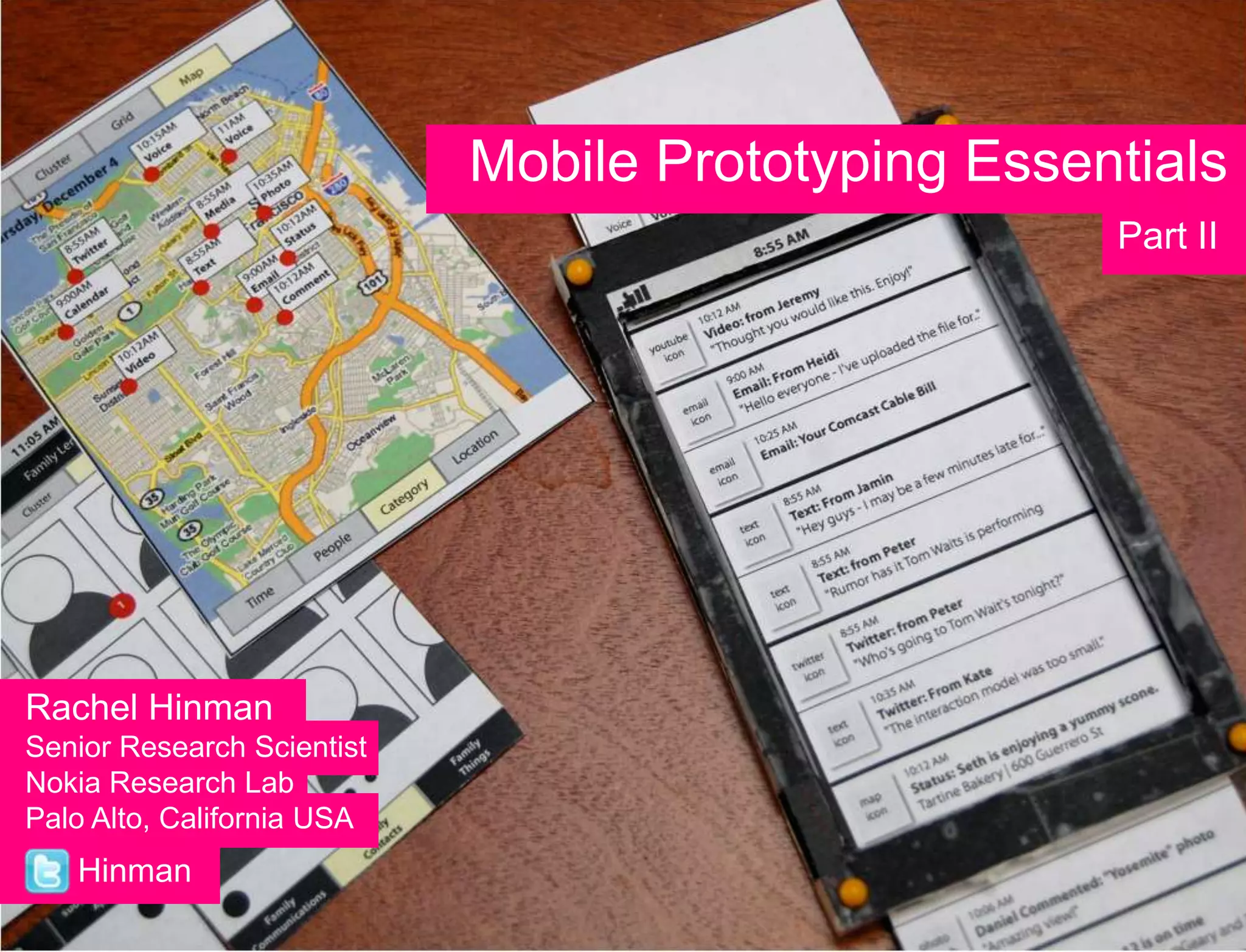
Mobile Prototyping Essentials
                                                    Part II


Rachel Hinman
Senior Research Scientist
Nokia Research Lab
Palo Alto, California USA
   Hinman
Our plan for today…
8:30am - Noon
What makes mobile UX different?
Two Design/Mobile UX Exercises:
• Identifying Mobile Needs
• Ideating in the Wild

Noon – 1pm - LUNCH

1:30pm – 5:30pm
Mobile prototyping essentials
Three Mobile Prototyping Exercises
• Storyboarding
• Practice Ruthless Editing/Translating GUI to NUI
• Creating an In-Screen Prototype
Q:   What makes mobile UX different?

Q:


                                       3
A


    4
5
:-(
A
A


    6
?
    7
8
    8
Bad
Decision-Making


                  9
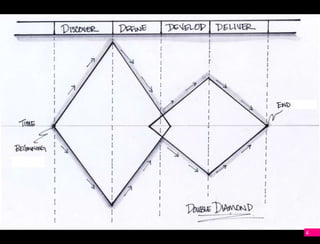
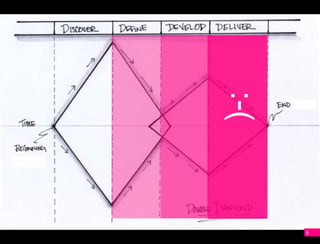
The final diamonds are where good
design decisions matter most…

…and where designers new to mobile
have the least domain specific skill
and confidence.


                                       10
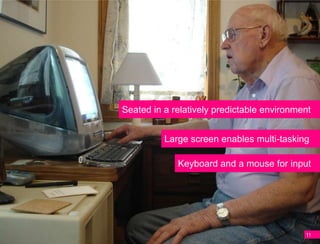
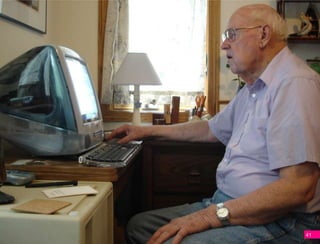
Seated in a relatively predictable environment


          Large screen enables multi-tasking

             Keyboard and a mouse for input


                                            11
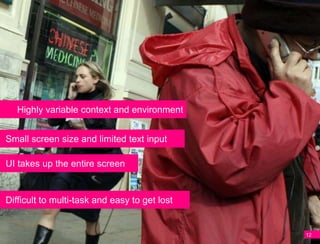
Highly variable context and environment


Small screen size and limited text input

UI takes up the entire screen


Difficult to multi-task and easy to get lost


                                               12
Designers new to mobile
A   don’t have the domain
    specific skills or heuristics to
    lean on…


                                       13
…and their instincts are not
A   tuned to the nuance of
    mobile.


                                   14
Try starting with instinct and intuition
A
    Instinctnoun
    A natural or innate impulse,
    inclination, or tendency.


                                   16
PC Prototyping
    is considered a

    Luxury
A


                      17
A
    Design involves
    Instincts

                      18
Mobile Prototyping is

    Essential
A


                             19
A
          Prototyping
    will help you develop
Mobile Instincts

                            20
A


    21
A
    Design involves
    Instincts

                      22
A
          Prototyping
    will help you develop
Mobile Instincts

                            23
Our plan for this afternoon…
 Review the four “whys” of mobile prototyping

 Identify the two genres of prototyping and
 overview of six prototyping methods

 Review the key differences between NUI
 and GUI interfaces
 Overview of animation principles that can be
 incorporated into your mobile experiences

 Three hands-on activities
                                                24
Our plan for this afternoon…
 Review the four “whys” of mobile prototyping

 Identify the two genres of prototyping and
 overview six prototyping methods

 Review the key differences between NUI
 and GUI interfaces
 Overview of animation principles that can be
 incorporated into your mobile experiences

 Three hands-on activities
                                                25
Our plan for this afternoon…
 Review the four “whys” of mobile prototyping

 Identify the two genres of prototyping and
 overview six prototyping methods

 Review the key differences between NUI
 and GUI interfaces
 Overview of animation principles that can be
 incorporated into your mobile experiences

 Three hands-on activities
                                                26
Our plan for this afternoon…
 Review the four “whys” of mobile prototyping

 Identify the two genres of prototyping and
 overview six prototyping methods

 Review the key differences between NUI
 and GUI interfaces

 Three hands-on activities


                                                27
Okay, let’s get started!


                           28
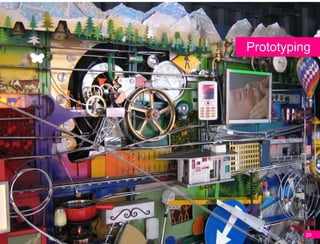
Prototyping


          29
“Whys” of prototyping
  Improve your design decision-making

  Communicate an Idea

  Gather User Feedback

  Explore the “Unknowns”

  Fine-tune an Idea
                                        30
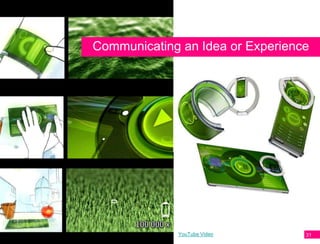
Communicating an Idea or Experience


             YouTube Video        31
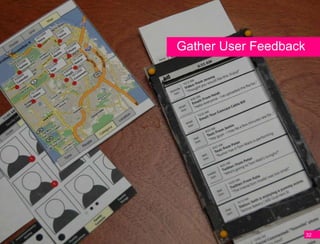
Gather User Feedback


                       32
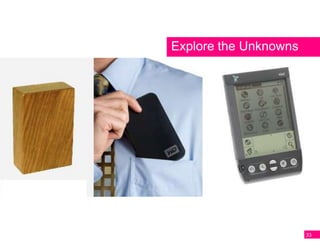
Explore the Unknowns


                       33
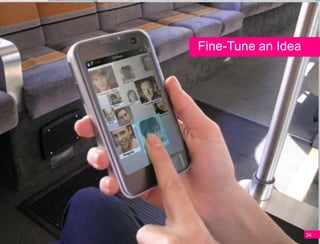
Fine-Tune an Idea


                    34
Two Genres


             35
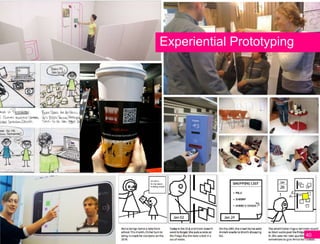
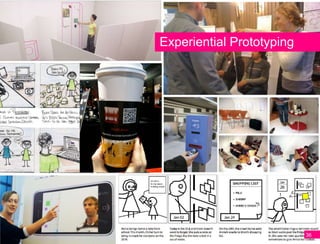
Experiential Prototyping


                           36
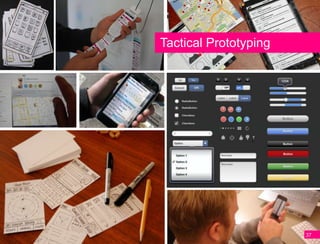
Tactical Prototyping


                       37
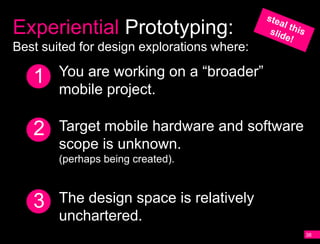
Experiential Prototyping:
Best suited for design explorations where:

   1    You are working on a “broader”
        mobile project.

   2    Target mobile hardware and software
        scope is unknown.
        (perhaps being created).


   3    The design space is relatively
        unchartered.
                                              38
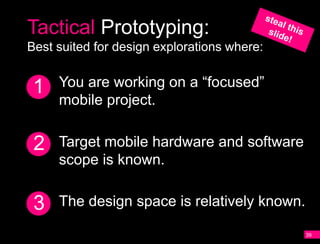
Tactical Prototyping:
Best suited for design explorations where:


 1   You are working on a “focused”
     mobile project.


 2   Target mobile hardware and software
     scope is known.


 3   The design space is relatively known.

                                             39
Experiential Prototyping


                           40
41
42
Context Matters


                  43
Context will likely be
  your blindside


                         44
Experiential Prototyping
will help you understand
          context


                           45
Experiential Prototypes
  Body Storming

  Storyboarding

  Speed Dating Prototypes

  Concept Videos
Experiential Prototypes
  Body Storming

  Storyboarding

  Speed Dating Prototypes

  Concept Videos
Experiential Prototypes
  Body Storming

  Storyboarding

  Speed Dating Prototypes

  Concept Videos
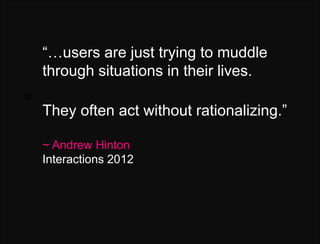
Q:   “…users are just trying to muddle
     through situations in their lives.
Q:

     They often act without rationalizing.”

     ~ Andrew Hinton
     Interactions 2012
Plans & Situated Action
Mutual Reconfiguration
Q:   Suchman’s theory of mutual
     reconfiguration suggests a person’s
Q:
     capacity to act (their agency) is
     reconfiguredwhen it comes into contact
     with another thing or person -
     thathuman action is constantly
     constructed and reconstructed
     from dynamic interactions with the
     material and social worlds.
54
55
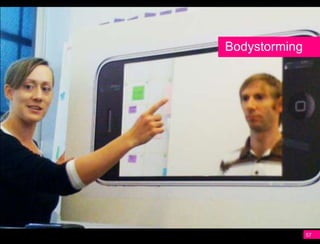
Bodystorming


               57
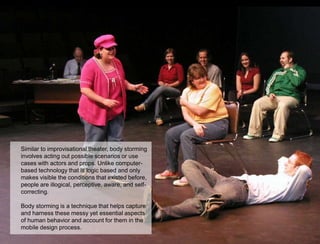
Similar to improvisational theater, body storming
involves acting out possible scenarios or use
cases with actors and props. Unlike computer-
based technology that is logic based and only
makes visible the conditions that existed before,
people are illogical, perceptive, aware, and self-
correcting.

Body storming is a technique that helps capture
and harness these messy yet essential aspects
of human behavior and account for them in the
mobile design process.
                                                     58
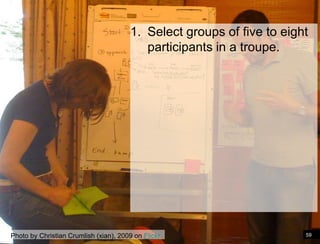
1. Select groups of five to eight
                                           participants in a troupe.


Photo by Christian Crumlish (xian), 2009 on Flickr                      59
1. Select groups of five to eight
                                            participants in a troupe.

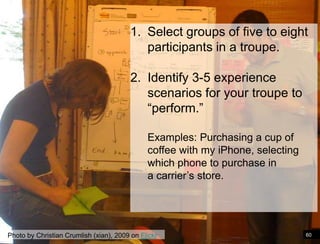
                                         2. Identify 3-5 experience
                                            scenarios for your troupe to
                                            “perform.”

                                              Examples: Purchasing a cup of
                                              coffee with my iPhone, selecting
                                              which phone to purchase in
                                              a carrier’s store.


Photo by Christian Crumlish (xian), 2009 on Flickr                               60
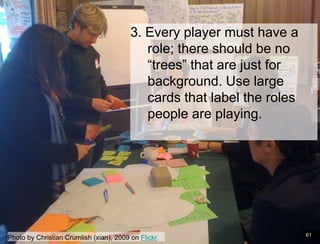
3. Every player must have a
                                            role; there should be no
                                            “trees” that are just for
                                            background. Use large
                                            cards that label the roles
                                            people are playing.


                                                                         61
Photo by Christian Crumlish (xian), 2009 on Flickr
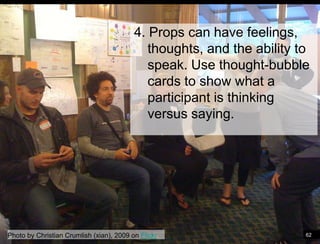
4. Props can have feelings,
                                             thoughts, and the ability to
                                             speak. Use thought-bubble
                                             cards to show what a
                                             participant is thinking
                                             versus saying.


Photo by Christian Crumlish (xian), 2009 on Flickr                      62
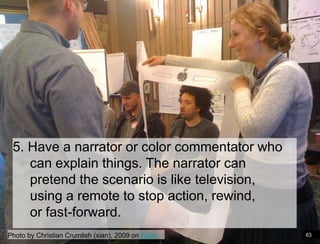
5. Have a narrator or color commentator who
    can explain things. The narrator can
    pretend the scenario is like television,
    using a remote to stop action, rewind,
    or fast-forward.
Photo by Christian Crumlish (xian), 2009 on Flickr   63
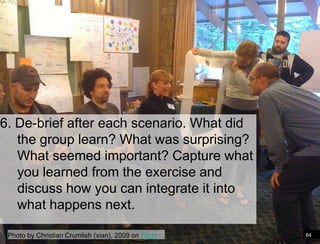
6. De-brief after each scenario. What did
   the group learn? What was surprising?
   What seemed important? Capture what
   you learned from the exercise and
   discuss how you can integrate it into
   what happens next.

 Photo by Christian Crumlish (xian), 2009 on Flickr   64
Bodystorming will help you capture
  the emotional tenor of mobile
          interactions


                                     65
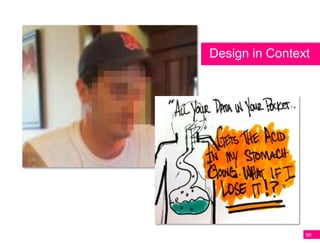
Design in Context


                66
Experiential Prototypes
  Body Storming

  Storyboarding

  Speed Dating Prototypes

  Concept Videos
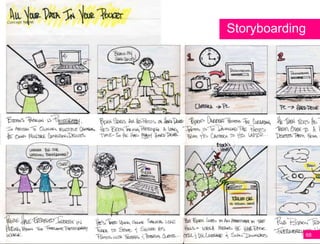
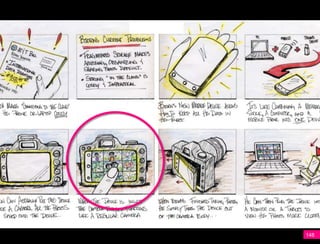
Storyboarding


            68
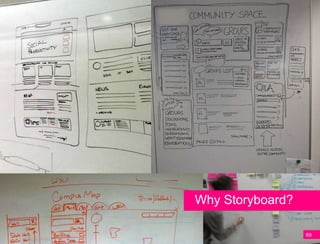
Why Storyboard?

                  69
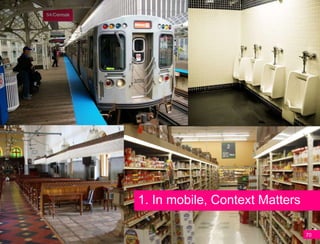
1. In mobile, Context Matters

                                70
Even in situations in which a spirit of
 exploration and freedom exist, where faculty
are“Hey, I’ve got this work beyond physical
    free to experiment to great idea …”
  and social constraints, our cognitive habits
              often get in the way.

  Marshall McLuhan called it “the rear-view
 mirror effect,” noting that “We see the world
    through a rear-view mirror. We march
          backwards into the future.”
                                 2. Qualify ideas
72
73
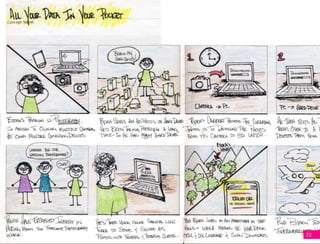
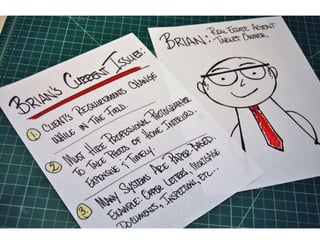
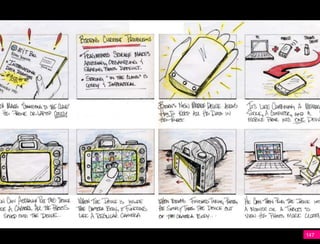
Mobile UX Storyboarding
  Identify the central idea(s) you are
  trying to communicate.


                                         74
Mobile UX Storyboarding
  Identify the central idea(s) you are
  trying to communicate.

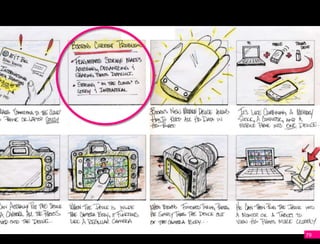
  Create a character and identify the key
  issues he/she currently faces.


                                            75
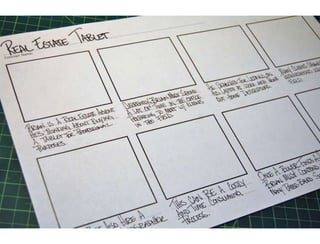
Mobile UX Storyboarding
  Identify the central idea(s) you are
  trying to communicate.

  Create a character and identify the key
  issues he/she currently faces.
  Rough out a basic story.


                                            76
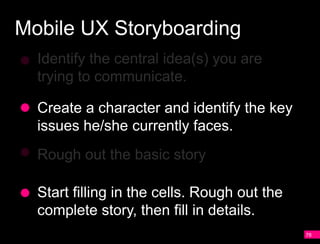
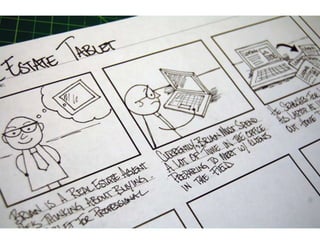
Mobile UX Storyboarding
  Identify the central idea(s) you are
  trying to communicate.

  Create a character and identify the key
  issues he/she currently faces.
  Rough out a basic story.

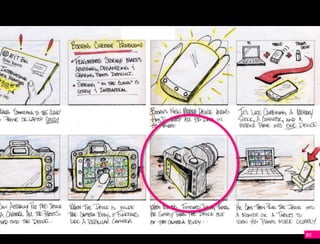
  Start filling in the cells. Rough out the
  complete story, then fill in details.
                                              77
Mobile UX Storyboarding
  Identify the central idea(s) you are
  trying to communicate.

  Create a character and identify the key
  issues he/she currently faces.
  Rough out the basic story

  Start filling in the cells. Rough out the
  complete story, then fill in details.
                                              78
79
80
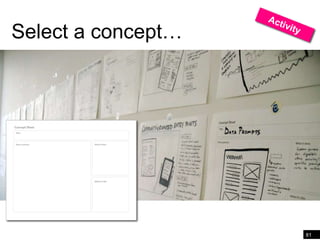
Select a concept…


                    81
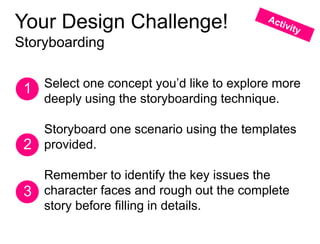
Your Design Challenge!
Storyboarding


 1 Select one concept you’d like to explore more
   deeply using the storyboarding technique.

   Storyboard one scenario using the templates
 2 provided.

   Remember to identify the key issues the
 3 character faces and rough out the complete
   story before filling in details.
30Minutes
Experiential Prototypes
  Body Storming

  Storyboarding

  Speed Dating Prototypes

  Concept Videos
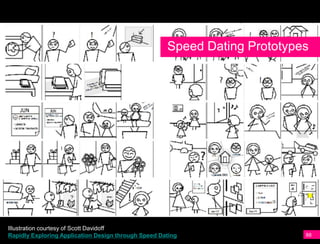
Speed Dating Prototypes


Illustration courtesy of Scott Davidoff
Rapidly Exploring Application Design through Speed Dating                  88
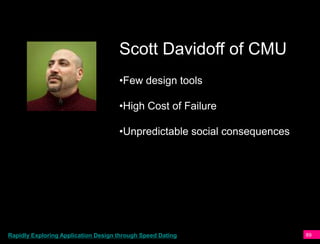
Scott Davidoff of CMU
                                     •Few design tools

                                     •High Cost of Failure

                                     •Unpredictable social consequences


Rapidly Exploring Application Design through Speed Dating                 89
Experiential Prototypes
  Body Storming

  Storyboarding

  Speed Dating Prototypes

  Concept Videos
Speed Dating Prototypes
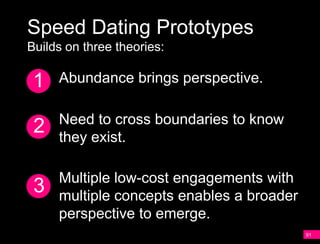
Builds on three theories:

 1   Abundance brings perspective.

     Need to cross boundaries to know
 2   they exist.

     Multiple low-cost engagements with
 3   multiple concepts enables a broader
     perspective to emerge.
                                           91
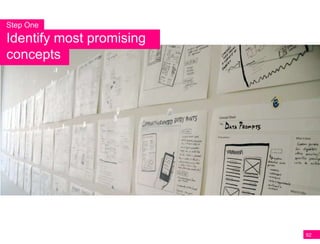
Step One
Identify most promising
concepts


                          92
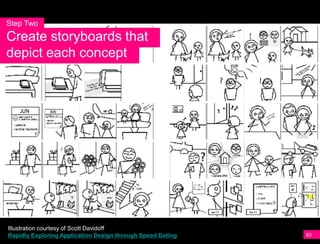
Step Two
Create storyboards that
depict each concept


Illustration courtesy of Scott Davidoff
Rapidly Exploring Application Design through Speed Dating   93
Step Three
Present storyboards to
users & gather feedback


                          94
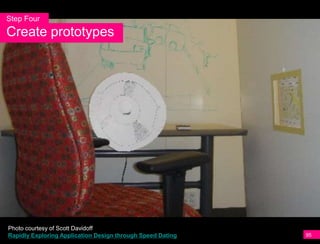
Step Four
Create prototypes


Photo courtesy of Scott Davidoff
Rapidly Exploring Application Design through Speed Dating   95
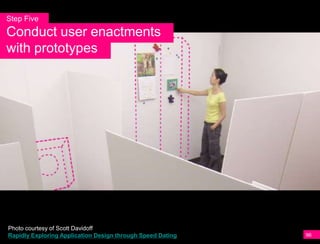
Step Five
Conduct user enactments
with prototypes


Photo courtesy of Scott Davidoff
Rapidly Exploring Application Design through Speed Dating   96
Speed Dating Prototypes are
especially well-suited for gathering
user impressions of
a new-to-the-world experience


                                       97
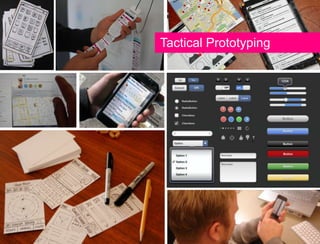
Tactical Prototyping
Tactical Prototypes
  Sketching/Paper Prototyping

  In-Screen Mobile Prototypes

  Mobile Browser Prototypes

  Keynote/Powerpoint Prototypes

  Flash Prototype

  Platform Specific Prototype
                                  99
Tactical Prototypes
  Sketching/Paper Prototyping

  In-Screen Mobile Prototypes

  Mobile Browser Prototypes

  Keynote/Powerpoint Prototypes

  Flash Prototype

  Platform Specific Prototype
                                  100
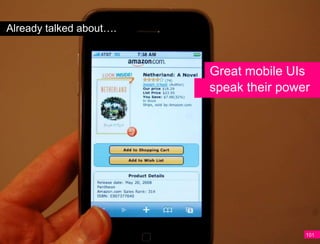
Already talked about….


                         Great mobile UIs
                         speak their power


                                         101
Already talked about….


                    Edit!!!


                              102
Already talked about….


              Ruthless
               Editing

                         103
Already talked about….


   A


                         104
A Brave NUI World


               105
106
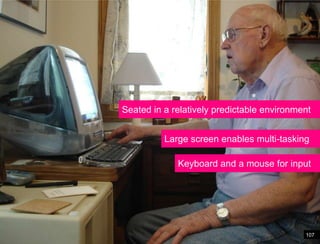
Seated in a relatively predictable environment


          Large screen enables multi-tasking

             Keyboard and a mouse for input


                                            107
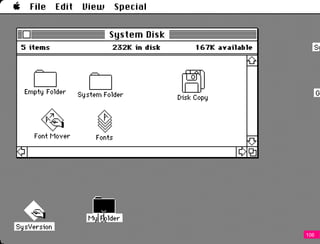
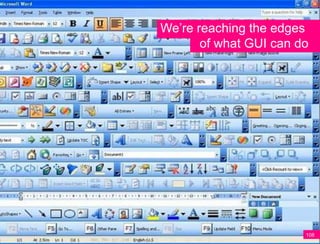
We’re reaching the edges
       of what GUI can do


                        108
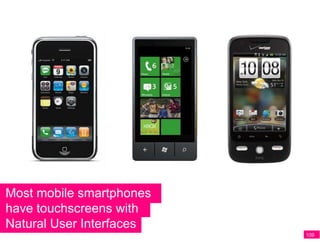
Most mobile smartphones
have touchscreens with
Natural User Interfaces
                          109
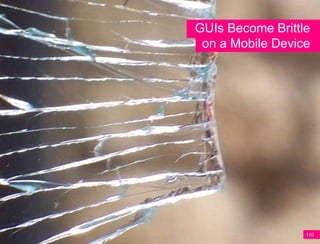
GUIs Become Brittle
 on a Mobile Device


                  110
113
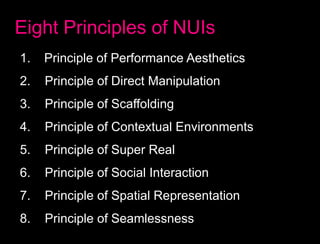
Eight Principles of NUIs
1.   Principle of Performance Aesthetics
2.   Principle of Direct Manipulation
3.   Principle of Scaffolding
4.   Principle of Contextual Environments
5.   Principle of Super Real
6.   Principle of Social Interaction
7.   Principle of Spatial Representation
8.   Principle of Seamlessness
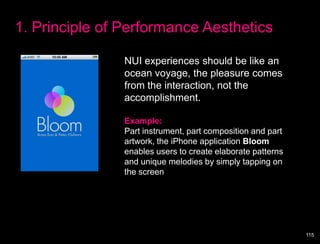
1. Principle of Performance Aesthetics

                NUI experiences should be like an
                ocean voyage, the pleasure comes
                from the interaction, not the
                accomplishment.

                Example:
                Part instrument, part composition and part
                artwork, the iPhone application Bloom
                enables users to create elaborate patterns
                and unique melodies by simply tapping on
                the screen


                                                             115
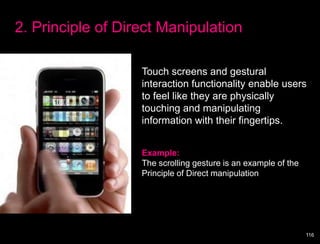
2. Principle of Direct Manipulation

                   Touch screens and gestural
                   interaction functionality enable users
                   to feel like they are physically
                   touching and manipulating
                   information with their fingertips.


                   Example:
                   The scrolling gesture is an example of the
                   Principle of Direct manipulation


                                                                116
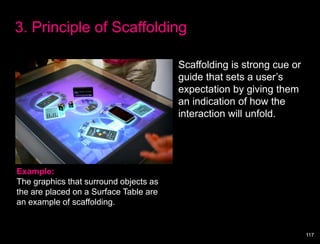
3. Principle of Scaffolding

                                        Scaffolding is strong cue or
                                        guide that sets a user’s
                                        expectation by giving them
                                        an indication of how the
                                        interaction will unfold.


Example:
The graphics that surround objects as
the are placed on a Surface Table are
an example of scaffolding.


                                                                       117
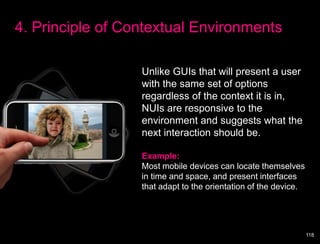
4. Principle of Contextual Environments

                  Unlike GUIs that will present a user
                  with the same set of options
                  regardless of the context it is in,
                  NUIs are responsive to the
                  environment and suggests what the
                  next interaction should be.

                  Example:
                  Most mobile devices can locate themselves
                  in time and space, and present interfaces
                  that adapt to the orientation of the device.


                                                                 118
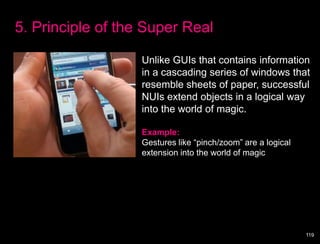
5. Principle of the Super Real

                   Unlike GUIs that contains information
                   in a cascading series of windows that
                   resemble sheets of paper, successful
                   NUIs extend objects in a logical way
                   into the world of magic.

                   Example:
                   Gestures like “pinch/zoom” are a logical
                   extension into the world of magic


                                                              119
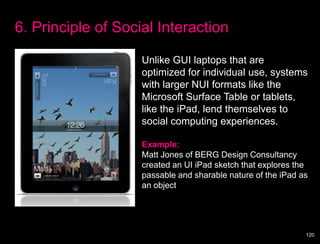
6. Principle of Social Interaction

                    Unlike GUI laptops that are
                    optimized for individual use, systems
                    with larger NUI formats like the
                    Microsoft Surface Table or tablets,
                    like the iPad, lend themselves to
                    social computing experiences.

                    Example:
                    Matt Jones of BERG Design Consultancy
                    created an UI iPad sketch that explores the
                    passable and sharable nature of the iPad as
                    an object


                                                              120
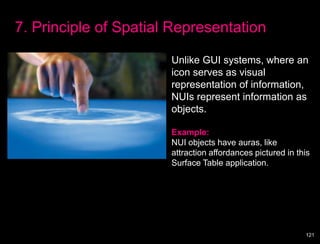
7. Principle of Spatial Representation

                       Unlike GUI systems, where an
                       icon serves as visual
                       representation of information,
                       NUIs represent information as
                       objects.

                       Example:
                       NUI objects have auras, like
                       attraction affordances pictured in this
                       Surface Table application.


                                                            121
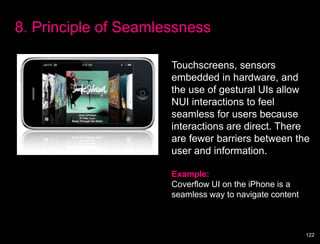
8. Principle of Seamlessness

                      Touchscreens, sensors
                      embedded in hardware, and
                      the use of gestural UIs allow
                      NUI interactions to feel
                      seamless for users because
                      interactions are direct. There
                      are fewer barriers between the
                      user and information.

                      Example:
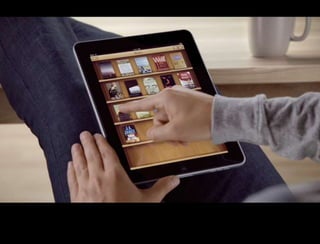
                      Coverflow UI on the iPhone is a
                      seamless way to navigate content


                                                         122
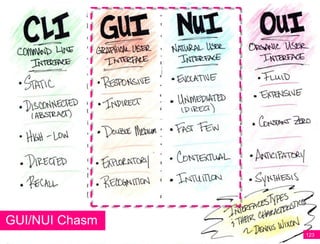
GUI/NUI Chasm
                123
Q:


Q:
Key differences between
     NUI and GUI


                          125
Defining Attributes of


GUIs…

                         126
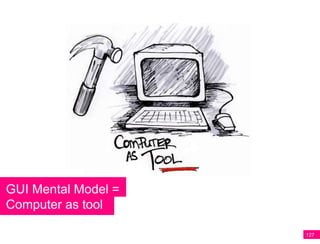
GUI Mental Model =
Computer as tool

                     127
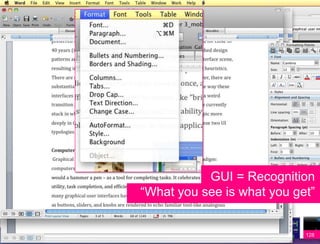
GUI = Recognition
“What you see is what you get”


                            128
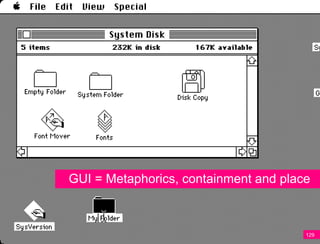
GUI = Metaphorics, containment and place


                                       129
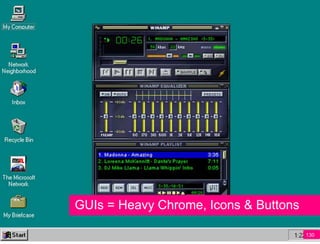
GUIs = Heavy Chrome, Icons & Buttons

                                       130
Defining Attributes of


NUIs…

                         131
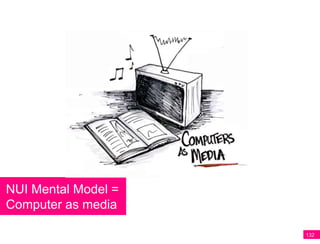
NUI Mental Model =
Computer as media

                     132
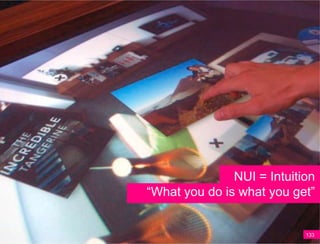
NUI = Intuition
“What you do is what you get”


                            133
NUI = Fluid, Unmediated, and Organic


                                       134
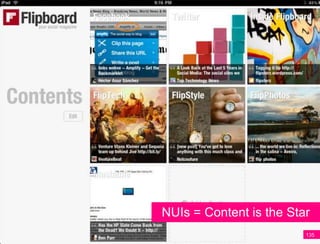
NUIs = Content is the Star
                         135
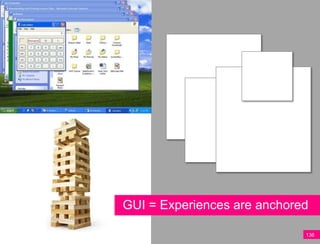
GUI = Experiences are anchored

                             136
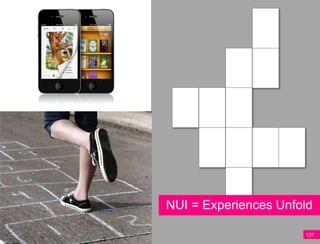
NUI = Experiences Unfold

                      137
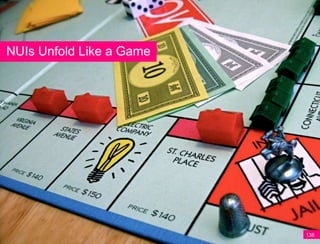
NUIs Unfold Like a Game


                          138
NUIs Can Feel Anchor-less


                       139
140
Mobile Experiences Unfold
Patterns for how mobile experiences unfold
and progressively reveal their nature

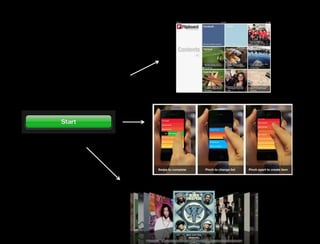
 1 The Nested Doll Pattern

 2 The Hub and Spoke Pattern

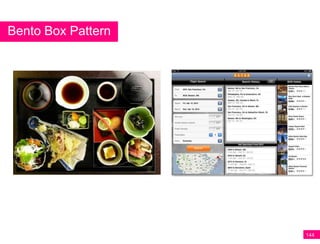
 3 The Bento Box Pattern

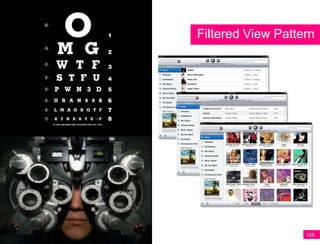
 4 The Filtered View Pattern
                                             141
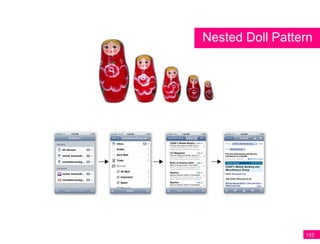
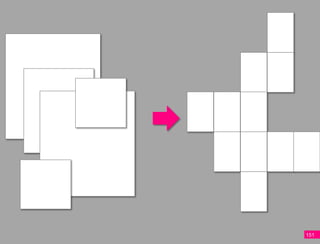
Nested Doll Pattern


                 142
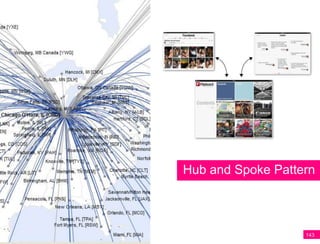
Hub and Spoke Pattern


                   143
Bento Box Pattern


                    144
Filtered View Pattern


                   145
Design Challenge!
From GUI to NUI


 1 Identify an interaction sequence you’d like to
    recreate using NUI principles.

 2 Sketch out the interaction using the
   templates provided.

 3 Identify how you’d like your mobile
    experience to unfold.

                                                    146
147
148
149
150
151
REMEMBER!
It’s easy to go crazy and try to do it all.
Instead, focus on applying what we’ve covered…

  Understanding the differences between
  graphical and natural user interfaces.

  Experimenting with how your mobile experience
  can unfold and and progressively reveal its
  nature.

  Play around with the unfolding patterns that have
  been presented… or invent some of your own.
                                                  152
GUI to NUI Translation
Focus on....
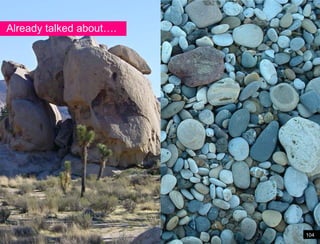
   Boulder to Pebbles - Create UIs that
   speak their power with Ruthless
   Editing!
   NUI characteristics:
   • Computer as Media          • What you DO is what you get
   • Content is the interface   • Unfolding

   NUI Unfolding Patterns
   • Nested Doll                          • Hub and Spoke
   • Bento Box                            • Filtered View
30 Minutes
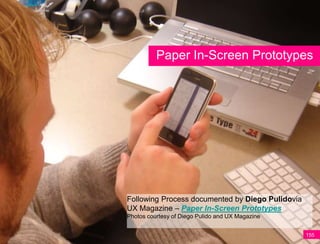
Paper In-Screen Prototypes


Following Process documented by Diego Pulidovia
UX Magazine – Paper In-Screen Prototypes
Photos courtesy of Diego Pulido and UX Magazine


                                                  155
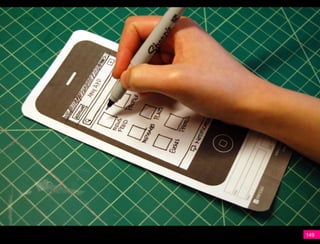
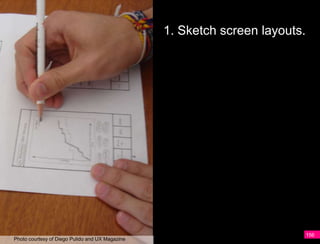
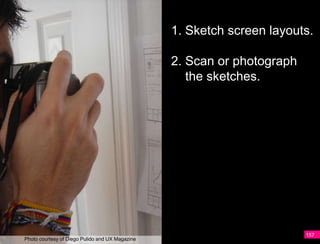
1. Sketch screen layouts.


                                                                             156
Photo courtesy of Diego Pulido and UX Magazine
1. Sketch screen layouts.

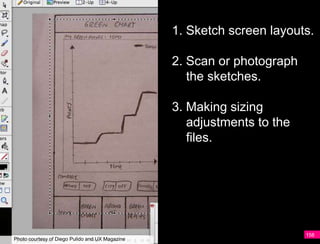
                                                 2. Scan or photograph
                                                    the sketches.


                                                                         157
Photo courtesy of Diego Pulido and UX Magazine
1. Sketch screen layouts.

                                                 2. Scan or photograph
                                                    the sketches.

                                                 3. Making sizing
                                                    adjustments to the
                                                    files.


                                                                         158
Photo courtesy of Diego Pulido and UX Magazine
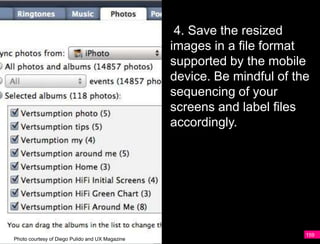
4. Save the resized
                                                 images in a file format
                                                 supported by the mobile
                                                 device. Be mindful of the
                                                 sequencing of your
                                                 screens and label files
                                                 accordingly.


                                                                         159
Photo courtesy of Diego Pulido and UX Magazine
4. Save the resized
                                                 images in a file format
                                                 supported by the mobile
                                                 device. Be mindful of the
                                                 sequencing of your
                                                 screens and label files
                                                 accordingly.

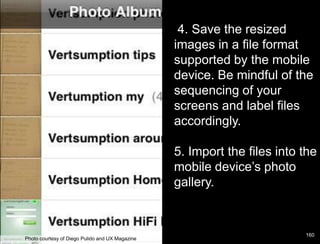
                                                 5. Import the files into the
                                                 mobile device’s photo
                                                 gallery.


                                                                          160
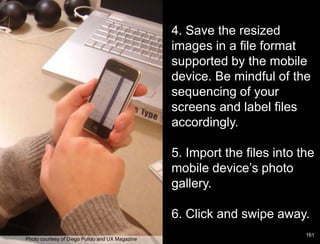
Photo courtesy of Diego Pulido and UX Magazine
4. Save the resized
                                                 images in a file format
                                                 supported by the mobile
                                                 device. Be mindful of the
                                                 sequencing of your
                                                 screens and label files
                                                 accordingly.

                                                 5. Import the files into the
                                                 mobile device’s photo
                                                 gallery.

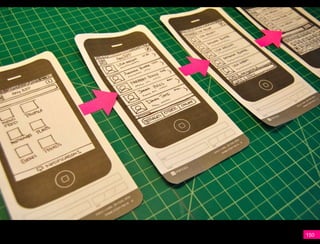
                                                 6. Click and swipe away.
                                                                           161
Photo courtesy of Diego Pulido and UX Magazine
5-10 Minutes
Q:
    Now you can
 really start to have
Q:


      some fun!
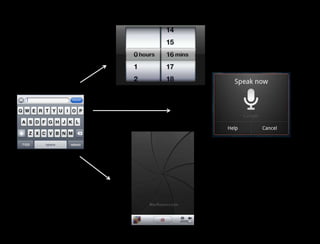
• Gesture
• Sound/Voice
• Image/Video
• GPS
• Animation
• Facial Recognition
• Sensors
Q:


What revisions can
Q:


 you make now?
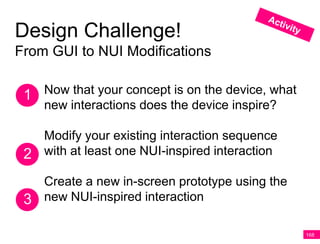
Design Challenge!
From GUI to NUI Modifications


 1 Now that your concept is on the device, what
    new interactions does the device inspire?

   Modify your existing interaction sequence
 2 with at least one NUI-inspired interaction
   Create a new in-screen prototype using the
 3 new NUI-inspired interaction

                                                  168
20 Minutes
3
Key Learnings


                170
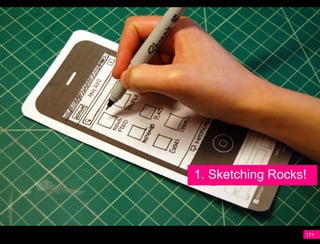
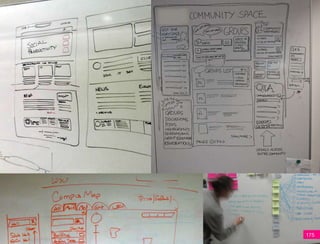
1. Sketching Rocks!


                  171
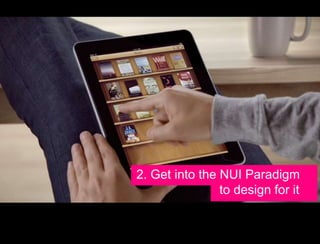
2. Get into the NUI Paradigm
                to design for it
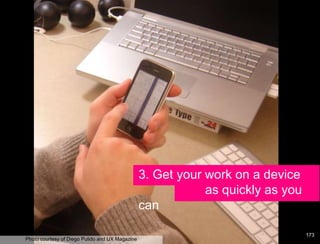
3. Get your work on a device
                                                             as quickly as you
                                                 can

                                                                                 173
Photo courtesy of Diego Pulido and UX Magazine
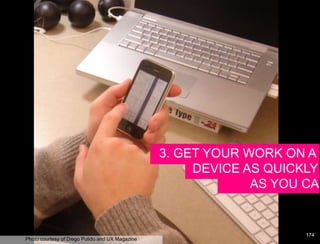
3. GET YOUR WORK ON A
                                                      DEVICE AS QUICKLY
                                                              AS YOU CAN


                                                                    174
Photo courtesy of Diego Pulido and UX Magazine
175
176
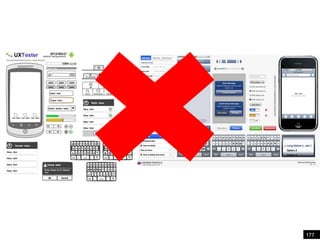
177
supermodel
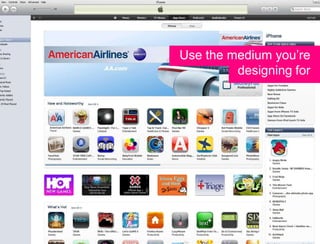
Use the medium you’re
         designing for
Making it pretty…
181
Tactical Prototypes
  Sketching

  In-Screen Mobile Prototypes

  Mobile Browser Prototypes

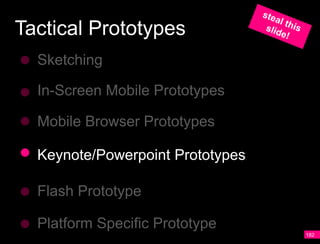
  Keynote/Powerpoint Prototypes

  Flash Prototype

  Platform Specific Prototype
                                  182
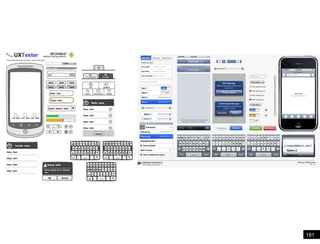
Keynote/Powerpoint Prototypes


                                183
184
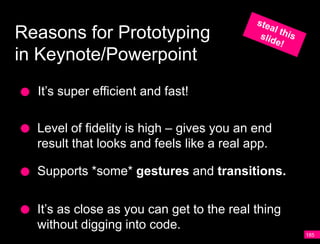
Reasons for Prototyping
in Keynote/Powerpoint
  It’s super efficient and fast!

  Level of fidelity is high – gives you an end
  result that looks and feels like a real app.

  Supports *some* gestures and transitions.


  It’s as close as you can get to the real thing
  without digging into code.
                                                   185
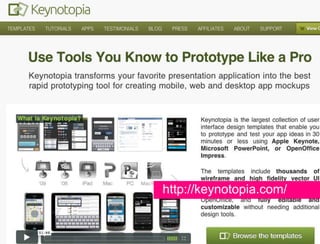
http://keynotopia.com/


                         186
Even in situations in which a spirit of
 exploration and freedom exist, where faculty
are free to experiment to workIn closing….
                                beyond physical
  and social constraints, our cognitive habits
              often get in the way.

  Marshall McLuhan called it “the rear-view
 mirror effect,” noting that “We see the world
    through a rear-view mirror. We march
          backwards into the future.”
Fidelity


           188
Failure


          189
Prototyping is not a Panacea


                           190
Mobile presents an
opportunity to invent new
ways for users to interact
with information.


                             191
Great Mobile Experiences:
1 are uniquely mobile

2 are sympathetic to context

3 speak their power
3
Q:


Q:
PC Prototyping
    is considered a

    Luxury
A
Mobile Prototyping is

    Essential
A
A
           Prototyping
     will help you develop
    Mobile Instincts

                             196
Thank you!
Email:
rachelhinman@gmail.com

Mobile Prototyping Essentials Workshop: Part 2

  • 1.
    Mobile Prototyping Essentials Part II Rachel Hinman Senior Research Scientist Nokia Research Lab Palo Alto, California USA Hinman
  • 2.
    Our plan fortoday… 8:30am - Noon What makes mobile UX different? Two Design/Mobile UX Exercises: • Identifying Mobile Needs • Ideating in the Wild Noon – 1pm - LUNCH 1:30pm – 5:30pm Mobile prototyping essentials Three Mobile Prototyping Exercises • Storyboarding • Practice Ruthless Editing/Translating GUI to NUI • Creating an In-Screen Prototype
  • 3.
    Q: What makes mobile UX different? Q: 3
  • 4.
    A 4
  • 5.
  • 6.
    A 6
  • 7.
    ? 7
  • 8.
    8 8
  • 9.
  • 10.
    The final diamondsare where good design decisions matter most… …and where designers new to mobile have the least domain specific skill and confidence. 10
  • 11.
    Seated in arelatively predictable environment Large screen enables multi-tasking Keyboard and a mouse for input 11
  • 12.
    Highly variable contextand environment Small screen size and limited text input UI takes up the entire screen Difficult to multi-task and easy to get lost 12
  • 13.
    Designers new tomobile A don’t have the domain specific skills or heuristics to lean on… 13
  • 14.
    …and their instinctsare not A tuned to the nuance of mobile. 14
  • 15.
    Try starting withinstinct and intuition
  • 16.
    A Instinctnoun A natural or innate impulse, inclination, or tendency. 16
  • 17.
    PC Prototyping is considered a Luxury A 17
  • 18.
    A Design involves Instincts 18
  • 19.
    Mobile Prototyping is Essential A 19
  • 20.
    A Prototyping will help you develop Mobile Instincts 20
  • 21.
    A 21
  • 22.
    A Design involves Instincts 22
  • 23.
    A Prototyping will help you develop Mobile Instincts 23
  • 24.
    Our plan forthis afternoon… Review the four “whys” of mobile prototyping Identify the two genres of prototyping and overview of six prototyping methods Review the key differences between NUI and GUI interfaces Overview of animation principles that can be incorporated into your mobile experiences Three hands-on activities 24
  • 25.
    Our plan forthis afternoon… Review the four “whys” of mobile prototyping Identify the two genres of prototyping and overview six prototyping methods Review the key differences between NUI and GUI interfaces Overview of animation principles that can be incorporated into your mobile experiences Three hands-on activities 25
  • 26.
    Our plan forthis afternoon… Review the four “whys” of mobile prototyping Identify the two genres of prototyping and overview six prototyping methods Review the key differences between NUI and GUI interfaces Overview of animation principles that can be incorporated into your mobile experiences Three hands-on activities 26
  • 27.
    Our plan forthis afternoon… Review the four “whys” of mobile prototyping Identify the two genres of prototyping and overview six prototyping methods Review the key differences between NUI and GUI interfaces Three hands-on activities 27
  • 28.
    Okay, let’s getstarted! 28
  • 29.
  • 30.
    “Whys” of prototyping Improve your design decision-making Communicate an Idea Gather User Feedback Explore the “Unknowns” Fine-tune an Idea 30
  • 31.
    Communicating an Ideaor Experience YouTube Video 31
  • 32.
  • 33.
  • 34.
  • 35.
  • 36.
  • 37.
  • 38.
    Experiential Prototyping: Best suitedfor design explorations where: 1 You are working on a “broader” mobile project. 2 Target mobile hardware and software scope is unknown. (perhaps being created). 3 The design space is relatively unchartered. 38
  • 39.
    Tactical Prototyping: Best suitedfor design explorations where: 1 You are working on a “focused” mobile project. 2 Target mobile hardware and software scope is known. 3 The design space is relatively known. 39
  • 40.
  • 41.
  • 42.
  • 43.
  • 44.
    Context will likelybe your blindside 44
  • 45.
    Experiential Prototyping will helpyou understand context 45
  • 46.
    Experiential Prototypes Body Storming Storyboarding Speed Dating Prototypes Concept Videos
  • 47.
    Experiential Prototypes Body Storming Storyboarding Speed Dating Prototypes Concept Videos
  • 48.
    Experiential Prototypes Body Storming Storyboarding Speed Dating Prototypes Concept Videos
  • 49.
    Q: “…users are just trying to muddle through situations in their lives. Q: They often act without rationalizing.” ~ Andrew Hinton Interactions 2012
  • 50.
    Plans & SituatedAction Mutual Reconfiguration
  • 52.
    Q: Suchman’s theory of mutual reconfiguration suggests a person’s Q: capacity to act (their agency) is reconfiguredwhen it comes into contact with another thing or person - thathuman action is constantly constructed and reconstructed from dynamic interactions with the material and social worlds.
  • 54.
  • 55.
  • 57.
  • 58.
    Similar to improvisationaltheater, body storming involves acting out possible scenarios or use cases with actors and props. Unlike computer- based technology that is logic based and only makes visible the conditions that existed before, people are illogical, perceptive, aware, and self- correcting. Body storming is a technique that helps capture and harness these messy yet essential aspects of human behavior and account for them in the mobile design process. 58
  • 59.
    1. Select groupsof five to eight participants in a troupe. Photo by Christian Crumlish (xian), 2009 on Flickr 59
  • 60.
    1. Select groupsof five to eight participants in a troupe. 2. Identify 3-5 experience scenarios for your troupe to “perform.” Examples: Purchasing a cup of coffee with my iPhone, selecting which phone to purchase in a carrier’s store. Photo by Christian Crumlish (xian), 2009 on Flickr 60
  • 61.
    3. Every playermust have a role; there should be no “trees” that are just for background. Use large cards that label the roles people are playing. 61 Photo by Christian Crumlish (xian), 2009 on Flickr
  • 62.
    4. Props canhave feelings, thoughts, and the ability to speak. Use thought-bubble cards to show what a participant is thinking versus saying. Photo by Christian Crumlish (xian), 2009 on Flickr 62
  • 63.
    5. Have anarrator or color commentator who can explain things. The narrator can pretend the scenario is like television, using a remote to stop action, rewind, or fast-forward. Photo by Christian Crumlish (xian), 2009 on Flickr 63
  • 64.
    6. De-brief aftereach scenario. What did the group learn? What was surprising? What seemed important? Capture what you learned from the exercise and discuss how you can integrate it into what happens next. Photo by Christian Crumlish (xian), 2009 on Flickr 64
  • 65.
    Bodystorming will helpyou capture the emotional tenor of mobile interactions 65
  • 66.
  • 67.
    Experiential Prototypes Body Storming Storyboarding Speed Dating Prototypes Concept Videos
  • 68.
  • 69.
  • 70.
    1. In mobile,Context Matters 70
  • 71.
    Even in situationsin which a spirit of exploration and freedom exist, where faculty are“Hey, I’ve got this work beyond physical free to experiment to great idea …” and social constraints, our cognitive habits often get in the way. Marshall McLuhan called it “the rear-view mirror effect,” noting that “We see the world through a rear-view mirror. We march backwards into the future.” 2. Qualify ideas
  • 72.
  • 73.
  • 74.
    Mobile UX Storyboarding Identify the central idea(s) you are trying to communicate. 74
  • 75.
    Mobile UX Storyboarding Identify the central idea(s) you are trying to communicate. Create a character and identify the key issues he/she currently faces. 75
  • 76.
    Mobile UX Storyboarding Identify the central idea(s) you are trying to communicate. Create a character and identify the key issues he/she currently faces. Rough out a basic story. 76
  • 77.
    Mobile UX Storyboarding Identify the central idea(s) you are trying to communicate. Create a character and identify the key issues he/she currently faces. Rough out a basic story. Start filling in the cells. Rough out the complete story, then fill in details. 77
  • 78.
    Mobile UX Storyboarding Identify the central idea(s) you are trying to communicate. Create a character and identify the key issues he/she currently faces. Rough out the basic story Start filling in the cells. Rough out the complete story, then fill in details. 78
  • 79.
  • 80.
  • 81.
  • 85.
    Your Design Challenge! Storyboarding 1 Select one concept you’d like to explore more deeply using the storyboarding technique. Storyboard one scenario using the templates 2 provided. Remember to identify the key issues the 3 character faces and rough out the complete story before filling in details.
  • 86.
  • 87.
    Experiential Prototypes Body Storming Storyboarding Speed Dating Prototypes Concept Videos
  • 88.
    Speed Dating Prototypes Illustrationcourtesy of Scott Davidoff Rapidly Exploring Application Design through Speed Dating 88
  • 89.
    Scott Davidoff ofCMU •Few design tools •High Cost of Failure •Unpredictable social consequences Rapidly Exploring Application Design through Speed Dating 89
  • 90.
    Experiential Prototypes Body Storming Storyboarding Speed Dating Prototypes Concept Videos
  • 91.
    Speed Dating Prototypes Buildson three theories: 1 Abundance brings perspective. Need to cross boundaries to know 2 they exist. Multiple low-cost engagements with 3 multiple concepts enables a broader perspective to emerge. 91
  • 92.
    Step One Identify mostpromising concepts 92
  • 93.
    Step Two Create storyboardsthat depict each concept Illustration courtesy of Scott Davidoff Rapidly Exploring Application Design through Speed Dating 93
  • 94.
    Step Three Present storyboardsto users & gather feedback 94
  • 95.
    Step Four Create prototypes Photocourtesy of Scott Davidoff Rapidly Exploring Application Design through Speed Dating 95
  • 96.
    Step Five Conduct userenactments with prototypes Photo courtesy of Scott Davidoff Rapidly Exploring Application Design through Speed Dating 96
  • 97.
    Speed Dating Prototypesare especially well-suited for gathering user impressions of a new-to-the-world experience 97
  • 98.
  • 99.
    Tactical Prototypes Sketching/Paper Prototyping In-Screen Mobile Prototypes Mobile Browser Prototypes Keynote/Powerpoint Prototypes Flash Prototype Platform Specific Prototype 99
  • 100.
    Tactical Prototypes Sketching/Paper Prototyping In-Screen Mobile Prototypes Mobile Browser Prototypes Keynote/Powerpoint Prototypes Flash Prototype Platform Specific Prototype 100
  • 101.
    Already talked about…. Great mobile UIs speak their power 101
  • 102.
  • 103.
    Already talked about…. Ruthless Editing 103
  • 104.
  • 105.
    A Brave NUIWorld 105
  • 106.
  • 107.
    Seated in arelatively predictable environment Large screen enables multi-tasking Keyboard and a mouse for input 107
  • 108.
    We’re reaching theedges of what GUI can do 108
  • 109.
    Most mobile smartphones havetouchscreens with Natural User Interfaces 109
  • 110.
    GUIs Become Brittle on a Mobile Device 110
  • 113.
  • 114.
    Eight Principles ofNUIs 1. Principle of Performance Aesthetics 2. Principle of Direct Manipulation 3. Principle of Scaffolding 4. Principle of Contextual Environments 5. Principle of Super Real 6. Principle of Social Interaction 7. Principle of Spatial Representation 8. Principle of Seamlessness
  • 115.
    1. Principle ofPerformance Aesthetics NUI experiences should be like an ocean voyage, the pleasure comes from the interaction, not the accomplishment. Example: Part instrument, part composition and part artwork, the iPhone application Bloom enables users to create elaborate patterns and unique melodies by simply tapping on the screen 115
  • 116.
    2. Principle ofDirect Manipulation Touch screens and gestural interaction functionality enable users to feel like they are physically touching and manipulating information with their fingertips. Example: The scrolling gesture is an example of the Principle of Direct manipulation 116
  • 117.
    3. Principle ofScaffolding Scaffolding is strong cue or guide that sets a user’s expectation by giving them an indication of how the interaction will unfold. Example: The graphics that surround objects as the are placed on a Surface Table are an example of scaffolding. 117
  • 118.
    4. Principle ofContextual Environments Unlike GUIs that will present a user with the same set of options regardless of the context it is in, NUIs are responsive to the environment and suggests what the next interaction should be. Example: Most mobile devices can locate themselves in time and space, and present interfaces that adapt to the orientation of the device. 118
  • 119.
    5. Principle ofthe Super Real Unlike GUIs that contains information in a cascading series of windows that resemble sheets of paper, successful NUIs extend objects in a logical way into the world of magic. Example: Gestures like “pinch/zoom” are a logical extension into the world of magic 119
  • 120.
    6. Principle ofSocial Interaction Unlike GUI laptops that are optimized for individual use, systems with larger NUI formats like the Microsoft Surface Table or tablets, like the iPad, lend themselves to social computing experiences. Example: Matt Jones of BERG Design Consultancy created an UI iPad sketch that explores the passable and sharable nature of the iPad as an object 120
  • 121.
    7. Principle ofSpatial Representation Unlike GUI systems, where an icon serves as visual representation of information, NUIs represent information as objects. Example: NUI objects have auras, like attraction affordances pictured in this Surface Table application. 121
  • 122.
    8. Principle ofSeamlessness Touchscreens, sensors embedded in hardware, and the use of gestural UIs allow NUI interactions to feel seamless for users because interactions are direct. There are fewer barriers between the user and information. Example: Coverflow UI on the iPhone is a seamless way to navigate content 122
  • 123.
  • 124.
  • 125.
    Key differences between NUI and GUI 125
  • 126.
  • 127.
    GUI Mental Model= Computer as tool 127
  • 128.
    GUI = Recognition “Whatyou see is what you get” 128
  • 129.
    GUI = Metaphorics,containment and place 129
  • 130.
    GUIs = HeavyChrome, Icons & Buttons 130
  • 131.
  • 132.
    NUI Mental Model= Computer as media 132
  • 133.
    NUI = Intuition “Whatyou do is what you get” 133
  • 134.
    NUI = Fluid,Unmediated, and Organic 134
  • 135.
    NUIs = Contentis the Star 135
  • 136.
    GUI = Experiencesare anchored 136
  • 137.
  • 138.
    NUIs Unfold Likea Game 138
  • 139.
    NUIs Can FeelAnchor-less 139
  • 140.
  • 141.
    Mobile Experiences Unfold Patternsfor how mobile experiences unfold and progressively reveal their nature 1 The Nested Doll Pattern 2 The Hub and Spoke Pattern 3 The Bento Box Pattern 4 The Filtered View Pattern 141
  • 142.
  • 143.
    Hub and SpokePattern 143
  • 144.
  • 145.
  • 146.
    Design Challenge! From GUIto NUI 1 Identify an interaction sequence you’d like to recreate using NUI principles. 2 Sketch out the interaction using the templates provided. 3 Identify how you’d like your mobile experience to unfold. 146
  • 147.
  • 148.
  • 149.
  • 150.
  • 151.
  • 152.
    REMEMBER! It’s easy togo crazy and try to do it all. Instead, focus on applying what we’ve covered… Understanding the differences between graphical and natural user interfaces. Experimenting with how your mobile experience can unfold and and progressively reveal its nature. Play around with the unfolding patterns that have been presented… or invent some of your own. 152
  • 153.
    GUI to NUITranslation Focus on.... Boulder to Pebbles - Create UIs that speak their power with Ruthless Editing! NUI characteristics: • Computer as Media • What you DO is what you get • Content is the interface • Unfolding NUI Unfolding Patterns • Nested Doll • Hub and Spoke • Bento Box • Filtered View
  • 154.
  • 155.
    Paper In-Screen Prototypes FollowingProcess documented by Diego Pulidovia UX Magazine – Paper In-Screen Prototypes Photos courtesy of Diego Pulido and UX Magazine 155
  • 156.
    1. Sketch screenlayouts. 156 Photo courtesy of Diego Pulido and UX Magazine
  • 157.
    1. Sketch screenlayouts. 2. Scan or photograph the sketches. 157 Photo courtesy of Diego Pulido and UX Magazine
  • 158.
    1. Sketch screenlayouts. 2. Scan or photograph the sketches. 3. Making sizing adjustments to the files. 158 Photo courtesy of Diego Pulido and UX Magazine
  • 159.
    4. Save theresized images in a file format supported by the mobile device. Be mindful of the sequencing of your screens and label files accordingly. 159 Photo courtesy of Diego Pulido and UX Magazine
  • 160.
    4. Save theresized images in a file format supported by the mobile device. Be mindful of the sequencing of your screens and label files accordingly. 5. Import the files into the mobile device’s photo gallery. 160 Photo courtesy of Diego Pulido and UX Magazine
  • 161.
    4. Save theresized images in a file format supported by the mobile device. Be mindful of the sequencing of your screens and label files accordingly. 5. Import the files into the mobile device’s photo gallery. 6. Click and swipe away. 161 Photo courtesy of Diego Pulido and UX Magazine
  • 162.
  • 163.
    Q: Now you can really start to have Q: some fun!
  • 164.
    • Gesture • Sound/Voice •Image/Video • GPS • Animation • Facial Recognition • Sensors
  • 167.
  • 168.
    Design Challenge! From GUIto NUI Modifications 1 Now that your concept is on the device, what new interactions does the device inspire? Modify your existing interaction sequence 2 with at least one NUI-inspired interaction Create a new in-screen prototype using the 3 new NUI-inspired interaction 168
  • 169.
  • 170.
  • 171.
  • 172.
    2. Get intothe NUI Paradigm to design for it
  • 173.
    3. Get yourwork on a device as quickly as you can 173 Photo courtesy of Diego Pulido and UX Magazine
  • 174.
    3. GET YOURWORK ON A DEVICE AS QUICKLY AS YOU CAN 174 Photo courtesy of Diego Pulido and UX Magazine
  • 175.
  • 176.
  • 177.
  • 178.
  • 179.
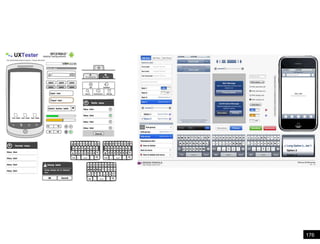
    Use the mediumyou’re designing for
  • 180.
  • 181.
  • 182.
    Tactical Prototypes Sketching In-Screen Mobile Prototypes Mobile Browser Prototypes Keynote/Powerpoint Prototypes Flash Prototype Platform Specific Prototype 182
  • 183.
  • 184.
  • 185.
    Reasons for Prototyping inKeynote/Powerpoint It’s super efficient and fast! Level of fidelity is high – gives you an end result that looks and feels like a real app. Supports *some* gestures and transitions. It’s as close as you can get to the real thing without digging into code. 185
  • 186.
  • 187.
    Even in situationsin which a spirit of exploration and freedom exist, where faculty are free to experiment to workIn closing…. beyond physical and social constraints, our cognitive habits often get in the way. Marshall McLuhan called it “the rear-view mirror effect,” noting that “We see the world through a rear-view mirror. We march backwards into the future.”
  • 188.
  • 189.
  • 190.
    Prototyping is nota Panacea 190
  • 191.
    Mobile presents an opportunityto invent new ways for users to interact with information. 191
  • 192.
    Great Mobile Experiences: 1are uniquely mobile 2 are sympathetic to context 3 speak their power 3
  • 193.
  • 194.
    PC Prototyping is considered a Luxury A
  • 195.
  • 196.
    A Prototyping will help you develop Mobile Instincts 196
  • 197.