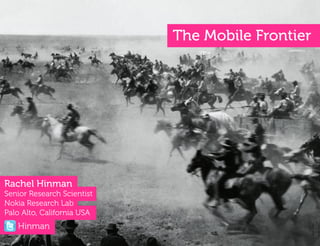
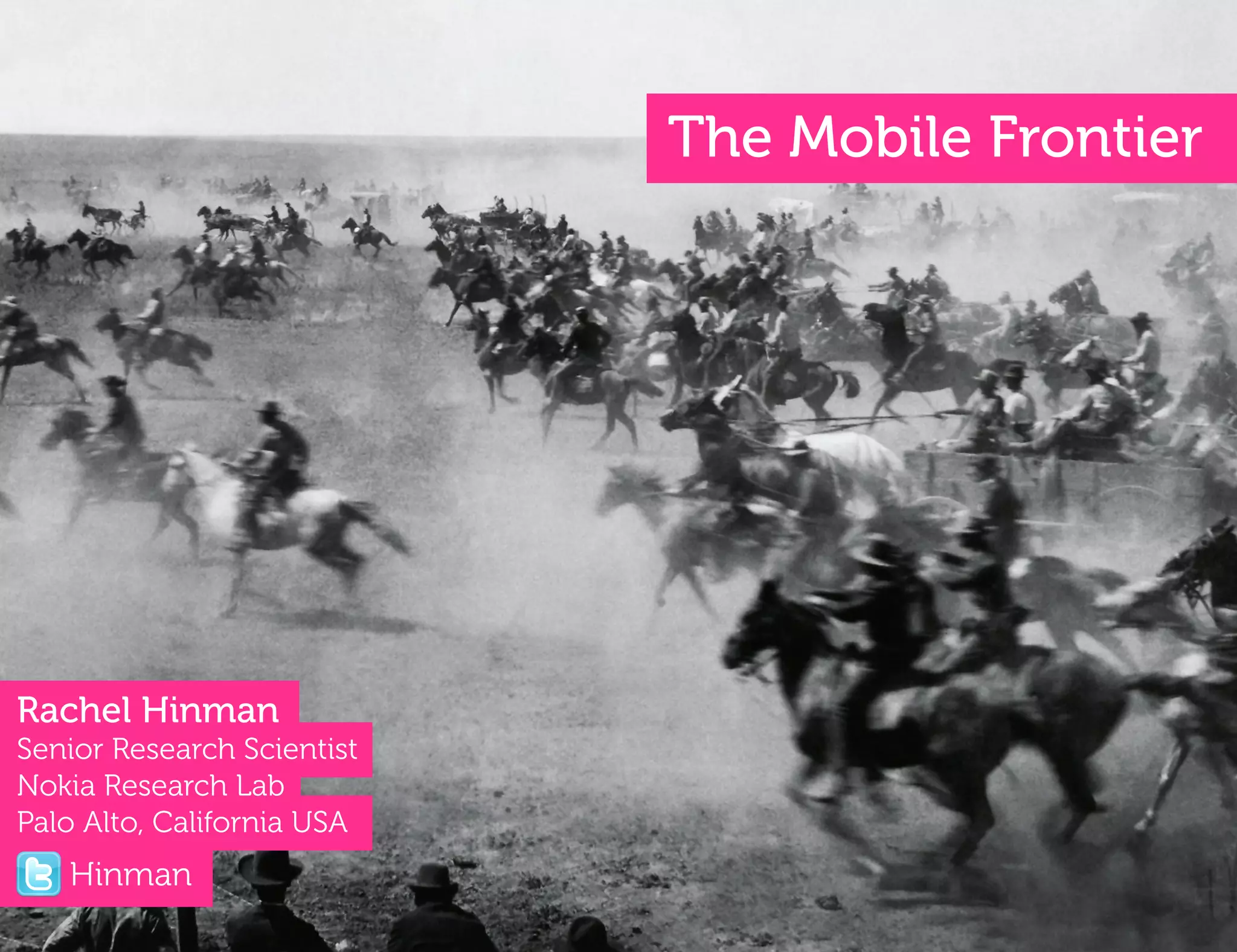







































The Mobile Frontier


Rachel Hinman
Senior Research Scientist
Nokia Research Lab
Palo Alto, California USA
   Hinman
2


I used to be a web designer, too!
Mobile has arrived…
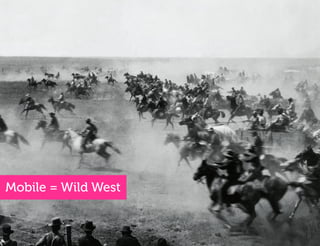
Mobile = Wild West
Even in situations in which a spirit of
 exploration and freedom exist, where faculty
 “Hey, I’ve got this great idea for an app…”
are free to experiment to work beyond physical
  and social constraints, our cognitive habits
              often get in the way. 


  Marshall McLuhan called it “the rear-view
 mirror effect,” noting that “We see the world
    through a rear-view mirror. We march
          backwards into the future.”!
The Rearview Mirror Effect
Even in in situations in whichaaspirit of
        Even situations in which spirit of
 exploration and freedom exist, where we are
   exploration and freedom exist, where faculty
free to experiment and to work beyond physical
  are free to experiment work beyond physical
              and social constraints,
    and social constraints, our cognitive habits
  our cognitive habits often get in
 the way.
                often get in the way.

    Marshall McLuhan called called it
         Marshall McLuhan it “the rear-view
  “the rear-viewnoting that “We noting that
  mirror effect,” mirror effect,” see the world
“We see the world through a rear-view mirror.
     through a rear-view mirror. We march
    We march backwards intofuture.”!
           backwards into the the future.”
Mobile presents an
opportunity to invent
new ways for users to
interact with information.


                             11!
Where to Look?
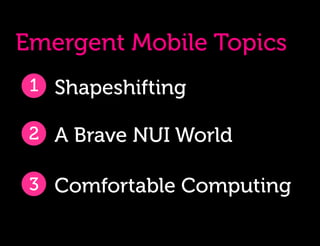
Emergent Mobile Topics
 1 Shapeshifting

 2 A Brave NUI World

 3 Comfortable Computing
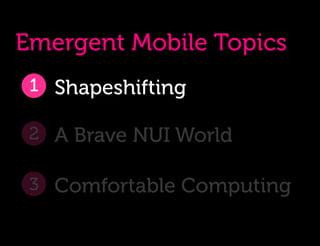
Emergent Mobile Topics
 1 Shapeshifting

 2 A Brave NUI World

 3 Comfortable Computing
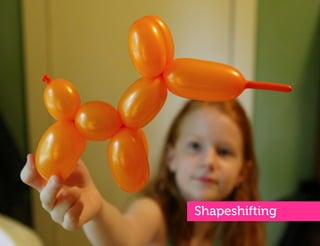
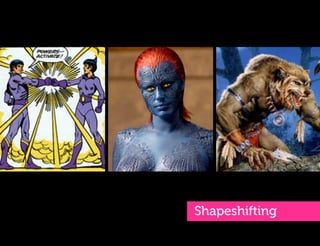
Shapeshifting
18!
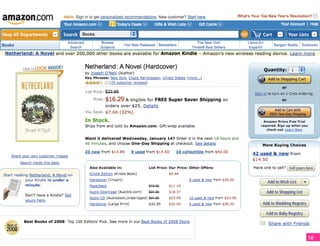
“We made the web
in the image of
ourselves, and in
the U.S., that
means OBESE.”

~Jason Grigsby
A!


     20!
21!
Q:
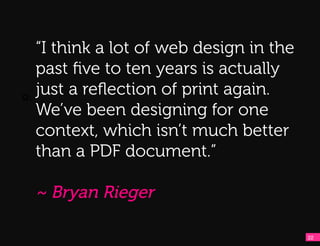
    “I think a lot of web design in the
    past five to ten years is actually
Q:!
    just a reflection of print again.
    We’ve been designing for one
    context, which isn’t much better
    than a PDF document.”

     ~ Bryan Rieger

                                          22!
Q:    “Our obsession with layout
      (carried over from print design)
Q:!
      keeps us from seizing much
      bigger opportunities on mobile.”

      ~ Luke Wroblewski


                                         23!
24!
Shapeshifting
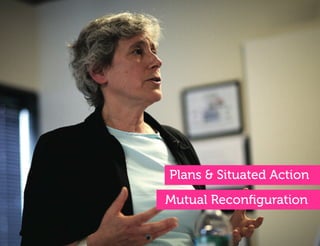
Plans & Situated Action
Mutual Reconfiguration
Q:    Suchman’s theory of mutual
      reconfiguration suggests a person’s
Q:!
      capacity to act (their agency) is
      reconfigured when it comes into
      contact with another thing or person -
      that human action is constantly
      constructed and reconstructed
      from dynamic interactions with the
      material and social worlds.
30
Two
Q:


Q:!


      Design Implications
Q:


Q:!


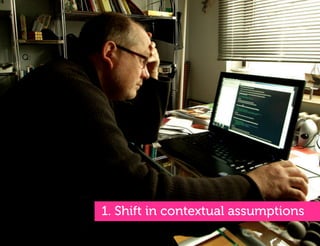
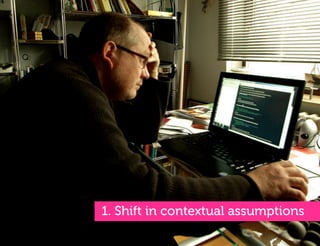
      1. Shift in contextual assumptions
Q:


Q:!


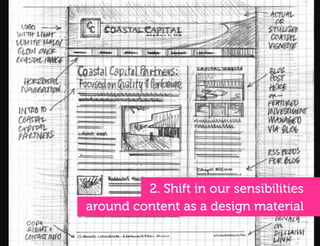
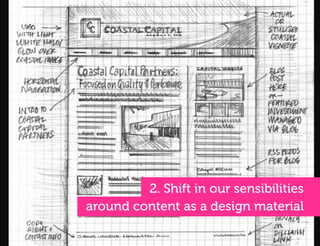
               2. Shift in our sensibilities
      around content as a design material
Q:


Q:!


      1. Shift in contextual assumptions
A!
A!
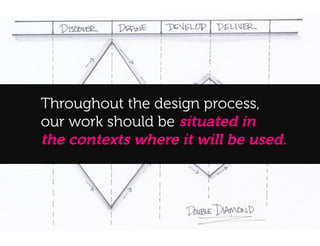
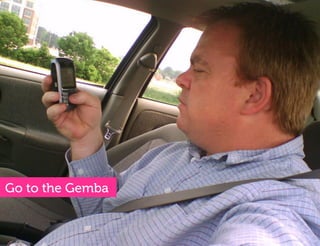
     Throughout the design process,
     our work should be situated in
     the contexts where it will be used.
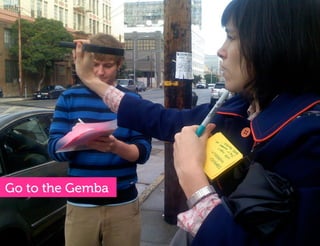
Go to the Gemba
Go to the Gemba
Go to the Gemba
Q:


Q:!


               2. Shift in our sensibilities
      around content as a design material
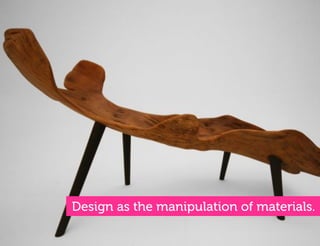
Design as the manipulation of materials.
Q:


Q:!


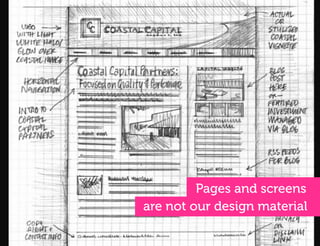
               Pages and screens
      are not our design material
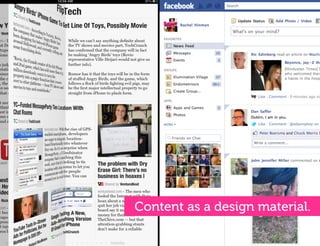
Content as a design material.
“Right now many designers end up
focusing a lot of energy on the overlying
Q:
view – the whole template and look and
feel. But the smaller the screen gets, the
less that stuff matters.
Q:!


One of the most important things we’ve
started looking at is writing and working
with APIs rather than designing ‘pages’
for one context.”

~Stephanie Rieger
“For so much digital content, there is
no good metaphor to render anymore
– the content is just information, text
and images – so new approaches to
Q:!
interaction and visual UI design are
needed.”

~Mike Kruzeniski
How?
2
steps
1.
A!
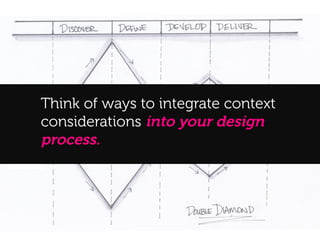
     Think of ways to integrate context
     considerations into your design
     process.
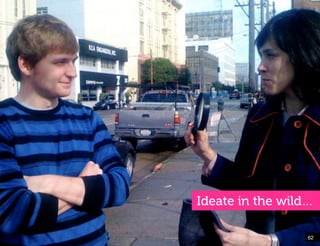
Ideate in the wild…

                                                   62!


Text entry will never be easy!
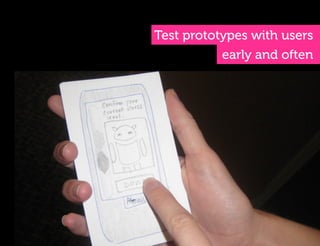
Test prototypes with users
           early and often
Modifications to your design
 process will be necessary.
2.
Lead with the content
?
Emergent Mobile Topics
 1 Shapeshifting

 2 A Brave NUI World

 3 Comfortable Computing
71!
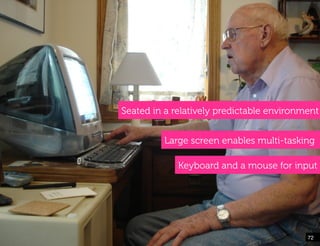
Seated in a relatively predictable environment


          Large screen enables multi-tasking

             Keyboard and a mouse for input


                                           72!
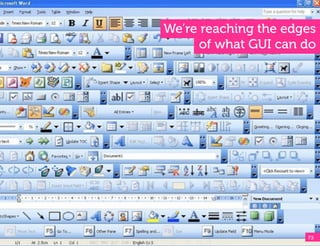
We’re reaching the edges
      of what GUI can do


                      73!
74!
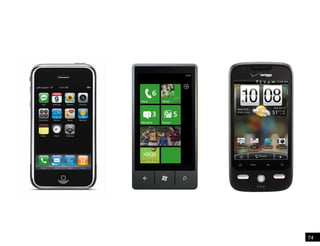
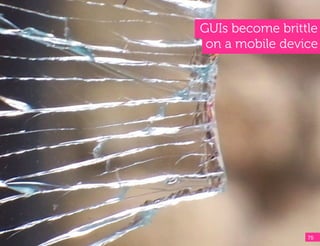
GUIs become brittle
 on a mobile device


                 75!
78!
79!
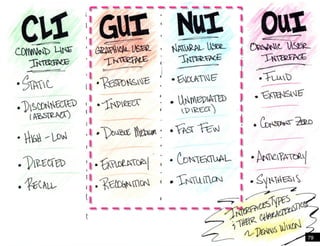
Key differences between
      NUI and GUI
Defining Attributes of


GUIs…
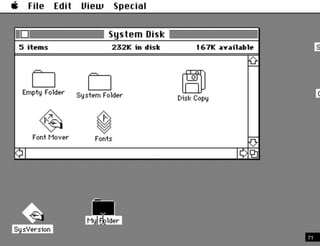
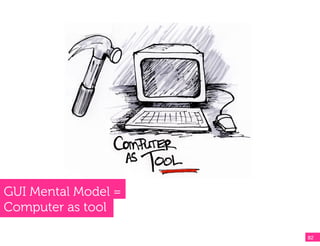
GUI Mental Model =
Computer as tool

                     82!
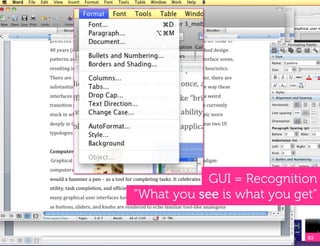
GUI = Recognition
“What you see is what you get”


                            83!
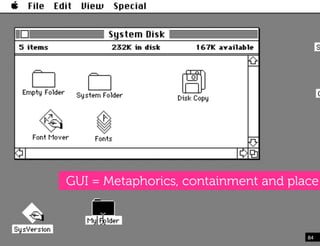
GUI = Metaphorics, containment and place


                                      84!
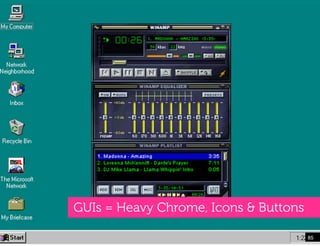
GUIs = Heavy Chrome, Icons & Buttons

                                       85!
Defining Attributes of


NUIs…
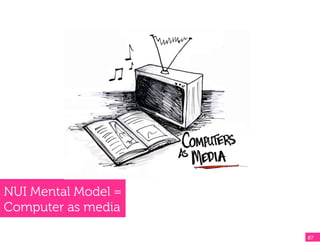
NUI Mental Model =
Computer as media

                     87!
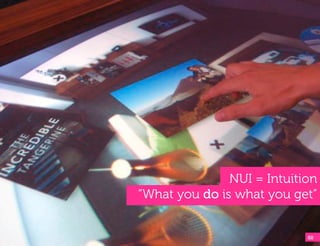
NUI = Intuition
“What you do is what you get”


                            88!
NUI = Fluid, Unmediated, and Organic


                                       89!
NUIs = Content is the Star
                         90!
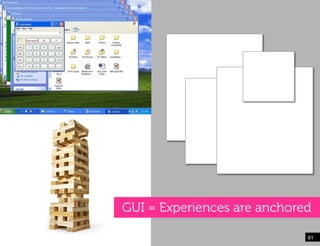
GUI = Experiences are anchored

                             91!
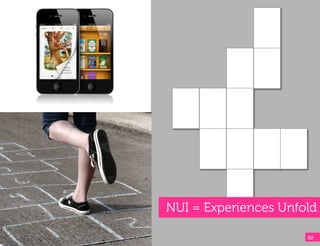
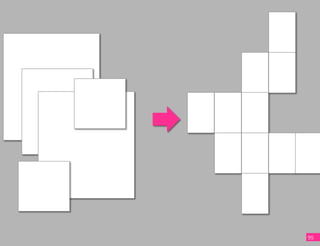
NUI = Experiences Unfold

                      92!
NUIs Unfold Like a Game


                          93!
NUIs Can Feel Anchor-less


                       94!
95
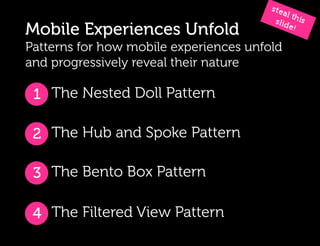
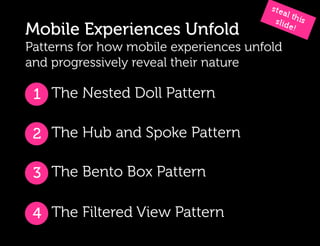
Mobile Experiences Unfold
Patterns for how mobile experiences unfold
and progressively reveal their nature

 1 The Nested Doll Pattern

 2 The Hub and Spoke Pattern

 3 The Bento Box Pattern

 4 The Filtered View Pattern
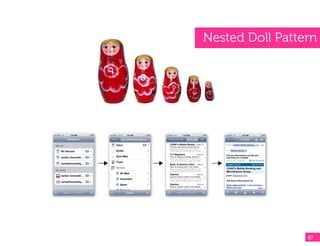
Nested Doll Pattern


                 97!
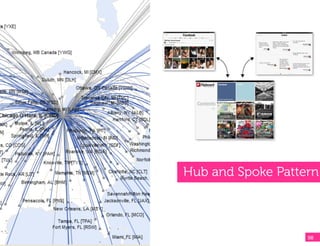
Hub and Spoke Pattern


                   98!
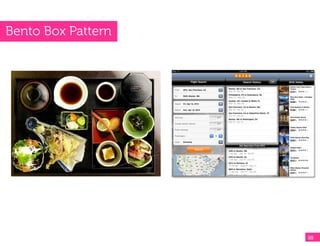
Bento Box Pattern


                    99!
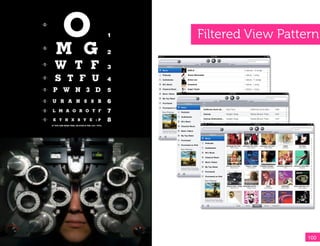
Filtered View Pattern


                   100!
Mobile Experiences Unfold
Patterns for how mobile experiences unfold
and progressively reveal their nature

 1 The Nested Doll Pattern

 2 The Hub and Spoke Pattern

 3 The Bento Box Pattern

 4 The Filtered View Pattern
A!


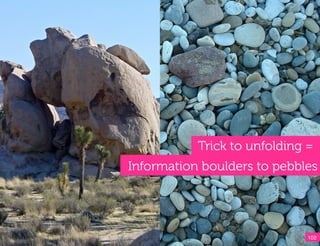
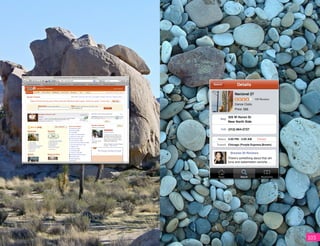
                Trick to unfolding =
     Information boulders to pebbles


                                   102!
A!


     103
A!


     104
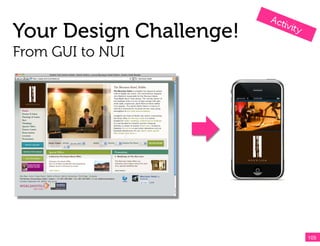
Your Design Challenge!
From GUI to NUI


                         105!
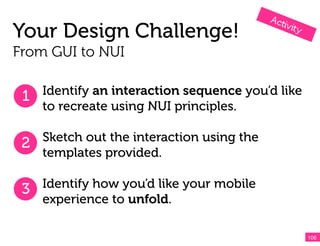
Your Design Challenge!
From GUI to NUI


 1 Identify an interaction sequence you’d like
    to recreate using NUI principles.

 2 Sketch out the interaction using the
   templates provided.

 3 Identify how you’d like your mobile
    experience to unfold.

                                                 106!
107!
108!
REMEMBER!
It’s easy to go crazy and try to do it all.
Instead, focus on applying what we’ve covered…

  Understanding the differences between
  graphical and natural user interfaces.

  Experimenting with how your mobile
  experience can unfold and and progressively
  reveal its nature.

  Play around with the unfolding patterns that
  have been presented… or invent some of your
  own.                                         109!
110
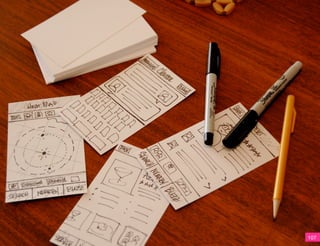
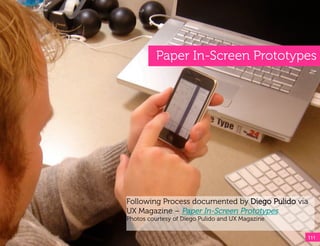
Paper In-Screen Prototypes


Following Process documented by Diego Pulido via
UX Magazine – Paper In-Screen Prototypes
Photos courtesy of Diego Pulido and UX Magazine


                                                  111!
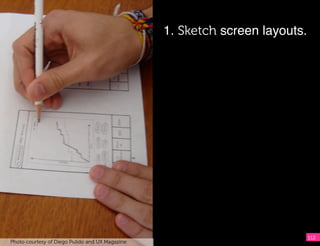
1. Sketch screen layouts. !
                                                  !
                                                   !
                                                 !     !


                                                                          112
Photo courtesy of Diego Pulido and UX Magazine
1. Sketch screen layouts.

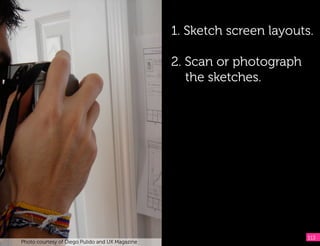
                                                 2. Scan or photograph
                                                    the sketches.


                                                                         113
Photo courtesy of Diego Pulido and UX Magazine
1. Sketch screen layouts.

                                                  2. Scan or photograph
                                                     the sketches.

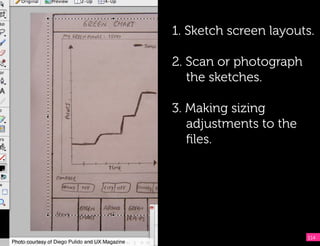
                                                  3. Making sizing
                                                     adjustments to the
                                                     files.


                                                                          114
Photo courtesy of Diego Pulido and UX Magazine!
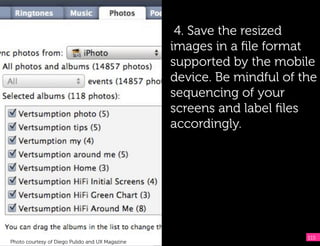
4. Save the resized
                                                 images in a file format
                                                 supported by the mobile
                                                 device. Be mindful of the
                                                 sequencing of your
                                                 screens and label files
                                                 accordingly.


                                                                        115
Photo courtesy of Diego Pulido and UX Magazine
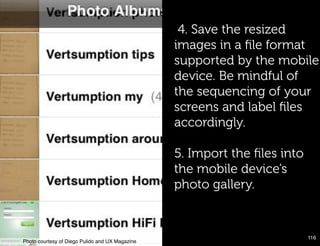
4. Save the resized
                                                  images in a file format
                                                  supported by the mobile
                                                  device. Be mindful of
                                                  the sequencing of your
                                                  screens and label files
                                                  accordingly.

                                                  5. Import the files into
                                                  the mobile device’s
                                                  photo gallery.


                                                                            116!
Photo courtesy of Diego Pulido and UX Magazine!
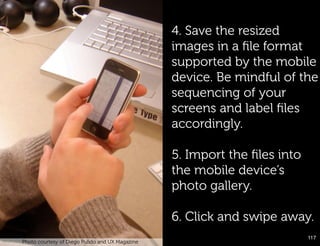
4. Save the resized
                                                       images in a file format
                                                       supported by the mobile
                                                       device. Be mindful of the
                                                       sequencing of your
                                                       screens and label files
                                                       accordingly.

                                                       5. Import the files into
                                                       the mobile device’s
                                                       photo gallery.

                                                       6. Click and swipe away.
                                                                                 117!
      Photo courtesy of Diego Pulido and UX Magazine

Paper Prototype example!
Q:


Q:!
?
Emergent Mobile Topics
 1 Shapeshifting

 2 A Brave NUI World

 3 Comfortable Computing
Mark Weiser
Q:


Q:!
“The most profound technologies
Q:
are those that disappear.
Q:!
They weave themselves into the
fabric of everyday life until they
are indistinguishable from it.”

~ Mark Weiser
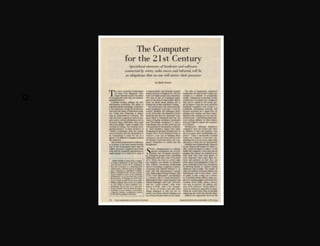
The Computer for the 21st Century
Q:


Q:!


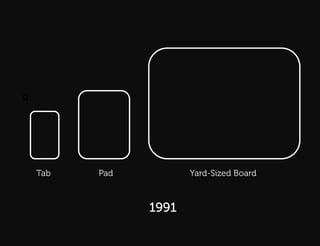
      Tab   Pad          Yard-Sized Board


                  1991
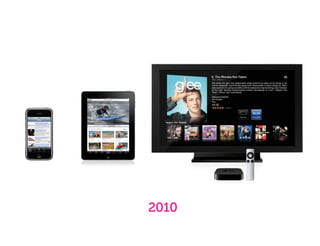
2010
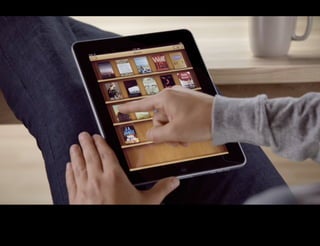
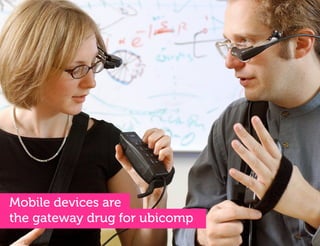
Mobile devices are
the gateway drug for ubicomp
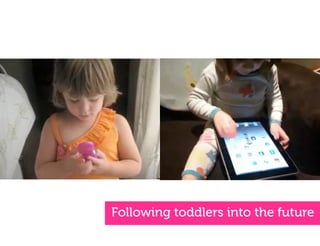
Following toddlers into the future
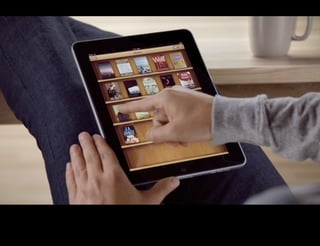
“I like cuddling up in bed with
Q:
Netflix on the iPad instead of
sitting in front of the TV. It’s more
Q:!
comfortable to go to bed with a
movie the same way I used to go
to bed with a book”

~ Norbert
iPad Study Participant
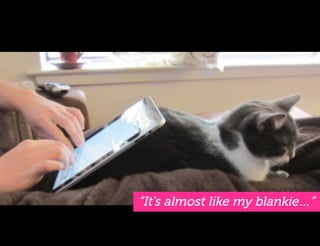
“It’s almost like my blankie…
Q:
I curl up in bed with it, or on the
couch. I usually have it with me,
Q:!
regardless of extenuating
circumstances ”

~ Erin
iPad Study Participant
“It’s almost like my blankie…”
Say Goodbye to Done
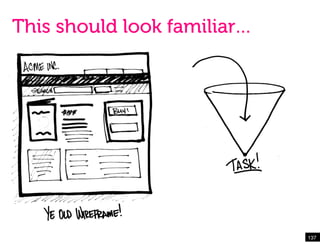
This should look familiar…


                             137!
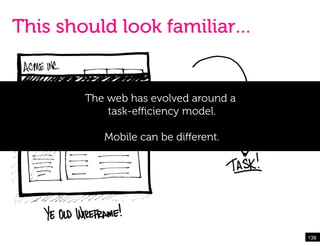
This should look familiar…


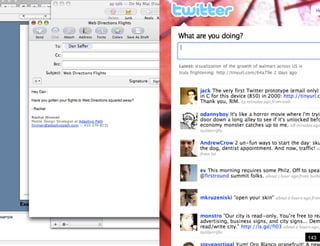
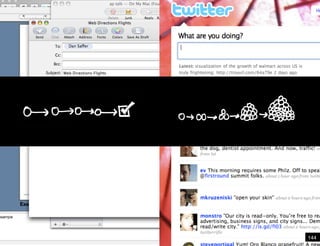
       The web has evolved around a
           task-efficiency model.

          Mobile can be different.


                                      138!
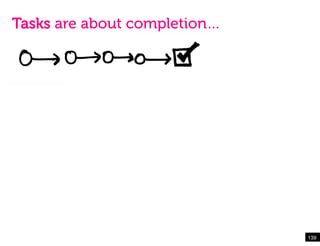
Tasks are about completion…


                              139!
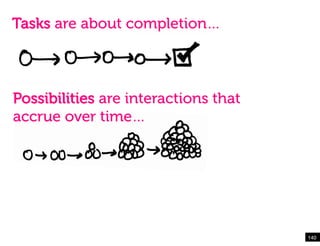
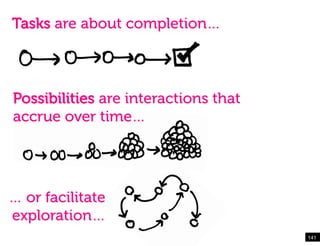
Tasks are about completion…


Possibilities are interactions that
accrue over time…


                                      140!
Tasks are about completion…


Possibilities are interactions that
accrue over time…


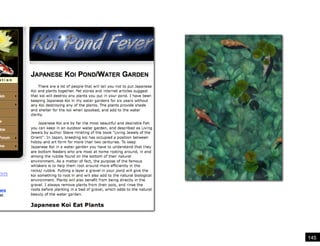
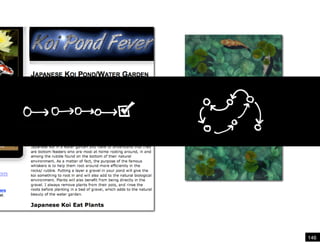
… or facilitate
exploration…
                                      141!
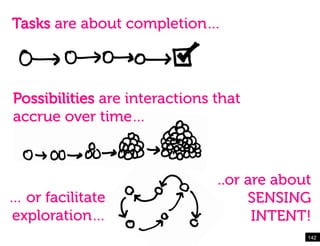
Tasks are about completion…


Possibilities are interactions that
accrue over time…


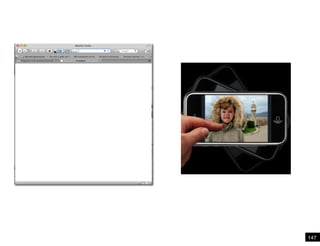
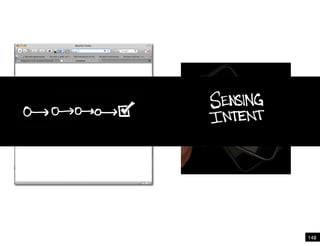
                               ..or are about
… or facilitate                     SENSING
exploration…                         INTENT!
                                            142!
143!
144!
145!
146!
147!
148!
Emergent Mobile Topics
 1 Shapeshifting

 2 A Brave NUI World

 3 Comfortable Computing
Mobile presents an
opportunity to invent
new ways for users to
interact with information.


                             151!
Thank you!

                        Email:
                        rachel.hinman@nokia.com


Thanks, and next up…!
Oh! By the way…
I’m writing a book!


Expected Publication:
April 2011

!      !       !

Final virtual seminar_mobile_frontier

  • 1.
    The Mobile Frontier RachelHinman Senior Research Scientist Nokia Research Lab Palo Alto, California USA Hinman
  • 2.
    2 I used tobe a web designer, too!
  • 3.
  • 4.
  • 5.
    Even in situationsin which a spirit of exploration and freedom exist, where faculty “Hey, I’ve got this great idea for an app…” are free to experiment to work beyond physical and social constraints, our cognitive habits often get in the way. 
 Marshall McLuhan called it “the rear-view mirror effect,” noting that “We see the world through a rear-view mirror. We march backwards into the future.”!
  • 9.
  • 10.
    Even in insituations in whichaaspirit of Even situations in which spirit of exploration and freedom exist, where we are exploration and freedom exist, where faculty free to experiment and to work beyond physical are free to experiment work beyond physical and social constraints, and social constraints, our cognitive habits our cognitive habits often get in
 the way. often get in the way. Marshall McLuhan called called it Marshall McLuhan it “the rear-view “the rear-viewnoting that “We noting that mirror effect,” mirror effect,” see the world “We see the world through a rear-view mirror. through a rear-view mirror. We march We march backwards intofuture.”! backwards into the the future.”
  • 11.
    Mobile presents an opportunityto invent new ways for users to interact with information. 11!
  • 13.
  • 14.
    Emergent Mobile Topics 1 Shapeshifting 2 A Brave NUI World 3 Comfortable Computing
  • 15.
    Emergent Mobile Topics 1 Shapeshifting 2 A Brave NUI World 3 Comfortable Computing
  • 16.
  • 18.
  • 19.
    “We made theweb in the image of ourselves, and in the U.S., that means OBESE.” ~Jason Grigsby
  • 20.
    A! 20!
  • 21.
  • 22.
    Q: “I think a lot of web design in the past five to ten years is actually Q:! just a reflection of print again. We’ve been designing for one context, which isn’t much better than a PDF document.” ~ Bryan Rieger 22!
  • 23.
    Q: “Our obsession with layout (carried over from print design) Q:! keeps us from seizing much bigger opportunities on mobile.” ~ Luke Wroblewski 23!
  • 24.
  • 25.
  • 26.
    Plans & SituatedAction Mutual Reconfiguration
  • 28.
    Q: Suchman’s theory of mutual reconfiguration suggests a person’s Q:! capacity to act (their agency) is reconfigured when it comes into contact with another thing or person - that human action is constantly constructed and reconstructed from dynamic interactions with the material and social worlds.
  • 30.
  • 31.
    Two Q: Q:! Design Implications
  • 32.
    Q: Q:! 1. Shift in contextual assumptions
  • 33.
    Q: Q:! 2. Shift in our sensibilities around content as a design material
  • 34.
    Q: Q:! 1. Shift in contextual assumptions
  • 41.
  • 42.
    A! Throughout the design process, our work should be situated in the contexts where it will be used.
  • 43.
    Go to theGemba
  • 44.
    Go to theGemba
  • 45.
    Go to theGemba
  • 46.
    Q: Q:! 2. Shift in our sensibilities around content as a design material
  • 48.
    Design as themanipulation of materials.
  • 49.
    Q: Q:! Pages and screens are not our design material
  • 50.
    Content as adesign material.
  • 51.
    “Right now manydesigners end up focusing a lot of energy on the overlying Q: view – the whole template and look and feel. But the smaller the screen gets, the less that stuff matters. Q:! One of the most important things we’ve started looking at is writing and working with APIs rather than designing ‘pages’ for one context.” ~Stephanie Rieger
  • 52.
    “For so muchdigital content, there is no good metaphor to render anymore – the content is just information, text and images – so new approaches to Q:! interaction and visual UI design are needed.” ~Mike Kruzeniski
  • 58.
  • 59.
  • 60.
  • 61.
    A! Think of ways to integrate context considerations into your design process.
  • 62.
    Ideate in thewild… 62! Text entry will never be easy!
  • 63.
    Test prototypes withusers early and often
  • 64.
    Modifications to yourdesign process will be necessary.
  • 65.
  • 68.
  • 69.
  • 70.
    Emergent Mobile Topics 1 Shapeshifting 2 A Brave NUI World 3 Comfortable Computing
  • 71.
  • 72.
    Seated in arelatively predictable environment Large screen enables multi-tasking Keyboard and a mouse for input 72!
  • 73.
    We’re reaching theedges of what GUI can do 73!
  • 74.
  • 75.
    GUIs become brittle on a mobile device 75!
  • 78.
  • 79.
  • 80.
  • 81.
  • 82.
    GUI Mental Model= Computer as tool 82!
  • 83.
    GUI = Recognition “Whatyou see is what you get” 83!
  • 84.
    GUI = Metaphorics,containment and place 84!
  • 85.
    GUIs = HeavyChrome, Icons & Buttons 85!
  • 86.
  • 87.
    NUI Mental Model= Computer as media 87!
  • 88.
    NUI = Intuition “Whatyou do is what you get” 88!
  • 89.
    NUI = Fluid,Unmediated, and Organic 89!
  • 90.
    NUIs = Contentis the Star 90!
  • 91.
    GUI = Experiencesare anchored 91!
  • 92.
  • 93.
    NUIs Unfold Likea Game 93!
  • 94.
    NUIs Can FeelAnchor-less 94!
  • 95.
  • 96.
    Mobile Experiences Unfold Patternsfor how mobile experiences unfold and progressively reveal their nature 1 The Nested Doll Pattern 2 The Hub and Spoke Pattern 3 The Bento Box Pattern 4 The Filtered View Pattern
  • 97.
  • 98.
    Hub and SpokePattern 98!
  • 99.
  • 100.
  • 101.
    Mobile Experiences Unfold Patternsfor how mobile experiences unfold and progressively reveal their nature 1 The Nested Doll Pattern 2 The Hub and Spoke Pattern 3 The Bento Box Pattern 4 The Filtered View Pattern
  • 102.
    A! Trick to unfolding = Information boulders to pebbles 102!
  • 103.
    A! 103
  • 104.
    A! 104
  • 105.
  • 106.
    Your Design Challenge! FromGUI to NUI 1 Identify an interaction sequence you’d like to recreate using NUI principles. 2 Sketch out the interaction using the templates provided. 3 Identify how you’d like your mobile experience to unfold. 106!
  • 107.
  • 108.
  • 109.
    REMEMBER! It’s easy togo crazy and try to do it all. Instead, focus on applying what we’ve covered… Understanding the differences between graphical and natural user interfaces. Experimenting with how your mobile experience can unfold and and progressively reveal its nature. Play around with the unfolding patterns that have been presented… or invent some of your own. 109!
  • 110.
  • 111.
    Paper In-Screen Prototypes FollowingProcess documented by Diego Pulido via UX Magazine – Paper In-Screen Prototypes Photos courtesy of Diego Pulido and UX Magazine 111!
  • 112.
    1. Sketch screenlayouts. !  !   ! ! ! 112 Photo courtesy of Diego Pulido and UX Magazine
  • 113.
    1. Sketch screenlayouts. 2. Scan or photograph the sketches. 113 Photo courtesy of Diego Pulido and UX Magazine
  • 114.
    1. Sketch screenlayouts. 2. Scan or photograph the sketches. 3. Making sizing adjustments to the files. 114 Photo courtesy of Diego Pulido and UX Magazine!
  • 115.
    4. Save theresized images in a file format supported by the mobile device. Be mindful of the sequencing of your screens and label files accordingly. 115 Photo courtesy of Diego Pulido and UX Magazine
  • 116.
    4. Save theresized images in a file format supported by the mobile device. Be mindful of the sequencing of your screens and label files accordingly. 5. Import the files into the mobile device’s photo gallery. 116! Photo courtesy of Diego Pulido and UX Magazine!
  • 117.
    4. Save theresized images in a file format supported by the mobile device. Be mindful of the sequencing of your screens and label files accordingly. 5. Import the files into the mobile device’s photo gallery. 6. Click and swipe away. 117! Photo courtesy of Diego Pulido and UX Magazine Paper Prototype example!
  • 118.
  • 119.
  • 120.
    Emergent Mobile Topics 1 Shapeshifting 2 A Brave NUI World 3 Comfortable Computing
  • 121.
  • 122.
  • 123.
    “The most profoundtechnologies Q: are those that disappear. Q:! They weave themselves into the fabric of everyday life until they are indistinguishable from it.” ~ Mark Weiser The Computer for the 21st Century
  • 124.
    Q: Q:! Tab Pad Yard-Sized Board 1991
  • 125.
  • 127.
    Mobile devices are thegateway drug for ubicomp
  • 128.
  • 130.
    “I like cuddlingup in bed with Q: Netflix on the iPad instead of sitting in front of the TV. It’s more Q:! comfortable to go to bed with a movie the same way I used to go to bed with a book” ~ Norbert iPad Study Participant
  • 131.
    “It’s almost likemy blankie… Q: I curl up in bed with it, or on the couch. I usually have it with me, Q:! regardless of extenuating circumstances ” ~ Erin iPad Study Participant
  • 132.
    “It’s almost likemy blankie…”
  • 136.
  • 137.
    This should lookfamiliar… 137!
  • 138.
    This should lookfamiliar… The web has evolved around a task-efficiency model. Mobile can be different. 138!
  • 139.
    Tasks are aboutcompletion… 139!
  • 140.
    Tasks are aboutcompletion… Possibilities are interactions that accrue over time… 140!
  • 141.
    Tasks are aboutcompletion… Possibilities are interactions that accrue over time… … or facilitate exploration… 141!
  • 142.
    Tasks are aboutcompletion… Possibilities are interactions that accrue over time… ..or are about … or facilitate SENSING exploration… INTENT! 142!
  • 143.
  • 144.
  • 145.
  • 146.
  • 147.
  • 148.
  • 150.
    Emergent Mobile Topics 1 Shapeshifting 2 A Brave NUI World 3 Comfortable Computing
  • 151.
    Mobile presents an opportunityto invent new ways for users to interact with information. 151!
  • 152.
    Thank you! Email: rachel.hinman@nokia.com Thanks, and next up…!
  • 153.
    Oh! By theway… I’m writing a book! Expected Publication: April 2011 ! ! !