Scott Pold
Practice Director - Infrastructure
Best Practices in Preparing for and
Managing your EPM Infrastructure
March 19, 2014
Agenda
2
3/24/2014
Introductions / Ranzal Overview
What’s Supported – v11.1.2.3
Physical vs. Virtual
Maintaining your EPM Environment
What’s coming in the future
Questions
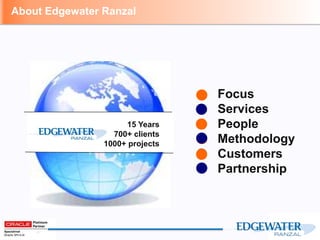
Focus
Services
People
Methodology
Customers
Partnership
About Edgewater Ranzal
15 Years
700+ clients
1000+ projects
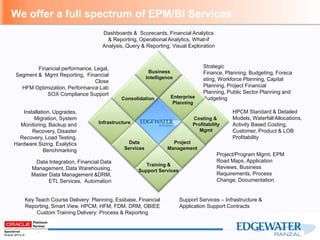
Dashboards & Scorecards, Financial Analytics
& Reporting, Operational Analytics, What-if
Analysis, Query & Reporting, Visual Exploration
Financial performance, Legal,
Segment & Mgmt Reporting, Financial
Close
HFM Optimization, Performance Lab
SOX Compliance Support
Strategic
Finance, Planning, Budgeting, Foreca
sting, Workforce Planning, Capital
Planning, Project Financial
Planning, Public Sector Planning and
Budgeting
Data Integration, Financial Data
Management, Data Warehousing,
Master Data Management &DRM,
ETL Services, Automation
Project/Program Mgmt, EPM
Road Maps, Application
Reviews, Business
Requirements, Process
Change, Documentation
Installation, Upgrades,
Migration, System
Monitoring, Backup and
Recovery, Disaster
Recovery, Load Testing,
Hardware Sizing, Exalytics
Benchmarking
Consolidation
Business
Intelligence
Enterprise
Planning
Infrastructure
Training &
Support Services
Project
Management
Data
Services
Costing &
Profitability
Mgmt
Support Services – Infrastructure &
Application Support Contracts
Key Teach Course Delivery: Planning, Essbase, Financial
Reporting, Smart View, HPCM, HFM, FDM, DRM, OBIEE
Custom Training Delivery: Process & Reporting
We offer a full spectrum of EPM/BI Services
HPCM Standard & Detailed
Models, Waterfall Allocations,
Activity Based Costing,
Customer, Product & LOB
Profitability
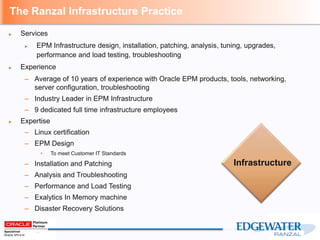
The Ranzal Infrastructure Practice
► Services
► EPM Infrastructure design, installation, patching, analysis, tuning, upgrades,
performance and load testing, troubleshooting
► Experience
– Average of 10 years of experience with Oracle EPM products, tools, networking,
server configuration, troubleshooting
– Industry Leader in EPM Infrastructure
– 9 dedicated full time infrastructure employees
► Expertise
– Linux certification
– EPM Design
• To meet Customer IT Standards
– Installation and Patching
– Analysis and Troubleshooting
– Performance and Load Testing
– Exalytics In Memory machine
– Disaster Recovery Solutions
Infrastructure
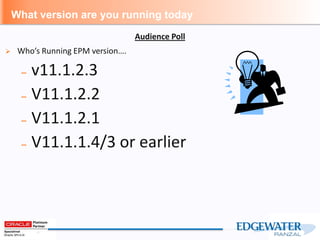
What version are you running today
 Who’s Running EPM version….
– v11.1.2.3
– V11.1.2.2
– V11.1.2.1
– V11.1.1.4/3 or earlier
Audience Poll
Today
Today’s presentation will focus on
v11.1.2.3
What’s Supported – v11.1.2.3
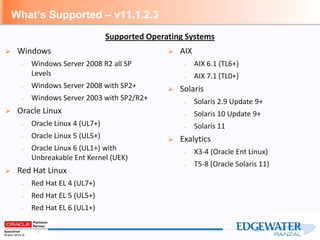
 Windows
– Windows Server 2008 R2 all SP
Levels
– Windows Server 2008 with SP2+
– Windows Server 2003 with SP2/R2+
 Oracle Linux
– Oracle Linux 4 (UL7+)
– Oracle Linux 5 (UL5+)
– Oracle Linux 6 (UL1+) with
Unbreakable Ent Kernel (UEK)
 Red Hat Linux
– Red Hat EL 4 (UL7+)
– Red Hat EL 5 (UL5+)
– Red Hat EL 6 (UL1+)
 AIX
– AIX 6.1 (TL6+)
– AIX 7.1 (TL0+)
 Solaris
– Solaris 2.9 Update 9+
– Solaris 10 Update 9+
– Solaris 11
 Exalytics
– X3-4 (Oracle Ent Linux)
– T5-8 (Oracle Solaris 11)
Supported Operating Systems
What’s Supported – v11.1.2.3
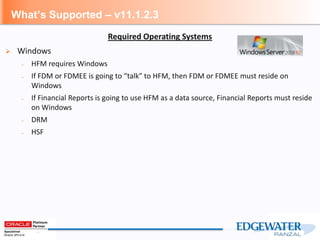
 Windows
– HFM requires Windows
– If FDM or FDMEE is going to “talk” to HFM, then FDM or FDMEE must reside on
Windows
– If Financial Reports is going to use HFM as a data source, Financial Reports must reside
on Windows
– DRM
– HSF
Required Operating Systems
What’s Supported – v11.1.2.3
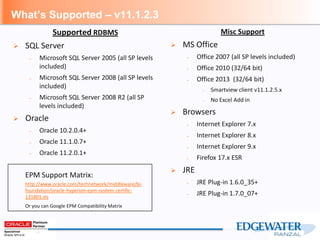
Misc Support
 MS Office
– Office 2007 (all SP levels included)
– Office 2010 (32/64 bit)
– Office 2013 (32/64 bit)
– Smartview client v11.1.2.5.x
– No Excel Add in
 Browsers
– Internet Explorer 7.x
– Internet Explorer 8.x
– Internet Explorer 9.x
– Firefox 17.x ESR
 JRE
– JRE Plug-in 1.6.0_35+
– JRE Plug-in 1.7.0_07+
Supported RDBMS
 SQL Server
– Microsoft SQL Server 2005 (all SP levels
included)
– Microsoft SQL Server 2008 (all SP levels
included)
– Microsoft SQL Server 2008 R2 (all SP
levels included)
 Oracle
– Oracle 10.2.0.4+
– Oracle 11.1.0.7+
– Oracle 11.2.0.1+
EPM Support Matrix:
http://www.oracle.com/technetwork/middleware/bi-
foundation/oracle-hyperion-epm-system-certific-
131801.xls
Or you can Google EPM Compatibility Matrix
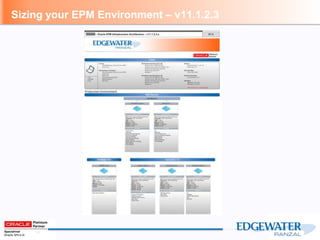
Sizing your EPM Environment – v11.1.2.3
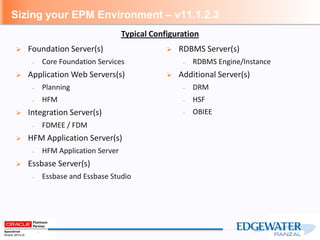
 Foundation Server(s)
– Core Foundation Services
 Application Web Servers(s)
– Planning
– HFM
 Integration Server(s)
– FDMEE / FDM
 HFM Application Server(s)
– HFM Application Server
 Essbase Server(s)
– Essbase and Essbase Studio
 RDBMS Server(s)
– RDBMS Engine/Instance
 Additional Server(s)
– DRM
– HSF
– OBIEE
Typical Configuration
Sizing your EPM Environment – v11.1.2.3
Sizing your EPM Environment Continued
 Foundation Server
– Core Foundation Services
– Weblogic, OHS, Foundation (Shared Services and Workspace), Calculation Manager, EPMA Web
app, EPMA Data Sync, Analytic Provider Services (Smartview), FR Services
– Server Specs
– 2-4 CPU’s
– 24-32 GB of RAM
– JVM Heap Sizes determine amount of required RAM
– Number of Concurrent users drive the JVM Heap Size
– Drive Space
– Separate OS and EPM installation
– EPM installation: 30-40 GB
– User Capacity
– 100-125 concurrent users
– Can Load Balance this server with a Load Balancing device or software and Shared Storage
– Recommend validating with Load tests
Sizing your EPM Environment Continued
 Application Web Server
– Planning
– Planning Web Service, EAS Web Services, EAS Client, Financial Reporting Services, IIS, EPMA
Server
– HFM
– HFM Web Service, Financial Reporting Services, IIS, EPMA Server
– Server Specs
– 2-4 CPU’s
– 24-32 GB of RAM
– JVM Heap Sizes determine amount of required RAM
– Number of Concurrent users drive the JVM Heap Size
– Drive Space
– Separate OS and EPM installation
– EPM installation: 30-40 GB
– User Capacity
– 100-125 concurrent users
– Can Load Balance this server with a Load Balancing device or software and Shared Storage
– Recommend validating with Load tests
Sizing your EPM Environment Continued
 Integration Server(s)
– FDMEE
– Financial Data Quality Manager – Enterprise Edition
– ODI
– FDM Classic
– FDM App and Web Services
– If existing FDM Customer
– Server Specs
– 4 CPU’s
– 24-32 GB of RAM
– Drive Space
– Separate OS and EPM installation
– EPM installation: 50-100 GB
– Capacity
– Application Driven
– Can Load Balance this server with a Load Balancing device or software and Shared Storage
– Recommend validating with Load tests
Sizing your EPM Environment Continued
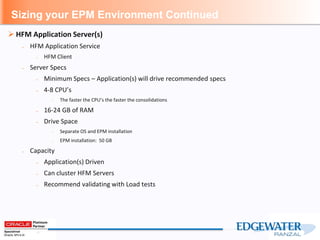
 HFM Application Server(s)
– HFM Application Service
– HFM Client
– Server Specs
– Minimum Specs – Application(s) will drive recommended specs
– 4-8 CPU’s
– The faster the CPU’s the faster the consolidations
– 16-24 GB of RAM
– Drive Space
– Separate OS and EPM installation
– EPM installation: 50 GB
– Capacity
– Application(s) Driven
– Can cluster HFM Servers
– Recommend validating with Load tests
Sizing your EPM Environment Continued
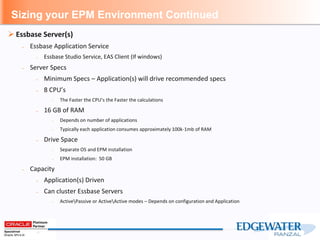
 Essbase Server(s)
– Essbase Application Service
– Essbase Studio Service, EAS Client (If windows)
– Server Specs
– Minimum Specs – Application(s) will drive recommended specs
– 8 CPU’s
– The Faster the CPU’s the Faster the calculations
– 16 GB of RAM
– Depends on number of applications
– Typically each application consumes approximately 100k-1mb of RAM
– Drive Space
– Separate OS and EPM installation
– EPM installation: 50 GB
– Capacity
– Application(s) Driven
– Can cluster Essbase Servers
– ActivePassive or ActiveActive modes – Depends on configuration and Application
Sizing your EPM Environment Continued
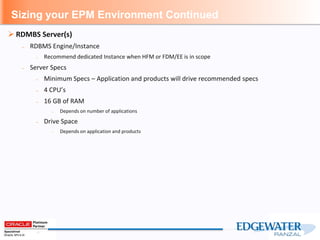
 RDMBS Server(s)
– RDBMS Engine/Instance
– Recommend dedicated Instance when HFM or FDM/EE is in scope
– Server Specs
– Minimum Specs – Application and products will drive recommended specs
– 4 CPU’s
– 16 GB of RAM
– Depends on number of applications
– Drive Space
– Depends on application and products
Sizing your EPM Environment Continued
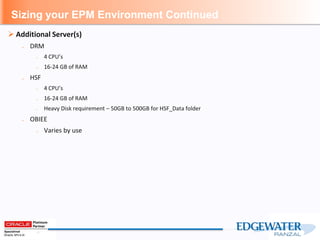
 Additional Server(s)
– DRM
– 4 CPU’s
– 16-24 GB of RAM
– HSF
– 4 CPU’s
– 16-24 GB of RAM
– Heavy Disk requirement – 50GB to 500GB for HSF_Data folder
– OBIEE
– Varies by use
Physical vs. Virtual
 Oracle’s official policy on Virtualization
– The following KB article is Oracle’s office stance on virtualizing the Oracle EPM Product stack.
https://support.oracle.com/CSP/main/article?cmd=show&type=NOT&doctype=HOWTO&id=588303.1
– Additional information
https://support.oracle.com/epmos/faces/SearchDocDisplay?_adf.ctrl-state=1854yc0wrq_9&_afrLoop=14354592882224
– In a Nut Shell
– Oracle will support VMWare and Microsoft’s Hyper-V technologies, but they do not certify
it. What this means is that if Oracle cannot fix the issue they can refer you to the hosting
provider for further troubleshooting, or force you to physicalize the servers and reproduce
the issue. However, Oracle does certify their products running on Oracle’s Virtualization
Manager (OVM).
 Virtualization – What’s important to know
– Statically allocating resources: RAM and vCPU’s
– Don’t let the VM Host Servers manage resources on the fly
– Don’t over subscribe your Virtual host servers
– When possible, utilize dedicated VM Host servers for EPM
– Test, Test, Test and then Test again
Physical vs. Virtual
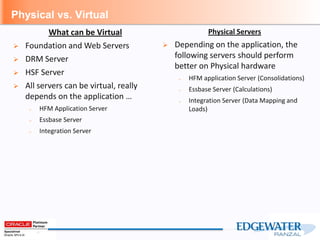
Physical Servers
 Depending on the application, the
following servers should perform
better on Physical hardware
– HFM application Server (Consolidations)
– Essbase Server (Calculations)
– Integration Server (Data Mapping and
Loads)
What can be Virtual
 Foundation and Web Servers
 DRM Server
 HSF Server
 All servers can be virtual, really
depends on the application …
– HFM Application Server
– Essbase Server
– Integration Server
Maintaining your EPM Environment
 EPM Patch Set Updates
– Stay up to date on the PSU’s
– Oracle Support Document 1400559.1
– https://support.oracle.com/epmos/faces/DocumentDisplay?id=1400559.1
 EPM Backup
– Make sure you’re backing up your environment
– Life Cycle Management
– Applications
– Artifacts
– Security
– Reports
– Essbase AppDb backups
– Data Extracts
– Essbase Artifacts
– Essbase Defrags
Maintaining your EPM Environment
 RDBMS
– Proper nightly maintenance routines is recommended across all EPM Relational
schema’s/databases, including;
– Analyze stats
– Backups
– Rebuilding of indexes
 Logs
– Make sure to clean up log files
 OS level patches
What’s coming in the future
 What’s available now
– New cloud-based solutions - Oracle Planning and Budgeting Cloud Service (PBCS)
 Disclaimer
– The following is based on what we’ve heard, not seen!! Nothing is official until it’s released
by Oracle
What’s coming in the future
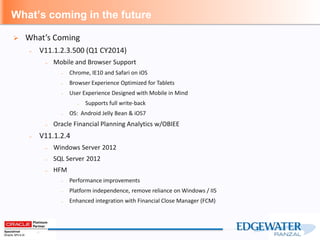
 What’s Coming
– V11.1.2.3.500 (Q1 CY2014)
– Mobile and Browser Support
– Chrome, IE10 and Safari on iOS
– Browser Experience Optimized for Tablets
– User Experience Designed with Mobile in Mind
– Supports full write-back
– OS: Android Jelly Bean & iOS7
– Oracle Financial Planning Analytics w/OBIEE
– V11.1.2.4
– Windows Server 2012
– SQL Server 2012
– HFM
– Performance improvements
– Platform independence, remove reliance on Windows / IIS
– Enhanced integration with Financial Close Manager (FCM)
What’s coming in the future
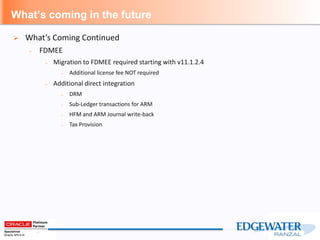
 What’s Coming Continued
– FDMEE
– Migration to FDMEE required starting with v11.1.2.4
– Additional license fee NOT required
– Additional direct integration
– DRM
– Sub-Ledger transactions for ARM
– HFM and ARM Journal write-back
– Tax Provision
Nate Gruys I Edgewater Ranzal
Business Development Manager
Cell: (952) 210-8377
ngruys@ranzal.com | www.ranzal.com
Stop by the Edgewater Ranzal table TODAY!
Meet the Experts and Register to Win Great Prizes
Grand Prize: Free Conference Pass to Kscope ‘14!
*Guessing Game: Starbucks Coffee Beans in the jar
*Closest guess wins!
*Winner must be able to accept prize for themselves or colleague and go to conference
*Prize is conference pass only. Does not include travel, lodging, etc.
Raffle Prize: $100 American Express Gift Card
*Drop off your business card for random drawing at end of day
Questions
Scott Pold I Edgewater Ranzal
Practice Director - Infrastructure
Office: (678) 574-5117
Cell: (678) 787-1181
spold@ranzal.com | www.ranzal.com

Best Practices in Preparing for and Managing your EPM Infrastructure

  • 1.
    Scott Pold Practice Director- Infrastructure Best Practices in Preparing for and Managing your EPM Infrastructure March 19, 2014
  • 2.
    Agenda 2 3/24/2014 Introductions / RanzalOverview What’s Supported – v11.1.2.3 Physical vs. Virtual Maintaining your EPM Environment What’s coming in the future Questions
  • 3.
  • 4.
    Dashboards & Scorecards,Financial Analytics & Reporting, Operational Analytics, What-if Analysis, Query & Reporting, Visual Exploration Financial performance, Legal, Segment & Mgmt Reporting, Financial Close HFM Optimization, Performance Lab SOX Compliance Support Strategic Finance, Planning, Budgeting, Foreca sting, Workforce Planning, Capital Planning, Project Financial Planning, Public Sector Planning and Budgeting Data Integration, Financial Data Management, Data Warehousing, Master Data Management &DRM, ETL Services, Automation Project/Program Mgmt, EPM Road Maps, Application Reviews, Business Requirements, Process Change, Documentation Installation, Upgrades, Migration, System Monitoring, Backup and Recovery, Disaster Recovery, Load Testing, Hardware Sizing, Exalytics Benchmarking Consolidation Business Intelligence Enterprise Planning Infrastructure Training & Support Services Project Management Data Services Costing & Profitability Mgmt Support Services – Infrastructure & Application Support Contracts Key Teach Course Delivery: Planning, Essbase, Financial Reporting, Smart View, HPCM, HFM, FDM, DRM, OBIEE Custom Training Delivery: Process & Reporting We offer a full spectrum of EPM/BI Services HPCM Standard & Detailed Models, Waterfall Allocations, Activity Based Costing, Customer, Product & LOB Profitability
  • 5.
    The Ranzal InfrastructurePractice ► Services ► EPM Infrastructure design, installation, patching, analysis, tuning, upgrades, performance and load testing, troubleshooting ► Experience – Average of 10 years of experience with Oracle EPM products, tools, networking, server configuration, troubleshooting – Industry Leader in EPM Infrastructure – 9 dedicated full time infrastructure employees ► Expertise – Linux certification – EPM Design • To meet Customer IT Standards – Installation and Patching – Analysis and Troubleshooting – Performance and Load Testing – Exalytics In Memory machine – Disaster Recovery Solutions Infrastructure
  • 6.
    What version areyou running today  Who’s Running EPM version…. – v11.1.2.3 – V11.1.2.2 – V11.1.2.1 – V11.1.1.4/3 or earlier Audience Poll
  • 7.
  • 8.
    What’s Supported –v11.1.2.3  Windows – Windows Server 2008 R2 all SP Levels – Windows Server 2008 with SP2+ – Windows Server 2003 with SP2/R2+  Oracle Linux – Oracle Linux 4 (UL7+) – Oracle Linux 5 (UL5+) – Oracle Linux 6 (UL1+) with Unbreakable Ent Kernel (UEK)  Red Hat Linux – Red Hat EL 4 (UL7+) – Red Hat EL 5 (UL5+) – Red Hat EL 6 (UL1+)  AIX – AIX 6.1 (TL6+) – AIX 7.1 (TL0+)  Solaris – Solaris 2.9 Update 9+ – Solaris 10 Update 9+ – Solaris 11  Exalytics – X3-4 (Oracle Ent Linux) – T5-8 (Oracle Solaris 11) Supported Operating Systems
  • 9.
    What’s Supported –v11.1.2.3  Windows – HFM requires Windows – If FDM or FDMEE is going to “talk” to HFM, then FDM or FDMEE must reside on Windows – If Financial Reports is going to use HFM as a data source, Financial Reports must reside on Windows – DRM – HSF Required Operating Systems
  • 10.
    What’s Supported –v11.1.2.3 Misc Support  MS Office – Office 2007 (all SP levels included) – Office 2010 (32/64 bit) – Office 2013 (32/64 bit) – Smartview client v11.1.2.5.x – No Excel Add in  Browsers – Internet Explorer 7.x – Internet Explorer 8.x – Internet Explorer 9.x – Firefox 17.x ESR  JRE – JRE Plug-in 1.6.0_35+ – JRE Plug-in 1.7.0_07+ Supported RDBMS  SQL Server – Microsoft SQL Server 2005 (all SP levels included) – Microsoft SQL Server 2008 (all SP levels included) – Microsoft SQL Server 2008 R2 (all SP levels included)  Oracle – Oracle 10.2.0.4+ – Oracle 11.1.0.7+ – Oracle 11.2.0.1+ EPM Support Matrix: http://www.oracle.com/technetwork/middleware/bi- foundation/oracle-hyperion-epm-system-certific- 131801.xls Or you can Google EPM Compatibility Matrix
  • 11.
    Sizing your EPMEnvironment – v11.1.2.3  Foundation Server(s) – Core Foundation Services  Application Web Servers(s) – Planning – HFM  Integration Server(s) – FDMEE / FDM  HFM Application Server(s) – HFM Application Server  Essbase Server(s) – Essbase and Essbase Studio  RDBMS Server(s) – RDBMS Engine/Instance  Additional Server(s) – DRM – HSF – OBIEE Typical Configuration
  • 12.
    Sizing your EPMEnvironment – v11.1.2.3
  • 13.
    Sizing your EPMEnvironment Continued  Foundation Server – Core Foundation Services – Weblogic, OHS, Foundation (Shared Services and Workspace), Calculation Manager, EPMA Web app, EPMA Data Sync, Analytic Provider Services (Smartview), FR Services – Server Specs – 2-4 CPU’s – 24-32 GB of RAM – JVM Heap Sizes determine amount of required RAM – Number of Concurrent users drive the JVM Heap Size – Drive Space – Separate OS and EPM installation – EPM installation: 30-40 GB – User Capacity – 100-125 concurrent users – Can Load Balance this server with a Load Balancing device or software and Shared Storage – Recommend validating with Load tests
  • 14.
    Sizing your EPMEnvironment Continued  Application Web Server – Planning – Planning Web Service, EAS Web Services, EAS Client, Financial Reporting Services, IIS, EPMA Server – HFM – HFM Web Service, Financial Reporting Services, IIS, EPMA Server – Server Specs – 2-4 CPU’s – 24-32 GB of RAM – JVM Heap Sizes determine amount of required RAM – Number of Concurrent users drive the JVM Heap Size – Drive Space – Separate OS and EPM installation – EPM installation: 30-40 GB – User Capacity – 100-125 concurrent users – Can Load Balance this server with a Load Balancing device or software and Shared Storage – Recommend validating with Load tests
  • 15.
    Sizing your EPMEnvironment Continued  Integration Server(s) – FDMEE – Financial Data Quality Manager – Enterprise Edition – ODI – FDM Classic – FDM App and Web Services – If existing FDM Customer – Server Specs – 4 CPU’s – 24-32 GB of RAM – Drive Space – Separate OS and EPM installation – EPM installation: 50-100 GB – Capacity – Application Driven – Can Load Balance this server with a Load Balancing device or software and Shared Storage – Recommend validating with Load tests
  • 16.
    Sizing your EPMEnvironment Continued  HFM Application Server(s) – HFM Application Service – HFM Client – Server Specs – Minimum Specs – Application(s) will drive recommended specs – 4-8 CPU’s – The faster the CPU’s the faster the consolidations – 16-24 GB of RAM – Drive Space – Separate OS and EPM installation – EPM installation: 50 GB – Capacity – Application(s) Driven – Can cluster HFM Servers – Recommend validating with Load tests
  • 17.
    Sizing your EPMEnvironment Continued  Essbase Server(s) – Essbase Application Service – Essbase Studio Service, EAS Client (If windows) – Server Specs – Minimum Specs – Application(s) will drive recommended specs – 8 CPU’s – The Faster the CPU’s the Faster the calculations – 16 GB of RAM – Depends on number of applications – Typically each application consumes approximately 100k-1mb of RAM – Drive Space – Separate OS and EPM installation – EPM installation: 50 GB – Capacity – Application(s) Driven – Can cluster Essbase Servers – ActivePassive or ActiveActive modes – Depends on configuration and Application
  • 18.
    Sizing your EPMEnvironment Continued  RDMBS Server(s) – RDBMS Engine/Instance – Recommend dedicated Instance when HFM or FDM/EE is in scope – Server Specs – Minimum Specs – Application and products will drive recommended specs – 4 CPU’s – 16 GB of RAM – Depends on number of applications – Drive Space – Depends on application and products
  • 19.
    Sizing your EPMEnvironment Continued  Additional Server(s) – DRM – 4 CPU’s – 16-24 GB of RAM – HSF – 4 CPU’s – 16-24 GB of RAM – Heavy Disk requirement – 50GB to 500GB for HSF_Data folder – OBIEE – Varies by use
  • 20.
    Physical vs. Virtual Oracle’s official policy on Virtualization – The following KB article is Oracle’s office stance on virtualizing the Oracle EPM Product stack. https://support.oracle.com/CSP/main/article?cmd=show&type=NOT&doctype=HOWTO&id=588303.1 – Additional information https://support.oracle.com/epmos/faces/SearchDocDisplay?_adf.ctrl-state=1854yc0wrq_9&_afrLoop=14354592882224 – In a Nut Shell – Oracle will support VMWare and Microsoft’s Hyper-V technologies, but they do not certify it. What this means is that if Oracle cannot fix the issue they can refer you to the hosting provider for further troubleshooting, or force you to physicalize the servers and reproduce the issue. However, Oracle does certify their products running on Oracle’s Virtualization Manager (OVM).  Virtualization – What’s important to know – Statically allocating resources: RAM and vCPU’s – Don’t let the VM Host Servers manage resources on the fly – Don’t over subscribe your Virtual host servers – When possible, utilize dedicated VM Host servers for EPM – Test, Test, Test and then Test again
  • 21.
    Physical vs. Virtual PhysicalServers  Depending on the application, the following servers should perform better on Physical hardware – HFM application Server (Consolidations) – Essbase Server (Calculations) – Integration Server (Data Mapping and Loads) What can be Virtual  Foundation and Web Servers  DRM Server  HSF Server  All servers can be virtual, really depends on the application … – HFM Application Server – Essbase Server – Integration Server
  • 22.
    Maintaining your EPMEnvironment  EPM Patch Set Updates – Stay up to date on the PSU’s – Oracle Support Document 1400559.1 – https://support.oracle.com/epmos/faces/DocumentDisplay?id=1400559.1  EPM Backup – Make sure you’re backing up your environment – Life Cycle Management – Applications – Artifacts – Security – Reports – Essbase AppDb backups – Data Extracts – Essbase Artifacts – Essbase Defrags
  • 23.
    Maintaining your EPMEnvironment  RDBMS – Proper nightly maintenance routines is recommended across all EPM Relational schema’s/databases, including; – Analyze stats – Backups – Rebuilding of indexes  Logs – Make sure to clean up log files  OS level patches
  • 24.
    What’s coming inthe future  What’s available now – New cloud-based solutions - Oracle Planning and Budgeting Cloud Service (PBCS)  Disclaimer – The following is based on what we’ve heard, not seen!! Nothing is official until it’s released by Oracle
  • 25.
    What’s coming inthe future  What’s Coming – V11.1.2.3.500 (Q1 CY2014) – Mobile and Browser Support – Chrome, IE10 and Safari on iOS – Browser Experience Optimized for Tablets – User Experience Designed with Mobile in Mind – Supports full write-back – OS: Android Jelly Bean & iOS7 – Oracle Financial Planning Analytics w/OBIEE – V11.1.2.4 – Windows Server 2012 – SQL Server 2012 – HFM – Performance improvements – Platform independence, remove reliance on Windows / IIS – Enhanced integration with Financial Close Manager (FCM)
  • 26.
    What’s coming inthe future  What’s Coming Continued – FDMEE – Migration to FDMEE required starting with v11.1.2.4 – Additional license fee NOT required – Additional direct integration – DRM – Sub-Ledger transactions for ARM – HFM and ARM Journal write-back – Tax Provision
  • 27.
    Nate Gruys IEdgewater Ranzal Business Development Manager Cell: (952) 210-8377 ngruys@ranzal.com | www.ranzal.com Stop by the Edgewater Ranzal table TODAY! Meet the Experts and Register to Win Great Prizes Grand Prize: Free Conference Pass to Kscope ‘14! *Guessing Game: Starbucks Coffee Beans in the jar *Closest guess wins! *Winner must be able to accept prize for themselves or colleague and go to conference *Prize is conference pass only. Does not include travel, lodging, etc. Raffle Prize: $100 American Express Gift Card *Drop off your business card for random drawing at end of day
  • 28.
  • 29.
    Scott Pold IEdgewater Ranzal Practice Director - Infrastructure Office: (678) 574-5117 Cell: (678) 787-1181 spold@ranzal.com | www.ranzal.com