Downloaded 215 times

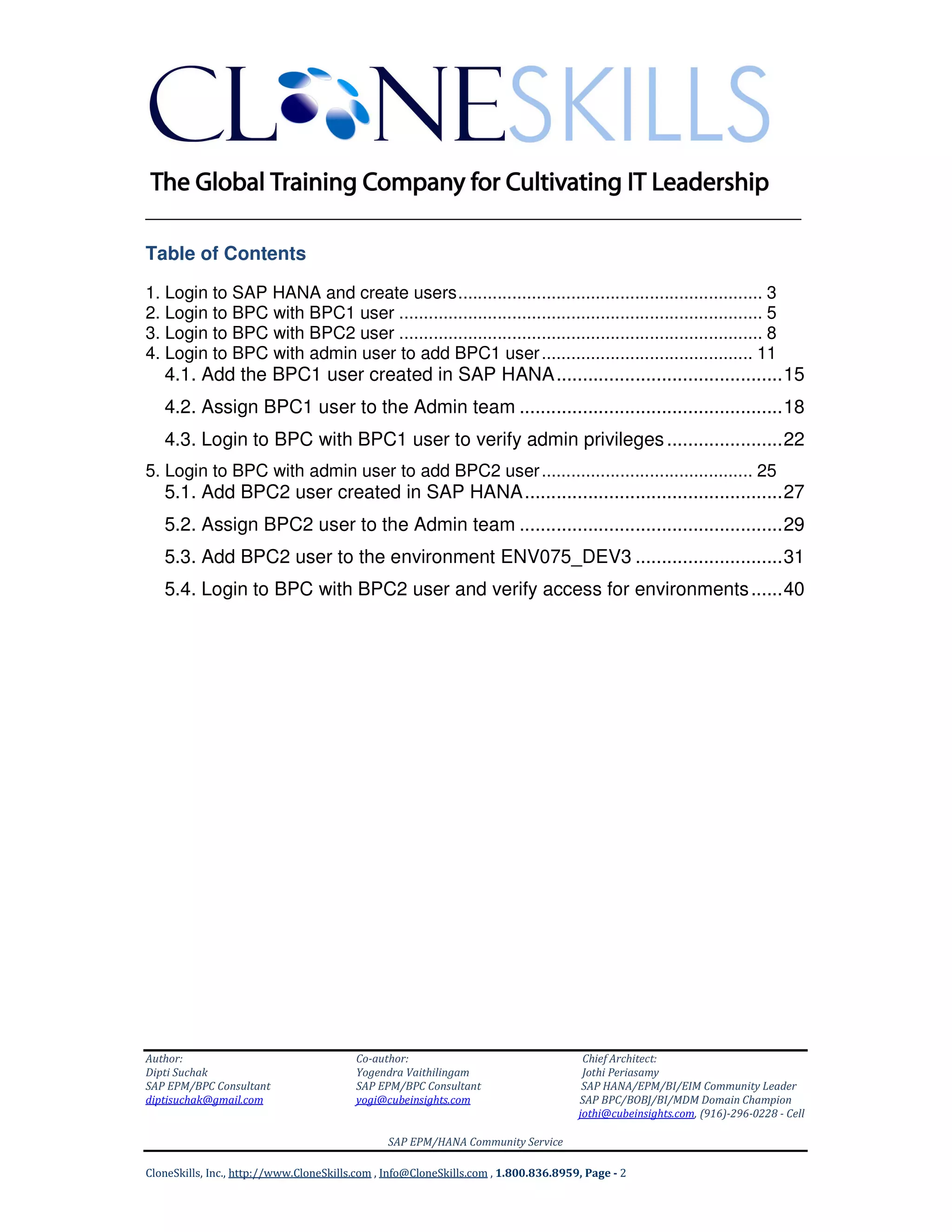
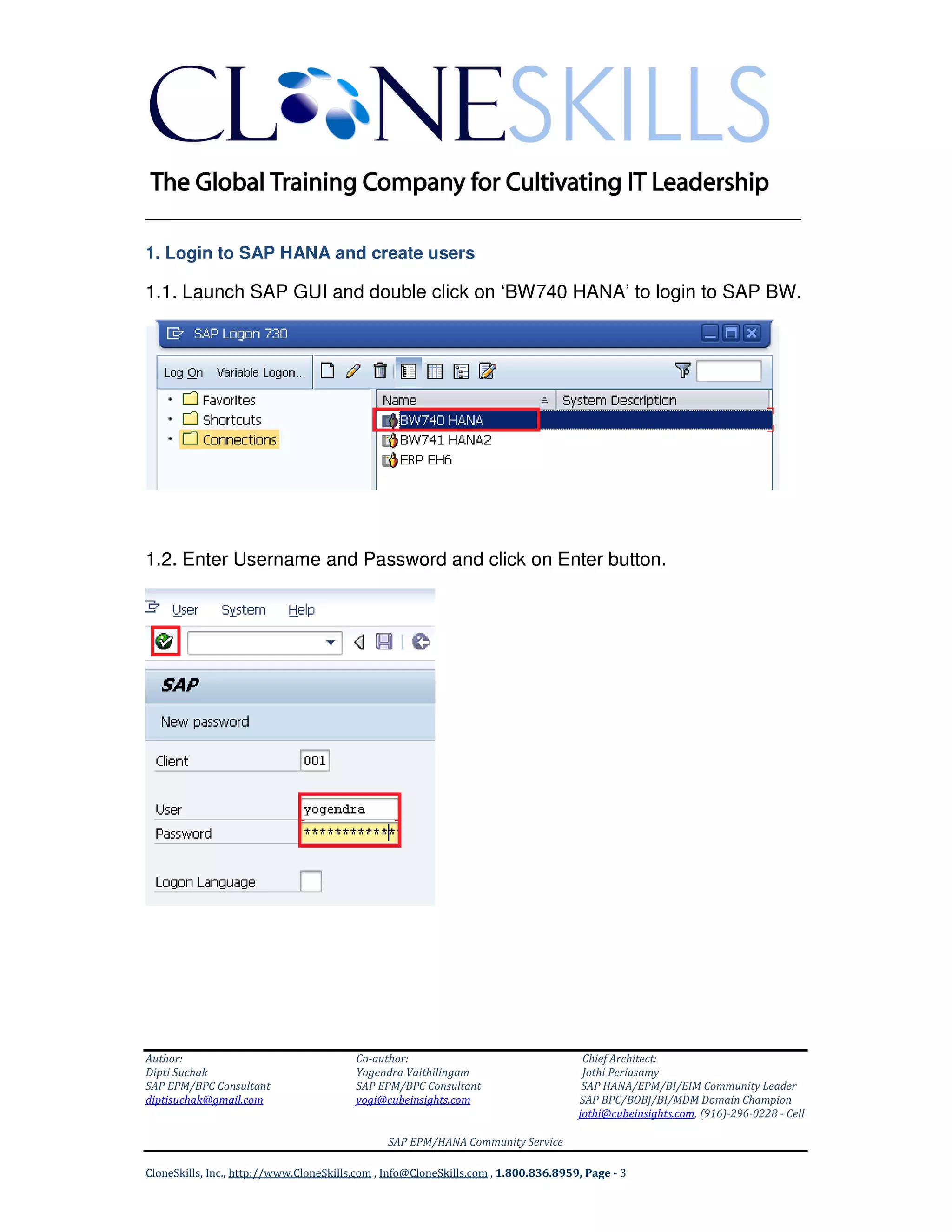
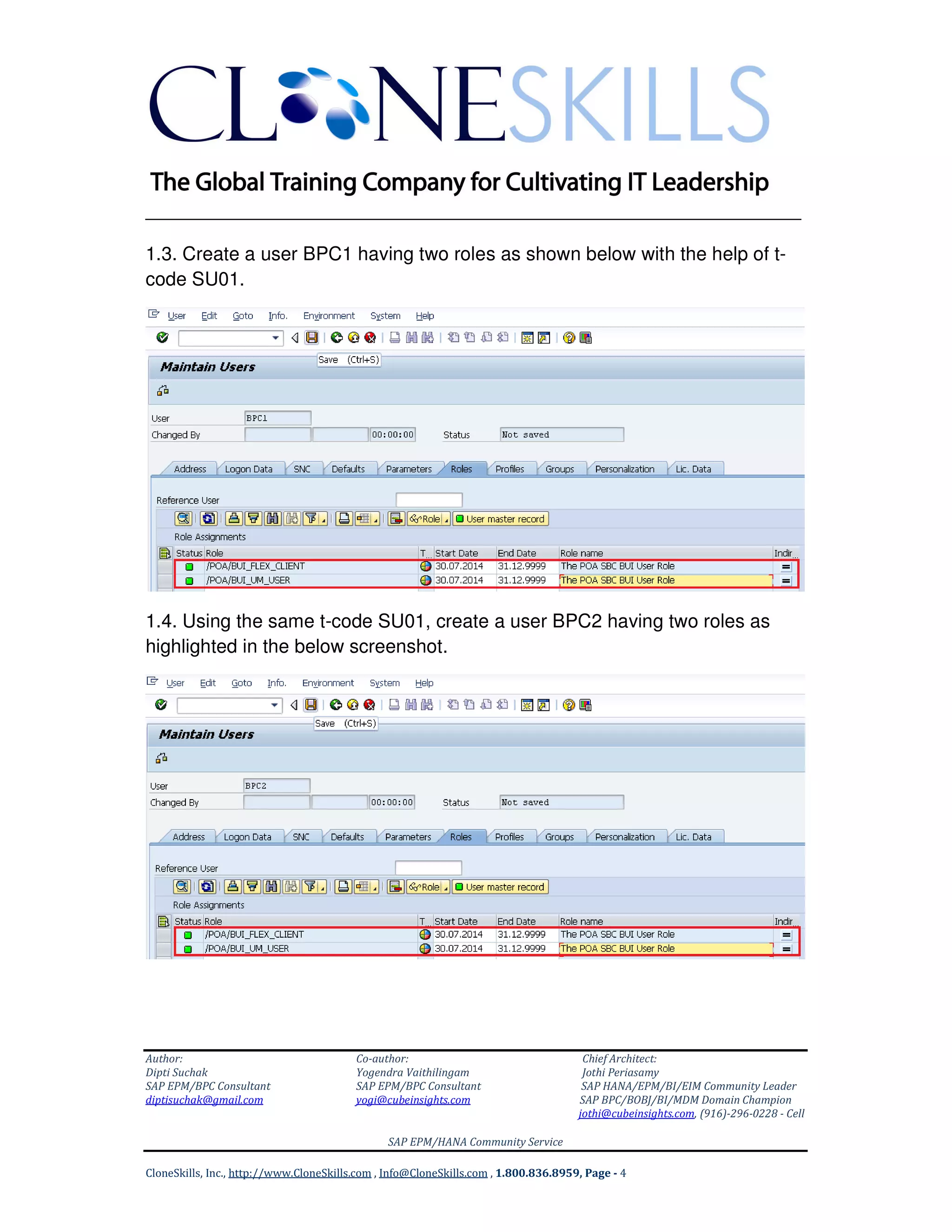
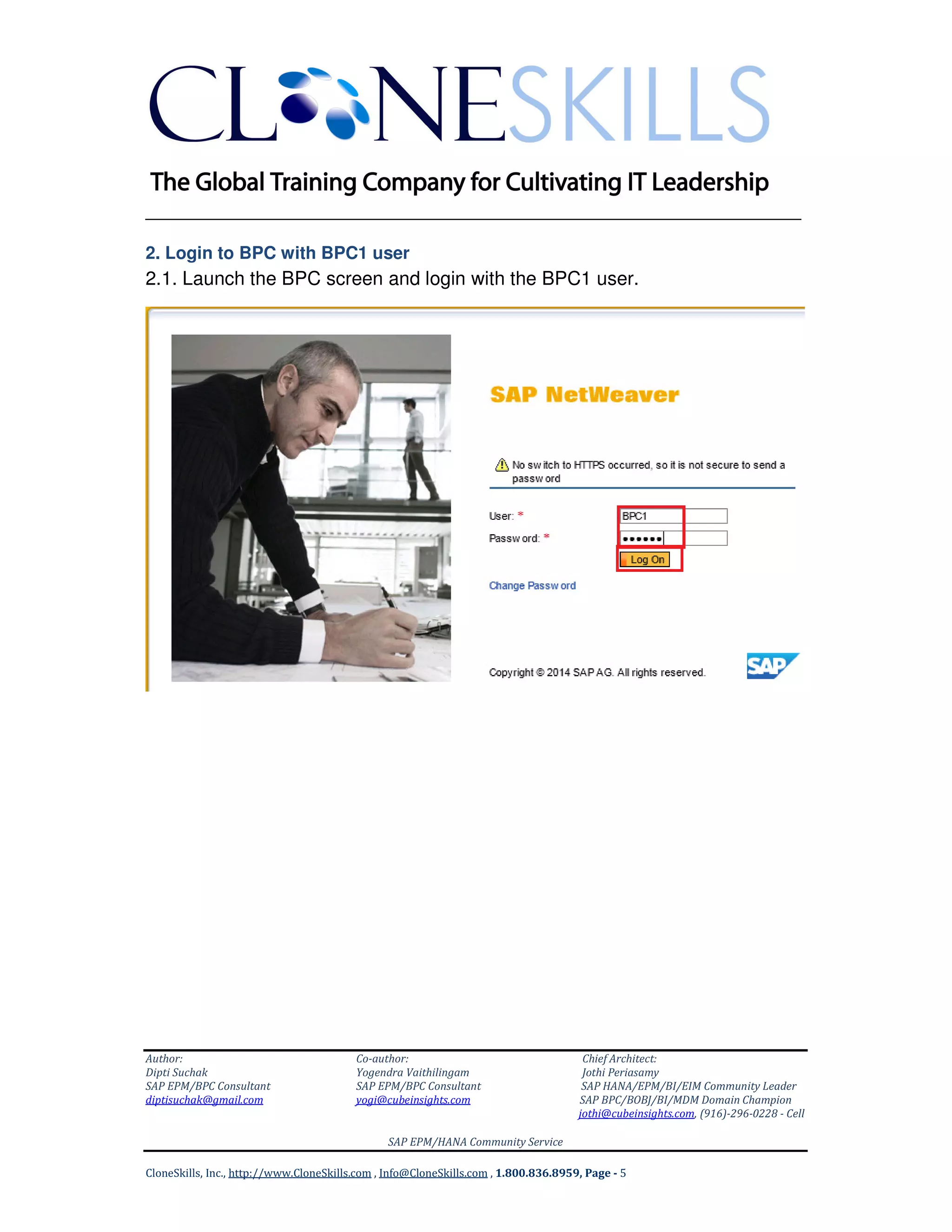
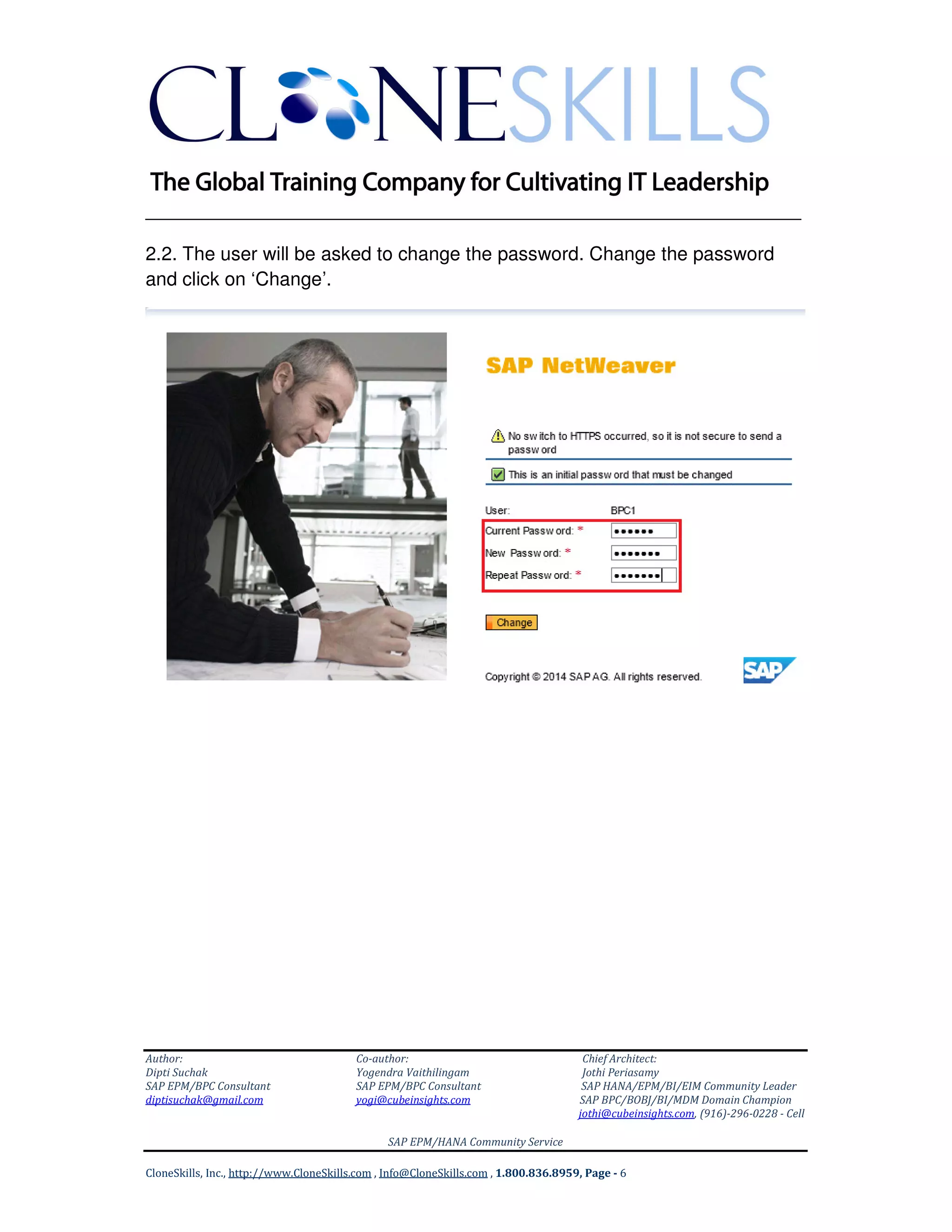
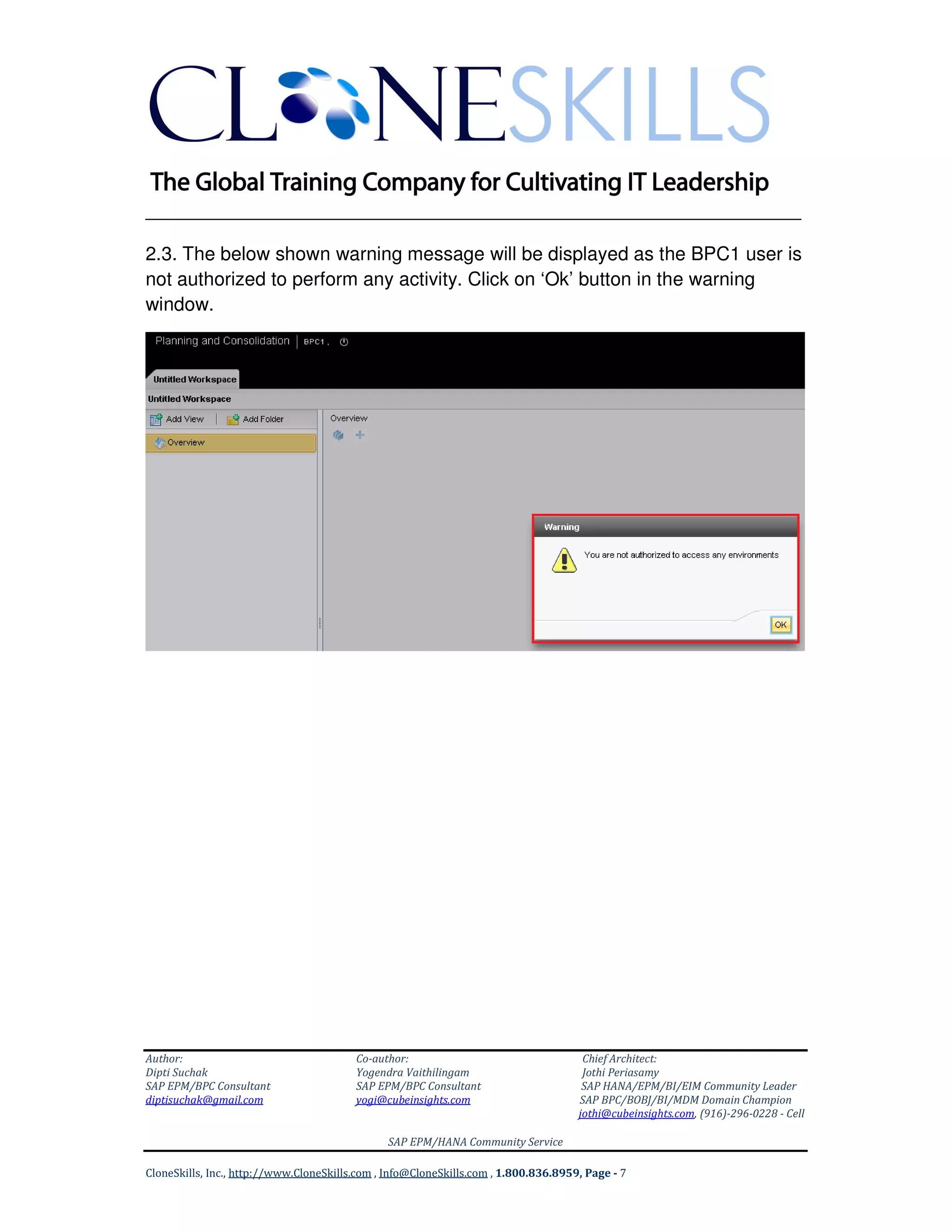
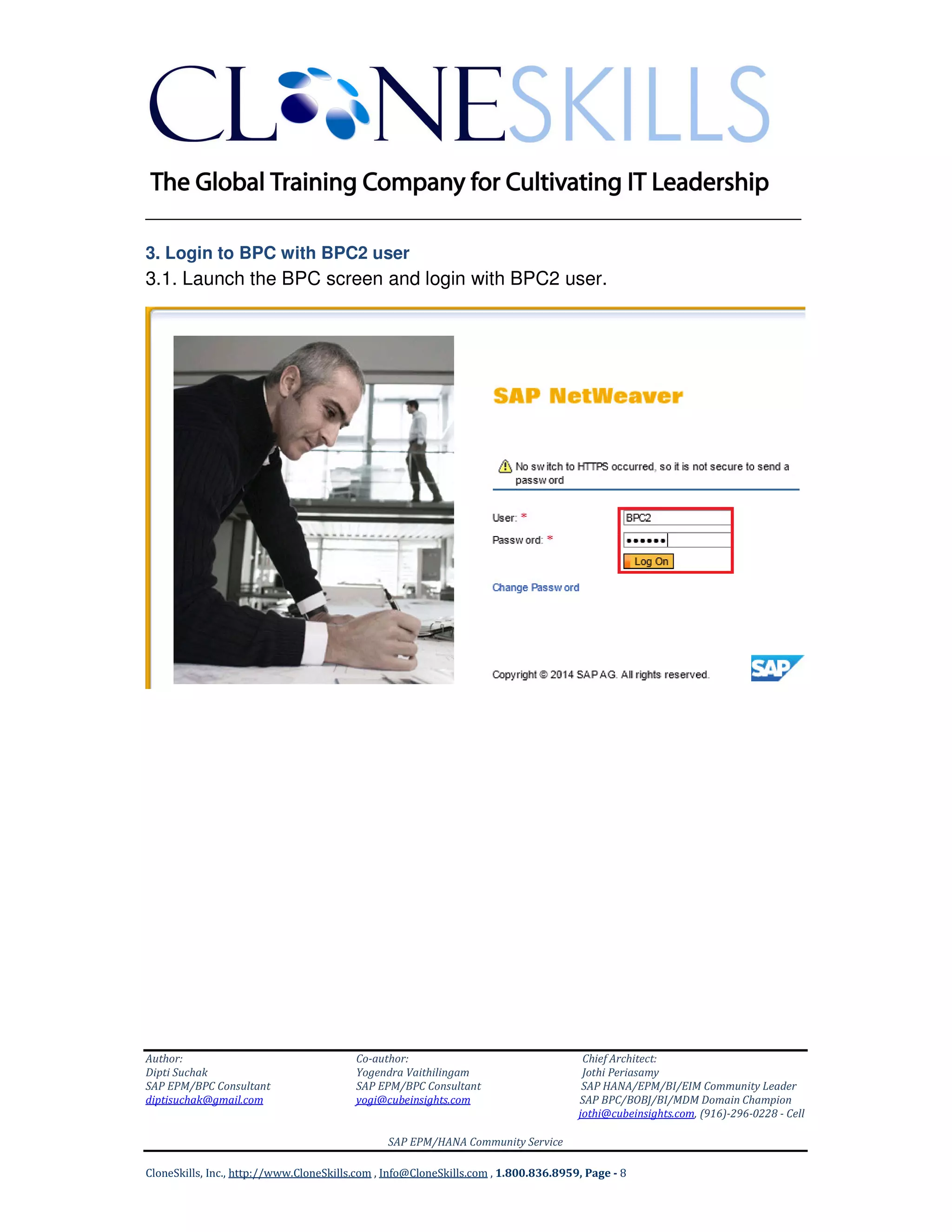
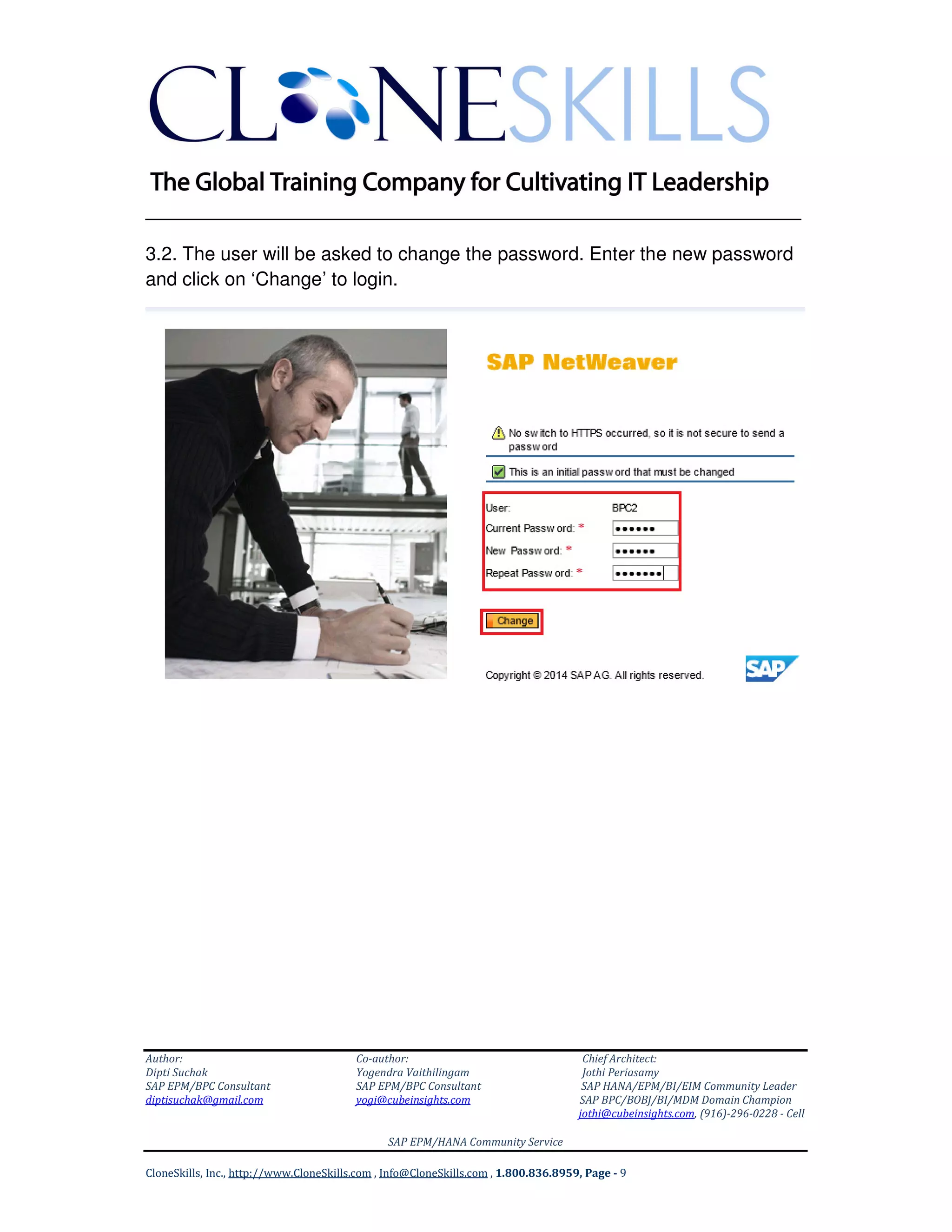
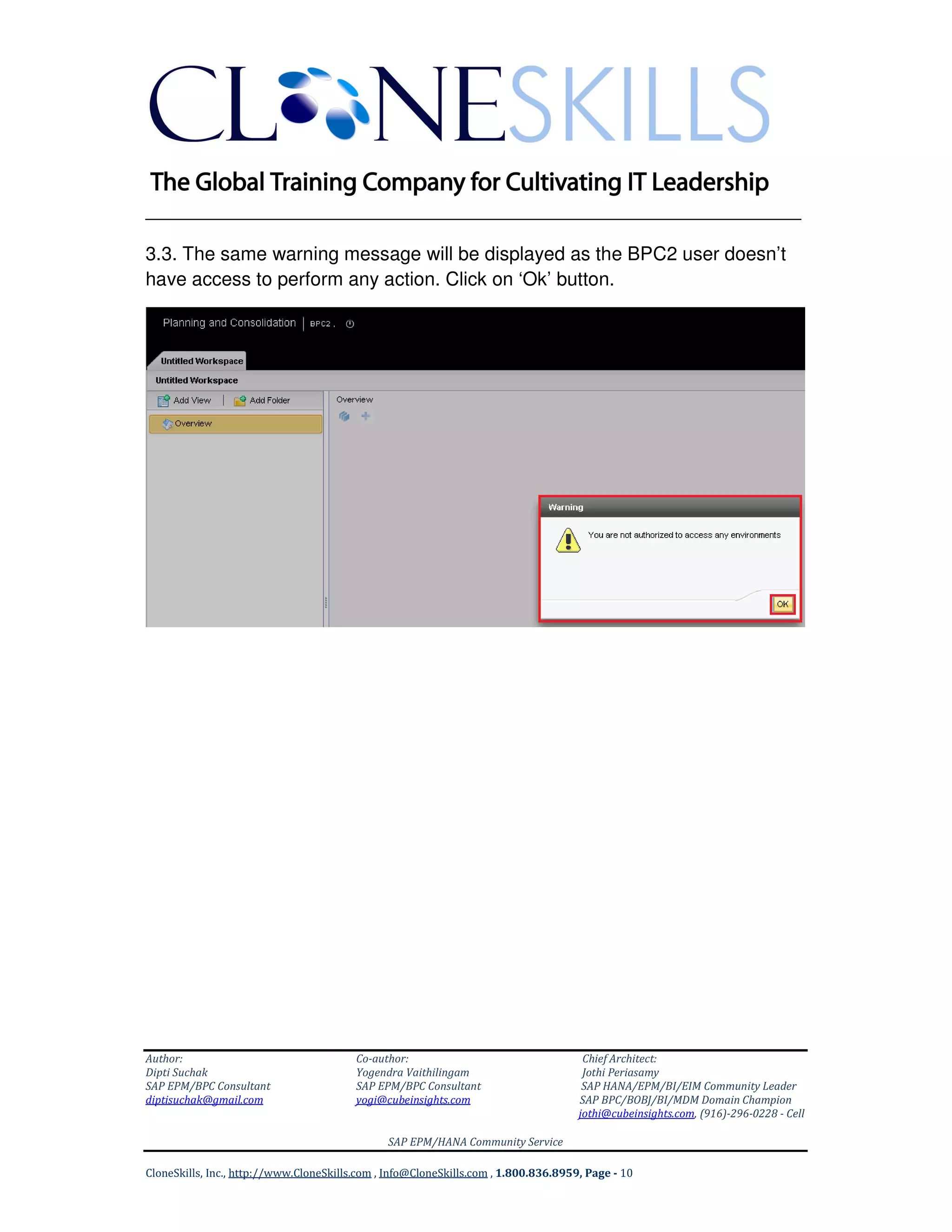
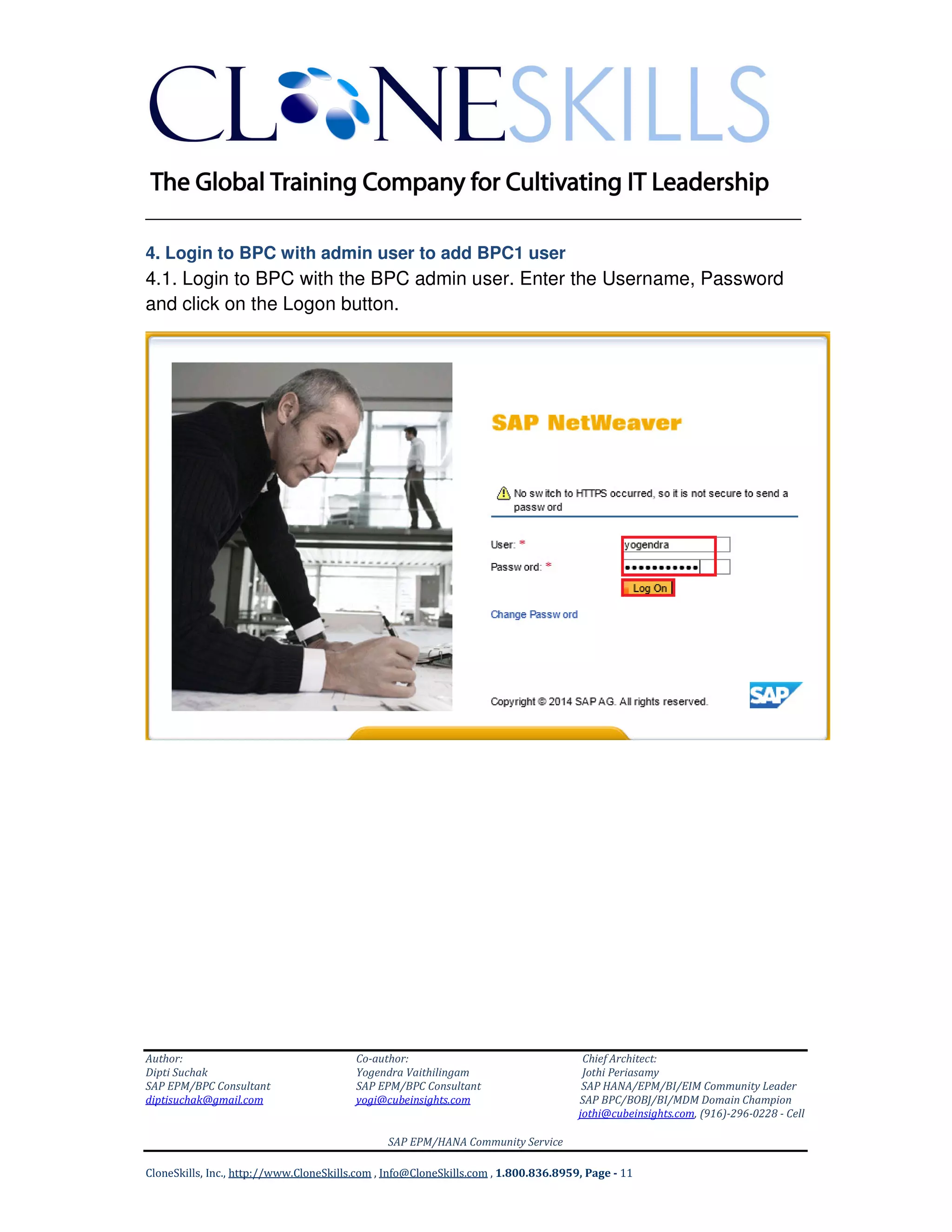
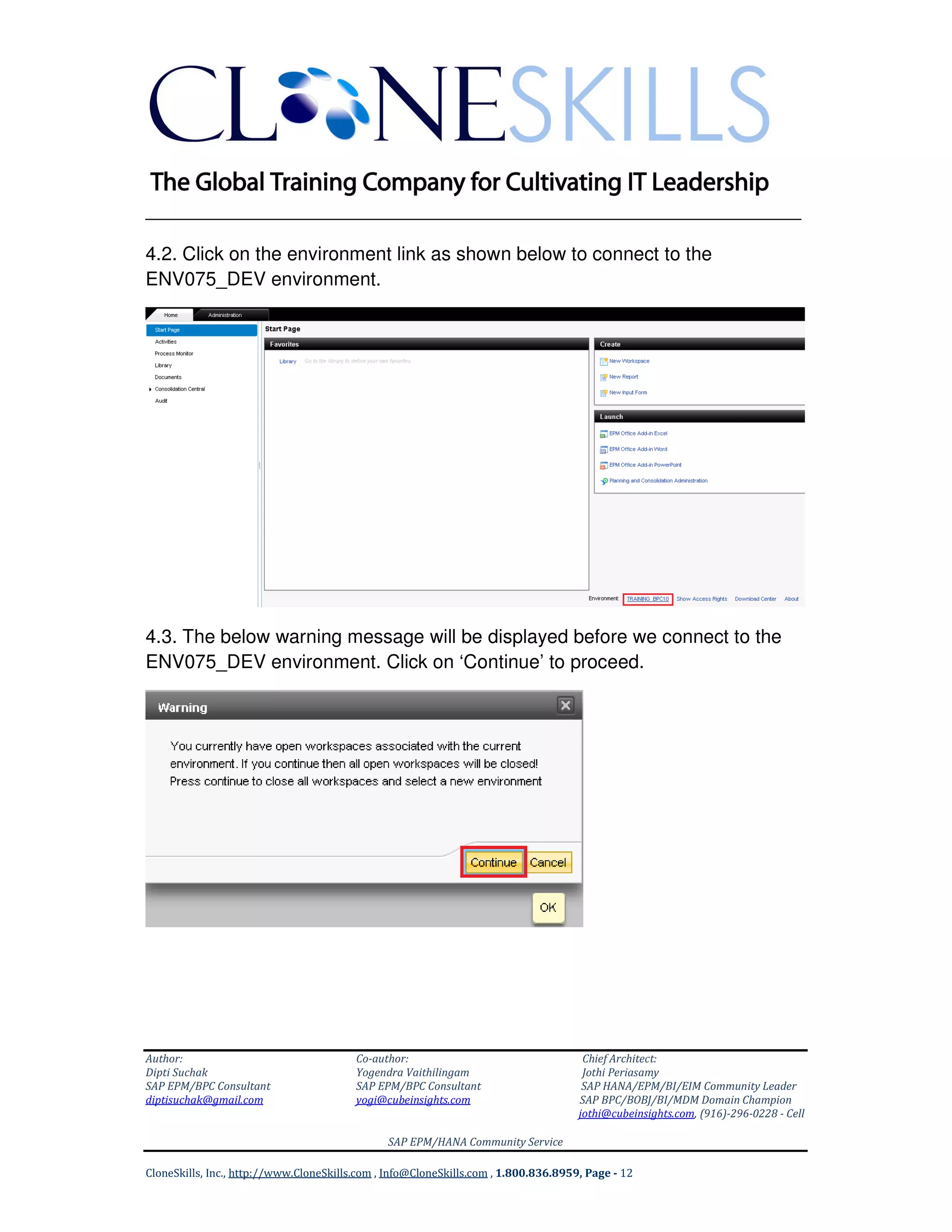
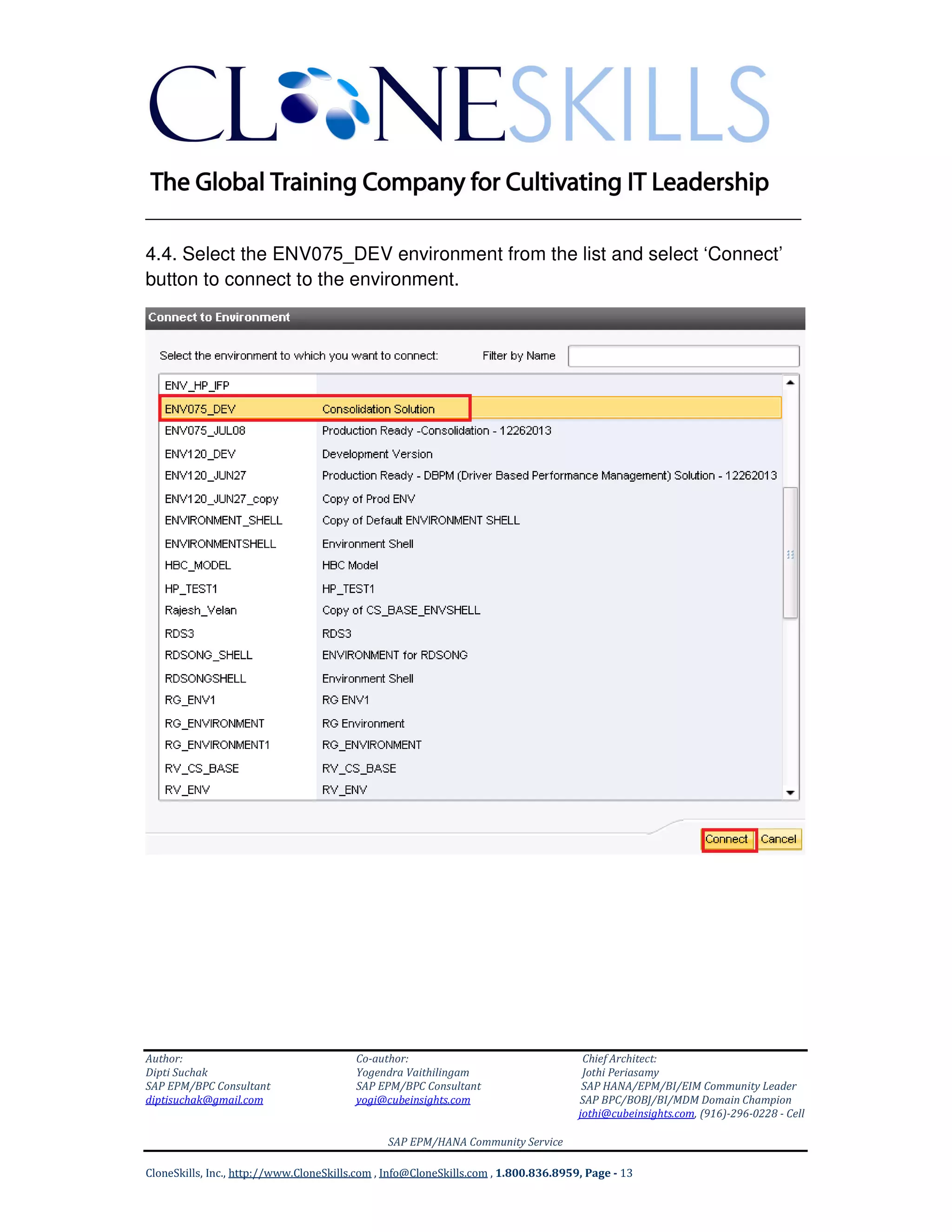
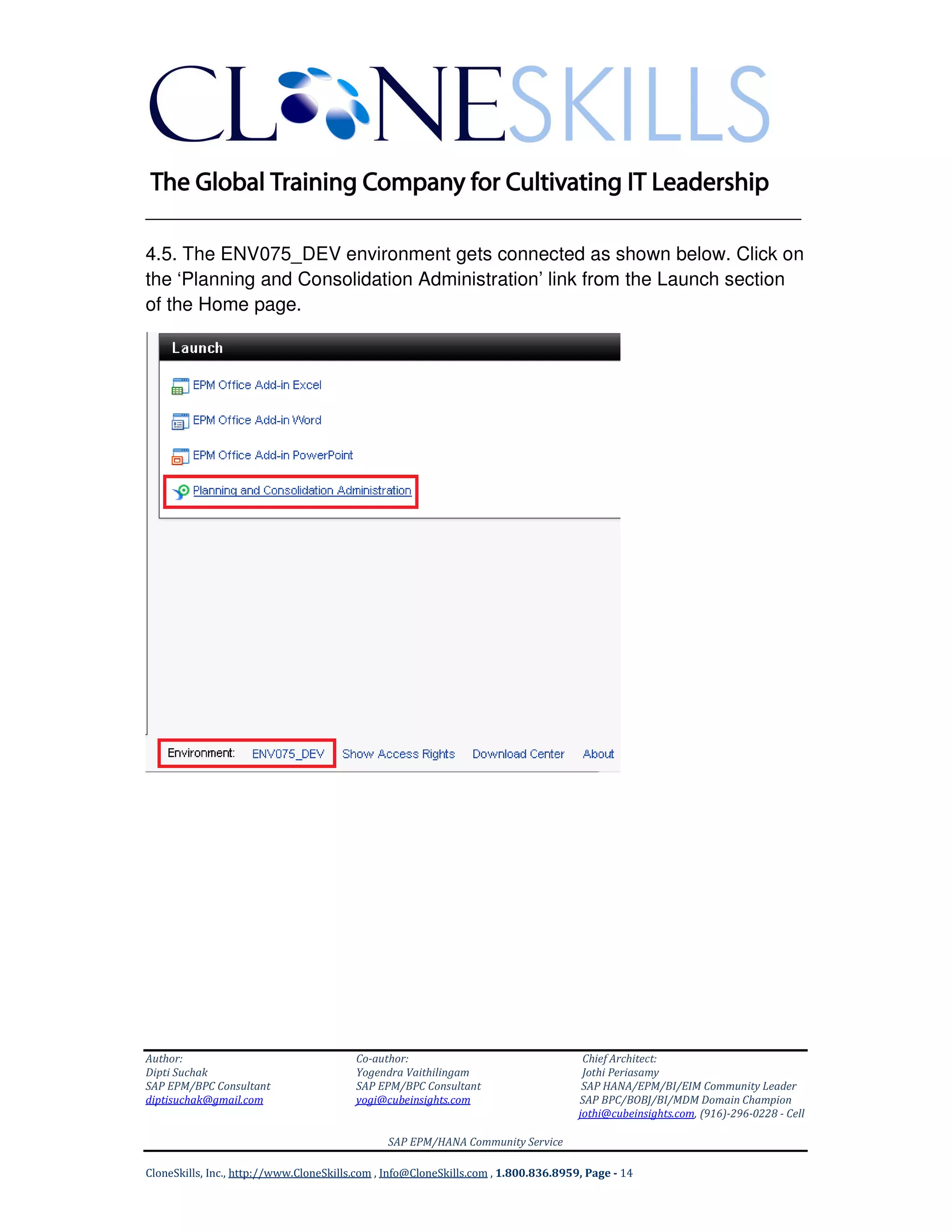
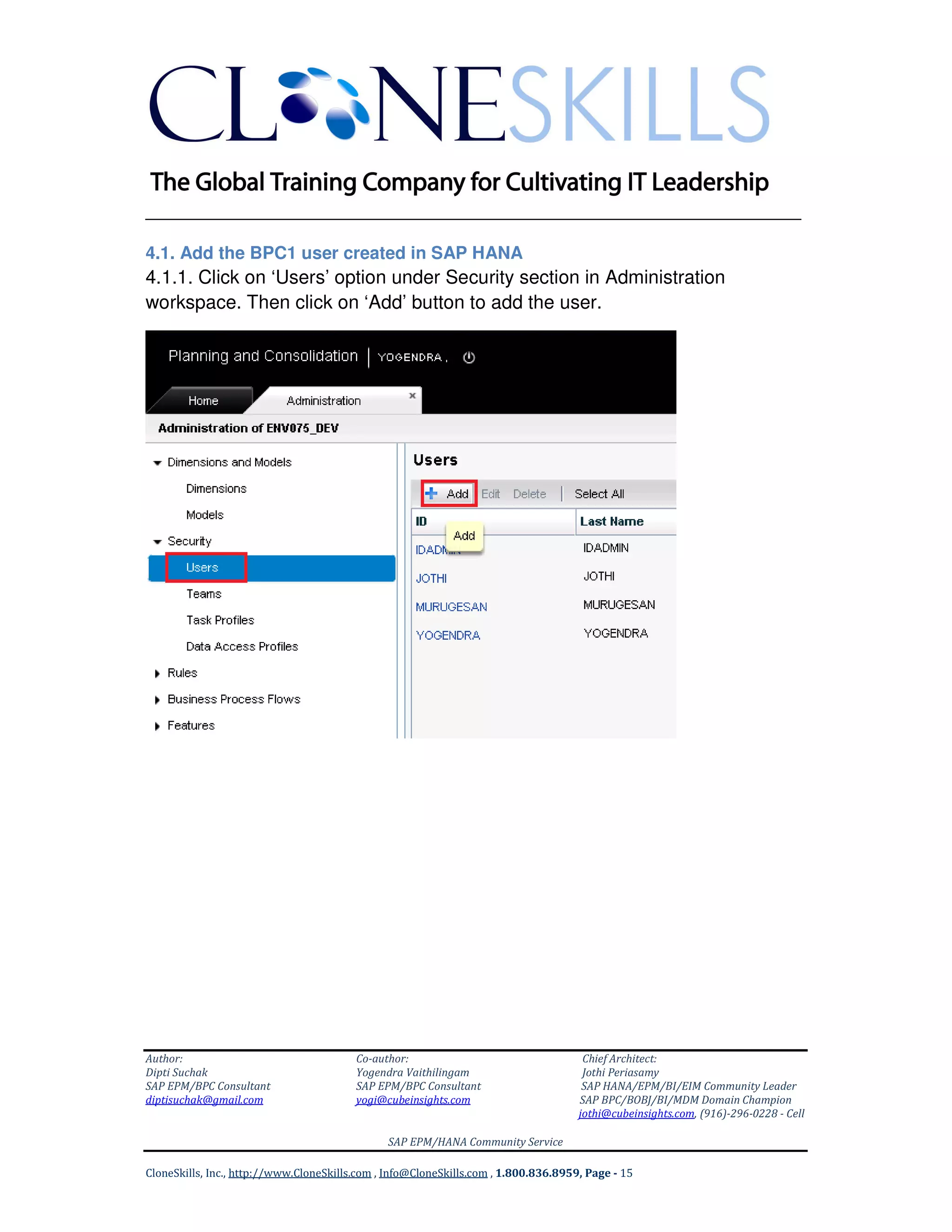
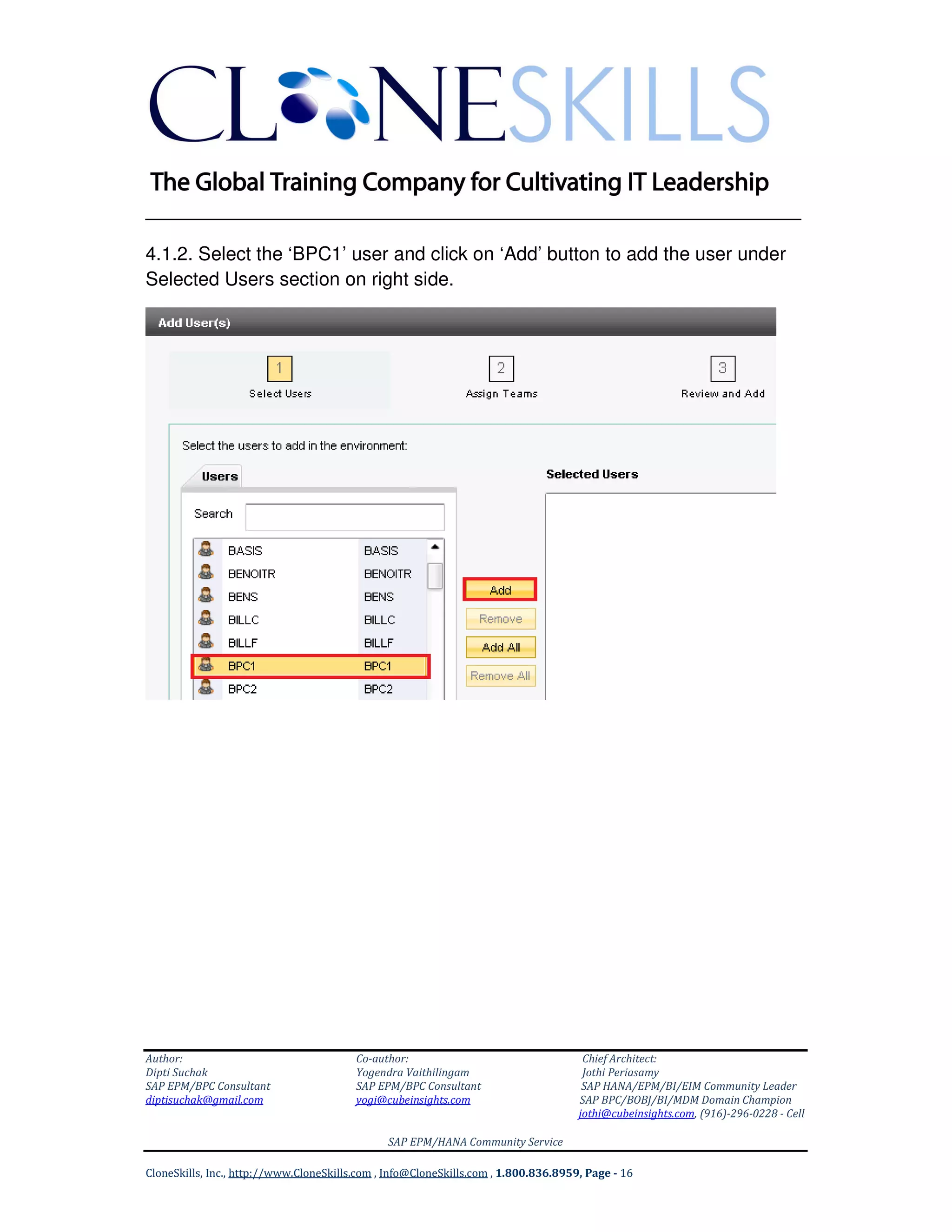
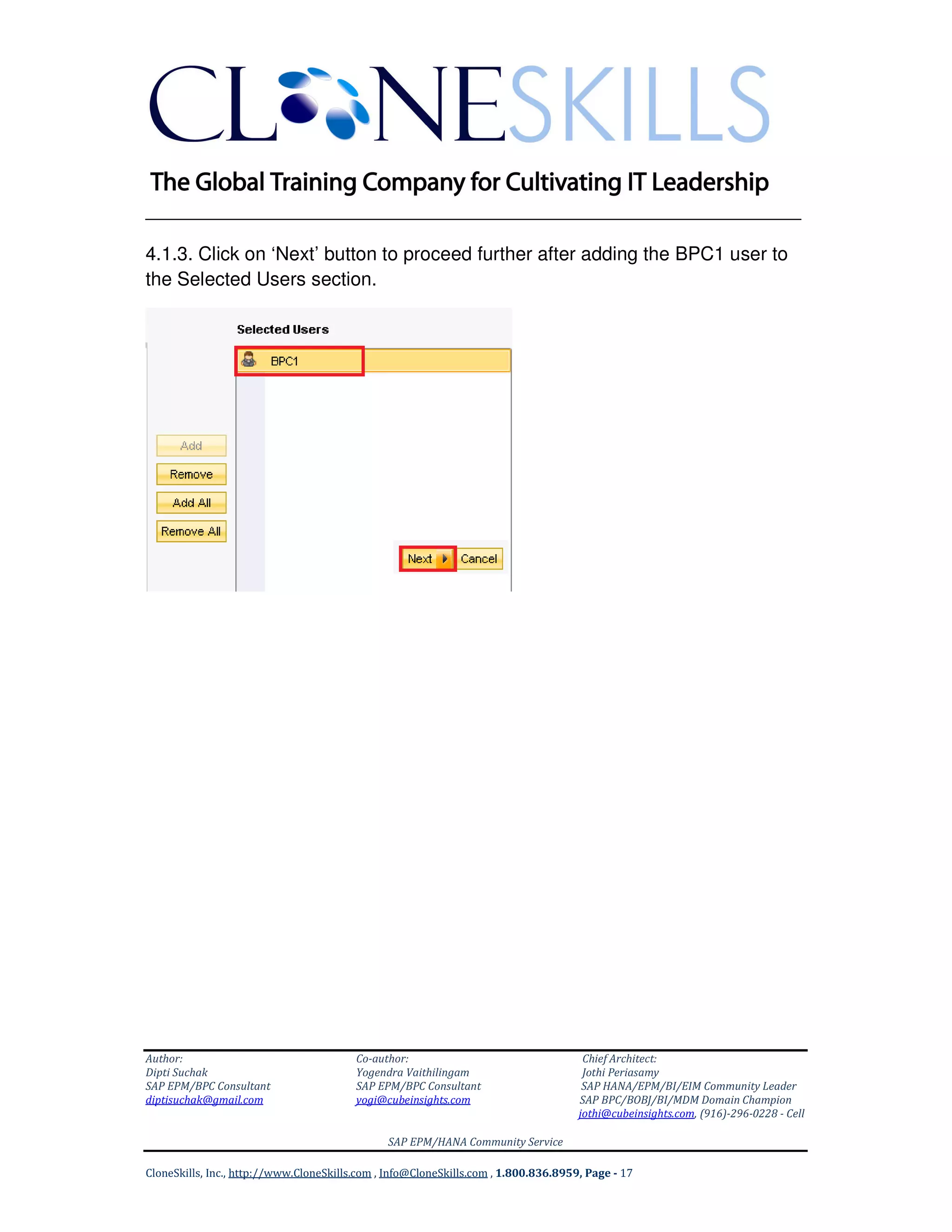
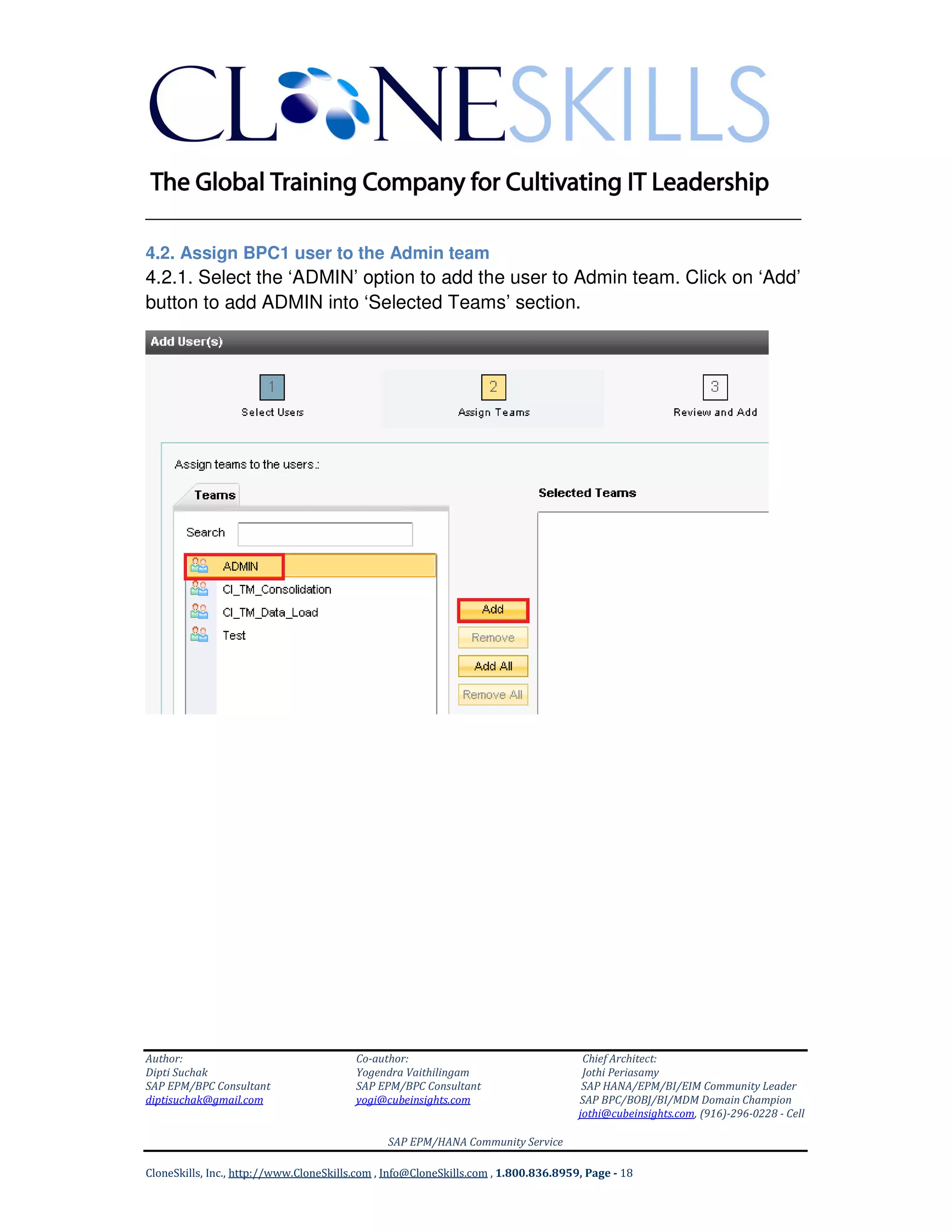
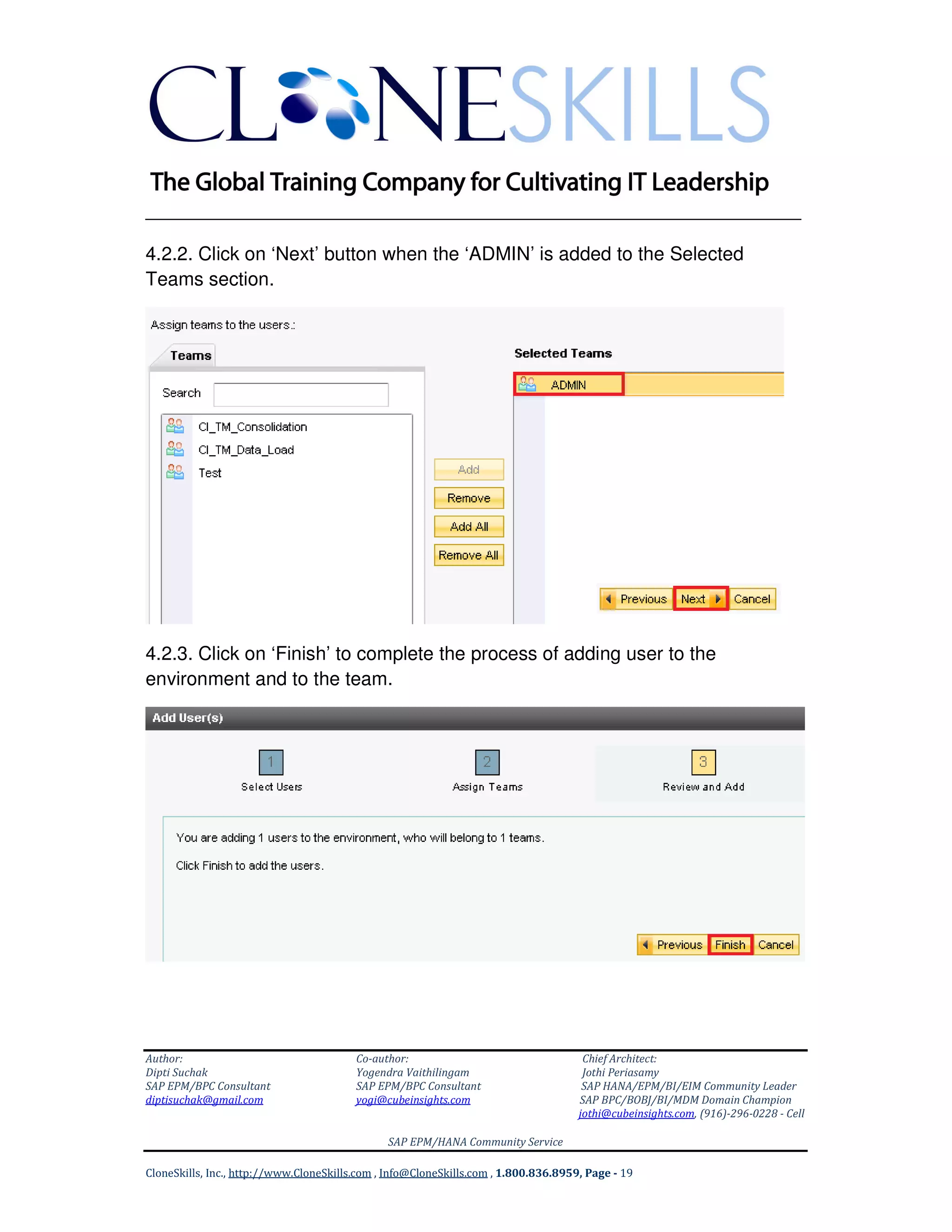
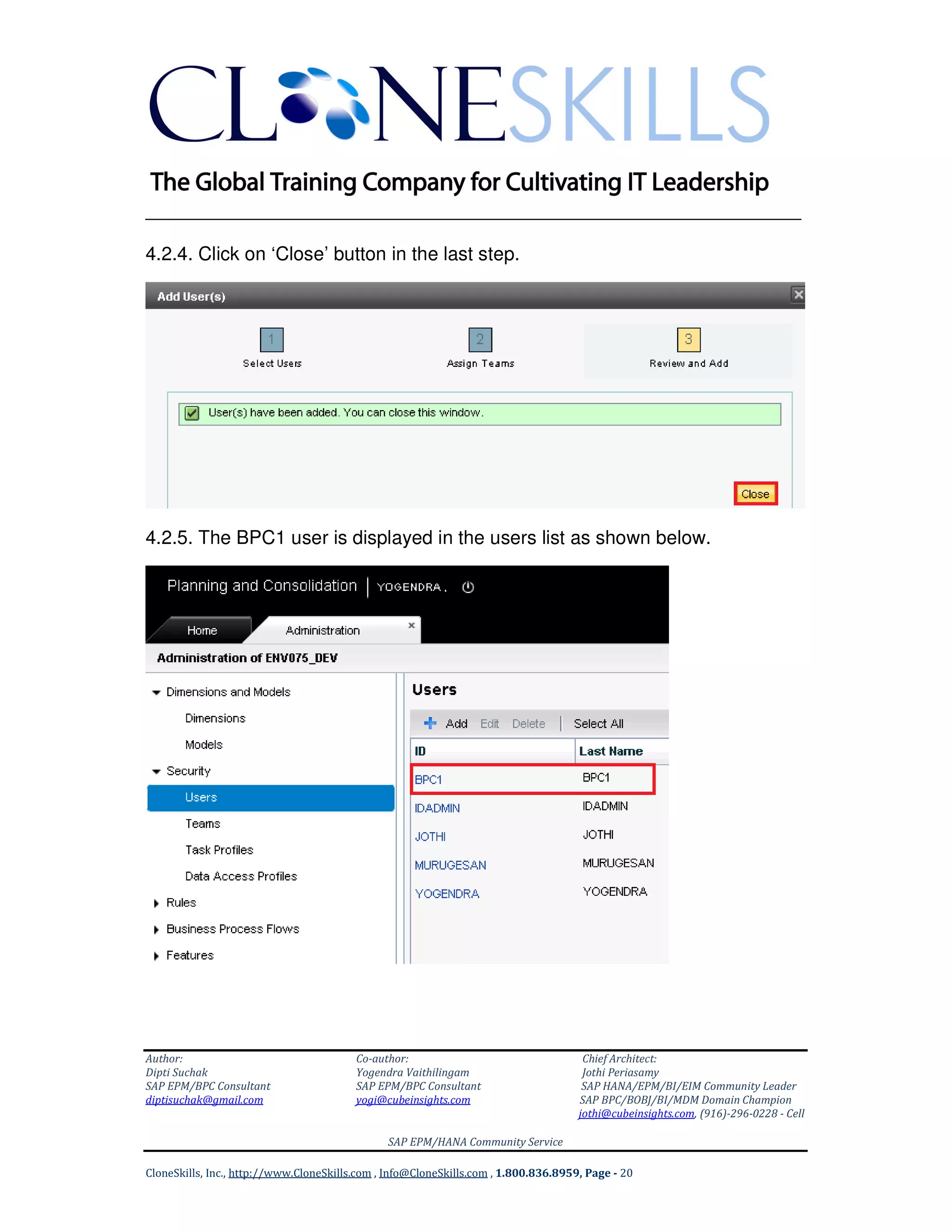

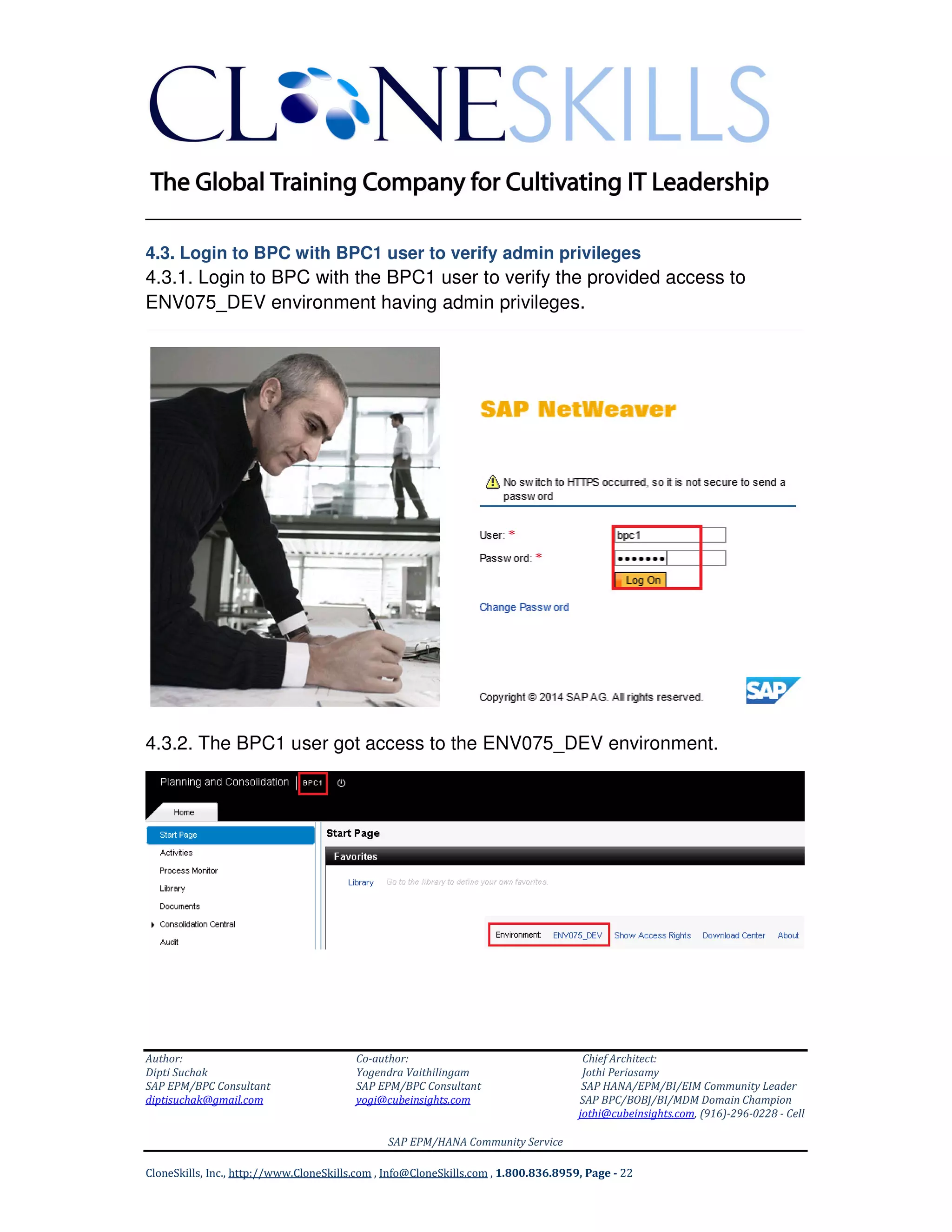
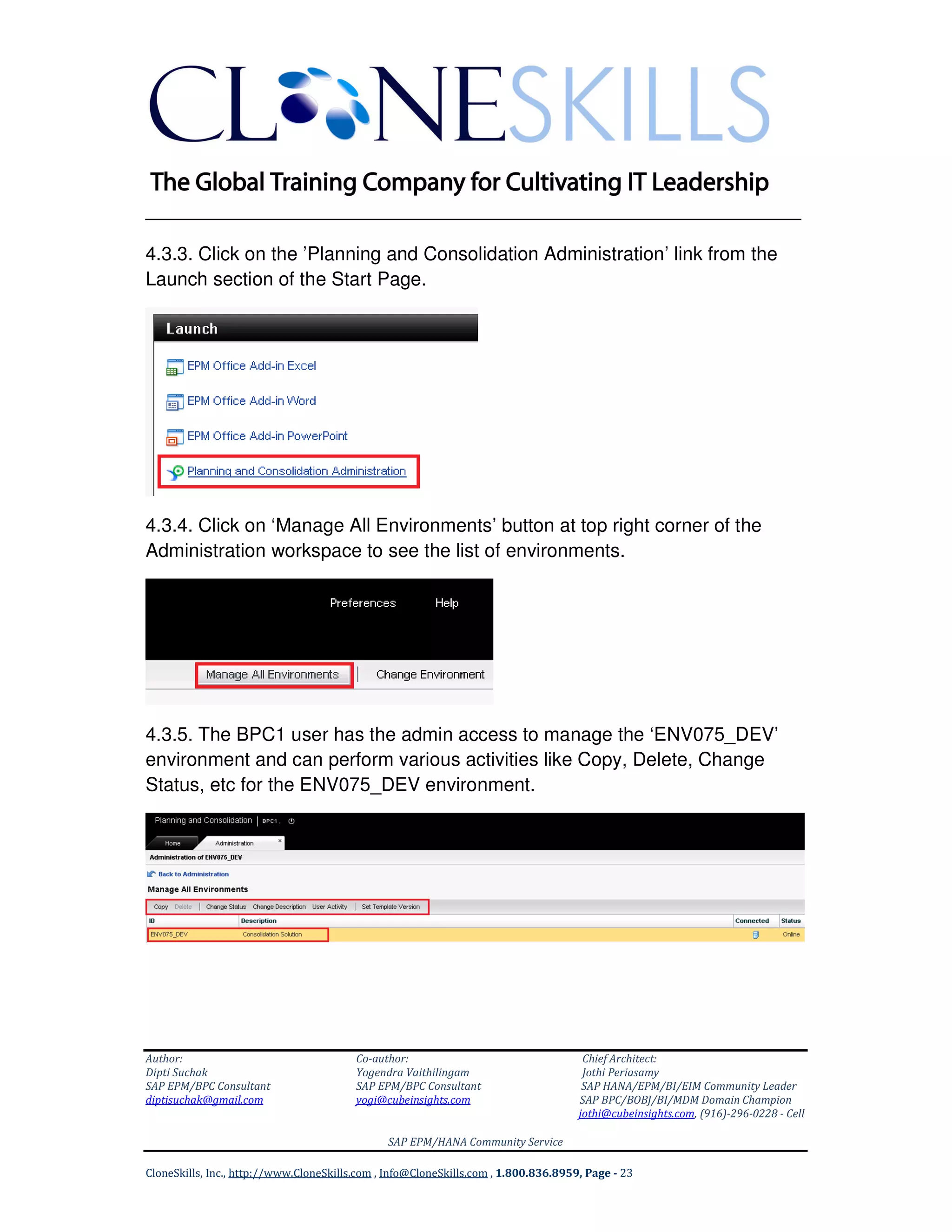

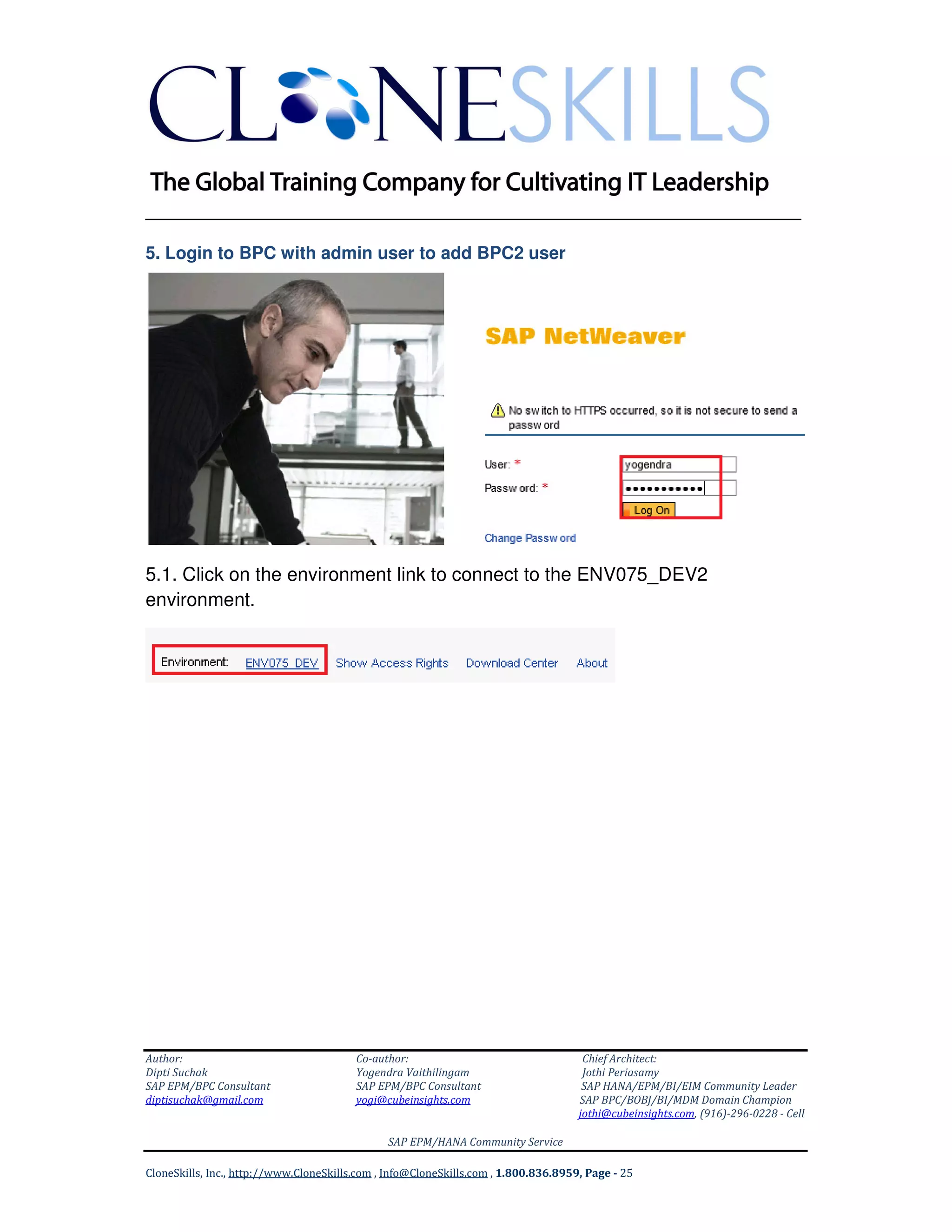
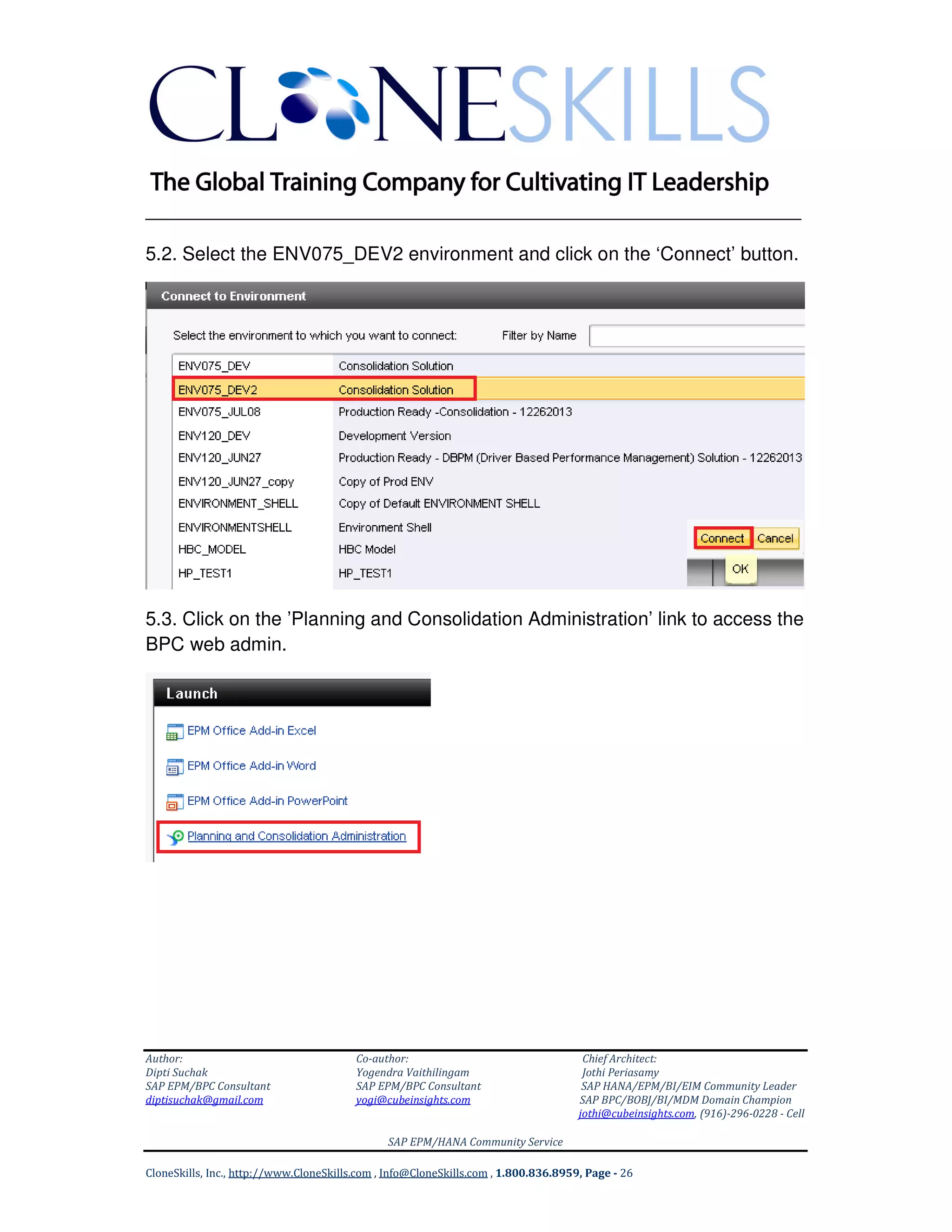
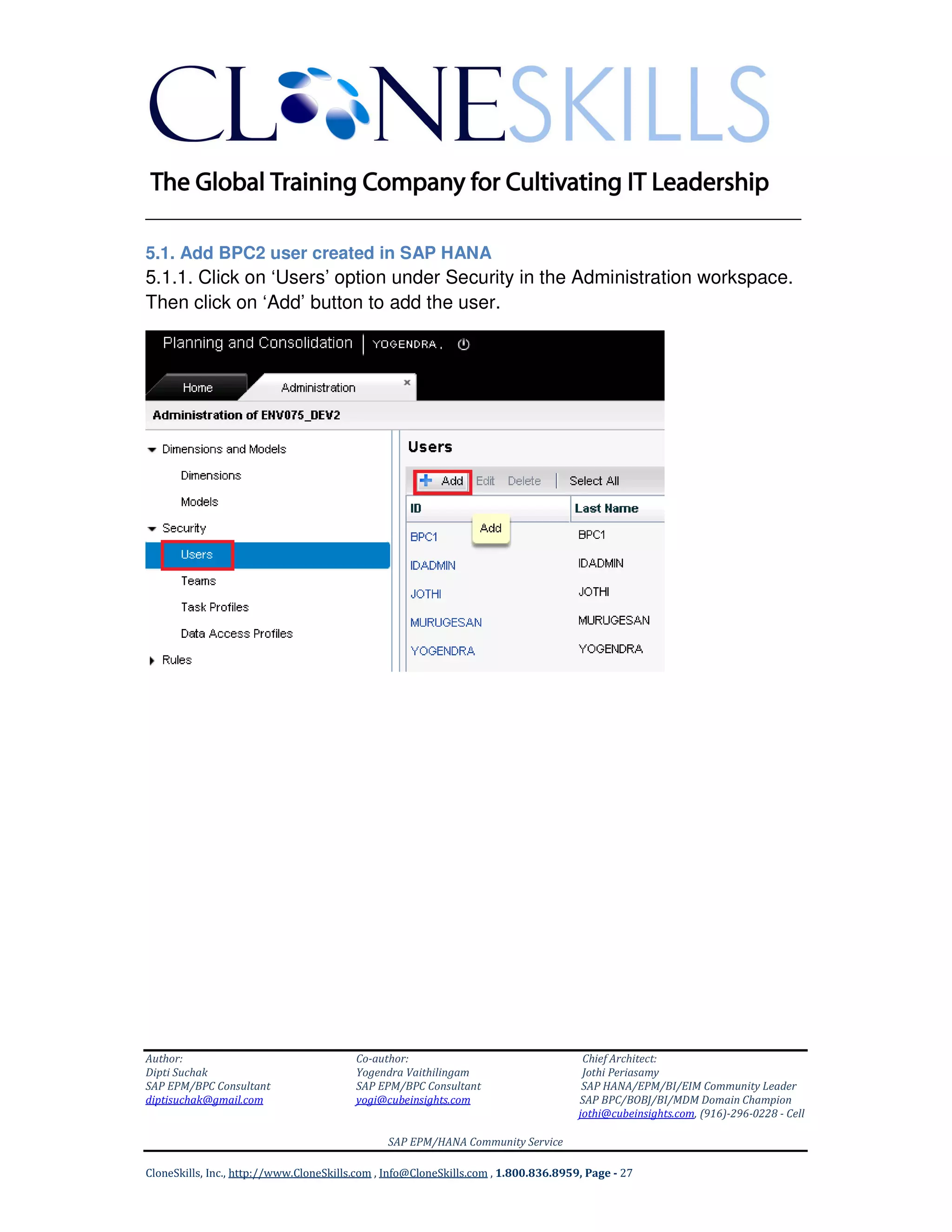
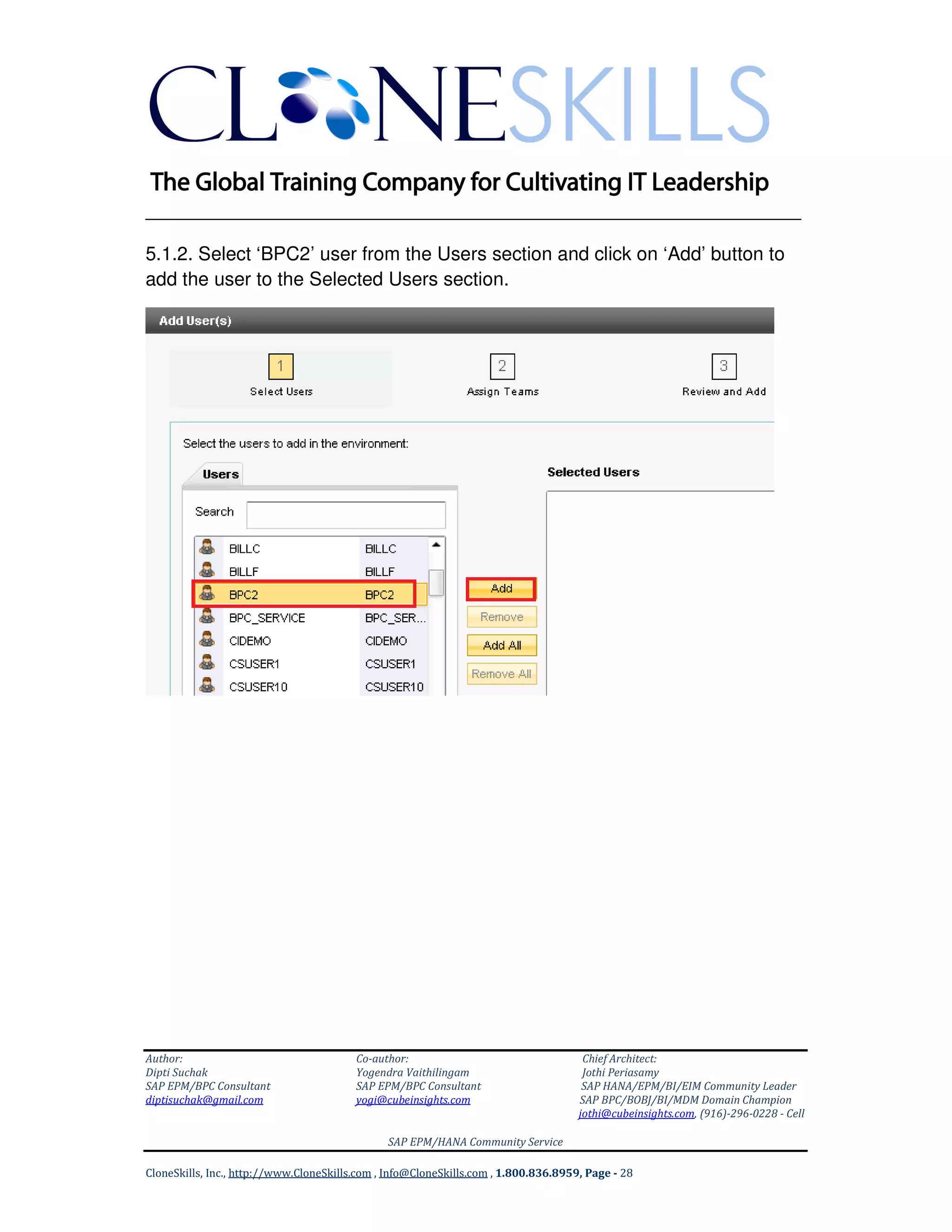
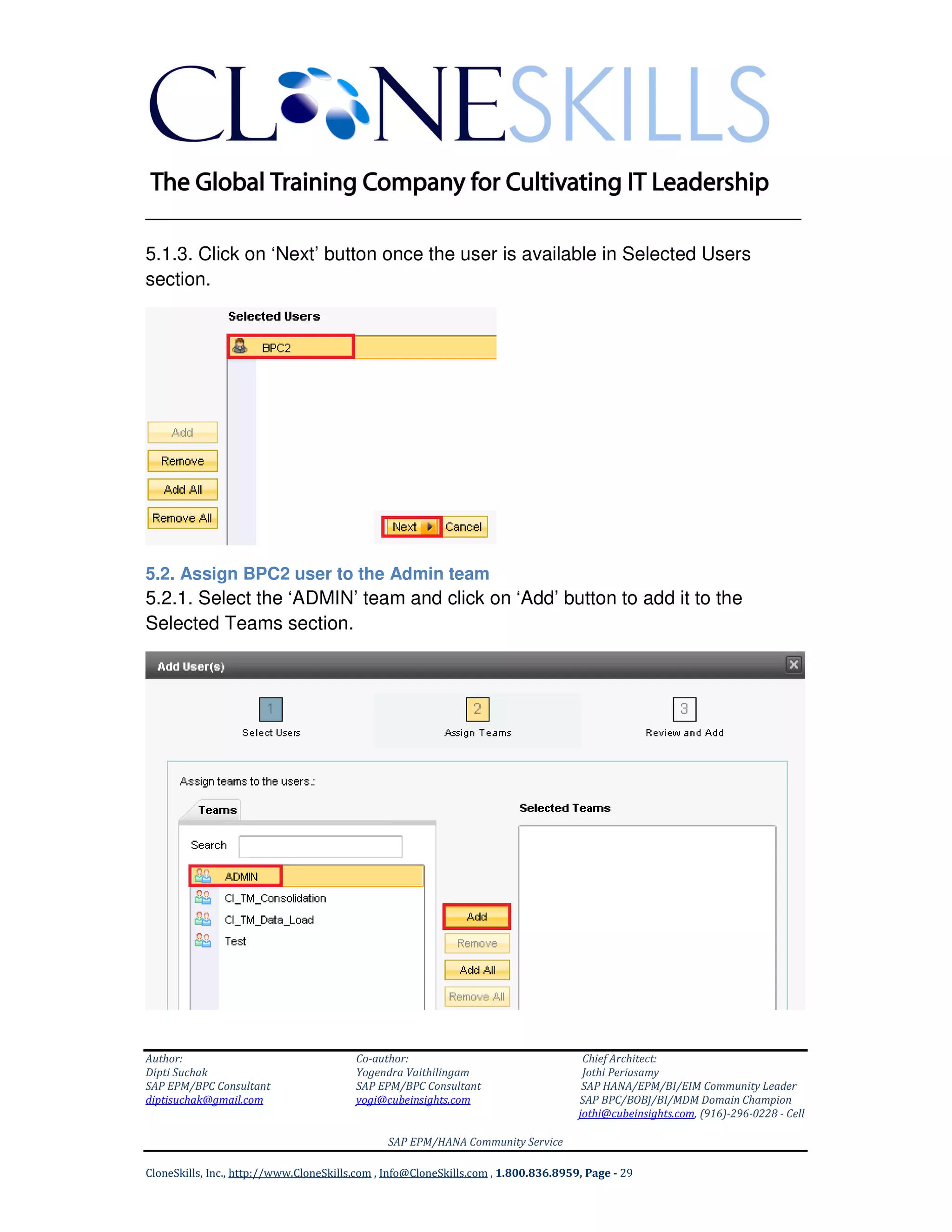
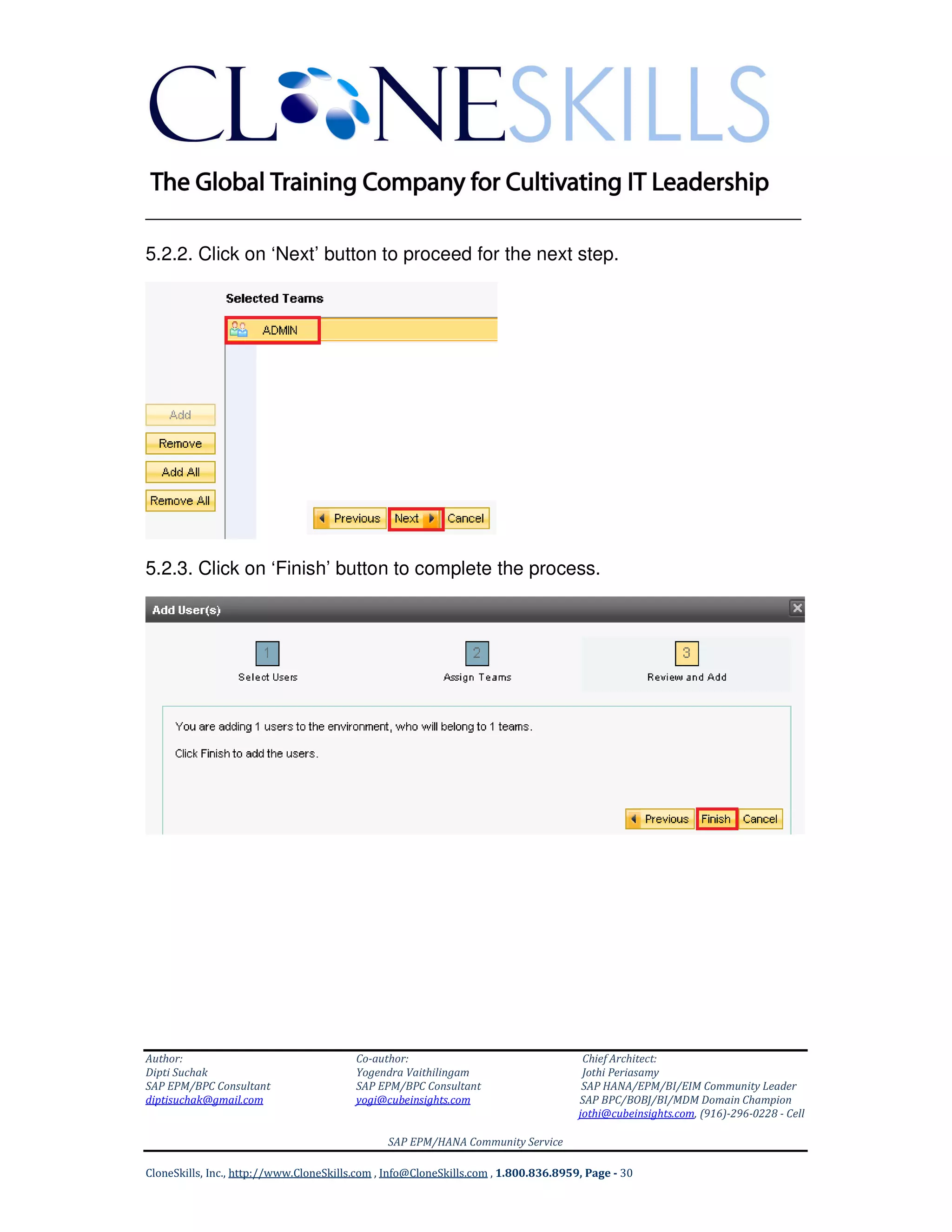
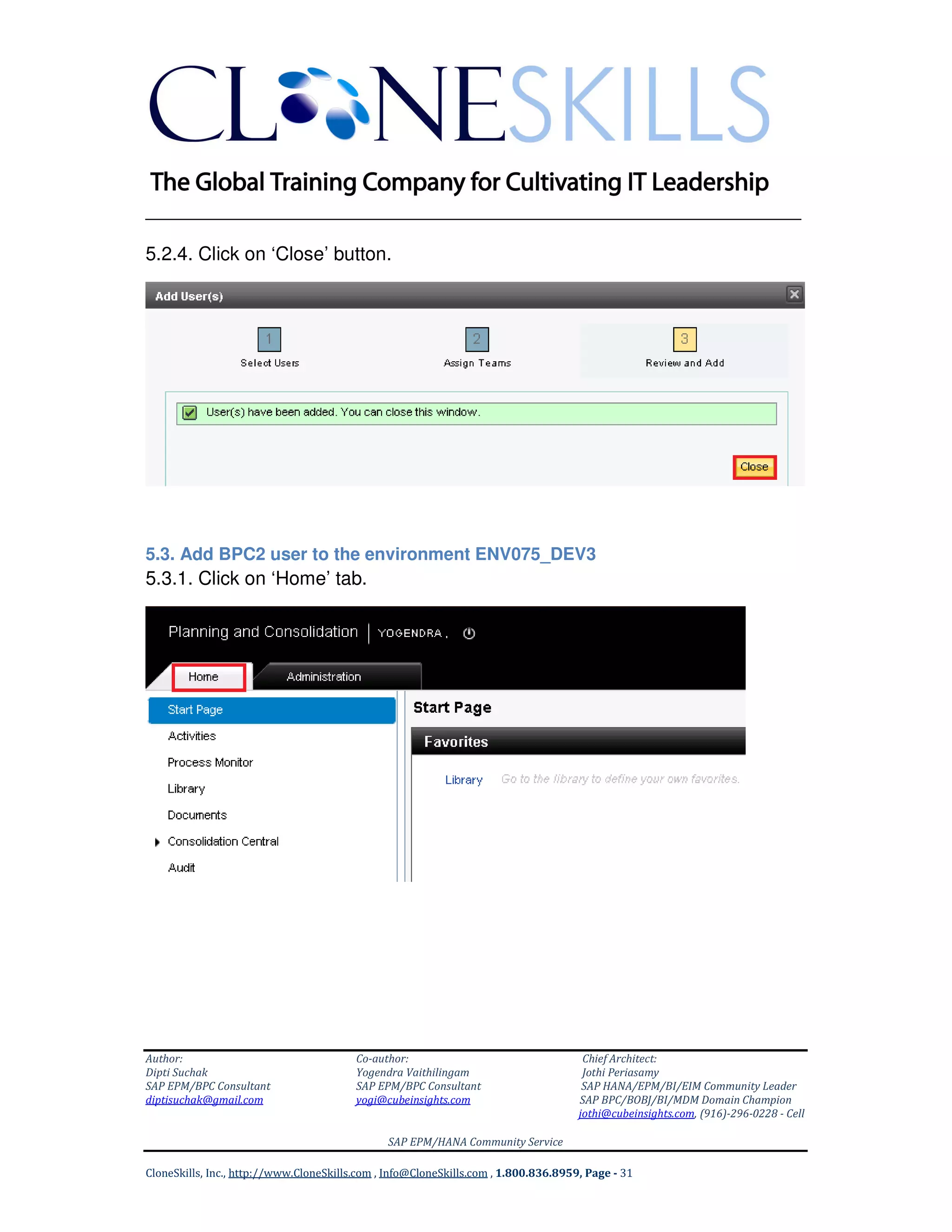
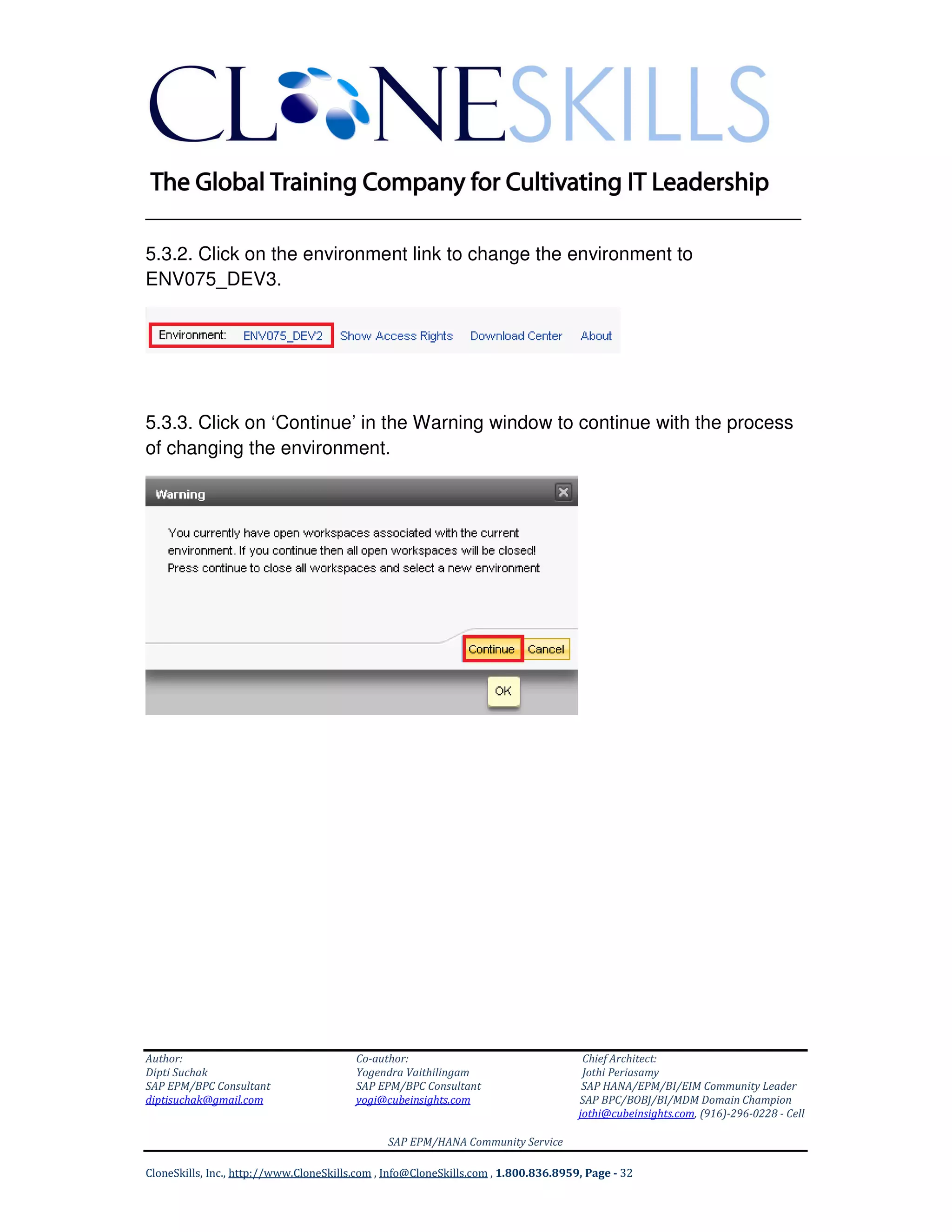
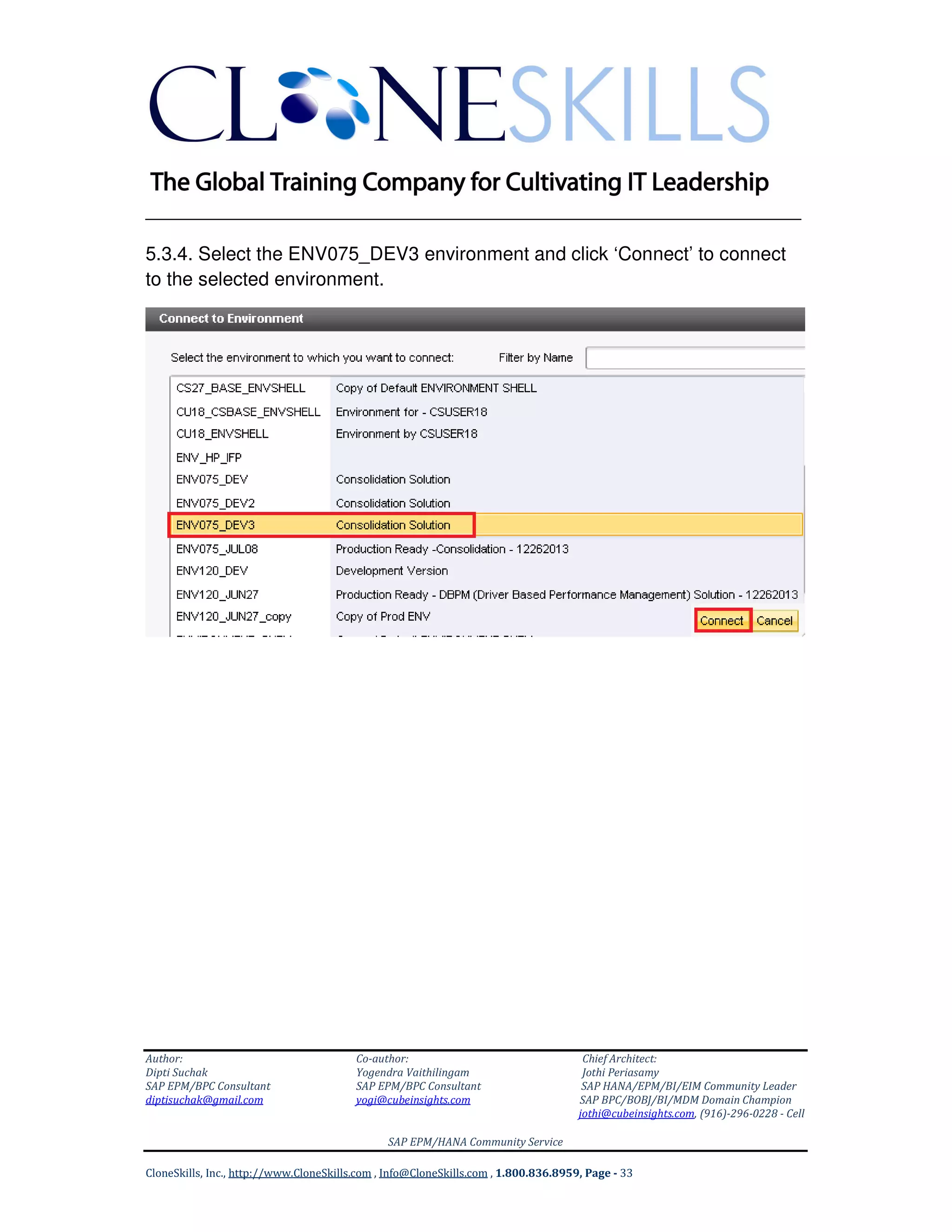
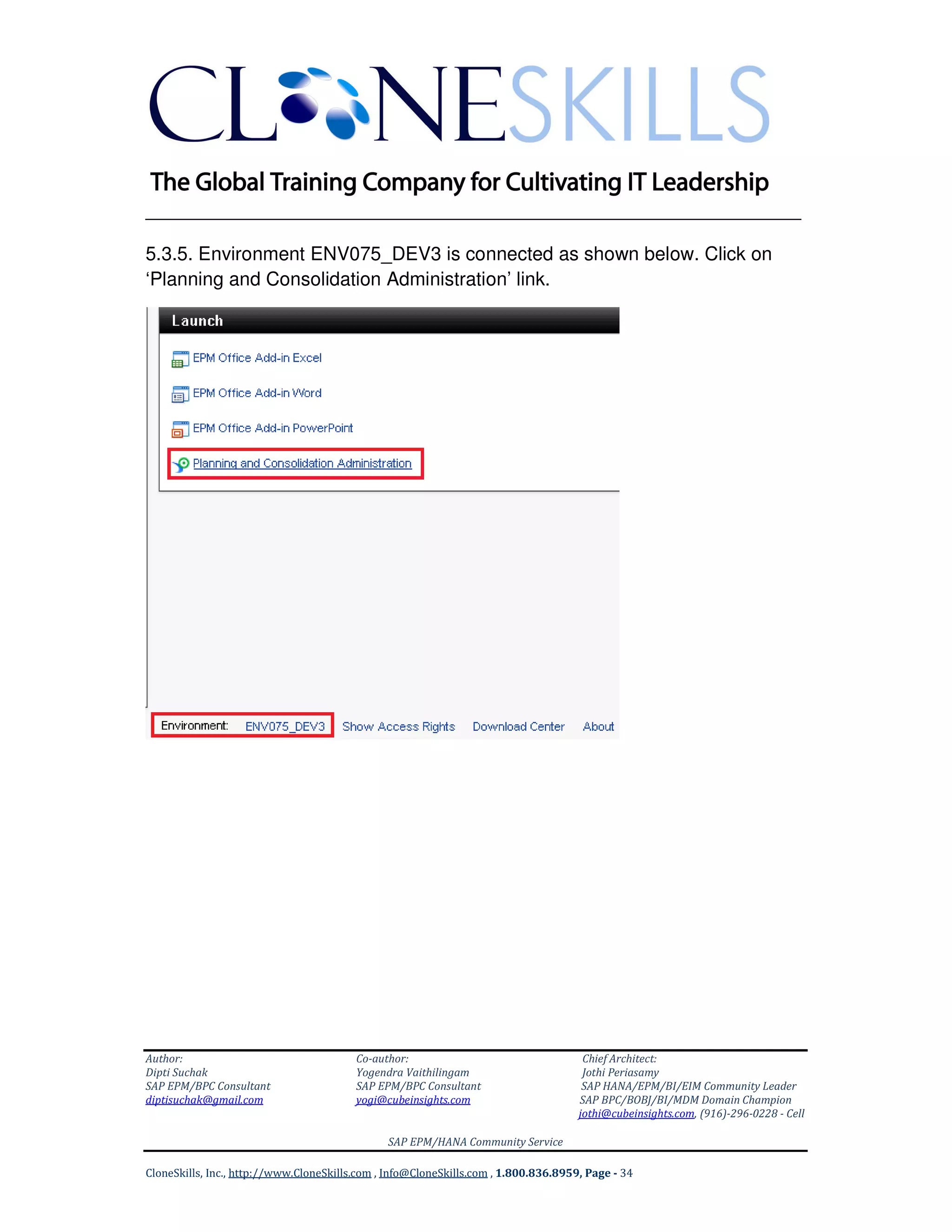
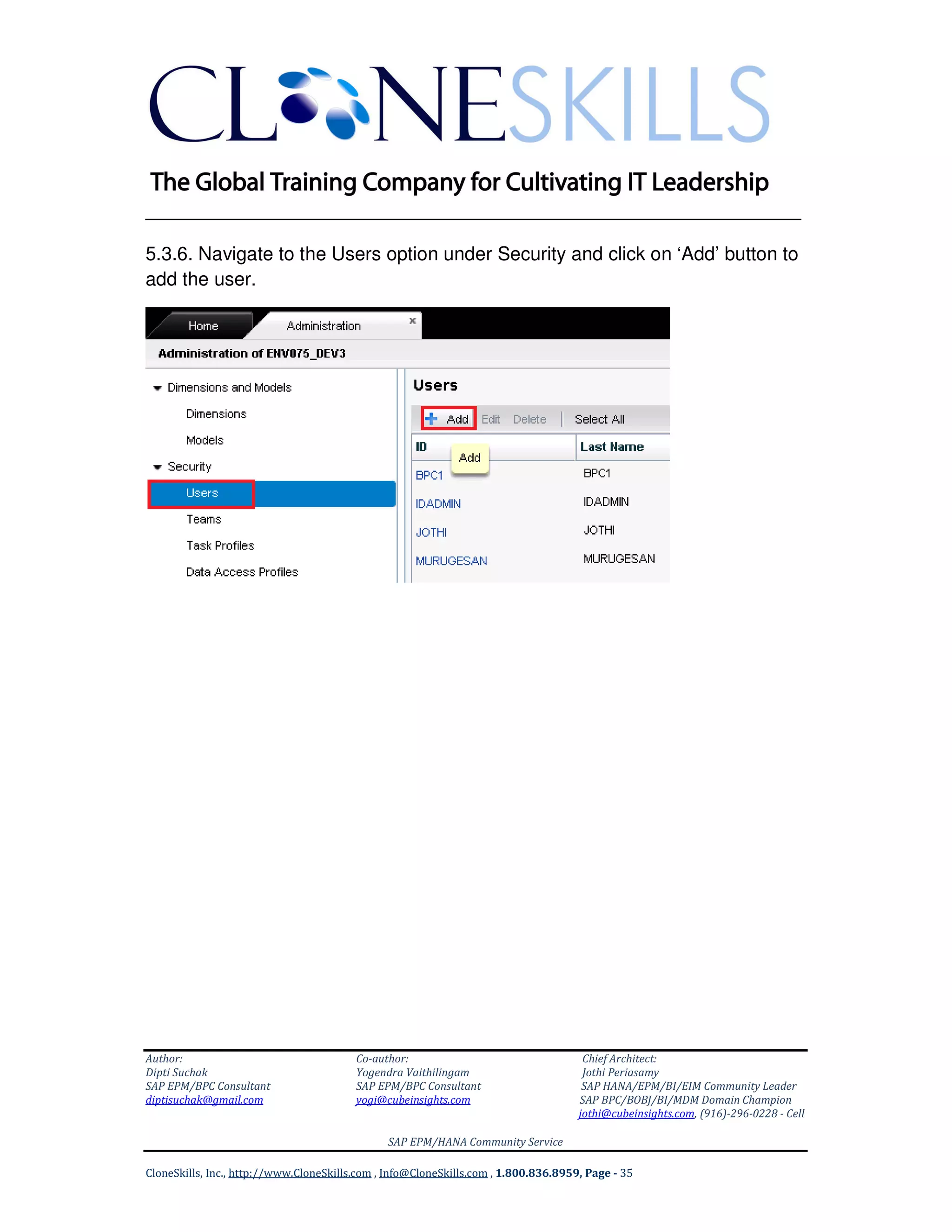
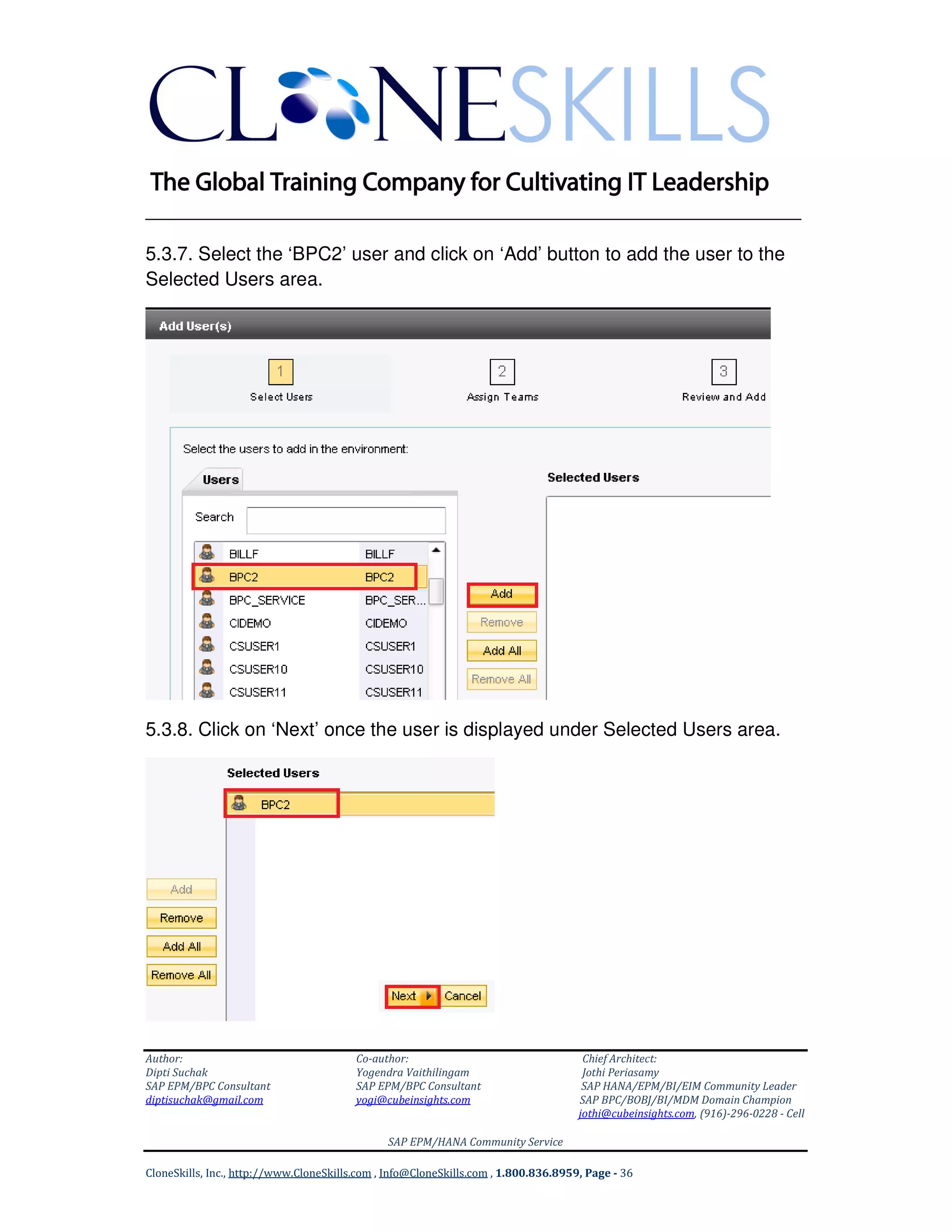
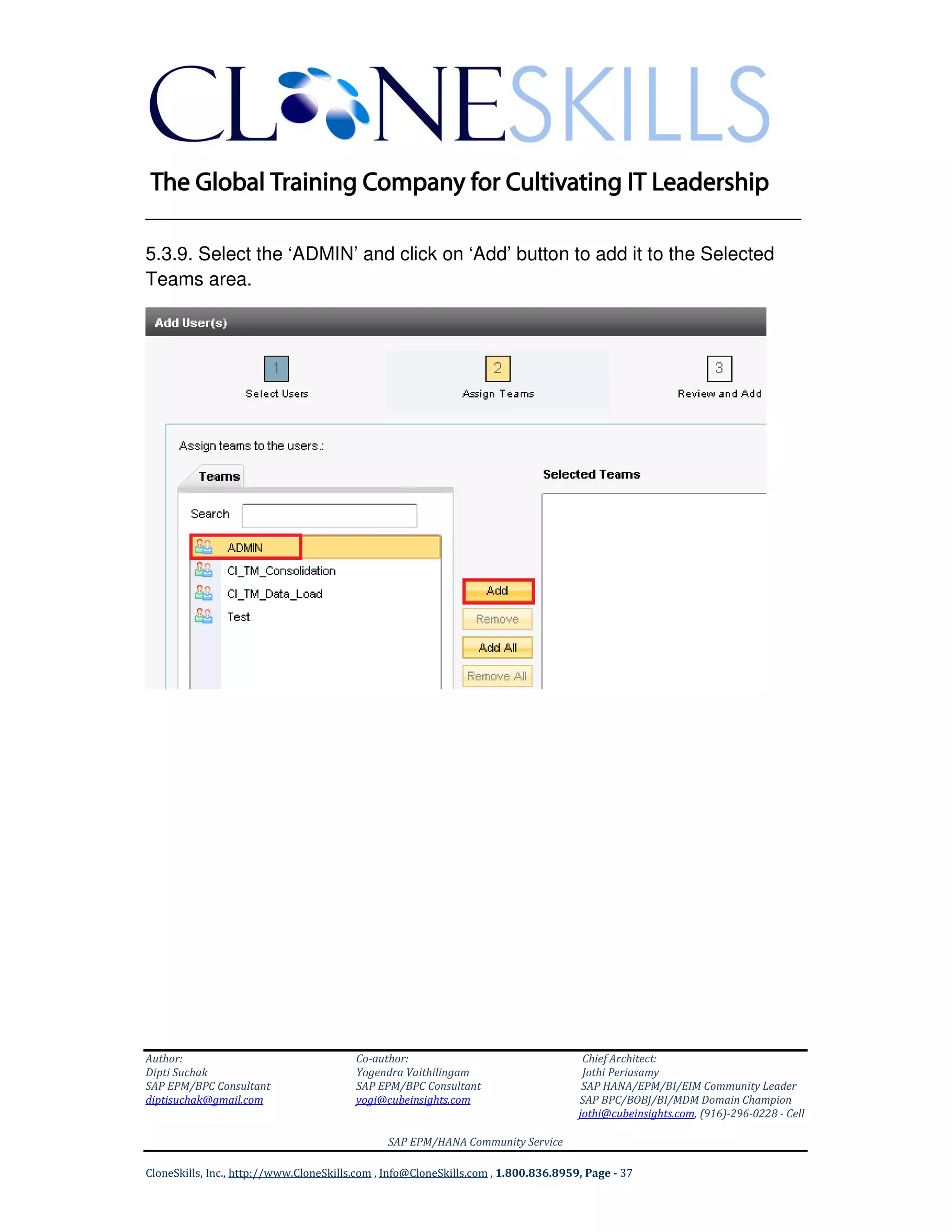
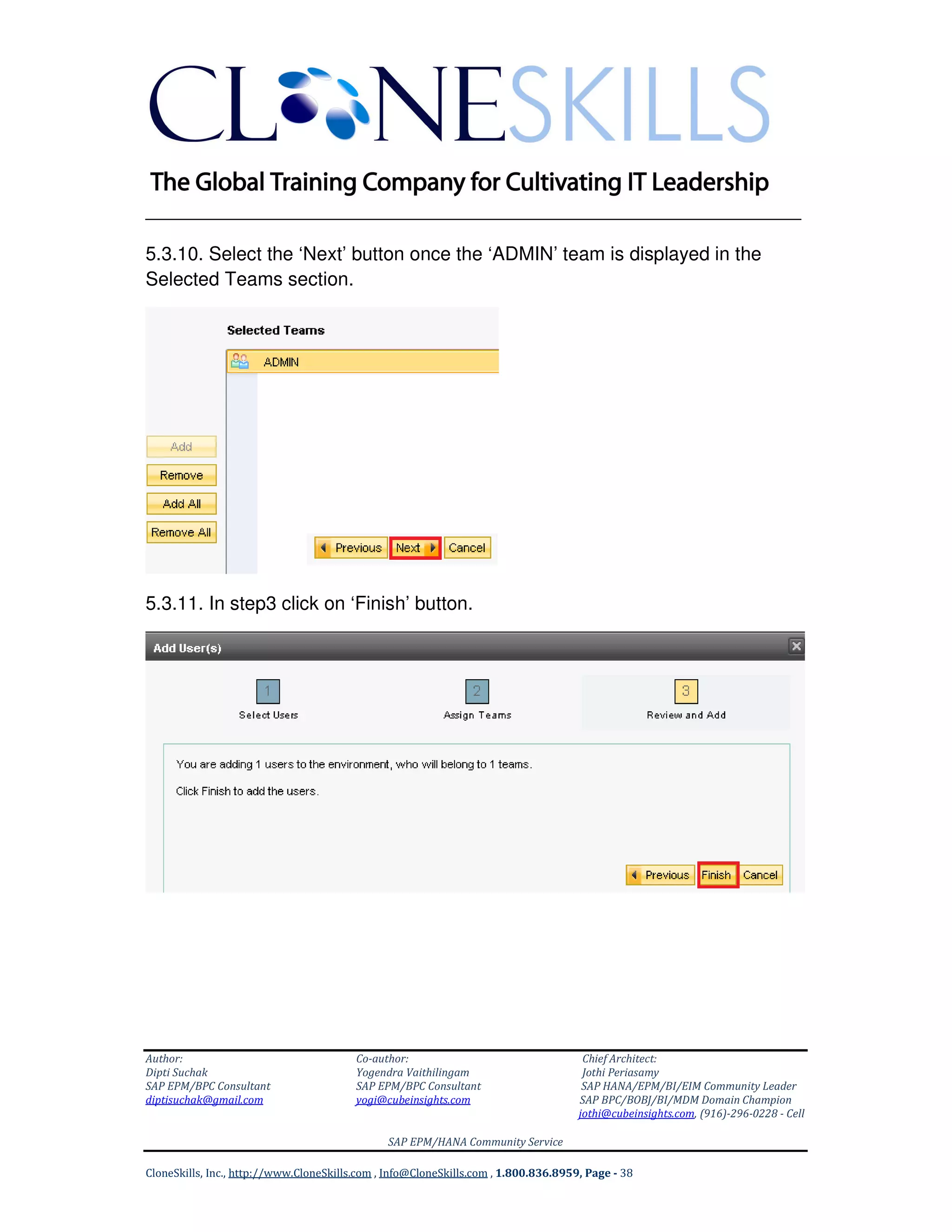
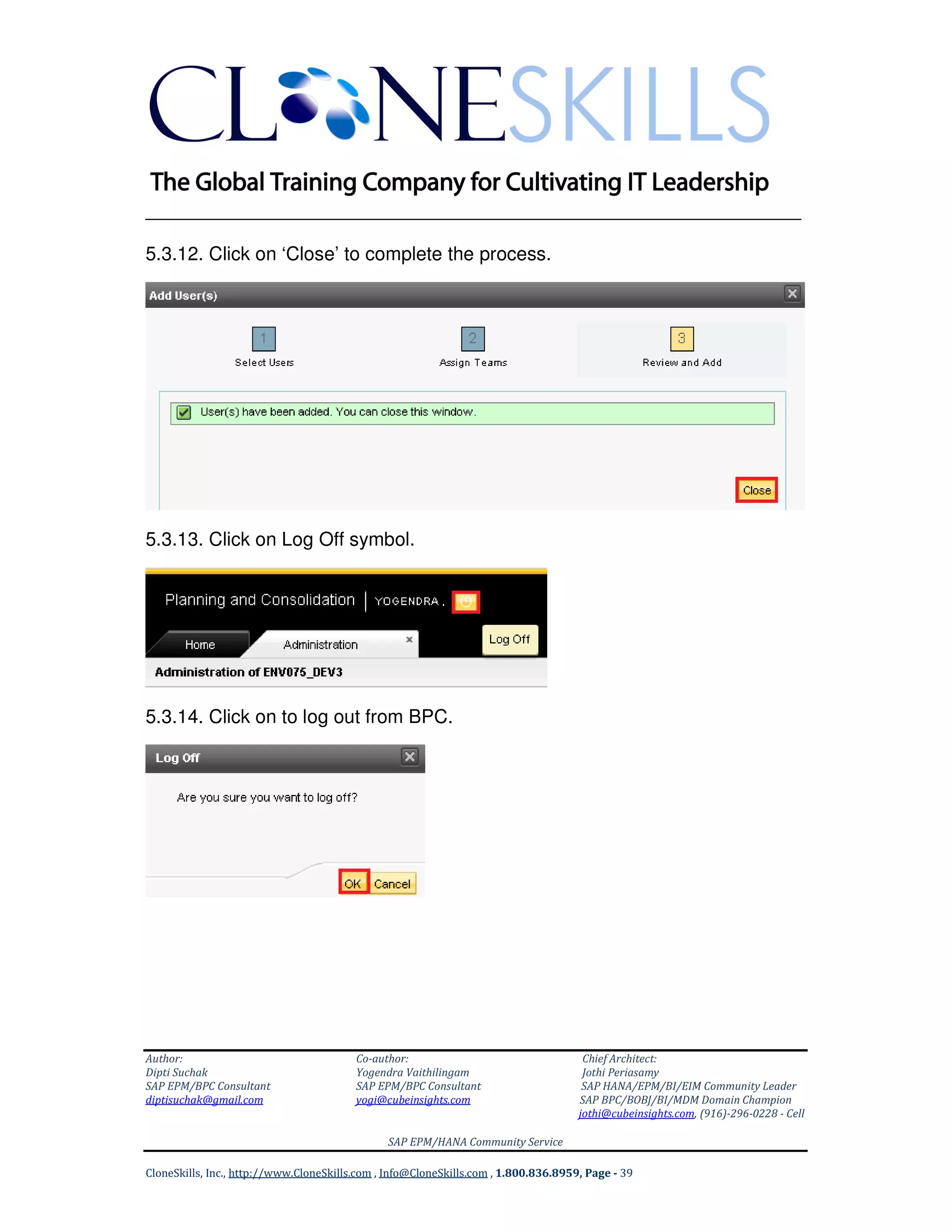
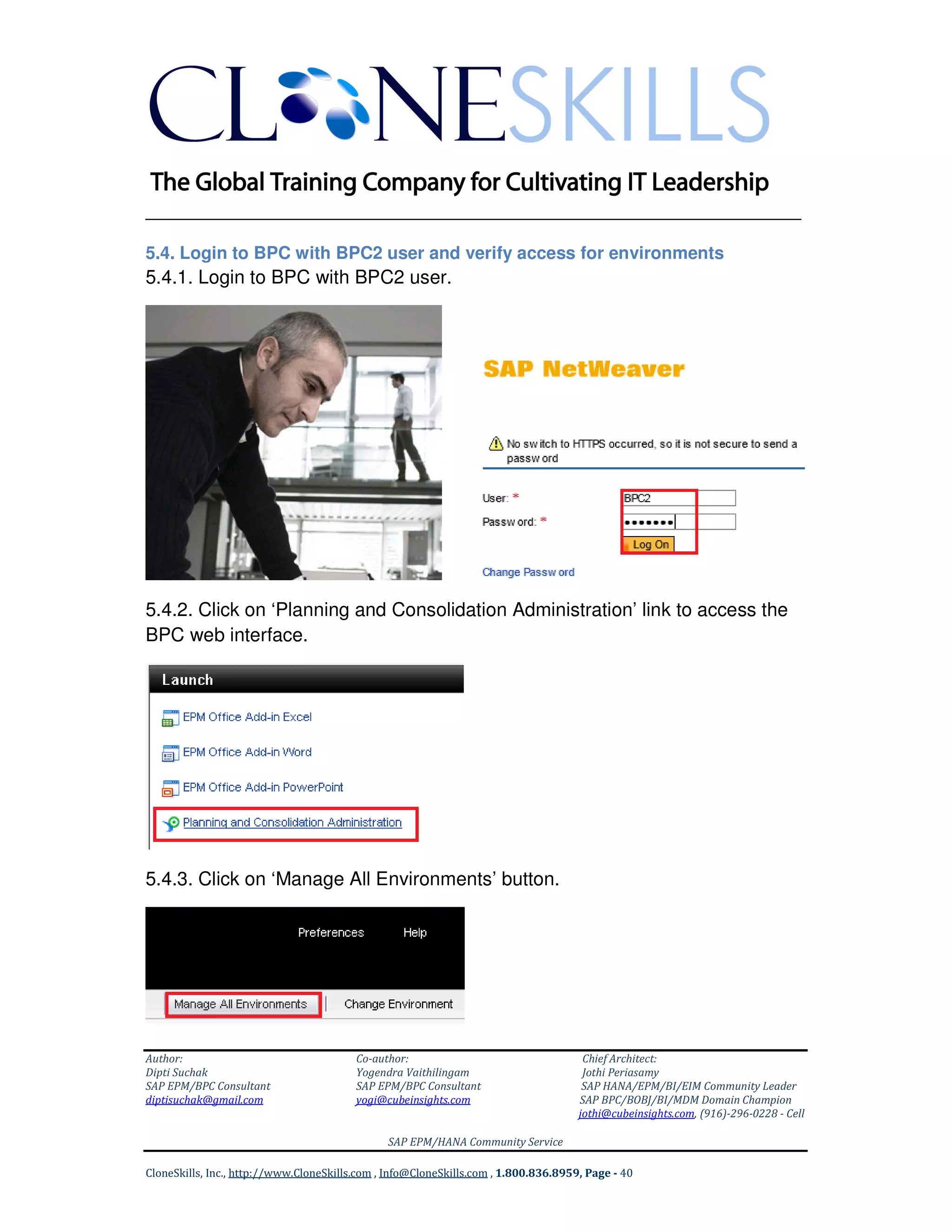
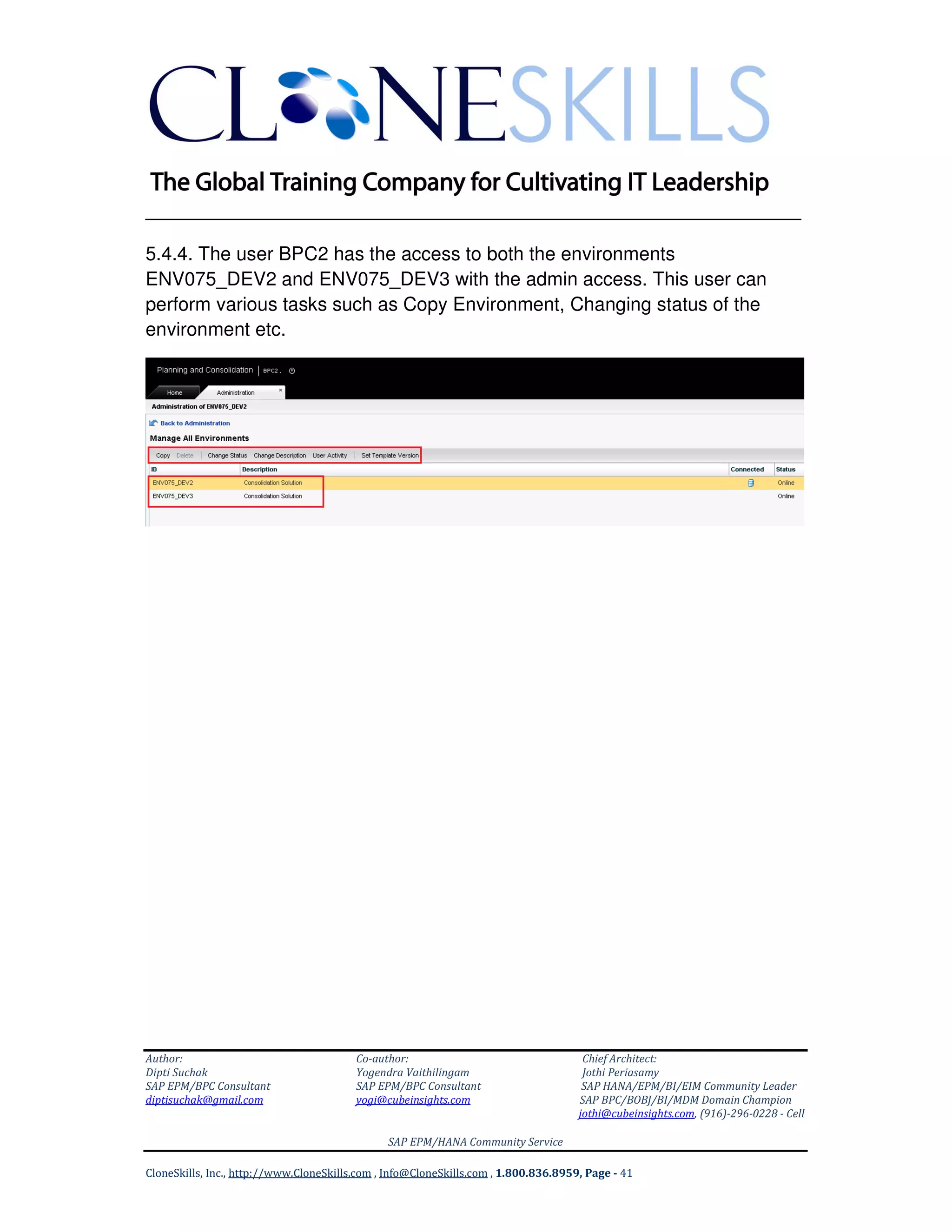



This document provides steps to configure security for users in SAP BPC on HANA. It describes how to: 1. Create users in SAP HANA and assign roles. This includes creating users named BPC1 and BPC2. 2. Log in to BPC with the new users to validate their initial lack of privileges. 3. Log in as the admin user and add the BPC1 user to the Admin team in BPC, granting administrative privileges. 4. Repeat the process of adding and configuring privileges for the BPC2 user.


![Bpc fin terminology_final[1] (2)](https://cdn.slidesharecdn.com/ss_thumbnails/bpcfinterminologyfinal12-130902234444-phpapp01-thumbnail.jpg?width=640&height=640&fit=bounds)


![Coded Agents – with UiPath SDK + LangGraph [Virtual Hands-on Workshop]](https://cdn.slidesharecdn.com/ss_thumbnails/codedagentsdeck-251215155422-5497c599-thumbnail.jpg?width=640&height=640&fit=bounds)


