DISASTER RECOVERY MGT OF ISD (IMS452)
OVERVIEW Daily routine life highly depends on IT Incident like Sept 11, Katrina 2005, tsunami 2004 and other crises reminders us to be prepared for the worst   – > DISASTER RECOVERY  IT disasters can come in all shapes and sizes, hardware failures, computer viruses, blizzards, floods, and terrorist attacks Even though  there have solutions to various outages and failures, such as redundant servers, backups, transactions logs, but it can only handle the failure of specific component.  What if the entire environment fails? The key to good disaster recovery is the involvement of as many components and all facets of the organization including every department, employee, customers, suppliers
DEFINING THE SCOPE Depends on the organization dependent on IT and how much money to invest Key questions: Which critical applications and services How quickly it must recover? What other scenario to plan for? How long the interruption to recover? How quickly to access the data and system
SCOPE DEFINITION PHASE Objective Recover Time Objective (RTO) The amount of time between the disaster and when services are restored Recover Point Objective (RPO) The age, or freshness, of the data available to be restored
DISASTER RECOVERY COMMITTEE  Depending on the priorities, the involvement of other department, including: Finance, Human resources, Legal, Key user dept (Mfg, Customer service), building facilities  The committee can: Develop the plan (before the disaster) Provides leadership and guidance to the rest of organization (during the disaster recovery)
APPLICATION ASSESSMENT Inventory is a critical tool for disaster recovery planning It can be used to assess, along with other dept  Set up some guidelines for the assessment, base on the framework of the organization priorities Consideration: The application The data loss
CREATE A DISASTER RECOVERY PLAN Communication plan A plan for contacting key personnel, customers, vendors etc Documentation Written material describing the existing environment, procedures for declaring a disaster, procedure for re-establishing services in a disaster recovery mode Real estate and IT facilities Where will people meet if the facility is suddenly off-limits, inaccessible, or out of commission.
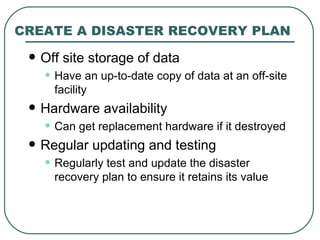
CREATE A DISASTER RECOVERY PLAN Off site storage of data Have an up-to-date copy of data at an off-site facility Hardware availability Can get replacement hardware if it destroyed Regular updating and testing Regularly test and update the disaster recovery plan to ensure it retains its value
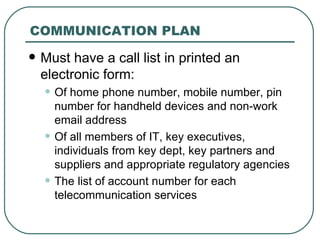
COMMUNICATION PLAN Must have a call list in printed an electronic form:  Of home phone number, mobile number, pin number for handheld devices and non-work email address Of all members of IT, key executives, individuals from key dept, key partners and suppliers and appropriate regulatory agencies The list of account number for each telecommunication services
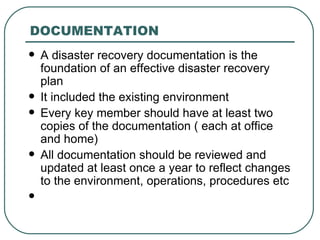
DOCUMENTATION A disaster recovery documentation is the foundation of an effective disaster recovery plan It included the existing environment Every key member should have at least two copies of the documentation ( each at office and home) All documentation should be reviewed and updated at least once a year to reflect changes to the environment, operations, procedures etc
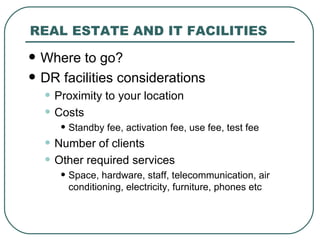
REAL ESTATE AND IT FACILITIES Where to go? DR facilities considerations Proximity to your location Costs Standby fee, activation fee, use fee, test fee Number of clients Other required services Space, hardware, staff, telecommunication, air conditioning, electricity, furniture, phones etc
OFF-SITE STORAGE OF DATA Backup tapes To get those: Contact information Method to identifying which tape to retrieve Customer ID, account number to identify yourself The address where the tape should be delivered Data Replication A number of storage vendors have solutions for replicating data between sites Database vendors have features and utilities to keep multiple copies of database Transaction logs
HARDWARE AVAILABILITY Size of the environment More large more complex environment, and more difficult to ensure the equipment is available Duplicating the entire environment Make sure the application software has to be recompiled before it will run on the hardware you have Equipment at home
REGULAR UPDATING AND TESTING Review and update At least once a year Emergency contact list is current Internal safety net is working The backup tapes can be read by the equipment at the backup site Copies of media and installation instructions for the requisite software Have current critical password Testing Need to offline the primary site for a while Develop a test plan to ensure things are working as expected Coordinate other users to prepare and participate Do the post mortem
AFTER THE DISASTER When the disaster is over, you can return to your primary facility.  It needs to have a plan to get the data from the disaster recovery facilities back to your primary site
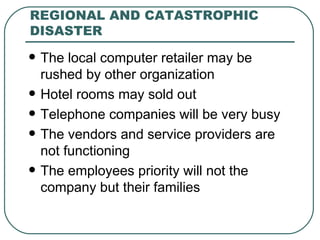
REGIONAL AND CATASTROPHIC DISASTER The local computer retailer may be rushed by other organization Hotel rooms may sold out Telephone companies will be very busy The vendors and service providers are not functioning The employees priority will not the company but their families
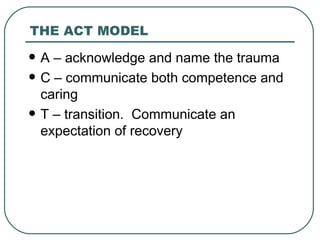
THE ACT MODEL A – acknowledge and name the trauma C – communicate both competence and caring T – transition.  Communicate an expectation of recovery
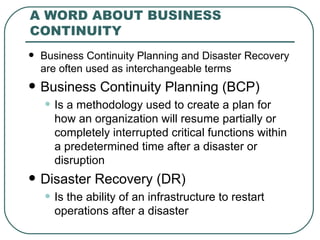
A WORD ABOUT BUSINESS CONTINUITY  Business Continuity Planning and Disaster Recovery are often used as interchangeable terms Business Continuity Planning (BCP) Is a methodology used to create a plan for how an organization will resume partially or completely interrupted critical functions within a predetermined time after a disaster or disruption Disaster Recovery (DR) Is the ability of an infrastructure to restart operations after a disaster
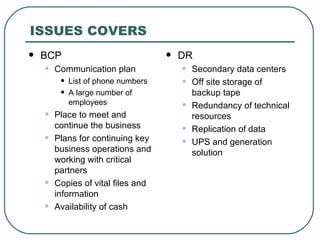
ISSUES COVERS BCP Communication plan List of phone numbers A large number of employees Place to meet and continue the business Plans for continuing key business operations and working with critical partners Copies of vital files and information Availability of cash DR Secondary data centers Off site storage of backup tape Redundancy of technical resources Replication of data UPS and generation solution
THE HIDDEN BENEFITS OF GOOD DISASTER RECOVERY PLANNING Know exactly the location of each hardware by preparing the inventory Having the list of current contacts lists for people outside direct reports Having complete data backup procedure and set-up off-site backup

Misd chap 12 disaster recovery

  • 1.
    DISASTER RECOVERY MGTOF ISD (IMS452)
  • 2.
    OVERVIEW Daily routinelife highly depends on IT Incident like Sept 11, Katrina 2005, tsunami 2004 and other crises reminders us to be prepared for the worst – > DISASTER RECOVERY IT disasters can come in all shapes and sizes, hardware failures, computer viruses, blizzards, floods, and terrorist attacks Even though there have solutions to various outages and failures, such as redundant servers, backups, transactions logs, but it can only handle the failure of specific component. What if the entire environment fails? The key to good disaster recovery is the involvement of as many components and all facets of the organization including every department, employee, customers, suppliers
  • 3.
    DEFINING THE SCOPEDepends on the organization dependent on IT and how much money to invest Key questions: Which critical applications and services How quickly it must recover? What other scenario to plan for? How long the interruption to recover? How quickly to access the data and system
  • 4.
    SCOPE DEFINITION PHASEObjective Recover Time Objective (RTO) The amount of time between the disaster and when services are restored Recover Point Objective (RPO) The age, or freshness, of the data available to be restored
  • 5.
    DISASTER RECOVERY COMMITTEE Depending on the priorities, the involvement of other department, including: Finance, Human resources, Legal, Key user dept (Mfg, Customer service), building facilities The committee can: Develop the plan (before the disaster) Provides leadership and guidance to the rest of organization (during the disaster recovery)
  • 6.
    APPLICATION ASSESSMENT Inventoryis a critical tool for disaster recovery planning It can be used to assess, along with other dept Set up some guidelines for the assessment, base on the framework of the organization priorities Consideration: The application The data loss
  • 7.
    CREATE A DISASTERRECOVERY PLAN Communication plan A plan for contacting key personnel, customers, vendors etc Documentation Written material describing the existing environment, procedures for declaring a disaster, procedure for re-establishing services in a disaster recovery mode Real estate and IT facilities Where will people meet if the facility is suddenly off-limits, inaccessible, or out of commission.
  • 8.
    CREATE A DISASTERRECOVERY PLAN Off site storage of data Have an up-to-date copy of data at an off-site facility Hardware availability Can get replacement hardware if it destroyed Regular updating and testing Regularly test and update the disaster recovery plan to ensure it retains its value
  • 9.
    COMMUNICATION PLAN Musthave a call list in printed an electronic form: Of home phone number, mobile number, pin number for handheld devices and non-work email address Of all members of IT, key executives, individuals from key dept, key partners and suppliers and appropriate regulatory agencies The list of account number for each telecommunication services
  • 10.
    DOCUMENTATION A disasterrecovery documentation is the foundation of an effective disaster recovery plan It included the existing environment Every key member should have at least two copies of the documentation ( each at office and home) All documentation should be reviewed and updated at least once a year to reflect changes to the environment, operations, procedures etc
  • 11.
    REAL ESTATE ANDIT FACILITIES Where to go? DR facilities considerations Proximity to your location Costs Standby fee, activation fee, use fee, test fee Number of clients Other required services Space, hardware, staff, telecommunication, air conditioning, electricity, furniture, phones etc
  • 12.
    OFF-SITE STORAGE OFDATA Backup tapes To get those: Contact information Method to identifying which tape to retrieve Customer ID, account number to identify yourself The address where the tape should be delivered Data Replication A number of storage vendors have solutions for replicating data between sites Database vendors have features and utilities to keep multiple copies of database Transaction logs
  • 13.
    HARDWARE AVAILABILITY Sizeof the environment More large more complex environment, and more difficult to ensure the equipment is available Duplicating the entire environment Make sure the application software has to be recompiled before it will run on the hardware you have Equipment at home
  • 14.
    REGULAR UPDATING ANDTESTING Review and update At least once a year Emergency contact list is current Internal safety net is working The backup tapes can be read by the equipment at the backup site Copies of media and installation instructions for the requisite software Have current critical password Testing Need to offline the primary site for a while Develop a test plan to ensure things are working as expected Coordinate other users to prepare and participate Do the post mortem
  • 15.
    AFTER THE DISASTERWhen the disaster is over, you can return to your primary facility. It needs to have a plan to get the data from the disaster recovery facilities back to your primary site
  • 16.
    REGIONAL AND CATASTROPHICDISASTER The local computer retailer may be rushed by other organization Hotel rooms may sold out Telephone companies will be very busy The vendors and service providers are not functioning The employees priority will not the company but their families
  • 17.
    THE ACT MODELA – acknowledge and name the trauma C – communicate both competence and caring T – transition. Communicate an expectation of recovery
  • 18.
    A WORD ABOUTBUSINESS CONTINUITY Business Continuity Planning and Disaster Recovery are often used as interchangeable terms Business Continuity Planning (BCP) Is a methodology used to create a plan for how an organization will resume partially or completely interrupted critical functions within a predetermined time after a disaster or disruption Disaster Recovery (DR) Is the ability of an infrastructure to restart operations after a disaster
  • 19.
    ISSUES COVERS BCPCommunication plan List of phone numbers A large number of employees Place to meet and continue the business Plans for continuing key business operations and working with critical partners Copies of vital files and information Availability of cash DR Secondary data centers Off site storage of backup tape Redundancy of technical resources Replication of data UPS and generation solution
  • 20.
    THE HIDDEN BENEFITSOF GOOD DISASTER RECOVERY PLANNING Know exactly the location of each hardware by preparing the inventory Having the list of current contacts lists for people outside direct reports Having complete data backup procedure and set-up off-site backup