Disaster Recovery Plan
The following is a Sample disaster recovery plan. Please note that this plan is provided to
generate ideas only on the creation of an organization’s plan. It is not intended to be a complete
work. Plans can be developed using many different formats this represents just one. Additionally,
not every recovery function is represented and not every plan component is presented.
Page Contents [hide]
 1 DisasterRecoveryPlan
o 1.1 1.0 DisasterRecoveryPlanOverview
 1.1.1 1.1 PolicyStatement
 1.1.2 1.2 Introduction
 1.1.3 1.3 ConfidentialityStatement
 1.1.4 1.4 Manual Distribution
 1.1.5 1.5 Manual Reclamation
 1.1.6 1.6 PlanRevisionDate
 1.1.7 1.7 DefinedScenario
 1.1.8 1.8 RecoveryObjectives
 1.1.9 1.9 PlanExclusions
 1.1.10 1.10 PlanAssumptions
 1.1.11 1.11 DeclarationInitiatives
 1.1.12 1.12 RecoveryStrategies
 1.1.13 1.13 TeamOverview
 1.1.14 1.14 TeamCharters
o 1.2 2.0 DisasterRecoveryPlanRecoveryStrategies
 1.2.1 2.1 EmergencyPhone Numbers
 1.2.1.1 Emergencyservices
 1.2.1.2 Communications
 1.2.1.3 Weatherinformation
 1.2.1.4 Maintenance & repair
 1.2.1.5 Logistics
 1.2.1.6 IT services
 1.2.1.7 Utilities
 1.2.1.8 Employee assistance
 1.2.2 2.3 ThreatProfile
 1.2.3 2.4 RecoveryStrategyOverview
 1.2.4 2.5 PlanParticipants
 1.2.5 2.6 Alternate Site Setup
o 1.3 3.0 DisasterRecoveryPlanRecoveryRanking
o 1.4 4.0 DisasterRecoveryPlanRecoveryTeamChecklists
o 1.5 5.0 DisasterRecoveryPlanEmergencyContacts
 1.5.1 5.1 VendorDependencies
o 1.6 6.0 DisasterRecoveryPlanEmergencyProcedures
Disaster Recovery Plan
1.0 Disaster Recovery Plan Overview
1.1 Policy Statement
It is the Policy of Sample Company (“Sample”) to maintain a comprehensive Business
Continuity Plan for all critical organization functions. Each department head is responsible for
ensuring compliance with this policy and that their respective plan component is tested no less
than annually. Sample’s Disaster Recovery efforts exercise reasonable measures to protect
employees, safeguard assets, and client accounts.
1.2 Introduction
This document is the Business Continuity Plan for Sample located at 911 Recovery Drive,
Any Town, USA 99999. It has been developed in compliance with the National Fire
Protection Association (NFPA) Standard 1600.
This plan was specifically designed to guide Sample through a recovery effort of specifically
identified organization functions. At the onset of an emergency condition, Sample employees
and resources will respond quickly to any condition, which could impact Sample’s ability to
perform its critical organization functions. The procedures contained within have been designed
to provide clear, concise and essential directions to recover from varying degrees of organization
interruptions and disasters.
1.3 Confidentiality Statement
This manual is classified as the confidential property of Sample. Due to the sensitive nature of
the information contained herein, this manual is available only to those persons who have been
designated as plan participants, assigned membership to one of the Sample recovery teams, or
who otherwise play a direct role in the recovery process. This manual remains the property of
Sample and may be repossessed at any time. Unauthorized use or duplication of this manual is
strictly prohibited and may result in disciplinary action and/or civil prosecution.
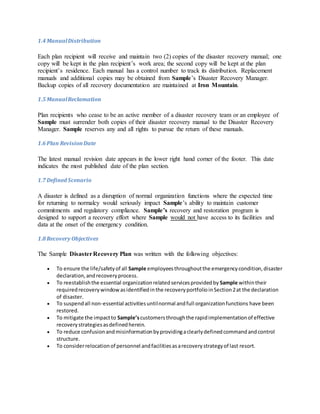
1.4 ManualDistribution
Each plan recipient will receive and maintain two (2) copies of the disaster recovery manual; one
copy will be kept in the plan recipient’s work area; the second copy will be kept at the plan
recipient’s residence. Each manual has a control number to track its distribution. Replacement
manuals and additional copies may be obtained from Sample’s Disaster Recovery Manager.
Backup copies of all recovery documentation are maintained at Iron Mountain.
1.5 ManualReclamation
Plan recipients who cease to be an active member of a disaster recovery team or an employee of
Sample must surrender both copies of their disaster recovery manual to the Disaster Recovery
Manager. Sample reserves any and all rights to pursue the return of these manuals.
1.6 Plan RevisionDate
The latest manual revision date appears in the lower right hand corner of the footer. This date
indicates the most published date of the plan section.
1.7 Defined Scenario
A disaster is defined as a disruption of normal organization functions where the expected time
for returning to normalcy would seriously impact Sample’s ability to maintain customer
commitments and regulatory compliance. Sample’s recovery and restoration program is
designed to support a recovery effort where Sample would not have access to its facilities and
data at the onset of the emergency condition.
1.8 Recovery Objectives
The Sample DisasterRecovery Plan was written with the following objectives:
 To ensure the life/safetyof all Sample employeesthroughoutthe emergencycondition,disaster
declaration,andrecoveryprocess.
 To reestablishthe essential organizationrelatedservicesprovidedby Sample withintheir
requiredrecoverywindowasidentifiedinthe recoveryportfolioinSection2at the declaration
of disaster.
 To suspendall non-essential activitiesuntilnormal andfull organizationfunctions have been
restored.
 To mitigate the impactto Sample’scustomersthroughthe rapidimplementationof effective
recoverystrategiesasdefinedherein.
 To reduce confusionandmisinformationbyprovidingaclearlydefinedcommandandcontrol
structure.
 To considerrelocationof personnel andfacilitiesasarecoverystrategyof last resort.
1.9 Plan Exclusions
The Sample Disaster Recovery Plan was developed with the following exclusions:
 Successionof Management
 Restorationof the PrimaryFacilities
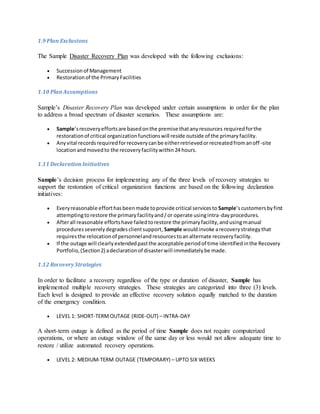
1.10 PlanAssumptions
Sample’s Disaster Recovery Plan was developed under certain assumptions in order for the plan
to address a broad spectrum of disaster scenarios. These assumptions are:
 Sample’srecoveryeffortsare basedonthe premise thatanyresources requiredforthe
restorationof critical organizationfunctionswill reside outside of the primaryfacility.
 Anyvital recordsrequiredforrecoverycanbe eitherretrievedorrecreatedfromanoff-site
locationandmovedto the recoveryfacilitywithin24hours.
1.11 DeclarationInitiatives
Sample’s decision process for implementing any of the three levels of recovery strategies to
support the restoration of critical organization functions are based on the following declaration
initiatives:
 Everyreasonable efforthasbeenmade toprovide critical servicesto Sample’scustomersbyfirst
attemptingtorestore the primaryfacilityand/or operate usingintra-dayprocedures.
 Afterall reasonable effortshave failedtorestore the primaryfacility,andusingmanual
proceduresseverelydegradesclientsupport, Sample wouldinvoke arecoverystrategythat
requiresthe relocationof personnelandresourcestoanalternate recoveryfacility.
 If the outage will clearlyextendedpastthe acceptable periodof time identifiedinthe Recovery
Portfolio,(Section2) adeclarationof disasterwill immediatelybe made.
1.12 Recovery Strategies
In order to facilitate a recovery regardless of the type or duration of disaster, Sample has
implemented multiple recovery strategies. These strategies are categorized into three (3) levels.
Each level is designed to provide an effective recovery solution equally matched to the duration
of the emergency condition.
 LEVEL 1: SHORT-TERMOUTAGE (RIDE-OUT) – INTRA-DAY
A short-term outage is defined as the period of time Sample does not require computerized
operations, or where an outage window of the same day or less would not allow adequate time to
restore / utilize automated recovery operations.
 LEVEL 2: MEDIUM-TERM OUTAGE (TEMPORARY) – UPTO SIX WEEKS
A medium-term outage is defined as the period of time that Sample will execute its formal
disaster recovery strategy, which includes actually declaring a disaster. A disaster may either be
declared company wide or only for the effected department or building. The decision to declare
a disaster will be based on the amount of time / expense that is required to implement the formal
recovery and the anticipated impact to Sample’s organization over this period of time.
 LEVEL 3: LONG-TERMOUTAGE (RELOCATION) – 6 WEEKS OR MORE
A long-term outage is defined, as the period of time that Sample will exceed the allowed
occupancy time of its primary recovery strategy. During this phase of recovery Sample will
initiate a physical move of personnel and resources.
1.13 TeamOverview
During an emergency each team member contributes the skills that they use in their everyday
work to the overall response.
1.14 TeamCharters
Crisis Management Team – The CMT is comprised of senior Sample management and is
responsible for authorizing declarations of disaster, emergency investment strategy, approving
public release of information, and ensuring donors and constituents are informed.
Emergency Response Team – The ERT is first on scene to assess the damage caused by the
disaster or ensure precautionary measures are taken in light of any impending disaster (e.g.
inclement weather, etc.) Once the ERT determines the extent of the disaster, they will either
order an evacuation of the facility or work with facilities to mitigate the effects to Sample.
Recovery Site Team– The RST Team provides enterprise-level support for both the physical
site and technology issues. The members of this team will ensure that the alternate site is ready,
and adequate for arriving recovery personnel. The RST will be the first at a meeting point or
alternate site in order to register arriving personnel.
Business Restoration Team – The BRT’S consist of personnel from each Sample area deemed
critical to the continuation of Sample. The captains of the BRT get updated status from the ERT
and the RST to pass on to their team members to ensure prompt recovery of each department.
2.0 Disaster Recovery Plan Recovery Strategies
The following are the identified recovery strategies for the organization:
RecoveryArea: Primary Strategy: Backup Strategy:
Office Space MobilizationTime:( ) MobilizationTime:( )
Phone System MobilizationTime:( ) MobilizationTime:( )
Network
Recovery
MobilizationTime:( ) MobilizationTime:( )
Server Recovery MobilizationTime:( ) MobilizationTime:( )
Desktop
Recovery
MobilizationTime:( ) MobilizationTime:( )
Office Furniture MobilizationTime:( ) MobilizationTime:( )
RecoveryArea: Primary Strategy: Backup Strategy:
Office
Equipment
MobilizationTime:( ) MobilizationTime:( )
Applications MobilizationTime:( ) MobilizationTime:( )
Databases MobilizationTime:( ) MobilizationTime:( )
Service
Providers
MobilizationTime:( ) MobilizationTime:( )
Employees MobilizationTime:( ) MobilizationTime:( )
2.1 Emergency PhoneNumbers
Complete the following to ensure that you have identified all the
Emergency services
1. 1. Police: (____) ____ – ______
1. 2. Fire: (____) ____ – ______
1. 3. AlarmCompany: (____) ____ – ______
1. 4. Ambulance: (____) ____ – ______
Communications
1. 1. Local Telco: (____) ____ – ______
1. 2. Longdistance carrier: (____) ____ – ______
1. 3. Directdial numbers: (____) ____ – ______ (____) ____ – ______
Weather information
1. 1. NOAA: (____) ____ – ______
1. 2. Radiostation: AM 750
1. 3. Weatherchannel: 36
1. 4. Weatherchannel: https//:www.weather.com
Maintenance & repair
1. 1. Janitorial: (____) ____ – ______
1. 2. HVAC: (____) ____ – ______
1. 3. Electrical: (____) ____ – ______
1. 4. Glazer: (____) ____ – ______
1. 5. Carpentry: (____) ____ – ______
1. 6. Plumbing: (____) ____ – ______
Logistics
1. 1. Travel agent: (____) ____ – ______
1. 2. Expressshipping: (____) ____ – ______
1. 3. Taxi/limoservice: (____) ____ – ______
1. 4. Charterair service: (____) ____ – ______
IT services
1. 1. Hardware VAR: (____) ____ – ______
1. 2. Software VAR: (____) ____ – ______
1. 3. Networkequipment: (____) ____ – ______
1. 4. Serverquick-ship: (____) ____ – ______
1. 5. Desktopquick-ship: (____) ____ – ______
Utilities
1. 1. Electrical: (____) ____ – ______
1. 2. Gas: (____) ____ – ______
1. 3. Water: (____) ____ – ______
1. 4. Sewer: (____) ____ – ______
1. 5. Sanitation: (____) ____ – ______
Employee assistance
1. 1. Childcare: (____) ____ – ______
1. 2. Elderlycare: (____) ____ – ______
1. 3. Concierge services: (____) ____ – ______
1. 4. Petcare: (____) ____ – ______
2.3 Threat Profile
Hazard: Profile ofHazard: First Response:
FreezingRain Freezingrainisrainoccurringwhen
surface temperaturesare below freezing.
The moisture fallsinliquidform, but
freezesuponimpact,resultinginacoating
of ice glaze onexposedobjects. This
occurrence may be calledanice storm
whena substantial glaze layer
accumulates. Ice formingonexposed
objectsgenerallyrangesfromathinglaze
to coatingsaboutan inch thick. A heavy
accumulationof ice,especiallywhen
accompaniedbyhighwindsdevastates
treesandtransmissionlines. Sidewalks,
streetsandhighwaysbecome extremely
hazardousto pedestriansandmotorists.
Duringthe wintercitizensshouldbe
preparedtoshelterthemselvesathome
for several dayspossiblywithoutpower.
Local shelterscanbe openedinareas
where powerisnotaffectedbut
transportationtoa sheltermaybe
Step1: Monitorweather
advisoriesStep2:Notifyon-site
employeesStep3:Call local radio
and TV stations to broadcast
weatherclosinginformationfor
employeesathomeStep4:Place
closingsignonall Sample doors
Step 5: Arrange for snow and
ice removal
difficult.
Tornadoes Tornadoesare violentrotatingcolumnsof
air,whichdescendfromsevere
thunderstormcloudsystems. Theyare
normallyshort-livedlocal storms
containinghigh-speedwindsusually
rotatingina counter-clockwisedirection.
These are oftenobservable asafunnel-
shapedappendage toa thunderstorm
cloud. The funnel isinitiallycomposedto
nothingmore thancondensedwater
vapor. Itusuallypicksupdust anddebris,
whicheventuallydarkensthe entire
funnel. A tornadocan cause damage
eventhoughthe funnel doesnotappear
to touch the ground.
Step1: Monitorweather
conditionsStep2:Notify
employeesof potential of severe
weatherStep3:Poweroff
equipmentStep4:Shut off
utilities(powerandgas)
Step 5: Instruct employees to
assume protective posture
Step 6: Assess damage once
storm passes
Step 7: Assist affected
employees
Floods In several areasof SampleCounty,
unusuallyheavyrainsmaycause “flash”
floods. Small creeks, gullies,dry
streambeds,ravines,culvertsorevenlow
lyingroundfrequentlyfloodquickly. In
such situations,peopleare endangered
before anywarningcan be given.
Step1: Monitorflood
advisoriesStep2:Determineflood
potential toSampleStep3:
Determine employeesatriskStep
4: Pre-stage emergencypower
generatingequipment
Step 5: Assess damage
Hazard: Profile ofHazard: First Response:
Hurricanes Eventhough Sample’sCounty isnot
consideredacoastal area,hurricanesdo
affectour area. Hurricane Hugo (1989)
devastatedmostof theCarolinas,asit
marchedinlandsome 200 miles.
Step1: Power-offall
equipmentStep2:Listento
Hurricane advisoriesStep3:
Evacuate area, if floodingis
possibleStep4:Checkgas,water
and electrical linesfor damage
Step 5: Do not use telephones,
in the event of severe lightning
Step 6: Assess damage
Earthquakes
An earthquake isthe shaking,or
trembling,of the earth’scrust,causedby
undergroundvolcanicforcesof breaking
and shiftingrockbeneaththe earth’s
surface. The NewMadrid Fault,which
runs throughthe mountainsof
Tennessee,can/will cause considerable
damage inthe Sample area,shouldit
become active.
Step1: Shutoff utilitiesStep2:
Evacuate buildingif
necessaryStep3:Accountforall
personnelStep4:Determine
impactof organizationdisruption
Power
Failures
Powerfailuresoccurinmanyparts of the
countythroughoutthe year. They can be
causedby winterstorms,lightningor
constructionequipmentdigginginthe
wronglocation. For whateverthe
reason,poweroutagesina major
metropolitanareacanseverelyimpactthe
entire community.
Step1: Wait5-10 minutesStep2:
Power-off all Serversaftersoft
shutdownprocedureStep3:Shut
downmaincircuitlocatedon the
bottomfloorStep4:Use
emergencyphone line tomake
outgoingphone calls
Step 5: Call power company
for assessment
Step 6: Locate sources of
mobile power
Step 7: Contact electrical
company
Step 8: Re-energize building
Step 9: Power-on equipment
Urban Fires In metropolitanareas,urbanfirescan,
and do,cause hundredsof deathseach
yearand Sample’sCountyisno exception.
Evenwithstrictbuildingcodesand
exceptions,citizensstill parishneedlessly
infires.
Step1: Attempttosuppressfire
inearlystagesStep2:Evacuate
personnel onalarm, as
necessaryStep3:Notifyfire
departmentStep4:Shut off
utilities
Step 5: Account for all
personnel
Step 6: Search for missing
personnel
Step 7: Asses damage
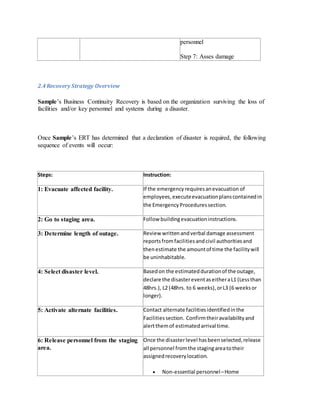
2.4 Recovery Strategy Overview
Sample’s Business Continuity Recovery is based on the organization surviving the loss of
facilities and/or key personnel and systems during a disaster.
Once Sample’s ERT has determined that a declaration of disaster is required, the following
sequence of events will occur:
Steps: Instruction:
1: Evacuate affected facility. If the emergencyrequiresanevacuation of
employees,executeevacuationplanscontainedin
the EmergencyProceduressection.
2: Go to staging area. Follow buildingevacuationinstructions.
3: Determine length of outage. Review writtenandverbal damage assessment
reportsfromfacilitiesandcivil authoritiesand
thenestimate the amountof time the facilitywill
be uninhabitable.
4: Select disaster level. Basedon the estimateddurationof the outage,
declare the disastereventaseitheraL1 (Lessthan
48hrs.), L2 (48hrs. to 6 weeks),orL3 (6 weeksor
longer).
5: Activate alternate facilities. Contact alternate facilitiesidentifiedinthe
Facilitiessection. Confirmtheiravailabilityand
alertthemof estimatedarrival time.
6: Release personnel from the staging
area.
Once the disasterlevel hasbeenselected,release
all personnel fromthe stagingareatotheir
assignedrecoverylocation.
 Non-essential personnel–Home
 RecoverySite Team – Alternate Facility
 End Users – Alternate Facility
 CommandCenterStaff –Alternate Facility
 CrisisManagementTeam– Alternate
Facility
7: RST establish Command Center. RST personnel are the firsttoarrive at the
alternate facilitytosetupandorganize the
commandcenterpriorto the arrival of the CMT
and supportpersonnel. The following
representativesare requiredat
theCommandCenterwithin1-3hours:
 CrisisManagementTeam
 EmergencyResponse TeamLead
 BusinessRestorationTeamLead
 RecoverySite TeamLead
8: Establish situation desk. At the commandcenter,establishadedicatedline
withoperatorto fieldall incomingcalls. Announce
commandcenterphone numbertoall recovery
participants.
9: Review recovery matrix. Review the RecoveryMatrix Sectionona
departmentbydepartmentbasistodetermine
whois mosteffectedbythe disaster. Group
departmentsbyrecoveryresource requirements,
time frames,andco-locationrequirements.
10: Create technology shopping list. Once the technologyrequirementsof the effected
department(s)are known,create arequirements
listforthe IT supportstaff.
Steps: Instruction:
11: Contact quick ship vendors. Usingthe vendorquick-shipcontactsorlocal
sourceslocatedinthe LAN Restorationsection
orderreplacementtechnologyindicatedon
requirementslist.
12: Retrieve electronic/hardcopy vital Retrieve vital recordsfromIronMountainorother
records, locationsasindicatedinthe Vital Recordssection.
Have vital recordsshippedandstagedat the
alternate facility.
13: Setup replacementLAN. The priorityof Sample Serverrestorationto
supportall otherSample Businessfunctionsis:
 Core technology
 End-userservers
14: Activate short-termrecovery strategies. Instructeach departmenttoinitiate theirshort-
termrecoverystrategies.These strategieswill be
usedwhile the replacementLAN/WAN circuitsare
implemented.
15: Populate alternate facility. Once the replacementLAN/WAN isfunctional,
notifythe BRT that departmentscannow begin
executingtheirL2 recoverystrategies.
2.5 Plan Participants
The following presents the Sample plan participants and their associated recovery function. At
the time of a disaster, these individuals will be among the first to be contacted.
RecoveryRole: Primary: Alternate:
RecoveryManagerName:
_____________________________Title:
______________________________
Office:
_____________________________
Cell:
_______________________________
Name:
_____________________________Title:
______________________________
Office:
_____________________________
Cell:
_______________________________
Home:
_____________________________
E-mail:
_____________________________
Pager/other:
________________________
Home:
_____________________________
E-mail:
_____________________________
Pager/other:
________________________
Voice Recovery Name:
_____________________________Title:
______________________________
Office:
_____________________________
Cell:
_______________________________
Home:
_____________________________
E-mail:
_____________________________
Pager/other:
________________________
Name:
_____________________________Title:
______________________________
Office:
_____________________________
Cell:
_______________________________
Home:
_____________________________
E-mail:
_____________________________
Pager/other:
________________________
IT Recovery Name:
_____________________________Title:
______________________________
Name:
_____________________________Title:
______________________________
Office:
_____________________________
Cell:
_______________________________
Home:
_____________________________
E-mail:
_____________________________
Pager/other:
________________________
Office:
_____________________________
Cell:
_______________________________
Home:
_____________________________
E-mail:
_____________________________
Pager/other:
________________________
RecoveryRole: Primary: Alternate:
Network RecoveryName:
_____________________________Title:
______________________________
Office:
_____________________________
Cell:
_______________________________
Home:
Name:
_____________________________Title:
______________________________
Office:
_____________________________
Cell:
_______________________________
Home:
_____________________________
E-mail:
_____________________________
Pager/other:
________________________
_____________________________
E-mail:
_____________________________
Pager/other:
________________________
Administrative
Support
Name:
_____________________________Title:
______________________________
Office:
_____________________________
Cell:
_______________________________
Home:
_____________________________
E-mail:
_____________________________
Pager/other:
________________________
Name:
_____________________________Title:
______________________________
Office:
_____________________________
Cell:
_______________________________
Home:
_____________________________
E-mail:
_____________________________
Pager/other:
________________________
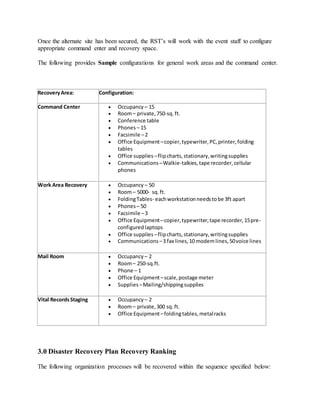
2.6 Alternate Site Setup
Once the alternate site has been secured, the RST’s will work with the event staff to configure
appropriate command enter and recovery space.
The following provides Sample configurations for general work areas and the command center.
RecoveryArea: Configuration:
Command Center  Occupancy – 15
 Room– private,750-sq.ft.
 Conference table
 Phones – 15
 Facsimile –2
 Office Equipment –copier,typewriter,PC,printer,folding
tables
 Office supplies –flipcharts,stationary,writingsupplies
 Communications –Walkie-talkies,tape recorder,cellular
phones
Work Area Recovery  Occupancy – 50
 Room– 5000- sq.ft.
 FoldingTables- eachworkstationneedstobe 3ft apart
 Phones – 50
 Facsimile –3
 Office Equipment –copier,typewriter,tape recorder,15pre-
configuredlaptops
 Office supplies –flipcharts,stationary,writingsupplies
 Communications –3 fax lines,10 modemlines,50voice lines
Mail Room  Occupancy – 2
 Room– 250-sq.ft.
 Phone – 1
 Office Equipment –scale,postage meter
 Supplies –Mailing/shippingsupplies
Vital RecordsStaging  Occupancy – 2
 Room– private,300 sq.ft.
 Office Equipment –foldingtables,metalracks
3.0 Disaster Recovery Plan Recovery Ranking
The following organization processes will be recovered within the sequence specified below:
Priority
Rank:
Organization
Process:
Potential Impact: Allowable
Downtime:
1
2
3
4
5
7
8
9
10
4.0 Disaster Recovery Plan Recovery Team Checklists
Developchecklist for each recovery function:
RecoveryFunction: Administration
Primary: Jane Doe
Alternate: John Doe
Alternate Locations:
Primary Staging Area: Alternate Staging Area:
Primary Work Area: Alternate Work Area:
Charter:
Responsible forall ofthe administrative aspects of the recovery effort.This
includesmaintainingthe plan currency, activating the command center and
providinglogisticsand employee assistance support duringthe recovery
effort.
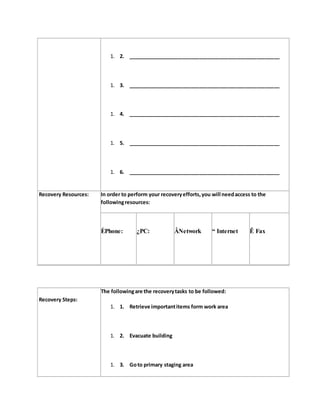
Retrieval List: The followingitemsshouldbe removedfrom your work area if you are
evacuatedfrom the building:
1. 1. _____________________________________________________
1. 2. _____________________________________________________
1. 3. _____________________________________________________
1. 4. _____________________________________________________
1. 5. _____________________________________________________
1. 6. _____________________________________________________
Recovery Resources: In order to perform your recoveryefforts,you will needaccess to the
followingresources:
ÈPhone: ¿PC: ÂNetwork “ Internet Ê Fax
Recovery Steps:
The followingare the recoverytasks to be followed:
1. 1. Retrieve importantitems form work area
1. 2. Evacuate building
1. 3. Goto primary staging area
1. 4. Waitfor all clear or activation notice
1. 5. Goto designatedrecoverylocation
1. 6. Execute callingtree
1. 7. ___________________________________________________
1. 8. ___________________________________________________
1. 9. ___________________________________________________
1. 10. ___________________________________________________
1. 11. ___________________________________________________
1. 12. ___________________________________________________
1. 13. ___________________________________________________
1. 14. ___________________________________________________
1. 15. ___________________________________________________
1. 16. ___________________________________________________
1. 17. ___________________________________________________
1. 18. ___________________________________________________
1. 19. ___________________________________________________
1. 20. ___________________________________________________
CallingList: You are responsible forcallingthe followingemployeesand/or companies:
1. 1. _____________________________________________________
1. 2. _____________________________________________________
1. 3. _____________________________________________________
1. 4. _____________________________________________________
1. 5. _____________________________________________________
1. 6. _____________________________________________________
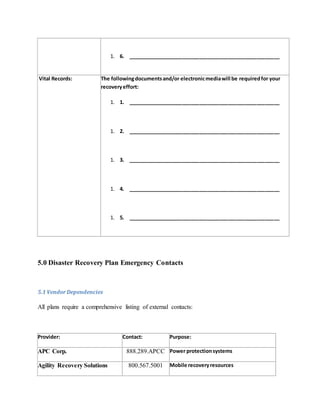
Vital Records: The followingdocumentsand/or electronicmediawill be requiredfor your
recoveryeffort:
1. 1. _____________________________________________________
1. 2. _____________________________________________________
1. 3. _____________________________________________________
1. 4. _____________________________________________________
1. 5. _____________________________________________________
5.0 Disaster Recovery Plan Emergency Contacts
5.1 VendorDependencies
All plans require a comprehensive listing of external contacts:
Provider: Contact: Purpose:
APC Corp. 888.289.APCC Power protectionsystems
Agility Recovery Solutions 800.567.5001 Mobile recoveryresources
Belfor, Inc. 800.856.3333 Electronicsrestorations
BMS Catastrophic 800.433.2940 Damage restoration (fire & water)
Crisis Care Network 888.736.0911 Crisismanagement
Data Protection 800.267.1664 Online data backup
Electronic Restoration
Services
888.248.3148 Data restoration services
Emergency Lifeline Corp. 800.826.2201 Disaster response kits
FedEx Custom Critical 800.762.3787 Expeditedshipping
Generac Power Systems 262.544.4811 Emergencypower supply
IMAC 800.554.IMAC Crisismanagement
Iron Mountain 800.899-IRON Off-site data storage
Kohler Rental Power 888.769.3794 Diesel generators.
Mail-Gard Continuity &
Recovery Services
215.957.1007 Mail processingrecovery
Media Recovery, Inc. 800.527.9497 Damaged media recovery
Network Services, Inc. 800.392.3299 Satellite linkedcommandcenter
Renew Data Corp. 888.811.3789 Data recovery and forensics
Rentsys Recovery Services 800.955.5171 Emergencytechnologyrecovery
Service Master 800-RESPOND Fire,smoke & water restoration
Servpro Industries 800.SER.VPRO Cleanupand restoration services
SunGard recovery Services 800.468.7483 Hot sites,warm sites,and cold sites
6.0 Disaster Recovery Plan Emergency Procedures
This section is reserved for specialized emergency procedures.

Disaster recovery plan sample 2

  • 1.
    Disaster Recovery Plan Thefollowing is a Sample disaster recovery plan. Please note that this plan is provided to generate ideas only on the creation of an organization’s plan. It is not intended to be a complete work. Plans can be developed using many different formats this represents just one. Additionally, not every recovery function is represented and not every plan component is presented. Page Contents [hide]  1 DisasterRecoveryPlan o 1.1 1.0 DisasterRecoveryPlanOverview  1.1.1 1.1 PolicyStatement  1.1.2 1.2 Introduction  1.1.3 1.3 ConfidentialityStatement  1.1.4 1.4 Manual Distribution  1.1.5 1.5 Manual Reclamation  1.1.6 1.6 PlanRevisionDate  1.1.7 1.7 DefinedScenario  1.1.8 1.8 RecoveryObjectives  1.1.9 1.9 PlanExclusions  1.1.10 1.10 PlanAssumptions  1.1.11 1.11 DeclarationInitiatives  1.1.12 1.12 RecoveryStrategies  1.1.13 1.13 TeamOverview  1.1.14 1.14 TeamCharters o 1.2 2.0 DisasterRecoveryPlanRecoveryStrategies  1.2.1 2.1 EmergencyPhone Numbers  1.2.1.1 Emergencyservices  1.2.1.2 Communications  1.2.1.3 Weatherinformation  1.2.1.4 Maintenance & repair  1.2.1.5 Logistics  1.2.1.6 IT services  1.2.1.7 Utilities
  • 2.
     1.2.1.8 Employeeassistance  1.2.2 2.3 ThreatProfile  1.2.3 2.4 RecoveryStrategyOverview  1.2.4 2.5 PlanParticipants  1.2.5 2.6 Alternate Site Setup o 1.3 3.0 DisasterRecoveryPlanRecoveryRanking o 1.4 4.0 DisasterRecoveryPlanRecoveryTeamChecklists o 1.5 5.0 DisasterRecoveryPlanEmergencyContacts  1.5.1 5.1 VendorDependencies o 1.6 6.0 DisasterRecoveryPlanEmergencyProcedures Disaster Recovery Plan 1.0 Disaster Recovery Plan Overview 1.1 Policy Statement It is the Policy of Sample Company (“Sample”) to maintain a comprehensive Business Continuity Plan for all critical organization functions. Each department head is responsible for ensuring compliance with this policy and that their respective plan component is tested no less than annually. Sample’s Disaster Recovery efforts exercise reasonable measures to protect employees, safeguard assets, and client accounts. 1.2 Introduction This document is the Business Continuity Plan for Sample located at 911 Recovery Drive, Any Town, USA 99999. It has been developed in compliance with the National Fire Protection Association (NFPA) Standard 1600. This plan was specifically designed to guide Sample through a recovery effort of specifically identified organization functions. At the onset of an emergency condition, Sample employees and resources will respond quickly to any condition, which could impact Sample’s ability to perform its critical organization functions. The procedures contained within have been designed to provide clear, concise and essential directions to recover from varying degrees of organization interruptions and disasters. 1.3 Confidentiality Statement This manual is classified as the confidential property of Sample. Due to the sensitive nature of the information contained herein, this manual is available only to those persons who have been designated as plan participants, assigned membership to one of the Sample recovery teams, or who otherwise play a direct role in the recovery process. This manual remains the property of Sample and may be repossessed at any time. Unauthorized use or duplication of this manual is strictly prohibited and may result in disciplinary action and/or civil prosecution.
  • 3.
    1.4 ManualDistribution Each planrecipient will receive and maintain two (2) copies of the disaster recovery manual; one copy will be kept in the plan recipient’s work area; the second copy will be kept at the plan recipient’s residence. Each manual has a control number to track its distribution. Replacement manuals and additional copies may be obtained from Sample’s Disaster Recovery Manager. Backup copies of all recovery documentation are maintained at Iron Mountain. 1.5 ManualReclamation Plan recipients who cease to be an active member of a disaster recovery team or an employee of Sample must surrender both copies of their disaster recovery manual to the Disaster Recovery Manager. Sample reserves any and all rights to pursue the return of these manuals. 1.6 Plan RevisionDate The latest manual revision date appears in the lower right hand corner of the footer. This date indicates the most published date of the plan section. 1.7 Defined Scenario A disaster is defined as a disruption of normal organization functions where the expected time for returning to normalcy would seriously impact Sample’s ability to maintain customer commitments and regulatory compliance. Sample’s recovery and restoration program is designed to support a recovery effort where Sample would not have access to its facilities and data at the onset of the emergency condition. 1.8 Recovery Objectives The Sample DisasterRecovery Plan was written with the following objectives:  To ensure the life/safetyof all Sample employeesthroughoutthe emergencycondition,disaster declaration,andrecoveryprocess.  To reestablishthe essential organizationrelatedservicesprovidedby Sample withintheir requiredrecoverywindowasidentifiedinthe recoveryportfolioinSection2at the declaration of disaster.  To suspendall non-essential activitiesuntilnormal andfull organizationfunctions have been restored.  To mitigate the impactto Sample’scustomersthroughthe rapidimplementationof effective recoverystrategiesasdefinedherein.  To reduce confusionandmisinformationbyprovidingaclearlydefinedcommandandcontrol structure.  To considerrelocationof personnel andfacilitiesasarecoverystrategyof last resort.
  • 4.
    1.9 Plan Exclusions TheSample Disaster Recovery Plan was developed with the following exclusions:  Successionof Management  Restorationof the PrimaryFacilities 1.10 PlanAssumptions Sample’s Disaster Recovery Plan was developed under certain assumptions in order for the plan to address a broad spectrum of disaster scenarios. These assumptions are:  Sample’srecoveryeffortsare basedonthe premise thatanyresources requiredforthe restorationof critical organizationfunctionswill reside outside of the primaryfacility.  Anyvital recordsrequiredforrecoverycanbe eitherretrievedorrecreatedfromanoff-site locationandmovedto the recoveryfacilitywithin24hours. 1.11 DeclarationInitiatives Sample’s decision process for implementing any of the three levels of recovery strategies to support the restoration of critical organization functions are based on the following declaration initiatives:  Everyreasonable efforthasbeenmade toprovide critical servicesto Sample’scustomersbyfirst attemptingtorestore the primaryfacilityand/or operate usingintra-dayprocedures.  Afterall reasonable effortshave failedtorestore the primaryfacility,andusingmanual proceduresseverelydegradesclientsupport, Sample wouldinvoke arecoverystrategythat requiresthe relocationof personnelandresourcestoanalternate recoveryfacility.  If the outage will clearlyextendedpastthe acceptable periodof time identifiedinthe Recovery Portfolio,(Section2) adeclarationof disasterwill immediatelybe made. 1.12 Recovery Strategies In order to facilitate a recovery regardless of the type or duration of disaster, Sample has implemented multiple recovery strategies. These strategies are categorized into three (3) levels. Each level is designed to provide an effective recovery solution equally matched to the duration of the emergency condition.  LEVEL 1: SHORT-TERMOUTAGE (RIDE-OUT) – INTRA-DAY A short-term outage is defined as the period of time Sample does not require computerized operations, or where an outage window of the same day or less would not allow adequate time to restore / utilize automated recovery operations.  LEVEL 2: MEDIUM-TERM OUTAGE (TEMPORARY) – UPTO SIX WEEKS
  • 5.
    A medium-term outageis defined as the period of time that Sample will execute its formal disaster recovery strategy, which includes actually declaring a disaster. A disaster may either be declared company wide or only for the effected department or building. The decision to declare a disaster will be based on the amount of time / expense that is required to implement the formal recovery and the anticipated impact to Sample’s organization over this period of time.  LEVEL 3: LONG-TERMOUTAGE (RELOCATION) – 6 WEEKS OR MORE A long-term outage is defined, as the period of time that Sample will exceed the allowed occupancy time of its primary recovery strategy. During this phase of recovery Sample will initiate a physical move of personnel and resources. 1.13 TeamOverview During an emergency each team member contributes the skills that they use in their everyday work to the overall response. 1.14 TeamCharters Crisis Management Team – The CMT is comprised of senior Sample management and is responsible for authorizing declarations of disaster, emergency investment strategy, approving public release of information, and ensuring donors and constituents are informed. Emergency Response Team – The ERT is first on scene to assess the damage caused by the disaster or ensure precautionary measures are taken in light of any impending disaster (e.g. inclement weather, etc.) Once the ERT determines the extent of the disaster, they will either order an evacuation of the facility or work with facilities to mitigate the effects to Sample. Recovery Site Team– The RST Team provides enterprise-level support for both the physical site and technology issues. The members of this team will ensure that the alternate site is ready, and adequate for arriving recovery personnel. The RST will be the first at a meeting point or alternate site in order to register arriving personnel. Business Restoration Team – The BRT’S consist of personnel from each Sample area deemed critical to the continuation of Sample. The captains of the BRT get updated status from the ERT and the RST to pass on to their team members to ensure prompt recovery of each department. 2.0 Disaster Recovery Plan Recovery Strategies The following are the identified recovery strategies for the organization: RecoveryArea: Primary Strategy: Backup Strategy: Office Space MobilizationTime:( ) MobilizationTime:( )
  • 6.
    Phone System MobilizationTime:() MobilizationTime:( ) Network Recovery MobilizationTime:( ) MobilizationTime:( ) Server Recovery MobilizationTime:( ) MobilizationTime:( ) Desktop Recovery MobilizationTime:( ) MobilizationTime:( ) Office Furniture MobilizationTime:( ) MobilizationTime:( ) RecoveryArea: Primary Strategy: Backup Strategy: Office Equipment MobilizationTime:( ) MobilizationTime:( ) Applications MobilizationTime:( ) MobilizationTime:( ) Databases MobilizationTime:( ) MobilizationTime:( ) Service Providers MobilizationTime:( ) MobilizationTime:( ) Employees MobilizationTime:( ) MobilizationTime:( ) 2.1 Emergency PhoneNumbers Complete the following to ensure that you have identified all the Emergency services 1. 1. Police: (____) ____ – ______ 1. 2. Fire: (____) ____ – ______
  • 7.
    1. 3. AlarmCompany:(____) ____ – ______ 1. 4. Ambulance: (____) ____ – ______ Communications 1. 1. Local Telco: (____) ____ – ______ 1. 2. Longdistance carrier: (____) ____ – ______ 1. 3. Directdial numbers: (____) ____ – ______ (____) ____ – ______ Weather information 1. 1. NOAA: (____) ____ – ______ 1. 2. Radiostation: AM 750 1. 3. Weatherchannel: 36 1. 4. Weatherchannel: https//:www.weather.com Maintenance & repair 1. 1. Janitorial: (____) ____ – ______
  • 8.
    1. 2. HVAC:(____) ____ – ______ 1. 3. Electrical: (____) ____ – ______ 1. 4. Glazer: (____) ____ – ______ 1. 5. Carpentry: (____) ____ – ______ 1. 6. Plumbing: (____) ____ – ______ Logistics 1. 1. Travel agent: (____) ____ – ______ 1. 2. Expressshipping: (____) ____ – ______ 1. 3. Taxi/limoservice: (____) ____ – ______ 1. 4. Charterair service: (____) ____ – ______ IT services 1. 1. Hardware VAR: (____) ____ – ______
  • 9.
    1. 2. SoftwareVAR: (____) ____ – ______ 1. 3. Networkequipment: (____) ____ – ______ 1. 4. Serverquick-ship: (____) ____ – ______ 1. 5. Desktopquick-ship: (____) ____ – ______ Utilities 1. 1. Electrical: (____) ____ – ______ 1. 2. Gas: (____) ____ – ______ 1. 3. Water: (____) ____ – ______ 1. 4. Sewer: (____) ____ – ______ 1. 5. Sanitation: (____) ____ – ______
  • 10.
    Employee assistance 1. 1.Childcare: (____) ____ – ______ 1. 2. Elderlycare: (____) ____ – ______ 1. 3. Concierge services: (____) ____ – ______ 1. 4. Petcare: (____) ____ – ______ 2.3 Threat Profile Hazard: Profile ofHazard: First Response: FreezingRain Freezingrainisrainoccurringwhen surface temperaturesare below freezing. The moisture fallsinliquidform, but freezesuponimpact,resultinginacoating of ice glaze onexposedobjects. This occurrence may be calledanice storm whena substantial glaze layer accumulates. Ice formingonexposed objectsgenerallyrangesfromathinglaze to coatingsaboutan inch thick. A heavy accumulationof ice,especiallywhen accompaniedbyhighwindsdevastates treesandtransmissionlines. Sidewalks, streetsandhighwaysbecome extremely hazardousto pedestriansandmotorists. Duringthe wintercitizensshouldbe preparedtoshelterthemselvesathome for several dayspossiblywithoutpower. Local shelterscanbe openedinareas where powerisnotaffectedbut transportationtoa sheltermaybe Step1: Monitorweather advisoriesStep2:Notifyon-site employeesStep3:Call local radio and TV stations to broadcast weatherclosinginformationfor employeesathomeStep4:Place closingsignonall Sample doors Step 5: Arrange for snow and ice removal
  • 11.
    difficult. Tornadoes Tornadoesare violentrotatingcolumnsof air,whichdescendfromsevere thunderstormcloudsystems.Theyare normallyshort-livedlocal storms containinghigh-speedwindsusually rotatingina counter-clockwisedirection. These are oftenobservable asafunnel- shapedappendage toa thunderstorm cloud. The funnel isinitiallycomposedto nothingmore thancondensedwater vapor. Itusuallypicksupdust anddebris, whicheventuallydarkensthe entire funnel. A tornadocan cause damage eventhoughthe funnel doesnotappear to touch the ground. Step1: Monitorweather conditionsStep2:Notify employeesof potential of severe weatherStep3:Poweroff equipmentStep4:Shut off utilities(powerandgas) Step 5: Instruct employees to assume protective posture Step 6: Assess damage once storm passes Step 7: Assist affected employees Floods In several areasof SampleCounty, unusuallyheavyrainsmaycause “flash” floods. Small creeks, gullies,dry streambeds,ravines,culvertsorevenlow lyingroundfrequentlyfloodquickly. In such situations,peopleare endangered before anywarningcan be given. Step1: Monitorflood advisoriesStep2:Determineflood potential toSampleStep3: Determine employeesatriskStep 4: Pre-stage emergencypower generatingequipment Step 5: Assess damage Hazard: Profile ofHazard: First Response: Hurricanes Eventhough Sample’sCounty isnot consideredacoastal area,hurricanesdo affectour area. Hurricane Hugo (1989) devastatedmostof theCarolinas,asit marchedinlandsome 200 miles. Step1: Power-offall equipmentStep2:Listento Hurricane advisoriesStep3: Evacuate area, if floodingis possibleStep4:Checkgas,water and electrical linesfor damage Step 5: Do not use telephones, in the event of severe lightning
  • 12.
    Step 6: Assessdamage Earthquakes An earthquake isthe shaking,or trembling,of the earth’scrust,causedby undergroundvolcanicforcesof breaking and shiftingrockbeneaththe earth’s surface. The NewMadrid Fault,which runs throughthe mountainsof Tennessee,can/will cause considerable damage inthe Sample area,shouldit become active. Step1: Shutoff utilitiesStep2: Evacuate buildingif necessaryStep3:Accountforall personnelStep4:Determine impactof organizationdisruption Power Failures Powerfailuresoccurinmanyparts of the countythroughoutthe year. They can be causedby winterstorms,lightningor constructionequipmentdigginginthe wronglocation. For whateverthe reason,poweroutagesina major metropolitanareacanseverelyimpactthe entire community. Step1: Wait5-10 minutesStep2: Power-off all Serversaftersoft shutdownprocedureStep3:Shut downmaincircuitlocatedon the bottomfloorStep4:Use emergencyphone line tomake outgoingphone calls Step 5: Call power company for assessment Step 6: Locate sources of mobile power Step 7: Contact electrical company Step 8: Re-energize building Step 9: Power-on equipment Urban Fires In metropolitanareas,urbanfirescan, and do,cause hundredsof deathseach yearand Sample’sCountyisno exception. Evenwithstrictbuildingcodesand exceptions,citizensstill parishneedlessly infires. Step1: Attempttosuppressfire inearlystagesStep2:Evacuate personnel onalarm, as necessaryStep3:Notifyfire departmentStep4:Shut off utilities Step 5: Account for all personnel Step 6: Search for missing
  • 13.
    personnel Step 7: Assesdamage 2.4 Recovery Strategy Overview Sample’s Business Continuity Recovery is based on the organization surviving the loss of facilities and/or key personnel and systems during a disaster. Once Sample’s ERT has determined that a declaration of disaster is required, the following sequence of events will occur: Steps: Instruction: 1: Evacuate affected facility. If the emergencyrequiresanevacuation of employees,executeevacuationplanscontainedin the EmergencyProceduressection. 2: Go to staging area. Follow buildingevacuationinstructions. 3: Determine length of outage. Review writtenandverbal damage assessment reportsfromfacilitiesandcivil authoritiesand thenestimate the amountof time the facilitywill be uninhabitable. 4: Select disaster level. Basedon the estimateddurationof the outage, declare the disastereventaseitheraL1 (Lessthan 48hrs.), L2 (48hrs. to 6 weeks),orL3 (6 weeksor longer). 5: Activate alternate facilities. Contact alternate facilitiesidentifiedinthe Facilitiessection. Confirmtheiravailabilityand alertthemof estimatedarrival time. 6: Release personnel from the staging area. Once the disasterlevel hasbeenselected,release all personnel fromthe stagingareatotheir assignedrecoverylocation.  Non-essential personnel–Home
  • 14.
     RecoverySite Team– Alternate Facility  End Users – Alternate Facility  CommandCenterStaff –Alternate Facility  CrisisManagementTeam– Alternate Facility 7: RST establish Command Center. RST personnel are the firsttoarrive at the alternate facilitytosetupandorganize the commandcenterpriorto the arrival of the CMT and supportpersonnel. The following representativesare requiredat theCommandCenterwithin1-3hours:  CrisisManagementTeam  EmergencyResponse TeamLead  BusinessRestorationTeamLead  RecoverySite TeamLead 8: Establish situation desk. At the commandcenter,establishadedicatedline withoperatorto fieldall incomingcalls. Announce commandcenterphone numbertoall recovery participants. 9: Review recovery matrix. Review the RecoveryMatrix Sectionona departmentbydepartmentbasistodetermine whois mosteffectedbythe disaster. Group departmentsbyrecoveryresource requirements, time frames,andco-locationrequirements. 10: Create technology shopping list. Once the technologyrequirementsof the effected department(s)are known,create arequirements listforthe IT supportstaff. Steps: Instruction: 11: Contact quick ship vendors. Usingthe vendorquick-shipcontactsorlocal sourceslocatedinthe LAN Restorationsection orderreplacementtechnologyindicatedon requirementslist. 12: Retrieve electronic/hardcopy vital Retrieve vital recordsfromIronMountainorother
  • 15.
    records, locationsasindicatedinthe VitalRecordssection. Have vital recordsshippedandstagedat the alternate facility. 13: Setup replacementLAN. The priorityof Sample Serverrestorationto supportall otherSample Businessfunctionsis:  Core technology  End-userservers 14: Activate short-termrecovery strategies. Instructeach departmenttoinitiate theirshort- termrecoverystrategies.These strategieswill be usedwhile the replacementLAN/WAN circuitsare implemented. 15: Populate alternate facility. Once the replacementLAN/WAN isfunctional, notifythe BRT that departmentscannow begin executingtheirL2 recoverystrategies. 2.5 Plan Participants The following presents the Sample plan participants and their associated recovery function. At the time of a disaster, these individuals will be among the first to be contacted. RecoveryRole: Primary: Alternate: RecoveryManagerName: _____________________________Title: ______________________________ Office: _____________________________ Cell: _______________________________ Name: _____________________________Title: ______________________________ Office: _____________________________ Cell: _______________________________
  • 16.
    Home: _____________________________ E-mail: _____________________________ Pager/other: ________________________ Home: _____________________________ E-mail: _____________________________ Pager/other: ________________________ Voice Recovery Name: _____________________________Title: ______________________________ Office: _____________________________ Cell: _______________________________ Home: _____________________________ E-mail: _____________________________ Pager/other: ________________________ Name: _____________________________Title: ______________________________ Office: _____________________________ Cell: _______________________________ Home: _____________________________ E-mail: _____________________________ Pager/other: ________________________ ITRecovery Name: _____________________________Title: ______________________________ Name: _____________________________Title: ______________________________
  • 17.
    Office: _____________________________ Cell: _______________________________ Home: _____________________________ E-mail: _____________________________ Pager/other: ________________________ Office: _____________________________ Cell: _______________________________ Home: _____________________________ E-mail: _____________________________ Pager/other: ________________________ RecoveryRole: Primary: Alternate: NetworkRecoveryName: _____________________________Title: ______________________________ Office: _____________________________ Cell: _______________________________ Home: Name: _____________________________Title: ______________________________ Office: _____________________________ Cell: _______________________________ Home:
  • 18.
  • 19.
    Once the alternatesite has been secured, the RST’s will work with the event staff to configure appropriate command enter and recovery space. The following provides Sample configurations for general work areas and the command center. RecoveryArea: Configuration: Command Center  Occupancy – 15  Room– private,750-sq.ft.  Conference table  Phones – 15  Facsimile –2  Office Equipment –copier,typewriter,PC,printer,folding tables  Office supplies –flipcharts,stationary,writingsupplies  Communications –Walkie-talkies,tape recorder,cellular phones Work Area Recovery  Occupancy – 50  Room– 5000- sq.ft.  FoldingTables- eachworkstationneedstobe 3ft apart  Phones – 50  Facsimile –3  Office Equipment –copier,typewriter,tape recorder,15pre- configuredlaptops  Office supplies –flipcharts,stationary,writingsupplies  Communications –3 fax lines,10 modemlines,50voice lines Mail Room  Occupancy – 2  Room– 250-sq.ft.  Phone – 1  Office Equipment –scale,postage meter  Supplies –Mailing/shippingsupplies Vital RecordsStaging  Occupancy – 2  Room– private,300 sq.ft.  Office Equipment –foldingtables,metalracks 3.0 Disaster Recovery Plan Recovery Ranking The following organization processes will be recovered within the sequence specified below:
  • 20.
  • 21.
    8 9 10 4.0 Disaster RecoveryPlan Recovery Team Checklists Developchecklist for each recovery function: RecoveryFunction: Administration Primary: Jane Doe Alternate: John Doe Alternate Locations: Primary Staging Area: Alternate Staging Area: Primary Work Area: Alternate Work Area: Charter: Responsible forall ofthe administrative aspects of the recovery effort.This includesmaintainingthe plan currency, activating the command center and providinglogisticsand employee assistance support duringthe recovery effort. Retrieval List: The followingitemsshouldbe removedfrom your work area if you are evacuatedfrom the building: 1. 1. _____________________________________________________
  • 22.
    1. 2. _____________________________________________________ 1.3. _____________________________________________________ 1. 4. _____________________________________________________ 1. 5. _____________________________________________________ 1. 6. _____________________________________________________ Recovery Resources: In order to perform your recoveryefforts,you will needaccess to the followingresources: ÈPhone: ¿PC: ÂNetwork “ Internet Ê Fax Recovery Steps: The followingare the recoverytasks to be followed: 1. 1. Retrieve importantitems form work area 1. 2. Evacuate building 1. 3. Goto primary staging area
  • 23.
    1. 4. Waitforall clear or activation notice 1. 5. Goto designatedrecoverylocation 1. 6. Execute callingtree 1. 7. ___________________________________________________ 1. 8. ___________________________________________________ 1. 9. ___________________________________________________ 1. 10. ___________________________________________________ 1. 11. ___________________________________________________ 1. 12. ___________________________________________________ 1. 13. ___________________________________________________ 1. 14. ___________________________________________________
  • 24.
    1. 15. ___________________________________________________ 1.16. ___________________________________________________ 1. 17. ___________________________________________________ 1. 18. ___________________________________________________ 1. 19. ___________________________________________________ 1. 20. ___________________________________________________ CallingList: You are responsible forcallingthe followingemployeesand/or companies: 1. 1. _____________________________________________________ 1. 2. _____________________________________________________ 1. 3. _____________________________________________________ 1. 4. _____________________________________________________ 1. 5. _____________________________________________________
  • 25.
    1. 6. _____________________________________________________ VitalRecords: The followingdocumentsand/or electronicmediawill be requiredfor your recoveryeffort: 1. 1. _____________________________________________________ 1. 2. _____________________________________________________ 1. 3. _____________________________________________________ 1. 4. _____________________________________________________ 1. 5. _____________________________________________________ 5.0 Disaster Recovery Plan Emergency Contacts 5.1 VendorDependencies All plans require a comprehensive listing of external contacts: Provider: Contact: Purpose: APC Corp. 888.289.APCC Power protectionsystems Agility Recovery Solutions 800.567.5001 Mobile recoveryresources
  • 26.
    Belfor, Inc. 800.856.3333Electronicsrestorations BMS Catastrophic 800.433.2940 Damage restoration (fire & water) Crisis Care Network 888.736.0911 Crisismanagement Data Protection 800.267.1664 Online data backup Electronic Restoration Services 888.248.3148 Data restoration services Emergency Lifeline Corp. 800.826.2201 Disaster response kits FedEx Custom Critical 800.762.3787 Expeditedshipping Generac Power Systems 262.544.4811 Emergencypower supply IMAC 800.554.IMAC Crisismanagement Iron Mountain 800.899-IRON Off-site data storage Kohler Rental Power 888.769.3794 Diesel generators. Mail-Gard Continuity & Recovery Services 215.957.1007 Mail processingrecovery Media Recovery, Inc. 800.527.9497 Damaged media recovery Network Services, Inc. 800.392.3299 Satellite linkedcommandcenter Renew Data Corp. 888.811.3789 Data recovery and forensics Rentsys Recovery Services 800.955.5171 Emergencytechnologyrecovery Service Master 800-RESPOND Fire,smoke & water restoration Servpro Industries 800.SER.VPRO Cleanupand restoration services SunGard recovery Services 800.468.7483 Hot sites,warm sites,and cold sites 6.0 Disaster Recovery Plan Emergency Procedures This section is reserved for specialized emergency procedures.