Planning a Disaster
Recovery
Infrastructure
Sinar Surya Teknologi
Contents
 DRC Objective and Overview
 DR Methodology
 Sample of Disaster
 DR model & Prerequisite
 Things to be considered
 Planning a DR Initiatives
 Closure
DRC Objective
 To minimize business loss in the event of IT
disaster
 To protect business process and continuity when
disaster happen
DR Terminology
The process, policies and procedures related to
preparing for recovery or continuation of
technology infrastructure critical to an
organization after a natural or human-induced
disaster
Subset of Business Continuity
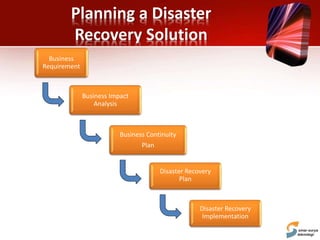
Planning a Disaster
Recovery Solution
Business Impact
Analysis
Business Continuity
Plan
Disaster Recovery
Implementation
Business
Requirement
Disaster Recovery
Plan
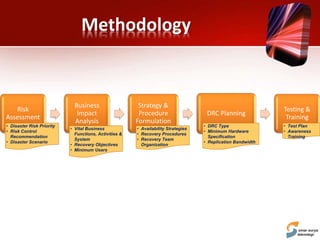
Methodology
Risk
Assessment
Business
Impact
Analysis
Strategy &
Procedure
Formulation
DRC Planning
Testing &
Training
• Disaster Risk Priority
• Risk Control
Recommendation
• Disaster Scenario
• Vital Business
Functions, Activities &
System
• Recovery Objectives
• Minimum Users
• Availability Strategies
• Recovery Procedures
• Recovery Team
Organization
• DRC Type
• Minimum Hardware
Specification
• Replication Bandwidth
• Test Plan
• Awareness
Training
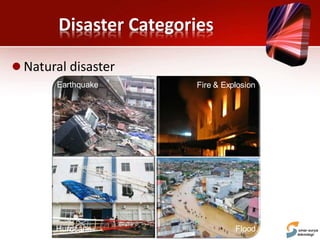
Disaster Categories
 Natural disaster
Flood
Fire & ExplosionEarthquake
Hurricane
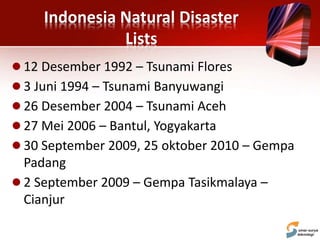
Indonesia Natural Disaster
Lists
 12 Desember 1992 – Tsunami Flores
 3 Juni 1994 – Tsunami Banyuwangi
 26 Desember 2004 – Tsunami Aceh
 27 Mei 2006 – Bantul, Yogyakarta
 30 September 2009, 25 oktober 2010 – Gempa
Padang
 2 September 2009 – Gempa Tasikmalaya –
Cianjur
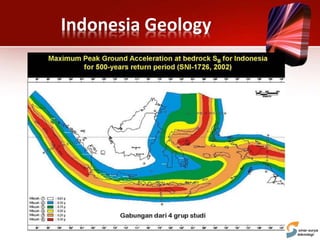
Indonesia Geology
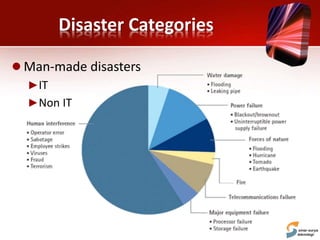
Disaster Categories
 Man-made disasters
►IT
►Non IT
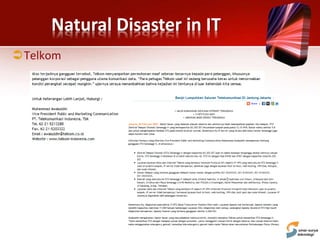
Natural Disaster in IT
Telkom
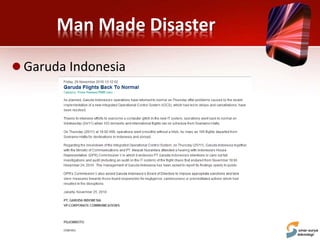
Man Made Disaster
 Garuda Indonesia
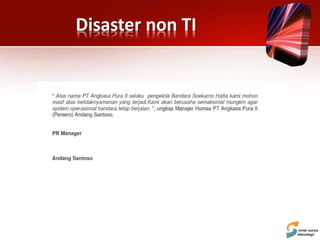
Disaster non TI
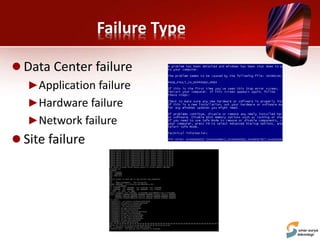
Failure Type
 Data Center failure
►Application failure
►Hardware failure
►Network failure
 Site failure
DR Model
 Stand by DR
►Different performance level
►Active on testing or disaster only
 DR – Production rotation
►Similar performance level
►Active periodically
Prerequisites
 Implement precautionary measures with an
objective of preventing a disaster
►Local mirrors of systems, clustered system and/or data
and use of disk protection technology such as RAID
►Redundant server and network components
►Surge protectors — to minimize the effect of power
surges on delicate electronic equipment
►Uninterruptible power supply (UPS) and/or backup
generator to keep systems going in the event of a power
failure
►Fire preventions — alarms, fire extinguishers
►Anti-virus software and other security measures
Things to be considered
 RTO (Run Time Objective)
 RPO (Recovery Point Objective)
 Budgets
 Locations
 Types of Systems
 Security
Recovery Time Objectives
 RTO is how long you can be offline before the
business cannot recovery effectively
►Single Server Failure
►Multiple Server Failure
►Datacenter Failure
 RTO Metrics change over time
 RTO changes with new applications
Recovery Point Objectives
 RPO is the amount of data the system can lose
without endangering recovery
►Zero-byte RPO is nearly impossible
►Can be rated in milliseconds
►May be rated in min/hours
 Directly impacts infrastructure
 Most applications are designed to handle small
amounts of data loss without faulting
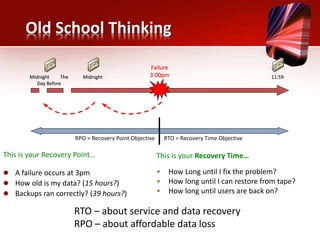
Old School Thinking
This is your Recovery Point…
 A failure occurs at 3pm
 How old is my data? (15 hours?)
 Backups ran correctly? (39 hours?)
Midnight The
Day Before
Midnight
Failure
3:00pm 11:59
RPO = Recovery Point Objective RTO = Recovery Time Objective
This is your Recovery Time…
• How Long until I fix the problem?
• How long until I can restore from tape?
• How long until users are back on?
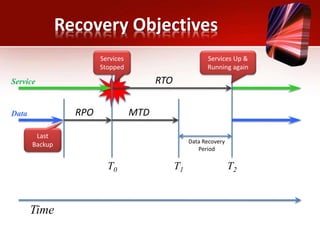
RTO – about service and data recovery
RPO – about affordable data loss
Time
Service RTO
Data MTDRPO
Services
Stopped
Services Up &
Running again
Last
Backup Data Recovery
Period
T0 T1 T2
Recovery Objectives
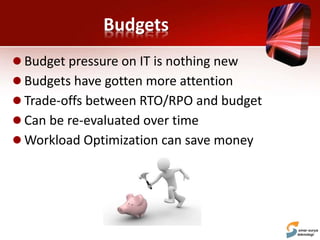
Budgets
 Budget pressure on IT is nothing new
 Budgets have gotten more attention
 Trade-offs between RTO/RPO and budget
 Can be re-evaluated over time
 Workload Optimization can save money
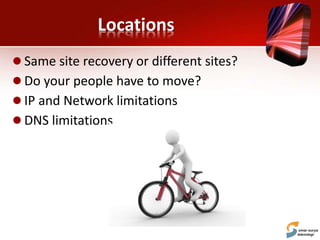
Locations
 Same site recovery or different sites?
 Do your people have to move?
 IP and Network limitations
 DNS limitations
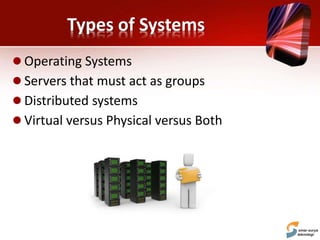
Types of Systems
 Operating Systems
 Servers that must act as groups
 Distributed systems
 Virtual versus Physical versus Both
Security
 Internal compliance policies
 Regulatory/External concerns
 Encryption
 Site security
Disaster Recovery Standard
Operating Procedure
 DR Standard Operating Procedure
►Key Person
►Application Documentation
►Network Documentation
►Hardware Documentation
Planning a Disaster Recovery
Initiatives
 Data Center Risk Assessment
 Identify Application severity level, RTO and RPO
►Critical
►Important
►Not Important
 Identify Device severity level, and RTO
►Critical
►Important
►Not Important
 Define transaction volume for critical systems
 Define Key person to responsible to activate the DRC
 Define # of Key users to access Disaster recovery center
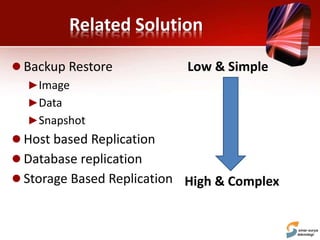
Related Solution
 Backup Restore
►Image
►Data
►Snapshot
 Host based Replication
 Database replication
 Storage Based Replication
Low & Simple
High & Complex
Regular DR component
 Domain Controller
 DNS
 Messaging
 Core Application & Database
 2nd severity application & Database
 HR & Payroll application
 Network device
►Switch
►Router
►Firewall
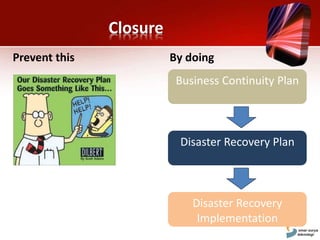
Closure
Business Continuity Plan
Disaster Recovery Plan
Disaster Recovery
Implementation
Prevent this By doing
Discussion
DRC: Sample Case
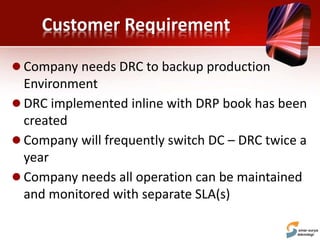
Customer Requirement
 Company needs DRC to backup production
Environment
 DRC implemented inline with DRP book has been
created
 Company will frequently switch DC – DRC twice a
year
 Company needs all operation can be maintained
and monitored with separate SLA(s)
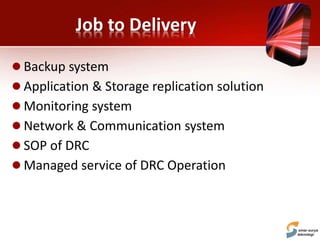
Job to Delivery
 Backup system
 Application & Storage replication solution
 Monitoring system
 Network & Communication system
 SOP of DRC
 Managed service of DRC Operation
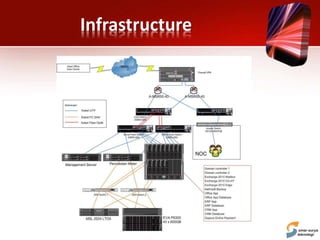
Infrastructure
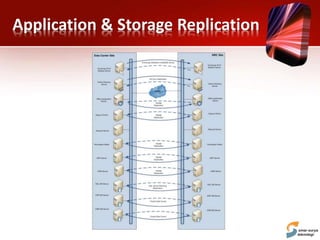
Application & Storage Replication

Disaster recovery solution

  • 1.
  • 2.
    Contents  DRC Objectiveand Overview  DR Methodology  Sample of Disaster  DR model & Prerequisite  Things to be considered  Planning a DR Initiatives  Closure
  • 3.
    DRC Objective  Tominimize business loss in the event of IT disaster  To protect business process and continuity when disaster happen
  • 4.
    DR Terminology The process,policies and procedures related to preparing for recovery or continuation of technology infrastructure critical to an organization after a natural or human-induced disaster Subset of Business Continuity
  • 5.
    Planning a Disaster RecoverySolution Business Impact Analysis Business Continuity Plan Disaster Recovery Implementation Business Requirement Disaster Recovery Plan
  • 6.
    Methodology Risk Assessment Business Impact Analysis Strategy & Procedure Formulation DRC Planning Testing& Training • Disaster Risk Priority • Risk Control Recommendation • Disaster Scenario • Vital Business Functions, Activities & System • Recovery Objectives • Minimum Users • Availability Strategies • Recovery Procedures • Recovery Team Organization • DRC Type • Minimum Hardware Specification • Replication Bandwidth • Test Plan • Awareness Training
  • 7.
    Disaster Categories  Naturaldisaster Flood Fire & ExplosionEarthquake Hurricane
  • 8.
    Indonesia Natural Disaster Lists 12 Desember 1992 – Tsunami Flores  3 Juni 1994 – Tsunami Banyuwangi  26 Desember 2004 – Tsunami Aceh  27 Mei 2006 – Bantul, Yogyakarta  30 September 2009, 25 oktober 2010 – Gempa Padang  2 September 2009 – Gempa Tasikmalaya – Cianjur
  • 9.
  • 10.
    Disaster Categories  Man-madedisasters ►IT ►Non IT
  • 11.
    Natural Disaster inIT Telkom
  • 12.
    Man Made Disaster Garuda Indonesia
  • 13.
  • 14.
    Failure Type  DataCenter failure ►Application failure ►Hardware failure ►Network failure  Site failure
  • 15.
    DR Model  Standby DR ►Different performance level ►Active on testing or disaster only  DR – Production rotation ►Similar performance level ►Active periodically
  • 16.
    Prerequisites  Implement precautionarymeasures with an objective of preventing a disaster ►Local mirrors of systems, clustered system and/or data and use of disk protection technology such as RAID ►Redundant server and network components ►Surge protectors — to minimize the effect of power surges on delicate electronic equipment ►Uninterruptible power supply (UPS) and/or backup generator to keep systems going in the event of a power failure ►Fire preventions — alarms, fire extinguishers ►Anti-virus software and other security measures
  • 17.
    Things to beconsidered  RTO (Run Time Objective)  RPO (Recovery Point Objective)  Budgets  Locations  Types of Systems  Security
  • 18.
    Recovery Time Objectives RTO is how long you can be offline before the business cannot recovery effectively ►Single Server Failure ►Multiple Server Failure ►Datacenter Failure  RTO Metrics change over time  RTO changes with new applications
  • 19.
    Recovery Point Objectives RPO is the amount of data the system can lose without endangering recovery ►Zero-byte RPO is nearly impossible ►Can be rated in milliseconds ►May be rated in min/hours  Directly impacts infrastructure  Most applications are designed to handle small amounts of data loss without faulting
  • 20.
    Old School Thinking Thisis your Recovery Point…  A failure occurs at 3pm  How old is my data? (15 hours?)  Backups ran correctly? (39 hours?) Midnight The Day Before Midnight Failure 3:00pm 11:59 RPO = Recovery Point Objective RTO = Recovery Time Objective This is your Recovery Time… • How Long until I fix the problem? • How long until I can restore from tape? • How long until users are back on? RTO – about service and data recovery RPO – about affordable data loss
  • 21.
    Time Service RTO Data MTDRPO Services Stopped ServicesUp & Running again Last Backup Data Recovery Period T0 T1 T2 Recovery Objectives
  • 22.
    Budgets  Budget pressureon IT is nothing new  Budgets have gotten more attention  Trade-offs between RTO/RPO and budget  Can be re-evaluated over time  Workload Optimization can save money
  • 23.
    Locations  Same siterecovery or different sites?  Do your people have to move?  IP and Network limitations  DNS limitations
  • 24.
    Types of Systems Operating Systems  Servers that must act as groups  Distributed systems  Virtual versus Physical versus Both
  • 25.
    Security  Internal compliancepolicies  Regulatory/External concerns  Encryption  Site security
  • 26.
    Disaster Recovery Standard OperatingProcedure  DR Standard Operating Procedure ►Key Person ►Application Documentation ►Network Documentation ►Hardware Documentation
  • 27.
    Planning a DisasterRecovery Initiatives  Data Center Risk Assessment  Identify Application severity level, RTO and RPO ►Critical ►Important ►Not Important  Identify Device severity level, and RTO ►Critical ►Important ►Not Important  Define transaction volume for critical systems  Define Key person to responsible to activate the DRC  Define # of Key users to access Disaster recovery center
  • 28.
    Related Solution  BackupRestore ►Image ►Data ►Snapshot  Host based Replication  Database replication  Storage Based Replication Low & Simple High & Complex
  • 29.
    Regular DR component Domain Controller  DNS  Messaging  Core Application & Database  2nd severity application & Database  HR & Payroll application  Network device ►Switch ►Router ►Firewall
  • 30.
    Closure Business Continuity Plan DisasterRecovery Plan Disaster Recovery Implementation Prevent this By doing
  • 31.
  • 32.
  • 33.
    Customer Requirement  Companyneeds DRC to backup production Environment  DRC implemented inline with DRP book has been created  Company will frequently switch DC – DRC twice a year  Company needs all operation can be maintained and monitored with separate SLA(s)
  • 34.
    Job to Delivery Backup system  Application & Storage replication solution  Monitoring system  Network & Communication system  SOP of DRC  Managed service of DRC Operation
  • 35.
  • 36.